clock TOYOTA COROLLA 2011 10.G Owners Manual
[x] Cancel search | Manufacturer: TOYOTA, Model Year: 2011, Model line: COROLLA, Model: TOYOTA COROLLA 2011 10.GPages: 529, PDF Size: 9.69 MB
Page 4 of 529

TABLE OF CONTENTSIndex
4
3-4. Using the hands-free phone system
(for cellular phone)
Hands-free phone system (for cellular phone)
features ............................ 275
Using the hands-free phone system ................... 279
Making a phone call ........... 289
Setting a cellular phone...... 293
Security and system setup ................................ 298
Using the phone book ........ 302
3-5. Using the interior lights Interior lights list ................. 309
• Interior light ...................... 311
• Personal lights ................. 311
• Personal/interior lights...... 312
3-6. Using the storage features List of storage features....... 313
• Glove box ......................... 314
• Console box ..................... 314
• Cup holders ...................... 316
• Auxiliary boxes ................. 318
• Bottle holders ................... 320
3-7. Other interior features Sun visors .......................... 321
Vanity mirrors ..................... 322
Clock .................................. 323
Ashtray ............................... 324
Cigarette lighter .................. 325
Power outlet ....................... 326
Seat heaters ....................... 327
Floor mat ............................ 329
Compass ............................ 330 4-1. Maintenance and care
Cleaning and protecting the vehicle exterior ........... 336
Cleaning and protecting the vehicle interior ............ 338
4-2. Maintenance Maintenance requirements .................... 341
General maintenance ......... 343
Emission inspection and maintenance (I/M)
programs .......................... 346
4-3. Do-it-yourself maintenance Do-it-yourself service precautions ....................... 347
Hood ................................... 351
Positioning a floor jack........ 353
Engine compartment .......... 356
Tires.................................... 370
Tire inflation pressure ......... 378
Wheels................................ 382
Air conditioning filter ........... 384
Key battery ......................... 386
Checking and replacing fuses ................................. 390
Light bulbs .......................... 400
4Maintenance and care
Page 11 of 529
11
A
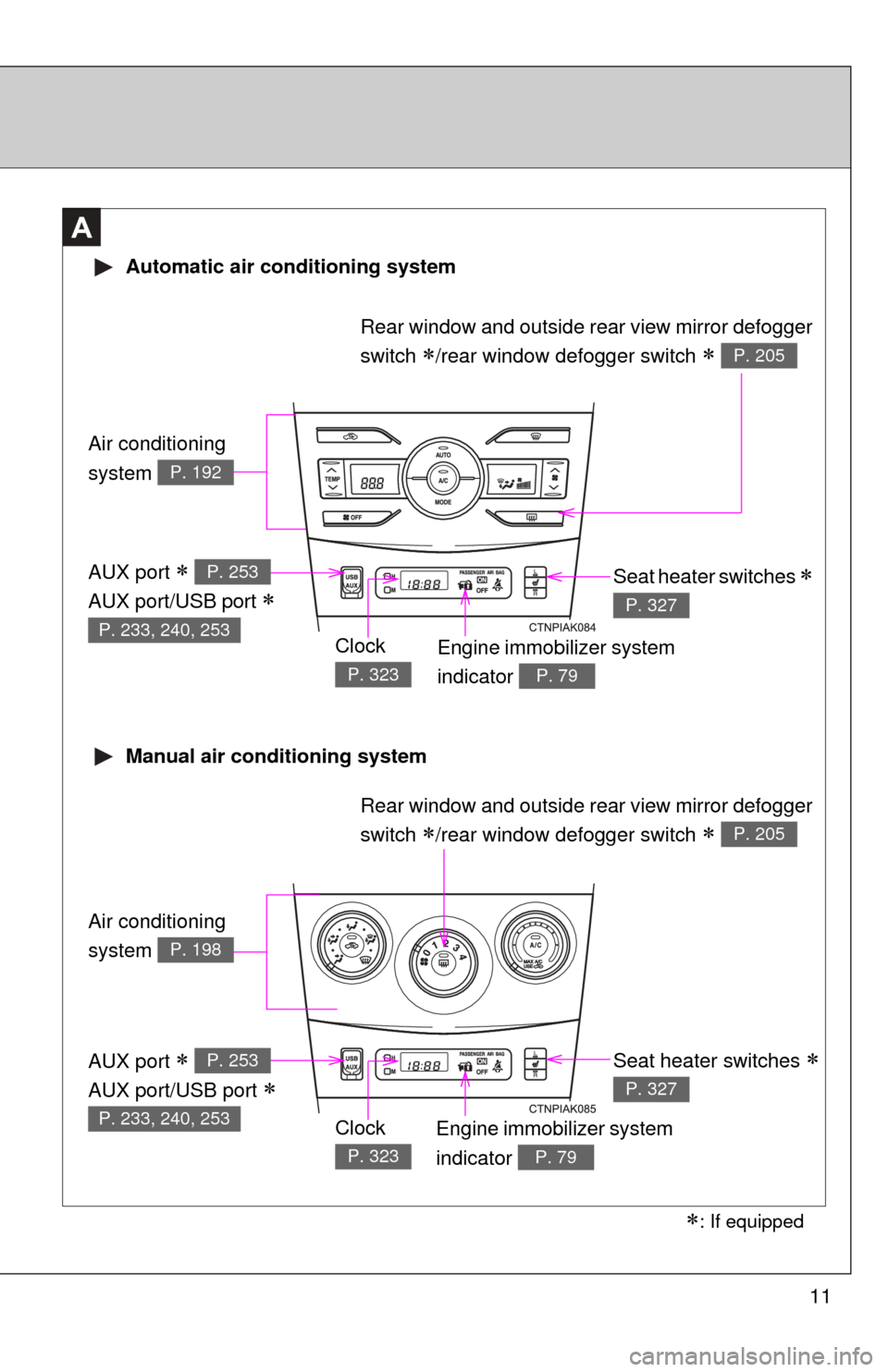
Air conditioning
system
P. 192
Air conditioning
system
P. 198
Automatic air conditioning system
Manual air conditioning system
Engine immobilizer system
indicator
P. 79
Seat heater switches
P. 327
Rear window and outside rear view mirror defogger
switch
/rear window defogger switch P. 205
Rear window and outside rear view mirror defogger
switch
/rear window defogger switch P. 205
Engine immobilizer system
indicator
P. 79
Clock
P. 323
Clock
P. 323
Seat heater switches
P. 327
AUX port
AUX port/USB port
P. 253
P. 233, 240, 253
AUX port
AUX port/USB port
P. 253
P. 233, 240, 253
: If equipped
Page 45 of 529
45
1
1-2. Opening, closing and locking the doors and trunk
Before driving
Trunk
The trunk can be opened using the entry function, wireless remote
control, key or trunk opener.
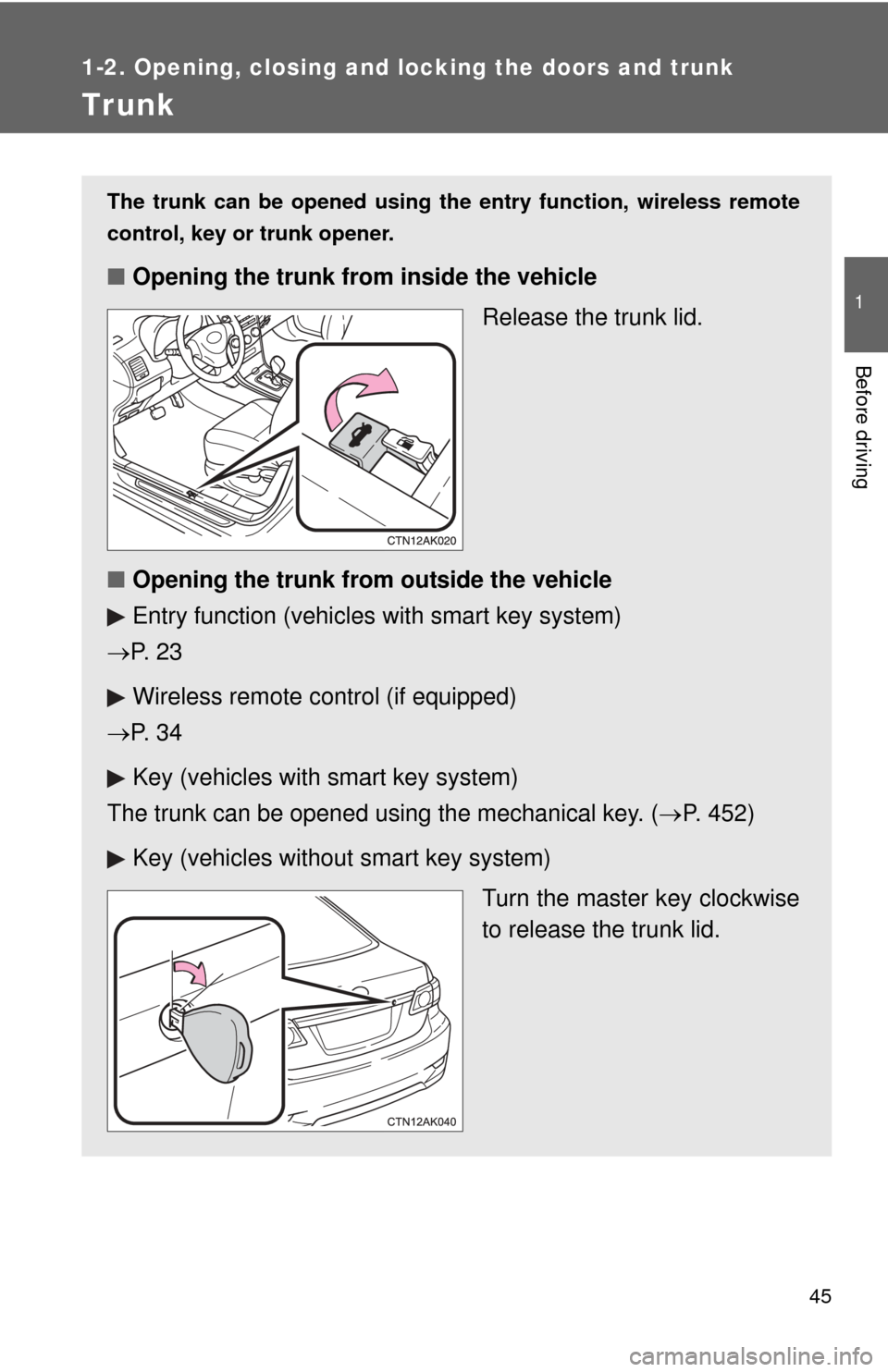
■ Opening the trunk from inside the vehicle
Release the trunk lid.
■ Opening the trunk from outside the vehicle
Entry function (vehicles with smart key system)
P. 2 3
Wireless remote control (if equipped)
P. 3 4
Key (vehicles with smart key system)
The trunk can be opened using the mechanical key. ( P. 452)
Key (vehicles without smart key system)
Turn the master key clockwise
to release the trunk lid.
Page 46 of 529
46 1-2. Opening, closing and locking the doors and trunk
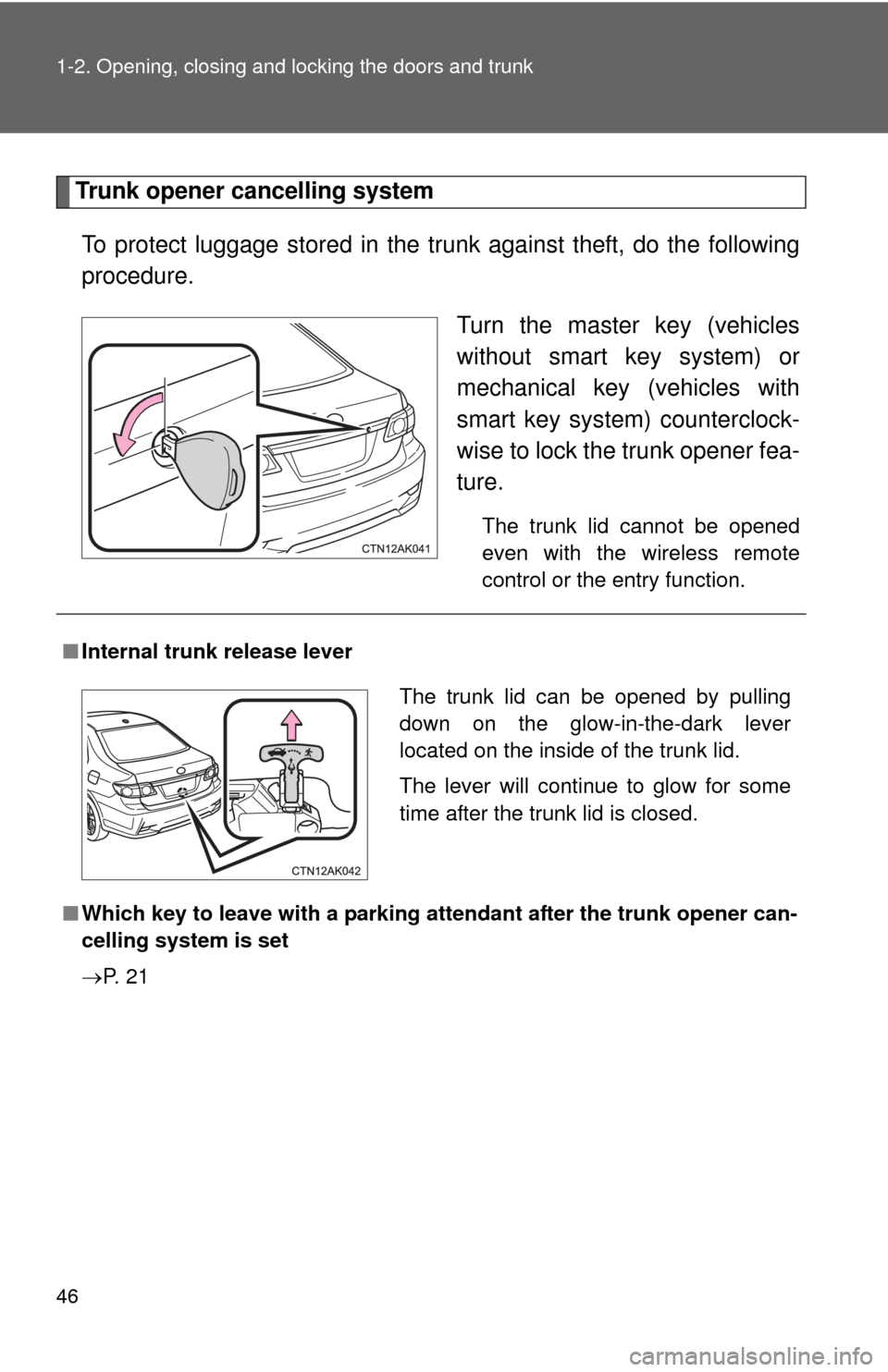
Trunk opener cancelling systemTo protect luggage stored in the trunk against theft, do the following
procedure. Turn the master key (vehicles
without smart key system) or
mechanical key (vehicles with
smart key system) counterclock-
wise to lock the trunk opener fea-
ture.
The trunk lid cannot be opened
even with the wireless remote
control or the entry function.
■Internal trunk release lever
■ Which key to leave with a parking atte ndant after the trunk opener can-
celling system is set
P. 2 1
The trunk lid can be opened by pulling
down on the glow-in-the-dark lever
located on the inside of the trunk lid.
The lever will continue to glow for some
time after the trunk lid is closed.
Page 191 of 529
Interior features3
191
3-3. Using the Bluetooth®
audio system
Bluetooth
® audio
system ........................... 259
Using the Bluetooth
®
audio system.................. 262
Operating a Bluetooth
®
enabled portable
player ............................. 267
Setting up a Bluetooth
®
enabled portable
player ............................. 269
Bluetooth
® audio system
setup .............................. 274
3-4. Using the hands-free phone system
(for cellular phone)
Hands-free phone system (for cellular phone)
features .......................... 275
Using the hands-free phone system ................ 279
Making a phone call ......... 289
Setting a cellular phone ... 293
Security and system setup .............................. 298
Using the phone book ...... 302 3-5. Using the interior lights
Interior lights list ............... 309
• Interior light .................... 311
• Personal lights ............... 311
• Personal/interior lights .............................. 312
3-6. Using the storage features
List of storage features .... 313
• Glove box....................... 314
• Console box ................... 314
• Cup holders ................... 316
• Auxiliary boxes ............... 318
• Bottle holders ................. 320
3-7. Other interior features Sun visors ........................ 321
Vanity mirrors ................... 322
Clock ................................ 323
Ashtray ............................. 324
Cigarette lighter................ 325
Power outlet ..................... 326
Seat heaters..................... 327
Floor mat .......................... 329
Compass .......................... 330
Page 199 of 529
199
3-1. Using the air conditioning system
and defogger
3
Interior features
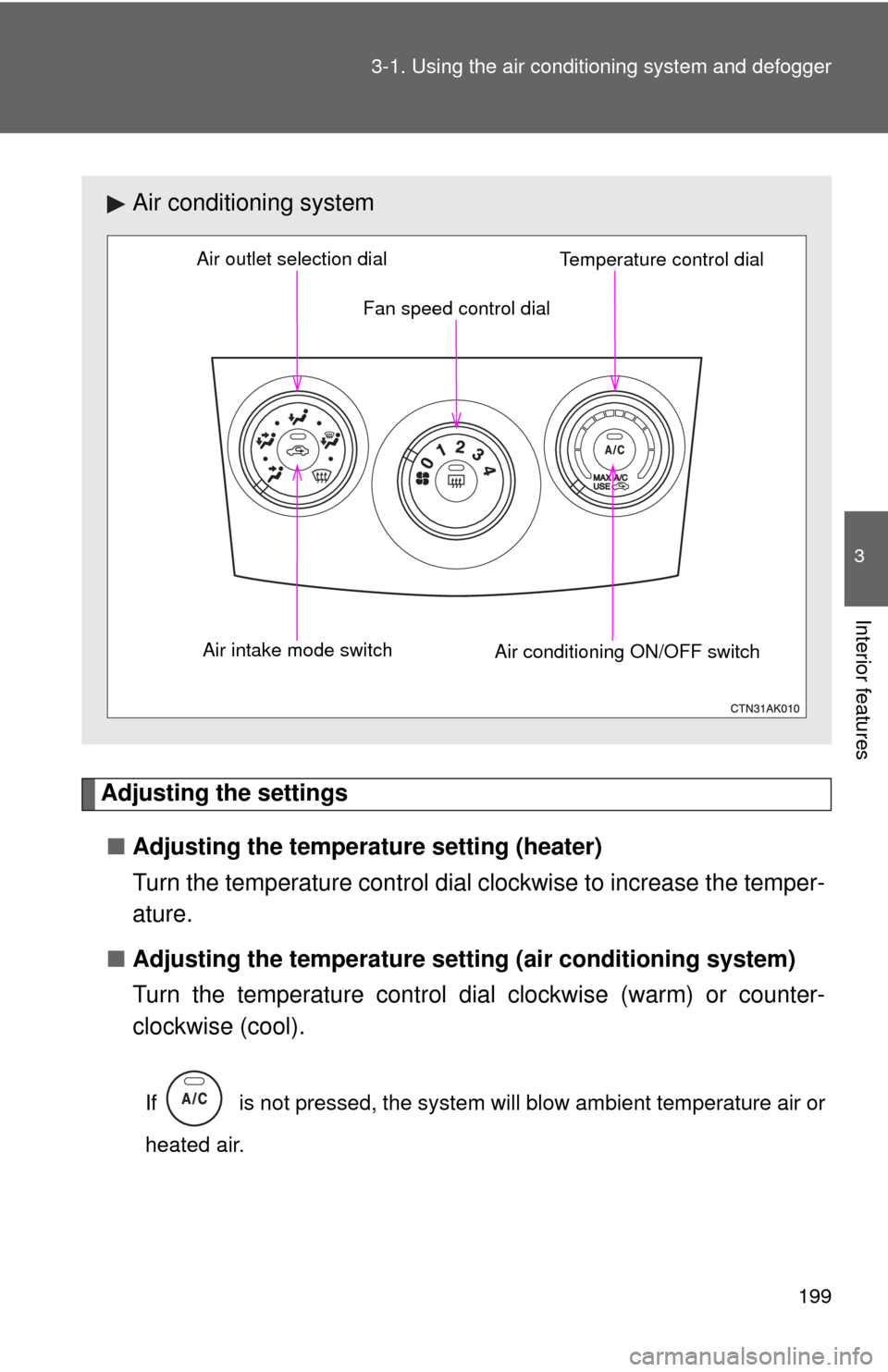
Adjusting the settings
■ Adjusting the temperature setting (heater)
Turn the temperature control dial clockwise to increase the temper-
ature.
■ Adjusting the temperature setting (air conditioning system)
Turn the temperature control dial clockwise (warm) or counter-
clockwise (cool).
If is not pressed, the system will blow ambient temperature air or
heated air.
Air conditioning system
Fan speed control dial
Air outlet selection dial
Air intake mode switch Air conditioning ON/OFF switchTemperature control dial
Page 200 of 529
200 3-1. Using the air conditioning system and defogger
■Adjusting the fan speed
Turn the fan speed control dial clockwise (increase) or counter-
clockwise (decrease).
Set the dial to “0” to turn the fan off.
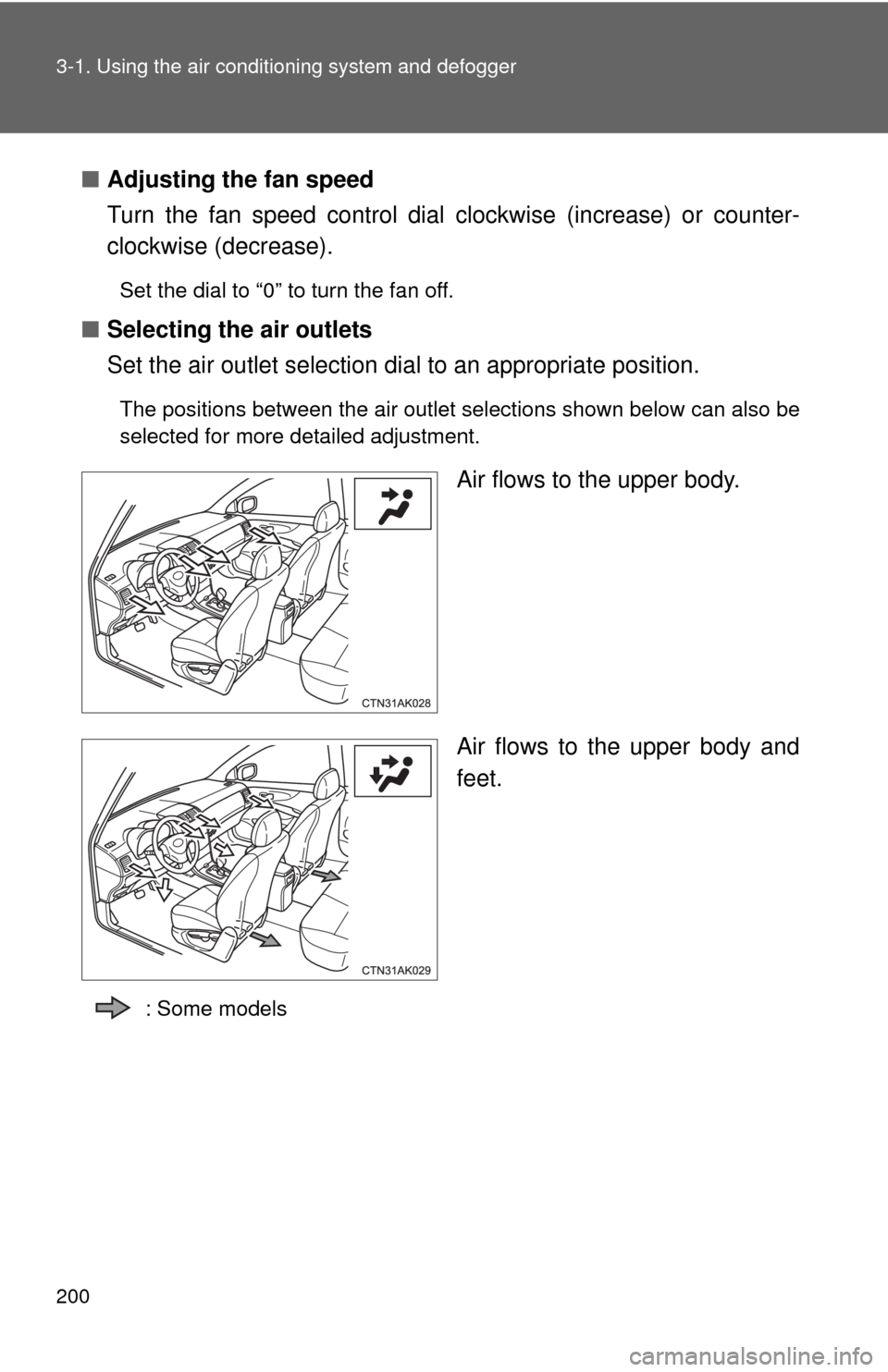
■ Selecting the air outlets
Set the air outlet selection di al to an appropriate position.
The positions between the air outlet selections shown below can also be
selected for more detailed adjustment.
Air flows to the upper body.
Air flows to the upper body and
feet.
: Some models
Page 300 of 529
300 3-4. Using the hands-free phone system (for cellular phone)
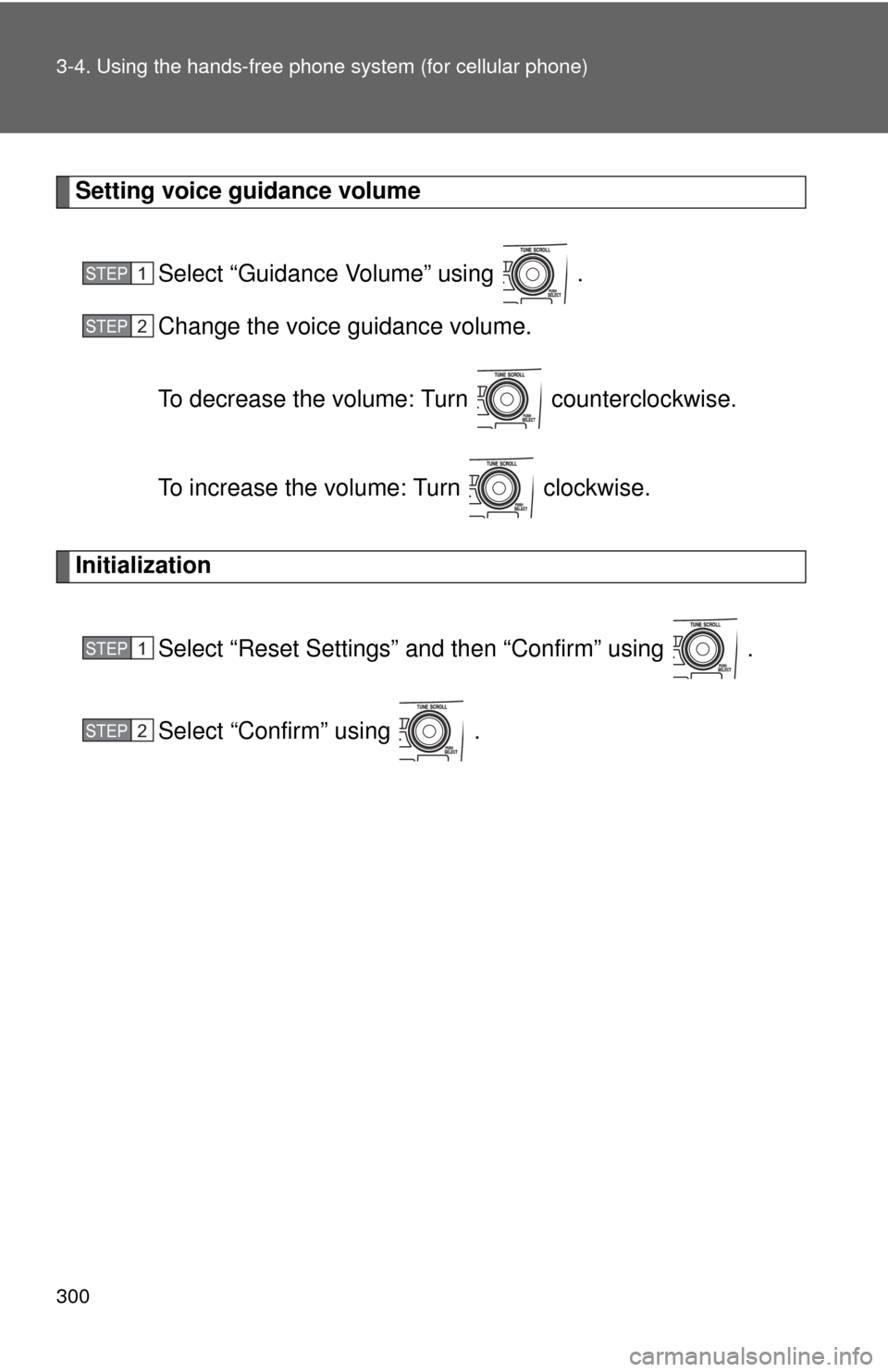
Setting voice guidance volume
Select “Guidance Volume” using .
Change the voice guidance volume.
To decrease the volume: Turn counterclockwise.
To increase the volume: Turn clockwise.
Initialization
Select “Reset Settings” and then “Confirm” using .
Select “Confirm” using .
STEP 1
STEP 2
STEP 1
STEP 2
Page 323 of 529
323
3-7. Other interior features
3
Interior features
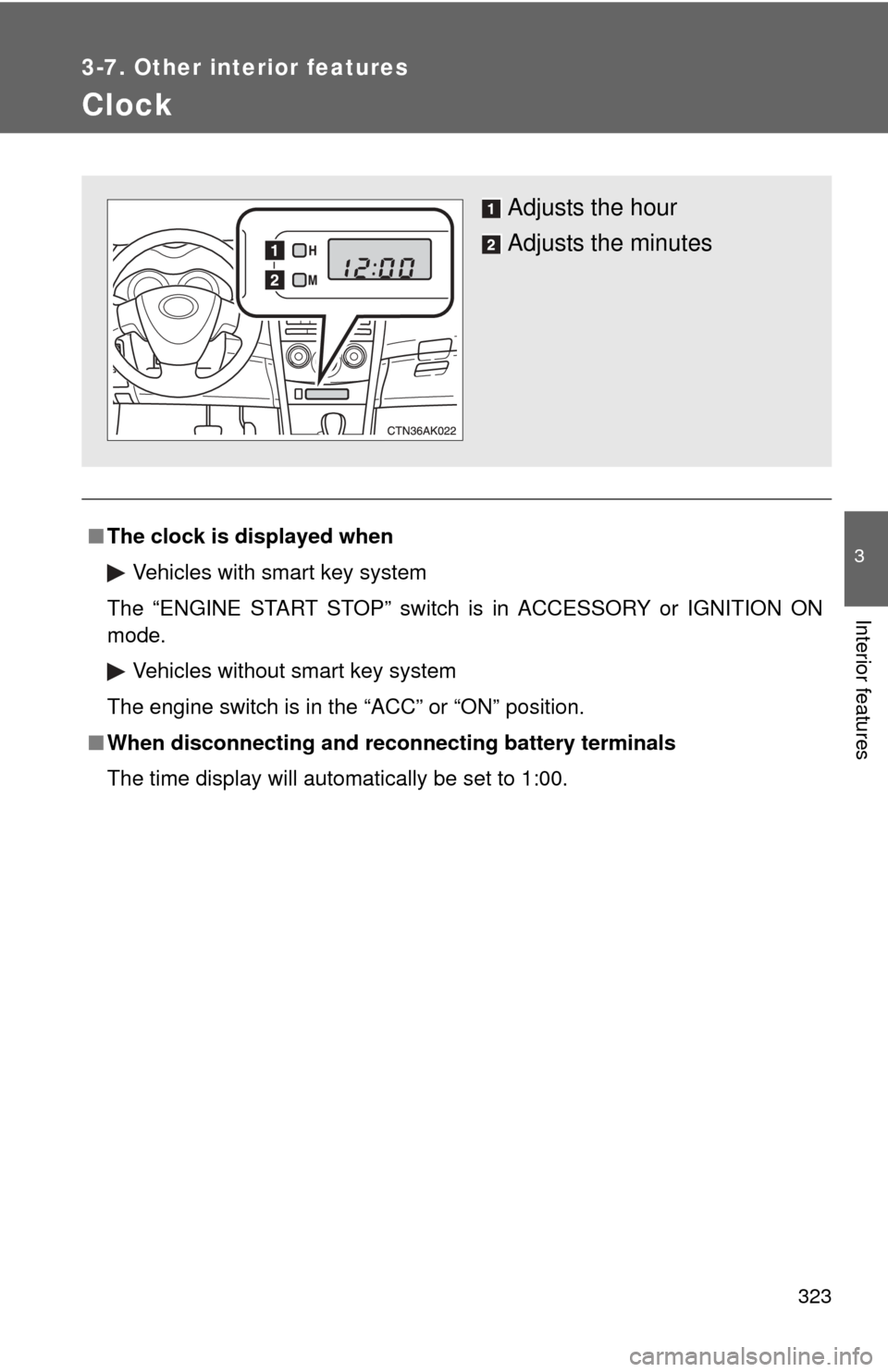
Clock
■The clock is displayed when
Vehicles with smart key system
The “ENGINE START STOP” switch is in ACCESSORY or IGNITION ON
mode. Vehicles without smart key system
The engine switch is in the “ACC” or “ON” position.
■ When disconnecting and reco nnecting battery terminals
The time display will automatically be set to 1:00.
Adjusts the hour
Adjusts the minutes
Page 360 of 529
359
4-3. Do-it-yourself maintenance
4
Maintenance and care
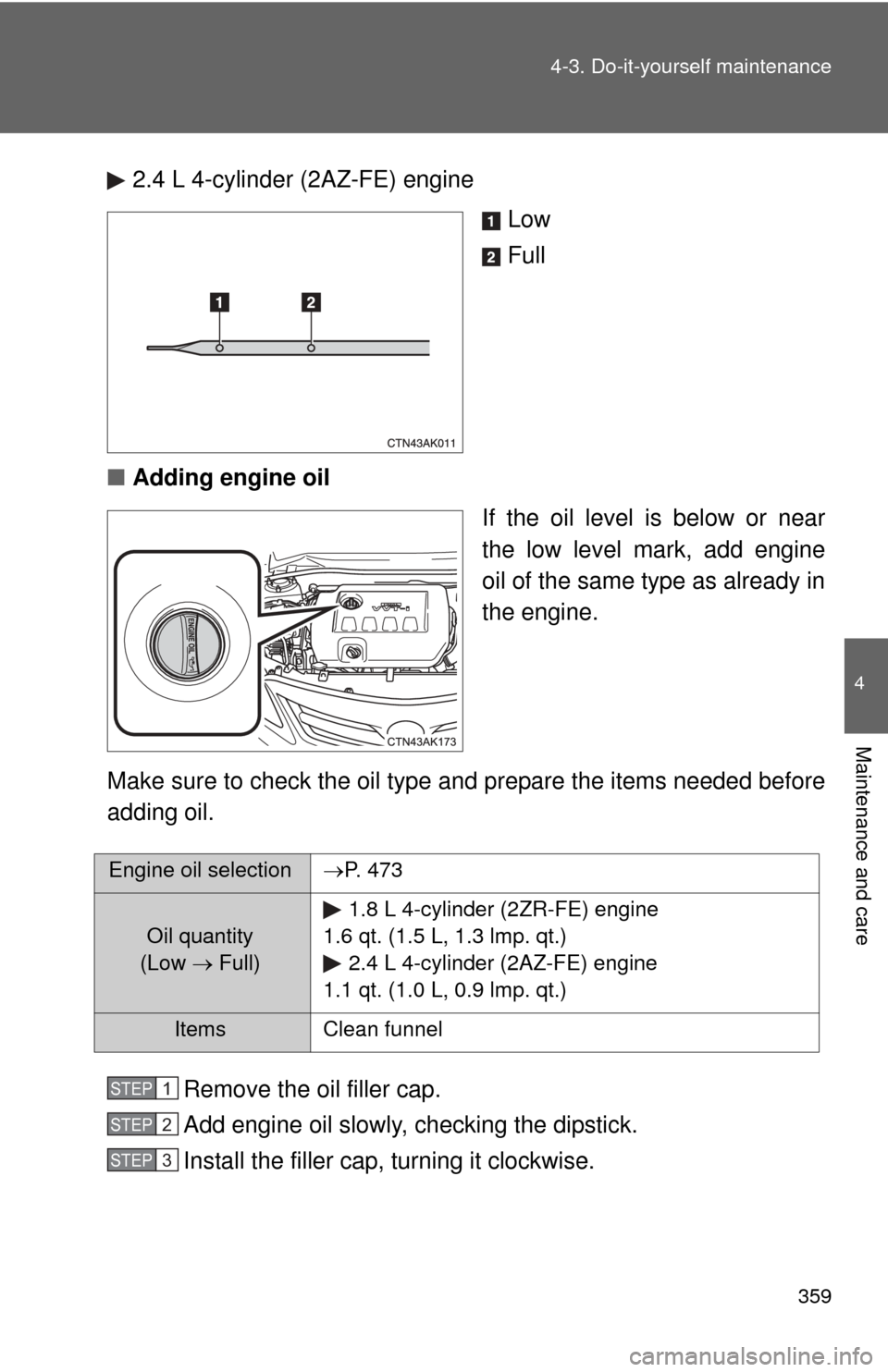
2.4 L 4-cylinder (2AZ-FE) engine
Low
Full
■ Adding engine oil
If the oil level is below or near
the low level mark, add engine
oil of the same type as already in
the engine.
Make sure to check the oil type and prepare the items needed before
adding oil.
Remove the oil filler cap.
Add engine oil slowly, checking the dipstick.
Install the filler cap, turning it clockwise.
Engine oil selection P. 473
Oil quantity
(Low Full) 1.8 L 4-cylinder (2ZR-FE) engine
1.6 qt. (1.5 L, 1.3 lmp. qt.) 2.4 L 4-cylinder (2AZ-FE) engine
1.1 qt. (1.0 L, 0.9 lmp. qt.)
Items Clean funnel
STEP 1
STEP 2
STEP 3