CD player TOYOTA COROLLA 2012 10.G Owner's Manual
[x] Cancel search | Manufacturer: TOYOTA, Model Year: 2012, Model line: COROLLA, Model: TOYOTA COROLLA 2012 10.GPages: 529, PDF Size: 8.07 MB
Page 287 of 529
287
3-3. Using the Bluetooth® audio system
3
Interior features
Operating a Bluetooth® enabled portable player
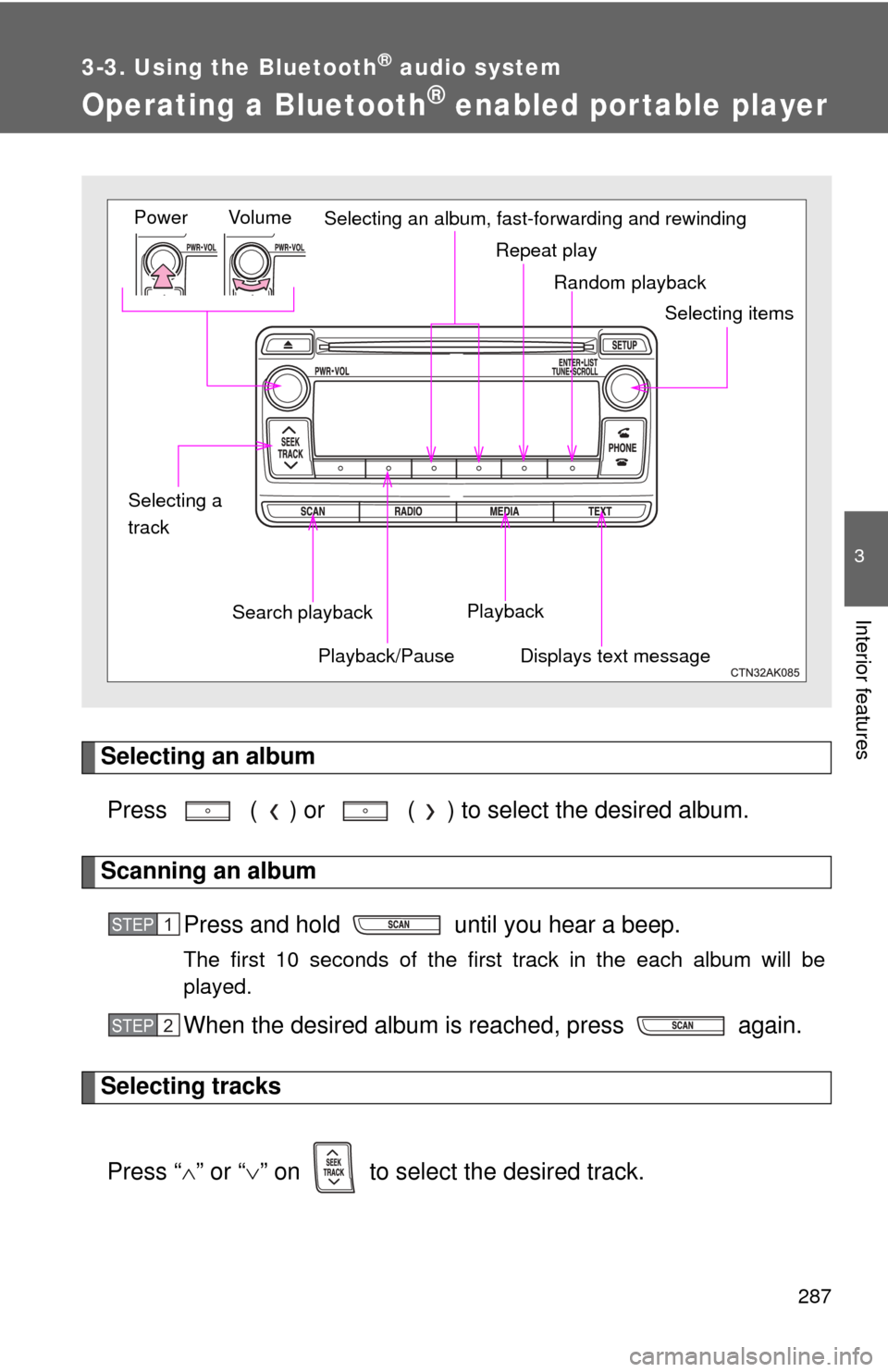
Selecting an albumPress ( ) or ( ) to select the desired album.
Scanning an album Press and hold until you hear a beep.
The first 10 seconds of the first track in the each album will be
played.
When the desired album is reached, press again.
Selecting tracks
Press “ ” or “ ” on to select the desired track.
Random playback
Repeat play
Playback
Playback/PauseDisplays text message
Vol u m e
Power
Selecting itemsSelecting an album, fast-forwarding and rewinding
Search playback
Selecting a
track
STEP 1
STEP 2
Page 289 of 529
289
3-3. Using the Bluetooth
® audio system
3
Interior features
■
Bluetooth® audio system functions
Depending on the portable player that is connected to the system, certain
functions may not be available.
Page 295 of 529
295
3-4. Using the hands-free phone system (for cellular phone)
3
Interior features
Using the “SET UP” menu (“Bluetooth” menu)
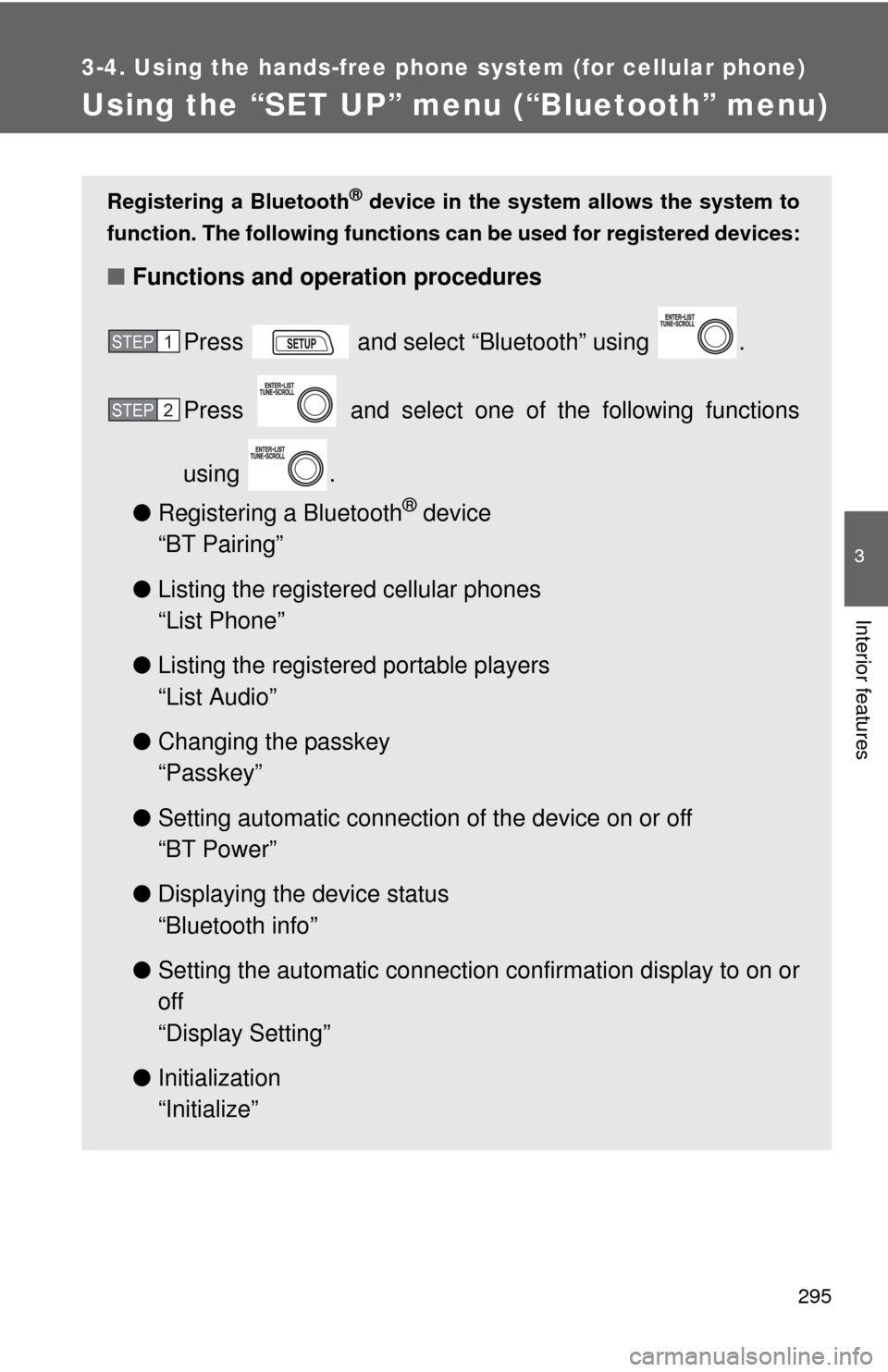
Registering a Bluetooth® device in the system allows the system to
function. The following functions can be used for registered devices:
■Functions and operation procedures
Press and select “Bluetooth” using .
Press and select one of the following functions
using .
● Registering a Bluetooth
® device
“BT Pairing”
● Listing the registered cellular phones
“List Phone”
● Listing the registered portable players
“List Audio”
● Changing the passkey
“Passkey”
● Setting automatic connection of the device on or off
“BT Power”
● Displaying the device status
“Bluetooth info”
● Setting the automatic connection confirmation display to on or
off
“Display Setting”
● Initialization
“Initialize”
STEP 1
STEP 2
Page 296 of 529
296 3-4. Using the hands-free phone system (for cellular phone)
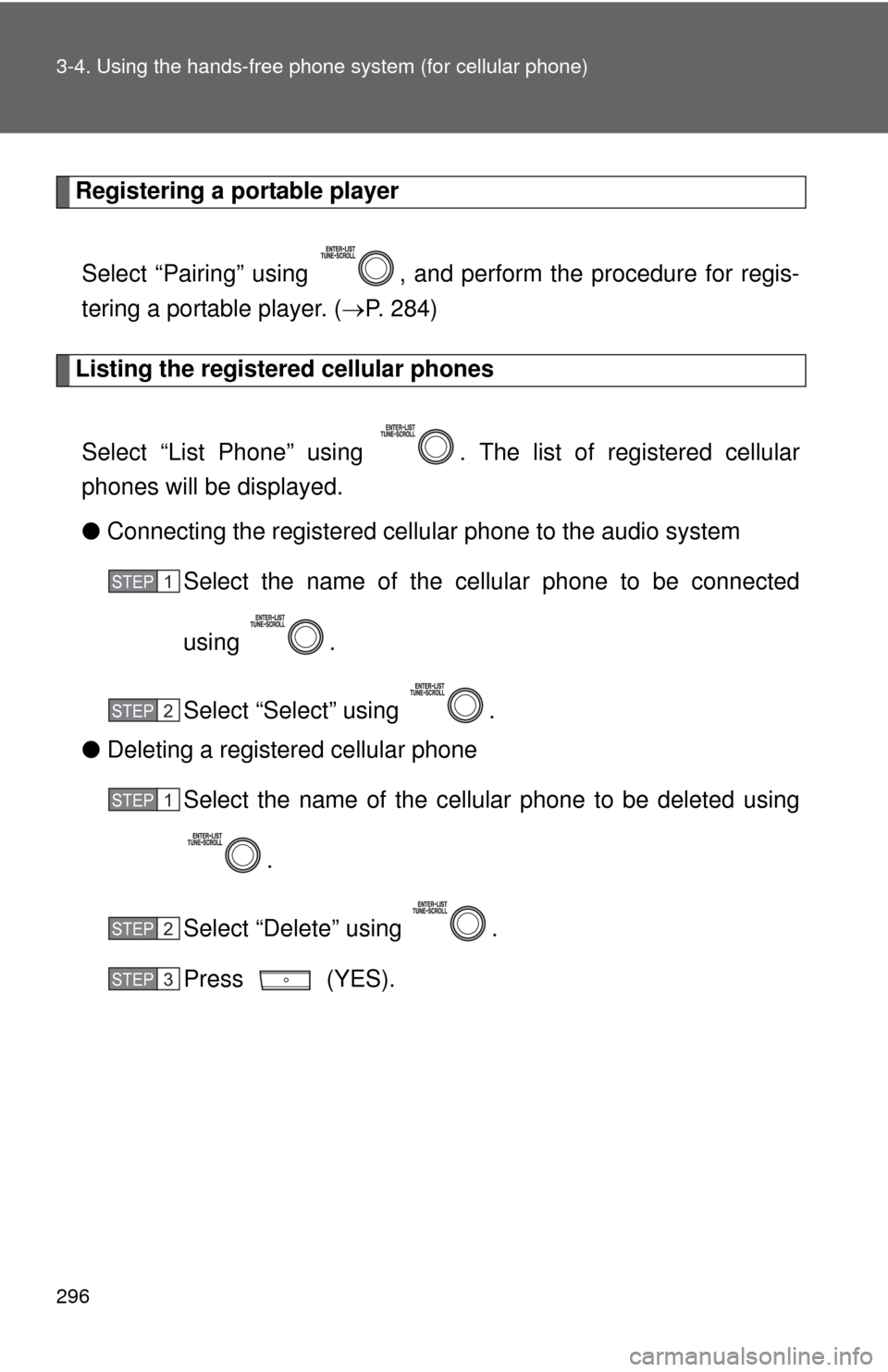
Registering a portable player
Select “Pairing” using , and perform the procedure for regis-
tering a portable player. ( P. 284)
Listing the registered cellular phones
Select “List Phone” using . The list of registered cellular
phones will be displayed.
● Connecting the registered cellular phone to the audio system
Select the name of the cellular phone to be connected
using .
Select “Select” using .
● Deleting a registered cellular phone
Select the name of the cellular phone to be deleted using
.
Select “Delete” using .
Press (YES).
STEP 1
STEP 2
STEP 1
STEP 2
STEP 3
Page 297 of 529
297
3-4. Using the hand
s-free phone system (for cellular phone)
3
Interior features
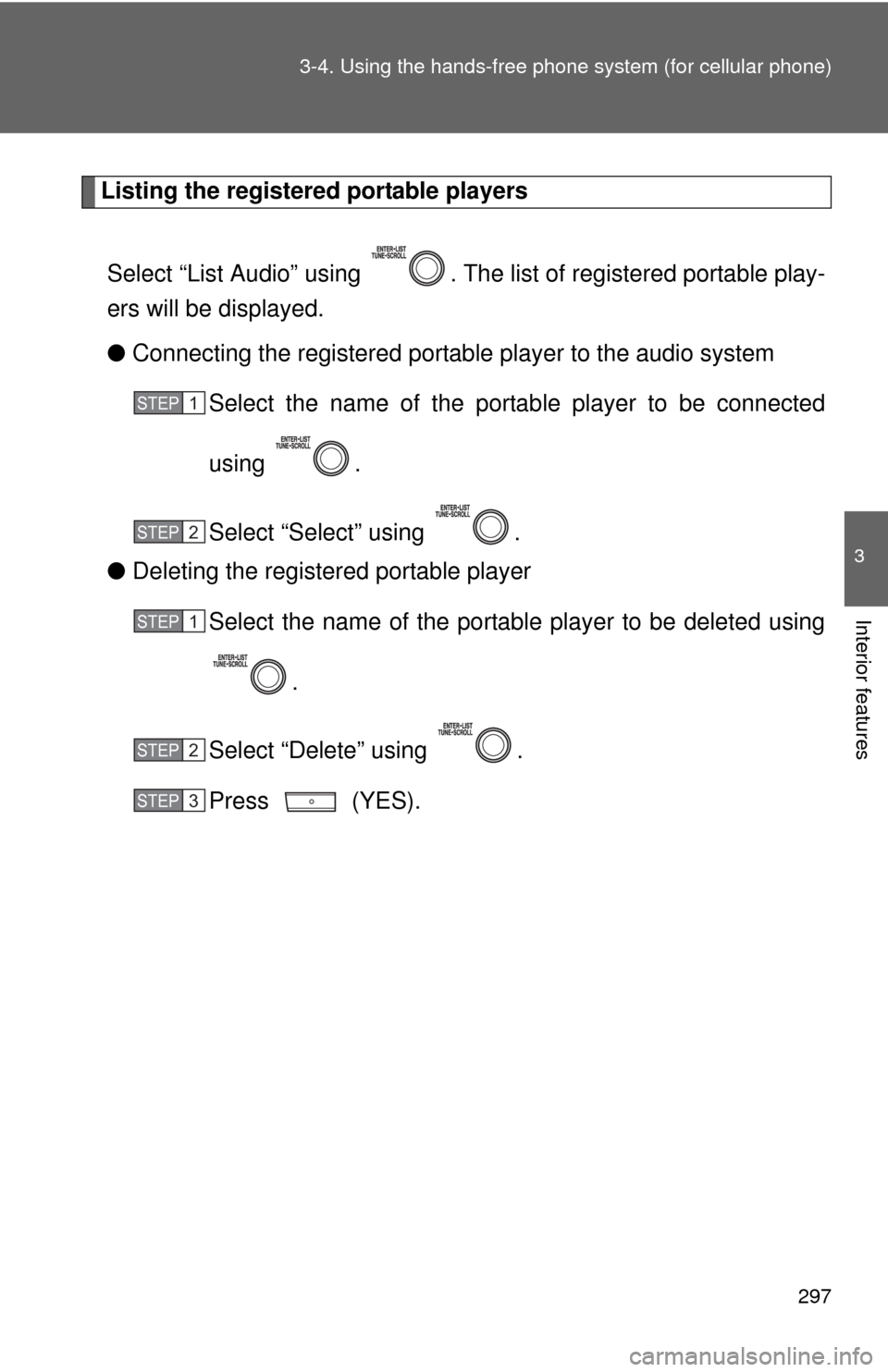
Listing the registered portable players
Select “List Audio” using . The list of registered portable play-
ers will be displayed.
● Connecting the registered portable player to the audio system
Select the name of the portab le player to be connected
using .
Select “Select” using .
● Deleting the registered portable player
Select the name of the portable player to be deleted using
.
Select “Delete” using .
Press (YES).
STEP 1
STEP 2
STEP 1
STEP 2
STEP 3
Page 299 of 529
299
3-4. Using the hand
s-free phone system (for cellular phone)
3
Interior features
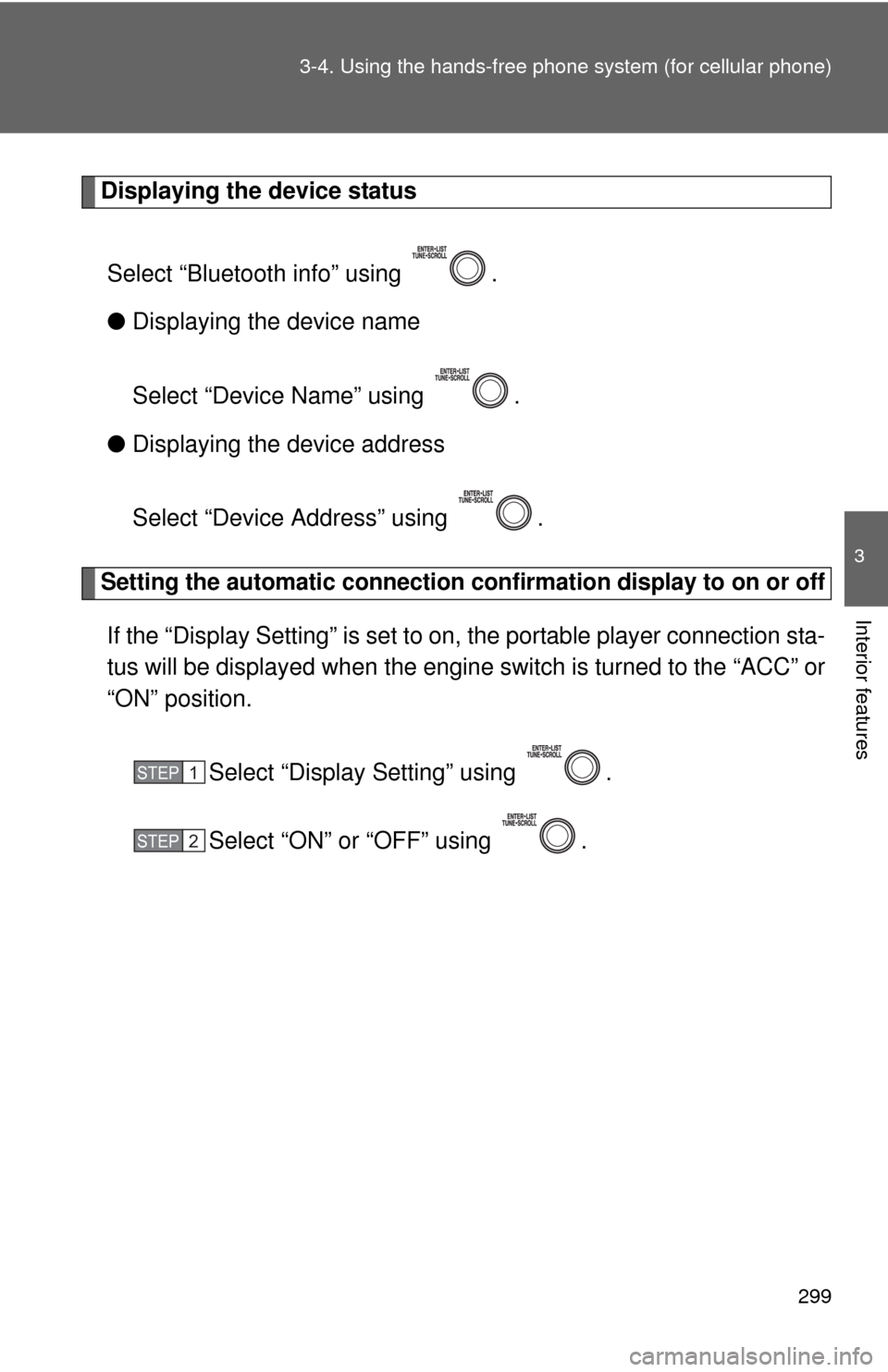
Displaying the device status
Select “Bluetooth info” using .
● Displaying the device name
Select “Device Name” using .
● Displaying the device address
Select “Device Address” using .
Setting the automatic connection conf irmation display to on or off
If the “Display Setting” is set to on, the portable player connection sta-
tus will be displayed when the engine switch is turned to the “ACC” or
“ON” position.
Select “Display Setting” using .
Select “ON” or “OFF” using .
STEP 1
STEP 2
Page 514 of 529

514
Alphabetical index
Alphabetical index
A/C ..................................... 206, 212
ABS ........................................... 173
Air conditioning filter............... 383
Air conditioning systemAir conditioning filter .............. 383
Automatic air conditioning system ................................ 206
Manual air conditioning system ................................ 212
Airbags
Airbag operating conditions.....89
Airbag precautions for your child ......................................93
Airbag warning light............... 421
Curtain shield airbag operating conditions..............90
Curtain shield airbag precautions ...........................93
Front passenger occupant
classification system .............98
General airbag precautions .....93
Locations of airbags ................86
Modification and disposal of airbags ..................................97
Proper driving posture .......84, 93
Side airbag operating
conditions..............................90
Side airbag precautions ..........93
SRS airbags ............................86
Antenna..................................... 234
Anti-lock brake system............ 173
Ashtray...................................... 323
Audio input ............................... 273 Audio system
Antenna................................. 234
Audio input ............................ 273
AUX port ............................... 273
CD player/changer ................ 236
iPod ....................................... 252
MP3/WMA disc ..................... 243
Optimal use ........................... 269
Portable music player ........... 273
Radio..................................... 232
Steering wheel audio switch.................................. 275
Type ...................................... 220
USB memory......................... 261
Automatic air conditioning system .................................... 206
Automatic transmission Automatic transmission ......... 139
If the shift lever cannot be shifted from P ..................... 446
S mode.................................. 142
AUX port ................................... 273
Auxiliary boxes ........................ 317A
Page 515 of 529

515
Alphabetical index
Back-up lights
Replacing light bulbs ............ 399
Wattage ................................ 475
Battery Checking .............................. 364
If the vehicle has a
discharged battery ............. 450
Preparing and checking
before winter ...................... 181
Bluetooth
® audio..................... 279
Bluetooth® phone ................... 279
Bottle holder ............................ 319
Brake Fluid...................................... 361
Parking brake ....................... 147
Brake assist ............................. 173
Break-in tips ............................ 123 Care
Exterior ..................................334
Interior ...................................336
Seat belts ..............................337
Cargo capacity .........................177
CD changer ...............................236
CD player ..................................236
Chains .......................................181
Child restraint system
Booster seats, definition ........103
Booster seats, installation .....107
Convertible seats, definition .............................103
Convertible seats,
installation ...........................107
Front passenger occupant classification system .............98
Infant seats, definition ...........103
Infant seats, installation.........107
Installing CRS with LATCH anchors ...............................108
Installing CRS with seat belts ............................110
Installing CRS with top tether straps ........................114
BC