display TOYOTA COROLLA 2012 10.G Owner's Manual
[x] Cancel search | Manufacturer: TOYOTA, Model Year: 2012, Model line: COROLLA, Model: TOYOTA COROLLA 2012 10.GPages: 529, PDF Size: 8.07 MB
Page 229 of 529
229
3-2. Using the audio system
3
Interior features
CAUTION
■
Canada (with Display Audio system)
IC ID: 775E-K032
This device complies with Part 15 of FCC Rules and Industry Canada
licence-exempt RSS standard(s).
Operation is subject to the following two conditions:
(1) this device may not cause interference, and
(2) this device must accept any interference, including interference that may
cause undesired operation of this device.
Le présent appareil est conforme aux la partie 15 des règles de la FCC et
CNR d’Industrie Canada applicables aux appareils radio exempts de
licence.
L’exploitation est autorisée aux deux conditions suivantes:
(1) l’appareil ne doit pas produire de brouillage, et
(2) l’utilisateur de l’appareil doit accepter tout brouillage radioélectrique subi, même si le brouillage est susceptible d’en compromettre le
fonctionnement.
The antenna for Bluetooth cannot be removed (or replaced) by user.
L’antenne de Bluetooth ne peut pas être supprimé (ou remplacé) par
l’utilisateur.
This device complies with RSS-310 of Industry Canada. Operation is subject
to the condition that this device does not cause harmful interference.
Cet appareil est conforme au CNR-310 d’Industrie Canada. Son exploitation
est autorisée sous réserve que l’appareil ne cause pas de brouillage
préjudiciable.
Page 232 of 529
232
3-2. Using the audio system
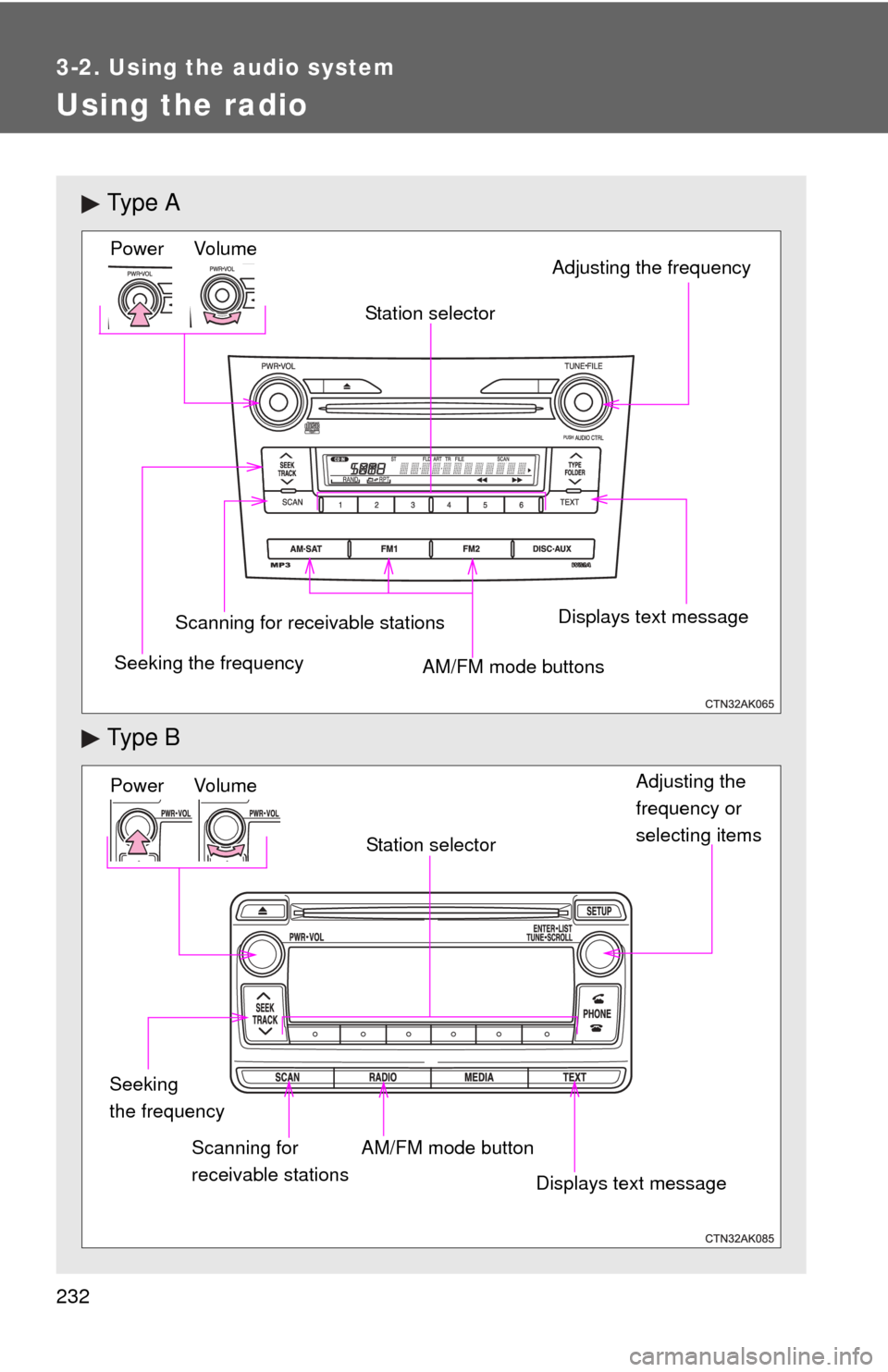
Using the radio
Ty p e A
Ty p e B
Vo lu m e
Seeking the frequency Station selector
AM/FM mode buttons Adjusting the frequency Power
Scanning for receivable stationsDisplays text message
Power Volume
Adjusting the
frequency or
selecting items
Seeking
the frequency AM/FM mode button
Scanning for
receivable stations Station selector
Displays text message
Page 234 of 529
234 3-2. Using the audio system
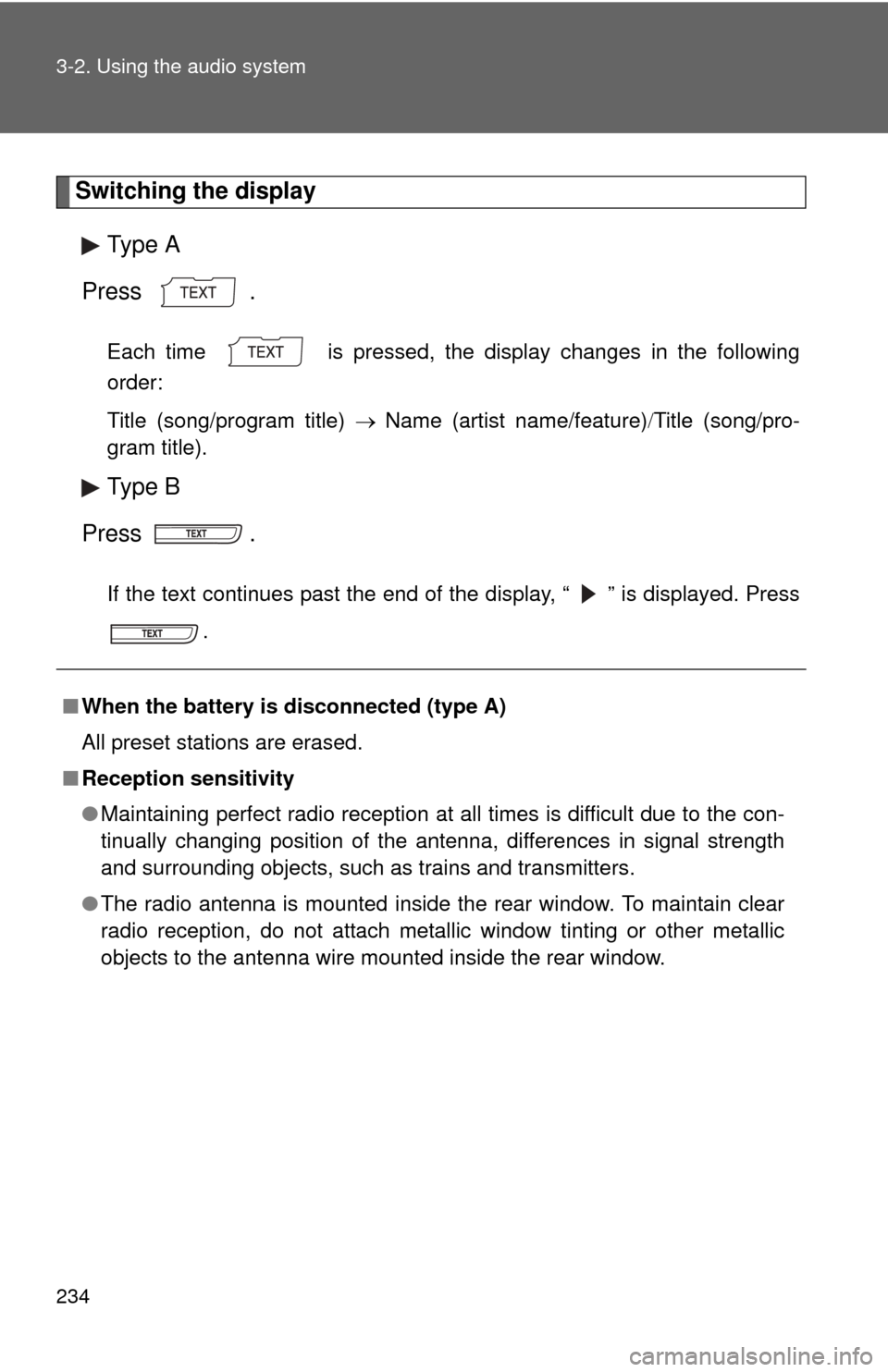
Switching the displayType A
Press .
Each time is pressed, the display changes in the following
order:
Title (song/program title) Name (artist name/feature)Title (song/pro-
gram title).
Type B
Press .
If the text continues past the end of the display, “ ” is displayed. Press .
■When the battery is disconnected (type A)
All preset stations are erased.
■ Reception sensitivity
●Maintaining perfect radio reception at all times is difficult due to the con-
tinually changing position of the antenna, differences in signal strength
and surrounding objects, such as trains and transmitters.
● The radio antenna is mounted inside the rear window. To maintain clear
radio reception, do not attach metallic window tinting or other metallic
objects to the antenna wire mounted inside the rear window.
Page 236 of 529
236
3-2. Using the audio system
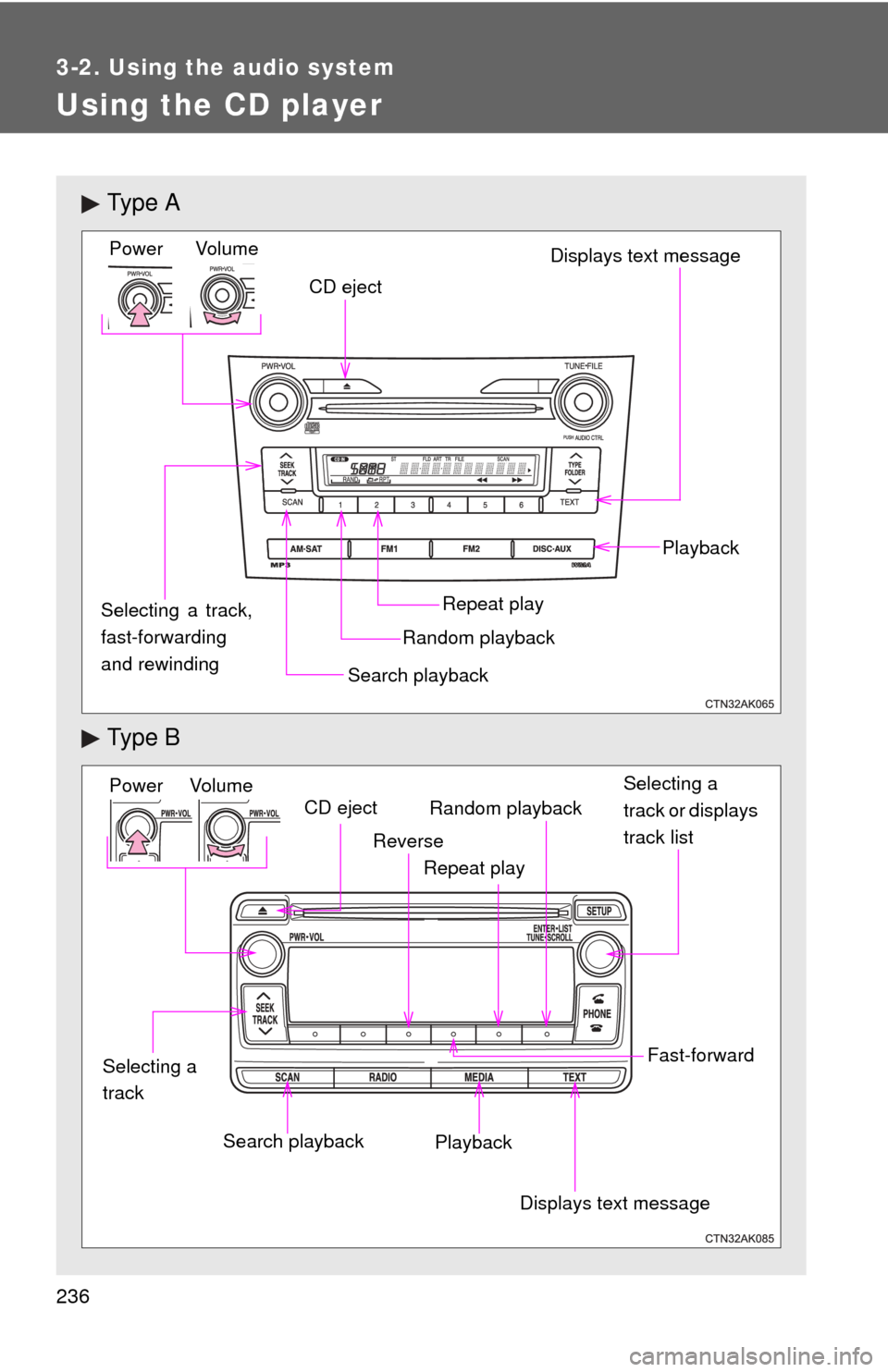
Using the CD player
Ty p e A
Ty p e B
Vol um eRandom playbackRepeat play Playback
Power
CD eject
Displays text message
Search playback
Selecting a track,
fast-forwarding
and rewinding
Power Volume Search playbackCD eject
Displays text message
Playback Selecting a
track or displays
track list
Repeat play
Random playback
Selecting a
track
Reverse
Fast-forward
Page 237 of 529
237
3-2. Using the audio system
3
Interior features
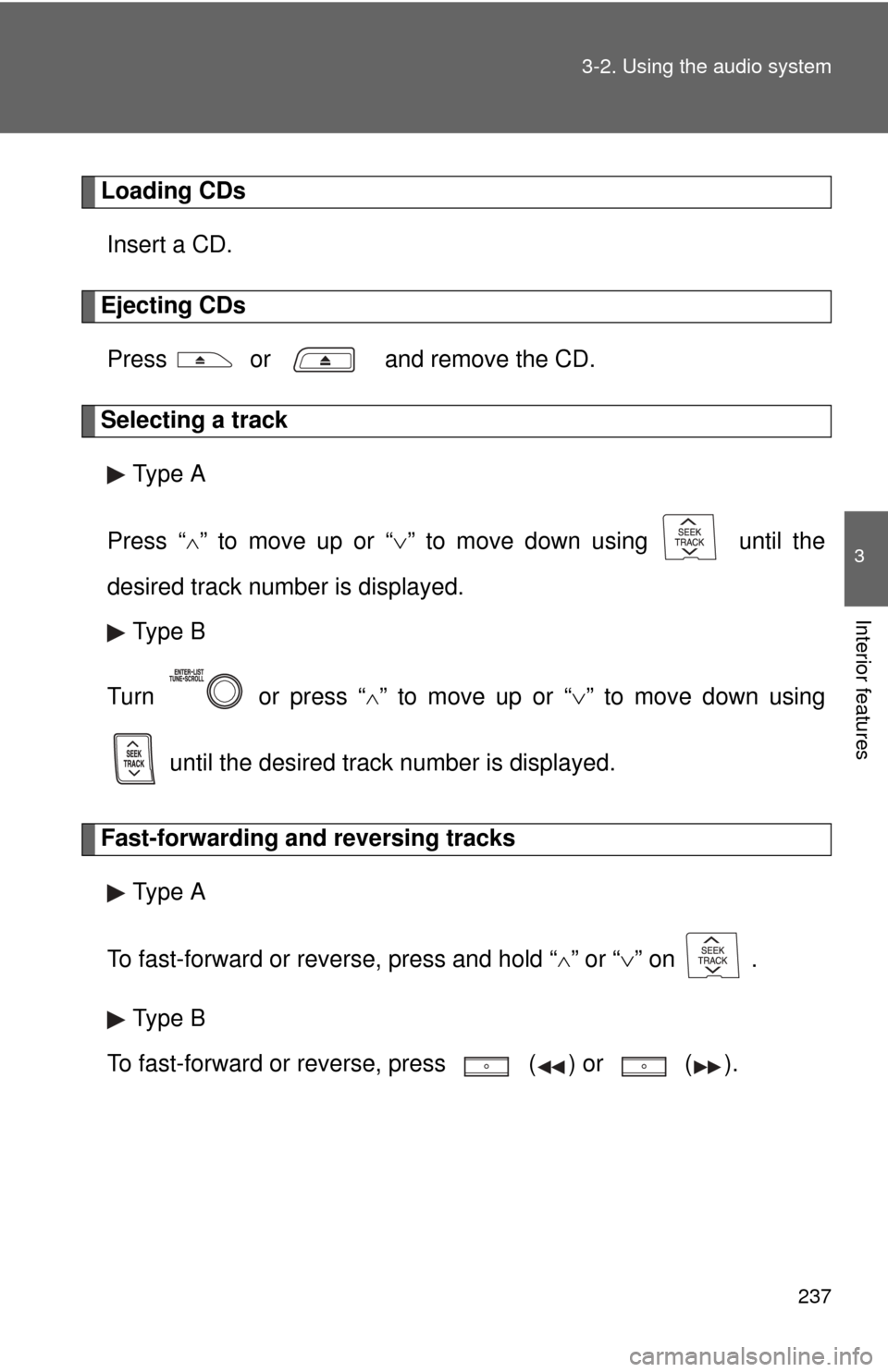
Loading CDs
Insert a CD.
Ejecting CDsPress or and remove the CD.
Selecting a track Type A
Press “
” to move up or “ ” to move down using until the
desired track number is displayed. Type B
Turn or press “
” to move up or “ ” to move down using
until the desired track number is displayed.
Fast-forwarding and reversing tracks Type A
To fast-forward or reverse, press and hold “
” or “ ” on .
Type B
To fast-forward or reverse, press ( ) or
().
Page 238 of 529
238 3-2. Using the audio system
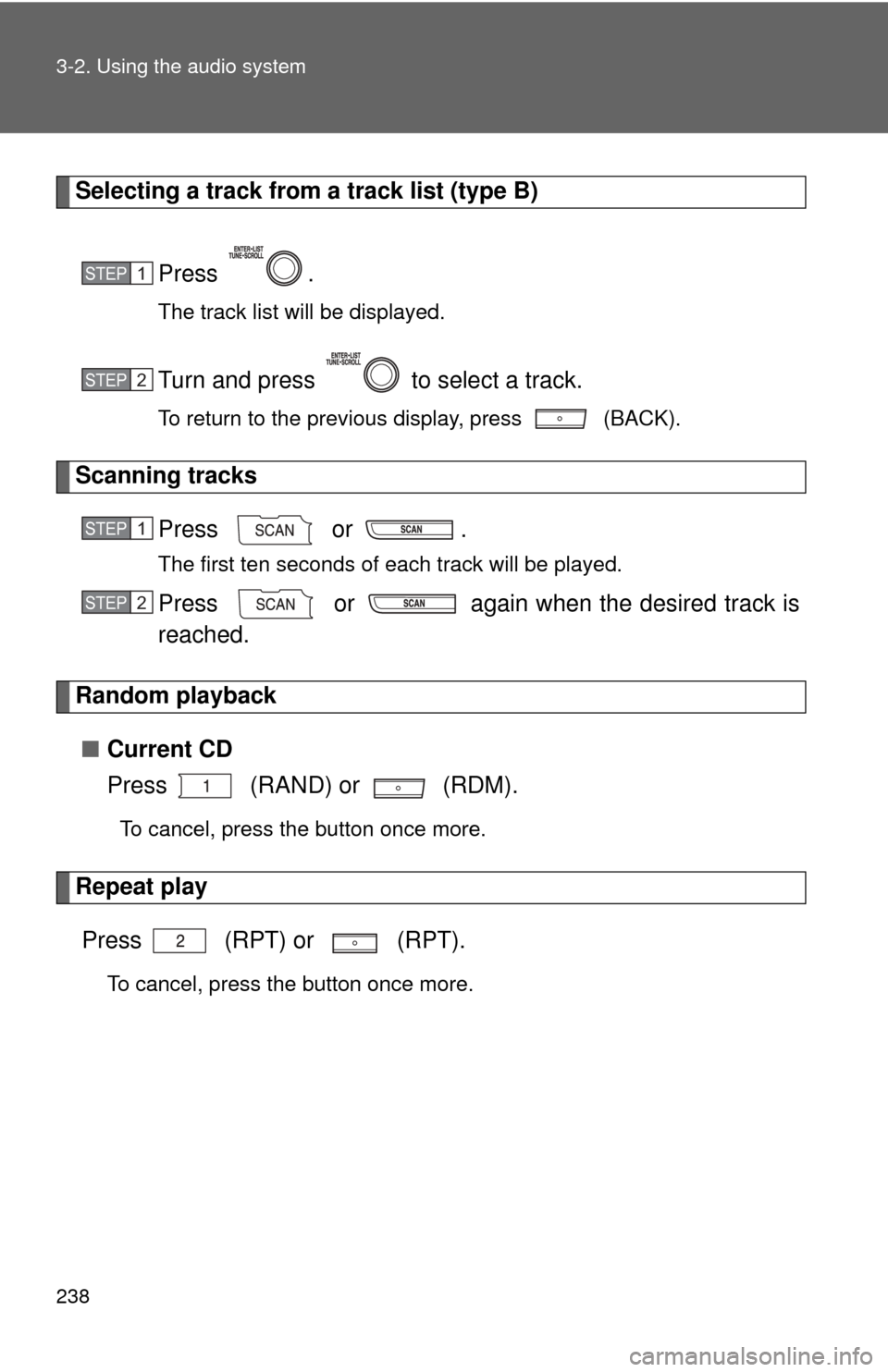
Selecting a track from a track list (type B)Press .
The track list will be displayed.
Turn and press to select a track.
To return to the previous display, press (BACK).
Scanning tracksPress or .
The first ten seconds of each track will be played.
Press or again when the desired track is
reached.
Random playback■ Current CD
Press (RAND) or (RDM).
To cancel, press the button once more.
Repeat play
Press (RPT) or (RPT).
To cancel, press the button once more.
STEP 1
STEP 2
STEP 1
STEP 2
Page 239 of 529
239
3-2. Using the audio system
3
Interior features
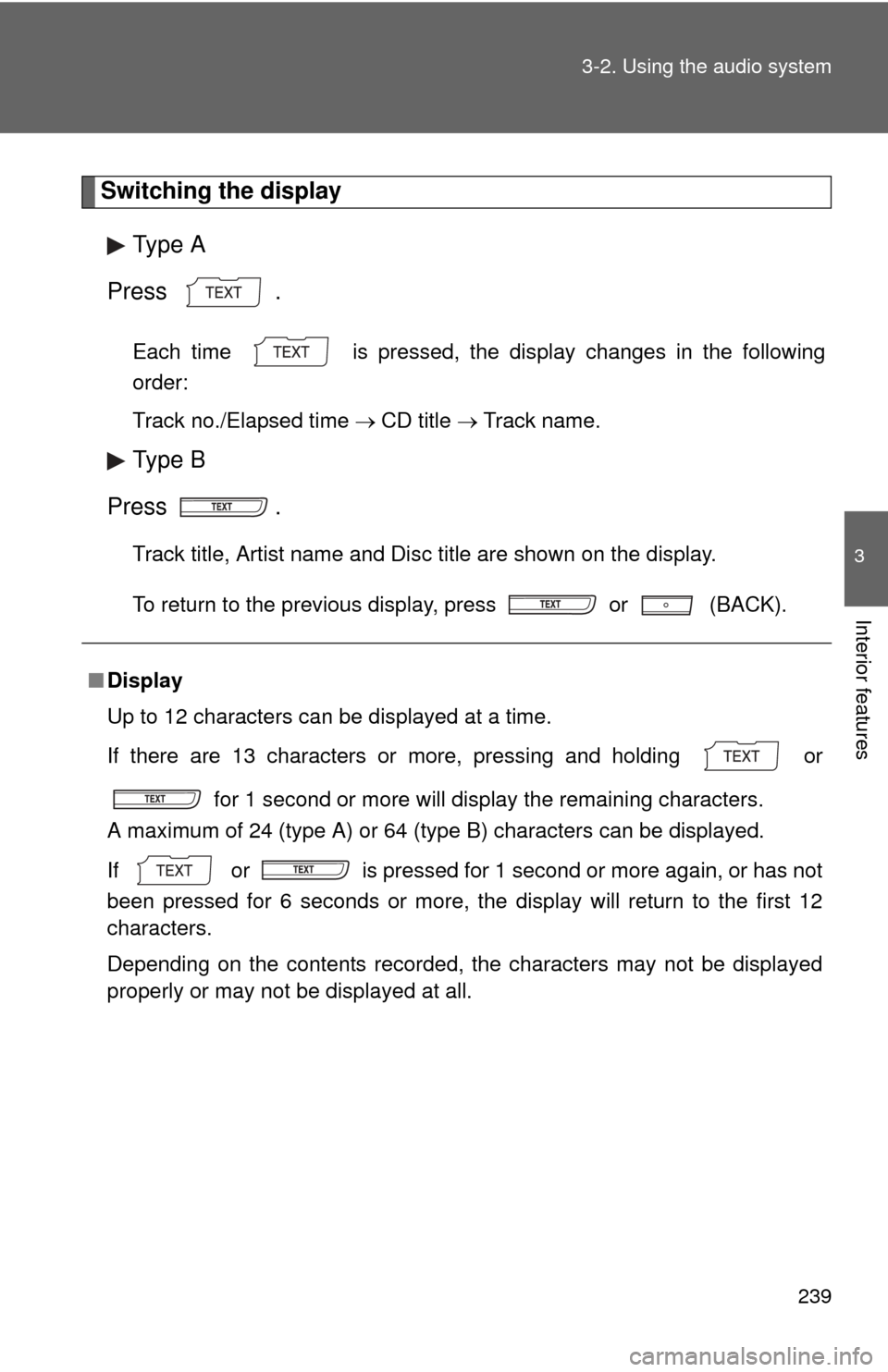
Switching the display
Type A
Press .
Each time is pressed, the display changes in the following
order:
Track no./Elapsed time CD title Track name.
Type B
Press .
Track title, Artist name and Disc title are shown on the display.
To return to the previous display, press or (BACK).
■ Display
Up to 12 characters can be displayed at a time.
If there are 13 characters or more, pressing and holding or
for 1 second or more will display the remaining characters.
A maximum of 24 (type A) or 64 (type B) characters can be displayed.\
If or is pressed for 1 second or more again, or has not
been pressed for 6 seconds or more, the display will return to the first 12
characters.
Depending on the contents recorded, the characters may not be displayed
properly or may not be displayed at all.
Page 243 of 529
243
3-2. Using the audio system
3
Interior features
Playing back MP3 and WMA discs
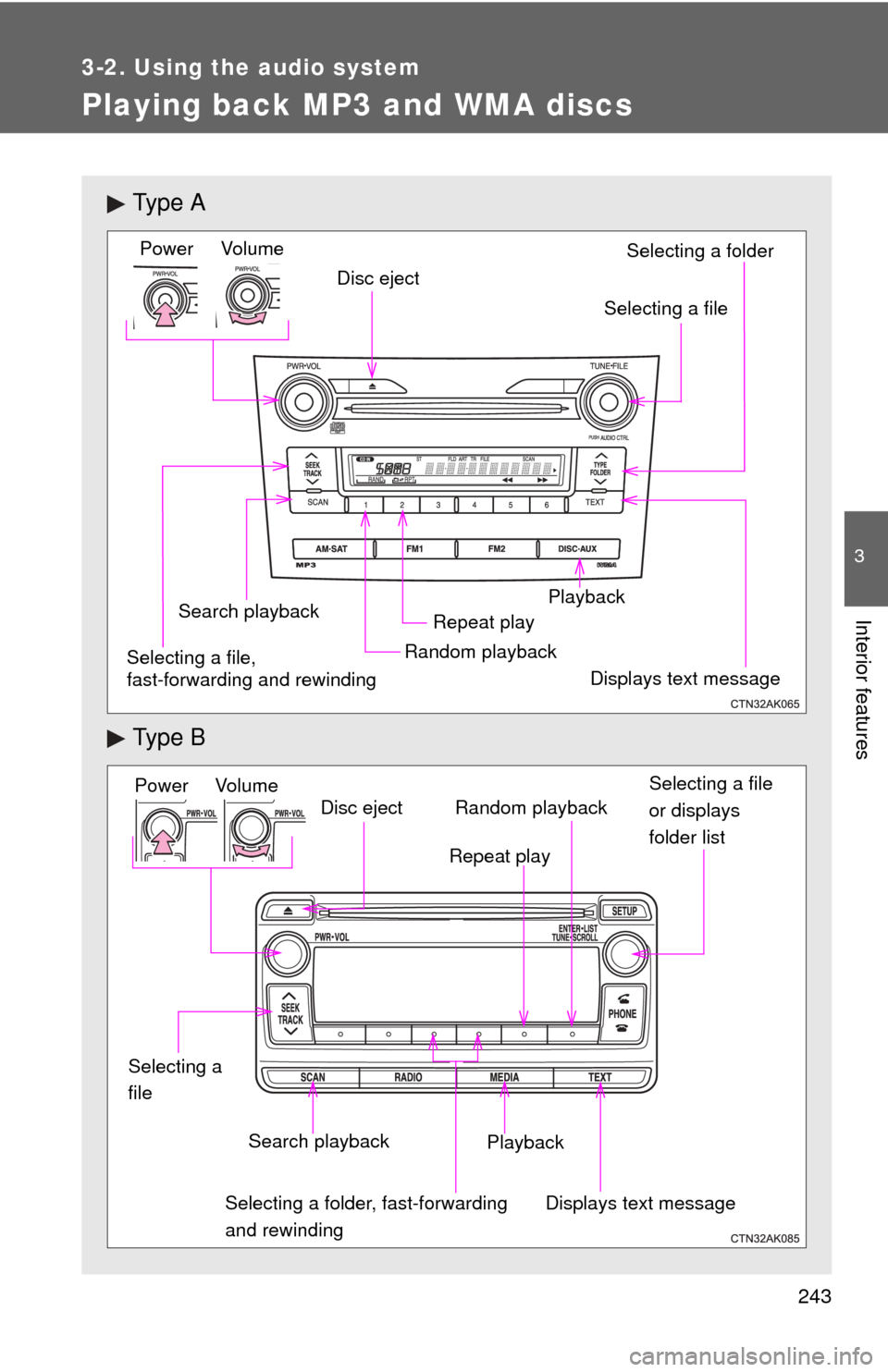
Ty p e A
Ty p e B
Vol um eRandom playbackRepeat play
Playback
Power
Disc eject
Displays text message
Search playback
Selecting a file
Selecting a folder
Selecting a file,
fast-forwarding and rewinding
Power Volume Search playbackDisc eject
Displays text message
Playback Selecting a file
or displays
folder list
Repeat play
Random playback
Selecting a folder, fast-forwarding
and rewinding
Selecting a
file
Page 244 of 529
244 3-2. Using the audio system
Loading and ejecting MP3 and WMA discs P. 2 3 7
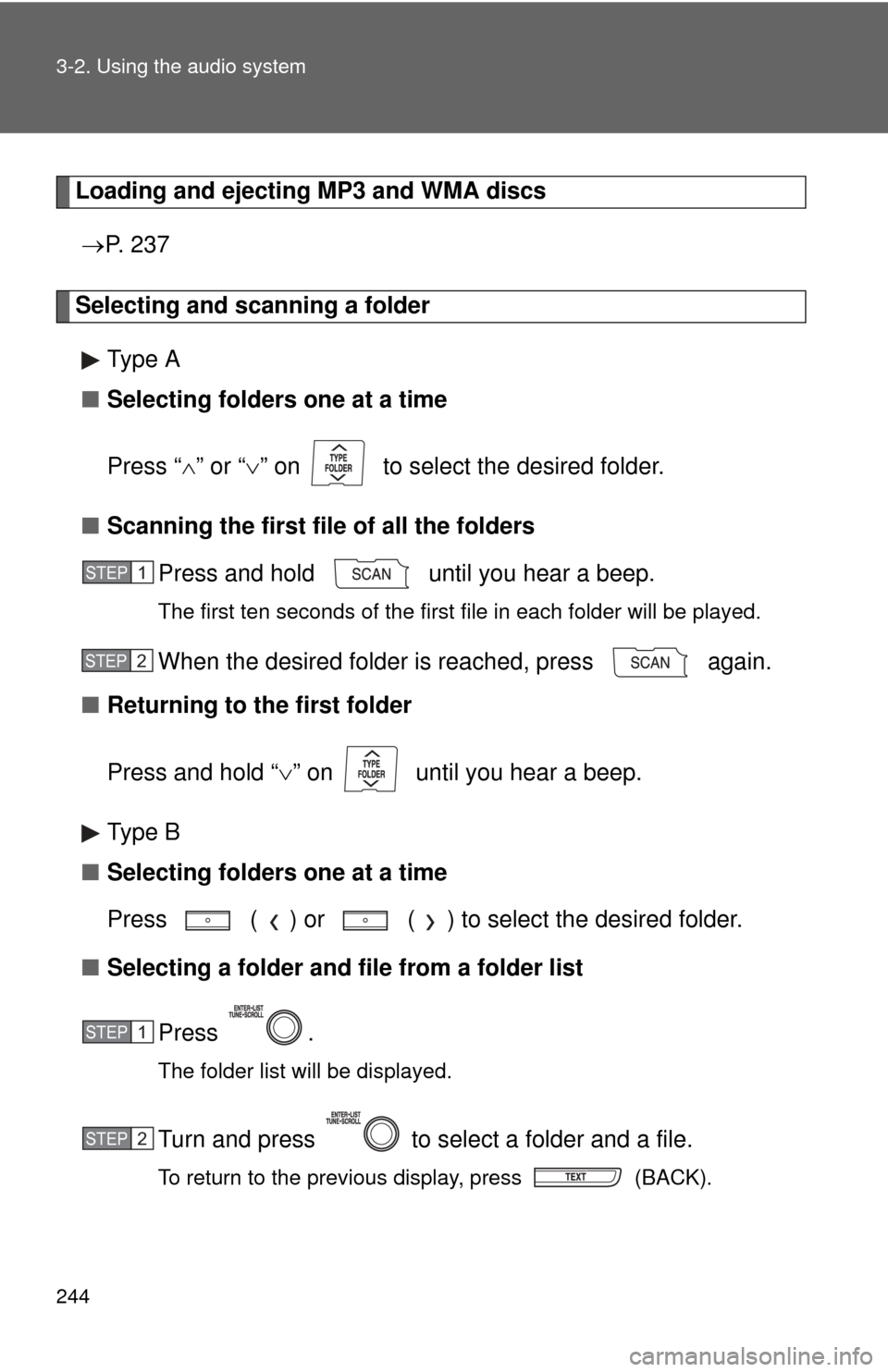
Selecting and scanning a folder
Type A
■ Selecting folders one at a time
Press “ ” or “ ” on to select the desired folder.
■ Scanning the first file of all the folders
Press and hold until you hear a beep.
The first ten seconds of the first file in each folder will be played.
When the desired folder is reached, press again.
■ Returning to the first folder
Press and hold “ ” on until you hear a beep.
Type B
■ Selecting folders one at a time
Press ( ) or ( ) to select the desired folder.
■ Selecting a folder and file from a folder list
Press .
The folder list will be displayed.
Turn and press to select a folder and a file.
To return to the previous display, press (BACK).
STEP 1
STEP 2
STEP 1
STEP 2
Page 247 of 529
247
3-2. Using the audio system
3
Interior features
Switching the display
Type A
Press .
Each time is pressed, the display changes in the following
order:
Folder no./File no./Elapsed time Folder name File name Album
title (MP3 only) Track title Artist name.
Type B
Press .
Track title, Artist name and Album title (MP3 only) are shown on the dis-
play.
To return to the previous display, press or (BACK).