TOYOTA COROLLA 2012 10.G Repair Manual
COROLLA 2012 10.G
TOYOTA
TOYOTA
https://www.carmanualsonline.info/img/14/6329/w960_6329-0.png
TOYOTA COROLLA 2012 10.G Repair Manual
Page 268 of 529
268 3-2. Using the audio system
NOTICE
■To prevent damage to USB memory
●Do not leave USB memory in the vehicle. The temperature inside the vehi-
cle may become high, resulting in damage to the player.
● Do not push down on or apply unnecessary pressure to the USB memory
while it is connected as this may damage the USB memory or its terminal.
● Do not insert foreign objects into the port as this may damage the USB
memory or its terminal.
Page 269 of 529
269
3-2. Using the audio system
3
Interior features
Optimal use of the audio system
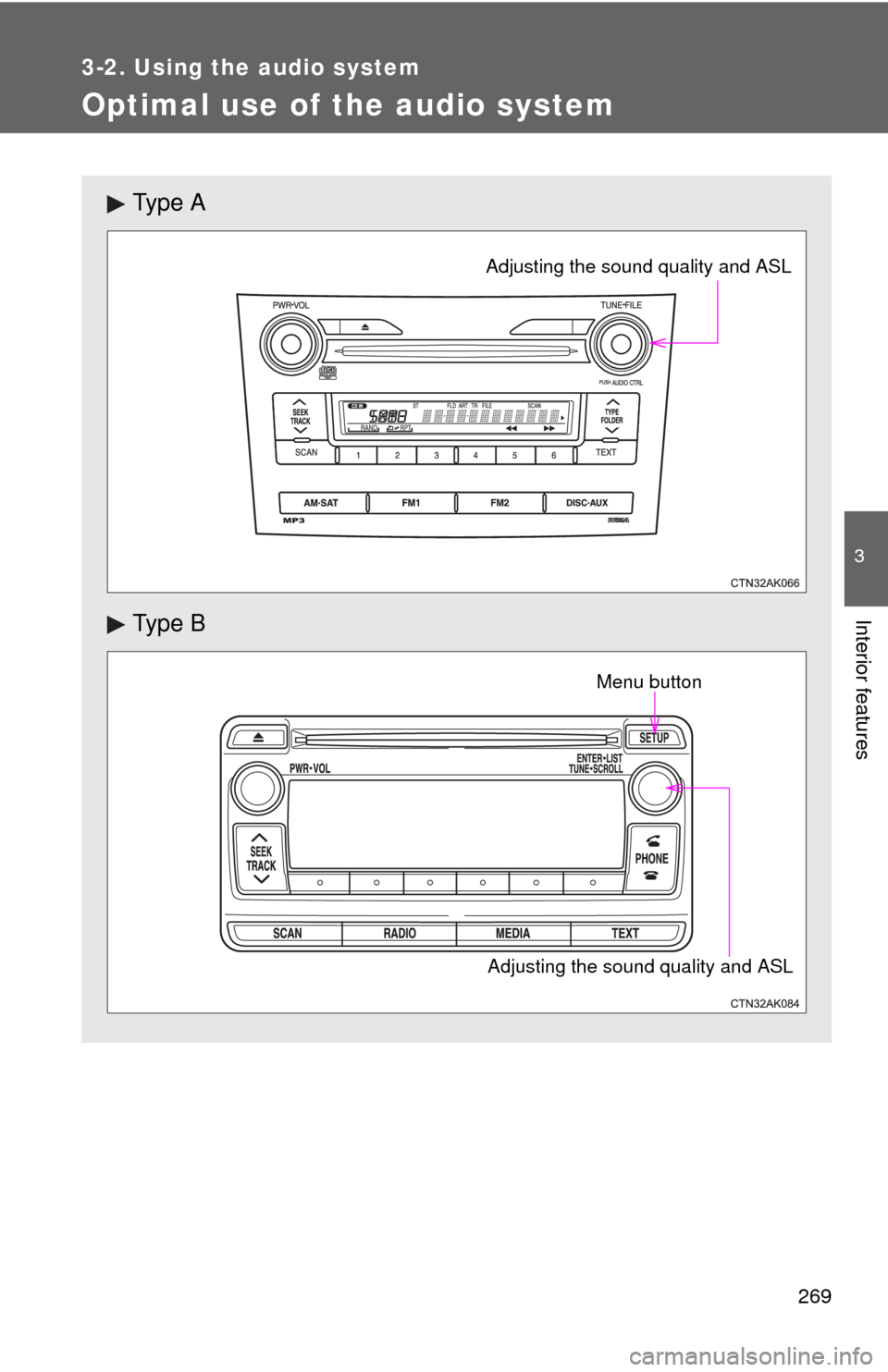
Ty p e A
Ty p e B
Adjusting the sound quality and ASL
Adjusting the sound quality and ASLMenu button
Page 270 of 529
270 3-2. Using the audio system
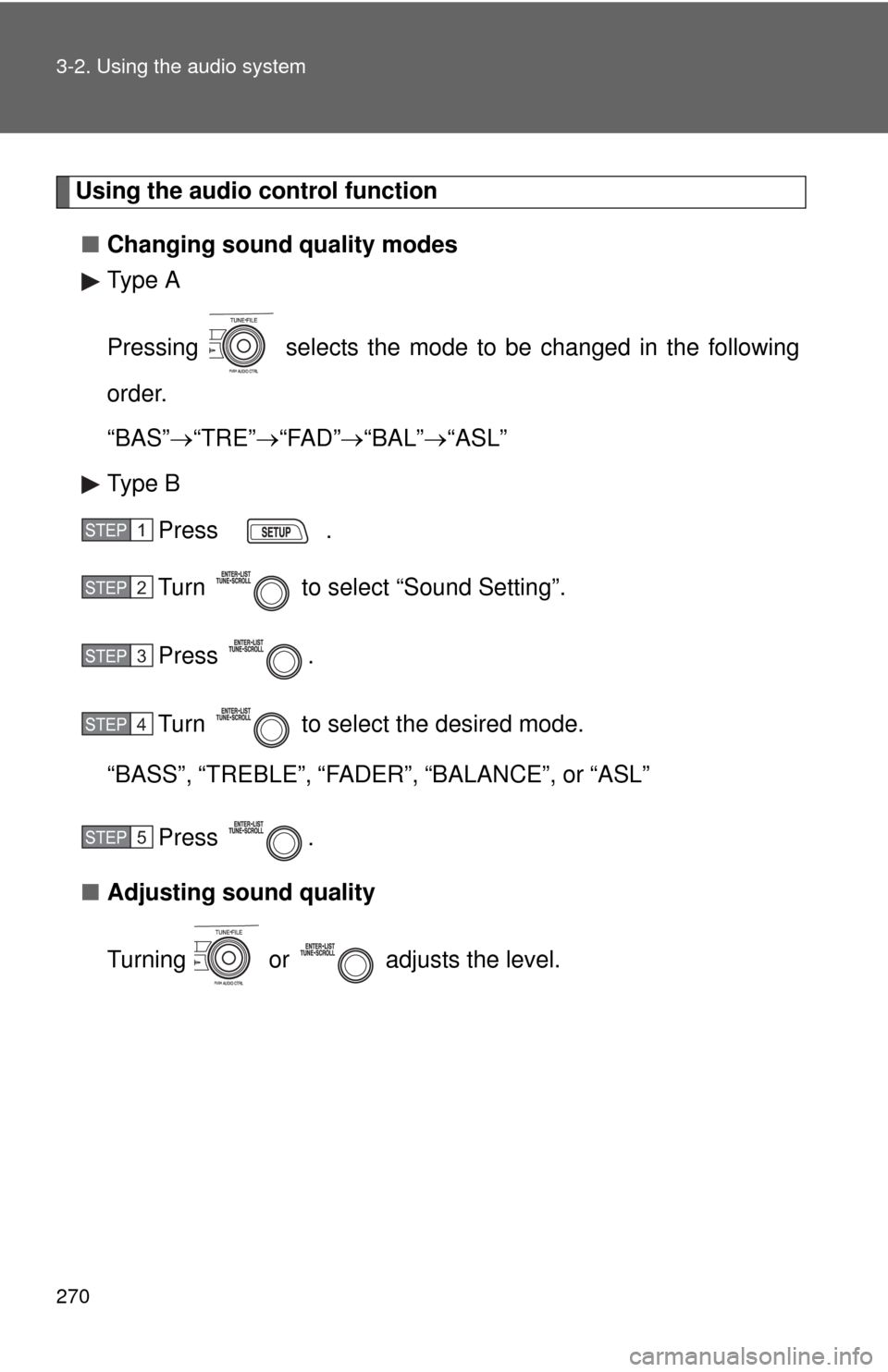
Using the audio control function■ Changing sound quality modes
Type A
Pressing selects the mode to be changed in the following
order.
“BAS” “TRE” “FAD” “BAL” “ASL”
Type B
Press .
Turn to select “Sound Setting”.
Press .
Turn to select the desired mode.
“BASS”, “TREBLE”, “FADER”, “BALANCE”, or “ASL”
Press .
■ Adjusting sound quality
Turning or adjusts the level.
STEP 1
STEP 2
STEP 3
STEP 4
STEP 5
Page 271 of 529
271
3-2. Using the audio system
3
Interior features
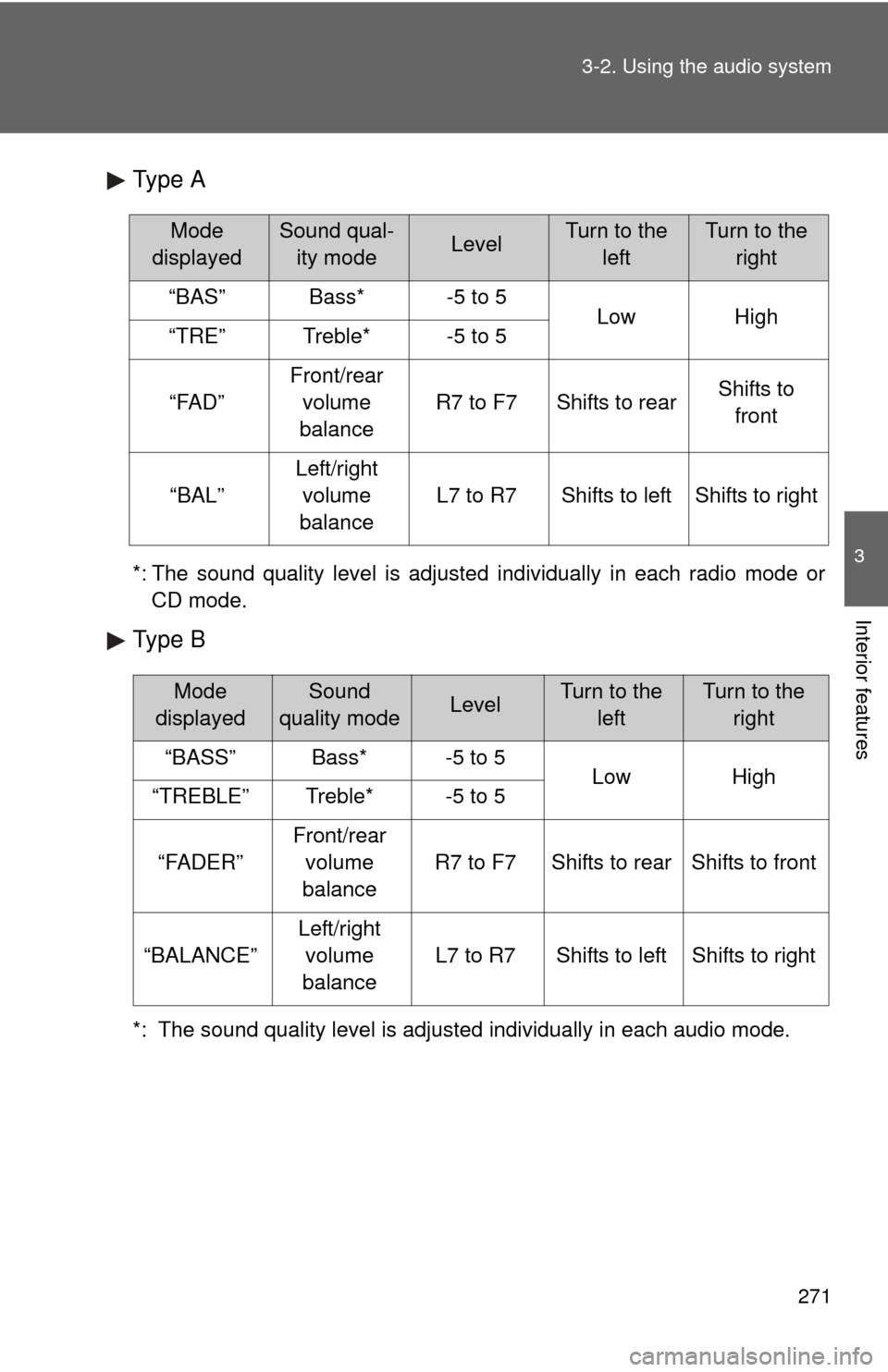
Type A
*: The sound quality level is adjusted individually in each radio mode or
CD mode.
Type B
*: The sound quality level is adjusted individually in each audio mode.
Mode
displayedSound qual- ity modeLevelTurn to the leftTurn to the right
“BAS”Bass*-5 to 5LowHigh“TRE”Treble*-5 to 5
“FAD”
Front/rear volume
balance
R7 to F7Shifts to rearShifts to front
“BAL”
Left/right volume
balance
L7 to R7Shifts to leftShifts to right
Mode
displayedSound
quality modeLevelTurn to the leftTurn to the right
“BASS”Bass*-5 to 5LowHigh“TREBLE”Treble*-5 to 5
“FADER”
Front/rear volume
balance
R7 to F7Shifts to rearShifts to front
“BALANCE”
Left/right volume
balance
L7 to R7Shifts to leftShifts to right
Page 272 of 529
272 3-2. Using the audio system
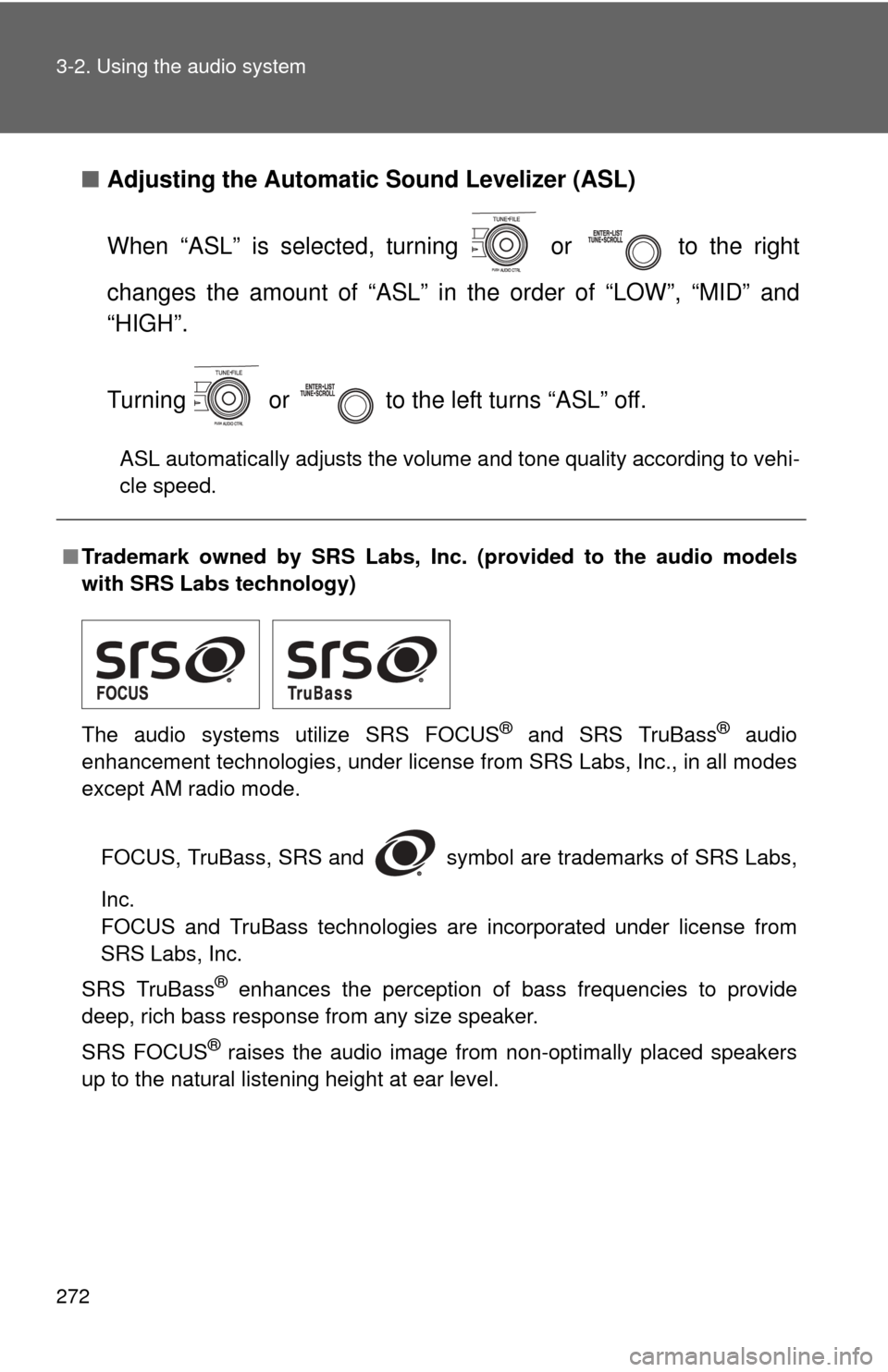
■Adjusting the Automatic Sound Levelizer (ASL)
When “ASL” is selected, turning or to the right
changes the amount of “ASL” in the order of “LOW”, “MID” and
“HIGH”.
Turning or to the left turns “ASL” off.
ASL automatically adjusts the volume and tone quality according to vehi-
cle speed.
■Trademark owned by SRS Labs, Inc. (provided to the audio models
with SRS Labs technology)
The audio systems utilize SRS FOCUS
® and SRS TruBass® audio
enhancement technologies, under license from SRS Labs, Inc., in all modes
except AM radio mode.
FOCUS, TruBass, SRS and symbol are trademarks of SRS Labs,
Inc.
FOCUS and TruBass technologies are incorporated under license from
SRS Labs, Inc.
SRS TruBass
® enhances the perception of bass frequencies to provide
deep, rich bass response from any size speaker.
SRS FOCUS
® raises the audio image from non-optimally placed speakers
up to the natural listening height at ear level.
Page 273 of 529
273
3-2. Using the audio system
3
Interior features
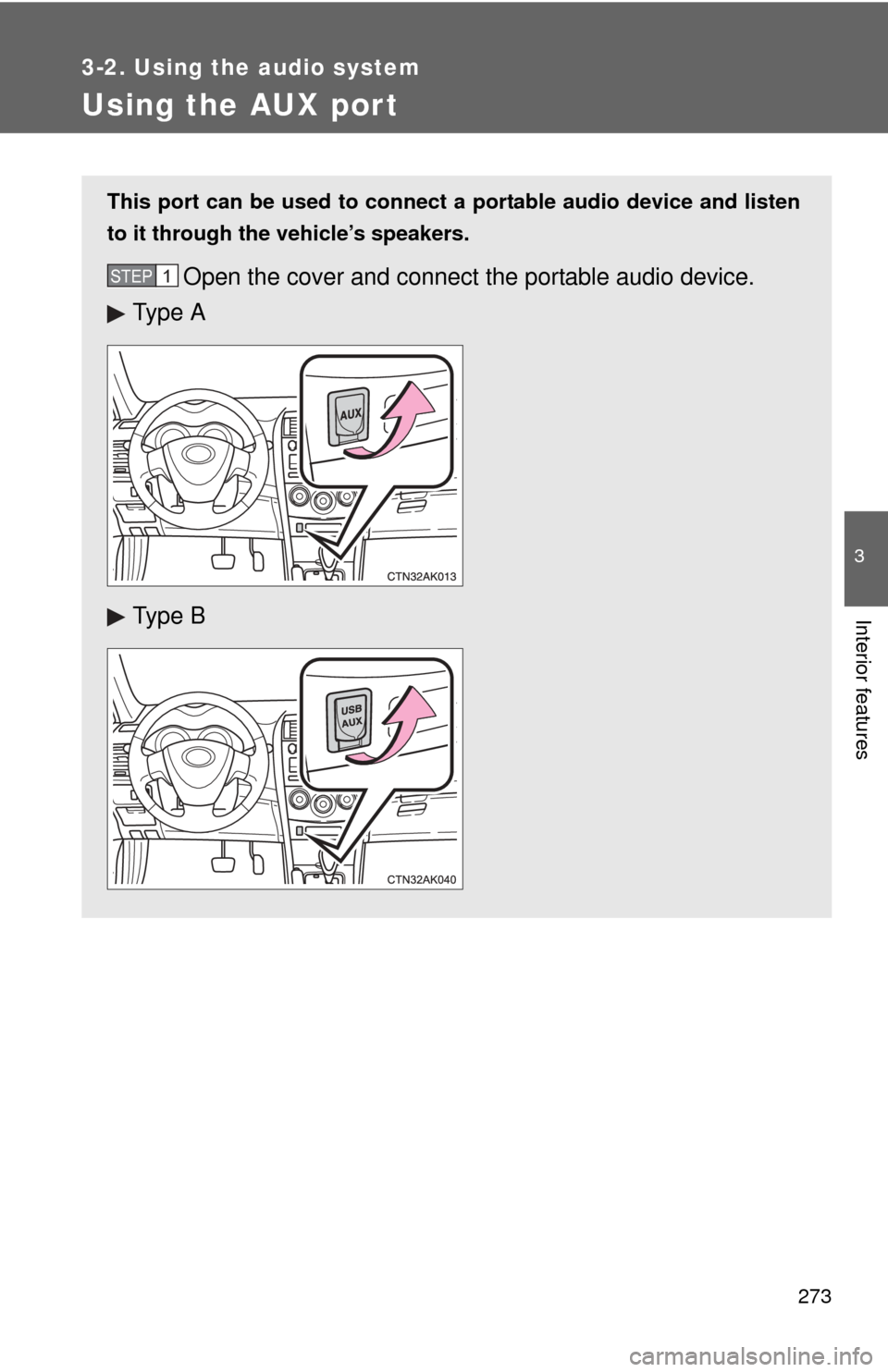
Using the AUX port
This port can be used to connect a portable audio device and listen
to it through the vehicle’s speakers.
Open the cover and connect the portable audio device.
Ty p e A
Ty p e BSTEP 1
Page 274 of 529
274 3-2. Using the audio system
■Operating portable audio devices connected to the audio system
The volume can be adjusted using the vehicle's audio controls. All other
adjustments must be made on the portable audio device itself.
■ When using a portable audio devi ce connected to the power outlet
Noise may occur during playback. Use the power source of the portable
audio device.
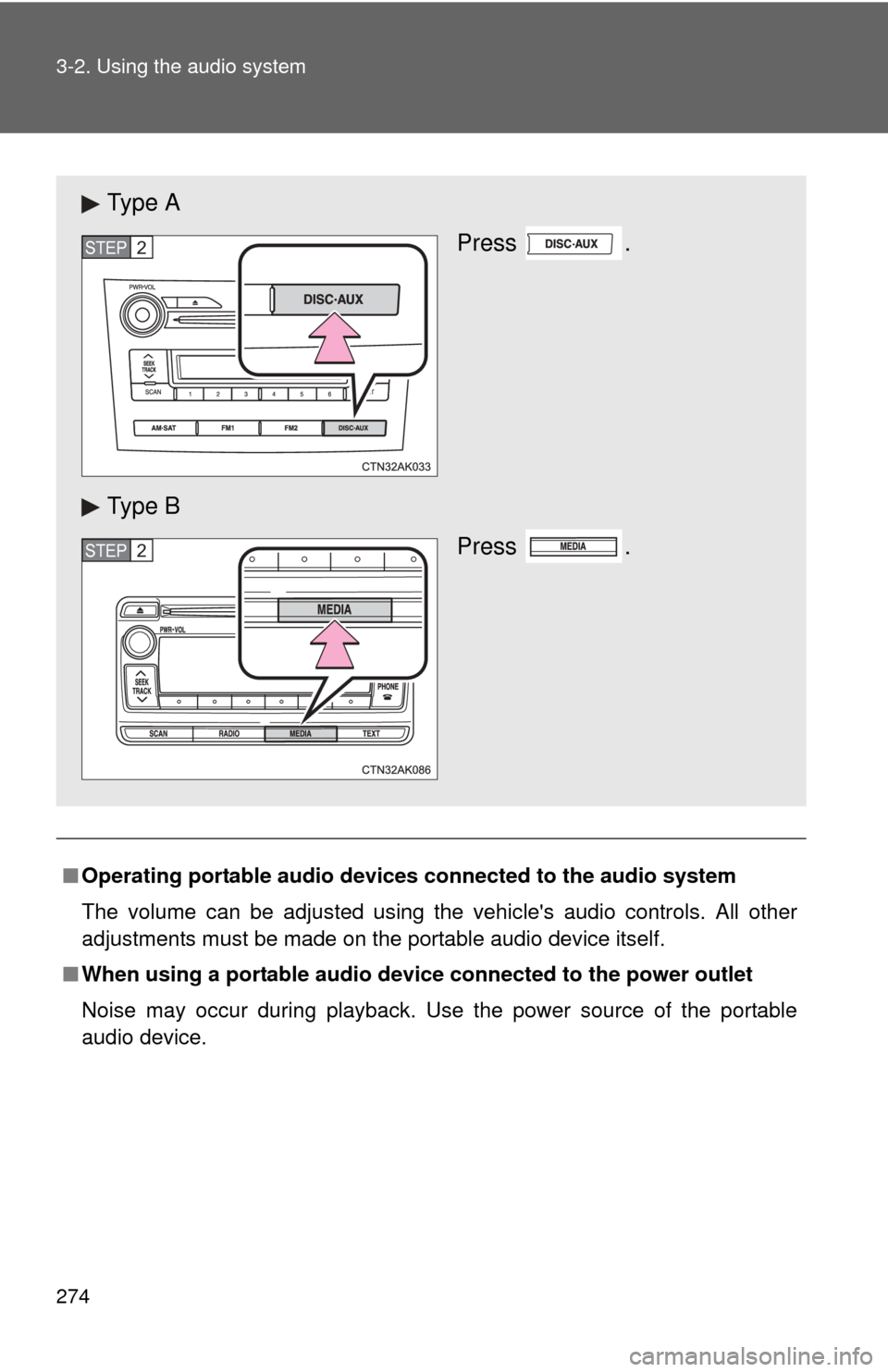
Ty p e A
Press .
Ty p e B Press .
STEP 2
STEP 2
Page 275 of 529
275
3-2. Using the audio system
3
Interior features
Using the steering wheel audio switches
: If equipped
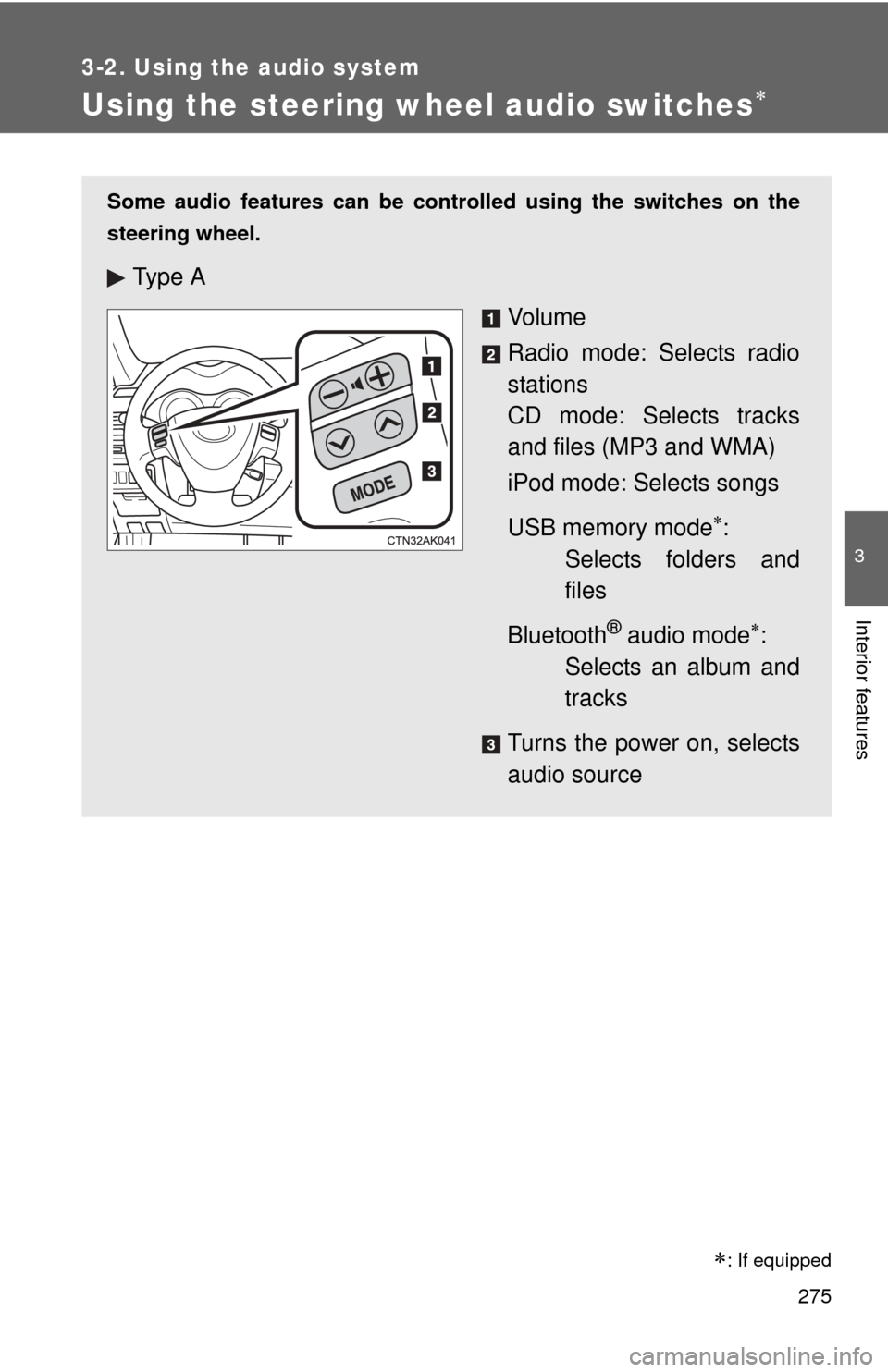
Some audio features can be controlled using the switches on the
steering wheel.
Ty p e A
Vo l u m e
Radio mode: Selects radio
stations
CD mode: Selects tracks
and files (MP3 and WMA)
iPod mode: Selects songs
USB memory mode
:
Selects folders and
files
Bluetooth
® audio mode:
Selects an album and
tracks
Turns the power on, selects
audio source
Page 276 of 529
276 3-2. Using the audio system
Turning on the powerPress or when the audio system is turned off.
Changing the audio source
Press or when the audio system is turned on. The
audio source changes each time or is pressed. If a
mode cannot be used , it will be skipped.
: If equipped
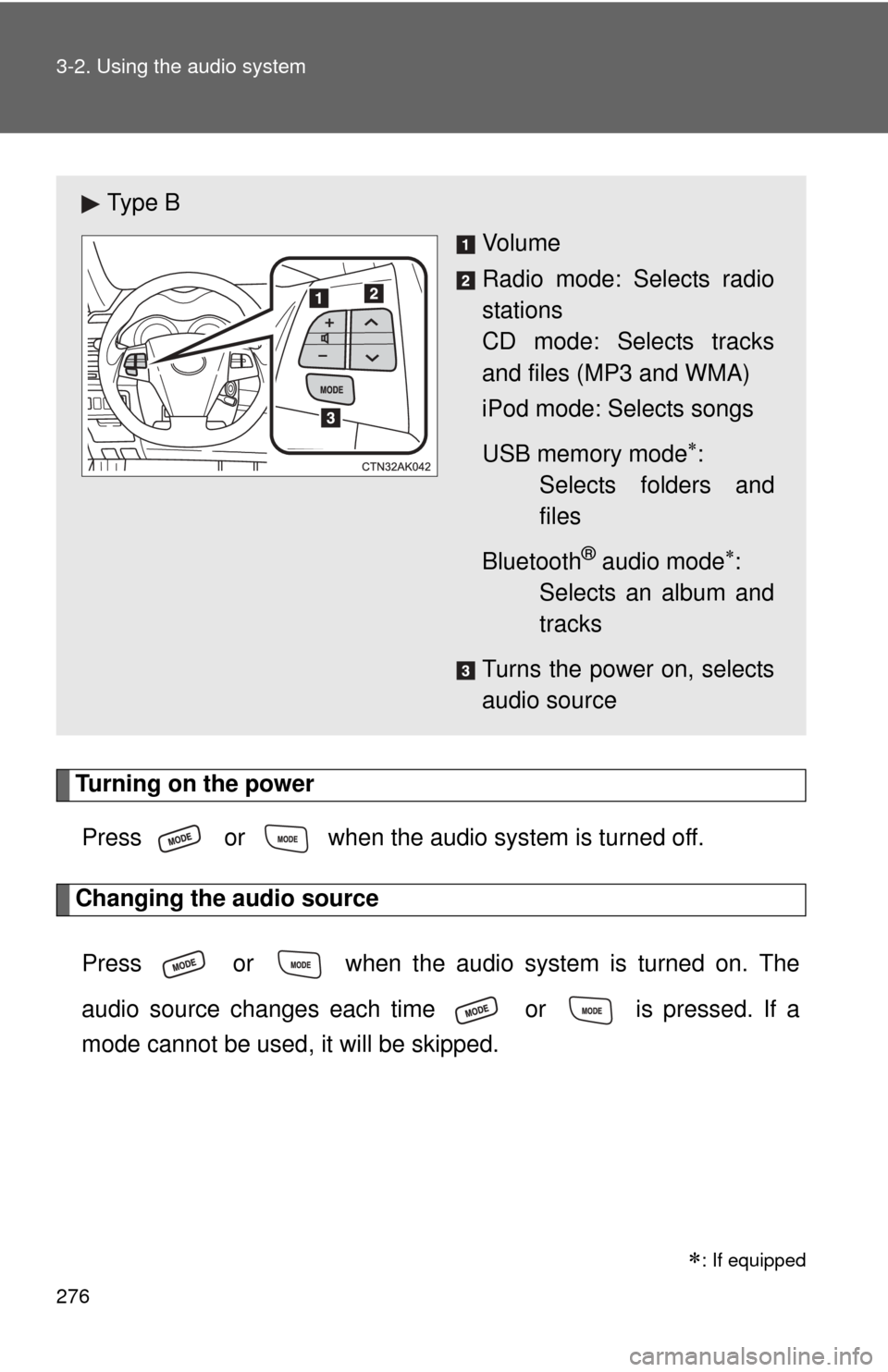
Ty p e B
Vo l u m e
Radio mode: Selects radio
stations
CD mode: Selects tracks
and files (MP3 and WMA)
iPod mode: Selects songs
USB memory mode
:
Selects folders and
files
Bluetooth
® audio mode:
Selects an album and
tracks
Turns the power on, selects
audio source
Page 277 of 529
277
3-2. Using the audio system
3
Interior features
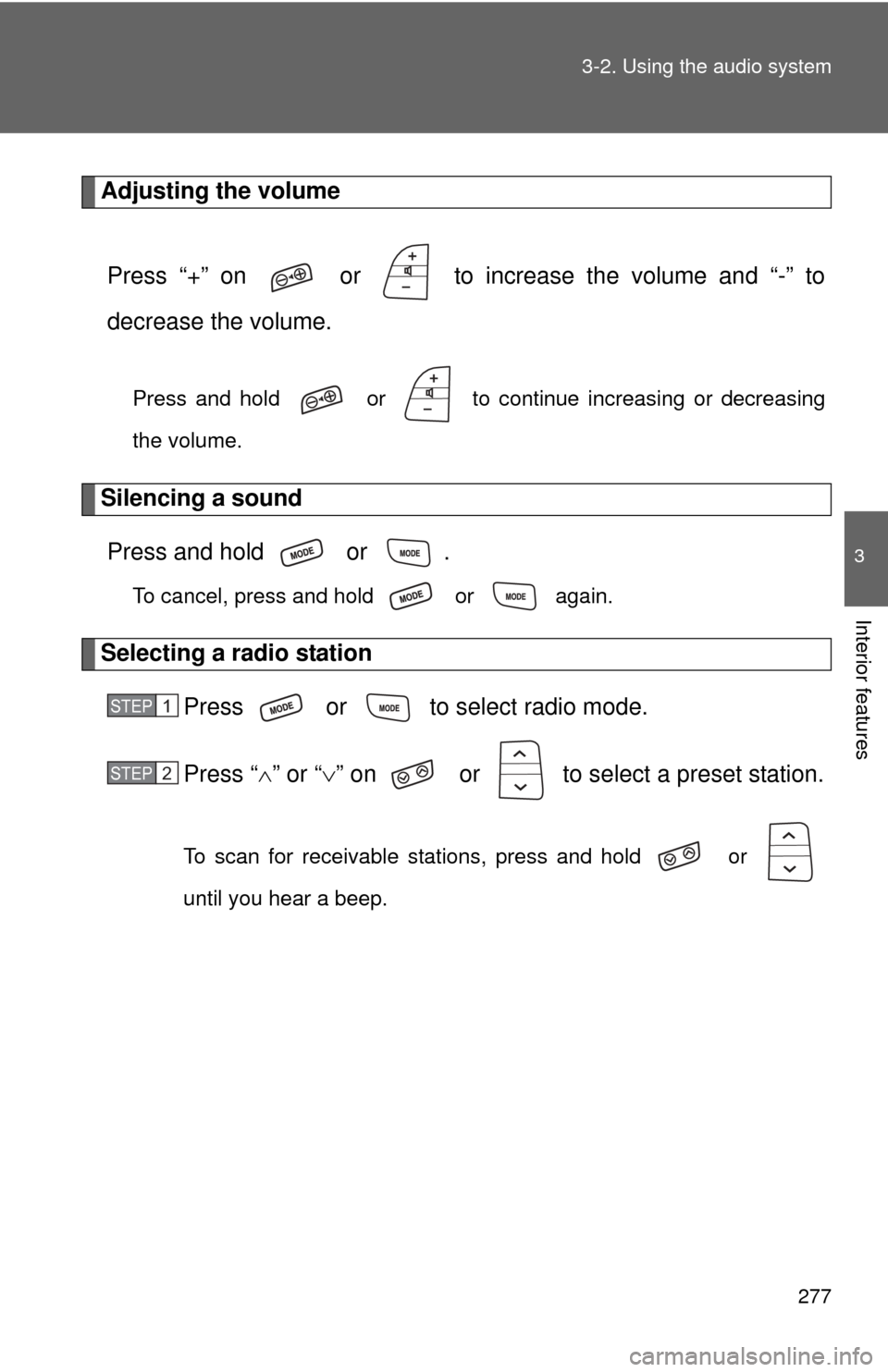
Adjusting the volume
Press “+” on or to increase the volume and “-” to
decrease the volume.
Press and hold or to continue increasing or decreasing
the volume.
Silencing a soundPress and hold or .
To cancel, press and hold or again.
Selecting a radio station Press or to select radio mode.
Press “” or “ ” on or to select a preset station.
To scan for receivable stations, press and hold or
until you hear a beep.
STEP 1
STEP 2