audio TOYOTA COROLLA 2014 11.G User Guide
[x] Cancel search | Manufacturer: TOYOTA, Model Year: 2014, Model line: COROLLA, Model: TOYOTA COROLLA 2014 11.GPages: 612, PDF Size: 12.58 MB
Page 166 of 612
1664-2. Driving procedures
COROLLA_TMMMS_TMMC_U (OM12F00U)
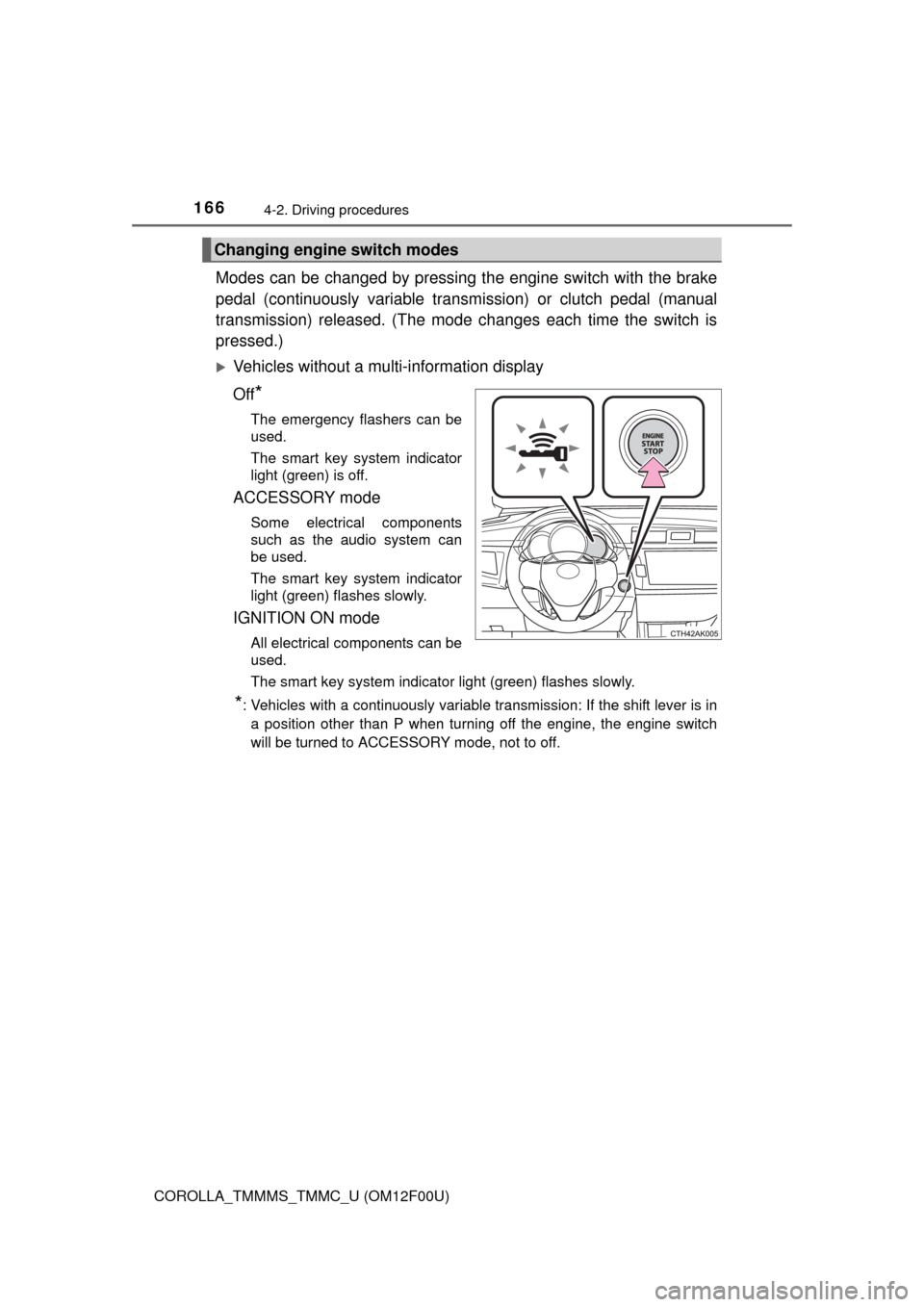
Modes can be changed by pressing the engine switch with the brake
pedal (continuously variable transmission) or clutch pedal (manual
transmission) released. (The mode changes each time the switch is
pressed.)
Vehicles without a multi-information display
Off
*
The emergency flashers can be
used.
The smart key system indicator
light (green) is off.
ACCESSORY mode
Some electrical components
such as the audio system can
be used.
The smart key system indicator
light (green) flashes slowly.
IGNITION ON mode
All electrical components can be
used.
The smart key system indicator light (green) flashes slowly.
*: Vehicles with a continuously variable transmission: If the shift lever is in
a position other than P when turning off the engine, the engine switch
will be turned to ACCESSORY mode, not to off.
Changing engine switch modes
Page 167 of 612
1674-2. Driving procedures
4
Driving
COROLLA_TMMMS_TMMC_U (OM12F00U)
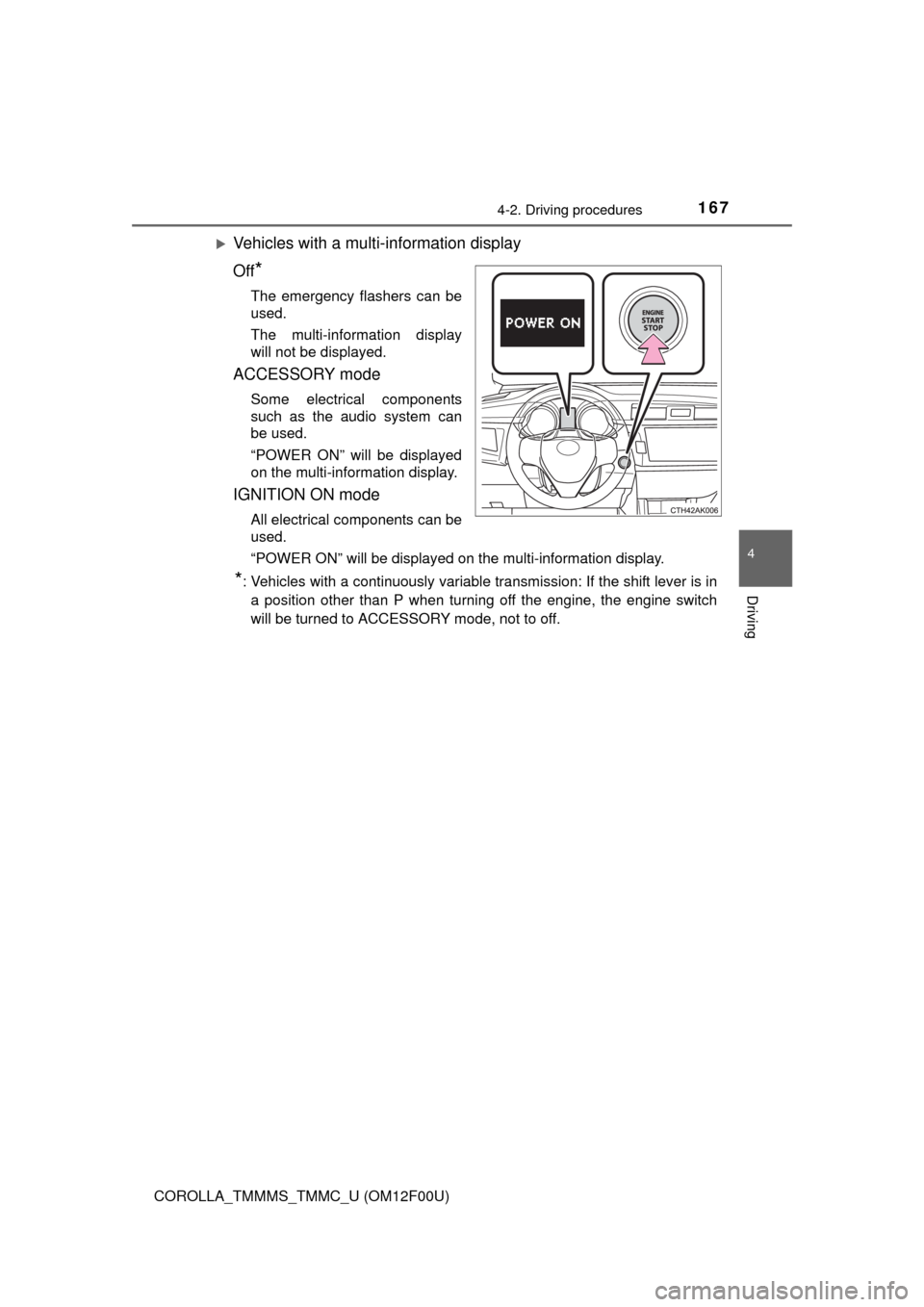
Vehicles with a multi-information display
Off
*
The emergency flashers can be
used.
The multi-information display
will not be displayed.
ACCESSORY mode
Some electrical components
such as the audio system can
be used.
“POWER ON” will be displayed
on the multi-information display.
IGNITION ON mode
All electrical components can be
used.
“POWER ON” will be displayed on the multi-information display.
*: Vehicles with a continuously variable transmission: If the shift lever is in
a position other than P when turning off the engine, the engine switch
will be turned to ACCESSORY mode, not to off.
Page 219 of 612

219
5Audio system
COROLLA_TMMMS_TMMC_U (OM12F00U)5-1. Basic Operations
Audio system types ........... 222
Steering wheel audio
switches .......................... 226
AUX port/USB port ............ 227
5-2. Using the audio system
Optimal use of the audio
system ............................ 228
5-3. Using the radio
Radio operation................. 230
5-4. Playing audio CDs and
MP3/WMA discs
CD player operation .......... 232
5-5. Using an external device
Listening to an iPod .......... 241
Listening to a USB
memory device ............... 248
Using the AUX port ........... 254
5-6. Using Bluetooth
® devices
Bluetooth®
audio/phone .................... 255
Using the steering wheel
switches .......................... 260
Registering a Bluetooth
®
device ............................. 261
Page 220 of 612

220
COROLLA_TMMMS_TMMC_U (OM12F00U)5-7. “SET UP” menu
Using the “SET UP” menu
(“Bluetooth” menu) .......... 262
Using the “SET UP” menu
(“Phone” menu) ............... 267
5-8. Bluetooth
® Audio
Operating a Bluetooth®
enabled portable
player .............................. 272
5-9. Bluetooth
® Phone
Making a phone call .......... 275
Receiving a phone call ...... 278
Speaking on the phone ..... 279
5-10. Bluetooth
®
Bluetooth®........................ 281
5-11. Basic Operations
(Multimedia system)
Multimedia system ............ 283
Steering wheel audio
switches .......................... 285
USB Port/AUX Port ........... 286
Basic Audio
Operations ...................... 2875-12. Setup
(Multimedia system)
Setup menu....................... 289
General settings ................ 290
Audio settings ................... 292
Display settings ................. 294
Voice settings.................... 295
5-13. Using the Multimedia
system
Selecting the audio
source ............................. 296
List screen operation......... 297
Optimal use of the
multimedia system .......... 299
5-14. Using the radio
(Multimedia system)
Radio operation................. 300
5-15. Playing an audio CD and
MP3/WMA/AAC discs
(Multimedia system)
CD player operation .......... 302
5-16. Using an external device
(Multimedia system)
Listening to an iPod .......... 308
Listening to a USB
memory device ............... 313
Using the AUX port ........... 317
Vehicle information ........... 318
Page 221 of 612

221
5Audio system
COROLLA_TMMMS_TMMC_U (OM12F00U)5-17. Connecting Bluetooth
®
(Multimedia system)
Preparations to
use wireless
communication ................ 320
Registering a Bluetooth
®
audio player for
the first time .................... 324
Registering a Bluetooth
®
phone for the
first time .......................... 325
Registering a Bluetooth
®
device.............................. 326
Connecting a Bluetooth
®
device.............................. 329
Displaying a Bluetooth
®
device details .................. 332
Detailed Bluetooth
®
system settings ............... 334
5-18. Bluetooth
® Audio
(Multimedia system)
Listening to Bluetooth
®
Audio ............................... 3365-19. Bluetooth
® phone
(Multimedia system)
Using a Bluetooth
®
Phone ............................. 338
Making a call ..................... 341
Receiving a call ................. 344
Speaking on the phone ..... 345
Bluetooth
® phone
message function ............ 349
Using the steering
wheel switches ................ 354
Bluetooth
® phone
settings ........................... 355
Contact/Call History
Settings ........................... 357
What to do if...
(Troubleshooting) ............ 367
5-20. Bluetooth
®
(Multimedia system)
Bluetooth
®......................... 371
5-21. Using the voice
command system
(Multimedia system)
Voice command
system ............................ 376
Page 222 of 612
222
COROLLA_TMMMS_TMMC_U (OM12F00U)
5-1. Basic Operations
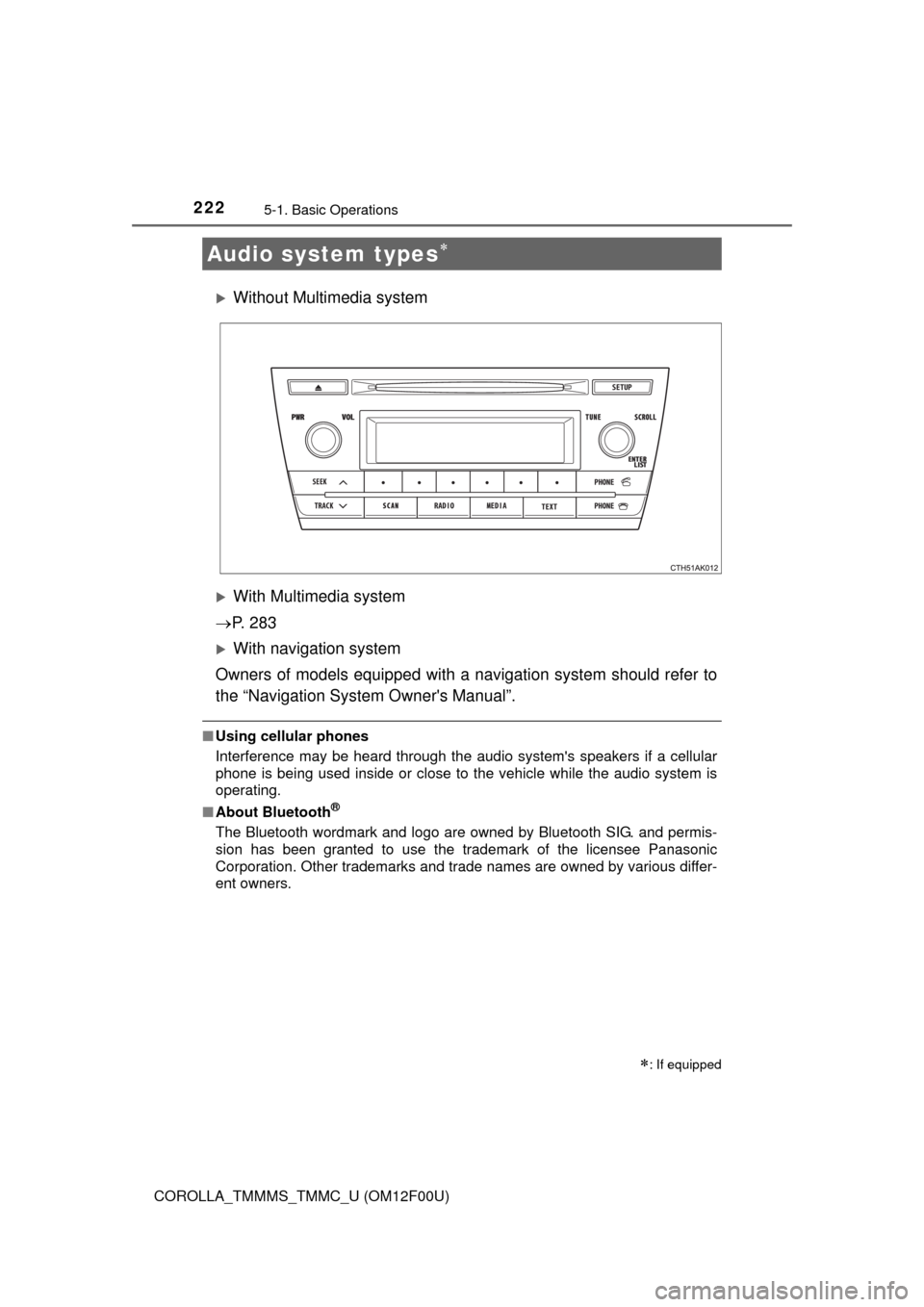
Without Multimedia system
With Multimedia system
P. 2 8 3
With navigation system
Owners of models equipped with a navigation system should refer to
the “Navigation System Owner's Manual”.
■Using cellular phones
Interference may be heard through the audio system's speakers if a cellular
phone is being used inside or close to the vehicle while the audio system is
operating.
■About Bluetooth
®
The Bluetooth wordmark and logo are owned by Bluetooth SIG. and permis-
sion has been granted to use the trademark of the licensee Panasonic
Corporation. Other trademarks and trade names are owned by various differ-
ent owners.
Audio system types
: If equipped
Page 225 of 612

2255-1. Basic Operations
5
Interior features
COROLLA_TMMMS_TMMC_U (OM12F00U)
NOTICE
■To prevent battery discharge
Do not leave the audio system on longer than necessary when the engine is
off.
■To avoid damaging the audio system
Take care not to spill drinks or other fluids on the audio system.
Page 226 of 612
2265-1. Basic Operations
COROLLA_TMMMS_TMMC_U (OM12F00U)
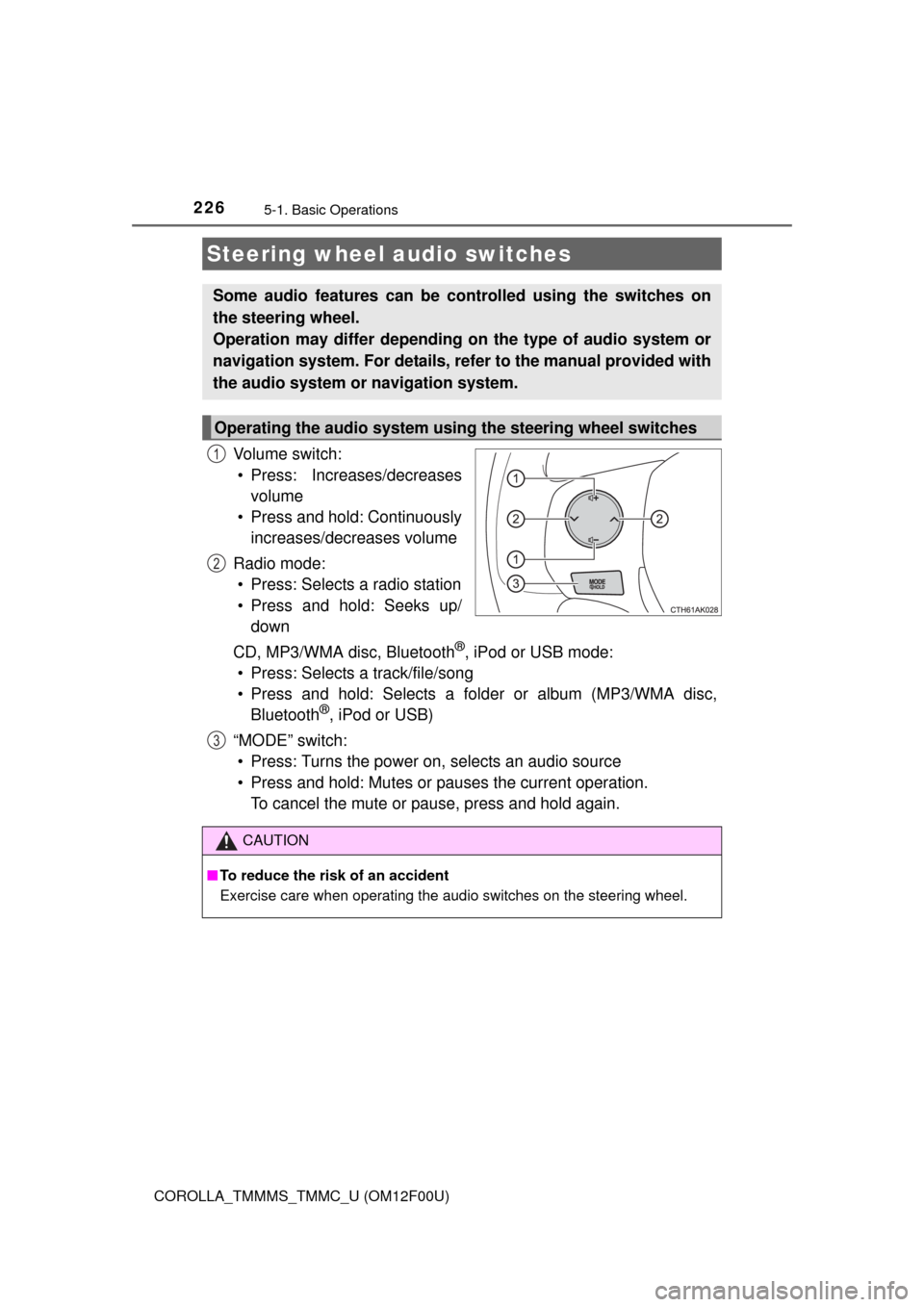
Vo l u m e s w i t c h :
• Press: Increases/decreases
volume
• Press and hold: Continuously
increases/decreases volume
Radio mode:
• Press: Selects a radio station
• Press and hold: Seeks up/
down
CD, MP3/WMA disc, Bluetooth
®, iPod or USB mode:
• Press: Selects a track/file/song
• Press and hold: Selects a folder or album (MP3/WMA disc,
Bluetooth
®, iPod or USB)
“MODE” switch:
• Press: Turns the power on, selects an audio source
• Press and hold: Mutes or pauses the current operation.
To cancel the mute or pause, press and hold again.
Steering wheel audio switches
Some audio features can be controlled using the switches on
the steering wheel.
Operation may differ depending on the type of audio system or
navigation system. For details, refer to the manual provided with
the audio system or navigation system.
Operating the audio system using the steering wheel switches
1
2
3
CAUTION
■To reduce the risk of an accident
Exercise care when operating the audio switches on the steering wheel.
Page 227 of 612
2275-1. Basic Operations
5
Interior features
COROLLA_TMMMS_TMMC_U (OM12F00U)■
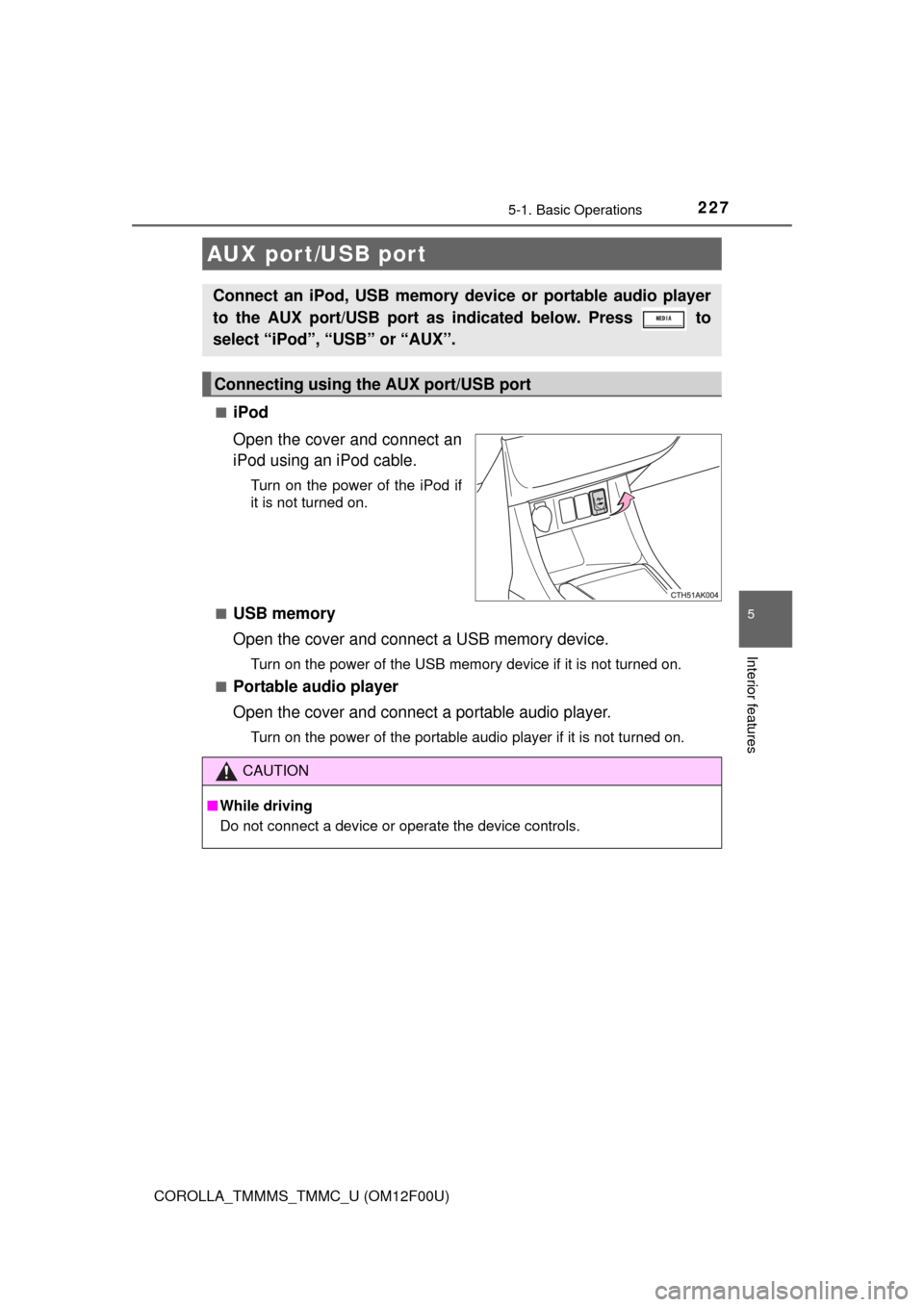
iPod
Open the cover and connect an
iPod using an iPod cable.
Turn on the power of the iPod if
it is not turned on.
■
USB memory
Open the cover and connect a USB memory device.
Turn on the power of the USB memory device if it is not turned on.
■
Portable audio player
Open the cover and connect a portable audio player.
Turn on the power of the portable audio player if it is not turned on.
AUX port/USB port
Connect an iPod, USB memory device or portable audio player
to the AUX port/USB port as indicated below. Press to
select “iPod”, “USB” or “AUX”.
Connecting using the AUX port/USB port
CAUTION
■While driving
Do not connect a device or operate the device controls.
Page 228 of 612
228
COROLLA_TMMMS_TMMC_U (OM12F00U)
5-2. Using the audio system
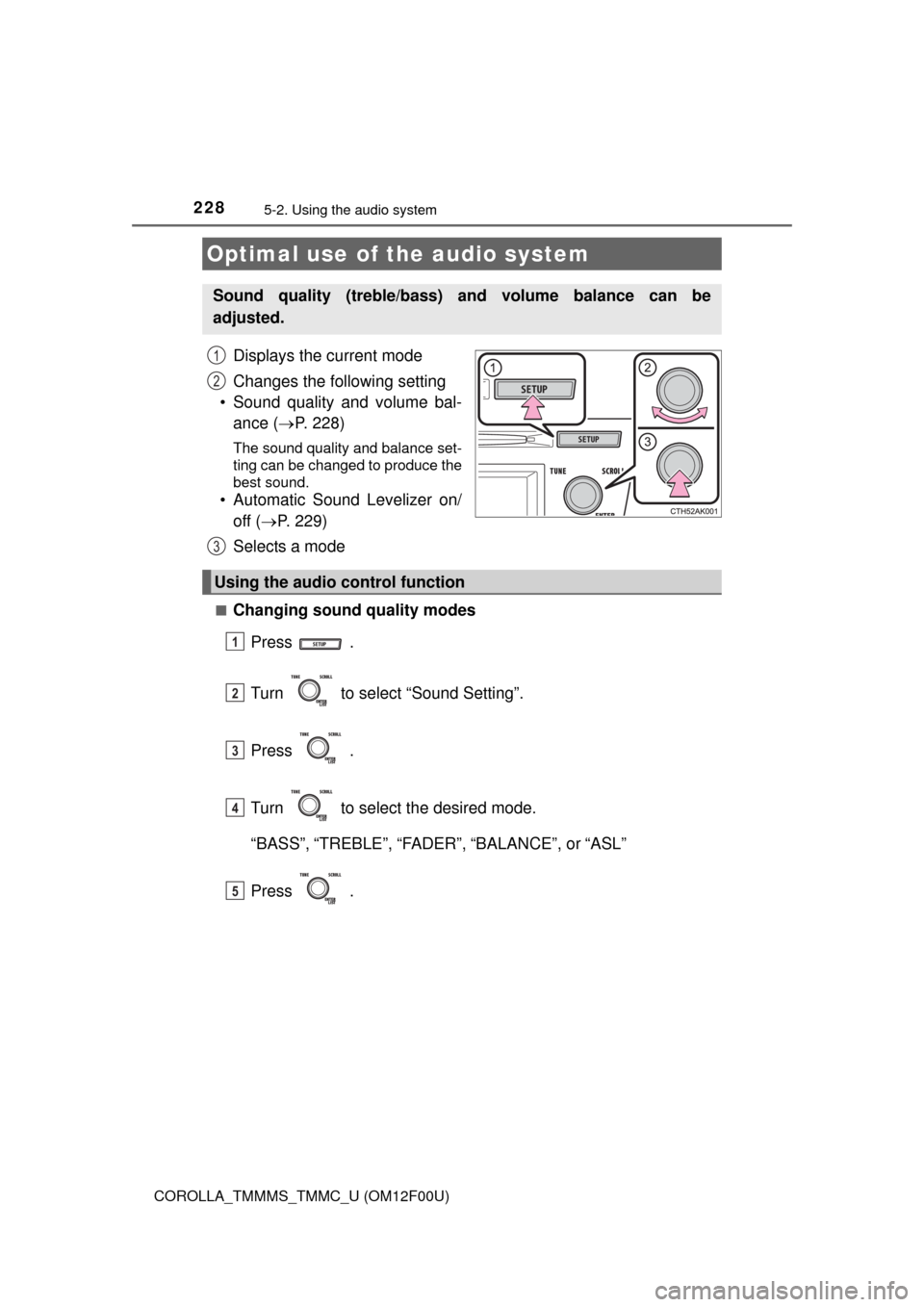
Displays the current mode
Changes the following setting
• Sound quality and volume bal-
ance (P. 228)
The sound quality and balance set-
ting can be changed to produce the
best sound.
• Automatic Sound Levelizer on/
off (P. 229)
Selects a mode
■Changing sound quality modes
Press .
Turn to select “Sound Setting”.
Press .
Turn to select the desired mode.
“BASS”,“TREBLE”,“FADER”,“BALANCE”, or“ASL”
Press .
Optimal use of the audio system
Sound quality (treble/bass) and volume balance can be
adjusted.
1
2
3
Using the audio control function
1
2
3
4
5