phone TOYOTA COROLLA 2015 11.G Navigation Manual
[x] Cancel search | Manufacturer: TOYOTA, Model Year: 2015, Model line: COROLLA, Model: TOYOTA COROLLA 2015 11.GPages: 292, PDF Size: 3.95 MB
Page 130 of 292

130
1. VOICE COMMAND SYSTEM OPERATION
COROLLA_13CY_Navi_U
1Press the talk switch.
2Say “Play song
A confirmation screen will be displayed
showing the recognition results. If multiple
matching items are found, a selection
screen will be displayed. Say “
The system starts playing music and the
song lists are displayed.
1Press the talk switch.
2Say “Call
A confirmation screen will be displayed
showing the recognition results. If multiple
matching items are found, a selection
screen will be displayed. Say “
VOICE COMMAND EXAMPLE:
SEARCH FOR A SONG
INFORMATION
●The Gracenote database is only com-
patible with the USB or iPod mode.
● A USB memory or iPod must be con-
nected to enable track searching and
playback. ( P.94, 98)
● When a USB memory or iPod is con-
nected, recognition data is created so
tracks can be searched using voice
commands.
● Recognition data is updated under the
following conditions:
• When the USB memory or iPod data
has changed.
• When the voice recognition language
is changed. ( P. 5 4 )
● While the recognition data is being cre-
ated or being updated, a track search
cannot be performed using a voice com-
mand.
VOICE COMMAND EXAMPLE:
CALL NAME
INFORMATION
●In the same manner as it is displayed on
the screen, “Call
say the name, or the name and type of
phone, of a contact.
For example: “Call a contact” , “John
Smith” or “Call a contact” , “Mary
Davis” , “Mobile”
● There are 4 types of phones: Home,
Mobile, Office and Other.
● Short or abbreviated names in the con-
tacts list may not be recognized. Change
names in the contacts list to full names.
● Sometimes a voice recognition result
confirmation screen will be displayed.
After confirming the result, say “Yes” or
“No” .
● When the system recognizes multiple
names from the contacts list, a name
candidate list will be displayed on the
screen. If the desired name is not dis-
played on the top of the screen, say or
select the number of the name from the
candidate list (number 1 and number 2)
to select a name from the candidate list.
● When a contact has multiple phone
numbers registered in the contacts list, a
candidate list will be displayed. If the
desired phone number is not displayed
on the top of the screen, say or select
the number of the desired phone num-
ber from the candidate list (number 1
and number 2) to select a phone number
from the candidate list.
Page 131 of 292
131
1. VOICE COMMAND SYSTEM OPERATION
COROLLA_13CY_Navi_U
VOICE COMMAND SYSTEM
4
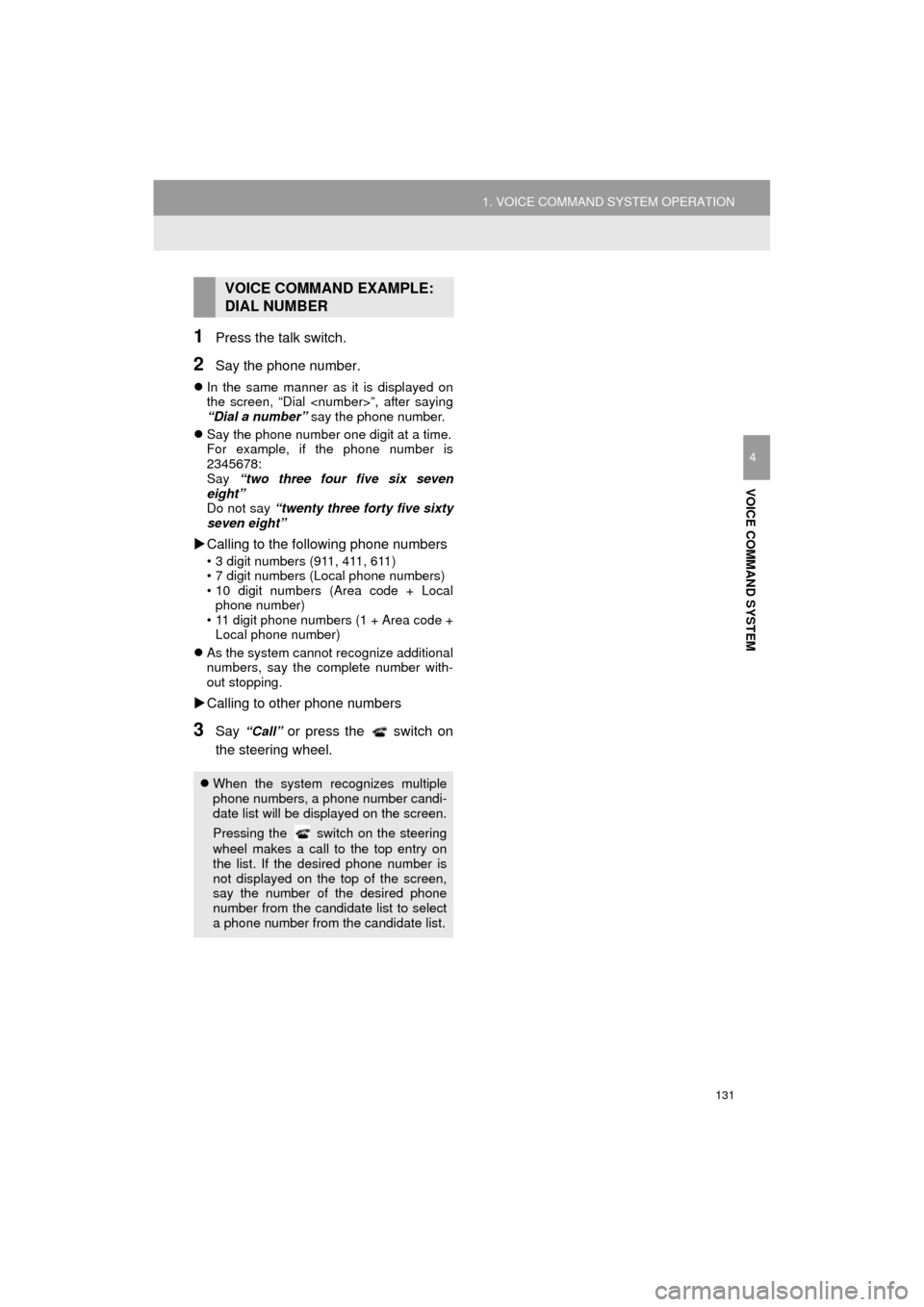
1Press the talk switch.
2Say the phone number.
In the same manner as it is displayed on
the screen, “Dial
“Dial a number” say the phone number.
Say the phone number one digit at a time.
For example, if the phone number is
2345678:
Say “two three four five six seven
eight”
Do not say “twenty three forty five sixty
seven eight”
Calling to the following phone numbers
• 3 digit numbers (911, 411, 611)
• 7 digit numbers (Local phone numbers)
• 10 digit numbers (Area code + Local
phone number)
• 11 digit phone numbers (1 + Area code + Local phone number)
As the system cannot recognize additional
numbers, say the complete number with-
out stopping.
Calling to other phone numbers
3Say “Call” or press the switch on
the steering wheel.
VOICE COMMAND EXAMPLE:
DIAL NUMBER
When the system recognizes multiple
phone numbers, a phone number candi-
date list will be displayed on the screen.
Pressing the
switch on the steering
wheel makes a call to the top entry on
the list. If the desired phone number is
not displayed on the top of the screen,
say the number of the desired phone
number from the candidate list to select
a phone number from the candidate list.
Page 132 of 292
132
1. VOICE COMMAND SYSTEM OPERATION
COROLLA_13CY_Navi_U
2. CASUAL SPEECH RECOGNIZATION
Due to natural language speech recog-
nition technology, this system enables
recognition of a command when spo-
ken naturally. However, the system
cannot recognize every variation of
each command. In some situations, it
is possible to omit the command for the
procedure and directly state the de-
sired operation. Not all voice com-
mands are displayed in the short cut
menu.
INFORMATION
●If the command cannot be recognized
completely, the command input screen
will be displayed. (Search results will be
shown based on the part of the com-
mand that was recognized.)
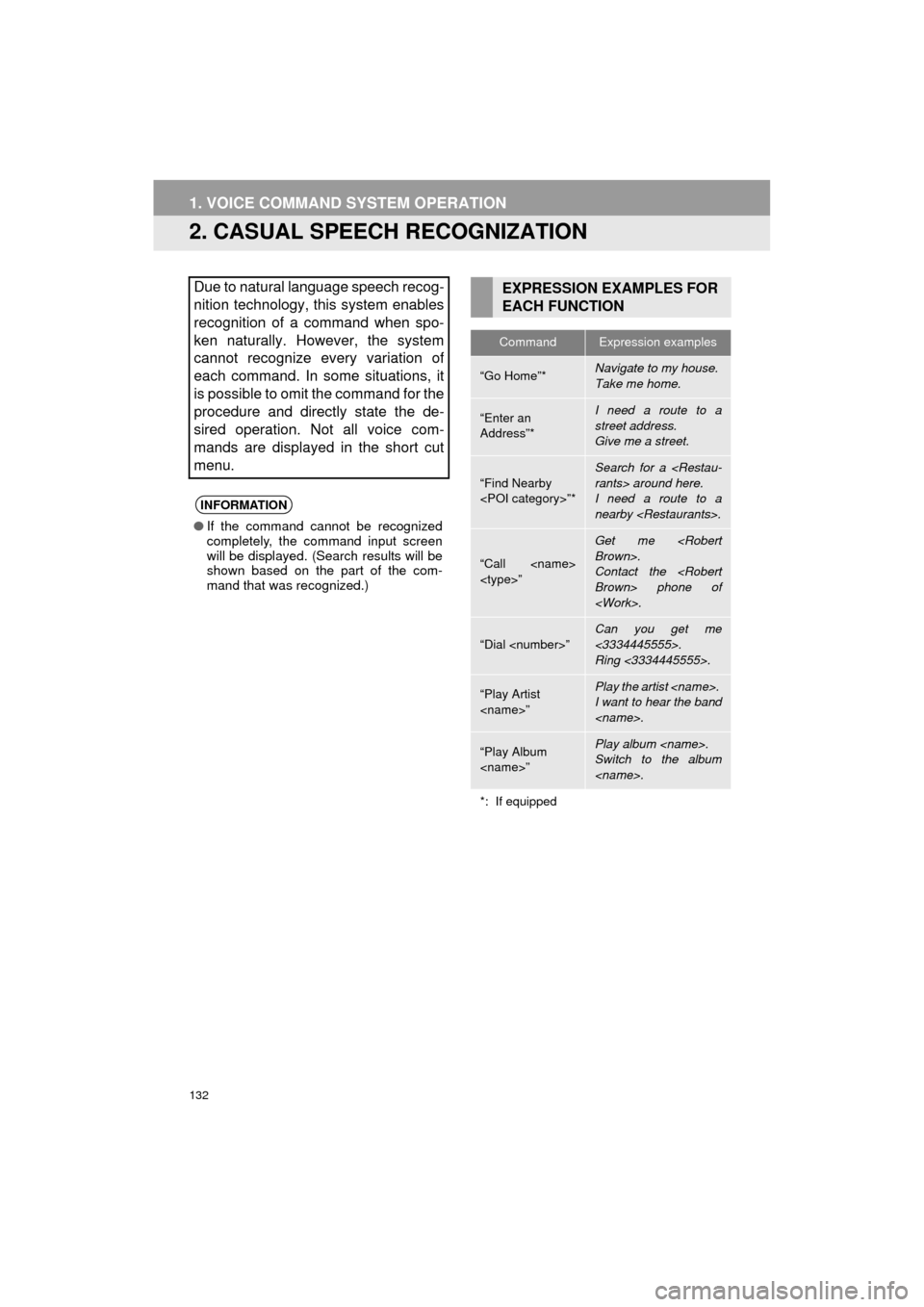
EXPRESSION EXAMPLES FOR
EACH FUNCTION
CommandExpression examples
“Go Home”*Navigate to my house.
Take me home.
“Enter an
Address”*I need a route to a
street address.
Give me a street.
“Find Nearby
Search for a
I need a route to a
nearby
“Call
Get me
Contact the
“Dial
Can you get me
<3334445555>.
Ring <3334445555>.
“Play Artist
I want to hear the band
“Play Album
Switch to the album
*: If equipped
Page 134 of 292
134
1. VOICE COMMAND SYSTEM OPERATION
COROLLA_13CY_Navi_U
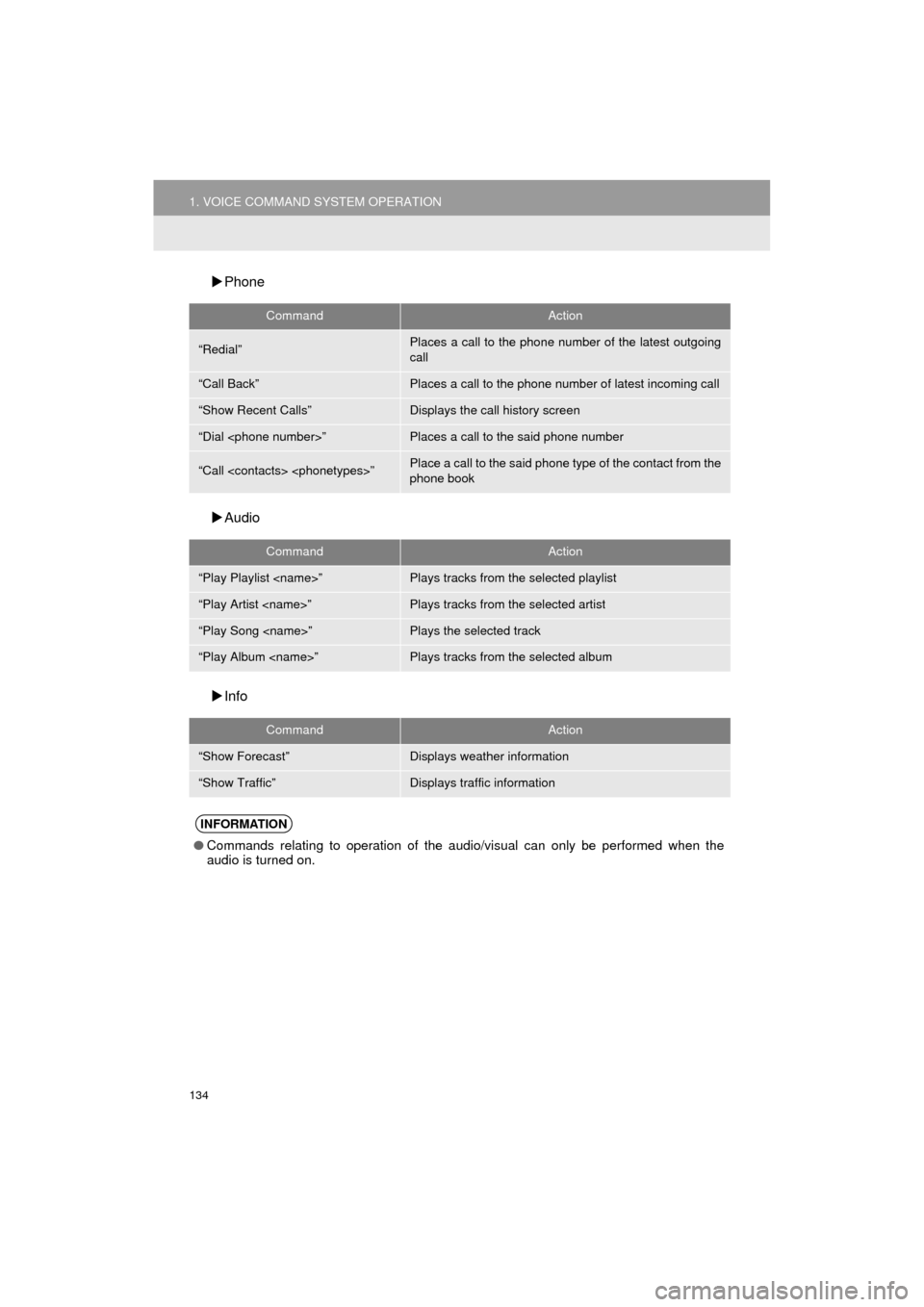
Phone
Audio
Info
CommandAction
“Redial”Places a call to the phone number of the latest outgoing
call
“Call Back”Places a call to the phone number of latest incoming call
“Show Recent Calls”Displays the call history screen
“Dial
“Call
phone book
CommandAction
“Play Playlist
“Play Artist
“Play Song
“Play Album
CommandAction
“Show Forecast”Displays weather information
“Show Traffic”Displays traffic information
INFORMATION
● Commands relating to operation of the audio/visual can only be performed when the
audio is turned on.
Page 138 of 292
138
COROLLA_13CY_Navi_U
2. OTHER USEFUL INFORMATION
1. RECEIVING DOPPLER WEATHER INFORMATION
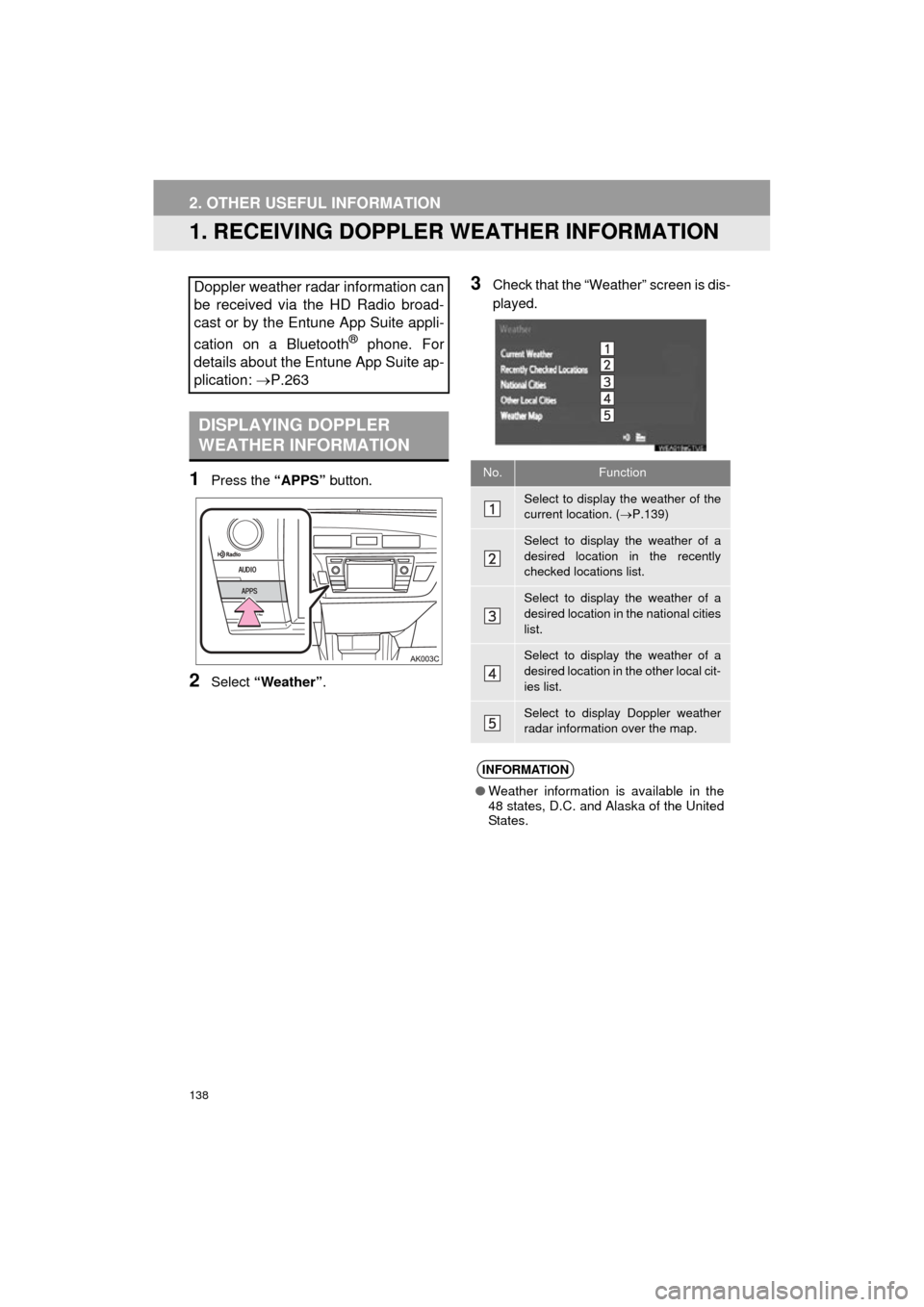
1Press the “APPS” button.
2Select “Weather” .
3Check that the “Weather” screen is dis-
played.Doppler weather radar information can
be received via the HD Radio broad-
cast or by the Entune App Suite appli-
cation on a Bluetooth
® phone. For
details about the Entune App Suite ap-
plication: P.263
DISPLAYING DOPPLER
WEATHER INFORMATION
No.Function
Select to display the weather of the
current location. ( P.139)
Select to display the weather of a
desired location in the recently
checked locations list.
Select to display the weather of a
desired location in the national cities
list.
Select to display the weather of a
desired location in the other local cit-
ies list.
Select to display Doppler weather
radar information over the map.
INFORMATION
● Weather information is available in the
48 states, D.C. and Alaska of the United
States.
Page 140 of 292
140
2. OTHER USEFUL INFORMATION
COROLLA_13CY_Navi_U
2. DATA SERVICES SETTINGS
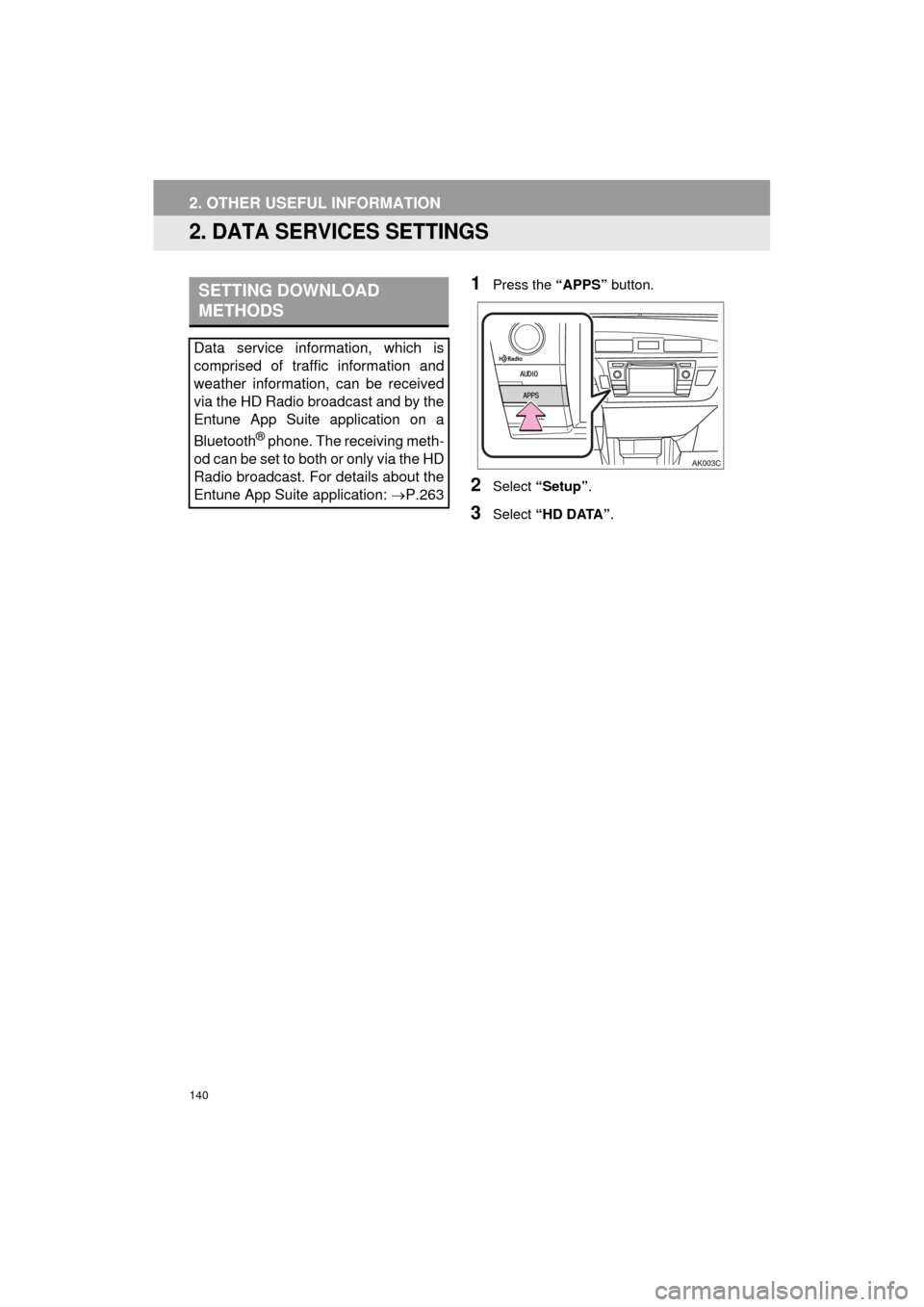
1Press the “APPS” button.
2Select “Setup”.
3Select “HD DATA” .
SETTING DOWNLOAD
METHODS
Data service information, which is
comprised of traffic information and
weather information, can be received
via the HD Radio broadcast and by the
Entune App Suite application on a
Bluetooth
® phone. The receiving meth-
od can be set to both or only via the HD
Radio broadcast. For details about the
Entune App Suite application: P.263
Page 141 of 292
141
2. OTHER USEFUL INFORMATION
COROLLA_13CY_Navi_U
INFORMATION
5
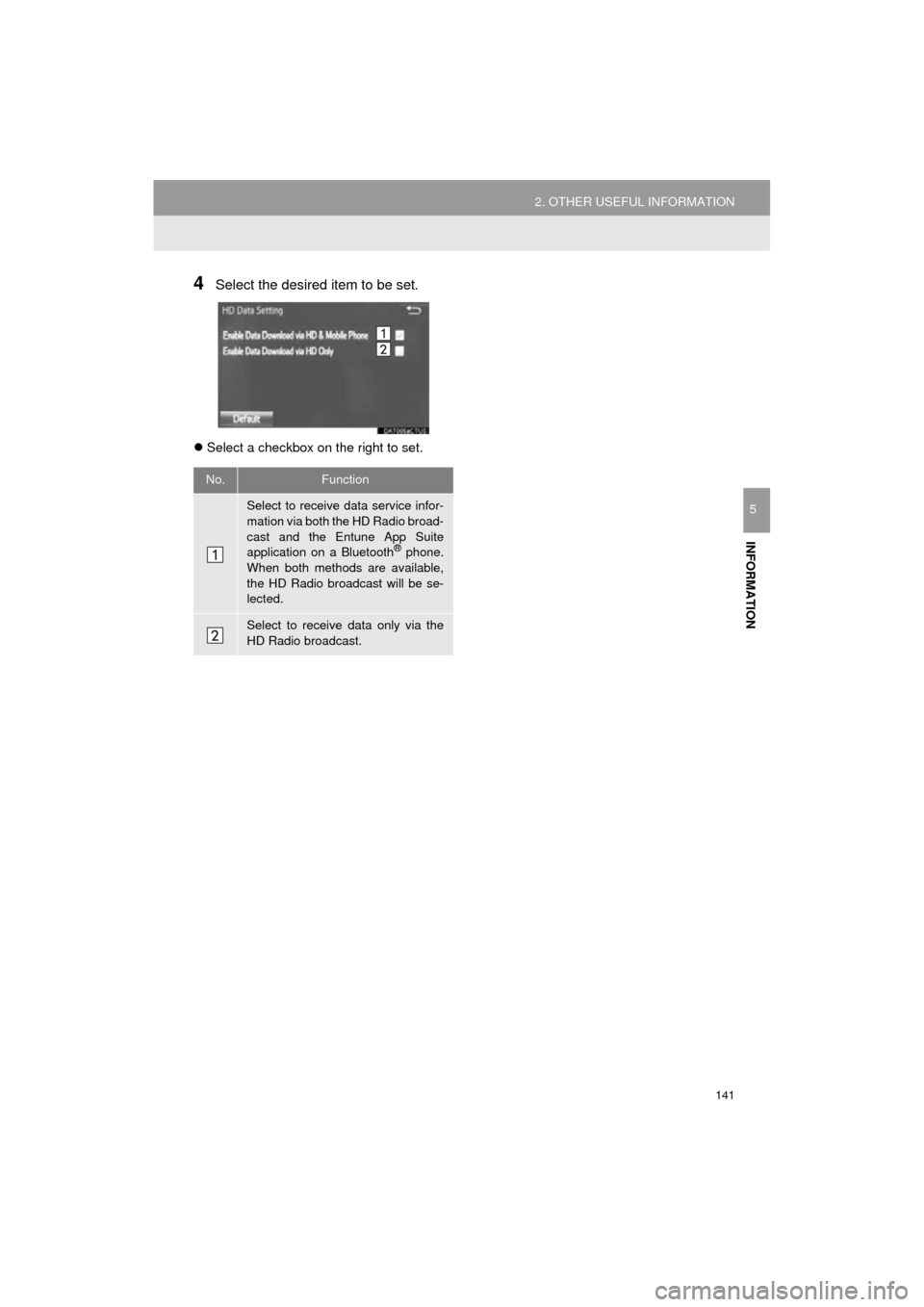
4Select the desired item to be set.
Select a checkbox on the right to set.
No.Function
Select to receive data service infor-
mation via both the HD Radio broad-
cast and the Entune App Suite
application on a Bluetooth
® phone.
When both methods are available,
the HD Radio broadcast will be se-
lected.
Select to receive data only via the
HD Radio broadcast.
Page 153 of 292
7
153
COROLLA_13CY_Navi_U
4
5
6
8
9
1
2
3
7
1. QUICK REFERENCE ................... 154
2. SOME BASICS ............................ 155
REGISTERING/CONNECTING
A Bluetooth® PHONE........................ 155
USING THE PHONE SWITCH/ MICROPHONE ................................. 156
VOICE COMMAND SYSTEM .............. 156
ABOUT THE CONTACTS IN THE CONTACT LIST ................... 157
WHEN SELLING OR DISPOSING OF THE VEHICLE............................. 157
3. CALLING ON THE Bluetooth®
PHONE....................................... 158
BY FAVORITES LIST .......................... 159
BY CALL HISTORY ............................. 159
BY CONTACTS LIST .......................... 160
BY DIAL PAD ...................................... 162
BY OFF HOOK SWITCH ..................... 162
BY “Home” SCREEN ........................... 162
4. RECEIVING ON
THE Bluetooth® PHONE .......... 163
INCOMING CALLS .............................. 163
5. TALKING ON THE Bluetooth® PHONE .......... 164
INCOMING CALL WAITING ................ 166
6. Bluetooth® PHONE
MESSAGE FUNCTION ............. 167
RECEIVING A MESSAGE ................... 168
CHECKING MESSAGES ..................... 168
REPLYING TO A MESSAGE
(QUICK REPLY) ................................ 169
CALLING THE MESSAGE SENDER... 170
1. PHONE/MESSAGE SETTINGS ................................. 172
PHONE/MESSAGE SETTINGS
SCREEN ........................................... 172
“Sound Settings” SCREEN .................. 173
“Contact/Call History Settings” SCREEN ........................................... 174
“Messaging Settings” SCREEN ........... 182
“Phone Display Settings” SCREEN ..... 183
1. TROUBLESHOOTING ................ 184
1
PHONE OPERATION (HANDS-
FREE SYSTEM FOR
CELLULAR PHONES)
2SETUP
3WHAT TO DO IF...
PHONE
Page 154 of 292
154
COROLLA_13CY_Navi_U
1. PHONE OPERATION (HANDS-FREE SYSTEM FOR CELLULAR PHONES)
1. QUICK REFERENCE
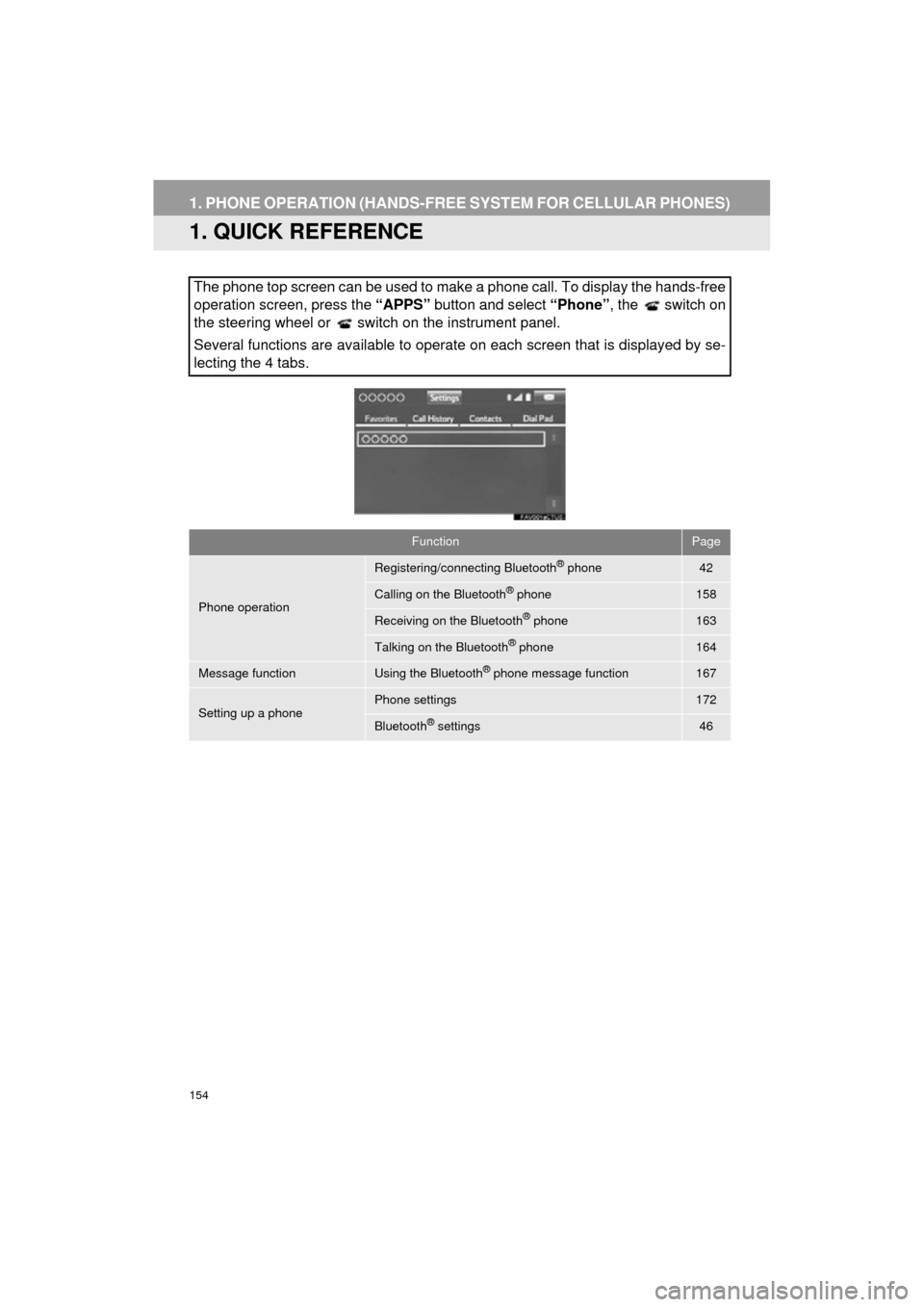
The phone top screen can be used to make a phone call. To display the hands-free
operation screen, press the “APPS” button and select “Phone” , the switch on
the steering wheel or switch on the instrument panel.
Several functions are available to operate on each screen that is displayed by se-
lecting the 4 tabs.
FunctionPage
Phone operation
Registering/connecting Bluetooth® phone42
Calling on the Bluetooth® phone158
Receiving on the Bluetooth® phone163
Talking on the Bluetooth® phone164
Message functionUsing the Bluetooth® phone message function167
Setting up a phonePhone settings172
Bluetooth® settings46
Page 155 of 292
155
1. PHONE OPERATION (HANDS-FREE SYSTEM FOR CELLULAR PHONES)
COROLLA_13CY_Navi_U
PHONE
7
2. SOME BASICS
The hands-free system enables calls
to be made and received without hav-
ing to take your hands off the steering
wheel.
This system supports Bluetooth
®.
Bluetooth® is a wireless data system
that enables cellular phones to be used
without being connected by a cable or
placed in a cradle.
The operating procedure of the phone
is explained here.
CAUTION
● While driving, do not use a cellular
phone or connect the Bluetooth® phone.
● Your audio unit is fitted with Bluetooth
®
antennas. People with implanted pace-
makers or cardiac defibrillators should
maintain a reasonable distance between
themselves and the Bluetooth
® anten-
nas. The radio waves may affect the
operation of such devices.
● Before using Bluetooth
® devices, users
of any electrical medical device other
than implanted pacemakers and
implanted cardiac defibrillators should
consult the manufacturer of the device
for information about its operation under
the influence of radio waves. Radio
waves could have unexpected effects on
the operation of such medical devices.
NOTICE
● Do not leave your cellular phone in the
vehicle. The temperature inside may rise
to a level that could damage the phone.
INFORMATION
●If your cellular phone does not support
Bluetooth®, this system cannot function.
● In the following conditions, the system
may not function:
• The cellular phone is turned off.
• The current position is outside the
communication area.
• The cellular phone is not connected.
• The cellular phone has a low battery.
● When using Bluetooth
® audio and
hands-free at the same time, the follow-
ing problems may occur:
• The Bluetooth
® connection may be
cut.
• Noise may be heard on the Bluetooth
®
audio playback.
REGISTERING/CONNECTING
A Bluetooth® PHONE
To use the hands-free system for cellu-
lar phones, it is necessary to register a
cellular phone with the system.
( P.42)
Bluetooth® PHONE CONDITION
DISPLAY
The condition of the Bluetooth
® phone
appears on the upper right side of the
screen. ( P.18)