phone TOYOTA COROLLA 2015 11.G Navigation Manual
[x] Cancel search | Manufacturer: TOYOTA, Model Year: 2015, Model line: COROLLA, Model: TOYOTA COROLLA 2015 11.GPages: 292, PDF Size: 3.95 MB
Page 166 of 292
166
1. PHONE OPERATION (HANDS-FREE SYSTEM FOR CELLULAR PHONES)
COROLLA_13CY_Navi_U
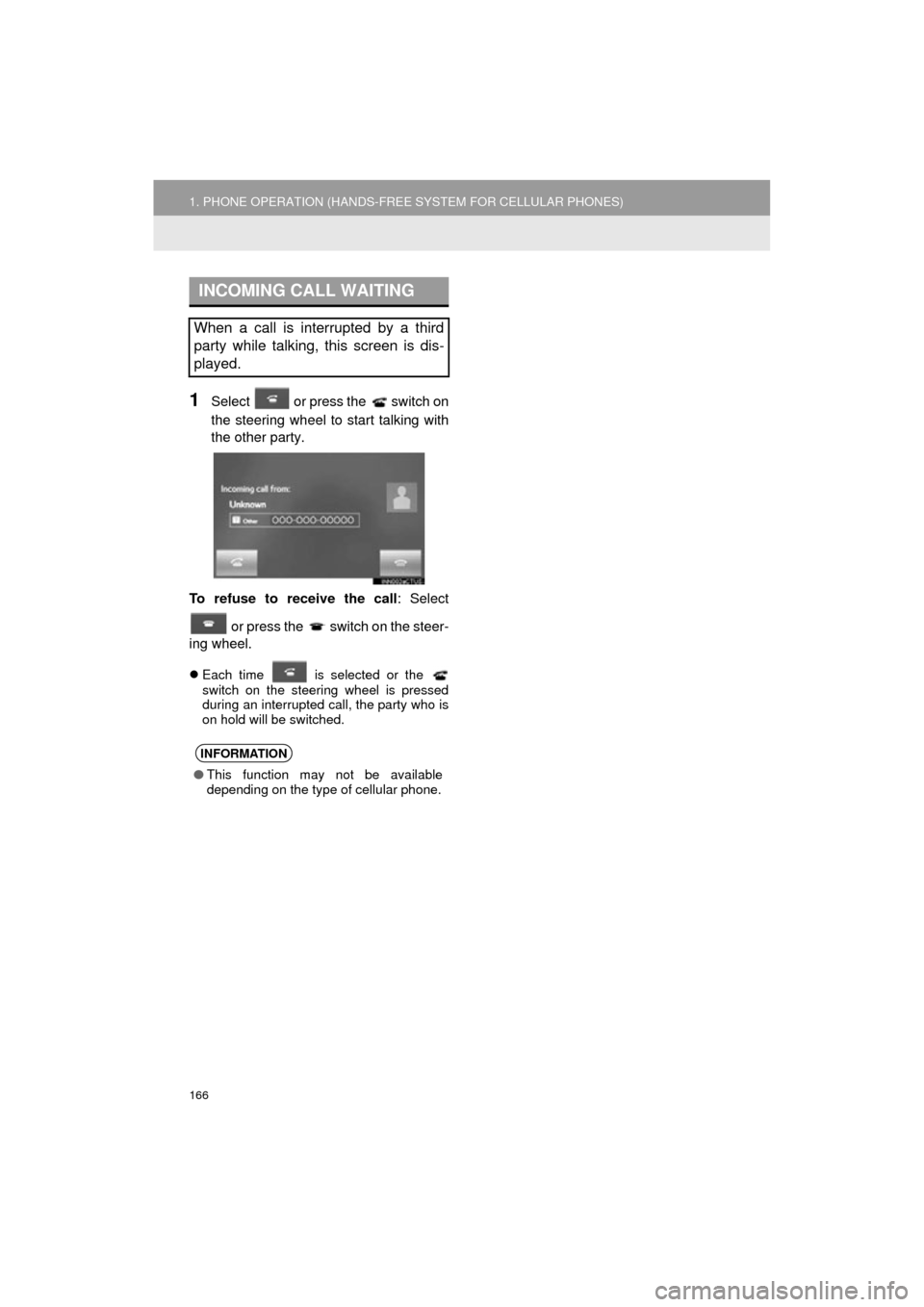
1Select or press the switch on
the steering wheel to start talking with
the other party.
To refuse to receive the call : Select
or press the switch on the steer-
ing wheel.
Each time is selected or the
switch on the steering wheel is pressed
during an interrupted call, the party who is
on hold will be switched.
INCOMING CALL WAITING
When a call is interrupted by a third
party while talking, this screen is dis-
played.
INFORMATION
● This function may not be available
depending on the type of cellular phone.
Page 167 of 292
167
1. PHONE OPERATION (HANDS-FREE SYSTEM FOR CELLULAR PHONES)
COROLLA_13CY_Navi_U
PHONE
7
6. Bluetooth® PHONE MESSAGE FUNCTION
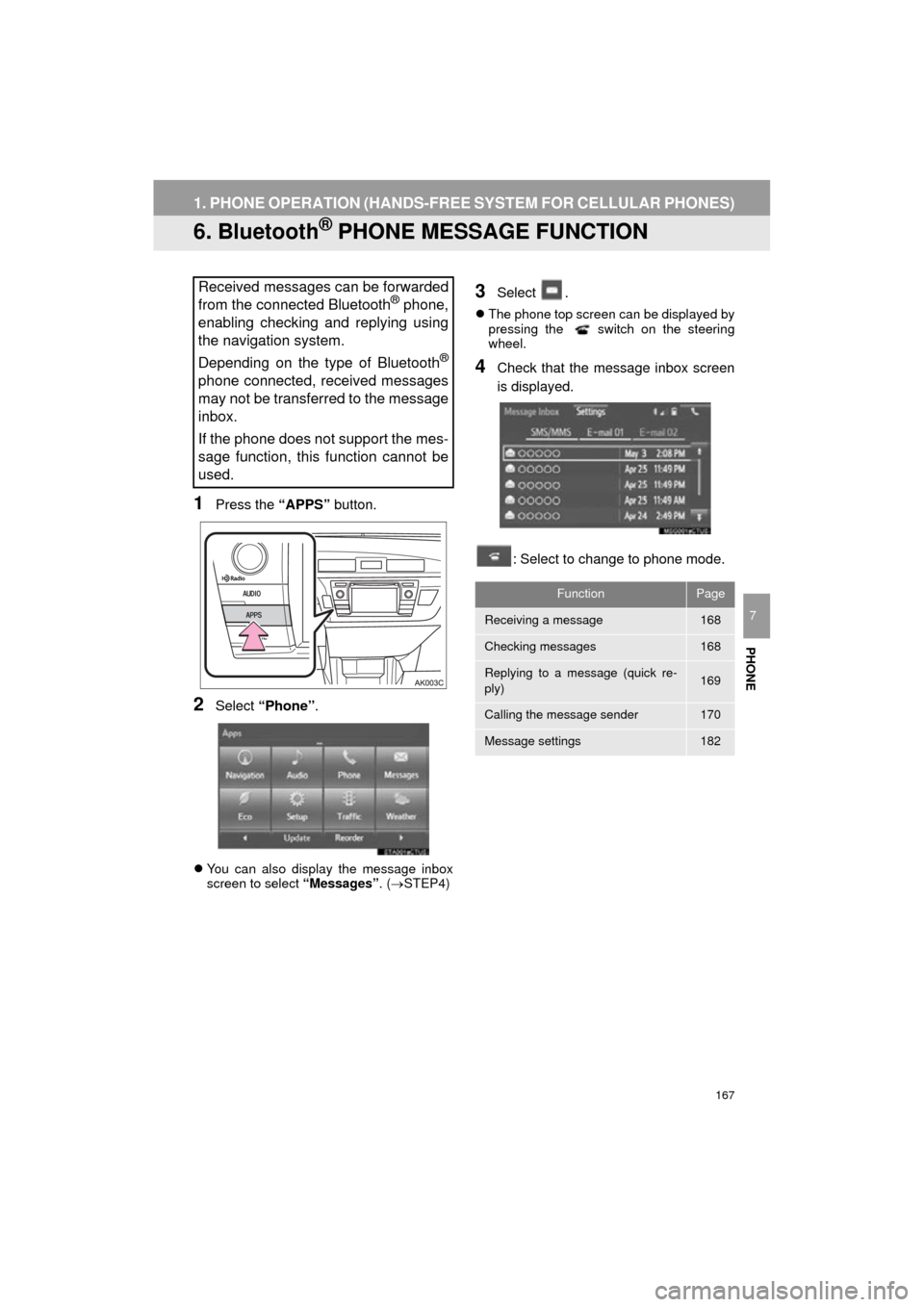
1Press the “APPS” button.
2Select “Phone” .
You can also display the message inbox
screen to select “Messages”. (STEP4)
3Select .
The phone top screen can be displayed by
pressing the switch on the steering
wheel.
4Check that the message inbox screen
is displayed.
: Select to change to phone mode.
Received messages can be forwarded
from the connected Bluetooth® phone,
enabling checking and replying using
the navigation system.
Depending on the type of Bluetooth
®
phone connected, received messages
may not be transferred to the message
inbox.
If the phone does not support the mes-
sage function, this function cannot be
used.
FunctionPage
Receiving a message168
Checking messages168
Replying to a message (quick re-
ply)169
Calling the message sender170
Message settings182
Page 168 of 292
168
1. PHONE OPERATION (HANDS-FREE SYSTEM FOR CELLULAR PHONES)
COROLLA_13CY_Navi_U
1Display the message inbox screen.
(P.167)
2Select the desired message from the
list.
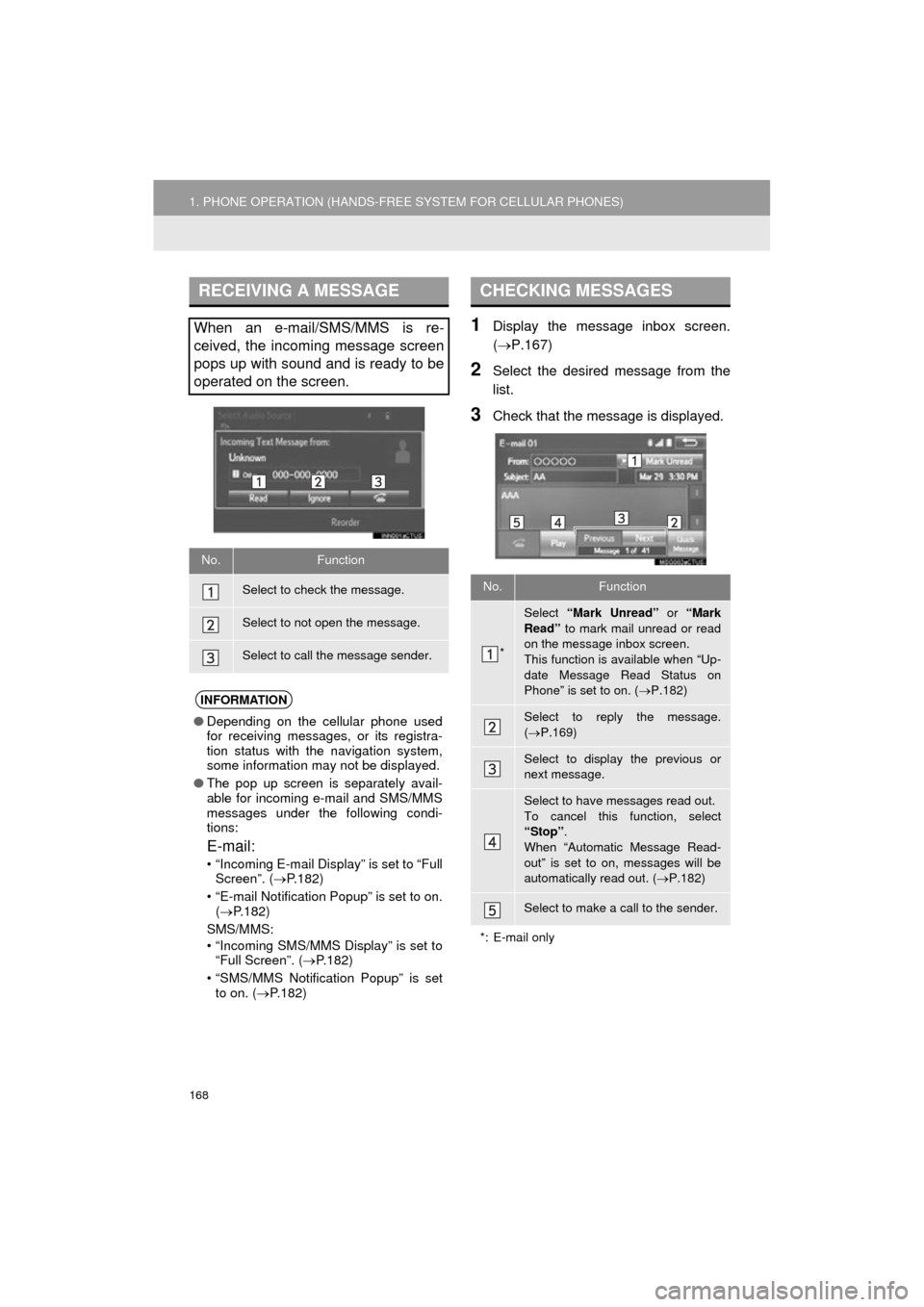
3Check that the message is displayed.
RECEIVING A MESSAGE
When an e-mail/SMS/MMS is re-
ceived, the incoming message screen
pops up with sound and is ready to be
operated on the screen.
No.Function
Select to check the message.
Select to not open the message.
Select to call the message sender.
INFORMATION
●Depending on the cellular phone used
for receiving messages, or its registra-
tion status with the navigation system,
some information may not be displayed.
● The pop up screen is separately avail-
able for incoming e-mail and SMS/MMS
messages under the following condi-
tions:
E-mail:
• “Incoming E-mail Display” is set to “Full
Screen”. ( P.182)
• “E-mail Notification Popup” is set to on. ( P.182)
SMS/MMS:
• “Incoming SMS/MMS Display” is set to “Full Screen”. ( P.182)
• “SMS/MMS Notification Popup” is set to on. ( P.182)
CHECKING MESSAGES
No.Function
*
Select “Mark Unread” or “Mark
Read” to mark mail unread or read
on the message inbox screen.
This function is available when “Up-
date Message Read Status on
Phone” is set to on. ( P.182)
Select to reply the message.
( P.169)
Select to display the previous or
next message.
Select to have messages read out.
To cancel this function, select
“Stop” .
When “Automatic Message Read-
out” is set to on, messages will be
automatically read out. ( P.182)
Select to make a call to the sender.
*: E-mail only
Page 169 of 292
PHONE
169
1. PHONE OPERATION (HANDS-FREE SYSTEM FOR CELLULAR PHONES)
COROLLA_13CY_Navi_U
7
1Display the message inbox screen.
(P.167)
2Select the desired message from the
list.
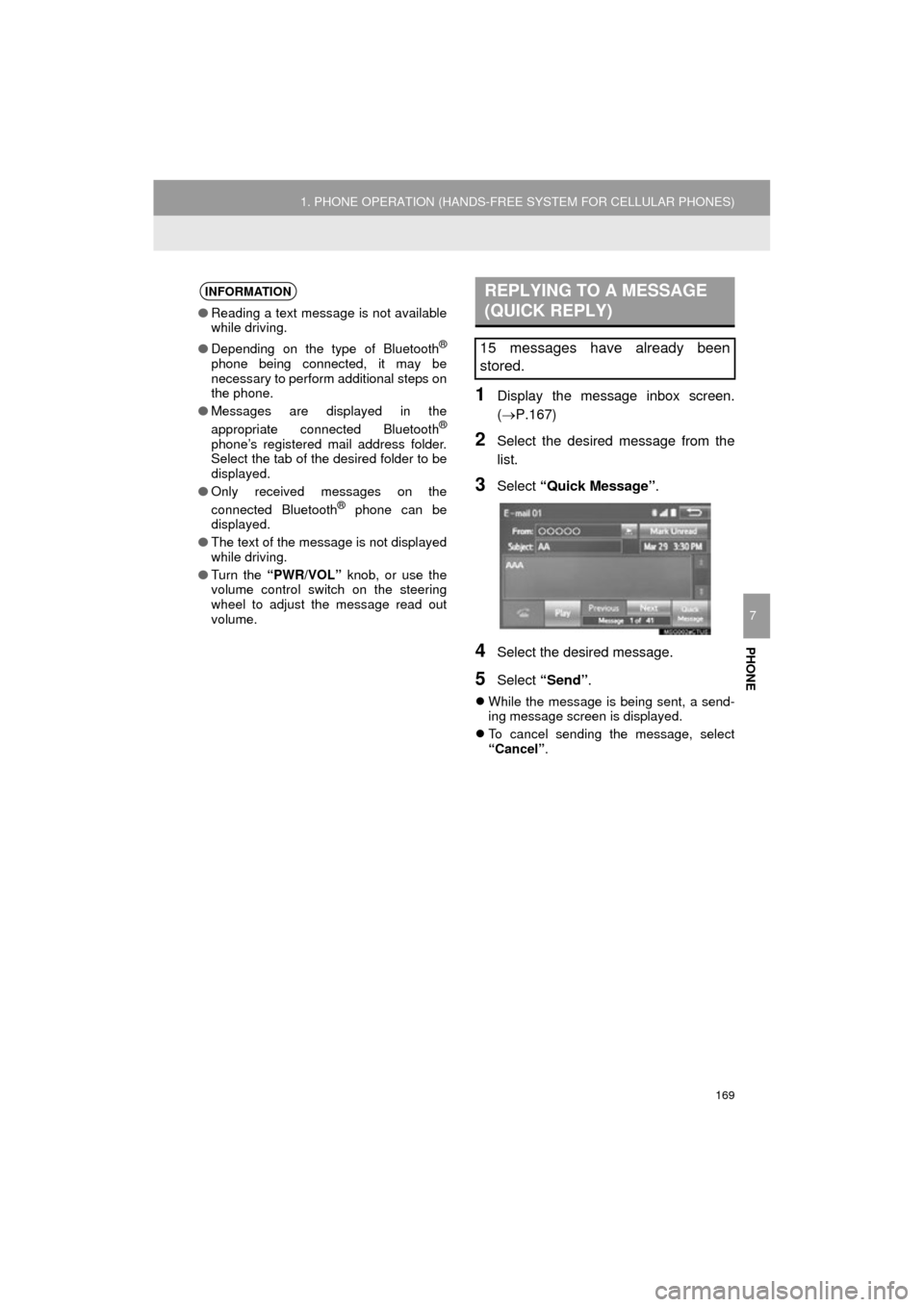
3Select “Quick Message” .
4Select the desired message.
5Select “Send” .
While the message is being sent, a send-
ing message screen is displayed.
To cancel sending the message, select
“Cancel” .
INFORMATION
●Reading a text message is not available
while driving.
● Depending on the type of Bluetooth
®
phone being connected, it may be
necessary to perform additional steps on
the phone.
● Messages are displayed in the
appropriate connected Bluetooth
®
phone’s registered mail address folder.
Select the tab of the desired folder to be
displayed.
● Only received messages on the
connected Bluetooth
® phone can be
displayed.
● The text of the message is not displayed
while driving.
● Turn the “PWR/VOL” knob, or use the
volume control switch on the steering
wheel to adjust the message read out
volume.
REPLYING TO A MESSAGE
(QUICK REPLY)
15 messages have already been
stored.
Page 170 of 292
170
1. PHONE OPERATION (HANDS-FREE SYSTEM FOR CELLULAR PHONES)
COROLLA_13CY_Navi_U
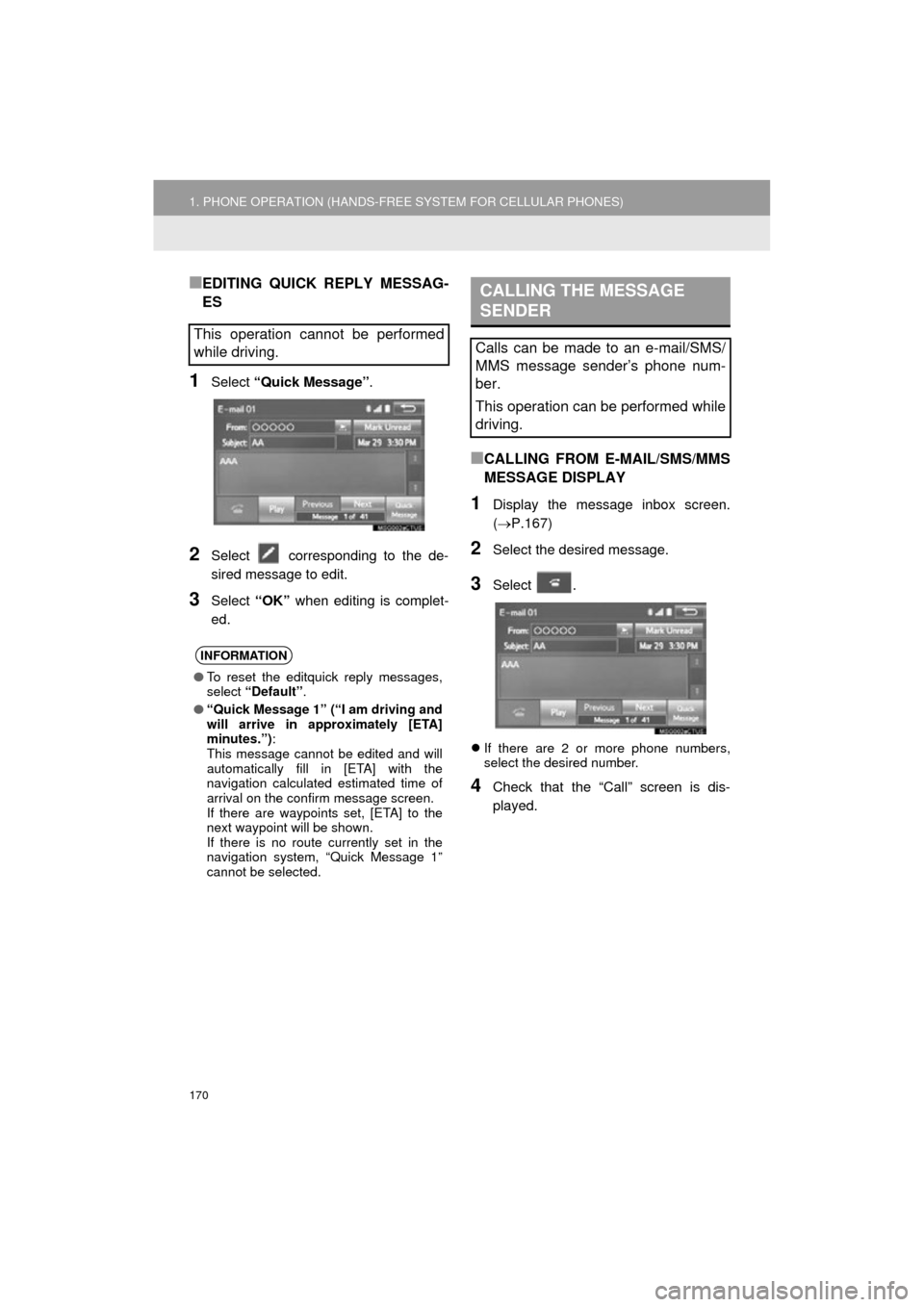
■EDITING QUICK REPLY MESSAG-
ES
1Select “Quick Message” .
2Select corresponding to the de-
sired message to edit.
3Select “OK” when editing is complet-
ed.
■CALLING FROM E-MAIL/SMS/MMS
MESSAGE DISPLAY
1Display the message inbox screen.
( P.167)
2Select the desired message.
3Select .
If there are 2 or more phone numbers,
select the desired number.
4Check that the “Call” screen is dis-
played.
This operation cannot be performed
while driving.
INFORMATION
●To reset the editquick reply messages,
select “Default” .
● “Quick Message 1” (“I am driving and
will arrive in approximately [ETA]
minutes.”) :
This message cannot be edited and will
automatically fill in [ETA] with the
navigation calculated estimated time of
arrival on the confirm message screen.
If there are waypoints set, [ETA] to the
next waypoint will be shown.
If there is no route currently set in the
navigation system, “Quick Message 1”
cannot be selected.
CALLING THE MESSAGE
SENDER
Calls can be made to an e-mail/SMS/
MMS message sender’s phone num-
ber.
This operation can be performed while
driving.
Page 171 of 292
PHONE
171
1. PHONE OPERATION (HANDS-FREE SYSTEM FOR CELLULAR PHONES)
COROLLA_13CY_Navi_U
7
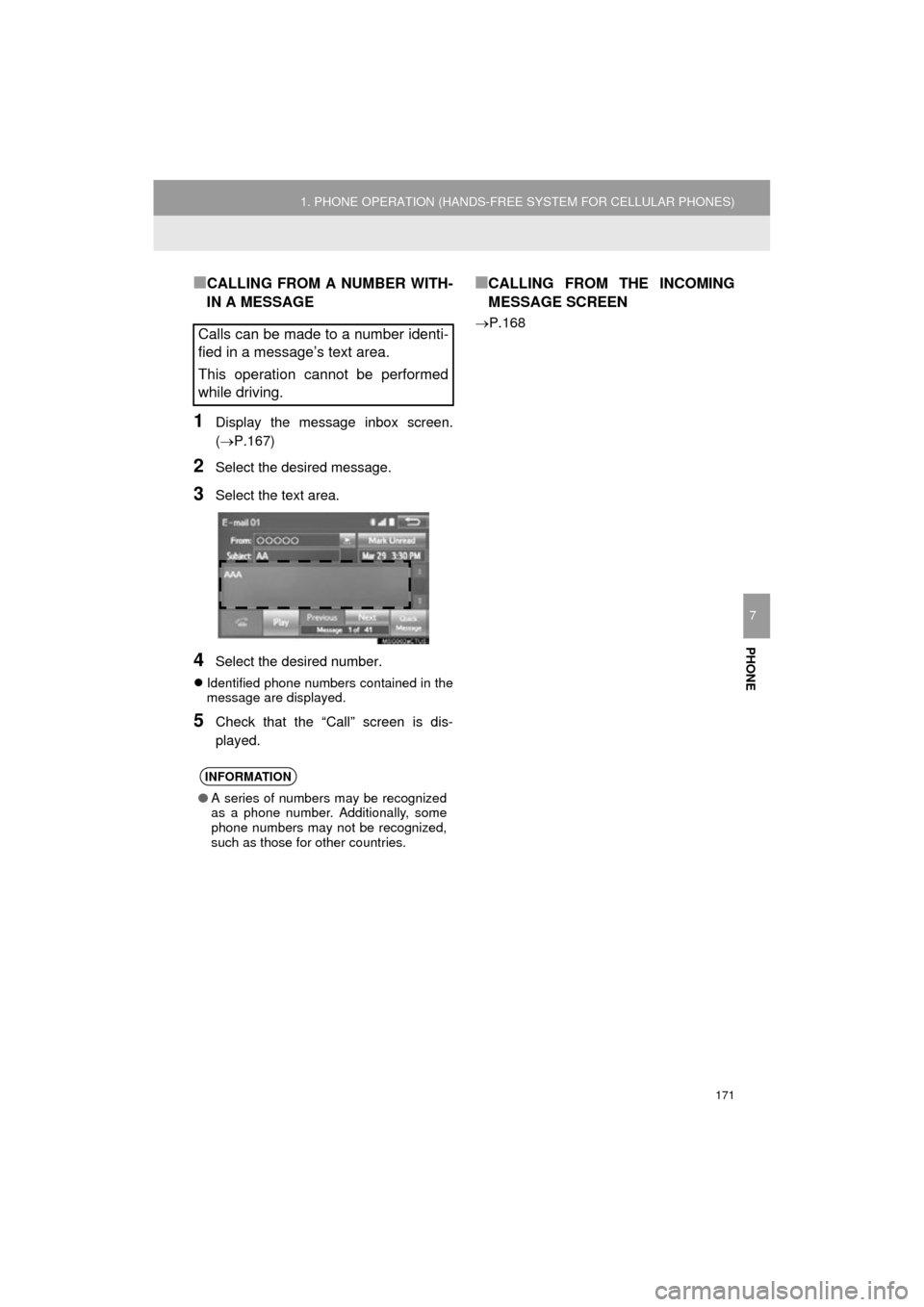
■CALLING FROM A NUMBER WITH-
IN A MESSAGE
1Display the message inbox screen.
(P.167)
2Select the desired message.
3Select the text area.
4Select the desired number.
Identified phone numbers contained in the
message are displayed.
5Check that the “Call” screen is dis-
played.
■CALLING FROM THE INCOMING
MESSAGE SCREEN
P.168Calls can be made to a number identi-
fied in a message’s text area.
This operation cannot be performed
while driving.
INFORMATION
●A series of numbers may be recognized
as a phone number. Additionally, some
phone numbers may not be recognized,
such as those for other countries.
Page 172 of 292
172
COROLLA_13CY_Navi_U
2. SETUP
1. PHONE/MESSAGE SETTINGS
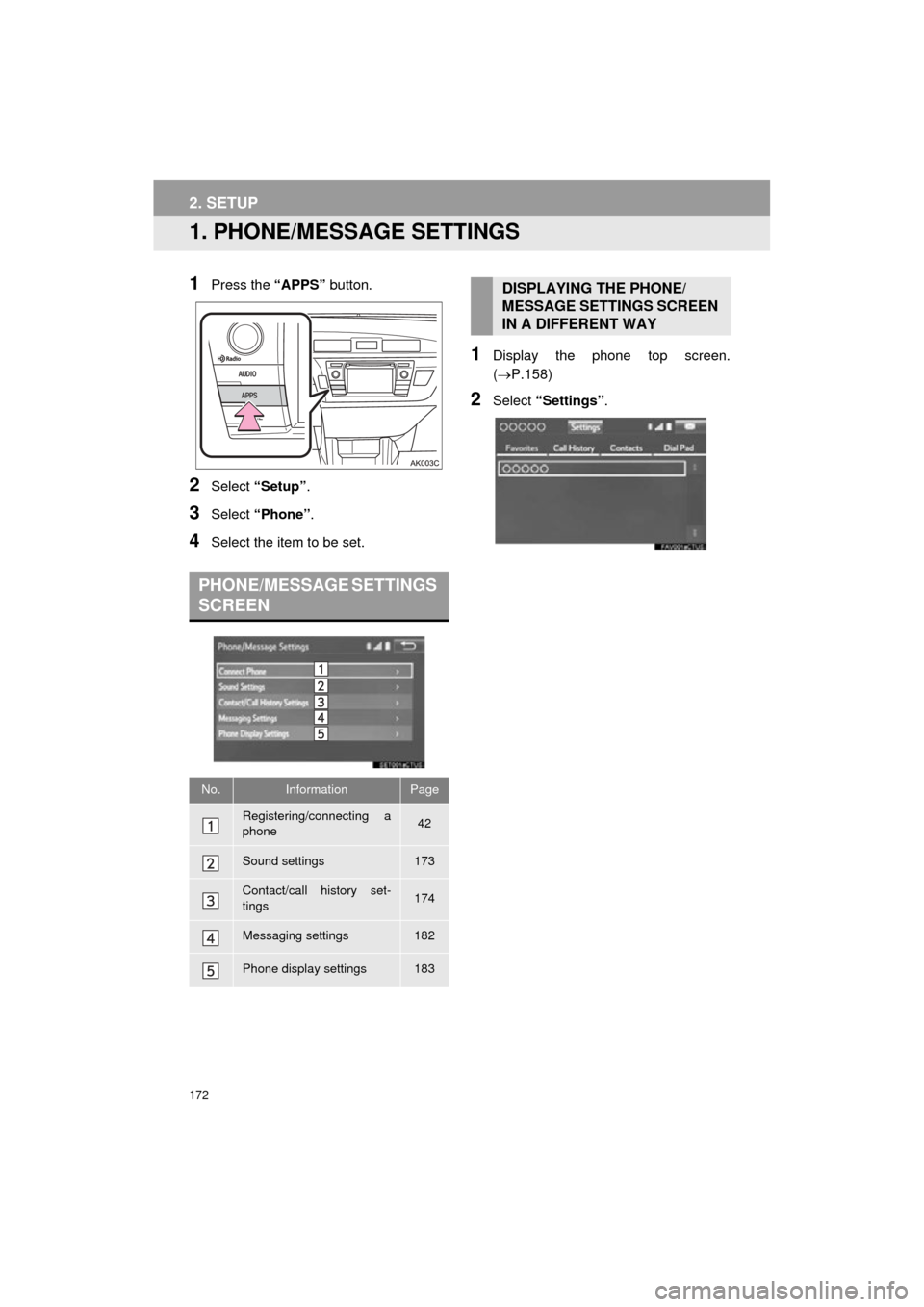
1Press the “APPS” button.
2Select “Setup” .
3Select “Phone” .
4Select the item to be set.
1Display the phone top screen.
(P.158)
2Select “Settings” .
PHONE/MESSAGE SETTINGS
SCREEN
No.InformationPage
Registering/connecting a
phone 42
Sound settings173
Contact/call history set-
tings174
Messaging settings182
Phone display settings183
DISPLAYING THE PHONE/
MESSAGE SETTINGS SCREEN
IN A DIFFERENT WAY
Page 173 of 292
173
2. SETUP
COROLLA_13CY_Navi_U
PHONE
7
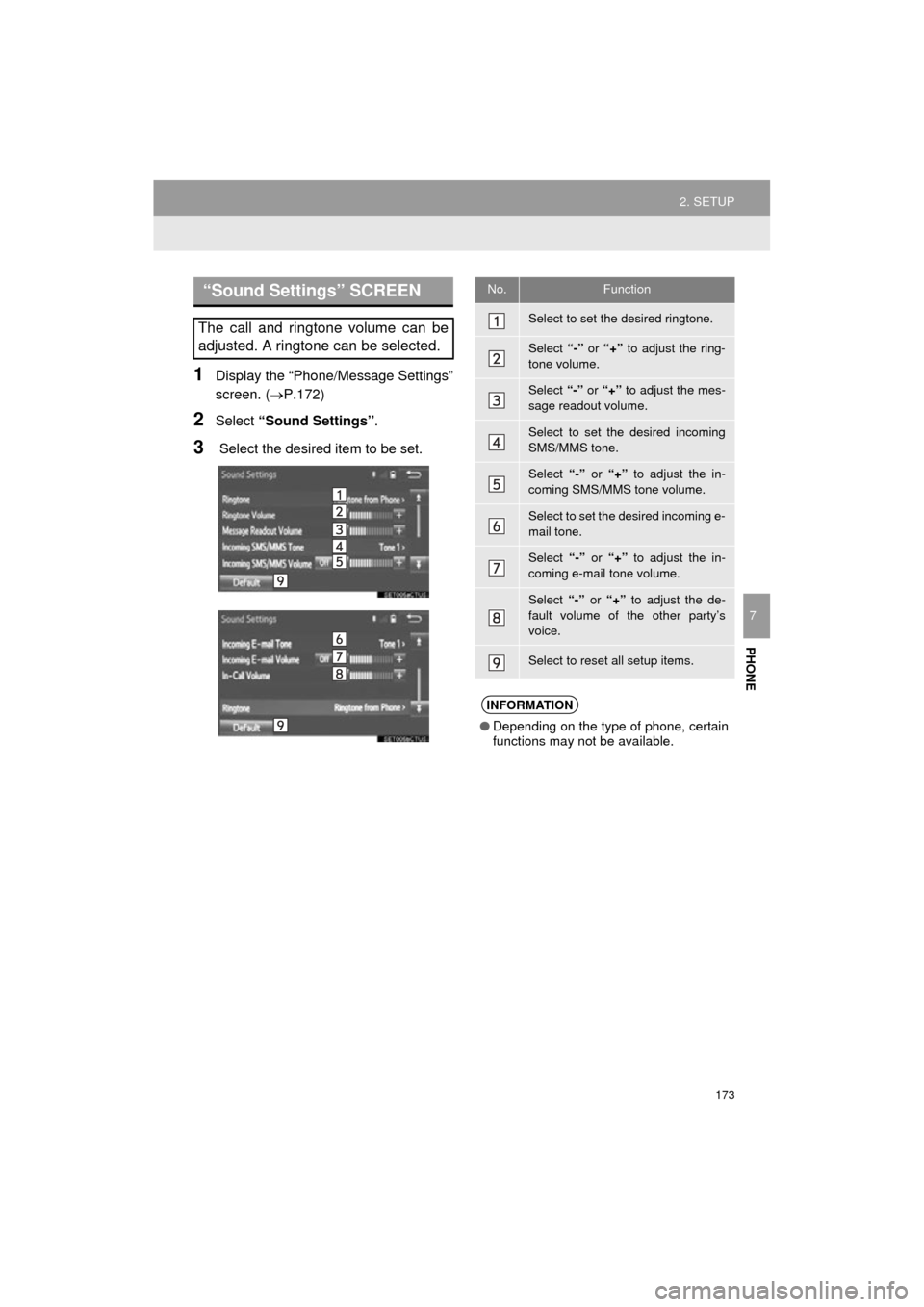
1Display the “Phone/Message Settings”
screen. (P.172)
2Select “Sound Settings” .
3 Select the desired item to be set.
“Sound Settings” SCREEN
The call and ringtone volume can be
adjusted. A ringtone can be selected.
No.Function
Select to set the desired ringtone.
Select “-” or “+” to adjust the ring-
tone volume.
Select “-” or “+” to adjust the mes-
sage readout volume.
Select to set the desired incoming
SMS/MMS tone.
Select “-” or “+” to adjust the in-
coming SMS/MMS tone volume.
Select to set the desired incoming e-
mail tone.
Select “-” or “+” to adjust the in-
coming e-mail tone volume.
Select “-” or “+” to adjust the de-
fault volume of the other party’s
voice.
Select to reset all setup items.
INFORMATION
● Depending on the type of phone, certain
functions may not be available.
Page 174 of 292
174
2. SETUP
COROLLA_13CY_Navi_U
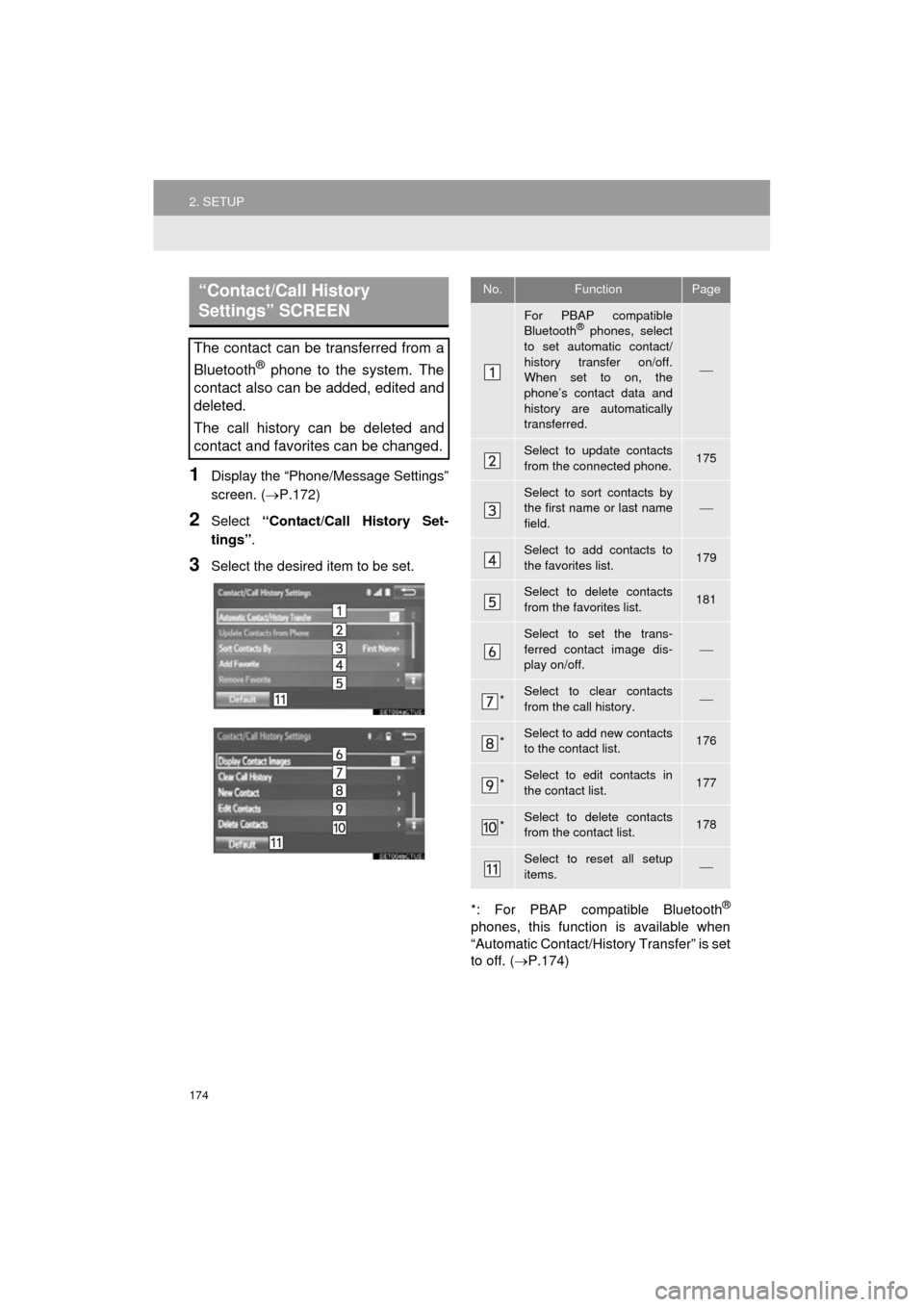
1Display the “Phone/Message Settings”
screen. (P.172)
2Select “Contact/Call History Set-
tings” .
3Select the desired item to be set.
*: For PBAP compatible Bluetooth
®
phones, this function is available when
“Automatic Contact/History Transfer” is set
to off. (P.174)
“Contact/Call History
Settings” SCREEN
The contact can be transferred from a
Bluetooth
® phone to the system. The
contact also can be added, edited and
deleted.
The call history can be deleted and
contact and favorites can be changed.
No.FunctionPage
For PBAP compatible
Bluetooth® phones, select
to set automatic contact/
history transfer on/off.
When set to on, the
phone’s contact data and
history are automatically
transferred.
Select to update contacts
from the connected phone.175
Select to sort contacts by
the first name or last name
field.
Select to add contacts to
the favorites list. 179
Select to delete contacts
from the favorites list. 181
Select to set the trans-
ferred contact image dis-
play on/off.
*Select to clear contacts
from the call history.
*Select to add new contacts
to the contact list.176
*Select to edit contacts in
the contact list.177
*Select to delete contacts
from the contact list.178
Select to reset all setup
items.
Page 175 of 292
175
2. SETUP
COROLLA_13CY_Navi_U
PHONE
7
■FOR PBAP COMPATIBLE
Bluetooth
® PHONES
1Select “Update Contacts from
Phone” .
Contacts are transferred automatically.
2Check that a confirmation screen is
displayed when the operation is com-
plete.
This operation may be unnecessary
depending on the type of cellular phone.
Depending on the type of cellular phone,
OBEX authentication may be required
when transferring contact data. Enter
“1234” into the Bluetooth
® phone.
If another Bluetooth
® device is connected
when transferring contact data, depending
on the phone, the connected Bluetooth
®
device may need to be disconnected.
Depending on the type of Bluetooth
®
phone being connected, it may be neces-
sary to perform additional steps on the
phone.
■FOR PBAP INCOMPATIBLE BUT
OPP COMPATIBLE Bluetooth
®
PHONES
1Select “Update Contacts from
Phone” .
2Transfer the contact data to the system
using a Bluetooth
® phone.
This operation may be unnecessary
depending on the type of cellular phone.
Depending on the type of cellular phone,
OBEX authentication may be required
when transferring contact data. Enter
“1234” into the Bluetooth
® phone.
To cancel this function, select “Cancel”.
3Check that a confirmation screen is
displayed when the operation is com-
plete.
INFORMATION
●Depending on the type of phone, certain
functions may not be available.
● Contact data is managed independently
for every registered phone. When one
phone is connected, another phone’s
registered data cannot be read.
UPDATE CONTACTS FROM
PHONE
Operation methods differ between
PBAP compatible and PBAP incom-
patible but OPP compatible Bluetooth
®
phones.
If your cellular phone is neither PBAP
nor OPP compatible, the contacts can-
not be transferred.
This operation cannot be performed
while driving.