Media TOYOTA COROLLA 2015 11.G Owner's Guide
[x] Cancel search | Manufacturer: TOYOTA, Model Year: 2015, Model line: COROLLA, Model: TOYOTA COROLLA 2015 11.GPages: 612, PDF Size: 8.48 MB
Page 286 of 612
2865-11. Basic Operations (Multimedia system)
COROLLA_TMMMS_TMMC_U (OM12F00U)■
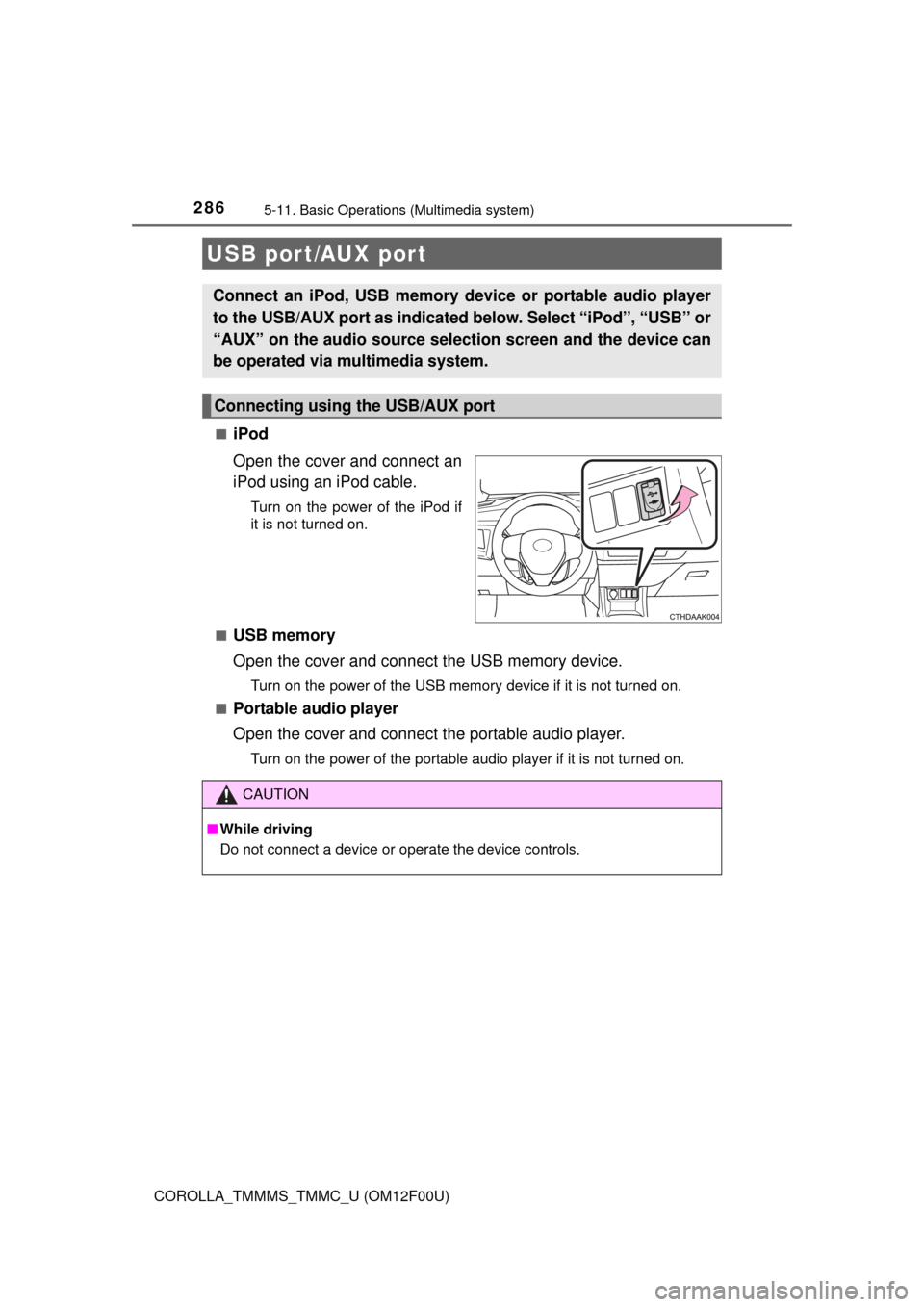
iPod
Open the cover and connect an
iPod using an iPod cable.
Turn on the power of the iPod if
it is not turned on.
■
USB memory
Open the cover and connect the USB memory device.
Turn on the power of the USB memory device if it is not turned on.
■
Portable audio player
Open the cover and connect the portable audio player.
Turn on the power of the portable audio player if it is not turned on.
USB port/AUX port
Connect an iPod, USB memory device or portable audio player
to the USB/AUX port as indicated below. Select “iPod”, “USB” or
“AUX” on the audio sour ce selection screen and the device can
be operated via multimedia system.
Connecting using the USB/AUX port
CAUTION
■ While driving
Do not connect a device or operate the device controls.
Page 287 of 612
2875-11. Basic Operations (Multimedia system)
5
Audio system
COROLLA_TMMMS_TMMC_U (OM12F00U)
Basic audio operations
Basic audio operations and functions common to each mode are
explained in this section.
Operating the multimedia system
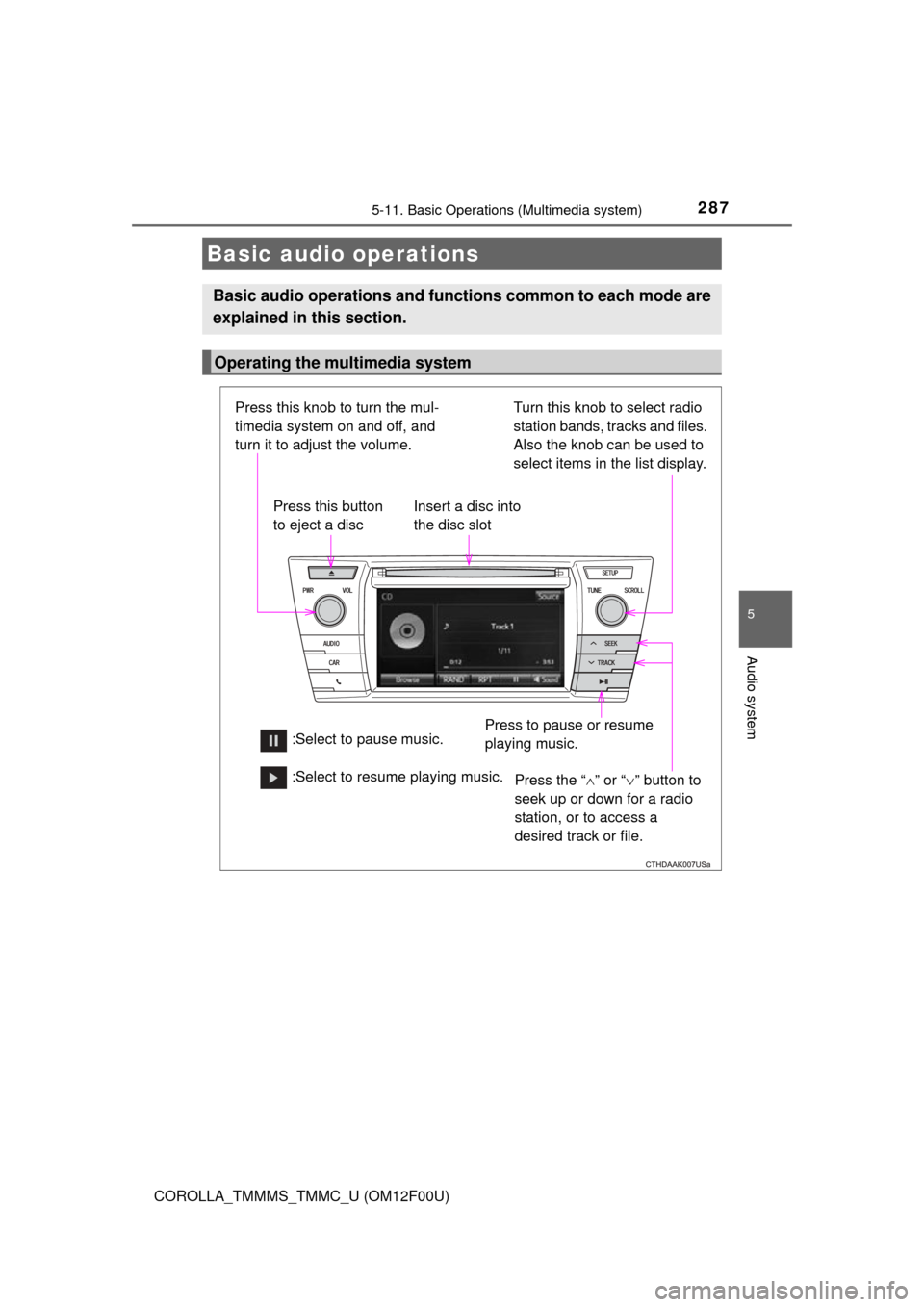
Press the “ ” or “ ” button to
seek up or down for a radio
station, or to access a
desired track or file.
Press this knob to turn the mul-
timedia system on and off, and
turn it to adjust the volume.
Press this button
to eject a disc
Press to pause or resume
playing music.
Insert a disc into
the disc slot
:Select to pause music. Turn this knob to select radio
station bands, tracks and files.
Also the knob can be used to
select items in the list display. :Select to resume playing music.
Page 288 of 612
2885-11. Basic Operations (Multimedia system)
COROLLA_TMMMS_TMMC_U (OM12F00U)
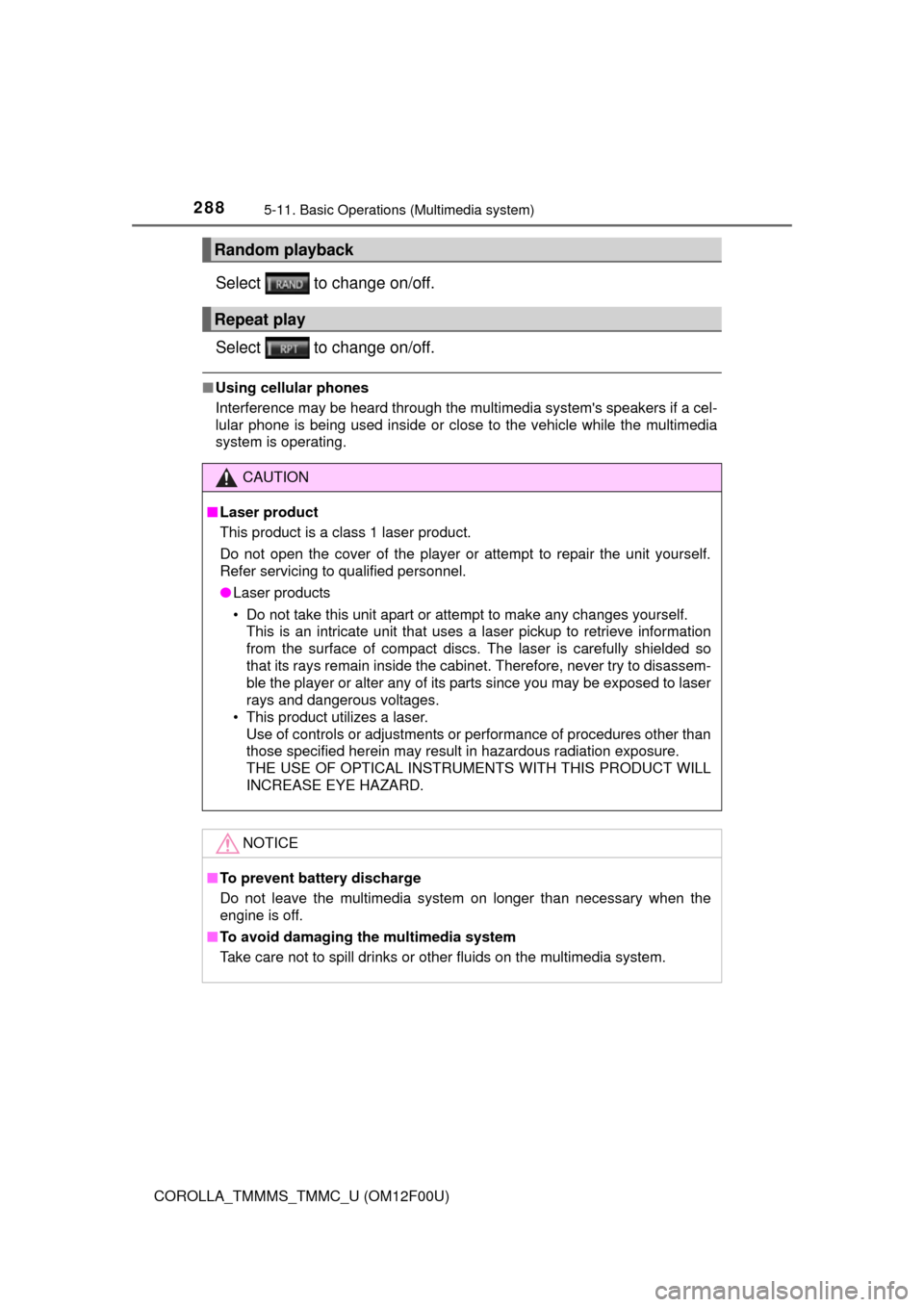
Select to change on/off.
Select to change on/off.
■Using cellular phones
Interference may be heard through the multimedia system's speakers if a cel-
lular phone is being used inside or close to the vehicle while the multimedia
system is operating.
Random playback
Repeat play
CAUTION
■Laser product
This product is a class 1 laser product.
Do not open the cover of the player or attempt to repair the unit yourself.
Refer servicing to qualified personnel.
● Laser products
• Do not take this unit apart or attempt to make any changes yourself.
This is an intricate unit that uses a laser pickup to retrieve information
from the surface of compact discs. The laser is carefully shielded so
that its rays remain inside the cabinet. Therefore, never try to disassem-
ble the player or alter any of its parts since you may be exposed to laser
rays and dangerous voltages.
• This product utilizes a laser.
Use of controls or adjustments or performance of procedures other than
those specified herein may result in hazardous radiation exposure.
THE USE OF OPTICAL INSTRUMENTS WITH THIS PRODUCT WILL
INCREASE EYE HAZARD.
NOTICE
■To prevent battery discharge
Do not leave the multimedia system on longer than necessary when the
engine is off.
■ To avoid damaging the multimedia system
Take care not to spill drinks or other fluids on the multimedia system.
Page 289 of 612
289
5
Audio system
COROLLA_TMMMS_TMMC_U (OM12F00U)
5-12.Setup (Multimedia system)
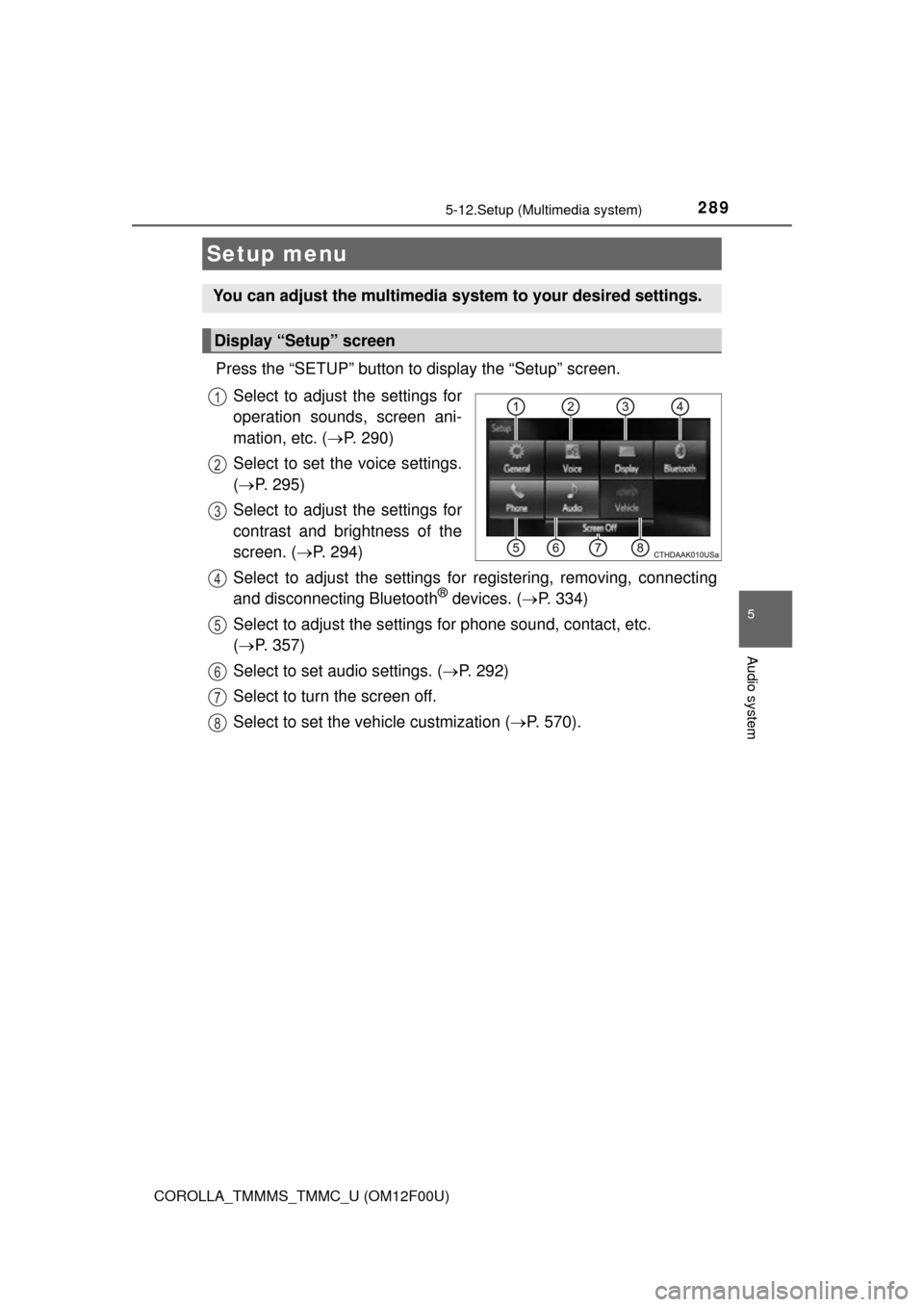
Press the “SETUP” button to display the “Setup” screen.Select to adjust the settings for
operation sounds, screen ani-
mation, etc. ( P. 290)
Select to set the voice settings.
( P. 295)
Select to adjust the settings for
contrast and brightness of the
screen. ( P. 294)
Select to adjust the settings for registering, removing, connecting
and disconnecting Bluetooth
® devices. ( P. 334)
Select to adjust the settings for phone sound, contact, etc.
( P. 357)
Select to set audio settings. ( P. 292)
Select to turn the screen off.
Select to set the vehicle custmization ( P. 570).
Setup menu
You can adjust the multimedia system to your desired settings.
Display “Setup” screen
1
2
3
4
5
6
7
8
Page 290 of 612
2905-12. Setup (Multimedia system)
COROLLA_TMMMS_TMMC_U (OM12F00U)
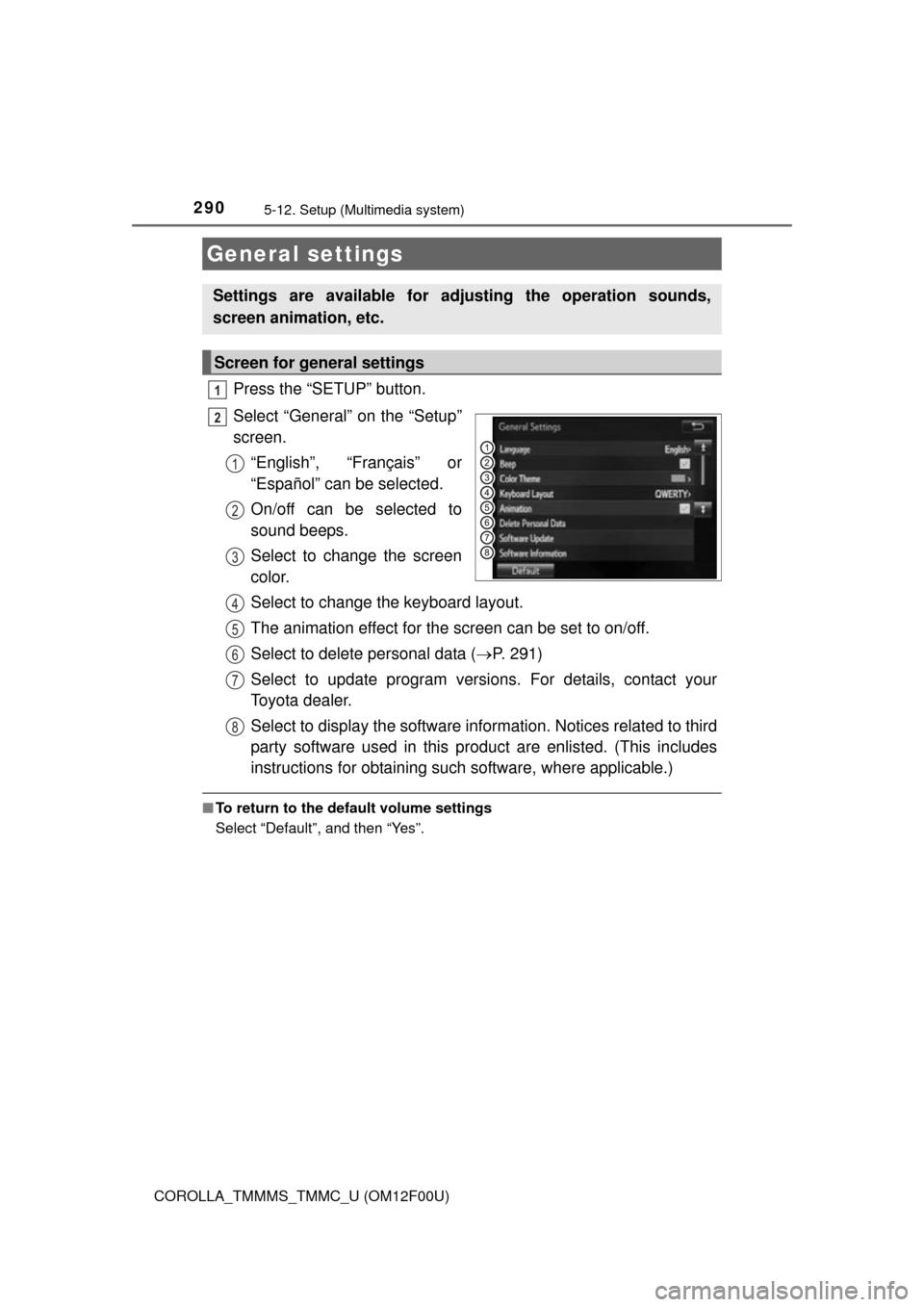
Press the “SETUP” button.
Select “General” on the “Setup”
screen.“English”, “Français” or
“Español” can be selected.
On/off can be selected to
sound beeps.
Select to change the screen
color.
Select to change the keyboard layout.
The animation effect for the screen can be set to on/off.
Select to delete personal data ( P. 291)
Select to update program versions. For details, contact your
Toyota dealer.
Select to display the software info rmation. Notices related to third
party software used in this pr oduct are enlisted. (This includes
instructions for obtaining such software, where applicable.)
■ To return to the default volume settings
Select “Default”, and then “Yes”.
General settings
Settings are available for adjusting the operation sounds,
screen animation, etc.
Screen for general settings
1
2
1
2
3
4
5
6
7
8
Page 291 of 612
2915-12. Setup (Multimedia system)
5
Audio system
COROLLA_TMMMS_TMMC_U (OM12F00U)
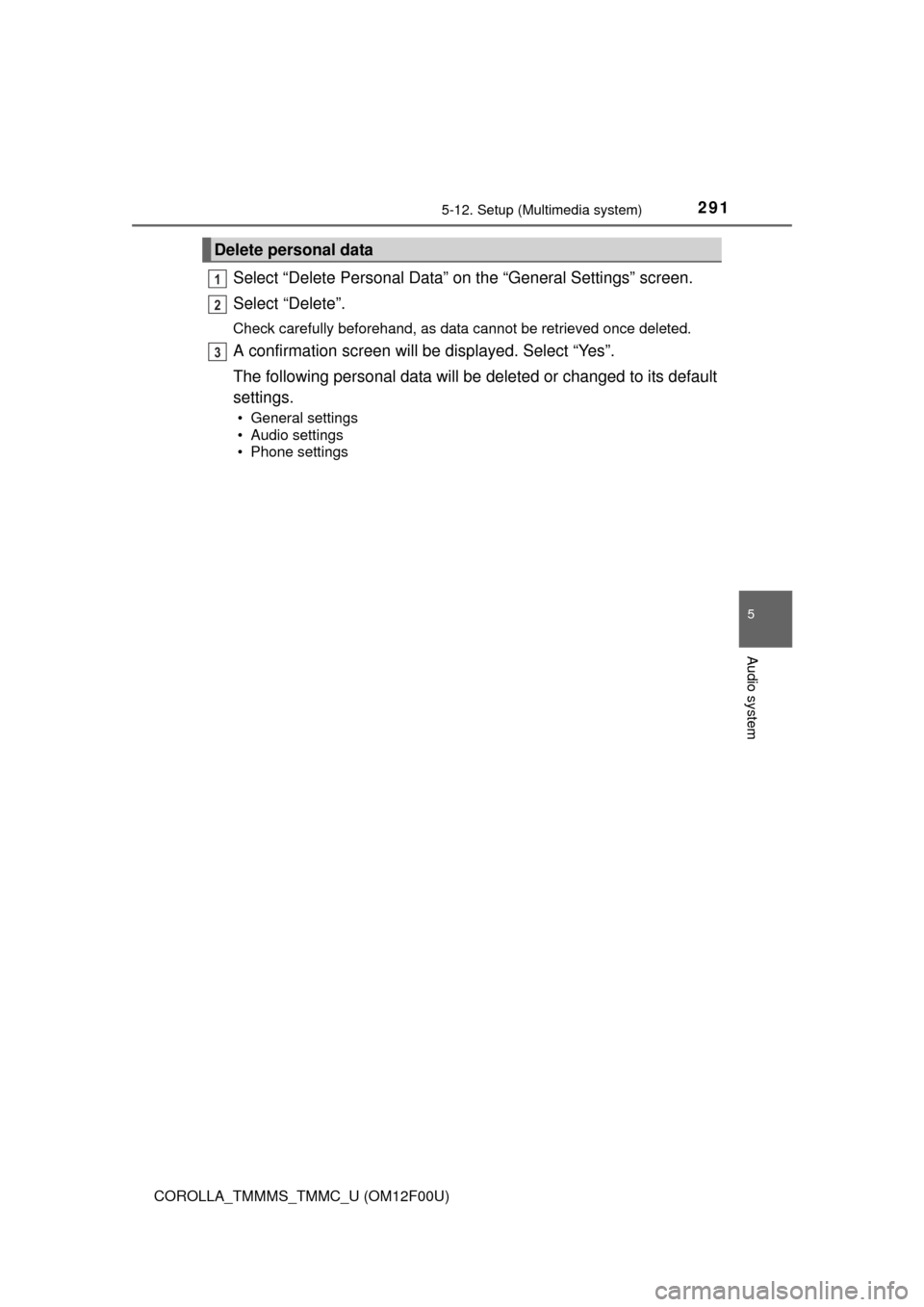
Select “Delete Personal Data” on the “General Settings” screen.
Select “Delete”.
Check carefully beforehand, as data cannot be retrieved once deleted.
A confirmation screen will be displayed. Select “Yes”.
The following personal data will be deleted or changed to its default
settings.
• General settings
• Audio settings
• Phone settings
Delete personal data
1
2
3
Page 292 of 612
2925-12. Setup (Multimedia system)
COROLLA_TMMMS_TMMC_U (OM12F00U)
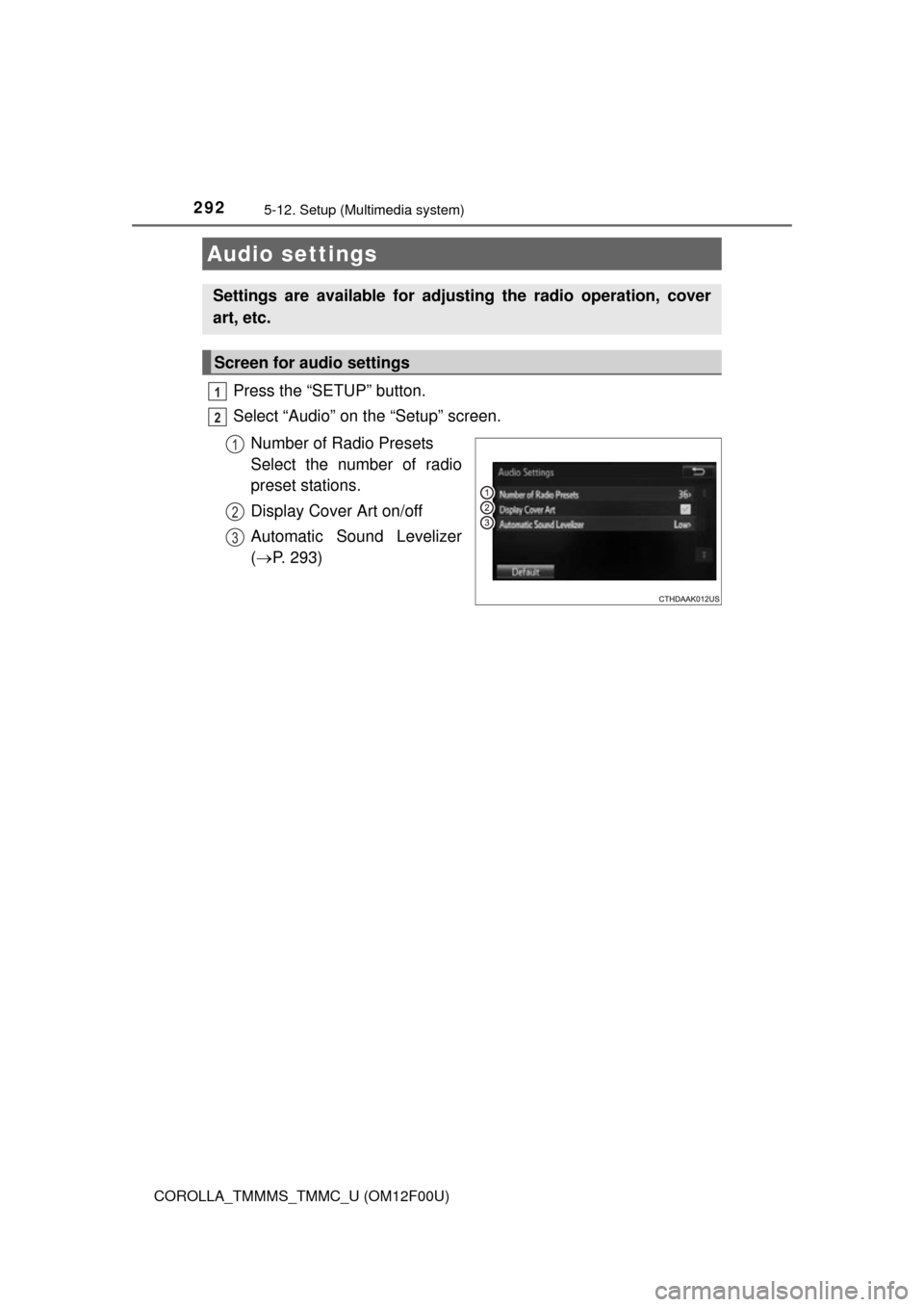
Press the “SETUP” button.
Select “Audio” on the “Setup” screen.Number of Radio Presets
Select the number of radio
preset stations.
Display Cover Art on/off
Automatic Sound Levelizer
( P. 293)
Audio settings
Settings are available for adjusting the radio operation, cover
art, etc.
Screen for audio settings
1
2
1
2
3
Page 293 of 612
2935-12. Setup (Multimedia system)
5
Audio system
COROLLA_TMMMS_TMMC_U (OM12F00U)
Select “Automatic Sound Levelizer”.
Select “High”, “Mid”, “Low” or “Off”.
■About Automatic Sou nd Leveliser (ASL)
ASL automatically adjusts the volume and tone quality according to the vehi-
cle speed.
Automatic sound leveliser (ASL)
1
2
Page 294 of 612
2945-12. Setup (Multimedia system)
COROLLA_TMMMS_TMMC_U (OM12F00U)
Press the “SETUP” button.
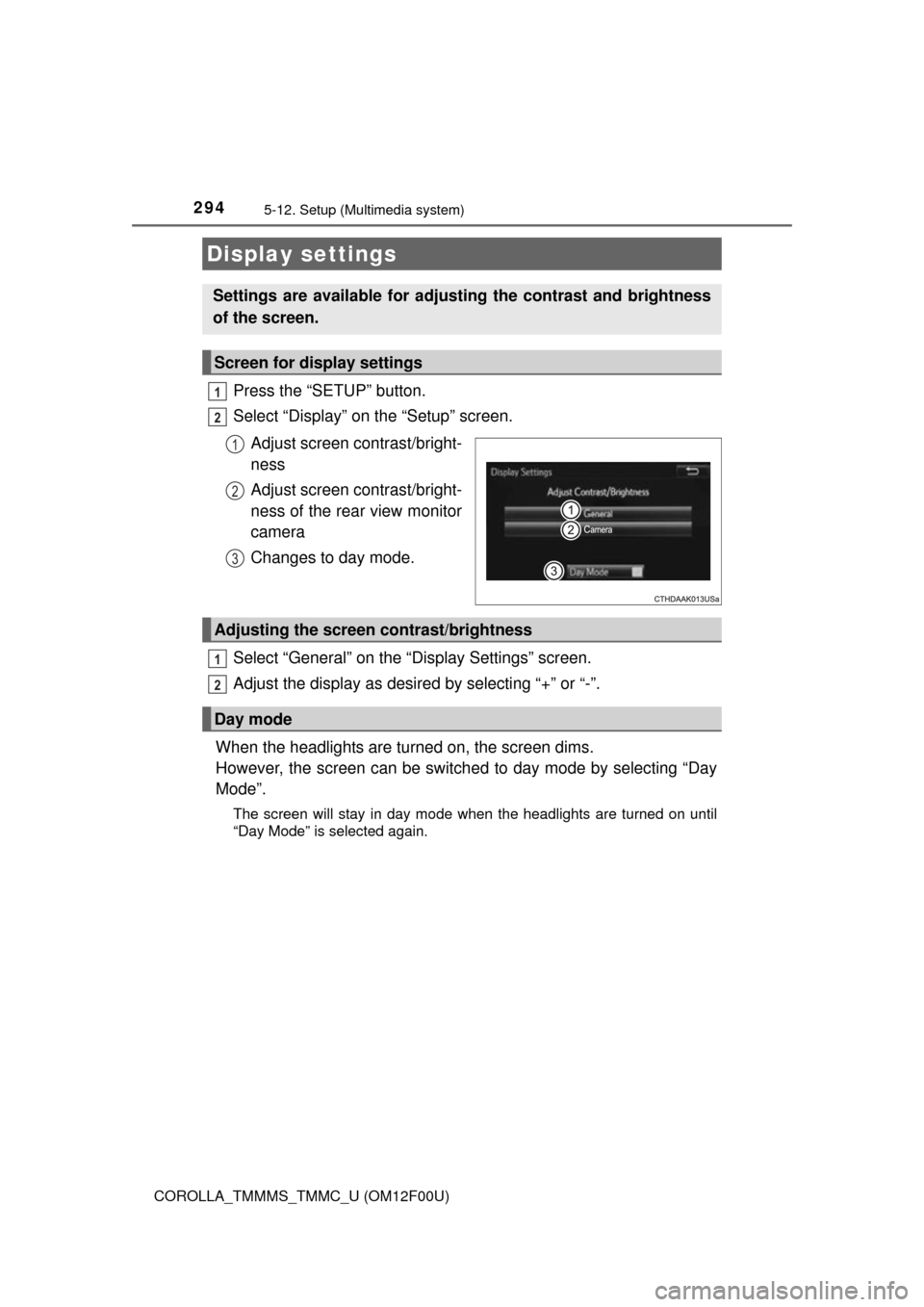
Select “Display” on the “Setup” screen.Adjust screen contrast/bright-
ness
Adjust screen contrast/bright-
ness of the rear view monitor
camera
Changes to day mode.
Select “General” on the “Display Settings” screen.
Adjust the display as desired by selecting “+” or “-”.
When the headlights are turned on, the screen dims.
However, the screen can be switch ed to day mode by selecting “Day
Mode”.
The screen will stay in day mode when the headlights are turned on until
“Day Mode” is selected again.
Display settings
Settings are available for adjusting the contrast and brightness
of the screen.
Screen for display settings
1
2
1
2
3
Adjusting the screen contrast/brightness
Day mode
1
2
Page 295 of 612
2955-12. Setup (Multimedia system)
5
Audio system
COROLLA_TMMMS_TMMC_U (OM12F00U)
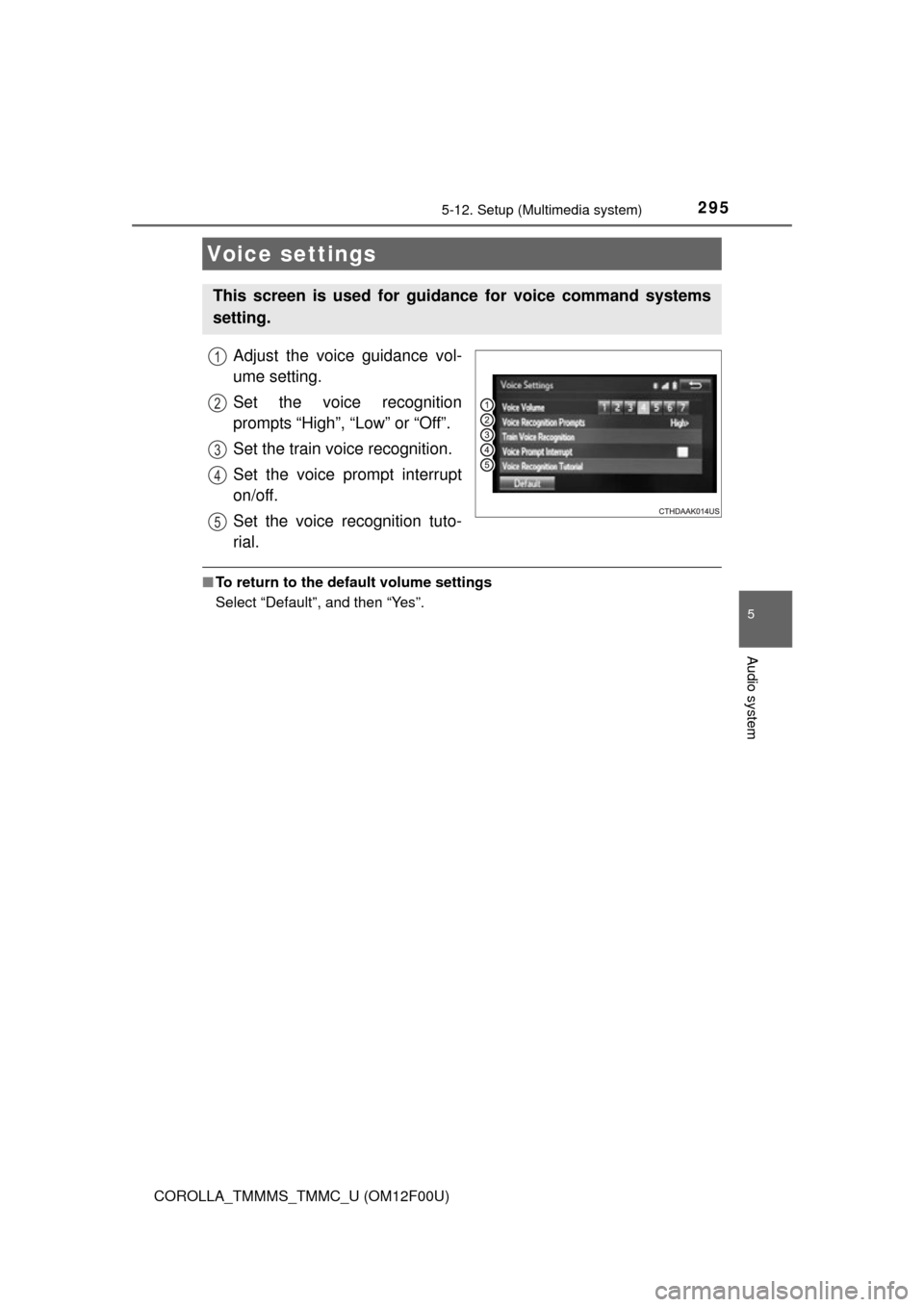
Adjust the voice guidance vol-
ume setting.
Set the voice recognition
prompts “High”, “Low” or “Off”.
Set the train voice recognition.
Set the voice prompt interrupt
on/off.
Set the voice recognition tuto-
rial.
■To return to the default volume settings
Select “Default”, and then “Yes”.
Voice settings
This screen is used for guidance for voice command systems
setting.
1
2
3
4
5