front TOYOTA COROLLA 2015 11.G Workshop Manual
[x] Cancel search | Manufacturer: TOYOTA, Model Year: 2015, Model line: COROLLA, Model: TOYOTA COROLLA 2015 11.GPages: 612, PDF Size: 8.48 MB
Page 216 of 612
216
COROLLA_TMMMS_TMMC_U (OM12F00U)
4-6. Driving tips
●Use fluids that are appropriate to the prevailing outside tempera-
tures.
• Engine oil
• Engine coolant
• Washer fluid
● Have a service technician ins pect the condition of the battery.
● Have the vehicle fitted with four snow tires or purchase a set of tire
chains for the front tires.
Ensure that all tires are the same size and brand, and that chains match
the size of the tires.
Perform the following accordin g to the driving conditions:
● Do not try to forcibly open a window or move a wiper that is frozen.
Pour warm water over the frozen area to melt the ice. Wipe away
the water immediately to prevent it from freezing.
● To ensure proper operation of the climate control system fan,
remove any snow that has accumulated on the air inlet vents in
front of the windshield.
● Check for and remove any excess ice or snow that may have accu-
mulated on the exterior lights, ve hicle’s roof, chassis, around the
tires or on the brakes.
● Remove any snow or mud from the bottom of your shoes before
getting in the vehicle.
Winter driving tips
Carry out the necessary preparations and inspections before
driving the vehicle in winter. Always drive the vehicle in a man-
ner appropriate to the prevailing weather conditions.
Preparation for winter
Before driving the vehicle
Page 218 of 612

2184-6. Driving tips
COROLLA_TMMMS_TMMC_U (OM12F00U)
■Tire chain installation
Observe the following precautions when installing and removing chains:
●Install and remove tire chains in a safe location.
● Install tire chains on the front tires. Do not install tire chains on the rear tires.
● Install tire chains on front tires as tightly as possible. Retighten chains after
driving 1/4 1/2 mile (0.5 1.0 km).
● Install tire chains following the instructions provided with the tire chains.
CAUTION
■Driving with snow tires
Observe the following precautions to reduce the risk of accidents.
Failure to do so may result in a loss of vehicle control and cause death or
serious injury.
● Use tires of the size specified.
● Maintain the recommended level of air pressure.
● Do not drive in excess of 75 mph (120 km/h), regardless of the type of
snow tires being used.
● Use snow tires on all, not just some wheels.
■ Driving with tire chains
Observe the following precautions to reduce the risk of accidents.
Failure to do so may result in the vehicle being unable to be driven safely,
and may cause death or serious injury.
● Do not drive in excess of the speed limit specified for the tire chains being
used, or 30 mph (50 km/h), whichever is lower.
● Avoid driving on bumpy road surfaces or over potholes.
● Avoid sudden acceleration, abrupt steering, sudden braking and shifting
operations that cause sudden engine braking.
● Slow down sufficiently before entering a curve to ensure that vehicle con-
trol is maintained.
NOTICE
■Repairing or replacing snow tires (vehicles with a tire pressure warn-
ing system)
Request repairs or replacement of snow tires from Toyota dealers or legiti-
mate tire retailers.
This is because the removal and attachment of snow tires affects the opera-
tion of the tire pressure warning valves and transmitters.
■ Fitting tire chains (vehicles with a tire pressure warning system)
The tire pressure warning valves and transmitters may not function correctly
when tire chains are fitted.
Page 229 of 612
2295-2. Using the audio system
5
Audio system
COROLLA_TMMMS_TMMC_U (OM12F00U)■
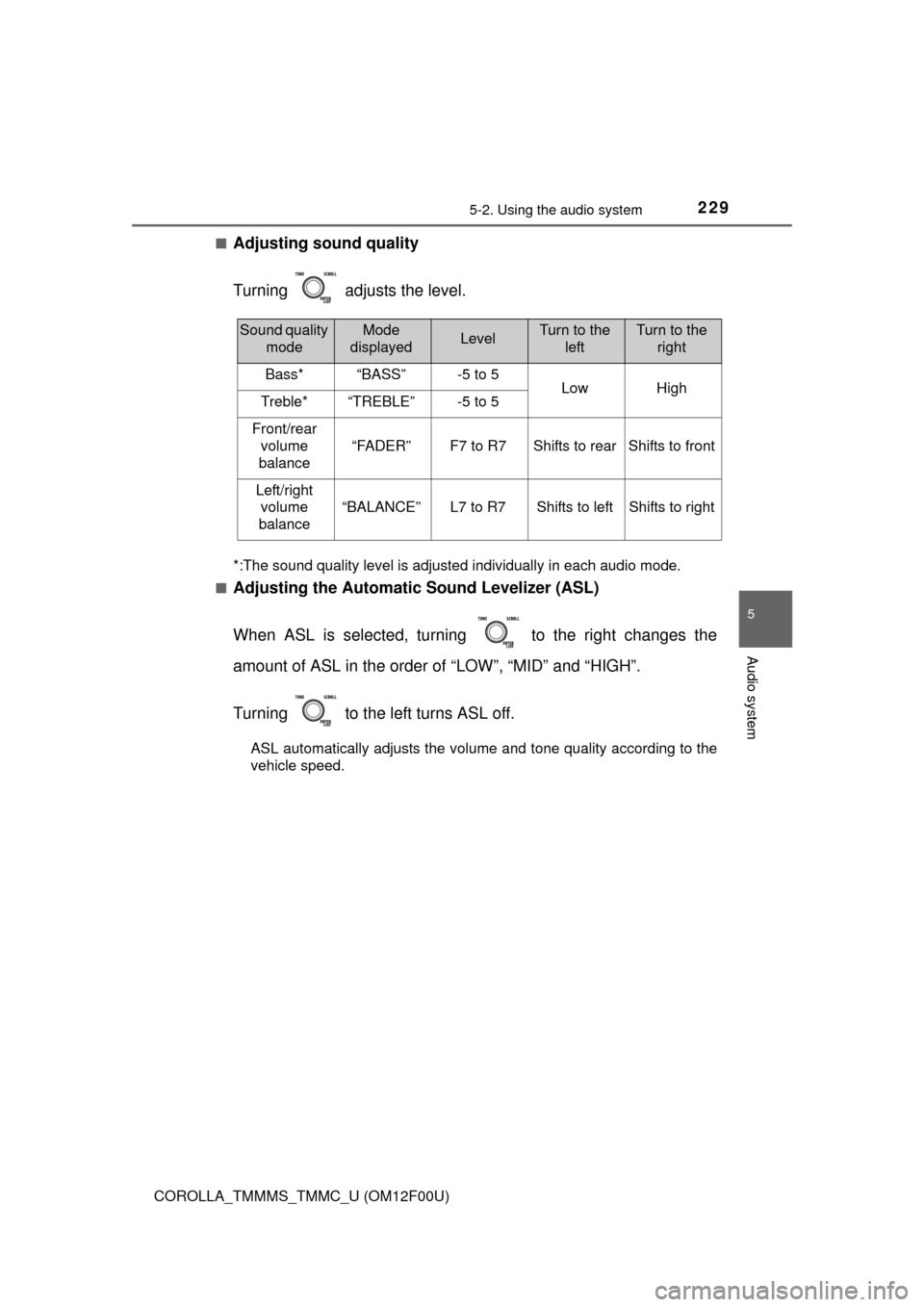
Adjusting sound quality
Turning adjusts the level.
*:The sound quality level is adjusted individually in each audio mode.
■
Adjusting the Automatic Sound Levelizer (ASL)
When ASL is selected, turning to the right changes the
amount of ASL in the order of “LOW”, “MID” and “HIGH”.
Turning to the left turns ASL off.
ASL automatically adjusts the volume and tone quality according to the
vehicle speed.
Sound quality modeMode
displayedLevelTurn to the leftTurn to the right
Bass*“BASS”-5 to 5LowHighTreble*“TREBLE”-5 to 5
Front/rear
volume
balance
“FADER”F7 to R7Shifts to rearShifts to front
Left/right volume
balance
“BALANCE”L7 to R7Shifts to leftShifts to right
Page 299 of 612
2995-13. Using the Multimedia system
5
Audio system
COROLLA_TMMMS_TMMC_U (OM12F00U)
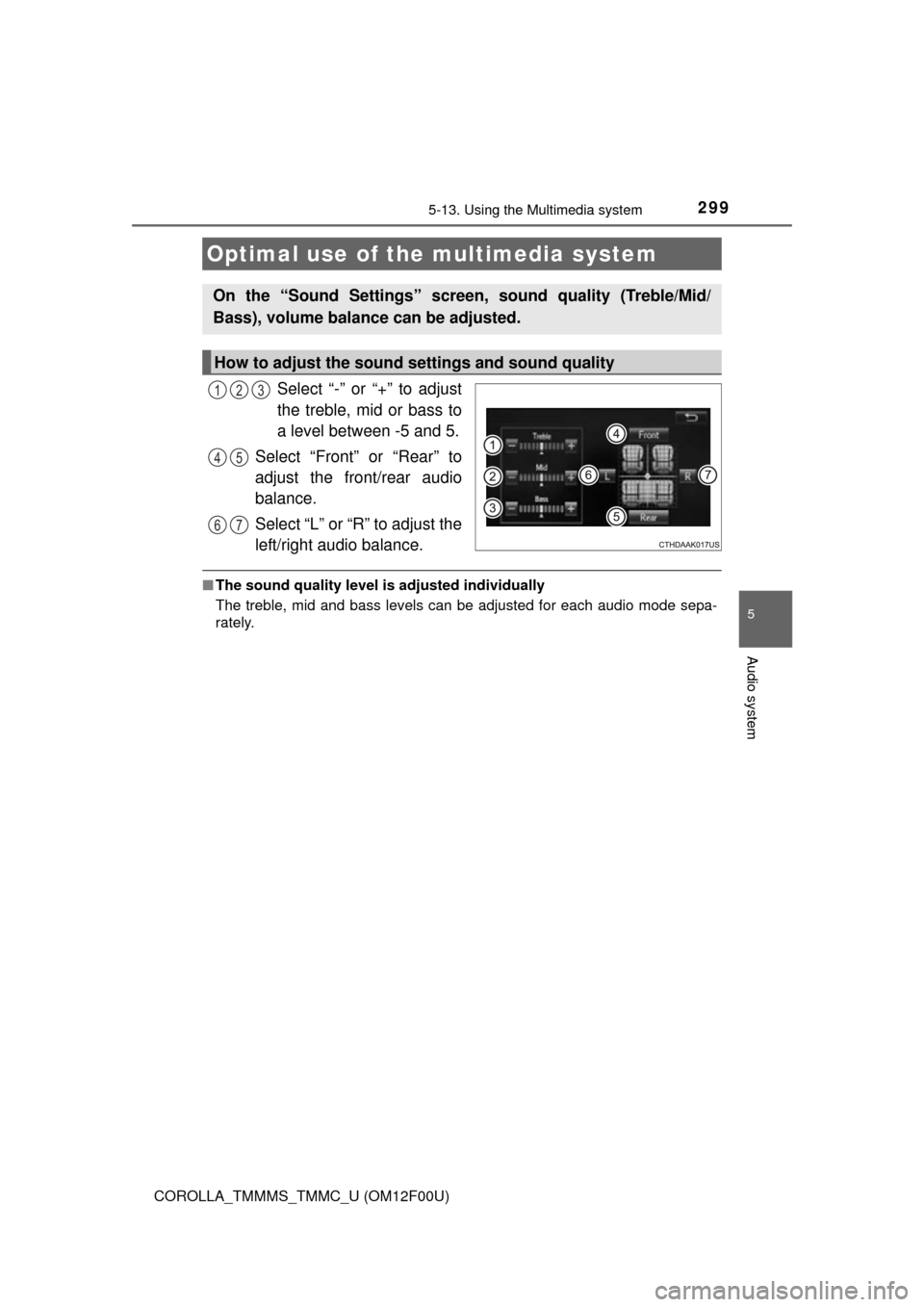
Select “-” or “+” to adjust
the treble, mid or bass to
a level between -5 and 5.
Select “Front” or “Rear” to
adjust the front/rear audio
balance.
Select “L” or “R” to adjust the
left/right audio balance.
■ The sound quality level is adjusted individually
The treble, mid and bass levels can be adjusted for each audio mode sepa-
rately.
Optimal use of the multimedia system
On the “Sound Settings” screen, sound quality (Treble/Mid/
Bass), volume balance can be adjusted.
How to adjust the sound settings and sound quality
123
45
67
Page 339 of 612
3395-19. Bluetooth® phone (Multimedia system)
5
Audio system
COROLLA_TMMMS_TMMC_U (OM12F00U)■
Telephone switch (
P. 354)
■Microphone
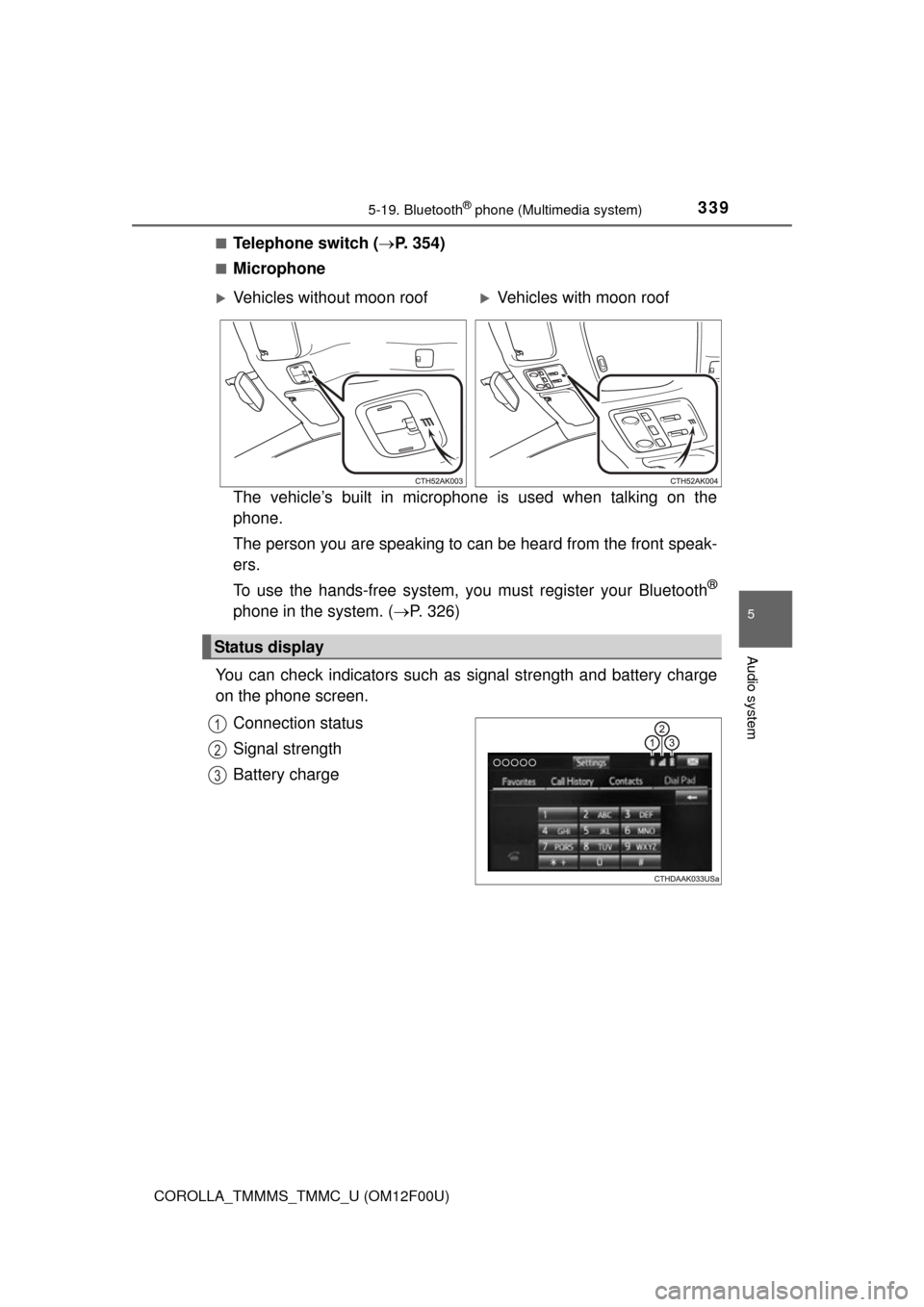
The vehicle’s built in microphone is used when talking on the
phone.
The person you are speaking to can be heard from the front speak-
ers.
To use the hands-free system, you must register your Bluetooth
®
phone in the system. (P. 326)
You can check indicators such as signal strength and battery charge
on the phone screen.
Connection status
Signal strength
Battery charge
Vehicles without moon roofVehicles with moon roof
Status display
1
2
3
Page 379 of 612

379
6Interior features
COROLLA_TMMMS_TMMC_U (OM12F00U)6-1. Using the air conditioning
system and defogger
Manual air conditioning system ............................ 380
Automatic air conditioning system ........ 386
6-2. Using the interior lights Interior lights list ................ 395
• Front interior light/personal lights............... 396
• Rear interior light .......... 397
6-3. Using the storage features
List of storage features ..... 398
• Glove box...................... 399
• Console box .................. 399
• Bottle holders ................ 400
• Cup holders .................. 401
6-4. Other interior features Other interior features ....... 403
• Sun visors ..................... 403
• Vanity mirrors................ 403
• Clock ............................. 403
• Outside temperature display........................... 404
• Power outlet .................. 405
• Assist grips ................... 406
Compass ........................... 407
Seat heaters...................... 411
Page 381 of 612

3816-1. Using the air conditioning system and defogger
6
Interior features
COROLLA_TMMMS_TMMC_U (OM12F00U)■
Switching between outside air and recirculated air modes
Press .
The mode switches between outside air mode (indicator off) and recir-
culated air mode (indicator on) each time is pressed.
■
Defogging the windshield
Defoggers are used to defog the windshield and front side win-
dows.
Set the air outlet selector dial to the position.
Set the outside/recirculated air mode button to outside air mode if the
recirculated air mode is used. (It may switch automatically.)
To defog the windshield and the side windows early, turn the air flow and
temperature up.
Vehicles with the air conditioning system: If the dehumidification
function is not operating, pres s to operate the dehumidifica-
tion function.
■Defogging the rear window and outside rear view mirrors
Vehicles without outside rear view mirror defoggers
Defoggers are used to defog the rear window.
Press .
The defoggers will automatically turn off after a period of time.
Vehicles with outside rear view mirror defoggers
Defoggers are used to defog the rear window, and to remove rain-
drops, dew and frost from the outside rear view mirrors.
Press .
The defoggers will automatically turn off after a period of time.
Other functions
Page 382 of 612
3826-1. Using the air conditioning system and defogger
COROLLA_TMMMS_TMMC_U (OM12F00U)■
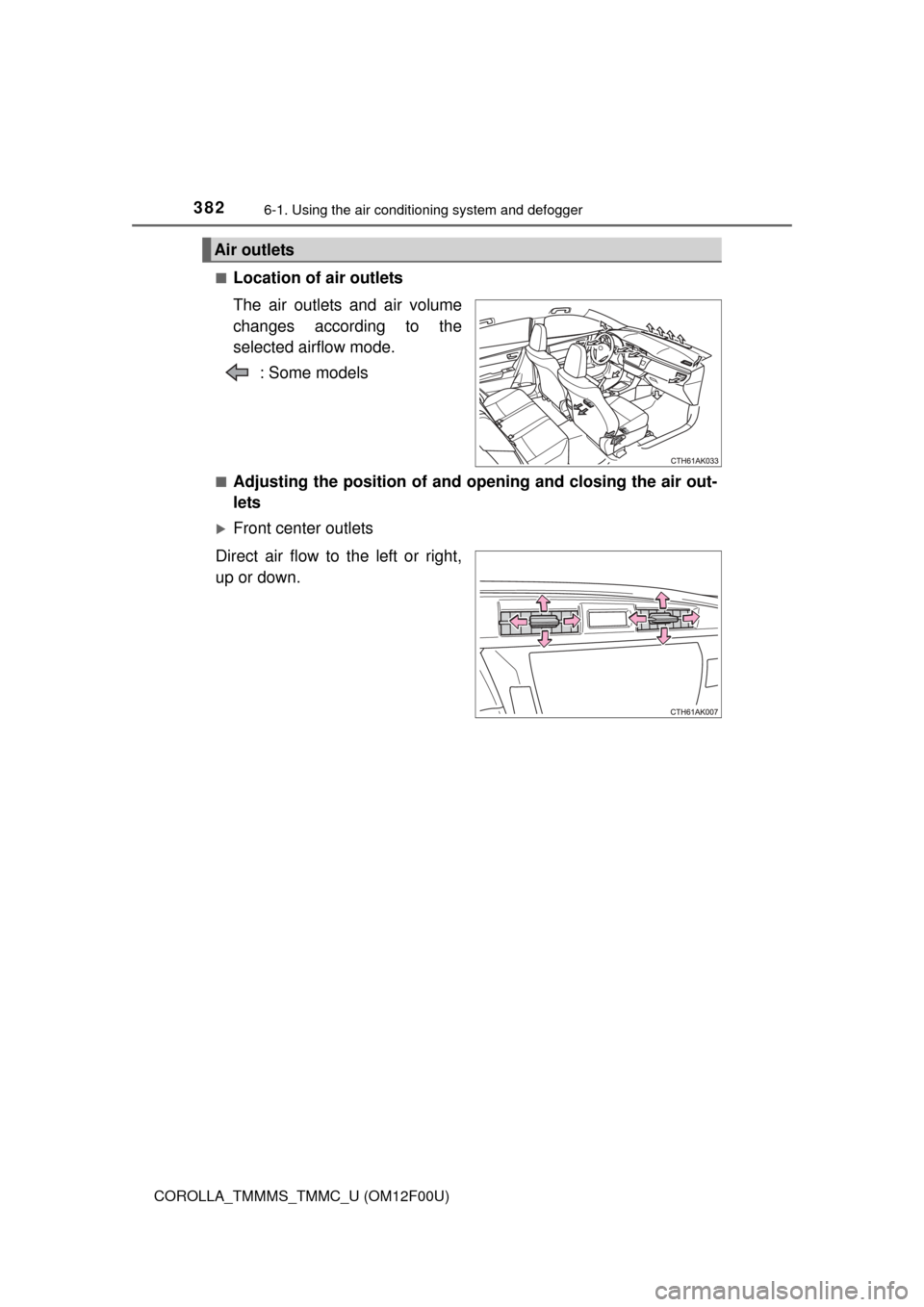
Location of air outlets
The air outlets and air volume
changes according to the
selected airflow mode.
: Some models
■Adjusting the position of and opening and closing the air out-
lets
Front center outlets
Direct air flow to the left or right,
up or down.
Air outlets
Page 383 of 612
3836-1. Using the air conditioning system and defogger
6
Interior features
COROLLA_TMMMS_TMMC_U (OM12F00U)
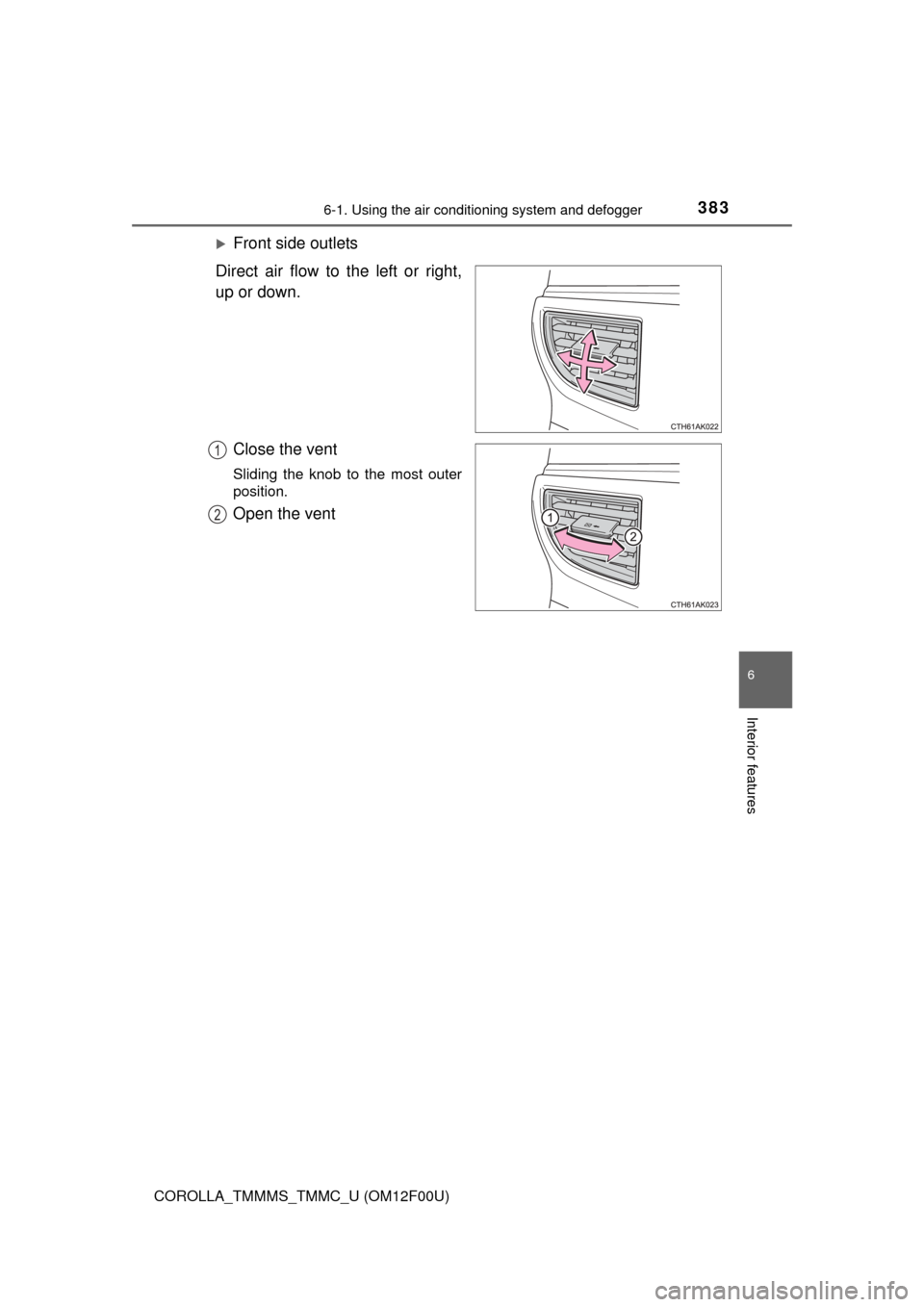
Front side outlets
Direct air flow to the left or right,
up or down.
Close the vent
Sliding the knob to the most outer
position.
Open the vent
1
2
Page 388 of 612
3886-1. Using the air conditioning system and defogger
COROLLA_TMMMS_TMMC_U (OM12F00U)
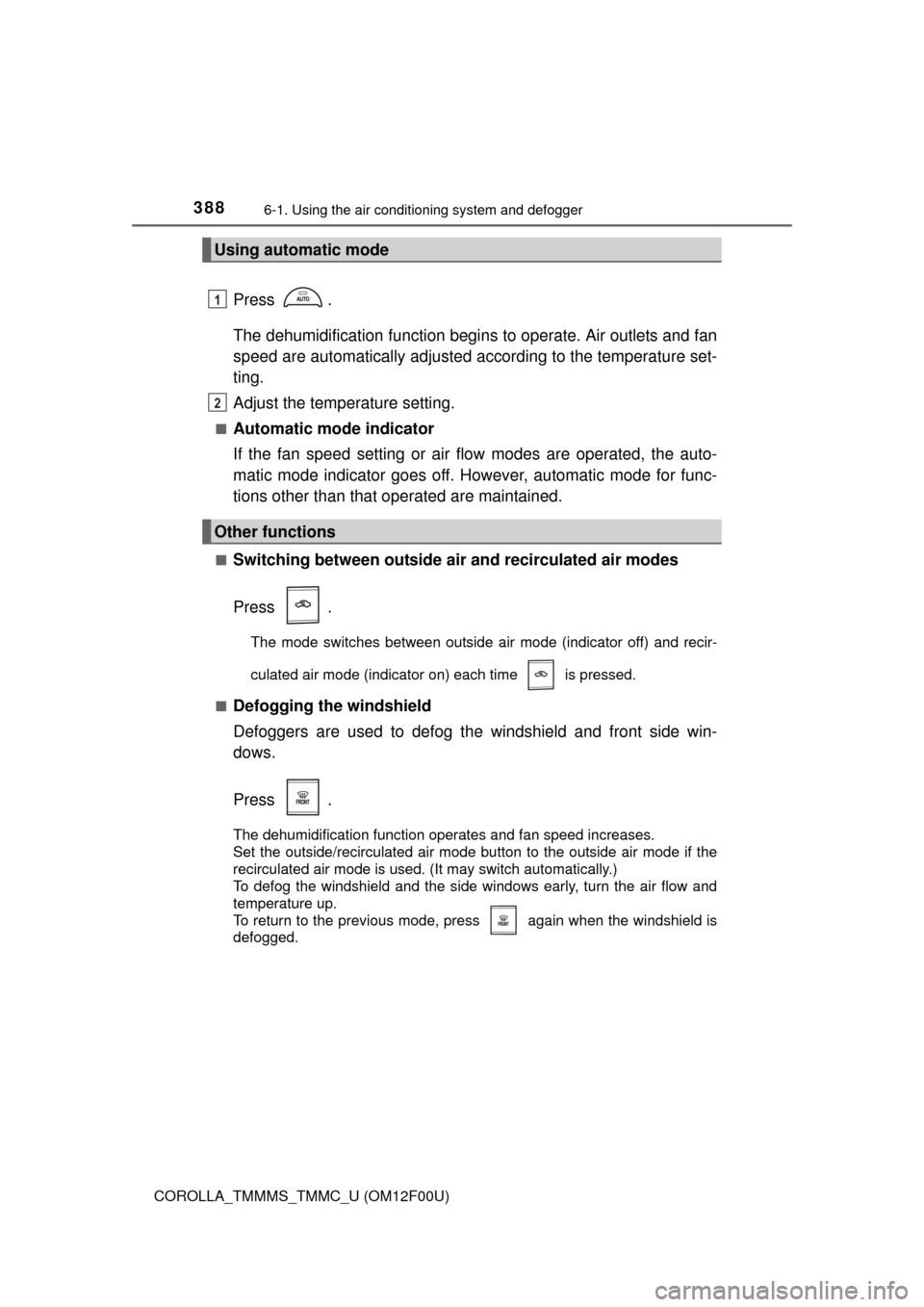
Press .
The dehumidification function begins to operate. Air outlets and fan
speed are automatically adjusted according to the temperature set-
ting.
Adjust the temperature setting.
■Automatic mode indicator
If the fan speed setting or air fl ow modes are operated, the auto-
matic mode indicator goes off. However, automatic mode for func-
tions other than that operated are maintained.
■Switching between outside air and recirculated air modes
Press .
The mode switches between outside air mode (indicator off) and recir-
culated air mode (indicator on) each time is pressed.
■
Defogging the windshield
Defoggers are used to defog the windshield and front side win-
dows.
Press .
The dehumidification function operates and fan speed increases.
Set the outside/recirculated air mode button to the outside air mode if the
recirculated air mode is used. (It may switch automatically.)
To defog the windshield and the side windows early, turn the air flow and
temperature up.
To return to the previous mode, press again when the windshield is
defogged.
Using automatic mode
Other functions
1
2