audio TOYOTA COROLLA 2016 11.G Owners Manual
[x] Cancel search | Manufacturer: TOYOTA, Model Year: 2016, Model line: COROLLA, Model: TOYOTA COROLLA 2016 11.GPages: 620, PDF Size: 9.12 MB
Page 332 of 620
3325-17. Connecting Bluetooth® (Multimedia system)
COROLLA_TMMMS_TMMC_U (OM12J84U)
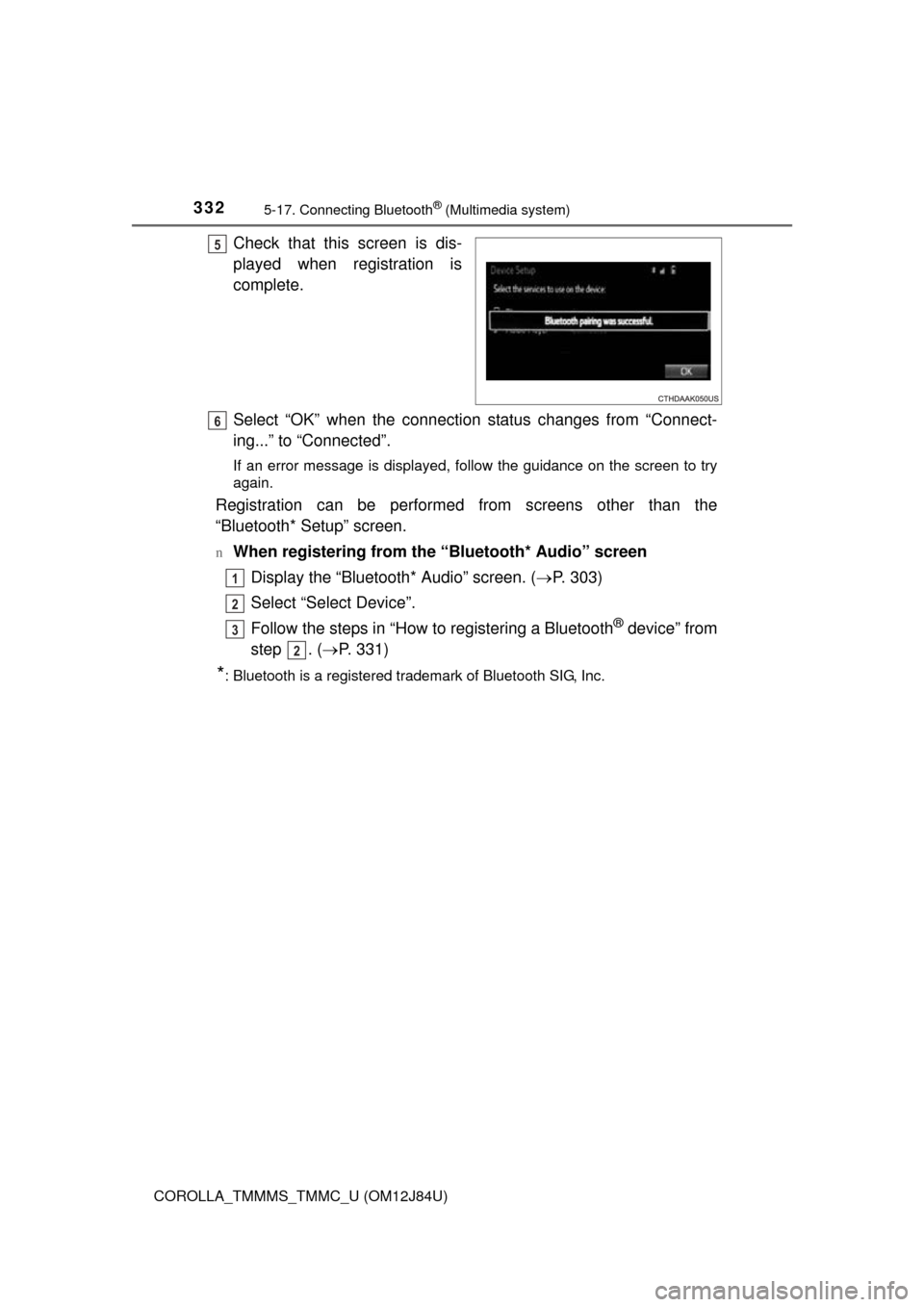
Check that this screen is dis-
played when registration is
complete.
Select “OK” when the connection status changes from “Connect-
ing...” to “Connected”.
If an error message is displayed, follow the guidance on the screen to try
again.
Registration can be performed from screens other than the
“Bluetooth* Setup” screen.
nWhen registering from the “Bluetooth* Audio” screenDisplay the “Bluetooth* Audio” screen. ( P. 303)
Select “Select Device”.
Follow the steps in “How to registering a Bluetooth
® device” from
step . ( P. 331)
*: Bluetooth is a registered trademark of Bluetooth SIG, Inc.
5
6
1
2
3
2
Page 333 of 620
3335-17. Connecting Bluetooth® (Multimedia system)
5
Audio system
COROLLA_TMMMS_TMMC_U (OM12J84U)
Display the “Bluetooth* Setup” screen. (P. 328)
Select “Remove”.
Select the desired device.
A confirmation message will be displa yed, select “Yes” to delete the
device.
Check that a confirmation screen is displayed when the operation is
complete.
*: Bluetooth is a registered trademark of Bluetooth SIG, Inc.
Deleting a Bluetooth® device
1
2
3
4
5
Page 334 of 620
3345-17. Connecting Bluetooth® (Multimedia system)
COROLLA_TMMMS_TMMC_U (OM12J84U)
Press the “SETUP” button.
Select “Bluetooth*”.
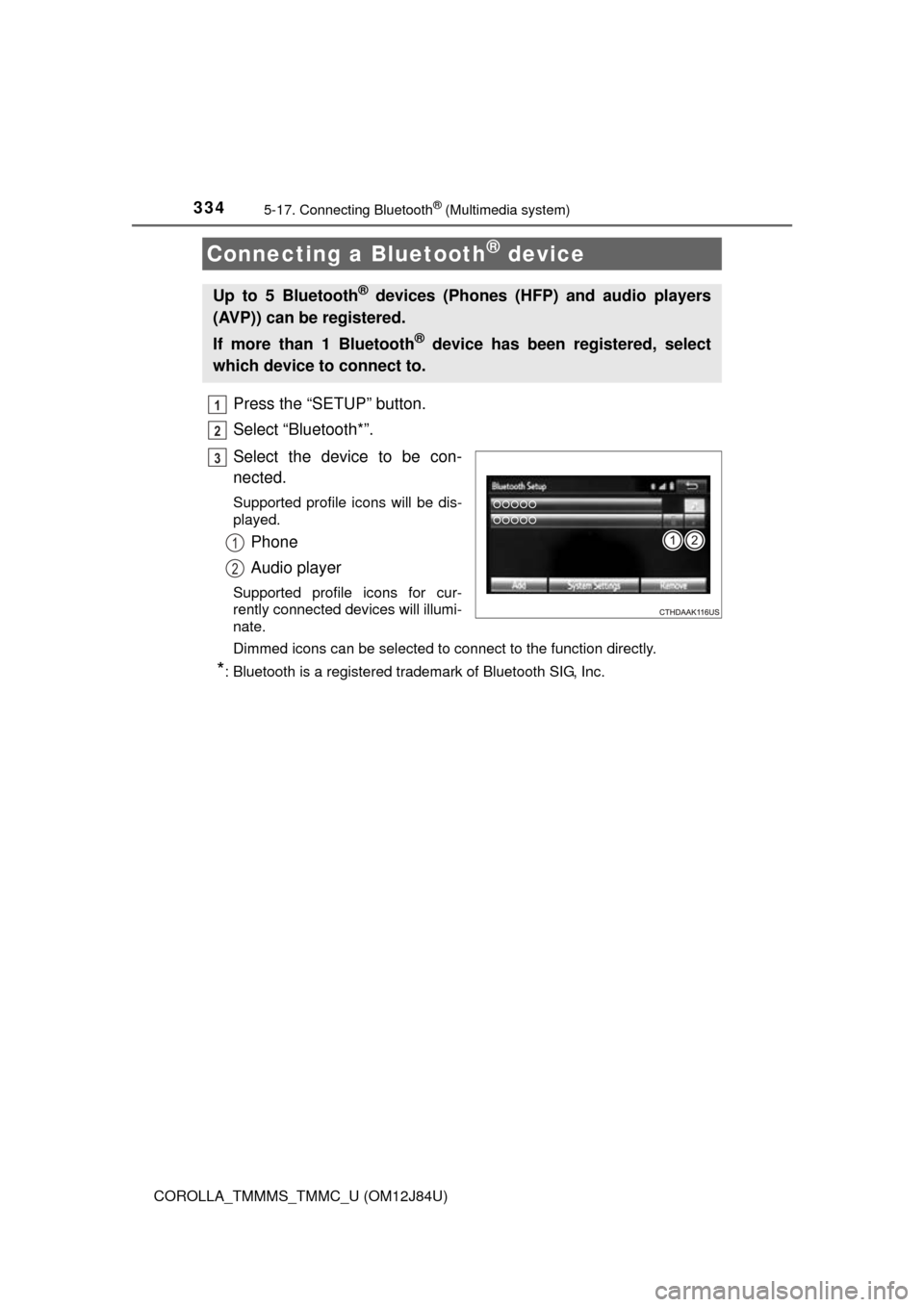
Select the device to be con-
nected.
Supported profile icons will be dis-
played.
Phone
Audio player
Supported profile icons for cur-
rently connected devices will illumi-
nate.
Dimmed icons can be selected to connect to the function directly.
*: Bluetooth is a registered trademark of Bluetooth SIG, Inc.
Connecting a Bluetooth® device
Up to 5 Bluetooth® devices (Phones (HFP) and audio players
(AVP)) can be registered.
If more than 1 Bluetooth
® device has been registered, select
which device to connect to.
1
2
3
1
2
Page 335 of 620
3355-17. Connecting Bluetooth® (Multimedia system)
5
Audio system
COROLLA_TMMMS_TMMC_U (OM12J84U)
To turn auto connection mode on, set “Bluetooth* Power” to on.
( P. 339)
When you register a phone, auto co nnection will be activated. Always
set it to this mode and leave the Bluetooth
® phone in a place where a
connection can be established.
When the engine switch is turned to ACCESSORY or ON (IGNITION ON)
mode, the system will search for a nearby cellular phone you have regis-
tered.
Next, the system automatically connects with the most recent of the
phones connected to in the past. Then, the connection result is displayed.
*: Bluetooth is a registered trademark of Bluetooth SIG, Inc.
When auto connection has failed or “Bluetooth* Power” is turned off,
you must connec t the Bluetooth® device manually.
Follow the steps in “Connecting a Bluetooth
® device” from step .
( P. 334)
*: Bluetooth is a registered trademark of Bluetooth SIG, Inc.
Registering an additional device
Select “Select Device” on the Bluetooth
® audio control screen.
For more information: P. 3 3 1
Selecting a registered device
Select “Select Device” on the Bluetooth
® audio control screen.
For more information: P. 3 3 4
Auto connection
Manual connection
Connecting a Bluetooth® audio player
11
1
2
1
2
Page 337 of 620
3375-17. Connecting Bluetooth® (Multimedia system)
5
Audio system
COROLLA_TMMMS_TMMC_U (OM12J84U)
Display the “Bluetooth* Setup” screen. (P. 328)
Select the device.
Select “Device Info”.
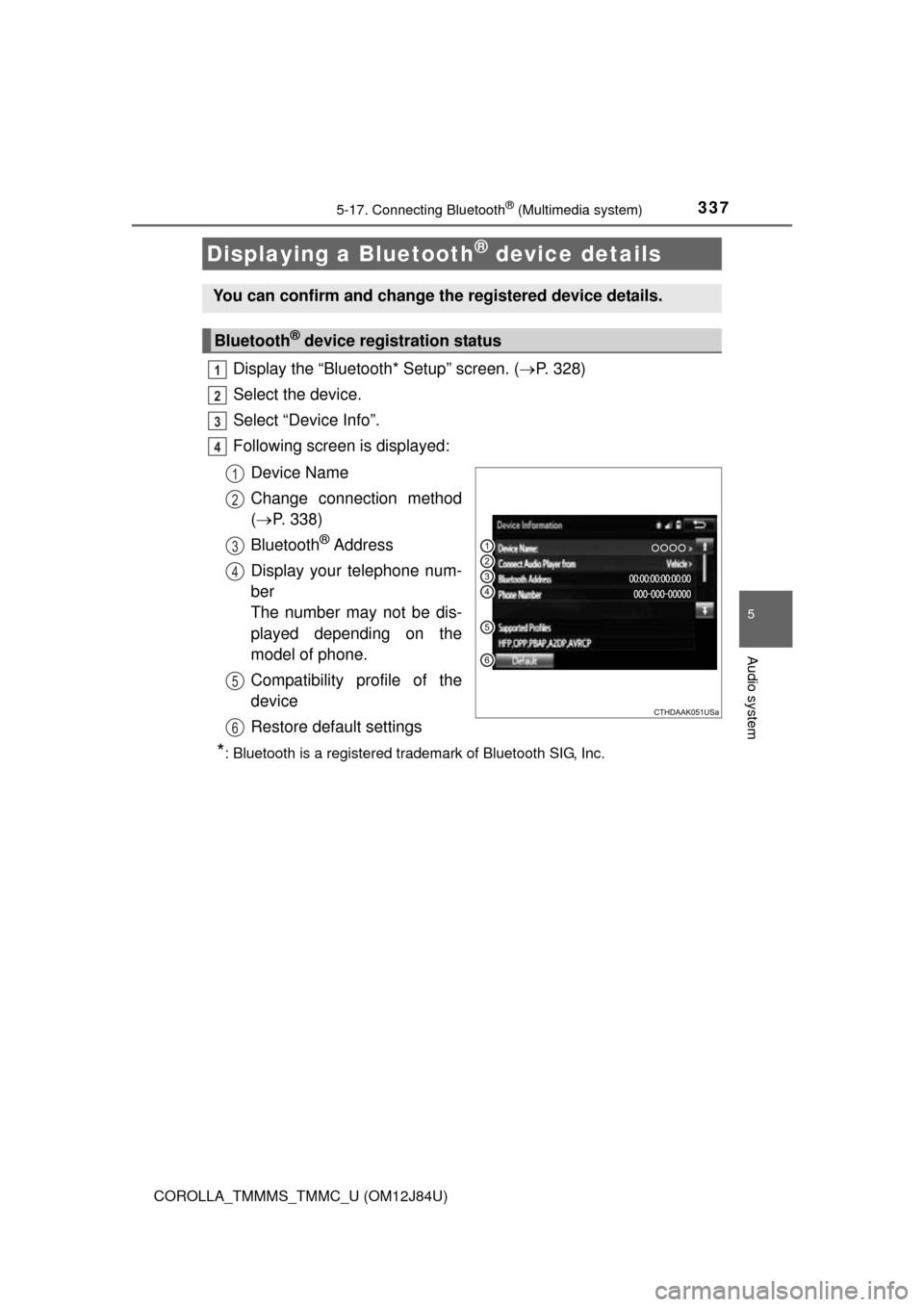
Following screen is displayed:
Device Name
Change connection method
( P. 338)
Bluetooth
® Address
Display your telephone num-
ber
The number may not be dis-
played depending on the
model of phone.
Compatibility profile of the
device
Restore default settings
*: Bluetooth is a registered trademark of Bluetooth SIG, Inc.
Displaying a Bluetooth® device details
You can confirm and change the registered device details.
Bluetooth® device registration status
1
2
3
4
1
2
3
4
5
6
Page 338 of 620

3385-17. Connecting Bluetooth® (Multimedia system)
COROLLA_TMMMS_TMMC_U (OM12J84U)
Select “Connect Audio Player from”.
Select “Vehicle” or “Device”.
“Vehicle”: Connect the multimedia system to the portable audio player.
“Device”: Connect the portable audio player to the multimedia system
Changing connection method
1
2
Page 339 of 620
3395-17. Connecting Bluetooth® (Multimedia system)
5
Audio system
COROLLA_TMMMS_TMMC_U (OM12J84U)
Display the “Bluetooth* Setup” screen. (P. 328)
Select “System Settings”.
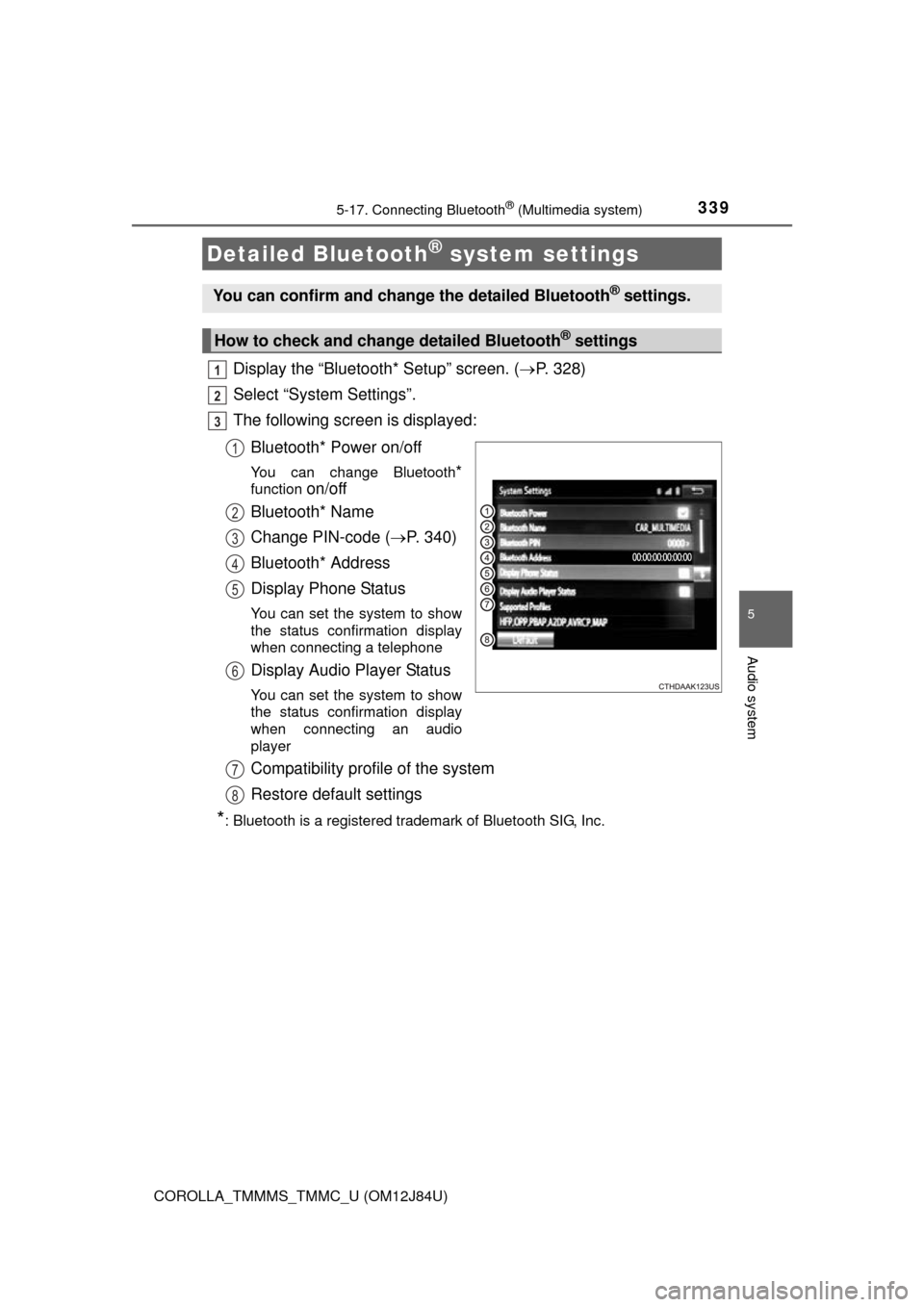
The following screen is displayed:
Bluetooth* Power on/off
You can change Bluetooth*
function on/off
Bluetooth* Name
Change PIN-code ( P. 340)
Bluetooth* Address
Display Phone Status
You can set the system to show
the status confirmation display
when connecting a telephone
Display Audio Player Status
You can set the system to show
the status confirmation display
when connecting an audio
player
Compatibility profile of the system
Restore default settings
*: Bluetooth is a registered trademark of Bluetooth SIG, Inc.
Detailed Bluetooth® system settings
You can confirm and change the detailed Bluetooth® settings.
How to check and change detailed Bluetooth® settings
1
2
3
1
2
3
4
5
6
7
8
Page 341 of 620
341
5
Audio system
COROLLA_TMMMS_TMMC_U (OM12J84U)
5-18.Bluetooth® Audio (Multimedia system)
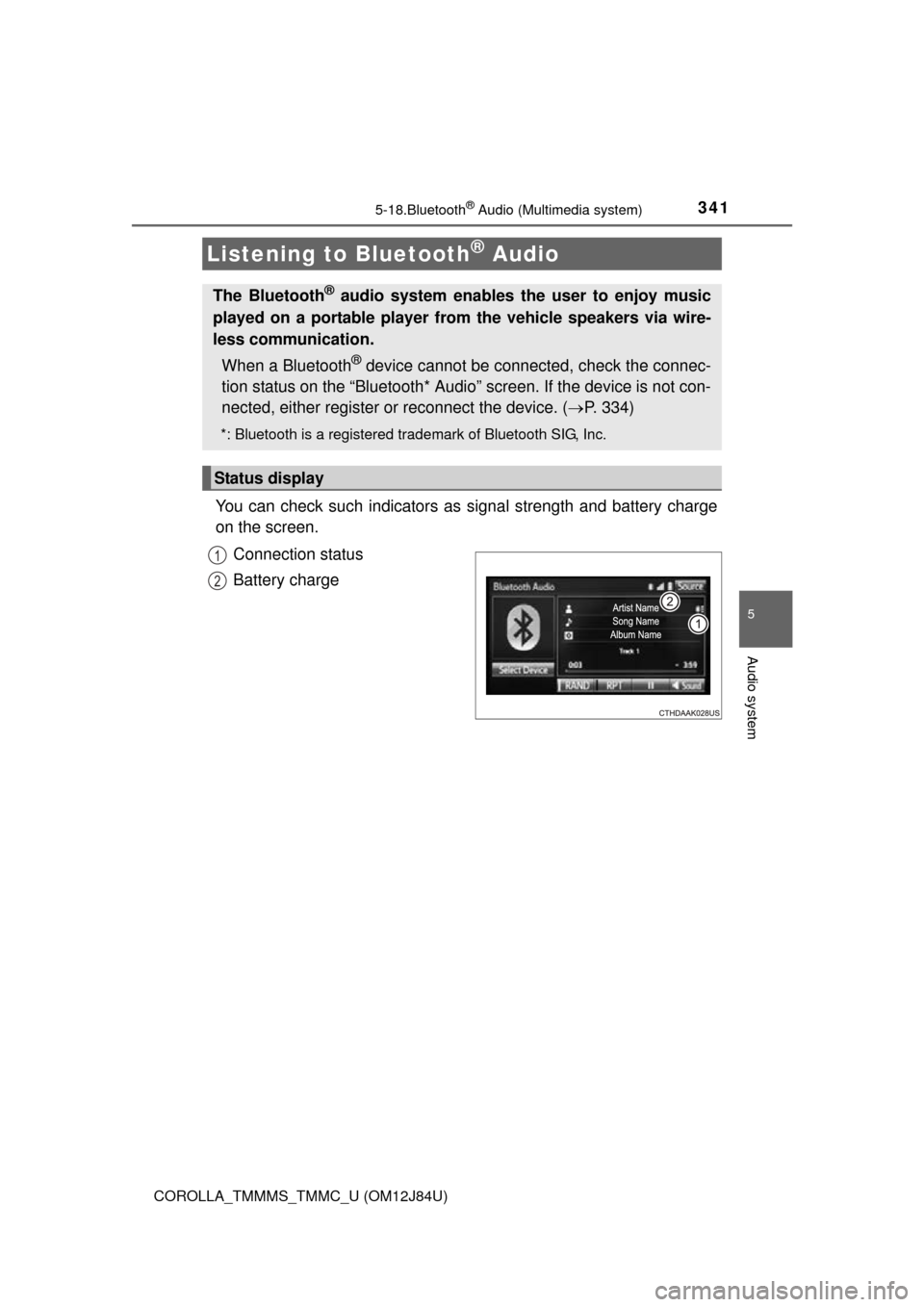
You can check such indicators as signal strength and battery charge
on the screen.
Connection status
Battery charge
Listening to Bluetooth® Audio
The Bluetooth® audio system enables the user to enjoy music
played on a portable player from the vehicle speakers via wire-
less communication.
When a Bluetooth
® device cannot be connected, check the connec-
tion status on the “Bluetooth* Audio” screen. If the device is not con-
nected, either register or reconnect the device. ( P. 334)
*: Bluetooth is a registered trademark of Bluetooth SIG, Inc.
Status display
1
2
Page 342 of 620
3425-18. Bluetooth® Audio (Multimedia system)
COROLLA_TMMMS_TMMC_U (OM12J84U)
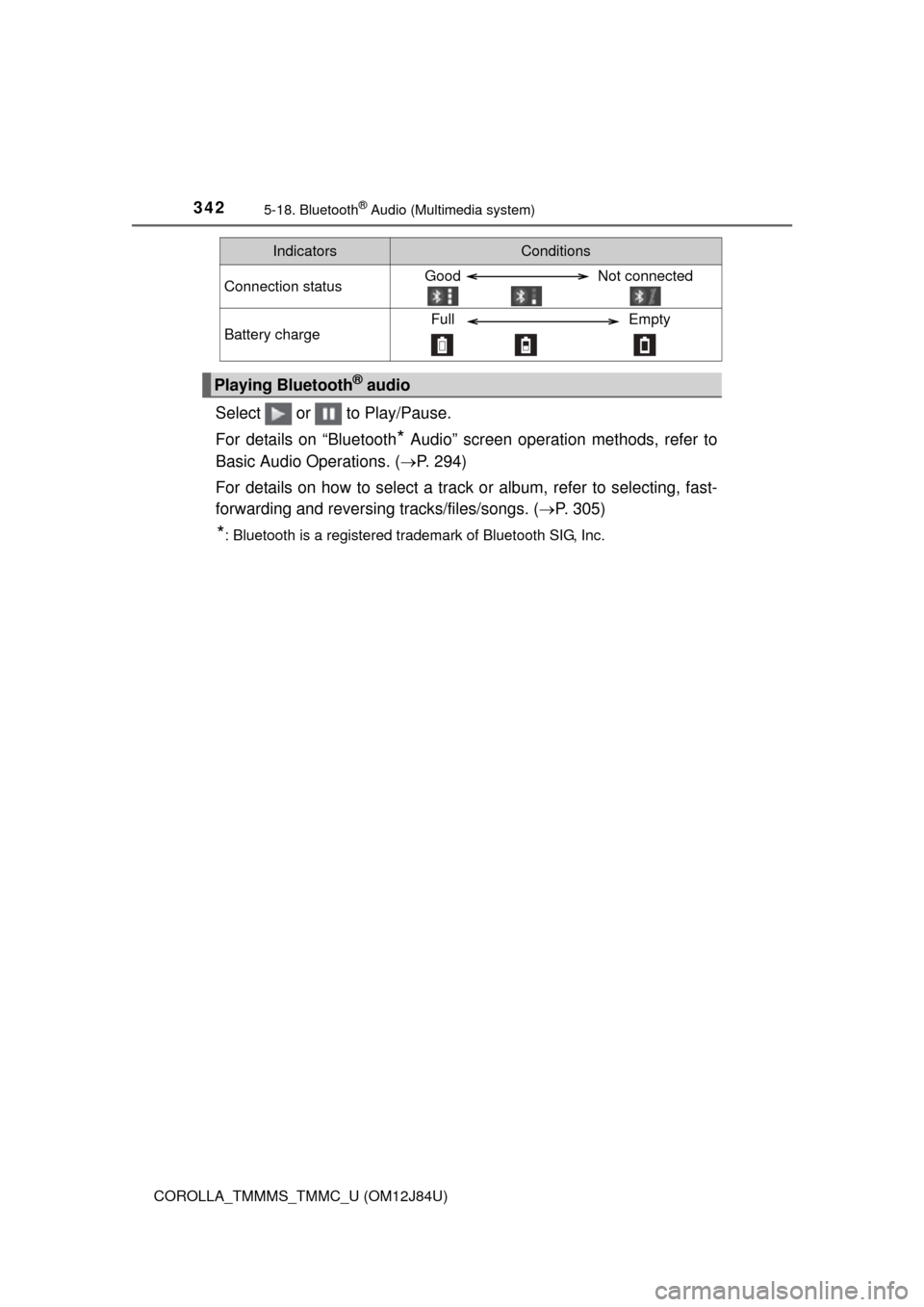
Select or to Play/Pause.
For details on “Bluetooth
* Audio” screen operation methods, refer to
Basic Audio Operations. ( P. 294)
For details on how to select a track or album, refer to selecting, fast-
forwarding and reversing tracks/files/songs. ( P. 305)
*: Bluetooth is a registered trademark of Bluetooth SIG, Inc.
IndicatorsConditions
Connection statusGood Not connected
Battery chargeFull Empty
Playing Bluetooth® audio
Page 343 of 620
343
5
Audio system
COROLLA_TMMMS_TMMC_U (OM12J84U)
5-19.Bluetooth® phone (Multimedia system)
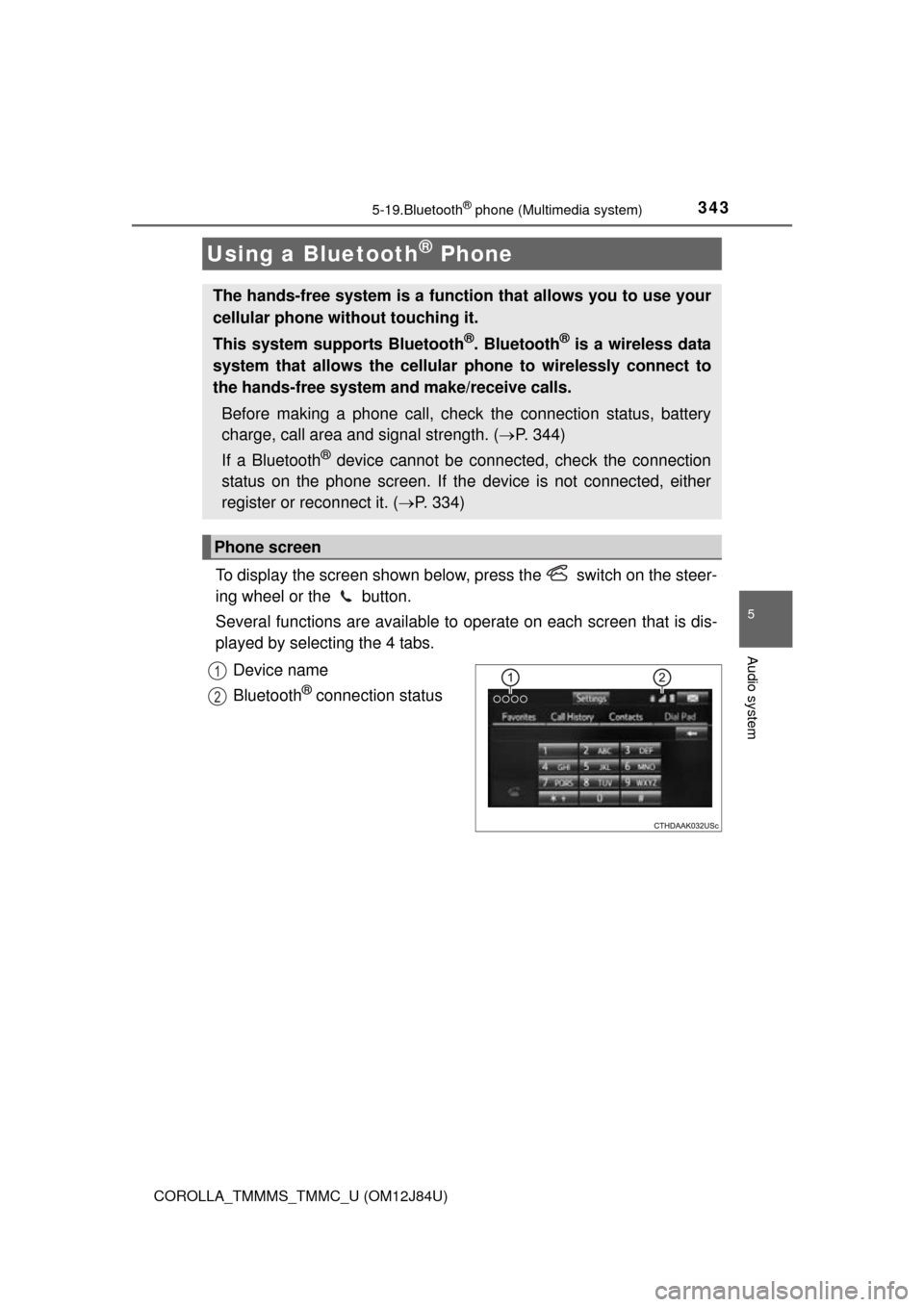
To display the screen shown below, press the switch on the steer-
ing wheel or the button.
Several functions are available to operate on each screen that is dis-
played by selecting the 4 tabs.
Device name
Bluetooth
® connection status
Using a Bluetooth® Phone
The hands-free system is a function that allows you to use your
cellular phone without touching it.
This system supports Bluetooth
®. Bluetooth® is a wireless data
system that allows the cellular phone to wirelessly connect to
the hands-free system and make/receive calls.
Before making a phone call, check the connection status, battery
charge, call area and signal strength. ( P. 344)
If a Bluetooth
® device cannot be connected, check the connection
status on the phone screen. If th e device is not connected, either
register or reconnect it. ( P. 334)
Phone screen
1
2