audio TOYOTA COROLLA 2016 11.G Owner's Guide
[x] Cancel search | Manufacturer: TOYOTA, Model Year: 2016, Model line: COROLLA, Model: TOYOTA COROLLA 2016 11.GPages: 620, PDF Size: 9.12 MB
Page 241 of 620
2415-4. Playing audio CDs and MP3/WMA discs
5
Audio system
COROLLA_TMMMS_TMMC_U (OM12J84U)n
Random playback
Press (RDM).
Tracks are played in a random order until (RDM) is pressed
again.
n
Switching the display
Press to display or hide the CD title.
If there is additional text, is displayed.
Press and hold to display the remaining text.
n
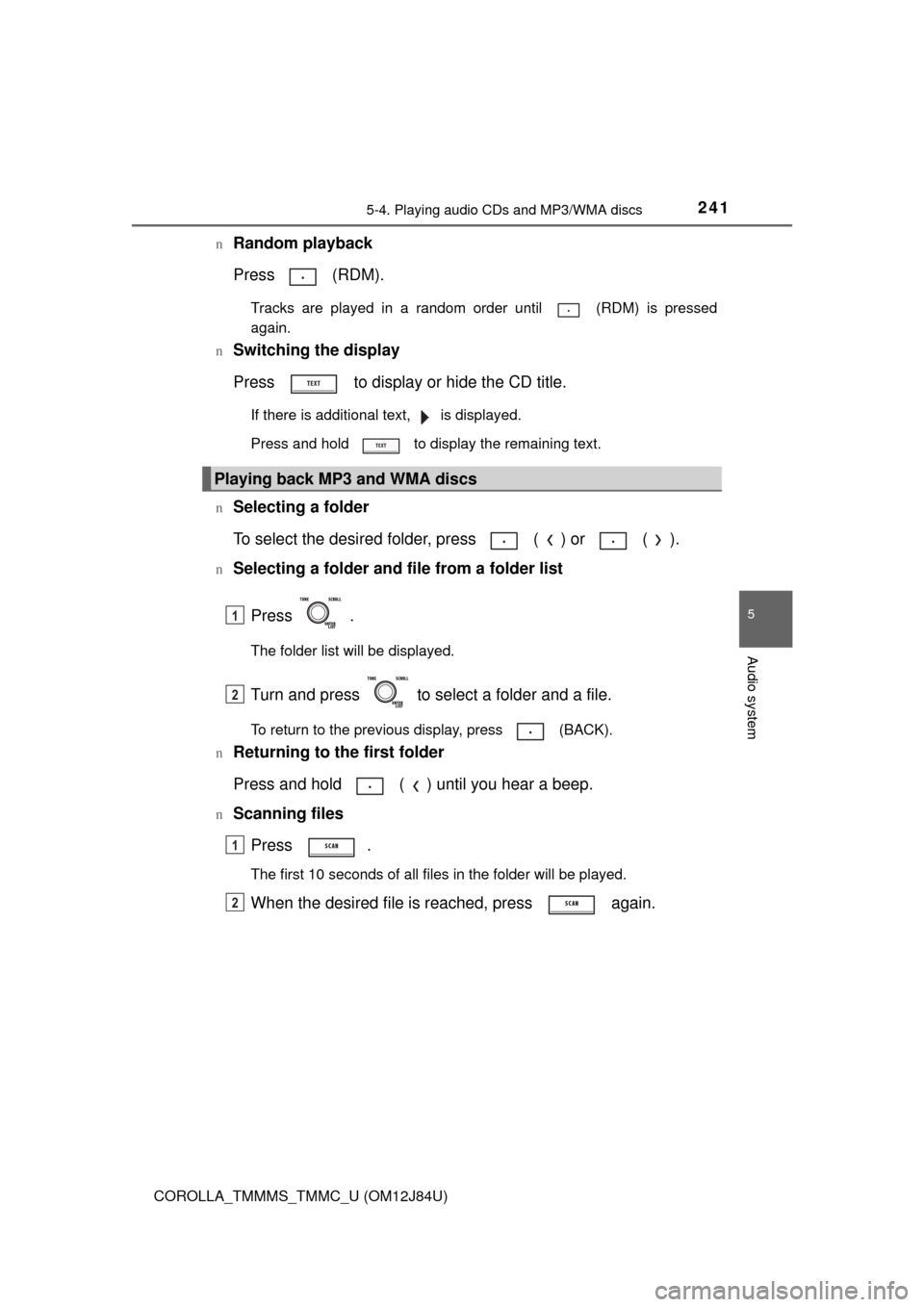
Selecting a folder
To select the desired folder, press ( ) or ( ).
nSelecting a folder and file from a folder list Press .
The folder list will be displayed.
Turn and press to select a folder and a file.
To return to the previous display, press (BACK).
n
Returning to the first folder
Press and hold ( ) until you hear a beep.
nScanning files
Press .
The first 10 seconds of all files in the folder will be played.
When the desired file is reached, press again.
Playing back MP3 and WMA discs
1
2
1
2
Page 242 of 620
2425-4. Playing audio CDs and MP3/WMA discs
COROLLA_TMMMS_TMMC_U (OM12J84U)n
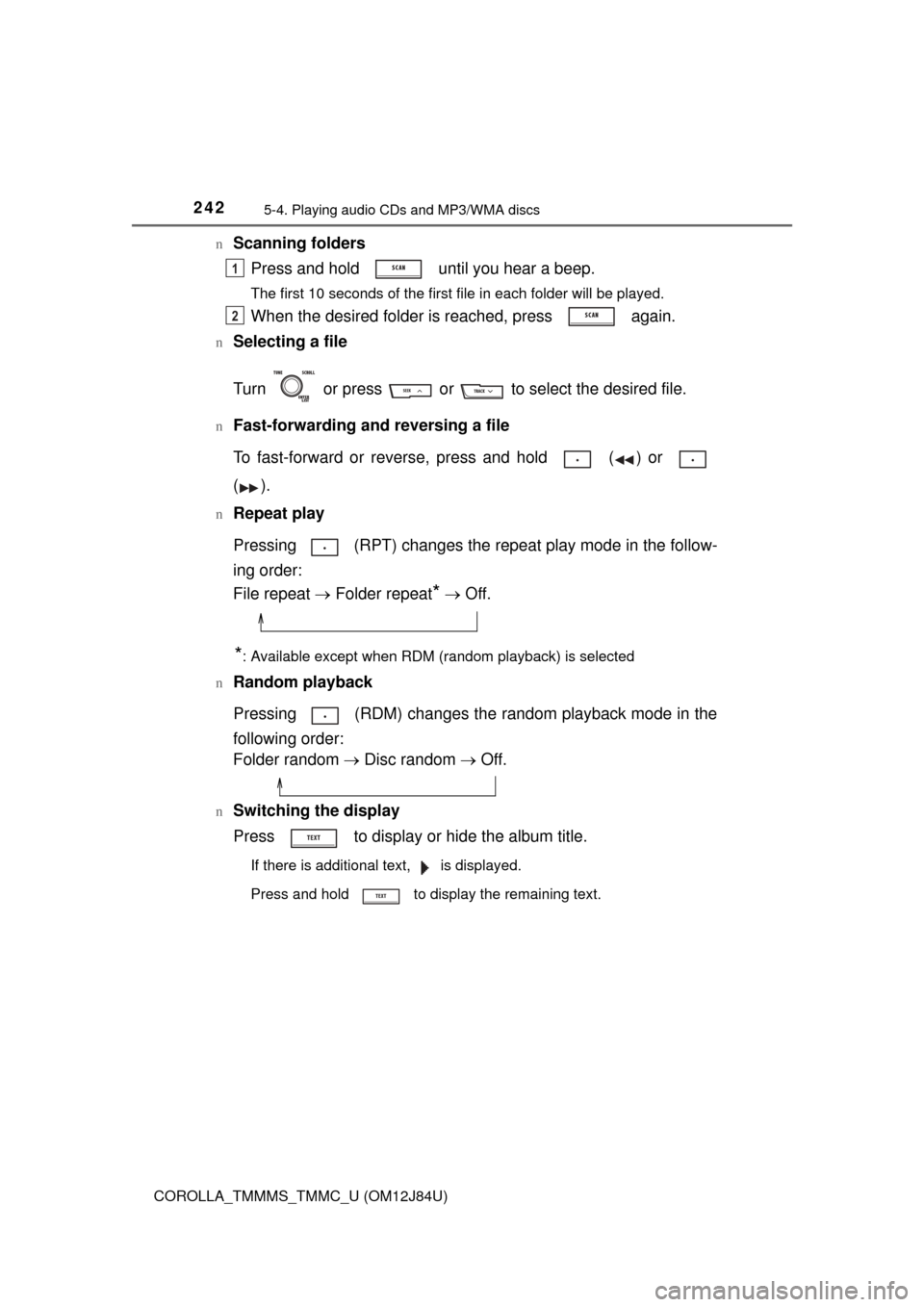
Scanning folders
Press and hold until you hear a beep.
The first 10 seconds of the first file in each folder will be played.
When the desired folder is reached, press again.
nSelecting a file
Turn or press or to select the desired file.
nFast-forwarding and reversing a file
To fast-forward or reverse, press and hold ( ) or
().
nRepeat play
Pressing (RPT) changes the repe at play mode in the follow-
ing order:
File repeat Folder repeat
* Off.
*: Available except when RDM (random playback) is selected
n
Random playback
Pressing (RDM) changes the random playback mode in the
following order:
Folder random Disc random Off.
nSwitching the display
Press to display or hide the album title.
If there is additional text, is displayed.
Press and hold to display the remaining text.
1
2
Page 243 of 620
2435-4. Playing audio CDs and MP3/WMA discs
5
Audio system
COROLLA_TMMMS_TMMC_U (OM12J84U)
nDisplay
Depending on the contents recorded, the characters may not be displayed
properly or may not be displayed at all.
n Error messages
If an error message is displayed, refer to the following table and take the
appropriate measures. If the problem is not rectified, take the vehicle to your
Toyota dealer.
n Discs that can be used
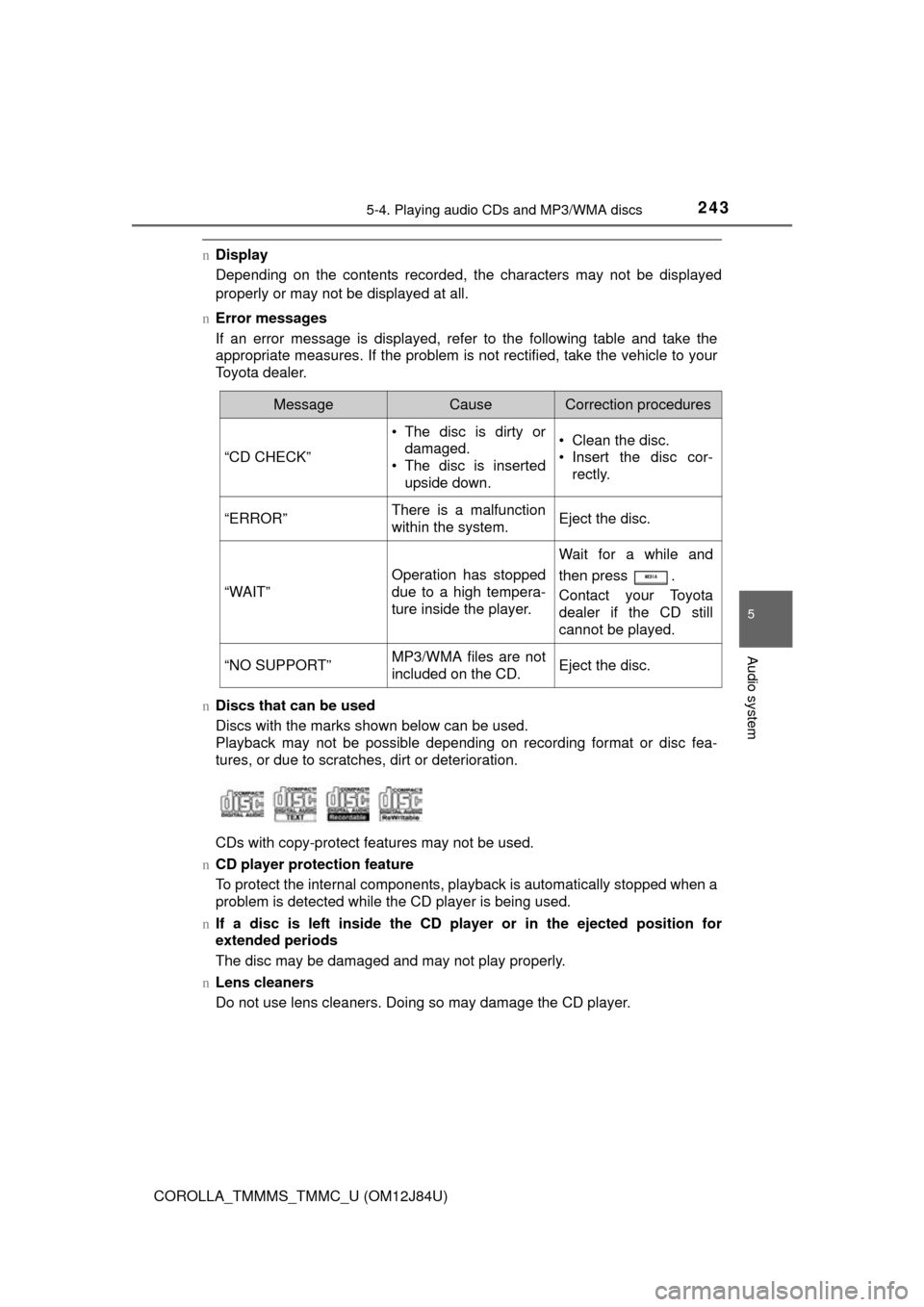
Discs with the marks shown below can be used.
Playback may not be possible depending on recording format or disc fea-
tures, or due to scratches, dirt or deterioration.
CDs with copy-protect features may not be used.
n CD player protection feature
To protect the internal components, playback is automatically stopped when a
problem is detected while the CD player is being used.
n If a disc is left inside the CD pl ayer or in the ejected position for
extended periods
The disc may be damaged and may not play properly.
n Lens cleaners
Do not use lens cleaners. Doing so may damage the CD player.
MessageCauseCorrection procedures
“CD CHECK”
• The disc is dirty or
damaged.
• The disc is inserted upside down.• Clean the disc.
• Insert the disc cor- rectly.
“ERROR”There is a malfunction
within the system.Eject the disc.
“WAIT”
Operation has stopped
due to a high tempera-
ture inside the player.
Wait for a while and
then press .
Contact your Toyota
dealer if the CD still
cannot be played.
“NO SUPPORT”MP3/WMA files are not
included on the CD.Eject the disc.
Page 244 of 620

2445-4. Playing audio CDs and MP3/WMA discs
COROLLA_TMMMS_TMMC_U (OM12J84U)n
MP3 and WMA files
MP3 (MPEG Audio LAYER3) is a standard audio compression format.
Files can be compressed to approximately 1/10 of their original size by using
MP3 compression.
WMA (Windows Media Audio) is a Microsoft audio compression format.
This format compresses audio data to a size smaller than that of the MP3 for-
mat.
MP3 and WMA file and media/format compatibility are limited.
l MP3 file compatibility
• Compatible standards
MP3 (MPEG1 LAYER3, MPEG2 LSF LAYER3)
• Compatible sampling frequencies
MPEG1 LAYER3: 32, 44.1, 48 (kHz)
MPEG2 LSF LAYER3: 16, 22.05, 24 (kHz)
• Compatible bit rates (compatible with VBR)
MPEG1 LAYER3: 32, 40, 48, 56, 64, 80, 96, 112, 128, 160, 192, 224,
256, 320 (kbps)
MPEG2 LSF LAYER3: 8, 16, 24, 32, 40, 48, 56, 64, 80, 96, 112, 128, 144,
160 (kbps)
• Compatible channel modes: stereo, joint stereo, dual channel and mon- aural
l WMA file compatibility
• Compatible standards
WMA Ver. 7, 8, 9
• Compatible sampling frequencies 32, 44.1, 48 (kHz)
• Compatible bit rates (only compatible with 2-channel playback)
Ver. 7, 8: CBR 48, 64, 80, 96, 128, 160, 192 (kbps)
Ver. 9: CBR 48, 64, 80, 96, 128, 160, 192, 256, 320 (kbps)
l Compatible media
Media that can be used for MP3 and WMA playback are CD-Rs and CD-
RWs.
Playback in some instances may not be possible if the CD-R or CD-RW is
not finalized. Playback may not be possible or the audio may jump if the
disc is scratched or marked with fingerprints.
Page 245 of 620

2455-4. Playing audio CDs and MP3/WMA discs
5
Audio system
COROLLA_TMMMS_TMMC_U (OM12J84U)l
Compatible disc formats
The following disc formats can be used.
• Disc formats: CD-ROM Mode 1 and Mode 2
CD-ROM XA Mode 2, Form 1 and Form 2
• File formats: ISO9660 Level 1, Level 2, (Romeo, Joliet) MP3 and WMA files written in any format other than those listed above
may not play correctly, and their file names and folder names may not be
displayed correctly.
Items related to standards and limitations are as follows.
• Maximum directory hierarchy: 8 levels
• Maximum length of folder names/file names: 32 characters
• Maximum number of folders: 192 (including the root)
• Maximum number of files per disc: 255
l File names
The only files that can be recognized as MP3/WMA and played are those
with the extension .mp3 or .wma.
l Multi-sessions
As the audio system is compatible with multi-sessions, it is possible to play
discs that contain MP3 and WMA files. However, only the first session can
be played.
l ID3 and WMA tags
ID3 tags can be added to MP3 files, making it possible to record the track
title, artist name, etc.
The system is compatible with ID3 Ver. 1.0, 1.1, and Ver. 2.2, 2.3 ID3 tags.
(The number of characters is based on ID3 Ver. 1.0 and 1.1.)
WMA tags can be added to WMA files, making it possible to record the
track title and artist name in the same way as with ID3 tags.
l MP3 and WMA playback
When a disc containing MP3 or WMA files is inserted, all files on the disc
are first checked. Once the file check is finished, the first MP3 or WMA file
is played. To make the file check finish more quickly, we recommend you do
not write in any files other than MP3 or WMA files or create any unneces-
sary folders.
If the discs contain a mixture of music data and MP3 or WMA format data,
only music data can be played.
Page 246 of 620

2465-4. Playing audio CDs and MP3/WMA discs
COROLLA_TMMMS_TMMC_U (OM12J84U)l
Extensions
If the file extensions .mp3 and .wma are used for files other than MP3 and
WMA files, they will be mistakenly recognized and played as MP3 and
WMA files. This may result in large amounts of interference and damage to
the speakers.
l Playback
• To play MP3 files with steady sound quality, we recommend a fixed bit
rate of at least 128 kbps and a sampling frequency of 44.1 kHz.
• CD-R or CD-RW playback may not be possible in some instances, depending on the characteristics of the disc.
• There is a wide variety of freeware and other encoding software for MP3 and WMA files on the market, and depending on the status of the encod-
ing and the file format, poor sound quality or noise at the start of playback
may result. In some cases, playback may not be possible at all.
• When files other than MP3 or WMA files are recorded on a disc, it may take more time to recognize the disc and in some cases, playback may
not be possible at all.
• Microsoft, Windows, and Windows Media are the registered trademarks of Microsoft Corporation in the U.S. and other countries.
CAUTION
nCertification for the CD player
This product is a class I laser product.
Do not open the cover of the player or attempt to repair the unit yourself.
Refer servicing to qualified personnel.
Page 247 of 620
2475-4. Playing audio CDs and MP3/WMA discs
5
Audio system
COROLLA_TMMMS_TMMC_U (OM12J84U)
NOTICE
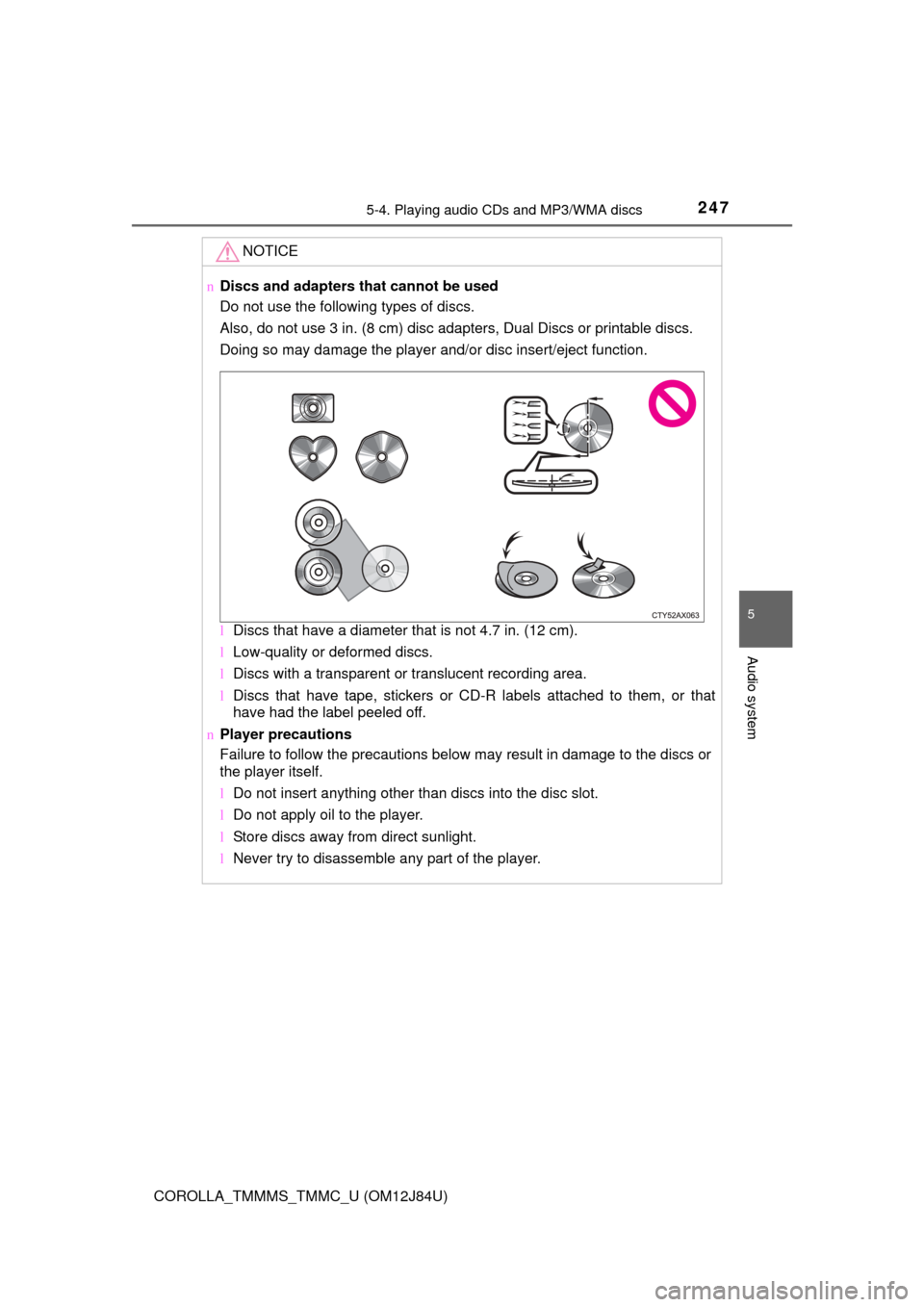
nDiscs and adapters that cannot be used
Do not use the following types of discs.
Also, do not use 3 in. (8 cm) disc adapters, Dual Discs or printable discs.
Doing so may damage the player and/or disc insert/eject function.
lDiscs that have a diameter that is not 4.7 in. (12 cm).
l Low-quality or deformed discs.
l Discs with a transparent or translucent recording area.
l Discs that have tape, stickers or CD-R labels attached to them, or that
have had the label peeled off.
n Player precautions
Failure to follow the precautions below may result in damage to the discs or
the player itself.
lDo not insert anything other than discs into the disc slot.
l Do not apply oil to the player.
l Store discs away from direct sunlight.
l Never try to disassemble any part of the player.
Page 249 of 620
2495-5. Using an external device
5
Audio system
COROLLA_TMMMS_TMMC_U (OM12J84U)
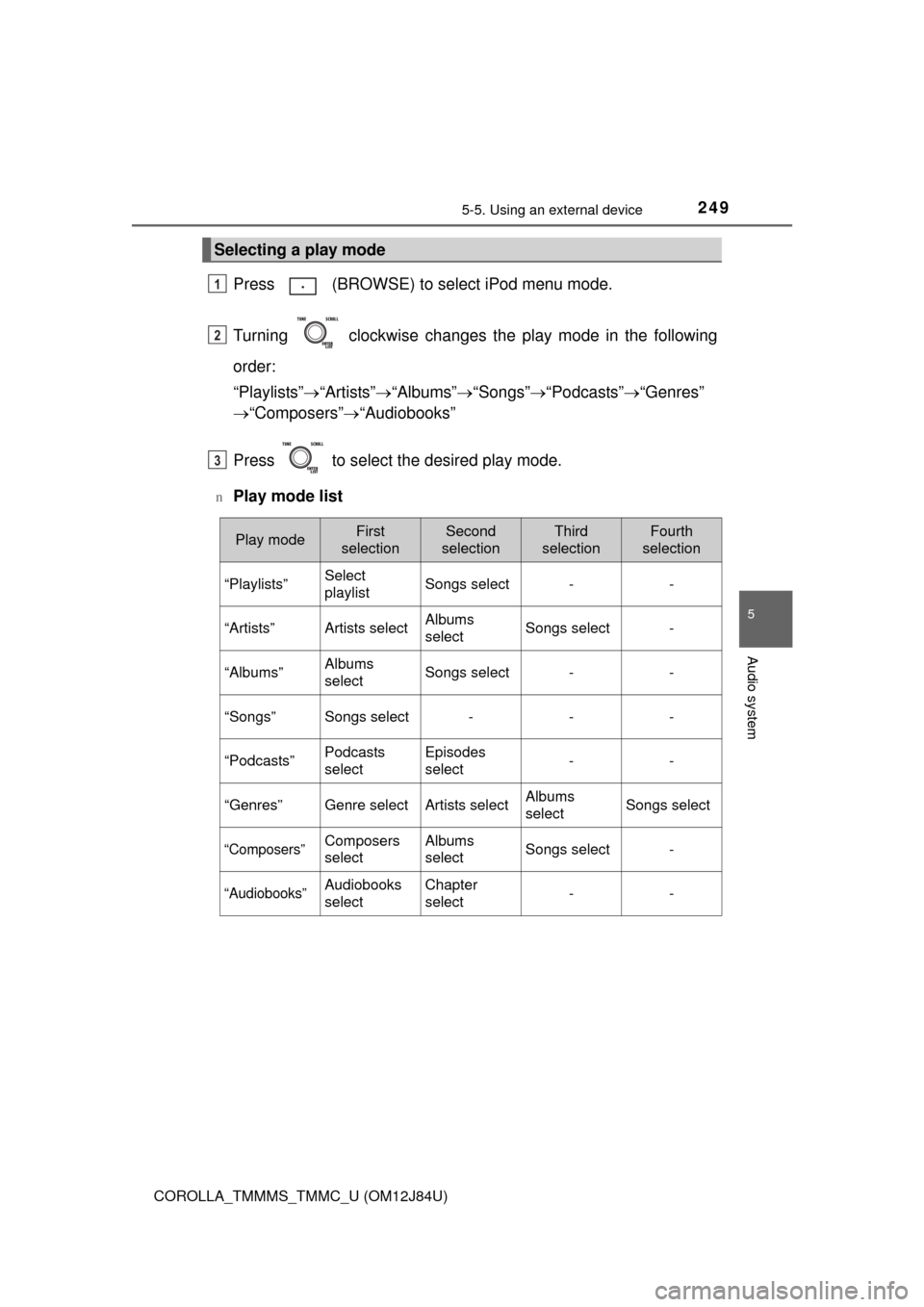
Press (BROWSE) to select iPod menu mode.
Turning clockwise changes the play mode in the following
order:
“Playlists” “Artists” “Albums” “Songs” “Podcasts” “Genres”
“Composers” “Audiobooks”
Press to select the desired play mode.
nPlay mode list
Selecting a play mode
1
2
3
Play modeFirst
selectionSecond
selectionThird
selectionFourth
selection
“Playlists”Select
playlistSongs select--
“Artists”Artists selectAlbums
selectSongs select-
“Albums”Albums
selectSongs select--
“Songs”Songs select---
“Podcasts”Podcasts
selectEpisodes
select--
“Genres”Genre selectArtists selectAlbums
selectSongs select
“Composers”Composers
selectAlbums
selectSongs select-
“Audiobooks”Audiobooks
selectChapter
select--
Page 251 of 620
2515-5. Using an external device
5
Audio system
COROLLA_TMMMS_TMMC_U (OM12J84U)
Pressing (RDM) changes the shuffle playback mode in the fol-
lowing order:
Track shuffle Album shuffle Off.
Press to display or hide the album title.
If there is additional text, is displayed.
Press and hold to display the remaining text.
Press to enter iPod menu mode.
Press to change sound modes. ( P. 235)
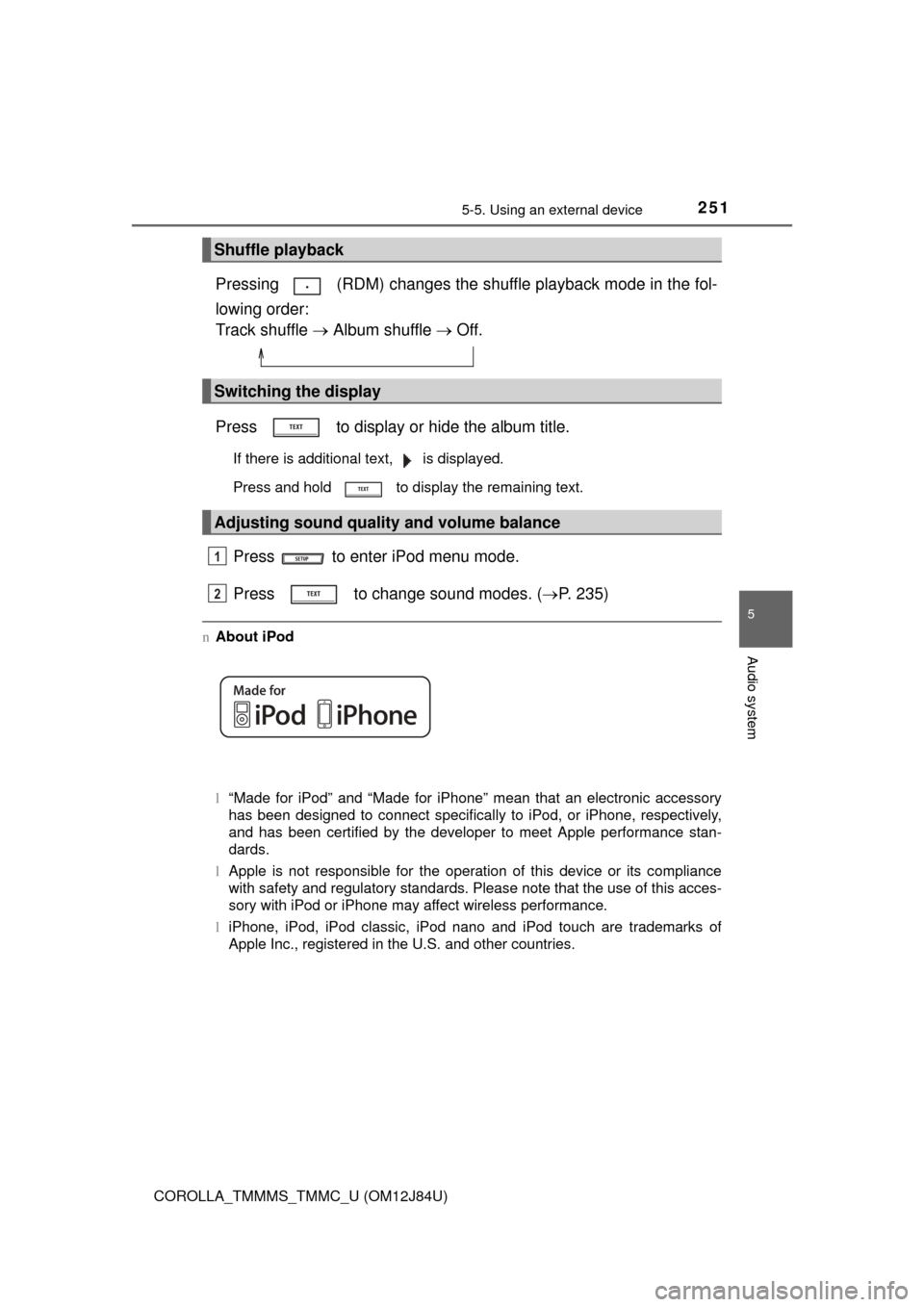
nAbout iPod
l“Made for iPod” and “Made for iPhone” mean that an electronic accessory
has been designed to connect specifically to iPod, or iPhone, respectively,
and has been certified by the developer to meet Apple performance stan-
dards.
l Apple is not responsible for the operation of this device or its compliance
with safety and regulatory standards. Please note that the use of this acces-
sory with iPod or iPhone may affect wireless performance.
l iPhone, iPod, iPod classic, iPod nano and iPod touch are trademarks of
Apple Inc., registered in the U.S. and other countries.
Shuffle playback
Switching the display
Adjusting sound quality and volume balance
1
2
Page 252 of 620

2525-5. Using an external device
COROLLA_TMMMS_TMMC_U (OM12J84U)n
iPod functions
lWhen an iPod is connected and the audio source is changed to iPod mode,
the iPod will resume play from the same point in which it was last used.
l Depending on the iPod that is connected to the system, certain functions
may not be available. If a function is unavailable due to a malfunction (as
opposed to a system specification), disconnecting the device and recon-
necting it once again may resolve the problem.
l While connected to the system, the iPod cannot be operated with its own
controls. It is necessary to use the controls of the vehicle’s audio system
instead.
l When the battery level of an iPod is very low, the iPod may not operate. If
so, charge the iPod before use.
l Supported models ( P. 254)
n iPod problems
To resolve most problems encountered when using your iPod, disconnect
your iPod from the vehicle iPod connection and reset it.
For instructions on how to reset your iPod, refer to your iPod Owner’s Man-
ual.
n Display
P. 243