window TOYOTA COROLLA 2019 (in English) Owner's Guide
[x] Cancel search | Manufacturer: TOYOTA, Model Year: 2019, Model line: COROLLA, Model: TOYOTA COROLLA 2019Pages: 608, PDF Size: 10.15 MB
Page 302 of 608
3025-6. Using an external device
COROLLA_TMMMS_TMMC_U
■USB memory functions
●Depending on the USB memory device that is connected to the sys tem, the
device itself may not be operable and certain functions may not be avail-
able. If the device is inoperable or a function is unavailable due to a mal-
function (as opposed to a system specification), disconnecting the device
and reconnecting it may resolve the problem.
● If the USB memory device still does not begin operation after b eing discon-
nected and reconnected, format the memory.
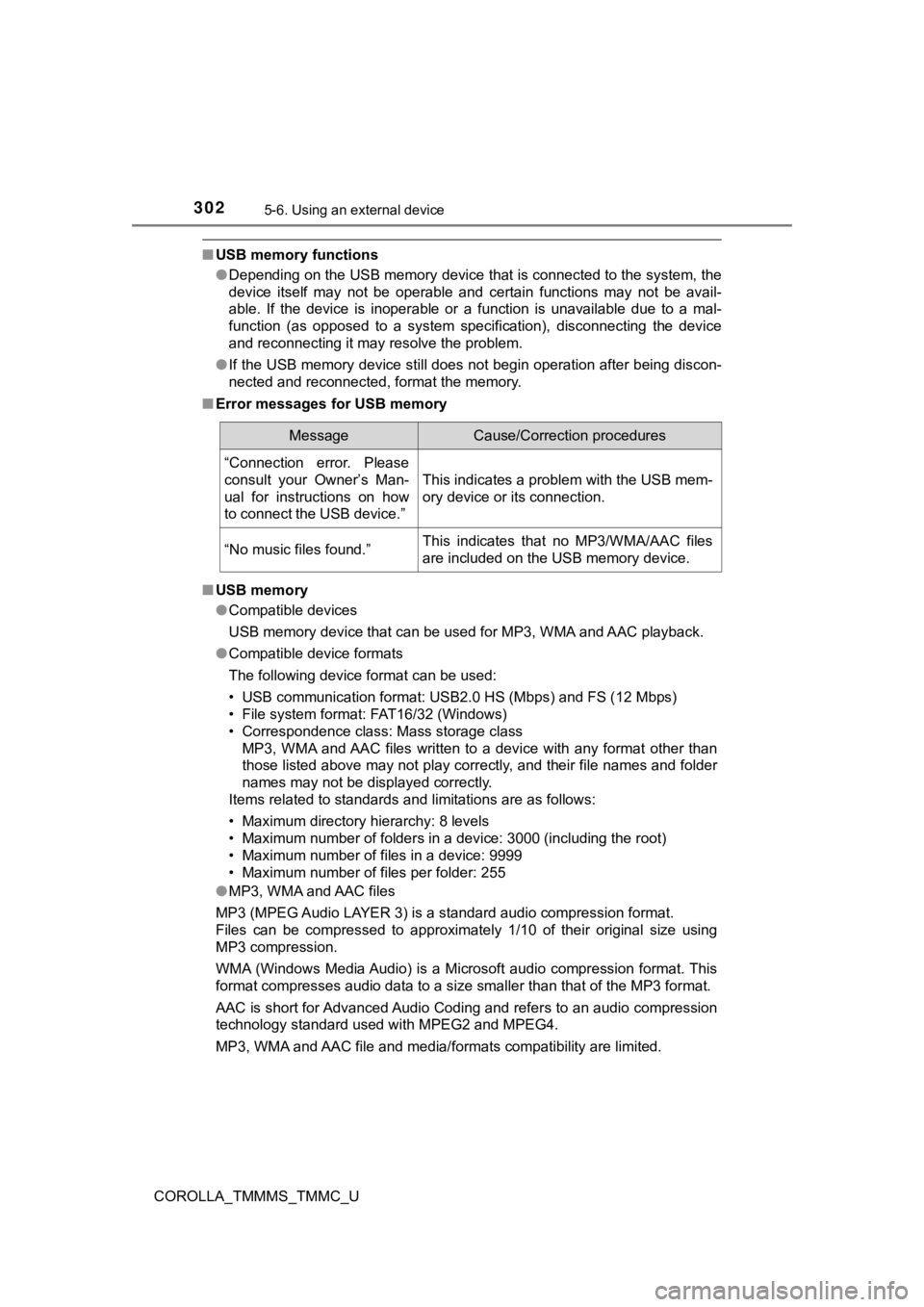
■ Error messages for USB memory
■ USB memory
●Compatible devices
USB memory device that can be used for MP3, WMA and AAC playbac k.
● Compatible device formats
The following device format can be used:
• USB communication format: USB 2.0 HS (Mbps) and FS (12 Mbps)
• File system format: FAT16/32 (Windows)
• Correspondence class: Mass storage class MP3, WMA and AAC files written to a device with any format othe r than
those listed above may not play correctly, and their file names and folder
names may not be displayed correctly.
Items related to standards and limitations are as follows:
• Maximum directory hierarchy: 8 levels
• Maximum number of folders in a device: 3000 (including the roo t)
• Maximum number of files in a device: 9999
• Maximum number of files per folder: 255
● MP3, WMA and AAC files
MP3 (MPEG Audio LAYER 3) is a standard audio compression format .
Files can be compressed to approximately 1/10 of their original size using
MP3 compression.
WMA (Windows Media Audio) is a Microsoft audio compression format. This
format compresses audio data to a size smaller than that of the MP3 format.
AAC is short for Advanced Audio Coding and refers to an audio c ompression
technology standard used with MPEG2 and MPEG4.
MP3, WMA and AAC file and media/ formats compatibility are limited.
MessageCause/Correction procedures
“Connection error. Please
consult your Owner’s Man-
ual for instructions on how
to connect the USB device.”
This indicates a problem with the USB mem-
ory device or its connection.
“No music files found.”This indicates that no MP3/WMA/AAC files
are included on the USB memory device.
Page 304 of 608

3045-6. Using an external device
COROLLA_TMMMS_TMMC_U●
MP3, WMA and AAC playback
• When a device containing MP3, WMA and AAC files is connected, all
files in the USB memory device are checked. Once the file check is fin-
ished, the first MP3, WMA and AAC file is played. To make the f ile check
finish more quickly, we recommend that you do not include any f iles other
than MP3, WMA and AAC files or create any unnecessary folders.
• When a USB memory device is connected and the audio source is
changed to USB memory mode, the USB memory device will start pl ay-
ing the first file in the first folder. If the same device is r emoved and
reconnected (and the con- tents have not been changed), the USB mem-
ory device will resume play from the same point in which it was last used.
● Extensions
If the file extensions .mp3, .wma and .m4a are used for files o ther than
MP3, WMA and AAC files, they will be skipped (not played).
● Playback
• To play MP3 files with steady sound quality, we recommend a fi xed bit
rate of at least 128 kbps and a sampling frequency of 44.1 kHz.
• There is a wide variety of freeware and other encoding software for MP3, WMA and AAC files on the market, and depending on the status of the
encoding and the file format, poor sound quality or noise at th e start of
playback may result. In some cases, playback may not be possible at all.
• Microsoft, Windows, and Windows Media are the registered trade marks
of Microsoft Corporation in the U.S.A. and other countries.
WARNING
■ While driving
Do not connect a USB memory device or operate the device contro ls.
NOTICE
■To prevent damage to the USB memory device or its terminals
● Do not leave the USB memory device in the vehicle. The temperat ure
inside the vehicle may become high, resulting in damage to the USB
memory device.
● Do not push down on or apply unnecessary pressure to the USB me mory
device while it is connected.
● Do not insert foreign objects into the port.
Page 355 of 608

355
5
Audio system
COROLLA_TMMMS_TMMC_U
5-10. Bluetooth®
■When using the Bluetooth® audio system
● In the following conditions, the system may not function.
• If the portable audio player is turned off
• If the portable audio player is not connected
• If the portable audio player’s battery is low
● There may be a delay if a cellular phone connection is made dur ing
Bluetooth
® audio play.
● Depending on the type of portable audio player that is connecte d to the sys-
tem, operation may differ slightly and certain functions may no t be available.
■ When using the hands-free system
●Entune Audio is muted when making a call.
● If both parties speak at the same time, it may be difficult to hear.
● If the received call volume is overly loud, an echo may be heard.
If the Bluetooth
® phone is too close to the system, quality of the sound may
deteriorate and connection status may deteriorate.
● In the following circumstances, it may be difficult to hear the other party:
• When driving on unpaved roads
• When driving at high speeds
• If a roof or window is open
• If the air conditioning is blowing directly on the microphone
• If there is interference from the network of the cellular phon e
■ Conditions under which the system will not operate
●If using a cellular phone that does not support Bluetooth
®
●If the cellular phone is turned off
● If you are outside of cellular phone service coverage
● If the cellular phone is not connected
● If the cellular phone’s battery is low
● When outgoing calls are controlled, due to heavy traffic on tel ephone lines,
etc.
● When the cellular phone itself cannot be used
● When transferring contact data from the cellular phone
Bluetooth®
Page 360 of 608
3605-11. Using the voice command system
COROLLA_TMMMS_TMMC_U
■Microphone
P. 323
■ When using the microphone
●It is unnecessary to speak directly into the microphone when gi ving a com-
mand.
● When “Voice Prompt Interrupt” set to on, it is not necessary to wait for the
confirmation beep before speaking a command. ( P. 283)
● Voice commands may not be recognized if:
• Spoken too quickly.
• Spoken at a low or high volume.
• The roof or windows are open.
• Passengers are talking while voice commands are spoken.
• The air conditioning speed is set high.
• The air conditioning vents are turned towards the microphone.
● In the following conditions, the system may not recognize the command
properly and using voice commands may not be possible:
• The command is incorrect or unclear. Note that certain words, accents or
speech patterns may be difficult for the system to recognize.
• There is excessive background noise, such as wind noise.
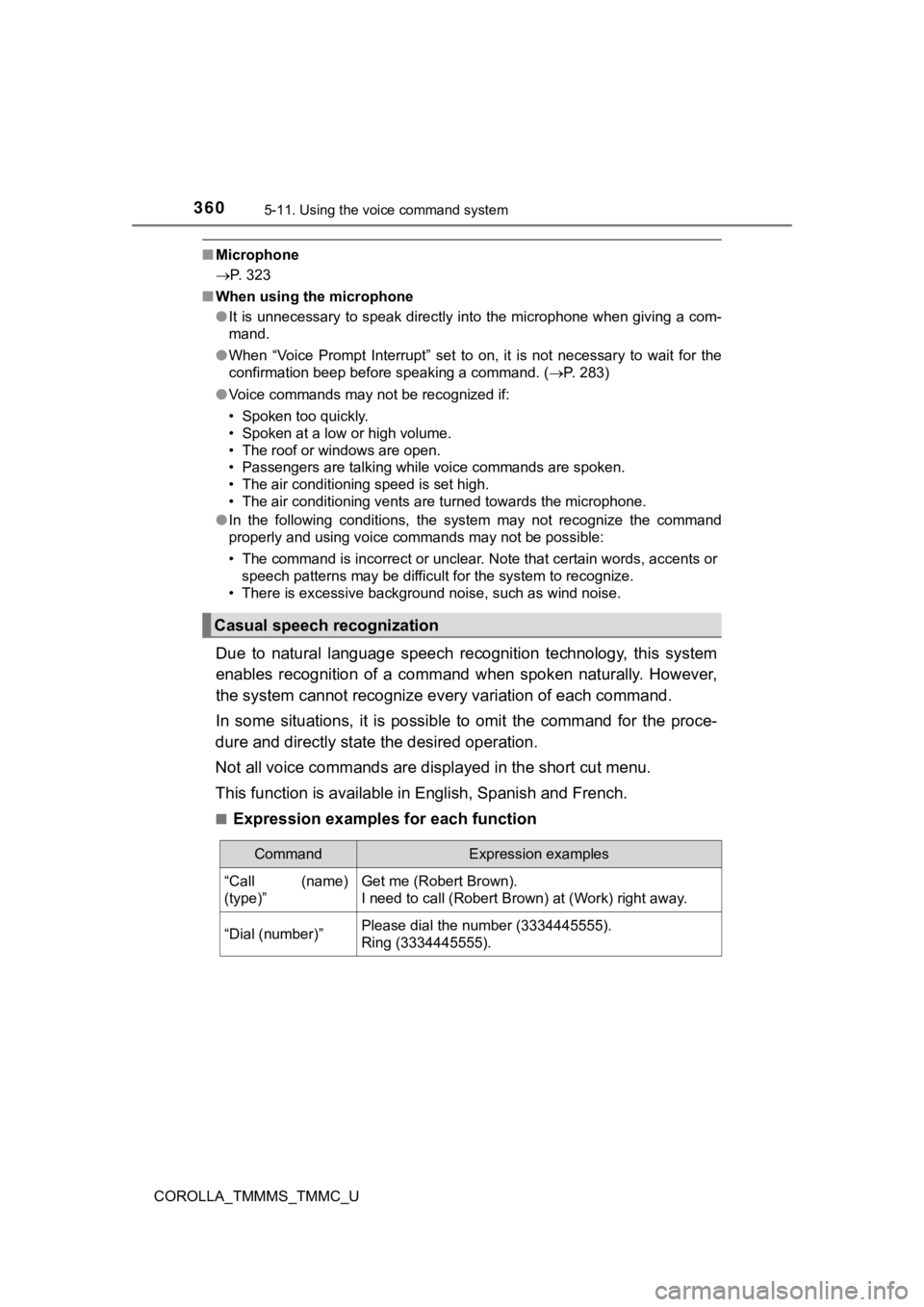
Due to natural language speech recognition technology, this sys tem
enables recognition of a command when spoken naturally. However ,
the system cannot recognize ever y variation of each command.
In some situations, it is possi ble to omit the command for the proce-
dure and directly state the desired operation.
Not all voice commands are displayed in the short cut menu.
This function is available in English, Spanish and French.
■Expression examples for each function
Casual speech recognization
CommandExpression examples
“Call (name)
(type)”Get me (Robert Brown).
I need to call (Robert Brown) at (Work) right away.
“Dial (number)”Please dial the number (3334445555).
Ring (3334445555).
Page 368 of 608
3686-1. Using the air conditioning system and defogger
COROLLA_TMMMS_TMMC_U■
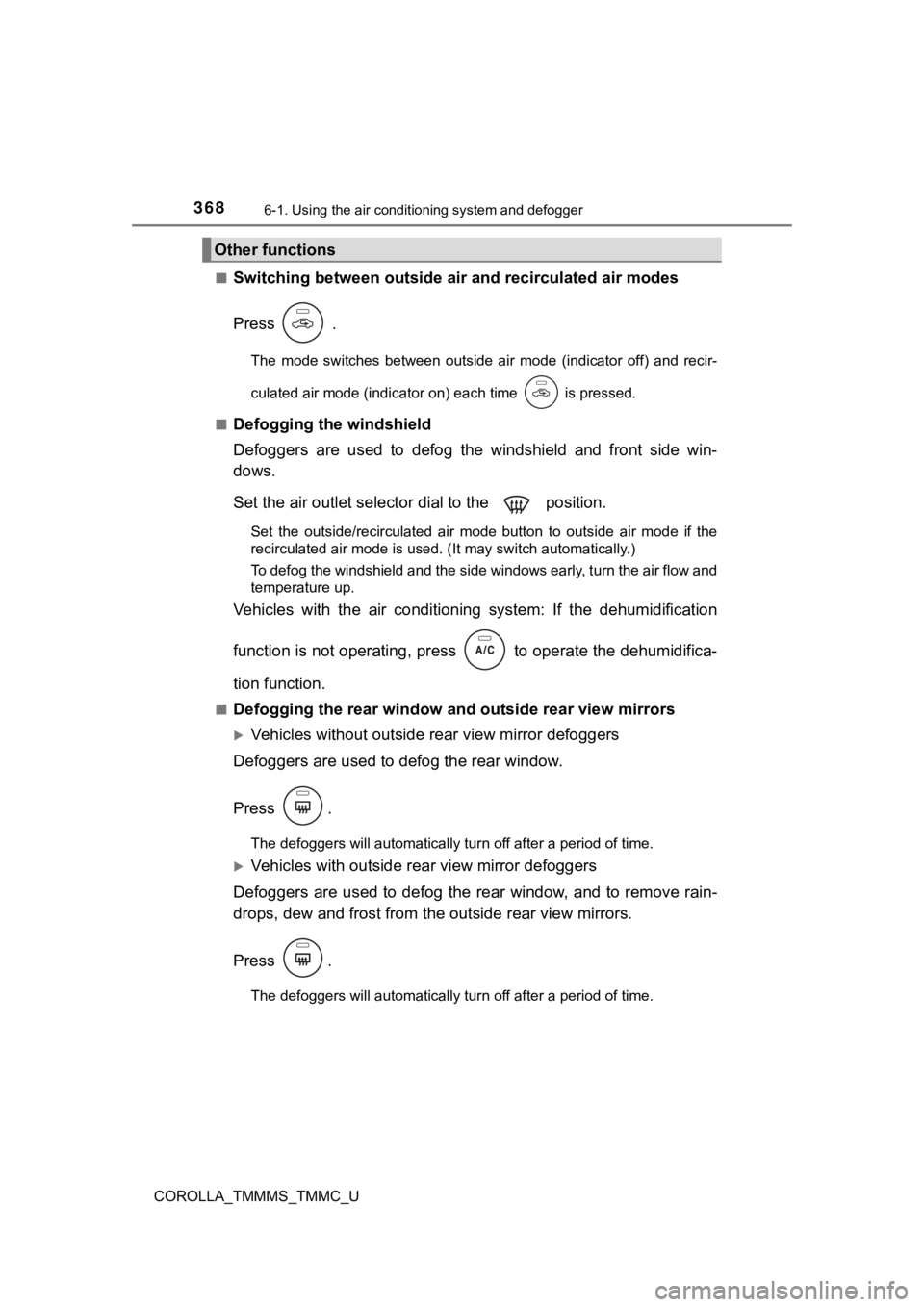
Switching between outside air
and recirculated air modes
Press .
The mode switches between outside air mode (indicator off) and recir-
culated air mode (indicator on) each time is pressed.
■
Defogging the windshield
Defoggers are used to defog the windshield and front side win-
dows.
Set the air outlet selec tor dial to the position.
Set the outside/recirculated air mode button to outside air mod e if the
recirculated air mode is used. (It may switch automatically.)
To defog the windshield and the side windows early, turn the ai r flow and
temperature up.
Vehicles with the air conditioni ng system: If the dehumidificat ion
function is not operating, press to operate the dehumidifica-
tion function.
■Defogging the rear window and outside rear view mirrors
Vehicles without outside rear view mirror defoggers
Defoggers are used to defog the rear window.
Press .
The defoggers will automatically turn off after a period of tim e.
Vehicles with outside rear view mirror defoggers
Defoggers are used to defog the rear window, and to remove rain -
drops, dew and frost from the outside rear view mirrors.
Press .
The defoggers will automatically turn off after a period of tim e.
Other functions
Page 371 of 608
3716-1. Using the air conditioning system and defogger
6
Interior features
COROLLA_TMMMS_TMMC_U
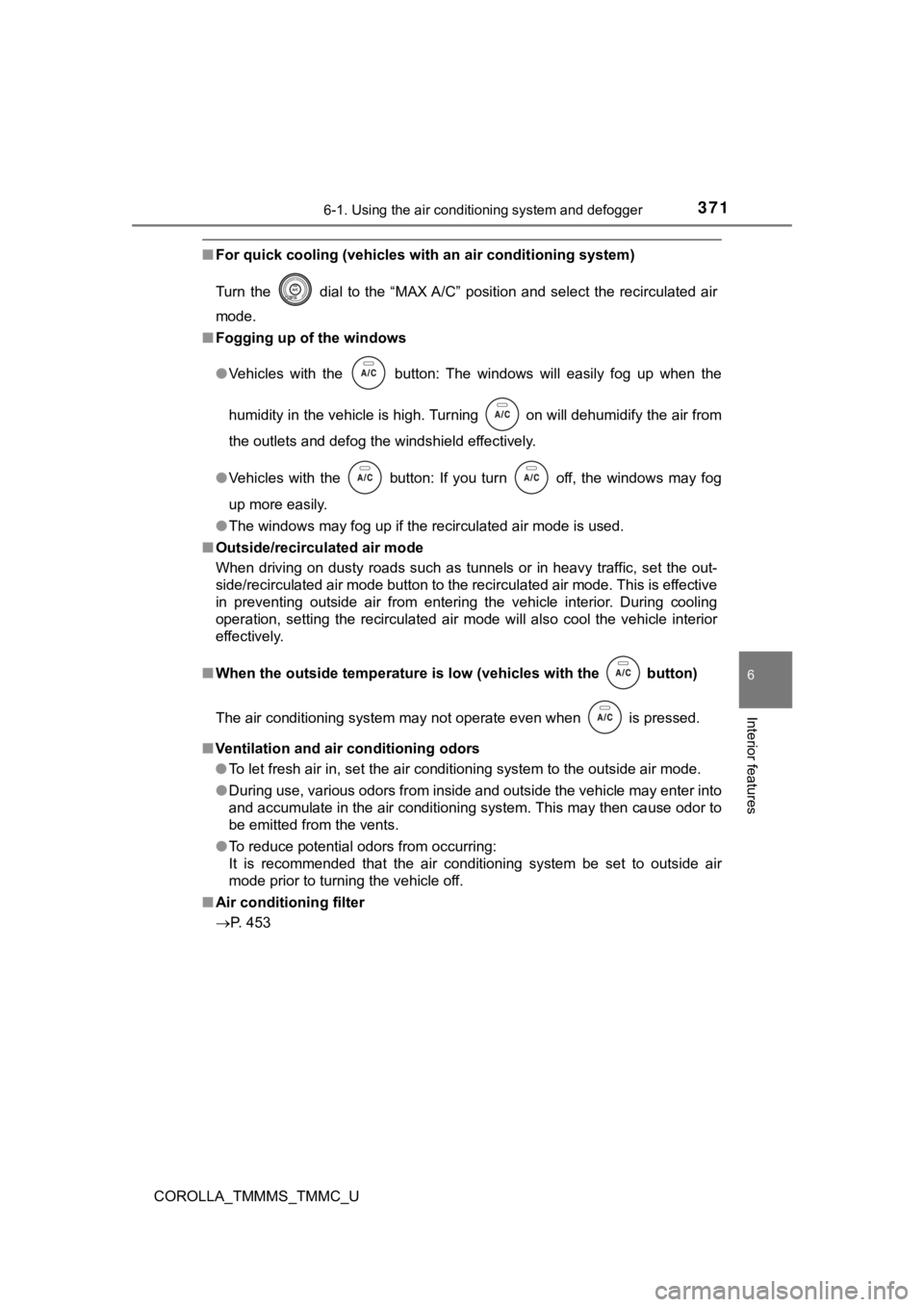
■For quick cooling (vehicles with an air conditioning system)
Turn the dial to the “MAX A/C” position and select the recircu lated air
mode.
■ Fogging up of the windows
●Vehicles with the button: The windows will easily fog up when the
humidity in the vehicle is high. Turning on will dehumidify th e air from
the outlets and defog the windshield effectively.
● Vehicles with the button: If you turn off, the windows may fog
up more easily.
● The windows may fog up if the recirculated air mode is used.
■ Outside/recirculated air mode
When driving on dusty roads such as tunnels or in heavy traffic, set the out-
side/recirculated air mode button to the recirculated air mode. This is effective
in preventing outside air from entering the vehicle interior. During cooling
operation, setting the recirculated air mode will also cool the vehicle interior
effectively.
■ When the outside temperature is low (vehicles with the button)
The air conditioning system may not operate even when
is pressed.
■ Ventilation and air conditioning odors
●To let fresh air in, set the air conditioning system to the out side air mode.
● During use, various odors from inside and outside the vehicle m ay enter into
and accumulate in the air conditioning system. This may then ca use odor to
be emitted from the vents.
● To reduce potential odors from occurring:
It is recommended that the air conditioning system be set to ou tside air
mode prior to turning the vehicle off.
■ Air conditioning filter
P. 453
Page 374 of 608
3746-1. Using the air conditioning system and defogger
COROLLA_TMMMS_TMMC_U■
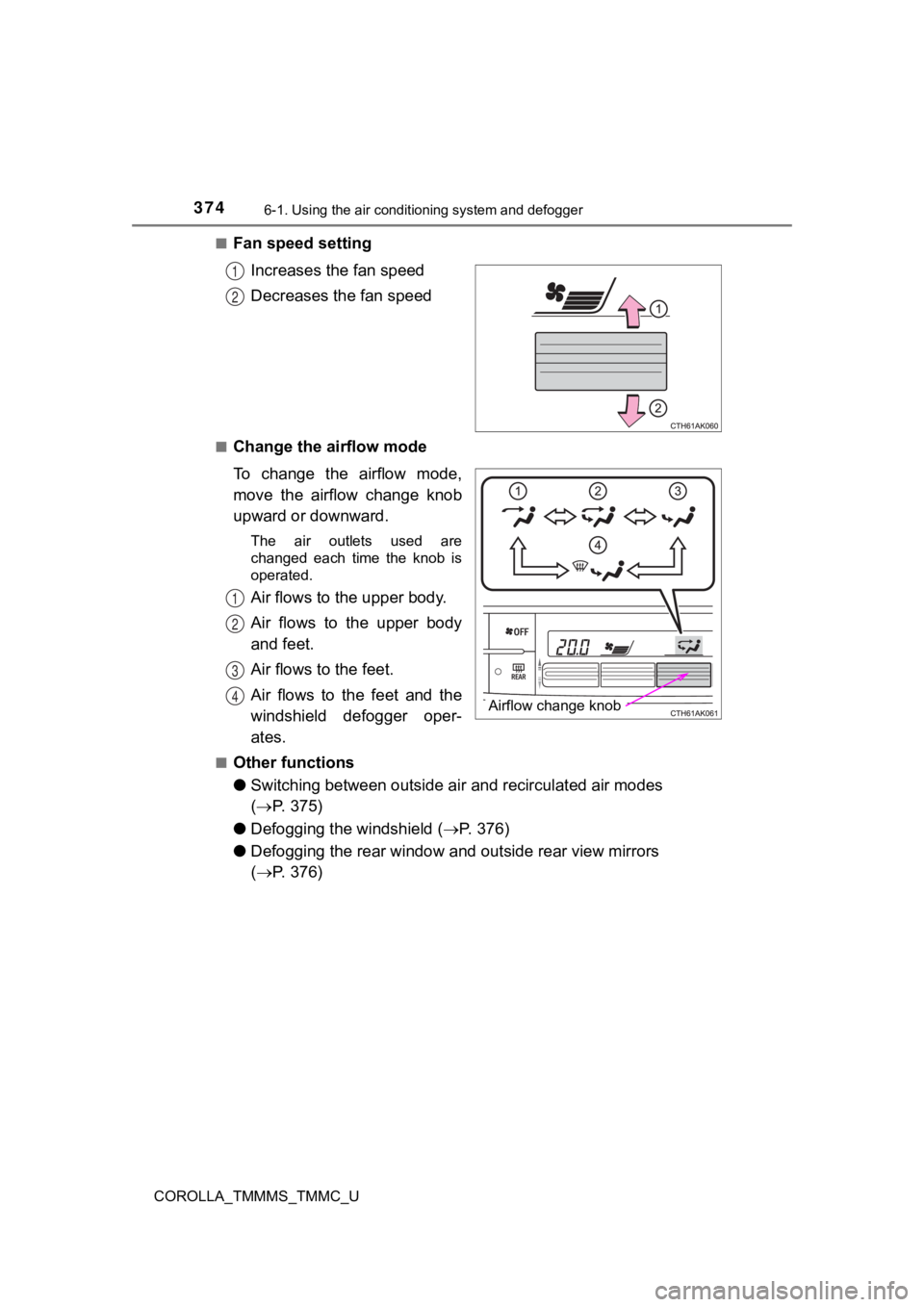
Fan speed setting
Increases the fan speed
Decreases the fan speed
■Change the airflow mode
To change the airflow mode,
move the airflow change knob
upward or downward.
The air outlets used are
changed each time the knob is
operated.
Air flows to the upper body.
Air flows to the upper body
and feet.
Air flows to the feet.
Air flows to the feet and the
windshield defogger oper-
ates.
■Other functions
●Switching between outside air and recirculated air modes
( P. 375)
● Defogging the windshield ( P. 3 7 6 )
● Defogging the rear window and outside rear view mirrors
( P. 376)
1
2
Airflow change knob
N
O
P
Q
Page 376 of 608
3766-1. Using the air conditioning system and defogger
COROLLA_TMMMS_TMMC_U■
Defogging the windshield
Defoggers are used to defog the windshield and front side win-
dows.
Press .
The dehumidification function operates and fan speed increases.
Set the outside/recirculated air mode button to the outside air mode if the
recirculated air mode is used. (It may switch automatically.)
To defog the windshield and the front side windows early, turn
the air flow
and temperature up.
To return to the previous mode, press again when the windshield is
defogged.
■
Defogging the rear window and outside rear view mirrors
Defoggers are used to defog the rear window, and to remove rain -
drops, dew and frost from the outside rear view mirrors.
Press .
The defoggers will automatically turn off after a period of tim e.
■
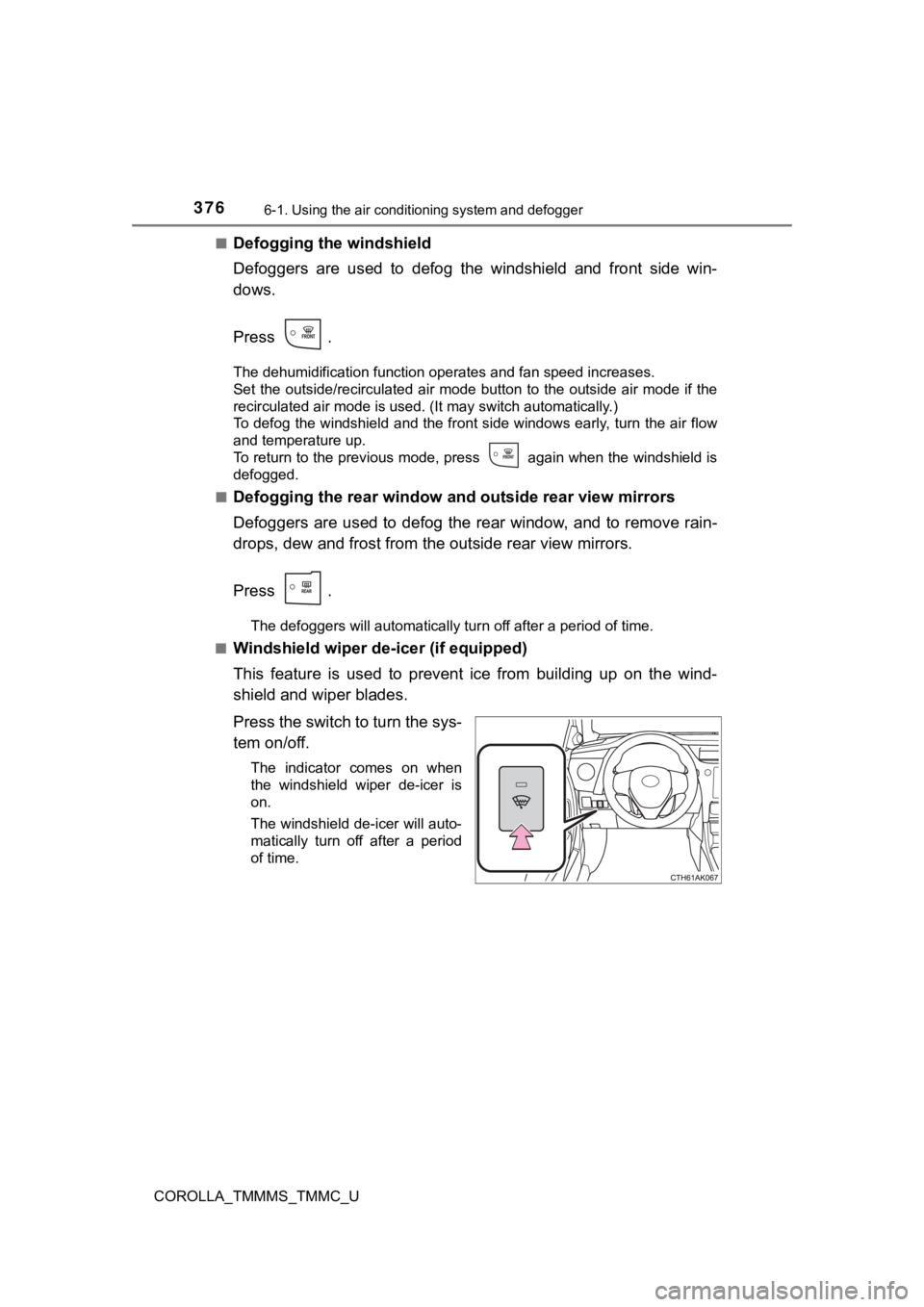
Windshield wiper de -icer (if equipped)
This feature is used to prevent ice from building up on the win d-
shield and wiper blades.
Press the switch to turn the sys-
tem on/off.
The indicator comes on when
the windshield wiper de-icer is
on.
The windshield de-icer will auto-
matically turn off after a period
of time.
Page 379 of 608

3796-1. Using the air conditioning system and defogger
6
Interior features
COROLLA_TMMMS_TMMC_U■
Fogging up of the windows
●The windows will easily fog up when the humidity in the vehicle is high.
Turning on will dehumidify the air from the outlets and defog the wind-
shield effectively.
● If you turn off, the windows may fog up more easily.
● The windows may fog up if the recirculated air mode is used.
■ Outside/recirculated air mode
●When driving on dusty roads such as tunnels or in heavy traffic, set the out-
side/recirculated air mode button to recirculated air mode. Thi s is effective in
preventing outside air from entering the vehicle interior. Duri ng cooling oper-
ation, setting the recirculated air mode will also cool the vehicle interior
effectively.
● Outside/recirculated air mode may automatically switch dependin g on the
temperature setting or the inside temperature.
Page 408 of 608
408
COROLLA_TMMMS_TMMC_U
7-1. Maintenance and care
●Working from top to bottom, liberally apply water to the vehicl e
body, wheel wells and underside of the vehicle to remove any di rt
and dust.
● Wash the vehicle body using a sponge or soft cloth, such as a
chamois.
● For hard-to-remove marks, use car wash soap and rinse thoroughl y
with water.
● Wipe away any water.
● Wax the vehicle when the wate rproof coating deteriorates.
If water does not bead on a clean surface, apply wax when the v ehicle
body is cool.
■ Automatic car washes
●Fold the mirrors before washing the vehicle. Start washing from the front of
the vehicle. Make sure to extend the mirrors before driving.
● Brushes used in automatic car washes may scratch the vehicle su rface and
harm your vehicle's paint.
● Vehicles with a rear spoiler: In certain automatic car washes, the rear spoiler
may interfere with machine operation. This may prevent the vehicle from
being cleaned properly or result in damage to the rear spoiler.
■ High pressure car washes
●Do not allow the nozzles of the car wash to come within close p roximity of
the windows.
● Before using the car wash, check that the fuel filler door on y our vehicle is
closed properly.
Cleaning and prot ecting the vehicle
exterior
Perform the following to protect the vehicle and maintain it in
prime condition: