audio TOYOTA COROLLA 2019 Owners Manual (in English)
[x] Cancel search | Manufacturer: TOYOTA, Model Year: 2019, Model line: COROLLA, Model: TOYOTA COROLLA 2019Pages: 608, PDF Size: 10.15 MB
Page 1 of 608
COROLLA_TMMMS_TMMC_U
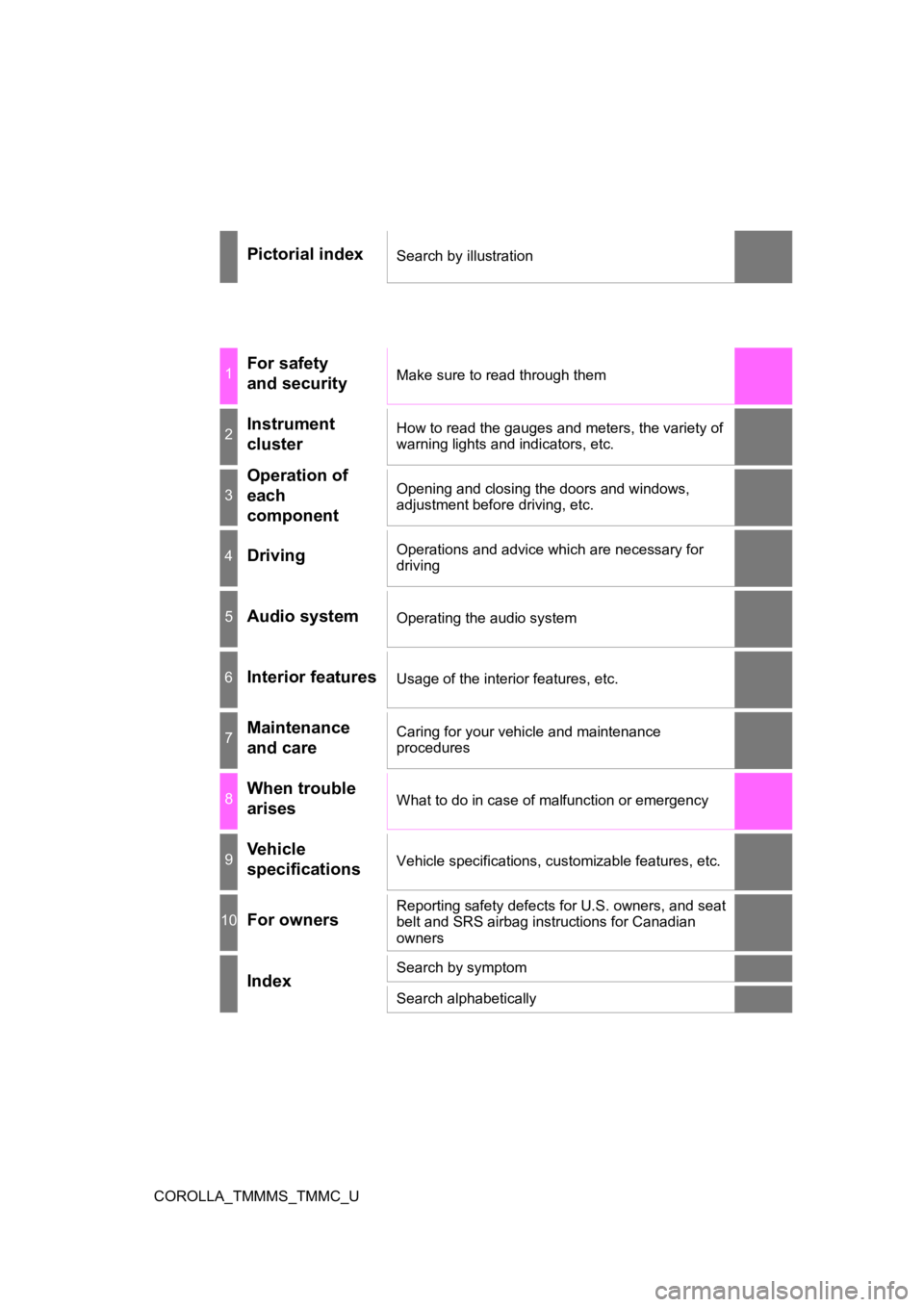
Pictorial indexSearch by illustration
1For safety
and securityMake sure to read through them
2Instrument
clusterHow to read the gauges and meters, the variety of
warning lights and indicators, etc.
3
Operation of
each
componentOpening and closing the doors and windows,
adjustment before driving, etc.
4DrivingOperations and advice which are necessary for
driving
5Audio systemOperating the audio system
6Interior featuresUsage of the interior features, etc.
7Maintenance
and careCaring for your vehicle and maintenance
procedures
8When trouble
arisesWhat to do in case of malfunction or emergency
9Vehicle
specificationsVehicle specifications, customizable features, etc.
10For ownersReporting safety defects for U.S. owners, and seat
belt and SRS airbag instructions for Canadian
owners
IndexSearch by symptom
Search alphabetically
Page 4 of 608

TABLE OF CONTENTS4
COROLLA_TMMMS_TMMC_U4-4. Refueling
Opening the fuel tank cap .......................... 204
4-5. Using the driving support systems
Toyota Safety Sense P ..... 207
PCS (Pre-Collision System) .... 214
LDA (Lane Departure Alert with steering
control) ............................ 226
Dynamic radar cruise control ............................. 235
Rear view monitor system............................. 247
Driving assist systems....... 257
4-6. Driving tips Winter driving tips.............. 263
5-1. Basic Operations Audio system types ........... 270
Steering wheel audio switches .......................... 271
AUX port/USB port ............ 272
Entune Audio..................... 273
Basic audio operations ...... 276
5-2. Setup Setup menu ....................... 278
General settings ................ 279
Audio settings.................... 281
Display settings ................. 282
Voice settings .................... 283 5-3. Using Entune Audio
Selecting the audio source.............................. 284
List screen operation ......... 285
Optimal use of Entune Audio ................... 287
5-4. Using the radio Radio operation ................. 288
5-5. Playing an audio CD and MP3/WMA/AAC discs
CD player operation........... 290
5-6. Using an external device
Listening to an iPod ........... 296
Listening to a USB memory device ................ 301
Using the AUX port ............ 305
5-7. Connecting Bluetooth
®
Preparations to use wireless
communication ................ 306
Registering a Bluetooth
®
audio player for the
first time ........................... 310
Registering a Bluetooth
®
phone for the
first time ........................... 311
Registering a Bluetooth
®
device .............................. 312
Connecting a Bluetooth
®
device .............................. 315
Displaying a Bluetooth
®
device details................... 318
Detailed Bluetooth
®
system settings................ 319
5Audio system
Page 5 of 608
5
1
9 8 6 5
4
3
2
COROLLA_TMMMS_TMMC_U
10
7
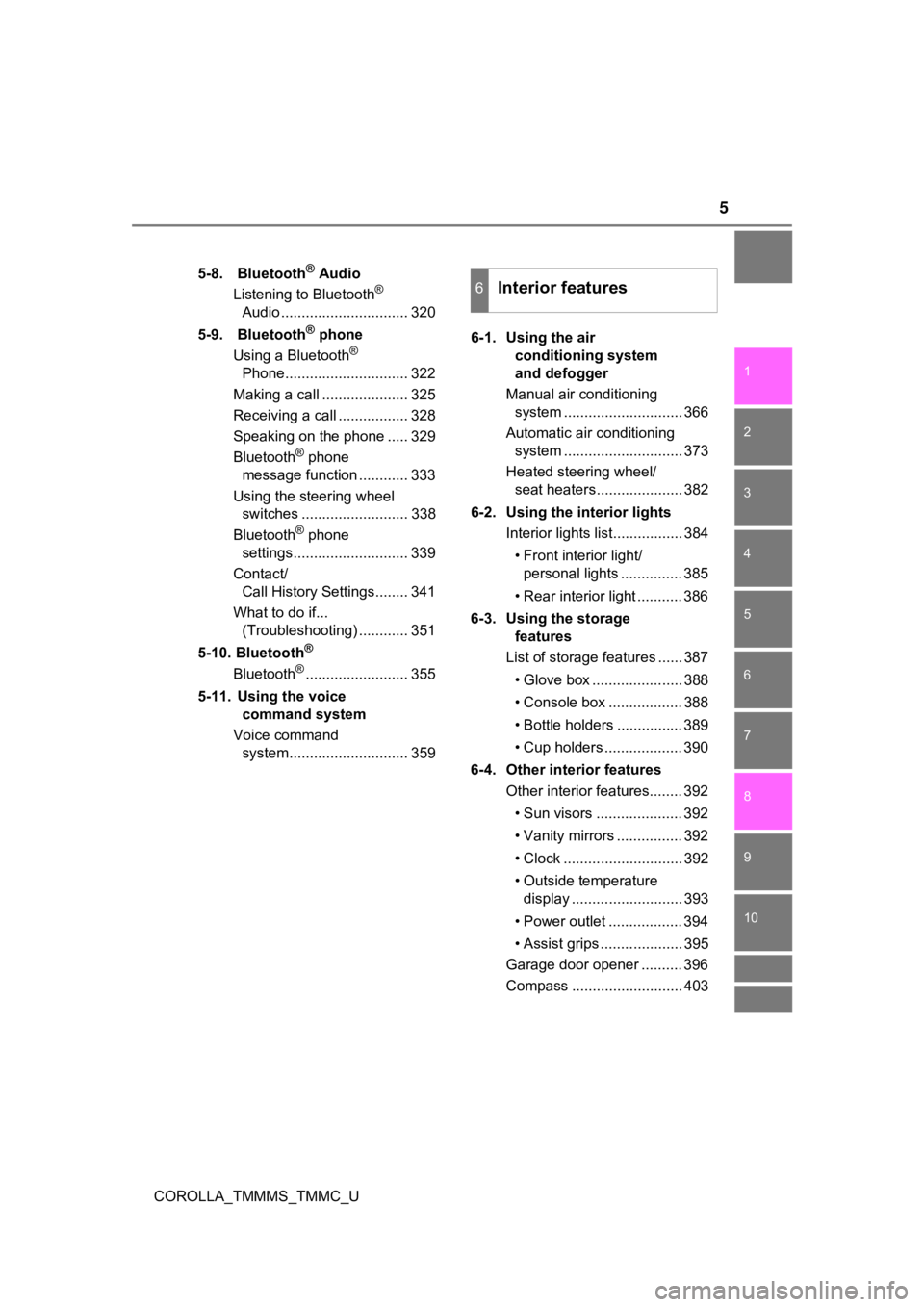
5-8. Bluetooth® Audio
Listening to Bluetooth®
Audio ............................... 320
5-9. Bluetooth
® phone
Using a Bluetooth®
Phone.............................. 322
Making a call ..................... 325
Receiving a call ................. 328
Speaking on the phone ..... 329
Bluetooth
® phone
message function ............ 333
Using the steering wheel switches .......................... 338
Bluetooth
® phone
settings............................ 339
Contact/ Call History Settings........ 341
What to do if... (Troubleshooting) ............ 351
5-10. Bluetooth
®
Bluetooth®......................... 355
5-11. Using the voice command system
Voice command system............................. 359 6-1. Using the air
conditioning system
and defogger
Manual air conditioning system ............................. 366
Automatic air conditioning system ............................. 373
Heated steering wheel/ seat heaters..................... 382
6-2. Using the interior lights Interior lights list................. 384
• Front interior light/personal lights ............... 385
• Rear interior light ........... 386
6-3. Using the storage features
List of storage features ...... 387
• Glove box ...................... 388
• Console box .................. 388
• Bottle holders ................ 389
• Cup holders ................... 390
6-4. Other interior features Other interior features........ 392
• Sun visors ..................... 392
• Vanity mirrors ................ 392
• Clock ............................. 392
• Outside temperature display ........................... 393
• Power outlet .................. 394
• Assist grips .................... 395
Garage door opener .......... 396
Compass ........................... 403
6Interior features
Page 7 of 608
7
1
9 8 6 5
4
3
2
COROLLA_TMMMS_TMMC_U
10
7
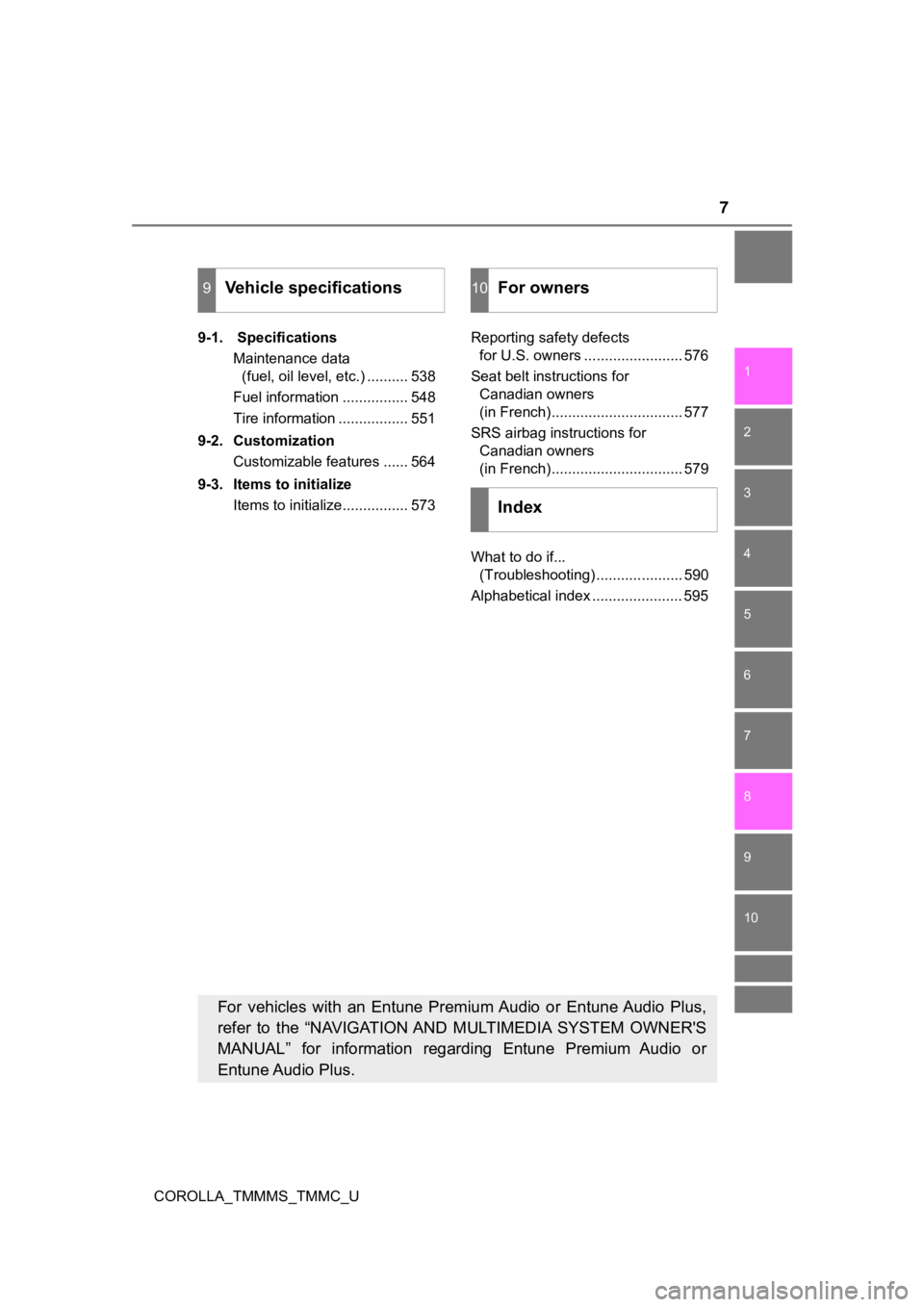
9-1. SpecificationsMaintenance data (fuel, oil level, etc.) .......... 538
Fuel information ................ 548
Tire information ................. 551
9-2. Customization Customizable features ...... 564
9-3. Items to initialize Items to initialize................ 573 Reporting safety defects
for U.S. owners ........................ 576
Seat belt instructions for Canadian owners
(in French)................................ 577
SRS airbag instructions for Canadian owners
(in French)................................ 579
What to do if... (Troubleshooting) ..................... 590
Alphabetical index ...................... 595
9Vehicle specifications10For owners
Index
For vehicles with an Entune Premium Audio or Entune Audio Plus,
refer to the “NAVIGATION AND MULTIMEDIA SYSTEM OWNER'S
MANUAL” for information regarding Entune Premium Audio or
Entune Audio Plus.
Page 17 of 608
17Pictorial index
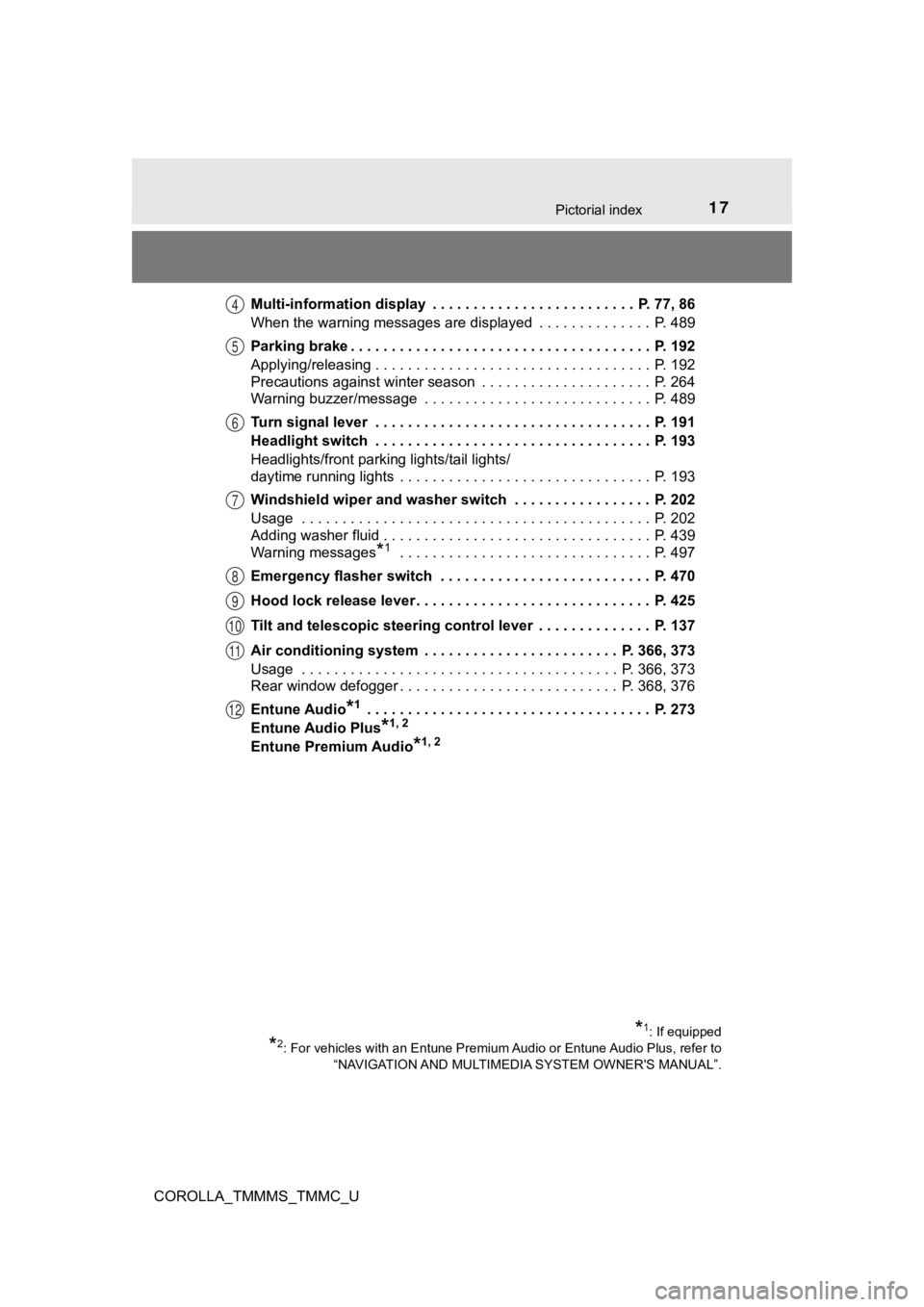
COROLLA_TMMMS_TMMC_UMulti-information display . . . . . . . . . . . . . . . . . . . . . . . . . P. 77, 86
When the warning messages are displayed . . . . . . . . . . . . . . P. 489
Parking brake . . . . . . . . . . . . . . . . . . . . . . . . . . . . . . . . . . . . . P. 192
Applying/releasing . . . . . . . . . . . . . . . . . . . . . . . . . . . . . . . . . . P. 192
Precautions against winter season . . . . . . . . . . . . . . . . . . . . . P. 264
Warning buzzer/message . . . . . . . . . . . . . . . . . . . . . . . . . . . . P. 489
Turn signal lever . . . . . . . . . . . . . . . . . . . . . . . . . . . . . . . . . . P. 191
Headlight switch . . . . . . . . . . . . . . . . . . . . . . . . . . . . . . . . . . P. 193
Headlights/front parking lights/tail lights/
daytime running lights . . . . . . . . . . . . . . . . . . . . . . . . . . . . . . . P. 193
Windshield wiper and washer switch . . . . . . . . . . . . . . . . . P. 202
Usage . . . . . . . . . . . . . . . . . . . . . . . . . . . . . . . . . . . . . . . . . . . P. 202
Adding washer fluid . . . . . . . . . . . . . . . . . . . . . . . . . . . . . . . . . P. 439
Warning messages
*1 . . . . . . . . . . . . . . . . . . . . . . . . . . . . . . . P. 497
Emergency flasher switch . . . . . . . . . . . . . . . . . . . . . . . . . . P. 470
Hood lock release lever. . . . . . . . . . . . . . . . . . . . . . . . . . . . . P. 425
Tilt and telescopic steering control lever . . . . . . . . . . . . . . P. 137
Air conditioning system . . . . . . . . . . . . . . . . . . . . . . . . P. 366, 373
Usage . . . . . . . . . . . . . . . . . . . . . . . . . . . . . . . . . . . . . . . P. 366, 373
Rear window defogger . . . . . . . . . . . . . . . . . . . . . . . . . . . P. 368, 376
Entune Audio
*1 . . . . . . . . . . . . . . . . . . . . . . . . . . . . . . . . . . . P. 273
Entune Audio Plus
*1, 2
Entune Premium Audio
*1, 2
*1: If equipped
*2: For vehicles with an Entune Premium Audio or Entune Audio Plu s, refer to
“NAVIGATION AND MULTIMEDIA SYSTEM OWNER'S MANUAL”.
4
5
6
7
8
9
10
11
12
Page 19 of 608
19Pictorial index
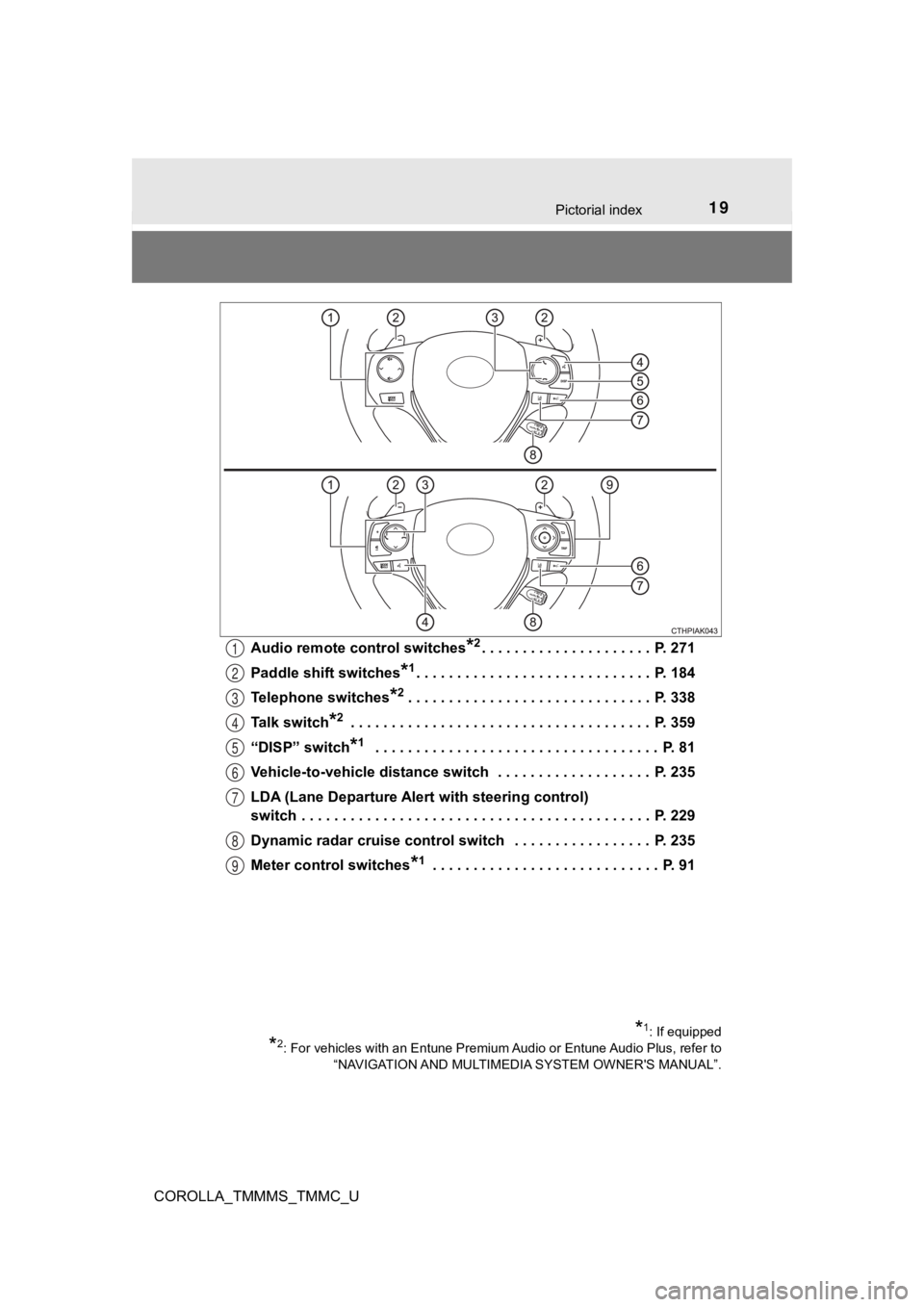
COROLLA_TMMMS_TMMC_UAudio remote control switches
*2. . . . . . . . . . . . . . . . . . . . . P. 271
Paddle shift switches
*1. . . . . . . . . . . . . . . . . . . . . . . . . . . . . P. 18 4
Telephone switches
*2. . . . . . . . . . . . . . . . . . . . . . . . . . . . . . P. 338
Talk switch
*2 . . . . . . . . . . . . . . . . . . . . . . . . . . . . . . . . . . . . . P. 359
“DISP” switch
*1 . . . . . . . . . . . . . . . . . . . . . . . . . . . . . . . . . . . P. 81
Vehicle-to-vehicle distance switch . . . . . . . . . . . . . . . . . . . P. 235
LDA (Lane Departure Alert with steering control)
switch . . . . . . . . . . . . . . . . . . . . . . . . . . . . . . . . . . . . . . . . . . . P. 229
Dynamic radar cruise control switch . . . . . . . . . . . . . . . . . P. 235
Meter control switches
*1 . . . . . . . . . . . . . . . . . . . . . . . . . . . . P. 91
*1: If equipped
*2: For vehicles with an Entune Premium Audio or Entune Audio Plu s, refer to
“NAVIGATION AND MULTIMEDIA SYSTEM OWNER'S MANUAL”.
1
2
3
4
5
6
7
8
9
Page 22 of 608
22Pictorial index
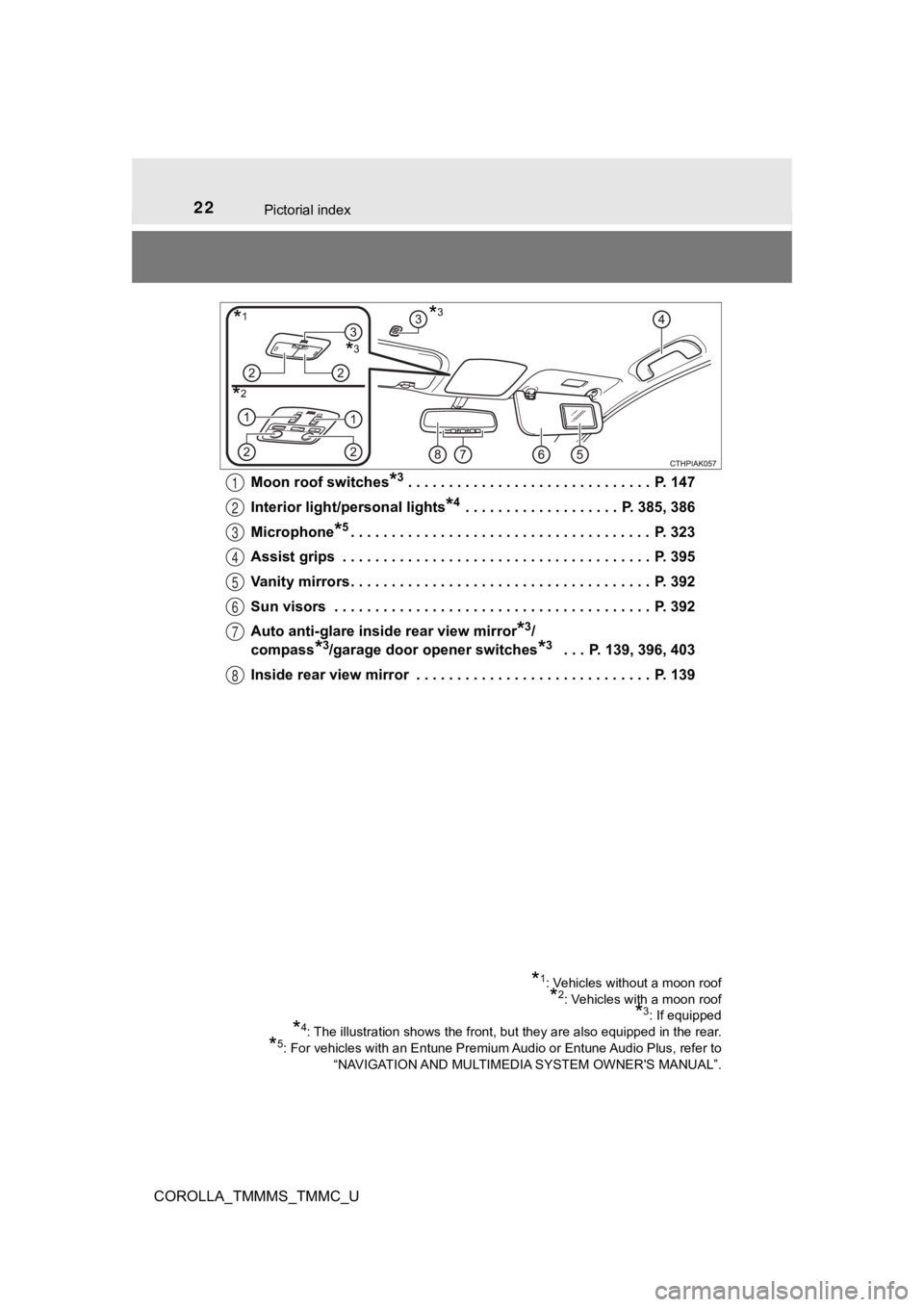
COROLLA_TMMMS_TMMC_UMoon roof switches
*3 . . . . . . . . . . . . . . . . . . . . . . . . . . . . . . P.
147
Interior light/personal lights
*4 . . . . . . . . . . . . . . . . . . . P. 385, 386
Microphone
*5. . . . . . . . . . . . . . . . . . . . . . . . . . . . . . . . . . . . . P. 323
Assist grips . . . . . . . . . . . . . . . . . . . . . . . . . . . . . . . . . . . . . . P. 395
Vanity mirrors . . . . . . . . . . . . . . . . . . . . . . . . . . . . . . . . . . . . . P. 392
Sun visors . . . . . . . . . . . . . . . . . . . . . . . . . . . . . . . . . . . . . . . P. 392
Auto anti-glare inside rear view mirror
*3/
compass
*3/garage door opener switches*3 . . . P. 139, 396, 403
Inside rear view mirror . . . . . . . . . . . . . . . . . . . . . . . . . . . . . P. 139
*1: Vehicles without a moon roof
*2: Vehicles with a moon roof
*3: If equipped
*4: The illustration shows the front, but they are also equipped in the rear.
*5: For vehicles with an Entune Premium Audio or Entune Audio Plu s, refer to
“NAVIGATION AND MULTIMEDIA SYSTEM OWNER'S MANUAL”.
*1*3
*2
*3
1
2
3
4
5
6
7
8
Page 90 of 608
902. Instrument cluster
COROLLA_TMMMS_TMMC_U■
Display contents
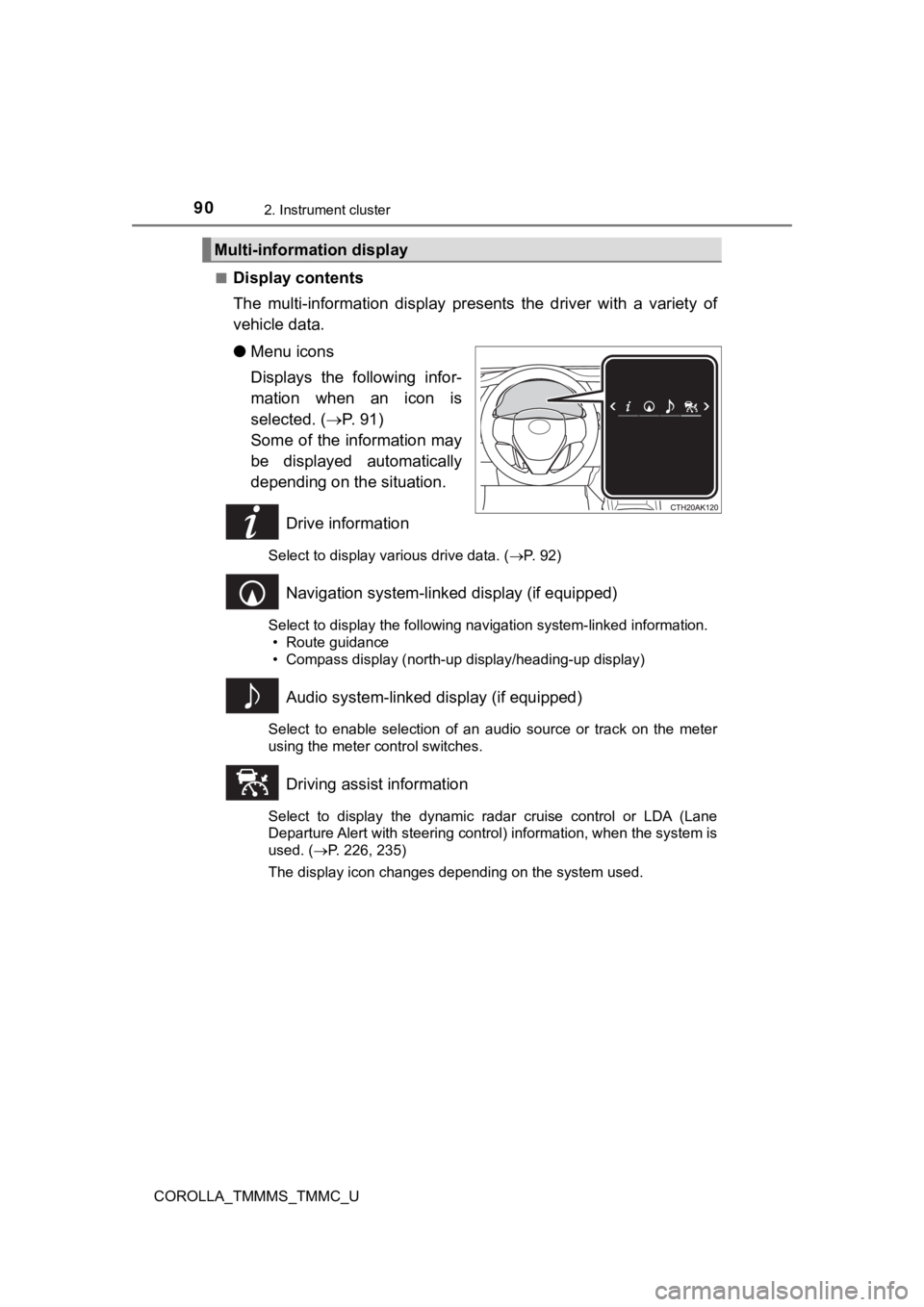
The multi-information display pr
esents the driver with a variety of
vehicle data.
● Menu icons
Displays the following infor-
mation when an icon is
selected. ( P. 9 1 )
Some of the information may
be displayed automatically
depending on the situation.
Drive information
Select to display various drive data. ( P. 92)
Navigation system-linked display (if equipped)
Select to display the following navigation system-linked information.
• Route guidance
• Compass display (north-up display/heading-up display)
Audio system-linked display (if equipped)
Select to enable selection of an audio source or track on the m eter
using the meter control switches.
Driving assist information
Select to display the dynamic radar cruise control or LDA (Lane
Departure Alert with steering control) information, when the system is
used. ( P. 226, 235)
The display icon changes depending on the system used.
Multi-information display
Page 96 of 608
962. Instrument cluster
COROLLA_TMMMS_TMMC_U
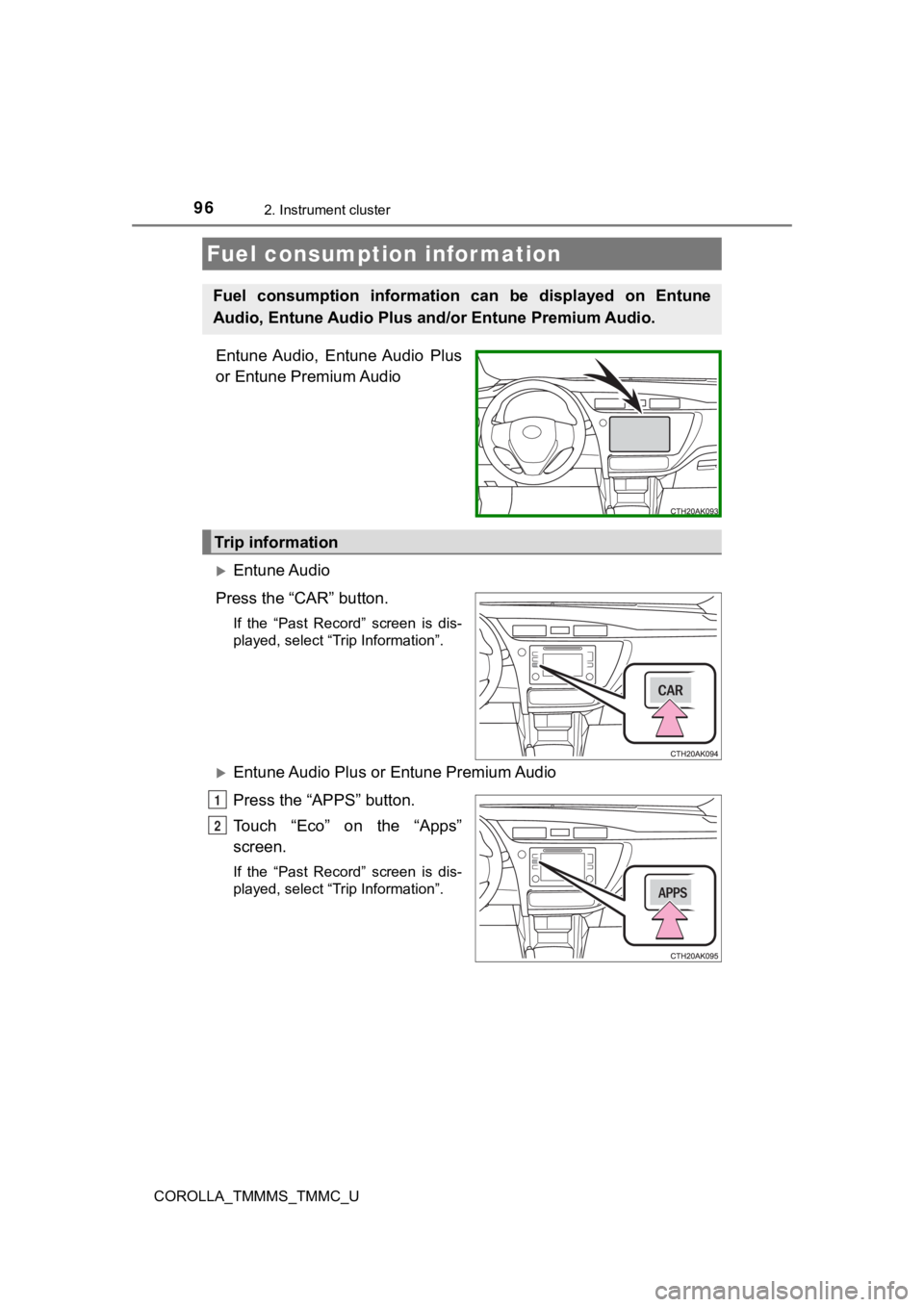
Entune Audio, Entune Audio Plus
or Entune Premium Audio
Entune Audio
Press the “CAR” button.
If the “Past Record” screen is dis-
played, select “Trip Information”.
Entune Audio Plus or Entune Premium Audio
Press the “APPS” button.
Touch “Eco” on the “Apps”
screen.
If the “Past Record” screen is dis-
played, select “Trip Information”.
Fuel consumption information
Fuel consumption information can be displayed on Entune
Audio, Entune Audio Plus a nd/or Entune Premium Audio.
Trip information
1
2
Page 98 of 608
982. Instrument cluster
COROLLA_TMMMS_TMMC_U■
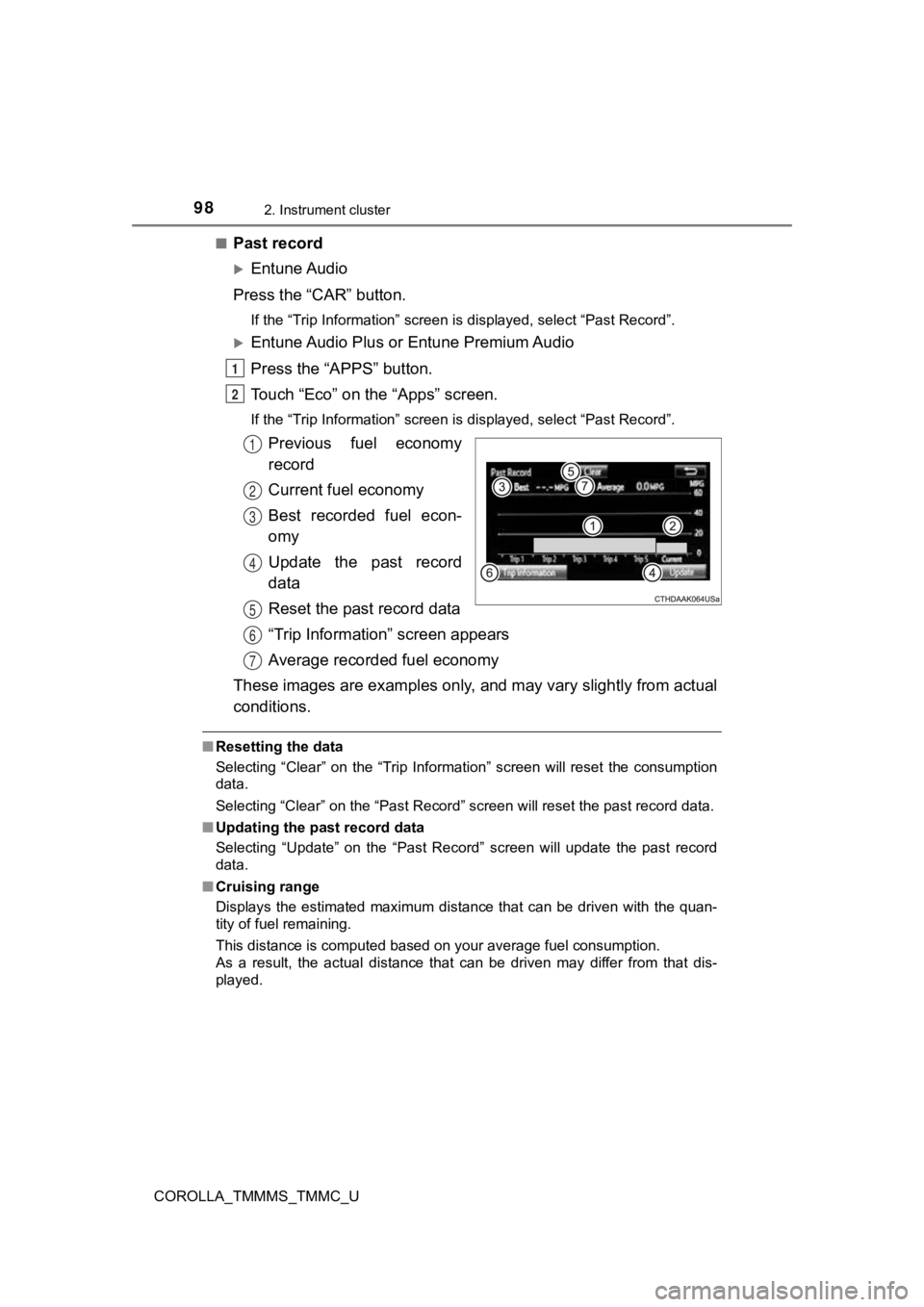
Past record
Entune Audio
Press the “CAR” button.
If the “Trip Information” screen is displayed, select “Past Rec ord”.
Entune Audio Plus or Entune Premium Audio
Press the “APPS” button.
Touch “Eco” on the “Apps” screen.
If the “Trip Information” screen is displayed, select “Past Record”.
Previous fuel economy
record
Current fuel economy
Best recorded fuel econ-
omy
Update the past record
data
Reset the past record data
“Trip Information” screen appears
Average recorded fuel economy
These images are examples only, and may vary slightly from actual
conditions.
■ Resetting the data
Selecting “Clear” on the “Trip Information” screen will reset t he consumption
data.
Selecting “Clear” on the “Past Record” screen will reset the pa st record data.
■ Updating the past record data
Selecting “Update” on the “Past Record” screen will update the past record
data.
■ Cruising range
Displays the estimated maximum distance that can be driven with the quan-
tity of fuel remaining.
This distance is computed based on your average fuel consumptio n.
As a result, the actual distance that can be driven may differ from that dis-
played.
1
2
1
2
3
4
5
6
7