fog light TOYOTA COROLLA 2019 Owners Manual (in English)
[x] Cancel search | Manufacturer: TOYOTA, Model Year: 2019, Model line: COROLLA, Model: TOYOTA COROLLA 2019Pages: 608, PDF Size: 10.15 MB
Page 5 of 608

5
1
9 8 6 5
4
3
2
COROLLA_TMMMS_TMMC_U
10
7
5-8. Bluetooth® Audio
Listening to Bluetooth®
Audio ............................... 320
5-9. Bluetooth
® phone
Using a Bluetooth®
Phone.............................. 322
Making a call ..................... 325
Receiving a call ................. 328
Speaking on the phone ..... 329
Bluetooth
® phone
message function ............ 333
Using the steering wheel switches .......................... 338
Bluetooth
® phone
settings............................ 339
Contact/ Call History Settings........ 341
What to do if... (Troubleshooting) ............ 351
5-10. Bluetooth
®
Bluetooth®......................... 355
5-11. Using the voice command system
Voice command system............................. 359 6-1. Using the air
conditioning system
and defogger
Manual air conditioning system ............................. 366
Automatic air conditioning system ............................. 373
Heated steering wheel/ seat heaters..................... 382
6-2. Using the interior lights Interior lights list................. 384
• Front interior light/personal lights ............... 385
• Rear interior light ........... 386
6-3. Using the storage features
List of storage features ...... 387
• Glove box ...................... 388
• Console box .................. 388
• Bottle holders ................ 389
• Cup holders ................... 390
6-4. Other interior features Other interior features........ 392
• Sun visors ..................... 392
• Vanity mirrors ................ 392
• Clock ............................. 392
• Outside temperature display ........................... 393
• Power outlet .................. 394
• Assist grips .................... 395
Garage door opener .......... 396
Compass ........................... 403
6Interior features
Page 14 of 608
14
COROLLA_TMMMS_TMMC_U
Pictorial index
Pictorial index
■
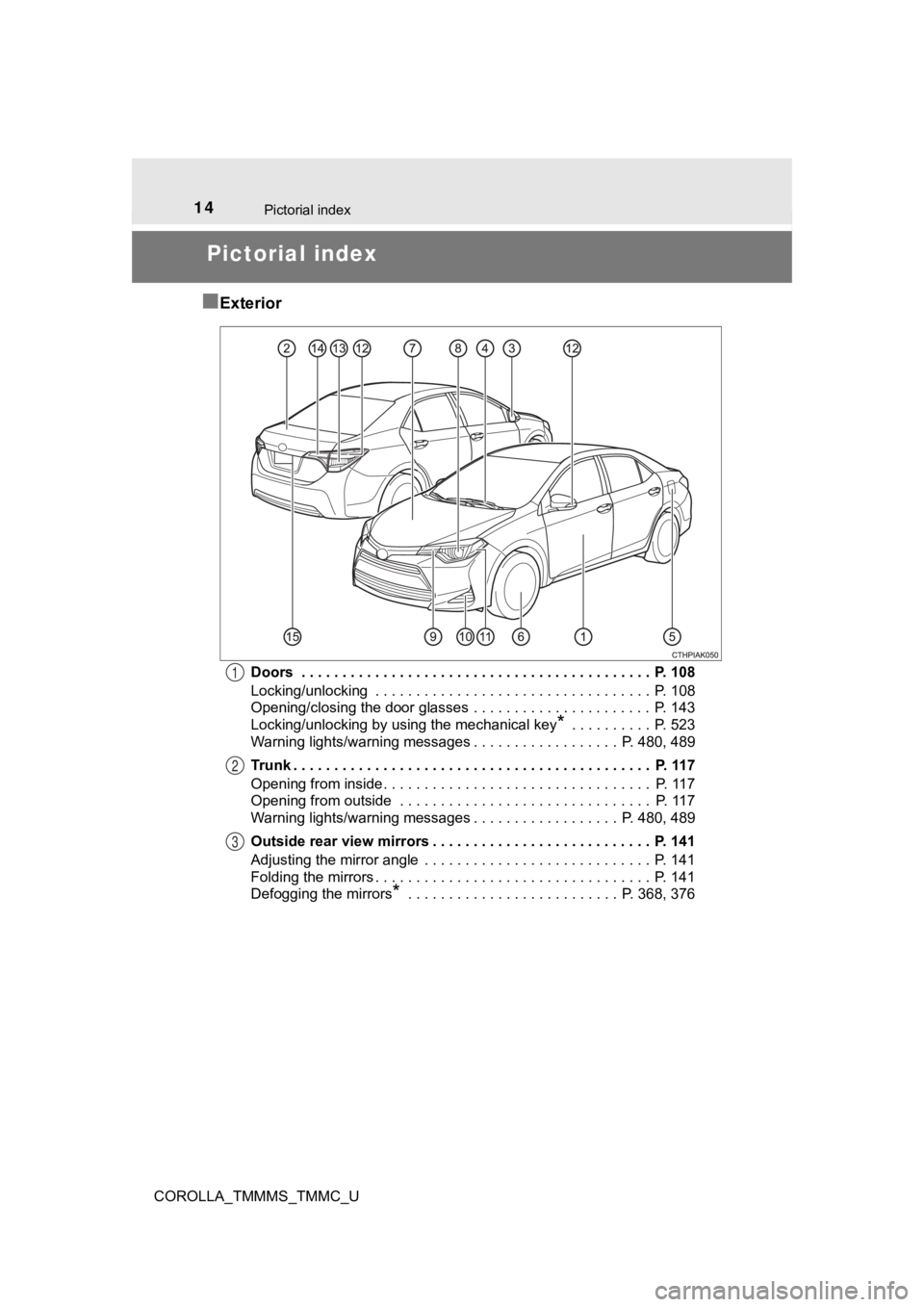
Exterior
Doors . . . . . . . . . . . . . . . . . . . . . . . . . . . . . . . . . . . . . . . . . . . P. 108
Locking/unlocking . . . . . . . . . . . . . . . . . . . . . . . . . . . . . . . . . . P. 108
Opening/closing the door glasses . . . . . . . . . . . . . . . . . . . . . . P. 143
Locking/unlocking by using the mechanical key
* . . . . . . . . . . P. 523
Warning lights/warning messages . . . . . . . . . . . . . . . . . . P. 480, 489
Trunk . . . . . . . . . . . . . . . . . . . . . . . . . . . . . . . . . . . . . . . . . . . . P. 117
Opening from inside. . . . . . . . . . . . . . . . . . . . . . . . . . . . . . . . . P. 117
Opening from outside . . . . . . . . . . . . . . . . . . . . . . . . . . . . . . . P. 117
Warning lights/warning messages . . . . . . . . . . . . . . . . . . P. 480, 489
Outside rear view mirrors . . . . . . . . . . . . . . . . . . . . . . . . . . . P. 141
Adjusting the mirror angle . . . . . . . . . . . . . . . . . . . . . . . . . . . . P. 141
Folding the mirrors . . . . . . . . . . . . . . . . . . . . . . . . . . . . . . . . . . P. 141
Defogging the mirrors
* . . . . . . . . . . . . . . . . . . . . . . . . . . P. 368, 37 6
1
2
3
Page 17 of 608

17Pictorial index
COROLLA_TMMMS_TMMC_UMulti-information display . . . . . . . . . . . . . . . . . . . . . . . . . P. 77, 86
When the warning messages are displayed . . . . . . . . . . . . . . P. 489
Parking brake . . . . . . . . . . . . . . . . . . . . . . . . . . . . . . . . . . . . . P. 192
Applying/releasing . . . . . . . . . . . . . . . . . . . . . . . . . . . . . . . . . . P. 192
Precautions against winter season . . . . . . . . . . . . . . . . . . . . . P. 264
Warning buzzer/message . . . . . . . . . . . . . . . . . . . . . . . . . . . . P. 489
Turn signal lever . . . . . . . . . . . . . . . . . . . . . . . . . . . . . . . . . . P. 191
Headlight switch . . . . . . . . . . . . . . . . . . . . . . . . . . . . . . . . . . P. 193
Headlights/front parking lights/tail lights/
daytime running lights . . . . . . . . . . . . . . . . . . . . . . . . . . . . . . . P. 193
Windshield wiper and washer switch . . . . . . . . . . . . . . . . . P. 202
Usage . . . . . . . . . . . . . . . . . . . . . . . . . . . . . . . . . . . . . . . . . . . P. 202
Adding washer fluid . . . . . . . . . . . . . . . . . . . . . . . . . . . . . . . . . P. 439
Warning messages
*1 . . . . . . . . . . . . . . . . . . . . . . . . . . . . . . . P. 497
Emergency flasher switch . . . . . . . . . . . . . . . . . . . . . . . . . . P. 470
Hood lock release lever. . . . . . . . . . . . . . . . . . . . . . . . . . . . . P. 425
Tilt and telescopic steering control lever . . . . . . . . . . . . . . P. 137
Air conditioning system . . . . . . . . . . . . . . . . . . . . . . . . P. 366, 373
Usage . . . . . . . . . . . . . . . . . . . . . . . . . . . . . . . . . . . . . . . P. 366, 373
Rear window defogger . . . . . . . . . . . . . . . . . . . . . . . . . . . P. 368, 376
Entune Audio
*1 . . . . . . . . . . . . . . . . . . . . . . . . . . . . . . . . . . . P. 273
Entune Audio Plus
*1, 2
Entune Premium Audio
*1, 2
*1: If equipped
*2: For vehicles with an Entune Premium Audio or Entune Audio Plu s, refer to
“NAVIGATION AND MULTIMEDIA SYSTEM OWNER'S MANUAL”.
4
5
6
7
8
9
10
11
12
Page 154 of 608

1544-1. Before driving
COROLLA_TMMMS_TMMC_U
Continuously variable transmission
Make sure that the parking brake is set and shift the shift lever to D.
Gently depress the accelerator pedal.
Release the parking brake.
Manual transmission
With the parking brake firmly set and the clutch pedal fully
depressed, shift the shift lever to 1.
Lightly depress the accelerato r pedal at the same time as gradu ally
releasing the clutch pedal.
Release the parking brake.
■ When starting off on an uphill
The hill-start assist control will activate. ( P. 257)
■ Driving in the rain
●Drive carefully when it is raining, because visibility will be reduced, the win-
dows may become fogged-up, and the road will be slippery.
● Drive carefully when it starts to rain, because the road surface will be espe-
cially slippery.
● Refrain from high speeds when driving on an expressway in the r ain,
because there may be a layer of water between the tires and the road sur-
face, preventing the steering and brakes from operating properl y.
Starting off on a steep uphill
1
2
3
1
2
3
Page 200 of 608

2004-3. Operating the lights and wipers
COROLLA_TMMMS_TMMC_U■
Camera sensor detection information
●The high beams may not be automatically turned off in the follo wing situa-
tions:
• When a vehicle suddenly appears from around a curve
• When the vehicle is cut in front of by another vehicle
• When vehicles ahead cannot be detected due to repeated curves, road
dividers or roadside trees
• When vehicles ahead appear in a faraway lane on a wide road
• When the lights of vehicles ahead are not on
● The high beams may be turned off if a vehicle ahead that is usi ng fog lights
without its headlights turned on is detected.
● House lights, street lights, traffic signals, and illuminated billboards or signs
and other reflective objects may cause the high beams to change to the low
beams, or the low beams to remain on.
● The following factors may affect the amount of time taken for t he high
beams to turn on or off:
• The brightness of the headlights, fog lights, and tail lights of vehicles
ahead
• The movement and direction of vehicles ahead
• When a vehicle ahead only has operational lights on one side
• When a vehicle ahead is a two-wheeled vehicle
• The condition of the road (gradient, curve, condition of the r oad surface,
etc.)
• The number of passengers and amount of luggage in the vehicle
● The high beams may turn on or off unexpectedly.
● Bicycles or similar vehicles may not be detected.
● In the following situations the system may not be able to corre ctly detect the
surrounding brightness level. This may cause the low beams to r emain on
or the high beams to flash or dazzle pedestrians or vehicles ah ead. In such
a case, it is necessary to manually switch between the high and low beams.
• When driving in inclement weather (heavy rain, snow, fog, sand storms,
etc.)
• When the windshield is obscured by fog, mist, ice, dirt, etc.
• When the windshield is cracked or damaged
• When the camera sensor is deformed or dirty
• When the temperature of the camera sensor is extremely high
• When the surrounding brightness level is equal to that of head lights, tail
lights or fog lights
• When headlights or tail lights of vehicles ahead are turned off, dirty, changing color, or not aimed properly
• When the vehicle is hit by water, snow, dust, etc. from a prec eding vehi-
cle
Page 210 of 608
2104-5. Using the driving support systems
COROLLA_TMMMS_TMMC_U
WARNING
■To avoid malfunction of the camera sensor
Observe the following precautions.
Otherwise, the camera sensor may not operate properly, possibly leading to
an accident resulting in death or serious injury.
● Keep the windshield clean at all times.
• If the windshield is dirty or covered with an oily film, water droplets,
snow, etc., clear the windshield.
• If a glass coating agent is applied to the windshield, it will still be neces-
sary to use the windshield wipers to remove water droplets, etc . from
the area of the windshield in front of the camera sensor.
• If the inner side of the windshield where the camera sensor is installed
is dirty, contact your Toyota dealer.
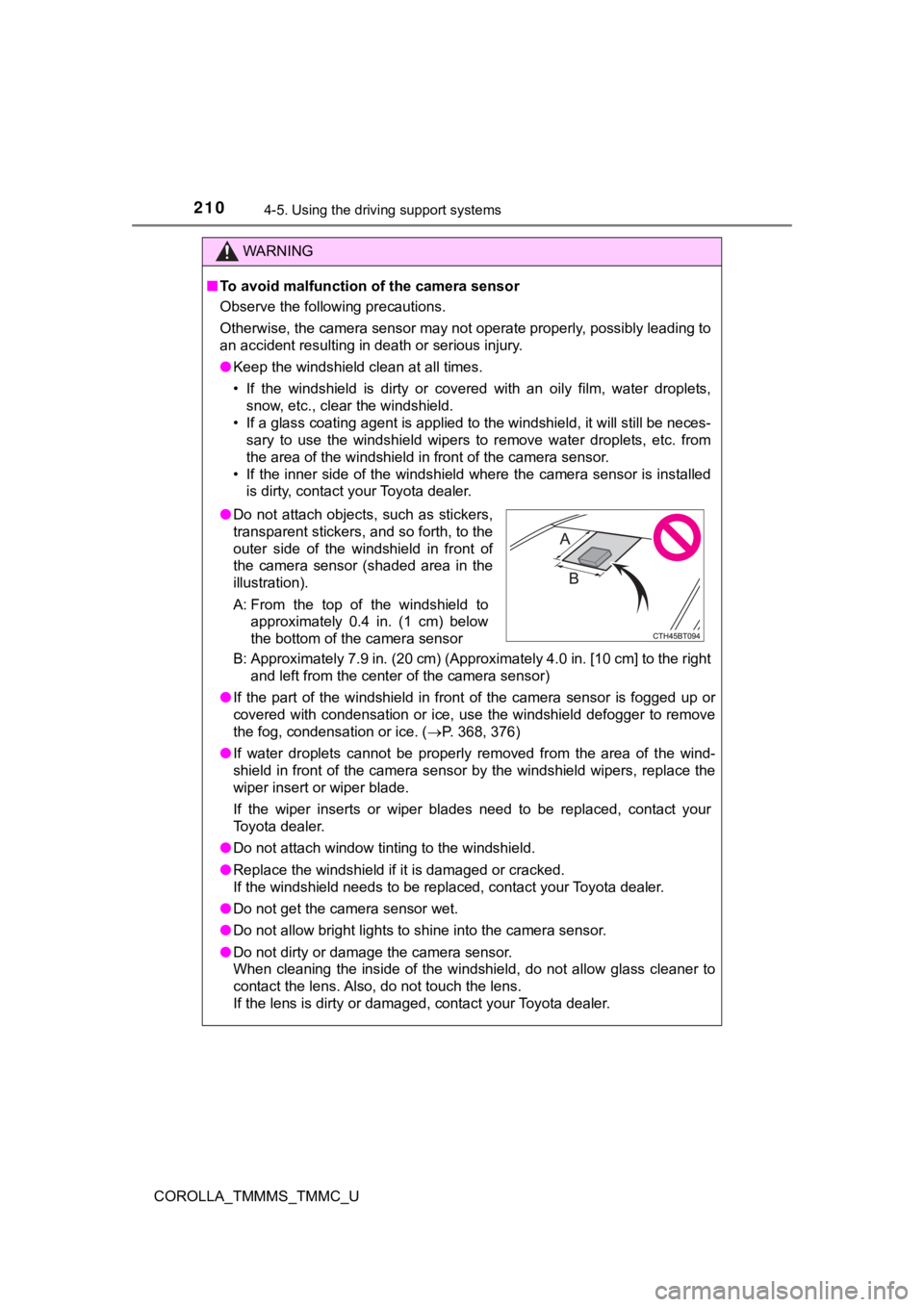
B: Approximately 7.9 in. (20 cm) (Approximately 4.0 in. [10 cm] to the right and left from the center of the camera sensor)
● If the part of the windshield in front of the camera sensor is fogged up or
covered with condensation or ice, use the windshield defogger t o remove
the fog, condensation or ice. ( P. 368, 376)
● If water droplets cannot be properly removed from the area of t he wind-
shield in front of the camera sensor by the windshield wipers, replace the
wiper insert or wiper blade.
If the wiper inserts or wiper b lades need to be replaced, conta ct your
Toyota dealer.
● Do not attach window tinting to the windshield.
● Replace the windshield if it is damaged or cracked.
If the windshield needs to be replaced, contact your Toyota dea ler.
● Do not get the camera sensor wet.
● Do not allow bright lights to shine into the camera sensor.
● Do not dirty or damage the camera sensor.
When cleaning the inside of the windshield, do not allow glass cleaner to
contact the lens. Also, do not touch the lens.
If the lens is dirty or damaged, contact your Toyota dealer.
● Do not attach objects, such as stickers,
transparent stickers, and so forth, to the
outer side of the windshield in front of
the camera sensor (shaded area in the
illustration).
A: From the top of the windshield to
approximately 0.4 in. (1 cm) below
the bottom of the camera sensor
Page 223 of 608
2234-5. Using the driving support systems
4
Driving
COROLLA_TMMMS_TMMC_U• When driving in inclement weather such as heavy rain, fog, snow or a
sandstorm
• When the vehicle is hit by water, snow, dust, etc. from a vehicle ahead
• When driving through steam or smoke
• When driving in a place where the surrounding brightness changes sud- denly, such as at the entrance or exit of a tunnel
• When a very bright light, such as the sun or the headlights of oncoming
traffic, shines directly into the camera sensor
• When the surrounding area is dim, such as at dawn or dusk, or while at
night or in a tunnel
• After the engine has started the vehicle has not been driven for a certain amount of time
• While making a left/right turn and for a few seconds after mak ing a left/
right turn
• While driving on a curve and for a few seconds after driving o n a curve
• If your vehicle is skidding
• If the wheels are misaligned
• If a wiper blade is blocking the camera sensor
• The vehicle is wobbling.
• The vehicle is being driven at extremely high speeds.
• When driving on a hill
• If the radar sensor or camera sensor is misaligned
● In some situations such as the following, sufficient braking fo rce may not be
obtained, preventing the system from performing properly:
• If the braking functions cannot operate to their full extent, such as when
the brake parts are extremely cold, extremely hot, or wet
• If the vehicle is not properly maintained (brakes or tires are excessively
worn, improper tire inflation pressure, etc.)
• When the vehicle is being driven on a gravel road or other sli ppery sur-
face
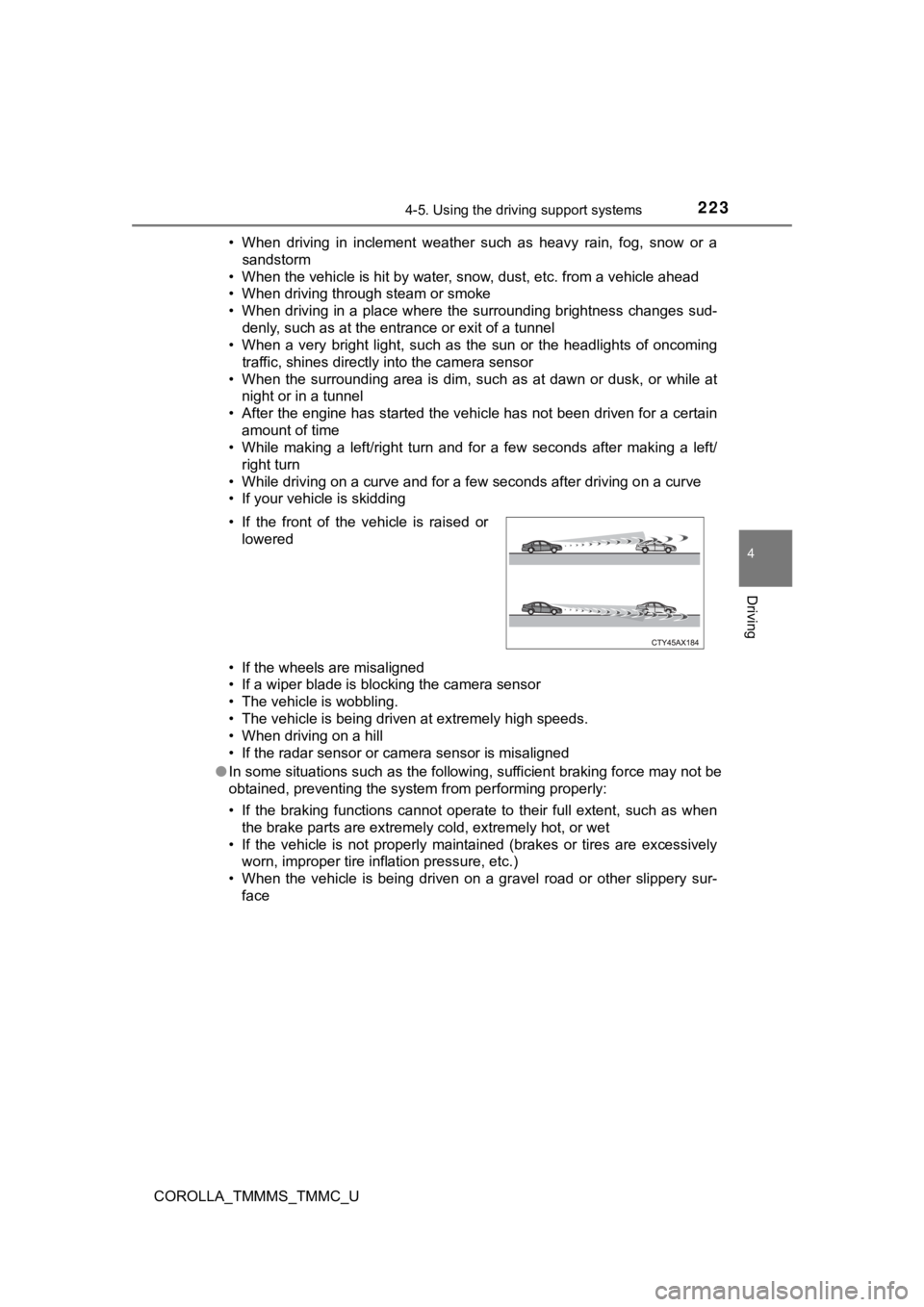
• If the front of the vehicle is raised or
lowered
Page 225 of 608

2254-5. Using the driving support systems
4
Driving
COROLLA_TMMMS_TMMC_U■
If the PCS warning light flashes or illuminates and a warning m essage is
displayed on the multi-information display
The pre-collision system may be temporarily unavailable or ther e may be a
malfunction in the system.
● In the following situations, the warning light will turn off, t he message will
disappear and the system will become operational when normal op erating
conditions return:
• When the radar sensor or camera sensor or the area around eith er sen-
sor is hot, such as in the sun
• When the radar sensor or camera sensor or the area around eith er sen-
sor is cold, such as in an extremely cold environment
• When a front sensor is dirty or covered with snow, etc.
• When the part of the windshield in front of the camera sensor is fogged
up or covered with condensation or ice
(Defogging the windshield: P. 368, 376)
• If the camera sensor is obstructed, such as when the hood is open or a sticker is attached to the windshield near the camera sensor
● If the PCS warning light continues to flash or remains illumina ted or the
warning message does not disappear even though the vehicle has returned
to normal, the system may be malfunctioning. Have the vehicle inspected by
your Toyota dealer immediately.
■ If VSC is disabled
●If VSC is disabled ( P. 259), the pre-collision brake assist and pre-collision
braking functions are also disabled.
● The PCS warning light will turn on and “VSC Turned Off Pre-Coll ision Brake
System Unavailable” will be displayed on the multi-information display.
Page 365 of 608

365
6Interior features
COROLLA_TMMMS_TMMC_U6-1. Using the air
conditioning system
and defogger
Manual air conditioning system............................. 366
Automatic air conditioning system............................. 373
Heated steering wheel/ seat heaters .................... 382
6-2. Using the interior lights Interior lights list ................ 384
• Front interior light/personal lights............... 385
• Rear interior light .......... 386
6-3. Using the storage features
List of storage features ..... 387
• Glove box...................... 388
• Console box .................. 388
• Bottle holders ................ 389
• Cup holders .................. 390 6-4. Other interior features
Other interior features ....... 392
• Sun visors ..................... 392
• Vanity mirrors................ 392
• Clock ............................. 392
• O utside temperature
display ........................... 393
• Power outlet .................. 394
• Assist grips ................... 395
Garage door opener.......... 396
Compass ........................... 403
Page 383 of 608
3836-1. Using the air conditioning system and defogger
6
Interior features
COROLLA_TMMMS_TMMC_U
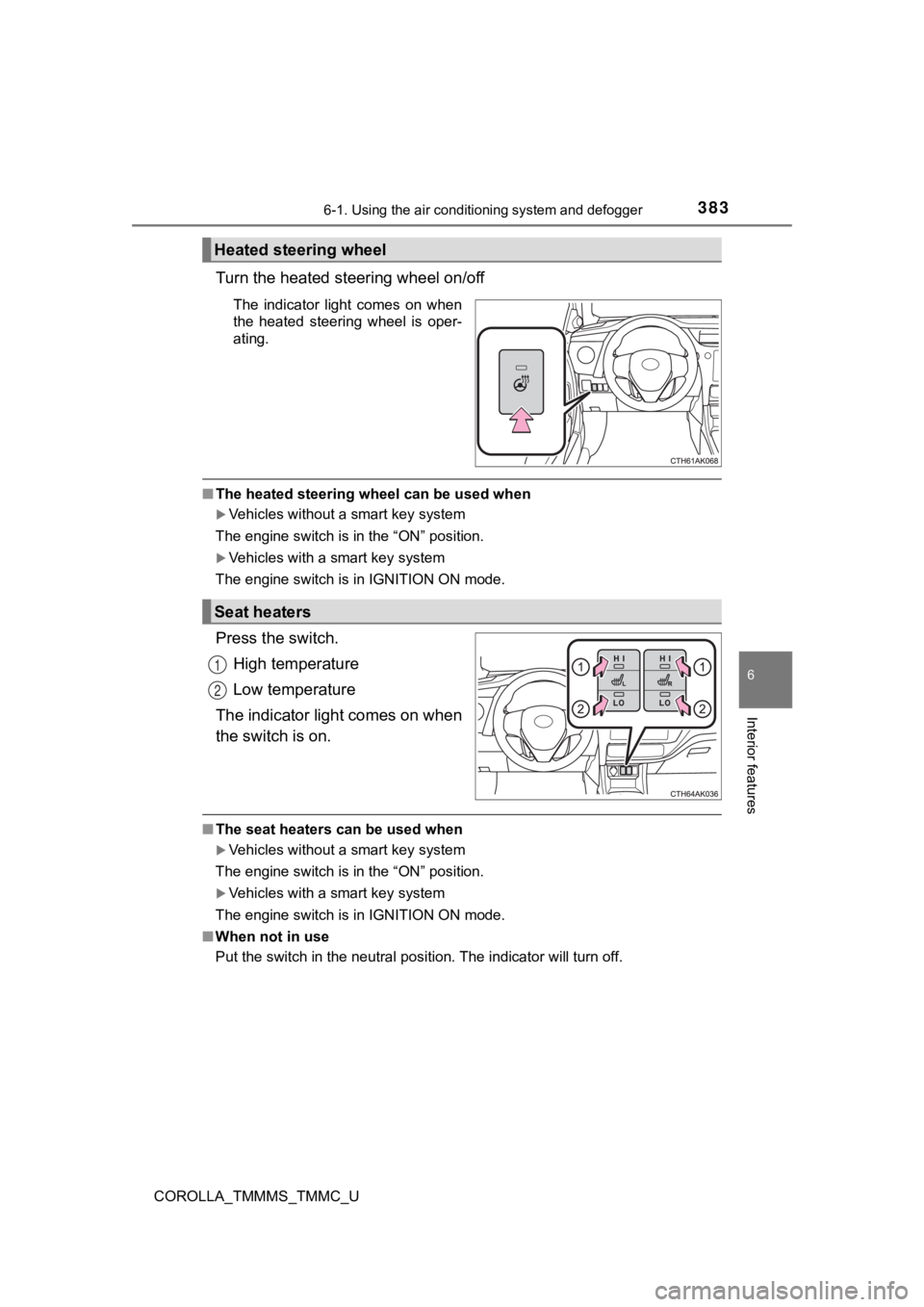
Turn the heated steering wheel on/off
The indicator light comes on when
the heated steering wheel is oper-
ating.
■The heated steering wheel can be used when
Vehicles without a smart key system
The engine switch is in the “ON” position.
Vehicles with a smart key system
The engine switch is in IGNITION ON mode.
Press the switch.
High temperature
Low temperature
The indicator light comes on when
the switch is on.
■ The seat heaters can be used when
Vehicles without a smart key system
The engine switch is in the “ON” position.
Vehicles with a smart key system
The engine switch is in IGNITION ON mode.
■ When not in use
Put the switch in the neutral position. The indicator will turn off.
Heated steering wheel
Seat heaters
1
2