steering TOYOTA COROLLA 2021 Owners Manual (in English)
[x] Cancel search | Manufacturer: TOYOTA, Model Year: 2021, Model line: COROLLA, Model: TOYOTA COROLLA 2021Pages: 624, PDF Size: 20.3 MB
Page 2 of 624
2
COROLLA_UTABLE OF CONTENTS
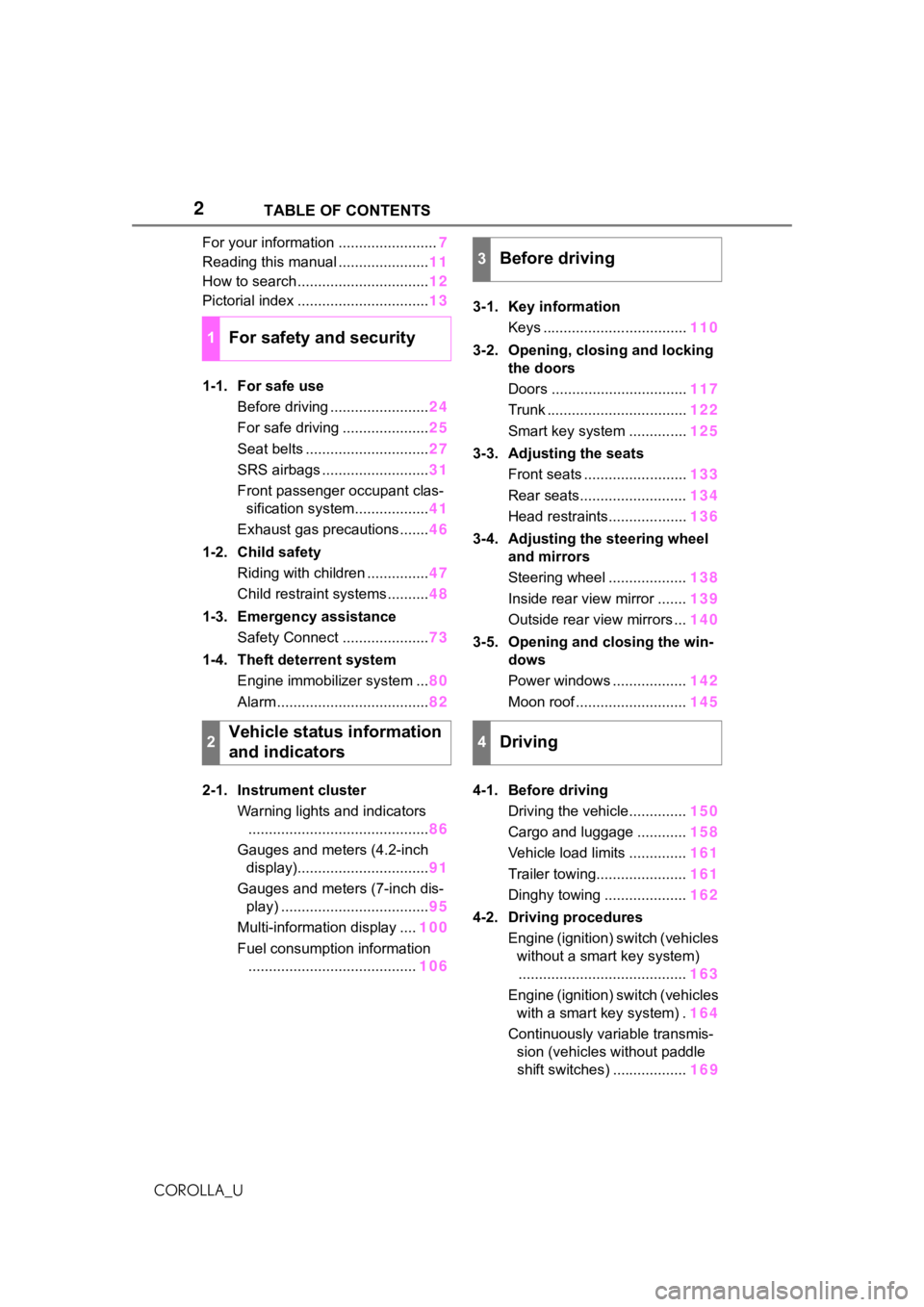
For your information ........................
7
Reading this manual ...................... 11
How to search ................................ 12
Pictorial index ................................ 13
1-1. For safe use Before driving ........................ 24
For safe driving ..................... 25
Seat belts .............................. 27
SRS airbags .......................... 31
Front passenger occupant clas- sification system.................. 41
Exhaust gas precautions....... 46
1-2. Child safety Riding with children ............... 47
Child restraint systems .......... 48
1-3. Emergency assistance Safety Connect ..................... 73
1-4. Theft deterrent system Engine immobilizer system ... 80
Alarm ..................................... 82
2-1. Instrument cluster Warning lights and indicators............................................ 86
Gauges and meters (4.2-inch display)................................ 91
Gauges and meters (7-inch dis- play) .................................... 95
Multi-information display .... 100
Fuel consumption information ......................................... 1063-1. Key information
Keys ................................... 110
3-2. Opening, closing and locking the doors
Doors ................................. 117
Trunk .................................. 122
Smart key system .............. 125
3-3. Adjusting the seats Front seats ......................... 133
Rear seats.......................... 134
Head restraints................... 136
3-4. Adjusting the steering wheel and mirrors
Steering wheel ................... 138
Inside rear view mirror ....... 139
Outside rear view mirrors ... 140
3-5. Opening and closing the win- dows
Power windows .................. 142
Moon roof ........................... 145
4-1. Before driving Driving the vehicle.............. 150
Cargo and luggage ............ 158
Vehicle load limits .............. 161
Trailer towing...................... 161
Dinghy towing .................... 162
4-2. Driving procedures Engine (ignition) switch (vehicles without a smart key system)......................................... 163
Engine (ignition) switch (vehicles with a smart key system) . 164
Continuously variable transmis- sion (vehic l
es without paddle
shift switches) .................. 169
1For safety and security
2Vehicle status information
and indicators
3Before driving
4Driving
Page 3 of 624
3TABLE OF CONTENTS
1
2
3
4
5
6
7
8
9
10
COROLLA_U
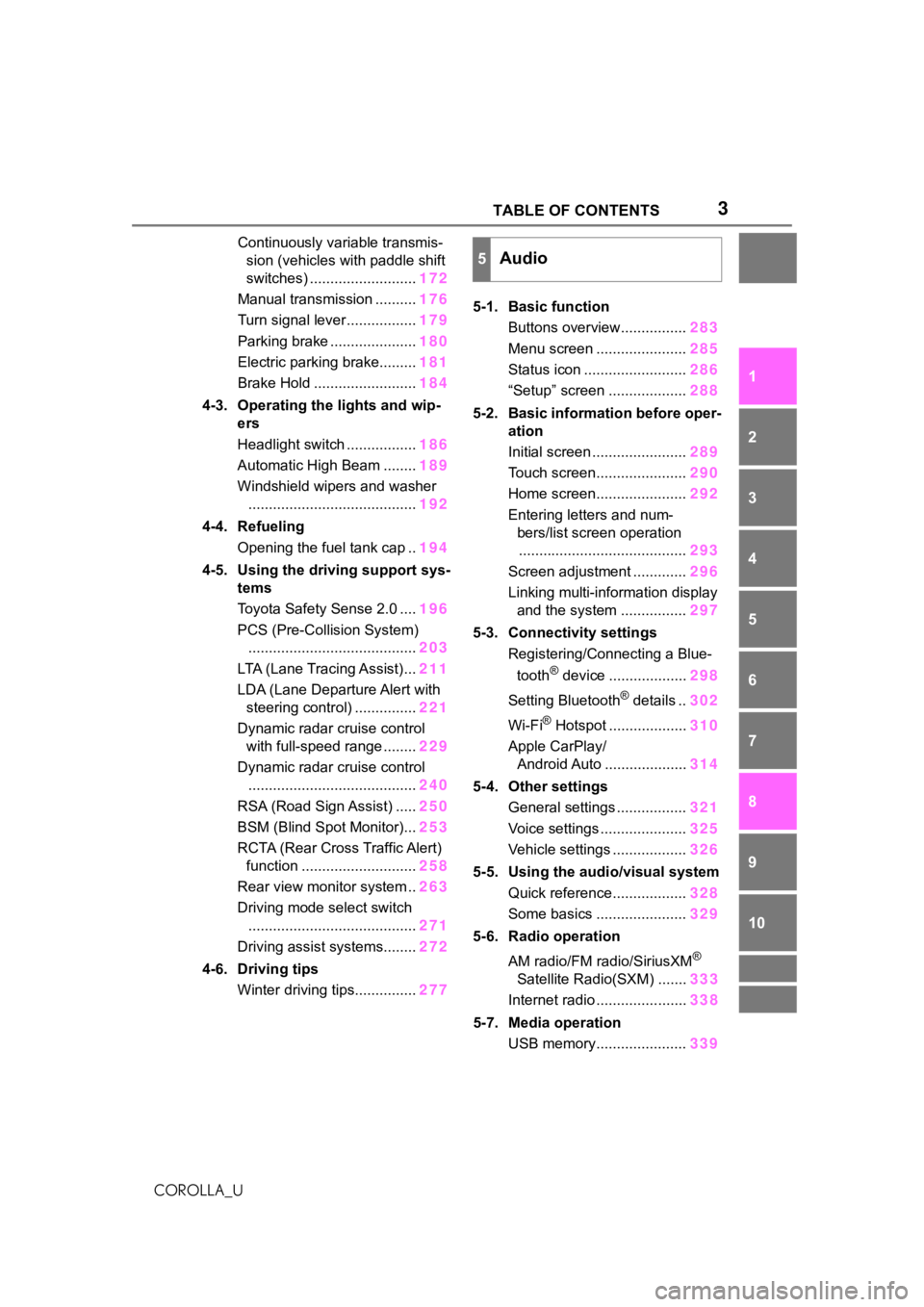
Continuously variable transmis- sion (vehicles with paddle shift
switches) .......................... 172
Manual transmission .......... 176
Turn signal lever................. 179
Parking brake ..................... 180
Electric parking brake......... 181
Brake Hold ......................... 184
4-3. Operating the lights and wip- ers
Headlight switch ................. 186
Automatic High Beam ........ 189
Windshield wipers and washer ......................................... 192
4-4. Refueling Opening the fuel tank cap .. 194
4-5. Using the driving support sys- tems
Toyota Safety Sense 2.0 .... 196
PCS (Pre-Collision System) ......................................... 203
LTA (Lane Tracing Assist)... 211
LDA (Lane Departure Alert with steering control) ............... 221
Dynamic radar cruise control with full-speed range ........ 229
Dynamic radar cruise control ......................................... 240
RSA (Road Sign Assist) ..... 250
BSM (Blind Spot Monitor)... 253
RCTA (Rear Cross Traffic Alert) function ............................ 258
Rear view monitor system .. 263
Driving mode select switch ......................................... 271
Driving assist systems........ 272
4-6. Driving tips Winter driving tips............... 2775-1. Basic function
Buttons overview................ 283
Menu screen ...................... 285
Status icon ......................... 286
“Setup” screen ................... 288
5-2. Basic information before oper- ation
Initial screen ....................... 289
Touch screen...................... 290
Home screen...................... 292
Entering letters and num- bers/list screen operation......................................... 293
Screen adjustment ............. 296
Linking multi-information display and the system ................ 297
5-3. Connectivity settings Registering/Connecting a Blue-
tooth
® device ................... 298
Setting Bluetooth
® details .. 302
Wi-Fi
® Hotspot ................... 310
Apple CarPlay/ Android Auto .................... 314
5-4. Other settings General settings ................. 321
Voice settings ..................... 325
Vehicle settings .................. 326
5-5. Using the audio/visual system Quick reference.................. 328
Some basics ...................... 329
5-6. Radio operation
AM radio/FM radio/SiriusXM
®
Satellite Radio(SXM) ....... 333
Internet radio ...................... 338
5-7. Media operation USB memory...................... 339
5Audio
Page 4 of 624
4TABLE OF CONTENTS
COROLLA_U
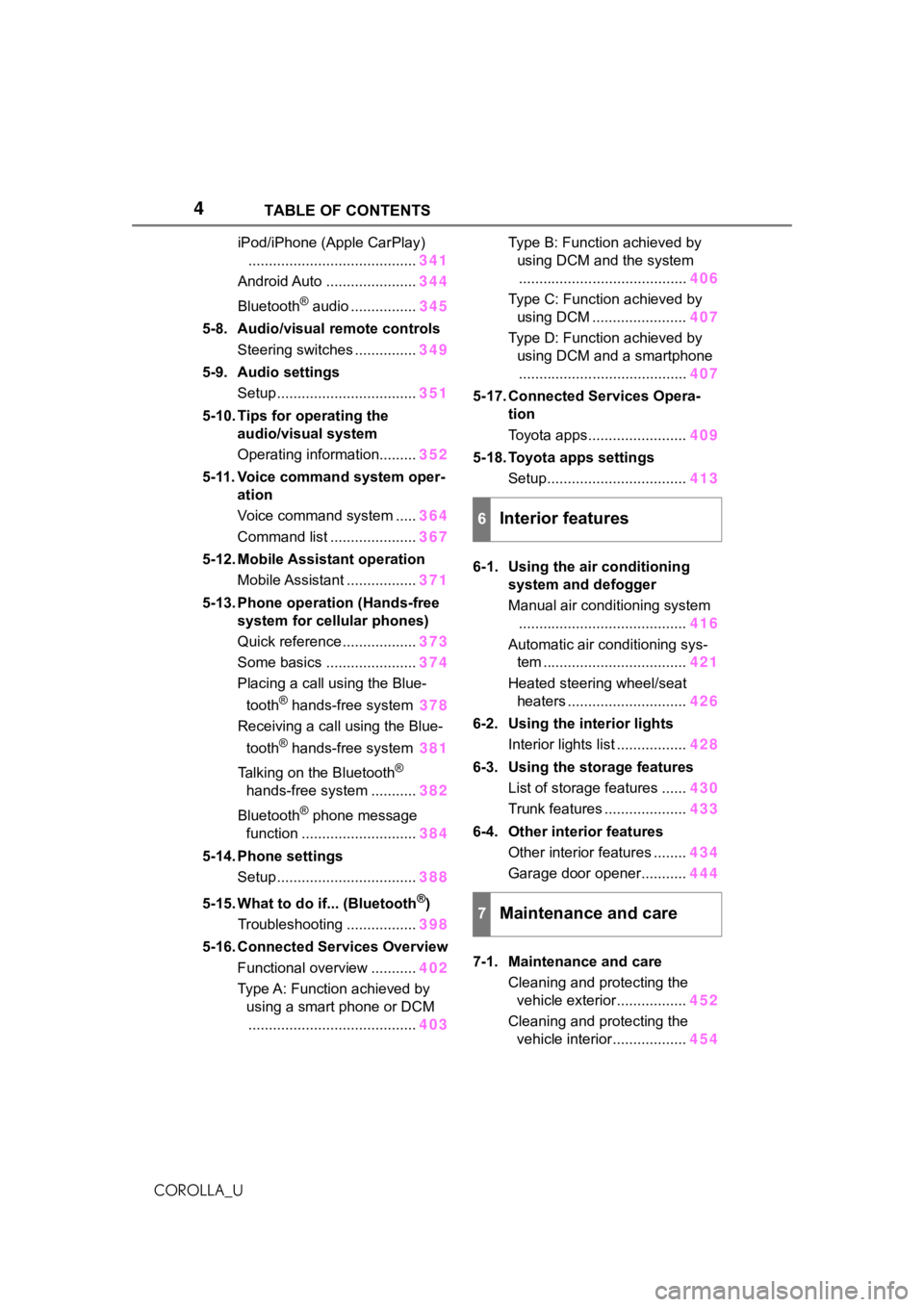
iPod/iPhone (Apple CarPlay)......................................... 341
Android Auto ...................... 344
Bluetooth
® audio ................ 345
5-8. Audio/visual remote controls Steering switches ............... 349
5-9. Audio settings Setup .................................. 351
5-10. Tips for operating the audio/visual system
Operating information......... 352
5-11. Voice command system oper- ation
Voice command system ..... 364
Command list ..................... 367
5-12. Mobile Assistant operation Mobile Assistant ................. 371
5-13. Phone operation (Hands-free system for cellular phones)
Quick reference .................. 373
Some basics ...................... 374
Placing a call using the Blue-
tooth
® hands-free system 378
Receiving a call using the Blue-
tooth
® hands-free system 381
Talking on the Bluetooth
®
hands-free system ........... 382
Bluetooth
® phone message
function ............................ 384
5-14. Phone settings Setup .................................. 388
5-15. What to do if... (Bluetooth
®)
Troubleshooting ................. 398
5-16. Connected Services Overview Functional overview ........... 402
Type A: Function achieved by using a smart phone or DCM......................................... 403Type B: Function achieved by
using DCM and the system......................................... 406
Type C: Function achieved by using DCM ....................... 407
Type D: Function achieved by using DCM and a smartphone......................................... 407
5-17. Connected Services Opera- tion
Toyota apps........................ 409
5-18. Toyota apps settings Setup.................................. 413
6-1. Using the air conditioning system and defogger
Manual air conditioning system......................................... 416
Automatic air conditioning sys- tem ................................... 421
Heated steering wheel/seat heaters ............................. 426
6-2. Using the interior lights Interior lights list ................. 428
6-3. Using the storage features List of storage features ...... 430
Trunk features .................... 433
6-4. Other interior features Other interior features ........ 434
Garage door opener........... 444
7-1. Maintenance and care Cleaning and protecting the vehicle exterior................. 452
Cleaning and protecting the vehicle interior.................. 454
6Interior features
7Maintenance and care
Page 16 of 624
16Pictorial index
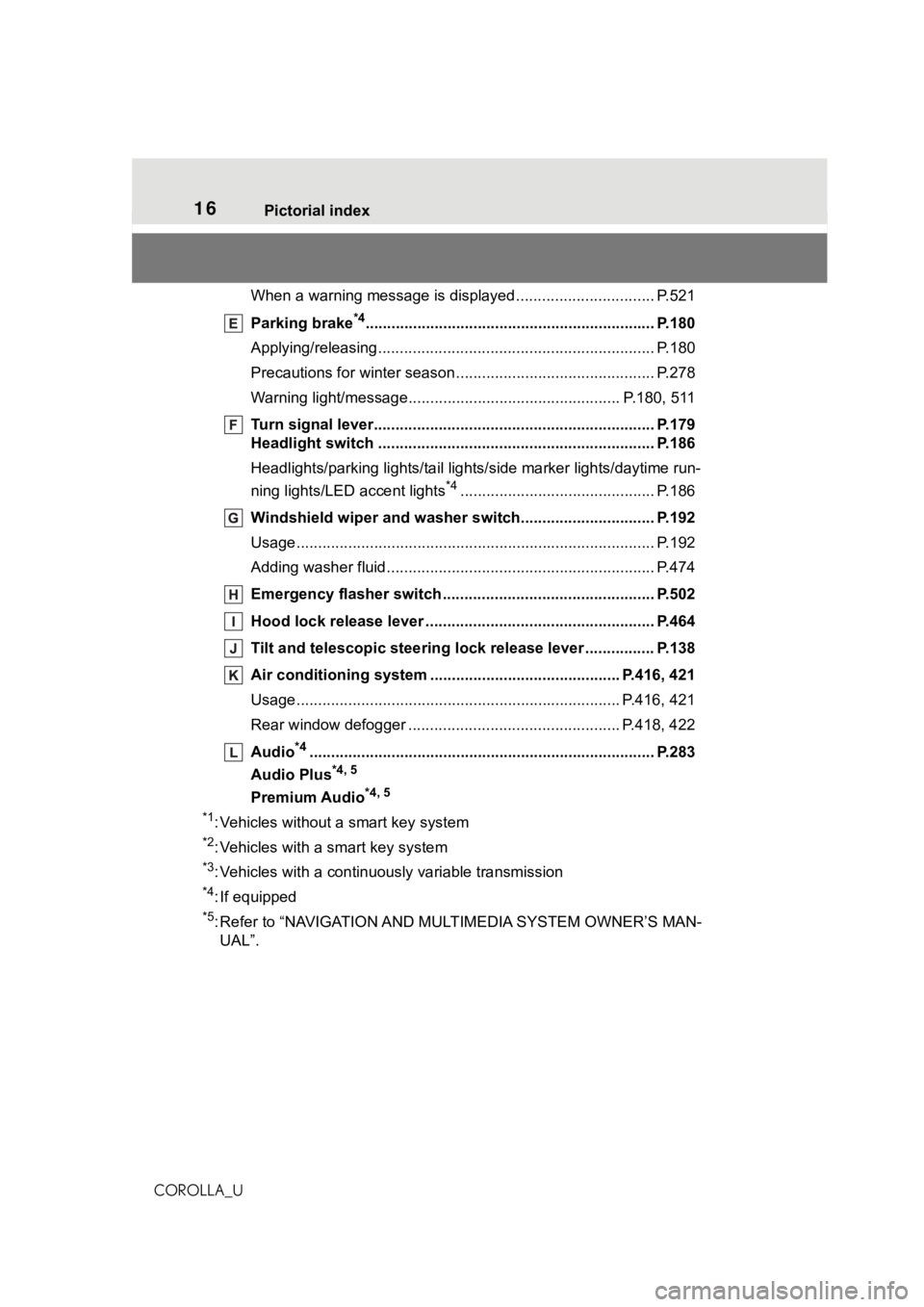
COROLLA_UWhen a warning message is displayed ............................
.... P.521
Parking brake
*4............................................................... .... P.180
Applying/releasing............................................. ................... P.180
Precautions for winter seas on.............................................. P.278
Warning light/message..... ............................................ P.180, 511
Turn signal lever.............................................. ................... P.179
Headlight switch ............................................... ................. P.186
Headlights/parking lights/tail lig hts/side marker lights/daytime run-
ning lights/LED accent lights
*4............................................. P.186
Windshield wiper and washer switch............................... P.192
Usage................................................................................... P.192
Adding washer fluid .............................................................. P.474
Emergency flasher switch ....................................... .......... P.502
Hood lock release lever ........................................ ............. P.464
Tilt and telescopic steering lock release lever ................P. 1 3 8
Air conditioning system ............................. ............... P.416, 421
Usage.......................................................... ................. P.416, 421
Rear window defogger ........................................... ...... P.418, 422
Audio
*4............................................................... ................. P.283
Audio Plus
*4, 5
Premium Audio*4, 5
*1
: Vehicles without a smart key system
*2: Vehicles with a smart key system
*3: Vehicles with a continuous ly variable transmission
*4: If equipped
*5: Refer to “NAVIGATION AND MULTIMEDIA SYSTEM OWNER’S MAN-
UAL”.
Page 17 of 624
17Pictorial index
COROLLA_U
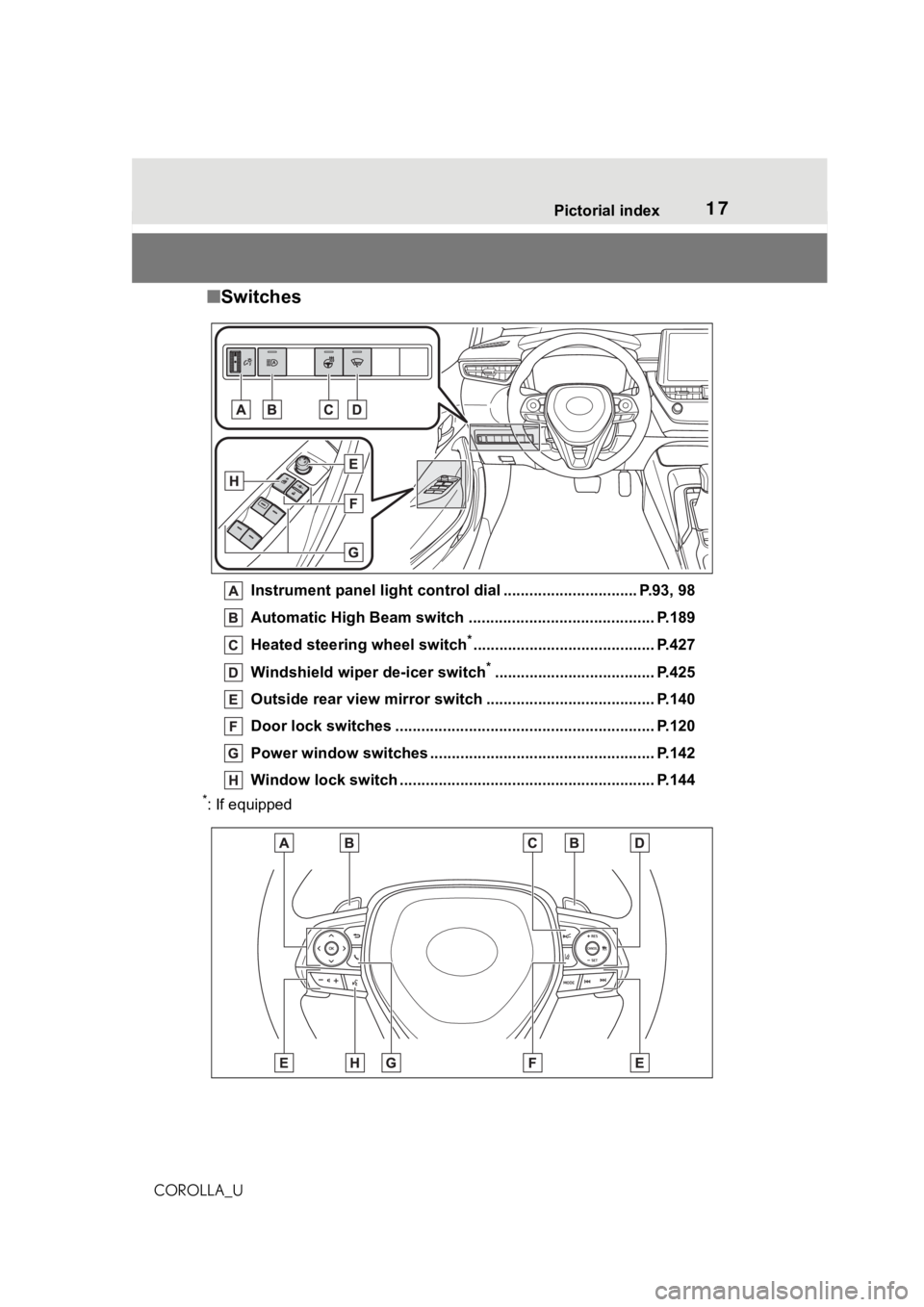
■Switches
Instrument panel light cont rol dial ............................... P.93, 98
Automatic High Beam switch ..................................... ...... P.189
Heated steering wheel switch
*.......................................... P.427
Windshield wiper de-icer switch
*..................................... P.425
Outside rear view mirror s witch ....................................... P.140
Door lock switches ............................................................ P.120
Power window switches ....... ............................................. P.142
Window lock switch ............................................. .............. P.144
*: If equipped
Page 18 of 624
18Pictorial index
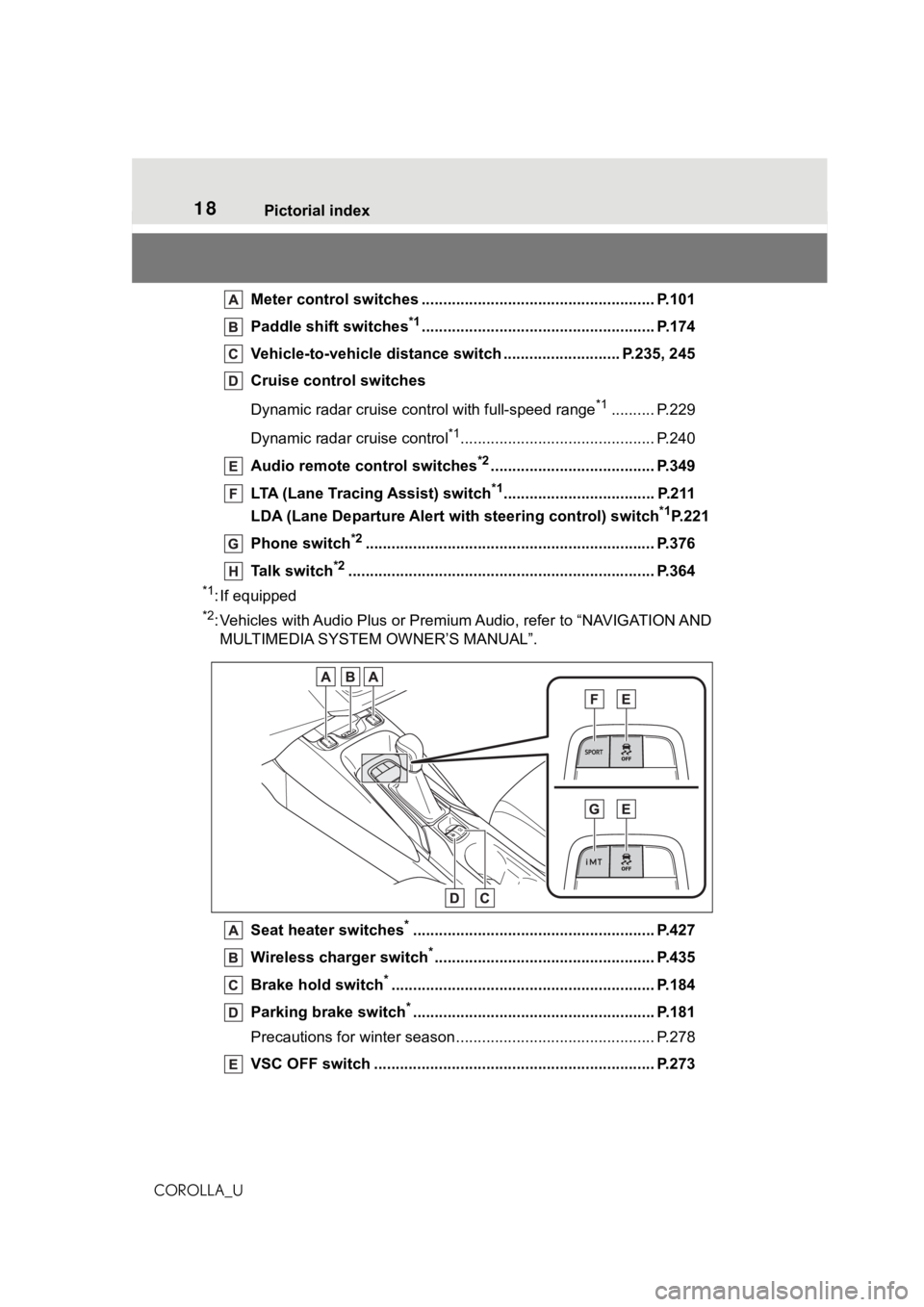
COROLLA_UMeter control switches ..
.................................................... P.101
Paddle shift switches
*1...................................................... P.174
Vehicle-to-vehicle distance switch ........................... P.235, 245
Cruise control switches
Dynamic radar cruise cont rol with full-speed range
*1.......... P.229
Dynamic radar cruise control
*1............................................. P.240
Audio remote control switches
*2...................................... P.349
LTA (Lane Tracing Assist) switch
*1................................... P.211
LDA (Lane Departure Alert wi th steering control) switch
*1P.221
Phone switch
*2............................................................... .... P.376
Talk switch
*2............................................................... ........ P.364
*1: If equipped
*2: Vehicles with Audio Plus or Premium Audio, refer to “NAVIGATIO N AND
MULTIMEDIA SYSTEM OWNER’S MANUAL”.
Seat heater switches
*........................................................ P.427
Wireless cha rger switch
*................................................... P.435
Brake hold switch
*............................................................. P. 184
Parking brake switch
*........................................................ P.181
Precautions for winter seas on.............................................. P.278
VSC OFF switch ................................................. ................ P.273
Page 25 of 624
251-1. For safe use
1
For safety and security
COROLLA_U
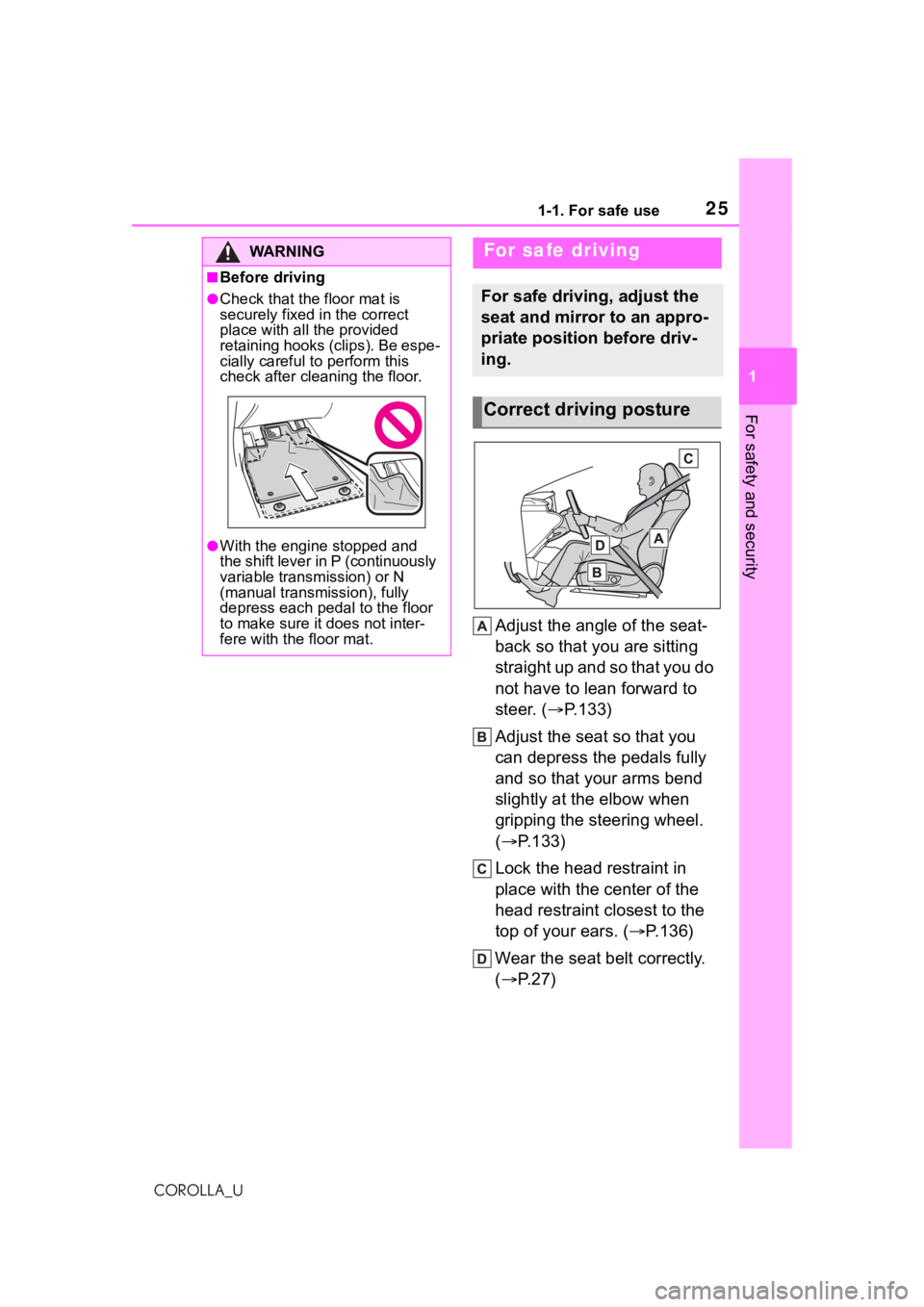
Adjust the angle of the seat-
back so that you are sitting
straight up and so that you do
not have to lean forward to
steer. (P.133)
Adjust the seat so that you
can depress the pedals fully
and so that your arms bend
slightly at the elbow when
gripping the steering wheel.
( P.133)
Lock the head restraint in
place with the center of the
head restraint closest to the
top of your ears. ( P.136)
Wear the seat belt correctly.
( P.27)
WA R N I N G
■Before driving
●Check that the floor mat is
securely fixed in the correct
place with all the provided
retaining hooks (clips). Be espe-
cially careful to perform this
check after cleaning the floor.
●With the engine stopped and
the shift lever in P (continuously
variable transmission) or N
(manual transmission), fully
depress each pedal to the floor
to make sure it does not inter-
fere with the floor mat.
For safe driving
For safe driving, adjust the
seat and mirror to an appro-
priate position before driv-
ing.
Correct driving posture
Page 36 of 624
361-1. For safe use
COROLLA_U
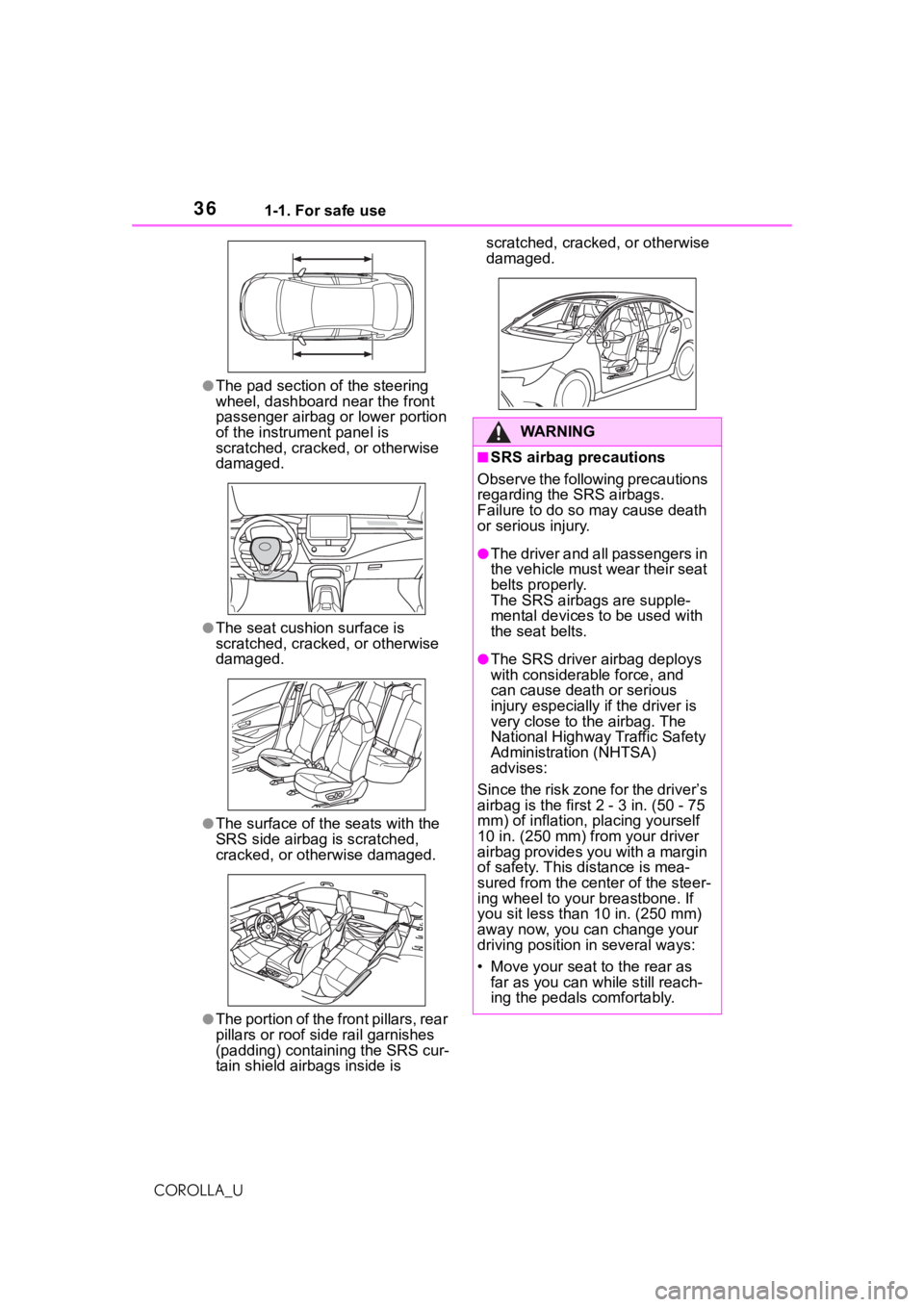
●The pad section of the steering
wheel, dashboard near the front
passenger airbag or lower portion
of the instrument panel is
scratched, cracked, or otherwise
damaged.
●The seat cushion surface is
scratched, cracked, or otherwise
damaged.
●The surface of the seats with the
SRS side airbag is scratched,
cracked, or otherwise damaged.
●The portion of the f ront pillars, rear
pillars or roof side rail garnishes
(padding) containing the SRS cur-
tain shield airbags inside is scratched, cracked, or otherwise
damaged.
WA R N I N G
■SRS airbag precautions
Observe the following precautions
regarding the SRS airbags.
Failure to do so may cause death
or serious injury.
●The driver and all passengers in
the vehicle must wear their seat
belts properly.
The SRS airbags are supple-
mental devices to be used with
the seat belts.
●The SRS driver airbag deploys
with considerable force, and
can cause death or serious
injury especially if the driver is
very close to the airbag. The
National Highway Traffic Safety
Administration (NHTSA)
advises:
Since the risk zone for the driver’s
airbag is the first 2 - 3 in. (50 - 75
mm) of inflation, placing yourself
10 in. (250 mm) from your driver
airbag provides you with a margin
of safety. This distance is mea-
sured from the center of the steer-
ing wheel to your breastbone. If
you sit less than 10 in. (250 mm)
away now, you can change your
driving position in several ways:
• Move your seat to the rear as
far as you can while still reach-
ing the pedals comfortably.
Page 37 of 624
371-1. For safe use
1
For safety and security
COROLLA_U
WA R N I N G
• Slightly recline the back of the seat.
Although vehicle designs vary,
many drivers can achieve the
10 in. (250 mm) distance, even
with the driver seat all the way
forward, simply by reclining the
back of the seat somewhat. If
reclining the back of your seat
makes it hard to see the road,
raise yourself by using a firm,
non-slippery cushion, or raise
the seat if your vehicle has that
feature.
• If your steering wheel is adjust- able, tilt it downward. This
points the airbag toward your
chest instead of your head and
neck.
The seat should be adjusted as
recommended by NHTSA above,
while still maintain ing control of
the foot pedals, steering wheel,
and your view of the instrument
panel controls.
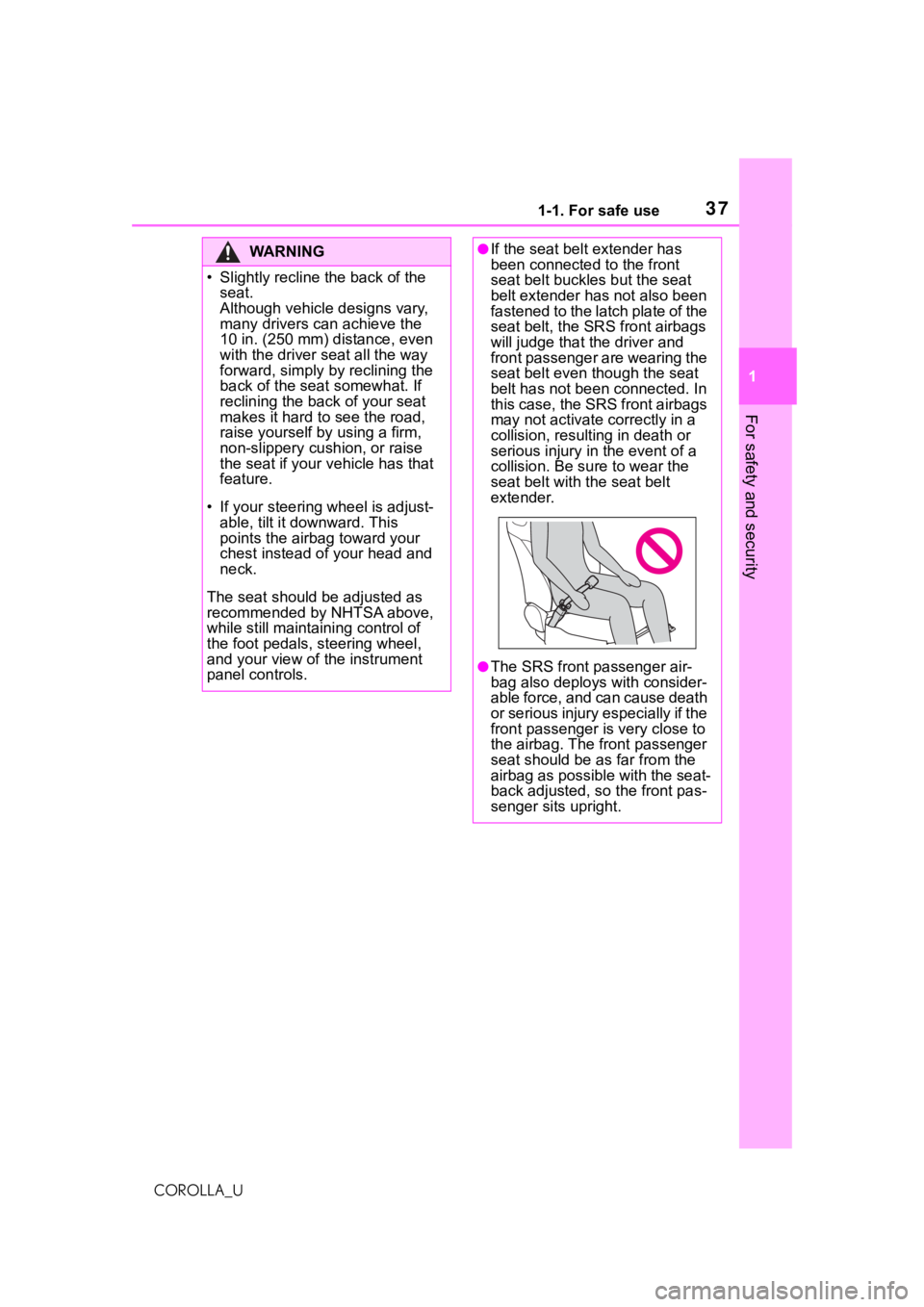
●If the seat belt extender has
been connected to the front
seat belt buckles but the seat
belt extender has not also been
fastened to the latch plate of the
seat belt, the SRS front airbags
will judge that t he driver and
front passenger are wearing the
seat belt even t hough the seat
belt has not been connected. In
this case, the SRS front airbags
may not activate correctly in a
collision, resulting in death or
serious injury in the event of a
collision. Be su re to wear the
seat belt with the seat belt
extender.
●The SRS front passenger air-
bag also deploys with consider-
able force, and can cause death
or serious injury especially if the
front passenger is very close to
the airbag. The front passenger
seat should be as far from the
airbag as possible with the seat-
back adjusted, so the front pas-
senger sits upright.
Page 38 of 624
381-1. For safe use
COROLLA_U
WA R N I N G
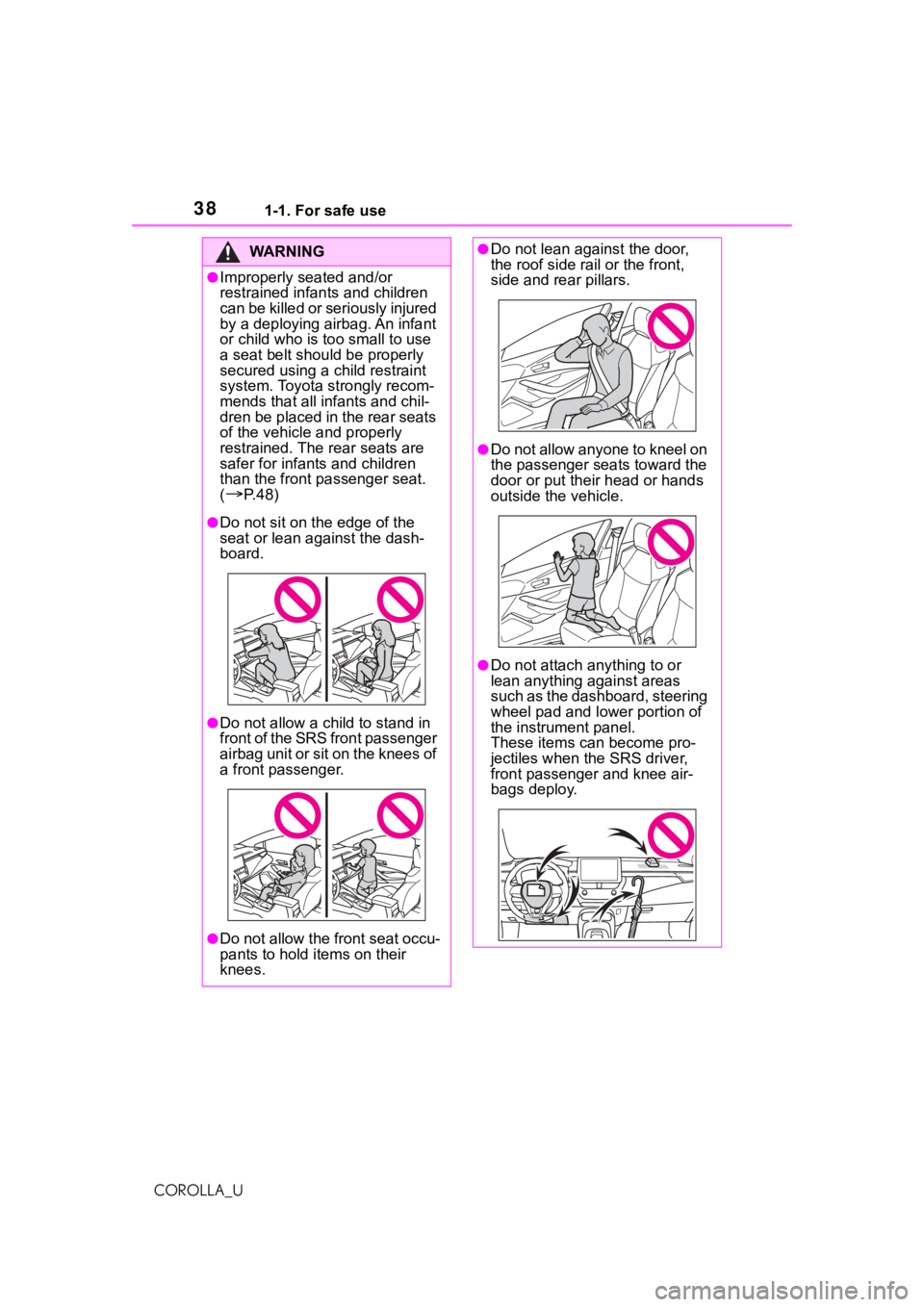
●Improperly seated and/or
restrained infants and children
can be killed or seriously injured
by a deploying airbag. An infant
or child who is too small to use
a seat belt should be properly
secured using a child restraint
system. Toyota strongly recom-
mends that all infants and chil-
dren be placed in the rear seats
of the vehicle and properly
restrained. The rear seats are
safer for infants and children
than the front pa ssenger seat.
(
P. 4 8 )
●Do not sit on the edge of the
seat or lean against the dash-
board.
●Do not allow a child to stand in
f r o n t o f t h e S R S f r o n t p a s s e n g e r
airbag unit or sit on the knees of
a front passenger.
●Do not allow the front seat occu-
pants to hold items on their
knees.
●Do not lean against the door,
the roof side rail or the front,
side and rear pillars.
●Do not allow anyone to kneel on
the passenger seats toward the
door or put thei r head or hands
outside the vehicle.
●Do not attach a nything to or
lean anything against areas
such as the dashboard, steering
wheel pad and lower portion of
the instrument panel.
These items can become pro-
jectiles when th e SRS driver,
front passenger and knee air-
bags deploy.