phone TOYOTA COROLLA CROSS 2022 Owners Manual
[x] Cancel search | Manufacturer: TOYOTA, Model Year: 2022, Model line: COROLLA CROSS, Model: TOYOTA COROLLA CROSS 2022Pages: 612, PDF Size: 17.18 MB
Page 1 of 612
1
2
3
4
5
6
COROLLA CROSS_MTMUS_U
7
8
9
10
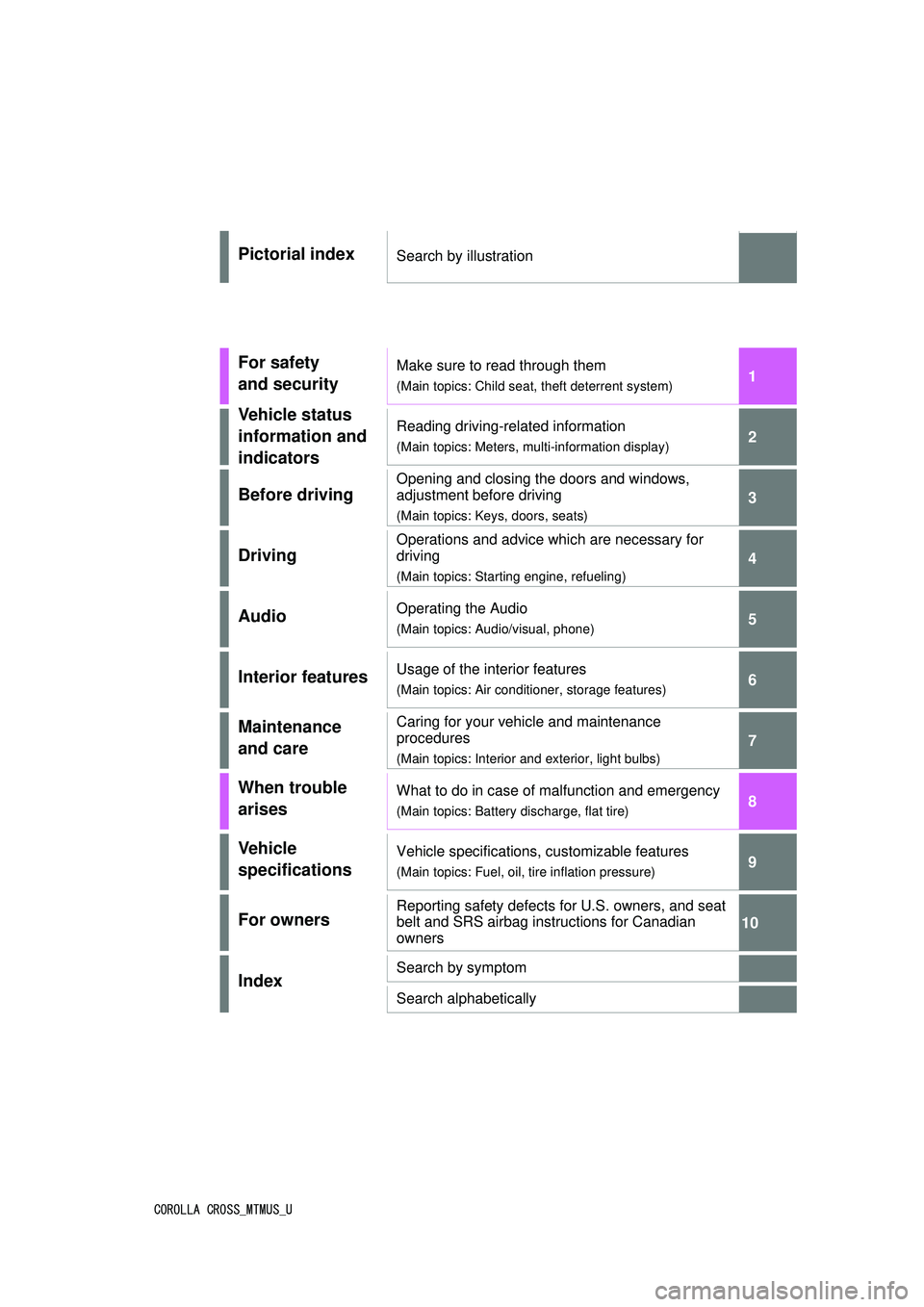
Pictorial indexSearch by illustration
For safety
and securityMake sure to read through them
(Main topics: Child seat, theft deterrent system)
Vehicle status
information and
indicatorsReading driving-related information
(Main topics: Meters, multi-information display)
Before driving
Opening and closing the doors and windows,
adjustment before driving
(Main topics: Keys, doors, seats)
Driving
Operations and advice which are necessary for
driving
(Main topics: Starting engine, refueling)
AudioOperating the Audio
(Main topics: Audio/visual, phone)
Interior featuresUsage of the interior features
(Main topics: Air conditioner, storage features)
Maintenance
and careCaring for your vehicle and maintenance
procedures
(Main topics: Interior and exterior, light bulbs)
When trouble
arisesWhat to do in case of malfunction and emergency
(Main topics: Battery discharge, flat tire)
Vehicle
specificationsVehicle specifications, customizable features
(Main topics: Fuel, oil, tire inflation pressure)
For ownersReporting safety defects for U.S. owners, and seat
belt and SRS airbag instructions for Canadian
owners
IndexSearch by symptom
Search alphabetically
Page 4 of 612
4TABLE OF CONTENTS
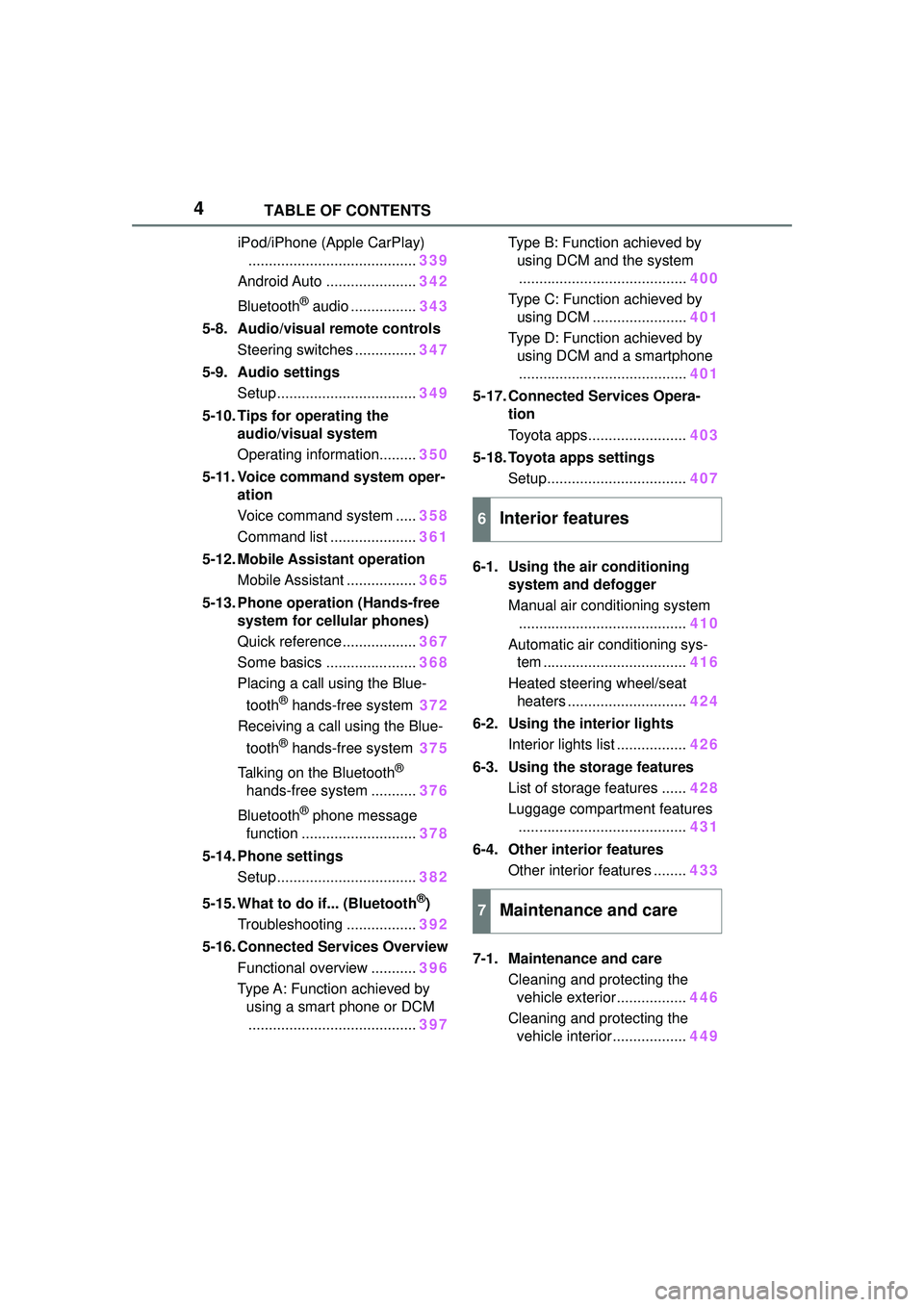
iPod/iPhone (Apple CarPlay)......................................... 339
Android Auto ...................... 342
Bluetooth
® audio ................ 343
5-8. Audio/visual remote controls Steering switches ............... 347
5-9. Audio settings Setup .................................. 349
5-10. Tips for operating the audio/visual system
Operating information......... 350
5-11. Voice command system oper- ation
Voice command system ..... 358
Command list ..................... 361
5-12. Mobile Assistant operation Mobile Assistant ................. 365
5-13. Phone operation (Hands-free system for cellular phones)
Quick reference .................. 367
Some basics ...................... 368
Placing a call using the Blue-
tooth
® hands-free system 372
Receiving a call using the Blue-
tooth
® hands-free system 375
Talking on the Bluetooth
®
hands-free system ........... 376
Bluetooth
® phone message
function ............................ 378
5-14. Phone settings Setup .................................. 382
5-15. What to do if... (Bluetooth
®)
Troubleshooting ................. 392
5-16. Connected Services Overview Functional overview ........... 396
Type A: Function achieved by using a smart phone or DCM......................................... 397Type B: Function achieved by
using DCM and the system......................................... 400
Type C: Function achieved by using DCM ....................... 401
Type D: Function achieved by using DCM and a smartphone......................................... 401
5-17. Connected Services Opera- tion
Toyota apps........................ 403
5-18. Toyota apps settings Setup.................................. 407
6-1. Using the air conditioning system and defogger
Manual air conditioning system......................................... 410
Automatic air conditioning sys- tem ................................... 416
Heated steering wheel/seat heaters ............................. 424
6-2. Using the interior lights Interior lights list ................. 426
6-3. Using the storage features List of storage features ...... 428
Luggage compartment features ......................................... 431
6-4. Other interior features Other interior features ........ 433
7-1. Maintenance and care Cleaning and protecting the vehicle exterior................. 446
Cleaning and protecting the vehicle interior.................. 449
6Interior features
7Maintenance and care
Page 10 of 612
10
information if they have access
to the vehicle or the EDR.
Disclosure of the EDR data
Toyota will not disclose the data
recorded in an EDR to a third party
except when:
• An agreement from the vehicle’s
owner (or the lessee for a leased
vehicle) is obtained
• In response to an official request by the police, a court of law or a
government agency
• For use by Toyota in a lawsuit
However, if necessary, Toyota may:
• Use the data fo r research on
vehicle safety performance
• Disclose the data to a third party for research purposes without
disclosing information about the
specific vehicle or vehicle owner
The SRS airbag and seat belt
pretensioner devices in your
Toyota contain explosive chemi-
cals. If the vehicle is scrapped
with the airbags and seat belt
pretensioners left as they are,
this may cause an accident such
as fire. Be sure to have the sys-
tems of the SRS airbag and seat
belt pretensioner removed and
disposed of by a qualified ser-
vice shop or by your Toyota
dealer before you scrap your
vehicle. Special handling may apply, See
www.dtsc.ca.gov/
hazardouswaste/perchlorate.
Your vehicle has components
that may contain perchlorate.
These components may include
the airbags, seat belt preten-
sioners, wireless remote control
batteries, and the batteries in
the tire pressure warning valve
and transmitters.
Scrapping of your Toyota
Perchlorate Material
WARNING
■General precautions while
driving
Driving under the influence: Never
drive your vehicle when under the
influence of alcohol or drugs that
have impaired your ability to oper-
ate your vehicle. Alcohol and cer-
tain drugs delay reaction time,
impair judgment and reduce coor-
dination, which could lead to an
accident that could result in death
or serious injury.
Defensive driving: Always drive
defensively. Anticipate mistakes
that other drivers or pedestrians
might make and be ready to avoid
accidents.
Driver distraction: Always give
your full attention to driving. Any-
thing that distracts the driver, such
as adjusting controls, talking on a
cellular phone or reading can
result in a collisio n with resulting
death or serious injury to you,
your occupants or others.
Page 19 of 612
19Pictorial index
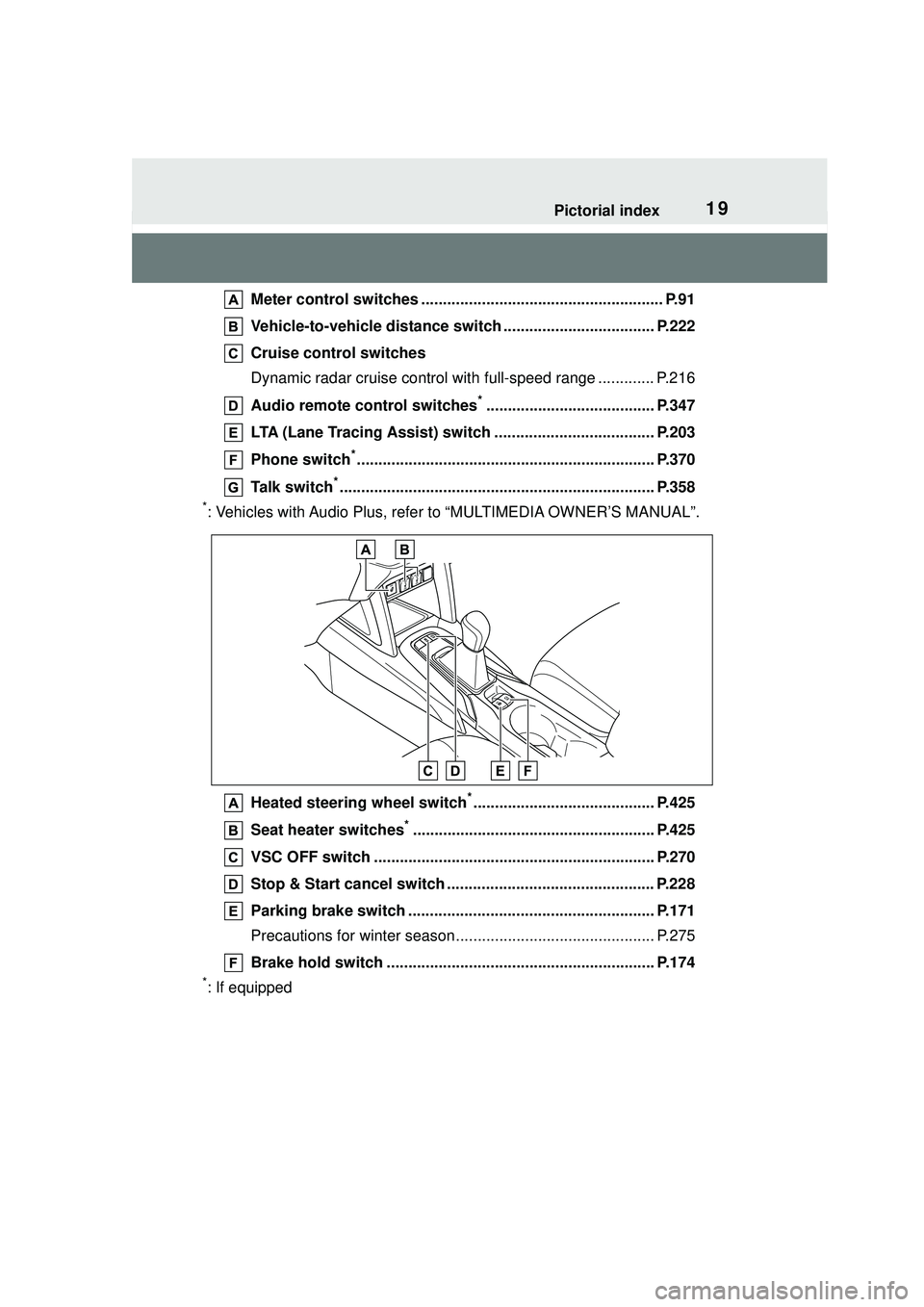
Meter control switches ........................................................ P.91
Vehicle-to-vehicle distance swit ch ................................... P.222
Cruise control switches
Dynamic radar cruise control wit h full-speed range ............. P.216
Audio remote control switches
*....................................... P.347
LTA (Lane Tracing Assist) switch ..................................... P.203
Phone switch
*..................................................................... P.370
Talk switch
*......................................................................... P.358
*: Vehicles with Audio Plus, refer to “MULTIMEDIA OWNER’S MANUAL”.
Heated steering wheel switch
*.......................................... P.425
Seat heater switches
*........................................................ P.425
VSC OFF switch ................................................................. P.270
Stop & Start cancel switch ................................................ P.228
Parking brake switch ......................................................... P.171
Precautions for winter season.... .......................................... P.275
Brake hold switch .............................................................. P.174
*: If equipped
Page 67 of 612
671-3. Emergency assistance
1
For safety and security
1-3.Emergency assistance
*: If equipped
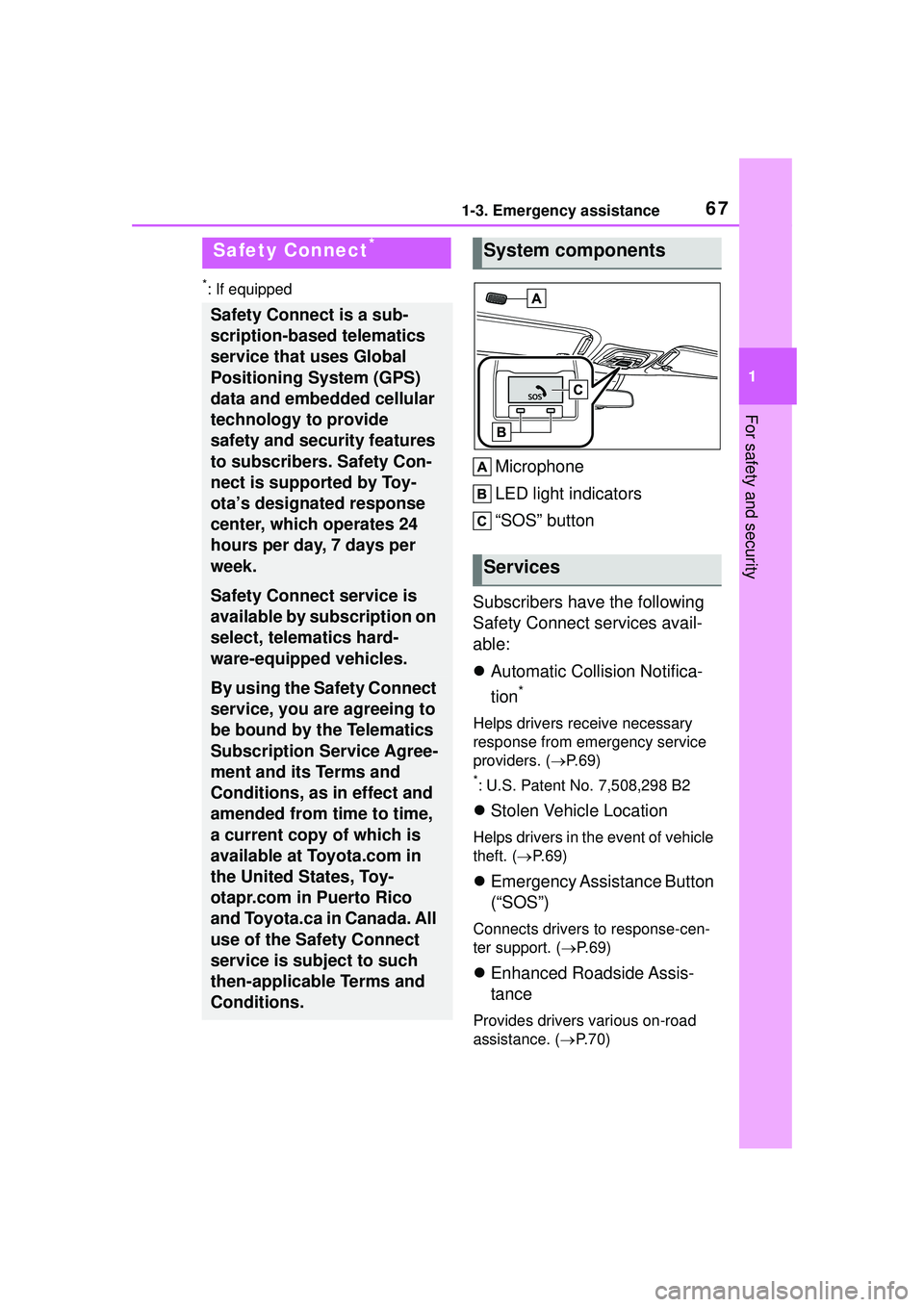
Microphone
LED light indicators
“SOS” button
Subscribers have the following
Safety Connect services avail-
able:
Automatic Collision Notifica-
tion
*
Helps drivers receive necessary
response from emergency service
providers. ( P. 6 9 )
*: U.S. Patent No. 7,508,298 B2
Stolen Vehicle Location
Helps drivers in the event of vehicle
theft. ( P. 6 9 )
Emergency Assistance Button
(“SOS”)
Connects drivers to response-cen-
ter support. ( P. 6 9 )
Enhanced Roadside Assis-
tance
Provides drivers various on-road
assistance. ( P.70)
Safety Connect*
Safety Connect is a sub-
scription-based telematics
service that uses Global
Positioning System (GPS)
data and embedded cellular
technology to provide
safety and security features
to subscribers. Safety Con-
nect is supported by Toy-
ota’s designated response
center, which operates 24
hours per day, 7 days per
week.
Safety Connect service is
available by subscription on
select, telematics hard-
ware-equipped vehicles.
By using the Safety Connect
service, you are agreeing to
be bound by the Telematics
Subscription Service Agree-
ment and its Terms and
Conditions, as in effect and
amended from time to time,
a current copy of which is
available at Toyota.com in
the United States, Toy-
otapr.com in Puerto Rico
and Toyota.ca in Canada. All
use of the Safety Connect
service is subject to such
then-applicable Terms and
Conditions.
System components
Services
Page 68 of 612
681-3. Emergency assistance
After you have signed the
Telematics Subscription Service
Agreement and are enrolled,
you can begin receiving ser-
vices.
A variety of subscription terms
are available for purchase. Con-
tact your Toyota dealer, call the
following appropriate Customer
Experience Center or push the
“SOS” button in your vehicle for
further subscription details.
• The United States
1-800-331-4331
• Canada
1-888-869-6828
•Puerto Rico
1-877-855-8377
■Safety Connect Services Infor-
mation
●Phone calls using the vehicle’s
Bluetooth® technology will not be
possible when Safety Connect is
active and in use.
●Safety Connect is available begin-
ning Fall 2009 on select Toyota
models (in the contiguous United
States only). Contact with the
Safety Connect response center
is dependent upon the telematics
device being in operative condi-
tion, cellular connection availabil-
ity, and GPS satellite signal
reception, which can limit the abil-
ity to reach the response center or
receive emergency service sup-
port. Enrollment and Telematics
Subscription Service Agreement
are required. A variety of subscrip-
tion terms are available; charges
vary by subscription term selected
and location.
●Automatic Collision Notification,
Emergency Assistance and Stolen
Vehicle Location are available in
the United States, including
Hawaii and Alaska, Puerto Rico
and Canada, and Enhanced
Roadside Assistance are avail-
able in the United States, Puerto
Rico and Canada.
●Automatic Collision Notification,
Emergency Assistance, Stolen
Vehicle and Enhanced Road
Assistance are not available in the
U.S. Virgin Islands.
For vehicles first sold in the U.S.
Virgin Islands, no Safety Connect
services will function in or outside
the U.S. Virgin Islands.
●Safety Connect services are not
subject to section 255 of the Tele-
communications Act and the
device is not TTY compatible.
■Languages
The Safety Connect response cen-
ter will offer support in multiple lan-
guages.
The Safety Connect system will
offer voice prompts in English,
Spanish, and French. Please indi-
cate your language of choice when
enrolling.
■When contacting the response
center
You may be unable to contact the
response center if the network is
busy.
When the engine switch is
turned to ON, the red indicator
light comes on for 2 seconds
then turns off. Afterward, the
green indicator light comes on,
indicating that the service is
active.
Subscription
Safety Connect LED light
Indicators
Page 70 of 612
701-3. Emergency assistance
■Enhanced Roadside Assis-
tance
Enhanced Roadside Assistance
adds GPS data to the already
included warranty-based Toyota
roadside service.
Subscribers can press the
“SOS” button to reach a Safety
Connect response-center agent,
who can help with a wide range
of needs, such as: towing, flat
tire, fuel delivery, etc. For a
description of the Enhanced
Roadside Assistance services
and their limitations, please see
the Safety Connect Terms and
Conditions, which are available
at Toyota.com in the United
States, Toyotapr.com in Puerto
Rico and Toyota.ca in Canada.
Important! Read this informa-
tion before using Safety Con-
nect.
■Exposure to radio fre-
quency signals
The Safety Connect system
installed in your vehicle is a
low-power radio transmitter and
receiver. It receives and also
sends out radio frequency (RF)
signals.
In August 1996, the Federal
Communications Commission
(FCC) adopted RF exposure
guidelines with safety levels for mobile wireless phones. Those
guidelines are consistent with
the safety standards previously
set by the following U.S. and
international standards bodies.
ANSI (American National
Standards Institute) C95.1
[1992]
NCRP (National Council on
Radiation Protection and
Measurement) Report 86
[1986]
ICNIRP (International Com-
mission on Non-Ionizing Radi-
ation Protection) [1996]
Those standards were based on
comprehensive and periodic
evaluations of the relevant sci-
entific literature. Over 120 scien-
tists, engineers, and physicians
from universities, and govern-
ment health agencies and
industries reviewed the avail-
able body of research to
develop the ANSI Standard
(C95.1).
The design of Safety Connect
complies with the FCC guide-
lines in addition to those stan-
dards.
Safety information for
Safety Connect
Page 101 of 612

1013-1. Key information
3
Before driving
when necessary. (P.483)
• The smart key system or the wire- less remote control does not oper-
ate.
• The detection area becomes smaller.
• The LED indicator on the key sur- face does not turn on.
●To avoid serious deterioration, do
not leave the electronic key within
3 ft. (1 m) of the following electri-
cal appliances that produce a
magnetic field:
• TVs
• Personal computers
• Cellular phones, cordless phones and battery chargers
• Recharging cellular phones or cordless phones
• Table lamps
• Induction cookers
●If the electronic key is near the
vehicle for longer than necessary,
even if the smart key system is not
operated, the key battery may
become depleted faster than nor-
mal.
■Replacing the battery
P. 4 8 3
■If “A New Key has been Regis-
tered Contact Your Dealer for
Details” is shown on the
multi-information display (vehi-
cles with a smart key system)
This message will be displayed
each time the driver’s door is
opened when the doors are
unlocked from the outside for
approximately 10 days after a new
electronic key has been registered.
If this message is displayed but you
have not had a new electronic key
registered, ask your Toyota dealer to
check if an unknown electronic key
(other than those in your posses-
sion) has been registered.
NOTICE
■To prevent key damage
●Do not drop the keys, subject
them to strong shocks or bend
them.
●Do not expose the keys to high
temperatures for long periods of
time.
●Do not get the keys wet or wash
them in an ultrasonic washer
etc.
●Vehicles with a smart key sys-
tem: Do not attach metallic or
magnetic materials to the keys
or place the keys close to such
materials.
●Do not disassemble the keys.
●Do not attach a sticker or any-
thing else to the surface of the
key.
●Vehicles with a smart key sys-
tem: Do not place the keys near
objects that produce magnetic
fields, such as TVs, audio sys-
tems and induction cookers.
●Vehicles with a smart key sys-
tem: Do not place the keys near
medical electrical equipment
such as low-fr equency therapy
equipment or microwave ther-
apy equipment, and do not
receive medical attention with
the keys on your person.
■Carrying the electronic key
on your person (vehicles with
a smart key system)
Carry the electronic key 3.9 in.
(10 cm) or more away from elec-
tric appliances that are turned on.
Radio waves emitted from electric
appliances within 3.9 in. (10 cm)
of the electronic key may interfere
with the key, causing the key to
not function properly.
Page 103 of 612
1033-1. Key information
3
Before driving
Vehicles with a smart key system
When is pressed for longer
than about one second, an alarm
will sound intermittently and the
vehicle lights will flash to deter any
person from trying to break into or
damage your vehicle.
To stop the alarm, press any button
on the electronic key.
■Conditions affecting the opera-
tion of the smart key system or
wireless remo te control
Vehicles without a smart key sys-
tem
The wireless remote control function
may not operate normally in the fol-
lowing situations:
●When the wireless key battery is
depleted
●Near a TV tower, electric power
plant, gas station, radio station,
large display, airport or other facil-
ity that generates strong radio
waves or electrical noise
●When carrying a portable radio,
cellular phone or other wireless
communication devices
●When the wireless key is in con-
tact with, or is covered by a metal-
lic object
●When a wireless key (that emits
radio waves) is being used nearby
●If window tint with a metallic con-
tent or metallic objects are
attached to the rear window
Vehicles with a smart key system
P. 1 2 0
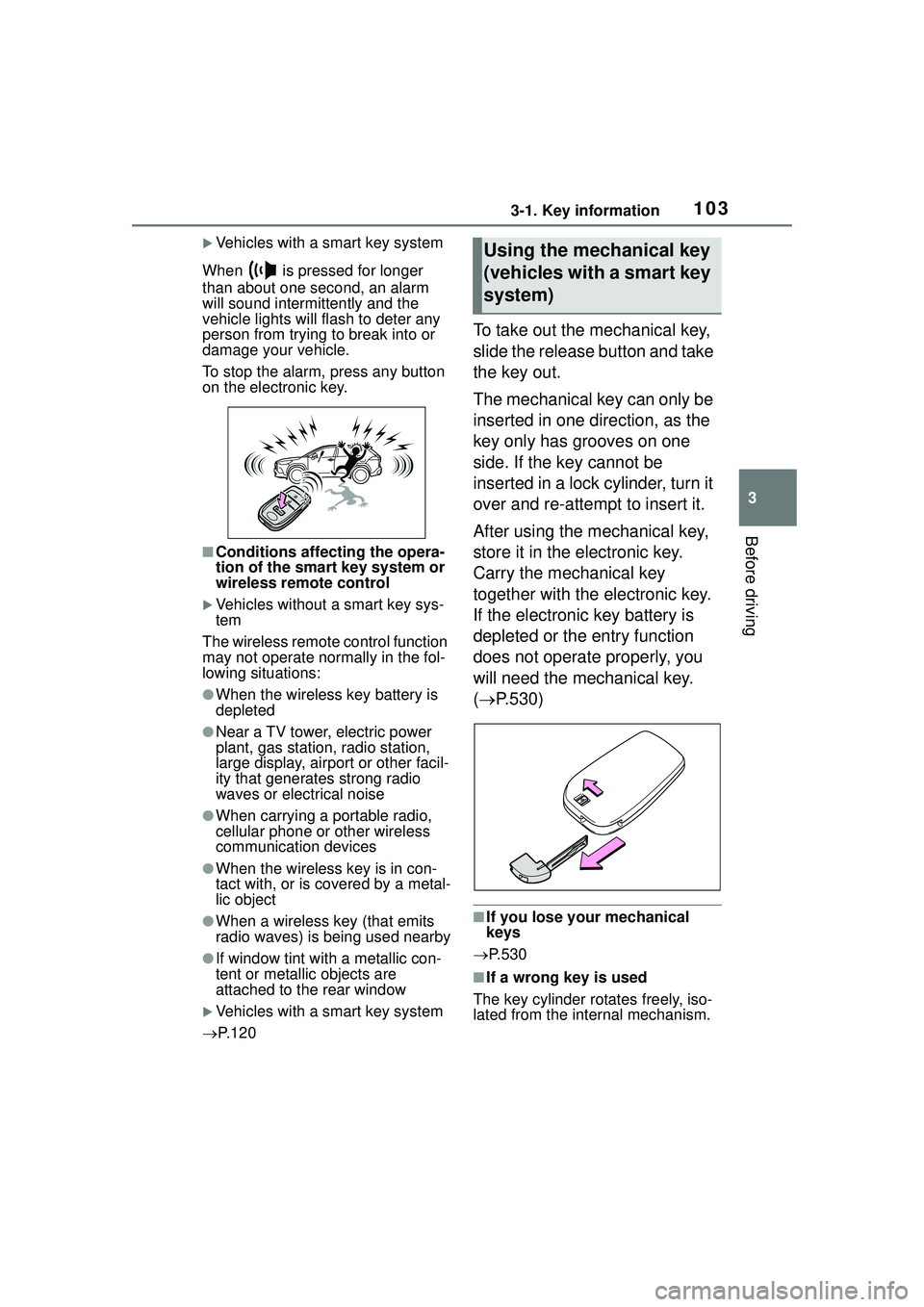
To take out the mechanical key,
slide the release button and take
the key out.
The mechanical key can only be
inserted in one direction, as the
key only has grooves on one
side. If the key cannot be
inserted in a lock cylinder, turn it
over and re-attempt to insert it.
After using the mechanical key,
store it in the electronic key.
Carry the mechanical key
together with the electronic key.
If the electronic key battery is
depleted or the entry function
does not operate properly, you
will need the mechanical key.
( P.530)
■If you lose your mechanical
keys
P.530
■If a wrong key is used
The key cylinder rotates freely, iso-
lated from the internal mechanism.
Using the mechanical key
(vehicles with a smart key
system)
Page 120 of 612
1203-2. Opening, closing and locking the doors
●Interior buzzer sounds continu-
ously
■Battery-saving function
The battery-saving function will be
activated in order to prevent the
electronic key battery and the vehi-
cle battery from being discharged
while the vehicle is not operated for
a long time.
●In the following situations, the
smart key system may take some
time to unlock the doors.
• The electronic key has been left within approximately 11 ft. (3.5 m)
of the outside of the vehicle for 2
minutes or longer.
• The smart key system has not
been used for 5 days or longer.
●If the smart key system has not
been used for 14 days or longer,
the doors cannot be unlocked
from any door except the driver’s
door. In this case, hold the driver’s
door handle, or use the wireless
remote control or mechanical key
to unlock the doors.
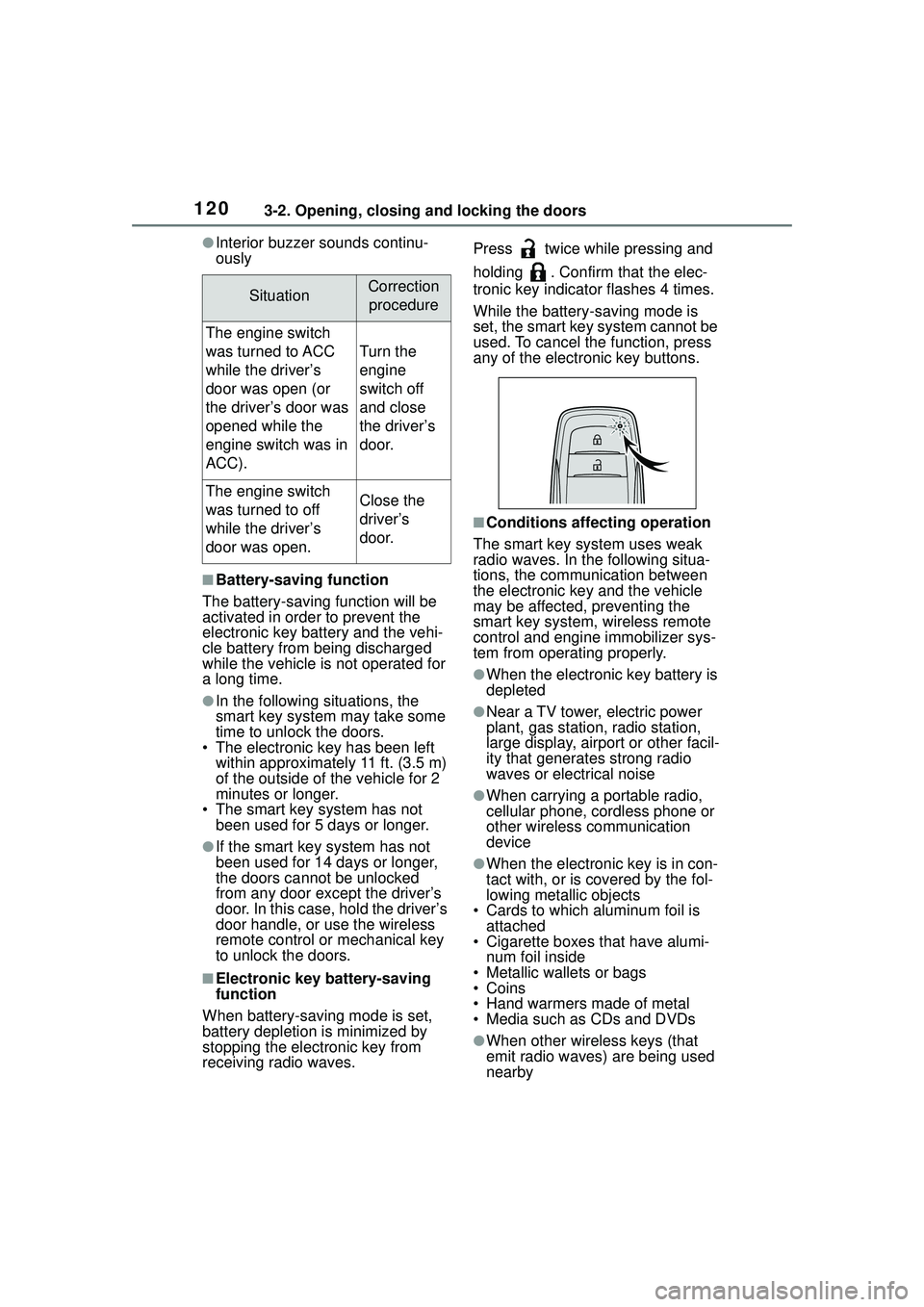
■Electronic key battery-saving
function
When battery-saving mode is set,
battery depletion is minimized by
stopping the electronic key from
receiving radio waves. Press twice while pressing and
holding . Confirm that the elec-
tronic key indicator flashes 4 times.
While the battery-saving mode is
set, the smart key system cannot be
used. To cancel the function, press
any of the electronic key buttons.
■Conditions affecting operation
The smart key system uses weak
radio waves. In the following situa-
tions, the communication between
the electronic key and the vehicle
may be affected, preventing the
smart key system, wireless remote
control and engine immobilizer sys-
tem from operating properly.
●When the electronic key battery is
depleted
●Near a TV tower, electric power
plant, gas station, radio station,
large display, airport or other facil-
ity that generates strong radio
waves or electrical noise
●When carrying a portable radio,
cellular phone, cordless phone or
other wireless communication
device
●When the electronic key is in con-
tact with, or is covered by the fol-
lowing metallic objects
• Cards to which aluminum foil is attached
• Cigarette boxes that have alumi- num foil inside
• Metallic wallets or bags
•Coins
• Hand warmers made of metal
• Media such as CDs and DVDs
●When other wireless keys (that
emit radio waves) are being used
nearby
SituationCorrection
procedure
The engine switch
was turned to ACC
while the driver’s
door was open (or
the driver’s door was
opened while the
engine switch was in
ACC).
Turn the
engine
switch off
and close
the driver’s
door.
The engine switch
was turned to off
while the driver’s
door was open.Close the
driver’s
door.