headlights TOYOTA COROLLA CROSS 2023 User Guide
[x] Cancel search | Manufacturer: TOYOTA, Model Year: 2023, Model line: COROLLA CROSS, Model: TOYOTA COROLLA CROSS 2023Pages: 500, PDF Size: 15.11 MB
Page 184 of 500
1844-3. Operating the lights and wipers
*: If equipped
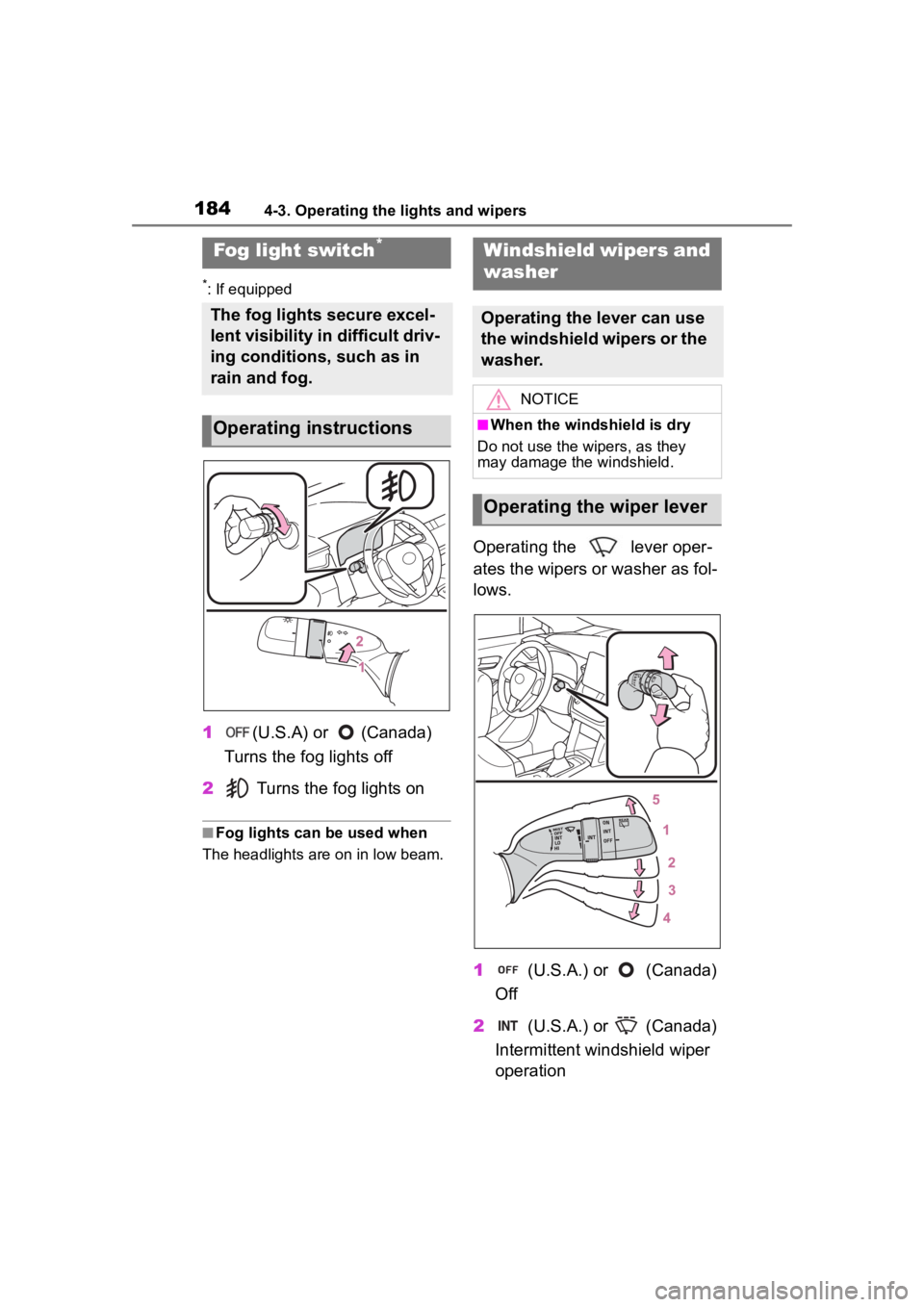
1(U.S.A) or (Canada)
Turns the fog lights off
2 Turns the fog lights on
■Fog lights can be used when
The headlights are on in low beam.
Operating the lever oper-
ates the wipers or washer as fol-
lows.
1 (U.S.A.) or (Canada)
Off
2 (U.S.A.) or (Canada)
Intermittent windshield wiper
operation
Fog light switch*
The fog lights secure excel-
lent visibility in difficult driv-
ing conditions, such as in
rain and fog.
Operating instructions
Windshield wipers and
washer
Operating the lever can use
the windshield wipers or the
washer.
NOTICE
■When the windshield is dry
Do not use the wipers, as they
may damage the windshield.
Operating the wiper lever
Page 195 of 500
1954-5. Using the driving support systems
4
Driving
WARNING
●Do not attach stickers (including
transparent stickers) or other
items to the area of the wind-
shield in front of the front cam-
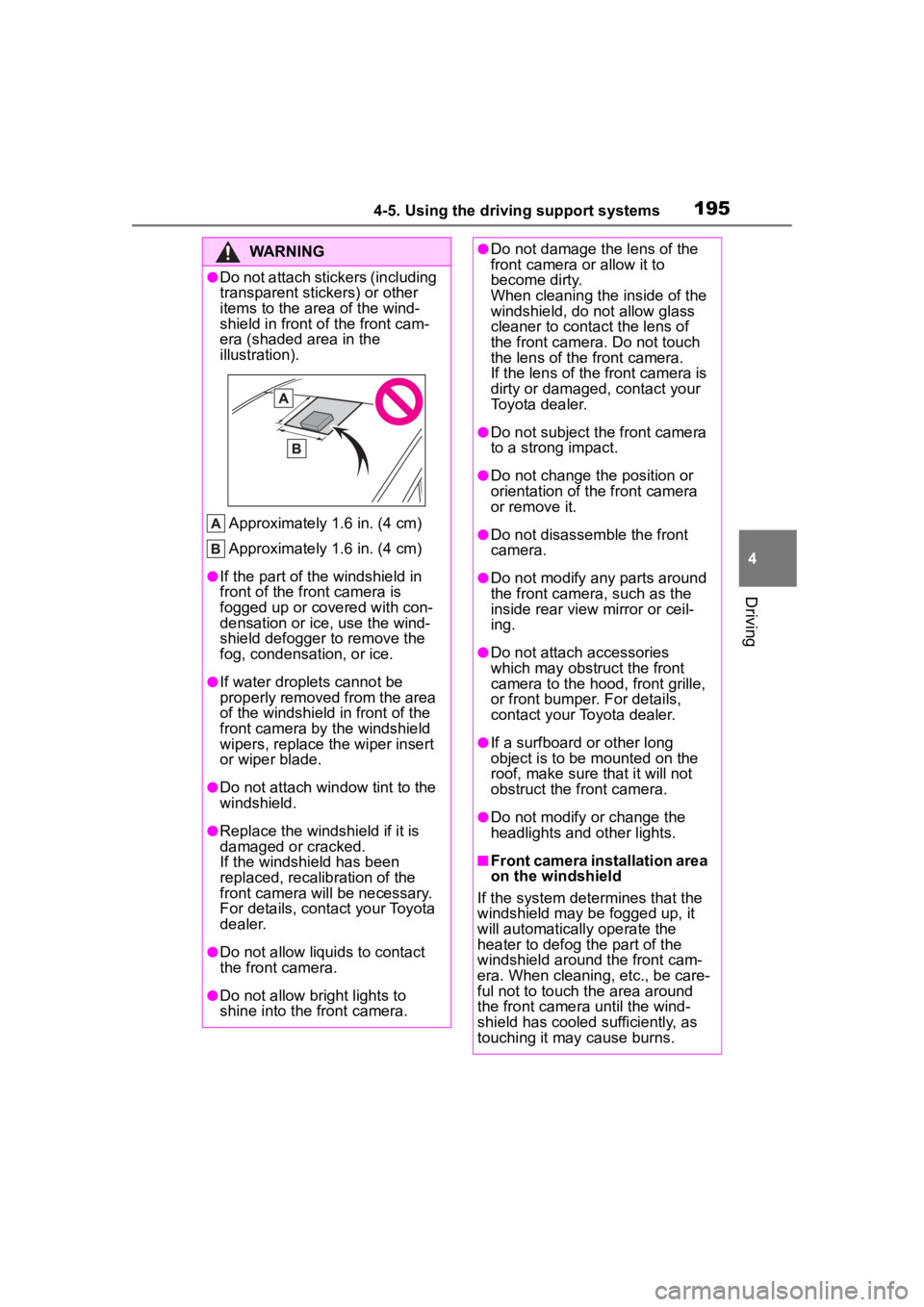
era (shaded area in the
illustration).
Approximately 1.6 in. (4 cm)
Approximately 1.6 in. (4 cm)
●If the part of the windshield in
front of the front camera is
fogged up or covered with con-
densation or ice, use the wind-
shield defogger to remove the
fog, condensation, or ice.
●If water droplets cannot be
properly removed from the area
of the windshield in front of the
front camera by the windshield
wipers, replace the wiper insert
or wiper blade.
●Do not attach win dow tint to the
windshield.
●Replace the windshield if it is
damaged or cracked.
If the windshield has been
replaced, recalib ration of the
front camera will be necessary.
For details, contact your Toyota
dealer.
●Do not allow liquids to contact
the front camera.
●Do not allow bright lights to
shine into the front camera.
●Do not damage th e lens of the
front camera o r allow it to
become dirty.
When cleaning the inside of the
windshield, do not allow glass
cleaner to contact the lens of
the front camera. Do not touch
the lens of the front camera.
If the lens of the front camera is
dirty or damaged, contact your
Toyota dealer.
●Do not subject the front camera
to a strong impact.
●Do not change the position or
orientation of the front camera
or remove it.
●Do not disassemble the front
camera.
●Do not modify any parts around
the front camera , such as the
inside rear view mirror or ceil-
ing.
●Do not attach accessories
which may obstruct the front
camera to the hood, front grille,
or front bumper. For details,
contact your Toyota dealer.
●If a surfboard or other long
object is to be mounted on the
roof, make sure that it will not
obstruct the front camera.
●Do not modify or change the
headlights and other lights.
■Front camera installation area
on the windshield
If the system determines that the
windshield may be fogged up, it
will automatically operate the
heater to defog t he part of the
windshield aroun d the front cam-
era. When cleaning, etc., be care-
ful not to touch the area around
the front camera until the wind-
shield has cooled sufficiently, as
touching it may cause burns.
Page 196 of 500
1964-5. Using the driving support systems
■Situations in which the sensors
may not operate properly
●When the height or inclination of
the vehicle has been changed due
to modifications
●When the windshield is dirty,
fogged up, cracked or damaged
●When the ambient temperature is
high or low
●When mud, water, snow, dead
insects, foreign matter, etc., is
attached to the front of the sensor
●When in inclement weather such
as heavy rain, fog, snow, or a
sandstorm
●When water, snow, dust, etc. is
t h r o w n u p i n f r o n t o f t h e v e h i c l e , o r
when driving through mist or
smoke
●When the headlig hts are not illu-
minated while driving in the dark,
such as at night o r when in a tun-
nel
●When the lens of a headlight is
dirty and illumination is weak
●When the headlights are mis-
aligned
●When a headlight is malfunction-
ing
●When the headlights of another
vehicle, sunlight, or reflected light
shines directly into the front cam-
era
●When the brightn ess of the sur-
rounding area changes suddenly
●When driving near a TV tower,
broadcasting station, electric
power plant, radar equipped vehi-
cles, etc., or other location where
strong radio waves or electrical
noise may be present
●When a wiper blade is blocking
the front camera
●When in a location or near objects
which strongly reflect radio waves,
such as the following:
• Tunnels • Truss bridges
• Gravel roads
• Rutted, snow-covered roads
•Walls
• Large trucks
• Manhole covers
• Guardrail
• Metal plates
●When near a step or protrusion
●When a detectable vehicle is nar-
row, such as a sma
ll mobility vehi-
cle
●When a detectable vehicle has a
small front or rear end, such as an
unloaded truck
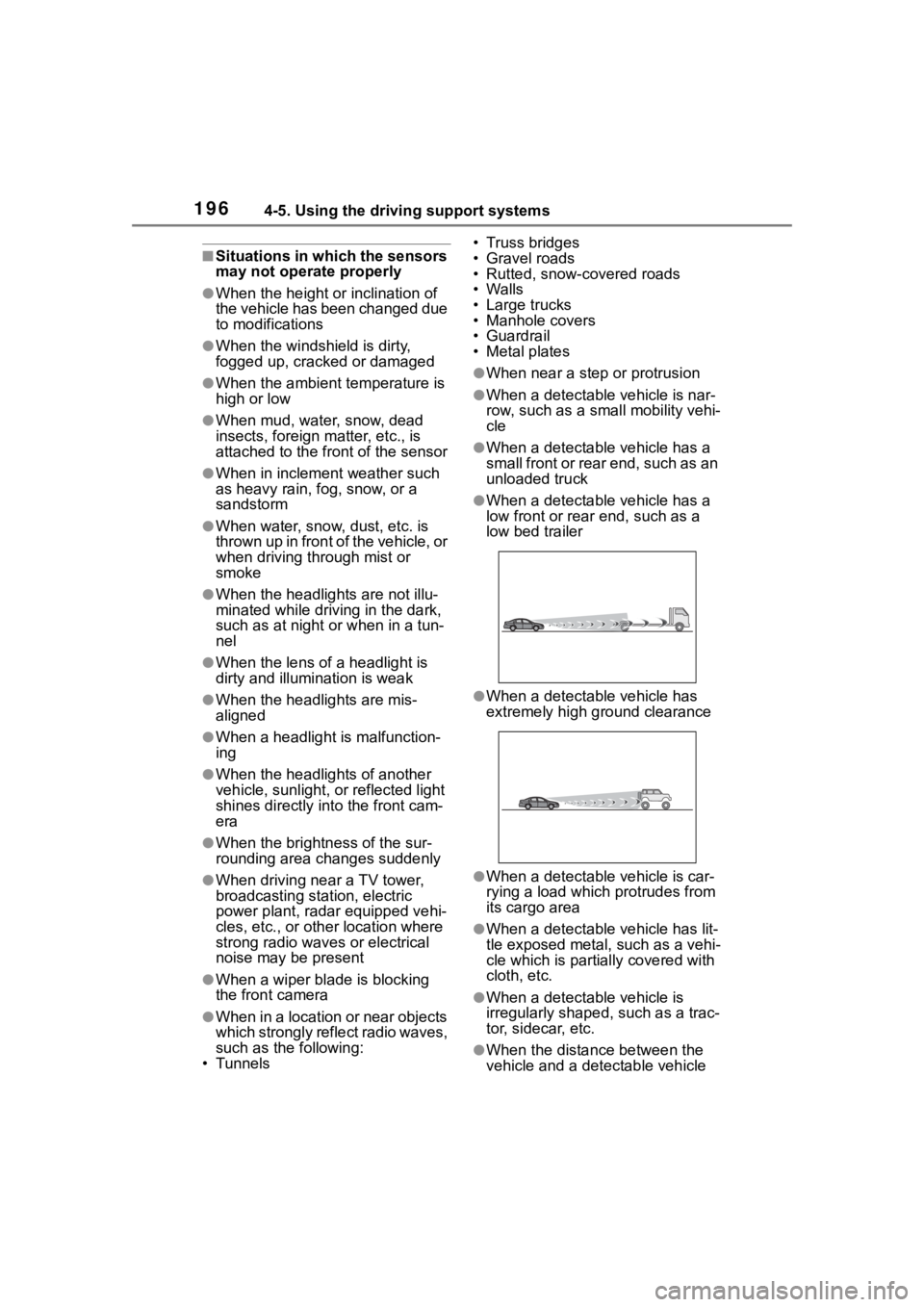
●When a detectable vehicle has a
low front or rear end, such as a
low bed trailer
●When a detectable vehicle has
extremely high ground clearance
●When a detectable vehicle is car-
rying a load which protrudes from
its cargo area
●When a detectable vehicle has lit-
tle exposed metal, such as a vehi-
cle which is parti ally covered with
cloth, etc.
●When a detectable vehicle is
irregularly shaped, such as a trac-
tor, sidecar, etc.
●When the distance between the
vehicle and a detectable vehicle
Page 374 of 500
3746-3. Do-it-yourself maintenance
Check the wattage of the light
bulb to be replaced. ( P.435)
P. 1 1 6
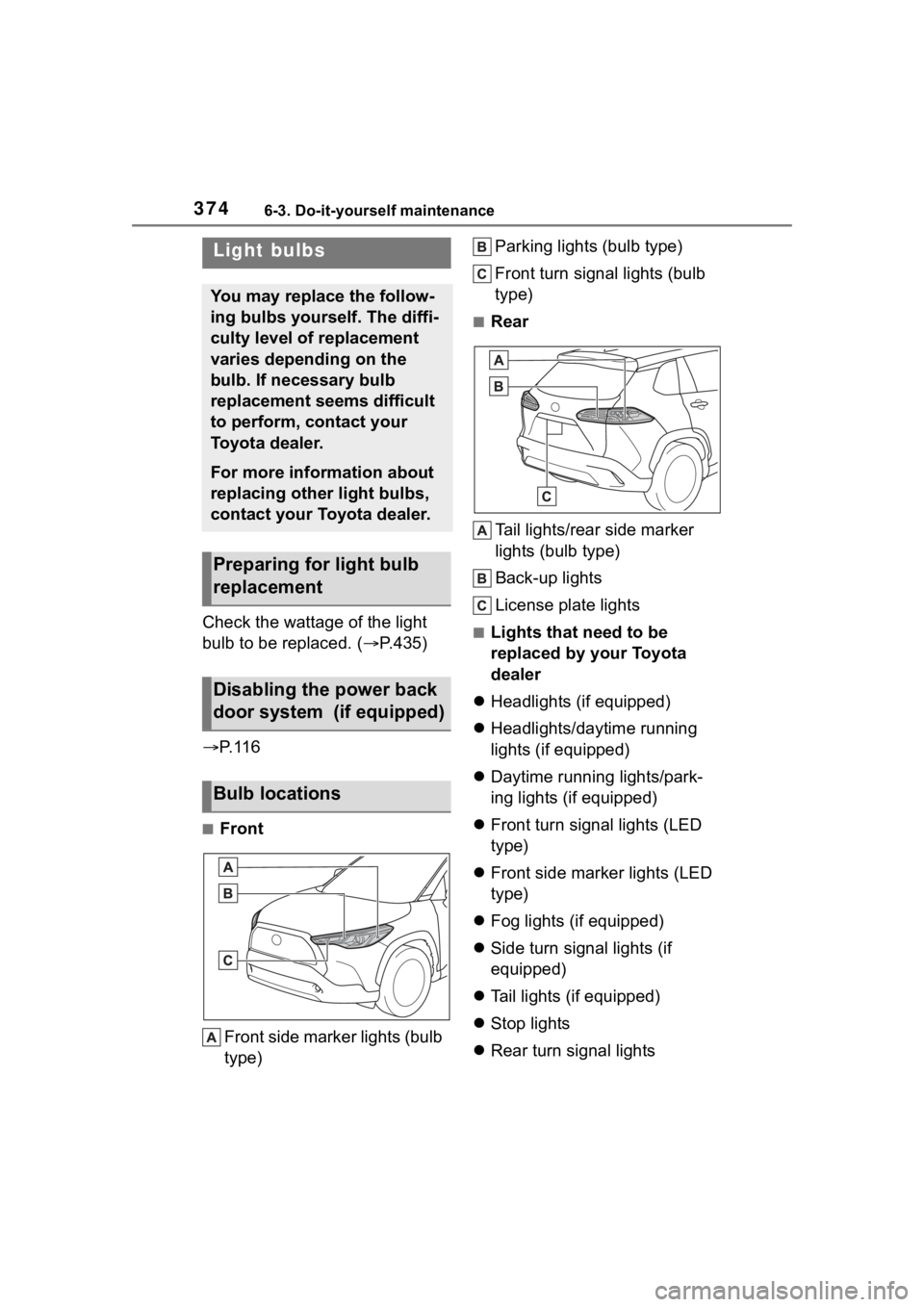
■Front
Front side marker lights (bulb
type) Parking lights (bulb type)
Front turn signal lights (bulb
type)
■Rear
Tail lights/rear side marker
lights (bulb type)
Back-up lights
License plate lights
■Lights that need to be
replaced by your Toyota
dealer
Headlights (if equipped)
Headlights/daytime running
lights (if equipped)
Daytime running lights/park-
ing lights (if equipped)
Front turn signal lights (LED
type)
Front side marker lights (LED
type)
Fog lights (if equipped)
Side turn signal lights (if
equipped)
Tail lights (if equipped)
Stop lights
Rear turn signal lights
Light bulbs
You may replace the follow-
ing bulbs yourself. The diffi-
culty level of replacement
varies depending on the
bulb. If necessary bulb
replacement seems difficult
to perform, contact your
Toyota dealer.
For more information about
replacing other light bulbs,
contact your Toyota dealer.
Preparing for light bulb
replacement
Disabling the power back
door system (if equipped)
Bulb locations
Page 415 of 500
4157-2. Steps to take in an emergency
7
When trouble arises
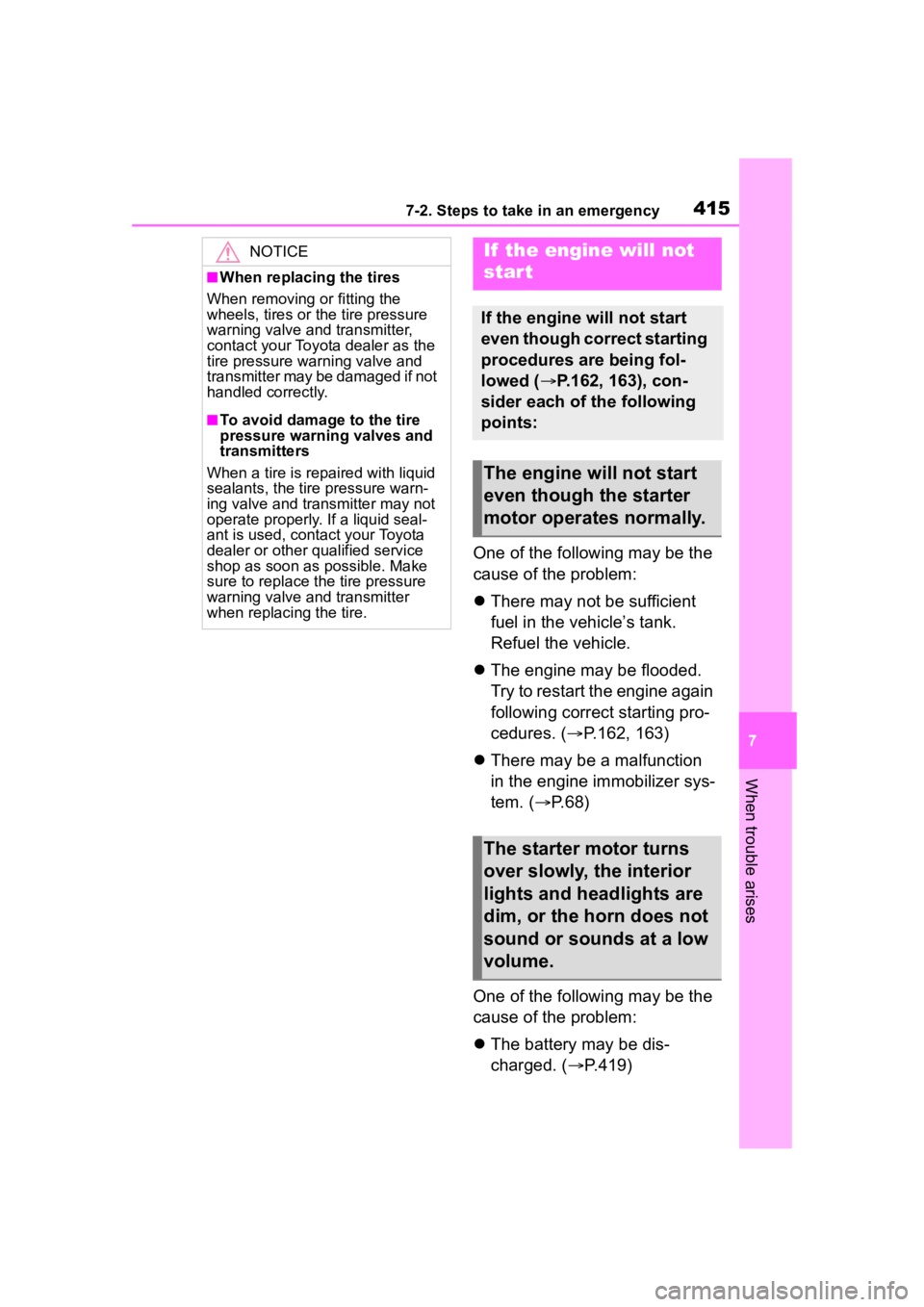
One of the following may be the
cause of the problem:
There may not be sufficient
fuel in the vehicle’s tank.
Refuel the vehicle.
The engine may be flooded.
Try to restart the engine again
following correct starting pro-
cedures. ( P.162, 163)
There may be a malfunction
in the engine immobilizer sys-
tem. ( P.68)
One of the following may be the
cause of the problem:
The battery may be dis-
charged. ( P.419)
NOTICE
■When replacing the tires
When removing or fitting the
wheels, tires or the tire pressure
warning valve and transmitter,
contact your Toyota dealer as the
tire pressure warning valve and
transmitter may be damaged if not
handled correctly.
■To avoid damage to the tire
pressure warning valves and
transmitters
When a tire is repaired with liquid
sealants, the tire pressure warn-
ing valve and transmitter may not
operate properly. If a liquid seal-
ant is used, contact your Toyota
dealer or other qualified service
shop as soon as possible. Make
sure to replace the tire pressure
warning valve and transmitter
when replacing the tire.
If the engine will not
star t
If the engine will not start
even though correct starting
procedures are being fol-
lowed ( P.162, 163), con-
sider each of the following
points:
The engine will not start
even though the starter
motor operates normally.
The starter motor turns
over slowly, the interior
lights and headlights are
dim, or the horn does not
sound or sounds at a low
volume.
Page 416 of 500
4167-2. Steps to take in an emergency
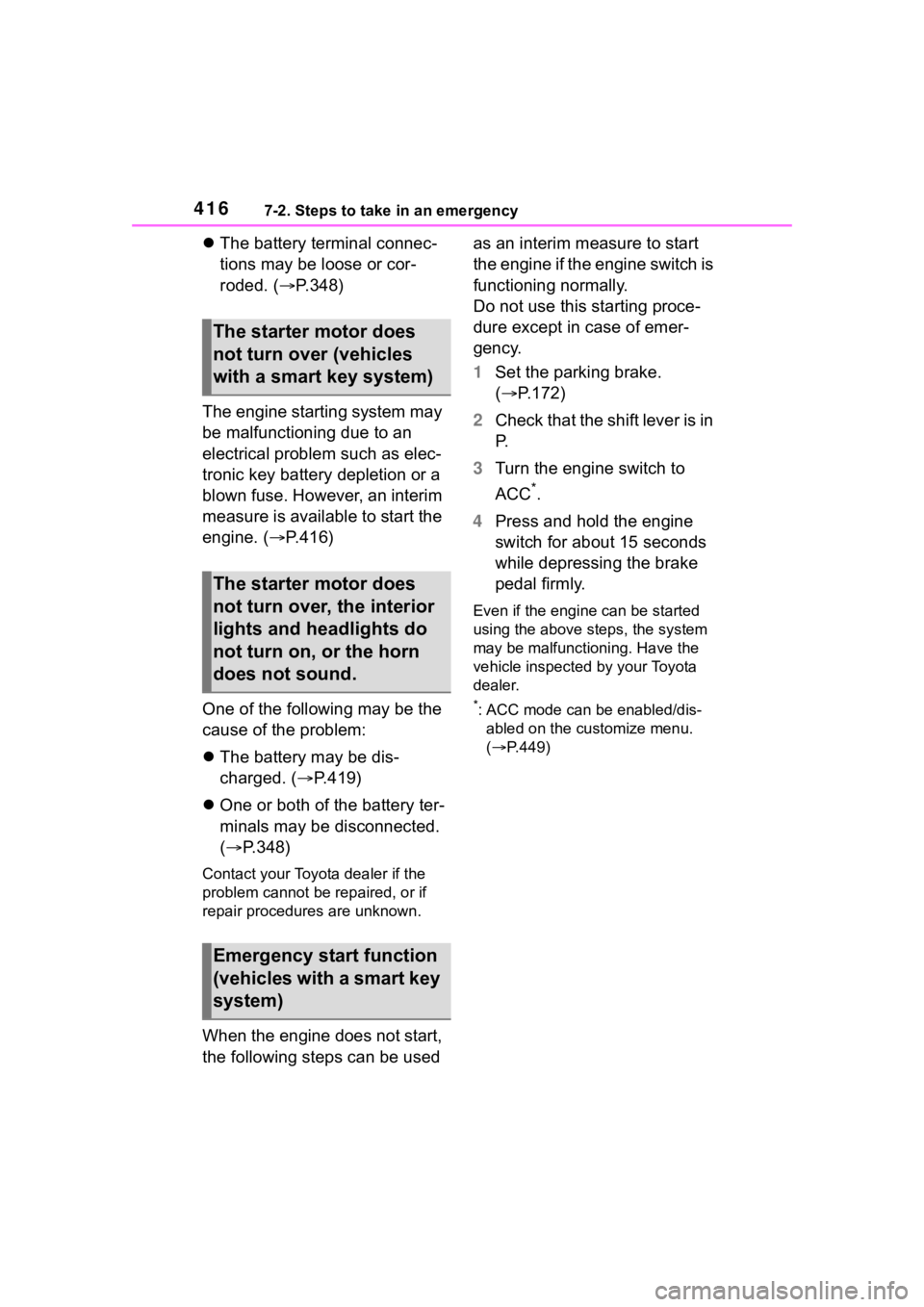
The battery terminal connec-
tions may be loose or cor-
roded. ( P.348)
The engine starting system may
be malfunctioning due to an
electrical problem such as elec-
tronic key battery depletion or a
blown fuse. However, an interim
measure is available to start the
engine. ( P.416)
One of the following may be the
cause of the problem:
The battery may be dis-
charged. ( P.419)
One or both of the battery ter-
minals may be disconnected.
( P.348)
Contact your Toyot a dealer if the
problem cannot be repaired, or if
repair procedures are unknown.
When the engine does not start,
the following steps can be used as an interim measure to start
the engine if the engine switch is
functioning normally.
Do not use this starting proce-
dure except in case of emer-
gency.
1
Set the parking brake.
( P.172)
2 Check that the shift lever is in
P.
3 Turn the engine switch to
ACC
*.
4 Press and hold the engine
switch for about 15 seconds
while depressing the brake
pedal firmly.
Even if the engi ne can be started
using the above steps, the system
may be malfunctioning. Have the
vehicle inspected by your Toyota
dealer.
*: ACC mode can be enabled/dis- abled on the customize menu.
( P.449)
The starter motor does
not turn over (vehicles
with a smart key system)
The starter motor does
not turn over, the interior
lights and headlights do
not turn on, or the horn
does not sound.
Emergency start function
(vehicles with a smart key
system)
Page 421 of 500
4217-2. Steps to take in an emergency
7
When trouble arises
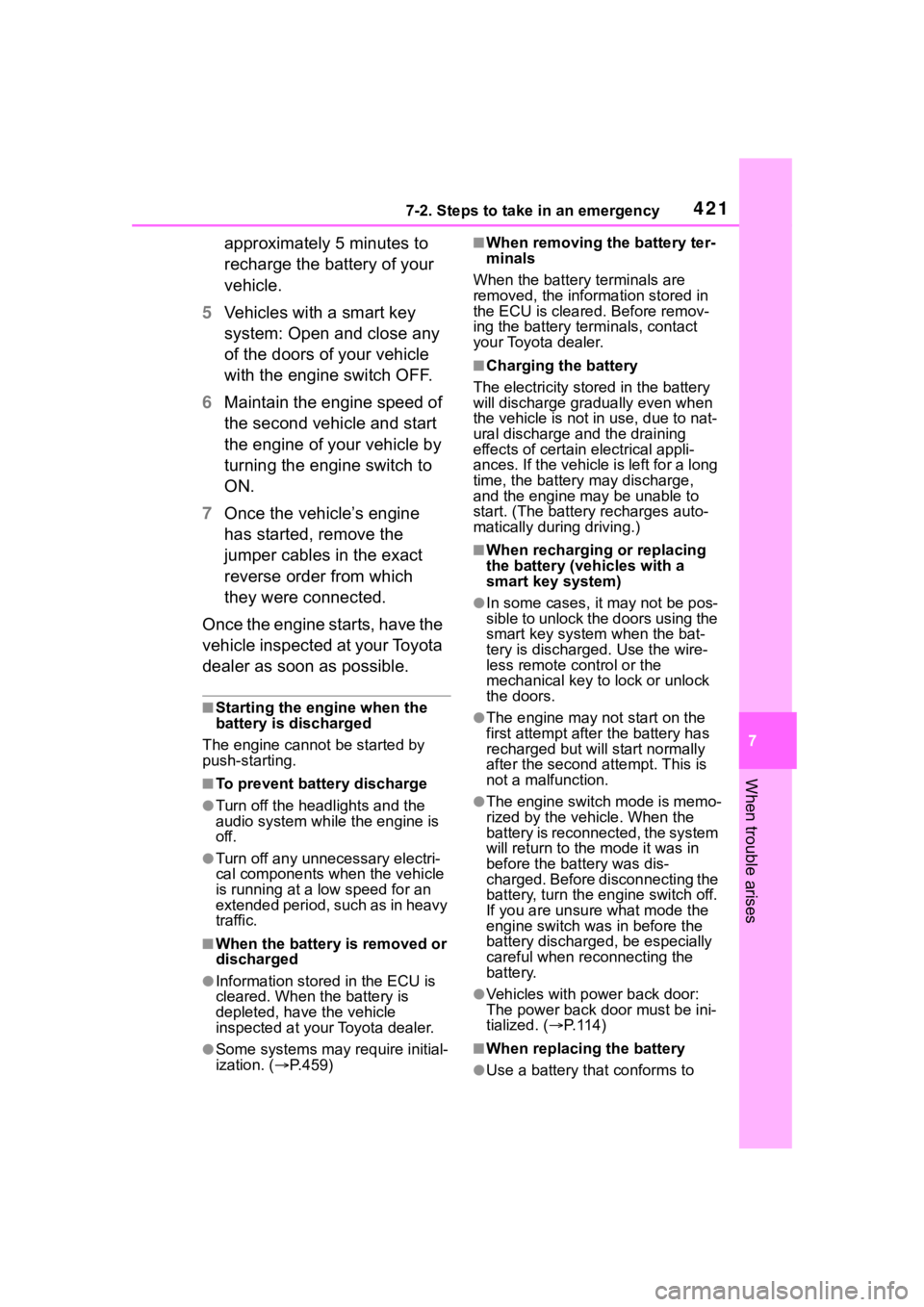
approximately 5 minutes to
recharge the battery of your
vehicle.
5 Vehicles with a smart key
system: Open and close any
of the doors of your vehicle
with the engine switch OFF.
6 Maintain the engine speed of
the second vehicle and start
the engine of your vehicle by
turning the engine switch to
ON.
7 Once the vehicle’s engine
has started, remove the
jumper cables in the exact
reverse order from which
they were connected.
Once the engine starts, have the
vehicle inspected at your Toyota
dealer as soon as possible.
■Starting the engine when the
battery is discharged
The engine cannot be started by
push-starting.
■To prevent battery discharge
●Turn off the headlights and the
audio system while the engine is
off.
●Turn off any unnecessary electri-
cal components when the vehicle
is running at a low speed for an
extended period, such as in heavy
traffic.
■When the battery is removed or
discharged
●Information stor ed in the ECU is
cleared. When the battery is
depleted, have the vehicle
inspected at you r Toyota dealer.
●Some systems may require initial-
ization. ( P.459)
■When removing the battery ter-
minals
When the battery terminals are
removed, the information stored in
the ECU is cleared. Before remov-
ing the battery term inals, contact
your Toyota dealer.
■Charging the battery
The electricity stored in the battery
will discharge grad ually even when
the vehicle is not in use, due to nat-
ural discharge and the draining
effects of certain electrical appli-
ances. If the vehicle is left for a long
time, the battery may discharge,
and the engine may be unable to
start. (The battery recharges auto-
matically during driving.)
■When recharging or replacing
the battery (vehicles with a
smart key system)
●In some cases, it may not be pos-
sible to unlock the doors using the
smart key system when the bat-
tery is discharged. Use the wire-
less remote control or the
mechanical key to lock or unlock
the doors.
●The engine may not start on the
first attempt after the battery has
recharged but will start normally
after the second attempt. This is
not a malfunction.
●The engine switch mode is memo-
rized by the vehicle. When the
battery is reconnected, the system
will return to the mode it was in
before the bat tery was dis-
charged. Before disconnecting the
battery, turn the engine switch off.
If you are unsure what mode the
engine switch wa s in before the
battery discharged, be especially
careful when reconnecting the
battery.
●Vehicles with power back door:
The power back door must be ini-
tialized. ( P. 1 1 4 )
■When replacing the battery
●Use a battery that conforms to
Page 432 of 500
4328-1. Specifications
*: The fluid capacity is a reference quantity.If replacement is necessary, contact your Toyota dealer.
*: The fluid capacity is a reference quantity.If replacement is necessary, contact your Toyota dealer.
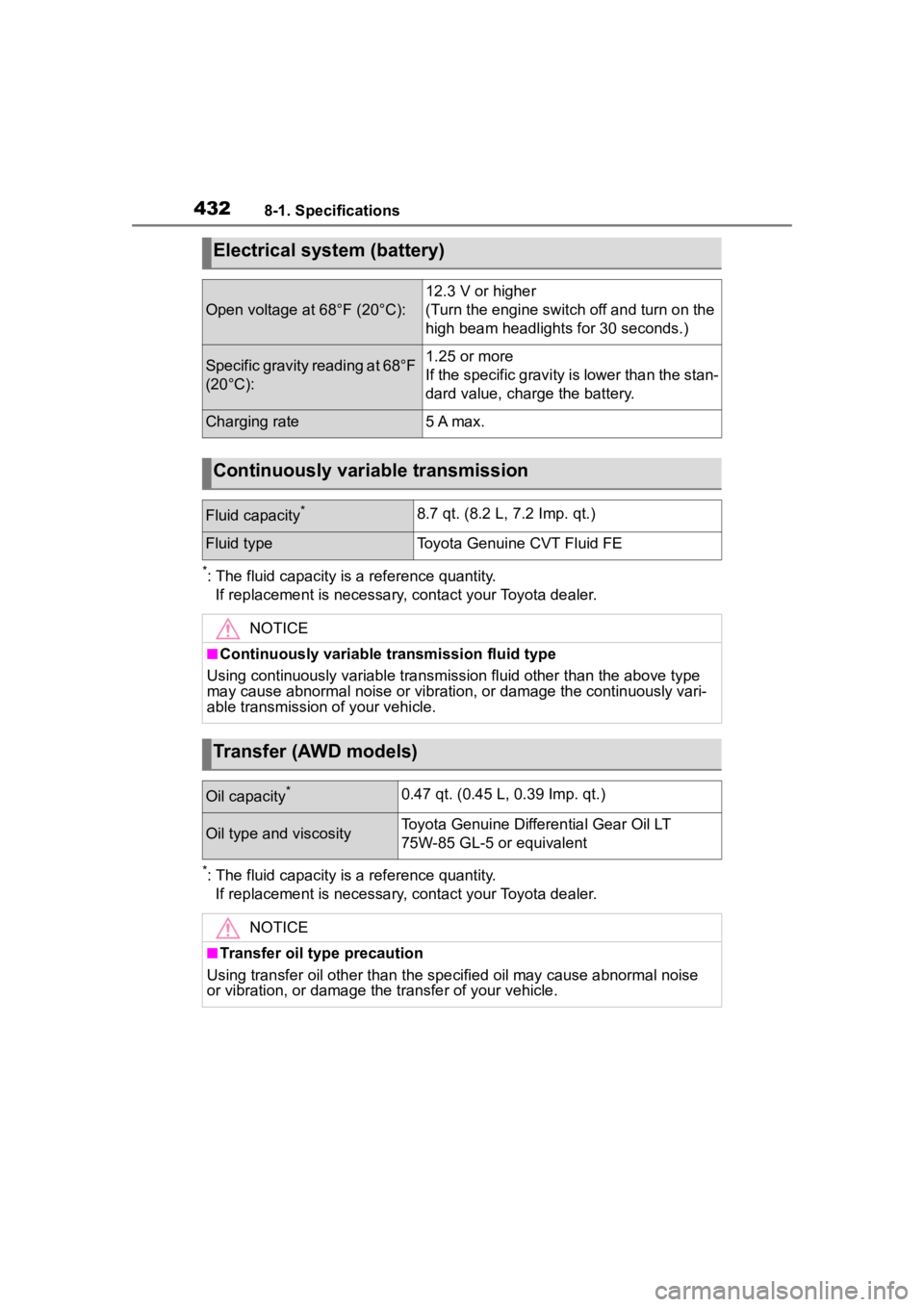
Electrical system (battery)
Open voltage at 68°F (20°C):
12.3 V or higher
(Turn the engine switch off and turn on the
high beam headlights for 30 seconds.)
Specific gravity reading at 68°F
(20°C):1.25 or more
If the specific gravity is lower than the stan-
dard value, charge the battery.
Charging rate5 A max.
Continuously variable transmission
Fluid capacity*8.7 qt. (8.2 L, 7.2 Imp. qt.)
Fluid typeToyota Genuine CVT Fluid FE
NOTICE
■Continuously variable transmission fluid type
Using continuously variable tran smission fluid other than the above type
may cause abnormal noise or vibration, or damage the continuous ly vari-
able transmission of your vehicle.
Transfer (AWD models)
Oil capacity*0.47 qt. (0.45 L, 0.39 Imp. qt.)
Oil type and viscosityToyota Genuine Differential Gear Oil LT
75W-85 GL-5 or equivalent
NOTICE
■Transfer oil type precaution
Using transfer oil other than t he specified oil may cause abnormal noise
or vibration, or damage the transfer of your vehicle.
Page 479 of 500
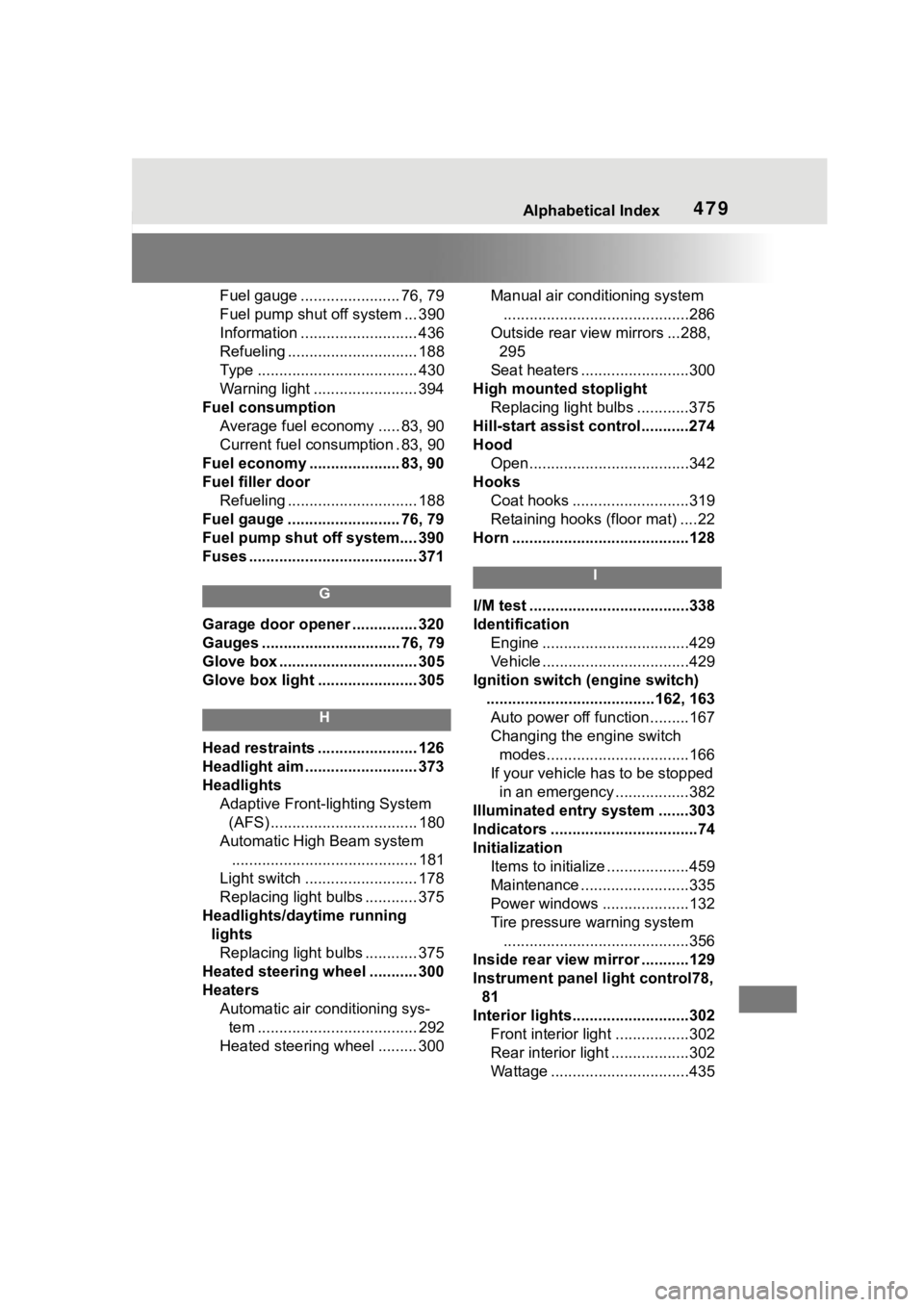
479Alphabetical Index
Fuel gauge ....................... 76, 79
Fuel pump shut off system ... 390
Information ........................... 436
Refueling .............................. 188
Type ..................................... 430
Warning light ........................ 394
Fuel consumption Average fuel economy ..... 83, 90
Current fuel consumption . 83, 90
Fuel economy ......... ............ 83, 90
Fuel filler door Refueling .............................. 188
Fuel gauge .......................... 76, 79
Fuel pump shut off system.... 390
Fuses ....................................... 371
G
Garage door opener ............... 320
Gauges ................................ 76, 79
Glove box ................................ 305
Glove box light ....................... 305
H
Head restraints ....................... 126
Headlight aim .......................... 373
Headlights Adaptive Front-lighting System (AFS) .................................. 180
Automatic High Beam system ........................................... 181
Light switch .......................... 178
Replacing light bulbs ............ 375
Headlights/daytime running lightsReplacing light bulbs ............ 375
Heated steering wheel ........... 300
Heaters Automatic air conditioning sys-tem ..................................... 292
Heated steering wheel ......... 300 Manual air conditioning system
...........................................286
Outside rear view mirrors ...288, 295
Seat heaters ....... ..................300
High mounted stoplight Replacing light bulbs ............375
Hill-start assist control...........274
Hood Open.....................................342
Hooks Coat hooks ...........................319
Retaining hooks (floor mat) ....22
Horn .........................................128
I
I/M test .....................................338
Identification Engine ..................................429
Vehicle ..................................429
Ignition switch (engine switch) .......................................162, 163Auto power off fun ction .........167
Changing the engine switch modes.................................166
If your vehicle has to be stopped in an emergency .................382
Illuminated entry system .......303
Indicators ..................................74
Initialization Items to initialize ...................459
Maintenance .........................335
Power windows ....................132
Tire pressure w arning system
...........................................356
Inside rear view m irror ...........129
Instrument panel light control78, 81
Interior lights...........................302 Front interior light .................302
Rear interior light ..................302
Wattage ................................435