Multi function TOYOTA COROLLA CROSS 2023 Owner's Manual
[x] Cancel search | Manufacturer: TOYOTA, Model Year: 2023, Model line: COROLLA CROSS, Model: TOYOTA COROLLA CROSS 2023Pages: 500, PDF Size: 15.11 MB
Page 164 of 500
1644-2. Driving procedures
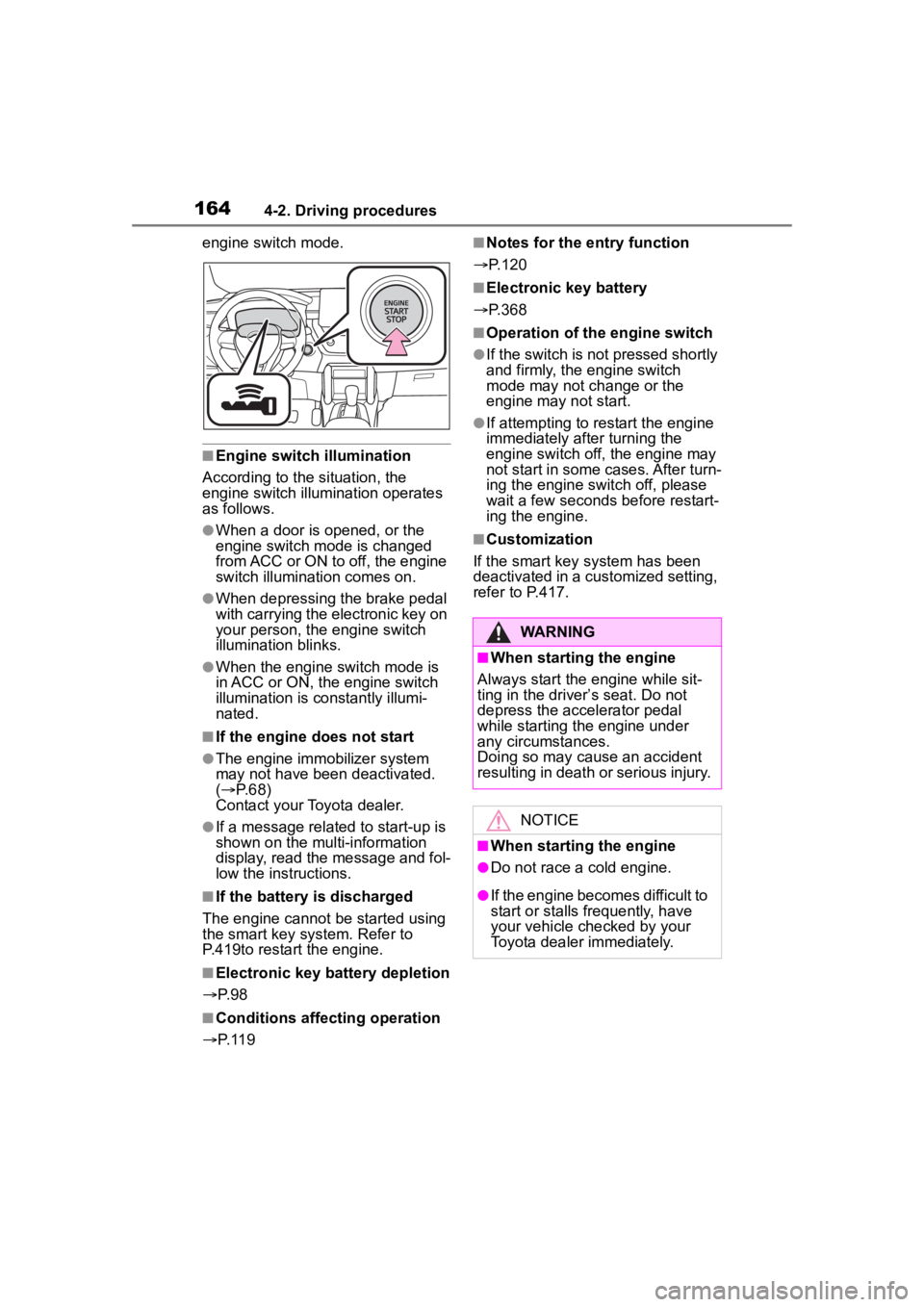
engine switch mode.
■Engine switch illumination
According to the situation, the
engine switch illumi nation operates
as follows.
●When a door is opened, or the
engine switch mode is changed
from ACC or ON to off, the engine
switch illumination comes on.
●When depressing the brake pedal
with carrying the electronic key on
your person, the engine switch
illumination blinks.
●When the engine switch mode is
in ACC or ON, the engine switch
illumination is constantly illumi-
nated.
■If the engine does not start
●The engine immobilizer system
may not have been deactivated.
( P. 6 8 )
Contact your Toyota dealer.
●If a message related to start-up is
shown on the multi-information
display, read the message and fol-
low the instructions.
■If the battery is discharged
The engine cannot be started using
the smart key system. Refer to
P.419to restart the engine.
■Electronic key battery depletion
P. 9 8
■Conditions affecting operation
P. 1 1 9
■Notes for the entry function
P.120
■Electronic key battery
P.368
■Operation of the engine switch
●If the switch is not pressed shortly
and firmly, the engine switch
mode may not change or the
engine may not start.
●If attempting to restart the engine
immediately after turning the
engine switch off, the engine may
not start in some cases. After turn-
ing the engine switch off, please
wait a few seconds before restart-
ing the engine.
■Customization
If the smart key system has been
deactivated in a customized setting,
refer to P.417.
WARNING
■When starting the engine
Always start the engine while sit-
ting in the driver’s seat. Do not
depress the accelerator pedal
while starting the engine under
any circumstances.
Doing so may cause an accident
resulting in death o r serious injury.
NOTICE
■When starting the engine
●Do not race a cold engine.
●If the engine becomes difficult to
start or stalls frequently, have
your vehicle checked by your
Toyota dealer immediately.
Page 165 of 500
1654-2. Driving procedures
4
Driving
1Stop the vehicle completely.
2 Set the parking brake
( P.172), and shift the shift
lever to P.
Check the parking brake indicator
is illuminated.
Do not press the shift lever button
after shifting the shit position to P.
3 Press the engine switch.
The engine will stop, and the meter
display will be extinguished.
4Release the brake pedal and
check that “ACCESSORY” or
“IGNITION ON” is not shown
on the multi-information dis-
p l a y.
■Automatic engine shut off fea-
ture
●The vehicle is equipped with a
feature that automatically shuts off
the engine when the shift lever is
in P with the engine running for an
extended period.
●The engine will automatically shut
off after approximately 1 hour if it
has been left running while the
shift lever is in P.
●The timer for the automatic engine
shut off feature will reset if the
brake pedal is depre ssed or if the shift lever is in a position other
than P.
●After the vehicle
is parked, if the
door is locked with the door lock
switch ( P.107) from the inside or
the mechanical key (P.417) from
the outside, the automatic engine
shut off feature will be disabled.
The timer for the automatic engine
shut off feature will be re-enabled
if the driver’s door is opened.
NOTICE
■Symptoms indicating a mal-
function with the engine
switch
If the engine switch seems to be
operating somewh at differently
than usual, such as the switch
sticking slightly, there may be a
malfunction. Contact your Toyota
dealer immediately.
Stopping the engineWARNING
■Stopping the engine in an
emergency
●If you want to stop the engine in
an emergency while driving the
vehicle, press and hold the
engine switch for more than 2
seconds, or press it briefly 3
times or more in succession.
(
P.382)
However, do not touch the
engine switch while driving
except in an emergency. Turn-
ing the engine off while driving
will not cause loss of steering or
braking control, but the power
assist to these systems will be
lost. This will make it more diffi-
cult to steer and brake, so you
should pull over and stop the
vehicle as soon as it is safe to
do so.
●If the engine switch is operated
while the vehicle is running, a
warning message will be shown
on the multi-information display
and a buzzer sounds.
●To restart the engine after per-
forming an emergency shut-
down, shift the shift lever to N
and then press the engine
switch.
Page 167 of 500
1674-2. Driving procedures
4
Driving
■Auto power off function
If the vehicle is le ft in ACC for more
than 20 minutes or ON (the engine
is not running) for more than an
hour with the shift lever is in P or the
shift lever button i s not pressed, the
engine switch will automatically turn
off. However, this function cannot
entirely prevent battery discharge.
Do not leave the vehicle with the
engine switch in ACC or ON for long
periods of time when the engine is
not running.
■When ACC customization is in
off
●With the engine switch is turned
off, the multimedia system can still
be used for a certain time until the
battery saving function starts
operating.
●When the safe exit assist is oper-
ating, a buzzer will sound and a
voice guidance will be given.
(vehicles with safe exit assist)
If the engine is stopped when
the shift lever is in a position
other than P or the shift lever
button is pressed, the engine switch will not be turned off but
instead be turned to ACC. Per-
form the following procedure to
turn the switch off:
1
Check that the parking brake
is set.
2 Shift the shift lever to P.
Do not press the shift lever button
after shifting the shit position to P.
3Check that “ACCESSORY” is
displayed on the multi-infor-
mation display and press the
engine switch shortly and
firmly.
4 Check that “ACCESSORY”
or “IGNITION ON” on the
multi-information display are
off.
NOTICE
■To prevent battery discharge
●Do not leave the engine switch
in ACC or ON for long periods of
time without the engine running.
●If “ACCESSORY” or “IGNITION
ON” is displayed on the
multi-informatio n display, the
engine switch is not off. Exit the
vehicle after turning the engine
switch off.
When stopping the engine
with the shift lever in a
position other than P
NOTICE
■To prevent battery discharge
Do not stop the engine with the
shift lever in a position other P or
the shift lever button pressed. If
the engine is stopped with the
shift lever in a position other than
P or the shift lever button pressed,
the engine swit ch will not be
turned off but instead be turned to
ACC mode. If the vehicle is left in
ACC, battery discharge may
occur.
Page 170 of 500
1704-2. Driving procedures
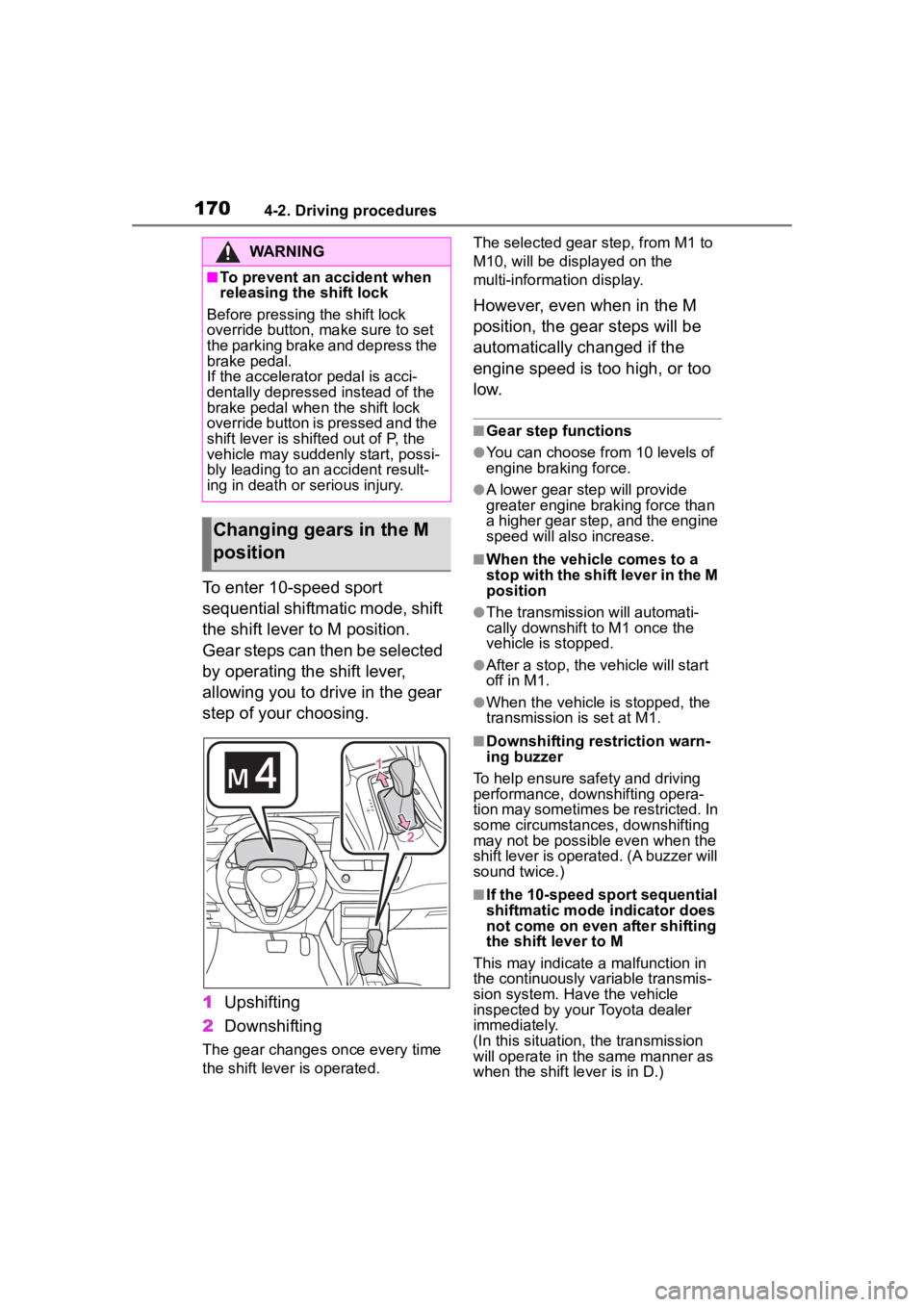
To enter 10-speed sport
sequential shiftmatic mode, shift
the shift lever to M position.
Gear steps can then be selected
by operating the shift lever,
allowing you to drive in the gear
step of your choosing.
1Upshifting
2 Downshifting
The gear changes once every time
the shift lever is operated. The selected gear step, from M1 to
M10, will be dis
played on the
multi-information display.
However, even when in the M
position, the gear steps will be
automatically changed if the
engine speed is too high, or too
l o w.
■Gear step functions
●You can choose from 10 levels of
engine braking force.
●A lower gear step will provide
greater engine braking force than
a higher gear step, and the engine
speed will also increase.
■When the vehicle comes to a
stop with the shift lever in the M
position
●The transmission will automati-
cally downshift to M1 once the
vehicle is stopped.
●After a stop, the vehicle will start
off in M1.
●When the vehicle is stopped, the
transmission is set at M1.
■Downshifting restriction warn-
ing buzzer
To help ensure safety and driving
performance, dow nshifting opera-
tion may sometimes be restricted. In
some circumstances, downshifting
may not be possible even when the
shift lever is operated. (A buzzer will
sound twice.)
■If the 10-speed sport sequential
shiftmatic mode indicator does
not come on even after shifting
the shift lever to M
This may indicate a malfunction in
the continuously variable transmis-
sion system. Have the vehicle
inspected by your Toyota dealer
immediately.
(In this situation, the transmission
will operate in the same manner as
when the shift lever is in D.)
WARNING
■To prevent an accident when
releasing the shift lock
Before pressing the shift lock
override button, make sure to set
the parking brake and depress the
brake pedal.
If the accelerator pedal is acci-
dentally depressed instead of the
brake pedal when the shift lock
override button is pressed and the
shift lever is shifted out of P, the
vehicle may suddenly start, possi-
bly leading to an accident result-
ing in death or serious injury.
Changing gears in the M
position
Page 172 of 500
1724-2. Driving procedures
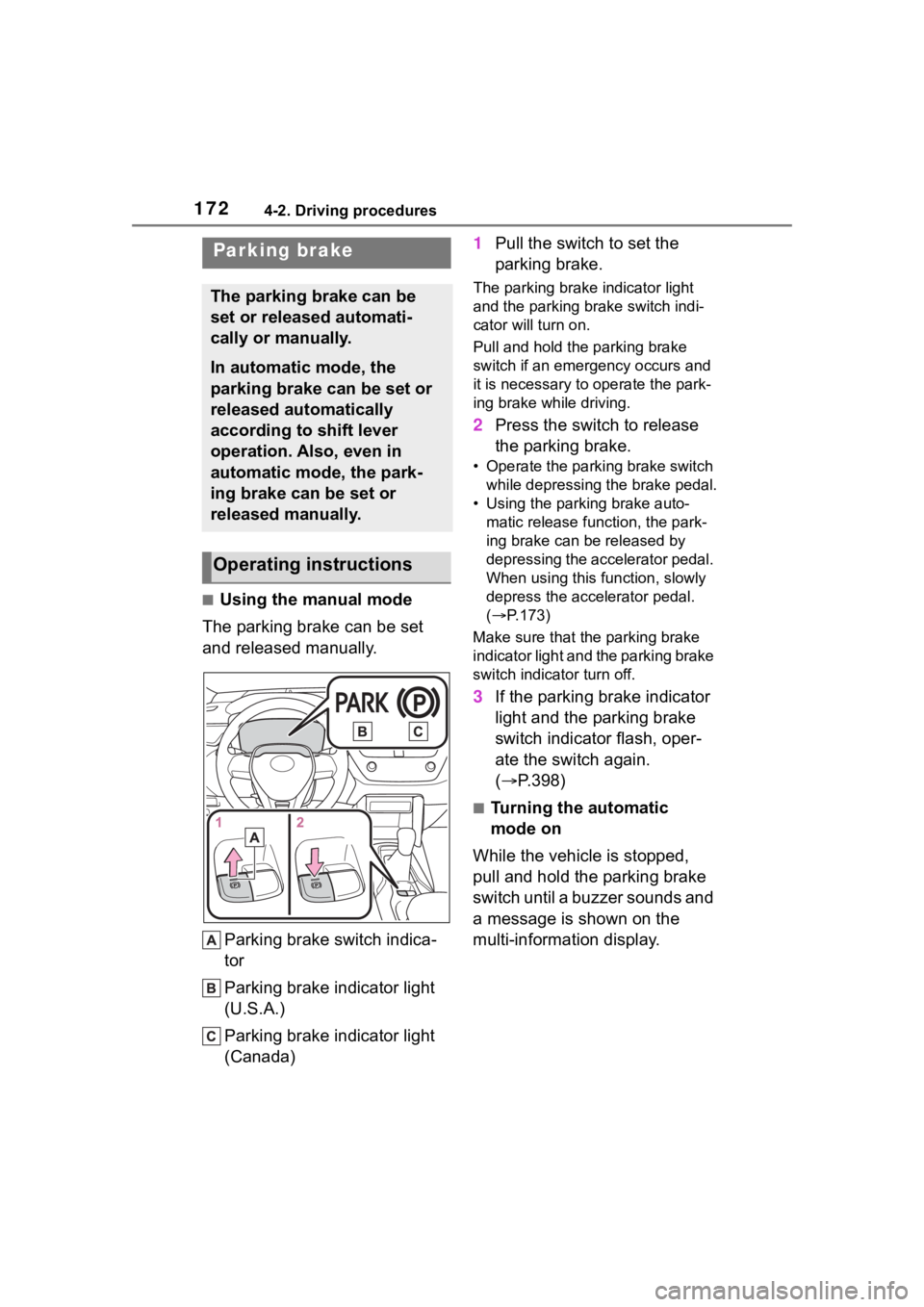
■Using the manual mode
The parking brake can be set
and released manually.
Parking brake switch indica-
tor
Parking brake indicator light
(U.S.A.)
Parking brake indicator light
(Canada) 1
Pull the switch to set the
parking brake.
The parking brake indicator light
and the parking brake switch indi-
cator will turn on.
Pull and hold the parking brake
switch if an emergency occurs and
it is necessary to operate the park-
ing brake while driving.
2 Press the switch to release
the parking brake.
• Operate the parking brake switch
while depressing the brake pedal.
• Using the parking brake auto- matic release function, the park-
ing brake can be released by
depressing the accelerator pedal.
When using this function, slowly
depress the accelerator pedal.
( P.173)
Make sure that the parking brake
indicator light and the parking brake
switch indicator turn off.
3 If the parking brake indicator
light and the parking brake
switch indicator flash, oper-
ate the switch again.
( P.398)
■Turning the automatic
mode on
While the vehicle is stopped,
pull and hold the parking brake
switch until a buzzer sounds and
a message is shown on the
multi-information display.
Parking brake
The parking brake can be
set or released automati-
cally or manually.
In automatic mode, the
parking brake can be set or
released automatically
according to shift lever
operation. Also, even in
automatic mode, the park-
ing brake can be set or
released manually.
Operating instructions
Page 173 of 500
1734-2. Driving procedures
4
Driving
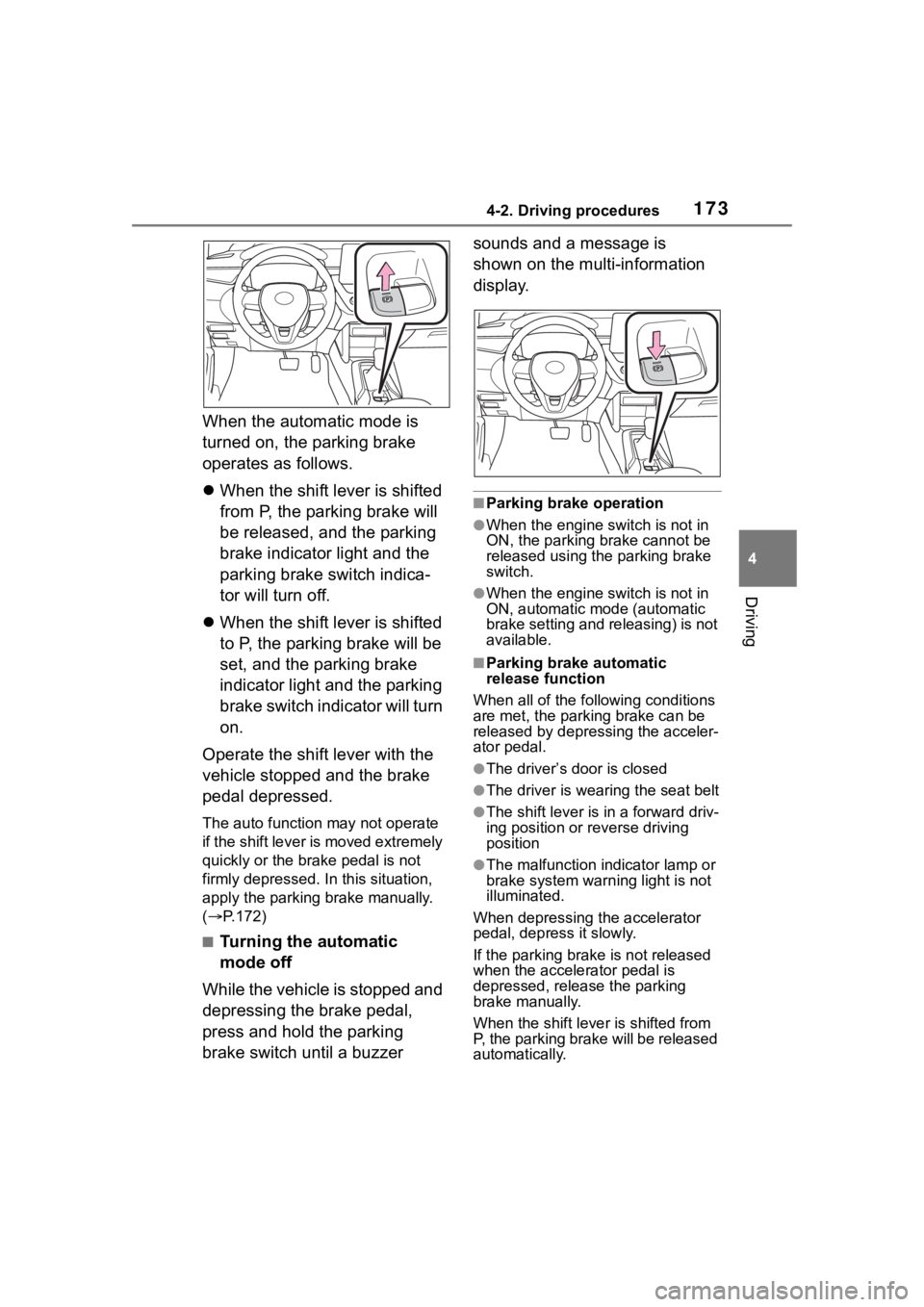
When the automatic mode is
turned on, the parking brake
operates as follows.
When the shift lever is shifted
from P, the parking brake will
be released, and the parking
brake indicator light and the
parking brake switch indica-
tor will turn off.
When the shift lever is shifted
to P, the parking brake will be
set, and the parking brake
indicator light and the parking
brake switch indicator will turn
on.
Operate the shift lever with the
vehicle stopped and the brake
pedal depressed.
The auto function may not operate
if the shift lever is moved extremely
quickly or the brake pedal is not
firmly depressed. In this situation,
apply the parking brake manually.
( P.172)
■Turning the automatic
mode off
While the vehicle is stopped and
depressing the brake pedal,
press and hold the parking
brake switch until a buzzer sounds and a message is
shown on the multi-information
display.
■Parking brake operation
●When the engine switch is not in
ON, the parking brake cannot be
released using the parking brake
switch.
●When the engine switch is not in
ON, automatic mode (automatic
brake setting and releasing) is not
available.
■Parking brake automatic
release function
When all of the fo llowing conditions
are met, the parking brake can be
released by depressing the acceler-
ator pedal.
●The driver’s door is closed
●The driver is wearing the seat belt
●The shift lever is in a forward driv-
ing position or reverse driving
position
●The malfunction in dicator lamp or
brake system warning light is not
illuminated.
When depressing the accelerator
pedal, depress it slowly.
If the parking brak e is not released
when the accelerator pedal is
depressed, release the parking
brake manually.
When the shift lever is shifted from
P, the parking brake will be released
automatically.
Page 174 of 500
1744-2. Driving procedures
■Parking brake automatic lock
function
The parking brake will be set auto-
matically under the following condi-
tions:
●The brake pedal is not depressed
●The driver’s door is open
●The driver’s seat belt is not fas-
tened
●The shift lever is in a position
other than P or N
●The malfunction indicator lamp
and brake system warning light
are not illuminated
■If “Parking Brake Temporarily
Unavailable” i s displayed on
the multi-information display
If the parking brake is operated
repeatedly over a short period of
time, the system may restrict opera-
tion to prevent overheating. If this
happens, refrain from operating the
parking brake. Nor mal operation will
return after about 1 minute.
■If “Parking Brake Unavailable”
is displayed on the multi-infor-
mation display
Operate the parking brake switch. If
the message does not disappear
after operating the switch several
times, the system may be malfunc-
tioning. Have the vehicle inspected
by your Toyota dealer.
■Parking brake operation sound
When the parking brake operates, a
motor sound (whirring sound) may
be heard. This does not indicate a
malfunction.
■Parking brake indicator light
and Parking brake switch indi-
cator
●Depending on the engine switch
position/mode, the parking brake
indicator light and the parking
brake switch indicator will turn on
and stay on as described below:
ON: Comes on until the parking
brake is released. Not in ON: Stays
on for approxi-
mately 15 seconds.
●When the engine switch is turned
off with the parking brake set, the
parking brake indicator light and
the parking brake switch indicator
will stay on for abo ut 15 seconds.
This does not indicate a malfunc-
tion.
■When the parking brake switch
malfunctions
Automatic mode (automatic brake
setting and releas ing) will be turned
on automatically.
■Parking the vehicle
P.141
■Parking brake engaged warning
buzzer
A buzzer will sound if the vehicle is
driven with the parking brake
engaged. “Parking Brake ON” is dis-
played on the multi-information dis-
play (with the vehicle reaching a
speed of 3 mph [5 km/h]).
■If the brake system warning
light comes on
P.391
■Usage in winter time
P.279
WARNING
■When parking the vehicle
Do not leave a child in the vehicle
alone. The parking brake may be
released unintentionally by a child
and there is the danger of the
vehicle moving that may lead to
an accident resulting in death or
serious injury.
■Parking brake switch
Do not set any objects near the
parking brake switch. Objects
may interfere with the switch and
may lead the parking brake to
unexpectedly operate.
Page 176 of 500
1764-2. Driving procedures
●The parking brake is engaged.
If any of the conditions above are
detected when the brake hold sys-
tem is enabled, the system will turn
off and the brake hold standby indi-
cator light will go of f. In addition, if
any of the conditions are detected
while the system is holding the
brake, a warning buzzer will sound
and a message will be shown on the
multi-information display. The park-
ing brake will then be set automati-
cally.
■Brake hold function
●If the brake pedal is left released
for a period of about 3 minutes
after the system has started hold-
ing the brake, the parking brake
will be set automatically. In this
case, a warning buzzer sounds
and a message is shown on the
multi-informat ion display.
●To turn the system off while the
system is holding the brake, firmly
depress the brake pedal and
press the button again.
●The brake hold function may not
hold the vehicle when the vehicle
is on a steep inclin e. In this situa-
tion, it may be necessary for the
driver to apply the brakes. A warn-
ing buzzer will sound and the
multi-informatio n display will
inform the driver of this situation. If
a warning message is shown on
the multi-information display, read
the message and follow the
instructions.
●When do not wish for the parking
brake to operate automatically,
press and hold the brake hold
switch until the standby indicator
(green) turns off, and then turn the
engine switch off.
■When the parking brake is set
automatically while the system
is holding the brakes
Perform any of the following opera-
tions to release the parking brake.
●Depress the accelerator pedal. (The parking brake will not be
released automatically if the seat
belt is not fastened.)
●Operate the parking brake switch
with the brake pedal depressed.
Make sure that the parking brake
indicator light goes off. ( P.172)
■When an inspection at your
Toyota dealer is necessary
When the brake hold standby indi-
cator (green) does not illuminate
even when the brake hold switch is
pressed with the brake hold system
operating conditions met, the sys-
tem may be malf unctioning. Have
the vehicle inspected at your Toyota
dealer.
■If “Brake Hold Malfunction
Press Brake to Deactivate Visit
Your Dealer” or “Brake Hold
Malfunction Visit Your Dealer”
is displayed on the multi-infor-
mation display
The system may be malfunctioning.
Have the vehicle inspected by your
Toyota dealer.
■Warning messages and buzzers
Warning messages and buzzers are
used to indicate a system malfunc-
tion or to inform the driver of the
need for caution. If a warning mes-
sage is shown on the multi-informa-
tion display, read the message and
follow the instructions.
■If the brake hold operated indi-
cator flashes
P.398
WARNING
■When the vehicle is on a
steep incline
Take care when using the brake
hold system on a steep incline,
exercise caution. The brake hold
function may not hold brakes in
such situations. Also, the system
may not activate depending on
the angle of the slope.
Page 199 of 500
1994-5. Using the driving support systems
4
Driving
Motorcycles*
*: Detected as a detectable object
only when being ridden.
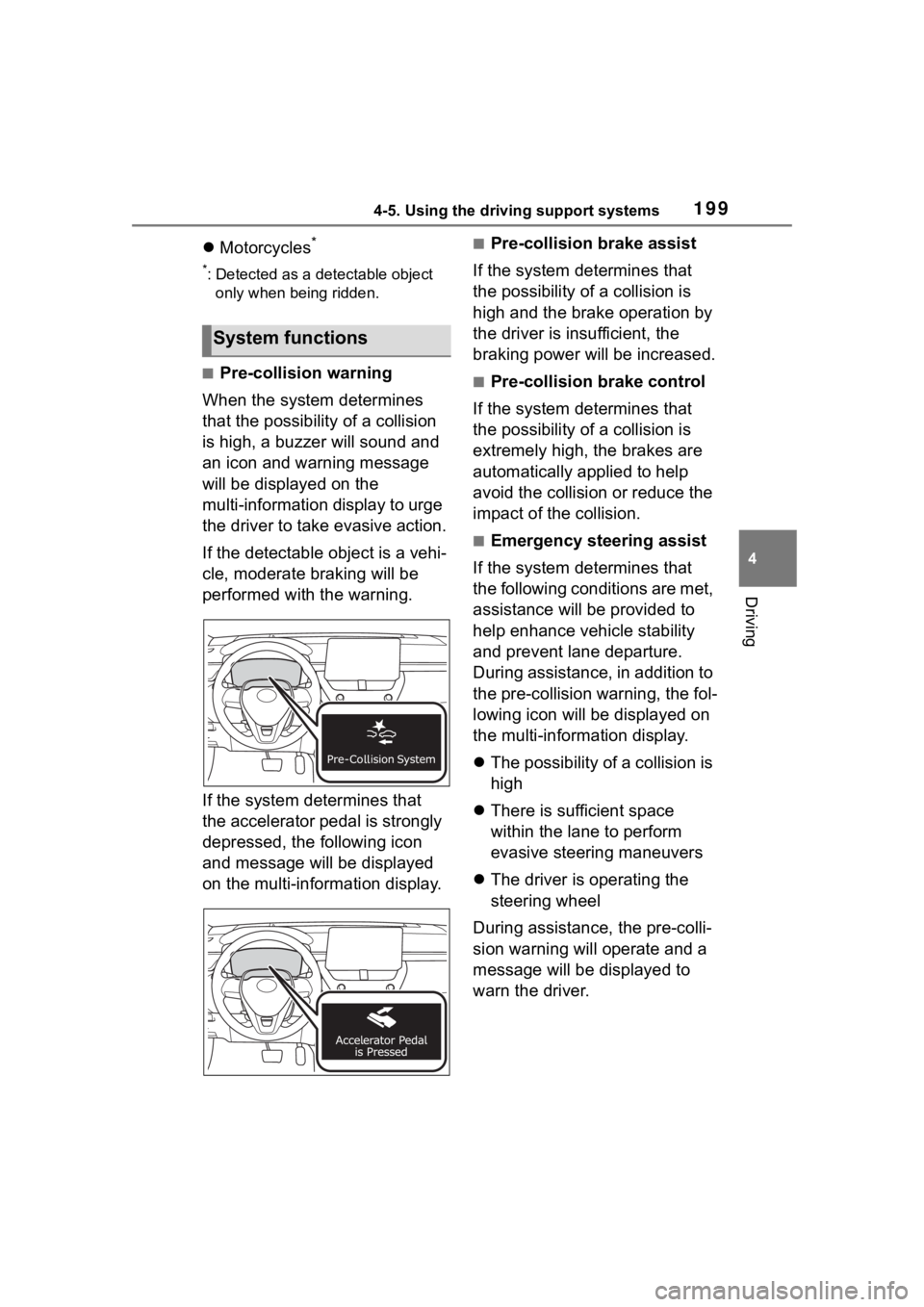
■Pre-collision warning
When the system determines
that the possibility of a collision
is high, a buzzer will sound and
an icon and warning message
will be displayed on the
multi-information display to urge
the driver to take evasive action.
If the detectable object is a vehi-
cle, moderate braking will be
performed with the warning.
If the system determines that
the accelerator pedal is strongly
depressed, the following icon
and message will be displayed
on the multi-information display.
■Pre-collision brake assist
If the system determines that
the possibility of a collision is
high and the brake operation by
the driver is insufficient, the
braking power will be increased.
■Pre-collision brake control
If the system determines that
the possibility of a collision is
extremely high, the brakes are
automatically applied to help
avoid the collision or reduce the
impact of the collision.
■Emergency steering assist
If the system determines that
the following conditions are met,
assistance will be provided to
help enhance vehicle stability
and prevent lane departure.
During assistance, in addition to
the pre-collision warning, the fol-
lowing icon will be displayed on
the multi-information display.
The possibility of a collision is
high
There is sufficient space
within the lane to perform
evasive steering maneuvers
The driver is operating the
steering wheel
During assistance, the pre-colli-
sion warning will operate and a
message will be displayed to
warn the driver.
System functions
Page 201 of 500
2014-5. Using the driving support systems
4
Driving
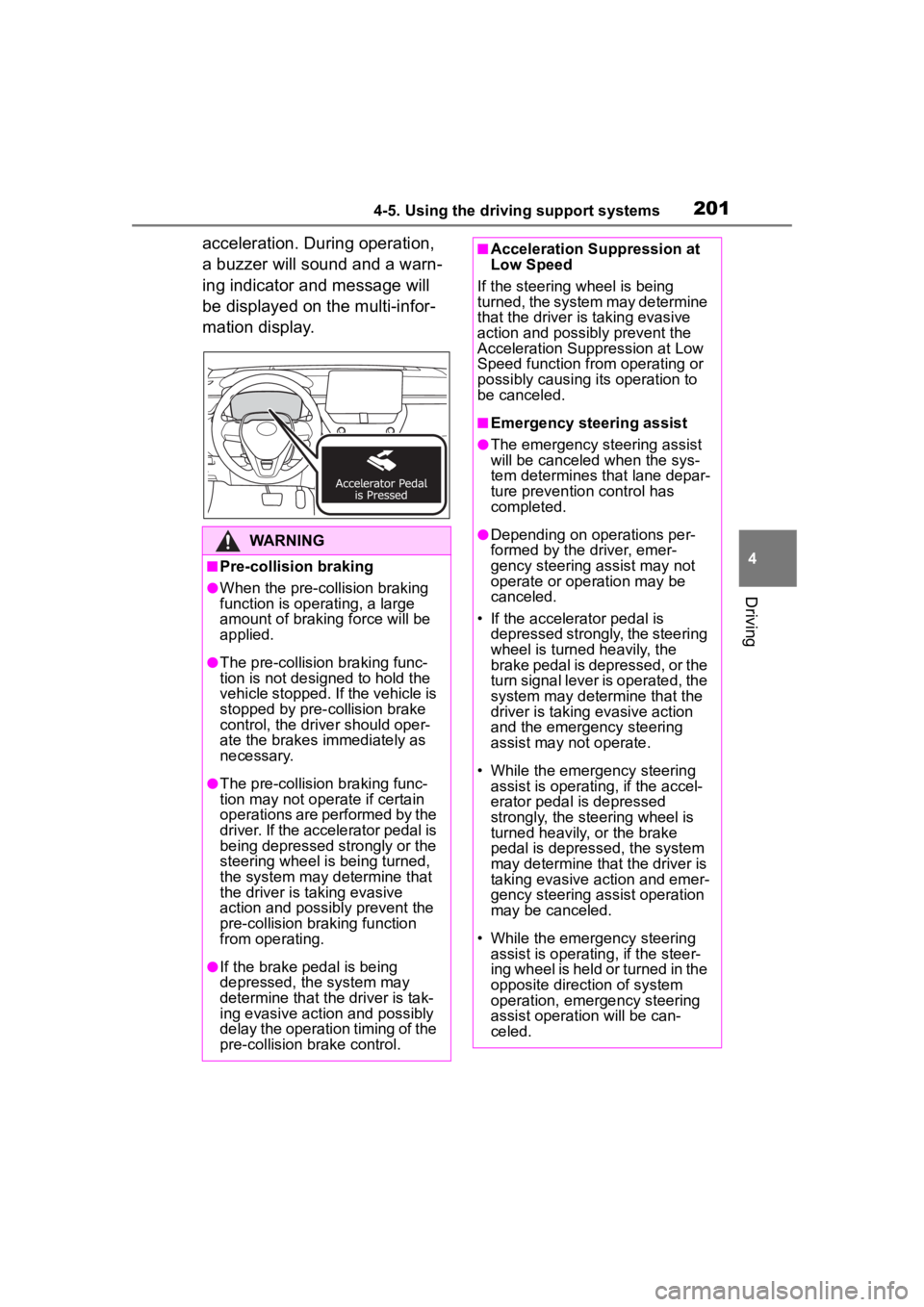
acceleration. During operation,
a buzzer will sound and a warn-
ing indicator and message will
be displayed on the multi-infor-
mation display.
WARNING
■Pre-collision braking
●When the pre-collision braking
function is operating, a large
amount of braking force will be
applied.
●The pre-collision braking func-
tion is not designed to hold the
vehicle stopped. If the vehicle is
stopped by pre-collision brake
control, the driver should oper-
ate the brakes immediately as
necessary.
●The pre-collision braking func-
tion may not operate if certain
operations are performed by the
driver. If the accelerator pedal is
being depressed strongly or the
steering wheel is being turned,
the system may determine that
the driver is taking evasive
action and possibly prevent the
pre-collision braking function
from operating.
●If the brake pedal is being
depressed, the system may
determine that the driver is tak-
ing evasive action and possibly
delay the operation timing of the
pre-collision brake control.
■Acceleration Suppression at
Low Speed
If the steering wheel is being
turned, the system may determine
that the driver is taking evasive
action and possibly prevent the
Acceleration Suppression at Low
Speed function from operating or
possibly causing its operation to
be canceled.
■Emergency steering assist
●The emergency steering assist
will be canceled when the sys-
tem determines that lane depar-
ture prevention control has
completed.
●Depending on operations per-
formed by the driver, emer-
gency steering assist may not
operate or operation may be
canceled.
• If the accelerator pedal is depressed strongly, the steering
wheel is turned heavily, the
brake pedal is depressed, or the
turn signal lever is operated, the
system may determine that the
driver is taking evasive action
and the emergency steering
assist may n ot operate.
• While the emergency steering assist is operating, if the accel-
erator pedal is depressed
strongly, the steering wheel is
turned heavily, or the brake
pedal is depressed, the system
may determine that the driver is
taking evasive action and emer-
gency steering assist operation
may be canceled.
• While the emergency steering assist is operating, if the steer-
ing wheel is held or turned in the
opposite direction of system
operation, emergency steering
assist operation will be can-
celed.