lane assist TOYOTA COROLLA CROSS 2023 Owner's Manual
[x] Cancel search | Manufacturer: TOYOTA, Model Year: 2023, Model line: COROLLA CROSS, Model: TOYOTA COROLLA CROSS 2023Pages: 500, PDF Size: 15.11 MB
Page 221 of 500
2214-5. Using the driving support systems
4
Driving
WARNING
●Set the speed appropriately
according to the speed limit,
traffic flow, road conditions,
weather conditions, etc. The
driver is responsible for confirm-
ing the set speed.
●Even if the system is operating
correctly, the condition of a pre-
ceding vehicle as recognized by
the driver and detected by the
system may differ. Therefore, it
is necessary for the driver to
pay attention, assess risks, and
ensure safety. Over-reliance on
this system to drive the vehicle
safely may lead to an accident
resulting in death or serious
injury.
■Precautions for the driving
assist systems
Observe the following precau-
tions, as there are limitations to
the assistance provided by the
system. Over-reliance on this sys-
tem may lead to an accident
resulting in death or serious injury.
●Details of support provided for
the driver’s vision
The dynamic radar cruise control
is only intended to help the driver
in determining the distance
between the driver’s own vehicle
and a designated preceding vehi-
cle. It is not a system which allows
for careless or inattentive driving,
and is not a system which assists
in poor visibilit y conditions.
The driver must pay attention to
their surroundings, even when the
vehicle stops.
●Details of support provided for
the driver’s judgement
The dynamic radar cruise control
determines whether the distance
between the driver’s own vehicle
and a designated preceding vehi-
cle is within a set range. It is not
capable of making any other type
of judgement. Th erefore, it is
absolutely necessary for the
driver to remain vigilant and to
determine whether or not there is
a possibility of danger.
●Details of suppor t provided for
the driver’s operation
The dynamic radar cruise control
does not include functions which
will prevent or avoid collisions
with vehicles ahead of your vehi-
cle. Therefore, if there is ever any
possibility of danger, the driver
must take immediate and direct
control of the vehicle and act
appropriately in order to ensure
safety.
■Situations in which the
dynamic radar cruise control
should not be used
Do not use the d ynamic radar
cruise control in the following situ-
ations. As the system will not be
able to provide appropriate con-
trol, using it may lead to an acci-
dent resulting in death or serious
injury.
●Roads where there are pedes-
trians, cyclists, etc.
●When driving on a highway or
expressway entrance or exit
●When the approach warning
sounds frequently
●Situations in which the sensors
may not operate properly:
P.196
●Situations in which the lane may
not be detected:
P.192
Page 227 of 500
2274-5. Using the driving support systems
4
Driving
and the system cannot provide
sufficient deceleration, such as
if a vehicle cuts in front of the
vehicle, a warning display will
flash and a buzzer will sound to
alert the driver. Depress the
brake pedal to ensure appropri-
ate vehicle-to-vehicle distance.
■Warnings may not occur
when
In the following situations, the
warning may not operate even
though the vehicle-to-vehicle
distance is short.
When the preceding vehicle is
traveling at the same speed
or faster than your vehicle
When the preceding vehicle is
traveling at an extremely low
speed
Immediately after the vehicle
speed has been set
When the accelerator pedal is
depressed
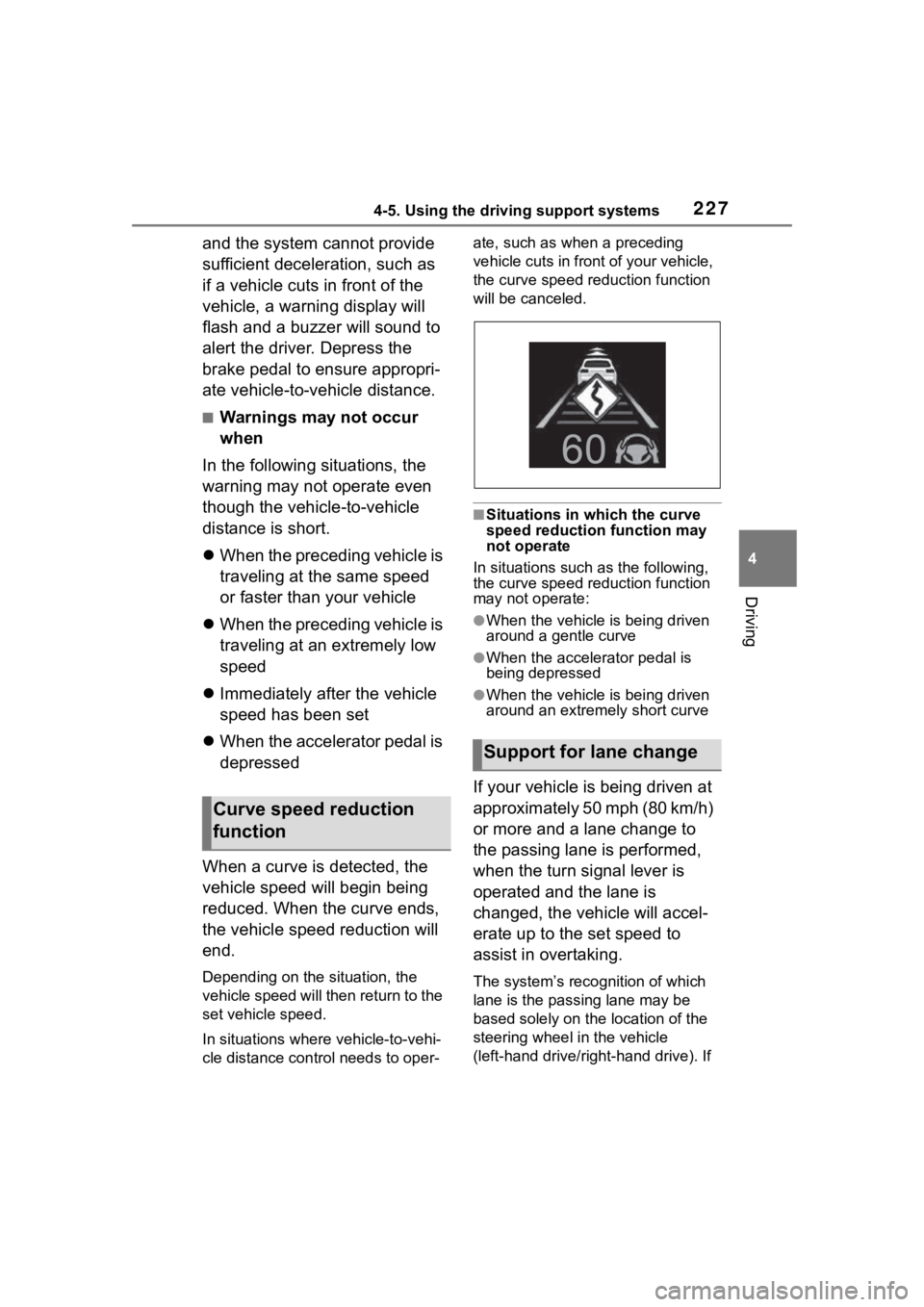
When a curve is detected, the
vehicle speed will begin being
reduced. When the curve ends,
the vehicle speed reduction will
end.
Depending on the situation, the
vehicle speed will then return to the
set vehicle speed.
In situations where vehicle-to-vehi-
cle distance control needs to oper- ate, such as when a preceding
vehicle cuts in front of your vehicle,
the curve speed reduction function
will be canceled.
■Situations in which the curve
speed reduction function may
not operate
In situations such as the following,
the curve speed reduction function
may not operate:
●When the vehicle is being driven
around a gentle curve
●When the accele rator pedal is
being depressed
●When the vehicle is being driven
around an extremely short curve
If your vehicle is being driven at
approximately 50 mph (80 km/h)
or more and a lane change to
the passing lane is performed,
when the turn signal lever is
operated and the lane is
changed, the vehicle will accel-
erate up to the set speed to
assist in overtaking.
The system’s recognition of which
lane is the passing lane may be
based solely on the location of the
steering wheel in the vehicle
(left-hand drive/right-hand drive). If
Curve speed reduction
function
Support for lane change
Page 228 of 500
2284-5. Using the driving support systems
the vehicle is driven in a location
where the passing lane is on the
opposite side of that where the
vehicle was originally sold, the
vehicle may accelerate when the
turn signal lever is operated away
from the passing lane. (e.g. The
vehicle was manufactured for a
right-hand traffic location, but is
being driven in a left-hand traffic
location. The vehicle may acceler-
ate when the turn signal lever is
operated to the right.)
If your vehicle is being driven at
approximately 50 mph (80 km/h) or more and the lane is changed to
that with a vehicle traveling slower
than your vehicle,
when the turn
signal lever is operated the vehicle
will gradually decelerate to assist in
changing lanes.
The settings of Dynamic radar
cruise control can be changed
through customize settings.
( P.449)
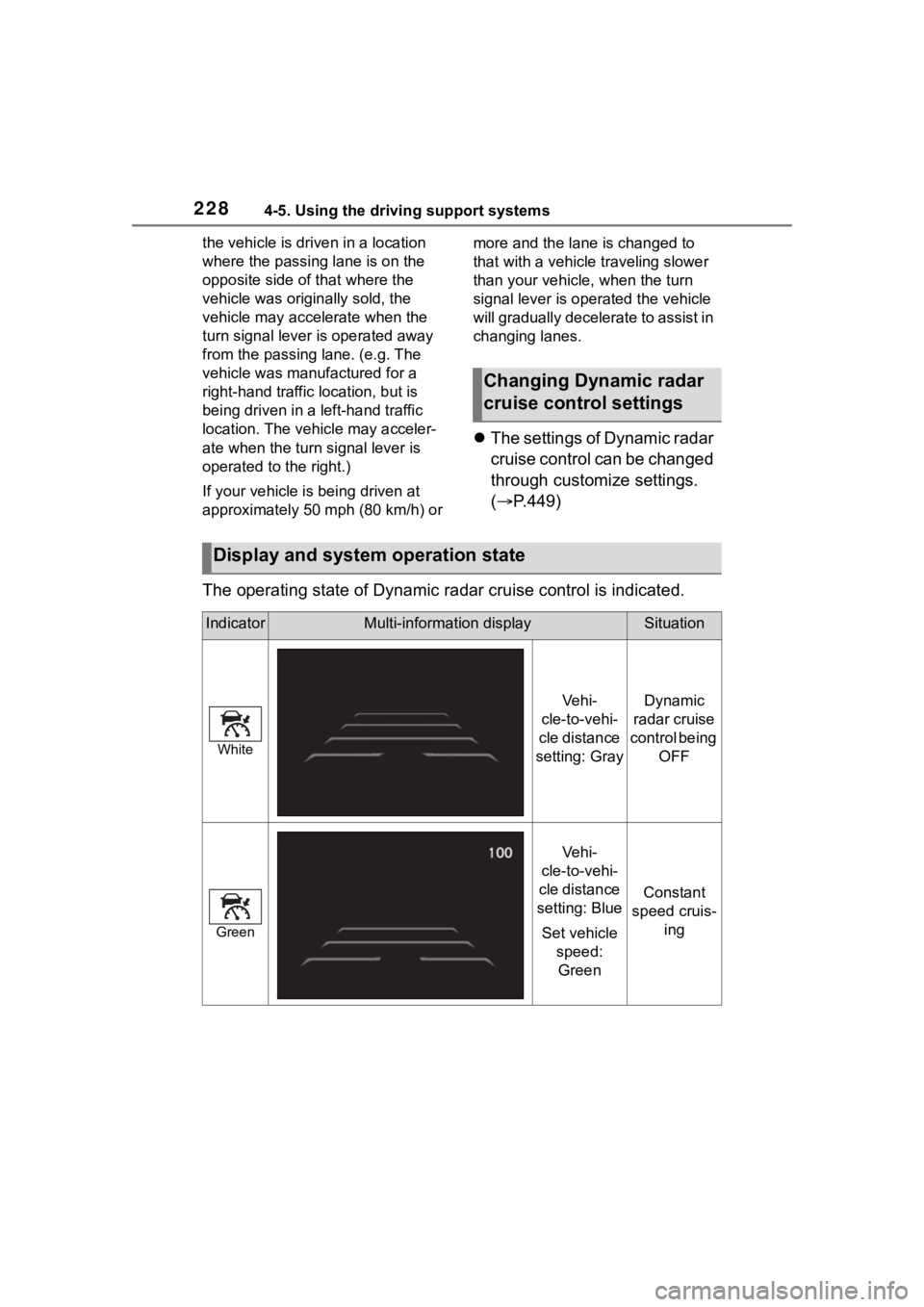
The operating state of Dynamic radar cruise control is indicate d.
Changing Dynamic radar
cruise control settings
Display and system operation state
IndicatorMulti-information displaySituation
White
Ve h i -
cle-to-vehi-
cle distance
setting: GrayDynamic
radar cruise
control being OFF
Green
Ve h i -
cle-to-vehi-
cle distance
setting: Blue
Set vehicle speed: Green
Constant
speed cruis- ing
Page 235 of 500
2354-5. Using the driving support systems
4
Driving
Operation of this system is sep-
arated into 4 control states.
Emergency Driving
Stop System
The emergency driving stop
system is a system which
automatically decelerates
and stops the vehicle within
its lane if the driver
becomes unable to continue
driving the vehicle, such as
if they have suffered a medi-
cal emergency, etc.
During LTA (Lane Tracing
Assist) control, if the sys-
tem does not detect driving
operations, such as if the
driver is not holding the
steering wheel, and deter-
mines the driver is not
responsive, the vehicle will
be decelerated and stopped
within its current lane to
help avoid a collision or
reduce the impact of a colli-
sion.
WARNING
■For safe use
●Driving safely is solely the
responsibility of the driver. Pay
careful attention to the sur-
rounding conditions in order to
ensure safe driving. The emer-
gency driving stop system is
designed to provide support in
an emergency where it is diffi-
cult for the driver to continue
driving, such as if they have had
a medical emergency. It is not
designed to support driving
while drowsy or in poor physical
health, or inattentive driving.
●Although the emergency driv-
ing stop system is designed to
decelerate the vehicle within its
lane to help avoid or help
reduce the impact of a collision
if the system determines that it
is difficult for the driver to con-
tinue driving, its effectiveness
may change according to vari-
ous conditions. Therefore, it
may not always be able to
achieve the same level of per-
formance. Also, if the operating
conditions are not met, this
function will not operate.
●After the emergency driving
stop system operates, if driving
becomes possible again, imme-
diately begin driving again or, if
necessary, park the vehicle on
the shoulder of the road and set
a warning reflecto r and flare to
warn other drivers of your
stopped vehicle.
●After this system operates, pas-
sengers should attend to the
driver as necessary and take
appropriate hazard prevention
measures, such as moving to a
place where safety can be
ensured, such as the shoulder
of the road or behind a guard-
rail.
●This system detects the condi-
tion of the driver through the
operation of the steering wheel.
This system may operate if the
driver is aware but intentionally
and continuously does not oper-
ate the vehicle. Also, the system
may not operate if it cannot
determine that the driver is not
responsive, such as if they are
leaning on the steering wheel.
Summary of the system
Page 243 of 500
2434-5. Using the driving support systems
4
Driving
*: If equipped
NOTICE
■To ensure the system oper-
ates correctly
If any of the following situations
occur, the Stop & Start system
may not operate correctly. Have
your vehicle inspected by your
Toyota dealer.
●While the driver’s seat belt is
fastened, the driver’s and front
passenger’s seat belt reminder
light flashes.
●Even though the driver’s seat
belt is not fastened, the driver’s
and front passenger’s seat belt
reminder light does not illumi-
nate.
●Even though the driver’s door is
closed, the open door warning
light is illuminated or the interior
light is illuminated when the
interior light switch is in the door
position.
●Even though the driver’s door is
open, the open door warning
light does not illuminate or the
interior light does not illuminate
when the interior light switch is
in the door position.
BSM (Blind Spot Moni-
tor)*
The Blind Spot Monitor is a
system that uses rear side
radar sensors installed on
the inner side of the rear
bumper on the left and right
side to assist the driver in
confirming safety when
changing lanes.
WARNING
■Cautions regarding the use of
the system
●The driver is solely responsible
for safe driving. Always drive
safely, taking care to observe
your surroundings.
●The Blind Spot Monitor is a sup-
plementary function which alerts
the driver that a vehicle is in a
blind spot of the outside rear
view mirrors or is approaching
rapidly from behind into a blind
spot. Do not overly rely on the
Blind Spot Monitor. As the func-
tion cannot judge if it is safe to
change lanes, over reliance
could lead to an accident result-
ing in death or serious injury. As
the system may not function
correctly under certain condi-
tions, the driver’s own visual
confirmation of safety is neces-
sary.
Page 245 of 500
2454-5. Using the driving support systems
4
Driving
The Blind Spot Monitor can be
enabled/disabled on or
of the multi-information display.
(P.449)
When the Blind Spot Monitor
function is off, the driving assist
information indicator ( P.74)
will illuminate. At this time,
“Blind Spot Monitor OFF” will be
displayed on the multi-informa-
tion display.
Each time the engine switch is
turned to ON, the Blind Spot
Monitor is enabled.
■Objects that can be detected while driving
The Blind Spot Monitor uses rear side radar sensors to detect the fol-
lowing vehicles traveling in adjacent lanes and advises the driver of
the presence of such vehicles via the indicators on the outside rear
view mirrors.
WARNING
●Do not subject a sensor or its
surrounding area on the rear
bumper to a strong impact.
If a sensor is moved even
slightly off position, the system
may malfunction and vehicles
may not be detected correctly.
In the following si tuations, have
your vehicle inspected by your
Toyota dealer.
• A sensor or its surrounding area is subject to a strong impact.
• If the surrounding area of a sen- sor is scratched or dented, or
part of them has become dis-
connected.
●Do not disassemble the sensor.
●Do not modify the sensor or sur-
rounding area on the rear
bumper.
●If a sensor or th e rear bumper
needs to be removed/installed
or replaced, contact your Toyota
dealer.
●Do not paint the rear bumper
any color other t han an official
Toyota color.
Turning the Blind Spot
Monitor on/off
Blind Spot Monitor operation
Page 248 of 500
2484-5. Using the driving support systems
Monitor is turned on
• When towing with the vehicle
●Instances of the Blind Spot Moni-
tor unnecessarily d etecting a vehi-
cle and/or object may increase in
the following situations:
• When the sensor is misaligned
due to a strong impact to the sen-
sor or its surrounding area
• When the distance between your vehicle and a guardrail, wall, etc.
that enters the detection area is
short
• When driving up and down con-
secutive steep inclines, such as
hills, dips in the road, etc.
• When vehicle lanes are narrow, or
when driving on the edge of a
lane, and a vehicle traveling in a
lane other than the adjacent lanes
enters the detection area
• When driving on roads with sharp bends, consecutive curves, or
uneven surfaces
• When the tires are slipping or spinning
• When the distance between your vehicle and a following vehicle is
short
• When an accessory (such as a bicycle carrier) is installed to the
rear of the vehicle
• When towing with the vehicle
*: If equipped
RCTA (Rear Cross Traf-
fic Alert)*
The RCTA function uses the
BSM rear side radar sensors
installed behind the rear
bumper. This function is
intended to assist the driver
in checking areas that are
not easily visible when
backing up.
WARNING
■Cautions regarding the use of
the system
The driver is solely responsible for
safe driving. Always drive safely,
taking care to observe your sur-
roundings. The RCTA function is
only a supplementary function
which alerts the driver that a vehi-
cle is approaching from the right
or left at the rear of the vehicle. As
the RCTA function may not func-
tion correctly under certain condi-
tions, the driver’s own visual
confirmation of safety is neces-
sary. Over reliance on this func-
tion may lead to an accident
resulting death or serious injury.
■To ensure the system can
operate properly
P. 2 4 4
Page 277 of 500
2774-5. Using the driving support systems
4
Driving
off. The EPS system should return
to normal within 10 minutes.
■Secondary Collision Brake
operating conditions
The system operates when the SRS
airbag sensor detects a collision
while the vehicle is in motion.
However, the system does not oper-
ate when the components are dam-
aged.
■Secondary Collision Brake
automatic cancellation
The system is automatically can-
celed in any of th e following situa-
tions.
●The vehicle speed drops below
approximately 0 mph (0 km/h)
●A certain amount o f time elapses
during operation
●The accelerator pedal is
depressed a large amount
WARNING
■The ABS does not operate
effectively when
●The limits of tire gripping perfor-
mance have been exceeded
(such as excessively worn tires
on a snow covered road).
●The vehicle hydroplanes while
driving at high speed on wet or
slick roads.
■Stopping distance when the
ABS is operating may exceed
that of normal conditions
The ABS is not designed to
shorten the vehicle’s stopping dis-
tance. Always maintain a safe dis-
tance from the vehicle in front of
you, especially in the following sit-
uations:
●When driving on d irt, gravel or
snow-covered roads
●When driving with tire chains
●When driving over bumps in the
road
●When driving over roads with
potholes or uneven surfaces
■TRAC/VSC may not operate
effectively when
Directional control and power may
not be achievable while driving on
slippery road surfaces, even if the
TRAC/VSC system is operating.
Drive the vehicle carefully in con-
ditions where stability and power
may be lost.
■Active Cornering Assist does
not operate effectively when
●Do not overly rely on Active
Cornering Assist. Active Corner-
ing Assist may not operate
effectively when accelerating
down slopes or driving on slip-
pery road surfaces.
●When Active Corn ering Assist
frequently operates, Active Cor-
nering Assist may temporarily
stop operating to ensure proper
operation of the brakes, TRAC
and VSC.
■Hill-start assist control does
not operate effectively when
●Do not overly rely on hill-start
assist control. Hill-start assist
control may not operate effec-
tively on steep inclines and
roads covered with ice.
●Unlike the parking brake,
hill-start assist control is not
intended to hold the vehicle sta-
tionary for an extended period
of time. Do not attempt to use
hill-start assist control to hold
the vehicle on an incline, as
doing so may lead to an acci-
dent.
Page 395 of 500
3957-2. Steps to take in an emergency
7
When trouble arises
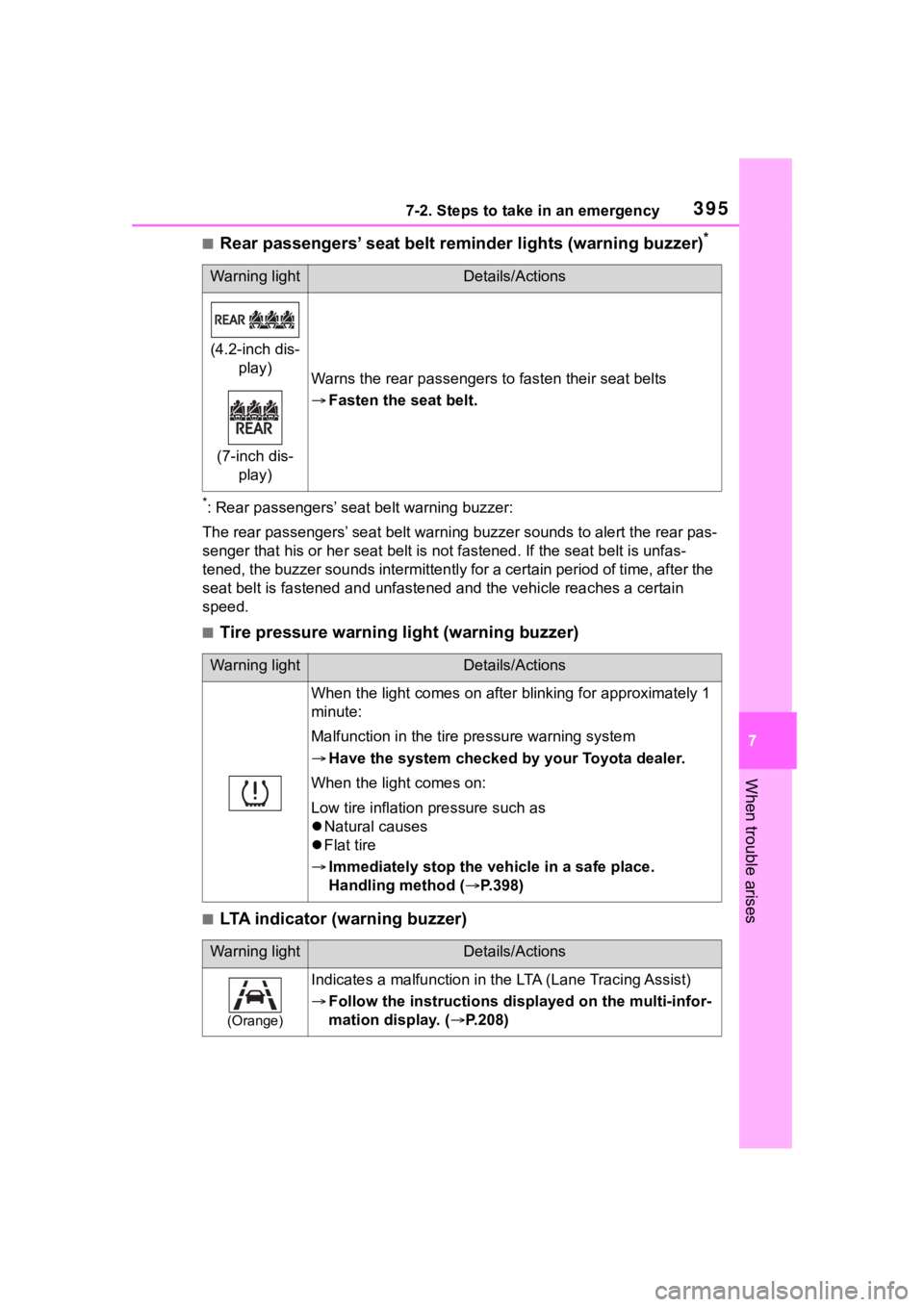
■Rear passengers’ seat belt reminder lights (warning buzzer)*
*: Rear passengers’ seat belt warning buzzer:
The rear passengers’ seat belt warning buzzer sounds to alert t he rear pas-
senger that his or he r seat belt is not fastened. If the seat b elt is unfas-
tened, the buzzer sounds intermittently for a certain period of time, after the
seat belt is fastened and unfast ened and the vehicle reaches a certain
speed.
■Tire pressure warning light (warning buzzer)
■LTA indicator (warning buzzer)
Warning lightDetails/Actions
(4.2-inch dis- play)
(7-inch dis- play)
Warns the rear passengers to fasten their seat belts
Fasten the seat belt.
Warning lightDetails/Actions
When the light comes on after blinking for approximately 1
minute:
Malfunction in the tire pressure warning system
Have the system checked by your Toyota dealer.
When the light comes on:
Low tire inflation pressure such as
Natural causes
Flat tire
Immediately stop the vehicle in a safe place.
Handling method ( P.398)
Warning lightDetails/Actions
(Orange)
Indicates a malfunction in the LTA (Lane Tracing Assist)
Follow the instructions di splayed on the multi-infor-
mation display. ( P.208)
Page 396 of 500
3967-2. Steps to take in an emergency
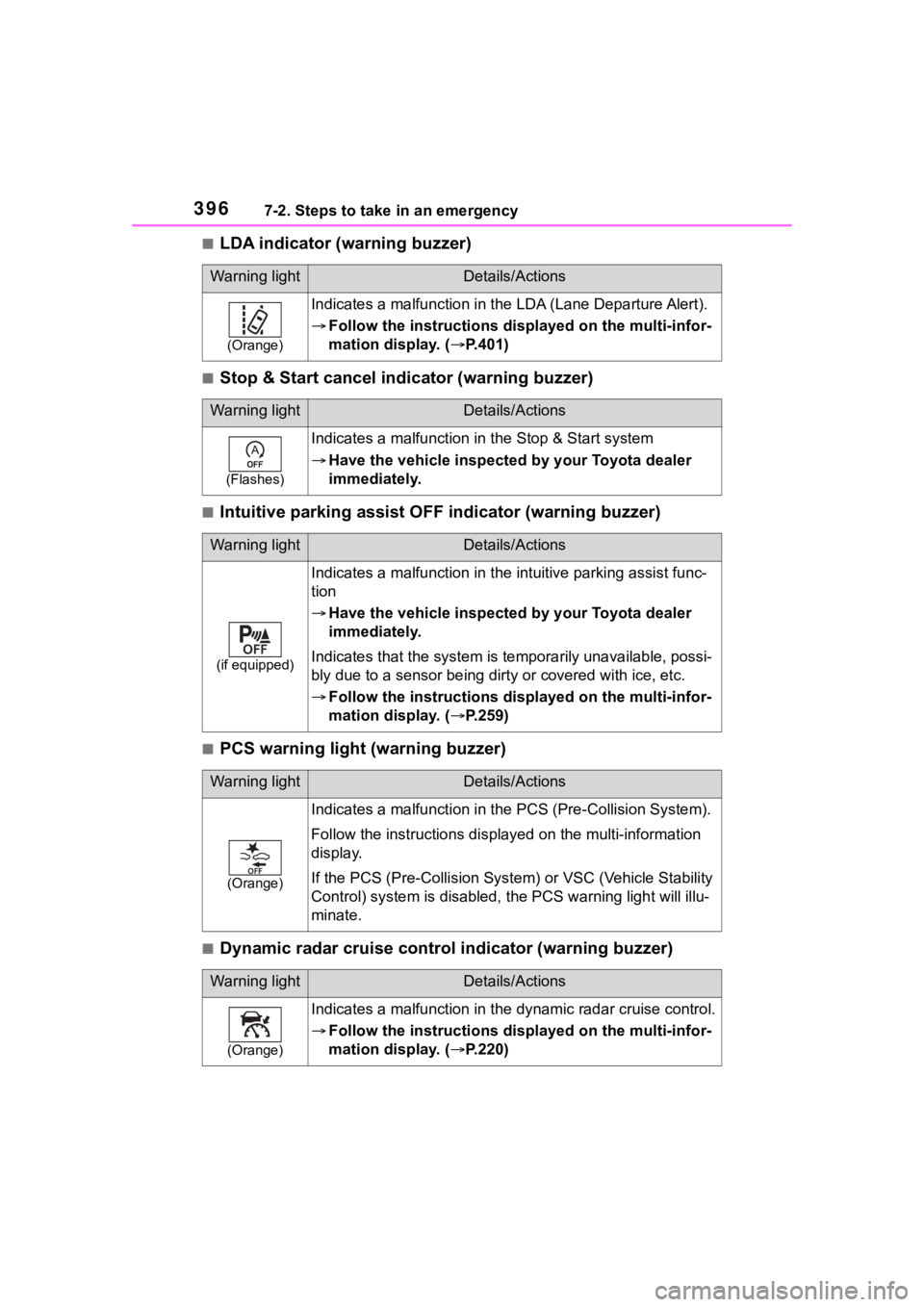
■LDA indicator (warning buzzer)
■Stop & Start cancel indicator (warning buzzer)
■Intuitive parking assist OFF indicator (warning buzzer)
■PCS warning light (warning buzzer)
■Dynamic radar cruise control indicator (warning buzzer)
Warning lightDetails/Actions
(Orange)
Indicates a malfunction in the LDA (Lane Departure Alert).
Follow the instructions di splayed on the multi-infor-
mation display. ( P.401)
Warning lightDetails/Actions
(Flashes)
Indicates a malfunction in the Stop & Start system
Have the vehicle inspected by your Toyota dealer
immediately.
Warning lightDetails/Actions
(if equipped)
Indicates a malfunction in the intuitive parking assist func-
tion
Have the vehicle inspected by your Toyota dealer
immediately.
Indicates that the system is te mporarily unavailable, possi-
bly due to a sensor being dirty or covered with ice, etc.
Follow the instructions di splayed on the multi-infor-
mation display. ( P.259)
Warning lightDetails/Actions
(Orange)
Indicates a malfuncti on in the PCS (Pre-Collision System).
Follow the instructions display ed on the multi-information
display.
If the PCS (Pre-Collision Syst em) or VSC (Vehicle Stability
Control) system is disabled, the PCS warning light will illu-
minate.
Warning lightDetails/Actions
(Orange)
Indicates a malfunction in the dynamic radar cruise control.
Follow the instructions di splayed on the multi-infor-
mation display. ( P.220)