interior lights TOYOTA COROLLA HATCHBACK 2022 Owners Manual (in English)
[x] Cancel search | Manufacturer: TOYOTA, Model Year: 2022, Model line: COROLLA HATCHBACK, Model: TOYOTA COROLLA HATCHBACK 2022Pages: 758, PDF Size: 155.26 MB
Page 6 of 758
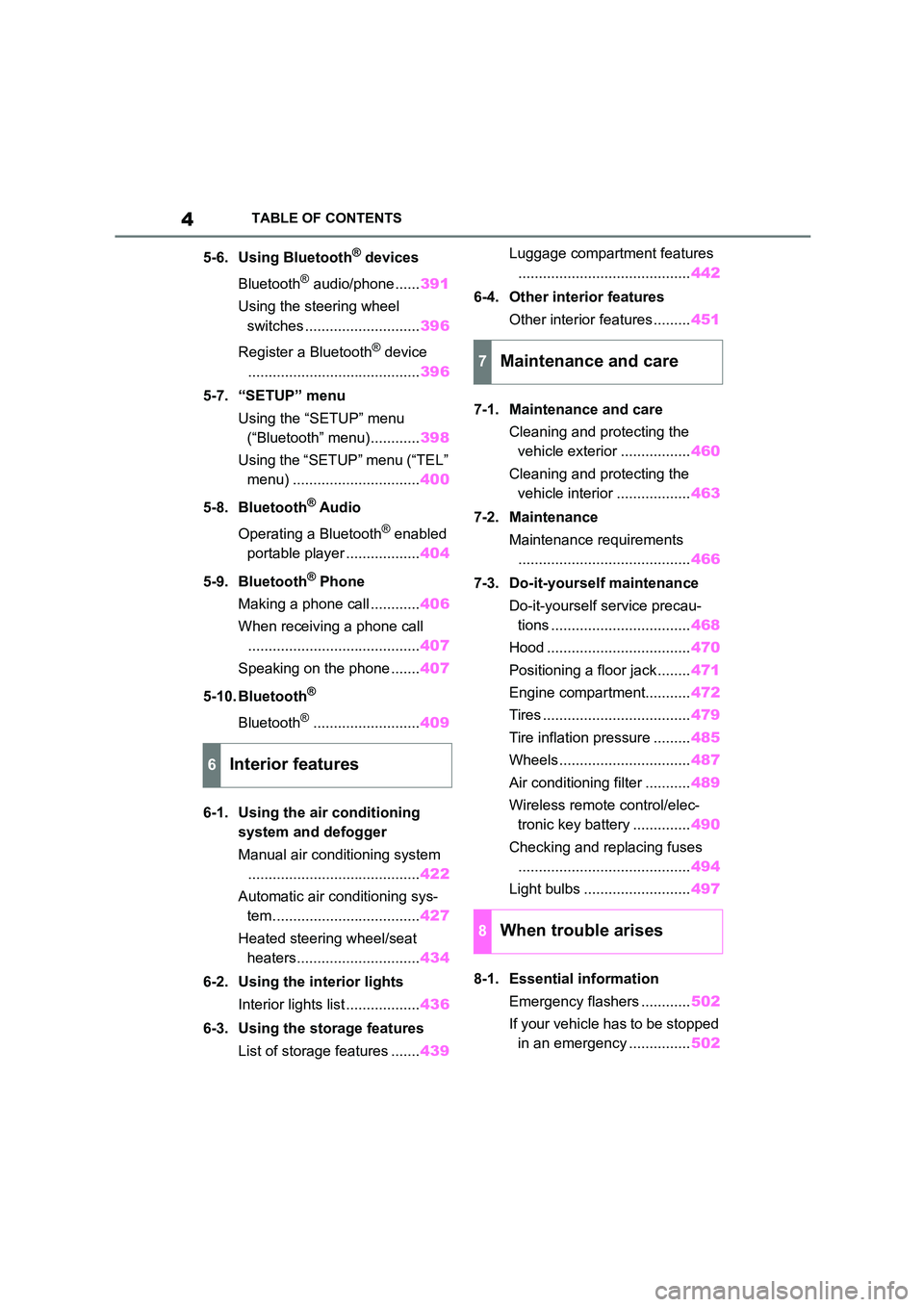
4TABLE OF CONTENTS
5-6. Using Bluetooth® devices
Bluetooth® audio/phone...... 391
Using the steering wheel
switches ............................ 396
Register a Bluetooth® device
.......................................... 396
5-7. “SETUP” menu
Using the “SETUP” menu
(“Bluetooth” menu)............ 398
Using the “SETUP” menu (“TEL”
menu) ............................... 400
5-8. Bluetooth® Audio
Operating a Bluetooth® enabled
portable player .................. 404
5-9. Bluetooth® Phone
Making a phone call ............ 406
When receiving a phone call
.......................................... 407
Speaking on the phone ....... 407
5-10. Bluetooth®
Bluetooth®.......................... 409
6-1. Using the air conditioning
system and defogger
Manual air conditioning system
.......................................... 422
Automatic air conditioning sys-
tem.................................... 427
Heated steering wheel/seat
heaters.............................. 434
6-2. Using the interior lights
Interior lights list .................. 436
6-3. Using the storage features
List of storage features ....... 439
Luggage compartment features
.......................................... 442
6-4. Other interior features
Other interior features ......... 451
7-1. Maintenance and care
Cleaning and protecting the
vehicle exterior ................. 460
Cleaning and protecting the
vehicle interior .................. 463
7-2. Maintenance
Maintenance requirements
.......................................... 466
7-3. Do-it-yourself maintenance
Do-it-yourself service precau-
tions .................................. 468
Hood ................................... 470
Positioning a floor jack ........ 471
Engine compartment........... 472
Tires .................................... 479
Tire inflation pressure ......... 485
Wheels ................................ 487
Air conditioning filter ........... 489
Wireless remote control/elec-
tronic key battery .............. 490
Checking and replacing fuses
.......................................... 494
Light bulbs .......................... 497
8-1. Essential information
Emergency flashers ............ 502
If your vehicle has to be stopped
in an emergency ............... 502
6Interior features
7Maintenance and care
8When trouble arises
Page 23 of 758
21Pictorial index
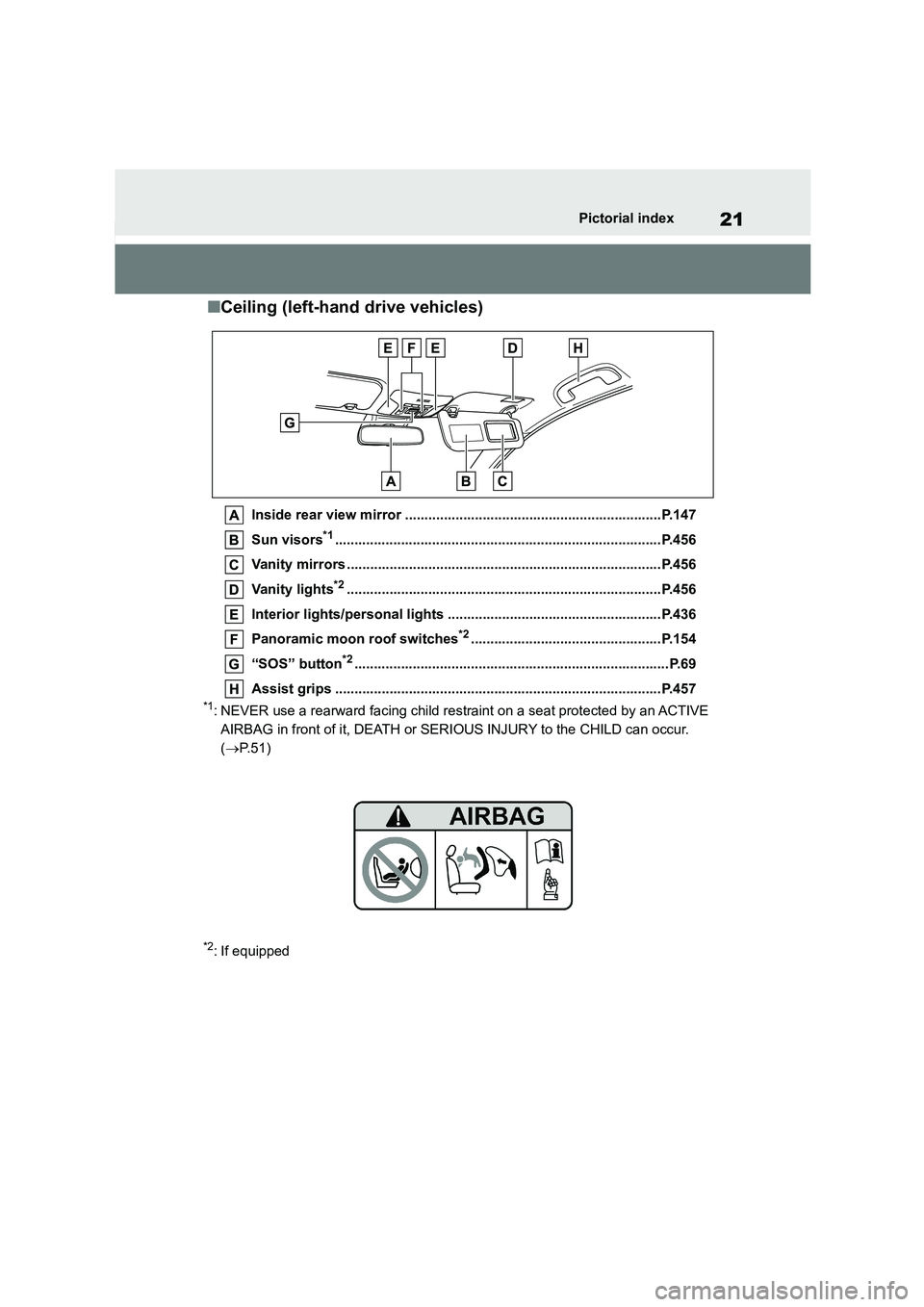
■Ceiling (left-hand drive vehicles)
Inside rear view mirror ..................................................................P.147
Sun visors*1....................................................................................P.456
Vanity mirrors .................................................................................P.456
Vanity lights*2.................................................................................P.456
Interior lights/personal lights .......................................................P.436
Panoramic moon roof switches*2.................................................P.154
“SOS” button*2.................................................................................P.69
Assist grips ....................................................................................P.457
*1: NEVER use a rearward facing child restraint on a seat protected by an ACTIVE
AIRBAG in front of it, DEATH or SERIOUS INJURY to the CHILD can occur.
( P. 5 1 )
*2: If equipped
Page 30 of 758
28Pictorial index
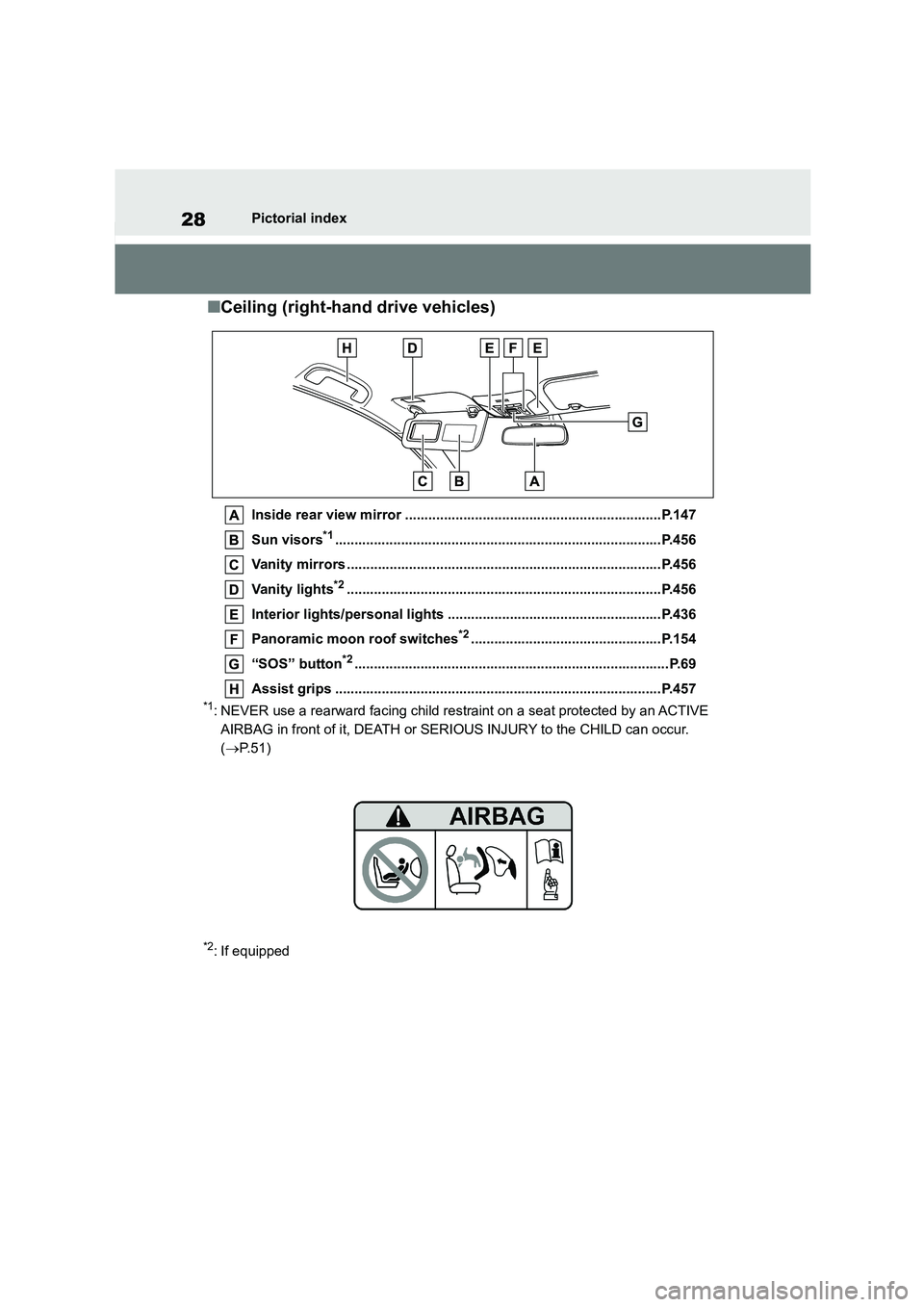
■Ceiling (right-hand drive vehicles)
Inside rear view mirror ..................................................................P.147
Sun visors*1....................................................................................P.456
Vanity mirrors .................................................................................P.456
Vanity lights*2.................................................................................P.456
Interior lights/personal lights .......................................................P.436
Panoramic moon roof switches*2.................................................P.154
“SOS” button*2.................................................................................P.69
Assist grips ....................................................................................P.457
*1: NEVER use a rearward facing child restraint on a seat protected by an ACTIVE
AIRBAG in front of it, DEATH or SERIOUS INJURY to the CHILD can occur.
( P. 5 1 )
*2: If equipped
Page 41 of 758
39
1
1-1. For safe use
For safety and security
may be sustained from SRS airbags,
due to the extremely high speed deployment (inflation) by hot gases.
●A loud noise and white powder will be emitted.
●Parts of the airbag module (steering wheel hub, airbag cover and inflator)
as well as the front seats, parts of the
front and rear pillars, and roof side rails, may be hot for several minutes.
The airbag itself may also be hot.
●The windshield may crack.
●The brakes and stop lights will be con- trolled automatically. ( P.357)
●The interior lights will turn on automat- ically. ( P.437)
●The emergency flashers will turned on automatically. ( P.502)
●Fuel supply to the engine will be stopped. ( P.510)
●Vehicles with eCall: If any of the fol-
lowing situations occur, the system is
designed to send an emergency call*
to the eCall control center, notifying
them of the vehicle’s location (without needing to push the “SOS” button)
and an agent will attempt to speak
with the occupants to ascertain the level of emergency and assistance
required. If the occupants are unable
to communicate, the agent automati- cally treats the call as an emergency
and helps to dispatch the necessary
emergency services. ( P. 6 9 ) • An SRS airbag is deployed.
• A seat belt pretensioner is activated.
• The vehicle is involved in a severe rear-end collision.*: In some cases, the call cannot be
made. ( P. 7 0 )
■SRS airbag deployment conditions (SRS front airbags)
●The SRS front airbags will deploy in the event of an impact that exceeds
the set threshold le vel (the level of
force corresponding to an approxi- mately 20 - 30 km/h [12 - 18 mph]
frontal collision with a fixed wall that
does not move or deform).
However, this threshold velocity will be
considerably higher in the following situ-
ations: • If the vehicle strikes an object, such
as a parked vehicle or sign pole,
which can move or deform on impact • If the vehicle is involved in an
underride collision, such as a collision
in which the front of the vehicle “underrides”, or goes under, the bed
of a truck
■SRS airbag deployment conditions
(SRS side and curtain shield airbags)
●The SRS side and curtain shield airbags will deploy in the event of an
impact that exceeds the set threshold
level (the level of force corresponding to the impact force produced by an
approximately 1500 kg [3300 lb.] vehi-
cle colliding with the vehicle cabin from a direction perpendicular to the
vehicle orientation at an approximate
speed of 20 - 30 km/h [12 - 18 mph]).
●Both SRS curtain shield airbags may
deploy in the event of a severe side collision.
●Both SRS curtain shield airbags may also deploy in the event of a severe
frontal collision.
■Conditions under which the SRS
airbags may deploy (inflate), other than a collision
The SRS front airbags and SRS side
and curtain shield airbags may also deploy if a serious impact occurs to the
underside of your vehicle. Some exam-
ples are shown in the illustration.
●Hitting a curb, edge of pavement or
hard surface
●Falling into or jumping over a deep
hole
●Landing hard or falling
Page 98 of 758
962-1. Instrument cluster
entrance/exit of a garage, tunnel, etc.)
●When “--” or “E” is displayed, the sys-
tem may be malfunctioning. Take your
vehicle to any authorized Toyota retailer or Toyota authorized repairer,
or any reliable repairer.
■Liquid crystal display
P.100
■Customization
The gauges and meters can be custom-
ized in of the multi-information dis-
play. ( P.104)
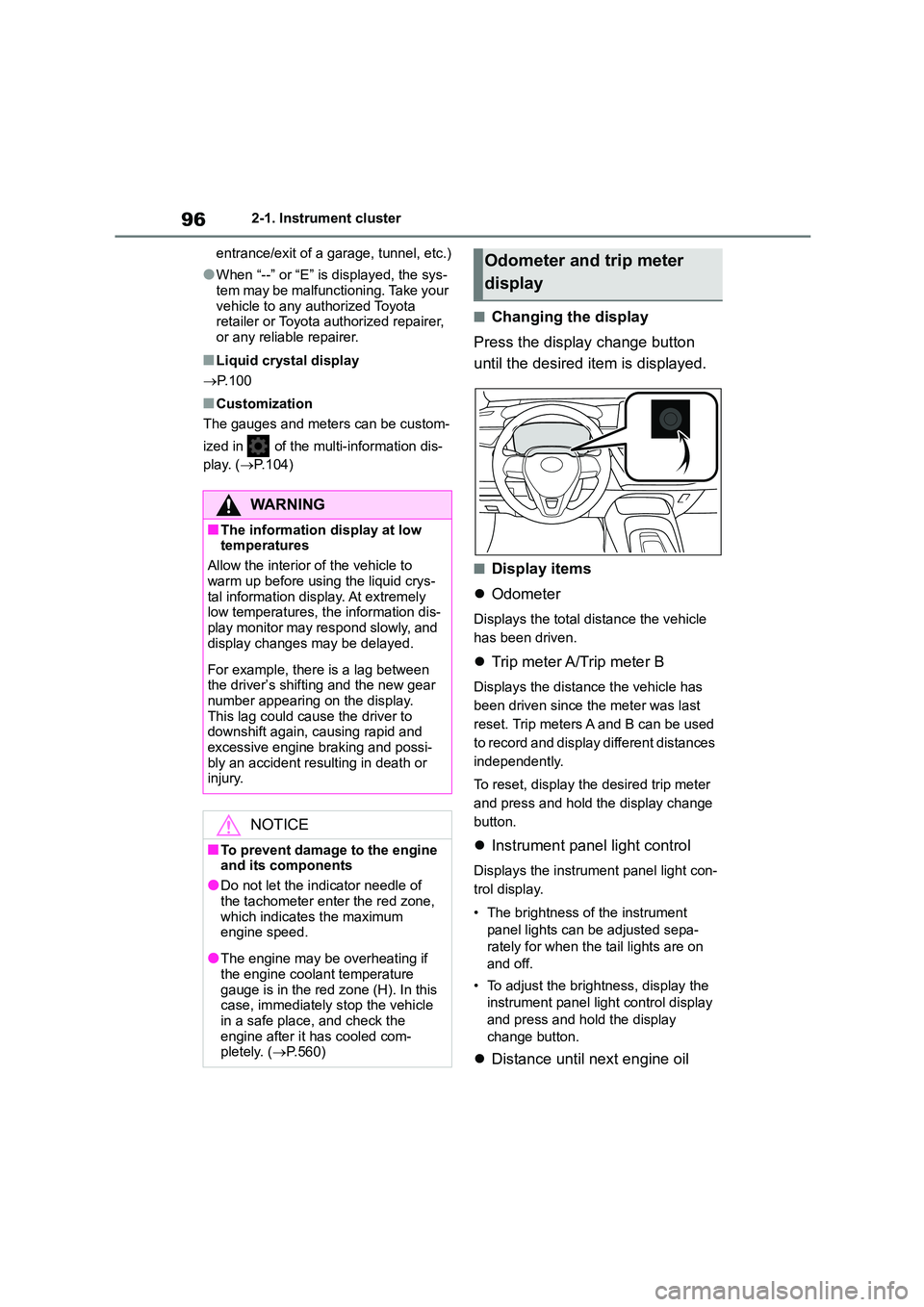
■Changing the display
Press the display change button
until the desired item is displayed.
■Display items
Odometer
Displays the total distance the vehicle
has been driven.
Trip meter A/Trip meter B
Displays the distance the vehicle has
been driven since the meter was last
reset. Trip meters A and B can be used
to record and display different distances
independently.
To reset, display the desired trip meter
and press and hold the display change
button.
Instrument panel light control
Displays the instrument panel light con-
trol display.
• The brightness of the instrument
panel lights can be adjusted sepa-
rately for when the tail lights are on
and off.
• To adjust the brightness, display the
instrument panel light control display
and press and hold the display
change button.
Distance until next engine oil
WA R N I N G
■The information display at low temperatures
Allow the interior of the vehicle to
warm up before using the liquid crys- tal information display. At extremely
low temperatures, the information dis-
play monitor may respond slowly, and display changes may be delayed.
For example, there is a lag between the driver’s shifting and the new gear
number appearing on the display.
This lag could cause the driver to downshift again, causing rapid and
excessive engine braking and possi-
bly an accident resulting in death or injury.
NOTICE
■To prevent damage to the engine
and its components
●Do not let the indicator needle of
the tachometer enter the red zone,
which indicates the maximum engine speed.
●The engine may be overheating if the engine coolant temperature
gauge is in the red zone (H). In this
case, immediately stop the vehicle in a safe place, and check the
engine after it has cooled com-
pletely. ( P.560)
Odometer and trip meter
display
Page 423 of 758
6
421
6
Interior features
Interior features
.6-1. Using the air conditioning
system and defogger
Manual air conditioning system
....................................... 422
Automatic air conditioning sys-
tem ................................. 427
Heated steering wheel/seat
heaters ........................... 434
6-2. Using the interior lights
Interior lights list................ 436
6-3. Using the storage features
List of storage features ..... 439
Luggage compartment features
....................................... 442
6-4. Other interior features
Other interior features....... 451
Page 438 of 758
4366-2. Using the interior lights
6-2.Using the interior lights
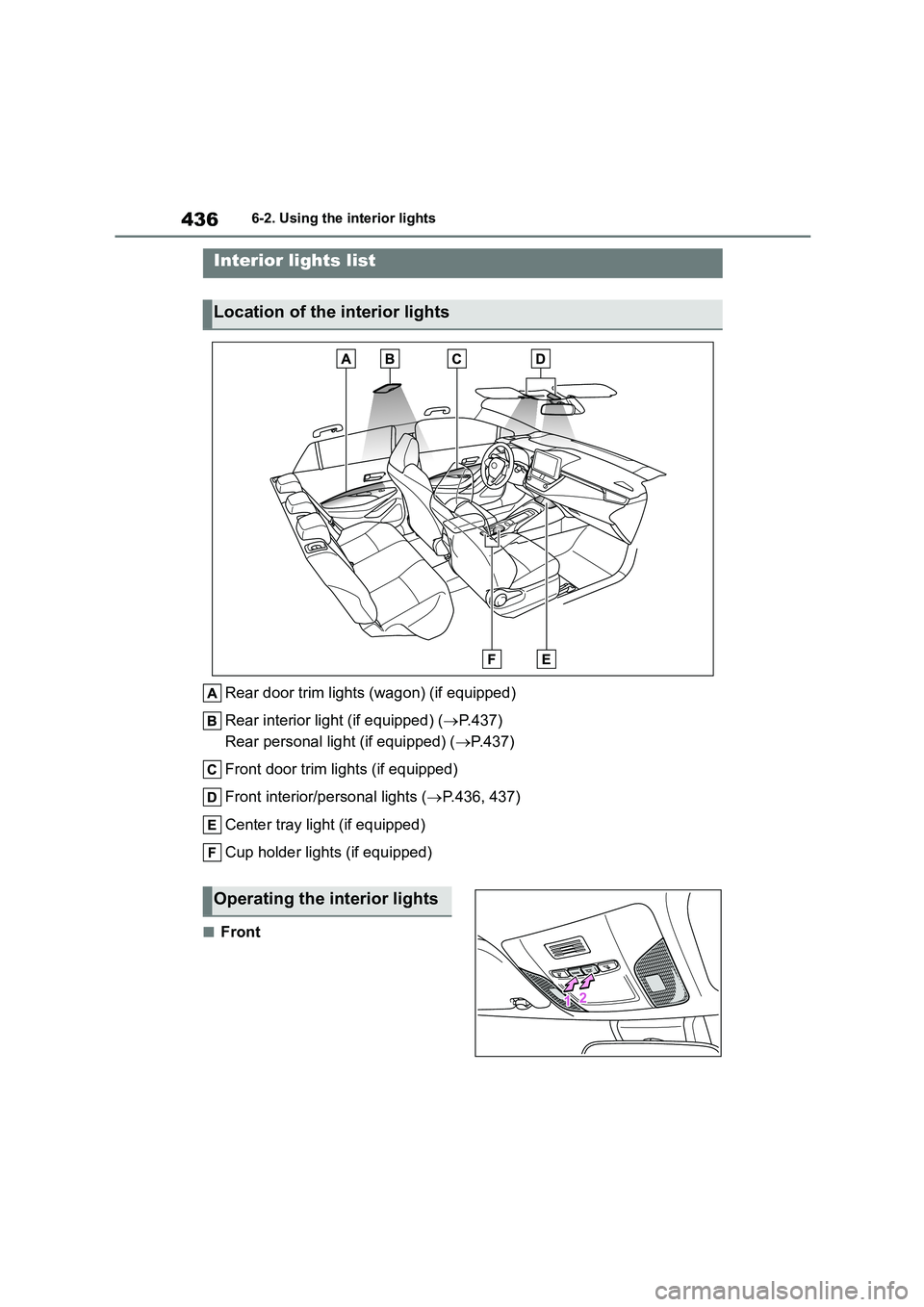
Rear door trim lights (wagon) (if equipped)
Rear interior light (if equipped) ( P.437)
Rear personal light (if equipped) ( P. 4 3 7 )
Front door trim lights (if equipped)
Front interior/personal lights ( P.436, 437)
Center tray light (if equipped)
Cup holder lights (if equipped)
■Front
Interior lights list
Location of the interior lights
Operating the interior lights
Page 439 of 758
437
6
6-2. Using the interior lights
Interior features
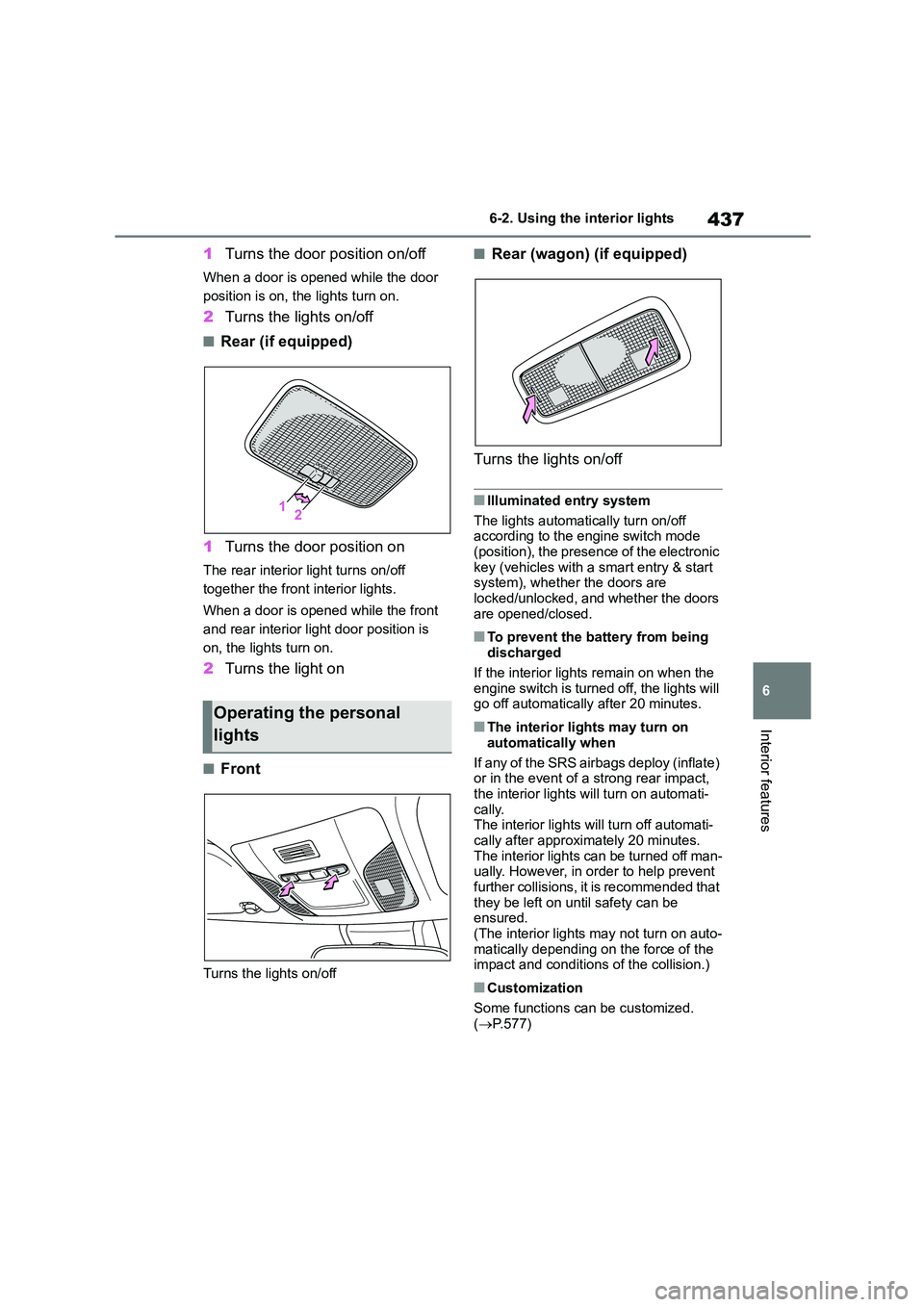
1 Turns the door position on/off
When a door is opened while the door
position is on, the lights turn on.
2 Turns the lights on/off
■Rear (if equipped)
1 Turns the door position on
The rear interior light turns on/off
together the front interior lights.
When a door is opened while the front
and rear interior light door position is
on, the lights turn on.
2 Turns the light on
■Front
Turns the lights on/off
■Rear (wagon) (if equipped)
Turns the lights on/off
■Illuminated entry system
The lights automatically turn on/off
according to the engine switch mode
(position), the presence of the electronic key (vehicles with a smart entry & start
system), whether the doors are
locked/unlocked, and whether the doors are opened/closed.
■To prevent the battery from being
discharged
If the interior lights remain on when the engine switch is turned off, the lights will
go off automatically after 20 minutes.
■The interior lights may turn on
automatically when
If any of the SRS airbags deploy (inflate)
or in the event of a strong rear impact,
the interior lights will turn on automati- cally.
The interior lights will turn off automati-
cally after approximately 20 minutes. The interior lights can be turned off man-
ually. However, in order to help prevent
further collisions, it is recommended that they be left on until safety can be
ensured.
(The interior lights may not turn on auto-
matically depending on the force of the impact and conditions of the collision.)
■Customization
Some functions can be customized.
( P.577)
Operating the personal
lights
Page 440 of 758

4386-2. Using the interior lights
NOTICE
■To prevent battery discharge
Do not leave the lights on longer than
necessary when the engine is not run- ning.
Page 456 of 758
4546-4. Other interior features
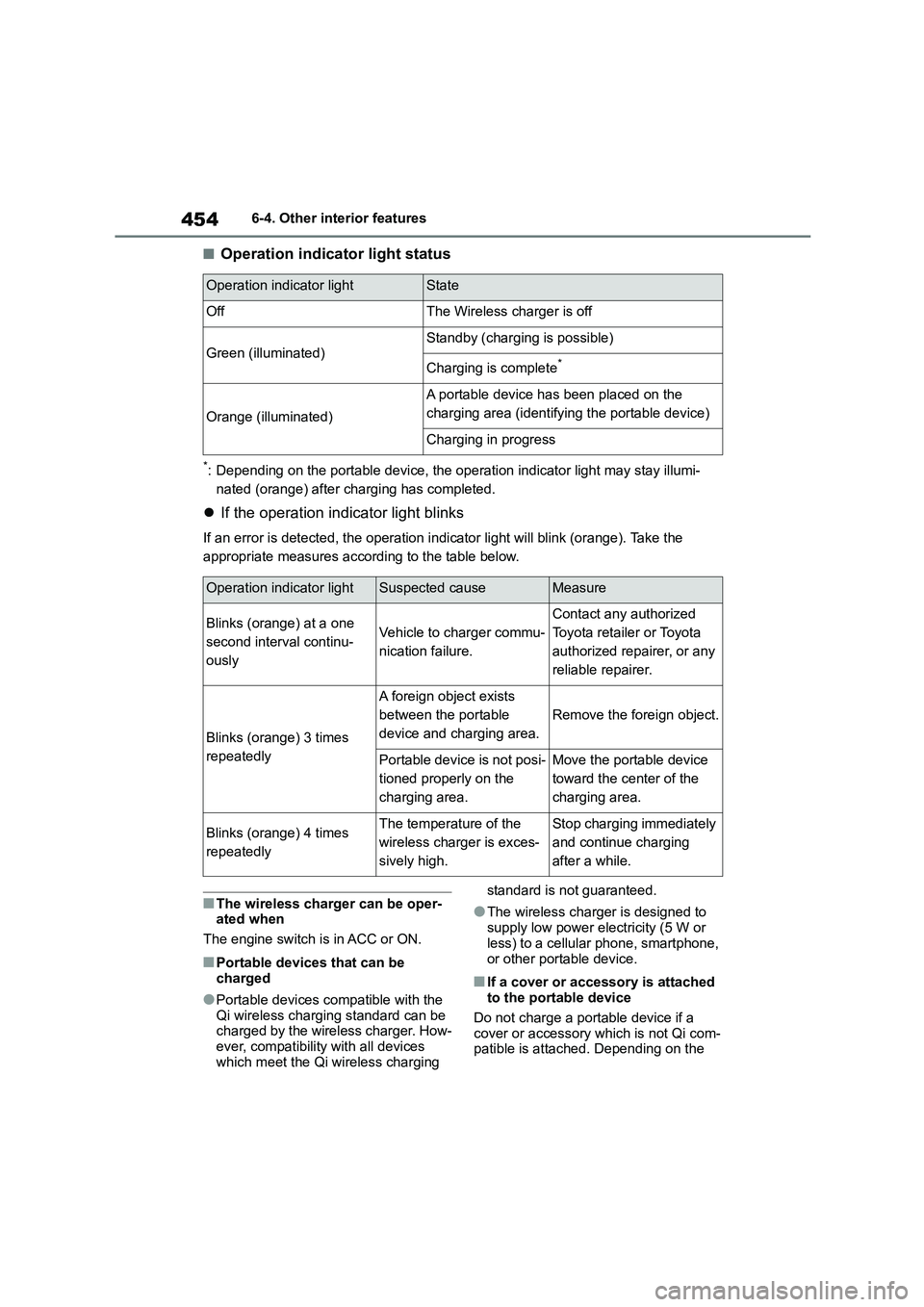
■Operation indicator light status
*: Depending on the portable device, the operation indicator light may stay illumi-
nated (orange) after charging has completed.
If the operation indicator light blinks
If an error is detected, the operation indicator light will blink (orange). Take the
appropriate measures according to the table below.
■The wireless charger can be oper-
ated when
The engine switch is in ACC or ON.
■Portable devices that can be
charged
●Portable devices compatible with the
Qi wireless charging standard can be
charged by the wireless charger. How- ever, compatibility with all devices
which meet the Qi wireless charging
standard is not guaranteed.
●The wireless charger is designed to
supply low power electricity (5 W or
less) to a cellular phone, smartphone,
or other portable device.
■If a cover or accessory is attached to the portable device
Do not charge a portable device if a
cover or accessory which is not Qi com- patible is attached. Depending on the
Operation indicator lightState
OffThe Wireless charger is off
Green (illuminated)Standby (charging is possible)
Charging is complete*
Orange (illuminated)
A portable device has been placed on the
charging area (identifying the portable device)
Charging in progress
Operation indicator lightSuspected causeMeasure
Blinks (orange) at a one
second interval continu-
ously
Vehicle to charger commu-
nication failure.
Contact any authorized
Toyota retailer or Toyota
authorized repairer, or any
reliable repairer.
Blinks (orange) 3 times
repeatedly
A foreign object exists
between the portable
device and charging area.
Remove the foreign object.
Portable device is not posi-
tioned properly on the
charging area.
Move the portable device
toward the center of the
charging area.
Blinks (orange) 4 times
repeatedly
The temperature of the
wireless charger is exces-
sively high.
Stop charging immediately
and continue charging
after a while.