change key battery TOYOTA COROLLA HYBRID 2020 Owners Manual (in English)
[x] Cancel search | Manufacturer: TOYOTA, Model Year: 2020, Model line: COROLLA HYBRID, Model: TOYOTA COROLLA HYBRID 2020Pages: 556, PDF Size: 19.28 MB
Page 106 of 556
1063-2. Opening, closing and locking the doors
COROLLA HV_UTo prevent unintended triggering of
the alarm, unlock
the doors using
the wireless remote control and
open and close a door once after
the settings have been changed. (If
a door is not opened within 60 sec-
onds after is pressed, the doors
will be locked again and the alarm
will automatically be set.)
In case that the alarm is triggered,
immediately stop the alarm. ( P. 7 8 )
■Operation signals
A buzzer sounds and the emer-
gency flashers flash to indicate that
the doors have been
locked/unlocked using the entry
function or wireless remote control.
(Locked: Once; Unlocked: Twice)
A buzzer sounds to indicate that the
windows are operating.
■Security feature
If a door is not opened within
approximately 60 seconds after the
vehicle is unlocked using the entry function or wireles
s remote control,
the security featur e automatically
locks the vehicle again.
■When the door cannot be
locked by the lock sensor on
the surface of the front door
handle
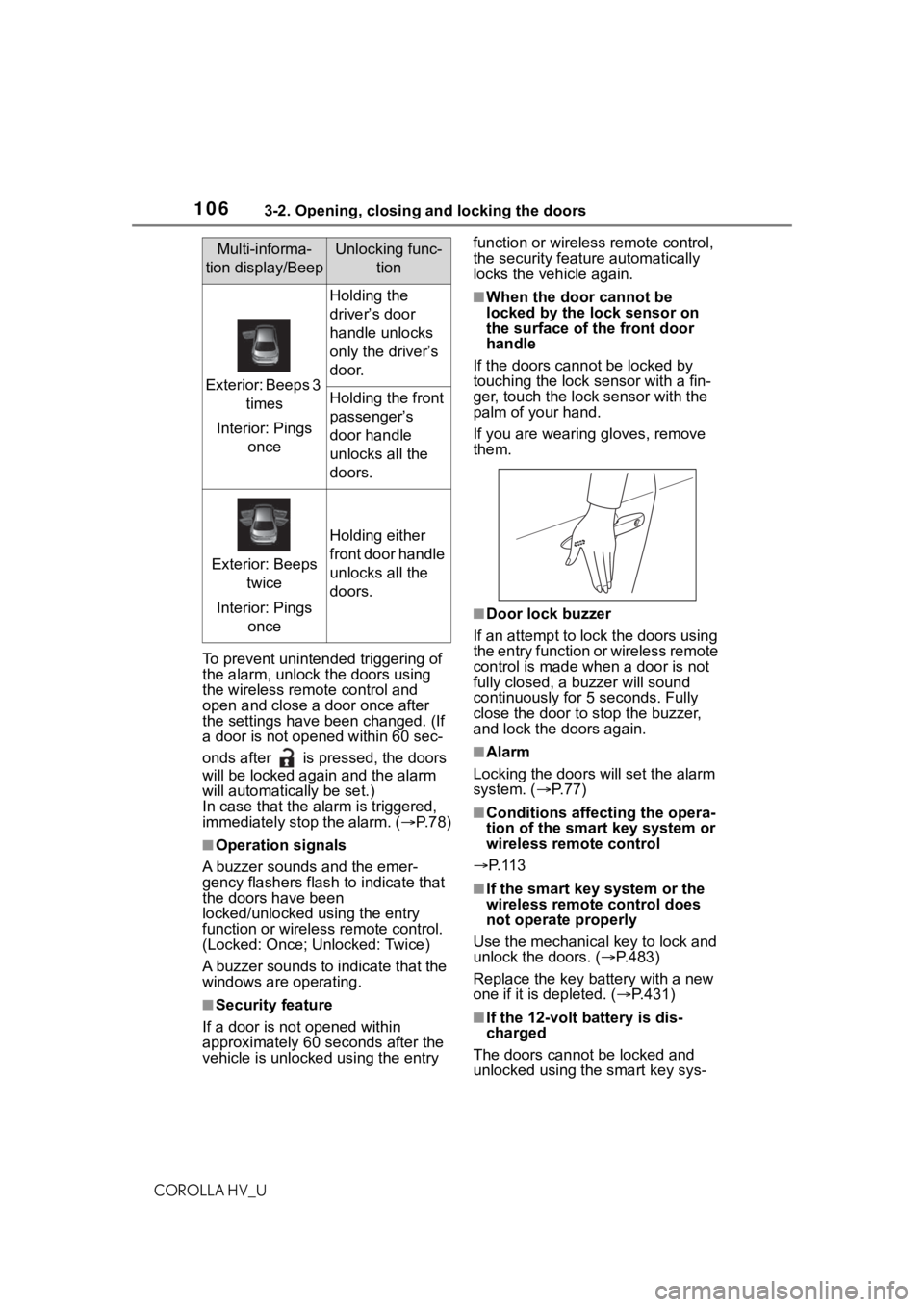
If the doors cannot be locked by
touching the lock se nsor with a fin-
ger, touch the lock sensor with the
palm of your hand.
If you are wearing gloves, remove
them.
■Door lock buzzer
If an attempt to lock the doors using
the entry function or wireless remote
control is made when a door is not
fully closed, a b uzzer will sound
continuously for 5 seconds. Fully
close the door to stop the buzzer,
and lock the doors again.
■Alarm
Locking the doors will set the alarm
system. ( P. 7 7 )
■Conditions affecting the opera-
tion of the smart key system or
wireless remote control
P. 1 1 3
■If the smart key system or the
wireless remote control does
not operate properly
Use the mechanical key to lock and
unlock the doors. ( P.483)
Replace the key battery with a new
one if it is depleted. ( P.431)
■If the 12-volt b attery is dis-
charged
The doors cannot be locked and
unlocked using the smart key sys-
Multi-informa-
tion display/BeepUnlocking func- tion
Exterior: Beeps 3 times
Interior: Pings once
Holding the
driver’s door
handle unlocks
only the driver’s
door.
Holding the front
passenger’s
door handle
unlocks all the
doors.
Exterior: Beeps twice
Interior: Pings once
Holding either
front door handle
unlocks all the
doors.
Page 143 of 556
1434-2. Driving procedures
COROLLA HV_U
4
Driving
4-2.Driving procedures
1 Check that the parking brake
is set. ( P.153)
2 Check that the shift lever is in
P.
3 Firmly depress the brake
pedal.
and a message will be dis-
played on the multi-information dis-
play. If it is not displayed, the hybrid
system cannot be started.
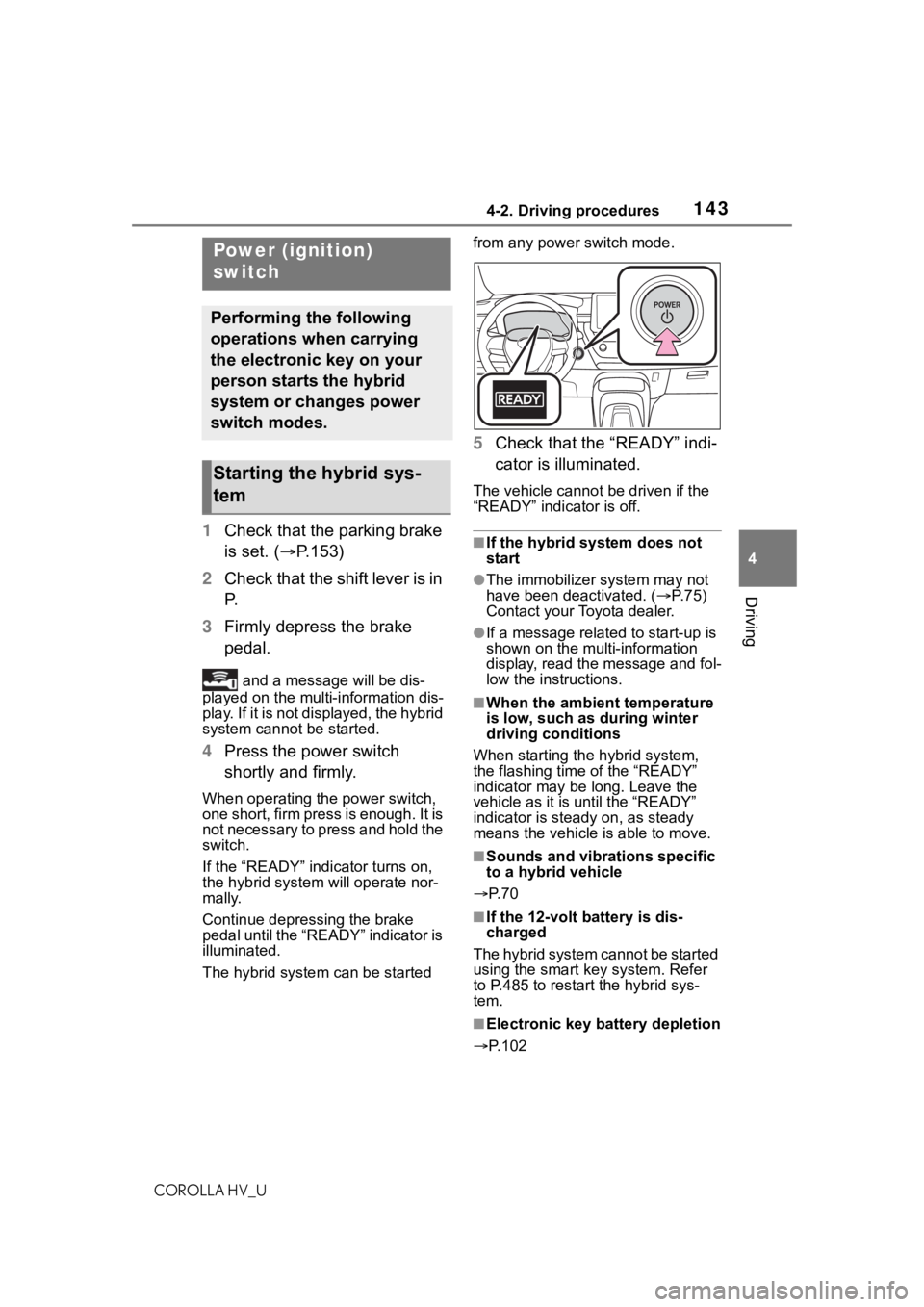
4 Press the power switch
shortly and firmly.
When operating the power switch,
one short, firm press is enough. It is
not necessary to press and hold the
switch.
If the “READY” indicator turns on,
the hybrid system will operate nor-
mally.
Continue depressing the brake
pedal until the “READY” indicator is
illuminated.
The hybrid system can be started from any power switch mode.
5
Check that the “READY” indi-
cator is illuminated.
The vehicle cannot be driven if the
“READY” indicator is off.
■If the hybrid system does not
start
●The immobilizer system may not
have been deactivated. ( P. 7 5 )
Contact your Toyota dealer.
●If a message related to start-up is
shown on the multi-information
display, read the message and fol-
low the instructions.
■When the ambient temperature
is low, such as during winter
driving conditions
When starting the hybrid system,
the flashing time of the “READY”
indicator may be long. Leave the
vehicle as it is until the “READY”
indicator is steady on, as steady
means the vehicle is able to move.
■Sounds and vibrations specific
to a hybrid vehicle
P. 7 0
■If the 12-volt b attery is dis-
charged
The hybrid system cannot be started
using the smart key system. Refer
to P.485 to restar t the hybrid sys-
tem.
■Electronic key battery depletion
P.102
Power (ignition)
switch
Performing the following
operations when carrying
the electronic key on your
person starts the hybrid
system or changes power
switch modes.
Starting the hybrid sys-
tem
Page 144 of 556
1444-2. Driving procedures
COROLLA HV_U
■Conditions affecting operation
P. 1 1 3
■Notes for the entry function
P. 1 1 4
■Steering lock function
●After turning the power switch off
and opening and closing the
doors, the steer ing wheel will be
locked due to the steering lock
function. Operating the power
switch again automatically can-
cels the steering lock.
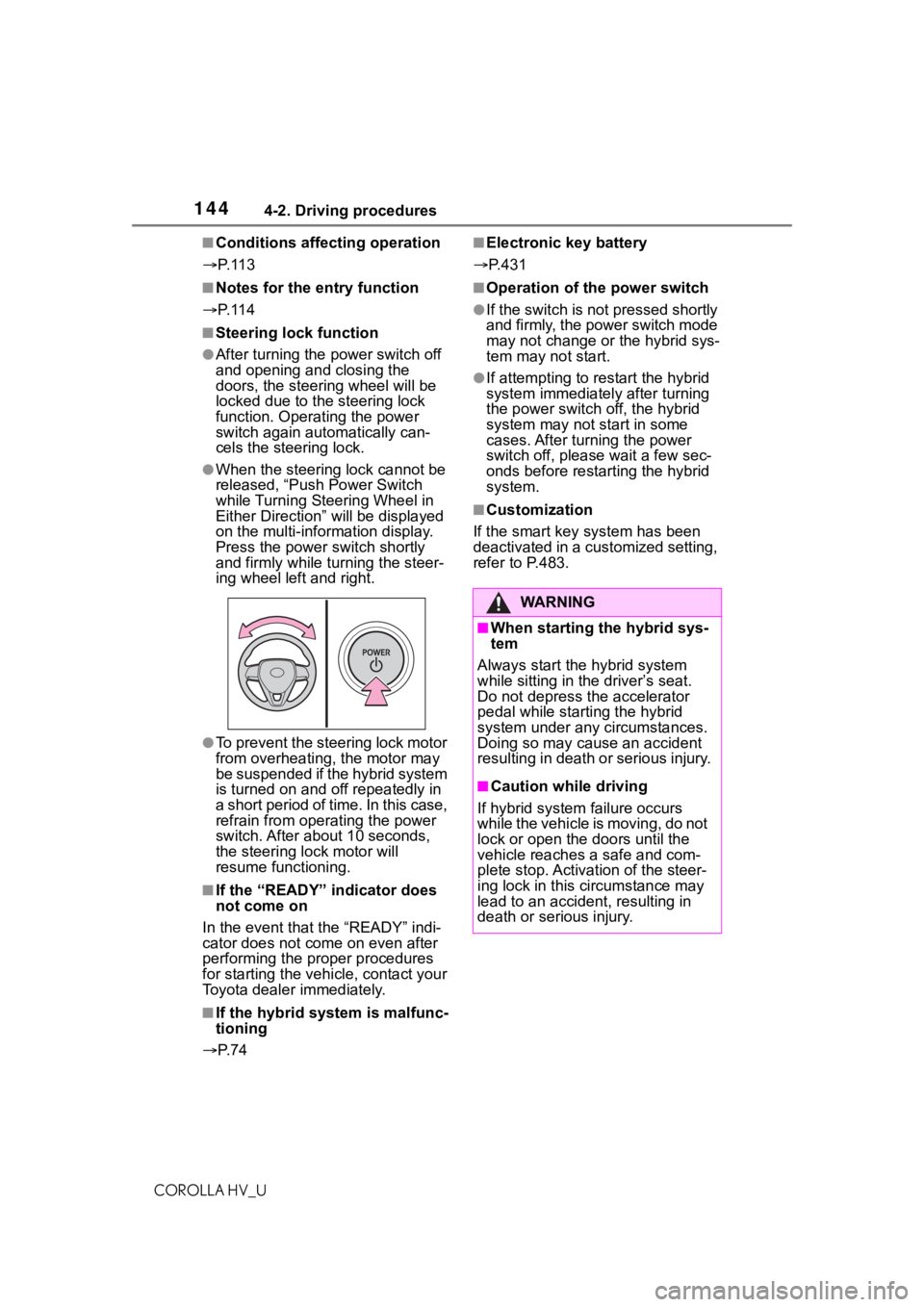
●When the steering lock cannot be
released, “Push Power Switch
while Turning Steering Wheel in
Either Direction” will be displayed
on the multi-information display.
Press the power switch shortly
and firmly while turning the steer-
ing wheel left and right.
●To prevent the steering lock motor
from overheating, the motor may
be suspended if the hybrid system
is turned on and of f repeatedly in
a short period of time. In this case,
refrain from ope rating the power
switch. After about 10 seconds,
the steering lock motor will
resume functioning.
■If the “READY” indicator does
not come on
In the event that the “READY” indi-
cator does not come on even after
performing the proper procedures
for starting the vehicle, contact your
Toyota dealer immediately.
■If the hybrid system is malfunc-
tioning
P. 7 4
■Electronic key battery
P.431
■Operation of the power switch
●If the switch is not pressed shortly
and firmly, the power switch mode
may not change o r the hybrid sys-
tem may not start.
●If attempting to res tart the hybrid
system immediately after turning
the power switch off, the hybrid
system may not start in some
cases. After turning the power
switch off, please wait a few sec-
onds before restarting the hybrid
system.
■Customization
If the smart key system has been
deactivated in a customized setting,
refer to P.483.
WA R N I N G
■When starting the hybrid sys-
tem
Always start the hybrid system
while sitting in the driver’s seat.
Do not depress t he accelerator
pedal while starting the hybrid
system under any circumstances.
Doing so may cause an accident
resulting in death o r serious injury.
■Caution while driving
If hybrid system failure occurs
while the vehicle is moving, do not
lock or open the doors until the
vehicle reaches a safe and com-
plete stop. Activation of the steer-
ing lock in this c ircumstance may
lead to an accident, resulting in
death or serious injury.
Page 485 of 556
4858-2. Steps to take in an emergency
COROLLA HV_U
8
When trouble arises
shown on the multi-informa-
tion display.
4 Press the power switch
shortly and firmly.
In the event that the hybrid sys-
tem still cannot be started, con-
tact your Toyota dealer.
■Stopping the hybrid system
Shift the shift lever to P and press
the power switch as you normally do
when stopping the hybrid system.
■Electronic key battery
As the above proc edure is a tempo-
rary measure, it is recommended
that the electronic key battery be
replaced immediate ly when the bat-
tery is depleted. ( P.431)
■Changing power switch modes
Release the brake pedal and press
the power switch in step 3 above.
The hybrid system does not start
and modes will be changed each
time the switch is pressed. ( P.145)
If the 12-volt batter y is
discharged
The following procedures
may be used to start the
hybrid system if the 12-volt
battery is discharged.
You can also call your Toy-
ota dealer or a qualified
repair shop.
Page 541 of 556

5411-1. What to do if... (Troubleshooting)
COROLLA HV_U541Alphabetical Index
Heated steering wheel and seat
heater precautions ............. 365
How your child should wear the seat belt................................ 28
Power window lock switch.... 129
Power window precautions .. 128
Rear door child-protectors.... 108
Removed electronic key battery precautions......................... 432
Seat belt extender precautions ............................................. 28
Seat belt precautions ............. 46
Trunk precautions................. 109
Child-protectors ..................... 108
Cleaning Aluminum wheels ................. 392
Exterior ................................. 392
Interior .................................. 394
Radar sensor........................ 169
Seat belts ............................. 394
Clock ........................... 84, 87, 269
Coat hooks .............................. 382
Command list ......................... 311
Condenser .............................. 409
Console box ............................ 371
Cooling system ...................... 408 Engine overheating .............. 489
Hybrid system overheating... 490
Cruise control Dynamic radar cruise control with full-speed range .......... 192
Cup holders ............................ 370
Current fuel consumption ....... 90
Curtain shield airbags ............. 31
Customizable features ........... 516
D
Daytime running light system158
DCM ................................. 349, 350
Defogger Outside rear view mirrors ..... 359
Rear window ........................ 359 Windshield ............................359
Dimensions .............................496
Dinghy towing .........................142
Display Dynamic radar cruise control with full-speed range ..........192
Energy monitor .......................95
LTA (Lane-Tracing Assist) .....187
Multi-information display.........89
Warning message.................459
Display change button .............86
Do-it-yourself maintenance ...398
Door lock Doors ....................................105
Smart key system ................. 111
Wireless remote control........103
Doors Automatic door locking and unlocking system ................108
Door glasses ........................127
Door lock ..............................105
Open door warning buzzer .106, 108
Outside rear view mirrors .....125
Rear door child-protectors ....108
Side doors ............................105
Drive distance ...........................93
Drive information ......................93
Drive-start control ..................133
Driving Break-in tips .........................133
Correct driving posture ...........25
Driving mode select switch ...219
Hybrid vehicle dri ving tips .....226
Procedures ...........................132
Winter drive tips....................228
Driving information display .....90
Driving range ............................90
Driving support system informa- tion display..............................93