cruise control TOYOTA COROLLA HYBRID 2023 User Guide
[x] Cancel search | Manufacturer: TOYOTA, Model Year: 2023, Model line: COROLLA HYBRID, Model: TOYOTA COROLLA HYBRID 2023Pages: 496, PDF Size: 10.13 MB
Page 157 of 496
157
4
4
Driving
Driving
.4-1. Before drivingDriving the vehicle....... 159
Cargo and luggage ..... 166
Vehicle load limits ....... 168
Trailer towing............... 169
Dinghy towing ............. 169
4-2. Driving procedures Power (ignition) switch (vehicles without a smart
key system) ............... 170
Power (ignition) switch (vehicles with a smart key
system)...................... 172
EV drive mode ............ 178
Hybrid transmission .... 180
Turn signal lever.......... 182
Parking brake .............. 183
Brake Hold .................. 187
4-3. Operating the lights and wipers
Headlight switch .......... 189
AHB (Automatic High Beam)........................ 191
Windshield wipers and washer....................... 194
4-4. Refueling Opening the fuel tank cap.................................. 1964-5. Using the dr
iving support
systems
Toyota Safety Sense 3.0 software update ......... 199
Toyota Safety Sense 3.0 .................................. 201
PCS (Pre-Collision System) .................................. 207
LTA (Lane Tracing Assist) .................................. 218
LDA (Lane Departure Alert) .................................. 223
PDA (Proactive driving assist) ........................ 228
RSA (Road Sign Assist) .................................. 234
Dynamic radar cruise con- trol ............................. 236
Cruise control .............. 244
Emergency Driving Stop System ...................... 247
BSM (Blind Spot Monitor) .................................. 249
RCTA (Rear Cross Traffic Alert) function ............ 254
Safe Exit Assist ........... 260
Driving mode select switch .................................. 264
Driving assist systems .................................. 266
4-6. Driving tips Hybrid vehicle driving tips.................................. 271
Page 202 of 496
2024-5. Using the driving support systems
■PCS (Pre-Collision System)
P.207
■LTA (Lane Tracing Assist)
P.218
■LDA (Lane Departure Alert)
P.223
■AHB (Automatic High
Beam)
P.191
■PDA (Proactive driving
assist)
P.228
■RSA (Road Sign Assist)*
P.234
*: If equipped
■Dynamic radar cruise con-
trol
P.236
■Cruise control
P.244
■Emergency Driving Stop
System
P.247
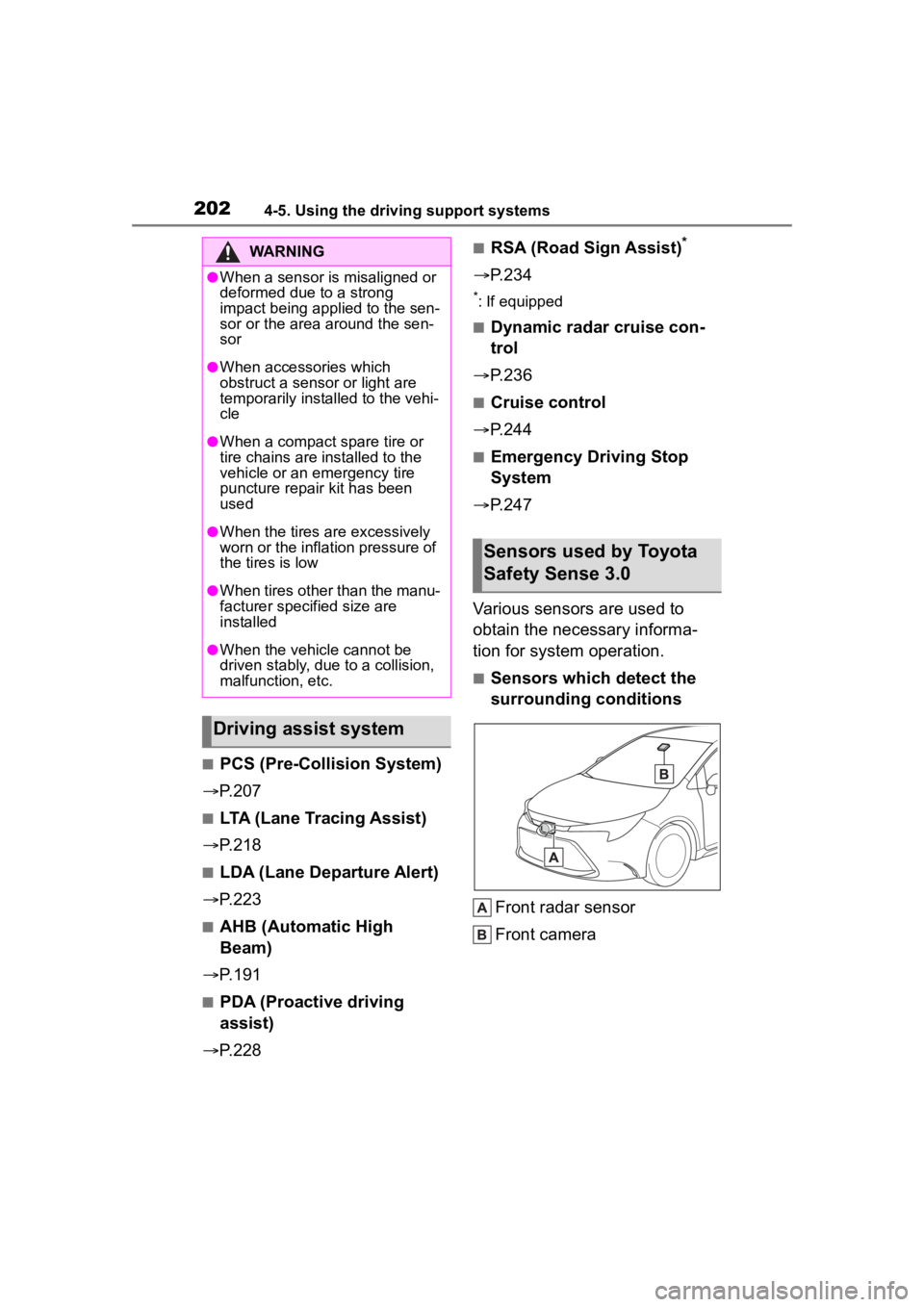
Various sensors are used to
obtain the necessary informa-
tion for system operation.
■Sensors which detect the
surrounding conditions
Front radar sensor
Front camera
WARNING
●When a sensor is misaligned or
deformed due to a strong
impact being applied to the sen-
sor or the area around the sen-
sor
●When accessories which
obstruct a sensor or light are
temporarily installed to the vehi-
cle
●When a compact spare tire or
tire chains are installed to the
vehicle or an emergency tire
puncture repair kit has been
used
●When the tires are excessively
worn or the inflation pressure of
the tires is low
●When tires other than the manu-
facturer specified size are
installed
●When the vehicle cannot be
driven stably, due to a collision,
malfunction, etc.
Driving assist system
Sensors used by Toyota
Safety Sense 3.0
Page 218 of 496
2184-5. Using the driving support systems
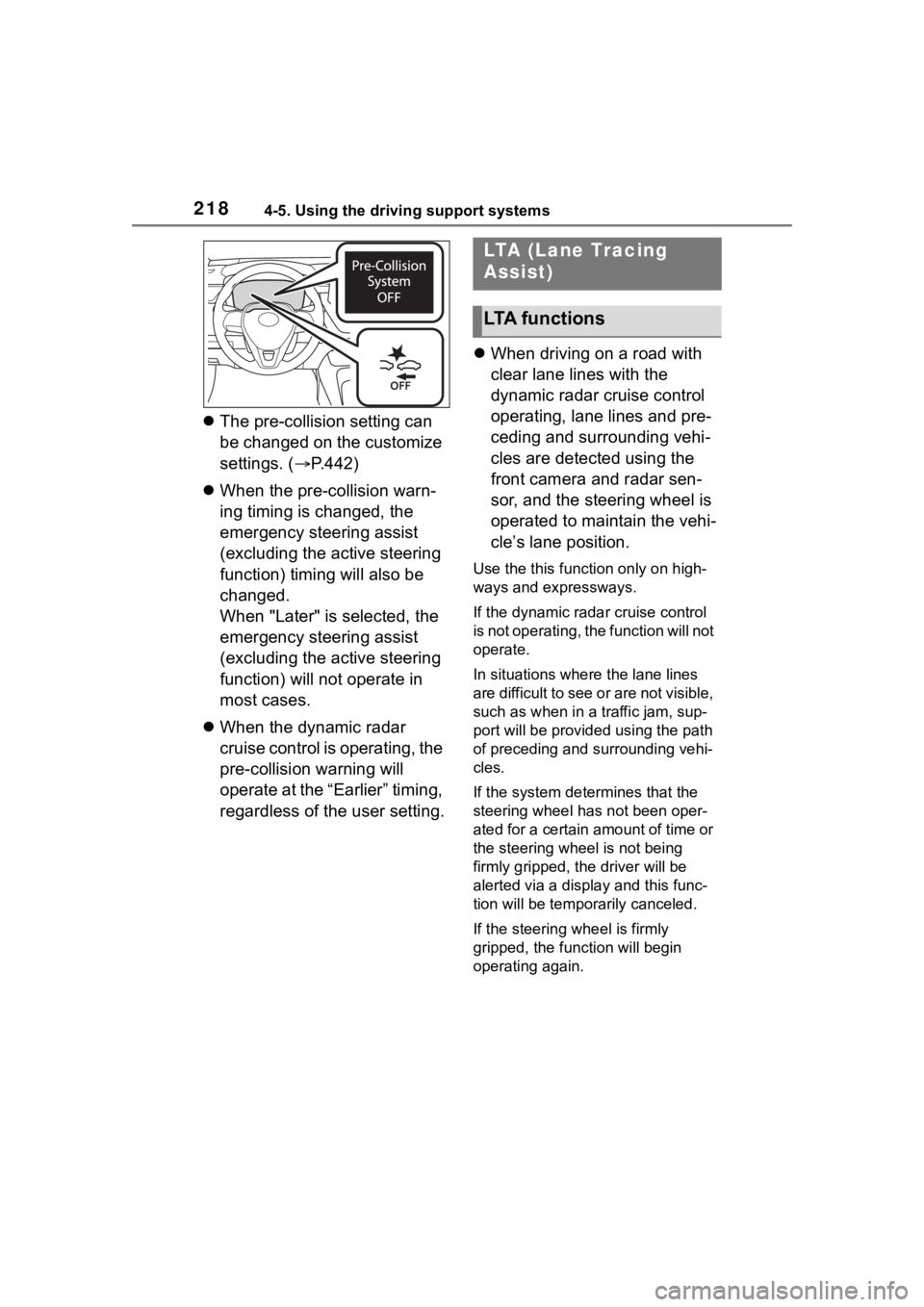
The pre-collision setting can
be changed on the customize
settings. ( P.442)
When the pre-collision warn-
ing timing is changed, the
emergency steering assist
(excluding the active steering
function) timing will also be
changed.
When "Later" is selected, the
emergency steering assist
(excluding the active steering
function) will not operate in
most cases.
When the dynamic radar
cruise control is operating, the
pre-collision warning will
operate at the “Earlier” timing,
regardless of the user setting.
When driving on a road with
clear lane lines with the
dynamic radar cruise control
operating, lane lines and pre-
ceding and surrounding vehi-
cles are detected using the
front camera and radar sen-
sor, and the steering wheel is
operated to maintain the vehi-
cle’s lane position.
Use the this function only on high-
ways and expressways.
If the dynamic radar cruise control
is not operating, the function will not
operate.
In situations where the lane lines
are difficult to see or are not visible,
such as when in a traffic jam, sup-
port will be provided using the path
of preceding and surrounding vehi-
cles.
If the system determines that the
steering wheel has not been oper-
ated for a certain amount of time or
the steering wheel is not being
firmly gripped, the driver will be
alerted via a display and this func-
tion will be temporarily canceled.
If the steering wheel is firmly
gripped, the func tion will begin
operating again.
LTA (Lane Tracing
Assist)
LTA functions
Page 220 of 496
2204-5. Using the driving support systems
the following conditions are met:
●The LTA system detects lane lines
or the path of preceding or sur-
rounding vehicles (except when
the preceding vehicle is small,
such as a motorcycle).
●The dynamic radar cruise control
is operating.
●The lane width is approximately
10 to 13 ft. (3 to 4 m).
●The turn signal le ver is not being
operated.
●The vehicle is not being driven
around a sharp curve.
●The vehicle is not accelerating or
decelerating more than a certain
amount.
●The steering wheel is not being
turned with a large force.
●The hands off steering wheel
warning ( P.220) is not operat-
ing.
●The vehicle is being driven in the
center of a lane.
■Temporary cancelation of func-
tions
●When the operating conditions are
no longer met, a function may be
temporarily canceled. However,
when the operation conditions are
met again, operation of the func-
tion will automatically be restored.
( P.219)
●If the operating conditions of a
function are no longer met while
the function is operating, a buzzer
may sound to indicate that the
function has been temporarily
canceled.
●The steering assist operation of
the function can be overridden by
the steering wheel operation of
the driver.
■Lane departure warning func-
tion when the LTA is operating
●Even if the LDA warning method is
changed to vibration of the steer-
ing wheel, if the vehicle deviates from the lane while the LTA is
operating, the warning buzzer will
sound to aler
t the driver.
●If steering wheel operation equiv-
alent to that necessary for a lane
change is detected, the system
will determine the vehicle is not
deviating from the lane and the
warning will not operate.
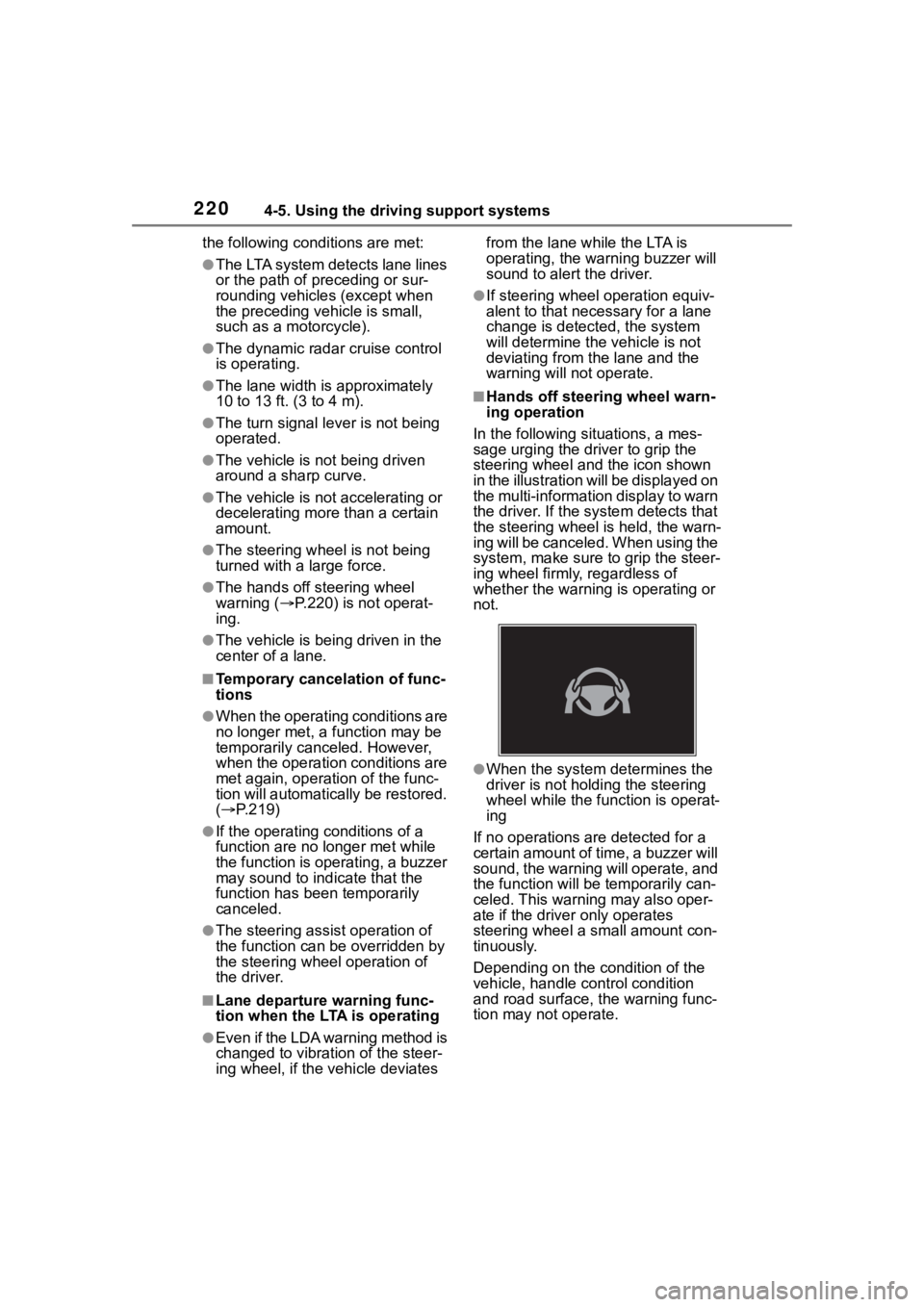
■Hands off steering wheel warn-
ing operation
In the following si tuations, a mes-
sage urging the driver to grip the
steering wheel and the icon shown
in the illustration will be displayed on
the multi-information display to warn
the driver. If the system detects that
the steering wheel is held, the warn-
ing will be canceled. When using the
system, make sure to grip the steer-
ing wheel firmly, regardless of
whether the warning is operating or
not.
●When the system determines the
driver is not hold ing the steering
wheel while the function is operat-
ing
If no operations are detected for a
certain amount of time, a buzzer will
sound, the warning will operate, and
the function will be temporarily can-
celed. This warnin g may also oper-
ate if the driver only operates
steering wheel a small amount con-
tinuously.
Depending on the condition of the
vehicle, handle control condition
and road surface, t he warning func-
tion may not operate.
Page 230 of 496
2304-5. Using the driving support systems
■Vehicle speeds at which the
system can operate
●Detectable object crossing the
road assistance
Approximately 20 to 35 mph (30 to
60 km/h)
●Detectable object on the side of
the road assistance
Approximately 20 to 35 mph (30 to
60 km/h)
●Preceding vehicle deceleration
assistance
Approximately 15 mph (20 km/h) or
more
●Curve decelerati on assistance
Approximately 15 mph (20 km/h) or
more
■System operation will be can-
celed when
●In the following si tuations, system
operation will be canceled :
• When the dynamic radar cruise control is operating
• When the PCS is off
• Situations in whi ch some or all of
the functions of the system cannot
operate : P. 2 0 5
• When the P, R or N shift position is selected
When the vehicle speed falls below
approximately 9.3 mph (15 km/h)
Or when a certain vehicle speed
has been reached, as judged by the
system, according to the surround-
ing conditions
●In the following si tuations, system
operation may be canceled :
• When the brake control or output restriction control of a driving sup-
port system operates
(For example: PCS, drive-start
control)
• When the system determines that a detected object has moved
away from the vehicle
●In the following situations, system
assistance may be canceled :
• When lane lines can no longer be
detected
• When the brake pedal has been
depressed
• When the accelerator pedal has been depressed
• When the steering wheel has
been operated wi th more than a
certain amount of force
• When the turn signal lever is oper-
ated to the left/right turn position
WARNING
■Situations in which the sys-
tem may not ope rate properly
●Situations in which the lane may
not be detected :
P.206
●When a detectable object stops
immediately before entering the
path of the vehicle
●When passing extremely close
to a detectable object behind a
guardrail, fence, etc.
●When changing lanes while
overtaking a detectable objec
●When passing a detectable
object that is changing lanes or
turning left/right
●When there are objects (guard-
rails, power poles, trees, walls,
fences, poles, traffic cones,
mailboxes, etc.) in the surround-
ing area
●When there are patterns or a
painting ahead of the vehicle
that may be mistaken for a
detectable object
●When passing through a place
with a low structure above the
road (tunnel with a low ceiling,
traffic sign, signboard, etc.)
●When driving on snowy, icy, or
rutted roads
Page 236 of 496
2364-5. Using the driving support systems
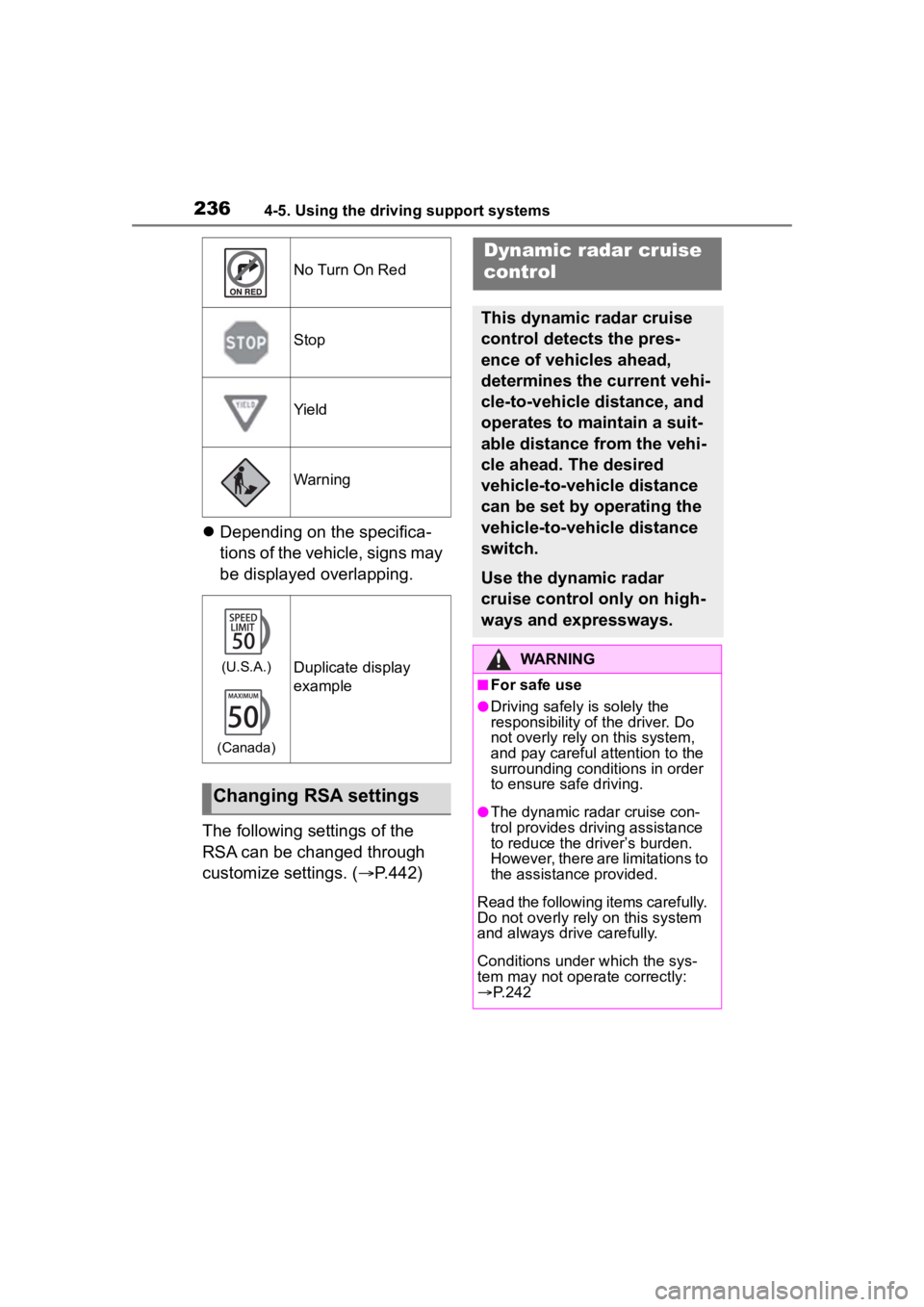
Depending on the specifica-
tions of the vehicle, signs may
be displayed overlapping.
The following settings of the
RSA can be changed through
customize settings. ( P.442)
No Turn On Red
Stop
Yield
Warning
(U.S.A.)
(Canada)Duplicate display
example
Changing RSA settings
Dynamic radar cruise
control
This dynamic radar cruise
control detects the pres-
ence of vehicles ahead,
determines the current vehi-
cle-to-vehicle distance, and
operates to maintain a suit-
able distance from the vehi-
cle ahead. The desired
vehicle-to-vehicle distance
can be set by operating the
vehicle-to-vehicle distance
switch.
Use the dynamic radar
cruise control only on high-
ways and expressways.
WARNING
■For safe use
●Driving safely is solely the
responsibility of the driver. Do
not overly rely on this system,
and pay careful attention to the
surrounding conditions in order
to ensure safe driving.
●The dynamic radar cruise con-
trol provides driving assistance
to reduce the driver’s burden.
However, there are limitations to
the assistance provided.
Read the following items carefully.
Do not overly rely on this system
and always drive carefully.
Conditions under which the sys-
tem may not opera te correctly:
P. 2 4 2
Page 237 of 496
2374-5. Using the driving support systems
4
Driving
WARNING
●Set the speed appropriately
according to the speed limit,
traffic flow, road conditions,
weather conditions, etc. The
driver is responsible for confirm-
ing the set speed.
●Even if the system is operating
correctly, the condition of a pre-
ceding vehicle as recognized by
the driver and detected by the
system may differ. Therefore, it
is necessary for the driver to
pay attention, assess risks, and
ensure safety. Over-reliance on
this system to drive the vehicle
safely may lead to an accident
resulting in death or serious
injury.
■Precautions for the driving
assist systems
Observe the following precau-
tions, as there are limitations to
the assistance provided by the
system. Over-reliance on this sys-
tem may lead to an accident
resulting in death or serious injury.
●Details of support provided for
the driver’s vision
The dynamic radar cruise control
is only intended to help the driver
in determining the distance
between the driver’s own vehicle
and a designated preceding vehi-
cle. It is not a system which allows
for careless or inattentive driving,
and is not a system which assists
in poor visibilit y conditions.
The driver must pay attention to
their surroundings, even when the
vehicle stops.
●Details of support provided for
the driver’s judgement
The dynamic radar cruise control
determines whether the distance
between the driver’s own vehicle
and a designated preceding vehi-
cle is within a set range. It is not
capable of making any other type
of judgement. Th erefore, it is
absolutely necessary for the
driver to remain vigilant and to
determine whether or not there is
a possibility of danger.
●Details of suppor t provided for
the driver’s operation
The dynamic radar cruise control
does not include functions which
will prevent or avoid collisions
with vehicles ahead of your vehi-
cle. Therefore, if there is ever any
possibility of danger, the driver
must take immediate and direct
control of the vehicle and act
appropriately in order to ensure
safety.
■Situations in which the
dynamic radar cruise control
should not be used
Do not use the d ynamic radar
cruise control in the following situ-
ations. As the system will not be
able to provide appropriate con-
trol, using it may lead to an acci-
dent resulting in death or serious
injury.
●Roads where there are pedes-
trians, cyclists, etc.
●When driving on a highway or
expressway entrance or exit
●When the approach warning
sounds frequently
●Situations in which the sensors
may not operate properly:
P.205
●Situations in which the lane may
not be detected:
P.206
Page 239 of 496
2394-5. Using the driving support systems
4
Driving
formed, the controlled stop will continue.
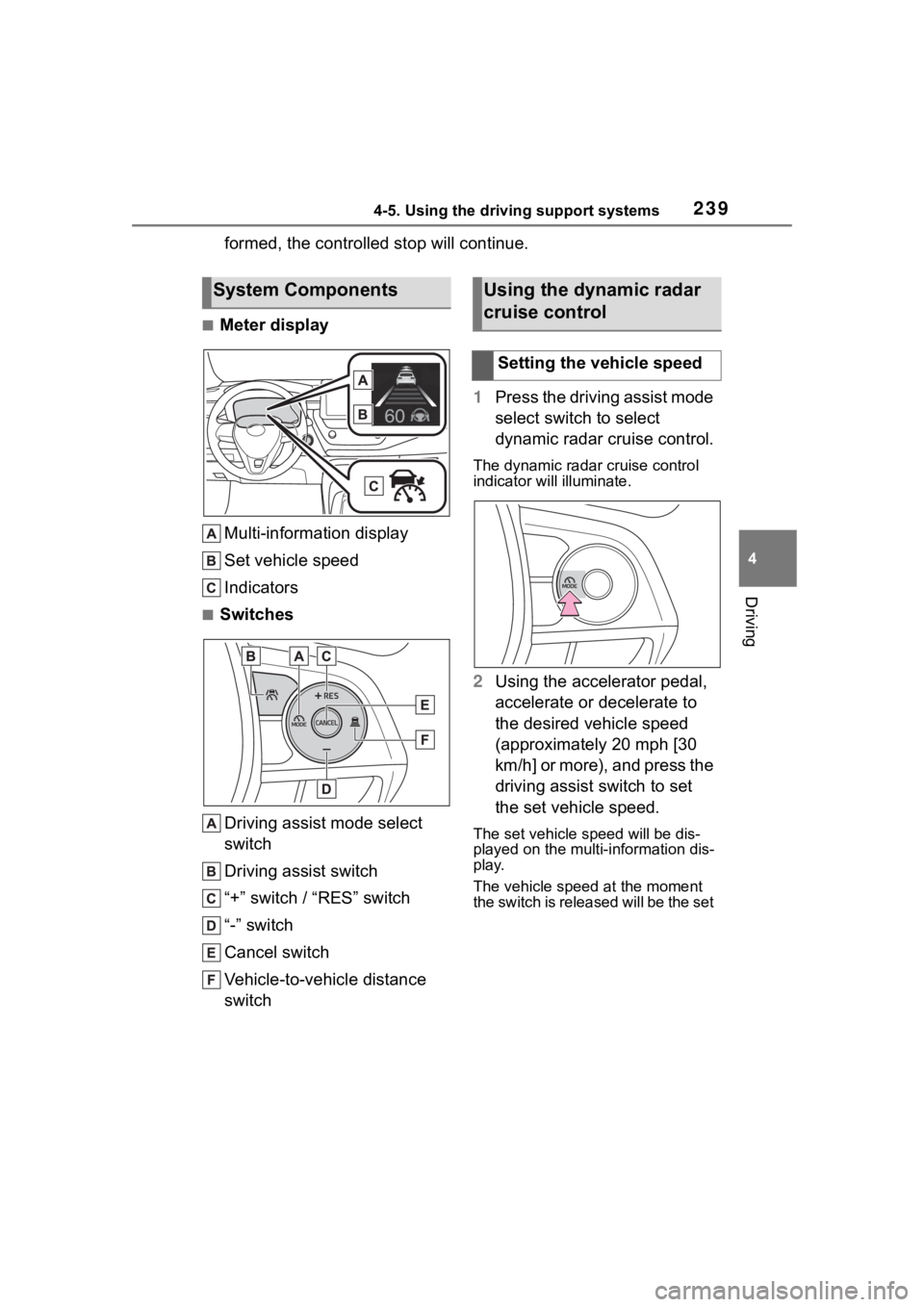
■Meter displayMulti-information display
Set vehicle speed
Indicators
■Switches
Driving assist mode select
switch
Driving assist switch
“+” switch / “RES” switch
“-” switch
Cancel switch
Vehicle-to-vehicle distance
switch 1
Press the driving assist mode
select switch to select
dynamic radar cruise control.
The dynamic radar cruise control
indicator will illuminate.
2Using the accelerator pedal,
accelerate or decelerate to
the desired vehicle speed
(approximately 20 mph [30
km/h] or more), and press the
driving assist switch to set
the set vehicle speed.
The set vehicle speed will be dis-
played on the multi-information dis-
play.
The vehicle speed at the moment
the switch is released will be the set
System ComponentsUsing the dynamic radar
cruise control
Setting the vehicle speed
Page 242 of 496
2424-5. Using the driving support systems
■Accelerating after setting the
vehicle speed
As with normal dri ving, acceleration
can be performed by depressing the
accelerator pedal. After accelerat-
ing, the vehicle will return to the set
vehicle speed. However, while in
vehicle-to-vehicle distance control
mode, the vehicle speed may
decrease to below the set vehicle
speed in order to maintain the dis-
tance from the preceding vehicle.
■When the vehicle is stopped by
system control during follow-up
cruising
●When the “+RES” switch is
pressed while the vehicle is
stopped by system control, if the
preceding vehicle starts off within
approximately 3 seconds, fol-
low-up cruising will resume.
●If the preceding vehicle starts off
within approximately 3 seconds of
the vehicle being stopped by sys-
tem control, follo w-up cruising will
resume.
■Automatic cancellation of vehi-
cle-to-vehicle d istance control
mode
In the following situations, vehi-
cle-to-vehicle dista nce control mode
will be canceled automatically:
●When the brake control or output
restriction control of a driving sup-
port system operates
(For example: Pre-Collision Sys-
tem, drive-start control)
●When the parking brake has been
operated
●When the vehicle is stopped by
system control on a steep incline
●When any of the following are
detected while the vehicle is
stopped by system control:
• The driver’s seat belt is unfas- tened
• The driver’s door is opened
• Approximately 3 minutes have elapsed since the vehicle was
stopped The parking brake
may be actived
automatically.
●Situations in which some or all of
the functions of the system cannot
operate: P. 2 0 6
■Dynamic radar cruise control
system warning messages and
buzzers
For safe use: P. 2 0 1
■Preceding vehicles that the sen-
sor may not detect correctly
In the following situations, depend-
ing on the conditions, if the system
cannot provide sufficient decelera-
tion or acceleration is necessary,
operate the brake pedal or accelera-
tor pedal.
As the sensor may not be able to
correctly detect th ese types of vehi-
cles, the approach warning
( P.243) may not operate.
●When a vehicle cuts in front of
your vehicle or changes lanes
away from your vehicle extremely
slowly or quickly
●When changing lanes
●When a preceding vehicle is driv-
ing at a low speed
●When a vehicle is stopped in the
same lane as the vehicle
●When a motorcycle is traveling in
the same lane as the vehicle
■Conditions under which the
system may not operate cor-
rectly
In the following situations, operate
the brake pedal (or accelerator
pedal, depending on the situation)
as necessary.
As the sensor may not be able to
correctly detect a vehicle, the sys-
tem may not operate properly.
●When a preceding vehicle brakes
suddenly
●When changing lanes at low
speeds, such as in a traffic jam
Page 244 of 496
2444-5. Using the driving support systems
lane is the passing lane may be
based solely on the location of the
steering wheel in the vehicle
(left-hand drive/right-hand drive). If
the vehicle is driven in a location
where the passing lane is on the
opposite side of that where the
vehicle was originally sold, the
vehicle may accelerate when the
turn signal lever is operated away
from the passing lane. (e.g. The
vehicle was manufactured for a
right-hand traffic location, but is
being driven in a left-hand traffic
location. The vehicle may acceler-
ate when the turn signal lever is
operated to the right.)
If your vehicle is being driven at
approximately 50 mph (80 km/h) or
more and the lane is changed to
that with a vehicle traveling slower
than your vehicle, when the turn
signal lever is operated the vehicle
will gradually decelerate to assist in
changing lanes.
The settings of Dynamic radar
cruise control can be changed
through customize settings.
( P.442)
Changing Dynamic radar
cruise control settings
Cruise control
The vehicle can be driven at
a set speed even if the
accelerator pedal is not
depressed.
Use the cruise control only
on highways and express-
ways.
WARNING
■For safe use
●Driving safely is solely the
responsibility of the driver.
Therefore, do not overly rely on
this system. The driver is solely
responsible for paying attention
to the vehicle’s surroundings
and driving safely.
●Set the speed appropriately
according to the speed limit,
traffic flow, road conditions,
weather conditions, etc. The
driver is responsible for confirm-
ing the set speed.
■Situations in which cruise
control should not be used
Do not use the cruise control in
the following situ ations. As the
system will not be able to provide
appropriate control, using it may
lead to an acciden t resulting in
death or serious injury.
●On roads with sharp bends
●On winding roads
●On slippery roads, such as
those covered with rain, ice or
snow
●On steep downhills, or where
there are sudden changes
between sharp up and down
gradients