audio TOYOTA FR-S 2013 Owners Manual (in English)
[x] Cancel search | Manufacturer: TOYOTA, Model Year: 2013, Model line: FR-S, Model: TOYOTA FR-S 2013Pages: 448, PDF Size: 5.59 MB
Page 1 of 448
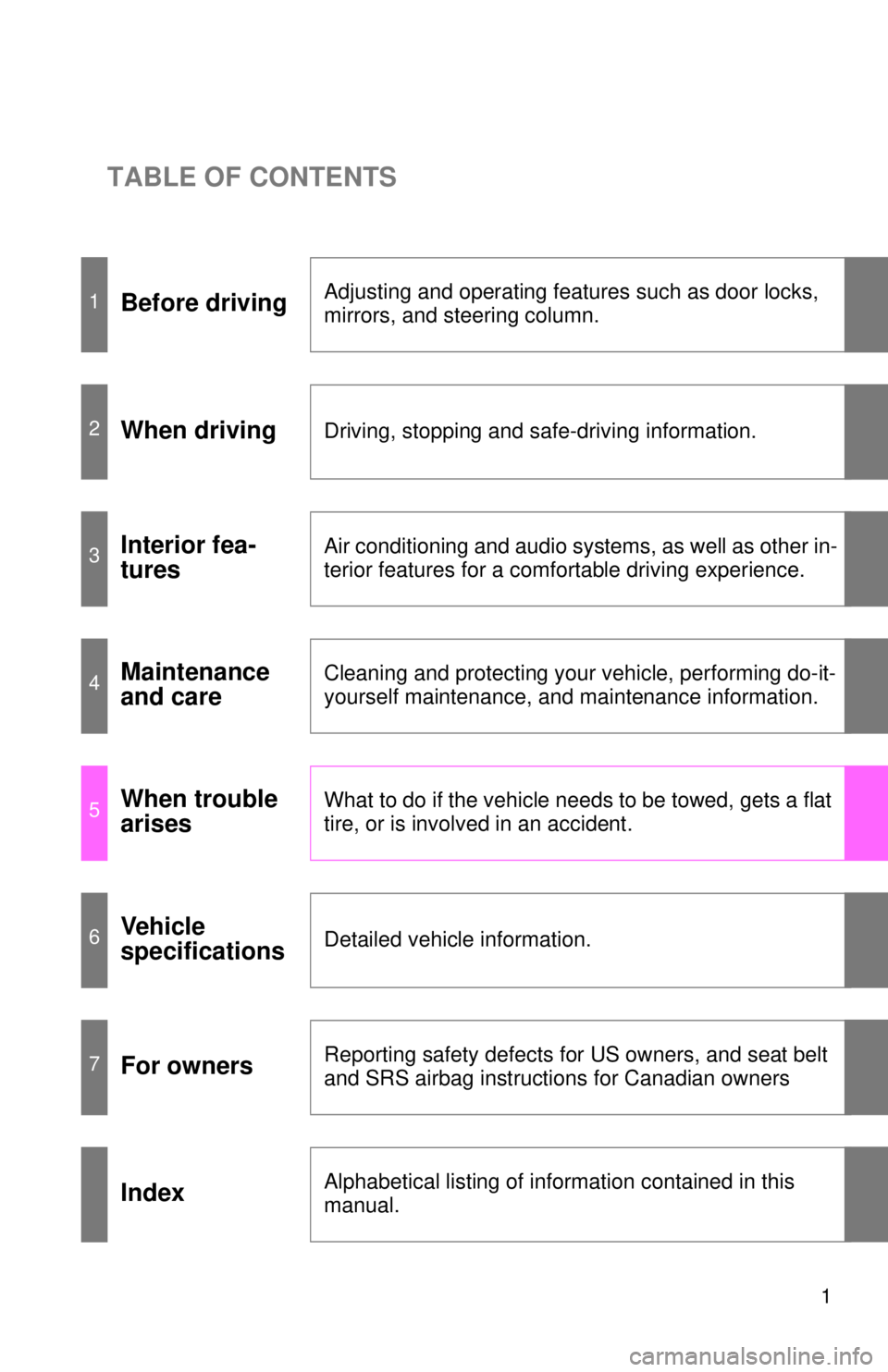
TABLE OF CONTENTS
1
1Before drivingAdjusting and operating features such as door locks,
mirrors, and steering column.
2When drivingDriving, stopping and safe-driving information.
3Interior fea-
turesAir conditioning and audio systems, as well as other in-
terior features for a comfortable driving experience.
4Maintenance
and careCleaning and protecting your vehicle, performing do-it-
yourself maintenance, and maintenance information.
5When trouble
arisesWhat to do if the vehicle needs to be towed, gets a flat
tire, or is involved in an accident.
6Vehicle
specificationsDetailed vehicle information.
7For ownersReporting safety defects for US owners, and seat belt
and SRS airbag instructions for Canadian owners
IndexAlphabetical listing of information contained in this
manual.
Page 3 of 448

1
2
3
4
5
6
7
3
2-3. Operating the lights and windshield wipers
Headlight switch .................. 188
Windshield wipers and washer .............................. 193
2-4. Using other driving systems
Cruise control ...................... 196
Driving assist systems ........ 201
2-5. Driving information Cargo and luggage ............. 206
Vehicle load limits ............... 210
Winter driving tips ............... 211
Trailer towing ...................... 214
Dinghy towing ..................... 215
3-1. Using the air conditioning system and defogger
Automatic air conditioning system .......... 218
Rear window and outside rear view mirror
defoggers .......................... 226
3-2. Using the audio system Using the AUX/USB port ..... 228 3-3. Using the interior lights
Interior lights list ................. 229
• Interior light ...................... 230
3-4. Using the storage features List of storage features ....... 231
• Glove box ......................... 232
• Bottle holders ................... 233
• Cup holders/console tray ...................... 234
3-5. Other interior features Sun visors........................... 236
Vanity mirrors ..................... 237
Clock .................................. 238
Outside temperature display .............................. 239
Power outlets...................... 240
Floor mat ............................ 242
4-1. Maintenance and care Cleaning and protecting the vehicle exterior ........... 246
Cleaning and protecting the vehicle interior ............ 250
4-2. Maintenance Maintenance requirements .................... 254
General maintenance ......... 256
Emission inspection and maintenance (I/M)
programs .......................... 259
3Interior features
4Maintenance and care
Page 22 of 448

22 1-1. Key information
NOTICE
■To prevent key damage
Observe the following:
●Do not drop the keys, subject them to strong shocks or bend them.
● Do not expose the keys to high temperatures for a long period of time.
● Do not get the keys wet or wash them in an ultrasonic washer etc.
● Do not attach metallic or magnetic materials to the keys or place the keys
close to such materials.
● Do not disassemble the keys.
● Do not attach a sticker or anything else to the surface of the key.
● Do not place the keys near objects that produce magnetic fields, such as
TVs, audio systems, glass top ranges, or medical electrical equipment,
such as low-frequency therapy equipment.
■ Carrying the electronic key on your person
Carry the electronic key 3.9 in. (10 cm) or more away from electric appli-
ances that are turned on. Radio waves emitted from electric appliances
within 3.9 in. (10 cm) of the electronic key may interfere with the key, causing
the key to not function properly.
■ In case of a smart key system malf unction or other key-related prob-
lems
Take your vehicle with all the electronic keys provided with your vehicle to
your Scion dealer.
■ When a vehicle key is lost
If the key remains lost, the risk of vehicle theft increases significantly. Visit
your Scion dealer immediately with all remaining keys that were provided
with your vehicle.
Page 30 of 448

30 1-2. Opening, closing and locking the doors and trunk
■Conditions affecting operation
The smart key system uses weak radio waves. In the following situations,
the communication between the electronic key and the vehicle may be
affected, preventing the smart key system, wireless remote control and
engine immobilizer system from operating properly.
(Way of coping P. 357)
● When the electronic key battery is depleted
● Near a TV tower, electric power plant, gas station, radio station, large dis-
play, airport or other facility that generates strong radio waves or electri-
cal noise
● When the electronic key is in contact with, or is covered by the following
metallic objects
• Cards to which aluminum foil is attached
• Cigarette boxes that have aluminum foil inside
• Metallic wallets or bags
• Coins
• Hand warmers made of metal
• Media such as CDs and DVDs
● When other wireless keys (that emit radio waves) are being used nearby
● When carrying the electronic key together with the following devices that
emit radio waves
• A portable radio, cellular phone, cordless phone or other wireless com-
munication device
• Another vehicle's electronic key or a wireless key that emits radio waves
• Personal computers or personal digital assistants (PDAs)
• Digital audio players
• Portable game systems
● If window tint with a metallic content or metallic objects are attached to
the rear window
● When the electronic key is placed near a battery charger or electronic
devices
Page 90 of 448

90 1-7. Safety information
■Driver’s SRS frontal airbag
The driver’s SRS frontal airbag uses a dual stage inflator. The inflator oper-
ates in different ways depending on the severity of impact.
Have the system inspected by your Scion dealer immediately if the SRS
warning light illuminates.
NOTE
The driver’s SRS side airbag and SRS curtain shield airbag are not con-
trolled by the Scion advanced frontal airbag system.
■ Front passenger’s SRS frontal airbag
The front passenger’s SRS frontal airbag uses a dual stage inflator. The
inflator operates in different ways depending on the severity of impact.
The occupant classification system sensor is installed under the seat uphol-
stery and monitors the physique and posture of the front passenger. Using
this information, the occupant classification system determines whether the
front passenger’s SRS frontal airbag should be deployed or not.
The occupant classification system may not inflate the front passenger’s
SRS frontal airbag even when the driver’s SRS frontal airbag deploys. This
is normal. In this case, although the front passenger’s SRS frontal airbag
does not operate, the front passenger’s seat belt pretensioner operates with
the driver’s seat belt pretensioner. For details about the seat belt preten-
sioner, refer to “Seat belt pretensioners”. ( P. 55)
Observe the following precautions. Failure to do so may prevent the Scion
advanced frontal airbag system from functioning correctly or cause the sys-
tem to fail.
● Do not apply any strong impact to the front passenger’s seat.
● Do not spill liquid on the front passenger’s seat. If liquid is spilled, wipe it
off immediately.
● Do not remove or disassemble the front passenger’s seat.
● Do not install any accessory (such as an audio amplifier) other than a
genuine Scion accessory under the front passenger’s seat.
● Do not place anything (shoes, umbrella, etc.) under the front passenger’s
seat.
● Do not place a magnet near the seat belt buckle.
Page 123 of 448

123
1-7. Safety information
1
Before driving
CAUTION
■
Front passenger occupant cl assification system precautions
Observe the following precautions regarding front passenger occupant clas-
sification system.
Failure to do so may cause the occupant classification system to not function
correctly, resulting in death or serious injury.
● Wear the seat belt properly.
● Do not apply excessive force to the seat.
● Do not put sharp object(s) on the seat or pierce the seat upholstery.
● Do not put objects under the front passenger seat.
● Do not use a seat accessory, such as a cushion or seat cover, that covers
the seat cushion surface.
● Do not spill liquid on the front passenger seat. If liquid is spilled, wipe it off
immediately and dry the seat. If the airbag warning light illuminates, dry
the seat until the warning light turns off. If the airbag warning light stays on
even when the seat has dried, do not allow anyone to sit on the front pas-
senger seat and have the system checked by your Scion dealer. If the air-
bag warning light does not illuminate, check that the airbag ON/OFF
indicator light works properly. If the indicator light does not work properly,
do not allow anyone to sit in the front passenger’s seat and have the sys-
tem inspected by your Scion dealer.
● Do not remove or disassemble the front passenger seat. Also, do not
replace or modify the seat upholstery or foam inside the seat.
● Do not install any accessory (such as an audio amplifier) other than a gen-
uine Scion accessory under the front passenger’s seat.
● Do not place a magnetized items near the seat belt buckle.
Page 217 of 448
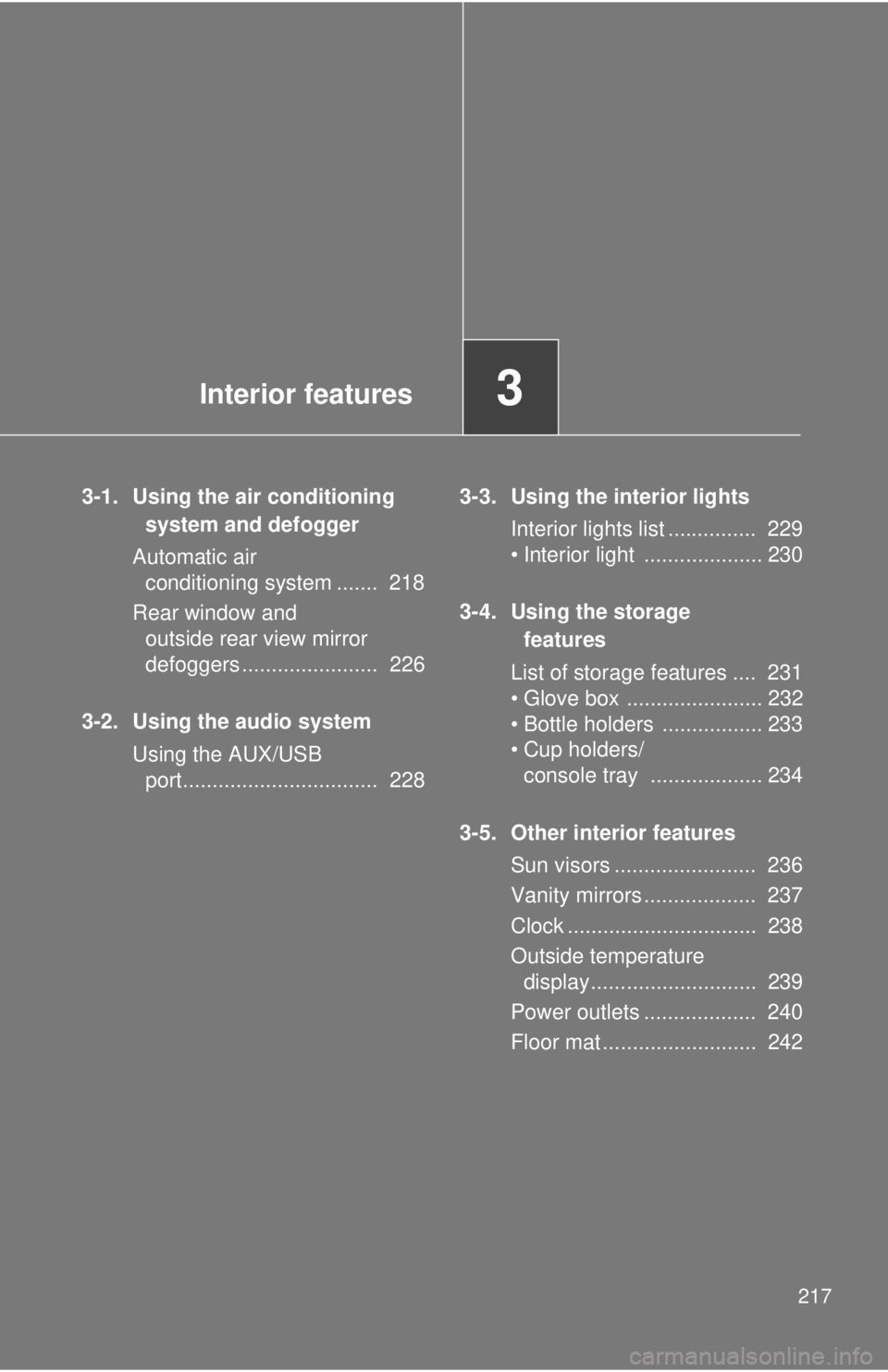
Interior features3
217
3-1. Using the air conditioning system and defogger
Automatic air conditioning system ....... 218
Rear window and outside rear view mirror
defoggers ....................... 226
3-2. Using the audio system Using the AUX/USB port................................. 228 3-3. Using the interior lights
Interior lights list ............... 229
• Interior light .................... 230
3-4. Using the storage features
List of storage features .... 231
• Glove box ....................... 232
• Bottle holders ................. 233
• Cup holders/ console tray ................... 234
3-5. Other interior features Sun visors ........................ 236
Vanity mirrors ................... 237
Clock ................................ 238
Outside temperature display............................ 239
Power outlets ................... 240
Floor mat .......................... 242
Page 228 of 448
228
3-2. Using the audio system
Using the AUX/USB port
■Operating portable audio devices connected to the audio system
The volume and sound quality can be adjusted using the vehicle’s audio
controls. All other adjustments must be made on the portable audio device
itself.
■ When using a portable audio devi ce connected to the power outlet
Noise may occur during playback. Use the battery power source of the por-
table audio device to reduce noise.
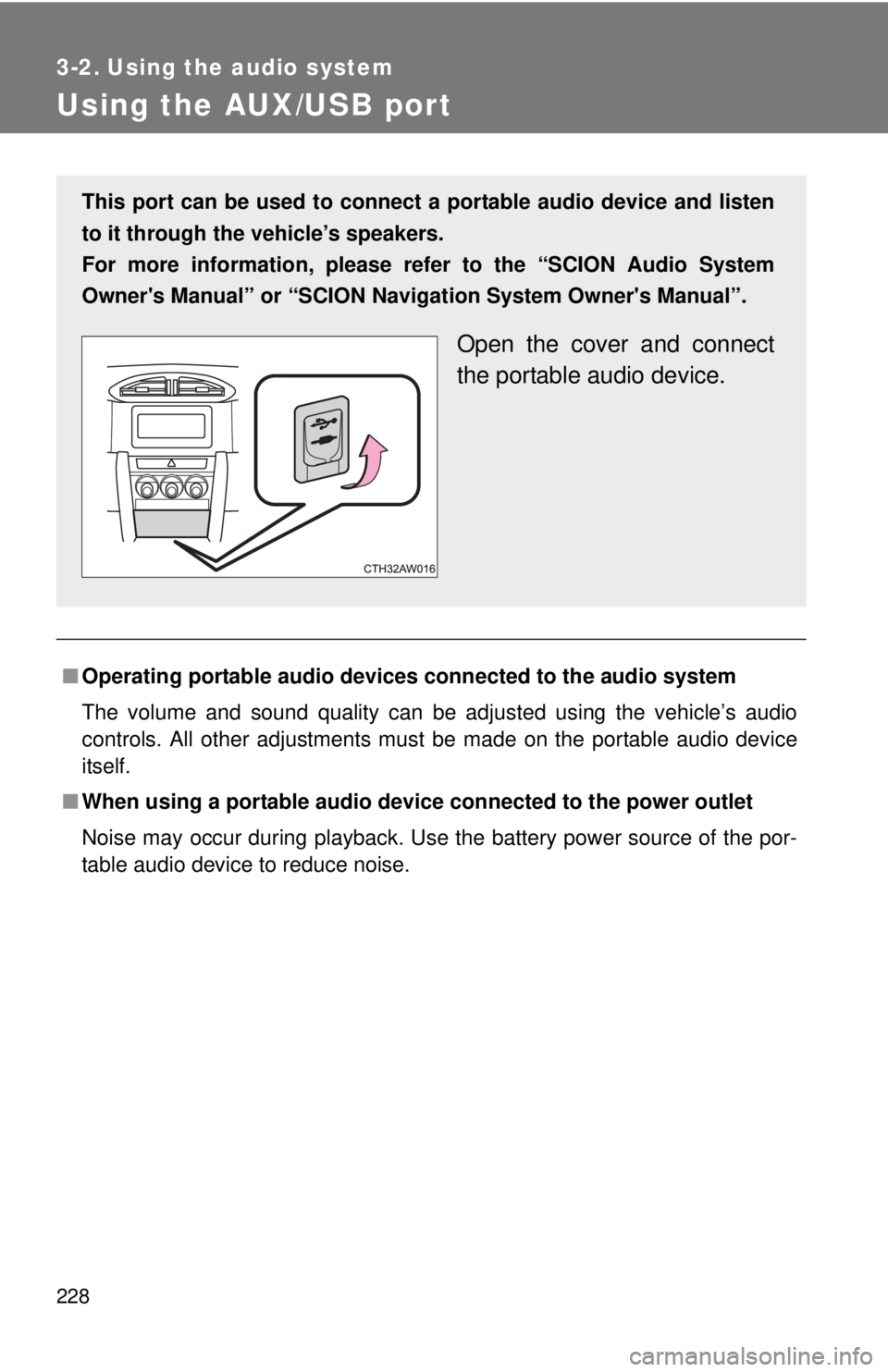
This port can be used to connect a portable audio device and listen
to it through the vehicle’s speakers.
For more information, please re fer to the “SCION Audio System
Owner's Manual” or “SCION Navigation System Owner's Manual”.
Open the cover and connect
the portable audio device.
Page 252 of 448

252 4-1. Maintenance and care
NOTICE
■Cleaning detergents
●Do not use organic substances such as benzene or gasoline, acidic or
alkaline solutions, dye, bleach or other detergent. Doing so may discolor
the vehicle interior or cause streaks or damage to painted surfaces.
● Do not use polish wax or polish cleaner. The instrument panel's or other
interior part’s painted surface may be damaged.
● Do not use a chemical agent containing silicone (highly-polymerized sili-
con compound) when cleaning any of the electrical appliances such as the
air conditioning, all switches and their surrounding areas.
If silicon (highly-polymerized silicon compound) contacts these compo-
nents, it may cause the electrical appliances to malfunction.
■ Preventing damage to leather surfaces
Observe the following precautions to avoid damage to and deterioration o\
f
leather surfaces.
●Remove any dust, dirt, sand, oil spots etc. on leather surfaces immedi-
ately.
● Do not expose the vehicle to direct sunlight for extended periods of time.
Park the vehicle in the shade, especially during summer.
● Do not place items made of vinyl, plastic, or that contain wax on the uphol-
stery, as they may stick to the leather surface if the vehicle interior heats
up significantly.
■ Water on the floor
Do not wash the vehicle floor with water.
Vehicle systems such as the audio system may be damaged if water comes
into contact with electrical components under the floor of the vehicle, and
may also cause the body to rust.
Page 304 of 448

304 4-3. Do-it-yourself maintenance
■Instrument panel
FuseAmpereCircuit
1ECU ACC 10 AMain body ECU, outside rear view
mirrors
2P/POINT No.2 15 A Power outlet
3PANEL
10 A Illumination
4TAIL10 A Tail lights
5DRL10 A Daytime running light system
6STOP7.5 A Stop lights
7OBD7.5 A On-board diagnosis system
8HEATER-S 7.5 A Air conditioning system
9HEATER 10 A Air conditioning system
10FR FOG LH 10 A
11FR FOG RH 10 A
12BK/UP LP7.5 A Back-up lights
13ECU IG1 10 A ABS, electric power steering
14AM17.5 A Starting system
15AMP 15 A Audio system
16AT UNIT 15 A Transmission
17GAUGE7.5 AGauge and meters, smart key sys-
tem
18ECU IG2
10 A Engine control unit