display TOYOTA FR-S 2015 Owners Manual (in English)
[x] Cancel search | Manufacturer: TOYOTA, Model Year: 2015, Model line: FR-S, Model: TOYOTA FR-S 2015Pages: 452, PDF Size: 9.97 MB
Page 2 of 452

TABLE OF CONTENTSIndex
2
1-1. Key information
Keys ..................................... 20
1-2. Opening, closing and
locking the doors and
trunk
Smart key system................. 23
Wireless remote control ....... 37
Doors.................................... 40
Trunk .................................... 42
1-3. Adjustable components
(seats, mirrors,
steering wheel)
Front seats ........................... 47
Rear seats ............................ 50
Head restraints ..................... 52
Seat belts ............................. 54
Steering wheel ..................... 61
Anti-glare inside rear view
mirror .................................. 62
Outside rear view mirrors ..... 63
1-4. Opening and closing
the windows
Power windows .................... 66
1-5. Refueling
Opening the fuel tank
cap ..................................... 691-6. Theft deterrent system
Engine immobilizer
system ................................ 73
Alarm .................................... 75
Theft prevention labels
(U.S.A.)............................... 79
1-7. Safety information
Correct driving posture ......... 80
SRS airbag (Supplemental
Restraint System
airbag) ................................ 82
Front passenger occupant
classification system ......... 117
Child restraint systems ....... 125
Installing child restraints ..... 129
2-1. Driving procedures
Driving the vehicle .............. 140
Engine (ignition) switch....... 153
Automatic transmission ...... 162
Manual Transmission ......... 169
Turn signal lever ................. 172
Parking brake ..................... 173
Horn .................................... 174
2-2. Instrument cluster
Gauges and meters ............ 175
Indicators and warning
lights ................................. 179
Multi-information display ..... 183
1Before driving
2When driving
Page 3 of 452

1
2
3
4
5
6
7
3
2-3. Operating the lights and
windshield wipers
Headlight switch .................. 188
Windshield wipers and
washer .............................. 193
2-4. Using other driving
systems
Cruise control ...................... 196
Driving assist systems ........ 201
2-5. Driving information
Cargo and luggage ............. 207
Vehicle load limits ............... 211
Winter driving tips ............... 212
Trailer towing ...................... 216
Dinghy towing ..................... 217
3-1. Using the air conditioning
system and defogger
Automatic air conditioning
system .............................. 220
Rear window and outside
rear view mirror
defoggers .......................... 229
3-2. Using the audio system
Using the AUX/USB port ..... 231
Using the microphone ......... 232
3-3. Using the interior lights
Interior lights list .................. 233
• Interior light ....................... 2343-4. Using the storage
features
List of storage features ....... 235
• Glove box ......................... 236
• Bottle holders ................... 237
• Cup holders/
console tray ...................... 238
3-5. Other interior features
Sun visors........................... 240
Vanity mirrors ..................... 241
Clock .................................. 242
Outside temperature
display .............................. 243
Power outlets...................... 244
Floor mat ............................ 246
4-1. Maintenance and care
Cleaning and protecting
the vehicle exterior ........... 250
Cleaning and protecting
the vehicle interior ............ 254
4-2. Maintenance
Maintenance
requirements .................... 258
General maintenance ......... 260
Emission inspection and
maintenance (I/M)
programs .......................... 263
3Interior features
4Maintenance and care
Page 11 of 452
11
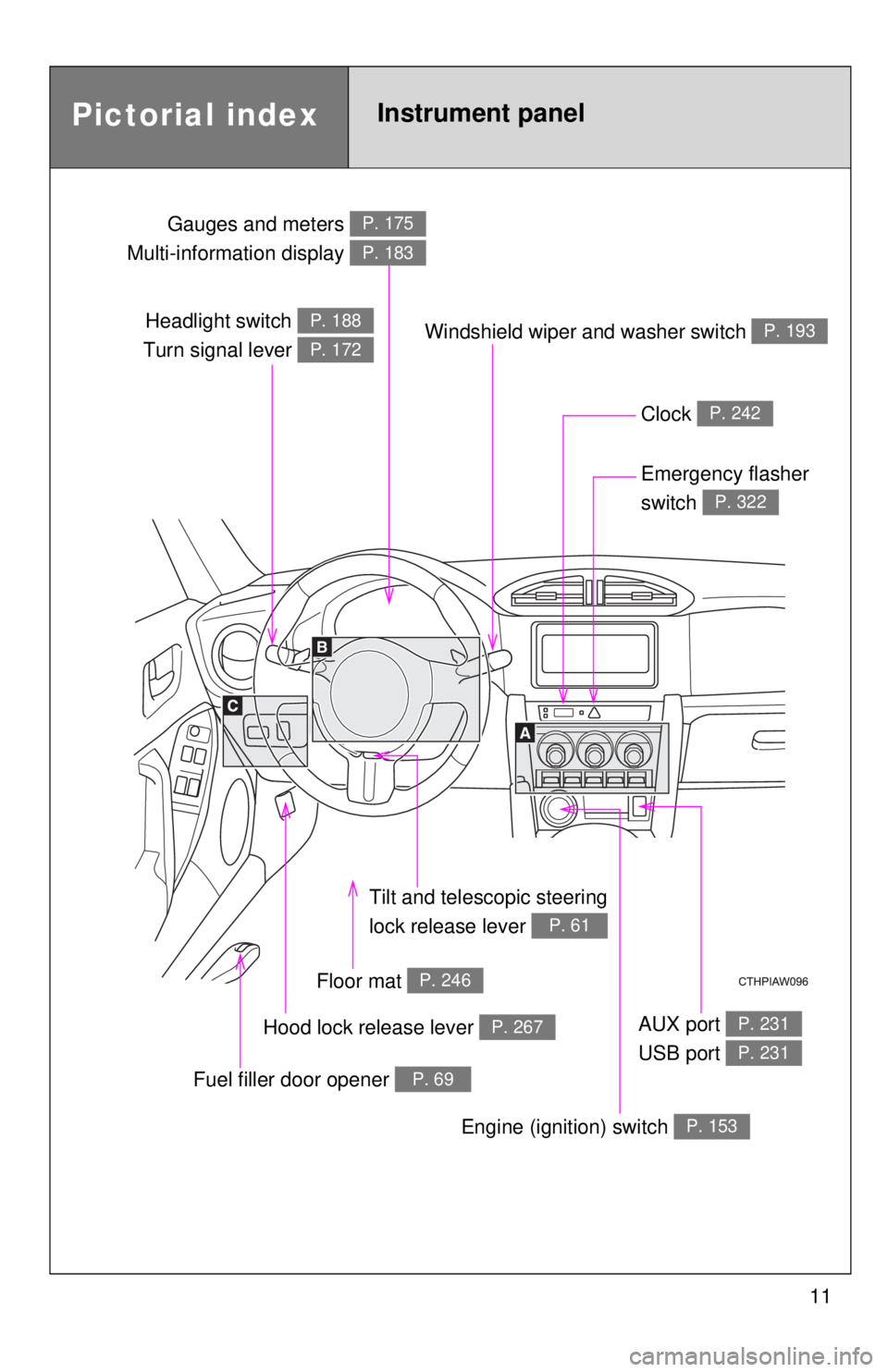
Headlight switch
Turn signal lever P. 188
P. 172
Gauges and meters
Multi-information display P. 175
P. 183
Clock P. 242
Windshield wiper and washer switch P. 193
Emergency flasher
switch
P. 322
Tilt and telescopic steering
lock release lever
P. 61
Floor mat P. 246
Hood lock release lever P. 267
Fuel filler door opener P. 69
AUX port
USB port P. 231
P. 231
Pictorial indexInstrument panel
Engine (ignition) switch P. 153
Page 129 of 452
129
1
1-7. Safety information
Before driving
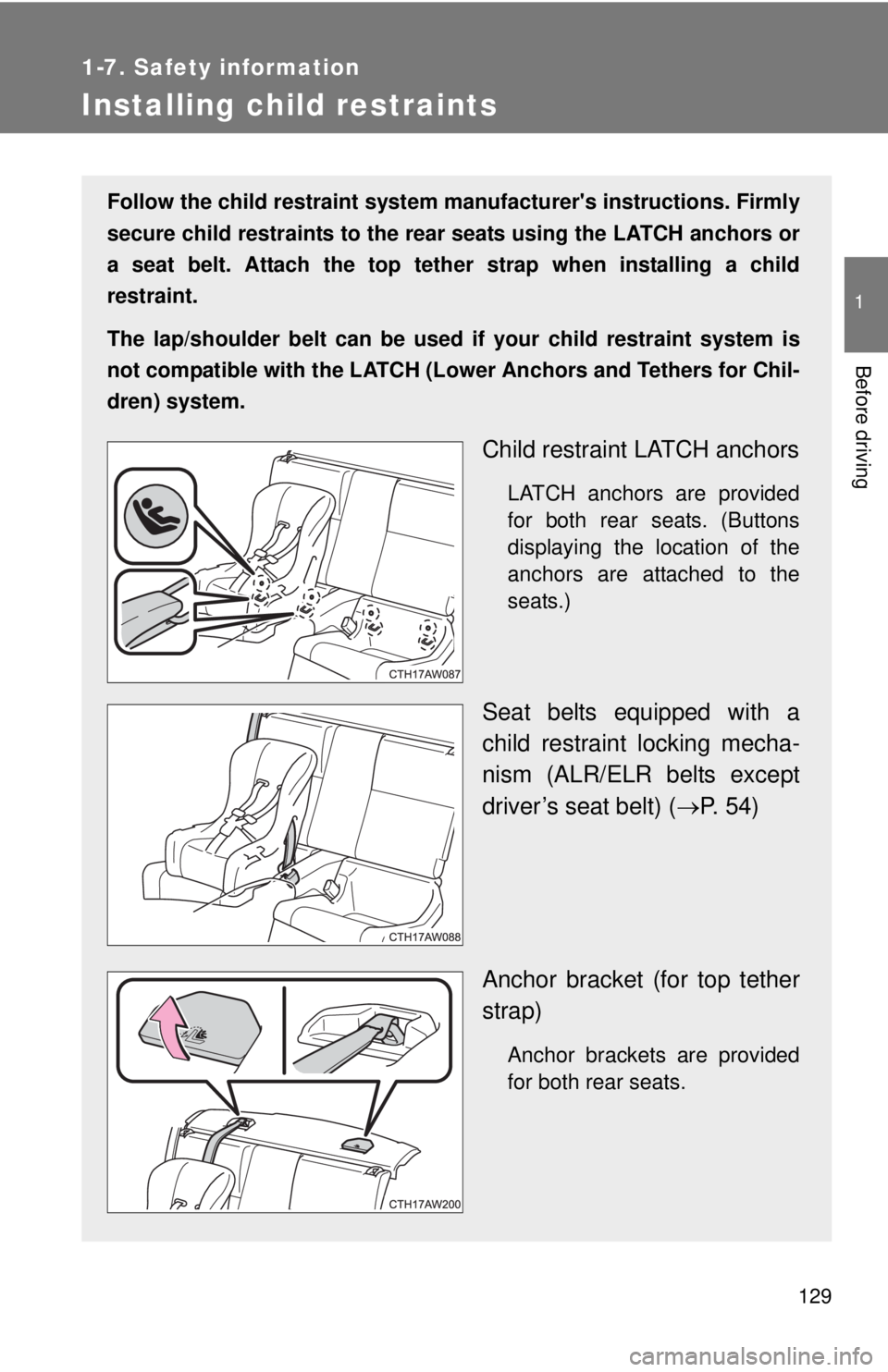
Installing child restraints
Follow the child restraint system manufacturer's instructions. Firmly
secure child restraints to the rear seats using the LATCH anchors or
a seat belt. Attach the top tether strap when installing a child
restraint.
The lap/shoulder belt can be used if your child restraint system is
not compatible with the LATCH (Lower Anchors and Tethers for Chil-
dren) system.
Child restraint LATCH anchors
LATCH anchors are provided
for both rear seats. (Buttons
displaying the location of the
anchors are attached to the
seats.)
Seat belts equipped with a
child restraint locking mecha-
nism (ALR/ELR belts except
driver’s seat belt) (P. 54)
Anchor bracket (for top tether
strap)
Anchor brackets are provided
for both rear seats.
Page 139 of 452
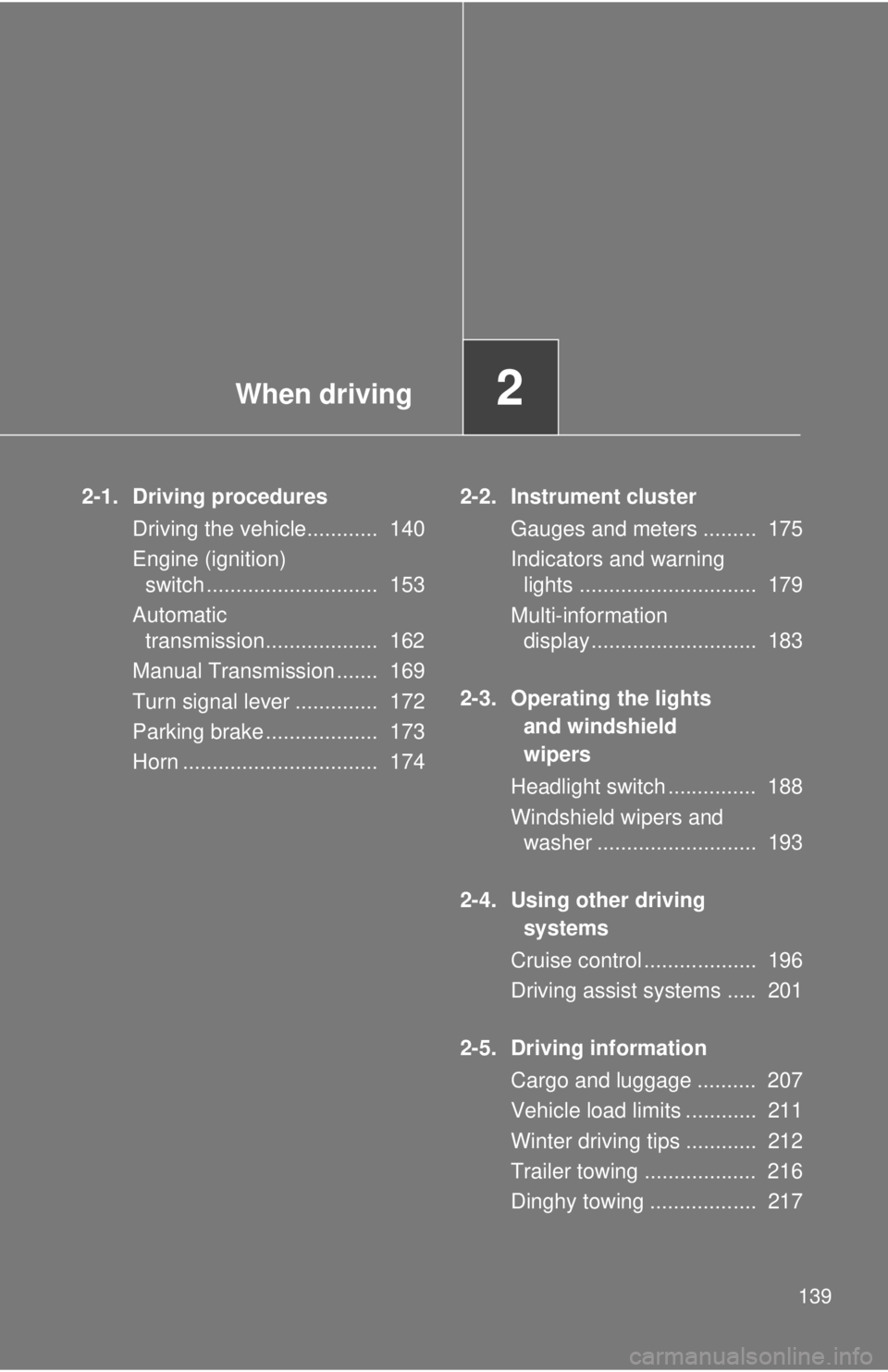
When driving2
139
2-1. Driving procedures
Driving the vehicle............ 140
Engine (ignition)
switch ............................. 153
Automatic
transmission................... 162
Manual Transmission ....... 169
Turn signal lever .............. 172
Parking brake ................... 173
Horn ................................. 1742-2. Instrument cluster
Gauges and meters ......... 175
Indicators and warning
lights .............................. 179
Multi-information
display............................ 183
2-3. Operating the lights
and windshield
wipers
Headlight switch ............... 188
Windshield wipers and
washer ........................... 193
2-4. Using other driving
systems
Cruise control ................... 196
Driving assist systems ..... 201
2-5. Driving information
Cargo and luggage .......... 207
Vehicle load limits ............ 211
Winter driving tips ............ 212
Trailer towing ................... 216
Dinghy towing .................. 217
Page 163 of 452
163 2-1. Driving procedures
2
When driving
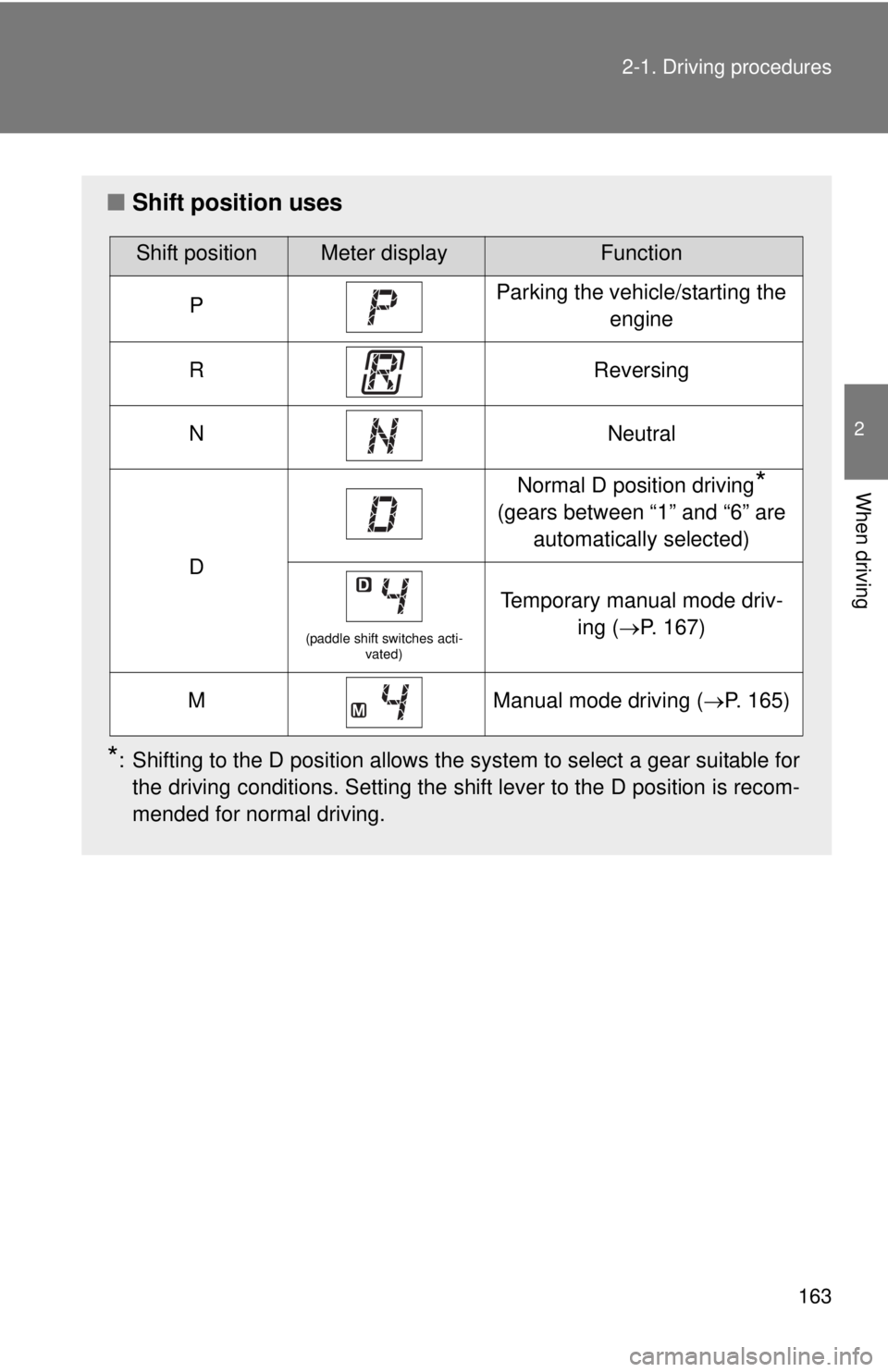
■Shift position uses
*: Shifting to the D position allows the system to select a gear suitable for
the driving conditions. Setting the shift lever to the D position is recom-
mended for normal driving.
Shift positionMeter displayFunction
PParking the vehicle/starting the
engine
RReversing
NNeutral
D
Normal D position driving*
(gears between “1” and “6” are
automatically selected)
(paddle shift switches acti-
vated)
Temporary manual mode driv-
ing (P. 167)
MManual mode driving (P. 165)
Page 165 of 452
165 2-1. Driving procedures
2
When driving
Manual mode driving
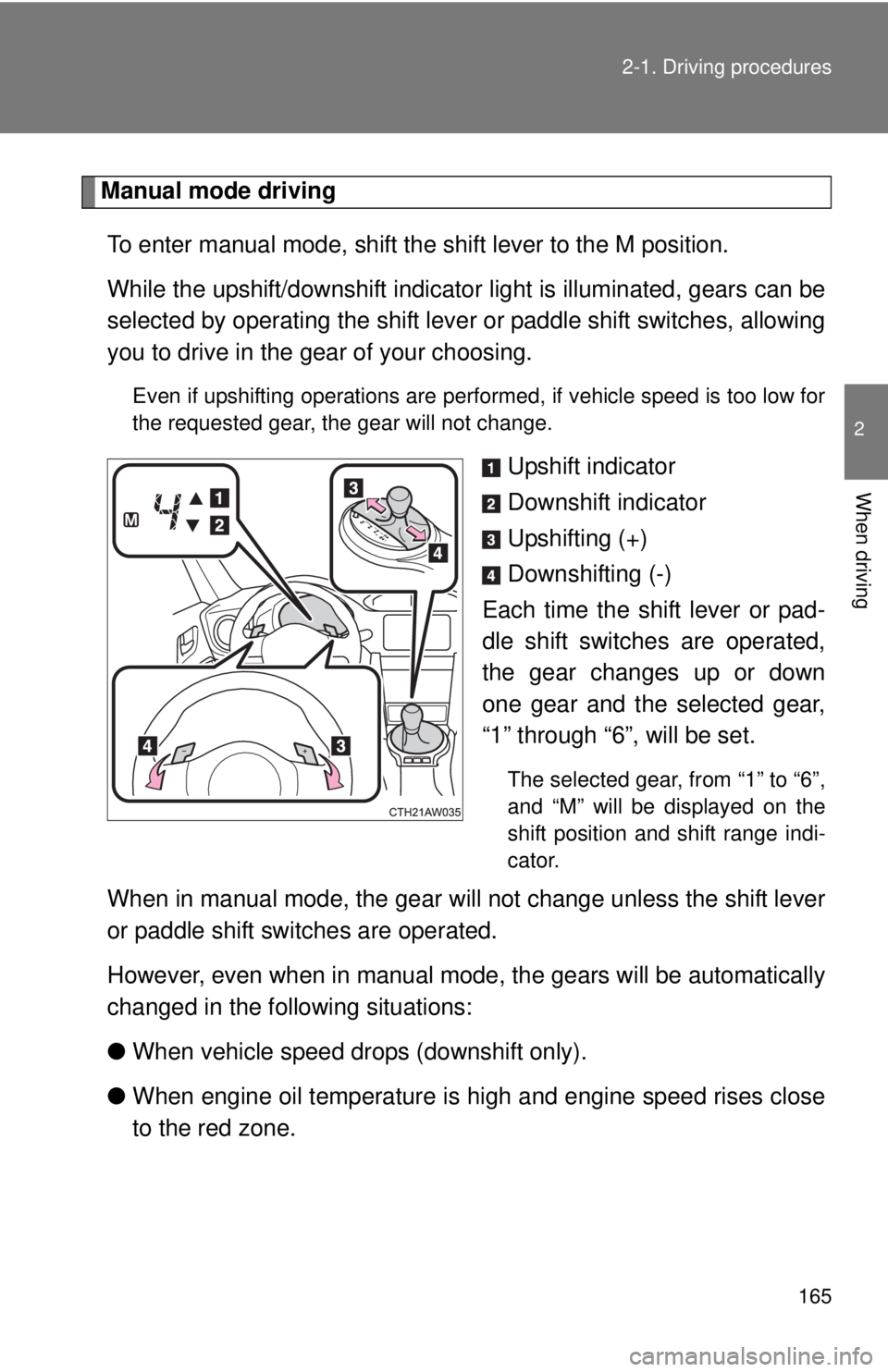
To enter manual mode, shift the shift lever to the M position.
While the upshift/downshift indicator light is illuminated, gears can be
selected by operating the shift lever or paddle shift switches, allowing
you to drive in the gear of your choosing.
Even if upshifting operations are performed, if vehicle speed is too low for
the requested gear, the gear will not change.
Upshift indicator
Downshift indicator
Upshifting (+)
Downshifting (-)
Each time the shift lever or pad-
dle shift switches are operated,
the gear changes up or down
one gear and the selected gear,
“1” through “6”, will be set.
The selected gear, from “1” to “6”,
and “M” will be displayed on the
shift position and shift range indi-
cator.
When in manual mode, the gear will not change unless the shift lever
or paddle shift switches are operated.
However, even when in manual mode, the gears will be automatically
changed in the following situations:
●When vehicle speed drops (downshift only).
●When engine oil temperature is high and engine speed rises close
to the red zone.
Page 167 of 452
167 2-1. Driving procedures
2
When driving
■Automatic gear selection when the vehicle is stopped
When the vehicle is idling at high rpm in order to warm up, and the vehicle is
on a slippery road, the transmission may automatically shift to 2
nd gear for
stopping and starting off.
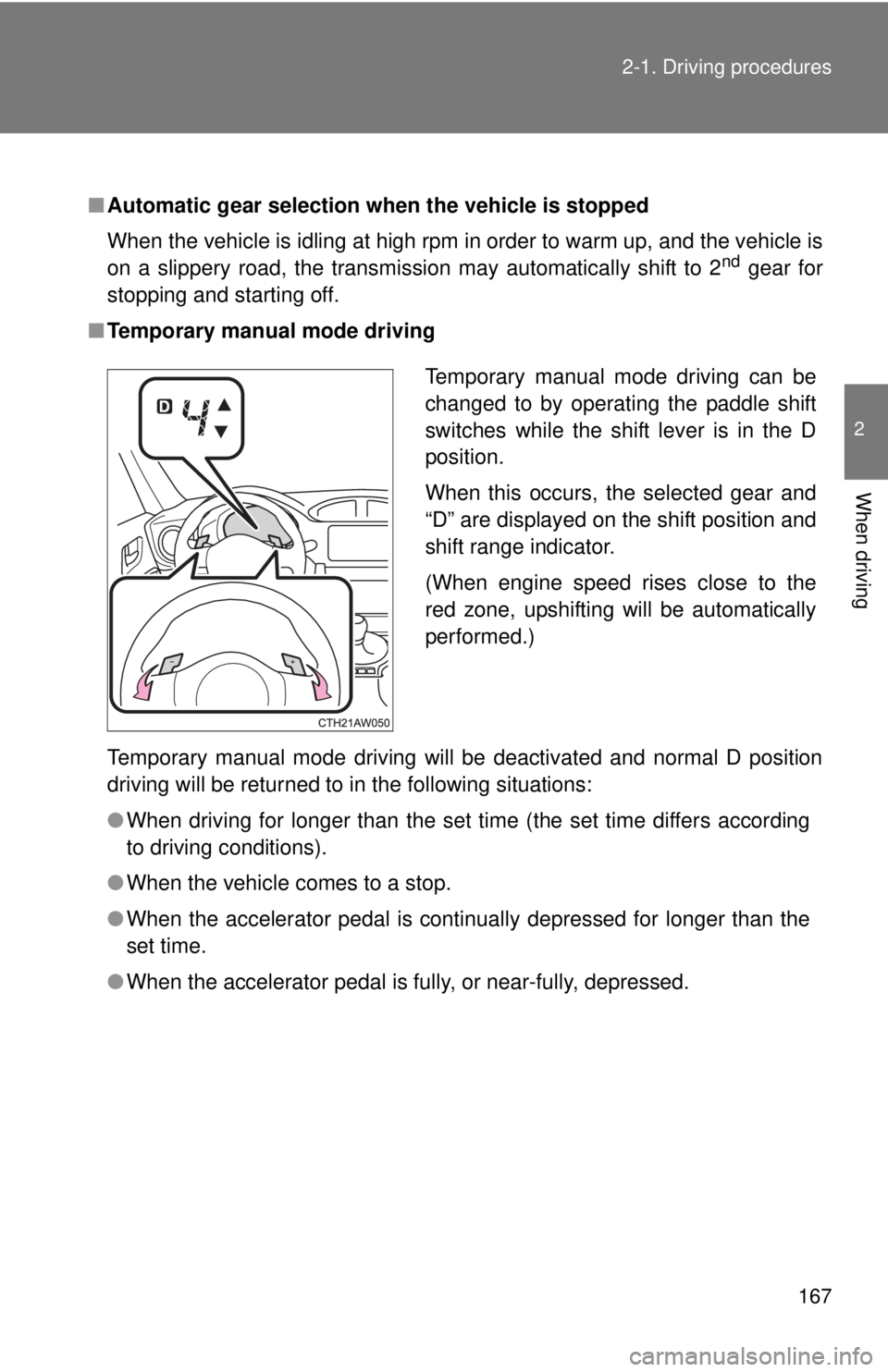
■Temporary manual mode driving
Temporary manual mode driving will be deactivated and normal D position
driving will be returned to in the following situations:
●When driving for longer than the set time (the set time differs according
to driving conditions).
●When the vehicle comes to a stop.
●When the accelerator pedal is continually depressed for longer than the
set time.
●When the accelerator pedal is fully, or near-fully, depressed.
Temporary manual mode driving can be
changed to by operating the paddle shift
switches while the shift lever is in the D
position.
When this occurs, the selected gear and
“D” are displayed on the shift position and
shift range indicator.
(When engine speed rises close to the
red zone, upshifting will be automatically
performed.)
Page 170 of 452
170 2-1. Driving procedures
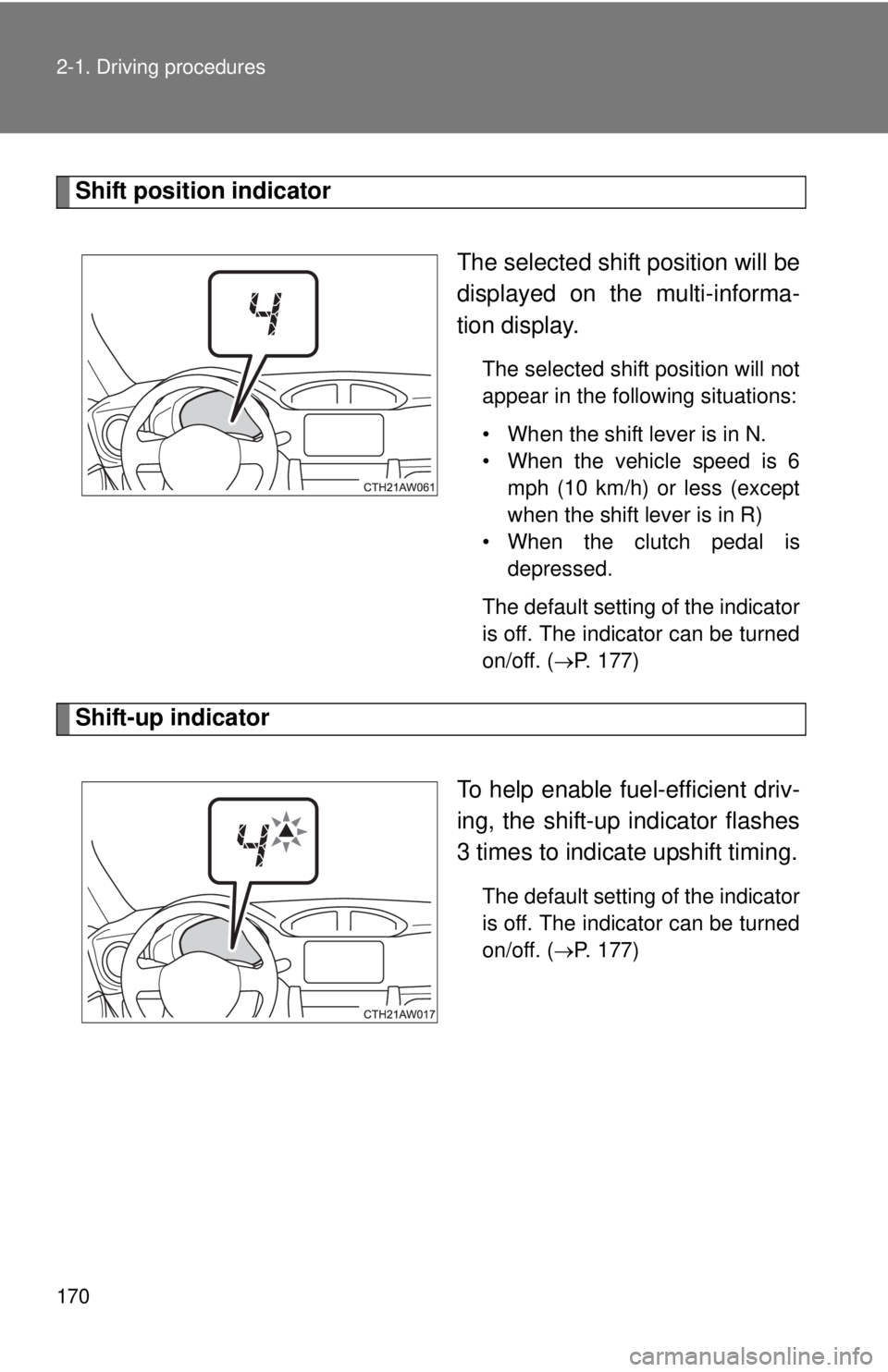
Shift position indicator
The selected shift position will be
displayed on the multi-informa-
tion display.
The selected shift position will not
appear in the following situations:
• When the shift lever is in N.
• When the vehicle speed is 6
mph (10 km/h) or less (except
when the shift lever is in R)
• When the clutch pedal is
depressed.
The default setting of the indicator
is off. The indicator can be turned
on/off. (
P. 177)
Shift-up indicator
To help enable fuel-efficient driv-
ing, the shift-up indicator flashes
3 times to indicate upshift timing.
The default setting of the indicator
is off. The indicator can be turned
on/off. (
P. 177)
Page 175 of 452
175
2
When driving
2-2. Instrument cluster
Gauges and meters
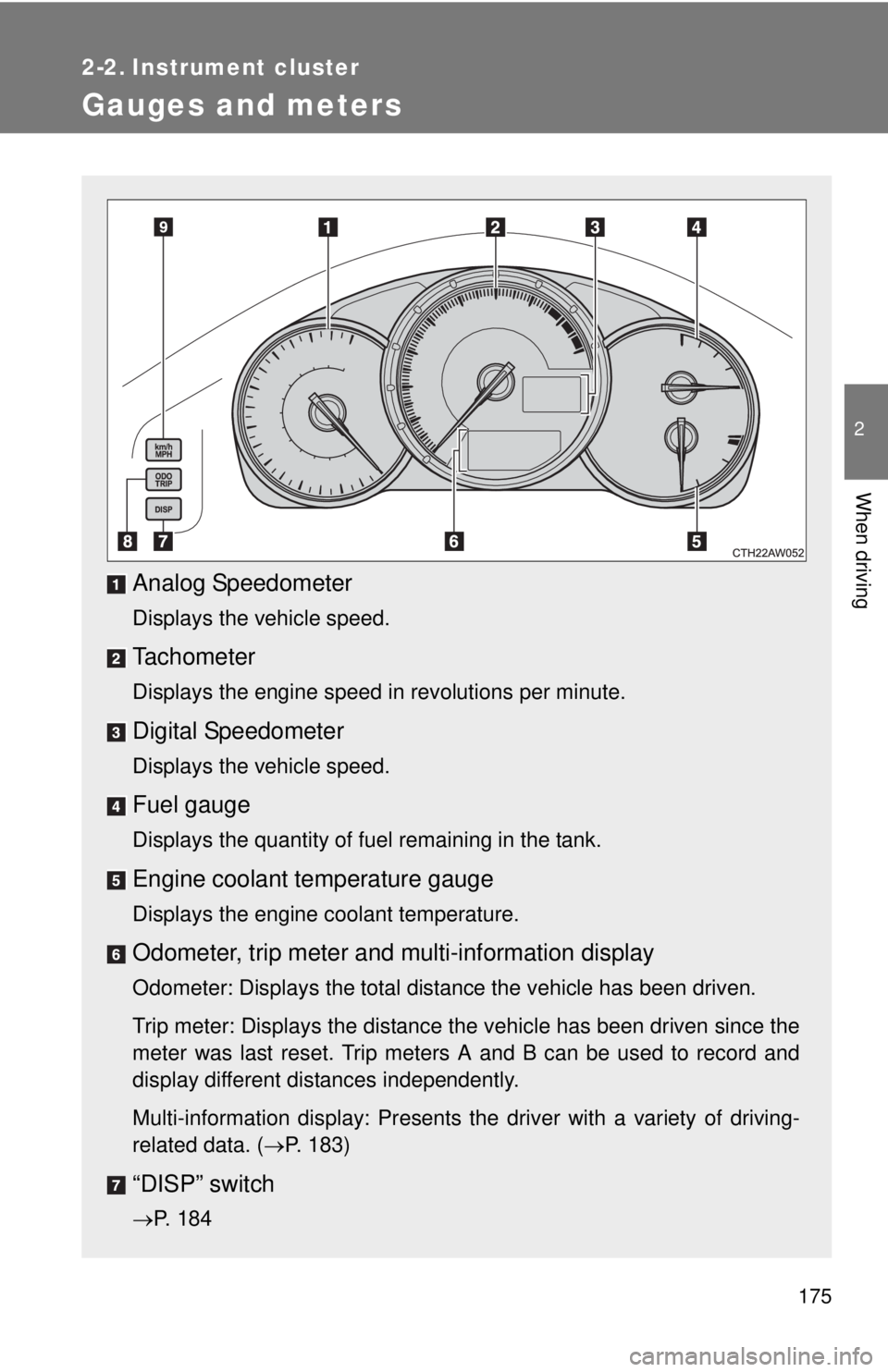
Analog Speedometer
Displays the vehicle speed.
Tachometer
Displays the engine speed in revolutions per minute.
Digital Speedometer
Displays the vehicle speed.
Fuel gauge
Displays the quantity of fuel remaining in the tank.
Engine coolant temperature gauge
Displays the engine coolant temperature.
Odometer, trip meter and multi-information display
Odometer: Displays the total distance the vehicle has been driven.
Trip meter: Displays the distance the vehicle has been driven since the
meter was last reset. Trip meters A and B can be used to record and
display different distances independently.
Multi-information display: Presents the driver with a variety of driving-
related data. (P. 183)
“DISP” switch
P. 184