buttons TOYOTA GR SUPRA 2022 User Guide
[x] Cancel search | Manufacturer: TOYOTA, Model Year: 2022, Model line: GR SUPRA, Model: TOYOTA GR SUPRA 2022Pages: 356, PDF Size: 39.14 MB
Page 57 of 356
573-1. CONTROLS
3
CONTROLS
1Press and hold buttons 1 and
8 simultaneously for approx.
5 seconds.
2 "OK"
Most functions displayed on the
Control Display can be operated
by voice commands via the
voice activation system. The
system supports you with
announcements during input.
• Functions that can only be used when the vehicle is sta-
tionary can only be operated
via the voice activation sys-
tem to a limited extent.
• The system uses a special microphone on the driver's
side.
• ›...‹ in the Owner's Manual denotes verbal instructions to
use with the voice activation
system.
• A language must be set via Toyota Supra Command that
is supported by the voice acti-
vation system. To set the lan- guage, refer to page 60
• Always say commands in the language of the voice activa-
tion system.
1 Press the button on the
steering wheel.
2 Wait for the signal.
3 Say the command.
No other commands may be
available. In this case, operate
the function via Toyota Supra
Command.
Most menu items on the Control
Display can be voiced as com-
mands.
Commands from other menus
Deleting the button
assignments
Operation via voice
Concept
General information
Functional requirements
Using the voice activation
system
Activating the voice activa-
tion system
This symbol indicates that
the voice activation sys-
tem is active.
Terminating the voice activa-
tion system
Press the button on the
steering wheel or ›Can-
cel‹.
Possible commands
General information
Page 64 of 356
643-1. CONTROLS
Follow the instructions on the
Control Display.
Via Toyota Supra Command:
1"My Vehicle"
2 "System settings"
3 "Data privacy"
4 Select the desired setting.
Depending on the usage, the
vehicle stores personal data,
such as stored radio stations.
This personal data can be per-
manently deleted using Toyota
Supra Command.
Depending on the equipment
package, the following data can
be deleted:
• Driver profile settings.
• Stored radio stations.
• Stored programmable mem- ory buttons.
• Travel and Onboard Com- puter information.
• Music hard disc.
• Navigation, for instance stored destinations.
• Phone book.
• Online data, for instance Favorites, cookies. • Office data, for instance voice
notes.
• Login accounts.
Altogether, the deletion of the
data can take up to 15 minutes.
Data can only be deleted while
stationary.
Heed and follow the instructions
on the Control Display.
Via Toyota Supra Command:
1 "My Vehicle"
2 "System settings"
3 "Data privacy"
4 "Delete personal data"
5 "Delete personal data"
6 "OK"
7 Exit and lock the vehicle.
The deletion process takes 15
minutes to complete.
If not all of the data was deleted,
repeat the deletion.
Switch on the drive-ready state
to cancel deletion of the data.
Activating/deactivating
Deleting personal data in
the vehicle
Concept
General information
Functional requirement
Deleting data
Canceling deletion
Page 85 of 356
853-1. CONTROLS
3
CONTROLS
In the event of a severe acci-
dent, the vehicle is automatically
unlocked. The hazard warning
system and interior lights come
on.
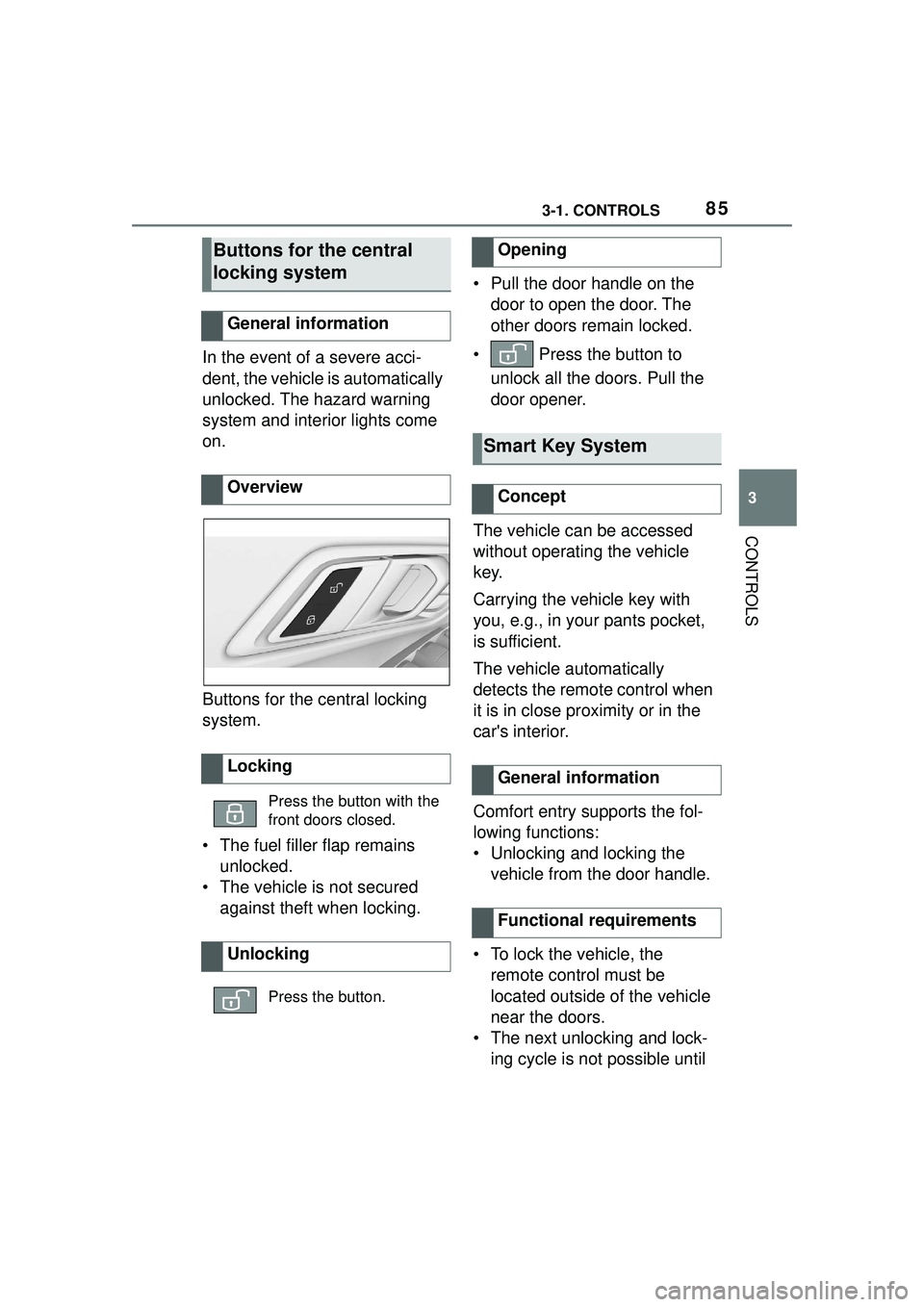
Buttons for the central locking
system.
• The fuel filler flap remains unlocked.
• The vehicle is not secured against theft when locking. • Pull the door handle on the
door to open the door. The
other doors remain locked.
• Press the button to unlock all the doors. Pull the
door opener.
The vehicle can be accessed
without operating the vehicle
key.
Carrying the vehicle key with
you, e.g., in your pants pocket,
is sufficient.
The vehicle automatically
detects the remote control when
it is in close proximity or in the
car's interior.
Comfort entry supports the fol-
lowing functions:
• Unlocking and locking the vehicle from the door handle.
• To lock the vehicle, the remote control must be
located outside of the vehicle
near the doors.
• The next unlocking and lock- ing cycle is not possible until
Buttons for the central
locking system
General information
Overview
Locking
Press the button with the
front doors closed.
Unlocking
Press the button.
Opening
Smart Key System
Concept
General information
Functional requirements
Page 108 of 356
1083-1. CONTROLS
• Backrest width.
• Lumbar support.
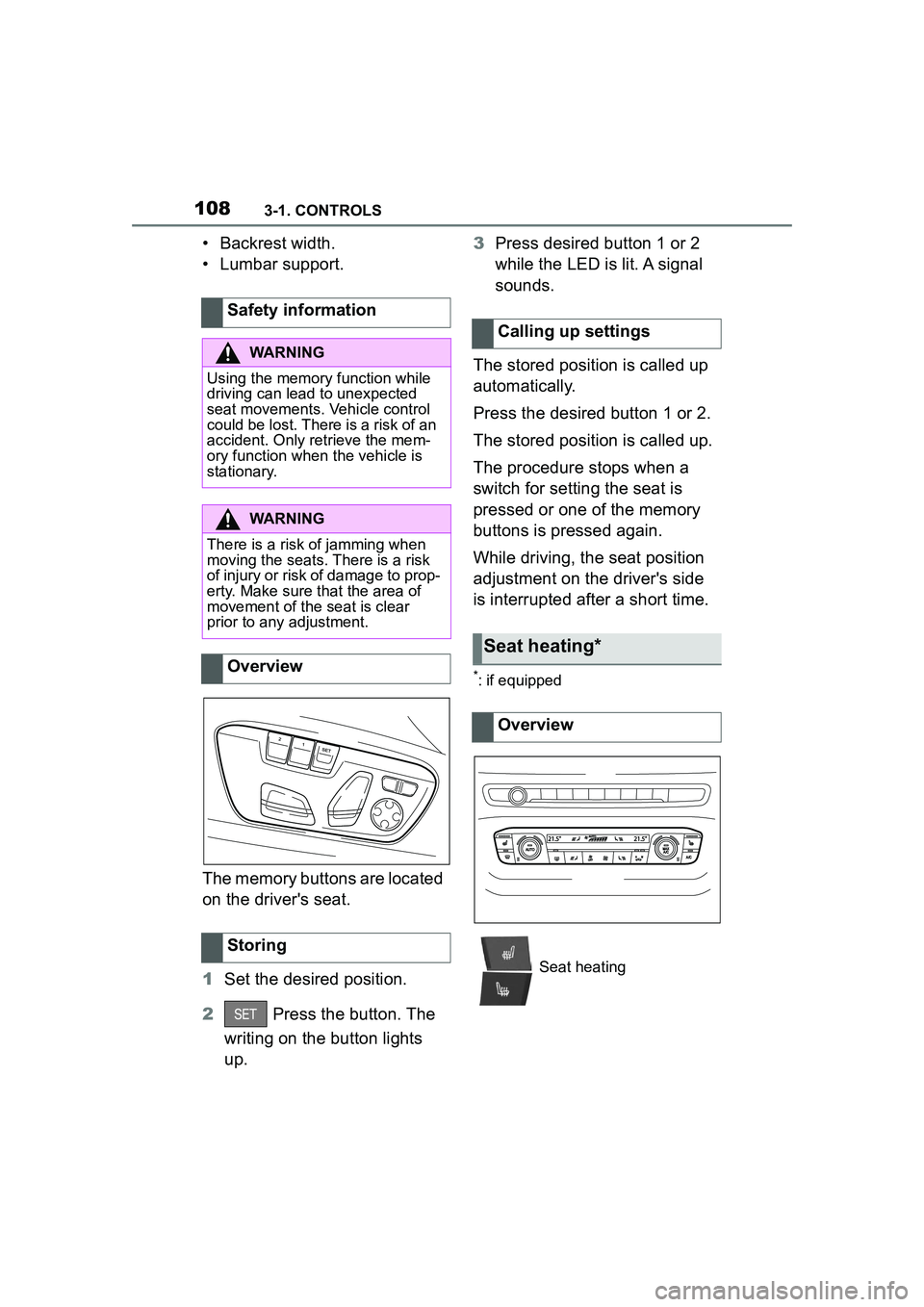
The memory buttons are located
on the driver's seat.
1Set the desired position.
2 Press the button. The
writing on the button lights
up. 3
Press desired button 1 or 2
while the LED is lit. A signal
sounds.
The stored position is called up
automatically.
Press the desired button 1 or 2.
The stored position is called up.
The procedure stops when a
switch for setting the seat is
pressed or one of the memory
buttons is pressed again.
While driving, the seat position
adjustment on the driver's side
is interrupted after a short time.
*: if equipped
Safety information
WARNING
Using the memory function while
driving can lead to unexpected
seat movements. Vehicle control
could be lost. There is a risk of an
accident. Only retrieve the mem-
ory function when the vehicle is
stationary.
WARNING
There is a risk of jamming when
moving the seats. There is a risk
of injury or risk of damage to prop-
erty. Make sure that the area of
movement of the seat is clear
prior to any adjustment.
Overview
Storing
Calling up settings
Seat heating*
Overview
Seat heating
Page 145 of 356

1453-1. CONTROLS
3
CONTROLS
When passing buses or trucks
with traffic signs applied to
them.
If the traffic signs are
non-conforming.
When signs that are valid for
a parallel road are detected.
In the presence of coun-
try-specific signs and road
configurations.
The display can be operated
when necessary.
Entertainment source.
Current audio source.
List of most recent telephone
calls.
If necessary, the corresponding
menu will open on the Control
Display.
Items displayed may differ
depending on the specifications
of the vehicle.
The lists can be displayed and
operated using the buttons on
the steering wheel. The Onboard Computer dis-
plays different vehicle data in
the instrument cluster, such as
average values.
Selection lists
Concept
Display
Displaying and using the
list
ButtonFunction
Change the entertain-
ment source.
Pressing the button
again will close the cur-
rently displayed list.
Show list of most
recent telephone calls.
Turn the thumbwheel:
select entertainment
source or list entry.
Press the thumbwheel
to confirm the setting.
The currently selected
list can be displayed
again in the instrument
cluster by turning the
thumbwheel.
Onboard Computer in the
instrument cluster
Concept
Calling up information
Page 158 of 356
1583-1. CONTROLS
mal crossings.
In tight curves, on hilltops or
in depressions, in crossing
traffic or half-obscured
oncoming traffic on highways.
In poorly-lit towns and cities
or in the presence of highly
reflective signs.
When the windshield in front
of the interior mirror is fogged
over, dirty or covered with
stickers, etc.
The parking lights or low beams
must be switched on to adjust
the brightness.
Depending on the equipment
version, interior lights, footwell
lights and door entry lighting are
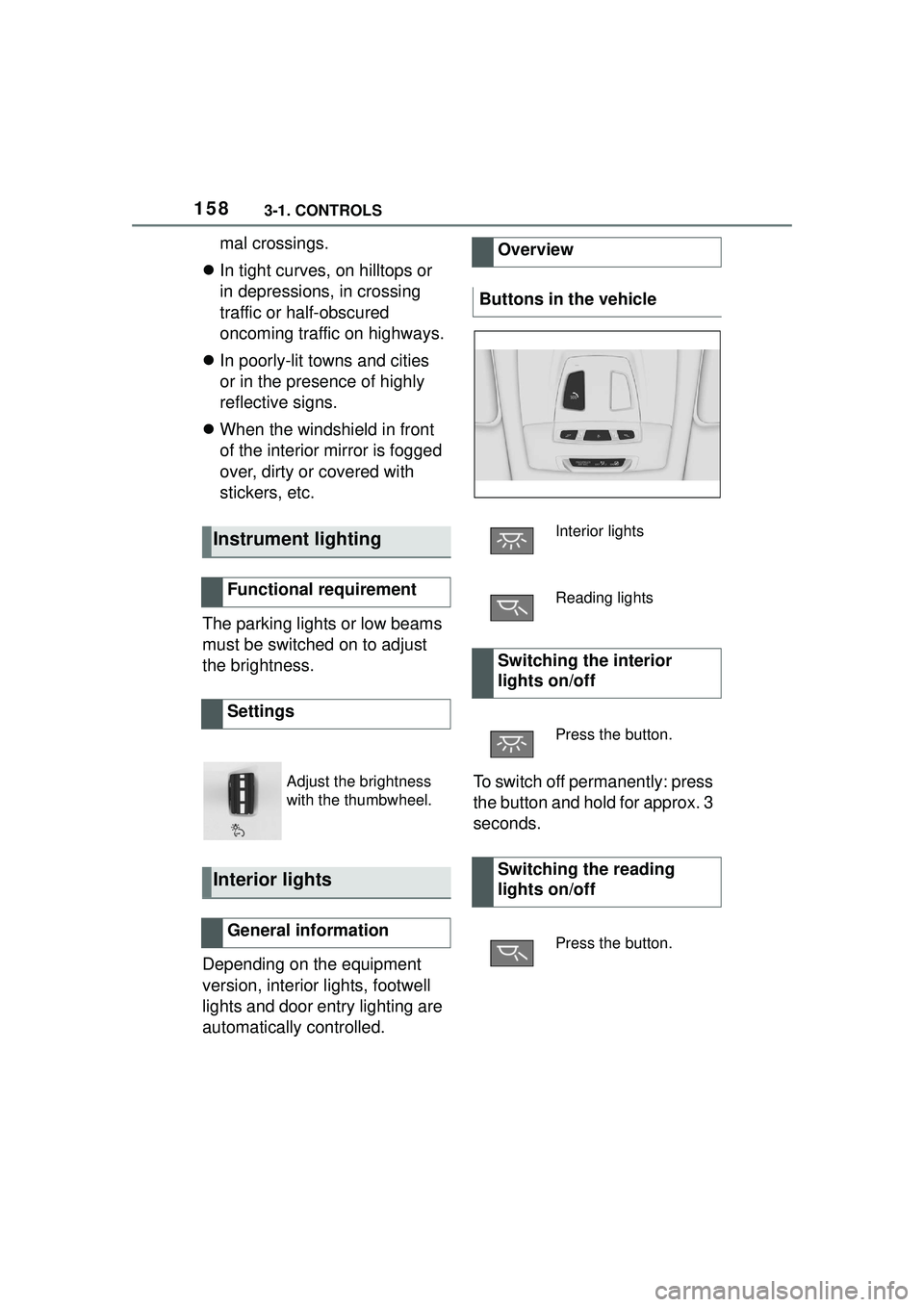
automatically controlled. To switch off permanently: press
the button and hold for approx. 3
seconds.
Instrument lighting
Functional requirement
Settings
Adjust the brightness
with the thumbwheel.
Interior lights
General information
Overview
Buttons in the vehicle
Interior lights
Reading lights
Switching the interior
lights on/off
Press the button.
Switching the reading
lights on/off
Press the button.
Page 173 of 356
1733-1. CONTROLS
3
CONTROLS
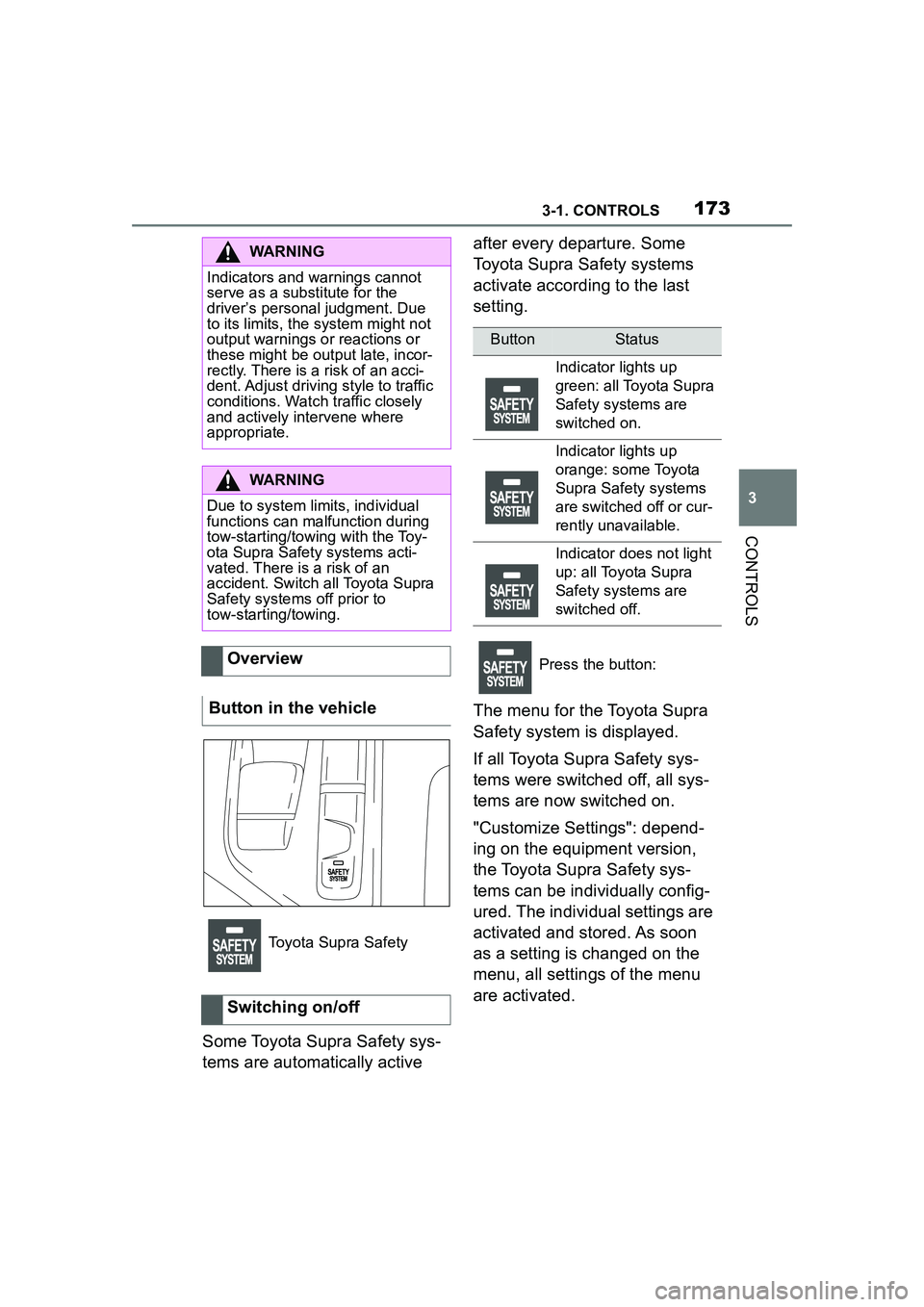
Some Toyota Supra Safety sys-
tems are automatically active after every departure. Some
Toyota Supra Safety systems
activate according to the last
setting.
The menu for the Toyota Supra
Safety system is displayed.
If all Toyota Supra Safety sys-
tems were switched off, all sys-
tems are now switched on.
"Customize Settings": depend-
ing on the equipment version,
the Toyota Supra Safety sys-
tems can be individually config-
ured. The individual settings are
activated and stored. As soon
as a setting is changed on the
menu, all settings of the menu
are activated.
WARNING
Indicators and warnings cannot
serve as a substitute for the
driver’s personal judgment. Due
to its limits, the system might not
output warnings or reactions or
these might be ou
tput late, incor-
rectly. There is a risk of an acci-
dent. Adjust driving style to traffic
conditions. Watch traffic closely
and actively intervene where
appropriate.
WARNING
Due to system limits, individual
functions can malfunction during
tow-starting/towing with the Toy-
ota Supra Safety systems acti-
vated. There is a risk of an
accident. Switch all Toyota Supra
Safety systems off prior to
tow-starting/towing.
Overview
Button in the vehicle
Toyota Supra Safety
Switching on/off
ButtonStatus
Indicator lights up
green: all Toyota Supra
Safety systems are
switched on.
Indicator lights up
orange: some Toyota
Supra Safety systems
are switched off or cur-
rently unavailable.
Indicator does not light
up: all Toyota Supra
Safety systems are
switched off.
Press the button:
Page 176 of 356
1763-1. CONTROLS
The following settings are
switched between:
"ALL ON": all Toyota Supra
Safety systems are switched on.
Basic settings are activated for
the subfunctions.
"Customize": the Toyota Supra
Safety systems are switched on
according to the individual set-
tings.
Some Toyota Supra Safety sys-
tems cannot be individually
switched off.
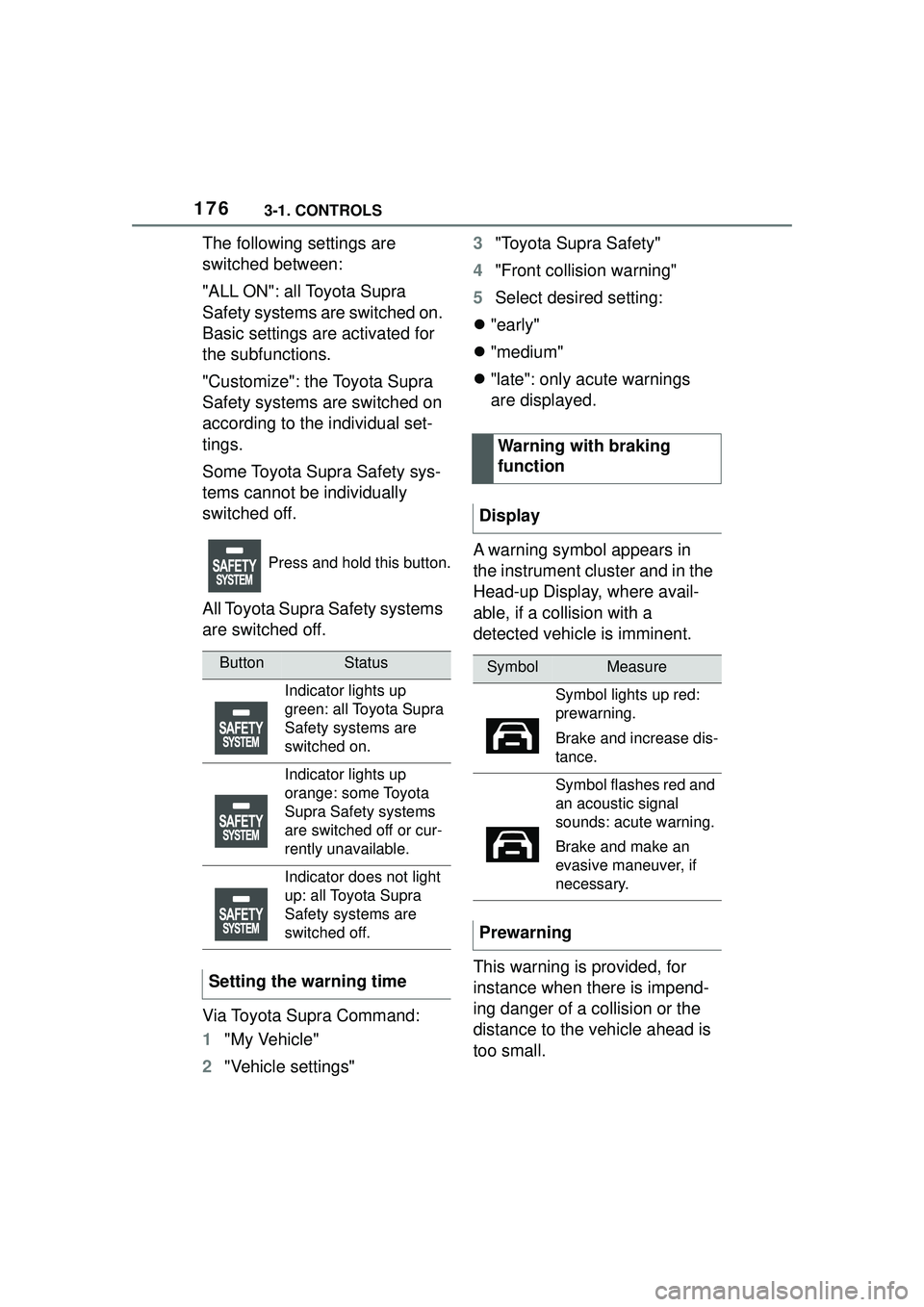
All Toyota Supra Safety systems
are switched off.
Via Toyota Supra Command:
1"My Vehicle"
2 "Vehicle settings" 3
"Toyota Supra Safety"
4 "Front collision warning"
5 Select desired setting:
"early"
"medium"
"late": only acute warnings
are displayed.
A warning symbol appears in
the instrument cluster and in the
Head-up Display, where avail-
able, if a collision with a
detected vehicle is imminent.
This warning is provided, for
instance when there is impend-
ing danger of a collision or the
distance to the vehicle ahead is
too small.
Press and hold this button.
ButtonStatus
Indicator lights up
green: all Toyota Supra
Safety systems are
switched on.
Indicator lights up
orange: some Toyota
Supra Safety systems
are switched off or cur-
rently unavailable.
Indicator does not light
up: all Toyota Supra
Safety systems are
switched off.
Setting the warning time
Warning with braking
function
Display
SymbolMeasure
Symbol lights up red:
prewarning.
Brake and increase dis-
tance.
Symbol flashes red and
an acoustic signal
sounds: acute warning.
Brake and make an
evasive maneuver, if
necessary.
Prewarning
Page 181 of 356
1813-1. CONTROLS
3
CONTROLS
The following settings are
switched between:
"ALL ON": all Toyota Supra
Safety systems are switched on.
Basic settings are activated for
the subfunctions.
"Customize": the Toyota Supra
Safety systems are switched on
according to the individual set-
tings.
Some Toyota Supra Safety sys-
tems cannot be individually
switched off.
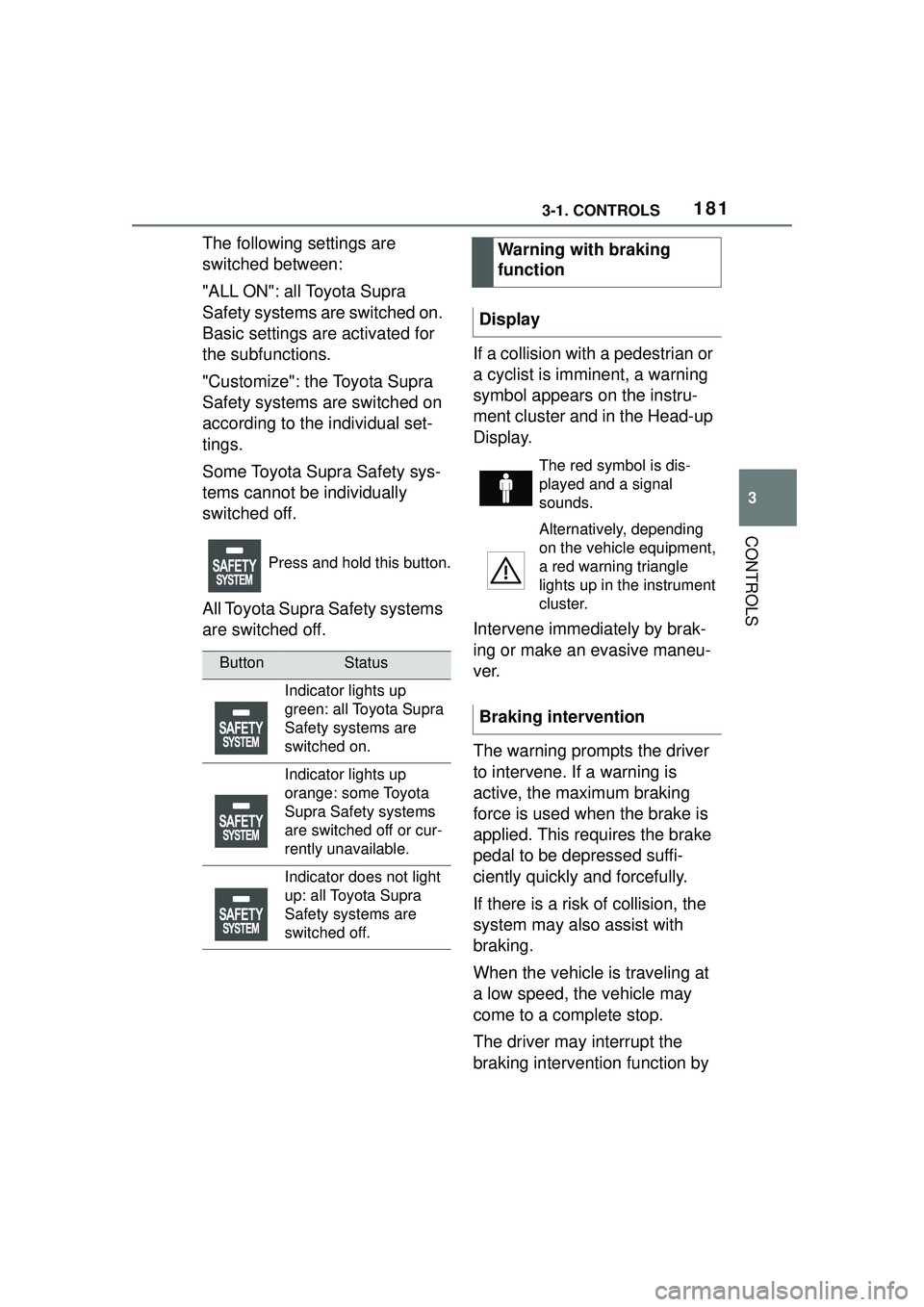
All Toyota Supra Safety systems
are switched off.If a collision with a pedestrian or
a cyclist is imminent, a warning
symbol appears on the instru-
ment cluster and in the Head-up
Display.
Intervene immediately by brak-
ing or make an evasive maneu-
ver.
The warning prompts the driver
to intervene. If a warning is
active, the maximum braking
force is used when the brake is
applied. This requires the brake
pedal to be depressed suffi-
ciently quickly and forcefully.
If there is a risk of collision, the
system may also assist with
braking.
When the vehicle is traveling at
a low speed, the vehicle may
come to a complete stop.
The driver may interrupt the
braking intervention function by
Press and hold this button.
ButtonStatus
Indicator lights up
green: all Toyota Supra
Safety systems are
switched on.
Indicator lights up
orange: some Toyota
Supra Safety systems
are switched off or cur-
rently unavailable.
Indicator does not light
up: all Toyota Supra
Safety systems are
switched off.
Warning with braking
function
Display
The red symbol is dis-
played and a signal
sounds.
Alternatively, depending
on the vehicle equipment,
a red warning triangle
lights up in the instrument
cluster.
Braking intervention
Page 184 of 356
1843-1. CONTROLS
Additional information:
Sensors of the vehicle, refer to
page 40.
The lane departure warning acti-
vates automatically after depar-
ture if the function was switched
on at the completion of the last
trip.
Depending on the national-mar-
ket version, the system is auto-
matically active after every
driving off. The base setting is
thereby activated.
The menu for the Toyota Supra
Safety system is displayed.
If all Toyota Supra Safety sys-
tems were switched off, all sys-
tems are now switched on.
"Customize Settings": depend-
ing on the equipment version,
the Toyota Supra Safety sys-
tems can be individually config-
ured. The individual settings are
activated and stored. As soon
as a setting is changed on the
menu, all settings of the menu
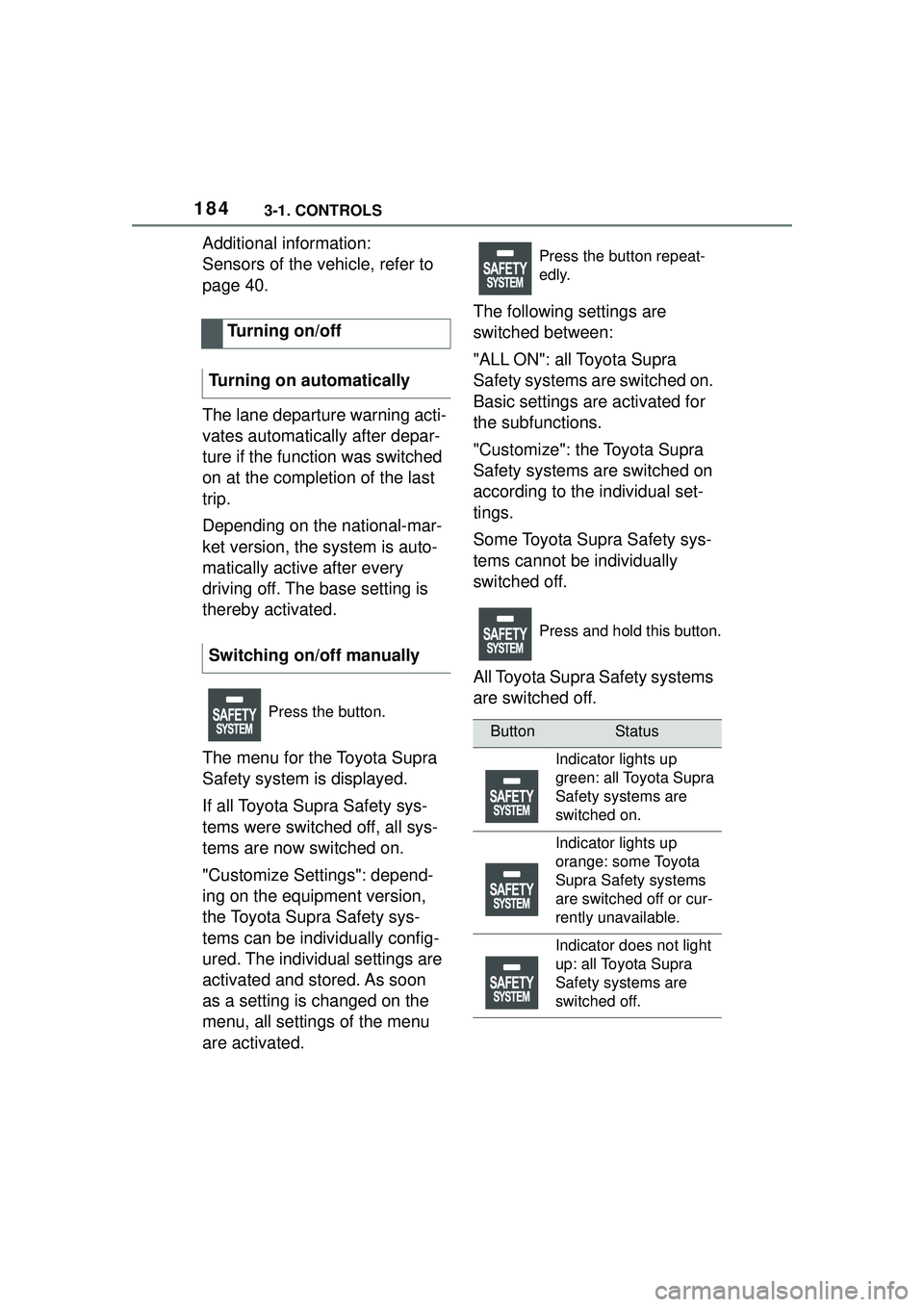
are activated.The following settings are
switched between:
"ALL ON": all Toyota Supra
Safety systems are switched on.
Basic settings are activated for
the subfunctions.
"Customize": the Toyota Supra
Safety systems are switched on
according to the individual set-
tings.
Some Toyota Supra Safety sys-
tems cannot be individually
switched off.
All Toyota Supra Safety systems
are switched off.
Turning on/off
Turning on automatically
Switching on/off manually
Press the button.
Press the button repeat-
edly.
Press and hold this button.
ButtonStatus
Indicator lights up
green: all Toyota Supra
Safety systems are
switched on.
Indicator lights up
orange: some Toyota
Supra Safety systems
are switched off or cur-
rently unavailable.
Indicator does not light
up: all Toyota Supra
Safety systems are
switched off.