ECU TOYOTA GR SUPRA 2022 Owners Manual
[x] Cancel search | Manufacturer: TOYOTA, Model Year: 2022, Model line: GR SUPRA, Model: TOYOTA GR SUPRA 2022Pages: 356, PDF Size: 39.14 MB
Page 10 of 356
101-1. NOTES
cle, it can be deleted at any
time.
This data is only transmitted to
third parties upon personal
request as part of the use of
online services. The transmis-
sion depends on the selected
settings for the use of the ser-
vices.
Depending on the vehicle equip-
ment, mobile devices connected
to the vehicle, for instance
smartphones, can be controlled
via the vehicle control elements.
The sound and picture from the
mobile device can be played
back and displayed through the
multimedia system. Certain
information is transferred to the
mobile device at the same time.
Depending on the type of incor-
poration, this includes, for
instance position data and other
general vehicle information. This
optimizes the way in which
selected apps, for instance navi-
gation or music playback, work.
There is no further interaction
between the mobile device and
the vehicle, such as active
access to vehicle data.
How the data will be processed
further is determined by the pro-
vider of the particular app being
used. The extent of the possible settings depends on the respec-
tive app and the operating sys-
tem of the mobile device.
If the vehicle has a wireless net-
work connection, this enables
data to be exchanged between
the vehicle and other systems.
The wireless network connec-
tion is realized via an in-vehicle
transmitter and receiver unit or
via personal mobile devices
brought into the vehicle, for
instance smartphones. This
wireless network connection
enables 'online functions' to be
used. These include online ser-
vices and apps supplied by the
vehicle manufacturer or by other
providers.
Where online services from the
vehicle manufacturer are con-
cerned, the corresponding func-
tions are described in the
appropriate place, for instance
the Owner's Manual or manu-
facturer's website. The relevant
legal information pertaining to
data protection is provided there
too. Personal data may be used
to perform online services. Data
is exchanged over a secure con-
Incorporation of mobile
devices
Services
General information
Services from the vehicle
manufacturer
Page 16 of 356
162-1. QUICK REFERENCE
2-1.QUICK REFERENCE
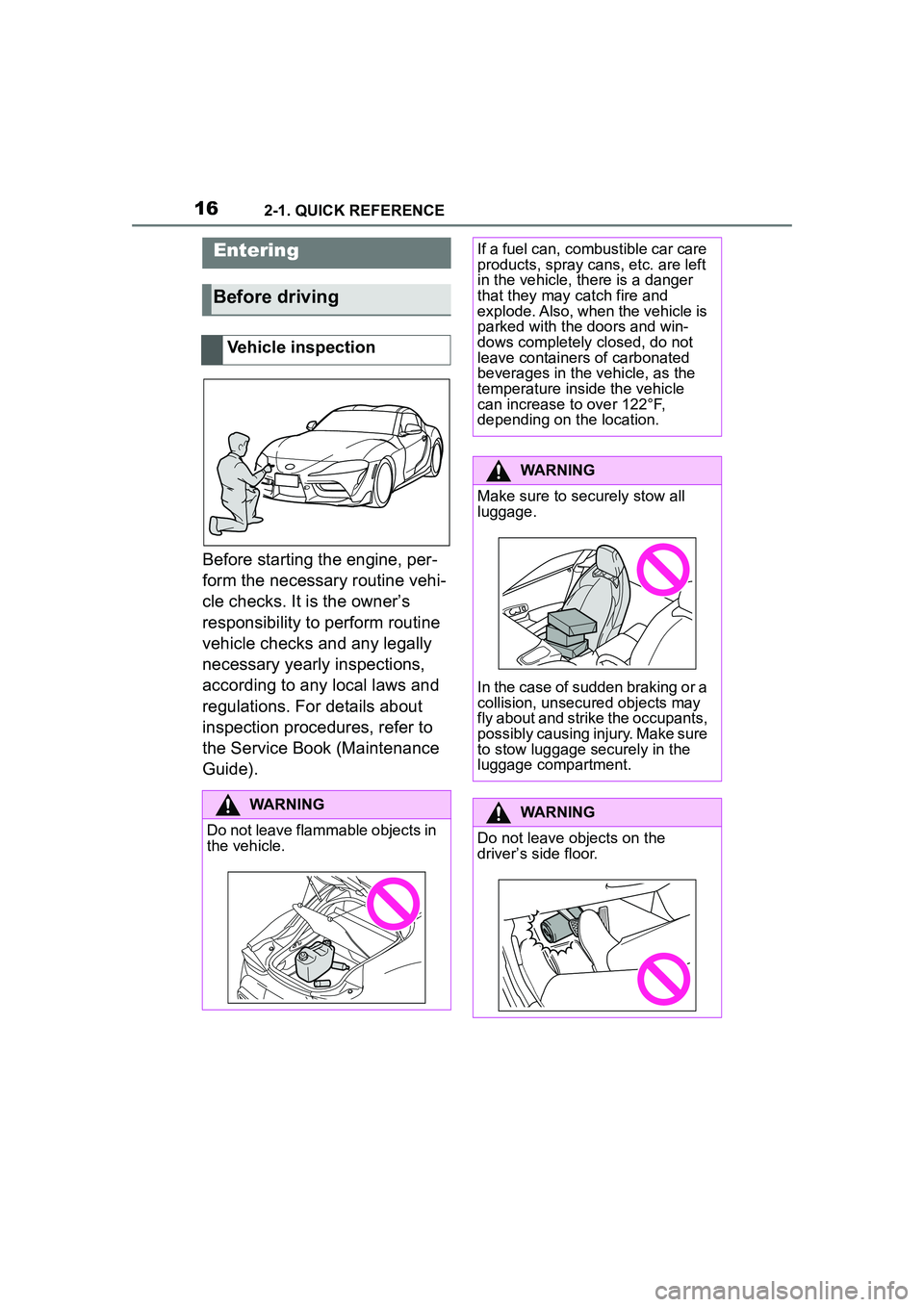
Before starting the engine, per-
form the necessary routine vehi-
cle checks. It is the owner’s
responsibility to perform routine
vehicle checks and any legally
necessary yearly inspections,
according to any local laws and
regulations. For details about
inspection procedures, refer to
the Service Book (Maintenance
Guide).
Entering
Before driving
Vehicle inspection
WARNING
Do not leave flammable objects in
the vehicle.
If a fuel can, combustible car care
products, spray cans, etc. are left
in the vehicle, there is a danger
that they may catch fire and
explode. Also, when the vehicle is
parked with the doors and win-
dows completely closed, do not
leave containers of carbonated
beverages in the vehicle, as the
temperature inside the vehicle
can increase to over 122°F,
depending on the location.
WARNING
Make sure to securely stow all
luggage.
In the case of sudden braking or a
collision, unsecured objects may
fly about and strike the occupants,
possibly causing injury. Make sure
to stow luggage securely in the
luggage compartment.
WARNING
Do not leave objects on the
driver’s side floor.
Page 17 of 356
172-1. QUICK REFERENCE
2
QUICK REFERENCE
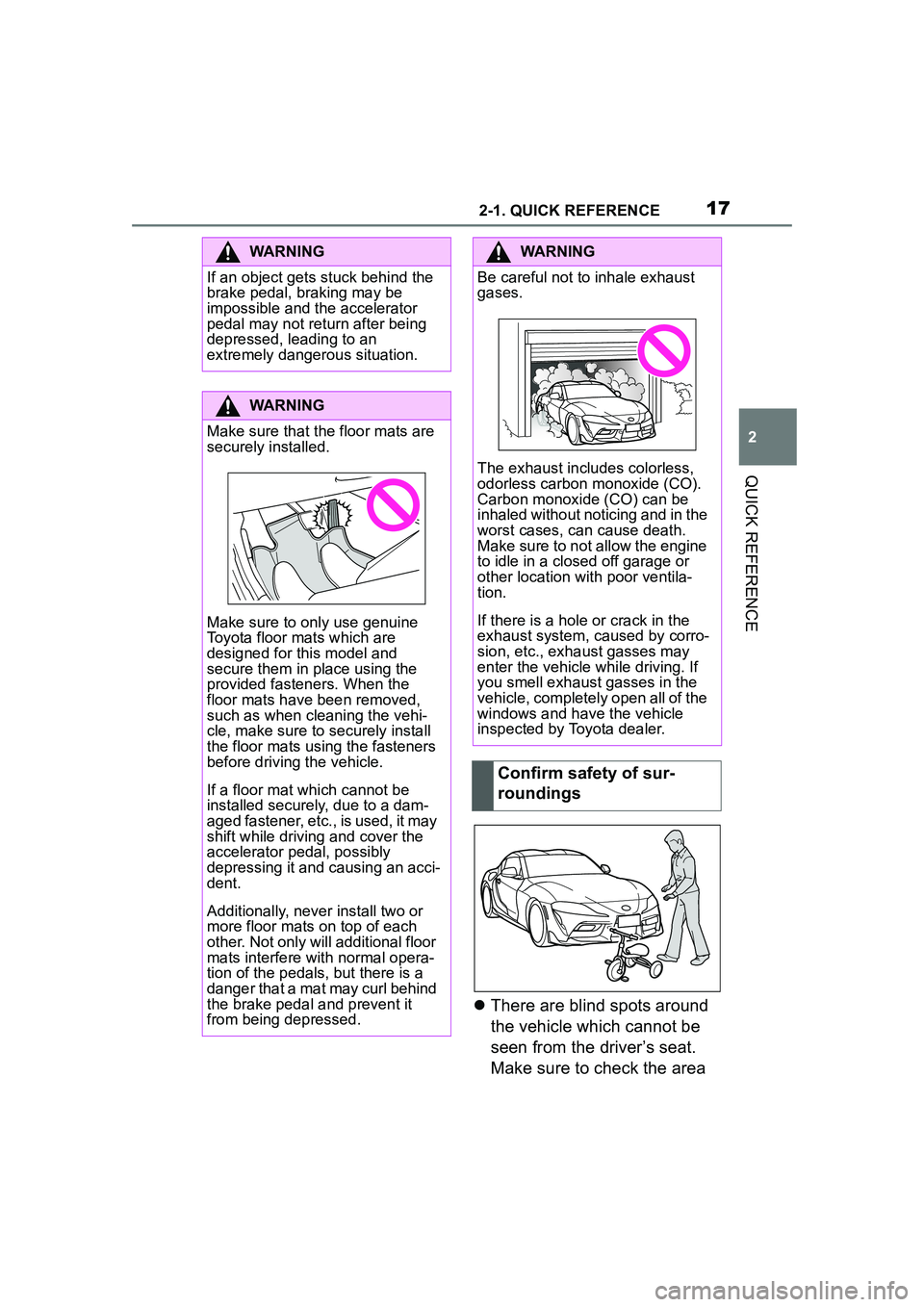
There are blind spots around
the vehicle which cannot be
seen from the driver’s seat.
Make sure to check the area
WARNING
If an object gets stuck behind the
brake pedal, braking may be
impossible and the accelerator
pedal may not return after being
depressed, leading to an
extremely dangerous situation.
WARNING
Make sure that the floor mats are
securely installed.
Make sure to only use genuine
Toyota floor mats which are
designed for this model and
secure them in place using the
provided fasteners. When the
floor mats have been removed,
such as when cleaning the vehi-
cle, make sure to securely install
the floor mats using the fasteners
before driving the vehicle.
If a floor mat which cannot be
installed securely, due to a dam-
aged fastener, etc., is used, it may
shift while driving and cover the
accelerator pedal, possibly
depressing it and causing an acci-
dent.
Additionally, never install two or
more floor mats on top of each
other. Not only will additional floor
mats interfere with normal opera-
tion of the pedals, but there is a
danger that a mat may curl behind
the brake pedal and prevent it
from being depressed.
WARNING
Be careful not to inhale exhaust
gases.
The exhaust includes colorless,
odorless carbon monoxide (CO).
Carbon monoxide (CO) can be
inhaled without noticing and in the
worst cases, can cause death.
Make sure to not allow the engine
to idle in a closed off garage or
other location with poor ventila-
tion.
If there is a hole or crack in the
exhaust system, caused by corro-
sion, etc., exhaust gasses may
enter the vehicle while driving. If
you smell exhaust gasses in the
vehicle, completely open all of the
windows and have the vehicle
inspected by Toyota dealer.
Confirm safety of sur-
roundings
Page 45 of 356
453-1. CONTROLS
3
CONTROLS
1Depress the brake pedal.
2 Press the Start/Stop button. The ignition is activated auto-
matically for a brief time and is
stopped as soon as the engine
starts.
Most of the indicator/warning
lights in the instrument cluster
light up for a varied length of
time.
Depending on the engine condi-
tion, the full drive power may not
be available for approximately
30 seconds after starting the
engine. In this case, the vehicle
will not accelerate as usual.
READY in the instrument cluster
indicates that drive-ready state
is switched on.
1
Engage selector lever posi-
tion P with the vehicle
stopped.
2 Press the Start/Stop button.
The engine is switched off. The
vehicle switches into standby state.
3Set the parking brake.
WARNING
An unsecured vehicle can begin
to move and possibly roll away.
There is a risk of an accident.
Before exiting, secure the vehicle
against rolling.
In order to ensure that the vehicle
is secured against rolling away,
follow the following:
• Set the parking brake.
• On uphill grades or on a down-
hill slope, turn the front wheels
in the direction of the curb.
• On uphill grades or on a down- hill slope, also secure the vehi-
cle, for instance with a wheel
chock.
NOTICE
In the case of repeated starting
attempts or repeated starting in
quick succession, the fuel is not
burned or is inadequately burned.
The catalytic converter can over-
heat. There is a risk of damage to
property. Avoid repeated starting
in quick succession.
Switching on drive-ready
state
Concept
Drive-ready state
is switched on via
the Start/Stop but-
ton:
Automatic transmission
Gasoline engine
Display in the instrument
cluster
Switching off drive-ready
state
Page 78 of 356
783-1. CONTROLS
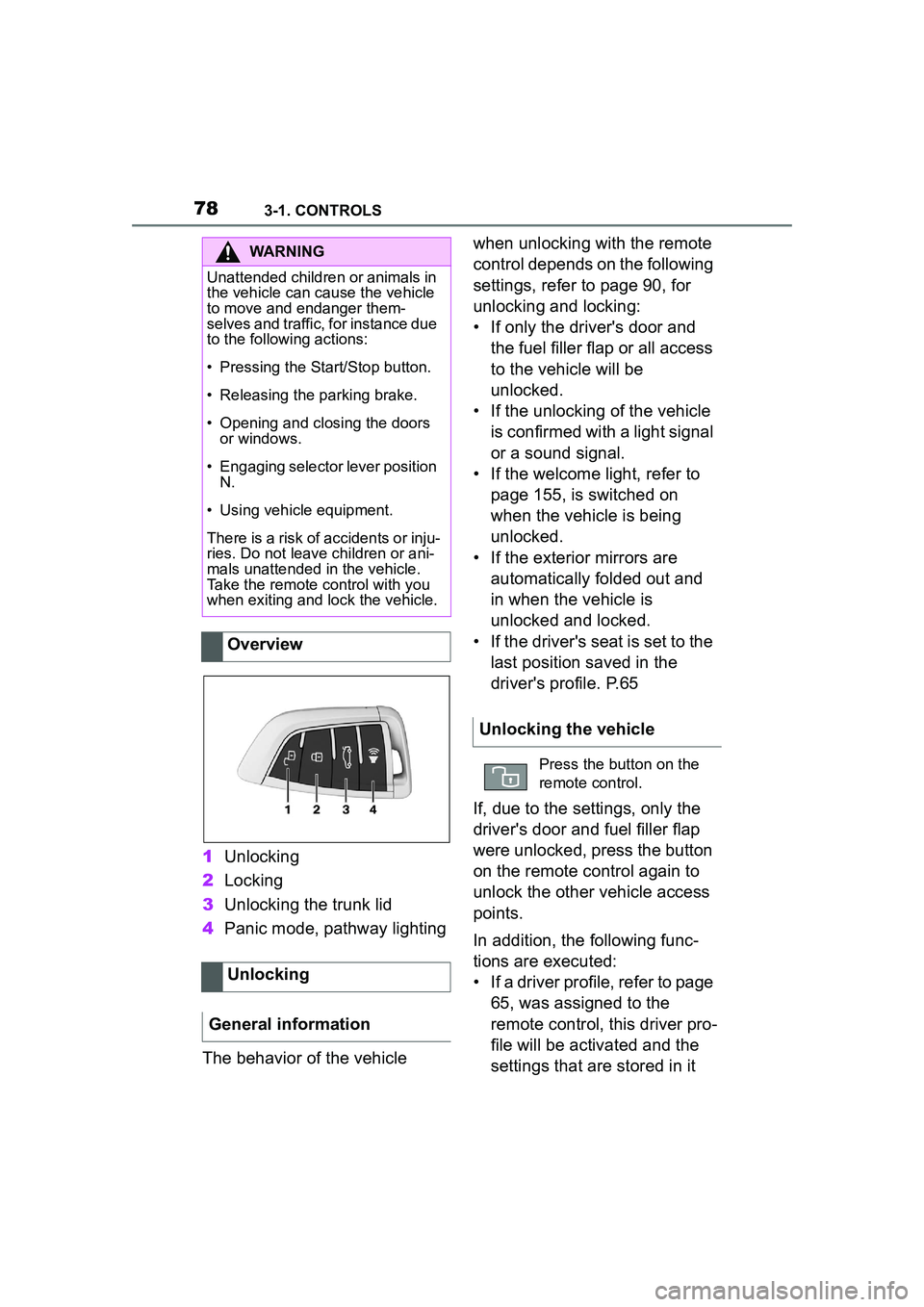
1Unlocking
2 Locking
3 Unlocking the trunk lid
4 Panic mode, pathway lighting
The behavior of the vehicle when unlocking with the remote
control depends on the following
settings, refer to page 90, for
unlocking and locking:
• If only the driver's door and
the fuel filler flap or all access
to the vehicle will be
unlocked.
• If the unlocking of the vehicle is confirmed with a light signal
or a sound signal.
• If the welcome light, refer to page 155, is switched on
when the vehicle is being
unlocked.
• If the exterior mirrors are automatically folded out and
in when the vehicle is
unlocked and locked.
• If the driver's seat is set to the last position saved in the
driver's profile. P.65
If, due to the settings, only the
driver's door and fuel filler flap
were unlocked, press the button
on the remote control again to
unlock the other vehicle access
points.
In addition, the following func-
tions are executed:
• If a driver profile, refer to page 65, was assigned to the
remote control, this driver pro-
file will be activated and the
settings that are stored in it
WARNING
Unattended children or animals in
the vehicle can cause the vehicle
to move and endanger them-
selves and traffic, for instance due
to the following actions:
• Pressing the Start/Stop button.
• Releasing the parking brake.
• Opening and closing the doors or windows.
• Engaging selector lever position
N.
• Using vehicle equipment.
There is a risk of accidents or inju-
ries. Do not leave children or ani-
mals unattended in the vehicle.
Take the remote control with you
when exiting and lock the vehicle.
Overview
Unlocking
General information
Unlocking the vehicle
Press the button on the
remote control.
Page 85 of 356
853-1. CONTROLS
3
CONTROLS
In the event of a severe acci-
dent, the vehicle is automatically
unlocked. The hazard warning
system and interior lights come
on.
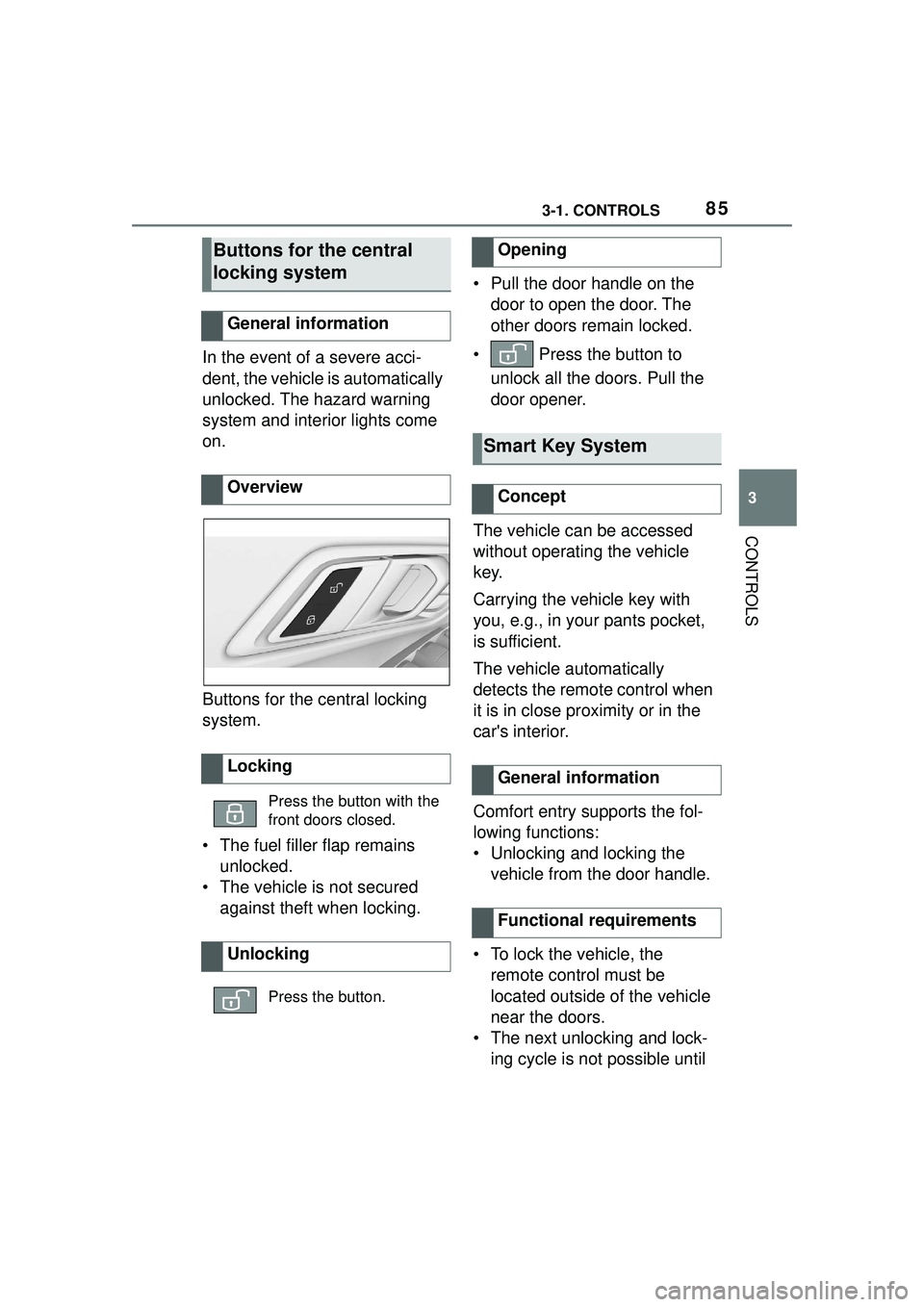
Buttons for the central locking
system.
• The fuel filler flap remains unlocked.
• The vehicle is not secured against theft when locking. • Pull the door handle on the
door to open the door. The
other doors remain locked.
• Press the button to unlock all the doors. Pull the
door opener.
The vehicle can be accessed
without operating the vehicle
key.
Carrying the vehicle key with
you, e.g., in your pants pocket,
is sufficient.
The vehicle automatically
detects the remote control when
it is in close proximity or in the
car's interior.
Comfort entry supports the fol-
lowing functions:
• Unlocking and locking the vehicle from the door handle.
• To lock the vehicle, the remote control must be
located outside of the vehicle
near the doors.
• The next unlocking and lock- ing cycle is not possible until
Buttons for the central
locking system
General information
Overview
Locking
Press the button with the
front doors closed.
Unlocking
Press the button.
Opening
Smart Key System
Concept
General information
Functional requirements
Page 88 of 356
883-1. CONTROLS
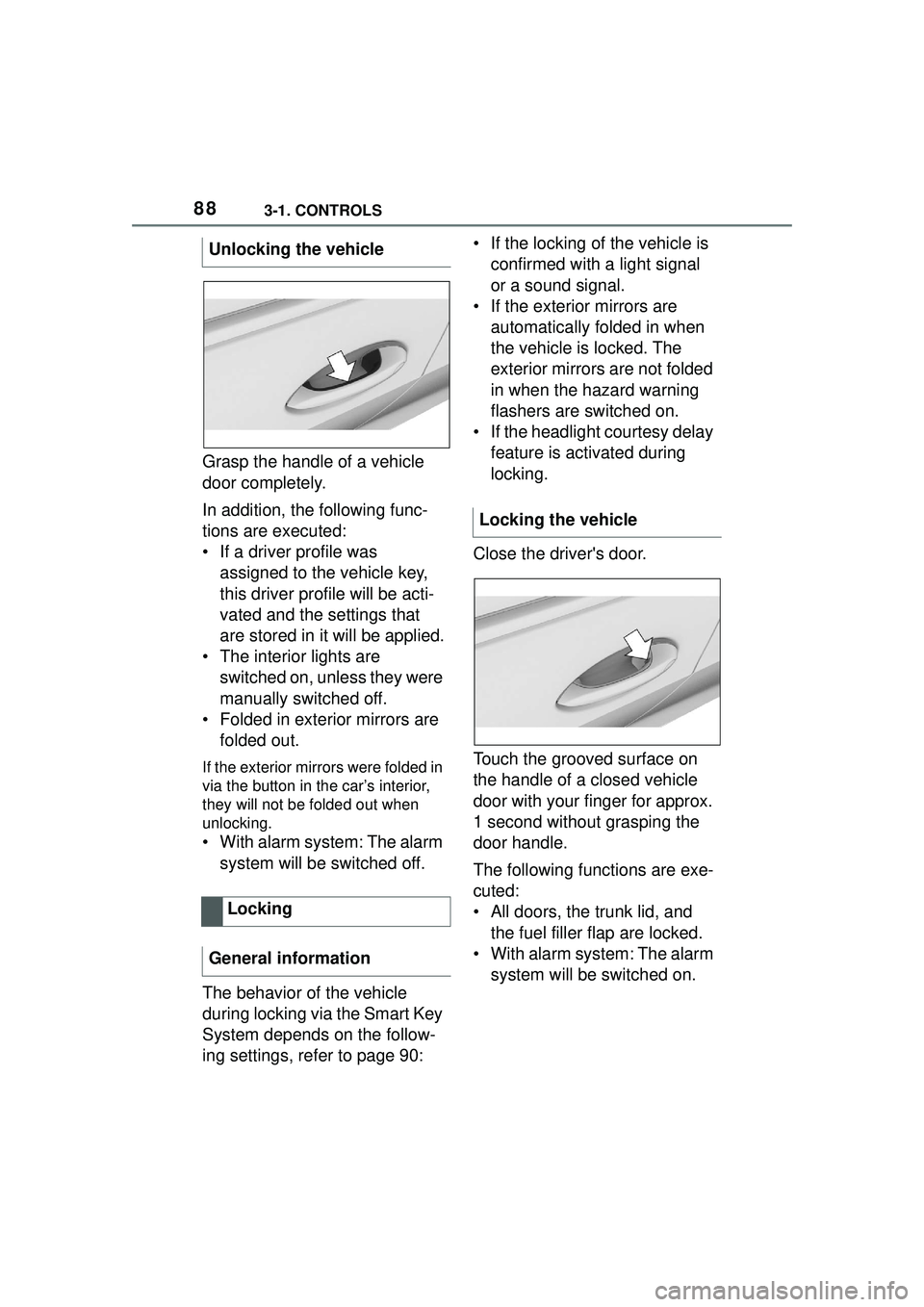
Grasp the handle of a vehicle
door completely.
In addition, the following func-
tions are executed:
• If a driver profile was assigned to the vehicle key,
this driver profile will be acti-
vated and the settings that
are stored in it will be applied.
• The interior lights are switched on, unless they were
manually switched off.
• Folded in exterior mirrors are folded out.
If the exterior mirrors were folded in
via the button in the car’s interior,
they will not be folded out when
unlocking.
• With alarm system: The alarm
system will be switched off.
The behavior of the vehicle
during locking via the Smart Key
System depends on the follow-
ing settings, refer to page 90: • If the locking of the vehicle is
confirmed with a light signal
or a sound signal.
• If the exterior mirrors are automatically folded in when
the vehicle is locked. The
exterior mirrors are not folded
in when the hazard warning
flashers are switched on.
• If the headlight courtesy delay feature is activated during
locking.
Close the driver's door.
Touch the grooved surface on
the handle of a closed vehicle
door with your finger for approx.
1 second without grasping the
door handle.
The following functions are exe-
cuted:
• All doors, the trunk lid, and the fuel filler flap are locked.
• With alarm system: The alarm system will be switched on.
Unlocking the vehicle
Locking
General information
Locking the vehicle
Page 93 of 356
933-1. CONTROLS
3
CONTROLS
gerous situation.
To switch off the alarm: press
any button.
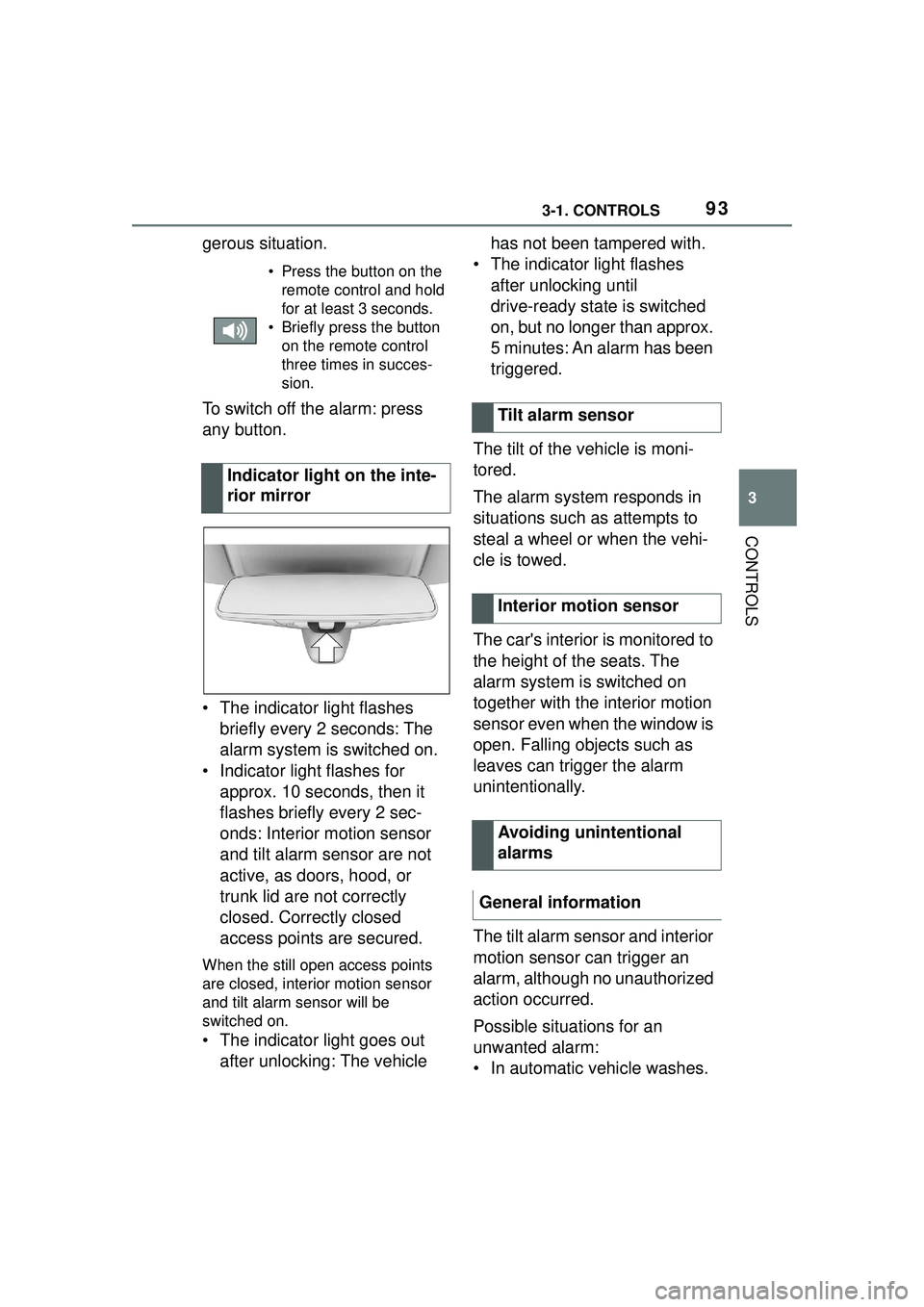
• The indicator light flashes briefly every 2 seconds: The
alarm system is switched on.
• Indicator light flashes for approx. 10 seconds, then it
flashes briefly every 2 sec-
onds: Interior motion sensor
and tilt alarm sensor are not
active, as doors, hood, or
trunk lid are not correctly
closed. Correctly closed
access points are secured.
When the still open access points
are closed, interior motion sensor
and tilt alarm sensor will be
switched on.
• The indicator light goes out
after unlocking: The vehicle has not been tampered with.
• The indicator light flashes after unlocking until
drive-ready state is switched
on, but no longer than approx.
5 minutes: An alarm has been
triggered.
The tilt of the vehicle is moni-
tored.
The alarm system responds in
situations such as attempts to
steal a wheel or when the vehi-
cle is towed.
The car's interior is monitored to
the height of the seats. The
alarm system is switched on
together with the interior motion
sensor even when the window is
open. Falling objects such as
leaves can trigger the alarm
unintentionally.
The tilt alarm sensor and interior
motion sensor can trigger an
alarm, although no unauthorized
action occurred.
Possible situations for an
unwanted alarm:
• In automatic vehicle washes.
• Press the button on the remote control and hold
for at least 3 seconds.
• Briefly press the button on the remote control
three times in succes-
sion.
Indicator light on the inte-
rior mirror
Tilt alarm sensor
Interior motion sensor
Avoiding unintentional
alarms
General information
Page 100 of 356
1003-1. CONTROLS
The vehicle is fitted with two
safety belts to ensure occupant
safety. However, they can only
offer protection when adjusted
correctly.
Always make sure that safety
belts are being worn by the
occupants before driving off.
The airbags supplement the
safety belts as an additional
safety device. The airbags are
not a substitute for safety belts.
All belt fastening points are
designed to achieve the best
possible protective effect of the
safety belts with proper use of
the safety belts and correct seat
setting. Notes on sitting safely,
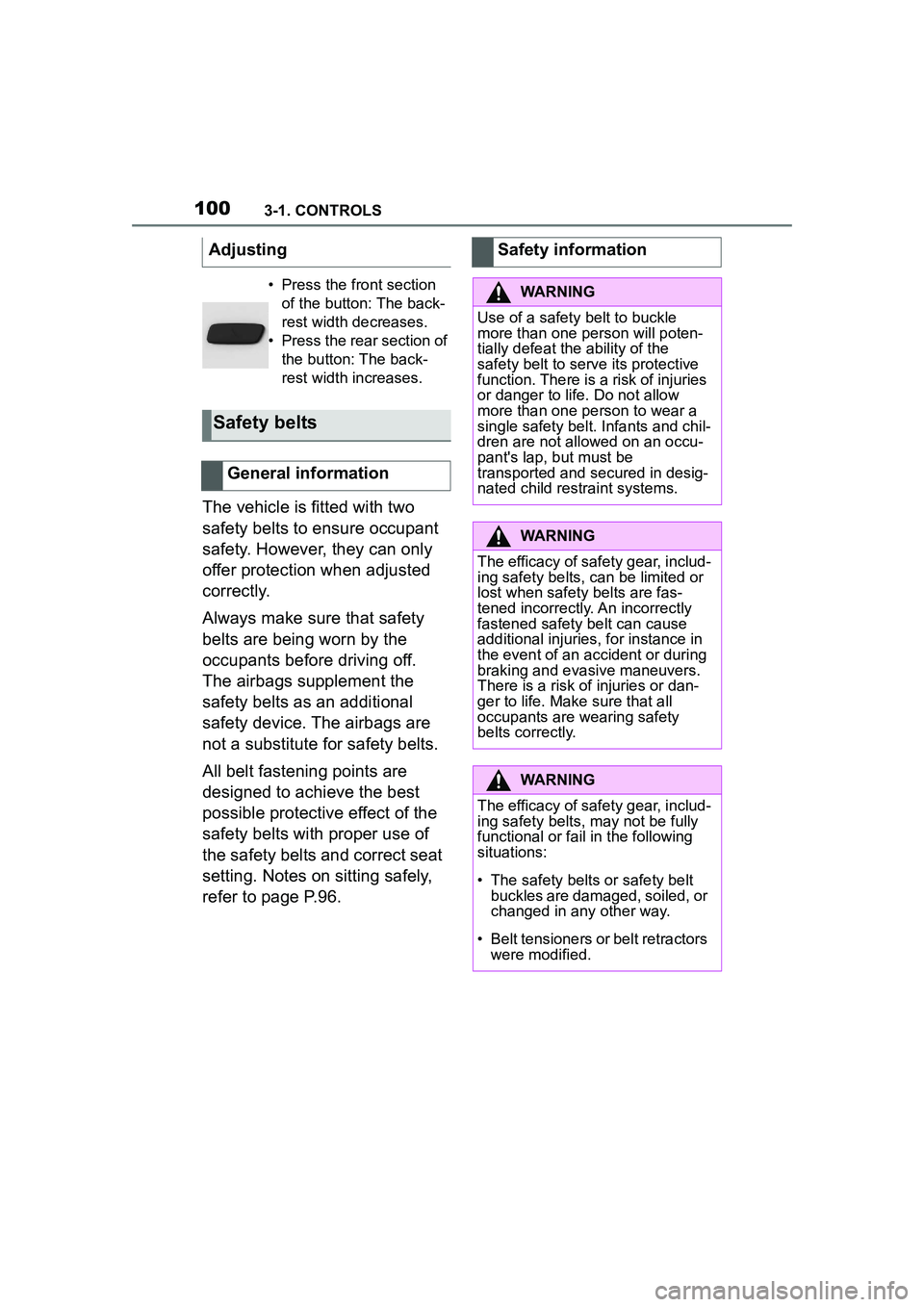
refer to page P.96.Adjusting
• Press the front section
of the button: The back-
rest width decreases.
• Press the rear section of the button: The back-
rest width increases.
Safety belts
General information
Safety information
WARNING
Use of a safety belt to buckle
more than one person will poten-
tially defeat the ability of the
safety belt to serve its protective
function. There is a risk of injuries
or danger to life. Do not allow
more than one person to wear a
single safety belt. Infants and chil-
dren are not allowed on an occu-
pant's lap, but must be
transported and secured in desig-
nated child restraint systems.
WARNING
The efficacy of safety gear, includ-
ing safety belts, can be limited or
lost when safety belts are fas-
tened incorrectly. An incorrectly
fastened safety belt can cause
additional injuries, for instance in
the event of an accident or during
braking and evasive maneuvers.
There is a risk of injuries or dan-
ger to life. Make sure that all
occupants are wearing safety
belts correctly.
WARNING
The efficacy of safety gear, includ-
ing safety belts, may not be fully
functional or fail in the following
situations:
• The safety belts or safety belt buckles are damaged, soiled, or
changed in any other way.
• Belt tensioners or belt retractors were modified.
Page 101 of 356
1013-1. CONTROLS
3
CONTROLS
• Wear the safety belt twist-free and tight to your body over
your lap and shoulders.
• Wear the safety belt deep on your hips over your lap. The
safety belt may not press on
your stomach.
• Do not rub the safety belt against sharp edges, or guide
it or jam it in across hard or
fragile objects.
• Avoid thick clothing.
• Re-tighten the safety belt fre- quently upward around your
upper body.
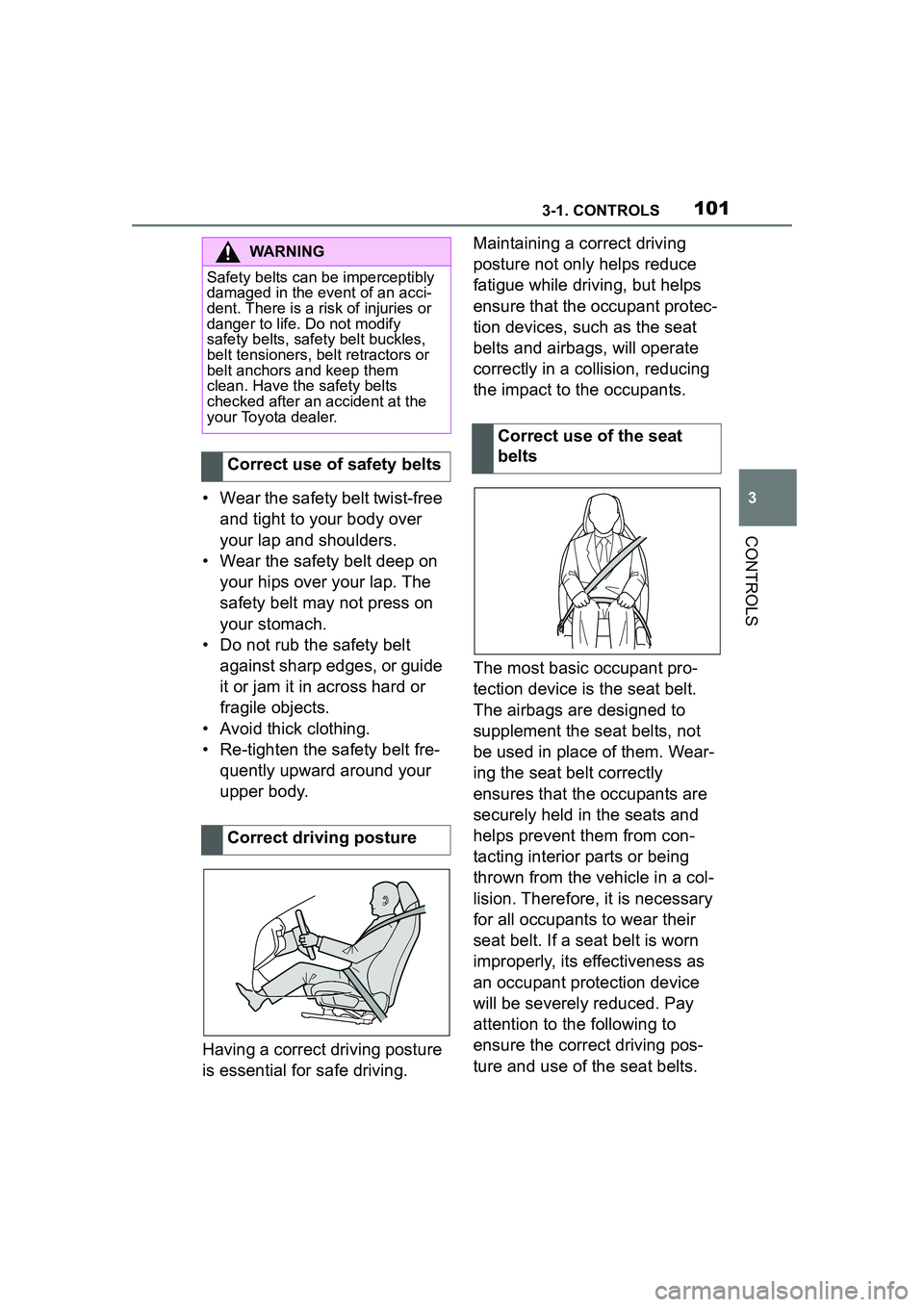
Having a correct driving posture
is essential for safe driving. Maintaining a correct driving
posture not only helps reduce
fatigue while driving, but helps
ensure that the occupant protec-
tion devices, such as the seat
belts and airbags, will operate
correctly in a collision, reducing
the impact to the occupants.
The most basic occupant pro-
tection device is the seat belt.
The airbags are designed to
supplement the seat belts, not
be used in place of them. Wear-
ing the seat belt correctly
ensures that the occupants are
securely held in the seats and
helps prevent them from con-
tacting interior parts or being
thrown from the vehicle in a col-
lision. Therefore, it is necessary
for all occupants to wear their
seat belt. If a seat belt is worn
improperly, its effectiveness as
an occupant protection device
will be severely reduced. Pay
attention to the following to
ensure the correct driving pos-
ture and use of the seat belts.
WARNING
Safety belts can be imperceptibly
damaged in the event of an acci-
dent. There is a risk of injuries or
danger to life. Do not modify
safety belts, safety belt buckles,
belt tensioners, belt retractors or
belt anchors and keep them
clean. Have the safety belts
checked after an accident at the
your Toyota dealer.
Correct use of safety belts
Correct driving posture
Correct use of the seat
belts