345
7
YARIS(GR) Owner's Manual_Europe_M52L09_en
7-2. Steps to take in an emergency
When trouble arises
WARNING
■After recharging the battery
Have the battery inspected at any
authorized Toyota retailer or Toyota authorized repairer, or any reliable repairer as soon as possible.
If the battery is deteriorating, contin- ued use may cause the battery to emit a malodorous gas, which may be
detrimental to the health of passen- gers.
■When replacing the battery
●For information regarding battery replacement, contact any autho-
rized Toyota retailer or Toyota authorized repairer, or any reliable repairer.
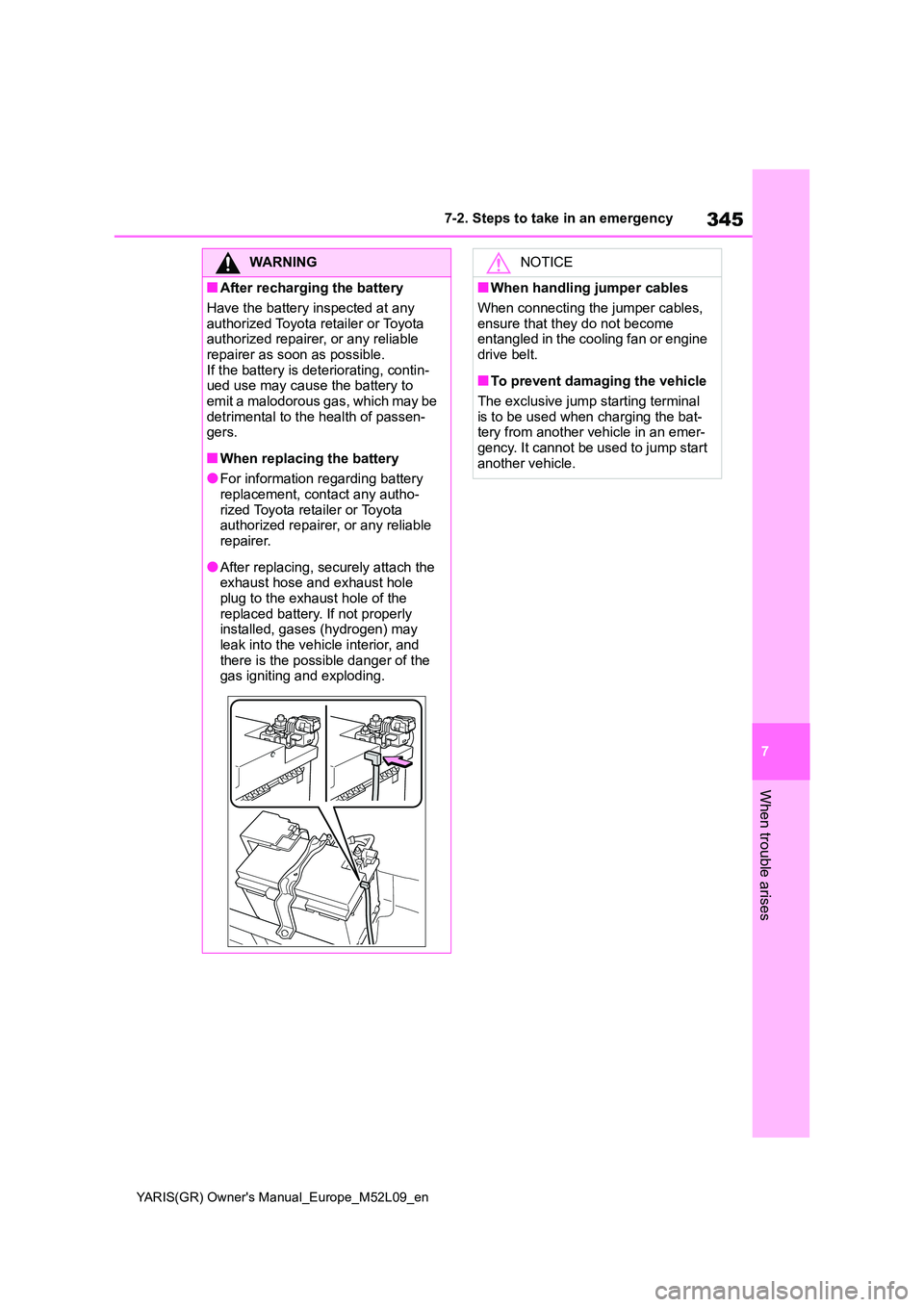
●After replacing, securely attach the exhaust hose and exhaust hole
plug to the exhaust hole of the replaced battery. If not properly installed, gases (hydrogen) may
leak into the vehicle interior, and there is the possible danger of the gas igniting and exploding.
NOTICE
■When handling jumper cables
When connecting the jumper cables,
ensure that they do not become entangled in the cooling fan or engine drive belt.
■To prevent damaging the vehicle
The exclusive jump starting terminal
is to be used when charging the bat- tery from another vehicle in an emer-gency. It cannot be used to jump start
another vehicle.
364
YARIS(GR) Owner's Manual_Europe_M52L09_en
8-2. Customization
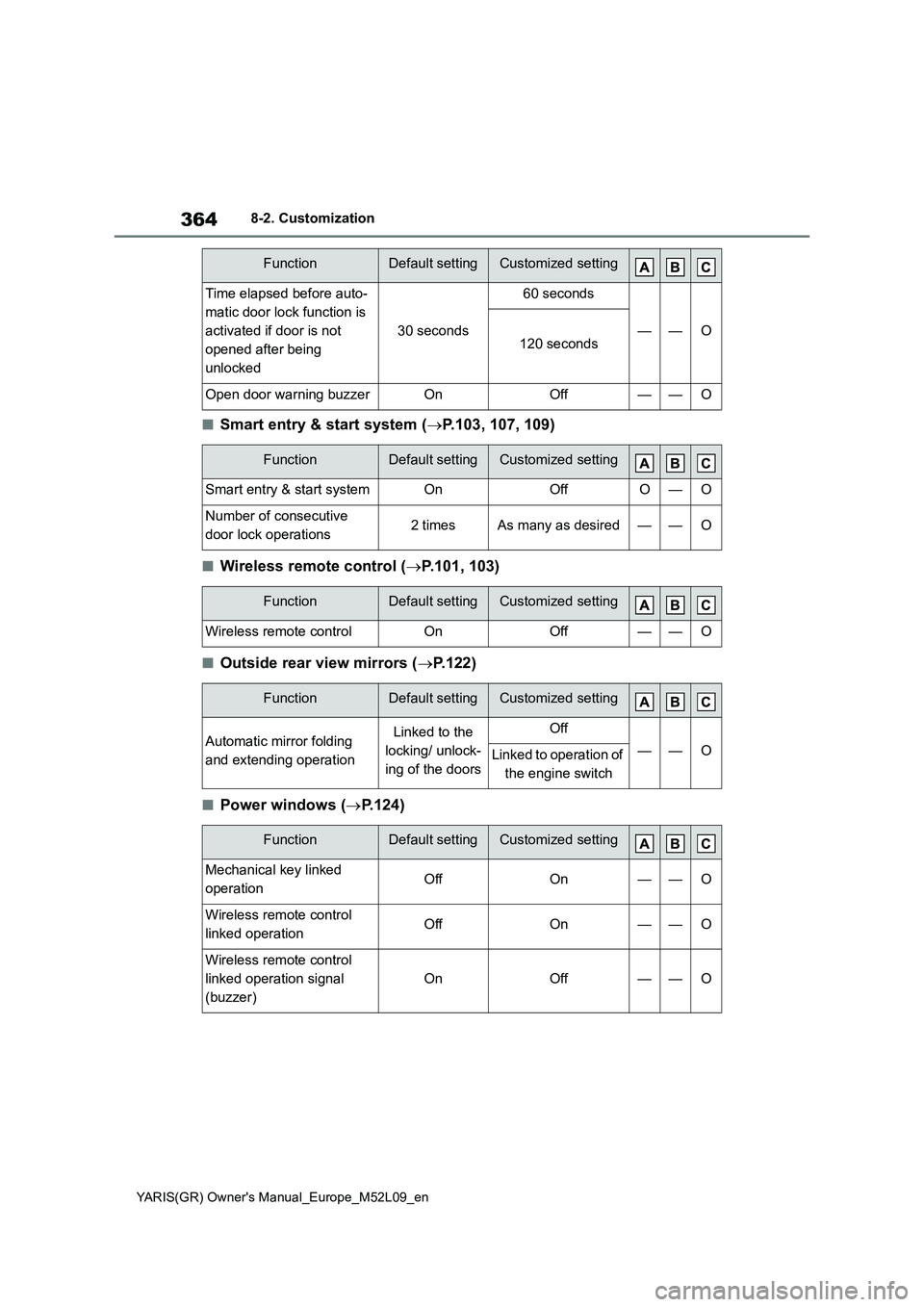
■Smart entry & start system (→P.103, 107, 109)
■Wireless remote control (→P.101, 103)
■Outside rear view mirrors (→P.122)
■Power windows (→P.124)
Time elapsed before auto-
matic door lock function is
activated if door is not
opened after being
unlocked
30 seconds
60 seconds
——O120 seconds
Open door warning buzzerOnOff——O
FunctionDefault settingCustomized setting
Smart entry & start systemOnOffO—O
Number of consecutive
door lock operations2 timesAs many as desired——O
FunctionDefault settingCustomized setting
Wireless remote controlOnOff——O
FunctionDefault settingCustomized setting
Automatic mirror folding
and extending operationLinked to the
locking/ unlock-
ing of the doorsOff
——OLinked to operation of
the engine switch
FunctionDefault settingCustomized setting
Mechanical key linked
operationOffOn——O
Wireless remote control
linked operationOffOn——O
Wireless remote control
linked operation signal
(buzzer)
OnOff——O
FunctionDefault settingCustomized setting