ESP TOYOTA GR YARIS 2022 Owner's Manual
[x] Cancel search | Manufacturer: TOYOTA, Model Year: 2022, Model line: GR YARIS, Model: TOYOTA GR YARIS 2022Pages: 470, PDF Size: 113.17 MB
Page 186 of 470
184
Owner's Manual_Europe_M52P63_en
4-5. Using the driving support systems
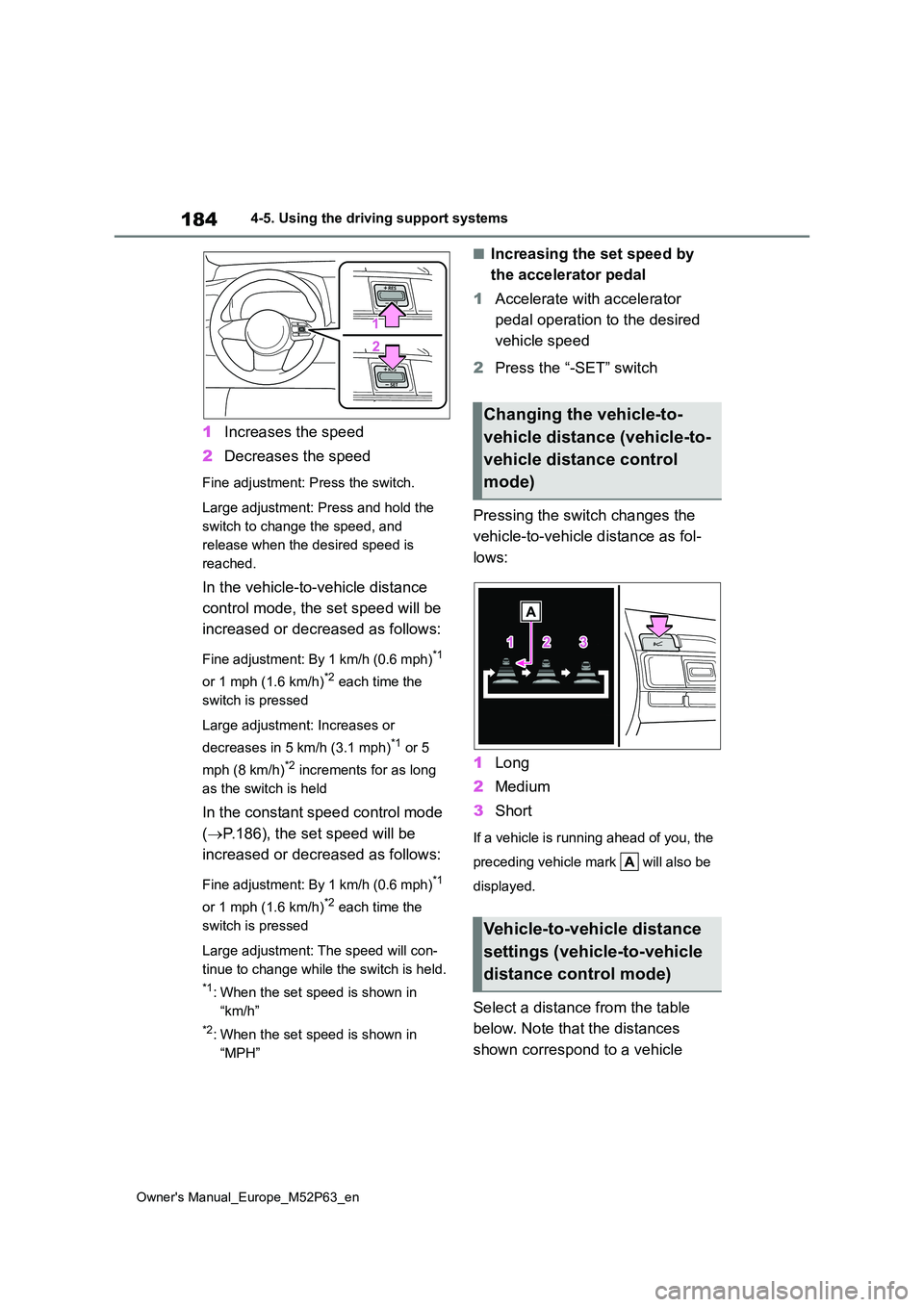
1Increases the speed
2 Decreases the speed
Fine adjustment: Press the switch.
Large adjustment: Press and hold the
switch to change the speed, and
release when the desired speed is
reached.
In the vehicle-to-vehicle distance
control mode, the set speed will be
increased or decreased as follows:
Fine adjustment: By 1 km/h (0.6 mph)*1
or 1 mph (1.6 km/h)*2 each time the
switch is pressed
Large adjustment: Increases or
decreases in 5 km/h (3.1 mph)*1 or 5
mph (8 km/h)*2 increments for as long
as the switch is held
In the constant speed control mode
( P.186), the set speed will be
increased or decreased as follows:
Fine adjustment: By 1 km/h (0.6 mph)*1
or 1 mph (1.6 km/h)*2 each time the
switch is pressed
Large adjustment: The speed will con-
tinue to change while the switch is held.
*1: When the set speed is shown in
“km/h”
*2: When the set speed is shown in
“MPH”
■Increasing the set speed by
the accelerator pedal
1 Accelerate with accelerator
pedal operation to the desired
vehicle speed
2 Press the “-SET” switch
Pressing the switch changes the
vehicle-to-vehicle distance as fol-
lows:
1 Long
2 Medium
3 Short
If a vehicle is running ahead of you, the
preceding vehicle mark will also be
displayed.
Select a distance from the table
below. Note that the distances
shown correspond to a vehicle
Changing the vehicle-to-
vehicle distance (vehicle-to-
vehicle distance control
mode)
Vehicle-to-vehicle distance
settings (vehicle-to-vehicle
distance control mode)
Page 190 of 470
188
Owner's Manual_Europe_M52P63_en
4-5. Using the driving support systems
matically canceled in the following situa-
tions:
●Actual vehicle speed is more than
approximately 16 km/h (10 mph) below the set vehicle speed.
●Actual vehicle speed falls below approximately 30 km/h (20 mph).
●VSC is activated.
●TRC is activated for a period of time.
●When the VSC or TRC system is turned off.
●Pre-collision braking is activated.
●When the shift lever is in N or the clutch pedal is depressed for a certain amount of time or more.
●The parking brake is operated.
If constant speed control mode is auto-
matically canceled for any reasons other than the above, there may be a malfunc-tion in the system. Contact any autho-
rized Toyota retailer or Toyota authorized repairer, or any reliable repairer.
■The Dynamic Radar Cruise Control
with Road Sign Assist may not operate properly when
As the Dynamic Radar Cruise Control
with Road Sign Assist may not operate properly in conditions in which RSA may not operate or detect correctly
( P.192), when using this function, make sure to check the speed limit sign displayed.
In the following situations, the set speed may not be changed to the recognized speed limit by pressing and holding the
“+RES”/“-SET” switch.
●If speed limit information is not avail-
able
●When the recognized speed limit is
the same as the set speed
●When the recognized speed limit is
outside of the speed range that the dynamic radar cruise control system can operate
■Brake operation
A brake operation sound may be heard and the brake pedal response may change, but these are not malfunctions.
■Warning messages and buzzers for
dynamic radar cruise control
Warning messages and buzzers are used to indicate a system malfunction or
to inform the driver of the need for cau- tion while driving. If a warning message is shown on the multi-information dis-
play, read the message and follow the instructions. ( P.156, 321)
■When the sensor may not be cor- rectly detecting the vehicle ahead
In the case of the following and depend- ing on the conditions, operate the brake pedal when deceleration of the system
is insufficient or operate the accelerator pedal when acceleration is required.
As the sensor may not be able to cor-
rectly detect these types of vehicles, the approach warning ( P.185) may not be activated.
●Vehicles that cut in suddenly
●Vehicles traveling at low speeds
●Vehicles that are not moving in the
same lane
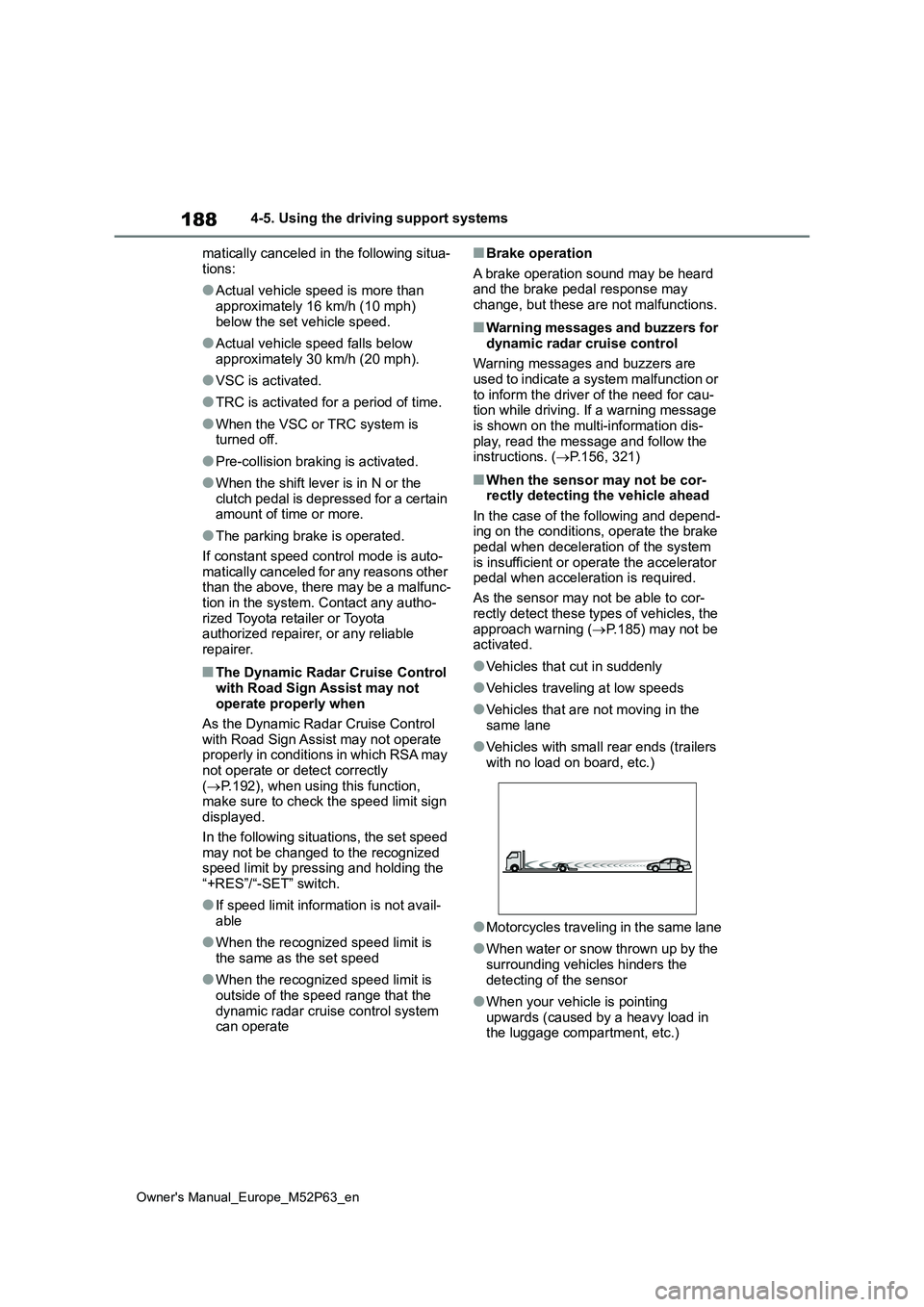
●Vehicles with small rear ends (trailers
with no load on board, etc.)
●Motorcycles traveling in the same lane
●When water or snow thrown up by the surrounding vehicles hinders the
detecting of the sensor
●When your vehicle is pointing
upwards (caused by a heavy load in the luggage compartment, etc.)
Page 201 of 470
199
4
Owner's Manual_Europe_M52P63_en
4-5. Using the driving support systems
Driving
*: If equipped
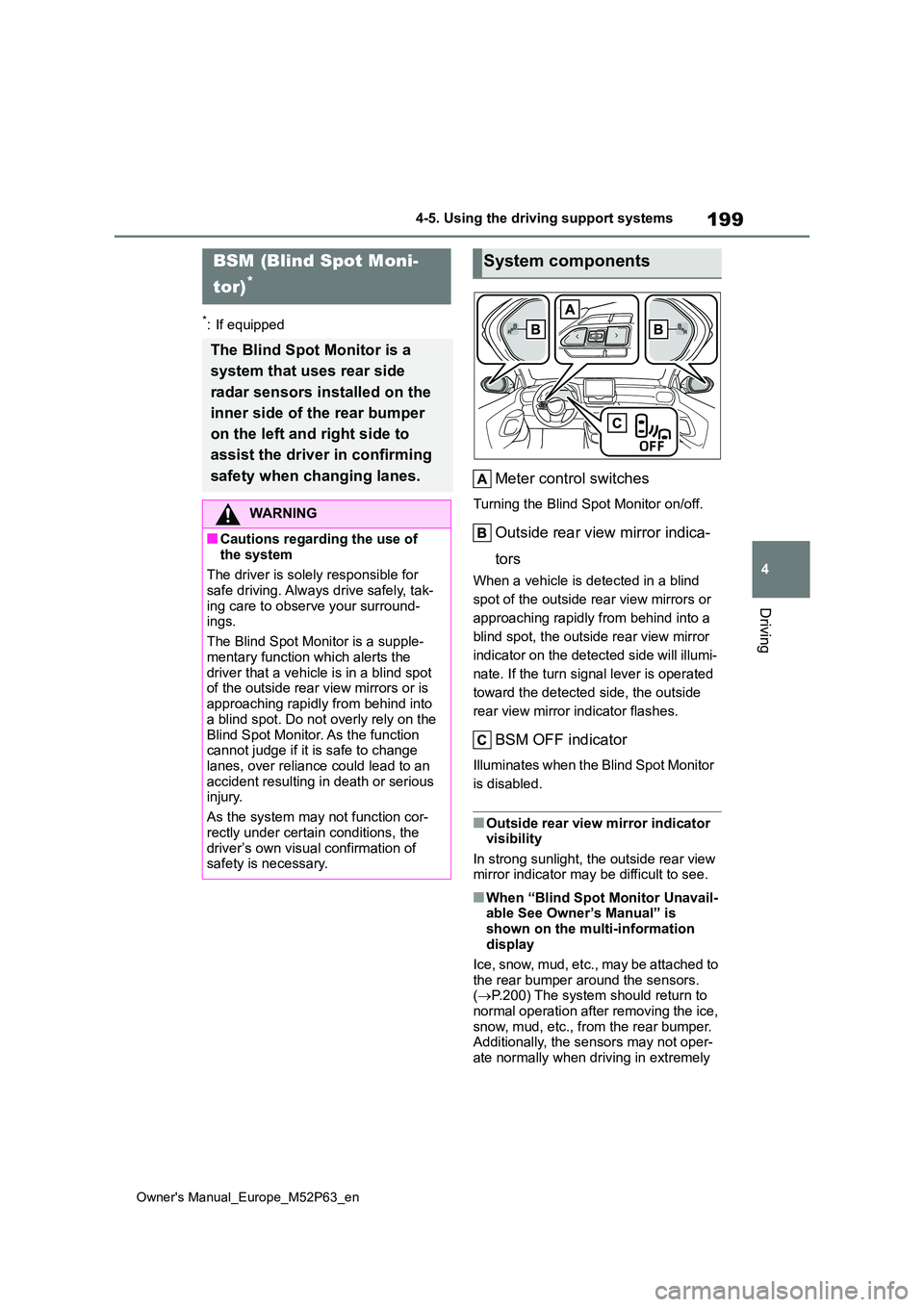
Meter control switches
Turning the Blind Spot Monitor on/off.
Outside rear view mirror indica-
tors
When a vehicle is detected in a blind
spot of the outside rear view mirrors or
approaching rapidly from behind into a
blind spot, the outside rear view mirror
indicator on the detected side will illumi-
nate. If the turn signal lever is operated
toward the detected side, the outside
rear view mirror indicator flashes.
BSM OFF indicator
Illuminates when the Blind Spot Monitor
is disabled.
■Outside rear view mirror indicator visibility
In strong sunlight, the outside rear view mirror indicator may be difficult to see.
■When “Blind Spot Monitor Unavail-able See Owner’s Manual” is
shown on the multi-information display
Ice, snow, mud, etc., may be attached to
the rear bumper around the sensors. ( P.200) The system should return to normal operation after removing the ice,
snow, mud, etc., from the rear bumper. Additionally, the sensors may not oper-ate normally when driving in extremely
BSM (Blind Spot Moni-
tor)*
The Blind Spot Monitor is a
system that uses rear side
radar sensors installed on the
inner side of the rear bumper
on the left and right side to
assist the driver in confirming
safety when changing lanes.
WARNING
■Cautions regarding the use of
the system
The driver is solely responsible for safe driving. Always drive safely, tak-
ing care to observe your surround- ings.
The Blind Spot Monitor is a supple-
mentary function which alerts the driver that a vehicle is in a blind spot of the outside rear view mirrors or is
approaching rapidly from behind into a blind spot. Do not overly rely on the
Blind Spot Monitor. As the function cannot judge if it is safe to change lanes, over reliance could lead to an
accident resulting in death or serious injury.
As the system may not function cor-
rectly under certain conditions, the driver’s own visual confirmation of safety is necessary.
System components
Page 202 of 470
200
Owner's Manual_Europe_M52P63_en
4-5. Using the driving support systems
hot or cold environments.
■When “Blind Spot Monitor Malfunc-
tion Visit Your Dealer” is shown on the multi-information display
There may be a sensor malfunction of
misaligned. Have the vehicle inspected by any authorized Toyota retailer or Toyota authorized repairer, or any reli-
able repairer.
■Customization
Some functions can be customized. ( P.359)
■Certifications for the Blind Spot
Monitor
P. 4 3 3
WARNING
■To ensure the system can oper-
ate properly
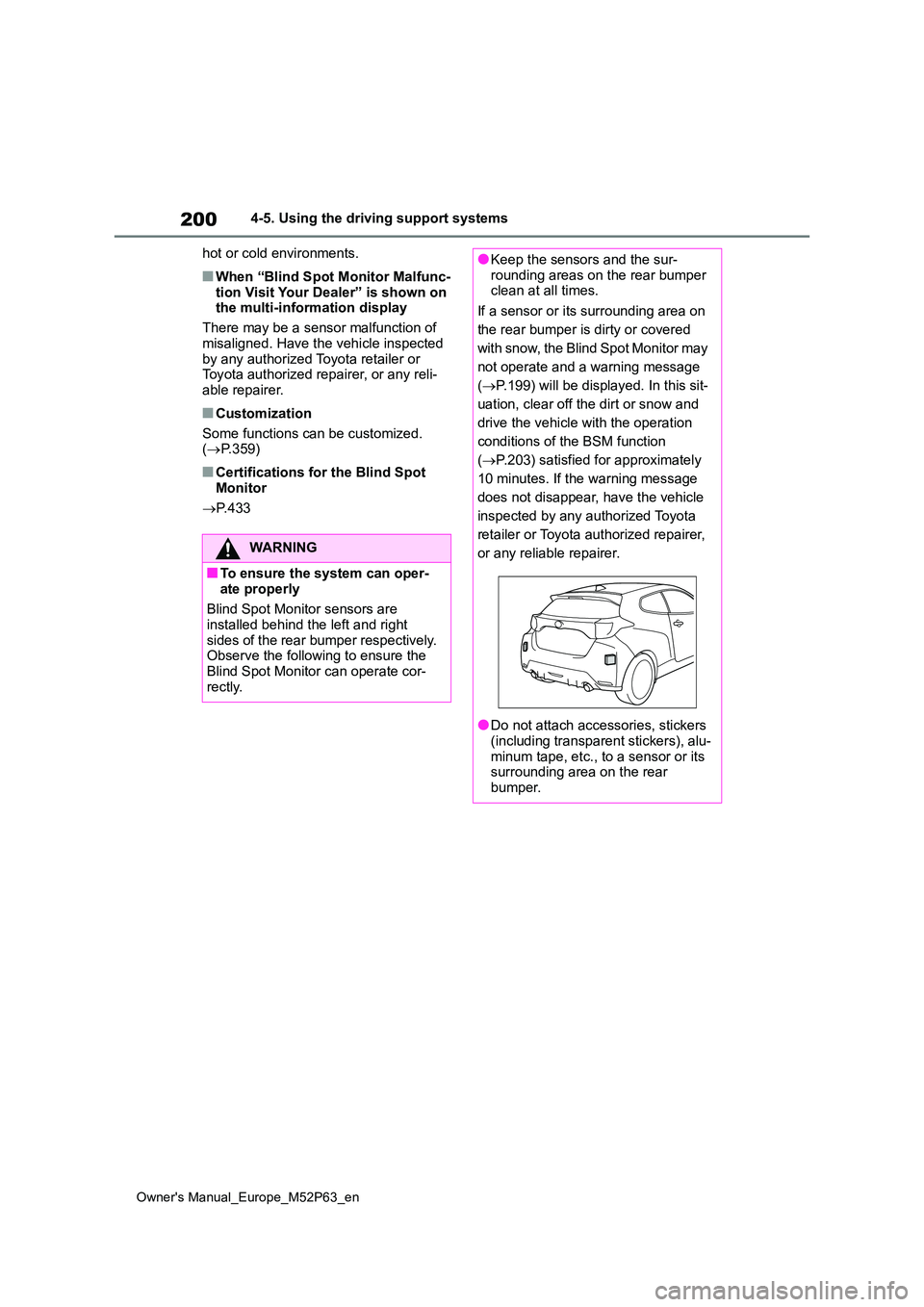
Blind Spot Monitor sensors are installed behind the left and right
sides of the rear bumper respectively. Observe the following to ensure the Blind Spot Monitor can operate cor-
rectly.
●Keep the sensors and the sur- rounding areas on the rear bumper clean at all times.
If a sensor or its surrounding area on
the rear bumper is dirty or covered
with snow, the Blind Spot Monitor may
not operate and a warning message
( P.199) will be displayed. In this sit-
uation, clear off the dirt or snow and
drive the vehicle with the operation
conditions of the BSM function
( P.203) satisfied for approximately
10 minutes. If the warning message
does not disappear, have the vehicle
inspected by any authorized Toyota
retailer or Toyota authorized repairer,
or any reliable repairer.
●Do not attach accessories, stickers (including transparent stickers), alu-
minum tape, etc., to a sensor or its surrounding area on the rear bumper.
Page 207 of 470
205
4
Owner's Manual_Europe_M52P63_en
4-5. Using the driving support systems
Driving
tance to the object.
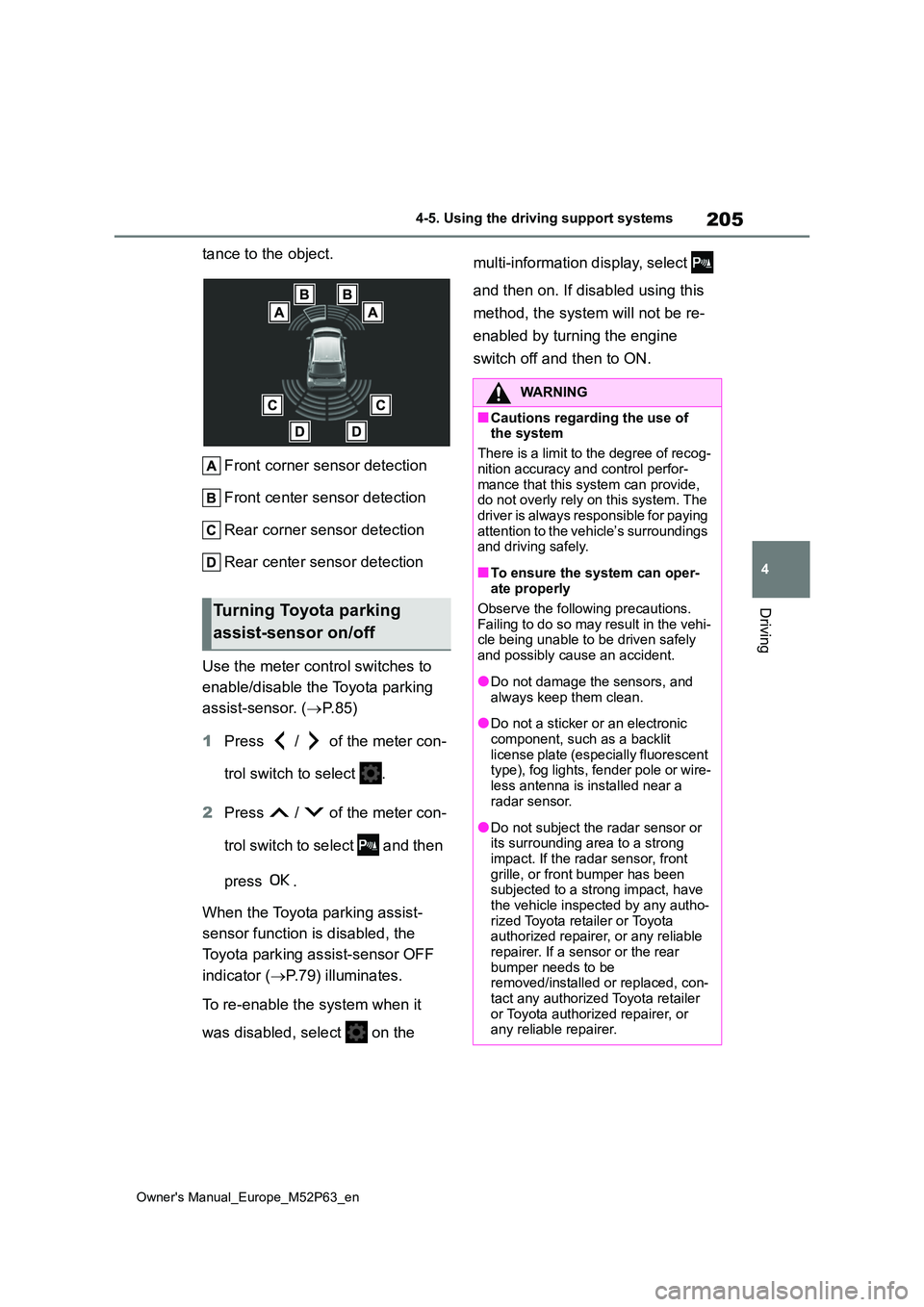
Front corner sensor detection
Front center sensor detection
Rear corner sensor detection
Rear center sensor detection
Use the meter control switches to
enable/disable the Toyota parking
assist-sensor. ( P. 8 5 )
1 Press / of the meter con-
trol switch to select .
2 Press / of the meter con-
trol switch to select and then
press .
When the Toyota parking assist-
sensor function is disabled, the
Toyota parking assist-sensor OFF
indicator ( P.79) illuminates.
To re-enable the system when it
was disabled, select on the
multi-information display, select
and then on. If disabled using this
method, the system will not be re-
enabled by turning the engine
switch off and then to ON.
Turning Toyota parking
assist-sensor on/off
WARNING
■Cautions regarding the use of the system
There is a limit to the degree of recog-
nition accuracy and control perfor- mance that this system can provide, do not overly rely on this system. The
driver is always responsible for paying attention to the vehicle’s surroundings and driving safely.
■To ensure the system can oper-ate properly
Observe the following precautions. Failing to do so may result in the vehi-cle being unable to be driven safely
and possibly cause an accident.
●Do not damage the sensors, and
always keep them clean.
●Do not a sticker or an electronic
component, such as a backlit license plate (especially fluorescent type), fog lights, fender pole or wire-
less antenna is installed near a radar sensor.
●Do not subject the radar sensor or its surrounding area to a strong
impact. If the radar sensor, front grille, or front bumper has been subjected to a strong impact, have
the vehicle inspected by any autho- rized Toyota retailer or Toyota authorized repairer, or any reliable
repairer. If a sensor or the rear bumper needs to be removed/installed or replaced, con-
tact any authorized Toyota retailer or Toyota authorized repairer, or any reliable repairer.
Page 209 of 470
207
4
Owner's Manual_Europe_M52P63_en
4-5. Using the driving support systems
Driving
●Sharply-angled objects
●Low objects
●Tall objects with upper sections pro- jecting outwards in the direction of your vehicle
■Situations in which the system may
not operate properly
Certain vehicle conditions and the sur- rounding environment may affect the
ability of a sensor to correctly detect objects. Particular instances where this may occur are listed below.
●There is dirt, snow, water drops or ice on a sensor. (Cleaning the sensors
will resolve this problem.)
●A sensor is frozen. (Thawing the area
will resolve this problem.) In especially cold weather, if a sensor is frozen the sensor display may be
displayed abnormally, or objects, such as a wall, may not be detected.
●When a sensor or the area around a sensor is extremely hot or cold.
●On an extremely bumpy road, on an incline, on gravel, or on grass.
●When vehicle horns, vehicle detec-tors, motorcycle engines, air brakes of large vehicles, the clearance sonar of
other vehicles or other devices which produce ultrasonic waves are near the vehicle
●A sensor is coated with a sheet of spray or heavy rain.
●If objects draw too close to the sensor.
●Pedestrians that are hard to reflect ultrasonic waves (ex. skirts with gath-ers or frills).
●When objects that are not perpendicu-
lar to the ground, not perpendicular to
the vehicle traveling direction, uneven, or waving are in the detection range.
●Strong wind is blowing
●When driving in inclement weather such as fog, snow or a sandstorm
●When an object that cannot be detected is between the vehicle and a detected object
●If an object such as a vehicle, motor-cycle, bicycle or pedestrian cuts in
front of the vehicle or runs out from the side of the vehicle
●If the orientation of a sensor has been changed due to a collision or other impact
●When equipment that may obstruct a sensor is installed, such as a towing
eyelet, bumper protector (an addi- tional trim strip, etc.), bicycle carrier, or snow plow
●If the front of the vehicle is raised or lowered due to the carried load
●If the vehicle cannot be driven in a stable manner, such as when the
vehicle has been in an accident or is malfunctioning
●When a tire chains, compact spare tire or an emergency tire puncture repair kit is used
■Situations in which the system may
operate even if there is no possibil- ity of a collision
In some situations, such as the follow-
ing, the system may operate even though there is no possibility of a colli-sion.
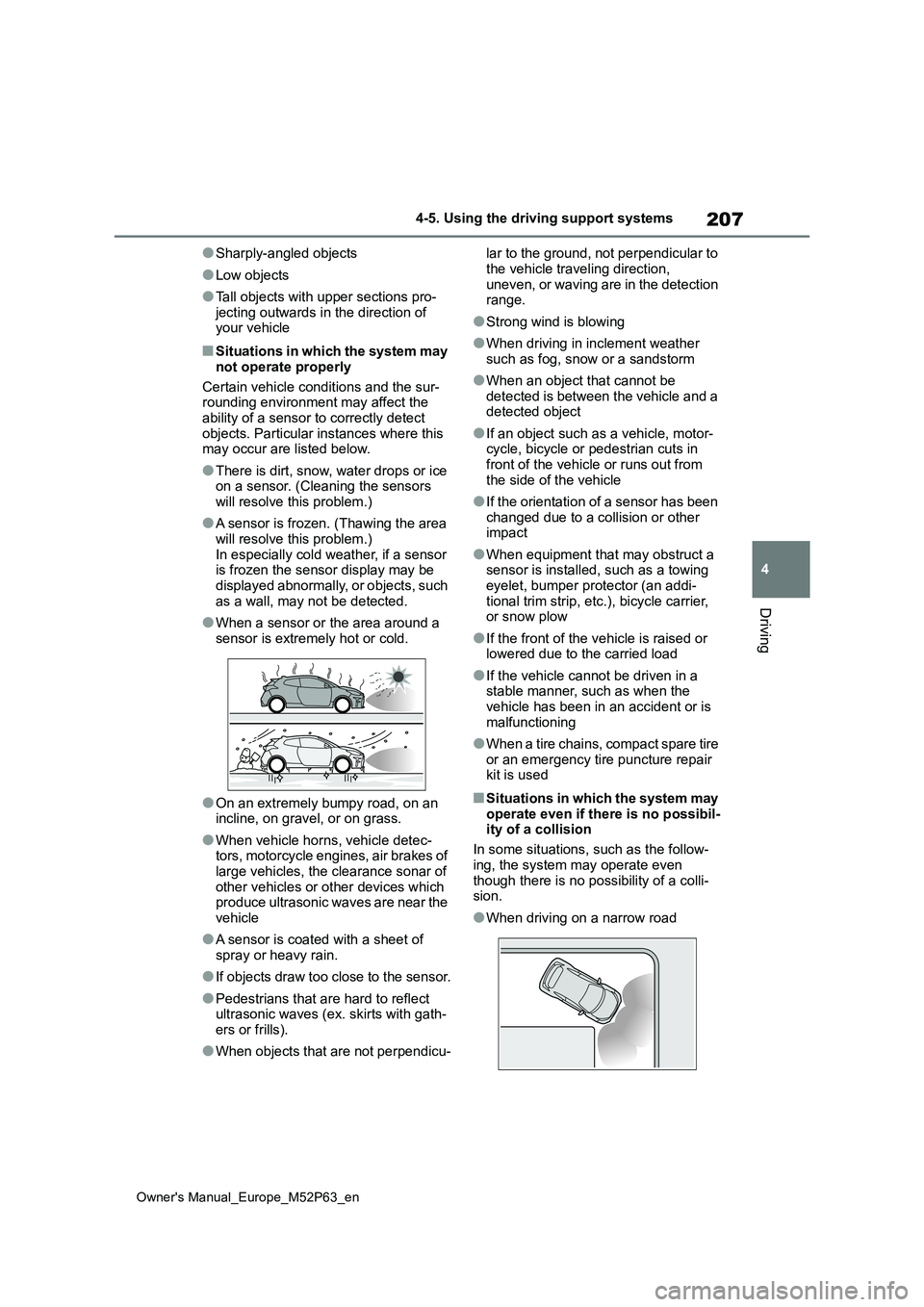
●When driving on a narrow road
Page 212 of 470
210
Owner's Manual_Europe_M52P63_en
4-5. Using the driving support systems
buzzer, press .
The buzzers for the Toyota parking
assist-sensor and RCTA function (if
equipped) will be muted simultane-
ously.
Mute will be canceled automatically
in the following situations:
When the shift lever is changed.
When the vehicle speed exceeds
a certain speed.
When there is a malfunction in a
sensor or the system is tempo-
rarily unavailable.
When the operating function is
disabled manually.
When the engine switch is turned
off.
*: If equipped
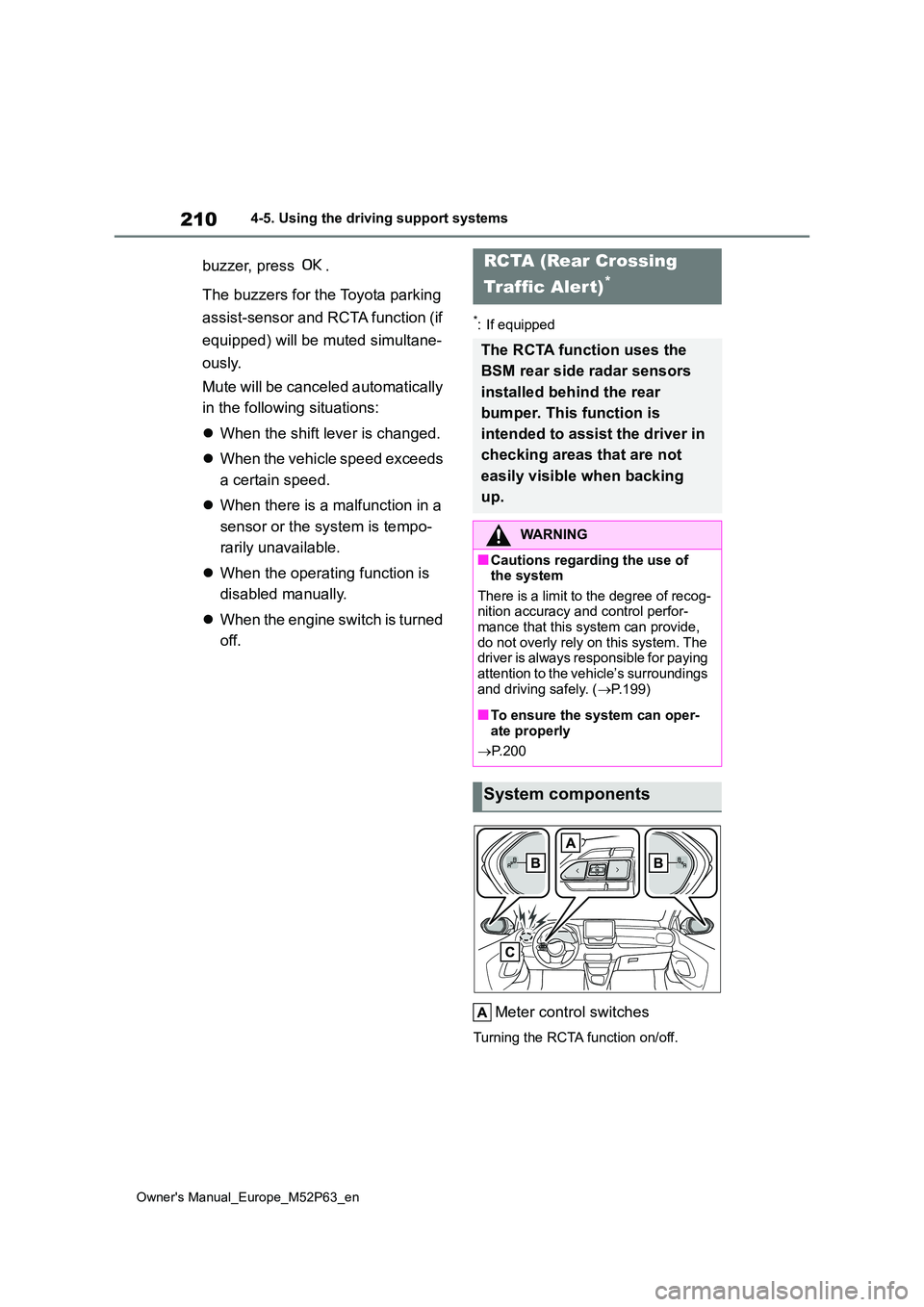
Meter control switches
Turning the RCTA function on/off.
RCTA (Rear Crossing
Traffic Alert)*
The RCTA function uses the
BSM rear side radar sensors
installed behind the rear
bumper. This function is
intended to assist the driver in
checking areas that are not
easily visible when backing
up.
WARNING
■Cautions regarding the use of the system
There is a limit to the degree of recog- nition accuracy and control perfor-mance that this system can provide,
do not overly rely on this system. The driver is always responsible for paying attention to the vehicle’s surroundings
and driving safely. ( P.199)
■To ensure the system can oper-
ate properly
P. 2 0 0
System components
Page 219 of 470
217
4
Owner's Manual_Europe_M52P63_en
4-5. Using the driving support systems
Driving
authorized Toyota retailer or Toyota
authorized repairer, or any reliable repairer immediately.
■ABS (Anti-lock Brake System)
Helps to prevent wheel lock when
the brakes are applied suddenly, or
if the brakes are applied while driv-
ing on a slippery road surface
■Brake assist
Generates an increased level of
braking force after the brake pedal
is depressed when the system
detects a panic stop situation
■VSC (Vehicle Stability Control)
Helps the driver to control skidding
when swerving suddenly or turning
on slippery road surfaces.
■VSC+ (Vehicle Stability Con-
trol+)
Provides cooperative control of the
ABS, TRC, VSC and EPS.
Helps to maintain directional stabil-
ity when swerving on slippery road
surfaces by controlling steering per-
formance.
NOTICE
■To prevent the GPF system from
not operating properly
●Do not use fuel other than the spec- ified type
●Do not modify the exhaust pipes
Driving assist systems
To keep driving safety and per-
formance, the following sys-
tems operate automatically in
response to various driving sit-
uations. Be aware, however,
that these systems are supple-
mentary and should not be
relied upon too heavily when
operating the vehicle.
Summary of the driving
assist systems
Page 224 of 470
222
Owner's Manual_Europe_M52P63_en
4-5. Using the driving support systems
*: After stopping the vehicle, do not stop the engine until the display message has
turned off.
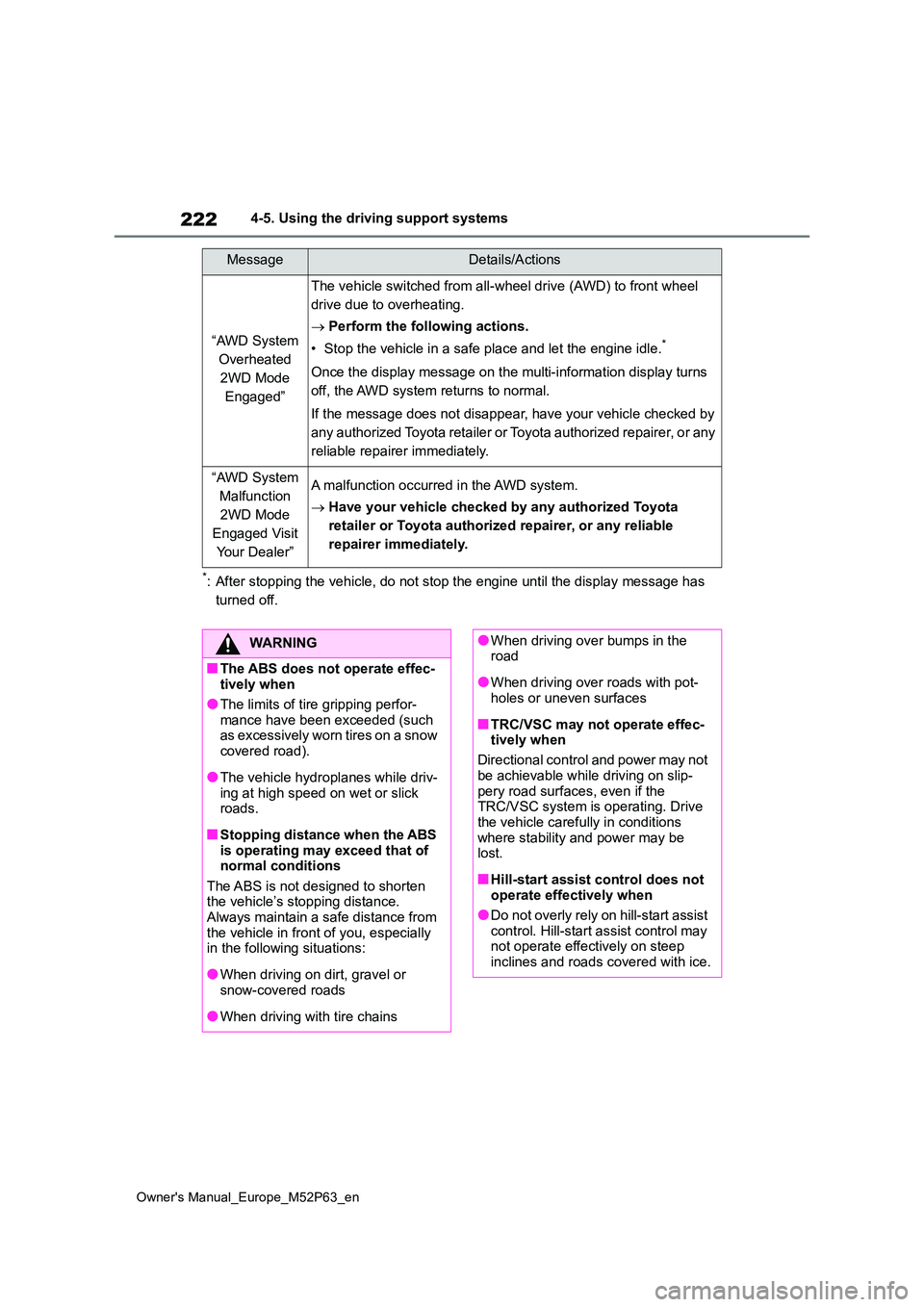
“AWD System
Overheated
2WD Mode
Engaged”
The vehicle switched from all-wheel drive (AWD) to front wheel
drive due to overheating.
Perform the following actions.
• Stop the vehicle in a safe place and let the engine idle.*
Once the display message on the multi-information display turns
off, the AWD system returns to normal.
If the message does not disappear, have your vehicle checked by
any authorized Toyota retailer or Toyota authorized repairer, o r any
reliable repairer immediately.
“AWD System
Malfunction
2WD Mode
Engaged Visit
Yo u r D e a l e r ”
A malfunction occurred in the AWD system.
Have your vehicle checked by any authorized Toyota
retailer or Toyota authorized repairer, or any reliable
repairer immediately.
MessageDetails/Actions
WARNING
■The ABS does not operate effec- tively when
●The limits of tire gripping perfor-mance have been exceeded (such as excessively worn tires on a snow
covered road).
●The vehicle hydroplanes while driv-
ing at high speed on wet or slick roads.
■Stopping distance when the ABS is operating may exceed that of normal conditions
The ABS is not designed to shorten the vehicle’s stopping distance. Always maintain a safe distance from
the vehicle in front of you, especially in the following situations:
●When driving on dirt, gravel or snow-covered roads
●When driving with tire chains
●When driving over bumps in the road
●When driving over roads with pot-holes or uneven surfaces
■TRC/VSC may not operate effec-tively when
Directional control and power may not
be achievable while driving on slip- pery road surfaces, even if the TRC/VSC system is operating. Drive
the vehicle carefully in conditions where stability and power may be lost.
■Hill-start assist control does not operate effectively when
●Do not overly rely on hill-start assist control. Hill-start assist control may not operate effectively on steep
inclines and roads covered with ice.
Page 225 of 470
223
4
Owner's Manual_Europe_M52P63_en
4-5. Using the driving support systems
Driving
WARNING
●Unlike the parking brake, hill-start assist control is not intended to hold
the vehicle stationary for an extended period of time. Do not attempt to use hill-start assist con-
trol to hold the vehicle on an incline, as doing so may lead to an acci-dent.
■When the TRC/VSC is activated
The slip indicator light flashes. Always
drive carefully. Reckless driving may cause an accident. Exercise particular care when the indicator light flashes.
■When the TRC/VSC systems are turned off
Be especially careful and drive at a speed appropriate to the road condi-tions. As these are the systems to
help ensure vehicle stability and driv- ing force, do not turn the TRC/VSC systems off unless necessary.
■Expert mode precautions
●Do not use on public roads.
●Use only when the road conditions and safely of the surrounding area
can be ensured.
●Proper use of expert mode requires
a professional level of driving skill. When using expert mode, always check the road conditions and sur-
rounding area and drive more care- fully than usual.
■Replacing tires
Make sure that all tires are of the specified size, brand, tread pattern
and total load capacity. In addition, make sure that the tires are inflated to the recommended tire inflation pres-
sure level. The ABS, TRC and VSC systems will not function correctly if different tires
are installed on the vehicle. Contact any authorized Toyota retailer or Toyota authorized repairer, or any
reliable repairer for further information when replacing tires or wheels.
■Handling of tires and the suspen-sion
Using tires with any kind of problem
or modifying the suspension will affect the driving assist systems, and may cause a system to malfunction.
■Secondary Collision Brake (if equipped)
Do not rely solely upon the Secondary Collision Brake. This system is designed to help reduce the possibil-
ity of further damage due to a second- ary collision, however, that effect changes according to various condi-
tions. Overly relying on the system may result in death or serious injury.
■Active Torque Split AWD system
●The Active Torque Split AWD sys-tem is designed to ensure driving
stability on general roads and not for off-road driving such as for rally-ing. Do not subject the system to
extreme driving conditions.
●Drive carefully on slippery road sur-
faces.