park assist TOYOTA GR YARIS 2022 Owners Manual
[x] Cancel search | Manufacturer: TOYOTA, Model Year: 2022, Model line: GR YARIS, Model: TOYOTA GR YARIS 2022Pages: 470, PDF Size: 113.17 MB
Page 4 of 470
2
Owner's Manual_Europe_M52P63_en
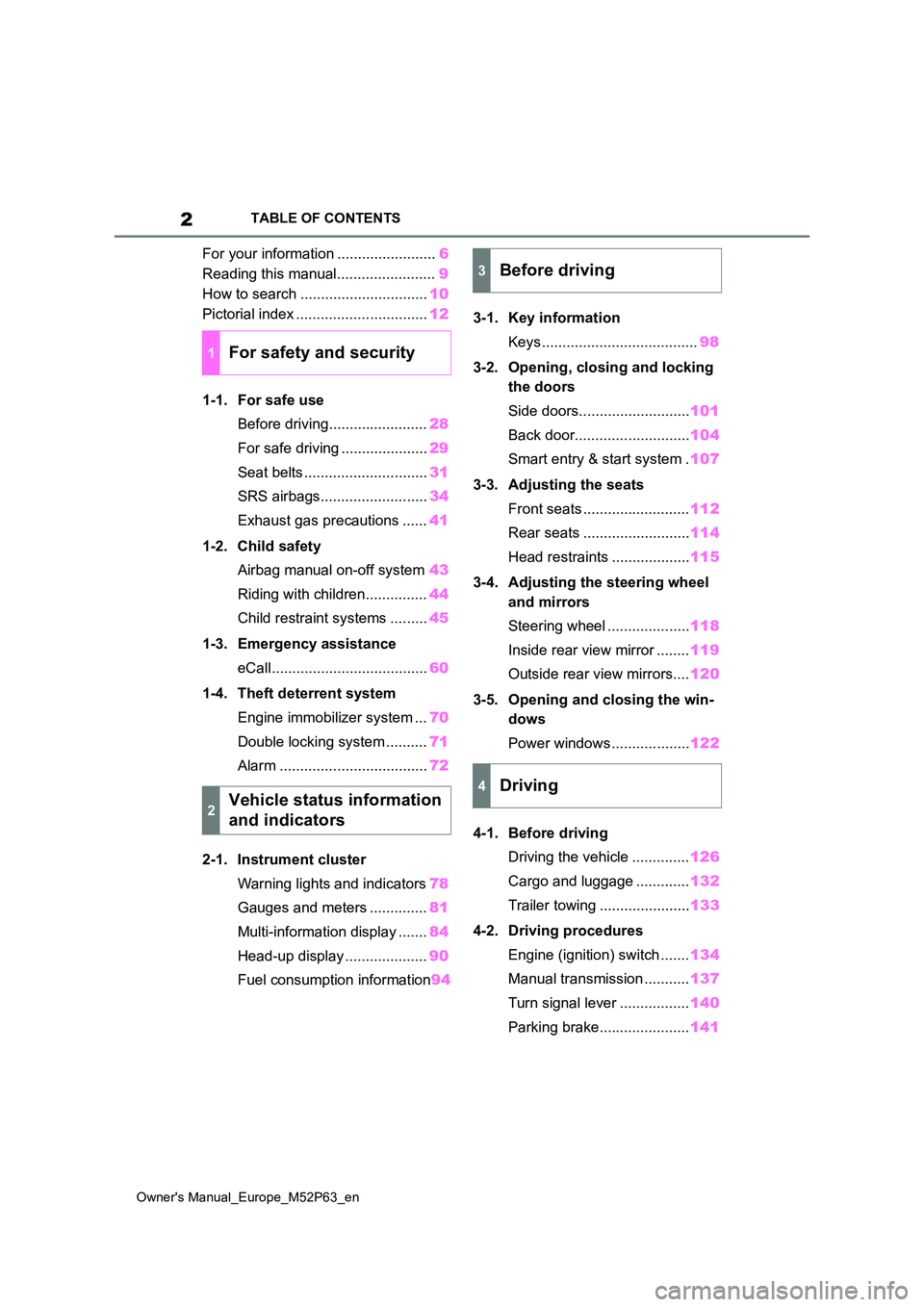
TABLE OF CONTENTS
For your information ........................6
Reading this manual........................ 9
How to search ............................... 10
Pictorial index ................................ 12
1-1. For safe use
Before driving........................ 28
For safe driving ..................... 29
Seat belts .............................. 31
SRS airbags.......................... 34
Exhaust gas precautions ...... 41
1-2. Child safety
Airbag manual on-off system 43
Riding with children............... 44
Child restraint systems ......... 45
1-3. Emergency assistance
eCall...................................... 60
1-4. Theft deterrent system
Engine immobilizer system ... 70
Double locking system .......... 71
Alarm .................................... 72
2-1. Instrument cluster
Warning lights and indicators 78
Gauges and meters .............. 81
Multi-information display ....... 84
Head-up display .................... 90
Fuel consumption information 94
3-1. Key information
Keys ...................................... 98
3-2. Opening, closing and locking
the doors
Side doors........................... 101
Back door............................ 104
Smart entry & start system . 107
3-3. Adjusting the seats
Front seats .......................... 112
Rear seats .......................... 114
Head restraints ................... 115
3-4. Adjusting the steering wheel
and mirrors
Steering wheel .................... 118
Inside rear view mirror ........ 119
Outside rear view mirrors.... 120
3-5. Opening and closing the win-
dows
Power windows ................... 122
4-1. Before driving
Driving the vehicle .............. 126
Cargo and luggage ............. 132
Trailer towing ...................... 133
4-2. Driving procedures
Engine (ignition) switch ....... 134
Manual transmission ........... 137
Turn signal lever ................. 140
Parking brake...................... 141
1For safety and security
2Vehicle status information
and indicators
3Before driving
4Driving
Page 5 of 470
3
Owner's Manual_Europe_M52P63_en
TABLE OF CONTENTS
1
6
5
4
3
2
8
7
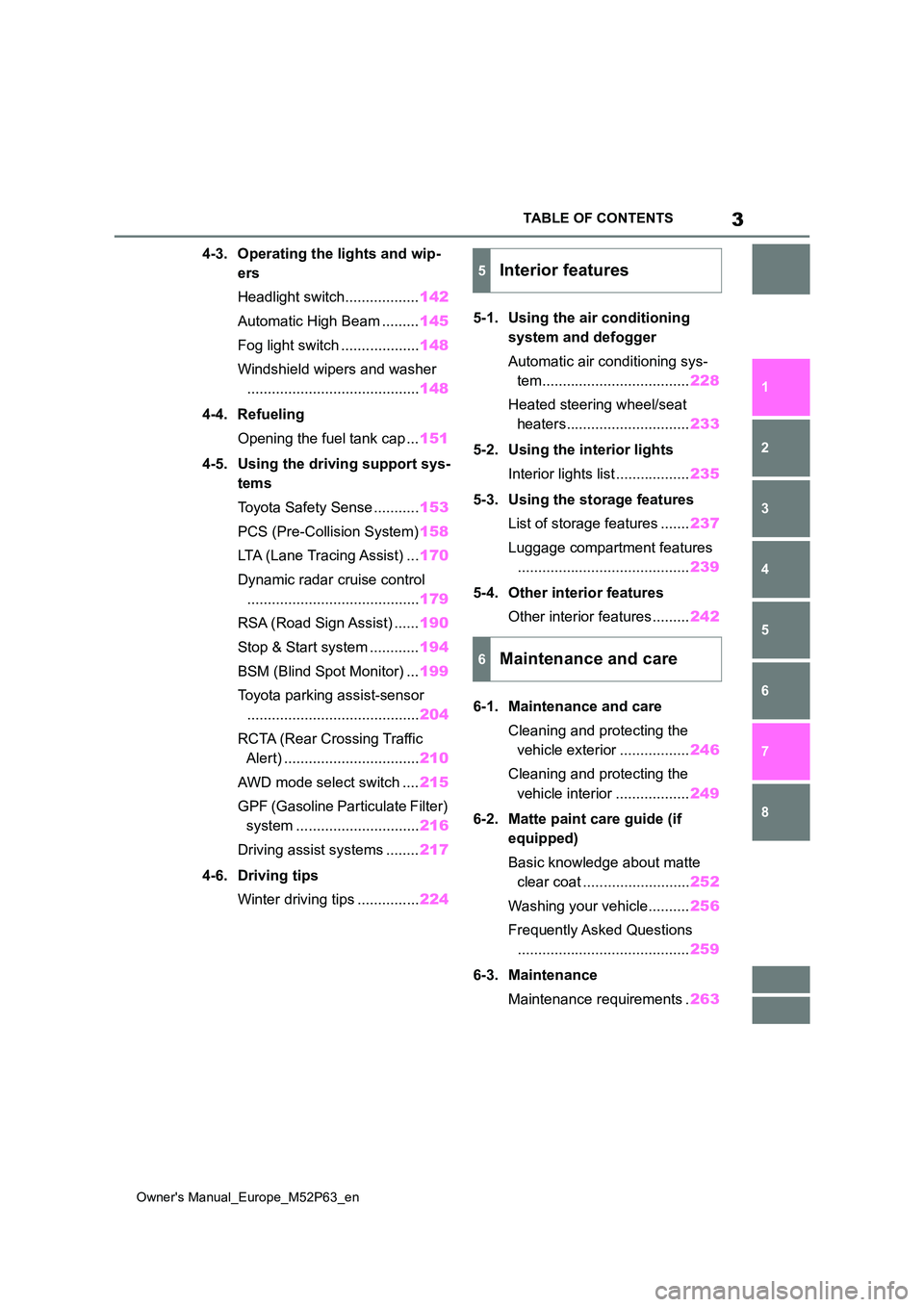
4-3. Operating the lights and wip-
ers
Headlight switch.................. 142
Automatic High Beam ......... 145
Fog light switch ................... 148
Windshield wipers and washer
.......................................... 148
4-4. Refueling
Opening the fuel tank cap ... 151
4-5. Using the driving support sys-
tems
Toyota Safety Sense ........... 153
PCS (Pre-Collision System) 158
LTA (Lane Tracing Assist) ... 170
Dynamic radar cruise control
.......................................... 179
RSA (Road Sign Assist) ...... 190
Stop & Start system ............ 194
BSM (Blind Spot Monitor) ... 199
Toyota parking assist-sensor
.......................................... 204
RCTA (Rear Crossing Traffic
Alert) ................................. 210
AWD mode select switch .... 215
GPF (Gasoline Particulate Filter)
system .............................. 216
Driving assist systems ........ 217
4-6. Driving tips
Winter driving tips ............... 224
5-1. Using the air conditioning
system and defogger
Automatic air conditioning sys-
tem.................................... 228
Heated steering wheel/seat
heaters.............................. 233
5-2. Using the interior lights
Interior lights list .................. 235
5-3. Using the storage features
List of storage features ....... 237
Luggage compartment features
.......................................... 239
5-4. Other interior features
Other interior features ......... 242
6-1. Maintenance and care
Cleaning and protecting the
vehicle exterior ................. 246
Cleaning and protecting the
vehicle interior .................. 249
6-2. Matte paint care guide (if
equipped)
Basic knowledge about matte
clear coat .......................... 252
Washing your vehicle.......... 256
Frequently Asked Questions
.......................................... 259
6-3. Maintenance
Maintenance requirements . 263
5Interior features
6Maintenance and care
Page 38 of 470
36
Owner's Manual_Europe_M52P63_en
1-1. For safe use
toxic gas to help restrain the motion of the occupants.
■If the SRS airbags deploy (inflate)
●Slight abrasions, burns, bruising etc., may be sustained from SRS airbags,
due to the extremely high speed deployment (inflation) by hot gases.
●A loud noise and white powder will be emitted.
●Parts of the airbag module (steering wheel hub, airbag cover and inflator) as well as the front seats, parts of the
front and rear pillars, and roof side rails, may be hot for several minutes. The airbag itself may also be hot.
●The windshield may crack.
●The brakes and stop lights will be con-trolled automatically. ( P.218)
●The interior lights will turn on automat- ically. ( P.236)
●The emergency flashers will turn on automatically. ( P.304)
●Fuel supply to the engine will be stopped. ( P.312)
●Vehicles with eCall: If any of the fol-
lowing situations occur, the system is
designed to send an emergency call*
to the eCall control center, notifying them of the vehicle’s location (without needing to push the “SOS” button)
and an agent will attempt to speak with the occupants to ascertain the
level of emergency and assistance required. If the occupants are unable to communicate, the agent automati-
cally treats the call as an emergency and helps to dispatch the necessary emergency services. ( P.60)
• An SRS airbag is deployed. • A seat belt pretensioner is activated.• The vehicle is involved in a severe
rear-end collision.*: In some cases, the call cannot be
made. ( P. 6 2 )
■SRS airbag deployment conditions
(SRS front airbags)
●The SRS front airbags will deploy in
the event of an impact that exceeds the set threshold level (the level of force corresponding to an approxi-
mately 20 - 30 km/h [12 - 18 mph] frontal collision with a fixed wall that does not move or deform).
However, this threshold velocity will be considerably higher in the following situ-
ations: • If the vehicle strikes an object, such as a parked vehicle or sign pole,
which can move or deform on impact • If the vehicle is involved in an under-ride collision, such as a collision in
which the front of the vehicle “under- rides”, or goes under, the bed of a truck
●Depending on the type of collision, it is possible that only the seat belt
pretensioners will activate.
■SRS airbag deployment conditions (SRS side and curtain shield air-bags)
●The SRS side and curtain shield air-bags will deploy in the event of an
impact that exceeds the set threshold level (the level of force corresponding to the impact force produced by an
approximately 1500 kg [3300 lb.] vehi- cle colliding with the vehicle cabin from a direction perpendicular to the
vehicle orientation at an approximate speed of 20 - 30 km/h [12 - 18 mph]).
●Both SRS curtain shield airbags may also deploy in the event of a severe frontal collision.
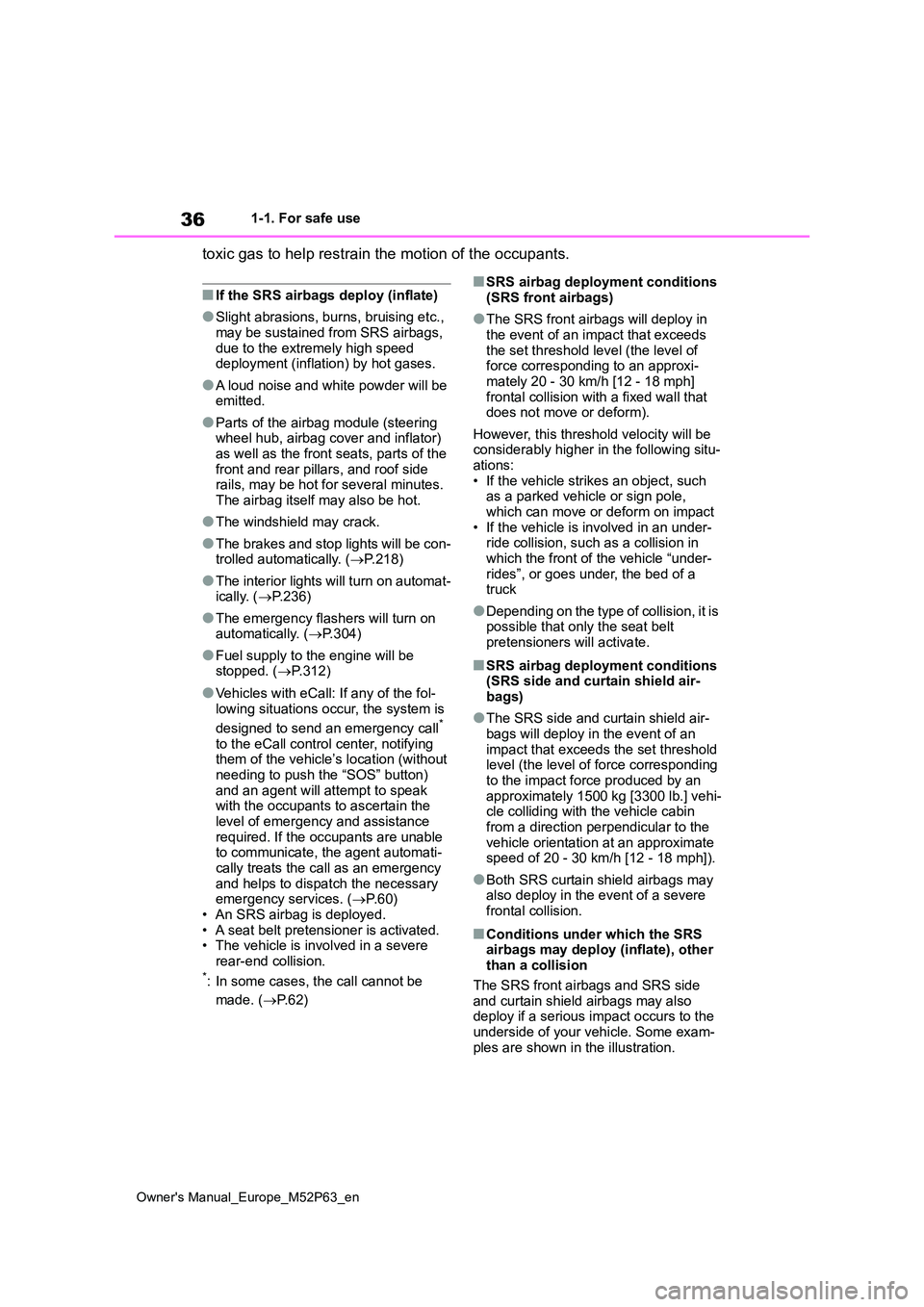
■Conditions under which the SRS airbags may deploy (inflate), other than a collision
The SRS front airbags and SRS side and curtain shield airbags may also deploy if a serious impact occurs to the
underside of your vehicle. Some exam- ples are shown in the illustration.
Page 81 of 470
79
2
Owner's Manual_Europe_M52P63_en
2-1. Instrument cluster
Vehicle status information and indicators
*1: These lights come on when the
engine switch is turned to ON to indi-
cate that a system check is being
performed. They will turn off after the
engine is started, or after a few sec-
onds. There may be a malfunction in
a system if the lights do not come
on, or turn off. Have the vehicle
inspected by any authorized Toyota
retailer or Toyota authorized repairer,
or any reliable repairer.
*2: This light illuminates on the multi-
information display.
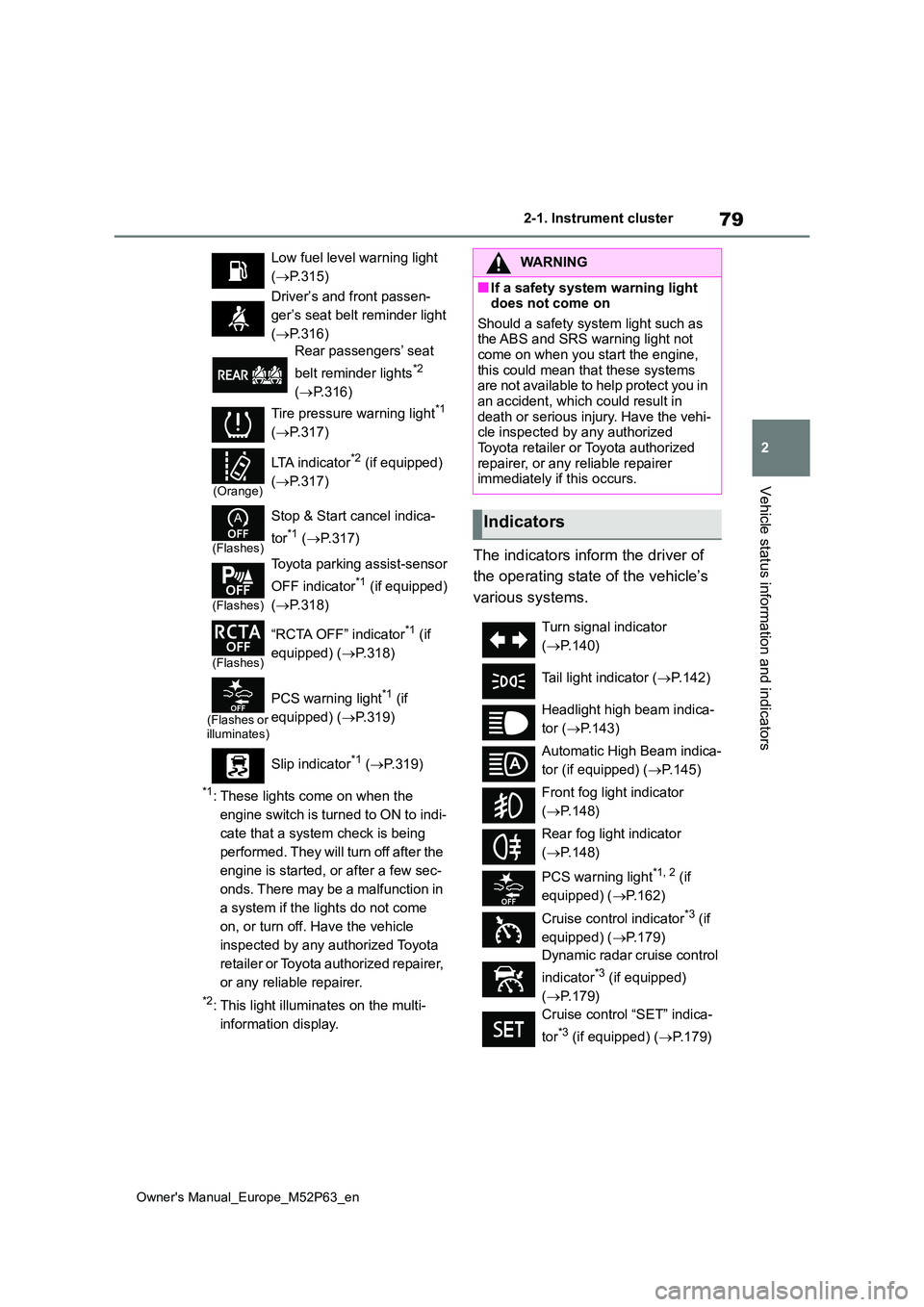
The indicators inform the driver of
the operating state of the vehicle’s
various systems.
Low fuel level warning light
( P.315)
Driver’s and front passen-
ger’s seat belt reminder light
( P.316)
Rear passengers’ seat
belt reminder lights*2
( P.316)
Tire pressure warning light*1
( P.317)
(Orange)
LTA indicator*2 (if equipped)
( P.317)
(Flashes)
Stop & Start cancel indica-
tor*1 ( P.317)
(Flashes)
Toyota parking assist-sensor
OFF indicator*1 (if equipped)
( P.318)
(Flashes)
“RCTA OFF” indicator*1 (if
equipped) ( P.318)
(Flashes or illuminates)
PCS warning light*1 (if
equipped) ( P.319)
Slip indicator*1 ( P.319)
WARNING
■If a safety system warning light does not come on
Should a safety system light such as the ABS and SRS warning light not come on when you start the engine,
this could mean that these systems are not available to help protect you in an accident, which could result in
death or serious injury. Have the vehi- cle inspected by any authorized Toyota retailer or Toyota authorized
repairer, or any reliable repairer immediately if this occurs.
Indicators
Turn signal indicator
( P.140)
Tail light indicator ( P.142)
Headlight high beam indica-
tor ( P.143)
Automatic High Beam indica-
tor (if equipped) ( P.145)
Front fog light indicator
( P.148)
Rear fog light indicator
( P.148)
PCS warning light*1, 2 (if
equipped) ( P.162)
Cruise control indicator*3 (if
equipped) ( P.179)
Dynamic radar cruise control
indicator*3 (if equipped)
( P.179)
Cruise control “SET” indica-
tor*3 (if equipped) ( P.179)
Page 82 of 470
80
Owner's Manual_Europe_M52P63_en
2-1. Instrument cluster
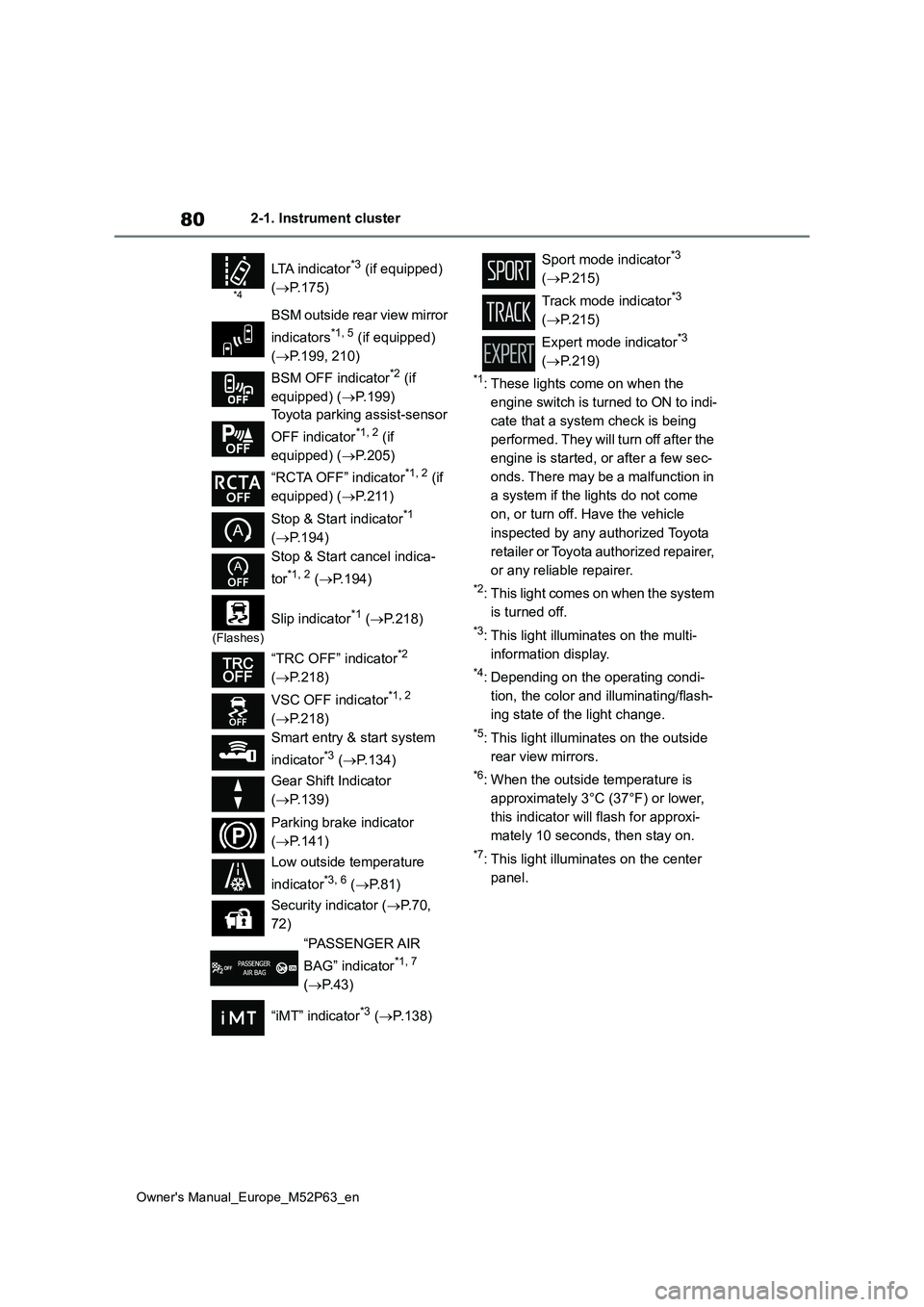
*1: These lights come on when the
engine switch is turned to ON to indi-
cate that a system check is being
performed. They will turn off after the
engine is started, or after a few sec-
onds. There may be a malfunction in
a system if the lights do not come
on, or turn off. Have the vehicle
inspected by any authorized Toyota
retailer or Toyota authorized repairer,
or any reliable repairer.
*2: This light comes on when the system
is turned off.
*3: This light illuminates on the multi-
information display.
*4: Depending on the operating condi-
tion, the color and illuminating/flash-
ing state of the light change.
*5: This light illuminates on the outside
rear view mirrors.
*6: When the outside temperature is
approximately 3°C (37°F) or lower,
this indicator will flash for approxi-
mately 10 seconds, then stay on.
*7: This light illuminates on the center
panel.
*4
LTA indicator*3 (if equipped)
( P.175)
BSM outside rear view mirror
indicators*1, 5 (if equipped)
( P.199, 210)
BSM OFF indicator*2 (if
equipped) ( P.199)
Toyota parking assist-sensor
OFF indicator*1, 2 (if
equipped) ( P.205)
“RCTA OFF” indicator*1, 2 (if
equipped) ( P. 2 1 1 )
Stop & Start indicator*1
( P.194)
Stop & Start cancel indica-
tor*1, 2 ( P.194)
(Flashes)
Slip indicator*1 (P.218)
“TRC OFF” indicator*2
( P.218)
VSC OFF indicator*1, 2
( P.218)
Smart entry & start system
indicator*3 ( P.134)
Gear Shift Indicator
( P.139)
Parking brake indicator
( P.141)
Low outside temperature
indicator*3, 6 ( P. 8 1 )
Security indicator ( P. 7 0 ,
72)
“PASSENGER AIR
BAG” indicator*1, 7
( P.43)
“iMT” indicator*3 ( P.138)
Sport mode indicator*3
( P.215)
Track mode indicator*3
( P.215)
Expert mode indicator*3
( P.219)
Page 94 of 470
92
Owner's Manual_Europe_M52P63_en
2-1. Instrument cluster
■Enabling/disabling of the head-up display
If the head-up display is disabled, it will remain disabled when the engine switch is turned off then back to ON.
■Display brightness
The brightness of the head-up display
can be adjusted on of the multi-
information display. Also, it is automati-
cally adjusted according to the ambient
brightness.
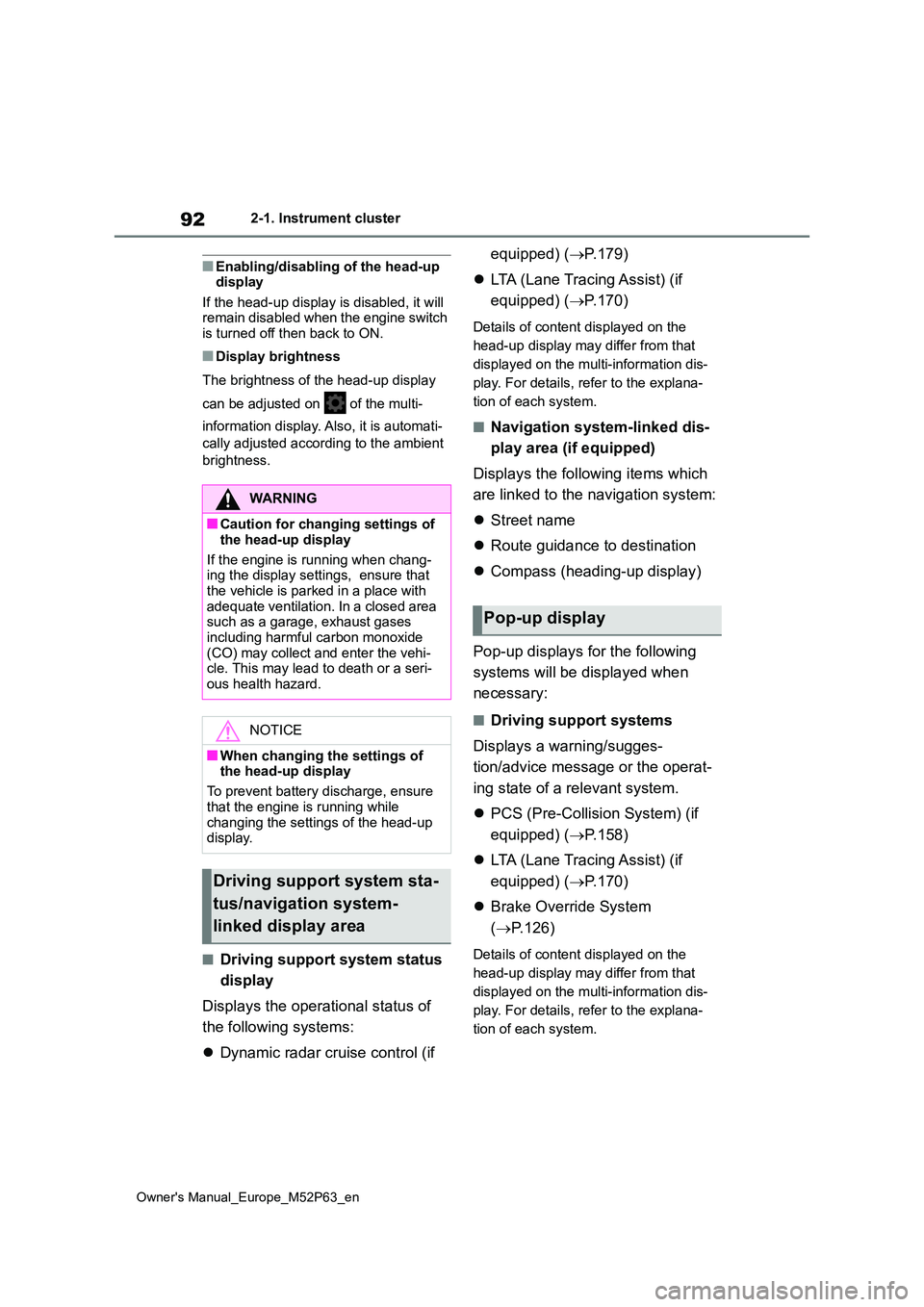
■Driving support system status
display
Displays the operational status of
the following systems:
Dynamic radar cruise control (if
equipped) ( P.179)
LTA (Lane Tracing Assist) (if
equipped) ( P.170)
Details of content displayed on the
head-up display may differ from that
displayed on the multi-information dis-
play. For details, refer to the explana-
tion of each system.
■Navigation system-linked dis-
play area (if equipped)
Displays the following items which
are linked to the navigation system:
Street name
Route guidance to destination
Compass (heading-up display)
Pop-up displays for the following
systems will be displayed when
necessary:
■Driving support systems
Displays a warning/sugges-
tion/advice message or the operat-
ing state of a relevant system.
PCS (Pre-Collision System) (if
equipped) ( P.158)
LTA (Lane Tracing Assist) (if
equipped) ( P.170)
Brake Override System
( P.126)
Details of content displayed on the
head-up display may differ from that
displayed on the multi-information dis-
play. For details, refer to the explana-
tion of each system.
WARNING
■Caution for changing settings of
the head-up display
If the engine is running when chang- ing the display settings, ensure that
the vehicle is parked in a place with adequate ventilation. In a closed area such as a garage, exhaust gases
including harmful carbon monoxide (CO) may collect and enter the vehi-cle. This may lead to death or a seri-
ous health hazard.
NOTICE
■When changing the settings of the head-up display
To prevent battery discharge, ensure
that the engine is running while changing the settings of the head-up display.
Driving support system sta-
tus/navigation system-
linked display area
Pop-up display
Page 111 of 470
109
3
Owner's Manual_Europe_M52P63_en
3-2. Opening, closing and locking the doors
Before driving
• Hand warmers made of metal
• Media such as CDs and DVDs
●When other wireless keys (that emit
radio waves) are being used nearby
●When carrying the electronic key
together with the following devices that emit radio waves• Another vehicle’s electronic key or a
wireless key that emits radio waves • Personal computers or personal digi-tal assistants (PDAs)
• Digital audio players • Portable game systems
●If window tint with a metallic content or metallic objects are attached to the rear window
●When the electronic key is placed near a battery charger or electronic
devices
●When the vehicle is parked in a pay
parking spot where radio waves are emitted
If the doors cannot be locked/unlocked
using the smart entry & start system, lock/unlock the doors by performing any of the following:
●Bring the electronic key close to either door handle and operate the entry
function.
●Operate the wireless remote control.
If the doors cannot be locked/unlocked using the above methods, use the mechanical key. ( P.337)
If the engine cannot be started using the smart entry & start system refer to P.338.
■Note for the entry function
●Even when the electronic key is within the effective range (detection areas),
the system may not operate properly in the following cases:• The electronic key is too close to the
window or outside door handle, near the ground, or in a high place when the doors are locked or unlocked.
• The electronic key is on the instru- ment panel, luggage cover or floor, or in the door pockets or glove box when
the engine is started or engine switch
modes are changed.
●Do not leave the electronic key on top
of the instrument panel or near the door pockets when exiting the vehicle. Depending on the radio wave recep-
tion conditions, it may be detected by the antenna outside the cabin and the door will become lockable from the
outside, possibly trapping the elec- tronic key inside the vehicle.
●As long as the electronic key is within the effective range, the doors may be locked or unlocked by anyone. How-
ever, only the doors detecting the electronic key can be used to unlock the vehicle.
●Even if the electronic key is not inside the vehicle, it may be possible to start
the engine if the electronic key is near the window.
●The doors may unlock or lock if a large amount of water splashes on the door handle, such as in the rain or in a
car wash when the electronic key is within the effective range. (The doors will automatically be locked after
approximately 30 seconds if the doors are not opened and closed.)
●If the wireless remote control is used to lock the doors when the electronic key is near the vehicle, there is a pos-
sibility that the door may not be unlocked by the entry function. (Use the wireless remote control to unlock
the doors.)
●Touching the door lock or unlock sen-
sor while wearing gloves may prevent lock or unlock operation.
●When the lock operation is performed using the lock sensor, recognition sig-nals will be shown up to two consecu-
tive times. After this, no recognition signals will be given.
●If the door handle becomes wet while the electronic key is within the effec-tive range, the door may lock and
unlock repeatedly. In that case, follow the following correction procedures to
Page 127 of 470
4
125
Owner's Manual_Europe_M52P63_en
4
Driving
Driving
4-1. Before driving
Driving the vehicle ............ 126
Cargo and luggage ........... 132
Trailer towing .................... 133
4-2. Driving procedures
Engine (ignition) switch..... 134
Manual transmission......... 137
Turn signal lever ............... 140
Parking brake ................... 141
4-3. Operating the lights and wip-
ers
Headlight switch ............... 142
Automatic High Beam ....... 145
Fog light switch ................. 148
Windshield wipers and washer
....................................... 148
4-4. Refueling
Opening the fuel tank cap. 151
4-5. Using the driving support
systems
Toyota Safety Sense ......... 153
PCS (Pre-Collision System)
........................................ 158
LTA (Lane Tracing Assist) . 170
Dynamic radar cruise control
........................................ 179
RSA (Road Sign Assist) .... 190
Stop & Start system .......... 194
BSM (Blind Spot Monitor) . 199
Toyota parking assist-sensor
........................................ 204
RCTA (Rear Crossing Traffic
Alert) ............................... 210
AWD mode select switch .. 215
GPF (Gasoline Particulate Fil-
ter) system ...................... 216
Driving assist systems ...... 217
4-6. Driving tips
Winter driving tips ............. 224
Page 132 of 470
130
Owner's Manual_Europe_M52P63_en
4-1. Before driving
WARNING
●Do not touch the exhaust pipes while the engine is running or
immediately after turning the engine off.Doing so may cause burns.
■When taking a nap in the vehicle
Always turn the engine off. Otherwise,
if you accidentally move the shift lever or depress the accelerator pedal, this could cause an accident or fire due to
engine overheating. Additionally, if the vehicle is parked in a poorly ventilated area, exhaust gases may collect and
enter the vehicle, leading to death or a serious health hazard.
■When braking
●When the brakes are wet, drive more cautiously.
Braking distance increases when the brakes are wet, and this may cause one side of the vehicle to
brake differently than the other side. Also, the parking brake may not securely hold the vehicle.
●If the brake booster device does not operate, do not follow other vehi-
cles closely and avoid hills or sharp turns that require braking.In this case, braking is still possible,
but the brake pedal should be depressed more firmly than usual. Also, the braking distance will
increase. Have your brakes fixed immediately.
●Do not pump the brake pedal if the engine stalls.Each push on the brake pedal uses
up the reserve for the power- assisted brakes.
●The brake system consists of 2 indi-vidual hydraulic systems; if one of the systems fails, the other will still
operate. In this case, the brake pedal should be depressed more firmly than usual and the braking
distance will increase. Have your brakes fixed immediately.
■If the vehicle becomes stuck
Do not spin the wheels excessively when a driven wheel is up in the air,
or the vehicle is stuck in sand, mud, etc. This may damage the driveline components or propel the vehicle for-
ward or backward, causing an acci- dent.
NOTICE
■When driving the vehicle
●Do not depress the accelerator and brake pedals at the same time during driving, as this may restrain
the engine output.
●Do not shift gears unless the clutch
pedal is fully depressed. After shift- ing, do not release the clutch pedal abruptly. Doing so may damage the
clutch, transmission and gears.
●Observe the following precautions.
Failure to do so may cause exces- sive premature wear or damage to the clutch, eventually making it diffi-
cult to accelerate and start off from a stop. Have the vehicle inspected by any authorized Toyota retailer or
Toyota authorized repairer, or any reliable repairer.
• Do not rest your foot on the clutch pedal or depress it any time other than when shifting.
Doing so may cause clutch trouble.
• Do not use any gear other than the
1st gear when starting off and mov- ing forward.Doing so may damage the clutch.
Page 189 of 470
187
4
Owner's Manual_Europe_M52P63_en
4-5. Using the driving support systems
Driving
higher than the recognized
speed limit
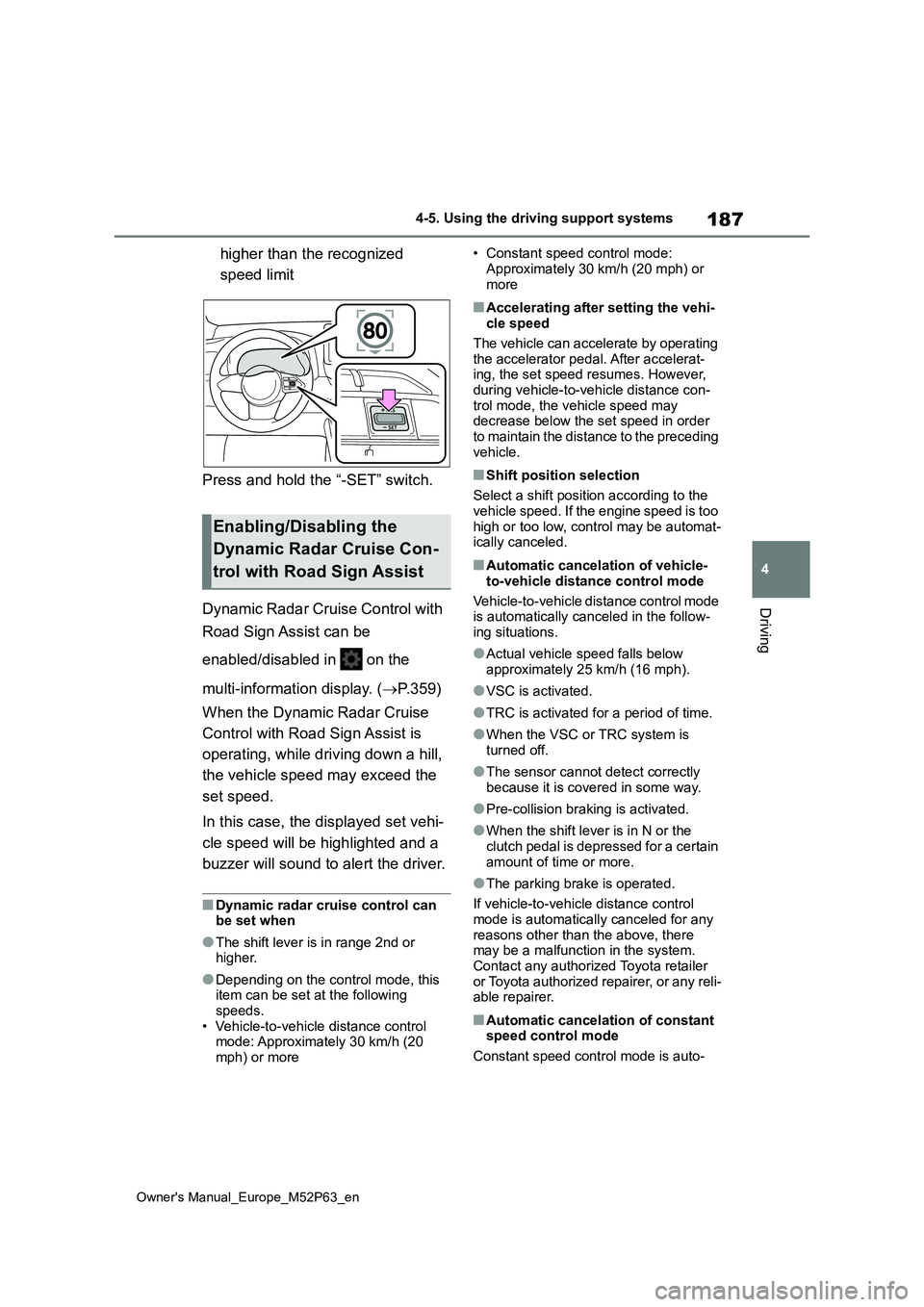
Press and hold the “-SET” switch.
Dynamic Radar Cruise Control with
Road Sign Assist can be
enabled/disabled in on the
multi-information display. ( P.359)
When the Dynamic Radar Cruise
Control with Road Sign Assist is
operating, while driving down a hill,
the vehicle speed may exceed the
set speed.
In this case, the displayed set vehi-
cle speed will be highlighted and a
buzzer will sound to alert the driver.
■Dynamic radar cruise control can be set when
●The shift lever is in range 2nd or higher.
●Depending on the control mode, this item can be set at the following
speeds. • Vehicle-to-vehicle distance control mode: Approximately 30 km/h (20
mph) or more
• Constant speed control mode:
Approximately 30 km/h (20 mph) or more
■Accelerating after setting the vehi-cle speed
The vehicle can accelerate by operating the accelerator pedal. After accelerat-ing, the set speed resumes. However,
during vehicle-to-vehicle distance con- trol mode, the vehicle speed may decrease below the set speed in order
to maintain the distance to the preceding vehicle.
■Shift position selection
Select a shift position according to the
vehicle speed. If the engine speed is too high or too low, control may be automat-ically canceled.
■Automatic cancelation of vehicle-
to-vehicle distance control mode
Vehicle-to-vehicle distance control mode is automatically canceled in the follow-
ing situations.
●Actual vehicle speed falls below
approximately 25 km/h (16 mph).
●VSC is activated.
●TRC is activated for a period of time.
●When the VSC or TRC system is turned off.
●The sensor cannot detect correctly because it is covered in some way.
●Pre-collision braking is activated.
●When the shift lever is in N or the
clutch pedal is depressed for a certain amount of time or more.
●The parking brake is operated.
If vehicle-to-vehicle distance control mode is automatically canceled for any
reasons other than the above, there may be a malfunction in the system. Contact any authorized Toyota retailer
or Toyota authorized repairer, or any reli- able repairer.
■Automatic cancelation of constant speed control mode
Constant speed control mode is auto-
Enabling/Disabling the
Dynamic Radar Cruise Con-
trol with Road Sign Assist