fog light TOYOTA GR86 2022 (in English) User Guide
[x] Cancel search | Manufacturer: TOYOTA, Model Year: 2022, Model line: GR86, Model: TOYOTA GR86 2022Pages: 582, PDF Size: 86.38 MB
Page 161 of 582
159
4
4-3. Operating the lights and wipers
Driving
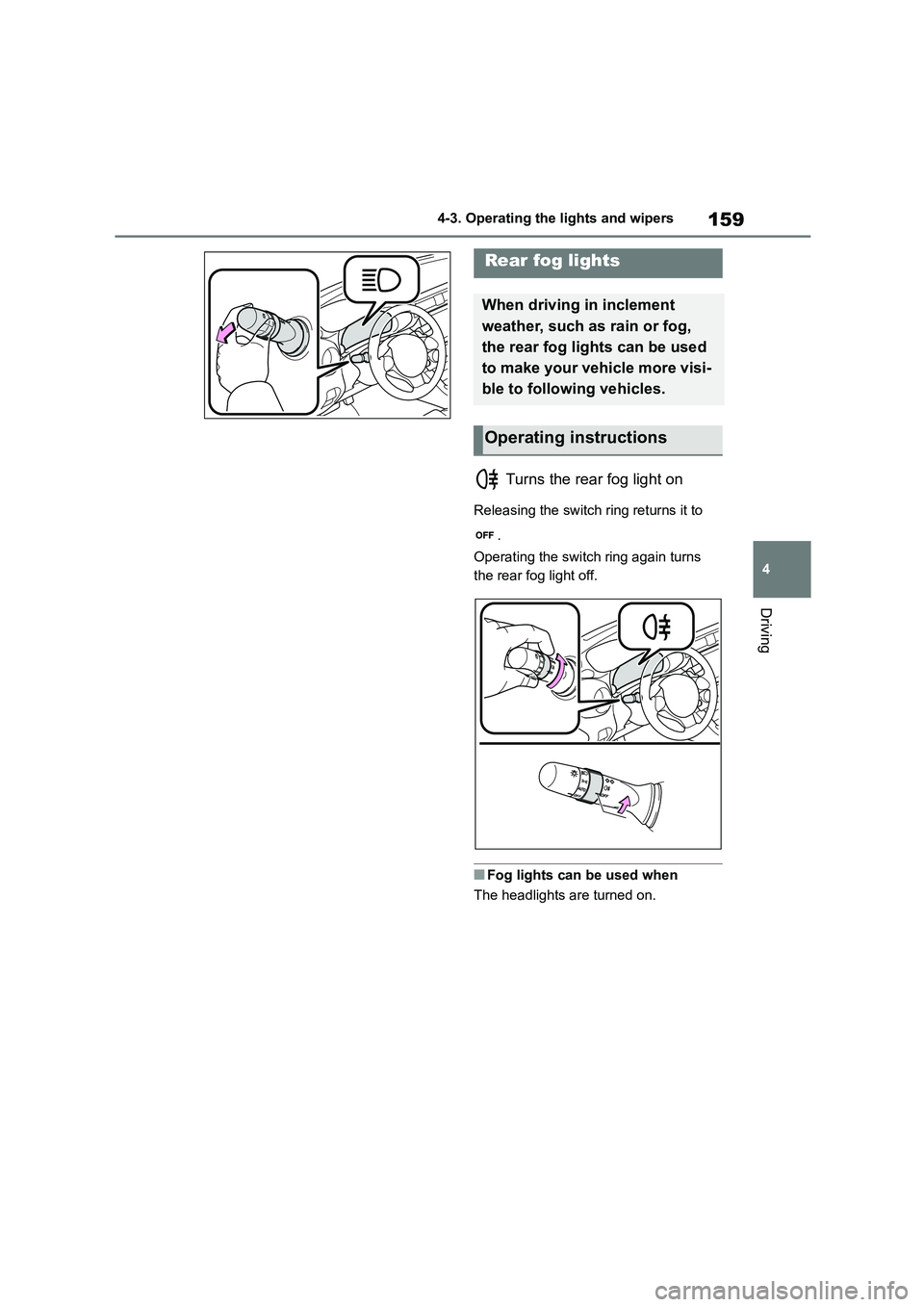
Turns the rear fog light on
Releasing the switch ring returns it to
.
Operating the switch ring again turns
the rear fog light off.
■Fog lights can be used when
The headlights are turned on.
Rear fog lights
When driving in inclement
weather, such as rain or fog,
the rear fog lights can be used
to make your vehicle more visi-
ble to following vehicles.
Operating instructions
Page 168 of 582
1664-5. EyeSight
WA R N I N G
There are limits to the EyeSight rec-
ognition performance and control per-
formance. Be sure to read the instructions for each function before
using the system, and always use it
properly. Improper use may lead to failure of control performance, which
could cause an accident.
Refer to the following pages for each function:
●For Pre-Collision Braking System, refer to P.175.
●For Adaptive Cruise Control, refer to P.185.
●For Conventional Cruise Control, refer to P.201.
●For Pre-Collision Throttle Manage-ment, refer to P.209.
●For Lane Departure Warning, refer to P.214.
●For Lane Sway Warning, refer to P.216.
●For Lead Vehicle Start Alert, refer to P.218.
For left-hand drive: In left-hand drive vehicles, EyeSight is configured for
driving on the right-hand side of the
road. However, it can be reconfigured by changing the driving lane setting
for driving on the left-hand side.*
(P.377)
For right-hand drive: In right-hand
drive vehicles, EyeSight is configured
for driving on the left-hand side of the road. However, it can be reconfigured
by changing the driving lane setting
for driving on the right-hand side.* (P.377)
If the setting for the traffic lane (driv- ing side of the road) does not match
the traffic lane, full EyeSight perfor-
mance may not be available.
*: Characteristics and settings that
are affected by specific differences
between right-hand drive and
left-hand drive vehicles cannot be
changed.
●The system may not operate cor-
rectly under the conditions listed below. When these conditions
occur, turn off Pre-Collision Braking
System. Also, do not use Adaptive Cruise Control or Conventional
Cruise Control.
• The tire pressure is not correct.*1
• Tires that are unevenly worn or tires
with uneven wear patterns are installed.*1
• Tires that are the wrong size are installed.*1
• A flat tire has been fixed temporarily with a tire repair kit.
• The suspension has been modified (including a genuine Toyota sus-
pension that has been modified).
• An object that obstructs the stereo
camera’s view is installed on the
vehicle.
• Tire chains are installed.
• The headlights are dirty or they
have snow and ice or dirt on them.
(Objects are not correctly illumi- nated and are difficult to detect.)
• The optical axes are not aligned correctly. (Objects are not correctly
illuminated and are difficult to
detect.)
• The lights including headlights and
fog lights have been modified.
• Vehicle operation has become
unstable due to an accident or mal-
function.
Page 170 of 582
1684-5. EyeSight
NOTICE
●Under the conditions listed below, it
will become more difficult for the
system to detect the vehicle in front, motorcycles, bicycles, pedestrians
and obstacles on the road, and lane
markers. Also, EyeSight may tem- porarily stop operating. However,
the temporary stop will be canceled
once these conditions have
improved and the vehicle is driven for a short period of time.
• Bad weather (for example heavy
rain, a blizzard or thick fog). In par- ticular, the system is more likely to
temporarily stop operating when
there is an oil film adhering to the windshield, a glass coating has
been applied, or poorly performing
wipers are used.
• Strong light is coming from the front
(sunlight or headlight beams of oncoming traffic, etc.).
• The windshield washer is in use.
• Raindrops, water drops, or dirt on
the windshield are not wiped off suf- ficiently.
• The windshield has become fogged, scratched or smeared, or
snow, dirt ,dust or frost has adhered
to it, or it is otherwise affected. These will reduce the stereo cam-
era’s field of view. Also, light is
reflecting off the dirt, etc.
• The vehicle is tilted at an extreme
angle due to loaded cargo or other factors.
• Visibility is poor due to sand, smoke or water vapor blowing in the wind,
or the front vision is obscured due
to water splashes, snow, dirt or dust stir up generated by the vehicle in
front or oncoming traffic.
• The stereo camera’s field of view is
obstructed.
• Through the entrance or exit of a tunnel
• The rear aspect of the vehicle in front is low, small or irregular (for
example a low bed trailer, etc.).
• The obstacle is a fence, a wall or a
shutter, etc. with a uniform pattern
(a striped pattern, brick, etc.) or with no pattern in front.
• The obstacle is a wall or door made of glass or a mirror in front.
• Driving at night or in a tunnel when there is a vehicle in front that does
not have its taillights on
• Driving through a banner or flag,
low branches on a tree or thick/tall
vegetation
• On steep uphill or downhill grades
• The stereo camera is obstructed by
a hand, etc. (If even one of the
lenses is obstructed, the system does not operate properly.)
• It is completely dark and no objects are detected.
• The area around the vehicle has a uniform color (such as when com-
pletely covered in snow, etc.).
• Accurate detection is not possible
due to reflections in the windshield.
●Under the conditions listed below,
EyeSight may temporarily stop
operating. If this occurs, EyeSight will resume operating when the
conditions improve.
• The temperature inside the vehicle
is high, such as after the vehicle was left in bright sunshine, or the
temperature inside the vehicle is
low, such as after the vehicle was left in an extremely cold environ-
ment.
• Immediately after the engine starts
Page 178 of 582
1764-5. EyeSight
WA R N I N G
●When the difference in speed with
the obstacle in front is the following
figure*1or more, it may not be possi- ble to avoid a collision. Even if the
speed difference is the following fig-
ure*1 or less, in cases such as when another vehicle cuts in front
of you, or in other cases depending
on visibility, the condition of road
surface and other factors*2, the function may be unable to stop the
vehicle or may not activate.
Pre-Collision Braking Assist also may not activate depending on the
conditions*2 listed below.
*1: For vehicles: approximately 50
km/h (30 mph),
For pedestrians: approximately 35
km/h (20 mph)
*2: Conditions in which Pre-Collision
Braking System cannot detect
obstacles:
• Distance to obstacle in front of you,
speed difference, proximity condi- tions, lateral di splacement (the
amount of offset)
• Vehicle conditions (amount of load,
number of occupants, etc.)
• Road conditions (grade, slipperi-
ness, shape, bumps, etc.)
• Visibility ahead is poor (rain, snow,
fog or smoke, etc.)
• The detected object is something
other than a vehi cle, motorcycle,
bicycle or pedestrian.
A domestic animal or other animal
(a dog or deer, etc.)
A guardrail, telephone pole, tree,
fence or wall, etc.
• Even if the obstacle is a motorcycle, bicycle or pedestrian, depending on
the brightness of the surroundings
as well as the relative movement, and aspect or angle of the object,
there may be cases when the sys-
tem cannot detect it.
• The system determines that opera-
tion by the driver (based on acceler- ator pedal operation, braking,
steering wheel angle, etc.) is
intended as evasive action.
• Vehicle maintenance status (brake
systems, tire wear, tire pressure, etc.)
• A trailer or another vehicle, etc. is being towed.
• The brakes are cold due to the out- side temperature being low or just
after starting the engine.
• The brakes are overheated on
downhill grades (braking perfor-
mance is reduced).
• In rain or after washing the vehicle
(the brakes are wet and braking performance is reduced.)
• Recognition conditions of the stereo camera
In particular, the function may be
unable to stop the vehicle or may not
activate in the following cases.
Bad weather (for example heavy
rain, a blizzard or thick fog)
Visibility is poor due to sand,
smoke or water vapor blowing in the
wind, or the front vision is obscured
due to water splashes, snow, dirt or
dust stir up generated by the vehicle
in front or oncoming traffic.
At night or in a tunnel without the
headlights on
Page 179 of 582
177
4
4-5. EyeSight
Driving
WA R N I N G
At night or in a tunnel when there is
a vehicle in front that does not have
its taillights on
Approaching a motorcycle, bicycle
or pedestrian at night
Ambient light is poor in the evening
or early morning.
A vehicle, motorcycle, bicycle or
pedestrian is outside the area illumi-
nated by the headlights.
Strong light is coming from the
front (for example, sunlight at dawn,
sunset or headlight beams, etc.).
The windshield has become
fogged, scratched or smeared, or
snow, dirt, dust or frost has adhered
to it, or it is otherwise affected. These
will reduce the stereo camera’s field
of view. Also, light is reflecting off the
dirt, etc.
Fluid has not been fully wiped off
the windshield during or after washer
use.
The target cannot be correctly rec-
ognized because the stereo camera’s
view is obstructed by water droplets
from rain or the window washer, or by
the wiper blades.
The stereo camera’s field of view is
obstructed.
The rear aspect of the vehicle in
front is low, small or irregular (the sys-
tem may recognize another part of the
vehicle as its rear and will determine
operation from that).
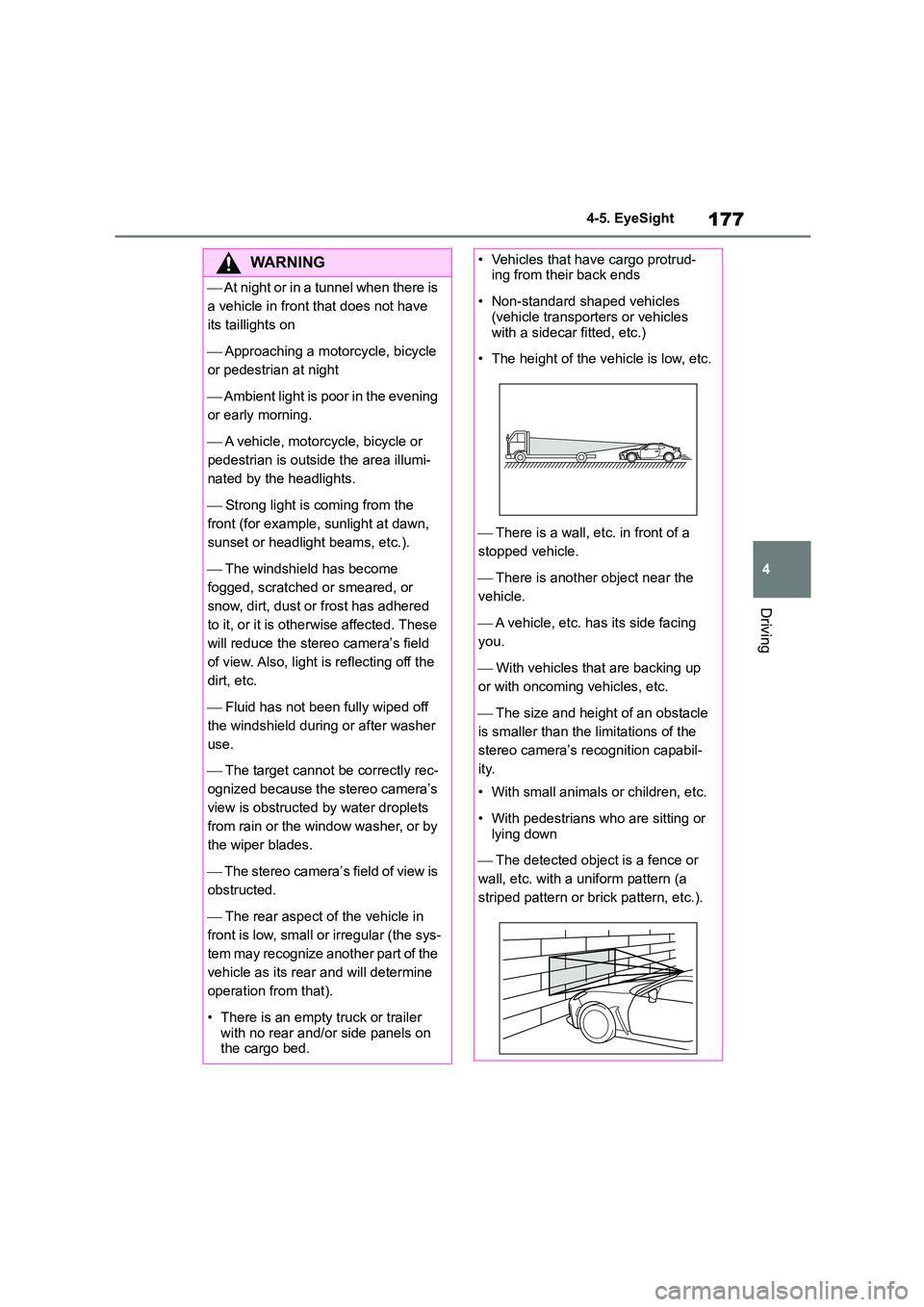
• There is an empty truck or trailer
with no rear and/or side panels on the cargo bed.
• Vehicles that have cargo protrud-ing from their back ends
• Non-standard shaped vehicles (vehicle transporters or vehicles
with a sidecar fitted, etc.)
• The height of the vehicle is low, etc.
There is a wall, etc. in front of a
stopped vehicle.
There is another object near the
vehicle.
A vehicle, etc. has its side facing
you.
With vehicles that are backing up
or with oncoming vehicles, etc.
The size and height of an obstacle
is smaller than the limitations of the
stereo camera’s recognition capabil-
ity.
• With small animals or children, etc.
• With pedestrians who are sitting or
lying down
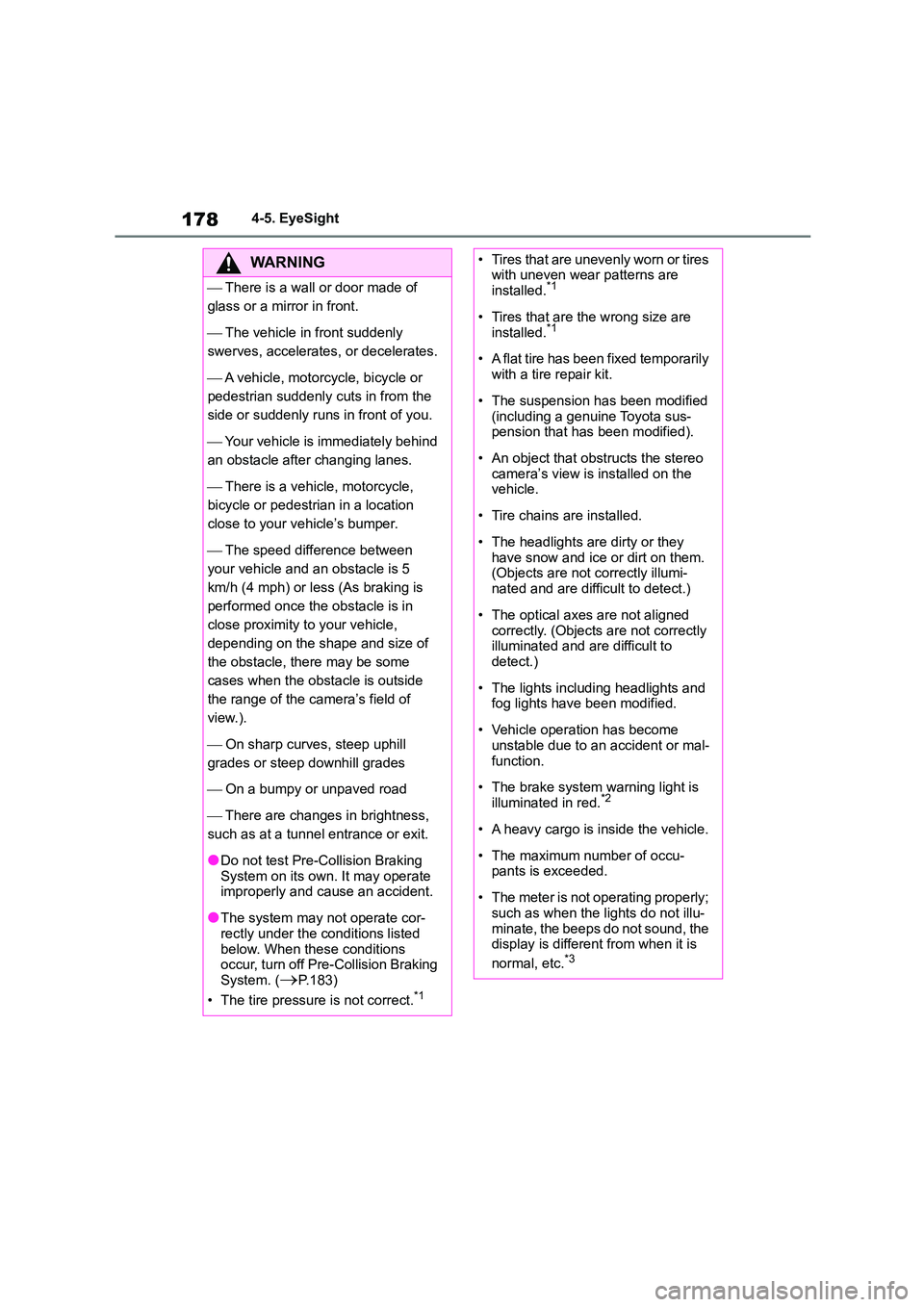
The detected object is a fence or
wall, etc. with a uniform pattern (a
striped pattern or brick pattern, etc.).
Page 180 of 582
1784-5. EyeSight
WA R N I N G
There is a wall or door made of
glass or a mirror in front.
The vehicle in front suddenly
swerves, accelerates, or decelerates.
A vehicle, motorcycle, bicycle or
pedestrian suddenly cuts in from the
side or suddenly runs in front of you.
Your vehicle is immediately behind
an obstacle after changing lanes.
There is a vehicle, motorcycle,
bicycle or pedestri an in a location
close to your vehicle’s bumper.
The speed difference between
your vehicle and an obstacle is 5
km/h (4 mph) or less (As braking is
performed once the obstacle is in
close proximity to your vehicle,
depending on the shape and size of
the obstacle, there may be some
cases when the obstacle is outside
the range of the camera’s field of
view.).
On sharp curves, steep uphill
grades or steep downhill grades
On a bumpy or unpaved road
There are changes in brightness,
such as at a tunnel entrance or exit.
●Do not test Pre-Collision Braking System on its own. It may operate
improperly and cause an accident.
●The system may not operate cor-
rectly under the conditions listed
below. When these conditions occur, turn off Pre-Collision Braking
System. (P.183)
• The tire pressure is not correct.*1
• Tires that are unevenly worn or tires with uneven wear patterns are
installed.*1
• Tires that are the wrong size are
installed.*1
• A flat tire has been fixed temporarily
with a tire repair kit.
• The suspension has been modified
(including a genuine Toyota sus-
pension that has been modified).
• An object that obstructs the stereo
camera’s view is installed on the vehicle.
• Tire chains are installed.
• The headlights are dirty or they
have snow and ice or dirt on them. (Objects are not correctly illumi-
nated and are difficult to detect.)
• The optical axes are not aligned
correctly. (Objects are not correctly
illuminated and are difficult to detect.)
• The lights including headlights and fog lights have been modified.
• Vehicle operation has become unstable due to an accident or mal-
function.
• The brake system warning light is
illuminated in red.*2
• A heavy cargo is inside the vehicle.
• The maximum number of occu- pants is exceeded.
• The meter is not operating properly; such as when the lights do not illu-
minate, the beeps do not sound, the
display is different from when it is
normal, etc.*3
Page 188 of 582
1864-5. EyeSight
WA R N I N G
●Tires that are unevenly worn or tires
with uneven wear patterns are
installed.*1
●Tires that are the wrong size are
installed.*1
●A flat tire has been fixed temporarily
with a tire repair kit.
●The suspension has been modified
(including a genuine Toyota sus-
pension that has been modified).
●An object that ob structs the stereo
camera’s view is installed on the vehicle.
●Tire chains are installed.
●The headlights are dirty or they
have snow and ice or dirt on them. (Objects are not correctly illumi-
nated and are difficult to detect.)
●The optical axes are not aligned
correctly. (Objects are not correctly
illuminated and are difficult to detect.)
●The lights including headlights and fog lights have been modified.
●Vehicle operation has become unstable due to an accident or mal-
function.
●The brake system warning light is
illuminated in red.*2
●A heavy cargo is inside the vehicle.
●The maximum num ber of occu- pants is exceeded.
●The meter is not operating properly; such as when the lights do not illu-
minate, the beeps do not sound, the
display is different from when it is normal, etc.*3
*1: The wheels and tires have func-
tions that are critically important.
Be sure to use the correct ones.
(P.375)
*2: If the brake system warning light
(red) does not turn off, immediately
pull the vehicle over in a safe place
and contact any authorized Toyota
retailer or Toyota authorized
repairer, or any reliable repairer to
have the system inspected.
*3: For details about the meter, refer to
P.88.
Adaptive Cruise Control is designed for use on expressways, freeways,
toll roads, motorways and similar lim-
ited access roads. It is not intended to be used in city traffic. In the following
conditions, do not use Adaptive
Cruise Control. Doin g so may result in an accident.
●Ordinary roads (roads other than those mentioned above)
• Depending on the driving environ-
ment (complexity of roads and other factors), the system may not
be able to perform as the traffic
conditions require, and that may result in an accident.
●Sharp curves or winding roads
●Frozen roads, snow-covered roads
or other slippery road surfaces
• The tires may spin, causing loss of
control of the vehicle.
●Traffic conditions when frequent
acceleration and deceleration make
it difficult to maintain the following
distance
• It may not be possible for the sys-
tem to perform as the traffic condi-
tions require.
Page 190 of 582
1884-5. EyeSight
WA R N I N G
●The windshield has become
fogged, scratched or smeared, or
snow, dirt, dust or frost has adhered to it, or it is otherwise affected.
These will reduce the stereo cam-
era’s field of view. Also, light is reflecting off the dirt, etc.
●Water droplets from rain or the win-
dow washer, or dirt has not been fully wiped off the windshield.
• It may not be possible to detect the
vehicle in front, making correct con- trol impossible.
●The stereo camera’s field of view is obstructed.
The stereo camera may have difficulty detecting the following objects or con-
ditions. Operate the brake pedal and
take other actions as necessary.
●Vehicles at significantly different
speeds (vehicles driving slowly, stopped or oncoming vehicles, etc.)
●Vehicles cutting into your lane
●Motorcycles, bicycles, pedestrians
and animals, etc.
●Light is poor in the evening or early
morning.
●At night or in a tunnel without the
headlights on
●At night or in a tunnel when there is
a vehicle in front that does not have its tail lights on
●Strong light is coming from the front (sunlight or headlight high beams,
etc.).
●Vehicles in front that have a rear
aspect that is low, small or irregular
(the system may re cognize another part of the vehicle and will deter-
mine operation from that)
• An empty truck or trailer that has no tailgate or longbed
• Vehicles that have cargo protrud-ing from their back ends
• Non-standard shaped vehicles (vehicle transporters or vehicles
with a sidecar fitted, etc.)
• Vehicles that are low
●Objects that are located close to the bumper of your vehicle
■Detection of the vehicle in front by the EyeSight stereo camera*
●Under the following road conditions
or conditions of your vehicle, detec- tion of the vehicle in front may not
be possible. Vehicles in neighboring
traffic lanes or roadside objects may also be inco rrectly detected.
Under conditions such as these, do
not use Adaptive Cruise Control. If cruise control is currently in use,
operate the brake pedal and take
other actions as necessary.
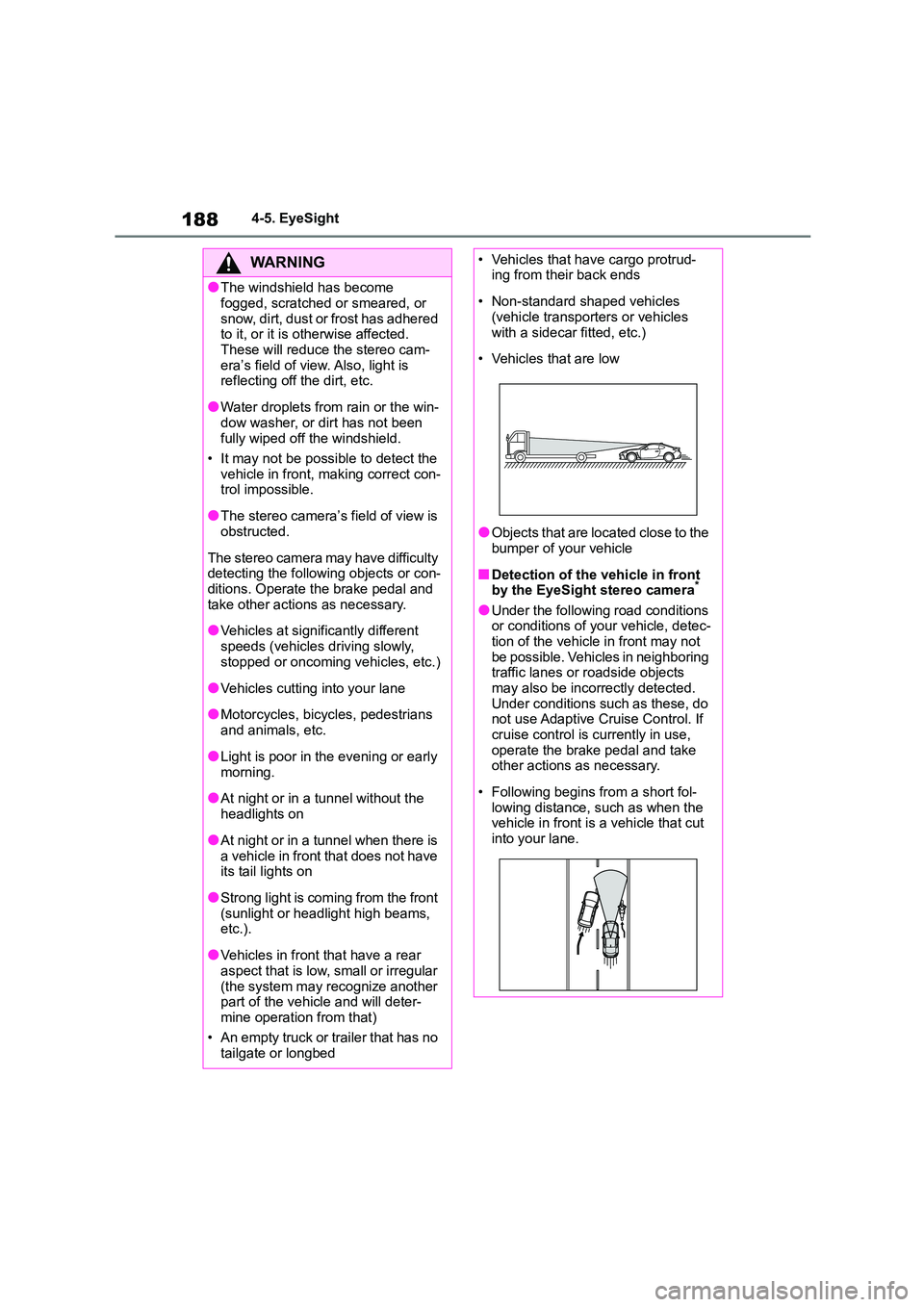
• Following begins from a short fol-
lowing distance, such as when the vehicle in front is a vehicle that cut
into your lane.
Page 212 of 582
2104-5. EyeSight
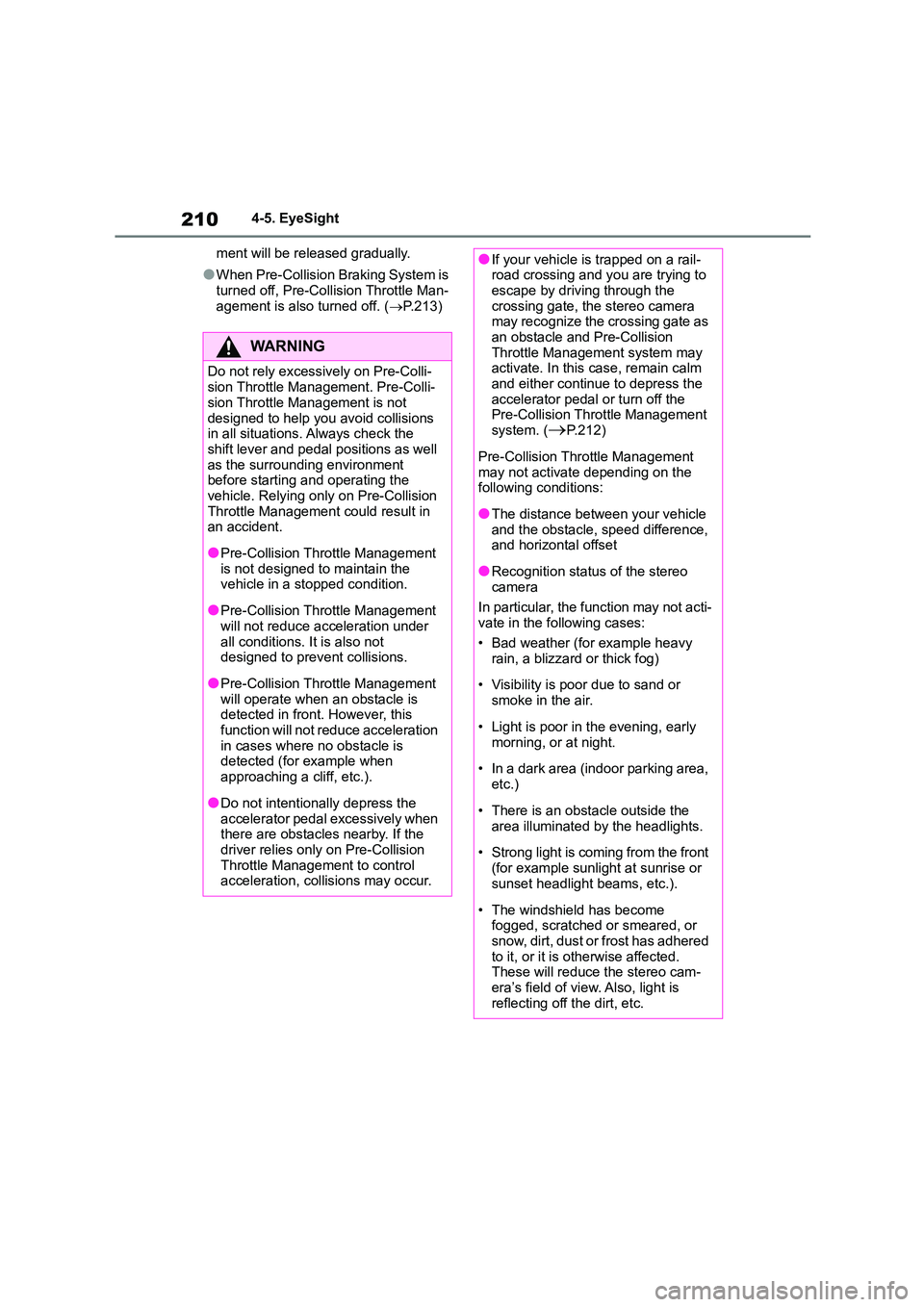
ment will be released gradually.
●When Pre-Collision Braking System is
turned off, Pre-Collision Throttle Man-
agement is also turned off. ( P.213)
WA R N I N G
Do not rely excessively on Pre-Colli-
sion Throttle Management. Pre-Colli-
sion Throttle Management is not
designed to help you avoid collisions in all situations. Always check the
shift lever and pedal positions as well
as the surrounding environment before starting and operating the
vehicle. Relying only on Pre-Collision
Throttle Management could result in an accident.
●Pre-Collision Throttle Management is not designed to maintain the
vehicle in a stopped condition.
●Pre-Collision Throttle Management
will not reduce acceleration under
all conditions. It is also not designed to prevent collisions.
●Pre-Collision Throttle Management will operate when an obstacle is
detected in front. However, this
function will not reduce acceleration in cases where no obstacle is
detected (for example when
approaching a cliff, etc.).
●Do not intentionally depress the
accelerator pedal excessively when there are obstacles nearby. If the
driver relies only on Pre-Collision
Throttle Management to control acceleration, col lisions may occur.
●If your vehicle is trapped on a rail- road crossing and you are trying to
escape by driving through the
crossing gate, the stereo camera may recognize the crossing gate as
an obstacle and Pre-Collision
Throttle Management system may activate. In this case, remain calm
and either continue to depress the
accelerator pedal or turn off the Pre-Collision Throttle Management
system. (P.212)
Pre-Collision Throttle Management
may not activate depending on the
following conditions:
●The distance between your vehicle
and the obstacle, speed difference, and horizontal offset
●Recognition status of the stereo camera
In particular, the function may not acti-
vate in the fo llowing cases:
• Bad weather (for example heavy
rain, a blizzard or thick fog)
• Visibility is poor due to sand or
smoke in the air.
• Light is poor in the evening, early
morning, or at night.
• In a dark area (indoor parking area,
etc.)
• There is an obstacle outside the
area illuminated by the headlights.
• Strong light is coming from the front
(for example sunlight at sunrise or
sunset headlight beams, etc.).
• The windshield has become
fogged, scratched or smeared, or
snow, dirt, dust or frost has adhered to it, or it is otherwise affected.
These will reduce the stereo cam-
era’s field of view. Also, light is reflecting off the dirt, etc.
Page 226 of 582
2244-5. EyeSight
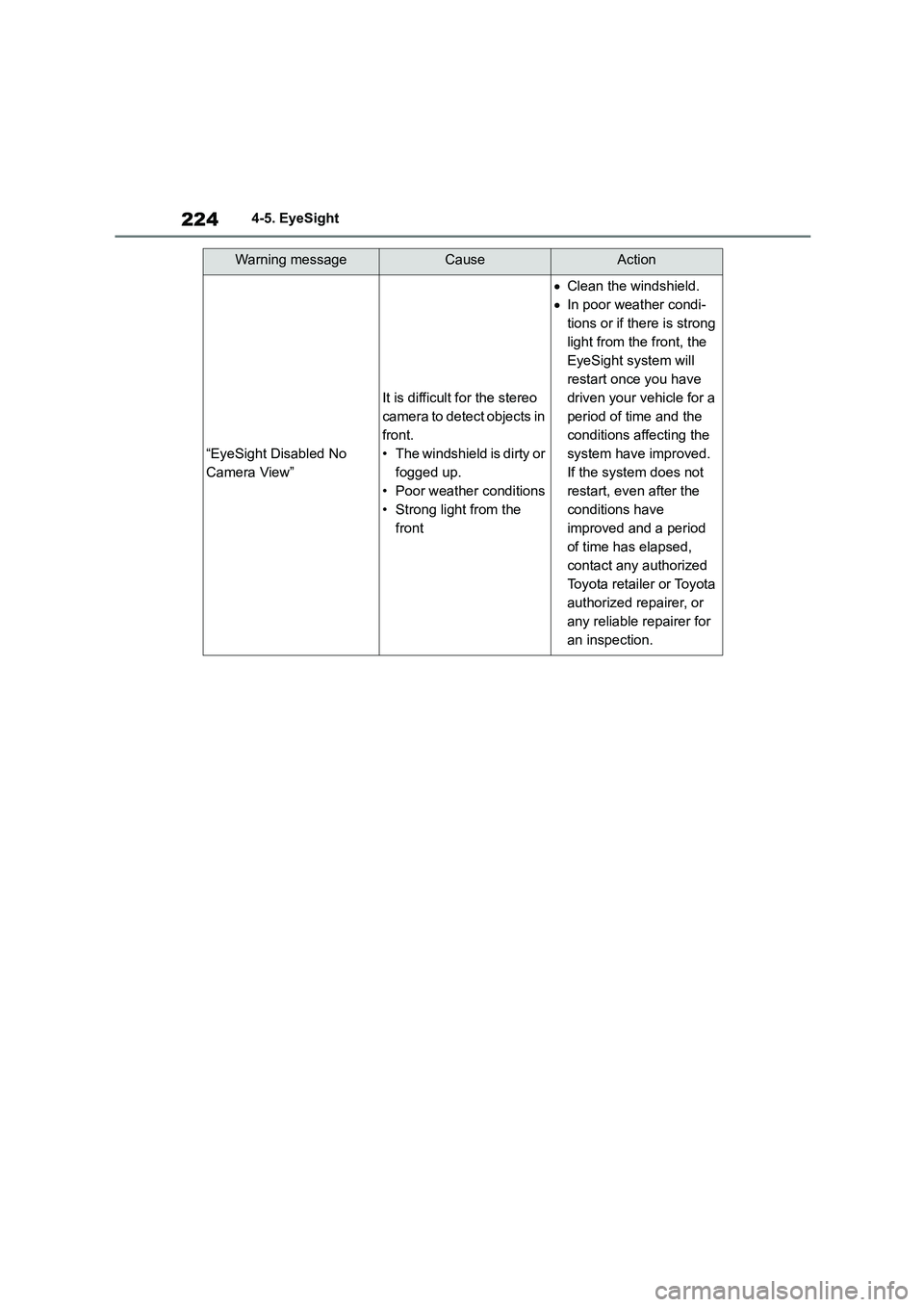
Warning messageCauseAction
“EyeSight Disabled No
Camera View”
It is difficult for the stereo
camera to detect objects in
front.
• The windshield is dirty or
fogged up.
• Poor weather conditions
• Strong light from the
front
Clean the windshield.
In poor weather condi-
tions or if there is strong
light from the front, the
EyeSight system will
restart once you have
driven your vehicle for a
period of time and the
conditions affecting the
system have improved.
If the system does not
restart, even after the
conditions have
improved and a period
of time has elapsed,
contact any authorized
Toyota retailer or Toyota
authorized repairer, or
any reliable repairer for
an inspection.