trunk TOYOTA GT86 2012 Owner's Manual
[x] Cancel search | Manufacturer: TOYOTA, Model Year: 2012, Model line: GT86, Model: TOYOTA GT86 2012Pages: 448, PDF Size: 13.47 MB
Page 45 of 448
45 1-2. Opening, closing and locking the doors and trunk
1
Before driving
FT86_EE
-Replace only with the same or equivalent type recommended by the manufacturer.
-Dispose of used batterites according to the local laws.
Hereby, DENSO CORPORATION declares that this 13CZY/14AER is in compliance with the
essential requirements and other relevant provisions of Directive 1999/5/EC.
Page 46 of 448
46 1-2. Opening, closing and locking the doors and trunk
FT86_EE
CAUTION
Caution regarding interference with electronic devices
People with implanted pacemakers or cardiac defibrillators should main-
tain a reasonable distance between themselves and the smart entry &
start system antennas. (P. 33)
The radio waves may affect the operation of such devices. If necessary,
the entry function can be disabled. Ask any authorized Toyota dealer or
repairer, or another duly qualified and equipped professional for details,
such as the frequency of radio waves and timing of emitting the radio
waves. Then, consult your doctor to see if you should disable the entry
function.
User of any electrical medical device other than implanted pacemakers
and implanted cardiac defibrillators should consult the manufacturer of the
device for information about its operation under the influence of radio
waves.
Radio waves could have unexpected effects on the operation of such
medical devices.
Ask any authorized Toyota dealer or repairer, or another duly qualified and
equipped professional for details for disabling the entry function.
Page 47 of 448
47
1
1-2. Opening, closing and locking the doors and trunk
Before driving
FT86_EE
Wireless remote control
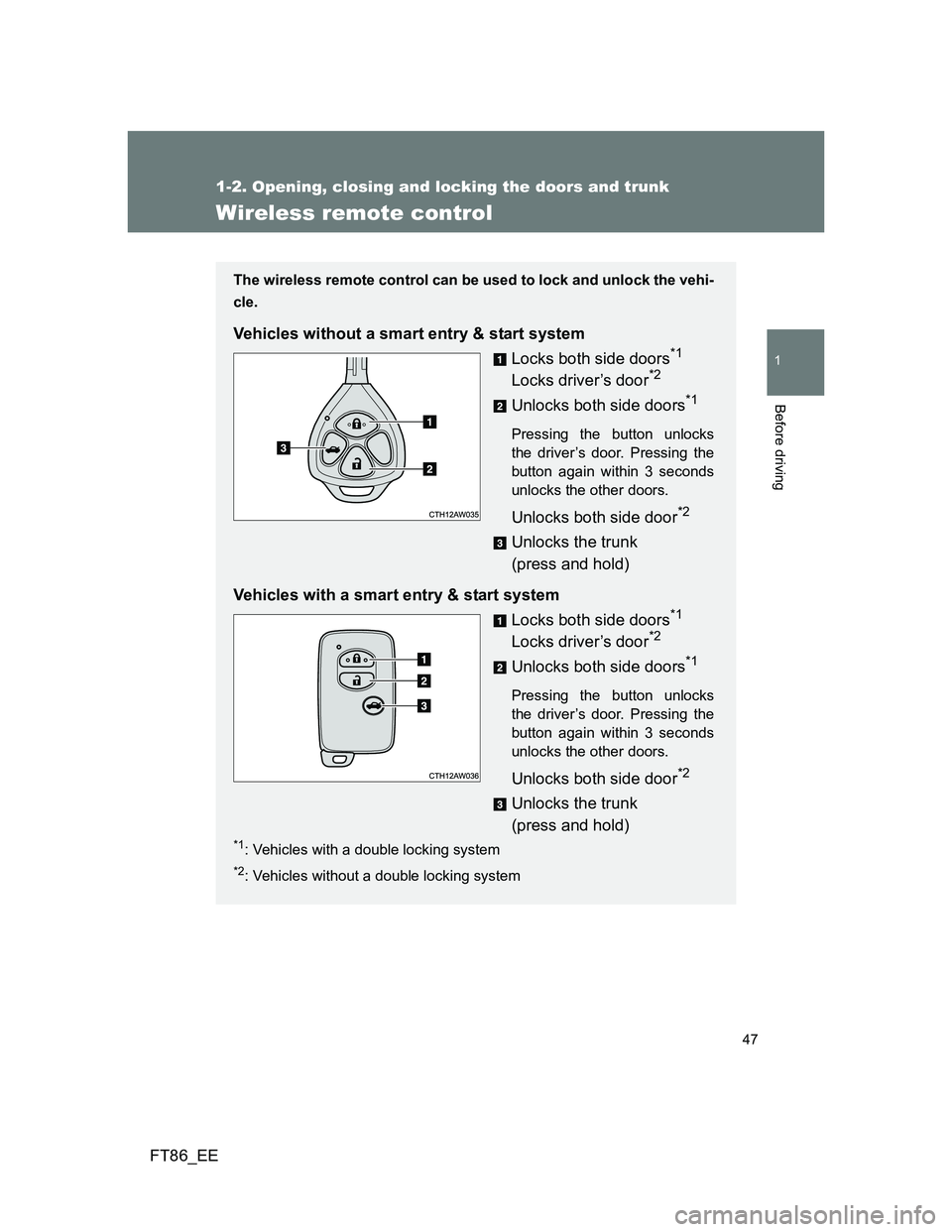
The wireless remote control can be used to lock and unlock the vehi-
cle.
Vehicles without a smart entry & start system
Locks both side doors
*1
Locks driver’s door*2
Unlocks both side doors*1
Pressing the button unlocks
the driver’s door. Pressing the
button again within 3 seconds
unlocks the other doors.
Unlocks both side door*2
Unlocks the trunk
(press and hold)
Vehicles with a smart entry & start system
Locks both side doors
*1
Locks driver’s door*2
Unlocks both side doors*1
Pressing the button unlocks
the driver’s door. Pressing the
button again within 3 seconds
unlocks the other doors.
Unlocks both side door*2
Unlocks the trunk
(press and hold)
*1: Vehicles with a double locking system
*2: Vehicles without a double locking system
Page 48 of 448
48 1-2. Opening, closing and locking the doors and trunk
FT86_EE
Operation signals
The emergency flashers flash to indicate that the doors have been locked/
unlocked. (Locked: Once; Unlocked: Twice)
Door lock buzzer (vehicles with a smart entry & start system)
If an attempt to lock the doors is made when a door is not fully closed, a
buzzer sounds continuously. Fully close the door to stop the buzzer, and lock
the vehicle once more.
Security feature
If a door is not opened within approximately 30 seconds after the vehicle is
unlocked, the security feature automatically locks the vehicle again.
Conditions affecting operation
Vehicles without a smart entry & start system
The wireless remote control function may not operate normally in the follow-
ing situations:
When the wireless key battery is depleted
Near a TV tower, electric power plant, gas station, radio station, large dis-
play, airport or other facility that generates strong radio waves or electri-
cal noise
When carrying a portable radio, cellular phone or other wireless commu-
nication devices
When the wireless key is in contact with, or is covered by a metallic
object
When other wireless key (that emit radio waves) is being used nearby
If window tint with a metallic content or metallic objects are attached to
the rear window
Vehicles with a smart entry & start system
P. 3 8
Page 49 of 448
49 1-2. Opening, closing and locking the doors and trunk
1
Before driving
FT86_EE
If the wireless remote control does not operate properly (vehicles with
a smart entry & start system)
Locking and unlocking the doors, unlocking the trunk: Use the mechanical
key. (P. 399)
Key battery depletion
Vehicles without a smart entry & start system
If the wireless remote control function does not operate, the battery may be
depleted. Replace the battery when necessary. (P. 320)
Vehicles with a smart entry & start system
P. 4 2
When the electronic key battery is fully depleted
P. 320
Confirmation of the registered key number (vehicles with a smart entry
& start system)
The number of keys already registered to the vehicle can be confirmed. Ask
any authorized Toyota dealer or repairer, or another duly qualified and
equipped professional for details.
Customization that can be configured at any authorized Toyota dealer
or repairer, or another duly qualified and equipped professional
Settings (e.g. wireless remote control system) can be changed.
(Customizable features P. 430)
Certification for wireless remote control
-Replace only with the same or equivalent type recommended by the manufacturer.
-Dispose of used batterites according to the local laws.
Hereby, DENSO CORPORATION declares that this 13BDD/12BBY is in compliance with the essen-
tial requirements and other relevant provisions of Directive 1999/5/EC.
Page 50 of 448
50
1-2. Opening, closing and locking the doors and trunk
FT86_EE
Doors
The vehicle can be locked and unlocked using the entry function,
wireless remote control, key or door lock switch.
Entry function (vehicles with a smart entry & start system)
P. 3 2
Wireless remote control
P. 4 7
Key
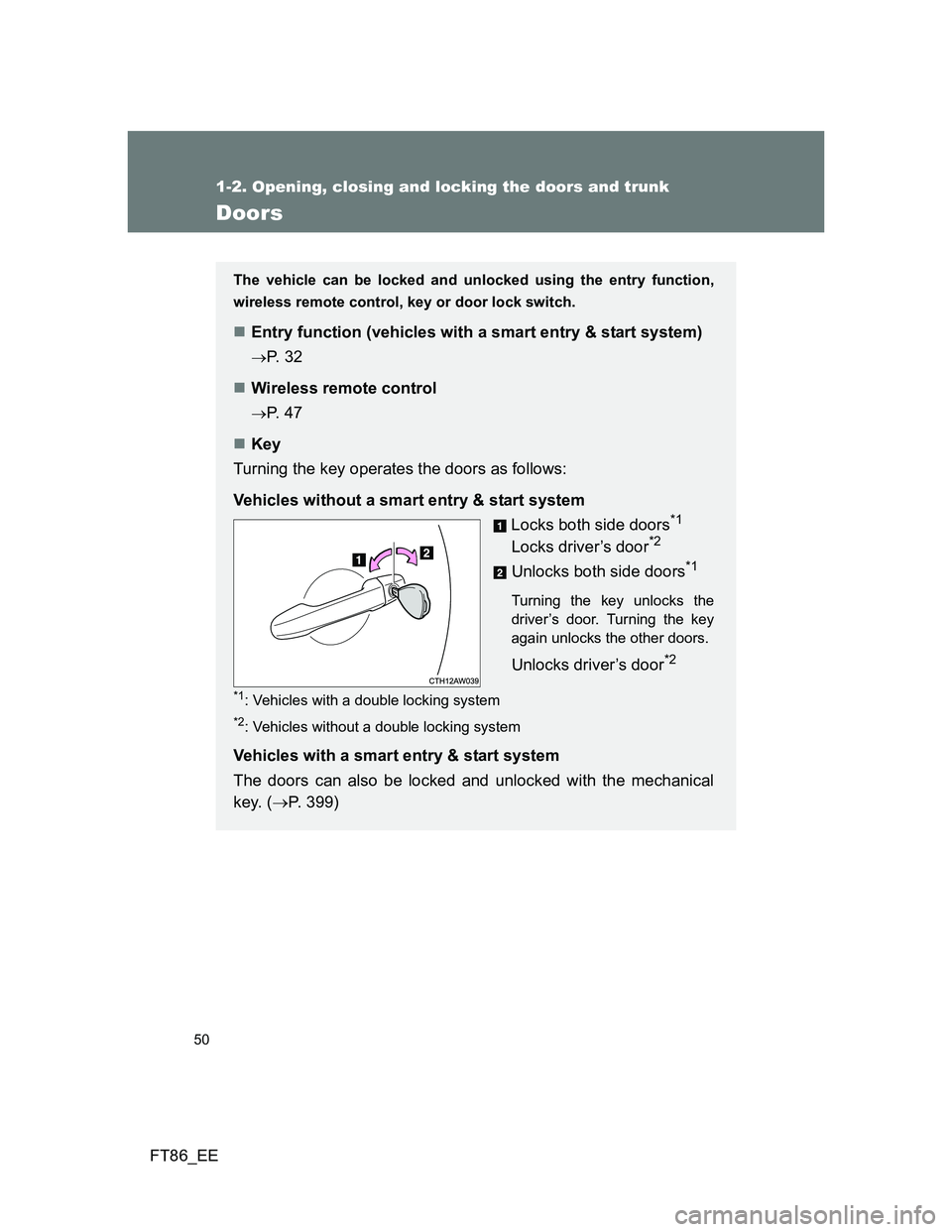
Turning the key operates the doors as follows:
Vehicles without a smart entry & start system
Locks both side doors
*1
Locks driver’s door*2
Unlocks both side doors*1
Turning the key unlocks the
driver’s door. Turning the key
again unlocks the other doors.
Unlocks driver’s door*2
*1: Vehicles with a double locking system
*2: Vehicles without a double locking system
Vehicles with a smart entry & start system
The doors can also be locked and unlocked with the mechanical
key. (P. 399)
Page 51 of 448
51 1-2. Opening, closing and locking the doors and trunk
1
Before driving
FT86_EE
Locking the doors from the outside without a key
Move the inside lock button to the lock position.
Close the door while pulling the door handle.
Vehicles with a smart entry & start system
The door cannot be locked if the “ENGINE START STOP” switch is in
ACCESSORY or IGNITION ON mode, or the electronic key is left
inside the vehicle.
The key may not be detected correctly and the door may be locked.
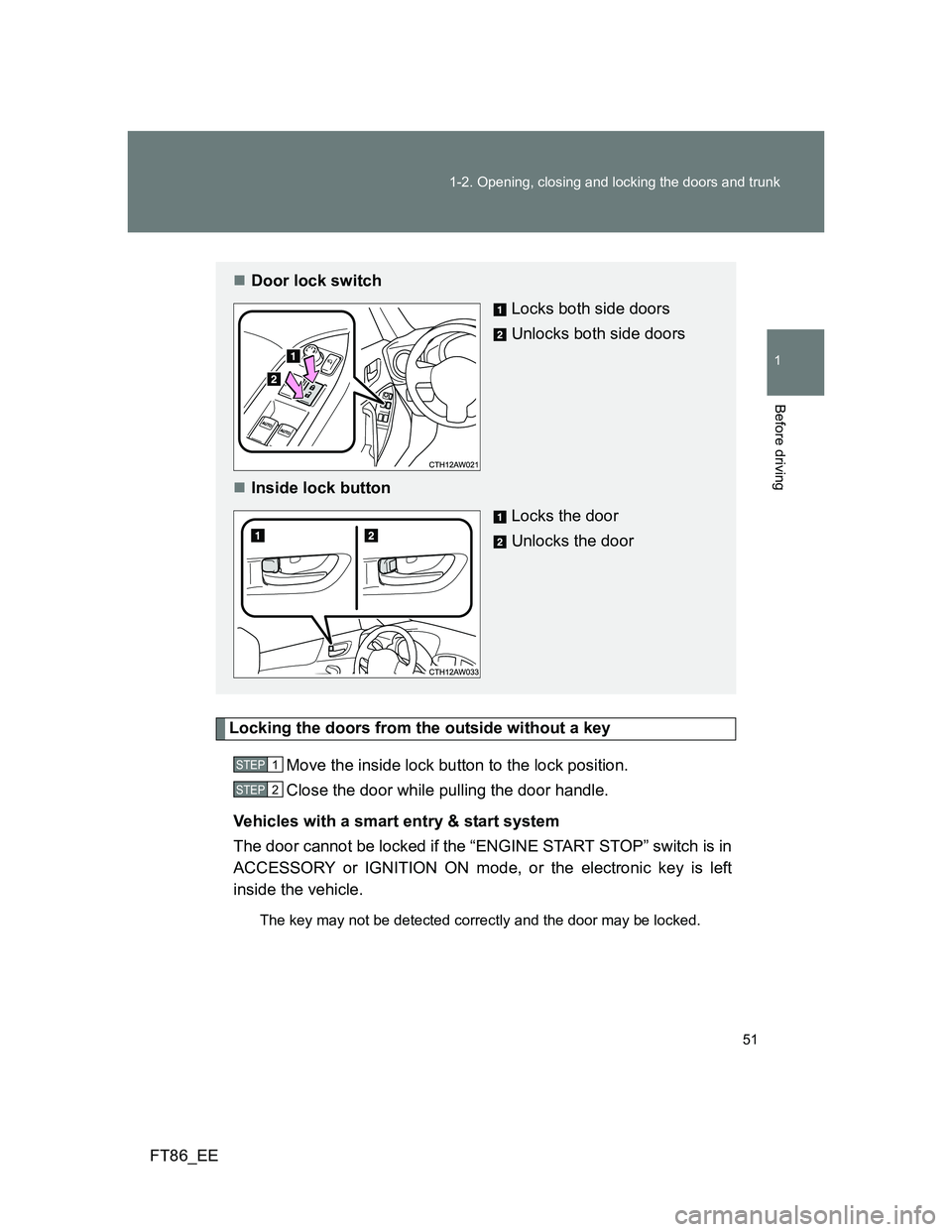
Door lock switch
Locks both side doors
Unlocks both side doors
Inside lock button
Locks the door
Unlocks the door
STEP 1
STEP 2
Page 52 of 448
52 1-2. Opening, closing and locking the doors and trunk
FT86_EE
Window open/close function linked to door operation
In order to make opening and closing the doors easier, completely closed
windows are linked to door operations. Therefore, when a door is opened, its
window opens slightly. When a door is closed, its window closes completely.
However, if the battery has discharged or is disconnected, this function will
not operate. (P. 407)
If a wrong key is used (vehicles with a double locking system)
The key cylinder rotates freely to isolate inside mechanism.
If the smart entry & start system has been deactivated in a customized
setting (vehicles with a smart entry & start system)
Use the wireless remote control or mechanical key. (P. 47, 399)
CAUTION
To prevent an accident
Observe the following precautions while driving the vehicle.
Failure to do so may result in a door opening and an occupant falling out,
resulting in death or serious injury.
Always use a seat belt.
Ensure that both side doors are properly closed.
Do not pull the inside handle of the doors while driving.
The doors may be opened and the passengers are thrown out of the vehi-
cle and it may result in serious injury or death.
Page 53 of 448
53
1
1-2. Opening, closing and locking the doors and trunk
Before driving
FT86_EE
Trunk
The trunk can be opened using the key, trunk opener, entry function
or wireless remote control.
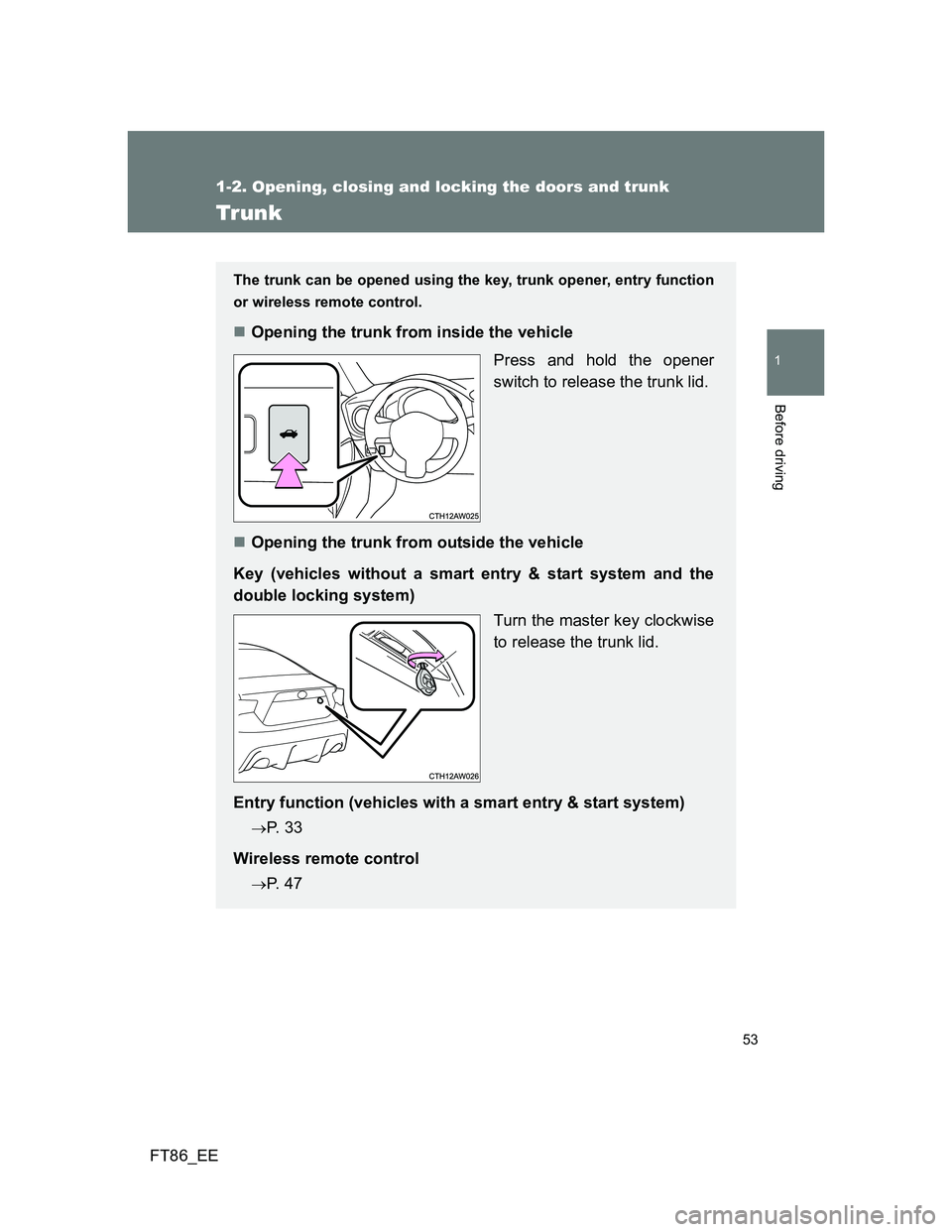
Opening the trunk from inside the vehicle
Press and hold the opener
switch to release the trunk lid.
Opening the trunk from outside the vehicle
Key (vehicles without a smart entry & start system and the
double locking system)
Turn the master key clockwise
to release the trunk lid.
Entry function (vehicles with a smart entry & start system)
P. 3 3
Wireless remote control
P. 4 7
Page 54 of 448
54 1-2. Opening, closing and locking the doors and trunk
FT86_EE
Function to prevent the trunk being locked with the electronic key
inside (vehicles with a smart entry & start system)
When all doors are being locked, closing the trunk lid with the electronic
key left inside the trunk will sound an alarm.
In this case, the trunk lid can be opened using the entry function.
Even when the spare electronic key is put in the trunk with all the doors
locked, the key confinement prevention function can be activated so the
trunk can be opened. In order to prevent theft, take all electronic keys
with you when leaving the vehicle.
Even when the electronic key is put in the trunk with all the doors are
locked, the key may not be detected depending on the places and the
surrounding radio wave conditions. In this case, the key confinement pre-
vention function cannot be activated, causing the doors to lock when the
trunk is closed. Make sure to check where the key is before closing the
trunk.
The key confinement prevention function cannot be activated if any one
of the doors is unlocked. In this case, open the trunk using the trunk
opener.
Using the mechanical key (vehicles with a smart entry & start system
but without the double locking system)
The trunk can be also opened using the mechanical key. (P. 399)