air condition TOYOTA GT86 2015 Owners Manual (in English)
[x] Cancel search | Manufacturer: TOYOTA, Model Year: 2015, Model line: GT86, Model: TOYOTA GT86 2015Pages: 464, PDF Size: 10.65 MB
Page 1 of 464
TABLE OF CONTENTS
1
1Before drivingAdjusting and operating features such as door locks,
mirrors, and steering column.
2When drivingDriving, stopping and safe-driving information.
3Interior featuresAir conditioning and audio systems, as well as other in-
terior features for a comfortable driving experience.
4Maintenance and
careCleaning and protecting your vehicle, performing do-it-
yourself maintenance, and maintenance information.
5When trouble
arisesWhat to do if the vehicle needs to be towed, gets a flat
tire, or is involved in an accident.
6Vehicle specifi-
cationsDetailed vehicle information.
IndexAlphabetical listing of information contained in this man-
ual.
Page 3 of 464

1
2
3
4
5
6
3
2-2. Instrument cluster
Gauges and meters ............ 194
Indicators and warning
lights ................................. 198
Multi-information
display .............................. 203
2-3. Operating the lights and
windshield wipers
Headlight switch.................. 208
Fog light switch ................... 215
Windshield wipers and
washer .............................. 217
2-4. Using other driving
systems
Cruise control...................... 220
Driving assist systems ........ 225
2-5. Driving information
Cargo and luggage ............. 231
Winter driving tips ............... 233
Trailer towing ...................... 237
3-1. Using the air conditioning
system and defogger
Manual air conditioning
system .............................. 240
Automatic air conditioning
system .............................. 248
Rear window and
outside rear view mirror
defoggers.......................... 2563-2. Using the audio system
Using the AUX/
USB port .......................... 258
3-3. Using the interior lights
Interior lights list ................. 259
• Interior light ...................... 260
3-4. Using the storage
features
List of storage features....... 261
• Glove box ......................... 262
• Bottle holders ................... 263
• Cup holders/
console tray...................... 264
3-5. Other interior features
Sun visors .......................... 266
Vanity mirrors ..................... 267
Clock .................................. 268
Outside temperature
display .............................. 269
Ashtray ............................... 270
Power outlets ..................... 271
Seat heaters ....................... 273
Floor mat ............................ 275
Trunk features .................... 278
3Interior features
Page 4 of 464

TABLE OF CONTENTSIndex
4
4-1. Maintenance and care
Cleaning and protecting
the vehicle exterior
............. 282
Cleaning and protecting
the vehicle interior ............ 285
Cleaning and protecting
the Alcantara
® area .......... 289
4-2. Maintenance
Maintenance
requirements..................... 291
4-3. Do-it-yourself
maintenance
Do-it-yourself service
precautions ....................... 294
Hood ................................... 297
Positioning a floor jack ........ 299
Engine compartment........... 301
Tires .................................... 314
Tire inflation pressure ......... 323
Wheels ................................ 325
Air conditioning filter ........... 328
Wireless remote control/
electronic key battery........ 331
Checking and replacing
fuses ................................. 335
Light bulbs .......................... 3435-1. Essential information
Emergency flashers ........... 362
If your vehicle needs to
be towed .......................... 363
If you think something is
wrong ............................... 370
Fuel pump shut off
system.............................. 371
5-2. Steps to take in
an emergency
If a warning light turns
on or a warning buzzer
sounds... ......................... 372
If you have a flat tire
(vehicles with
a spare tire) ...................... 384
If you have a flat tire
(vehicles with
an emergency tire
puncture repair kit) ........... 393
If the engine will
not start ............................ 409
If the shift lever cannot be
shifted from P ................... 412
If you lose your keys .......... 413
If the electronic key does
not operate properly ......... 414
If the battery is
discharged ....................... 418
4Maintenance and care5When trouble arises
Page 13 of 464
13
A
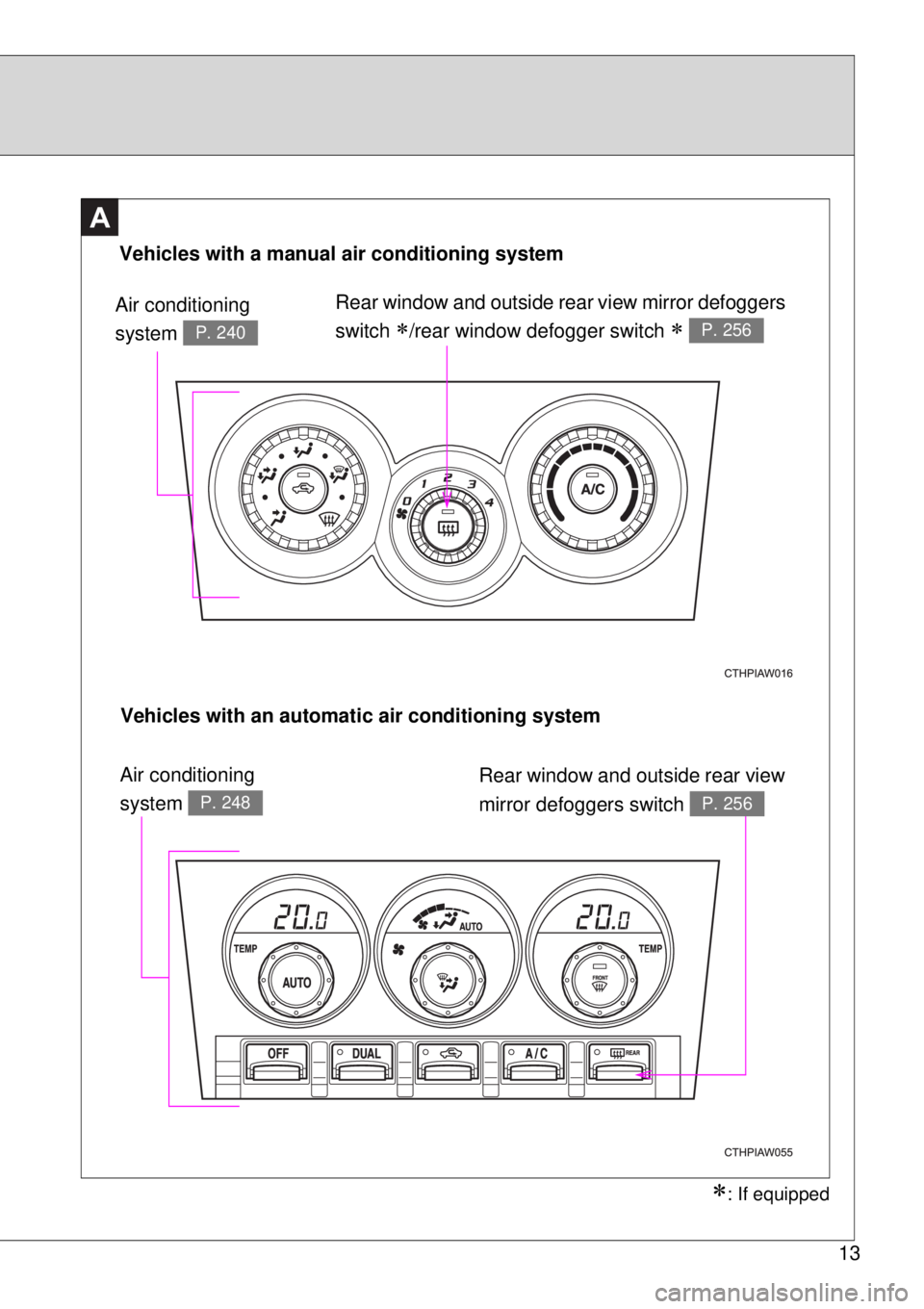
Vehicles with a manual air conditioning system
Air conditioning
system
P. 240
Rear window and outside rear view mirror defoggers
switch
/rear window defogger switch P. 256
Vehicles with an automatic air conditioning system
Rear window and outside rear view
mirror defoggers switch
P. 256
Air conditioning
system
P. 248
: If equipped
Page 20 of 464
20
A
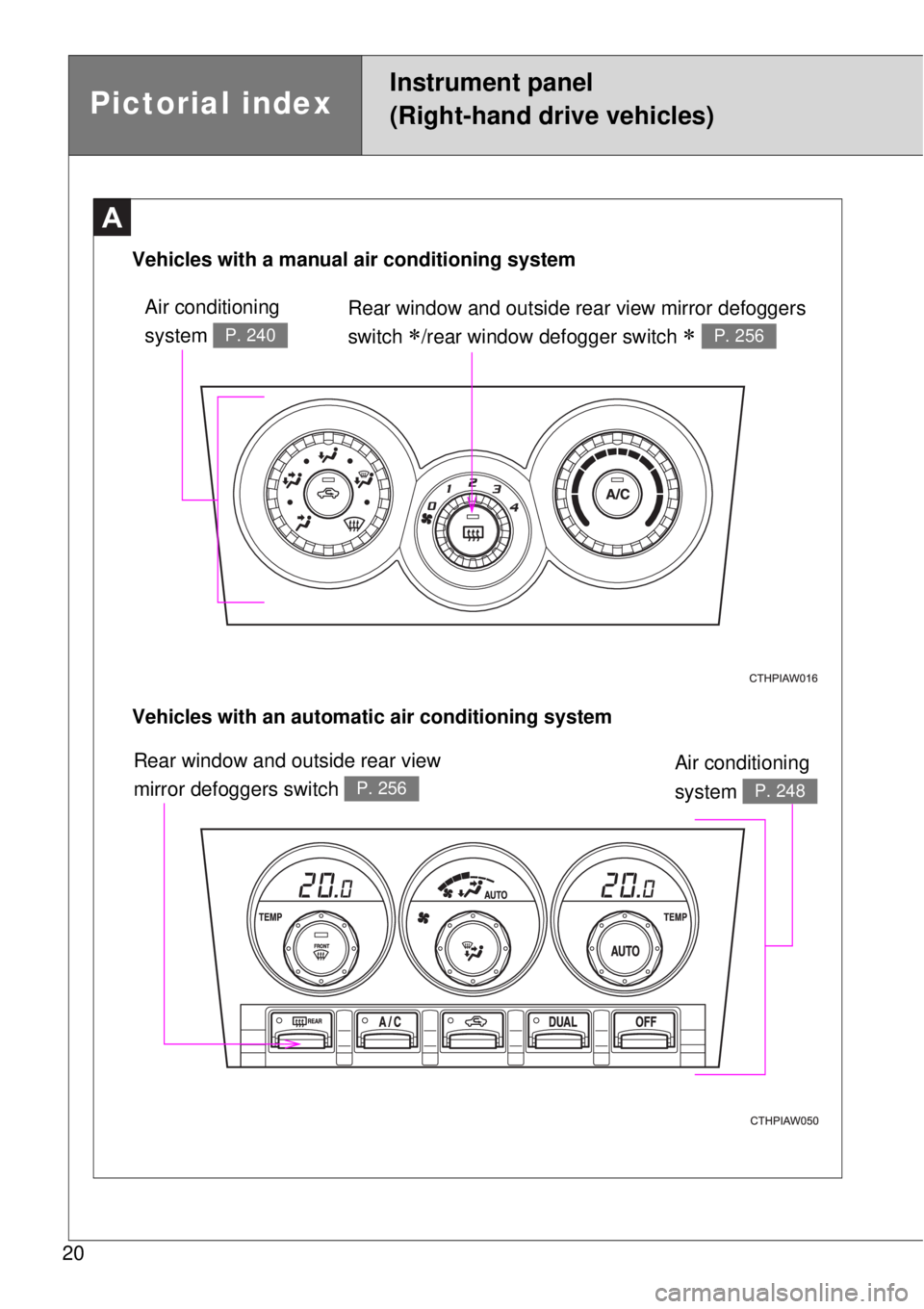
Rear window and outside rear view mirror defoggers
switch
/rear window defogger switch P. 256
Vehicles with an automatic air conditioning system Vehicles with a manual air conditioning system
Air conditioning
system
P. 240
Air conditioning
system
P. 248
Rear window and outside rear view
mirror defoggers switch
P. 256
Pictorial index
Instrument panel
(Right-hand drive vehicles)
Page 40 of 464

40 1-2. Opening, closing and locking the doors and trunk
Conditions affecting operation
The smart entry & start system uses weak radio waves. In the following situ-
ations, the communication between the electronic key and the vehicle may
be affected, preventing the smart entry & start system, wireless remote con-
trol and engine immobilizer system from operating properly.
(Way of coping P. 414)
When the electronic key battery is depleted
Near a TV tower, electric power plant, gas station, radio station, large dis-
play, airport or other facility that generates strong radio waves or electri-
cal noise
When the electronic key is in contact with, or is covered by the following
metallic objects
• Cards to which aluminum foil is attached
• Cigarette boxes that have aluminum foil inside
• Metallic wallets or bags
• Coins
• Hand warmers made of metal
• Media such as CDs and DVDs
When other wireless key (that emit radio waves) is being used nearby
When carrying the electronic key together with the following devices that
emit radio waves
• A portable radio, cellular phone, cordless phone or other wireless com-
munication device
• Another vehicle's electronic key or a wireless key that emits radio
waves
• Personal computers or personal digital assistants (PDAs)
• Digital audio players
• Portable game systems
If window tint with a metallic content or metallic objects are attached to
the rear window
When the electronic key is placed near a battery charger or electronic
devices
Page 52 of 464

52 1-2. Opening, closing and locking the doors and trunk
Operation signals
The emergency flashers flash to indicate that the doors have been locked/
unlocked. (Locked: Once; Unlocked: Twice)
Door lock buzzer (vehicles with a smart entry & start system)
If an attempt to lock the doors is made when a door is not fully closed, a
buzzer sounds continuously. Fully close the door to stop the buzzer, and lock
the vehicle once more.
Security feature
If a door is not opened within approximately 30 seconds after the vehicle is
unlocked, the security feature automatically locks the vehicle again.
Conditions affecting operation
Vehicles without a smart entry & start system
The wireless remote control function may not operate normally in the follow-
ing situations:
When the wireless key battery is depleted
Near a TV tower, electric power plant, gas station, radio station, large dis-
play, airport or other facility that generates strong radio waves or electri-
cal noise
When carrying a portable radio, cellular phone or other wireless commu-
nication devices
When the wireless key is in contact with, or is covered by a metallic
object
When other wireless key (that emit radio waves) is being used nearby
If window tint with a metallic content or metallic objects are attached to
the rear window
Vehicles with a smart entry & start system
P. 4 0
Page 132 of 464

132 1-7. Safety information
CAUTION
SRS warning light
If the warning light exhibits any of the following conditions, there may be a
malfunction in the seat belt pretensioners and/or SRS airbag system. We
recommend that you have the system checked immediately by your nearest
any authorized Toyota dealer or repairer, or another duly qualified and
equipped professional. Unless checked and properly repaired, the seat belt
pretensioners and/or SRS airbags will operate improperly (e.g. SRS airbags
may inflate in a very minor collision or not inflate in a severe collision), which
may increase the risk of injury.
Flashing or flickering of the warning light
No illumination of the warning light when the engine switch is first turned to
the “ON” position (vehicles without a smart entry & start system), or the
“ENGINE START STOP” switch is turned to IGNITION ON mode (vehicles
with a smart entry & start system).
Continuous illumination of the warning light
Illumination of the warning light while driving
Page 160 of 464
160 2-1. Driving procedures
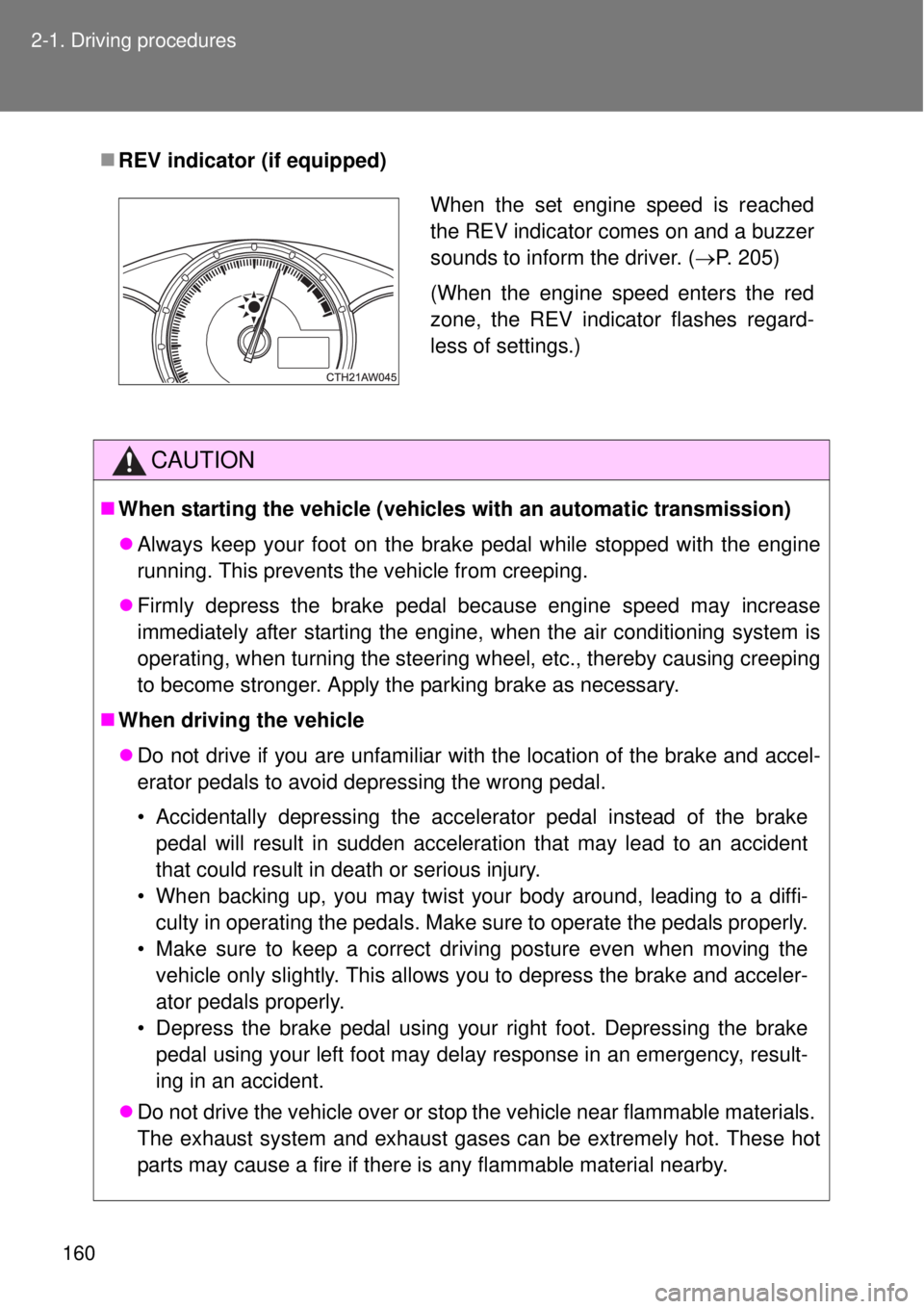
REV indicator (if equipped)
CAUTION
When starting the vehicle (vehicles with an automatic transmission)
Always keep your foot on the brake pedal while stopped with the engine
running. This prevents the vehicle from creeping.
Firmly depress the brake pedal because engine speed may increase
immediately after starting the engine, when the air conditioning system is
operating, when turning the steering wheel, etc., thereby causing creeping
to become stronger. Apply the parking brake as necessary.
When driving the vehicle
Do not drive if you are unfamiliar with the location of the brake and accel-
erator pedals to avoid depressing the wrong pedal.
• Accidentally depressing the accelerator pedal instead of the brake
pedal will result in sudden acceleration that may lead to an accident
that could result in death or serious injury.
• When backing up, you may twist your body around, leading to a diffi-
culty in operating the pedals. Make sure to operate the pedals properly.
• Make sure to keep a correct driving posture even when moving the
vehicle only slightly. This allows you to depress the brake and acceler-
ator pedals properly.
• Depress the brake pedal using your right foot. Depressing the brake
pedal using your left foot may delay response in an emergency, result-
ing in an accident.
Do not drive the vehicle over or stop the vehicle near flammable materials.
The exhaust system and exhaust gases can be extremely hot. These hot
parts may cause a fire if there is any flammable material nearby.
When the set engine speed is reached
the REV indicator comes on and a buzzer
sounds to inform the driver. (P. 205)
(When the engine speed enters the red
zone, the REV indicator flashes regard-
less of settings.)
Page 168 of 464

168 2-1. Driving procedures
NOTICE
Avoiding damage to vehicle parts
Do not turn the steering wheel fully in either direction and hold it there for
an extended period of time.
Doing so may damage the power steering motor.
When driving over bumps in the road, drive as slowly as possible to avoid
damaging the wheels, underside of the vehicle, etc.
On vehicles with an automatic transmission, do not race the engine for
more than 5 seconds in any position except the N or P position when the
brake is applied or when chocks are used in the wheels. This may cause
the transmission fluid to overheat.
If you get a flat tire while driving
A flat or damaged tire may cause the following situations. Hold the steering
wheel firmly and gradually depress the brake pedal to slow down the vehicle.
It may be difficult to control your vehicle.
The vehicle will make abnormal sounds or vibrations.
The vehicle will lean abnormally.
Information on what to do in case of a flat tire (P. 384, 393)
When encountering flooded roads
Do not drive on a road that has flooded after heavy rain etc. Doing so may
cause the following serious damage to the vehicle:
Engine stalling
Short in electrical components
Engine damage caused by water immersion
In the event that you drive on a flooded road and the vehicle is flooded, be
sure to have any authorized Toyota dealer or repairer, or another duly quali-
fied and equipped professional check the following:
Brake function
Changes in quantity and quality of oil and fluid used for the engine, trans-
mission, differential, etc.
Lubricant condition for the propeller shaft, bearings and suspension joints
(where possible) and the function of all joints, bearings, etc.