display TOYOTA GT86 2017 1.G User Guide
[x] Cancel search | Manufacturer: TOYOTA, Model Year: 2017, Model line: GT86, Model: TOYOTA GT86 2017 1.GPages: 428, PDF Size: 7.83 MB
Page 161 of 428
161
2-2. Instrument cluster
2
When driving
Indicators and warning lights
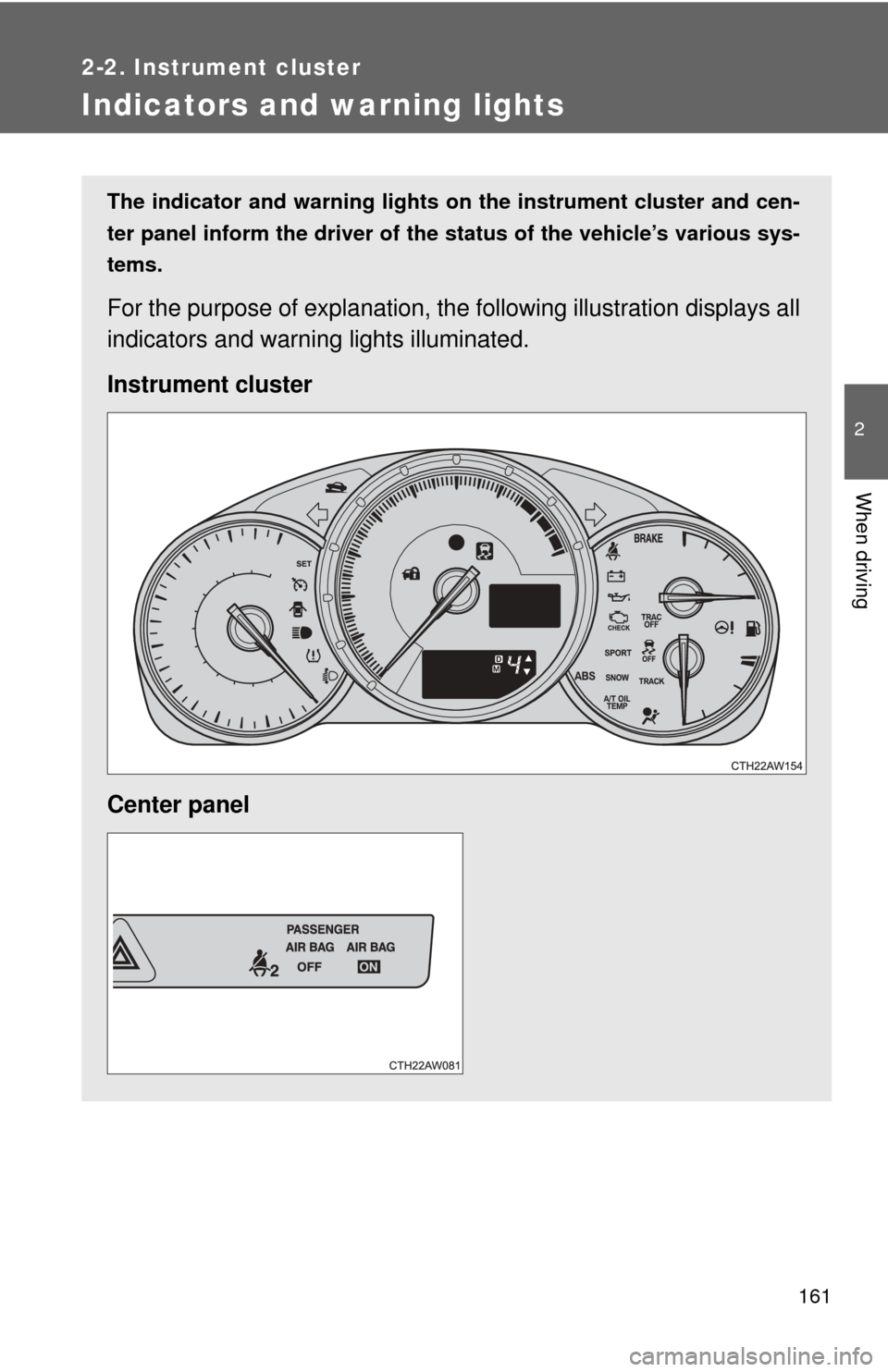
The indicator and warning lights on the instrument cluster and cen-
ter panel inform the driver of the status of the vehicle’s various sys-
tems.
For the purpose of explanation, the following illustration displays all
indicators and warning lights illuminated.
Instrument cluster
Center panel
Page 165 of 428
165
2-2. Instrument cluster
2
When driving
Multi-information display
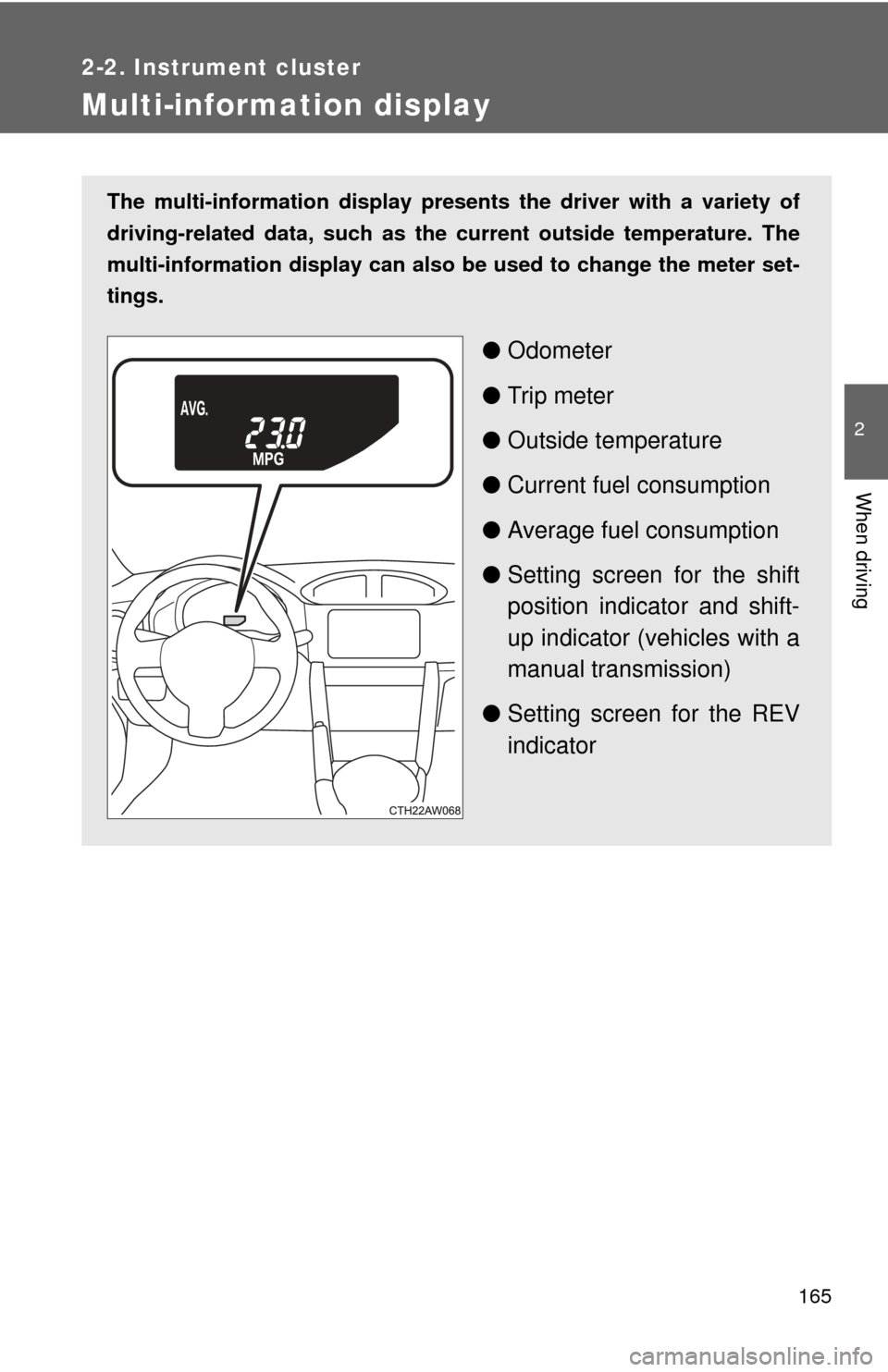
The multi-information display presents the driver with a variety of
driving-related data, such as the current outside temperature. The
multi-information display can also be used to change the meter set-
tings.
● Odometer
● Trip meter
● Outside temperature
● Current fuel consumption
● Average fuel consumption
● Setting screen for the shift
position indicator and shift-
up indicator (vehicles with a
manual transmission)
● Setting screen for the REV
indicator
Page 166 of 428
166 2-2. Instrument cluster
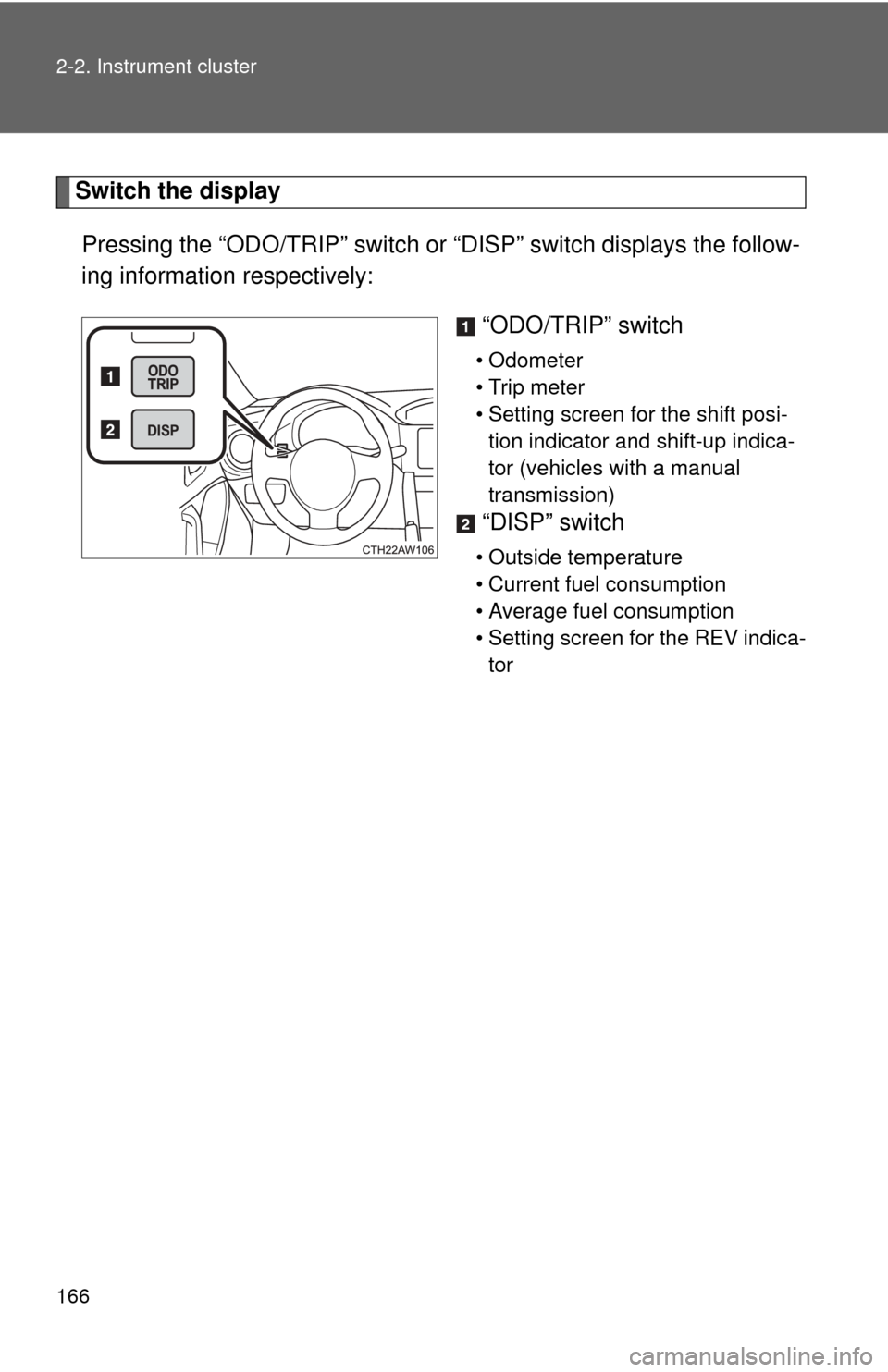
Switch the displayPressing the “ODO/TRIP” switch or “DISP” switch displays the follow-
ing information respectively:
“ODO/TRIP” switch
• Odometer
• Trip meter
• Setting screen for the shift posi-tion indicator and shift-up indica-
tor (vehicles with a manual
transmission)
“DISP” switch
• Outside temperature
• Current fuel consumption
• Average fuel consumption
• Setting screen for the REV indica-tor
Page 167 of 428
167
2-2. Instrument cluster
2
When driving
■
Changing the display using the “ODO/TRIP” switch
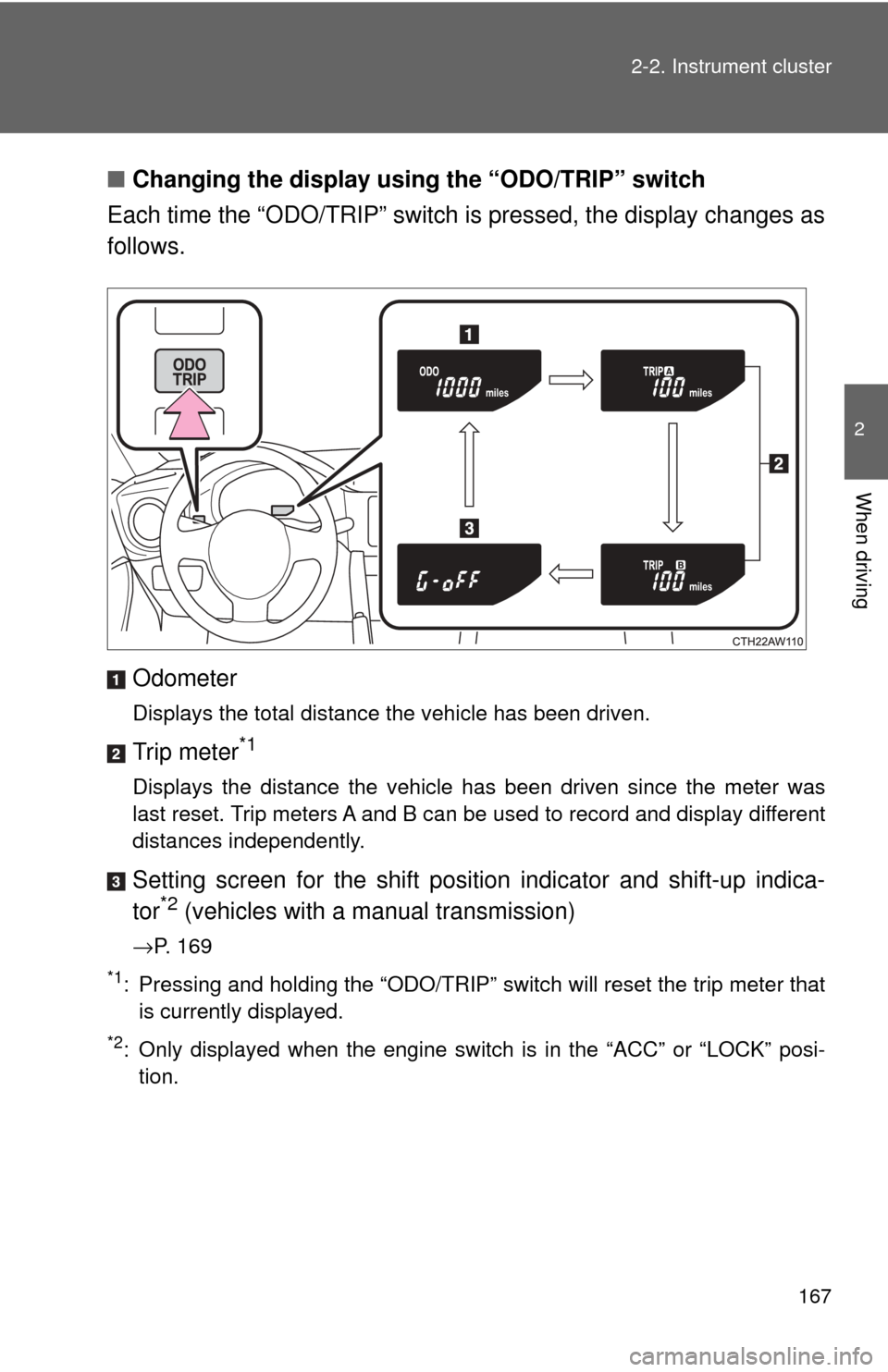
Each time the “ODO/TRIP” switch is pressed, the display changes as
follows.
Odometer
Displays the total distance the vehicle has been driven.
Trip meter*1
Displays the distance the vehicle has been driven since the meter was
last reset. Trip meters A and B can be used to record and display different
distances independently.
Setting screen for the shift position indicator and shift-up indica-
tor*2 (vehicles with a manual transmission)
→P. 169
*1: Pressing and holding the “ODO/TRIP” switch will reset the trip meter thatis currently displayed.
*2: Only displayed when the engine switch is in the “ACC” or “LOCK” posi-tion.
Page 168 of 428
168 2-2. Instrument cluster
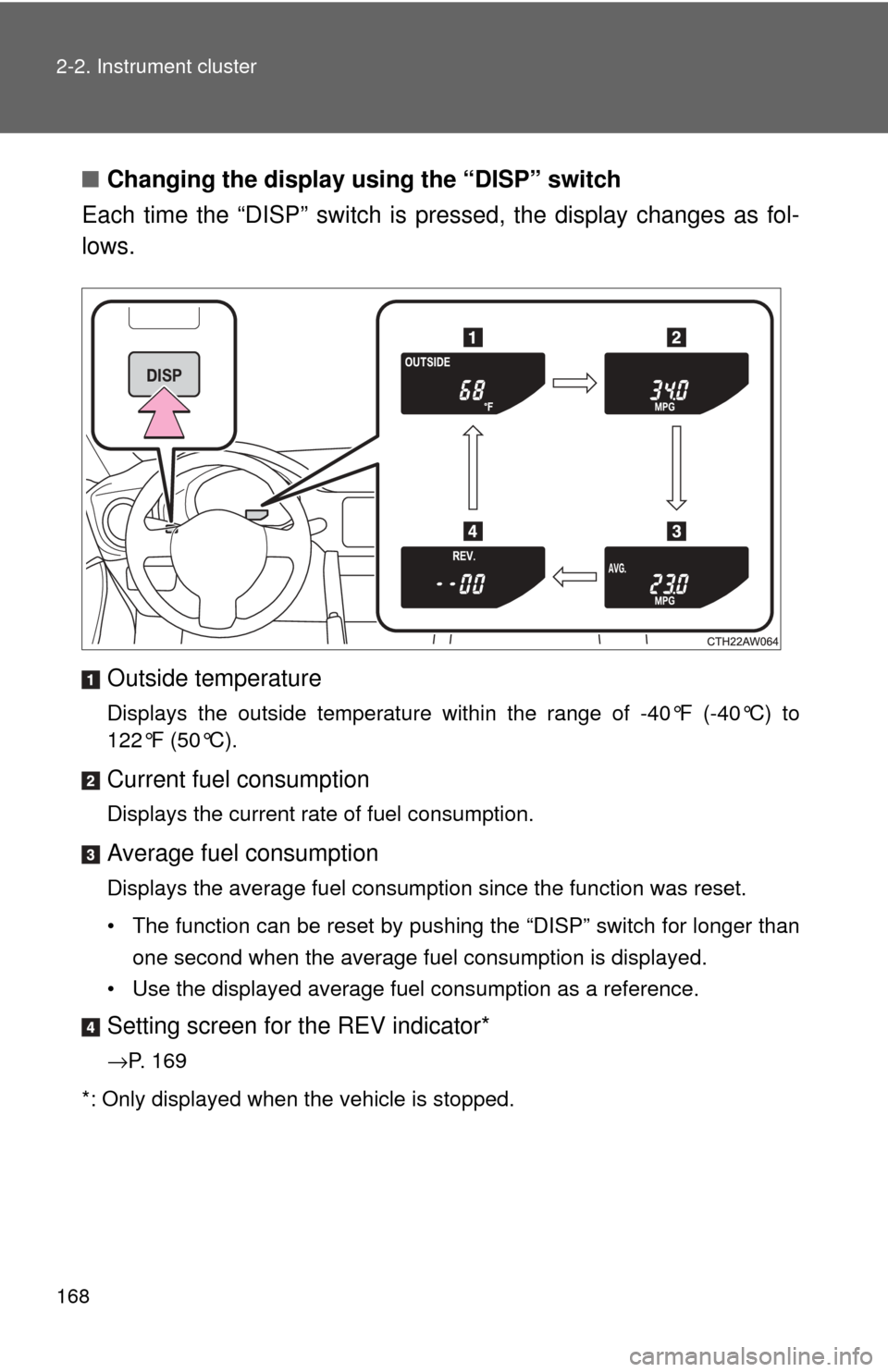
■Changing the display using the “DISP” switch
Each time the “DISP” switch is pressed, the display changes as fol-
lows.
Outside temperature
Displays the outside temperature within the range of -40°F (-40°C) to
122°F (50°C).
Current fuel consumption
Displays the current rate of fuel consumption.
Average fuel consumption
Displays the average fuel consumption since the function was reset.
• The function can be reset by pushing the “DISP” switch for longer than one second when the average fuel consumption is displayed.
• Use the displayed average fuel consumption as a reference.
Setting screen for the REV indicator*
→P. 169
*: Only displayed when the vehicle is stopped.
Page 169 of 428
169
2-2. Instrument cluster
2
When driving
Setting the shift position indi
cator and shift-up indicator
(vehicles with a manual transmission)
Displaying of the shift position indicator and shift-up indicator can be
turned on/off. Press the “ODO/TRIP” switch repeatedly until the setting
screen is displayed. ( →P. 167)
Each time the switch is pressed and held, the display changes
between on/off.
“G-on”: Display on
“G-oFF”: Display off
Setting the REV indicator
■ Changing the REV indicator settings
The engine speed at which the REV indicator turns on at and
whether a buzzer sounds or not when the light turns on can be set.
Engine speed setting range: From 2000 to 7400 rpm (r/min)
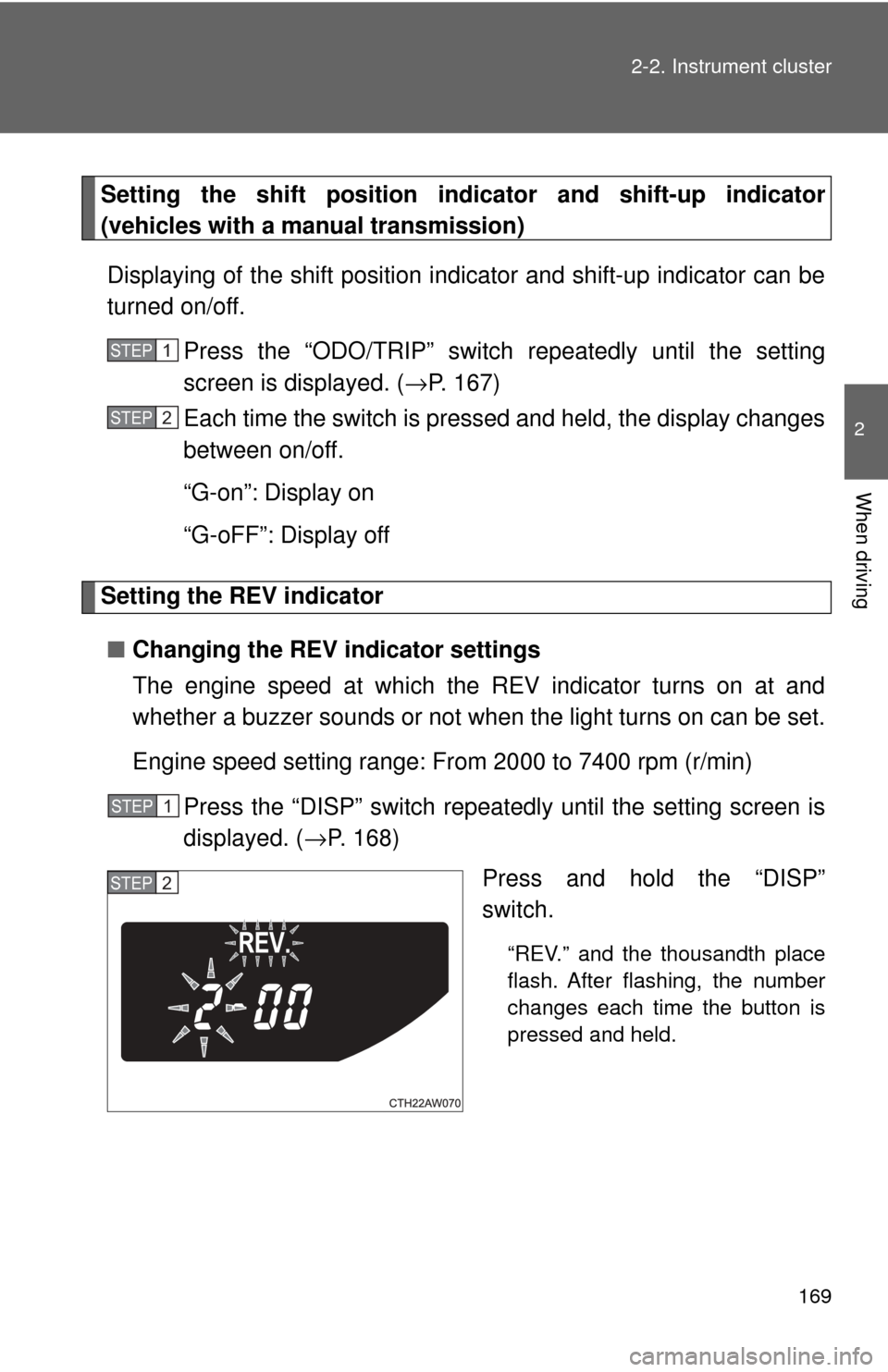
Press the “DISP” switch repeatedly until the setting screen is
displayed. ( →P. 168)
Press and hold the “DISP”
switch.
“REV.” and the thousandth place
flash. After flashing, the number
changes each time the button is
pressed and held.
STEP 1
STEP 2
STEP 1
STEP 2
Page 170 of 428
170 2-2. Instrument cluster
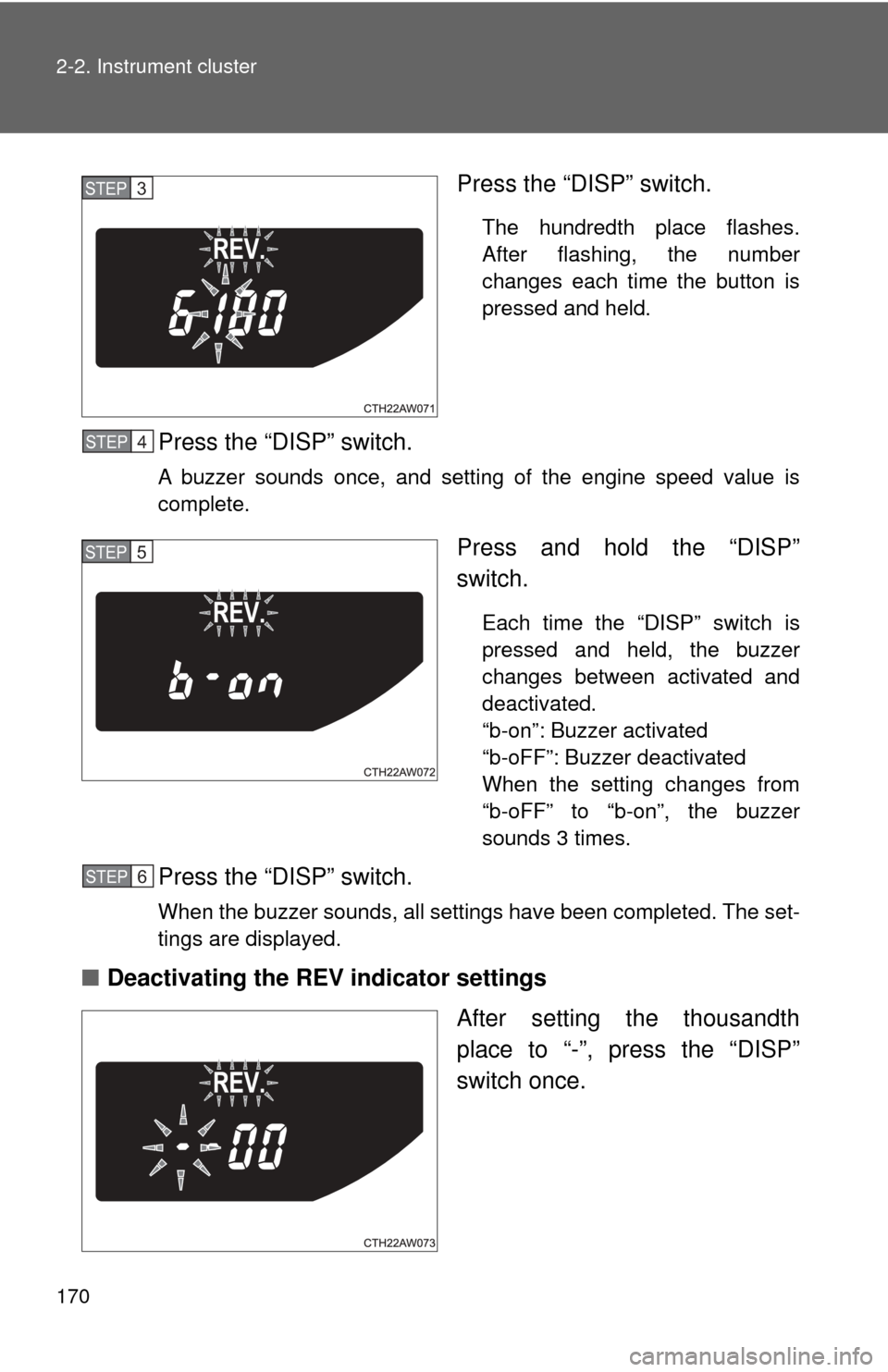
Press the “DISP” switch.
The hundredth place flashes.
After flashing, the number
changes each time the button is
pressed and held.
Press the “DISP” switch.
A buzzer sounds once, and setting of the engine speed value is
complete.
Press and hold the “DISP”
switch.
Each time the “DISP” switch is
pressed and held, the buzzer
changes between activated and
deactivated.
“b-on”: Buzzer activated
“b-oFF”: Buzzer deactivated
When the setting changes from
“b-oFF” to “b-on”, the buzzer
sounds 3 times.
Press the “DISP” switch.
When the buzzer sounds, all settings have been completed. The set-
tings are displayed.
■Deactivating the REV indicator settings
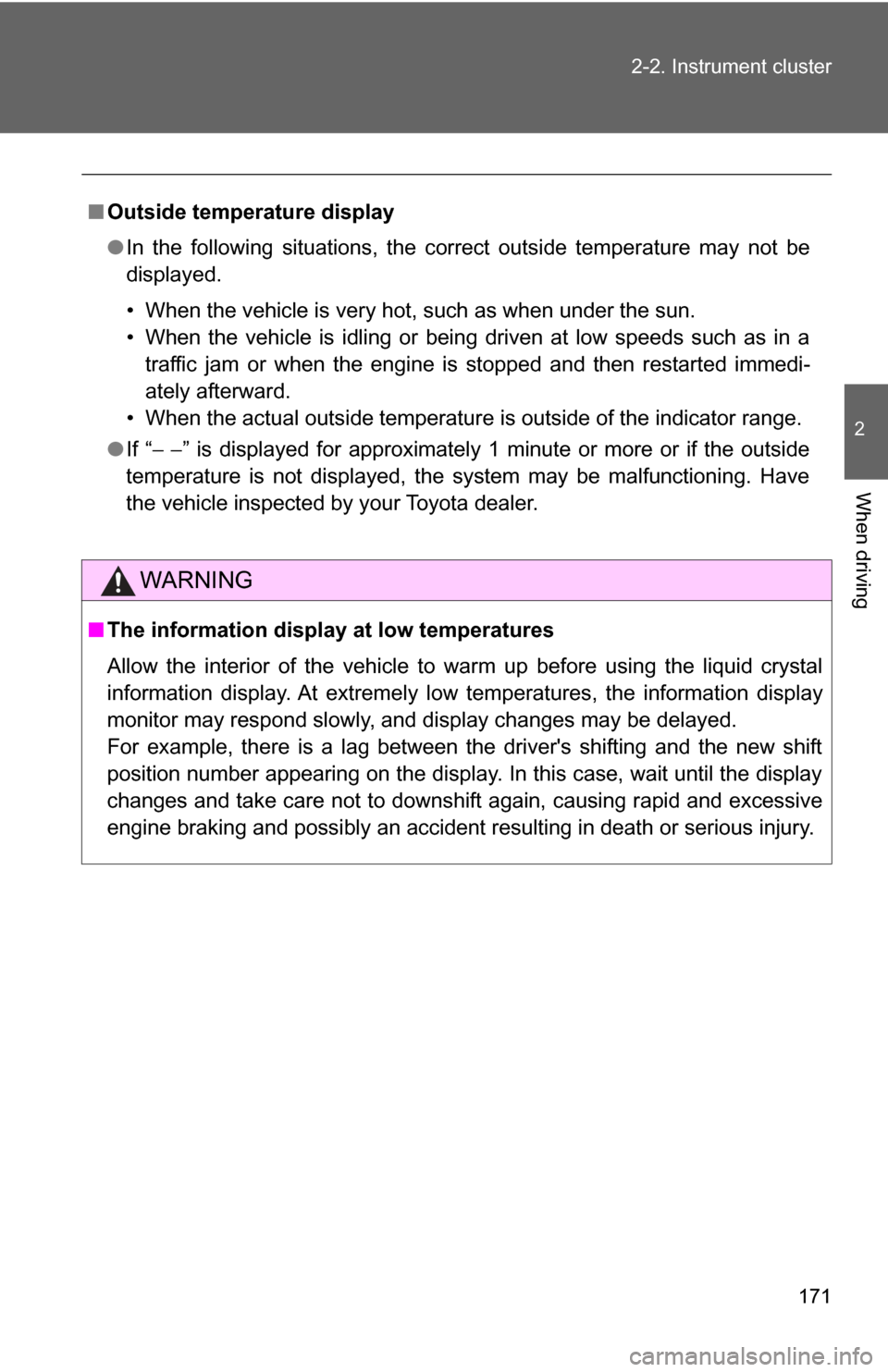
After setting the thousandth
place to “-”, press the “DISP”
switch once.
STEP 3
STEP 4
STEP 5
STEP 6
Page 171 of 428
171
2-2. Instrument cluster
2
When driving
■
Outside temperature display
●In the following situations, the correct outside temperature may not be
displayed.
• When the vehicle is very hot, such as when under the sun.
• When the vehicle is idling or being driven at low speeds such as in a
traffic jam or when the engine is stopped and then restarted immedi-
ately afterward.
• When the actual outside temperature is outside of the indicator range.
● If “ − −” is displayed for approximately 1 minute or more or if the outside
temperature is not displayed, the system may be malfunctioning. Have
the vehicle inspected by your Toyota dealer.
WARNING
■ The information displ ay at low temperatures
Allow the interior of the vehicle to warm up before using the liquid crystal
information display. At extremely low temperatures, the information display
monitor may respond slowly, and display changes may be delayed.
For example, there is a lag between the driver's shifting and the new shift
position number appearing on the display. In this case, wait until the display
changes and take care not to downshift again, causing rapid and excessive
engine braking and possibly an accident resulting in death or serious injury.
Page 180 of 428
180 2-4. Using other driving systems
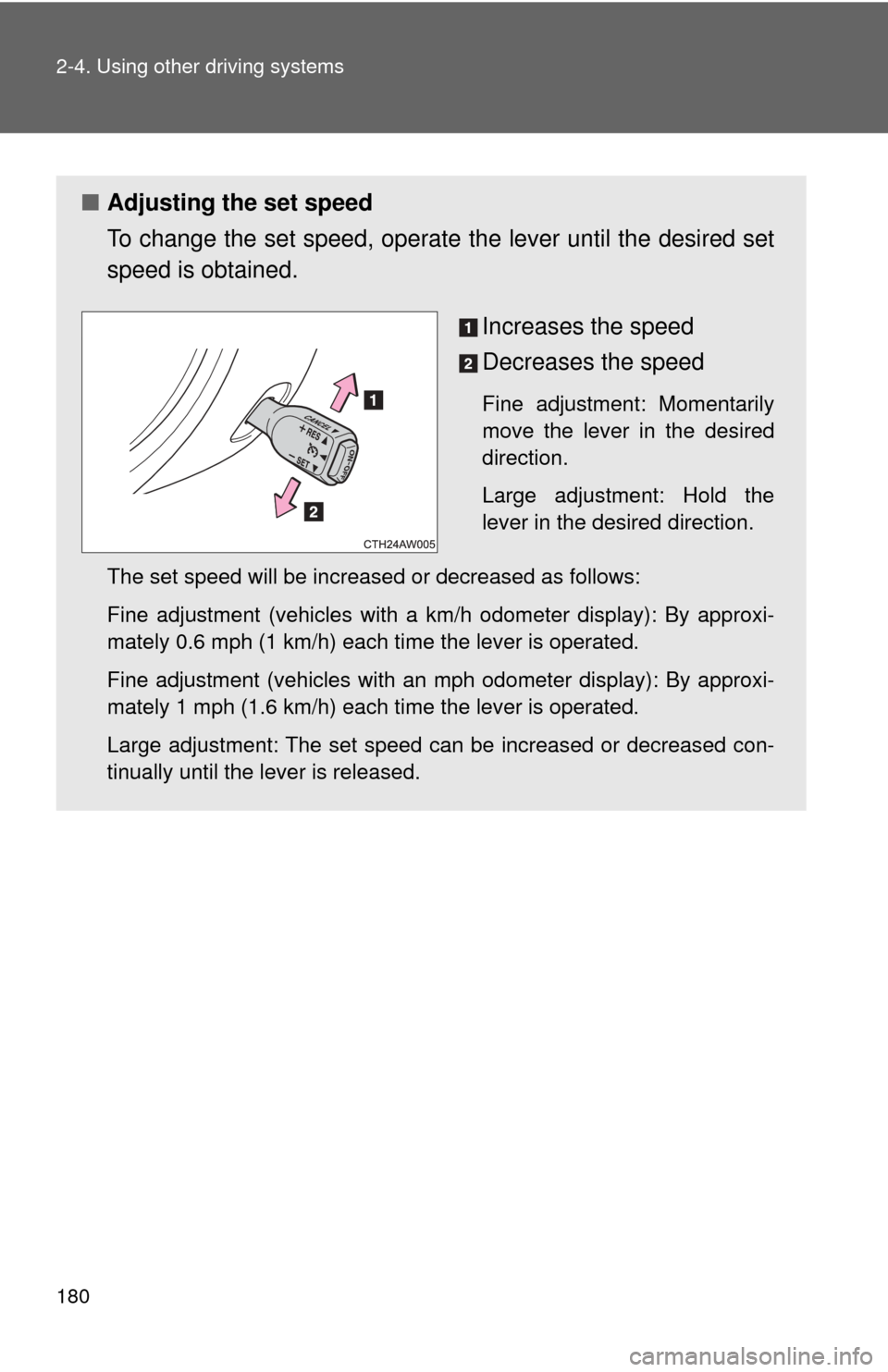
■Adjusting the set speed
To change the set speed, operate the lever until the desired set
speed is obtained.
Increases the speed
Decreases the speed
Fine adjustment: Momentarily
move the lever in the desired
direction.
Large adjustment: Hold the
lever in the desired direction.
The set speed will be increased or decreased as follows:
Fine adjustment (vehicles with a km/h odometer display): By approxi-
mately 0.6 mph (1 km/h) each time the lever is operated.
Fine adjustment (vehicles with an mph odometer display): By approxi-
mately 1 mph (1.6 km/h) each time the lever is operated.
Large adjustment: The set speed can be increased or decreased con-
tinually until the lever is released.
Page 229 of 428
229
3-5. Other interior features
3
Interior features
Clock
■The clock is displayed when
The engine switch is in the “ACC” or “ON” position.
■ When disconnecting and reco nnecting battery terminals
The clock data will be reset.
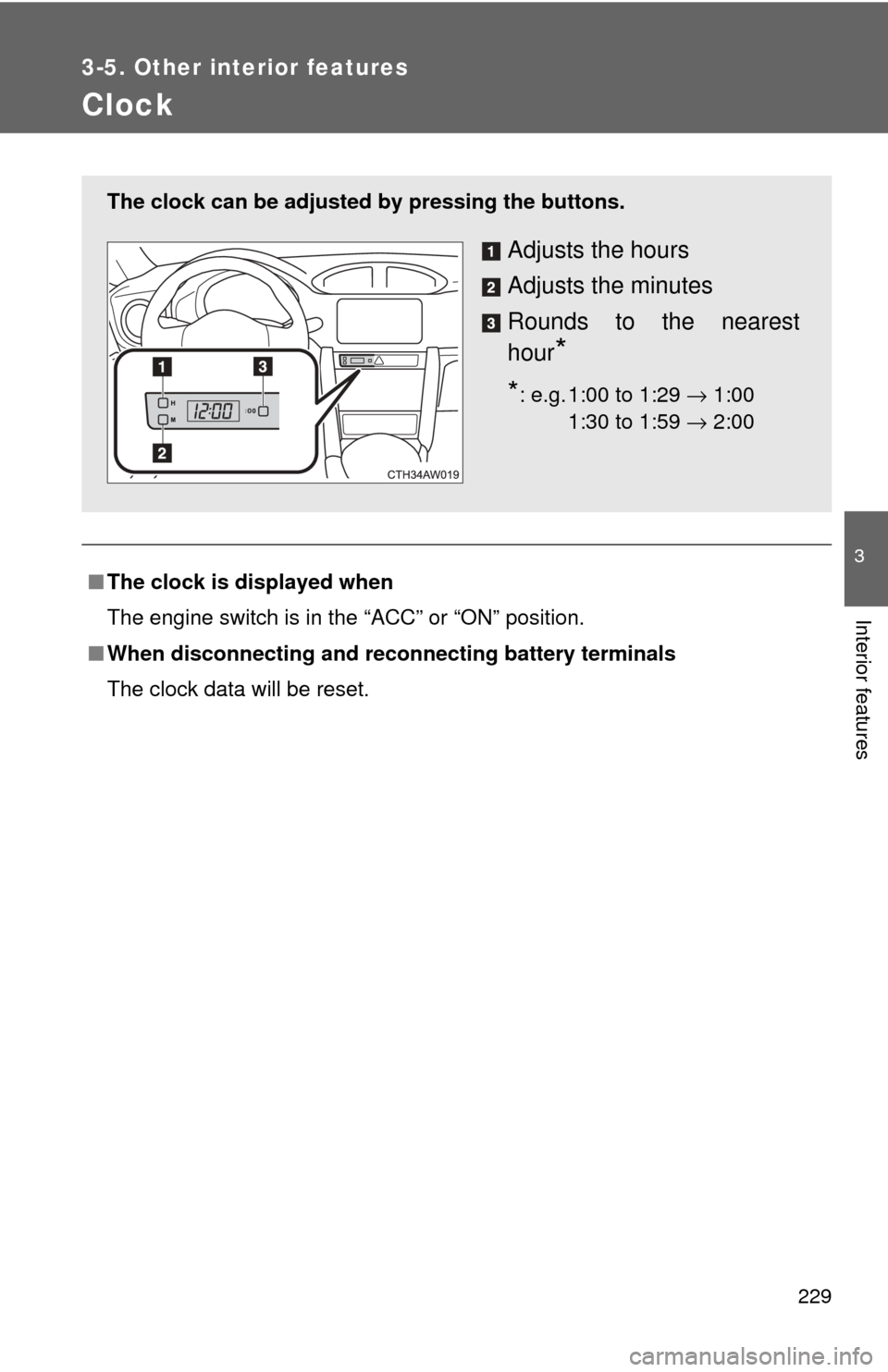
The clock can be adjusted by pressing the buttons.
Adjusts the hours
Adjusts the minutes
Rounds to the nearest
hour
*
*: e.g. 1:00 to 1:29 → 1:00
1:30 to 1:59 → 2:0000