engine TOYOTA HIGHLANDER 2012 XU40 / 2.G Repair Manual
[x] Cancel search | Manufacturer: TOYOTA, Model Year: 2012, Model line: HIGHLANDER, Model: TOYOTA HIGHLANDER 2012 XU40 / 2.GPages: 636, PDF Size: 11.24 MB
Page 199 of 636

199
2-2. Instrument cluster
2
When driving
■
Returning to the previous screen
Select “RETURN” on the menu screen. Press and hold the “DISP”
button until the display changes.
■System check display
Vehicles without smart key system
After the engine switch is turned to the “ON” position, “SYSTEM CHECK” is
displayed while system operation is checked. When the system check is
complete, the normal screen will return.
Vehicles with smart key system
After the “ENGINE START STOP” switch is turned to IGNITION ON mode,
“SYSTEM CHECK” is displayed while system operation is checked. When
the system check is complete, the normal screen will return.
■ Liquid crystal display
Small bright spots or dots may appear on the liquid crystal display. This is a
particular characteristic of liquid crystal displays and does not indicate a mal-
function. No action is required.
■ Outside temperature display
When stopped, or driving at low speeds (less than 12 mph [20 km/h]), the
correct outside temperature may not be displayed, or the display may take
longer than normal to change.
■ Customization that can be co nfigured at Toyota dealer
Setting of language selection can be changed.
(Customizable features P. 602)
NOTICE
■The multi-information disp lay at low temperatures
Allow the interior of the vehicle to warm up before using the liquid crystal
information display. At extremely low temperatures, the information display
monitor may respond slowly, and display changes may be delayed.
Page 200 of 636
200
2-3. Operating the lights and wipers
Headlight switch
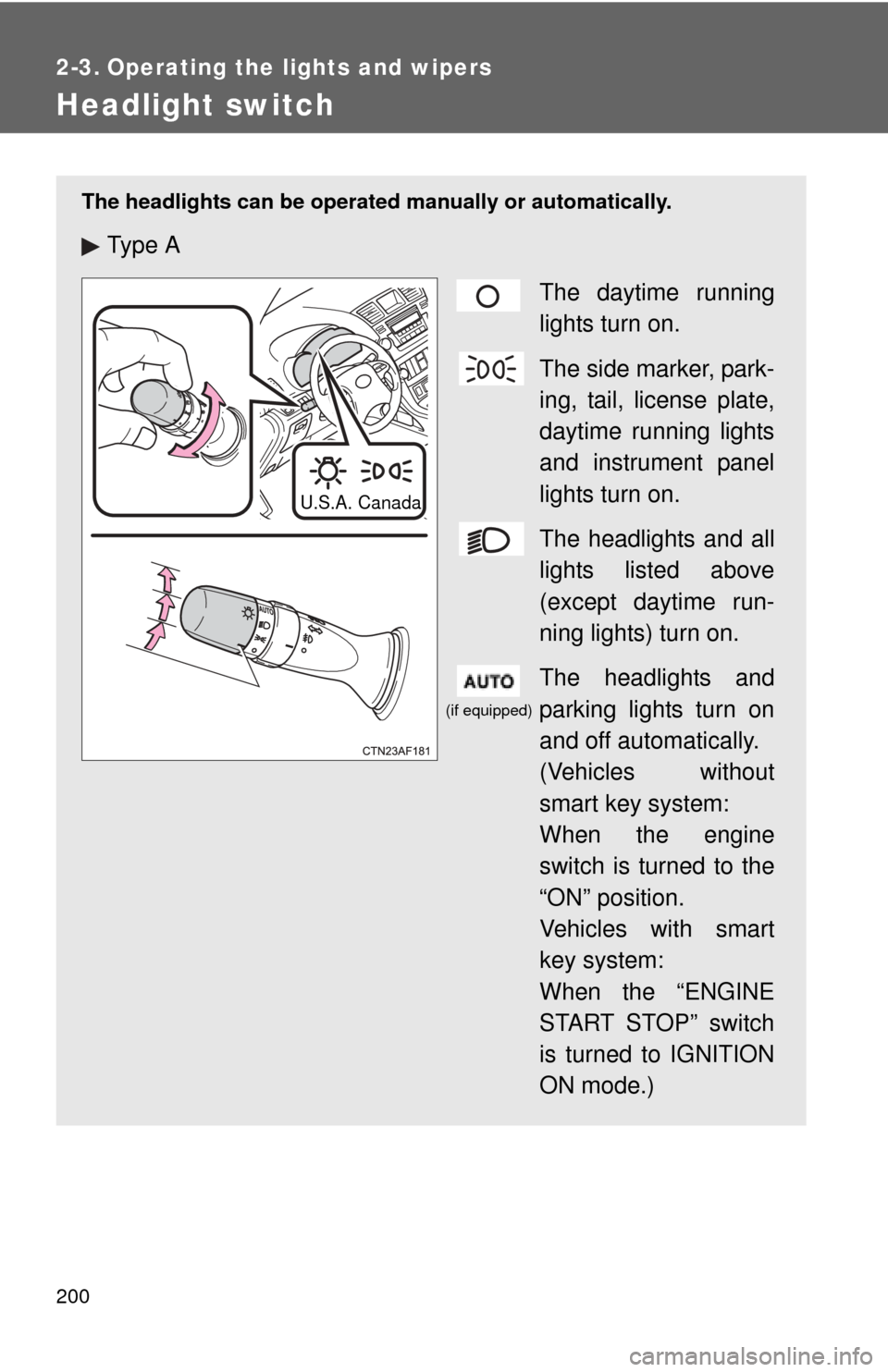
The headlights can be operated manually or automatically.
Ty p e A
The daytime running
lights turn on.
The side marker, park-
ing, tail, license plate,
daytime running lights
and instrument panel
lights turn on.
The headlights and all
lights listed above
(except daytime run-
ning lights) turn on.
The headlights and
parking lights turn on
and off automatically.
(Vehicles without
smart key system:
When the engine
switch is turned to the
“ON” position.
Vehicles with smart
key system:
When the “ENGINE
START STOP” switch
is turned to IGNITION
ON mode.)
U.S.A. Canada
(if equipped)
Page 201 of 636
201
2-3. Operating the lights and wipers
2
When driving
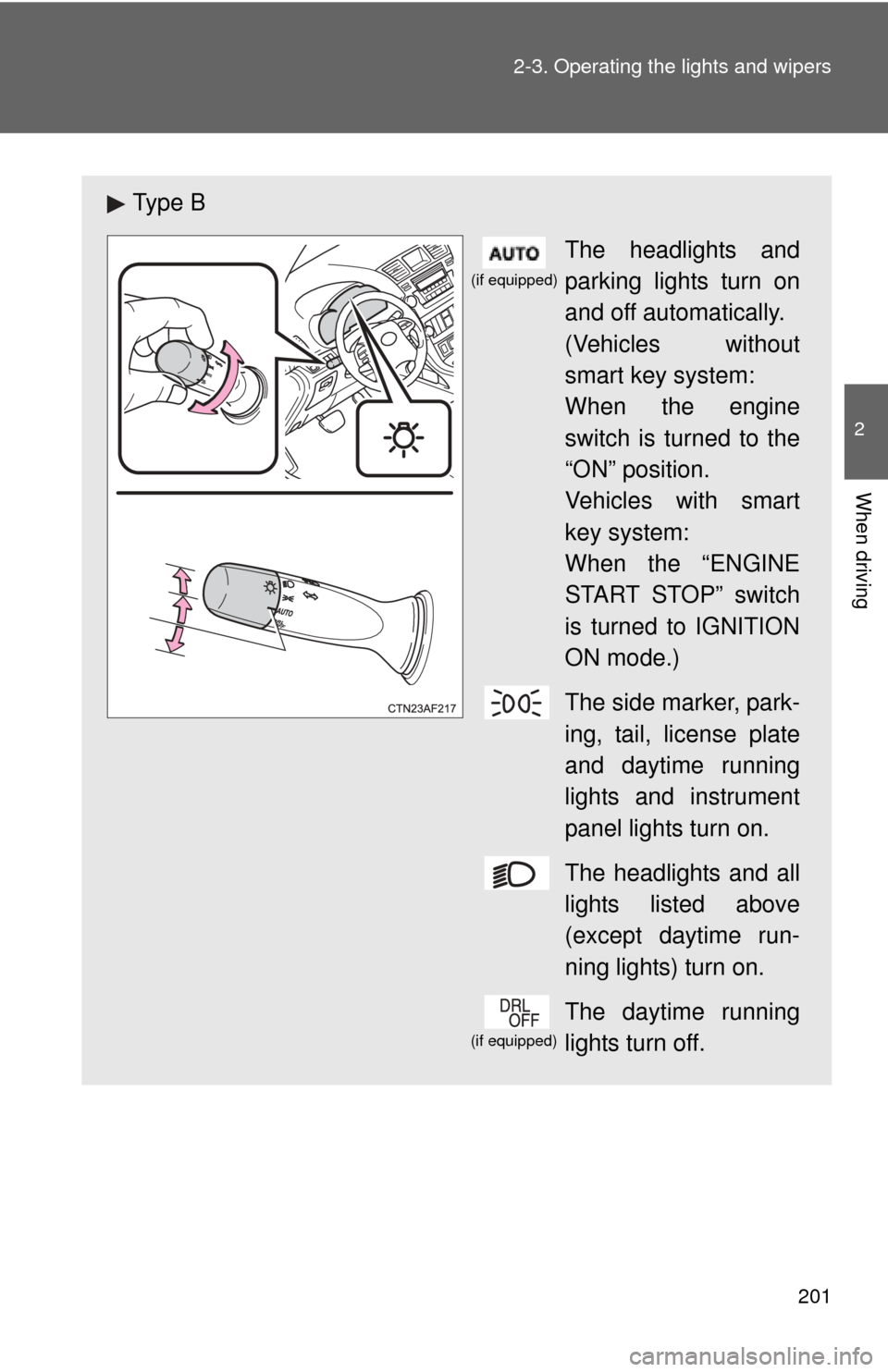
Ty p e B
The headlights and
parking lights turn on
and off automatically.
(Vehicles without
smart key system:
When the engine
switch is turned to the
“ON” position.
Vehicles with smart
key system:
When the “ENGINE
START STOP” switch
is turned to IGNITION
ON mode.)
The side marker, park-
ing, tail, license plate
and daytime running
lights and instrument
panel lights turn on.
The headlights and all
lights listed above
(except daytime run-
ning lights) turn on.
The daytime running
lights turn off.
(if equipped)
(if equipped)
Page 202 of 636
202 2-3. Operating the lights and wipers
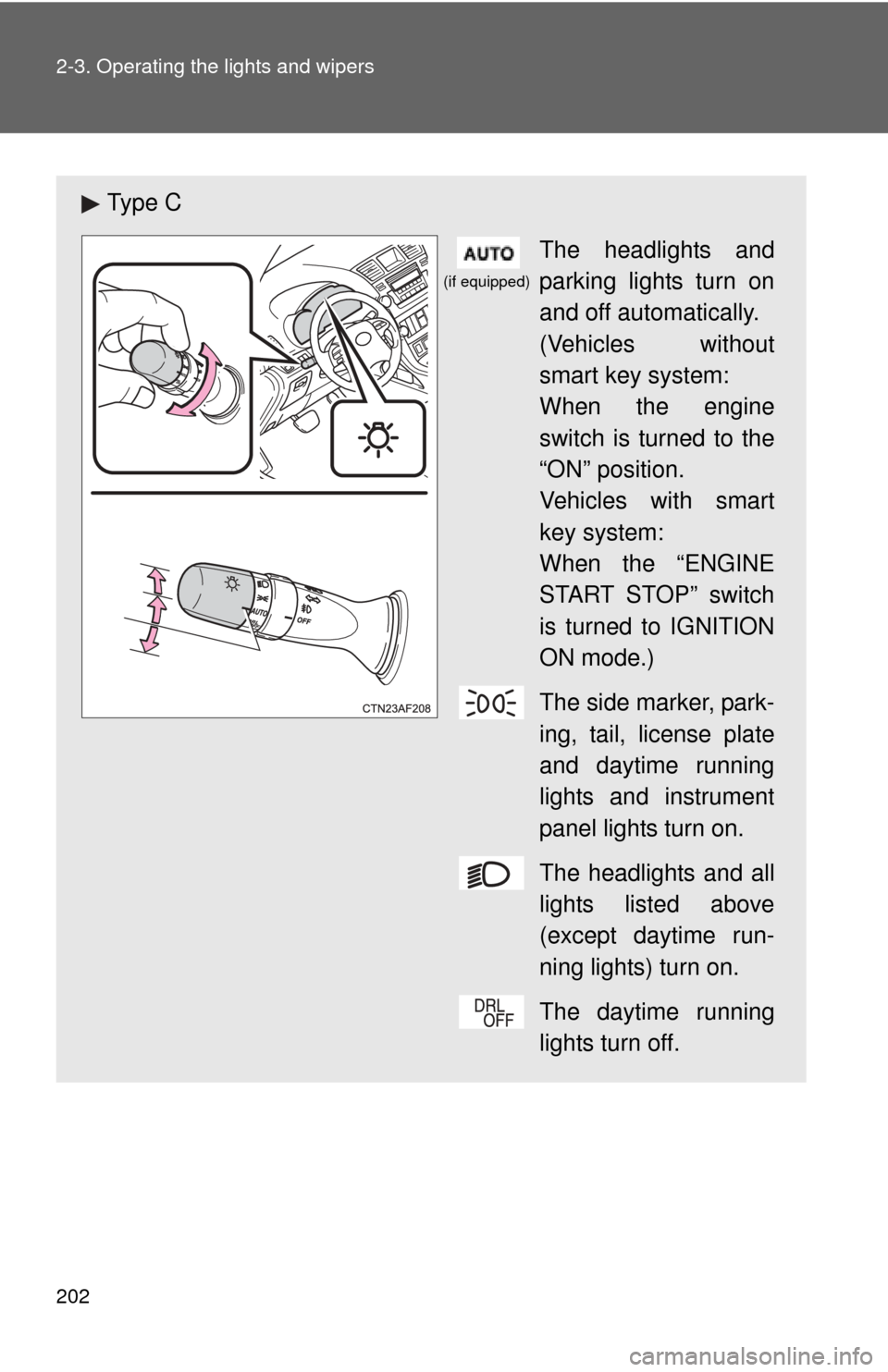
Ty p e CThe headlights and
parking lights turn on
and off automatically.
(Vehicles without
smart key system:
When the engine
switch is turned to the
“ON” position.
Vehicles with smart
key system:
When the “ENGINE
START STOP” switch
is turned to IGNITION
ON mode.)
The side marker, park-
ing, tail, license plate
and daytime running
lights and instrument
panel lights turn on.
The headlights and all
lights listed above
(except daytime run-
ning lights) turn on.
The daytime running
lights turn off.
(if equipped)
Page 203 of 636
203
2-3. Operating the lights and wipers
2
When driving
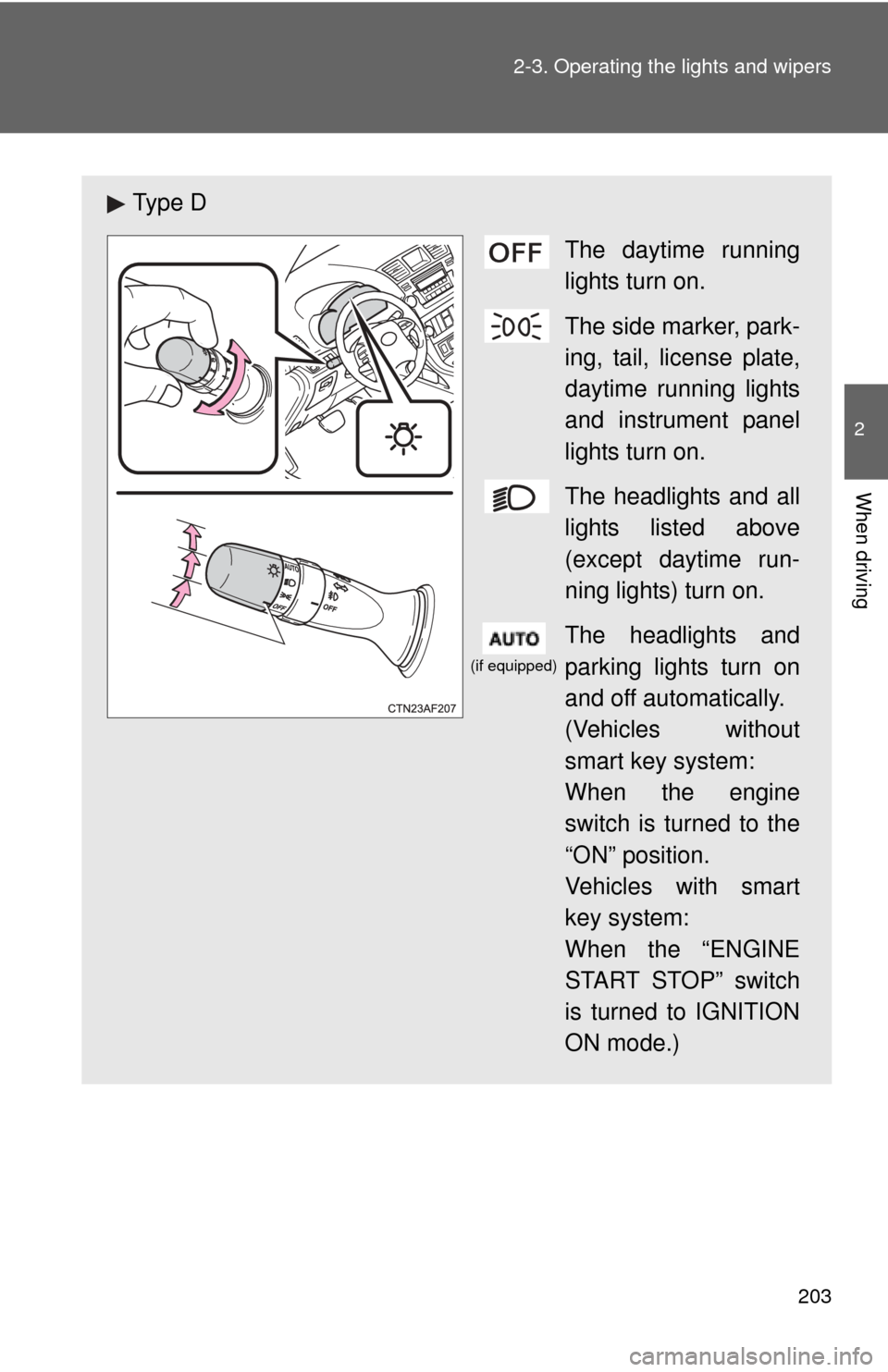
Ty p e D
The daytime running
lights turn on.
The side marker, park-
ing, tail, license plate,
daytime running lights
and instrument panel
lights turn on.
The headlights and all
lights listed above
(except daytime run-
ning lights) turn on.
The headlights and
parking lights turn on
and off automatically.
(Vehicles without
smart key system:
When the engine
switch is turned to the
“ON” position.
Vehicles with smart
key system:
When the “ENGINE
START STOP” switch
is turned to IGNITION
ON mode.)
(if equipped)
Page 204 of 636
204 2-3. Operating the lights and wipers
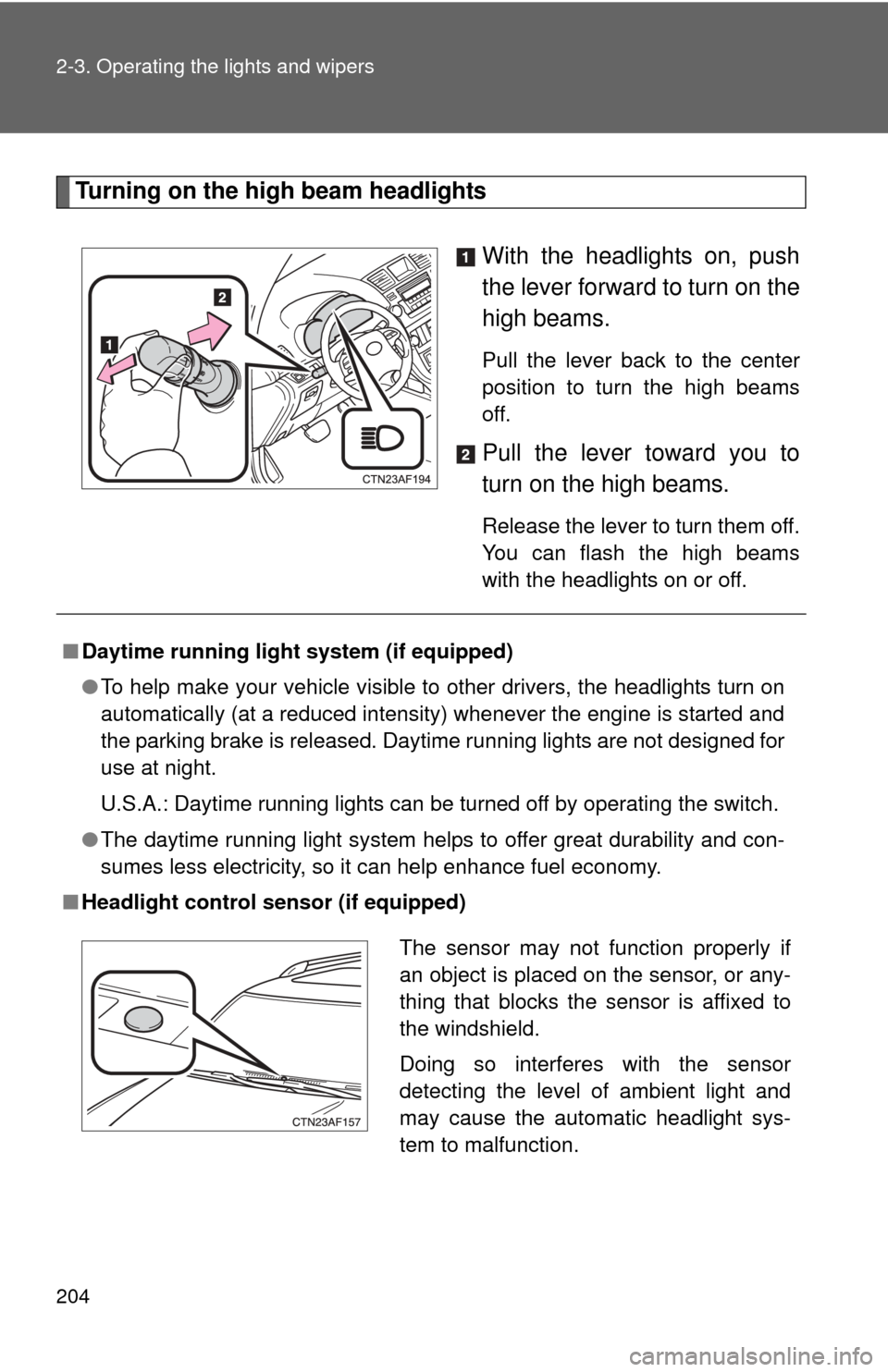
Turning on the high beam headlightsWith the headlights on, push
the lever forward to turn on the
high beams.
Pull the lever back to the center
position to turn the high beams
off.
Pull the lever toward you to
turn on the high beams.
Release the lever to turn them off.
You can flash the high beams
with the headlights on or off.
■Daytime running light system (if equipped)
●To help make your vehicle visible to other drivers, the headlights turn on
automatically (at a reduced intensity) whenever the engine is started and
the parking brake is released. Daytime running lights are not designed for
use at night.
U.S.A.: Daytime running lights can be turned off by operating the switch.
● The daytime running light system helps to offer great durability and con-
sumes less electricity, so it can help enhance fuel economy.
■ Headlight control sensor (if equipped)
The sensor may not function properly if
an object is placed on the sensor, or any-
thing that blocks the sensor is affixed to
the windshield.
Doing so interferes with the sensor
detecting the level of ambient light and
may cause the automatic headlight sys-
tem to malfunction.
Page 205 of 636
205
2-3. Operating the lights and wipers
2
When driving
■
Automatic light off system
Vehicles without smart key system
● When the headlights come on: The headlights and tail lights turn off 30
seconds after a door is opened and closed if the engine switch is turned
to the “ACC” or “LOCK” position. (The lights turn off immediately if
on the wireless remote control is pressed after all the doors are
locked.)
● When only the tail lights come on: The tail lights turn off automatically if
the engine switch is turned to the “ACC” or “LOCK” position and the
driver’s door is opened.
To turn the lights on again, turn the engine switch to the “ON” position, or
turn the light switch off and then back to or .
Vehicles with smart key system
● When the headlights come on: The headlights and tail lights turn off 30
seconds after a door is opened and closed if the “ENGINE START
STOP” switch is turned to ACCESSORY mode or turned off. (The lights
turn off immediately if on the key is pressed after all the doors are
locked.)
● When only the tail lights come on: The tail lights turn off automatically if
the “ENGINE START STOP” switch is turned to ACCESSORY mode or
turned off and the driver’s door is opened.
To turn the lights on again, turn the “ENGINE START STOP” switch to IGNI-
TION ON mode, or turn the light switch off and then back to or
.
■ Customization that can be co nfigured at Toyota dealer
Settings (e.g. daytime running light system) can be changed.
(Customizable features P. 602)
NOTICE
■To prevent battery discharge
Do not leave the lights on longer than necessary when the engine is not run-
ning.
Page 210 of 636
210 2-3. Operating the lights and wipers
■The windshield wipers and washer can be operated when
Vehicles without smart key system
The engine switch is in
the “ON” position.
Vehicles with smart key system
The “ENGINE START STOP” switch is in IGNITION ON mode.
■ If no windshield washer fluid sprays
Check that the washer nozzles are not blocked and if there is washer fluid in
the windshield washer fluid reservoir.
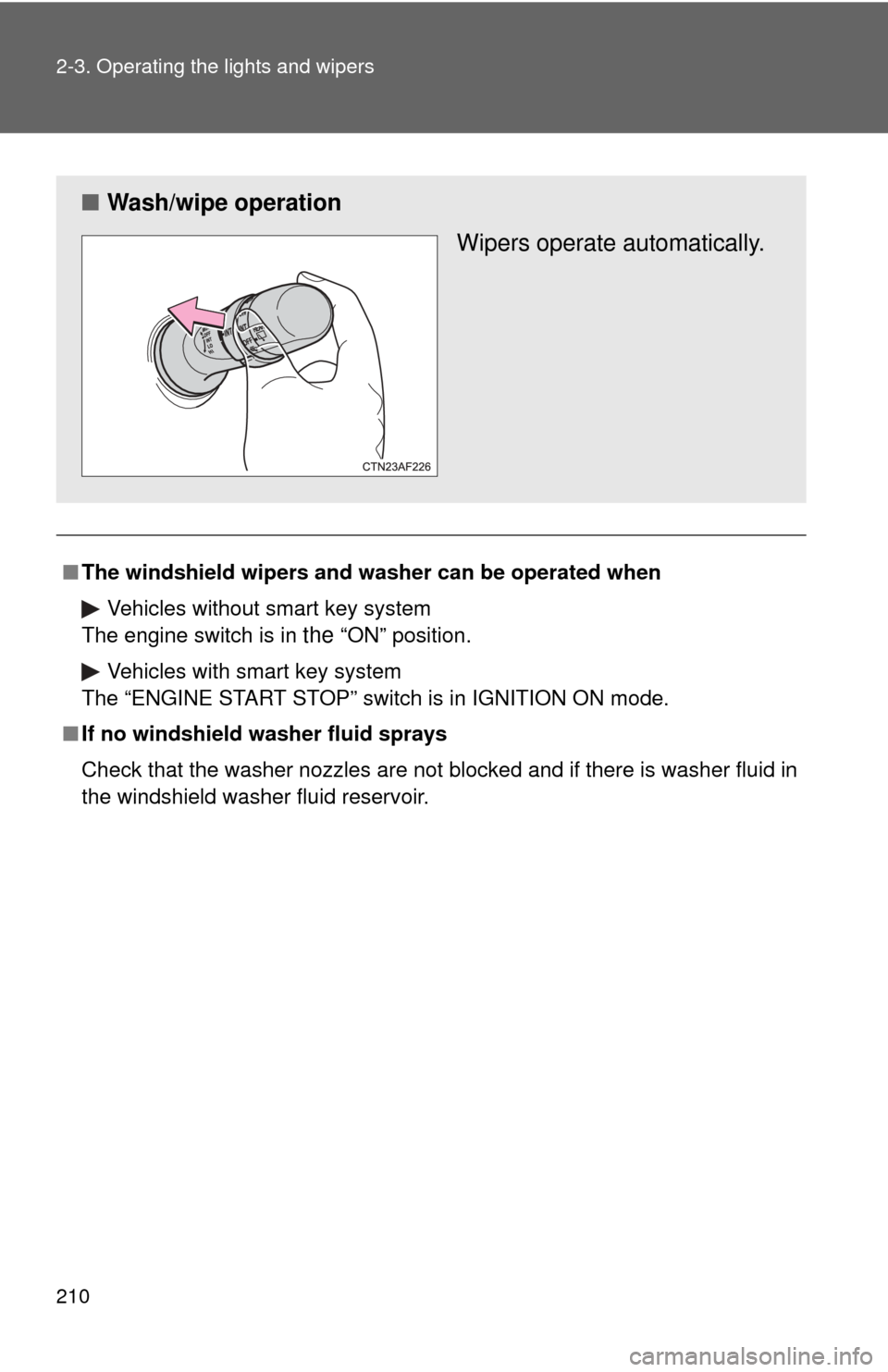
■ Wash/wipe operation
Wipers operate automatically.
Page 214 of 636

214 2-3. Operating the lights and wipers
■The rear window wiper and w asher can be operated when
Vehicles without smart key system
The engine switch is in
the “ON” position.
Vehicles with smart key system
The “ENGINE START STOP” switch is in IGNITION ON mode.
NOTICE
■ When the rear window is dry
Do not use the wipers, as they may damage the rear window.
Page 224 of 636
224 2-4. Using other driving systems
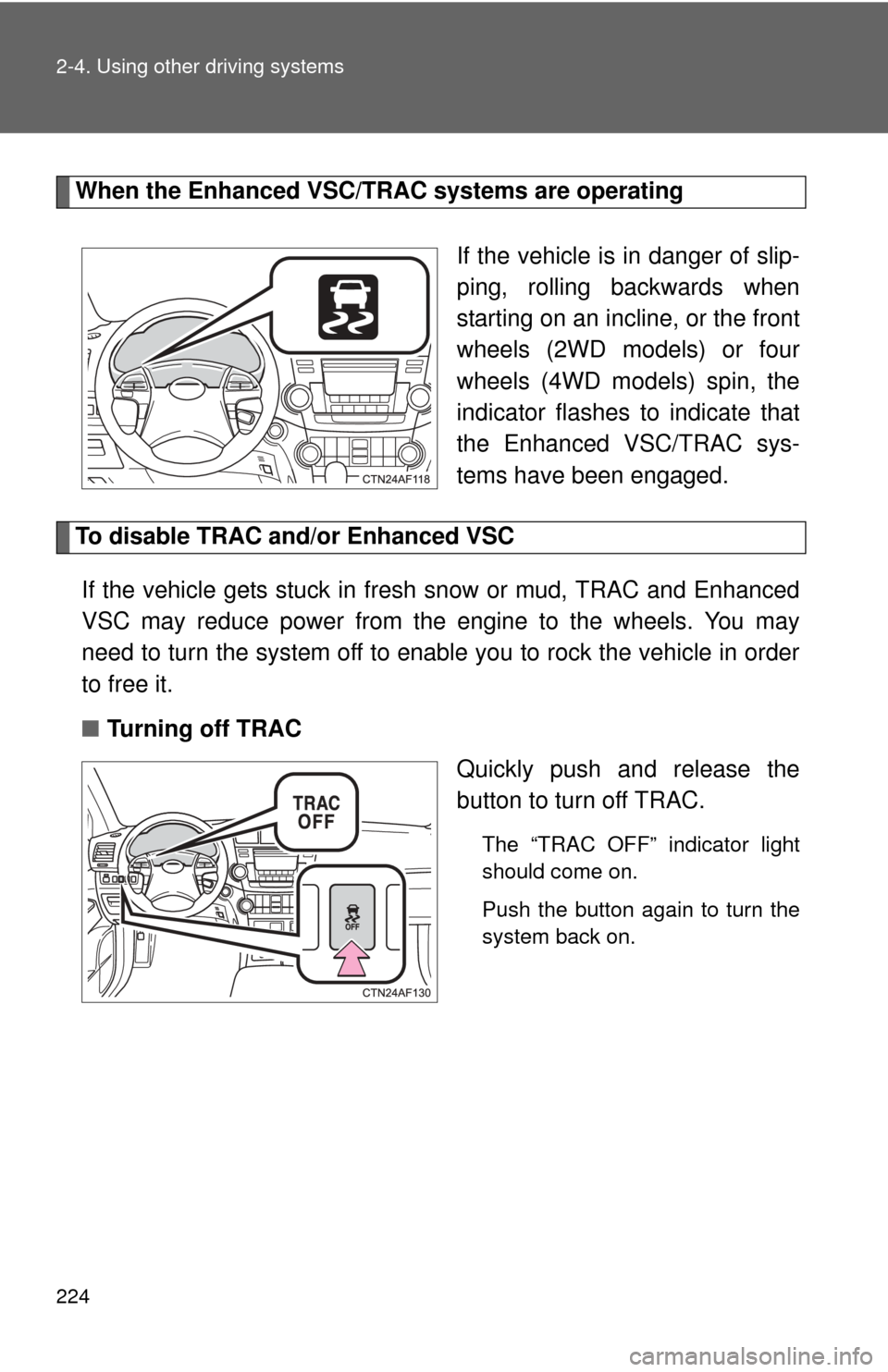
When the Enhanced VSC/TRAC systems are operatingIf the vehicle is in danger of slip-
ping, rolling backwards when
starting on an incline, or the front
wheels (2WD models) or four
wheels (4WD models) spin, the
indicator flashes to indicate that
the Enhanced VSC/TRAC sys-
tems have been engaged.
To disable TRAC and/or Enhanced VSCIf the vehicle gets stuck in fresh snow or mud, TRAC and Enhanced
VSC may reduce power from the engine to the wheels. You may
need to turn the system off to enable you to rock the vehicle in order
to free it.
■ Turning off TRAC
Quickly push and release the
button to turn off TRAC.
The “TRAC OFF” indicator light
should come on.
Push the button again to turn the
system back on.