ignition TOYOTA HIGHLANDER 2018 (in English) Service Manual
[x] Cancel search | Manufacturer: TOYOTA, Model Year: 2018, Model line: HIGHLANDER, Model: TOYOTA HIGHLANDER 2018Pages: 732, PDF Size: 14.5 MB
Page 330 of 732
3304-5. Using the driving support systems
HIGHLANDER_U (OM0E031U)
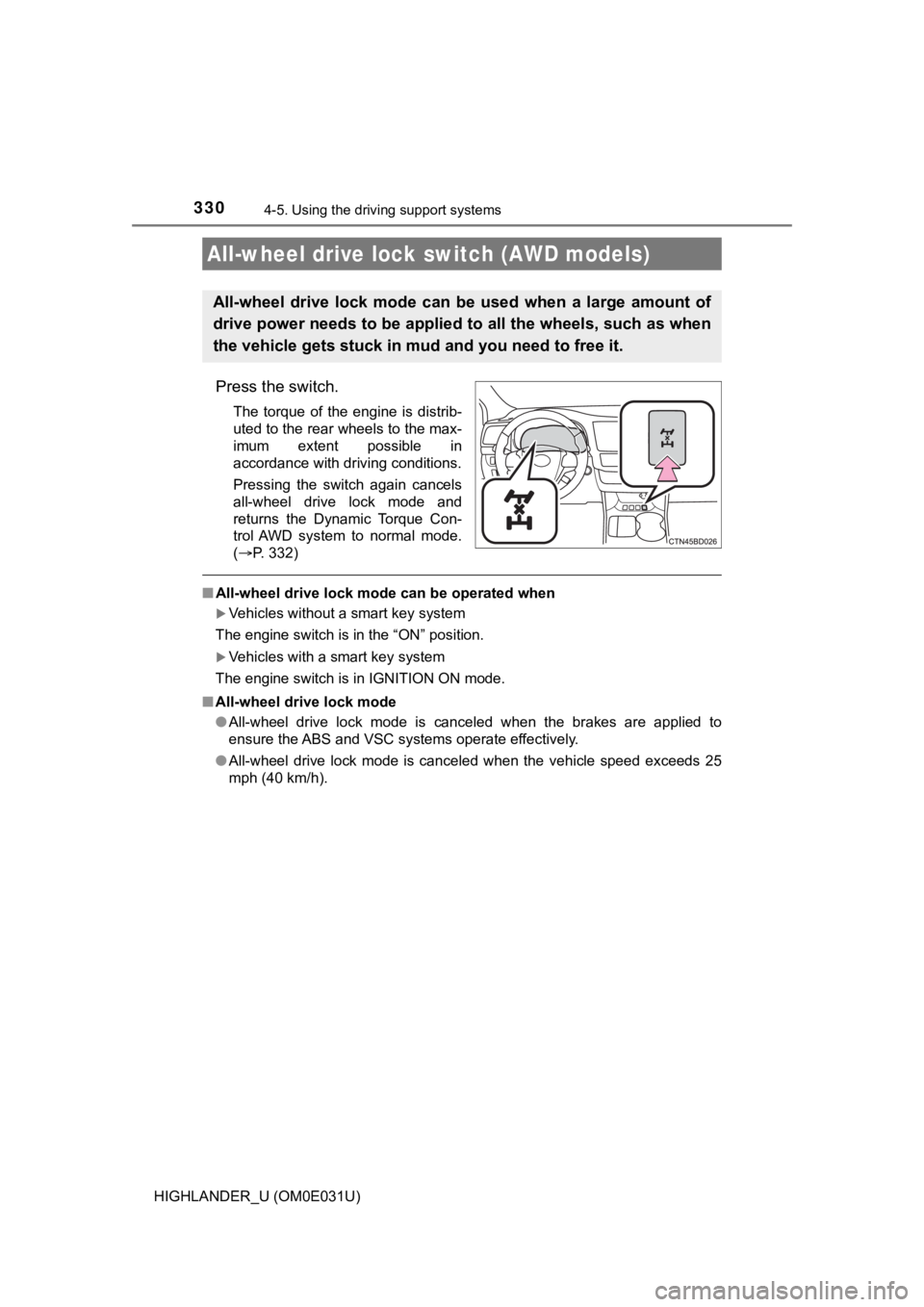
Press the switch.
The torque of the engine is distrib-
uted to the rear wheels to the max-
imum extent possible in
accordance with driving conditions.
Pressing the switch again cancels
all-wheel drive lock mode and
returns the Dynamic Torque Con-
trol AWD system to normal mode.
(P. 332)
■ All-wheel drive lock mode can be operated when
Vehicles without a smart key system
The engine switch is in the “ON” position.
Vehicles with a smart key system
The engine switch is in IGNITION ON mode.
■ All-wheel drive lock mode
●All-wheel drive lock mode is canceled when the brakes are appli ed to
ensure the ABS and VSC systems operate effectively.
● All-wheel drive lock mode is canceled when the vehicle speed ex ceeds 25
mph (40 km/h).
All-wheel drive lock switch (AWD models)
All-wheel drive lock mode can b e used when a large amount of
drive power needs to be applied to all the wheels, such as when
the vehicle gets stuck in m ud and you need to free it.
Page 456 of 732
4566-1. Using the air conditioning system and defogger
HIGHLANDER_U (OM0E031U)
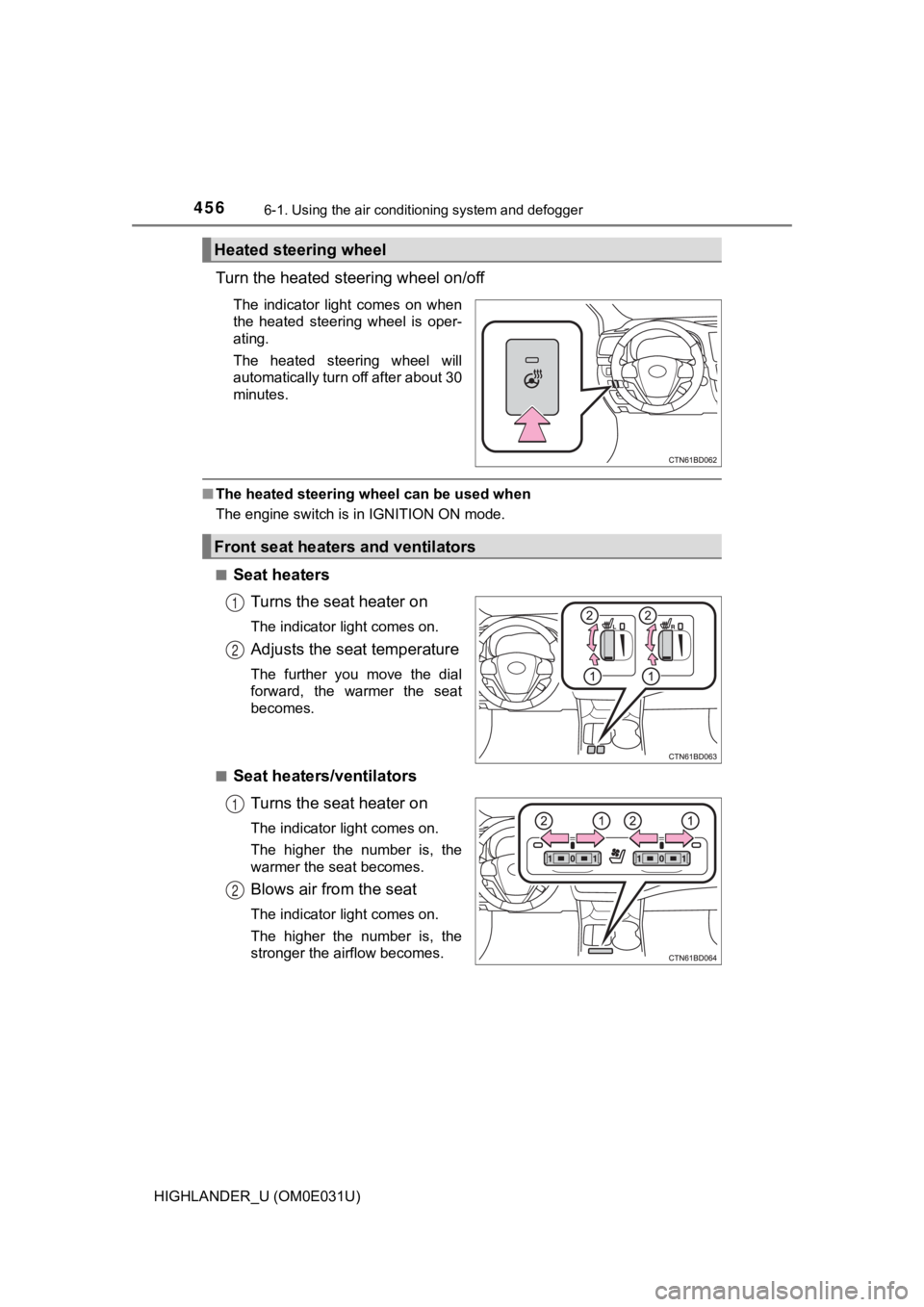
Turn the heated steering wheel on/off
The indicator light comes on when
the heated steering wheel is oper-
ating.
The heated steering wheel will
automatically turn off after about 30
minutes.
■The heated steering wheel can be used when
The engine switch is in IGNITION ON mode.
■
Seat heaters
Turns the seat heater on
The indicator light comes on.
Adjusts the seat temperature
The further you move the dial
forward, the warmer the seat
becomes.
■
Seat heaters/ventilators Turns the seat heater on
The indicator light comes on.
The higher the number is, the
warmer the seat becomes.
Blows air from the seat
The indicator light comes on.
The higher the number is, the
stronger the airflow becomes.
Heated steering wheel
Front seat heaters and ventilators
1
2
1
2
Page 457 of 732
4576-1. Using the air conditioning system and defogger
6
Interior features
HIGHLANDER_U (OM0E031U)
■The seat heaters and seat heaters/ventilators can be used when
Vehicles without a smart key system
The engine switch is in the “ON” position.
Vehicles with a smart key system
The engine switch is in IGNITION ON mode.
■ When not in use
Seat heaters
Turn the dial fully backward. The indicator light will turn off .
Seat heaters/ventilators
Set the knob at “0”. The indicator light will turn off.
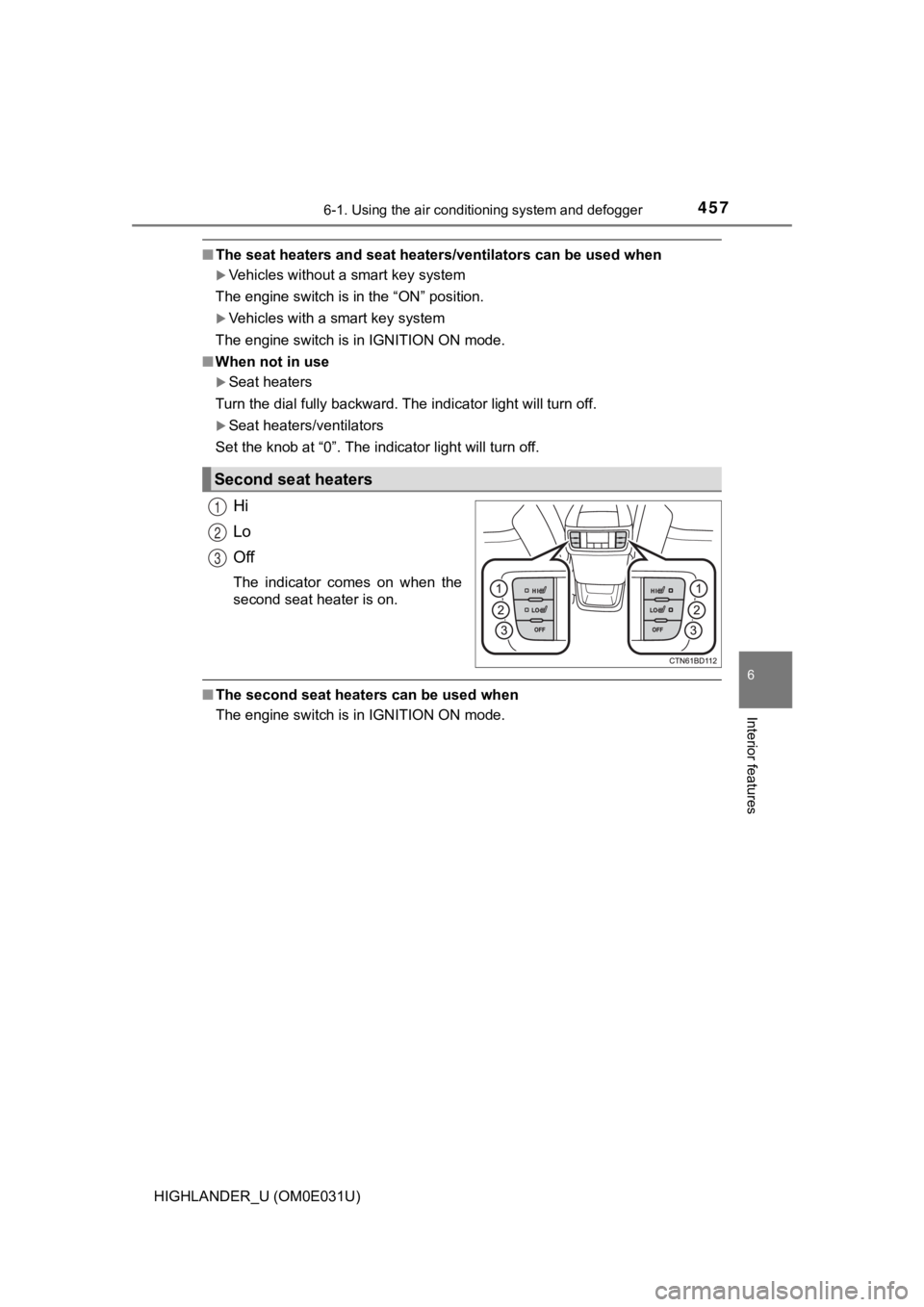
Hi
Lo
Off
The indicator comes on when the
second seat heater is on.
■ The second seat heaters can be used when
The engine switch is in IGNITION ON mode.
Second seat heaters
1
2
3
Page 474 of 732
4746-4. Using the other interior features
HIGHLANDER_U (OM0E031U)
■The clock is displayed when
Vehicles without a smart key system
The engine switch is in the “ACC” or “ON” position.
Vehicles with a smart key system
The engine switch is in ACCESSORY or IGNITION ON mode.
■ When the battery is disconnected
The time display will automatically be set to 1:00.
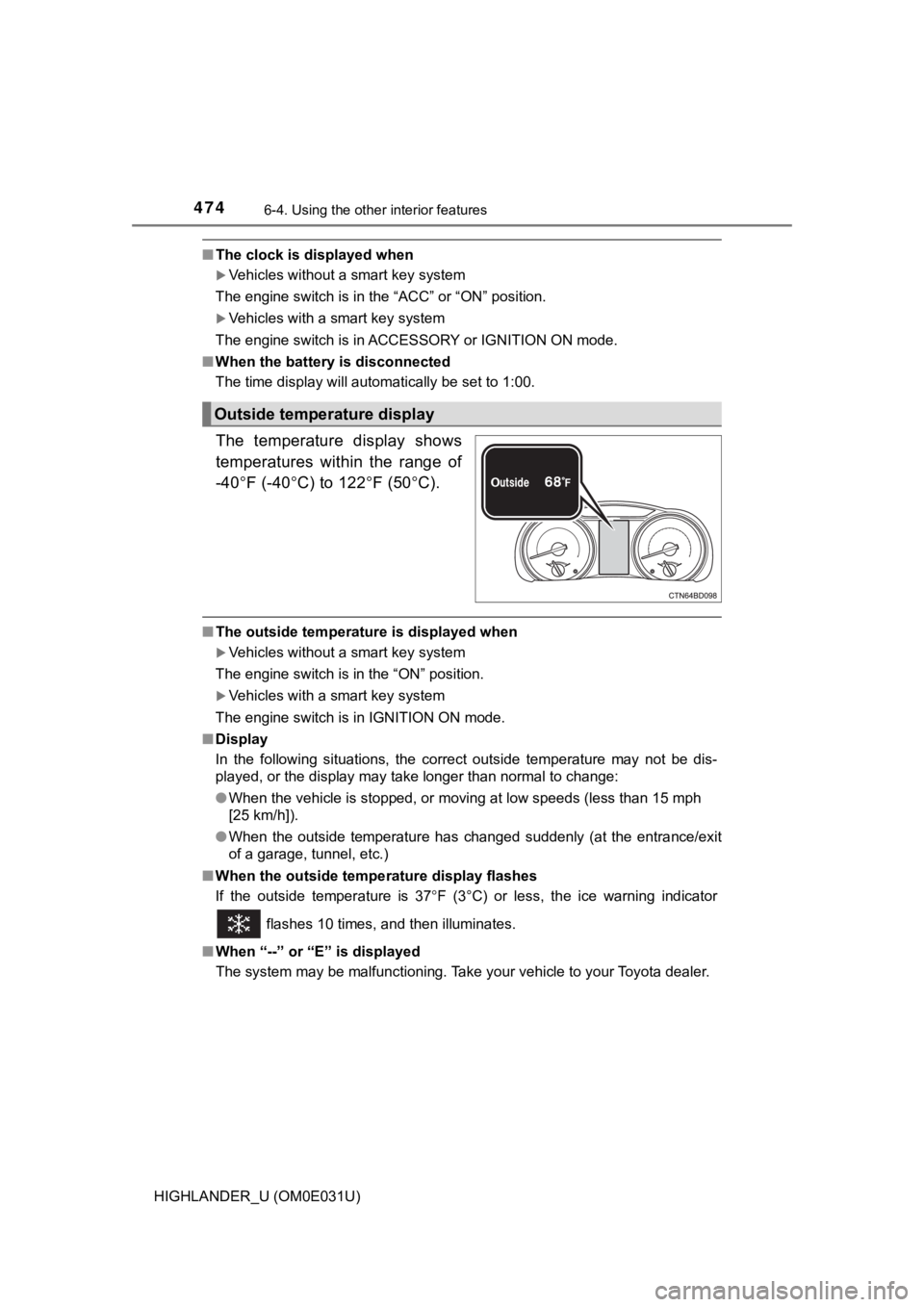
The temperature display shows
temperatures within the range of
-40 F (-40 C) to 122 F (50C).
■The outside temperature is displayed when
Vehicles without a smart key system
The engine switch is in the “ON” position.
Vehicles with a smart key system
The engine switch is in IGNITION ON mode.
■ Display
In the following situations, the correct outside temperature ma y not be dis-
played, or the display may take longer than normal to change:
● When the vehicle is stopped, or moving at low speeds (less than 15 mph
[25 km/h]).
● When the outside temperature has changed suddenly (at the entra nce/exit
of a garage, tunnel, etc.)
■ When the outside tempe rature display flashes
If the outside temperature is 37 F (3°C) or less, the ice warning indicator
flashes 10 times, and then illuminates.
■ When “--” or “E” is displayed
The system may be malfunctioning. Take your vehicle to your Toyota dealer.
Outside temperature display
Page 476 of 732
4766-4. Using the other interior features
HIGHLANDER_U (OM0E031U)
■The power outlets can be used when
12 V
Vehicles without a smart key system:
The engine switch is in the “ACC” or “ON” position.
Vehicles with a smart key system:
The engine switch is in ACCESSORY or IGNITION ON mode.
120 VAC
The engine switch is in IGNITION ON mode.
■ When the engine restarts after h aving been stopped by the Stop & Start
system (if equipped)
The power outlets may be temporarily unusable, but this is not a malfunction.
NOTICE
■To avoid damaging the power outlets
Close the power outlet lids when the power outlets are not in u se.
Foreign objects or liquids that enter the power outlets may cau se a short cir-
cuit.
■ To prevent blown fuses
12 V
Do not use an accessory that uses more than 12 V 10 A.
120 VAC
Do not use a 120 VAC appliance that requires more than 100 W.
If a 120 VAC appliance that consumes more than 100 W is used, the protec-
tion circuit will cut the power supply.
■ To prevent battery discharge
Do not use the power outlets longer than necessary when the engine is not
running.
■ Appliances that may not operate properly (120 VAC)
The following 120 VAC appliances may not operate properly even if their
power consumption is under 100 W:
● Appliances with high initial peak wattage
● Measuring devices that process precise data
● Other appliances that require an extremely stable power supply
Page 477 of 732
4776-4. Using the other interior features
6
Interior features
HIGHLANDER_U (OM0E031U)
The USB charging ports are used to supply 2.1 A of electricity at 5 V
to external devices.
The USB charging ports are for charging only. They are not desi gned
for data transfer or other purposes.
Depending on the external device, it may not charge properly. R efer to
the manual included with the dev ice before using a USB charging
port.
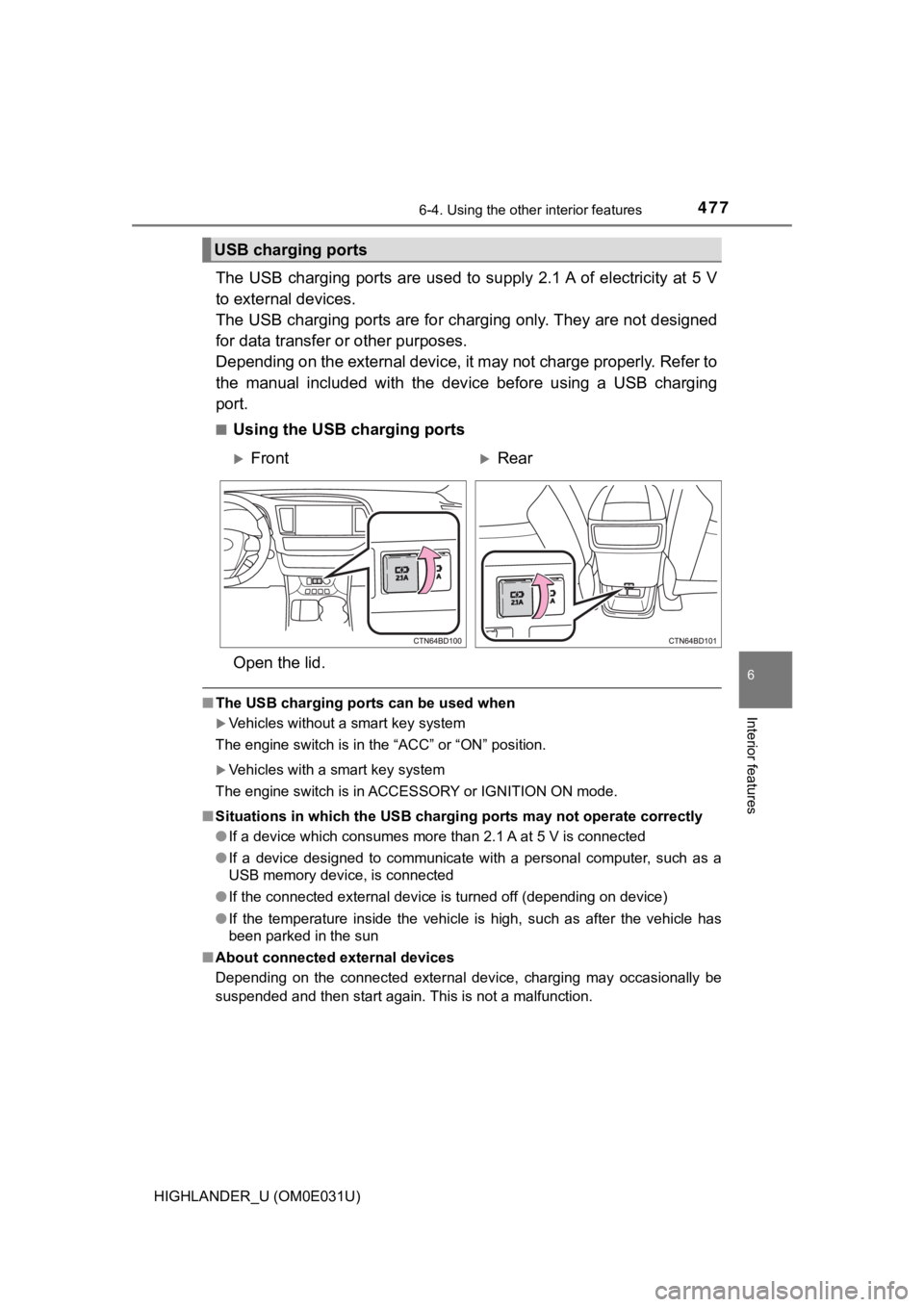
■Using the USB charging ports
Open the lid.
■ The USB charging ports can be used when
Vehicles without a smart key system
The engine switch is in the “ACC” or “ON” position.
Vehicles with a smart key system
The engine switch is in ACCESSORY or IGNITION ON mode.
■ Situations in which the USB charg ing ports may not operate correctly
● If a device which consumes more than 2.1 A at 5 V is connected
● If a device designed to communicate with a personal computer, s uch as a
USB memory device, is connected
● If the connected external device is turned off (depending on de vice)
● If the temperature inside the vehicle is high, such as after the vehicle has
been parked in the sun
■ About connected external devices
Depending on the connected external device, charging may occasi onally be
suspended and then start again. This is not a malfunction.
USB charging ports
FrontRear
Page 492 of 732
4926-4. Using the other interior features
HIGHLANDER_U (OM0E031U)■
Languages
The Safety Connect response center will offer support in multip le languages.
The Safety Connect system will offer voice prompts in English and Spanish.
Please indicate your language of choice when enrolling.
■ When contacting the response center
You may be unable to contact the response center if the network is busy.
When the engine switch is turned to IGNITION ON mode, the red i ndi-
cator light comes on for 2 seconds then turns off. Afterward, t he green
indicator light comes on, indicat ing that the service is active.
The following indicator light patterns indicate specific system usage
conditions:
● Green indicator light on = Active service
● Green indicator light flashing = Safety Connect call in process
● Red indicator light (except at vehicle start-up) = System malfunction
(contact your Toyota dealer)
● No indicator light (off) = Saf ety Connect service not active
■Automatic Collision Notification
In case of either airbag deployme nt or severe rear-end collision, the
system is designed to automatically call the response center. T he
responding agent receives the v ehicle’s location and attempts to
speak with the vehicl e occupants to assess the level of emergency.
If the occupants are unable to communicate, the agent automati-
cally treats the call as an emergency, contacts the nearest eme r-
gency services provider to descr ibe the situation, and requests that
assistance be sent to the location.
Safety Connect LED light Indicators
Safety Connect services
Page 508 of 732

5087-2. Maintenance
HIGHLANDER_U (OM0E031U)
■Repair and replacement
It is recommended that genuine Toyota parts be used for repairs to ensure
performance of each system. If non-Toyota parts are used in rep lacement or if
a repair shop other than a Toyota dealer performs repairs, conf irm the war-
ranty coverage.
■ Resetting the message indicating ma intenance is required (U.S.A. only)
After the required maintenance is performed according to the ma intenance
schedule, please reset the message.
To reset the message, follow the procedure described below:
Using the trip meter
Vehicles without a smart key system: Turn the engine switch to the “LOCK”
position with the trip meter A reading shown.
Vehicles with a smart key system: Turn the engine switch off with the trip
meter A reading shown.
Vehicles without a smart key system: While pressing the trip me ter reset
button ( P. 93), turn the engine switch to the “ON” position (do not start the
engine, reset mode will be canceled).
Vehicles with a smart key system: While pressing the trip meter reset but-
ton ( P. 93), turn the engine switch to the IGNITION ON mode (do not start
the engine, otherwise the reset mode will be canceled).
Continue to press and hold the button until the trip meter disp lays “000000”.
Using the multi-information display
While the engine is running, switch the multi-information display to .
(P. 99)
Select “Maintenance System” on of the multi-information displa y.
Select “Yes” on the “Maintenance System” screen.
“Initialization Completed” will be displayed on the multi-infor mation display
when the reset procedure has been completed.
■ Allow inspection and repairs to be performed by a Toyota dealer
●Toyota technicians are well-trained specialists and are kept up to date with
the latest service information. They are well informed about th e operations
of all systems on your vehicle.
● Keep a copy of the repair order. It proves that the maintenance that has
been performed is under warranty coverage. If any problem should arise
while your vehicle is under warranty, your Toyota dealer will p romptly take
care of it.
1
2
3
1
2
3
Page 515 of 732
5157-3. Do-it-yourself maintenance
7
Maintenance and care
HIGHLANDER_U (OM0E031U)
WARNING
The engine compartment contains many mechanisms and fluids that may
move suddenly, become hot, or become electrically energized. To avoid death
or serious injury, observe the following precautions.
■When working on the engine compartment
● Keep hands, clothing and tools away from the moving fans and en gine
drive belt.
● Be careful not to touch the engine, radiator, exhaust manifold, etc. right
after driving as they may be hot. Oil and other fluids may also be hot.
● Do not leave anything that may burn easily, such as paper and r ags, in the
engine compartment.
● Do not smoke, cause sparks or expose an open flame to fuel or t he bat-
tery. Fuel and battery fumes are flammable.
● Be extremely cautious when working on the battery. It contains poisonous
and corrosive sulfuric acid.
■ When working near the electric cooling fans or radiator grille
Vehicles without a smart key system:
Be sure the engine switch is off.
With the engine switch in the “ON” position, the electric cooli ng fans may
automatically start to run if the air conditioning is on and/or the coolant tem-
perature is high. ( P. 525)
Vehicles with a smart key system:
Be sure the engine switch is off.
With the engine switch in IGNITION ON mode, the electric cooling fans may
automatically start to run if the air conditioning is on and/or the coolant tem-
perature is high. ( P. 525)
■ Safety glasses
Wear safety glasses to prevent flying or falling material, fluid spray, etc.
from getting in your eyes.
NOTICE
■If you remove the air cleaner filter
Driving with the air cleaner filter removed may cause excessive engine wear
due to dirt in the air.
Page 534 of 732
5347-3. Do-it-yourself maintenance
HIGHLANDER_U (OM0E031U)■
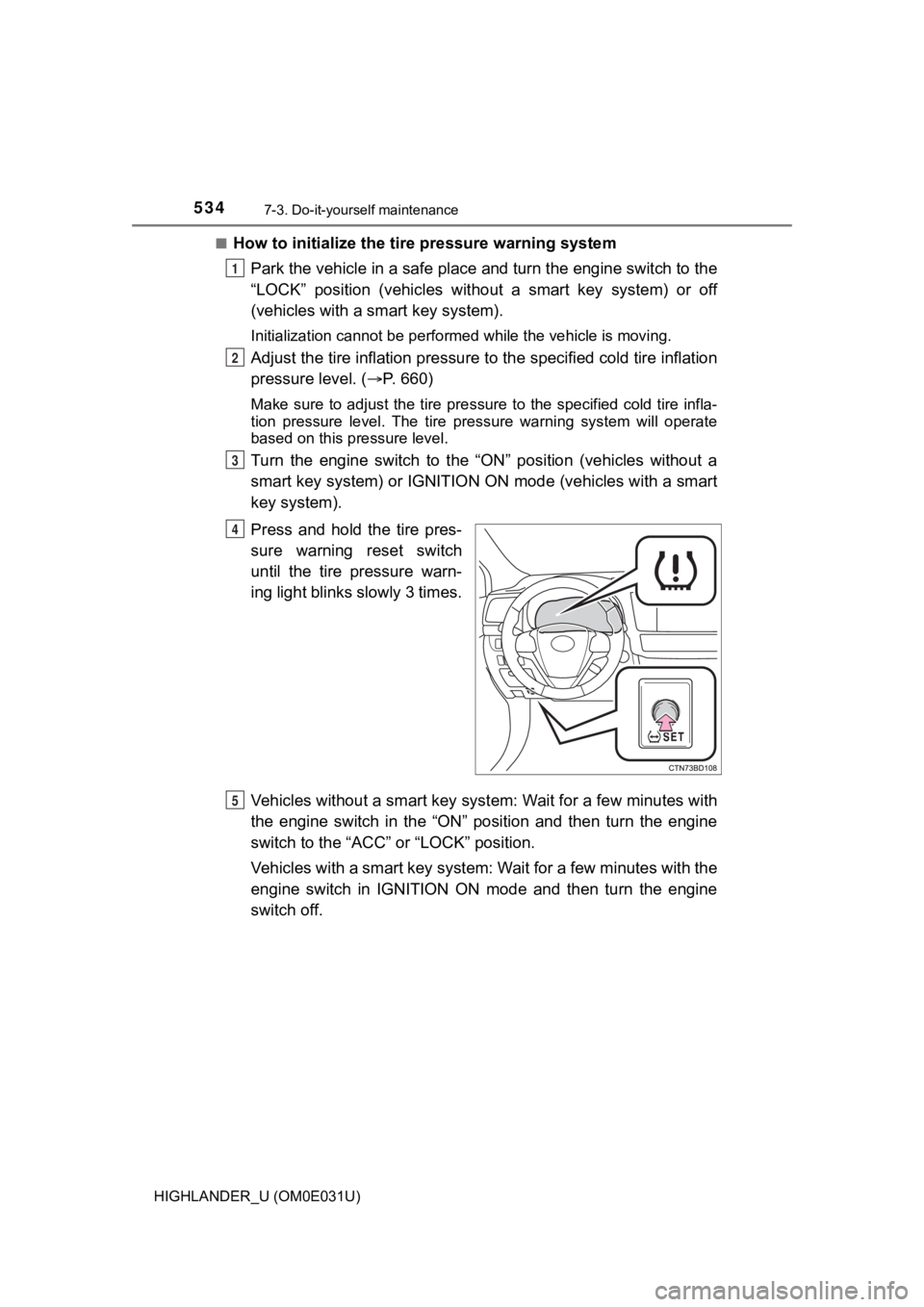
How to initialize the tire pressure warning system
Park the vehicle in a safe plac e and turn the engine switch to the
“LOCK” position (vehicles with out a smart key system) or off
(vehicles with a sm art key system).
Initialization cannot be perfo rmed while the vehicle is moving.
Adjust the tire inflation pressure to the specified cold tire i nflation
pressure level. ( P. 660)
Make sure to adjust the tire pre ssure to the specified cold tire infla-
tion pressure level. The tire pressure warning system will oper ate
based on this pr essure level.
Turn the engine switch to the “ON” position (vehicles without a
smart key system) or IGNITION ON mode (vehicles with a smart
key system).
Press and hold the tire pres-
sure warning reset switch
until the tire pressure warn-
ing light blinks slowly 3 times.
Vehicles without a smart key syst em: Wait for a few minutes with
the engine switch in the “ON” position and then turn the engine
switch to the “ACC” or “LOCK” position.
Vehicles with a smart key system : Wait for a few minutes with the
engine switch in IGNITION ON mode and then turn the engine
switch off.
1
2
3
4
5