lane assist TOYOTA HIGHLANDER 2018 Owners Manual (in English)
[x] Cancel search | Manufacturer: TOYOTA, Model Year: 2018, Model line: HIGHLANDER, Model: TOYOTA HIGHLANDER 2018Pages: 732, PDF Size: 14.5 MB
Page 3 of 732
3
1
8 7
6
5
4
3
2
9
HIGHLANDER_U (OM0E031U)
10
4-1. Before drivingDriving the vehicle ............. 186
Cargo and luggage............ 195
Vehicle load limits ............. 200
Trailer towing..................... 201
Dinghy towing.................... 217
4-2. Driving procedures Engine (ignition) switch (vehicles without a
smart key system) ........... 218
Engine (ignition) switch (vehicles with a smart
key system) ..................... 221
Automatic transmission .................... 227
Turn signal lever................ 233
Parking brake .................... 234
4-3. Operating the lights and wipers
Headlight switch ................ 235
Automatic High Beam ....... 239
Fog light switch ................. 243
Windshield wipers and washer ............................ 244
Rear window wiper and washer ............................ 248
4-4. Refueling Opening the fuel tank cap .......................... 250 4-5. Using the driving
support systems
Toyota Safety Sense P ........................... 254
PCS (Pre-Collision System) ........................... 261
LDA (Lane Departure Alert with steering
control) ............................ 275
Dynamic radar cruise control.............................. 285
Stop & Start system ........... 297
Rear view monitor system ............................. 307
BSM (Blind Spot Monitor)......... 316
• BSM function ................. 321
• RCTA function ............... 324
All-wheel drive lock switch .............................. 330
Driving assist systems ........................... 331
Downhill assist control system ............................. 337
4-6. Driving tips Winter driving tips .............. 339
Utility vehicle precautions ...................... 343
4Driving
Page 89 of 732
892. Instrument cluster
2
Instrument cluster
HIGHLANDER_U (OM0E031U)
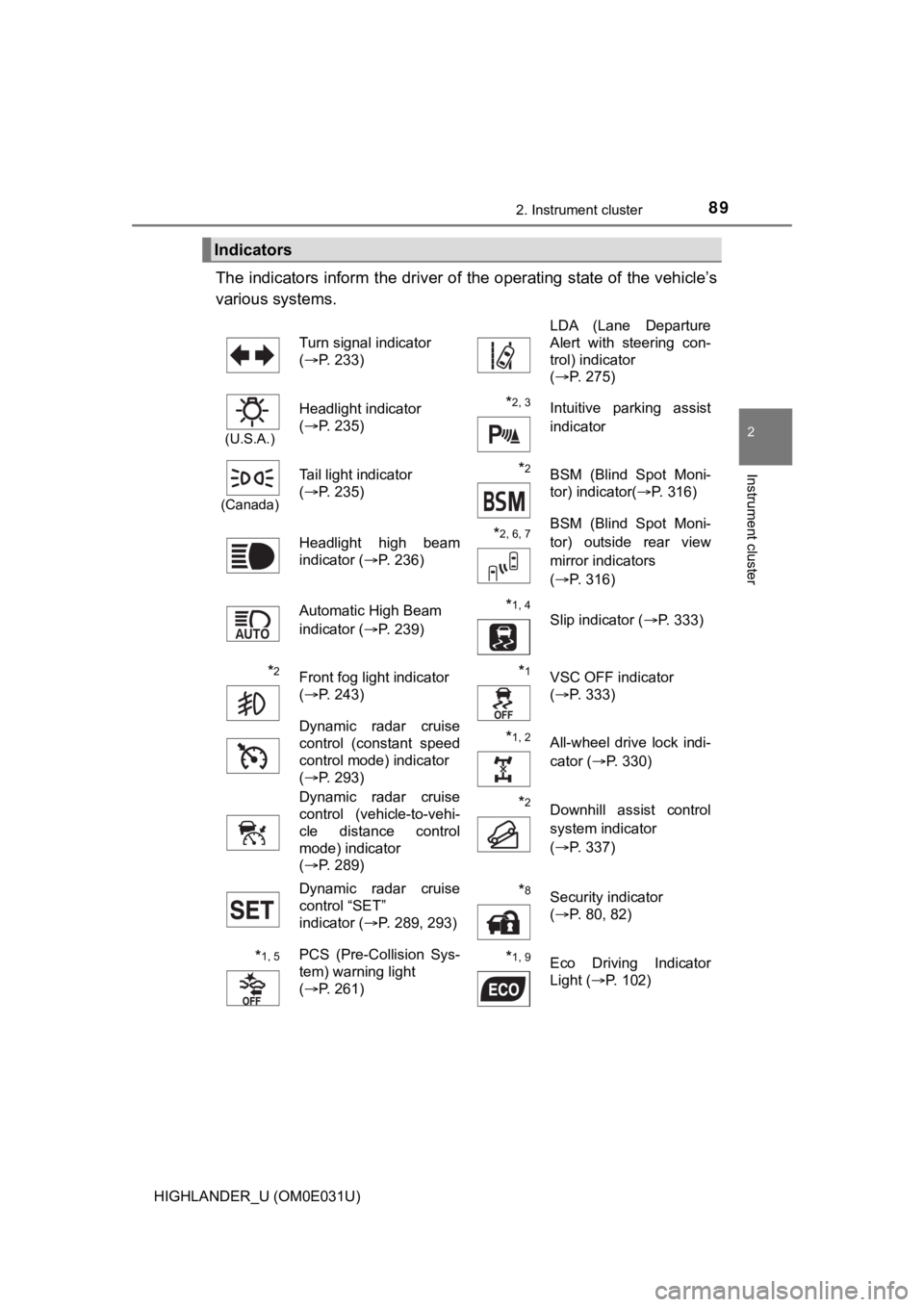
The indicators inform the driver of the operating state of the vehicle’s
various systems.
Indicators
Turn signal indicator
( P. 233) LDA (Lane Departure
Alert with steering con-
trol) indicator
(
P. 275)
(U.S.A.)
Headlight indicator
(P. 235)*2, 3 Intuitive parking assist
indicator
(Canada)
Tail light indicator
(P. 235) *2BSM (Blind Spot Moni-
tor) indicator( P. 316)
Headlight high beam
indicator ( P. 236)
*2, 6, 7BSM (Blind Spot Moni-
tor) outside rear view
mirror indicators
(P. 316)
Automatic High Beam
indicator ( P. 239)
*1, 4 Slip indicator ( P. 333)
*2Front fog light indicator
(P. 243)*1VSC OFF indicator
(P. 333)
Dynamic radar cruise
control (constant speed
control mode) indicator
( P. 293)
*1, 2All-wheel drive lock indi-
cator ( P. 330)
Dynamic radar cruise
control (vehicle-to-vehi-
cle distance control
mode) indicator
( P. 289)
*2Downhill assist control
system indicator
(P. 337)
Dynamic radar cruise
control “SET”
indicator ( P. 289, 293)
*8Security indicator
(P. 80, 82)
*1, 5PCS (Pre-Collision Sys-
tem) warning light
(P. 261)*1, 9Eco Driving Indicator
Light ( P. 102)
Page 95 of 732
952. Instrument cluster
2
Instrument cluster
HIGHLANDER_U (OM0E031U)
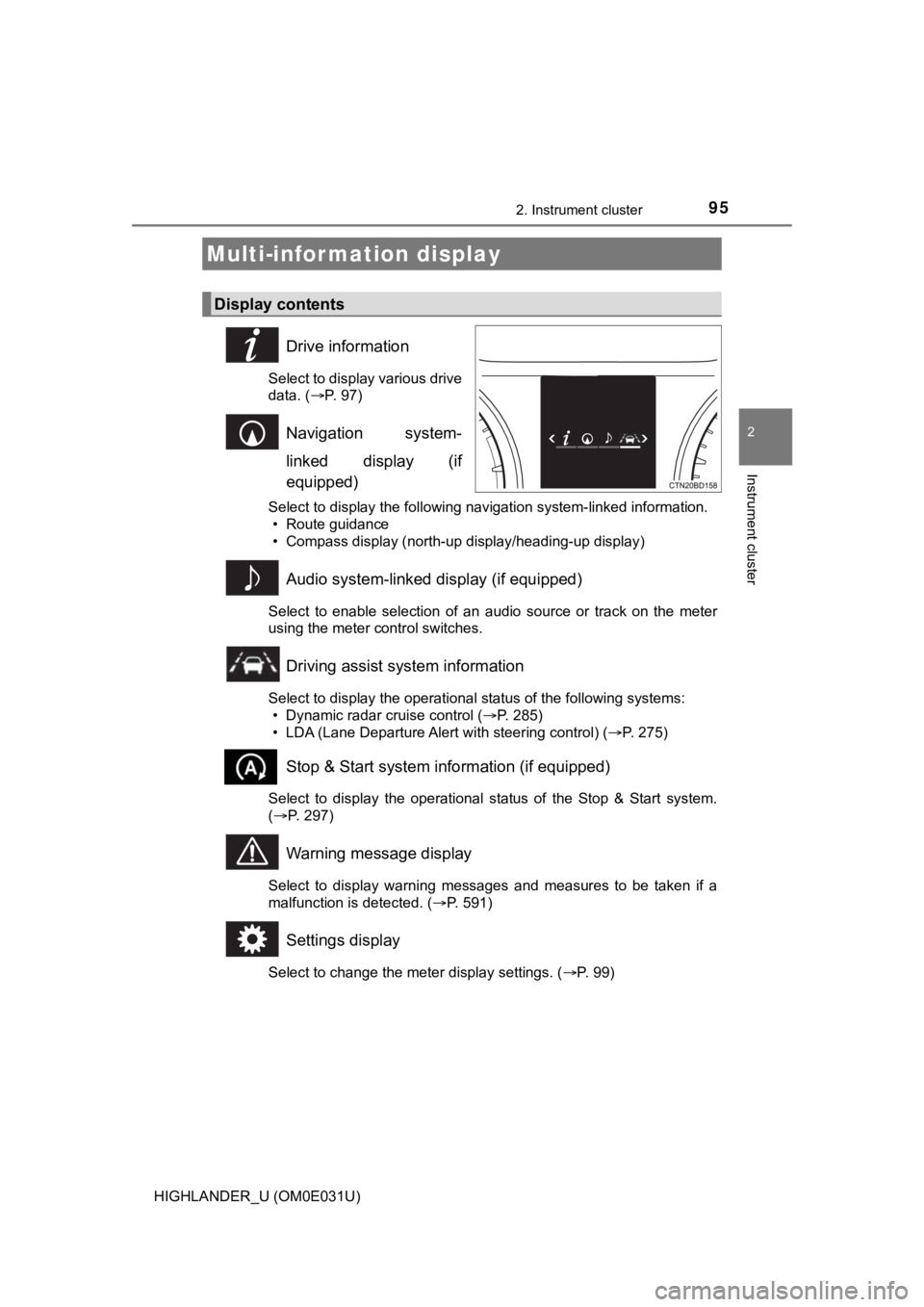
Drive information
Select to display various drive
data. (P. 97)
Navigation system-
linked display (if
equipped)
Select to display the following navigation system-linked information.
• Route guidance
• Compass display (north-up display/heading-up display)
Audio system-linked display (if equipped)
Select to enable selection of an audio source or track on the m eter
using the meter control switches.
Driving assist system information
Select to display the operational status of the following syste ms:
• Dynamic radar cruise control ( P. 285)
• LDA (Lane Departure Alert with steering control) ( P. 275)
Stop & Start system information (if equipped)
Select to display the operational status of the Stop & Start sy stem.
( P. 297)
Warning message display
Select to display warning messages and measures to be taken if a
malfunction is detected. ( P. 591)
Settings display
Select to change the meter display settings. ( P. 99)
Multi-infor mation display
Display contents
Page 185 of 732
185
4Driving
HIGHLANDER_U (OM0E031U)4-1. Before driving
Driving the vehicle ............. 186
Cargo and luggage ........... 195
Vehicle load limits ............. 200
Trailer towing..................... 201
Dinghy towing ................... 217
4-2. Driving procedures Engine (ignition) switch (vehicles without a
smart key system) ........... 218
Engine (ignition) switch (vehicles with a smart
key system) ..................... 221
Automatic transmission ..... 227
Turn signal lever................ 233
Parking brake .................... 234
4-3. Operating the lights and wipers
Headlight switch ................ 235
Automatic High Beam............................... 239
Fog light switch ................. 243
Windshield wipers and washer ..................... 244
Rear window wiper and washer ..................... 248 4-4. Refueling
Opening the fuel tank cap .......................... 250
4-5. Using the driving support systems
Toyota Safety Sense P .......................... 254
PCS (Pre-Collision System)........................... 261
LDA (Lane Departure Alert with steering
control) ............................ 275
Dynamic radar cruise control ............................. 285
Stop & Start system .......... 297
Rear view monitor system ............................ 307
BSM (Blind Spot Monitor) ........ 316
• BSM function ................ 321
• RCTA function .............. 324
All-wheel drive lock switch .............................. 330
Driving assist systems........................... 331
Downhill assist control system ............................ 337
4-6. Driving tips Winter driving tips ............. 339
Utility vehicle precautions ..................... 343
Page 275 of 732
2754-5. Using the driving support systems
4
Driving
HIGHLANDER_U (OM0E031U)
When driving on highways and freeways with white (yellow) lines, this
function alerts the driver when the vehicle might depart from i ts lane
and provides assistance by opera ting the steering wheel to keep the
vehicle in its lane.
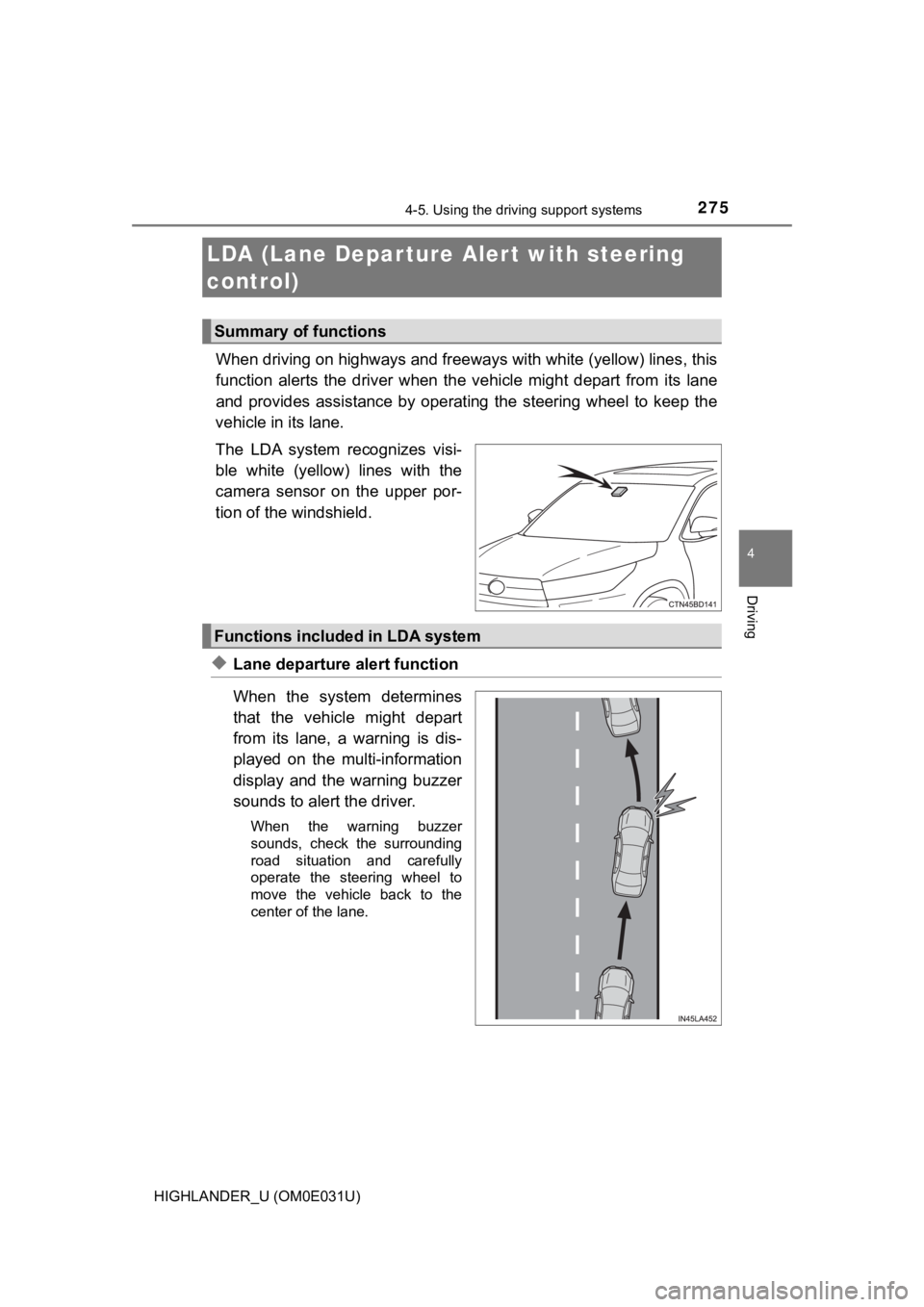
The LDA system recognizes visi-
ble white (yellow) lines with the
camera sensor on the upper por-
tion of the windshield.
◆Lane departure alert function
When the system determines
that the vehicle might depart
from its lane, a warning is dis-
played on the multi-information
display and the warning buzzer
sounds to alert the driver.
When the warning buzzer
sounds, check the surrounding
road situation and carefully
operate the steering wheel to
move the vehicle back to the
center of the lane.
LDA (Lane Depar ture Al ert with steering
control)
Summary of functions
Functions included in LDA system
Page 276 of 732
2764-5. Using the driving support systems
HIGHLANDER_U (OM0E031U)
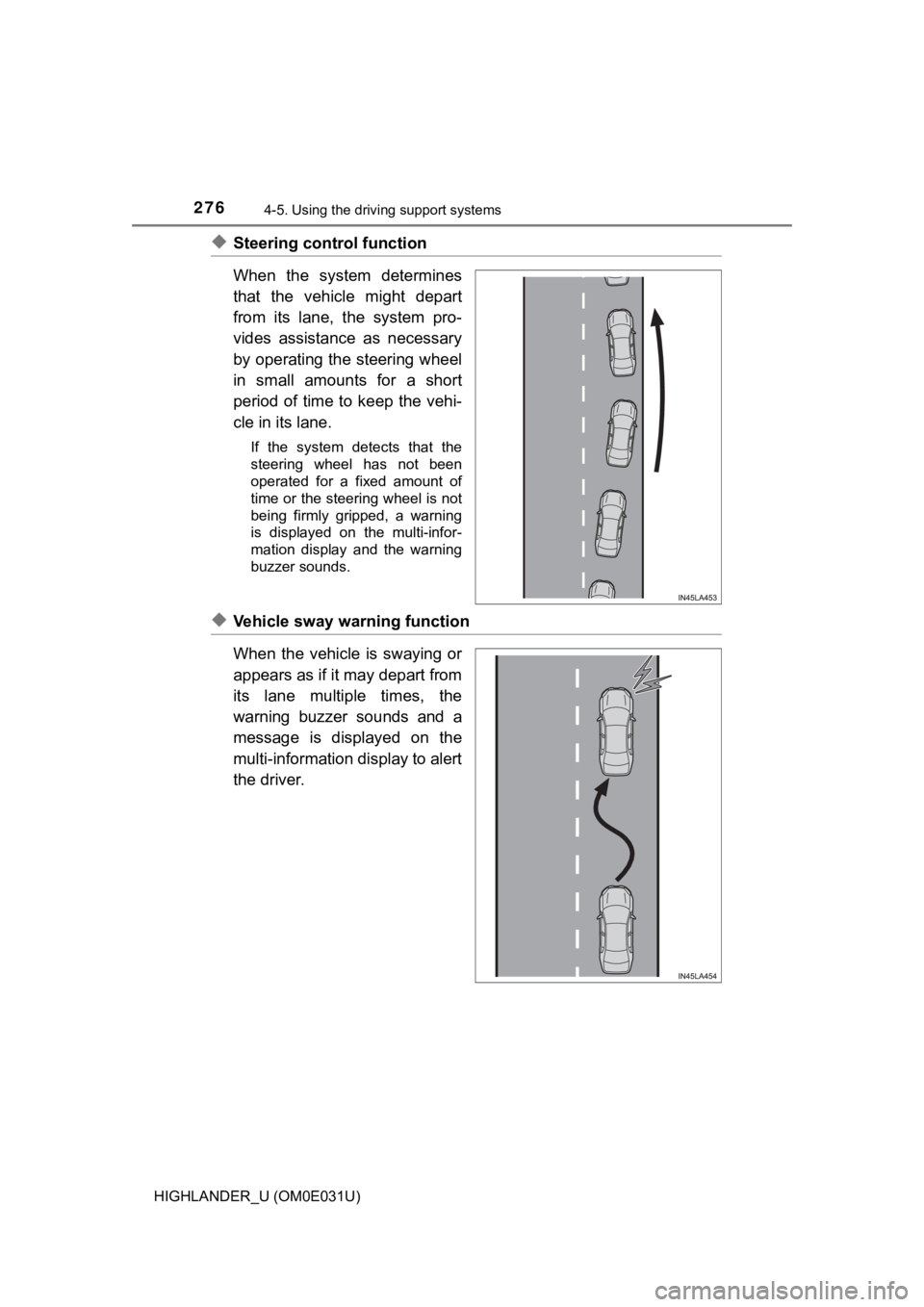
◆Steering control function
When the system determines
that the vehicle might depart
from its lane, the system pro-
vides assistance as necessary
by operating the steering wheel
in small amounts for a short
period of time to keep the vehi-
cle in its lane.
If the system detects that the
steering wheel has not been
operated for a fixed amount of
time or the steering wheel is not
being firmly gripped, a warning
is displayed on the multi-infor-
mation display and the warning
buzzer sounds.
◆Vehicle sway warning function
When the vehicle is swaying or
appears as if it may depart from
its lane multiple times, the
warning buzzer sounds and a
message is displayed on the
multi-information display to alert
the driver.
Page 279 of 732
2794-5. Using the driving support systems
4
Driving
HIGHLANDER_U (OM0E031U)
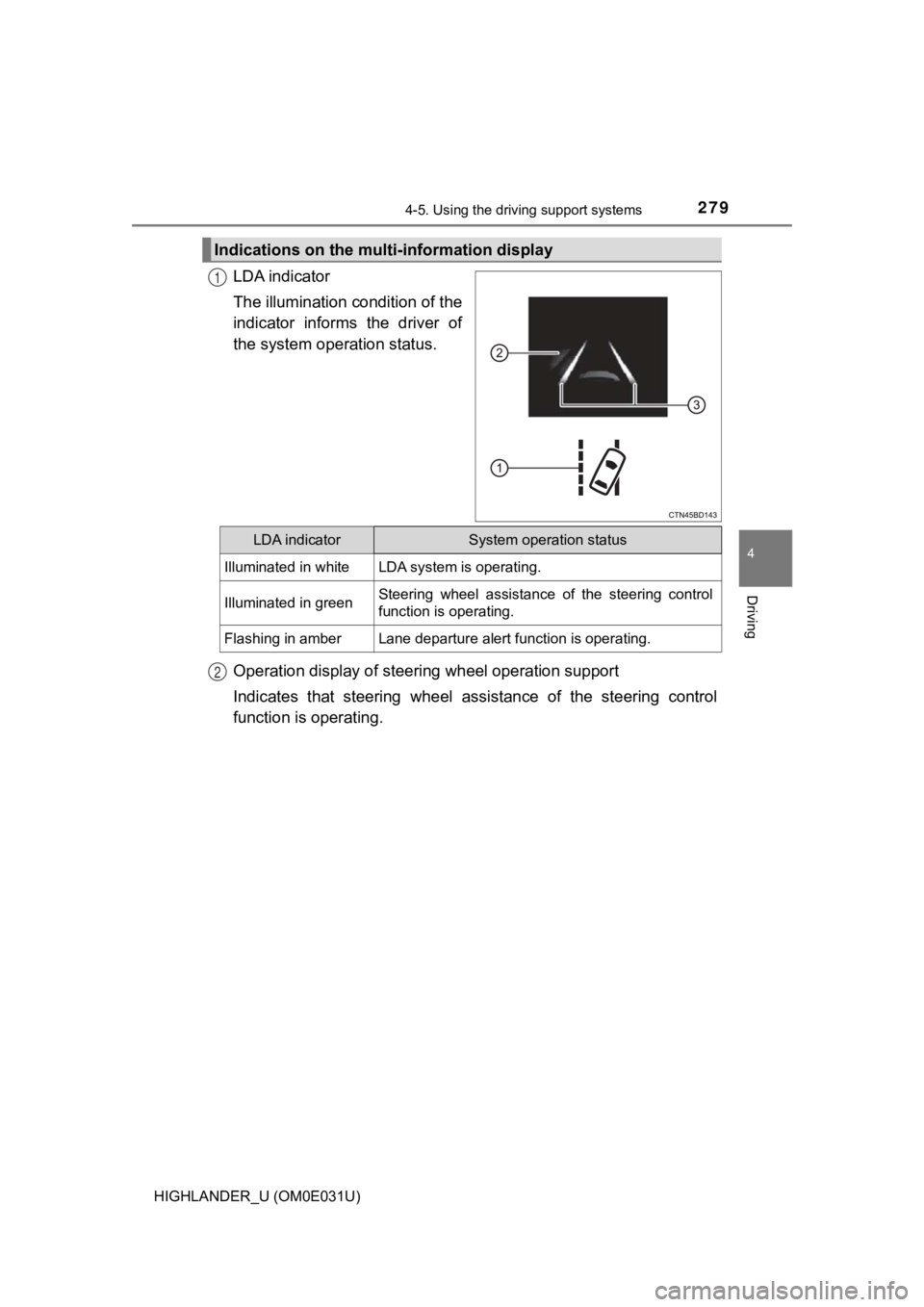
LDA indicator
The illumination condition of the
indicator informs the driver of
the system operation status.
Operation display of steer ing wheel operation support
Indicates that steering wheel as sistance of the steering control
function is operating.
Indications on the mult i-information display
1
LDA indicatorSystem operation status
Illuminated in whiteLDA system is operating.
Illuminated in greenSteering wheel assistance of the steering control
function is operating.
Flashing in amberLane departure alert function is operating.
2
Page 280 of 732
2804-5. Using the driving support systems
HIGHLANDER_U (OM0E031U)
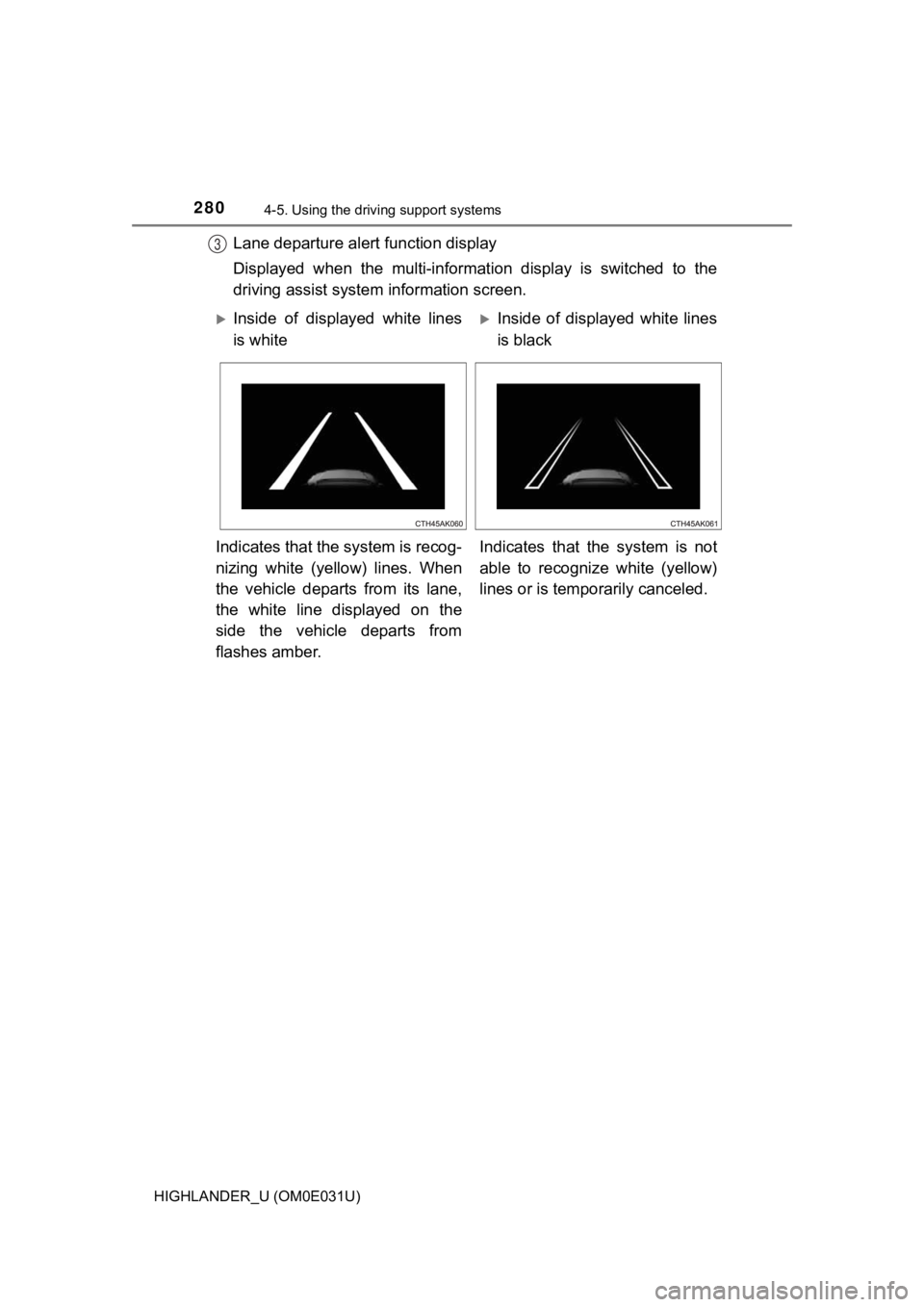
Lane departure alert function display
Displayed when the multi-informat ion display is switched to the
driving assist system information screen.3
Inside of displayed white lines
is whiteInside of displayed white lines
is black
Indicates that the system is recog-
nizing white (yellow) lines. When
the vehicle departs from its lane,
the white line displayed on the
side the vehicle departs from
flashes amber. Indicates that the system is not
able to recognize white (yellow)
lines or is tempo
rarily canceled.
Page 281 of 732
2814-5. Using the driving support systems
4
Driving
HIGHLANDER_U (OM0E031U)
■Operation conditions of each function
●Lane departure alert function
This function operates when all of the following conditions are met.
• LDA is turned on.
• Vehicle speed is approximately 32 mph (50 km/h) or more.
• System recognizes white (yellow) lines.
• Width of traffic lane is approximately 9.8 ft. (3 m) or more.
• Turn signal lever is not operated.
• Vehicle is driven on a straight road or around a gentle curve with a radius
of more than approximately 492 ft. (150 m).
• No system malfunctions are detected. ( P. 581)
● Steering control function
This function operates when all of the following conditions are met in addi-
tion to the operation conditions for the lane departure alert function.
• Setting for “Steering Assist” on of the multi-information display is set to “On”. ( P. 99)
• Vehicle is not accelerated or decelerated by a fixed amount or more.
• Steering wheel is not operated with a steering force level suitable for changing lanes.
• ABS, VSC, TRAC and PCS (Pre-Collision System) are not operatin g.
• TRAC or VSC is not turned off.
● Vehicle sway warning function
This function operates when all of the following conditions are met.
• Setting for “Sway Warning” on of the multi-information display is set to “On”.( P. 99)
• Vehicle speed is approximately 32 mph (50 km/h) or more.
• Width of traffic lane is approximately 9.8 ft. (3 m) or more.
• No system malfunctions are detected. ( P. 581)
Page 316 of 732
3164-5. Using the driving support systems
HIGHLANDER_U (OM0E031U)
The Blind Spot Monitor is a system that has 2 functions:
● The BSM (Blind Spot Monitor) function
Assists the driver in making a decision when changing lanes
● The RCTA (Rear Cross T raffic Alert) function
Assists the driver when backing up
These functions use same sensors.
BSM (Blind Spot Monitor)
: If equipped
Summary of the Blind Spot Monitor