tire pressure TOYOTA HIGHLANDER 2020 Owners Manual (in English)
[x] Cancel search | Manufacturer: TOYOTA, Model Year: 2020, Model line: HIGHLANDER, Model: TOYOTA HIGHLANDER 2020Pages: 560, PDF Size: 14.42 MB
Page 1 of 560
1
2
3
4
5
6
7
8
9
9
HIGHLANDER_U
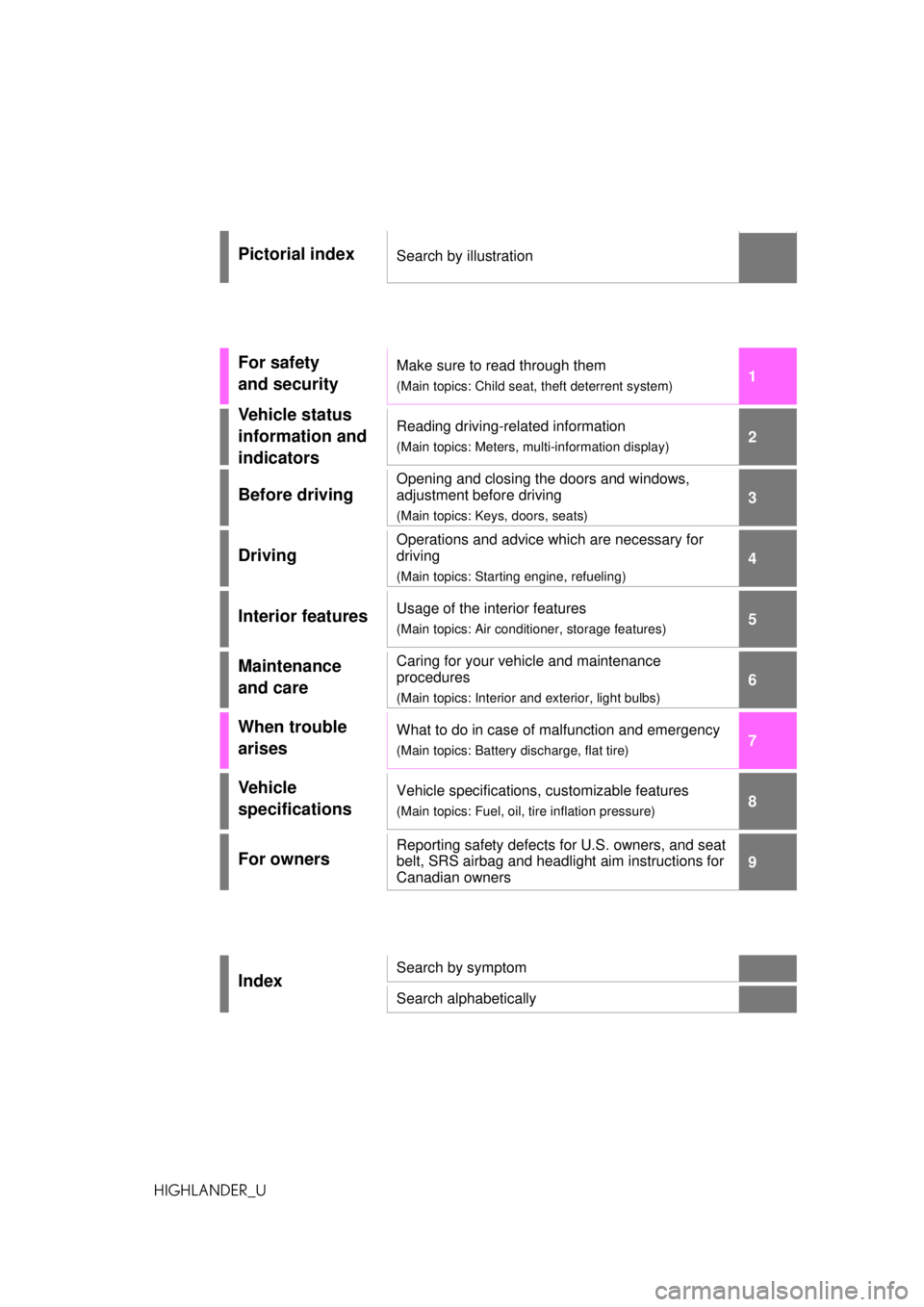
Pictorial indexSearch by illustration
For safety
and securityMake sure to read through them
(Main topics: Child seat, theft deterrent system)
Vehicle status
information and
indicatorsReading driving-related information
(Main topics: Meters, multi-information display)
Before driving
Opening and closing the doors and windows,
adjustment before driving
(Main topics: Keys, doors, seats)
Driving
Operations and advice which are necessary for
driving
(Main topics: Starting engine, refueling)
Interior featuresUsage of the interior features
(Main topics: Air conditioner, storage features)
Maintenance
and careCaring for your vehicle and maintenance
procedures
(Main topics: Interior and exterior, light bulbs)
When trouble
arisesWhat to do in case of malfunction and emergency
(Main topics: Battery discharge, flat tire)
Vehicle
specificationsVehicle specifications, customizable features
(Main topics: Fuel, oil, tire inflation pressure)
For ownersReporting safety defects for U.S. owners, and seat
belt, SRS airbag and headlight aim instructions for
Canadian owners
IndexSearch by symptom
Search alphabetically
Page 4 of 560
4TABLE OF CONTENTS
HIGHLANDER_U
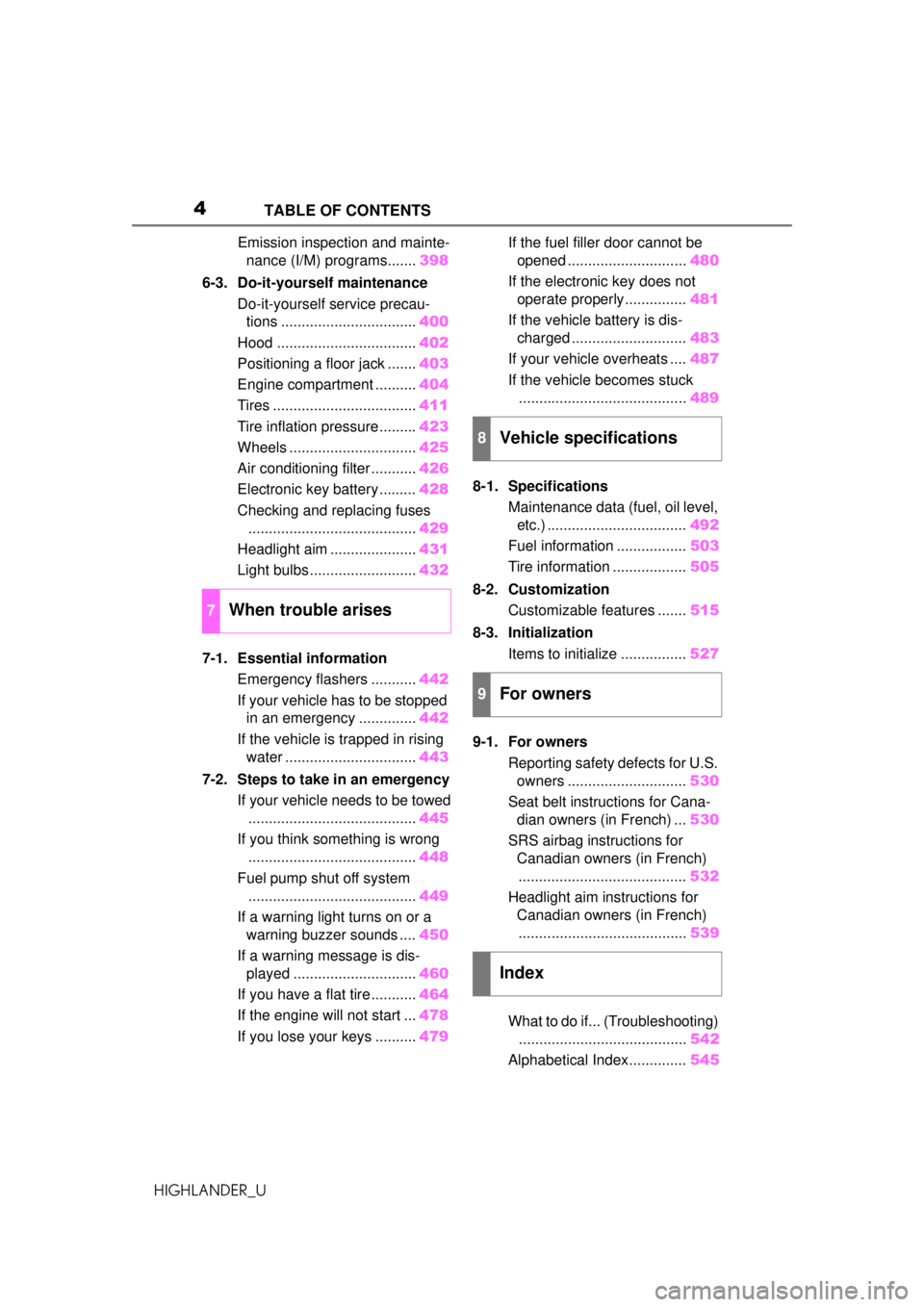
Emission inspection and mainte-nance (I/M) programs....... 398
6-3. Do-it-yourself maintenance Do-it-yourself service precau-tions ................................. 400
Hood .................................. 402
Positioning a floor jack ....... 403
Engine compartment .......... 404
Tires ................................... 411
Tire inflation pressure......... 423
Wheels ............................... 425
Air conditioning filter ........... 426
Electronic key battery ......... 428
Checking and replacing fuses ......................................... 429
Headlight aim ..................... 431
Light bulbs .......................... 432
7-1. Essential information Emergency flashers ........... 442
If your vehicle has to be stopped in an emergency .............. 442
If the vehicle is trapped in rising water ................................ 443
7-2. Steps to take in an emergency If your vehicle needs to be towed......................................... 445
If you think something is wrong ......................................... 448
Fuel pump shut off system ......................................... 449
If a warning light turns on or a warning buzzer sounds .... 450
If a warning message is dis- played .............................. 460
If you have a flat tire ........... 464
If the engine will not start ... 478
If you lose your keys .......... 479If the fuel filler door cannot be
opened ............................. 480
If the electronic key does not operate properly............... 481
If the vehicle battery is dis- charged ............................ 483
If your vehicle overheats .... 487
If the vehicle becomes stuck ......................................... 489
8-1. Specifications Maintenance data (fuel, oil level, etc.) .................................. 492
Fuel information ................. 503
Tire information .................. 505
8-2. Customization Customizable features ....... 515
8-3. Initialization Items to initialize ................ 527
9-1. For owners Reporting safety defects for U.S. owners ............................. 530
Seat belt instructions for Cana- dian owners (in French) ... 530
SRS airbag instructions for Canadian owners (in French)......................................... 532
Headlight aim instructions for Canadian owners (in French)
........ ................................. 53
9
What to do if... (Troubleshooting) ......................................... 542
Alphabetical Index.............. 545
7When trouble arises
8Vehicle specifications
9For owners
Index
Page 12 of 560
12Pictorial index
HIGHLANDER_U
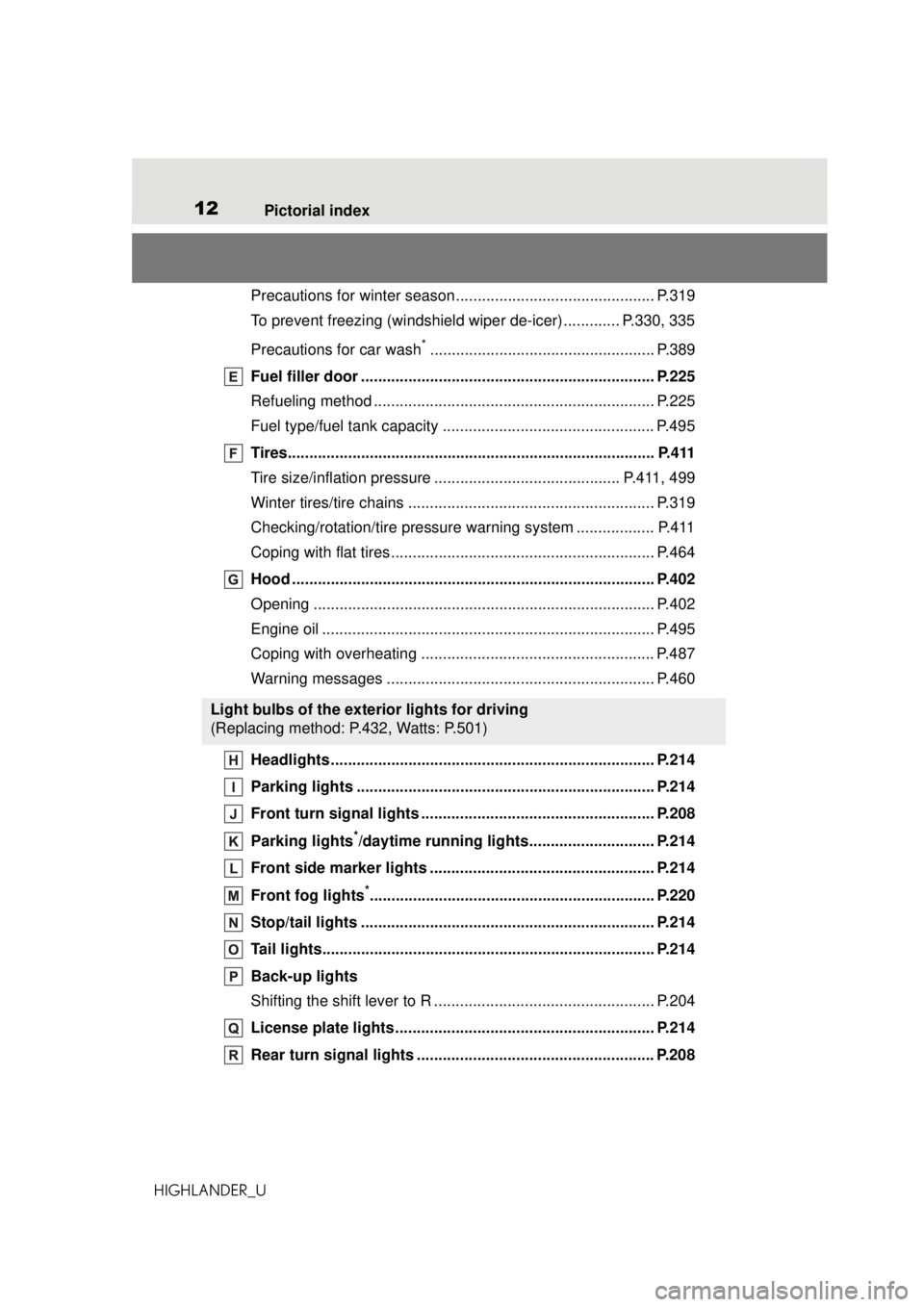
Precautions for winter season.... .......................................... P.319
To prevent freezing (windshield wiper de-icer) ............. P.330, 335
Precautions for car wash
*.................................................... P.389
Fuel filler door .................................................................... P.225
Refueling method ................................................................. P.225
Fuel type/fuel tank capacity ................................................. P.495
Tires..................................................................................... P.411
Tire size/inflation pressure ........................................... P.411, 499
Winter tires/tire chains ......................................................... P.319
Checking/rotation/tire pressure warning system .................. P.411
Coping with flat tires............................................................. P.464
Hood .................................................................................... P.402
Opening ............................................................................... P.402
Engine oil ............................................................................. P.495
Coping with overheating ...................................................... P.487
Warning messages .............................................................. P.460
Headlights........................................................................... P.214
Parking lights ..................................................................... P.214
Front turn signal lights ...................................................... P.208
Parking lights
*/daytime running lights............................. P.214
Front side marker lights .................................................... P.214
Front fog lights
*.................................................................. P.220
Stop/tail lights .................................................................... P.214
Tail lights............................................................................. P.214
Back-up lights
Shifting the shift lever to R ................................................... P.204
License plate lights............................................................ P.214
Rear turn signal lights ....................................................... P.208
Light bulbs of the exterior lights for driving
(Replacing method: P.432, Watts: P.501)
Page 76 of 560
762-1. Instrument cluster
HIGHLANDER_U
*1: These lights turn on when the engine switch is turned to ON to
indicate that a system check is
being performed. They will turn off after the engine is started, or
after a few sec
onds. There may
be a malfunction in a system if a
light does not come on, or turn
off. Have the vehicle inspected
by your Toyota dealer.
*2: This light illuminates on the multi-information display.
*3: 7-inch display only : This light illu-
minates on the mu lti-information
display.
*4: This light comes on when the system is turned off.
*5: 4.2-inch display only: These lights turn on when the engine
switch is turned to ON to indicate
that a system check is being per-
formed. They will turn off after
the engine is started, or after a
few seconds. There may be a
malfunction in a system if a light
does not come on, or turn off.
Have the vehicle inspected by
your Toyota dealer.
*6: 7-inch display only
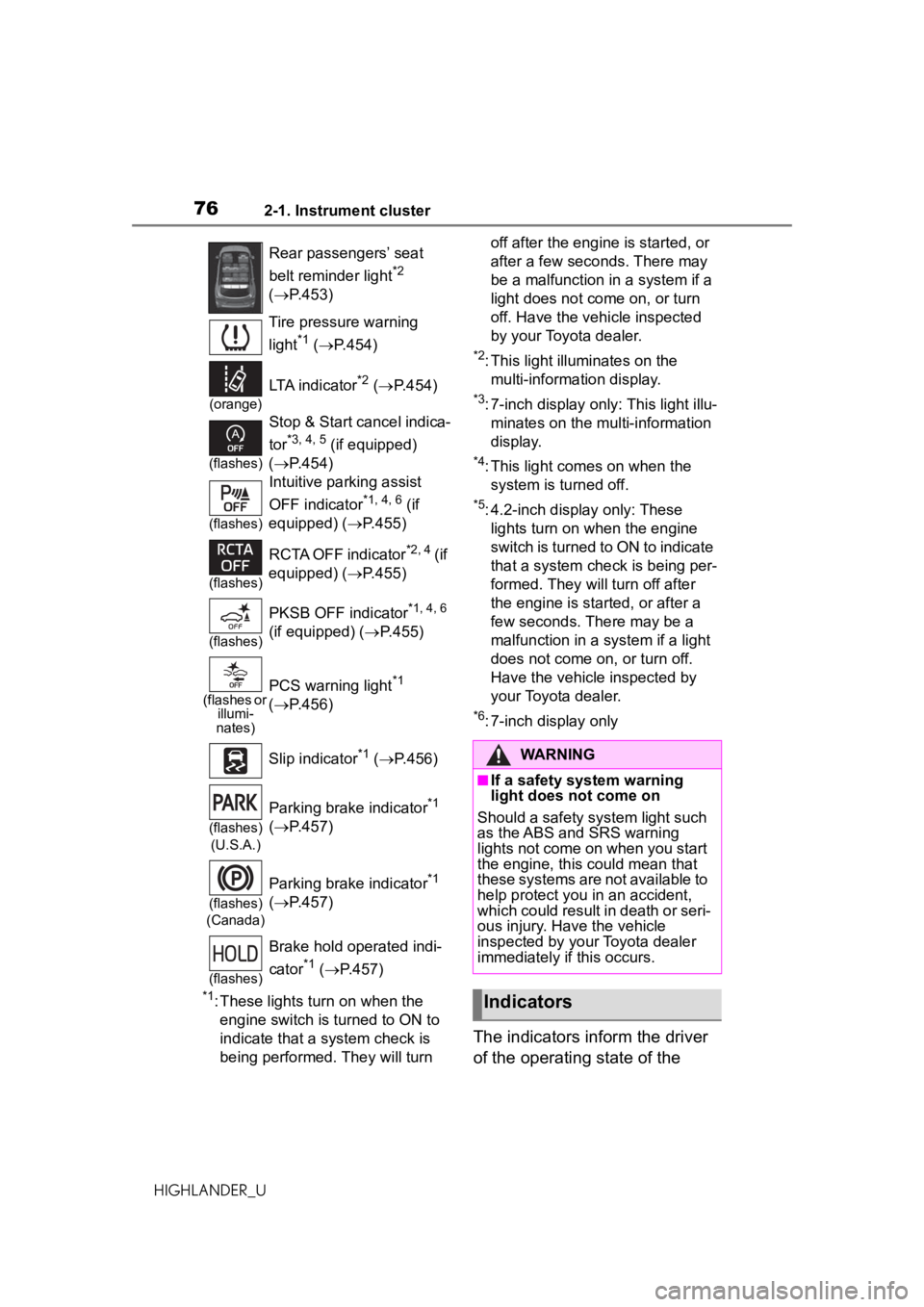
The indicators inform the driver
of the operating state of the
Rear passengers’ seat
belt reminder light
*2
( P.453)
Tire pressure warning
light
*1 ( P.454)
(orange)
LTA indicator*2 ( P.454)
(flashes)
Stop & Start cancel indica-
tor
*3, 4, 5 (if equipped)
( P.454)
(flashes)
Intuitive parking assist
OFF indicator
*1, 4, 6 (if
equipped) ( P.455)
(flashes)
RCTA OFF indicator*2, 4 (if
equipped) ( P.455)
(flashes)
PKSB OFF indicator*1, 4, 6
(if equipped) ( P.455)
(flashes or
illumi-
nates)PCS warning light*1
( P.456)
Slip indicator
*1 ( P.456)
(flashes)
(U.S.A.)
Parking brake indicator*1
( P.457)
(flashes)
(Canada)
Parking brake indicator*1
( P.457)
(flashes)
Brake hold operated indi-
cator
*1 ( P.457)
WARNING
■If a safety system warning
light does not come on
Should a safety system light such
as the ABS and SRS warning
lights not come on when you start
the engine, this could mean that
these systems are not available to
help protect you in an accident,
which could result in death or seri-
ous injury. Have the vehicle
inspected by your Toyota dealer
immediately if this occurs.
Indicators
Page 86 of 560
862-1. Instrument cluster
HIGHLANDER_U
Dynamic radar cruise control
with full-speed range
( P.254)
■Navigation system-linked
display (if equipped)
Select to display the following
navigation system-linked infor-
mation:
Route guidance to destination
Compass display (head-
ing-up display)
■Route guidance to destination
display
When the route guidance to destina-
tion display is enabled on the
head-up display, it will not be dis-
played on the multi-information dis-
play. ( P.103)
Select to enable selection of an
audio source or track on the
meter using the meter control
switches.
This menu icon can be set to be
displayed/not displayed in .
■Drive information
2 items that are selected using
the “Drive Info Items” setting
(average speed, distance and
total time) can be displayed ver-
tically. The displayed information
changes according to the “Drive
Info Type” setting (since the sys-
tem was started or between
resets). (
P. 8 7 )
Use the displayed information
as a reference only.
Following items will be dis-
played.
“Trip”
• “Average Speed”: Displays the
average vehicle speed since
engine start
*
• “Distance”: Displays the distance
driven since engine start
*
• “Total Time”: Displays the elapsed time since engine start
*
*
: These items are reset each time the engine stops.
“Total”
• “Average Speed”: Displays the
average vehicle speed since the
display was reset
*
• “Distance”: Displays the distance driven since the display was
reset
*
• “Total Time”: Displays the elapsed
time since the display was reset
*
*
: To reset, display the desired item and press and hold .
■Tire pressure
P.414
Audio system-linked dis-
play ( )
Vehicle information dis-
play ( )
Page 87 of 560
872-1. Instrument cluster
HIGHLANDER_U
2
Vehicle status information and indicators
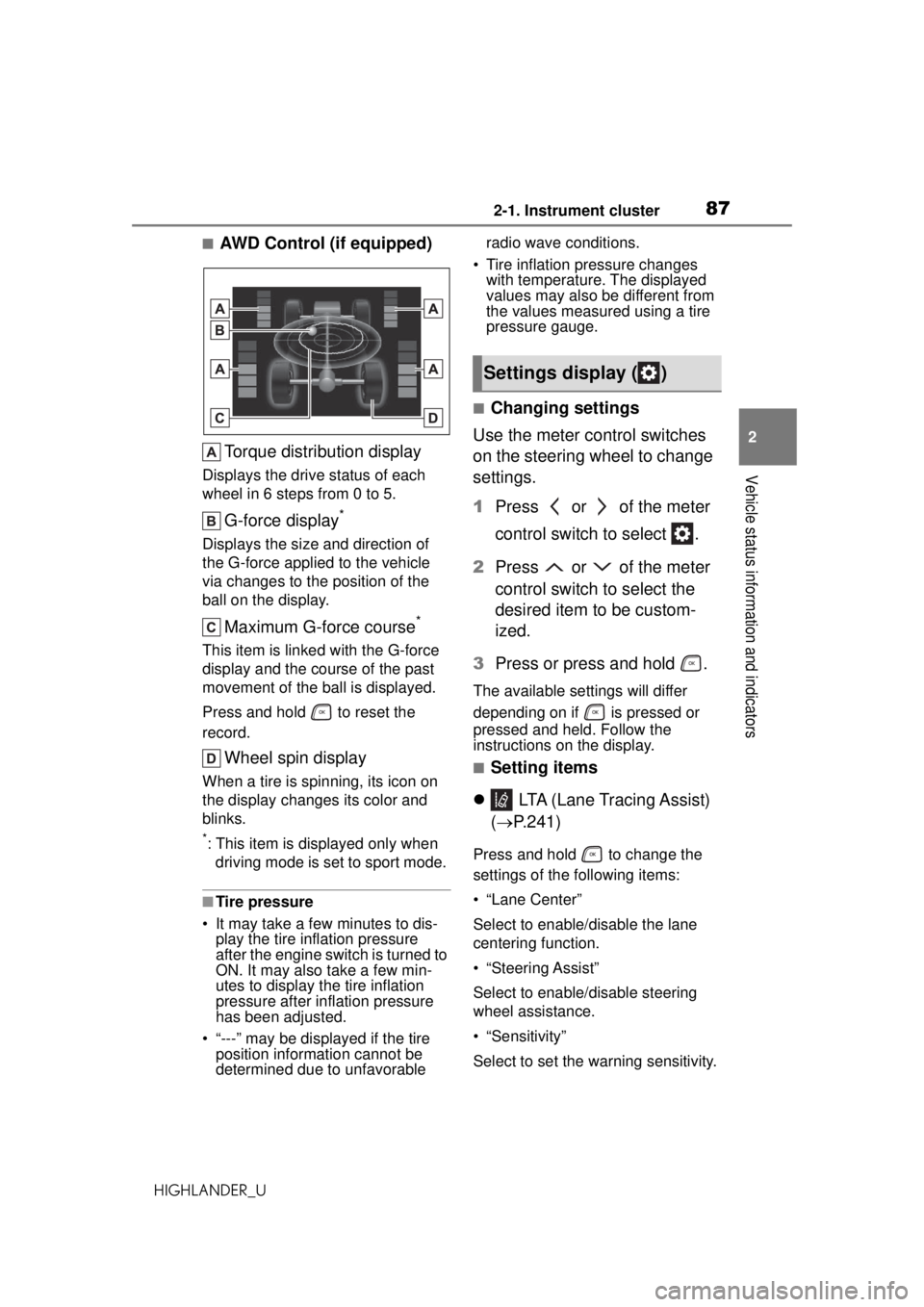
■AWD Control (if equipped) Torque distribution display
Displays the drive status of each
wheel in 6 steps from 0 to 5.
G-force display*
Displays the size and direction of
the G-force applied to the vehicle
via changes to the position of the
ball on the display.
Maximum G-force course*
This item is linke d with the G-force
display and the course of the past
movement of the ba ll is displayed.
Press and hold to reset the
record.
Wheel spin display
When a tire is spinning, its icon on
the display changes its color and
blinks.
*: This item is displayed only when driving mode is set to sport mode.
■Tire pressure
• It may take a few minutes to dis- play the tire inflation pressure
after the engine switch is turned to
ON. It may also take a few min-
utes to display the tire inflation
pressure after inflation pressure
has been adjusted.
• “---” may be displayed if the tire position information cannot be
determined due to unfavorable radio wave conditions.
• Tire inflation pressure changes with temperature. The displayed
values may also be different from
the values measured using a tire
pressure gauge.
■Changing settings
Use the meter control switches
on the steering wheel to change
settings.
1 Press or of the meter
control switch to select .
2 Press or of the meter
control switch to select the
desired item to be custom-
ized.
3 Press or press and hold .
The available settings will differ
depending on if is pressed or
pressed and held. Follow the
instructions on the display.
■Setting items
LTA (Lane Tracing Assist)
( P.241)
Press and hold to change the
settings of the following items:
• “Lane Center”
Select to enable/disable the lane
centering function.
• “Steering Assist”
Select to enable /disable steering
wheel assistance.
• “Sensitivity”
Select to set the warning sensitivity.
Settings display ( )
Page 89 of 560
892-1. Instrument cluster
HIGHLANDER_U
2
Vehicle status information and indicators
items:
PBD (Power Back Door)
(if equipped)
* ( P.119)
• “System Settings”
Select to enable/disable the power
back door system.
• “Opening Adjustment”
Select the open position when
power back door is fully open.
•“Volume”
Select to set the volume of the
buzzer which sounds when the
power back door system operates.
*: Vehicles with a power back door
(Stop & Start) (if
equipped) ( P.264)
Select to set the length of time the
Stop & Start system will operate
when the “A/C” switch of the air
conditioning system is on.
“TPWS” (Tire Pressure Warn-
ing System) ( P.414)
• “Set Pressure” (tire pressure
warning system initialization)
Select to initialize the tire pressure
warning system.
• “Change Wheel” (change the tire pressure warning system sensor
ID code set)
Select to change the tire pressure
warning system sensor ID code set.
To enable this function, a second
set of tire pressure warning system
sensor ID codes must be registered
by a Toyota dealer. For information
regarding changing the registered
ID code set, contact your Toyota
dealer. ( P.420) • “Change Wheel” (register tire
pressure warnin g system sensor
ID codes)
Select to register the ID codes of
the tire pressure sensors to the tire
pressure warning system.
“Rear Seat Reminder”
( P.117)
Select to enable/disable the rear
seat reminder.
“Scheduled Maintenance”
( P.395)
Select to reset the scheduled main-
tenance information (maintenance
required message and distance
until maintenance necessary) after
all maintenance is performed.
“Oil Maintenance” ( P.404)
Select to reset the oil maintenance
information (maintenance required
message and distance until mainte-
nance necessary) after an oil
change is performed.
■ Meter settings
Press and hold to change
the settings of the following
items:
Language
Select to change the language dis-
played.
Units
Select to change the units of mea-
sure displayed.
Eco Driving Indicator Light
( P.84)
Select to enable/disable the Eco
Driving Indicator Light.
Page 95 of 560
952-1. Instrument cluster
HIGHLANDER_U
2
Vehicle status information and indicators
When “Refuel” is displayed, the
remaining fuel amount is low and
the distance that can be driven with
the remaining fuel cannot be calcu-
lated.
Refuel immediately.
■Eco Driving Indicator
Eco Driving Indicator will not oper-
ate under the following conditions:
●The shift lever is in any position
other than D.
●The driving mode is set to sport
mode.
●The vehicle speed is approxi-
mately 80 mph (130 km/h) or
higher.
■Driving support system
information
Select to display the operational
status of the following systems:
LTA (Lane Tracing Assist)
( P.241)
RSA (Road Sign Assist) (if
equipped) ( P.251)
Dynamic radar cruise control
with full-speed range
( P.254)
■Navigation system-linked
display (if equipped)
Select to display the following
navigation system-linked infor-
mation:
Route guidance to destination
Compass display (head-
ing-up display)
■Route guidance to destination
display
When the route guidance to destina-
tion display is enabled on the
head-up display, it will not be dis-
played on the multi-information dis-
play. ( P.103)
Select to enable selection of an
audio source or track on the
meter using the meter control
switches.
This menu icon can be set to be
displayed/not displayed in .
■Tire pressure
P.414
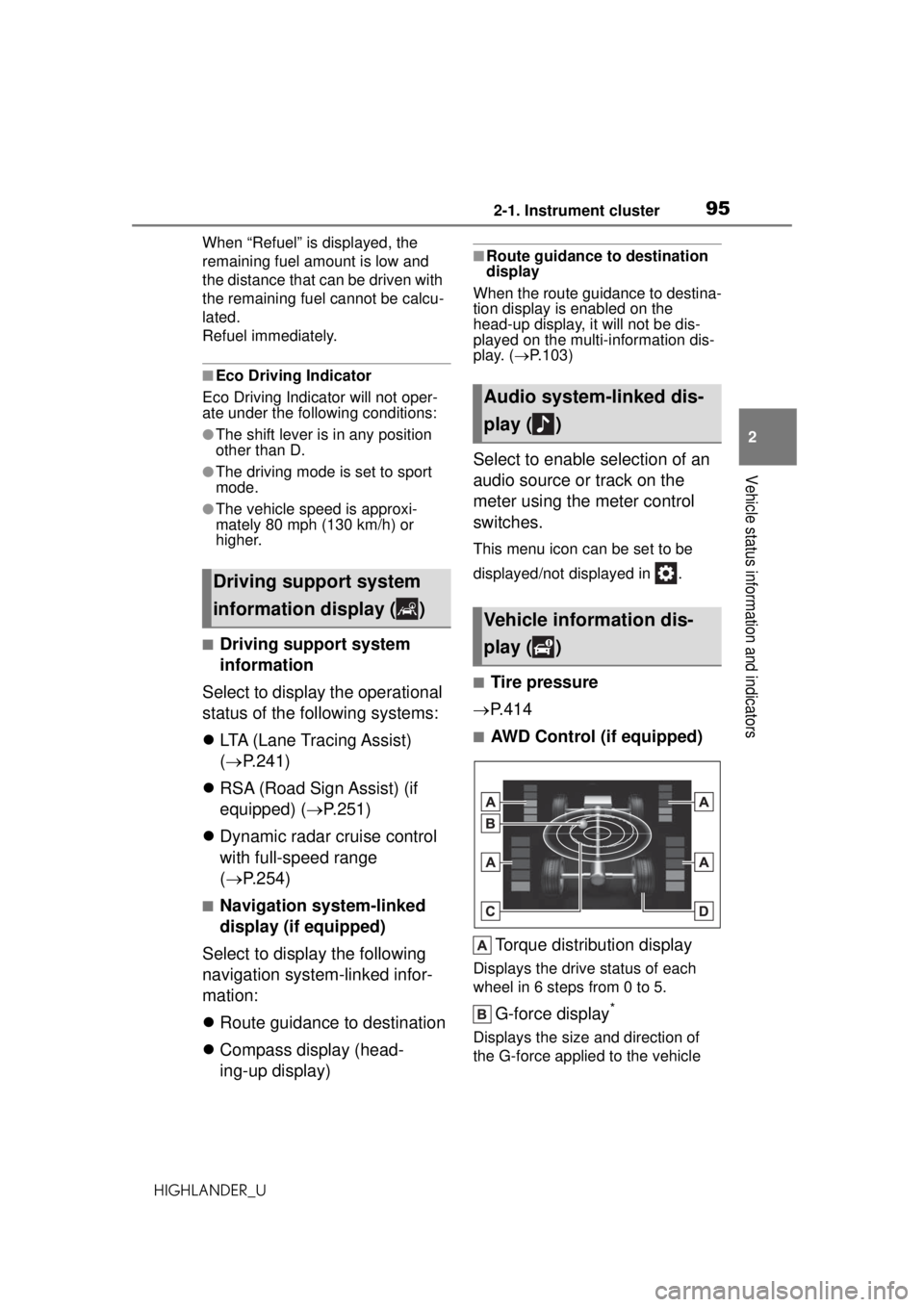
■AWD Control (if equipped)
Torque distribution display
Displays the drive status of each
wheel in 6 steps from 0 to 5.
G-force display*
Displays the size and direction of
the G-force applied to the vehicle
Driving support system
information display ( )
Audio system-linked dis-
play ( )
Vehicle information dis-
play ( )
Page 96 of 560
962-1. Instrument cluster
HIGHLANDER_Uvia changes to the position of the
ball on the display.
Maximum G-force course*
This item is linke
d with the G-force
display and the course of the past
movement of the ba ll is displayed.
Press and hold to reset the
record.
Wheel spin display
When a tire is spinning, its icon on
the display changes its color and
blinks.
*: This item is displayed only when driving mode is set to sport mode.
■Safety system status
Enable/Disable the following
systems:
PCS (Pre-Collision system)
( P.233)
Intuitive parking assist (if
equipped) ( P.276)
BSM (Blind Spot Monitor) (if
equipped) ( P.270)
RCTA (Rear Crossing Traffic
Alert) (if equipped) ( P.284)
■Tire pressure
• It may take a few minutes to dis- play the tire inflation pressure
after the engine switch is turned to
ON. It may also take a few min-
utes to display the tire inflation
pressure after inflation pressure
has been adjusted.
• “---” may be displayed if the tire position information cannot be
determined due to unfavorable
radio wave conditions.
• Tire inflation pressure changes with temperature. The displayed
values may also be different from the values measured using a tire
pressure gauge.
■Changing settings
Use the meter control switches
on the steering wheel to change
settings.
1 Press or of the meter
control switch to select .
2 Press or of the meter
control switch to select the
desired item to be custom-
ized.
3 Press or press and hold .
The available settings will differ
depending on if is pressed or
pressed and held. Follow the
instructions on the display.
■Setting items
LTA (Lane Tracing Assist)
( P.241)
Press and hold to change the
settings of the following items:
• “Lane Center”
Select to enable/disable the lane
centering function.
• “Steering Assist”
Select to enable /disable steering
wheel assistance.
• “Sensitivity”
Select to set the warning sensitivity.
•“Sway Warning”
Select to enable/disable the vehicle
sway warning.
Settings display ( )
Page 98 of 560

982-1. Instrument cluster
HIGHLANDER_UPress and hold to change the
settings of the following items:
• “HUD Brightness/Position”
Select to adjust the brightness/posi-
tion of the head-up display.
• “HUD Driving Support”
Select to change
the displayed
head-up display driving support
item.
• “HUD Rotation”
Select to adjust the angle of the
head-up display.
RSA (Road Sign Assist) (if
equipped) ( P.251)
Press to enable/disable the
Road Sign Assist.
• RSA (Road Sign Assist) on/off
Select to enable/disable the Road
Sign Assist.
Press and hold to change the
settings of the following items:
• “Notification Method”
Select to change each notification
method used to notify the driver
when the system recognizes
excess speed and no-entry sign.
• “Notification Level”
Select to change each notification
level used to notify the driver when
the system recognizes a speed limit
sign.
■ Vehicle settings
Press and hold to change
the settings of the following
items:
PBD (Power Back Door) (
P.119)
• “System Settings”
Select to enable/d isable the power
back door system.
• “Kick Sensor”
*
Select to enable/disable the kick
sensor.
• “Opening Adjustment”
Select the open position when
power back door is fully open.
•“Volume”
Select to set the volume of the
buzzer which sounds when the
power back door system operates.
*: Vehicles with a hands free power back door
(Stop & Start) (if
equipped) ( P.264)
Select to set the length of time the
Stop & Start system will operate
when the “A/C” switch of the air
conditioning system is on.
“TPWS” (Tire Pressure Warn-
ing System) ( P.414)
• “Set Pressure” (tire pressure
warning system initialization)
Select to initialize the tire pressure
warning system.
• “Change Wheel” (change the tire pressure warnin g system sensor
ID code set)
Select to change the tire pressure
warning system sens or ID code set.
To enable this function, a second
set of tire pressure warning system
sensor ID codes must be registered
by a Toyota dealer. For information
regarding changing the registered
ID code set, contact your Toyota