brakes TOYOTA HIGHLANDER 2021 (in English) Owner's Manual
[x] Cancel search | Manufacturer: TOYOTA, Model Year: 2021, Model line: HIGHLANDER, Model: TOYOTA HIGHLANDER 2021Pages: 568, PDF Size: 29.17 MB
Page 300 of 568
3004-5. Using the driving support systems
HIGHLANDER_U
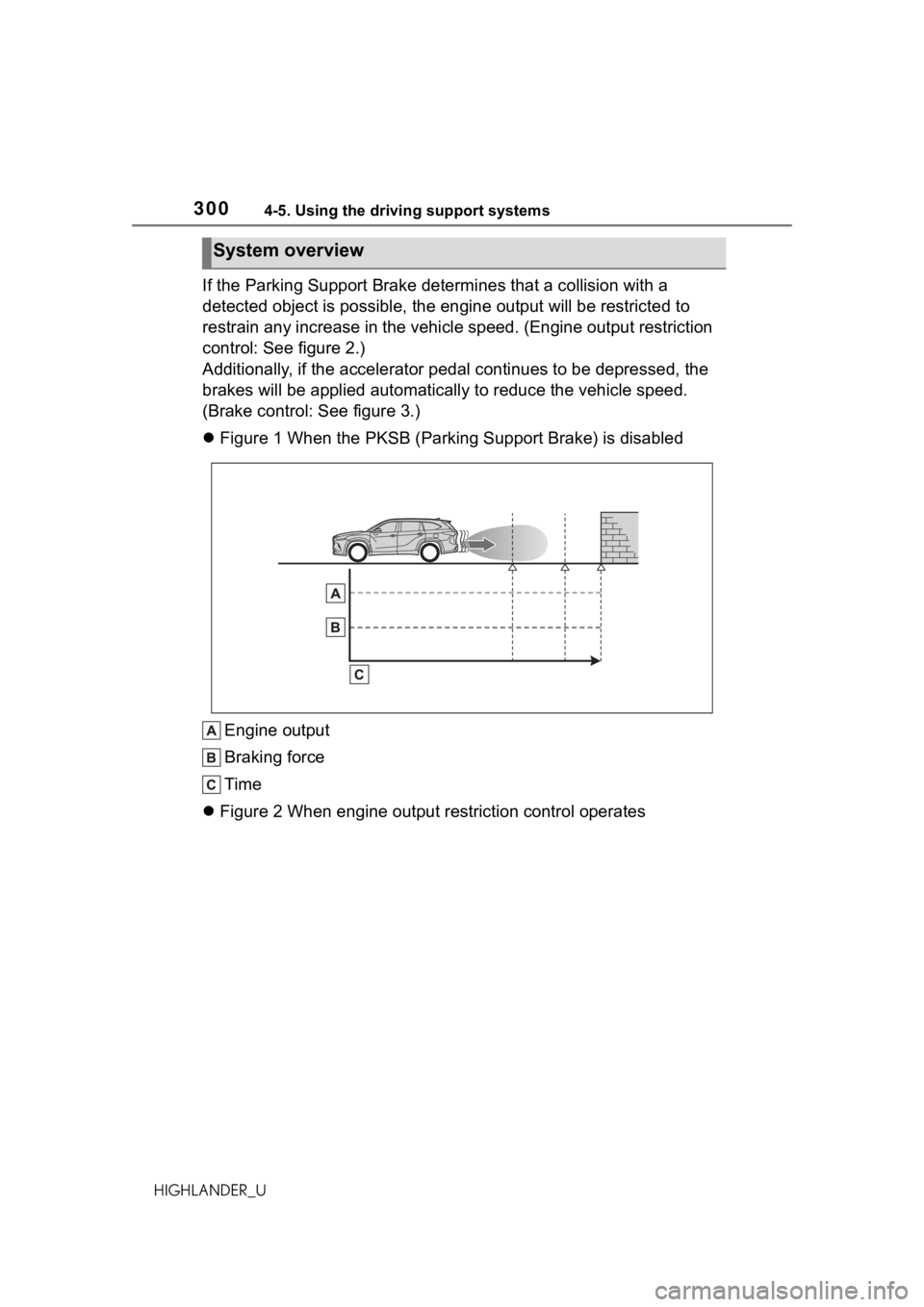
If the Parking Support Brake determines that a collision with a
detected object is possible, the engine output will be restrict ed to
restrain any increase in the vehicle speed. (Engine output restriction
control: See figure 2.)
Additionally, if the accelerator pedal continues to be depresse d, the
brakes will be applied automatica lly to reduce the vehicle speed.
(Brake control: See figure 3.)
Figure 1 When the PKSB (Parking Support Brake) is disabled
Engine output
Braking force
Time
Figure 2 When engine output restriction control operates
System overview
Page 308 of 568
3084-5. Using the driving support systems
HIGHLANDER_U
●Objects which are not perpendicu-
lar to the ground, are not perpen-
dicular to the traveling direction of
the vehicle, are uneven or are
waving
●Low objects
●Thin objects such as wires,
fences, ropes and signposts
●Objects that are extremely close
to the bumper
●Sharply-angled objects
●Tall objects with upper sections
projecting outwards in the direc-
tion of your vehicle
■Situation in which the Parking
Support Brake function (static
objects) may not operate
When driving with th e shift lever in
N.
■Intuitive parking assist buzzer
Regardless of whether the intuitive
parking assist syste m is enabled or
not ( P.285), if the Parking Support
Brake function (static objects) is
enabled ( P.298), the fr ont or rear
sensors detect an object and brake
control is perform ed, the intuitive
parking assist buzze r will sound to
notify the driver of the approximate
distance to the object.
■Situations in which the Parking
Support Brake function (static
objects) may op erate even if
there is no possibility of a colli-
sion
In some situations, such as the fol-
lowing, the Parking Support Brake
function (static objects) may operate
even though there is no possibility of
a collision.
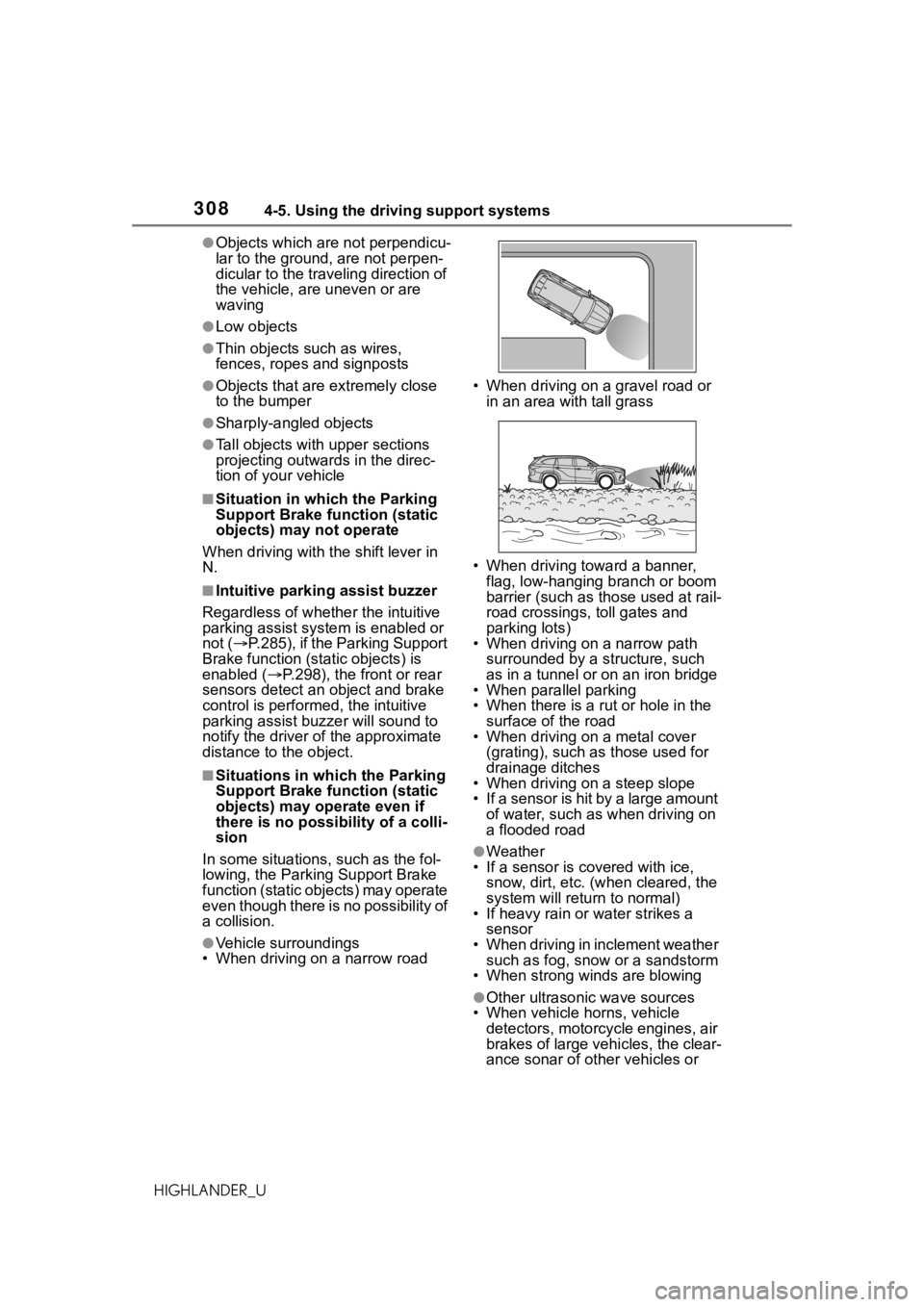
●Vehicle surroundings
• When driving on a narrow road • When driving on a gravel road or
in an area with tall grass
• When driving toward a banner, flag, low-hanging branch or boom
barrier (such as those used at rail-
road crossings, toll gates and
parking lots)
• When driving on a narrow path
surrounded by a structure, such
as in a tunnel or on an iron bridge
• When parallel parking
• When there is a rut or hole in the
surface of the road
• When driving on a metal cover
(grating), such as those used for
drainage ditches
• When driving on a steep slope
• If a sensor is hit by a large amount
of water, such as when driving on
a flooded road
●Weather
• If a sensor is covered with ice,
snow, dirt, etc. (when cleared, the
system will return to normal)
• If heavy rain or water strikes a
sensor
• When driving in inclement weather such as fog, snow or a sandstorm
• When strong winds are blowing
●Other ultrasonic wave sources
• When vehicle horns, vehicle
detectors, motorcycle engines, air
brakes of large vehicles, the clear-
ance sonar of ot her vehicles or
Page 309 of 568
3094-5. Using the driving support systems
4
Driving
HIGHLANDER_Uother devices which produce ultra-
sonic waves are near the vehicle
• If a sticker or an electronic compo-
nent, such as a backlit license
plate (especially fluorescent type),
fog lights, fender pole or wireless
antenna is insta lled near a sensor
●Changes in the vehicle posture
• If the vehicle is significantly tilted
• If the front of the vehicle is raised or lowered due to the carried load
• If the orientation of a sensor has been changed due t o a collision or
other impact
• If a sensor has been painted or covered with a sticker, etc.
■Situations in which the Parking
Support Brake function (static
objects) may not operate prop-
erly
In some situations, such as the fol-
lowing, this function may not oper-
ate properly.
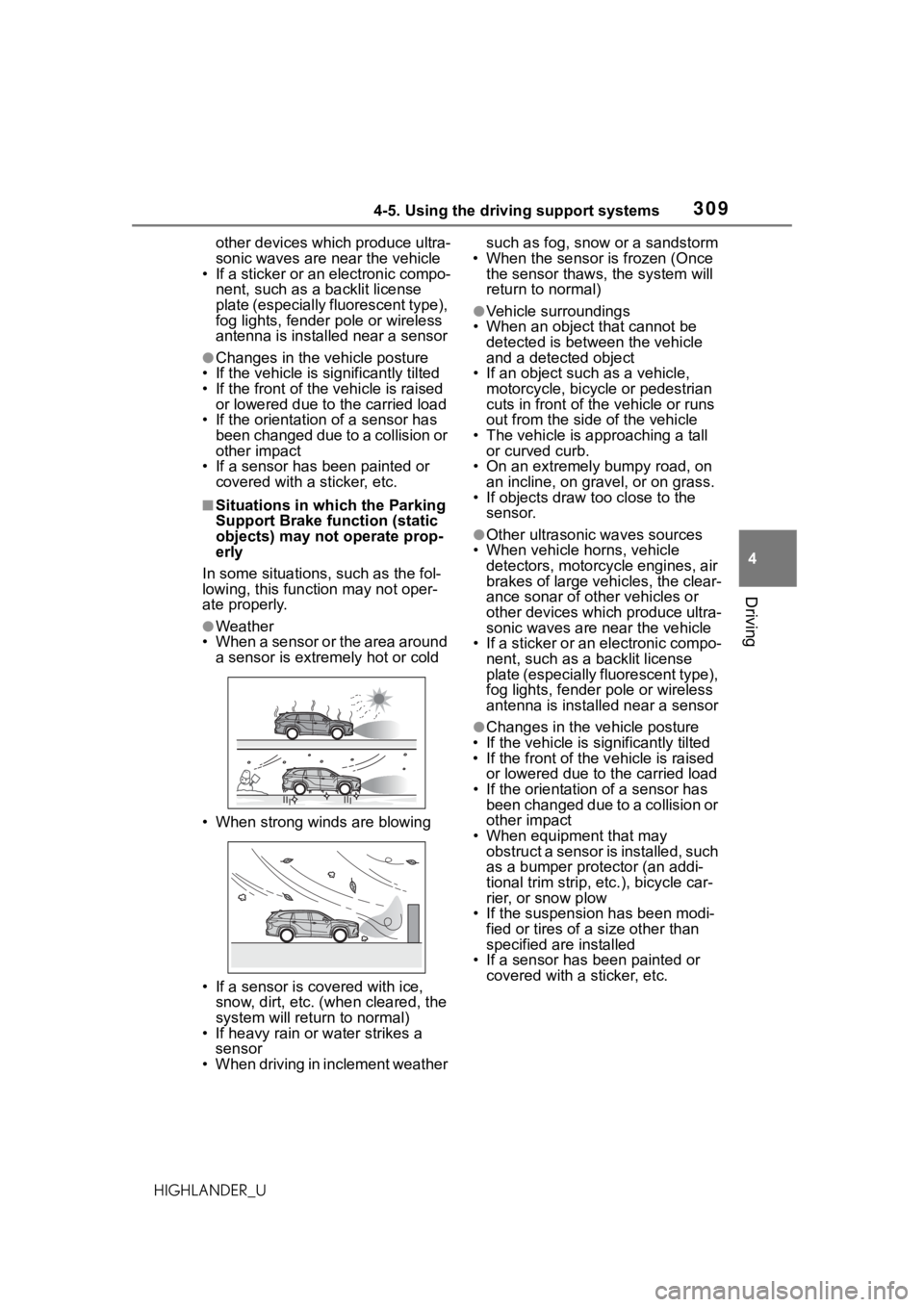
●Weather
• When a sensor or the area around
a sensor is extremely hot or cold
• When strong winds are blowing
• If a sensor is covered with ice, snow, dirt, etc. (when cleared, the
system will return to normal)
• If heavy rain or water strikes a sensor
• When driving in inclement weather such as fog, snow or a sandstorm
• When the sensor is frozen (Once the sensor thaws, the system will
return to normal)
●Vehicle surroundings
• When an object that cannot be detected is between the vehicle
and a detected object
• If an object such as a vehicle, motorcycle, bicycle or pedestrian
cuts in front of the vehicle or runs
out from the side of the vehicle
• The vehicle is approaching a tall or curved curb.
• On an extremely bumpy road, on an incline, on gravel, or on grass.
• If objects draw too close to the
sensor.
●Other ultrasonic waves sources
• When vehicle horns, vehicle detectors, motorcycle engines, air
brakes of large vehicles, the clear-
ance sonar of ot her vehicles or
other devices which produce ultra-
sonic waves are near the vehicle
• If a sticker or an electronic compo- nent, such as a backlit license
plate (especially fluorescent type),
fog lights, fender pole or wireless
antenna is installed near a sensor
●Changes in the v ehicle posture
• If the vehicle is significantly tilted
• If the front of the v ehicle is raised
or lowered due to the carried load
• If the orientation of a sensor has been changed due to a collision or
other impact
• When equipment that may obstruct a sensor is installed, such
as a bumper protector (an addi-
tional trim strip, etc.), bicycle car-
rier, or snow plow
• If the suspension has been modi- fied or tires of a size other than
specified are installed
• If a sensor has been painted or
covered with a sticker, etc.
Page 317 of 568
3174-5. Using the driving support systems
4
Driving
HIGHLANDER_U
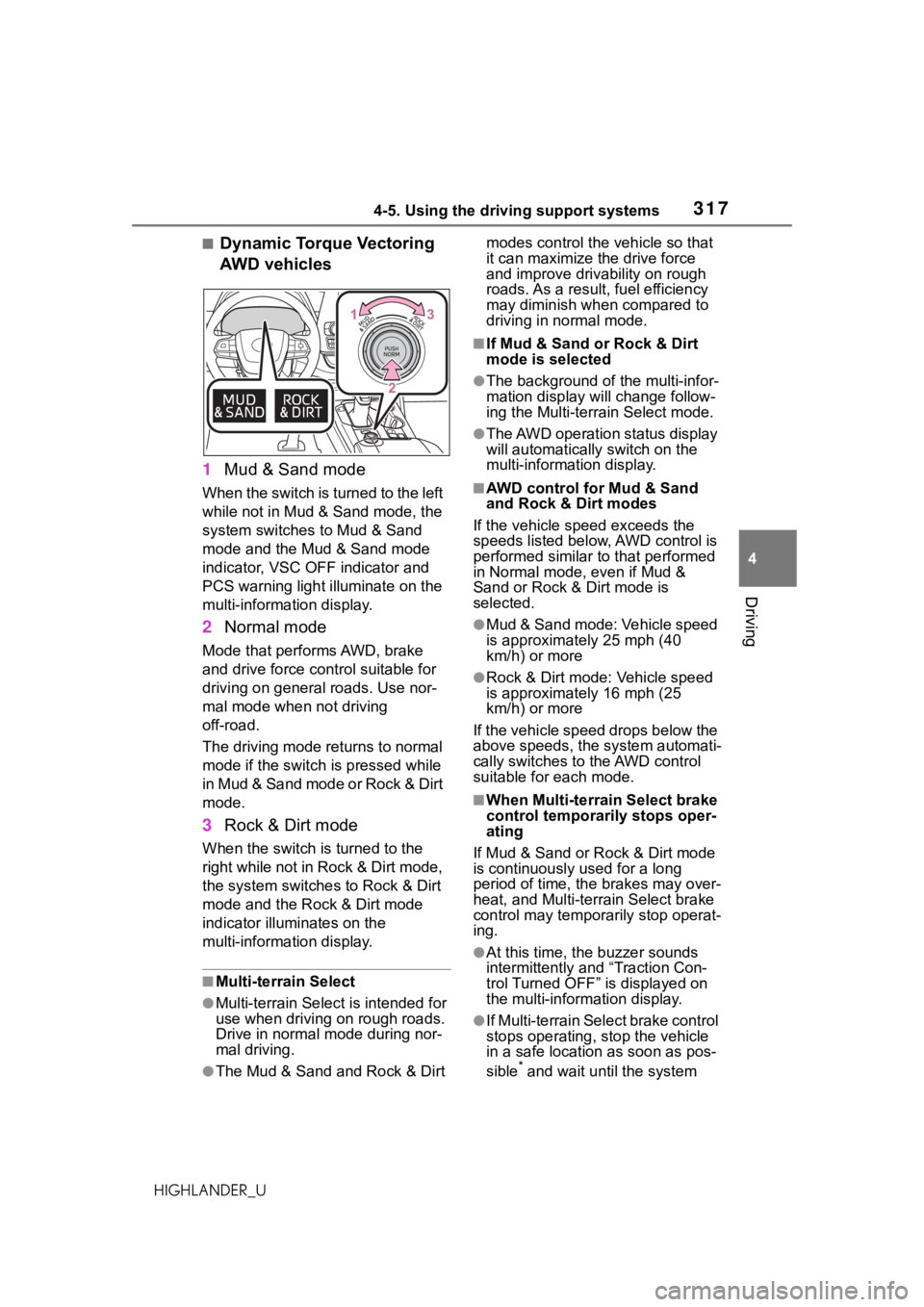
■Dynamic Torque Vectoring
AWD vehicles
1 Mud & Sand mode
When the switch is turned to the left
while not in Mud & Sand mode, the
system switches to Mud & Sand
mode and the Mud & Sand mode
indicator, VSC OFF indicator and
PCS warning light illuminate on the
multi-information display.
2Normal mode
Mode that performs AWD, brake
and drive force control suitable for
driving on general roads. Use nor-
mal mode when not driving
off-road.
The driving mode returns to normal
mode if the switch is pressed while
in Mud & Sand mode or Rock & Dirt
mode.
3Rock & Dirt mode
When the switch is turned to the
right while not in Rock & Dirt mode,
the system switches to Rock & Dirt
mode and the Rock & Dirt mode
indicator illuminates on the
multi-information display.
■Multi-terrain Select
●Multi-terrain Sele ct is intended for
use when driving on rough roads.
Drive in normal mode during nor-
mal driving.
●The Mud & Sand and Rock & Dirt modes control the
vehicle so that
it can maximize the drive force
and improve driv ability on rough
roads. As a result, fuel efficiency
may diminish when compared to
driving in normal mode.
■If Mud & Sand or Rock & Dirt
mode is selected
●The background of the multi-infor-
mation display will change follow-
ing the Multi-terrain Select mode.
●The AWD operation status display
will automatically switch on the
multi-information display.
■AWD control for Mud & Sand
and Rock & Dirt modes
If the vehicle speed exceeds the
speeds listed below, AWD control is
performed similar to that performed
in Normal mode, even if Mud &
Sand or Rock & Dirt mode is
selected.
●Mud & Sand mode: Vehicle speed
is approximately 25 mph (40
km/h) or more
●Rock & Dirt mode: Vehicle speed
is approximately 16 mph (25
km/h) or more
If the vehicle speed drops below the
above speeds, the system automati-
cally switches to the AWD control
suitable for each mode.
■When Multi-terrain Select brake
control temporarily stops oper-
ating
If Mud & Sand or Rock & Dirt mode
is continuously used for a long
period of time, th e brakes may over-
heat, and Multi-terrain Select brake
control may temporarily stop operat-
ing.
●At this time, the buzzer sounds
intermittently and “Traction Con-
trol Turned OFF” is displayed on
the multi-information display.
●If Multi-terrain Sele ct brake control
stops operating, stop the vehicle
in a safe location as soon as pos-
sible
* and wait until the system
Page 321 of 568
3214-5. Using the driving support systems
4
Driving
HIGHLANDER_U
■ABS (Anti-lock Brake Sys-
tem)
Helps to prevent wheel lock
when the brakes are applied
suddenly, or if the brakes are
applied while driving on a slip-
pery road surface
■Brake assist
Generates an increased level of
braking force after the brake
pedal is depressed when the
system detects a panic stop sit-
uation
■VSC (Vehicle Stability Con-
trol)
Helps the driver to control skid-
ding when swerving suddenly or
turning on slippery road sur-
faces
■Enhanced VSC (Enhanced
Vehicle Stability Control)
Provides cooperative control of
the ABS, TRAC, VSC and EPS.
Helps to maintain directional
stability when swerving on slip-
pery road surfaces by con-
trolling steering performance.
■Trailer Sway Control
Helps the driver to control trailer
sway by selectively applying
brake pressure for individual
wheels and reducing driving
torque when trailer sway is
detected.
■TRAC (Traction Control)
Helps to maintain drive power
and prevent the drive wheels
from spinning when starting the
vehicle or accelerating on slip-
pery roads
■Active Cornering Assist
(ACA)
Helps to prevent the vehicle
from drifting to the outer side by
performing inner wheel brake
control when attempting to
accelerate while turning
■Hill-start assist control
Helps to reduce the backward
movement of the vehicle when
starting on an uphill
■EPS (Electric Power Steer-
ing)
Employs an electric motor to
reduce the amount of effort
needed to turn the steering
Driving assist systems
To keep driving safety and
performance, the following
systems operate automati-
cally in response to various
driving situations. Be
aware, however, that these
systems are supplementary
and should not be relied
upon too heavily when oper-
ating the vehicle.
Summary of the driving
assist systems
Page 322 of 568
3224-5. Using the driving support systems
HIGHLANDER_U
wheel
■Dynamic Torque Control
AWD system (AWD models)
Automatically switches from
front-wheel drive to all-wheel
drive (AWD) according to the
driving conditions, helping to
ensure reliable handling and
stability. Examples of conditions
where the system will switch to
AWD are when cornering, going
uphill, starting off or accelerat-
ing, and when the road surface
is slippery due to snow, rain, etc.
■Dynamic Torque Vectoring
AWD system (AWD models)
Automatically switches from
front-wheel drive to all-wheel
drive (AWD) according to the
driving conditions, helping to
ensure reliable handling and
stability. Examples of conditions
where the system will switch to
AWD are when cornering, going
uphill, starting off or accelerat-
ing, and when the road surface
is slippery due to snow, rain, etc.
Also, when the vehicle is corner-
ing, the drive torque distribution
between the front and rear
wheels and between the rear left
and right wheels is precisely
controlled to improve drivability
and stability.
■The Secondary Collision
Brake
When the SRS airbag sensor
detects a collision and the sys- tem operates, the brakes and
brake lights are automatically
controlled to reduce the vehicle
speed and help reduce the pos-
sibility of further damage due to
a secondary collision.
■When the TRAC/VSC/Trailer
Sway Control systems are oper-
ating
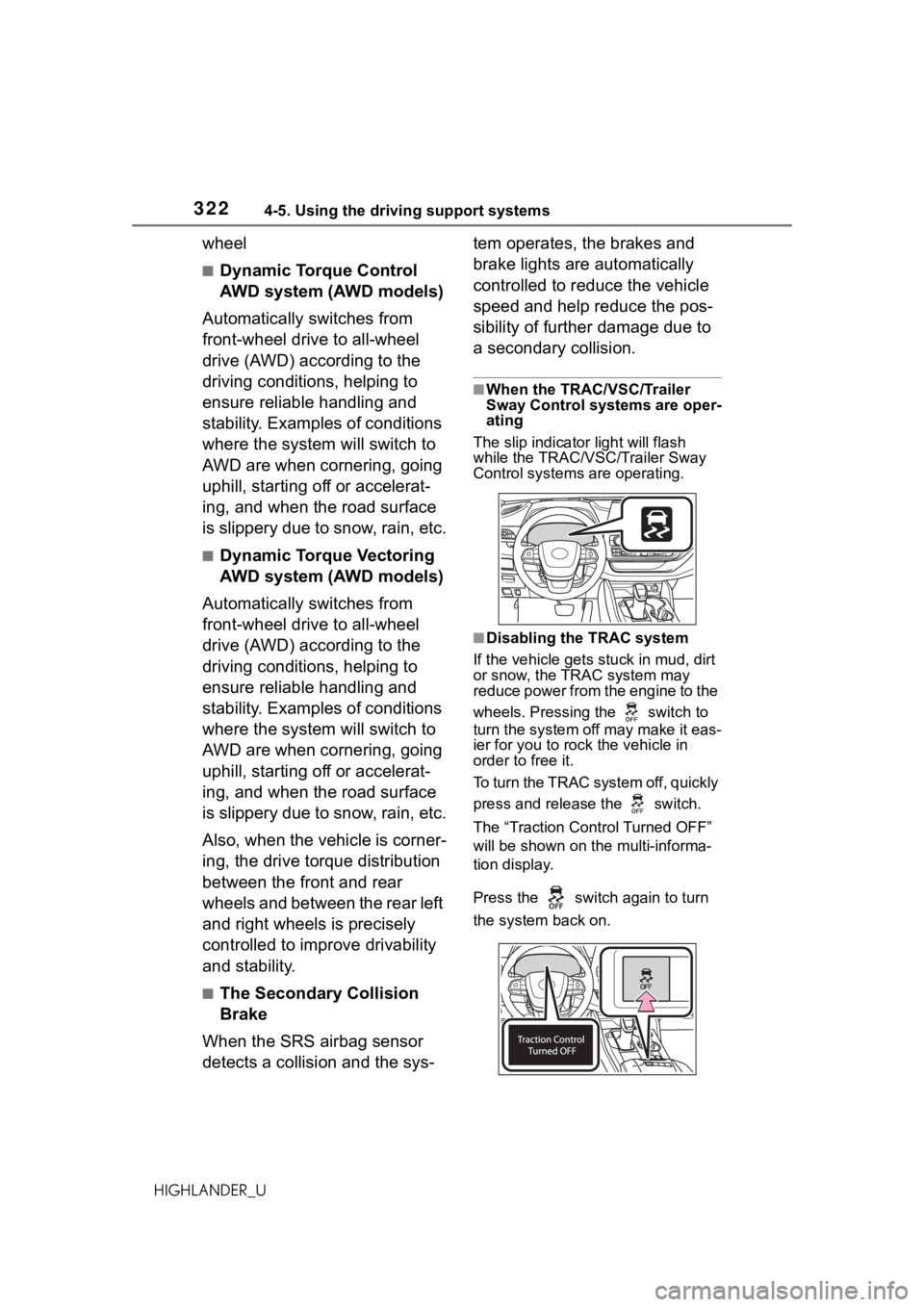
The slip indicator light will flash
while the TRAC/VSC/Trailer Sway
Control systems are operating.
■Disabling the TRAC system
If the vehicle gets stuck in mud, dirt
or snow, the TRAC system may
reduce power from the engine to the
wheels. Pressing the switch to
turn the system off may make it eas-
ier for you to rock the vehicle in
order to free it.
To turn the TRAC system off, quickly
press and release the switch.
The “Traction Cont rol Turned OFF”
will be shown on the multi-informa-
tion display.
Press the switch again to turn
the system back on.
Page 325 of 568
3254-5. Using the driving support systems
4
Driving
HIGHLANDER_U
WARNING
●When driving over bumps in the
road
●When driving over roads with
potholes or uneven surfaces
■TRAC/VSC may not operate
effectively when
Directional control and power may
not be achievable while driving on
slippery road surfaces, even if the
TRAC/VSC system is operating.
Drive the vehicle carefully in con-
ditions where stability and power
may be lost.
■Active Cornering Assist does
not operate effectively when
●Do not overly rely on Active
Cornering Assist. Active Corner-
ing Assist may not operate
effectively when accelerating
down slopes or driving on slip-
pery road surfaces.
●When Active Cornering Assist
frequently operates, Active Cor-
nering Assist may temporarily
stop operating to ensure proper
operation of the brakes, TRAC
and VSC.
■Hill-start assist control does
not operate effectively when
●Do not overly rely on hill-start
assist control. Hill-start assist
control may not operate effec-
tively on steep inclines and
roads covered with ice.
●Unlike the parking brake,
hill-start assist control is not
intended to hold the vehicle sta-
tionary for an extended period
of time. Do not attempt to use
hill-start assist control to hold
the vehicle on an incline, as
doing so may lead to an acci-
dent.
■When the TRAC/VSC/Trailer
Sway Control is activated
The slip indicator light flashes.
Always drive carefully. Reckless
driving may cause an accident.
Exercise particula r care when the
indicator light flashes.
■When the TRAC/VSC/Trailer
Sway Control systems are
turned off
●Be especially careful and drive
at a speed appropriate to the
road conditions. As these are
the systems to help ensure
vehicle stability and driving
force, do not turn the
TRAC/VSC/Trailer Sway Con-
trol systems off unless neces-
sary.
●Trailer Sway Control is part of
the VSC system and will not
operate if VSC is turned off or
experiences a malfunction.
■Dynamic Torque Vectoring
AWD system
The cornering performance of the
AWD system has been improved.
However, do not overly rely on the
system and drive with caution.
■Replacing tires
Make sure that all tires are of the
specified size, brand, tread pat-
tern and total load capacity. In
addition, make sure that the tires
are inflated to the recommended
tire inflation p ressure level.
The ABS, TRAC, Trailer Sway
Control and VSC systems will not
function correctly if different tires
are installed on the vehicle.
Contact your Toyota dealer for fur-
ther information when replacing
tires or wheels.
Page 326 of 568

3264-5. Using the driving support systems
HIGHLANDER_U
WARNING
■Handling of tires and the sus-
pension
Using tires with any kind of prob-
lem or modifying the suspension
will affect the driving assist sys-
tems, and may cause a system to
malfunction.
■Trailer Sway Control precau-
tion
The Trailer Sway Control system
is not able to reduce trailer sway
in all situations . Depending on
many factors such as the condi-
tions of the vehicle, trailer, road
surface and driving environment,
the Trailer Sway Control system
may not be effec tive. Refer to
your trailer owner’s manual for
information on how to tow your
trailer properly.
■If trailer sway occurs
Observe the following precau-
tions.
Failing to do so may cause death
or serious injury.
●Firmly grip the steering wheel.
Steer straight ahead. Do not try
to control trailer sway by turning
the steering wheel.
●Begin releasing the accelerator
pedal immediately but very
gradually to reduce speed.
Do not increase speed. Do not
apply vehicle brakes.
If you make no extreme correction
with the steering or brakes, your
vehicle and trailer should stabi-
lize. (
P.191)
■Secondary Collision Brake
Do not rely solely upon the Sec-
ondary Collision Brake. This sys-
tem is designed to help reduce
the possibility of further damage
due to a secondary collision, how-
ever, that effect changes accord-
ing to various conditions. Overly
relying on the system may result
in death or serious injury.
Page 328 of 568
3284-6. Driving tips
HIGHLANDER_U
Do not try to forcibly open a
window or move a wiper that
is frozen. Pour warm water
over the frozen area to melt
the ice. Wipe away the water
immediately to prevent it from
freezing.
To ensure proper operation of
the climate control system
fan, remove any snow that
has accumulated on the air
inlet vents in front of the wind-
shield.
Check for and remove any
excess ice or snow that may
have accumulated on the
exterior lights, vehicle’s roof,
chassis, around the tires or on
the brakes.
Remove any snow or mud
from the bottom of your shoes
before getting in the vehicle.
Accelerate the vehicle slowly,
keep a safe distance between
you and the vehicle ahead, and
drive at a reduced speed suit-
able to road conditions.
Park the vehicle and move
the shift lever to P without set-
ting the parking brake. The
parking brake may freeze up,
preventing it from being
released. If the vehicle is parked without setting the
parking brake, make sure to
block the wheels. Failure to
do so may be dangerous
because it may cause the
vehicle to move unexpectedly,
possibly leading to an acci-
dent.
When the parking
brake is in auto-
matic mode, release the parking
brake after shifting the shift lever to
P. ( P.211)
If the vehicle is parked without
setting the parking brake,
confirm that the shift lever
cannot be moved out of P
*.
*: The shift lever will be locked if it is
attempted to be sh ifted from P to
any other position without
depressing the brake pedal. If the
shift lever can be shifted from P,
there may be a problem with the
shift lock system. Have the vehi-
cle inspected by your Toyota
dealer immediately.
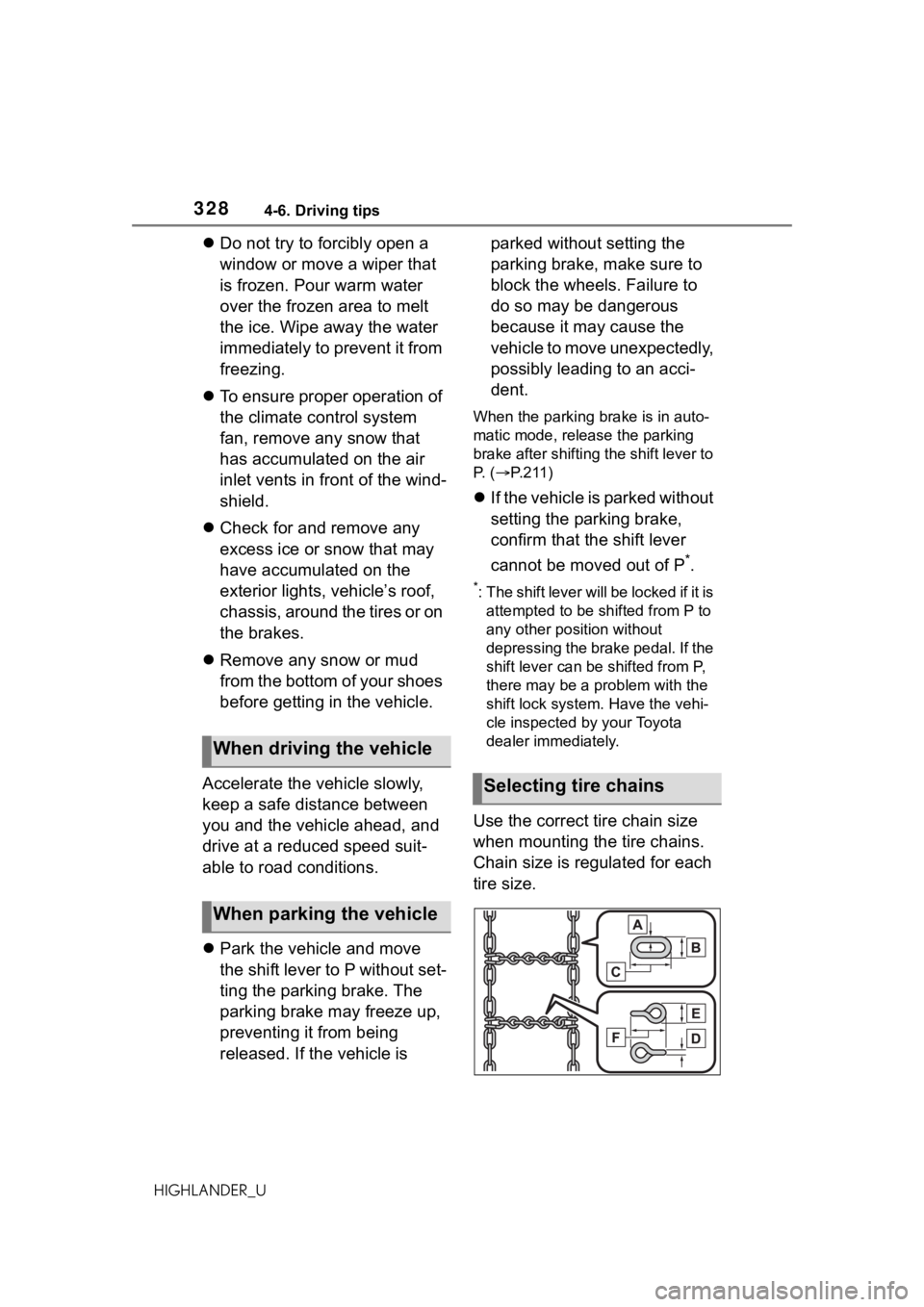
Use the correct tire chain size
when mounting the tire chains.
Chain size is regulated for each
tire size.
When driving the vehicle
When parking the vehicle
Selecting tire chains
Page 331 of 568
3314-6. Driving tips
4
Driving
HIGHLANDER_U
When driving your vehicle
off-road, please observe the fol-
lowing precautions to ensure
your driving enjoyment and to
help prevent the closure of
areas to off-road vehicles:
Drive your vehicle only in
areas where off-road vehicles
are permitted to travel.
Respect private property. Get
owner’s permission before
entering private property.
Do not enter areas that are
closed. Honor gates, barriers
and signs that restrict travel.
Stay on established roads.
When conditions are wet,
driving techniques should be
changed or travel delayed to
prevent damage to roads.
■Additional information for
off-road driving
For owners in U.S. mainland,
Hawaii and Puerto Rico:
To obtain additional information per-
taining to driving your vehicle
off-road, consult the following orga-
nizations.
●State and Local Parks and Recre-
ation Departments
●State Motor Vehicle Bureau
●Recreational Vehicle Clubs
●U.S. Forest Service and Bureau of
Land Management
Off-road drivingWARNING
■Off-road driving precautions
Always observe t he following pre-
cautions to minim ize the risk of
death, serious injury or damage to
your vehicle:
●Drive carefully when off the
road. Do not take unnecessary
risks by driving in dangerous
places.
●Do not grip the steering wheel
spokes when driving off-road. A
bad bump could jerk the wheel
and injure your hands. Keep
both hands and especially your
thumbs on the ou tside of the
rim.
●Always check your brakes for
effectiveness immediately after
driving in sand, mud, water or
snow.
●After driving through tall grass,
mud, rock, sand, rivers, etc.,
check that there is no grass,
bush, paper, rags, stone, sand,
etc. adhering or trapped on the
underbody. Clear off any such
matter from the underbody. If
the vehicle is used with these
materials trapped or adhering to
the underbody, a breakdown or
fire could occur.
●When driving off-road or in rug-
ged terrain, do not drive at
excessive speeds, jump, make
sharp turns, strike objects, etc.
This may cause loss of control
or vehicle rollover causing
death or serious injury. You are
also risking expensive damage
to your vehicle’s suspension
and chassis.