light TOYOTA HIGHLANDER 2022 Owners Manual
[x] Cancel search | Manufacturer: TOYOTA, Model Year: 2022, Model line: HIGHLANDER, Model: TOYOTA HIGHLANDER 2022Pages: 568, PDF Size: 13.73 MB
Page 383 of 568
3835-5. Using the other interior features
5
Interior features
■The power outlet can be used
when
12 V
The engine switch is in ACC or ON.
120 VAC (if equipped)
The engine switch is in ON.
■Using the power outlet (vehi-
cles with Stop & Start system)
When the engine restarts after hav-
ing been stopped by the Stop &
Start system, the power outlets may
be temporarily unusable, but this is
not a malfunction.
■When turning the engine switch
off
Disconnect electrical devices with
charging functions, such as mobile
battery packs.
If such devices are left connected,
the engine switch may not be turned
off normally.
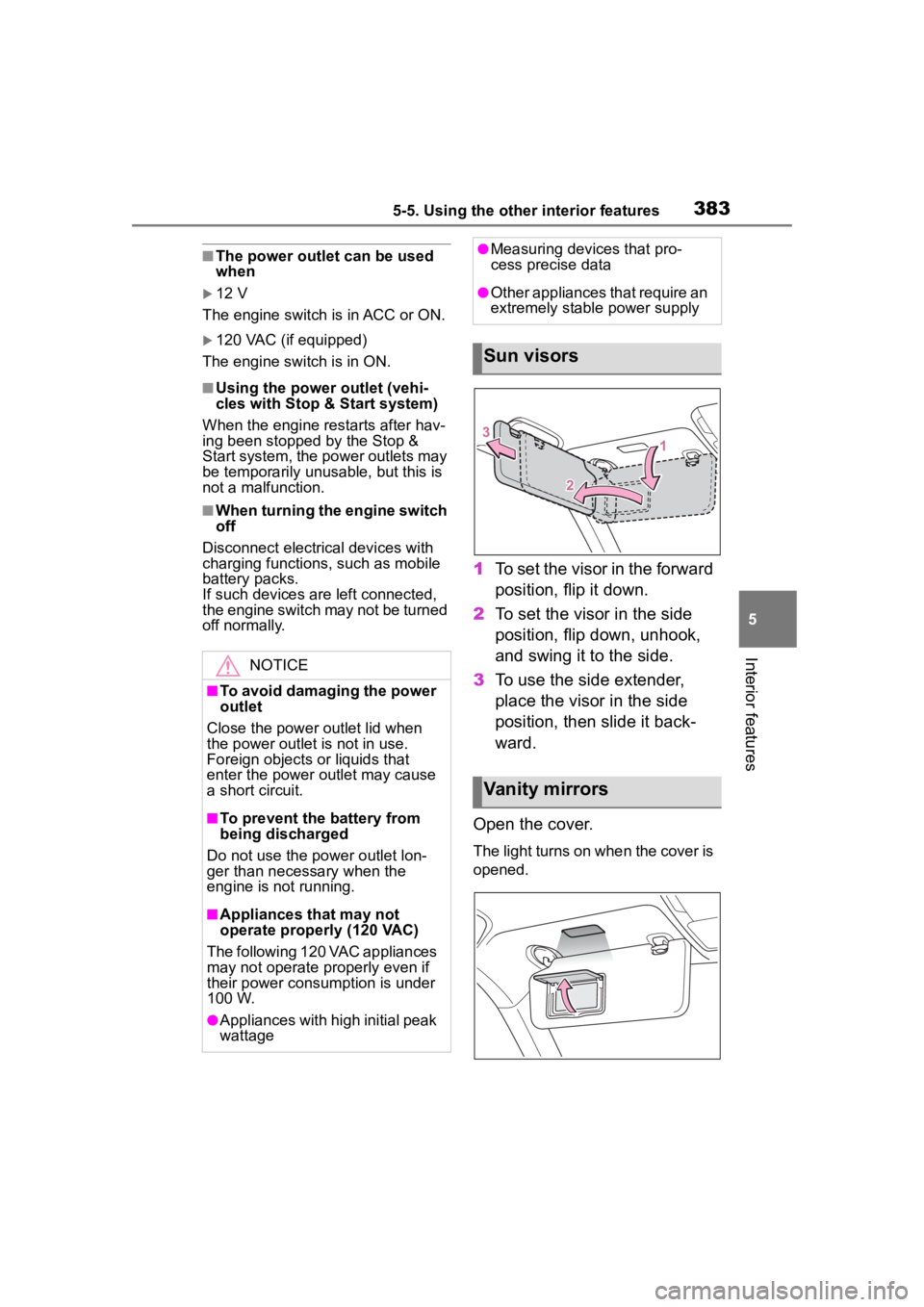
1 To set the visor in the forward
position, flip it down.
2 To set the visor in the side
position, flip down, unhook,
and swing it to the side.
3 To use the side extender,
place the visor in the side
position, then slide it back-
ward.
Open the cover.
The light turns on when the cover is
opened.
NOTICE
■To avoid damaging the power
outlet
Close the power outlet lid when
the power outlet is not in use.
Foreign objects or liquids that
enter the power outlet may cause
a short circuit.
■To prevent the battery from
being discharged
Do not use the power outlet lon-
ger than necessary when the
engine is not running.
■Appliances that may not
operate properly (120 VAC)
The following 120 VAC appliances
may not operate properly even if
their power consumption is under
100 W.
●Appliances with high initial peak
wattage
●Measuring devices that pro-
cess precise data
●Other appliances that require an
extremely stable power supply
Sun visors
Vanity mirrors
Page 384 of 568
3845-5. Using the other interior features
■To prevent battery discharge
If the vanity light s remain on when
the engine switch is turned off, the
lights will go off automatically after
20 minutes.
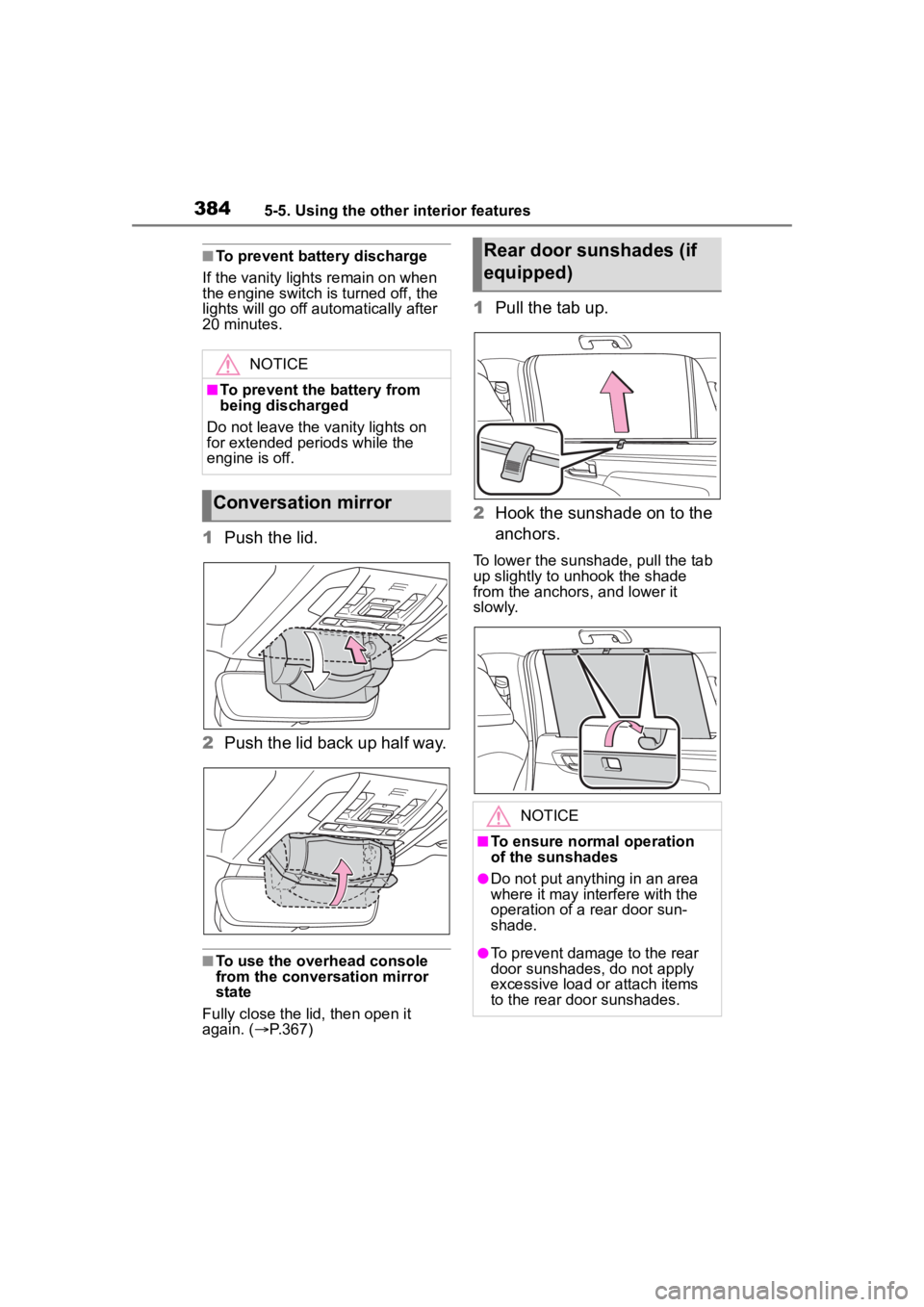
1 Push the lid.
2 Push the lid back up half way.
■To use the overhead console
from the conversation mirror
state
Fully close the lid, then open it
again. ( P.367)
1 Pull the tab up.
2 Hook the sunshade on to the
anchors.
To lower the sunshade, pull the tab
up slightly to unhook the shade
from the anchors, and lower it
slowly.
NOTICE
■To prevent the battery from
being discharged
Do not leave the vanity lights on
for extended periods while the
engine is off.
Conversation mirror
Rear door sunshades (if
equipped)
NOTICE
■To ensure normal operation
of the sunshades
●Do not put anyth ing in an area
where it may int erfere with the
operation of a rear door sun-
shade.
●To prevent damage to the rear
door sunshades, do not apply
excessive load or attach items
to the rear door sunshades.
Page 385 of 568
3855-5. Using the other interior features
5
Interior features
*: If equipped
■HomeLink® programming pro-
cedure
The programming procedures can
also be found at the following URL.
Website: www.homelink.com/toyota
For support, contact customer sup-
port at the following.
Help Line: 1-800-355-3515
The HomeLink® wireless control
system in your vehicle has 3
buttons which can be pro-
grammed to operate 3 different
devices. Refer to the program-
ming methods on the following
pages to determine the method
which is appropriate for the
device.
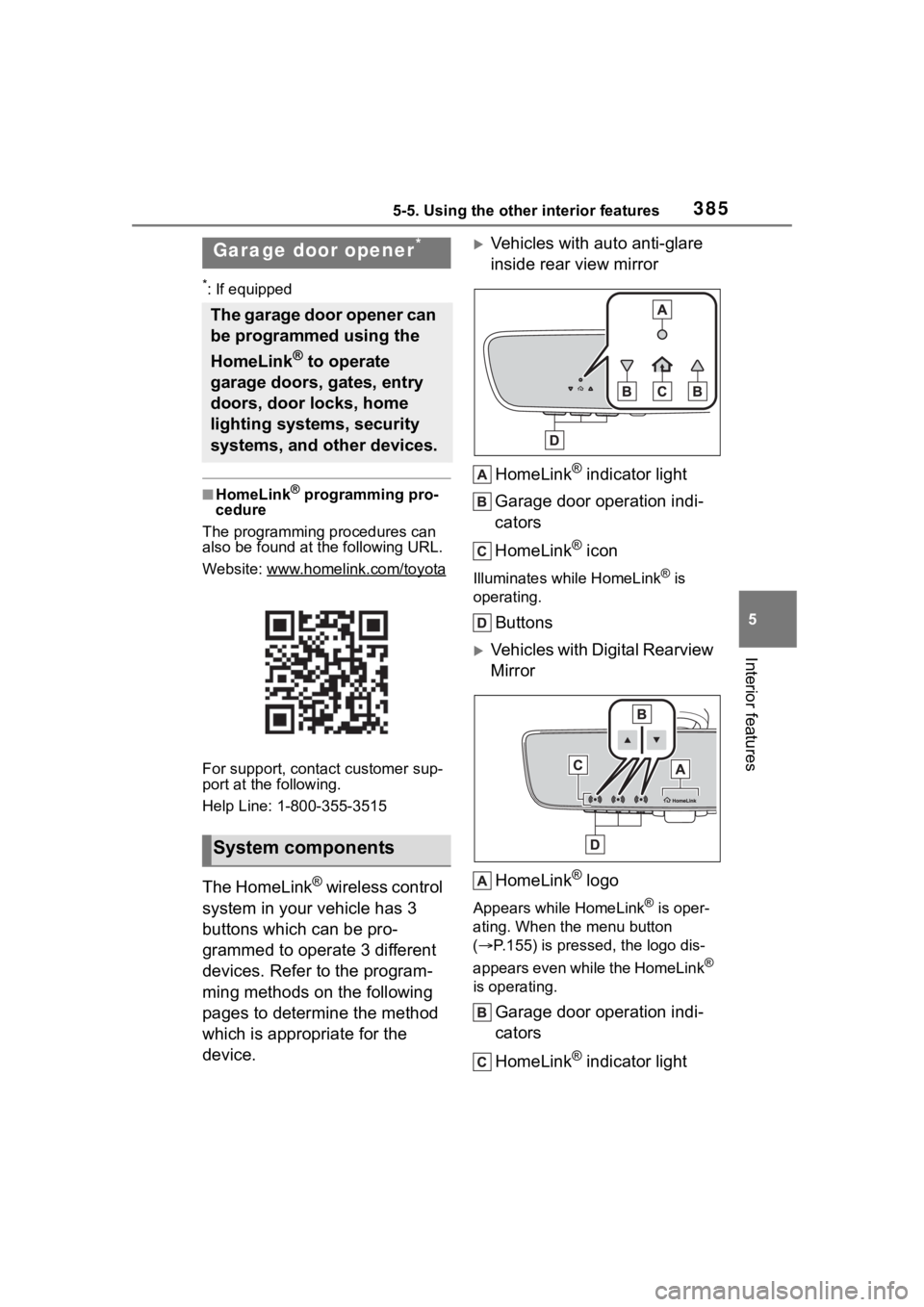
Vehicles with auto anti-glare
inside rear view mirror
HomeLink
® indicator light
Garage door operation indi-
cators
HomeLink
® icon
Illuminates while HomeLink® is
operating.
Buttons
Vehicles with Digital Rearview
Mirror
HomeLink
® logo
Appears while HomeLink® is oper-
ating. When the menu button
( P.155) is pressed, the logo dis-
appears even while the HomeLink
®
is operating.
Garage door operation indi-
cators
HomeLink
® indicator light
Garage door opener*
The garage door opener can
be programmed using the
HomeLink
® to operate
garage doors, gates, entry
doors, door locks, home
lighting systems, security
systems, and other devices.
System components
Page 387 of 568
3875-5. Using the other interior features
5
Interior features
■Before programming Home-
Link
®
During programming, it is pos-
sible that garage doors,
gates, or other devices may
operate. For this reason,
make sure that people and
objects are clear of the
garage door or other devices
to prevent injury or other
potential harm.
It is recommended that a new
battery be placed in the
remote control transmitter for
more accurate programming.
Garage door opener motors
manufactured after 1995 may
be equipped with rolling code protection. If this is the case,
you may need a stepladder or
other sturdy, safe device to
reach the “Learn” or “Smart”
button on the garage door
opener motor.
■Programming HomeLink®
Steps
1 through 3 must be per-
formed within 60 seconds, oth-
erwise the HomeLink
® indicator
light will stop flashing and pro-
gramming will not be success-
fully completed.
1 Press and release the Home-
Link
® button you want to pro-
gram and check that the
HomeLink
® indicator light
flashes (orange).
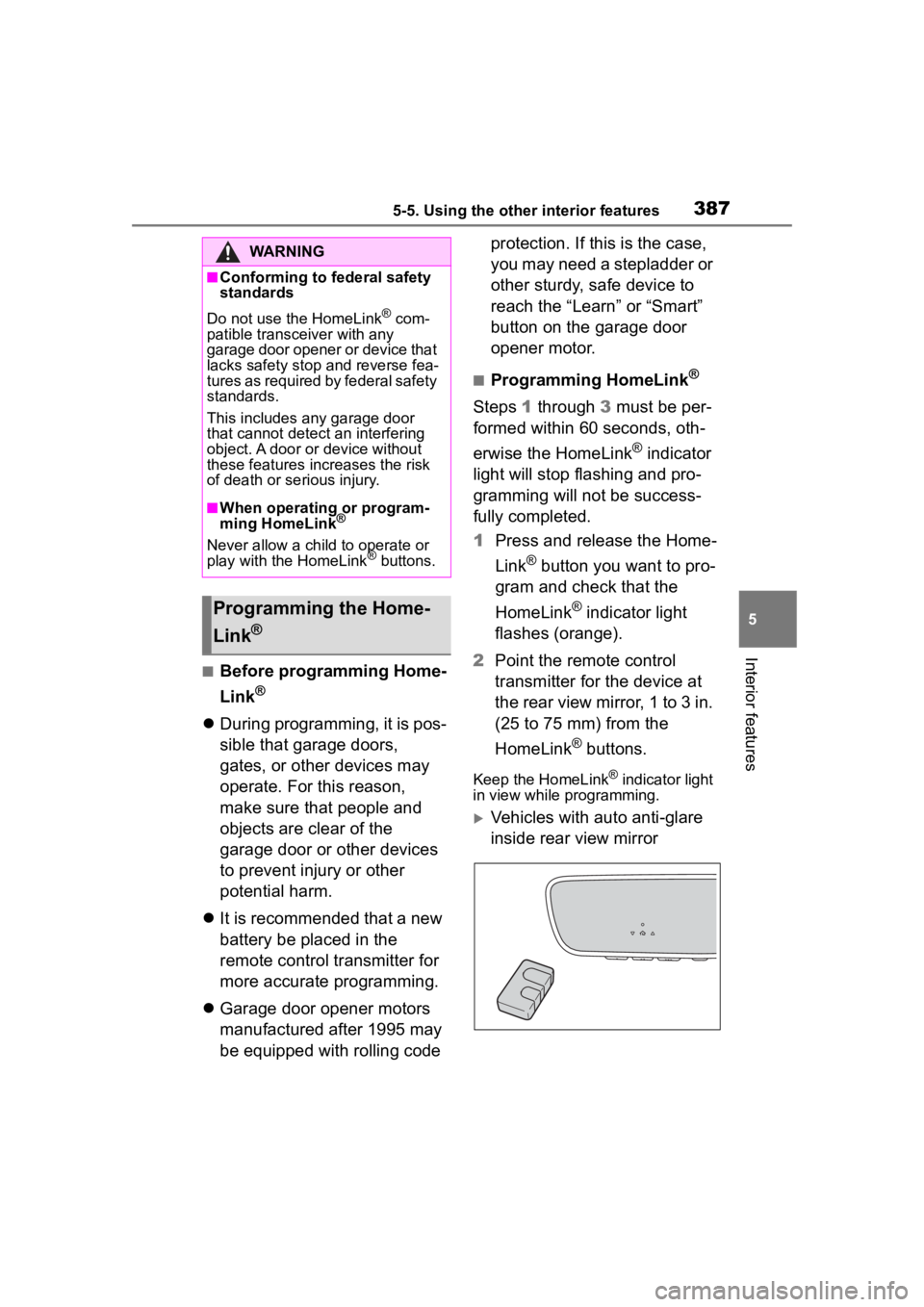
2 Point the remote control
transmitter for the device at
the rear view mirror, 1 to 3 in.
(25 to 75 mm) from the
HomeLink
® buttons.
Keep the HomeLink® indicator light
in view while programming.
Vehicles with auto anti-glare
inside rear view mirror
WARNING
■Conforming to federal safety
standards
Do not use the HomeLink
® com-
patible transceiver with any
garage door opener or device that
lacks safety stop and reverse fea-
tures as required by federal safety
standards.
This includes any garage door
that cannot detect an interfering
object. A door or device without
these features increases the risk
of death or se rious injury.
■When operating or program-
ming HomeLink®
Never allow a child to operate or
play with the HomeLink® buttons.
Programming the Home-
Link
®
Page 388 of 568
3885-5. Using the other interior features
Vehicles with Digital Rearview
Mirror
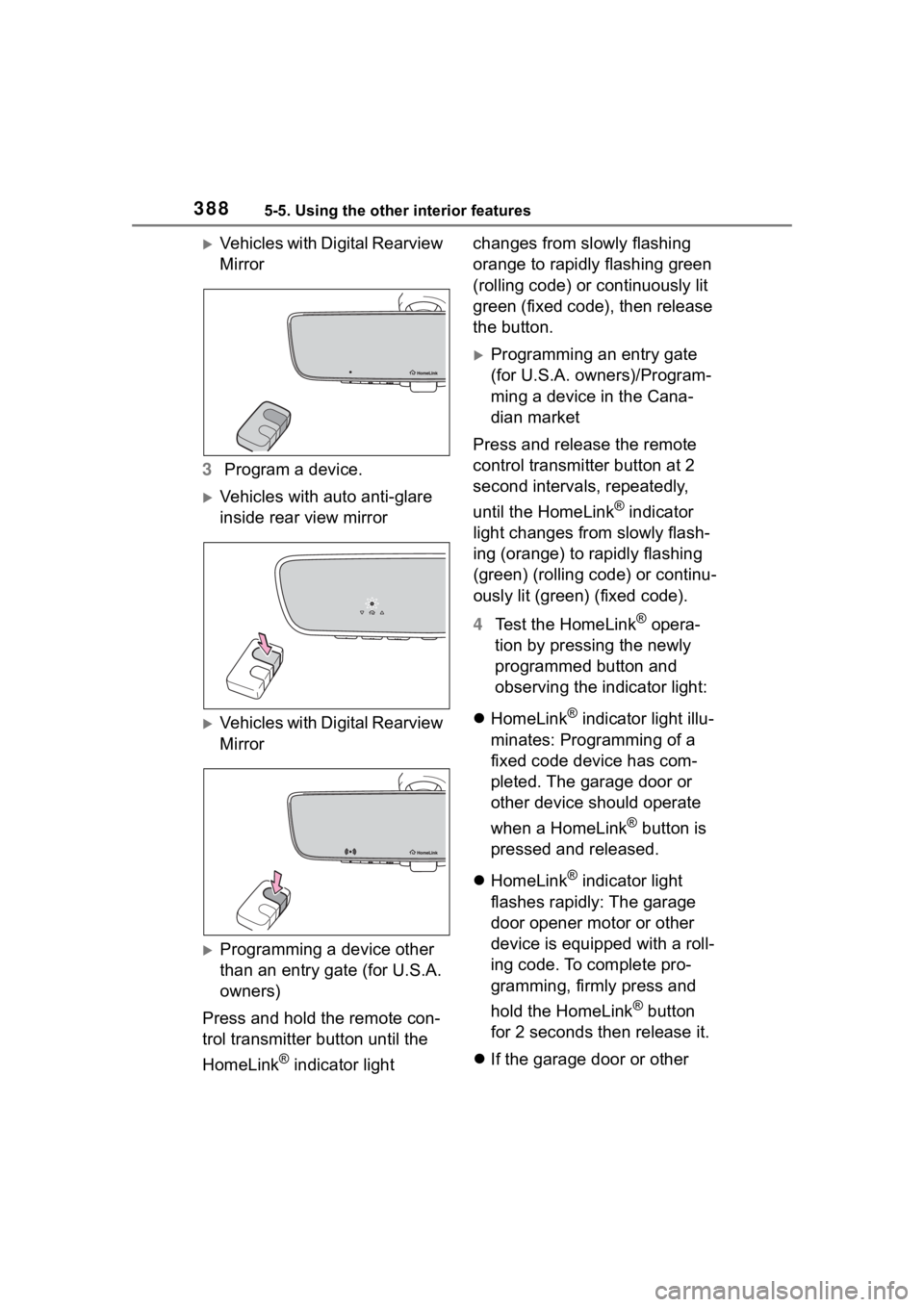
3 Program a device.
Vehicles with auto anti-glare
inside rear view mirror
Vehicles with Digital Rearview
Mirror
Programming a device other
than an entry gate (for U.S.A.
owners)
Press and hold the remote con-
trol transmitter button until the
HomeLink
® indicator light changes from slowly flashing
orange to rapidly flashing green
(rolling code) or continuously lit
green (fixed code), then release
the button.
Programming an entry gate
(for U.S.A. owners)/Program-
ming a device in the Cana-
dian market
Press and release the remote
control transmitter button at 2
second intervals, repeatedly,
until the HomeLink
® indicator
light changes from slowly flash-
ing (orange) to rapidly flashing
(green) (rolling code) or continu-
ously lit (green) (fixed code).
4 Test the HomeLink
® opera-
tion by pressing the newly
programmed button and
observing the indicator light:
HomeLink
® indicator light illu-
minates: Programming of a
fixed code device has com-
pleted. The garage door or
other device should operate
when a HomeLink
® button is
pressed and released.
HomeLink
® indicator light
flashes rapidly: The garage
door opener motor or other
device is equipped with a roll-
ing code. To complete pro-
gramming, firmly press and
hold the HomeLink
® button
for 2 seconds then release it.
If the garage door or other
Page 390 of 568
3905-5. Using the other interior features
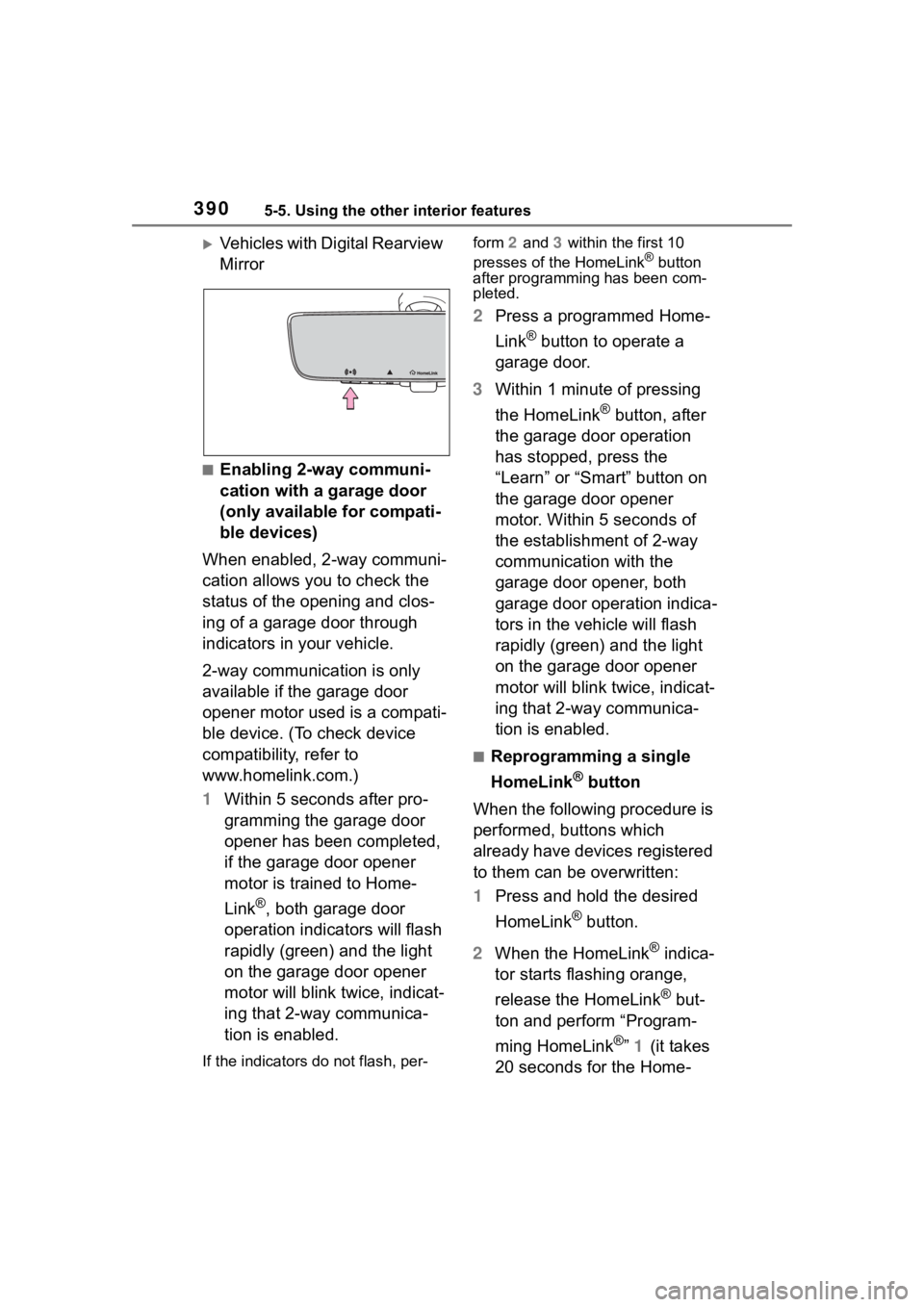
Vehicles with Digital Rearview
Mirror
■Enabling 2-way communi-
cation with a garage door
(only available for compati-
ble devices)
When enabled, 2-way communi-
cation allows you to check the
status of the opening and clos-
ing of a garage door through
indicators in your vehicle.
2-way communication is only
available if the garage door
opener motor used is a compati-
ble device. (To check device
compatibility, refer to
www.homelink.com.)
1 Within 5 seconds after pro-
gramming the garage door
opener has been completed,
if the garage door opener
motor is trained to Home-
Link
®, both garage door
operation indicators will flash
rapidly (green) and the light
on the garage door opener
motor will blink twice, indicat-
ing that 2-way communica-
tion is enabled.
If the indicators do not flash, per- form
2 and 3 within the first 10
presses of the HomeLink
® button
after programming has been com-
pleted.
2 Press a programmed Home-
Link
® button to operate a
garage door.
3 Within 1 minute of pressing
the HomeLink
® button, after
the garage door operation
has stopped, press the
“Learn” or “Smart” button on
the garage door opener
motor. Within 5 seconds of
the establishment of 2-way
communication with the
garage door opener, both
garage door operation indica-
tors in the vehicle will flash
rapidly (green) and the light
on the garage door opener
motor will blink twice, indicat-
ing that 2-way communica-
tion is enabled.
■Reprogramming a single
HomeLink
® button
When the following procedure is
performed, buttons which
already have devices registered
to them can be overwritten:
1 Press and hold the desired
HomeLink
® button.
2 When the HomeLink
® indica-
tor starts flashing orange,
release the HomeLink
® but-
ton and perform “Program-
ming HomeLink
®” 1 (it takes
20 seconds for the Home-
Page 391 of 568
3915-5. Using the other interior features
5
Interior features
Link® indicator to start flash-
ing).
■Before programming
●Install a new battery in the trans-
mitter.
●The battery side of the transmitter
must be pointed away from the
HomeLink
® buttons.
Press the appropriate Home-
Link
® button. The HomeLink®
indicator light should turn on.
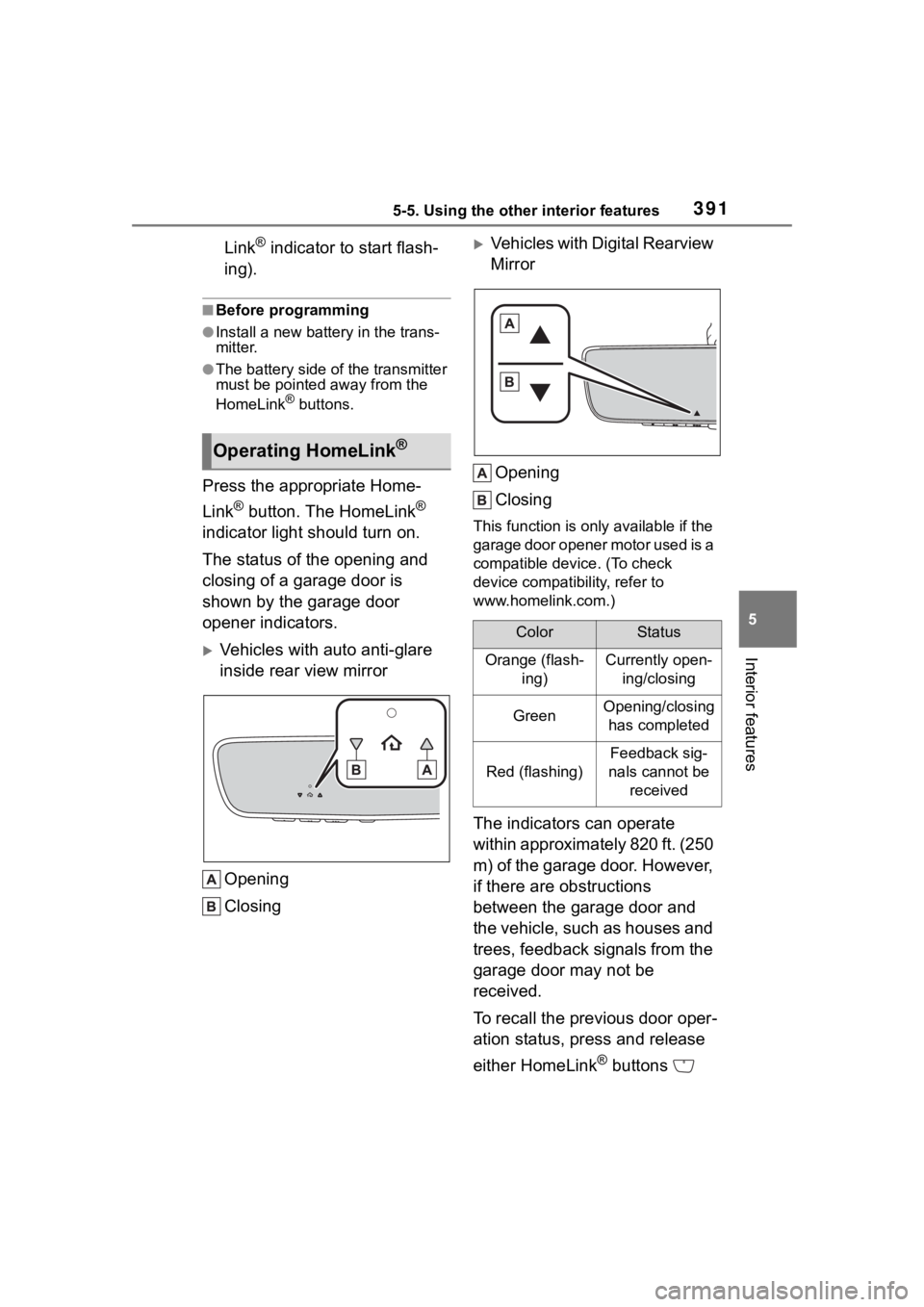
The status of the opening and
closing of a garage door is
shown by the garage door
opener indicators.
Vehicles with auto anti-glare
inside rear view mirror
Opening
Closing
Vehicles with Digital Rearview
MirrorOpening
Closing
This function is only available if the
garage door opener motor used is a
compatible device. (To check
device compatibility, refer to
www.homelink.com.)
The indicators can operate
within approximately 820 ft. (250
m) of the garage door. However,
if there are obstructions
between the garage door and
the vehicle, such as houses and
trees, feedback signals from the
garage door may not be
received.
To recall the previous door oper-
ation status, press and release
either HomeLink
® buttons
Operating HomeLink®
ColorStatus
Orange (flash- ing)Currently open-ing/closing
GreenOpening/closing has completed
Red (flashing)
Feedback sig-
nals cannot be received
Page 392 of 568
3925-5. Using the other interior features
and or and (vehicles
with auto anti-glare inside rear
view mirror), and
or and (vehicles
with Digital Rearview Mirror),
simultaneously. The last
recorded status will be dis-
played for 3 seconds.
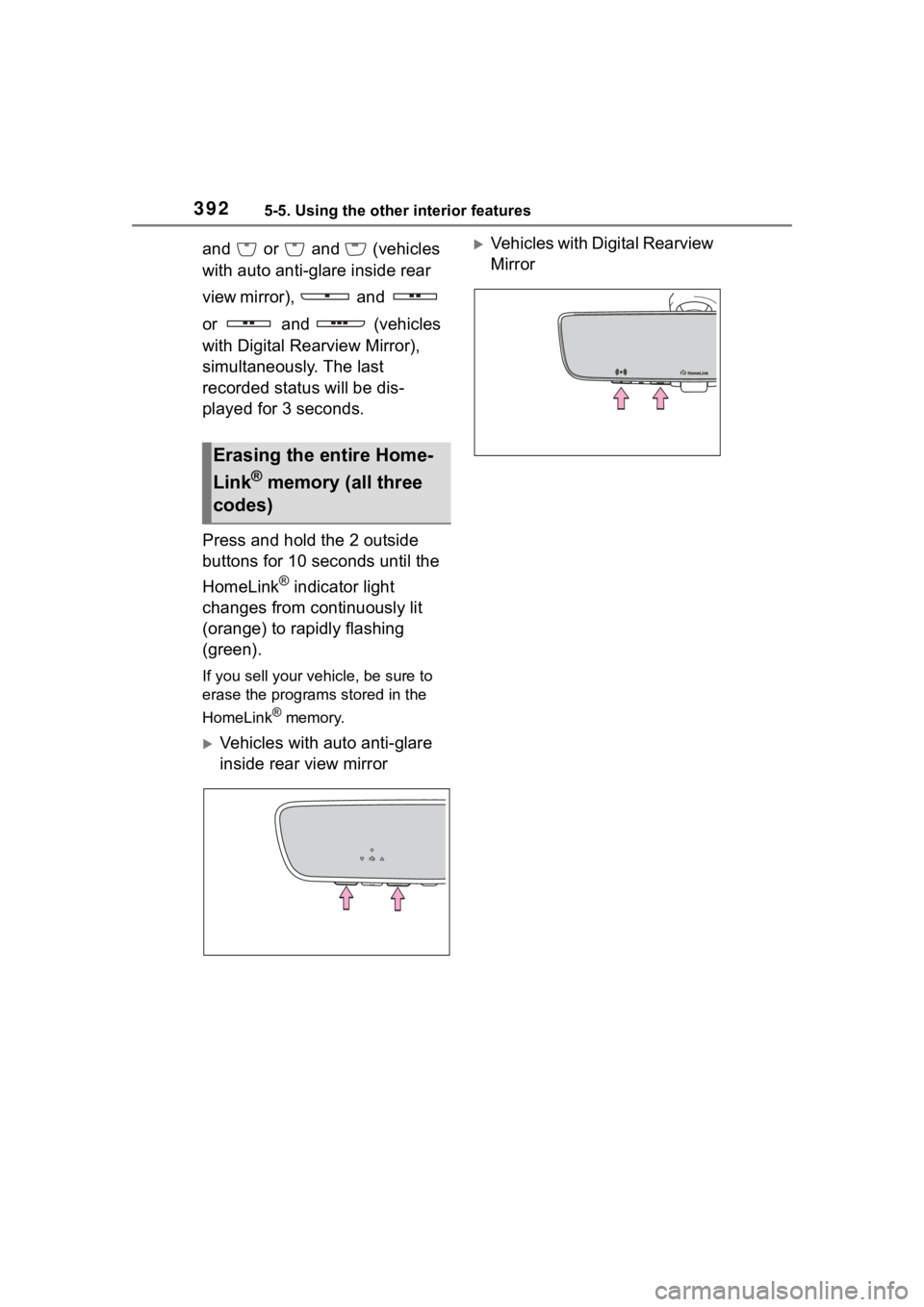
Press and hold the 2 outside
buttons for 10 seconds until the
HomeLink
® indicator light
changes from continuously lit
(orange) to rapidly flashing
(green).
If you sell your vehicle, be sure to
erase the programs stored in the
HomeLink
® memory.
Vehicles with auto anti-glare
inside rear view mirror
Vehicles with Digital Rearview
Mirror
Erasing the entire Home-
Link
® memory (all three
codes)
Page 393 of 568
393
6
6
Maintenance and care
Maintenance and care
.6-1. Maintenance and careCleaning and protecting the vehicle exterior .......... 394
Cleaning and protecting the vehicle interior ........... 397
6-2. Maintenance Maintenance requirements.................................. 400
General maintenance.. 402
Emission inspection and maintenance (I/M) pro-
grams ........................ 404
6-3. Do-it-yourself mainte- nance
Do-it-yourself service pre- cautions ..................... 406
Hood ........................... 408
Positioning a floor jack .................................. 409
Engine compartment ... 410
Tires ............................ 417
Tire inflation pressure.. 429
Wheels ......... ...............431
Air conditioning filter .... 432
Electronic key battery.. 434
Checking and replacing fuses.......................... 436
Headlight aim .............. 438
Light bulbs................... 439
Page 396 of 568
3966-1. Maintenance and care
NOTICE
• After driving in an area contami-nated with soot, oily smoke,
mine dust, iron powder or chem-
ical substances
• If the vehicle becomes heavily soiled with dust or mud
• If liquids such as benzene and gasoline are spilled on the paint
surface
●If the paint is chipped or
scratched, have it repaired
immediately.
●To prevent the wheels from cor-
roding, remove any dirt and
store in a place with low humid-
ity when storing the wheels.
■Cleaning the exterior lights
●Wash carefully. Do not use
organic substances or scrub
with a hard brush.
This may damage the surfaces
of the lights.
●Do not apply wax to the sur-
faces of the lights.
Wax may cause damage to the
lenses.
■When using an automatic car
wash (vehicles with
rain-sensing windshield wip-
ers)
Set the wiper switch to the off
position.
If the wiper switch is in “AUTO”,
the wipers may operate and the
wiper blades may be damaged.
■When using a high pressure
car wash
●When washing the vehicle, do
not spray the came ra or its sur-
rounding area directly with a
high pressure washer. Shock
applied from high pressure
water may cause the device to
not operate normally.
●Do not spray water directly on
the radar which is equipped
behind the emblem. Otherwise
it may cause the device to be
damaged.
●Do not bring the nozzle tip close
to boots (rubber or resin manu-
factured cover), connectors or
the following parts. The parts
may be damaged if they come
into contact with high-pressure
water.
• Traction related parts
• Steering parts
• Suspension parts
• Brake parts
●Keep the cleaning nozzle at
least 11.9 in. (30 cm) away from
the vehicle body. Otherwise
resin section, s uch as moldings
and bumpers, may be deformed
and damaged.
Also, do not continuously hold the
nozzle in the same place.
●Do not spray the lower part of
the windshield continuously.
If water enters the air conditioning
system intake located near the
lower part of the windshield, the
air conditioning system may not
operate correctly.
●Do not wash the underside of
the vehicle using a high pres-
sure car washer.