tire pressure TOYOTA HIGHLANDER 2023 Owners Manual
[x] Cancel search | Manufacturer: TOYOTA, Model Year: 2023, Model line: HIGHLANDER, Model: TOYOTA HIGHLANDER 2023Pages: 552, PDF Size: 13.36 MB
Page 1 of 552
1
2
3
4
5
6
7
8
9
9
HIGHLANDER_U
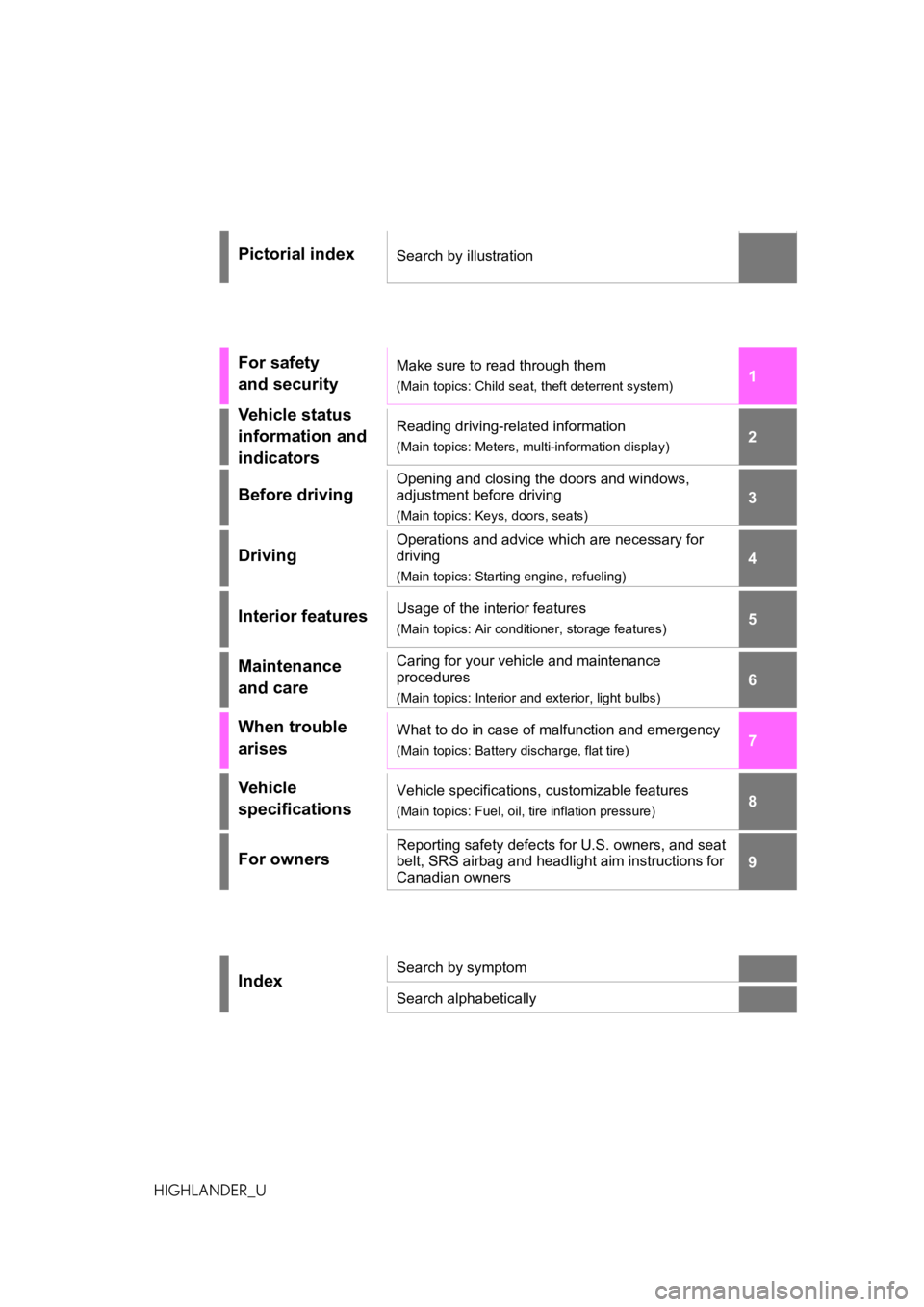
Pictorial indexSearch by illustration
For safety
and securityMake sure to read through them
(Main topics: Child seat, theft deterrent system)
Vehicle status
information and
indicatorsReading driving-related information
(Main topics: Meters, multi-information display)
Before driving
Opening and closing the doors and windows,
adjustment before driving
(Main topics: Keys, doors, seats)
Driving
Operations and advice which are necessary for
driving
(Main topics: Starting engine, refueling)
Interior featuresUsage of the interior features
(Main topics: Air conditioner, storage features)
Maintenance
and careCaring for your vehicle and maintenance
procedures
(Main topics: Interior and exterior, light bulbs)
When trouble
arisesWhat to do in case of malfunction and emergency
(Main topics: Battery discharge, flat tire)
Vehicle
specificationsVehicle specifications, customizable features
(Main topics: Fuel, oil, tire inflation pressure)
For ownersReporting safety defects for U.S. owners, and seat
belt, SRS airbag and headlight aim instructions for
Canadian owners
IndexSearch by symptom
Search alphabetically
Page 4 of 552
4TABLE OF CONTENTS
Hood ..................................384
Positioning a floor jack ....... 385
Engine compartment .......... 386
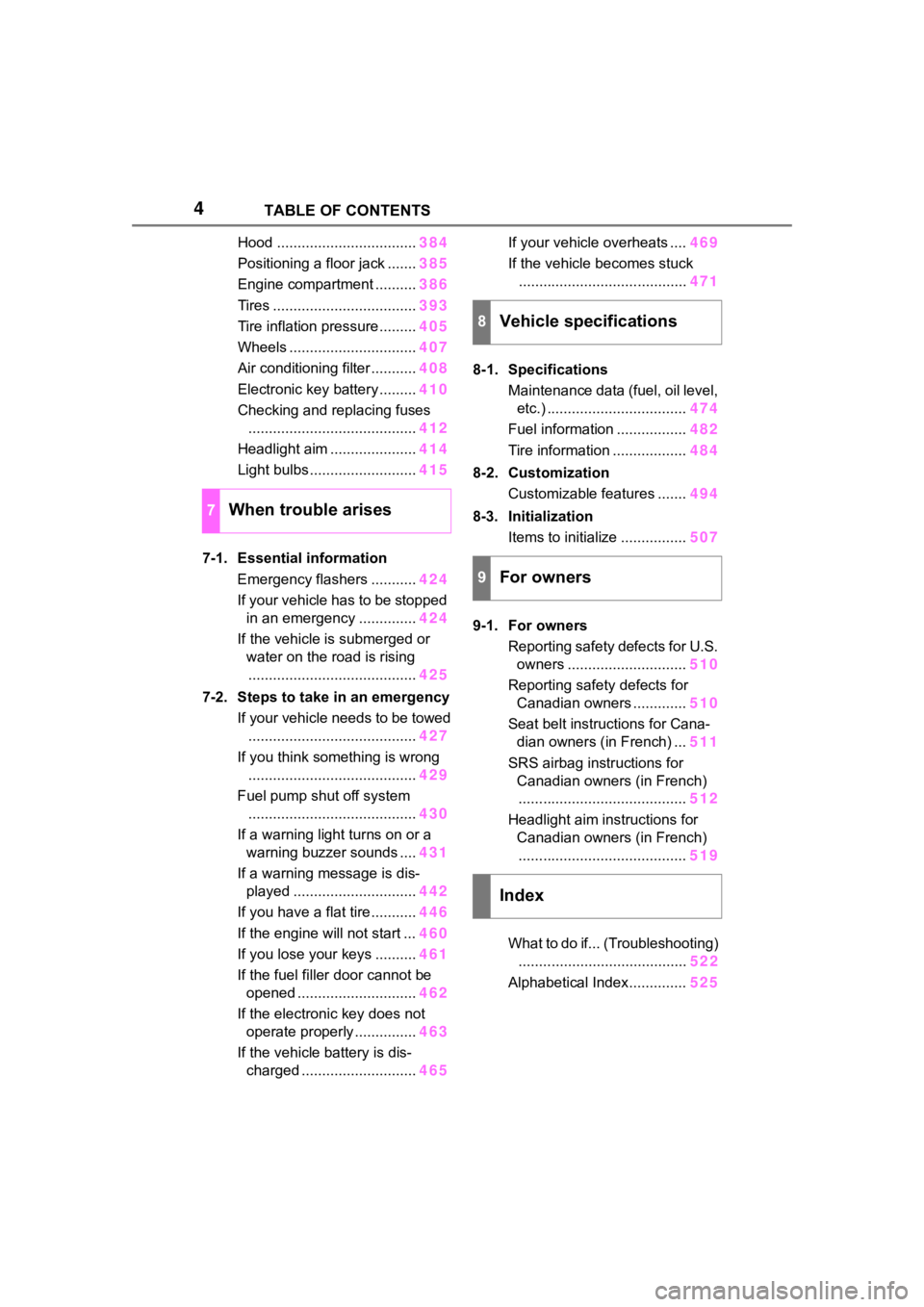
Tires ................................... 393
Tire inflation pressure......... 405
Wheels ............................... 407
Air conditioning filter ........... 408
Electronic key battery ......... 410
Checking and replacing fuses ......................................... 412
Headlight aim ..................... 414
Light bulbs .......................... 415
7-1. Essential information Emergency flashers ........... 424
If your vehicle has to be stopped in an emergency .............. 424
If the vehicle is submerged or water on the road is rising......................................... 425
7-2. Steps to take in an emergency If your vehicle needs to be towed......................................... 427
If you think something is wrong ......................................... 429
Fuel pump shut off system ......................................... 430
If a warning light turns on or a warning buzzer sounds .... 431
If a warning message is dis- played .............................. 442
If you have a flat tire ........... 446
If the engine will not start ... 460
If you lose your keys .......... 461
If the fuel filler door cannot be opened ............................. 462
If the electronic key does not operate properly ............... 463
If the vehicle battery is dis- charged ............................ 465If your vehicle overheats ....
469
If the vehicle becomes stuck ......................................... 471
8-1. Specifications Maintenance data (fuel, oil level, etc.) .................................. 474
Fuel information ................. 482
Tire information .................. 484
8-2. Customization Customizable features ....... 494
8-3. Initialization Items to initialize ................ 507
9-1. For owners Reporting safety defects for U.S. owners ............................. 510
Reporting safety defects for Canadian owners ............. 510
Seat belt instructions for Cana- dian owners (in French) ... 511
SRS airbag instructions for Canadian owners (in French)......................................... 512
Headlight aim instructions for Canadian owners (in French)......................................... 519
What to do if... (Troubleshooting) ........ ................................. 522
Alphab
etical Index.............. 525
7When trouble arises
8Vehicle specifications
9For owners
Index
Page 13 of 552
13Pictorial index
Precautions for winter season.............................................. P.314
To prevent freezing (windshiel d wiper de-icer) ..................... P.324
Precautions for car wash
*.................................................... P.371
Fuel filler door ............................................... ..................... P.221
Refueling method ............................................... .................. P.221
Fuel type/fuel tan k capacity ................................... .............. P.475
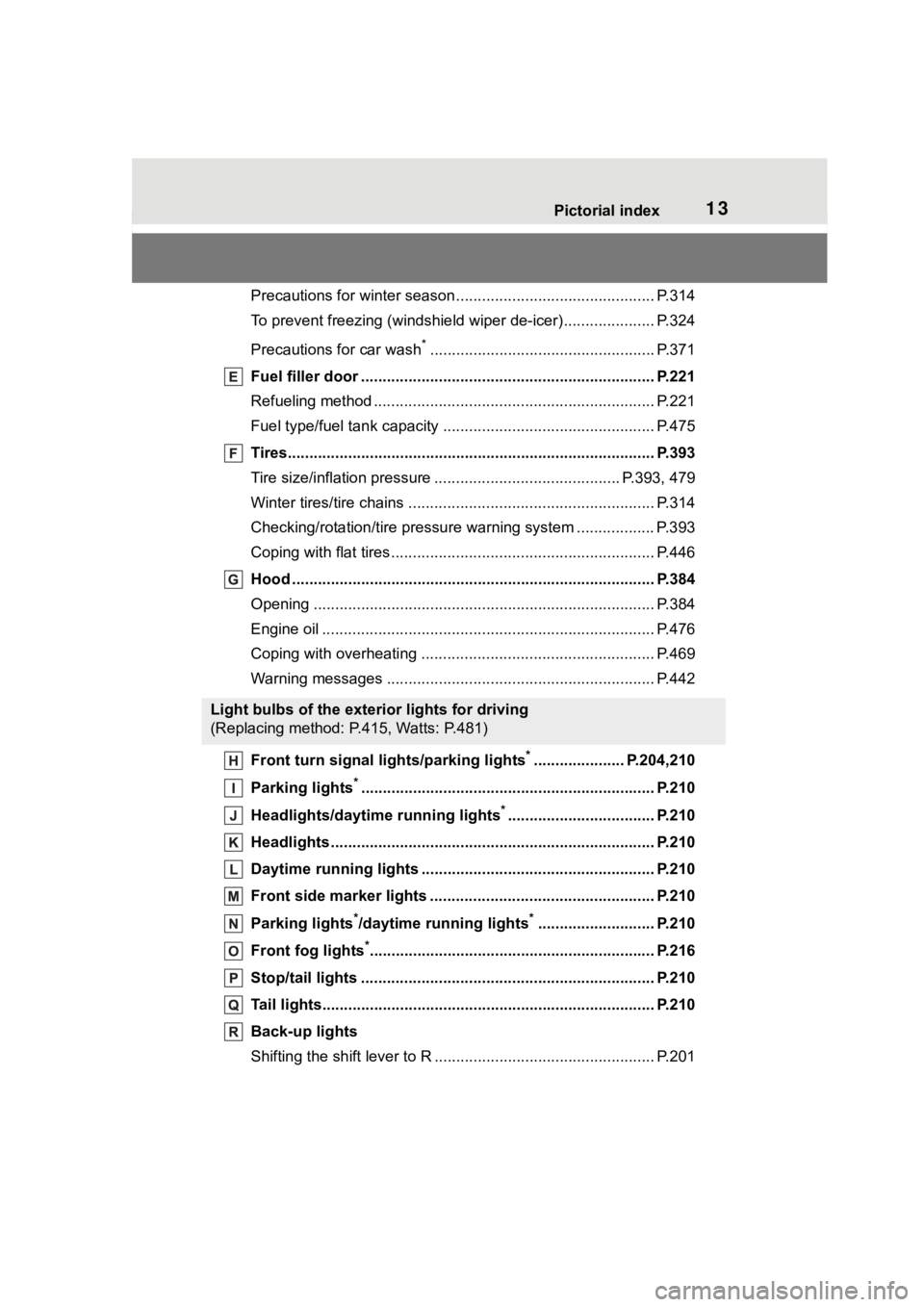
Tires.......................................................... ........................... P.393
Tire size/inflation pressure ................................... ........ P.393, 479
Winter tires/tire chains ....................................... .................. P.314
Checking/rotation/tire pressur e warning system ..................P.393
Coping with flat tires......................................... .................... P.446
Hood ........................................................... ......................... P.384
Opening ............................................................................... P.384
Engine oil ..................................................... ........................ P.476
Coping with overheating ...................................................... P.469
Warning messages ............................................... ............... P.442
Front turn signal lights/parking lights
*..................... P.204,210
Parking lights
*............................................................... ..... P.210
Headlights/daytime running lights
*.................................. P.210
Headlights..................................................... ...................... P.210
Daytime running lights .. .................................................... P.210
Front side marker lights ....................................... ............. P.210
Parking lights
*/daytime running lights*........................... P.210
Front fog lights
*............................................................... ... P.216
Stop/tail lights ............................................... ..................... P.210
Tail lights.................................................... ......................... P.210
Back-up lights
Shifting the shift lever to R ................................................... P.201
Light bulbs of the exterior lights for driving
(Replacing method: P.415, Watts: P.481)
Page 76 of 552
762-1. Instrument cluster
*1: These lights turn on when the engine switch is turned to ON to
indicate that a system check is
being performed. They will turn
off after the engine is started, or
after a few seconds. There may
be a malfunction in a system if a
light does not come on, or turn
off. Have the vehicle inspected
by your Toyota dealer.
*2: This light illuminates on the
multi-information display.
*3: 7-inch display only: These lights turn on when the engine switch
is turned to ON to i ndicate that a
system check is being per-
formed. They will turn off after
the engine is started, or after a
few seconds. There may be a
malfunction in a system if a light
does not come on, or turn off.
Have the vehicle inspected by
your Toyota dealer.
12.3-inch display only: This light
illuminates on the multi-informa-
tion display.
The indicators inform the driver
of the operating state of the
vehicle’s various systems.
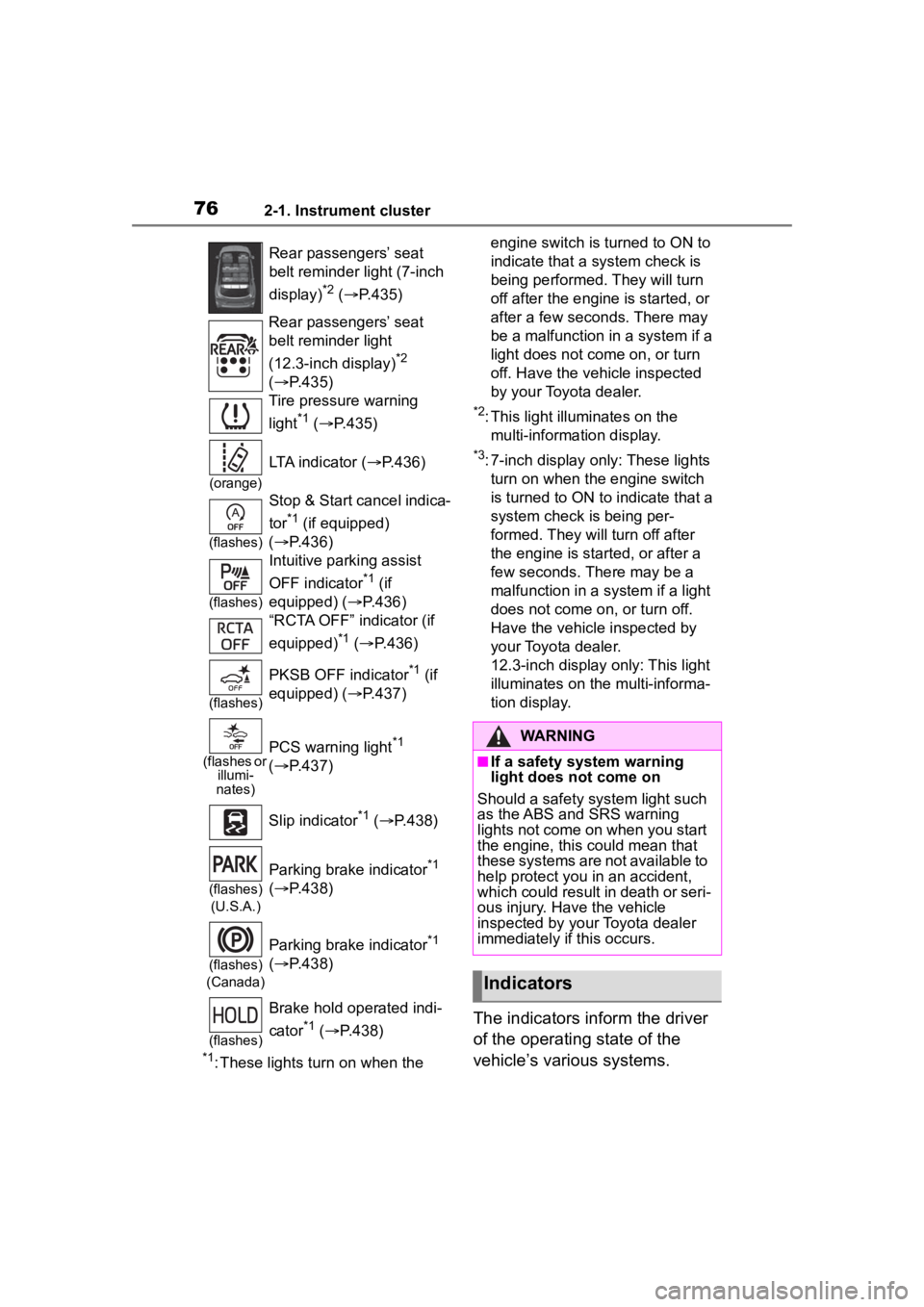
Rear passengers’ seat
belt reminder light (7-inch
display)
*2 ( P.435)
Rear passengers’ seat
belt reminder light
(12.3-inch display)
*2
( P.435)
Tire pressure warning
light
*1 ( P.435)
(orange)
LTA indicator ( P.436)
(flashes)
Stop & Start cancel indica-
tor
*1 (if equipped)
( P.436)
(flashes)
Intuitive parking assist
OFF indicator
*1 (if
equipped) ( P.436)
“RCTA OFF” indicator (if
equipped)
*1 ( P.436)
(flashes)
PKSB OFF indicator*1 (if
equipped) ( P.437)
(flashes or
illumi-
nates)PCS warning light*1
( P.437)
Slip indicator
*1 ( P.438)
(flashes)
(U.S.A.)
Parking brake indicator*1
( P.438)
(flashes)
(Canada)
Parking brake indicator*1
( P.438)
(flashes)
Brake hold operated indi-
cator
*1 ( P.438)
WARNING
■If a safety system warning
light does not come on
Should a safety system light such
as the ABS and SRS warning
lights not come on when you start
the engine, this could mean that
these systems are not available to
help protect you in an accident,
which could result in death or seri-
ous injury. Have the vehicle
inspected by you r Toyota dealer
immediately if this occurs.
Indicators
Page 91 of 552
912-1. Instrument cluster
2
Vehicle status information and indicators
■Navigation system-linked
display (if equipped)
Select to display the following
navigation system-linked infor-
mation:
Route guidance to destination
Compass display (head-
ing-up display)
Select to enable selection of an
audio source or track on the
meter using the meter control
switches.
This menu icon can be set to be
displayed/not displayed in .
■Tire pressure
P. 3 9 6
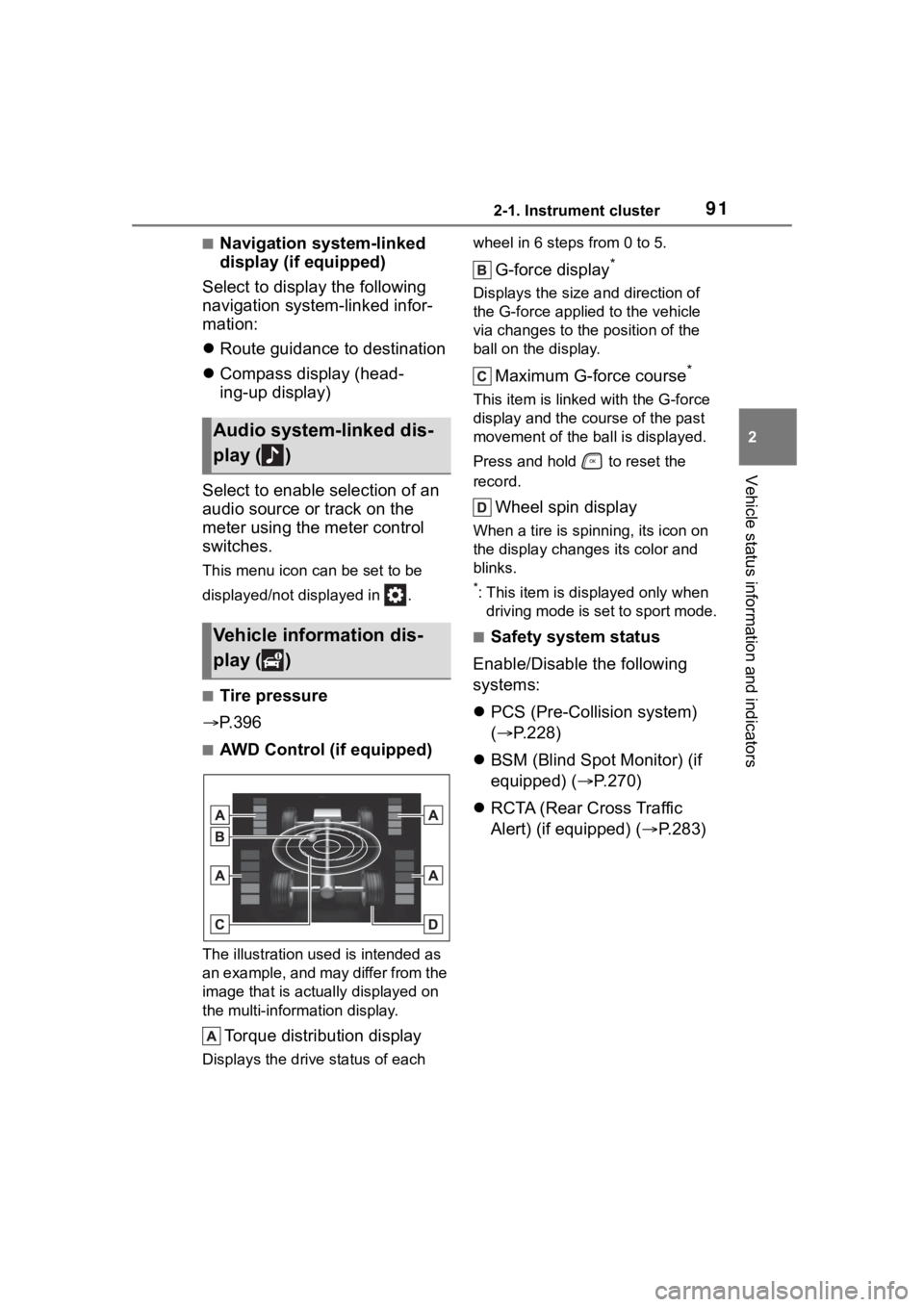
■AWD Control (if equipped)
The illustration used is intended as
an example, and may differ from the
image that is actually displayed on
the multi-information display.
Torque distribution display
Displays the drive status of each wheel in 6 steps from 0 to 5.
G-force display*
Displays the size a
nd direction of
the G-force applied to the vehicle
via changes to the position of the
ball on the display.
Maximum G-force course*
This item is linke d with the G-force
display and the co urse of the past
movement of the ball is displayed.
Press and hold to reset the
record.
Wheel spin display
When a tire is spi nning, its icon on
the display changes its color and
blinks.
*: This item is displayed only when driving mode is set to sport mode.
■Safety system status
Enable/Disable the following
systems:
PCS (Pre-Colli sion system)
( P.228)
BSM (Blind Spot Monitor) (if
equipped) ( P.270)
RCTA (Rear Cross Traffic
Alert) (if equipped) ( P.283)
Audio system-linked dis-
play ( )
Vehicle information dis-
play ( )
Page 92 of 552
922-1. Instrument cluster
■Tire pressure
• It may take a few minutes to dis- play the tire inflation pressure
after the engine switch is turned to
ON. It may also take a few min-
utes to display the tire inflation
pressure after inflation pressure
has been adjusted.
• “---” may be disp layed if the tire
position information cannot be
determined due to unfavorable
radio wave conditions.
• Tire inflation pressure changes with temperature. The displayed
values may also be different from
the values measured using a tire
pressure gauge.
■Changing settings
Use the meter control switches
on the steering wheel to change
settings.
1 Press or of the meter
control switch to select .
2 Press or of the meter
control switch to select the
desired item to be custom-
ized.
3 Press or press and hold .
The available settings will differ
depending on if is pressed or
pressed and held. Follow the
instructions on the display.
■Setting items
LTA (Lane Tracing Assist)
( P.239)
Press and hold to change the
settings of the following items: • “Lane Center”
Select to enable
/disable the lane
centering function.
• “Sensitivity”
Select to set the warning sensitivity.
• “Sway Warning”
Select to enable/disable the vehicle
sway warning.
• “Sway Sensitivity”
Select to set the vehicle sway warn-
ing sensitivity.
PCS (Pre-Collision Sys-
tem) ( P.228)
Press to enable/disable the
pre-collision system.
• PCS (Pre-Collision System)
on/off
Select to enable/disable the
pre-collision system.
Press and hold to change the
settings of the following item:
• “Sensitivity”
Select to change the pre-collision
warning timing.
DRCC (Dynamic Radar
Cruise Control with full-speed
range) ( P.249)
Press and hold to change the
settings of the following items:
• “Curve Speed Reduction”
( P.256)
Select to set the curve speed
reduction function strength.
Settings display ( )
Page 94 of 552

942-1. Instrument cluster
(Stop & Start) (if
equipped) ( P.264)
Select to set the length of time the
Stop & Start system will operate
when the “A/C” switch of the air
conditioning system is on.
“TPWS” (Tire Pressure Warn-
ing System) ( P.396)
• “Set Pressure” (tire pressure
warning system initialization)
Select to initialize the tire pressure
warning system.
• “Change Wheel” (register tire pressure warning system sensor
ID codes)
Select to register the ID codes of
the tire pressure s ensors to the tire
pressure warning system.
“Rear Seat Reminder”
( P. 1 1 7 )
Select to enable/disable the rear
seat reminder.
“Scheduled Maintenance”
( P.377)
Select to reset the scheduled main-
tenance information (maintenance
required message and distance
until maintenance necessary) after
all maintenance is performed.
“Oil Maintenance” ( P.386)
Select to reset the oil maintenance
information (maintenance required
message and distance until mainte-
nance necessary) after an oil
change is performed.
■ Meter settings
Press and hold to change
the settings of the following
items:
Language
Select to change the language dis-
played.
Units
Select to change the units of mea-
sure displayed.
Eco Driving Indicator Light
( P.89)
Select to enable/disable the Eco
Driving Indi cator Light.
Speedometer display (digital
speed)
Select to enable/disable the speed-
ometer display.
Gadget content
Select to turn the display of a gad-
get.
Fuel economy type
Select to change the average fuel
consumption display and an item to
be displayed as gadget.
Pop-up display
Select to enable/disable pop-up
displays for each relevant system.
Multi-information display off
Displays a blank screen.
Default setting
Select to reset the meter display
settings to the default setting.
Page 99 of 552
992-1. Instrument cluster
2
Vehicle status information and indicators
Drive information
Drive information of Trip A/B
Tire Pressure ( P.396)
AWD Control (if equipped)
Changing items to be displayed
on the side multi-information
displays. ( P. 9 9 )
■Changing contents in a
page
P. 9 7
■Changing contents to be
displayed on the side
multi-information displays
1 Press the or meter
control switch to select a
page.
2 To enable page edit, press
and hold the meter con-
trol switch.
3 Press the or meter
control switch to select the
desired side multi-information
display to be changed.
4 Press the or meter
control switch for the side
that is displayed to move
to a content list screen that
enables to select display/not
display each items.
5 Press or control
switch to select a content and
select to set for dis-
play/not display the item.
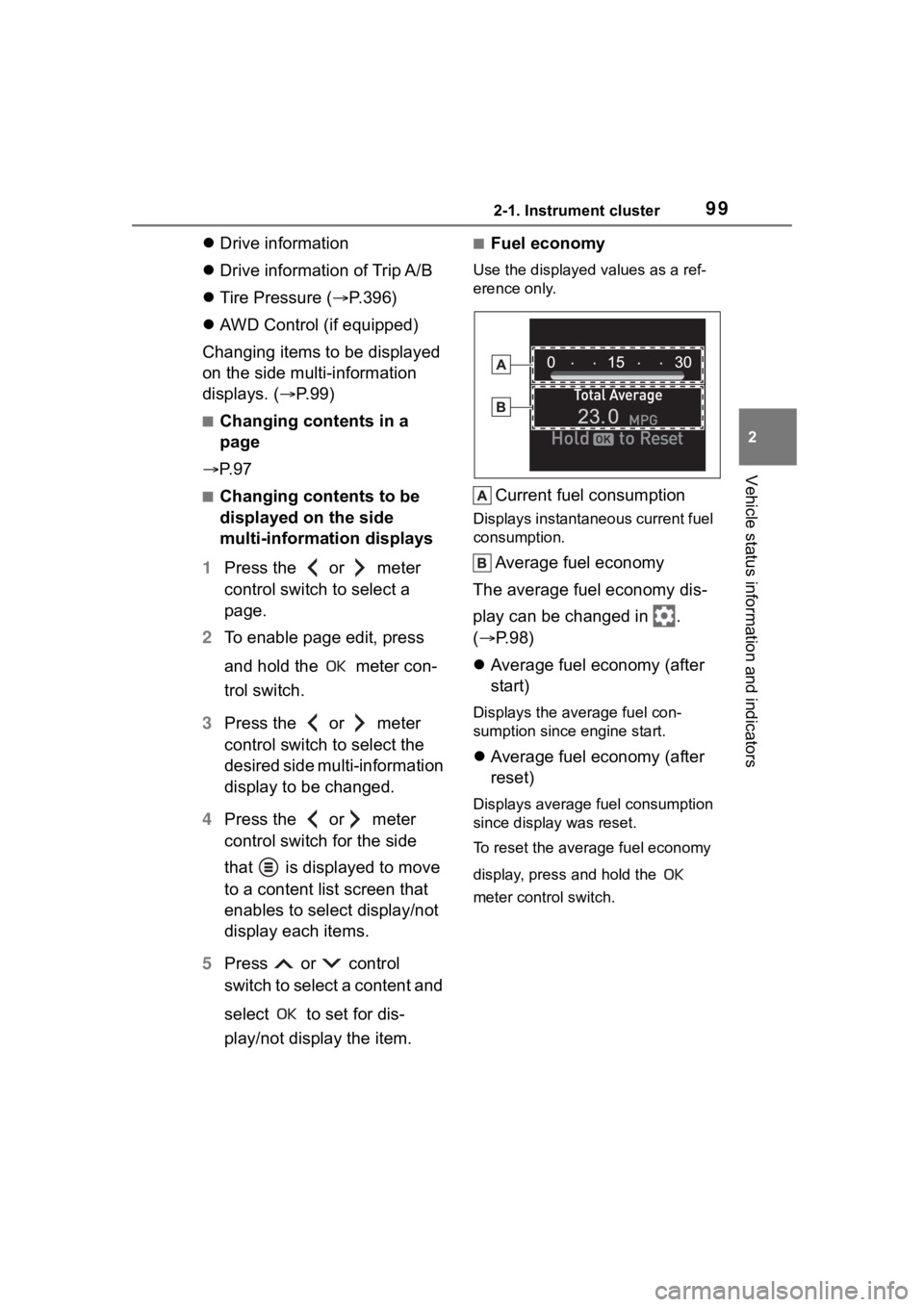
■Fuel economy
Use the displayed values as a ref-
erence only.
Current fuel consumption
Displays instantaneous current fuel
consumption.
Average fuel economy
The average fuel economy dis-
play can be changed in .
( P.98)
Average fuel economy (after
start)
Displays the average fuel con-
sumption since engine start.
Average fuel economy (after
reset)
Displays average fuel consumption
since display was reset.
To reset the average fuel economy
display, press and hold the
meter control switch.
Page 238 of 552
2384-5. Using the driving support systems
vehicle has not been driven for a
certain amount of time
• While making a left/right turn and
for a few seconds after making a
left/right turn
• While driving on a curve and for a
few seconds after driving on a
curve
• If your vehicle is skidding
• If the front of the vehicle is raised
or lowered
• If the wheels are misaligned
• If a wiper blade is blocking the front camera
• The vehicle is being driven at extremely high speeds
• When driving on a hill
• If the radar sensor or front camera
is misaligned
• When driving in a traffic lane sep-
arated by more t han one lane
where oncoming vehicles are driv-
ing while making a right/left turn
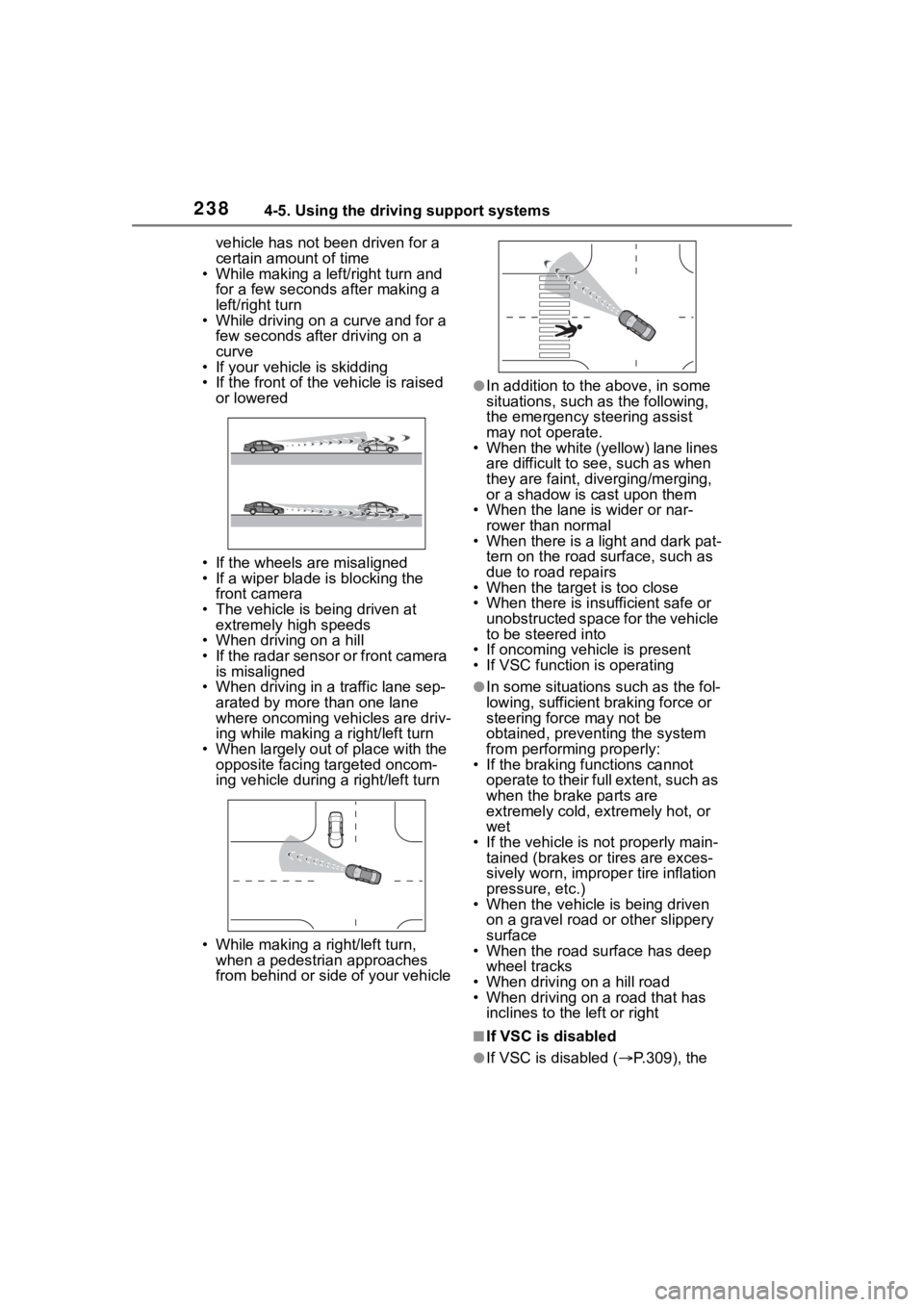
• When largely out of place with the opposite facing targeted oncom-
ing vehicle during a right/left turn
• While making a right/left turn, when a pedestrian approaches
from behind or side of your vehicle
●In addition to the above, in some
situations, such as the following,
the emergency steering assist
may not operate.
• When the white (yellow) lane lines are difficult to see, such as when
they are faint, diverging/merging,
or a shadow is cast upon them
• When the lane is wider or nar-
rower than normal
• When there is a light and dark pat- tern on the road surface, such as
due to road repairs
• When the target is too close
• When there is insufficient safe or unobstructed space for the vehicle
to be steered into
• If oncoming vehicle is present
• If VSC function is operating
●In some situations such as the fol-
lowing, sufficien t braking force or
steering force may not be
obtained, preventing the system
from performing properly:
• If the braking functions cannot operate to their full extent, such as
when the brake parts are
extremely cold, ext remely hot, or
wet
• If the vehicle is not properly main- tained (brakes or tires are exces-
sively worn, imprope r tire inflation
pressure, etc.)
• When the vehicle is being driven on a gravel road or other slippery
surface
• When the road surface has deep wheel tracks
• When driving on a hill road
• When driving on a road that has inclines to the left or right
■If VSC is disabled
●If VSC is disabled ( P.309), the
Page 312 of 552
3124-5. Using the driving support systems
WARNING
■When the TRAC/VSC/Trailer
Sway Control is activated
The slip indicator light flashes.
Always drive carefully. Reckless
driving may cause an accident.
Exercise particular care when the
indicator light flashes.
■When the TRAC/VSC/Trailer
Sway Control systems are
turned off
●Be especially careful and drive
at a speed appropriate to the
road conditions. As these are
the systems to help ensure
vehicle stability and driving
force, do not turn the
TRAC/VSC/Trailer Sway Con-
trol systems off unless neces-
sary.
●Trailer Sway Control is part of
the VSC system and will not
operate if VSC is turned off or
experiences a malfunction.
■Dynamic Torque Vectoring
AWD system
The cornering performance of the
AWD system has been improved.
However, do not overly rely on the
system and drive with caution.
■Replacing tires
Make sure that all tires are of the
specified size, brand, tread pat-
tern and total load capacity. In
addition, make sure that the tires
are inflated to the recommended
tire inflation pressure level.
The ABS, TRAC, Trailer Sway
Control and VSC systems will not
function correctly if different tires
are installed on the vehicle.
Contact your Toyota dealer for fur-
ther information when replacing
tires or wheels.
■Handling of tires and the sus-
pension
Using tires with any kind of prob-
lem or modifying the suspension
will affect the driving assist sys-
tems, and may cause a system to
malfunction.
■Trailer Sway Control precau-
tion
The Trailer Sway Control system
is not able to red uce trailer sway
in all situations. Depending on
many factors such as the condi-
tions of the vehicle, trailer, road
surface and driving environment,
the Trailer Sway Control system
may not be effective. Refer to
your trailer owner’s manual for
information on how to tow your
trailer properly.
■If trailer sway occurs
Observe the following precau-
tions.
Failing to do so may cause death
or serious injury.
●Firmly grip the steering wheel.
Steer straight ahead. Do not try
to control trailer sway by turning
the steering wheel.
●Begin releasing the accelerator
pedal immediately but very
gradually to reduce speed.
Do not increase speed. Do not
apply vehicle brakes.
If you make no extreme correction
with the steering or brakes, your
vehicle and traile r should stabi-
lize. ( P.186)