CD changer TOYOTA HIGHLANDER HYBRID 2009 XU40 / 2.G Owners Manual
[x] Cancel search | Manufacturer: TOYOTA, Model Year: 2009, Model line: HIGHLANDER HYBRID, Model: TOYOTA HIGHLANDER HYBRID 2009 XU40 / 2.GPages: 592, PDF Size: 11.8 MB
Page 279 of 592
279
3
Interior features
3-2. Using the audio system
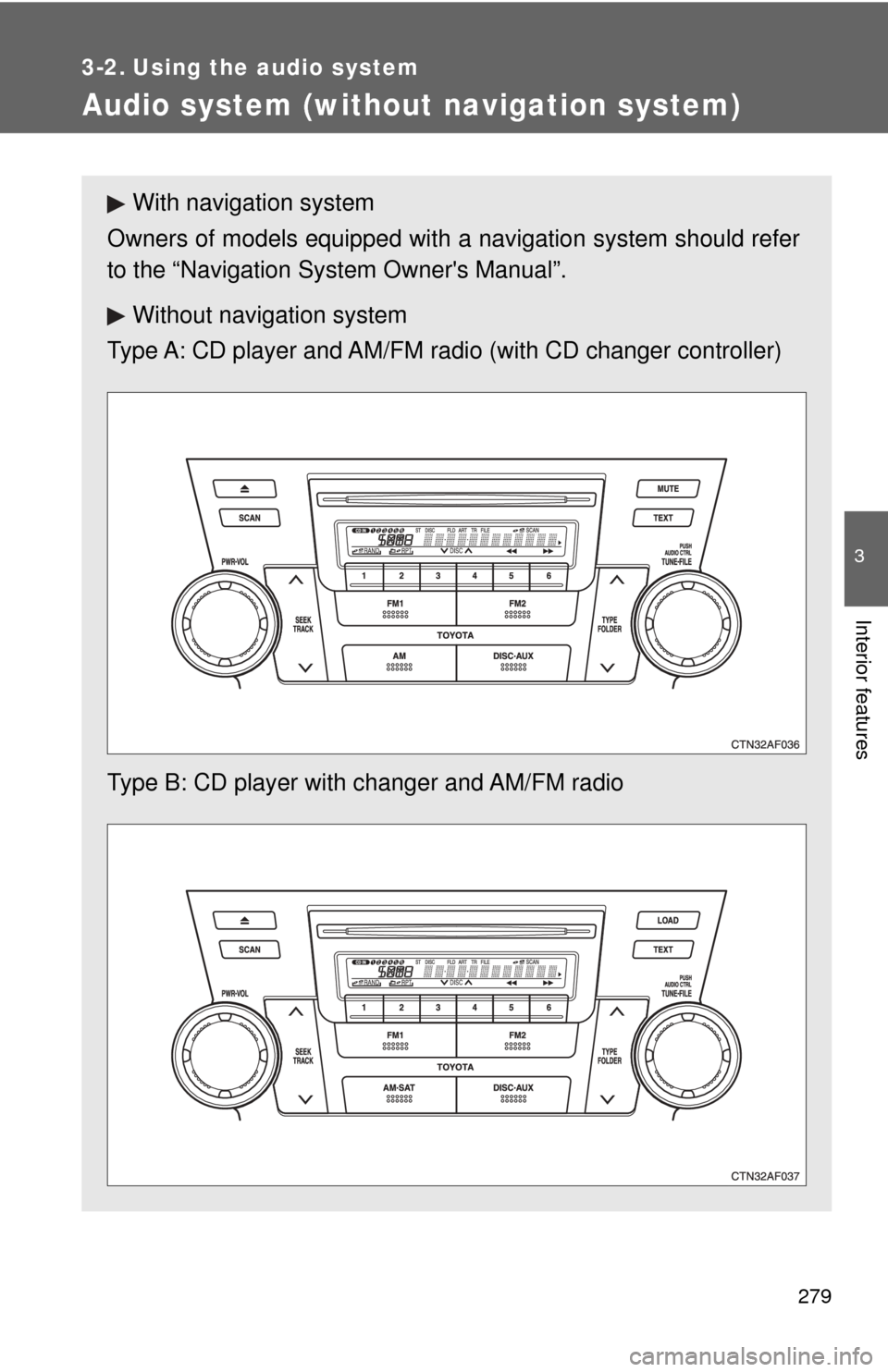
Audio system (without navigation system)
With navigation system
Owners of models equipped with a navigation system should refer
to the “Navigation Sy stem Owner's Manual”.
Without navig ation system
Type A: CD player and AM/FM radio (with CD changer controller)
Type B: CD player with changer and AM/FM radio
Page 280 of 592
280 3-2. Using the audio system
■Using cellular phones
Interference may be heard through the audio system's speakers if a cellular
phone is being used inside or close to the vehicle while the audio syste\
m is
operating.
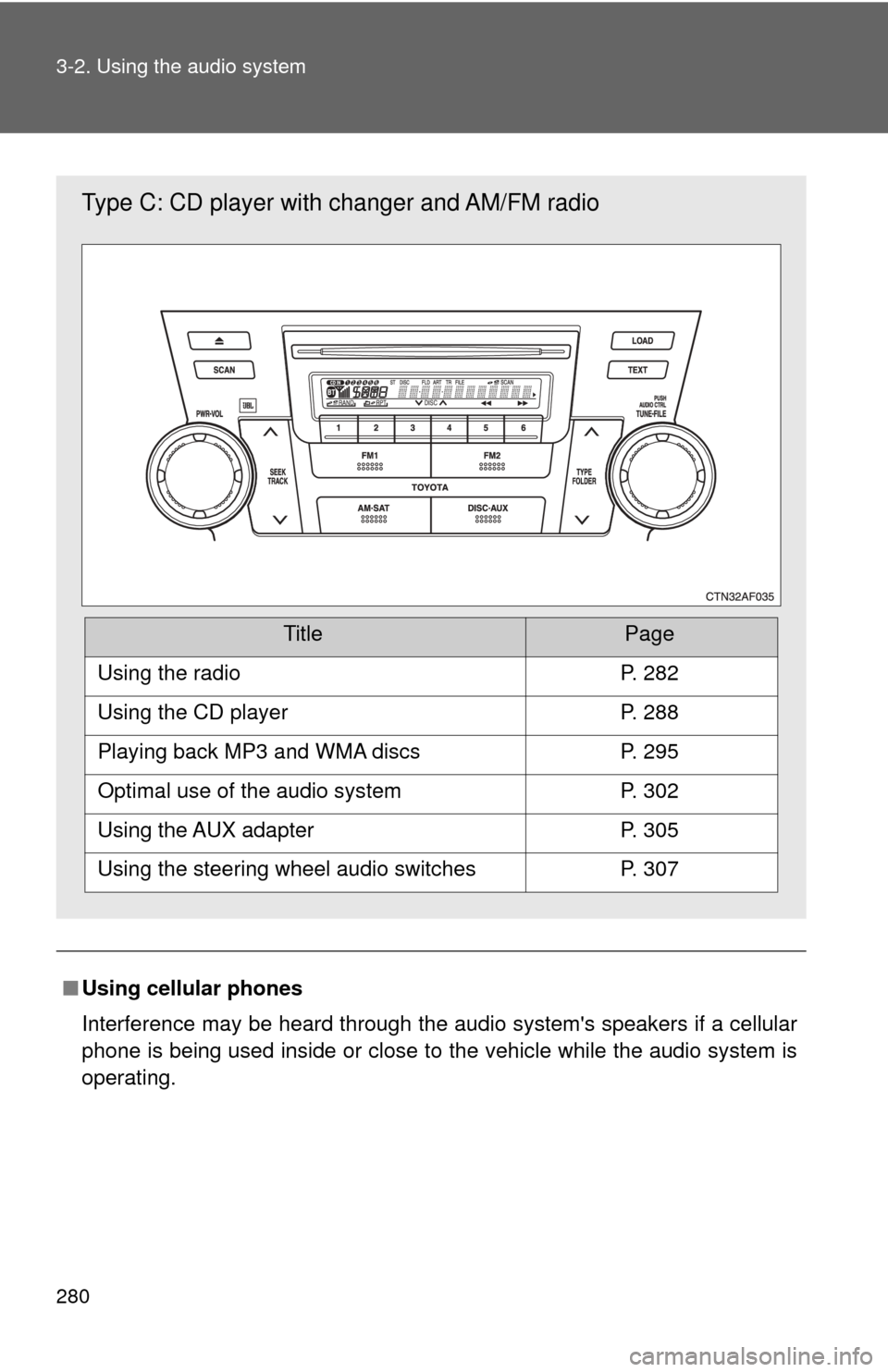
Type C: CD player with changer and AM/FM radio
TitlePage
Using the radioP. 282
Using the CD playerP. 288
Playing back MP3 and WMA discsP. 295
Optimal use of the audio systemP. 302
Using the AUX adapterP. 305
Using the steering wheel audio switchesP. 307
Page 288 of 592
288
3-2. Using the audio system
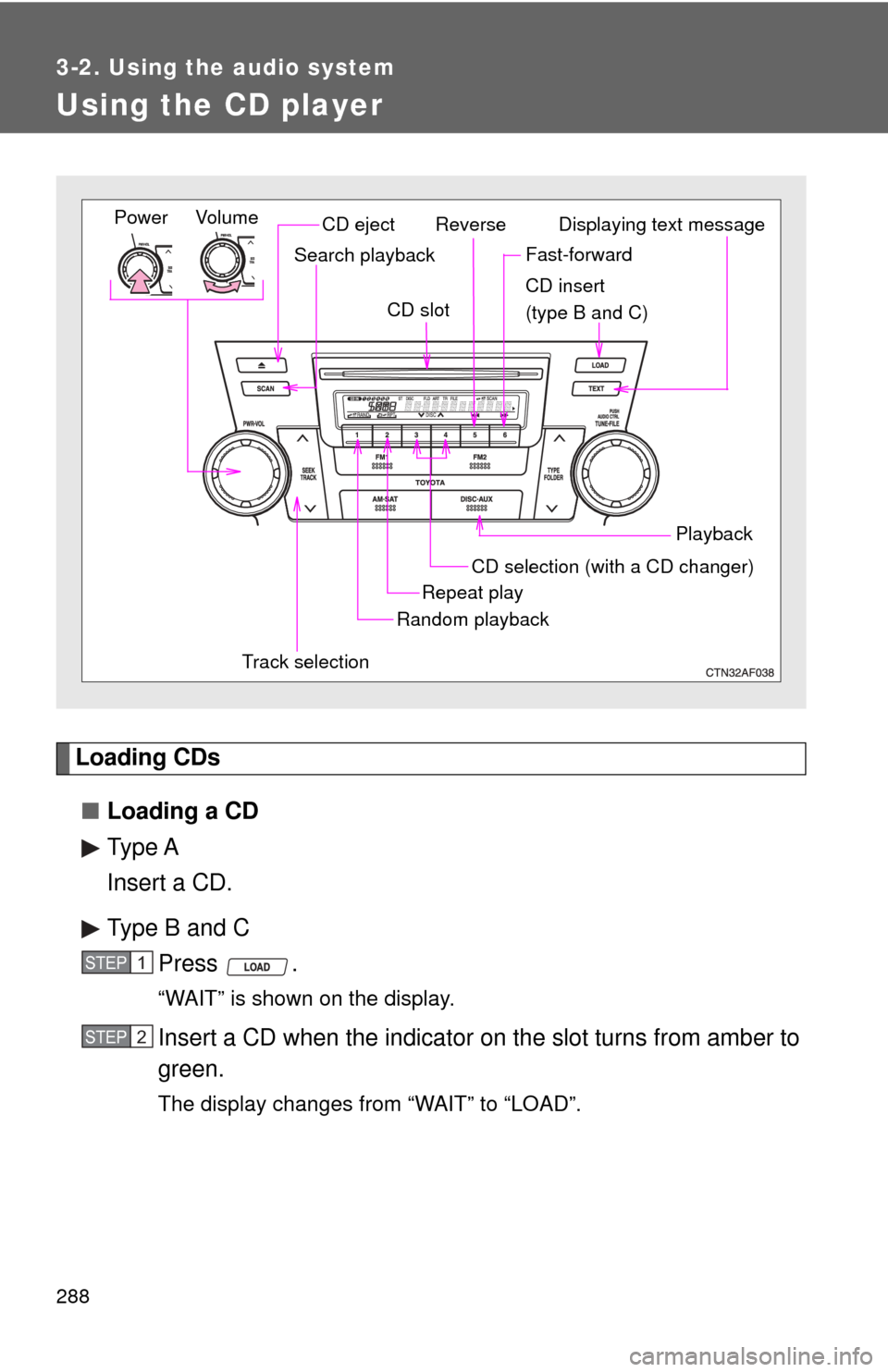
Using the CD player
Loading CDs■ Loading a CD
Type A
Insert a CD.
Type B and C
Press .
“WAIT” is shown on the display.
Insert a CD when the indicator on the slot turns from amber to
green.
The display changes from “WAIT” to “LOAD”.
Vol um e
Random playback
Track selection Repeat play
Playback
PowerCD ejectDisplaying text message
CD selection (with a CD changer)
CD insert
(type B and C)
Search playback
CD slot
ReverseFast-forward
STEP1
STEP2
Page 290 of 592
290 3-2. Using the audio system
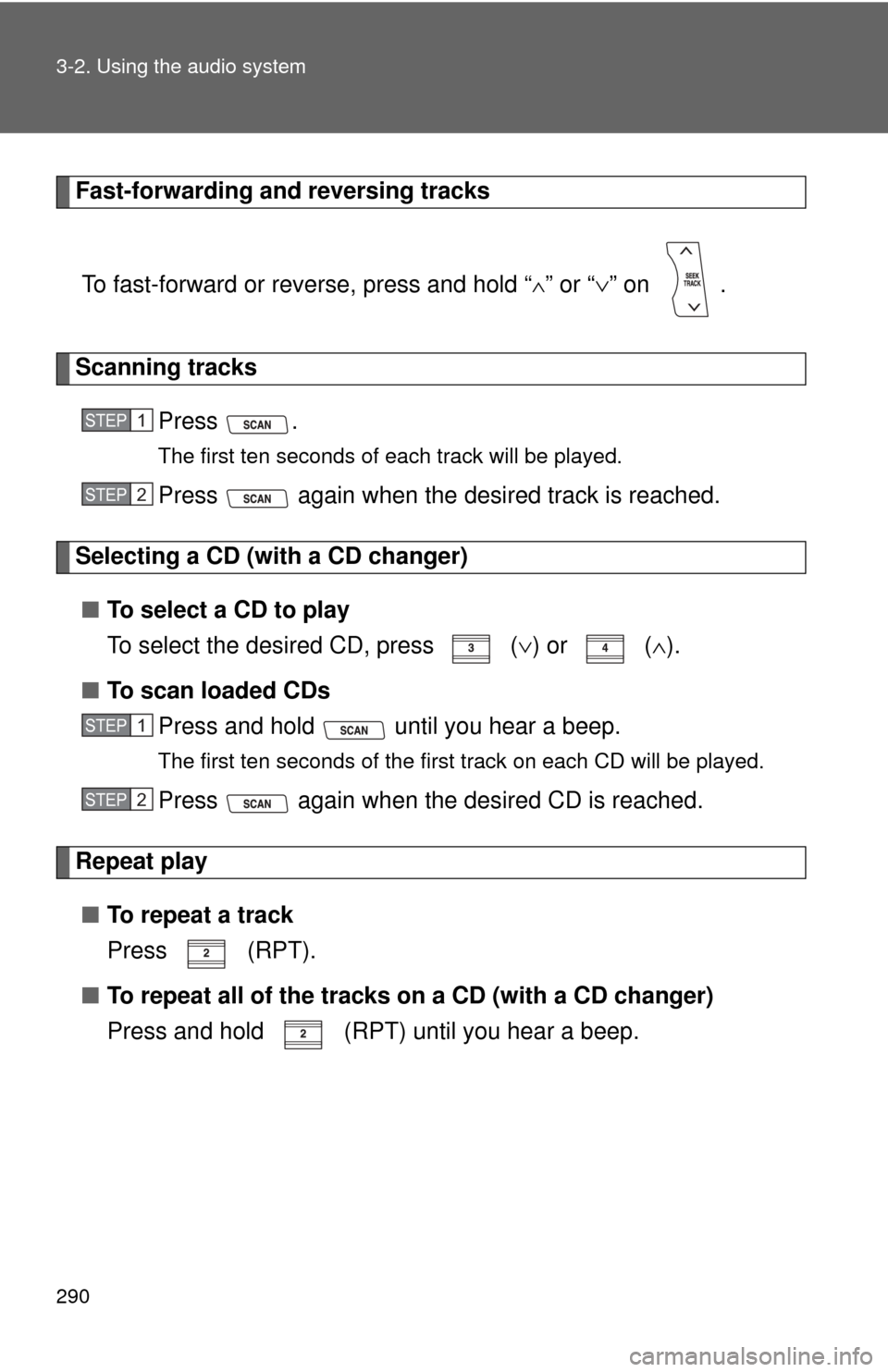
Fast-forwarding and reversing tracksTo fast-forward or reverse, press and hold “
∧” or “ ∨” on .
Scanning tracks
Press .
The first ten seconds of each track will be played.
Press again when the desired track is reached.
Selecting a CD (with a CD changer)■ To select a CD to play
To select the desired CD, press
(∨) or ( ∧).
■ To scan loaded CDs
Press and hold until you hear a beep.
The first ten seconds of the first track on each CD will be played.
Press again when the des ired CD is reached.
Repeat play
■ To repeat a track
Press (RPT).
■ To repeat all of the tracks on a CD (with a CD changer)
Press and hold (RPT) until you hear a beep.
STEP1
STEP2
STEP1
STEP2
Page 291 of 592
291
3-2. Using the audio system
3
Interior features
Random playback
■ Current CD
Press (RAND).
Tracks are played in a random order until is pressed once more.
■All CDs (with a CD changer)
Press and hold until you hear a beep.
Tracks on all loaded CDs are played in a random order until is
pressed once more.
Switching the display
Press .
Each time is pressed, the display changes in the order of “Track
no./Elapsed time” →“CD title”→“Track name”.
Silencing a sound (type A only)
→ P. 2 8 4
Page 295 of 592
295
3-2. Using the audio system
3
Interior features
Playing back MP3 and WMA discs
Loading and ejecting MP3 and WMA discs→ P. 2 8 8
Selecting a CD (with a CD changer)
→ P. 2 9 0
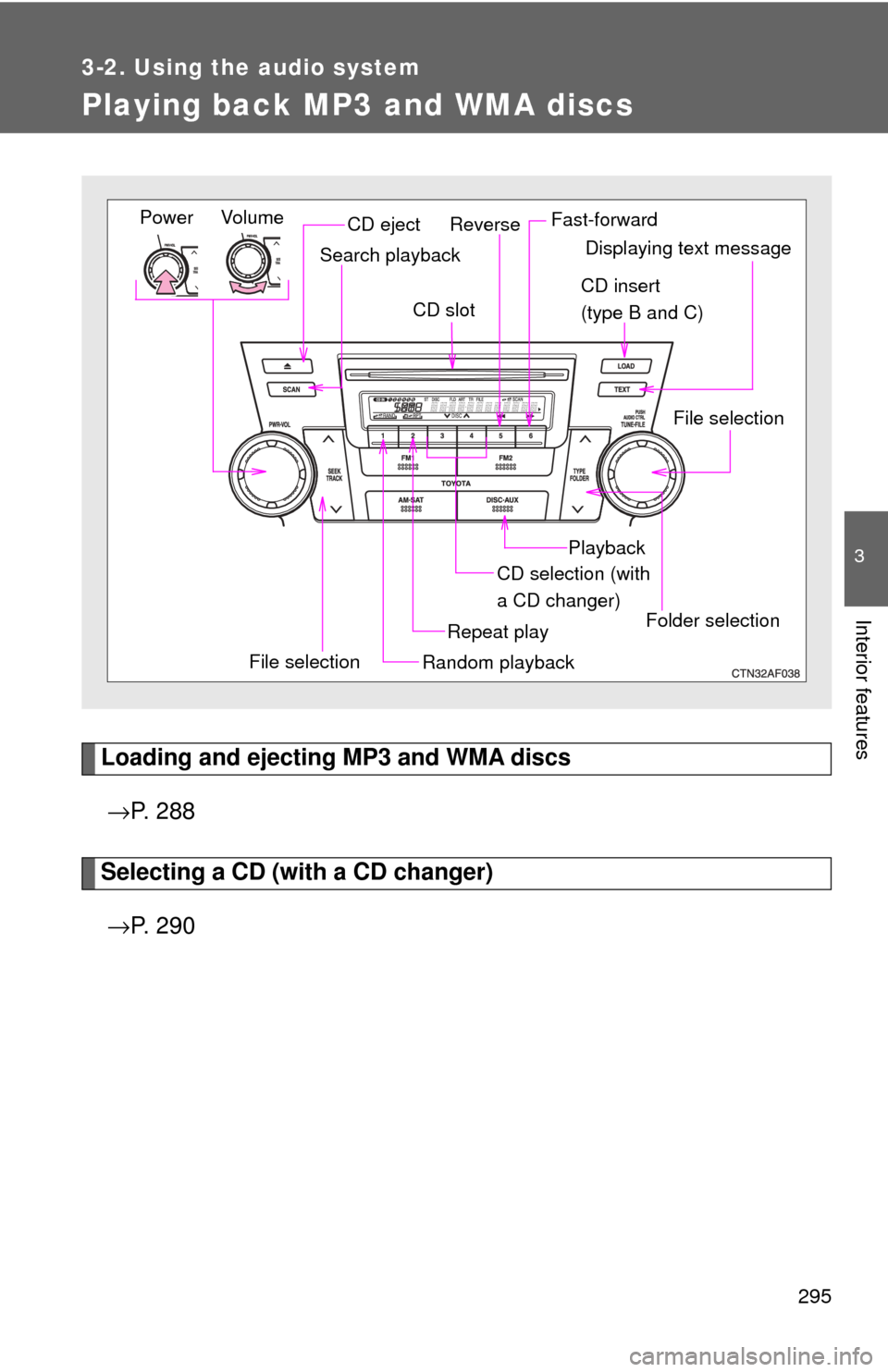
Vol um e
Random playback
File selection Repeat playPlayback
PowerCD eject
Displaying text message
CD selection (with
a CD changer)
CD insert
(type B and C)
Search playback
CD slot
Folder selection
File selection
Reverse Fast-forward
Page 307 of 592
307
3-2. Using the audio system
3
Interior features
Using the steering wheel audio switches
Turning on the powerPress when the audio system is turned off.
The audio system can be turned off by holding down until you hear
a beep.
Changing the audio sourcePress when the audio system is turned on. The audio source
changes as follows each time is pressed.
CD player without changer:
FM1 →FM2 →CD→ AUX→AM
CD player with changer:
FM1→FM2 →CD changer →AUX→AM→SAT1 →SAT2→SAT3
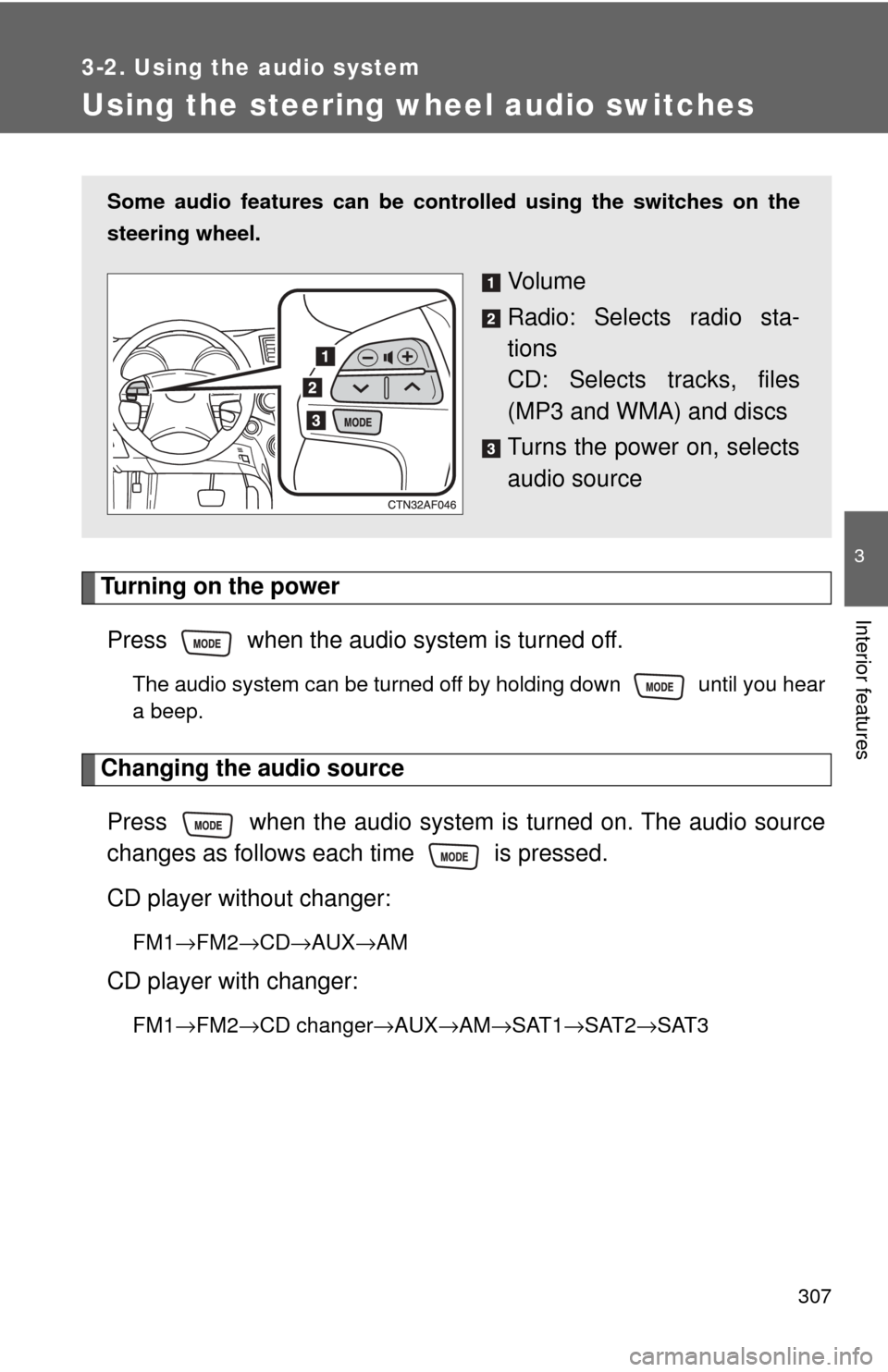
Some audio features can be cont rolled using the switches on the
steering wheel.
Vo l u m e
Radio: Selects radio sta-
tions
CD: Selects tracks, files
(MP3 and WMA) and discs
Turns the power on, selects
audio source
Page 308 of 592
308 3-2. Using the audio system
Adjusting the volumePress “+” on to increase the volume and “-” to decrease the
volume.
Press and hold the switch to continue increasing or decreasing the vol-
ume.
Selecting a radio station Press to select radio mode.
Press “∧” or “∨ ” on to select a preset station.
To scan for receivable stations, press and hold the switch until you
hear a beep.
Selecting a track/file
Press to select CD mode.
Press “∧” or “∨ ” on to select t he desired track/file.
Selecting a folder (CD player without changer only)
Press to select CD mode.
Press and hold “ ∧” or “ ∨” on until you hear a beep.
Selecting a disc in the CD player (CD player with changer only)
Press to select CD mode.
Press and hold “ ∧” or “ ∨” on until you hear a beep.
CAUTION
■ To reduce the risk of an accident
Exercise care when operating the audio switches on the steering wheel.
STEP1
STEP2
STEP1
STEP2
STEP1
STEP2
STEP1
STEP2
Page 577 of 592

577
Alphabetical index
Alphabetical index
A/C .................... 254, 260, 269, 272
ABS........................................... 220
Air conditioning filter .............. 461
Air conditioning systemAir conditioning filter ............. 461
Front automatic air conditioning system ........... 260
Front manual air conditioning system................................ 254
Rear automatic air
conditioning system ........... 272
Rear manual air conditioning system................................ 269
Airbags Airbag operating conditions ........................... 136
Airbag precautions for your child.................................... 140
Airbag warning light .............. 501
Curtain shield airbag operating
conditions ........................... 136
Curtain shield airbag
precautions ........................ 140
Front passenger occupant classification system .......... 145
General airbag precautions ........................ 140
Locations of airbags ............. 133
Modification and disposal of
airbags ............................... 144
Proper driving
posture ....................... 131, 140
Side airbag operating conditions ........................... 136
Side airbag precautions........ 140
SRS airbags ......................... 133 Alarm .........................................127
Antenna.....................................285
Anti-lock brake system............220
Armrest .....................................394
Audio input ...............................305
Audio system
Antenna .................................285
Audio input ............................305
Audio visual input ..................329
AUX adapter..........................305
A/V input adapter ..................329
CD player/changer ................288
DVD player ............................316
MP3/WMA disc......................295
Optimal use ...........................302
Portable music player............305
Radio .....................................282
Rear seat entertainment system ................................309
Steering wheel audio switch ..................................307
Type ......................................279
Audio visual input ....................329
Automatic light control system ....................................205
AUX adapter .............................305
Auxiliary box ........................... 381
A/V input adapter .....................329A
Page 578 of 592

578 Alphabetical index
Back-up lightsReplacing light bulbs ............. 478
Wattage ................................. 551
Back door Back door ................................78
Wireless remote control ..........65
Smart key system... .................44
Battery
Checking ............................... 443
Hybrid battery (traction battery)....................33
If the vehicle has a discharged 12-volt
battery ................................. 528
Preparing and checking before winter .................................. 236
Bluetooth
\b................................ 342
Bottle holder ............................. 380
Brakes Fluid ...................................... 442
Parking brake ........................ 187
Brake assist .............................. 220
Break-in tips ............................. 169 Care
Exterior.................................. 412
Interior ................................... 415
Seat belts .............................. 416
Cargo capacity ......................... 235
Cargo hooks ............................. 396
CD changer............................... 288
CD player .................................. 288
Chains ....................................... 236
Child restraint system Booster seats, definition........ 152
Booster seats, installation ..... 155
Convertible seats, definition ............................. 152
Convertible seats, installation........................... 155
Front passenger occupant
classification system ........... 145
Infant seats, definition ........... 152
Infant seats, installation ........ 155
Installing CRS with lower anchorages ......................... 157
Installing CRS with seat
belts .................................... 159
Installing CRS with top straps .................................. 162
BC