audio TOYOTA HIGHLANDER HYBRID 2009 XU40 / 2.G Owners Manual
[x] Cancel search | Manufacturer: TOYOTA, Model Year: 2009, Model line: HIGHLANDER HYBRID, Model: TOYOTA HIGHLANDER HYBRID 2009 XU40 / 2.GPages: 592, PDF Size: 11.8 MB
Page 1 of 592
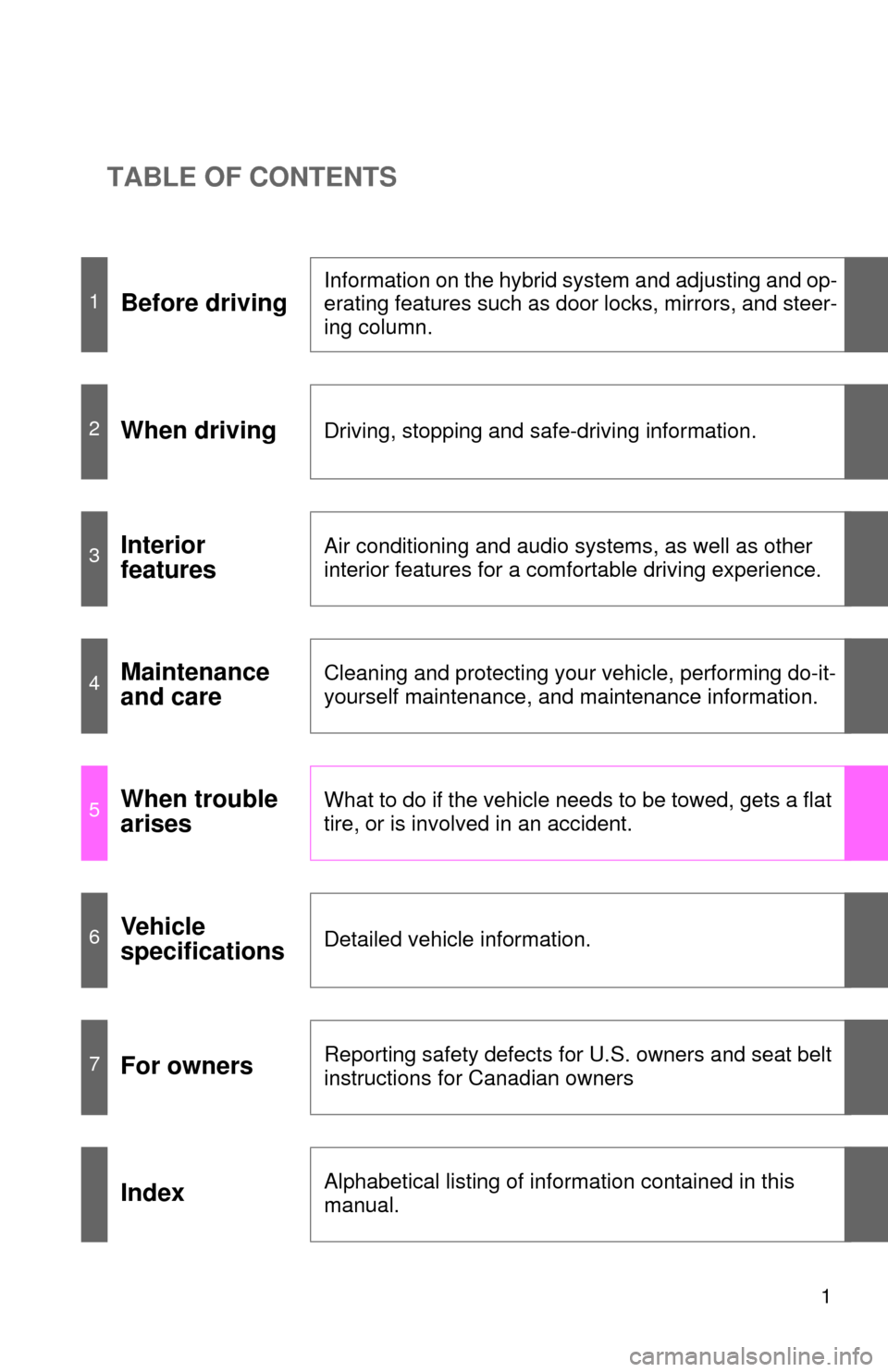
TABLE OF CONTENTS
1
1Before driving
Information on the hybrid system and adjusting and op-
erating features such as door locks, mirrors, and steer-
ing column.
2When drivingDriving, stopping and safe-driving information.
3Interior
featuresAir conditioning and audio systems, as well as other
interior features for a comfortable driving experience.
4Maintenance
and careCleaning and protecting your vehicle, performing do-it-
yourself maintenance, and maintenance information.
5When trouble
arisesWhat to do if the vehicle needs to be towed, gets a flat
tire, or is involved in an accident.
6Vehicle
specificationsDetailed vehicle information.
7For ownersReporting safety defects for U.S. owners and seat belt
instructions for Canadian owners
IndexAlphabetical listing of information contained in this
manual.
Page 3 of 592

1
2
3
4
5
6
7
3
2-2. Instrument clusterGauges and meters ............ 189
Indicators and warning lights ................................. 191
Multi-information display ..... 195
2-3. Operating the lights and wipers
Headlight switch .................. 205
Fog light switch ................... 209
Windshield wipers and washer .............................. 210
Rear window wiper and washer .............................. 212
2-4. Using other driving systems
Cruise control ...................... 213
Rear view monitor system .............................. 216
Driving assist systems ........ 220
Hill-start assist control ......... 224
2-5. Driving information Utility vehicle precautions ... 226
Cargo and luggage ............. 231
Vehicle load limits ............... 235
Winter driving tips ............... 236
Trailer towing ...................... 240
Dinghy towing ..................... 250 3-1. Using the air
conditioning system
and defogger
Front manual air conditioning system.......... 254
Front automatic air conditioning system.......... 260
Rear manual air conditioning system.......... 269
Rear automatic air conditioning system.......... 272
Rear window and outside rear view mirror
defoggers ......................... 275
Windshield wiper de-icer .............................. 277
Using the steering wheel climate remote control
switches ........................... 278
3-2. Using the audio system Audio system (without navigation system) ........... 279
Using the radio ................... 282
Using the CD player ........... 288
Playing back MP3 and WMA discs ....................... 295
Optimal use of the audio system .............................. 302
Using the AUX adapter....... 305
Using the steering wheel audio switches.................. 307
3Interior features
Page 4 of 592

TABLE OF CONTENTSIndex
4
3-3. Using the rear audio system
Rear seat entertainment system features ................ 309
Using the DVD player (DVD video)...................... 316
Using the DVD player (video CD) ........................ 324
Using the DVD player (audio CD/CD text) ........... 326
Using the DVD player (MP3 discs) ...................... 327
Using the video mode ........ 329
Changing the initial setting .............................. 331
3-4. Using the hands-free phone system
(for cellular phone)
Hands-free phone system (for cellular phone)
features ............................ 338
Using the hands-free phone system .............................. 342
Making a phone call ........... 350
Setting a cellular phone...... 354
Security and system setup ................................ 359
Using the phone book ........ 362 3-5. Using the interior lights
Interior lights list.................. 369
• Personal/interior light main switch ....................... 370
• Personal/interior lights ...... 370
• Interior light ....................... 371
3-6. Using the storage features
List of storage features ....... 372
• Glove box ......................... 373
• Console box ..................... 374
• Overhead console ............ 375
• Cup holders ...................... 376
• Bottle holders ................... 380
• Auxiliary boxes ................. 381
• Side table ......................... 384
3-7. Other interior features Sun visors ........................... 386
Vanity mirrors ..................... 387
Conversation mirror ............ 388
Power outlet........................ 389
Seat heaters ....................... 392
Armrests ............................. 394
Floor mat ............................ 395
Luggage compartment features ............................ 396
Garage door opener ........... 402
Compass ............................ 407
Page 18 of 592
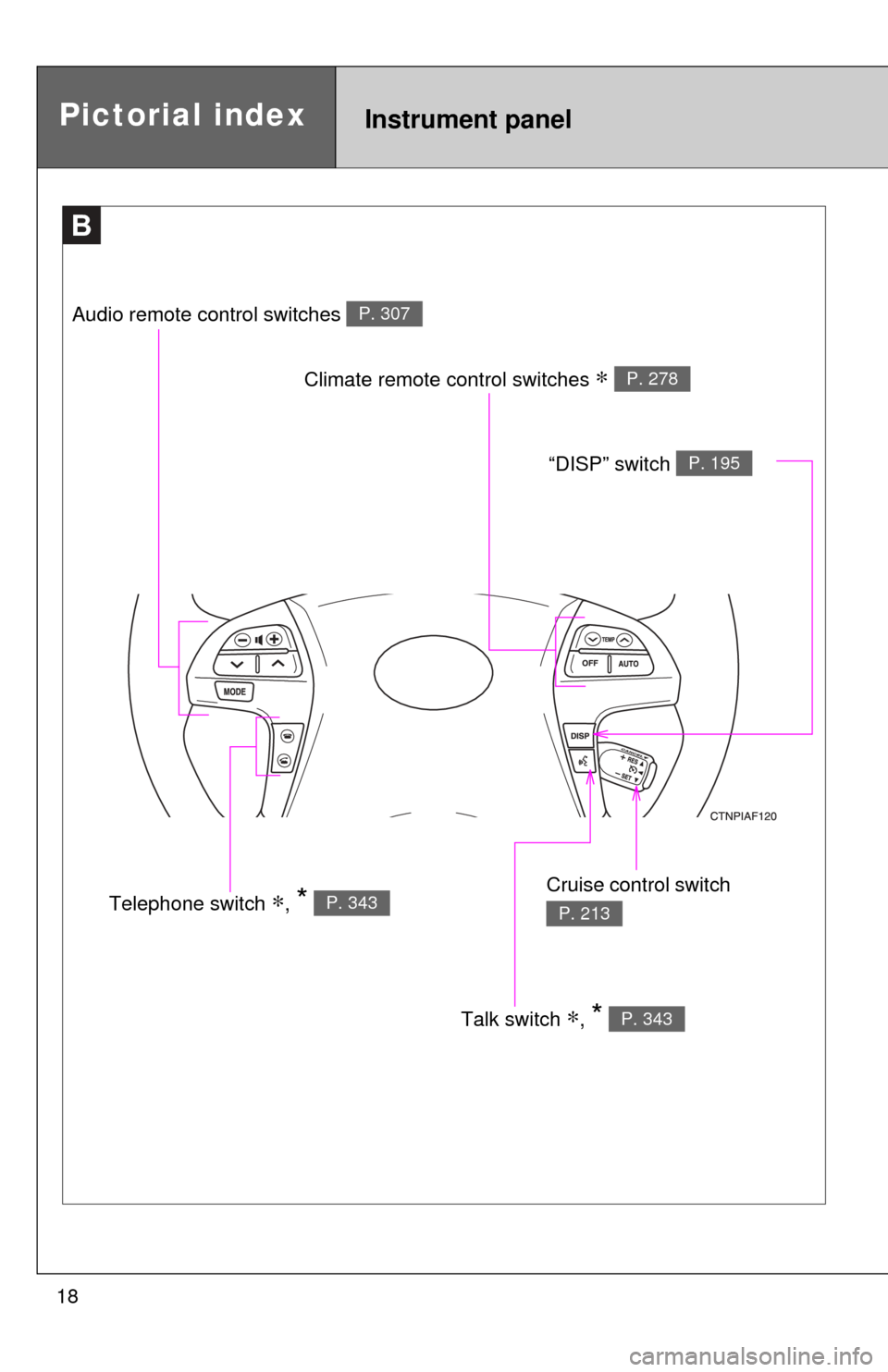
18
B
Talk switch ∗, * P. 343
Pictorial indexInstrument panel
Audio remote control switches P. 307
Climate remote control switches ∗ P. 278
Cruise control switch
P. 213Telephone switch ∗, * P. 343
“DISP” switch P. 195
Page 19 of 592
19
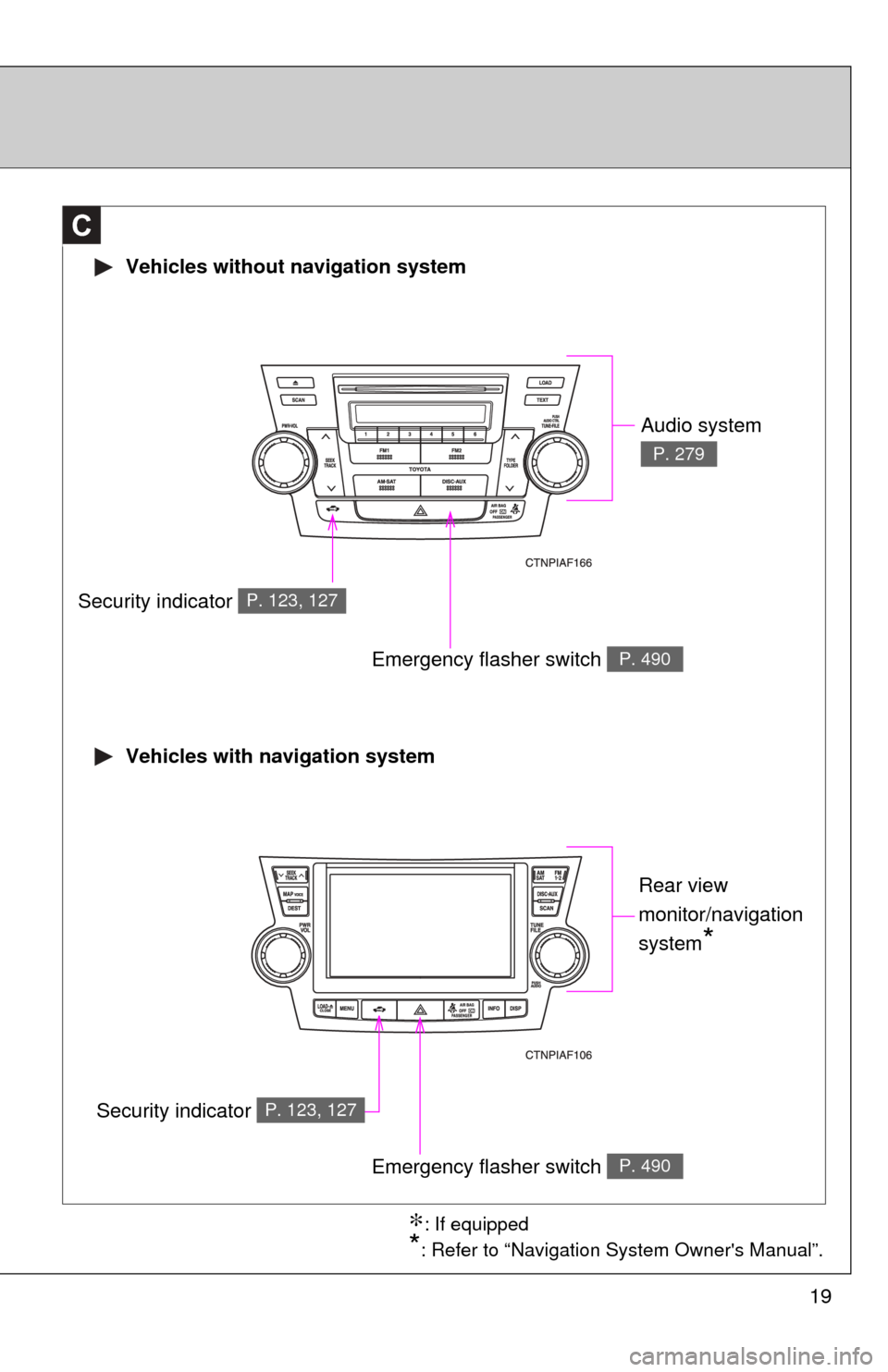
Vehicles without navigation system
Vehicles with navigation system
C
Audio system
P. 279
Security indicator P. 123, 127
Emergency flasher switch P. 490
Emergency flasher switch P. 490
Rear view
monitor/navigation
system
*
∗: If equipped
*: Refer to “Navigation System Owner's Manual”.
Security indicator P. 123, 127
Page 179 of 592
179
2-1. Driving procedures
2
When driving
■
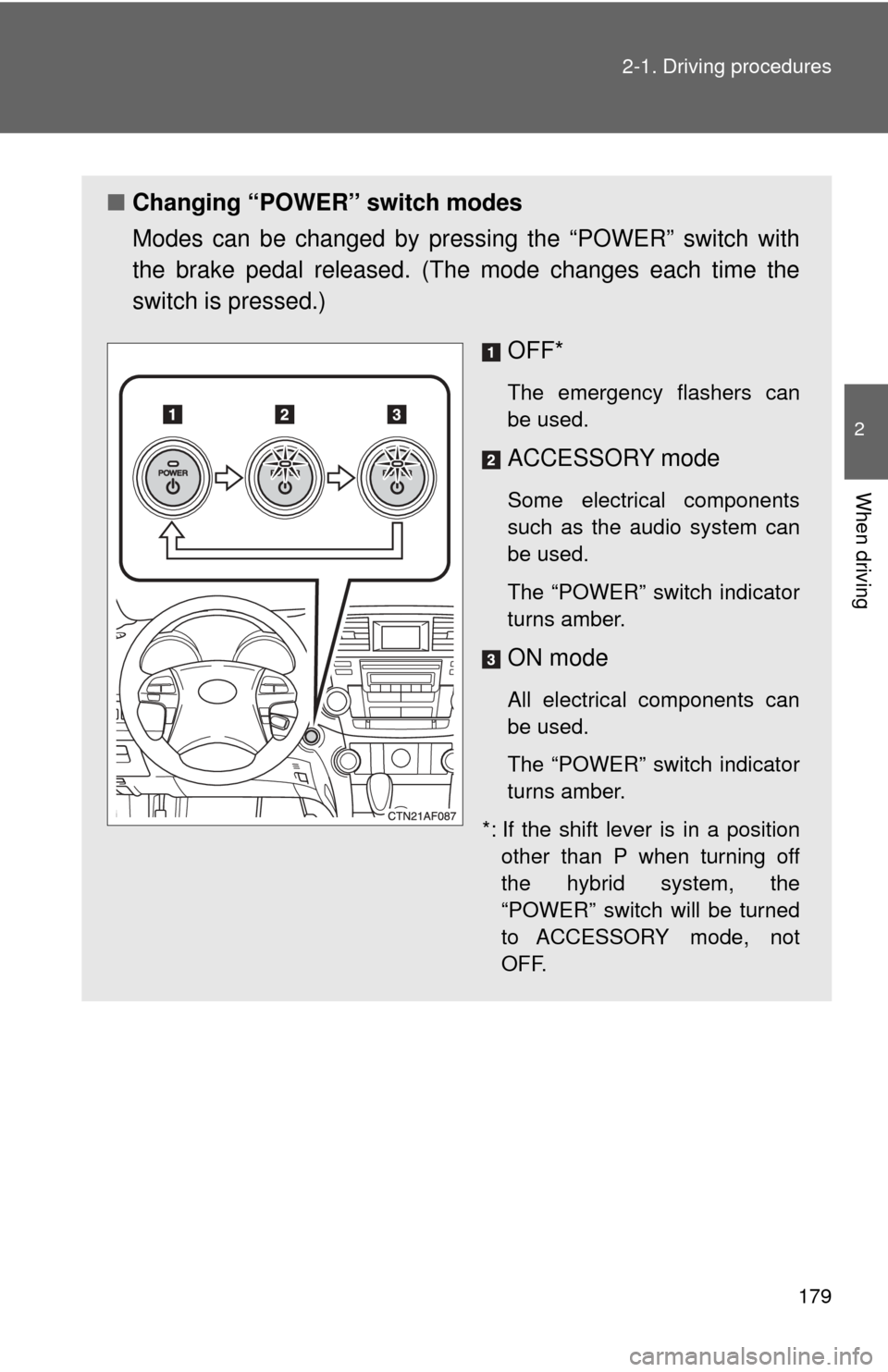
Changing “POWER” switch modes
Modes can be changed by pres sing the “POWER” switch with
the brake pedal released. (The mode changes each time the
switch is pressed.)
OFF*
The emergency flashers can
be used.
ACCESSORY mode
Some electrical components
such as the audio system can
be used.
The “POWER” switch indicator
turns amber.
ON mode
All electrical components can
be used.
The “POWER” switch indicator
turns amber.
*: If the shift lever is in a position other than P when turning off
the hybrid system, the
“POWER” switch will be turned
to ACCESSORY mode, not
OFF.
Page 252 of 592
252
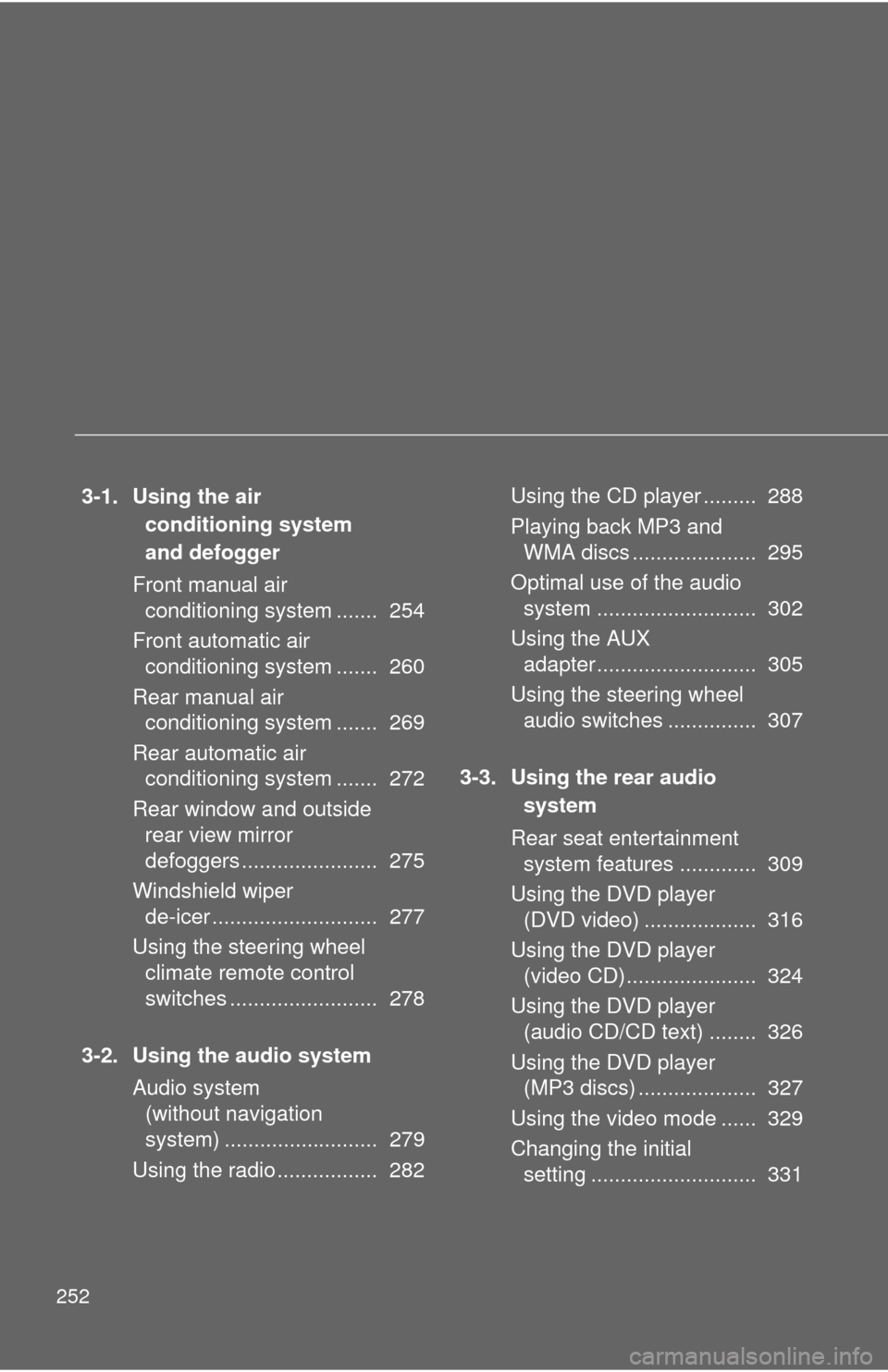
3-1. Using the air conditioning system
and defogger
Front manual air conditioning system ....... 254
Front automatic air conditioning system ....... 260
Rear manual air conditioning system ....... 269
Rear automatic air conditioning system ....... 272
Rear window and outside rear view mirror
defoggers ....................... 275
Windshield wiper de-icer ............................ 277
Using the steering wheel climate remote control
switches ......................... 278
3-2. Using the audio system Audio system (without navigation
system) .......................... 279
Using the radio ................. 282 Using the CD player ......... 288
Playing back MP3 and
WMA discs ..................... 295
Optimal use of the audio system ........................... 302
Using the AUX adapter........................... 305
Using the steering wheel audio switches ............... 307
3-3. Using the rear audio system
Rear seat entertainment system features ............. 309
Using the DVD player (DVD video) ................... 316
Using the DVD player (video CD)...................... 324
Using the DVD player (audio CD/CD text) ........ 326
Using the DVD player (MP3 discs) .................... 327
Using the video mode ...... 329
Changing the initial setting ............................ 331
Page 279 of 592
279
3
Interior features
3-2. Using the audio system
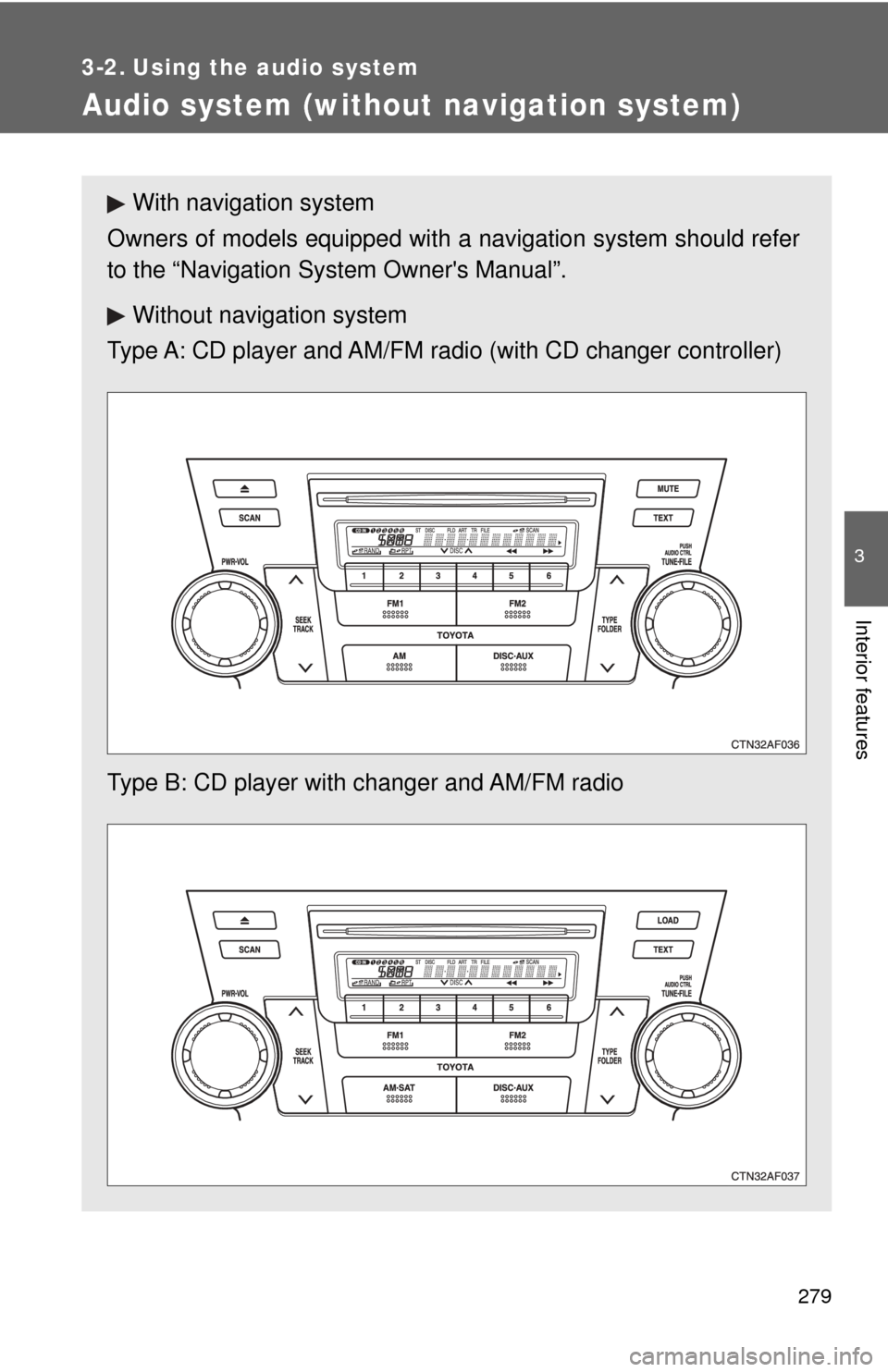
Audio system (without navigation system)
With navigation system
Owners of models equipped with a navigation system should refer
to the “Navigation Sy stem Owner's Manual”.
Without navig ation system
Type A: CD player and AM/FM radio (with CD changer controller)
Type B: CD player with changer and AM/FM radio
Page 280 of 592
280 3-2. Using the audio system
■Using cellular phones
Interference may be heard through the audio system's speakers if a cellular
phone is being used inside or close to the vehicle while the audio syste\
m is
operating.
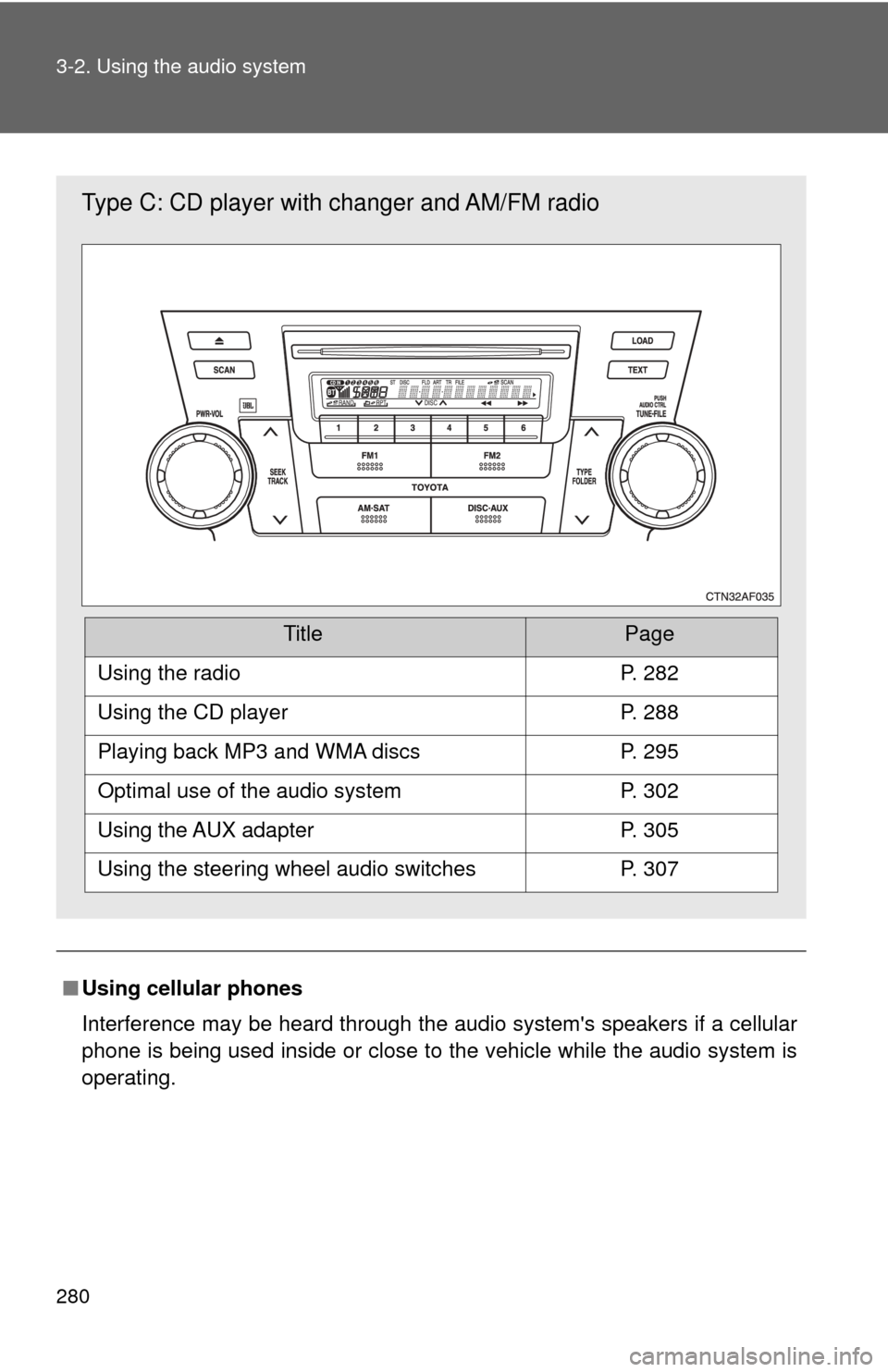
Type C: CD player with changer and AM/FM radio
TitlePage
Using the radioP. 282
Using the CD playerP. 288
Playing back MP3 and WMA discsP. 295
Optimal use of the audio systemP. 302
Using the AUX adapterP. 305
Using the steering wheel audio switchesP. 307
Page 281 of 592
281
3-2. Using the audio system
3
Interior features
CAUTION
■
For vehicles sold in U.S.A. and Canada
●Part 15 of the FCC Rules
FCC Warning:
Any unauthorized changes or modifications to this equipment will void the
user’s authority to operate this device.
● Laser products
• Do not take this unit apart or attempt to make any changes yourself.
This is an intricate unit that uses a laser pickup to retrieve information
from the surface of compact discs. The laser is carefully shielded so
that its rays remain inside the cabinet. Therefore, never try to disas-
semble the player or alter any of its parts since you may be exposed to
laser rays and dangerous voltages.
• This product utilizes a laser. Use of controls or adjustments or performance of procedures other
than those specified herein may result in hazardous radiation expo-
sure.
NOTICE
■ To prevent 12-volt battery from being discharged
Do not leave the audio system on longer than necessary with the hybrid sys-
tem is off.
■ To avoid damaging the audio system
Take care not to spill drinks or other fluids over the audio system.