CD changer TOYOTA HIGHLANDER HYBRID 2013 XU50 / 3.G Owners Manual
[x] Cancel search | Manufacturer: TOYOTA, Model Year: 2013, Model line: HIGHLANDER HYBRID, Model: TOYOTA HIGHLANDER HYBRID 2013 XU50 / 3.GPages: 676, PDF Size: 12.48 MB
Page 308 of 676
308
3-2. Using the audio system
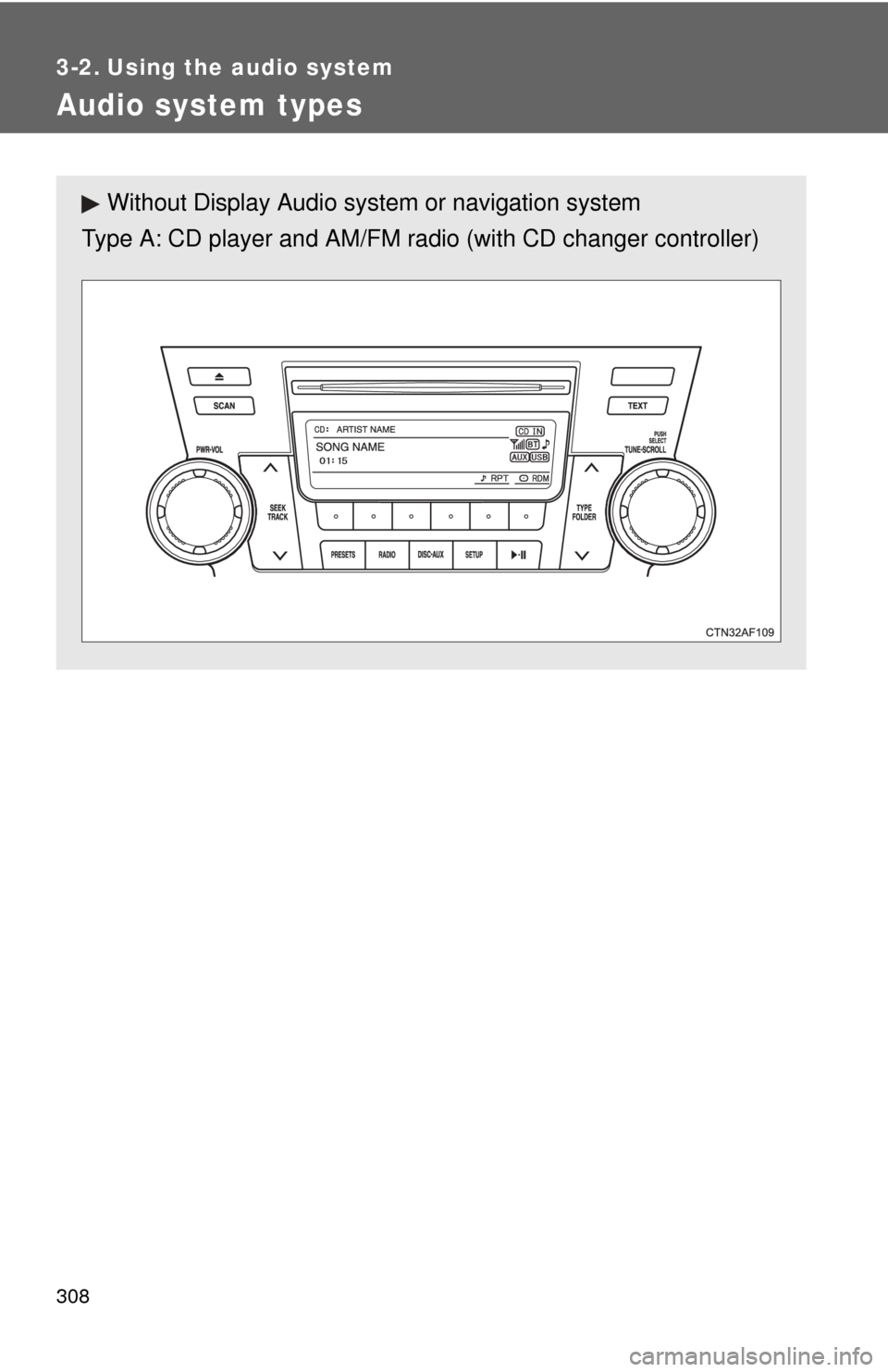
Audio system types
Without Display Audio system or navigation system
Type A: CD player and AM/FM radio (with CD changer controller)
Page 309 of 676
309
3-2. Using the audio system
3
Interior features
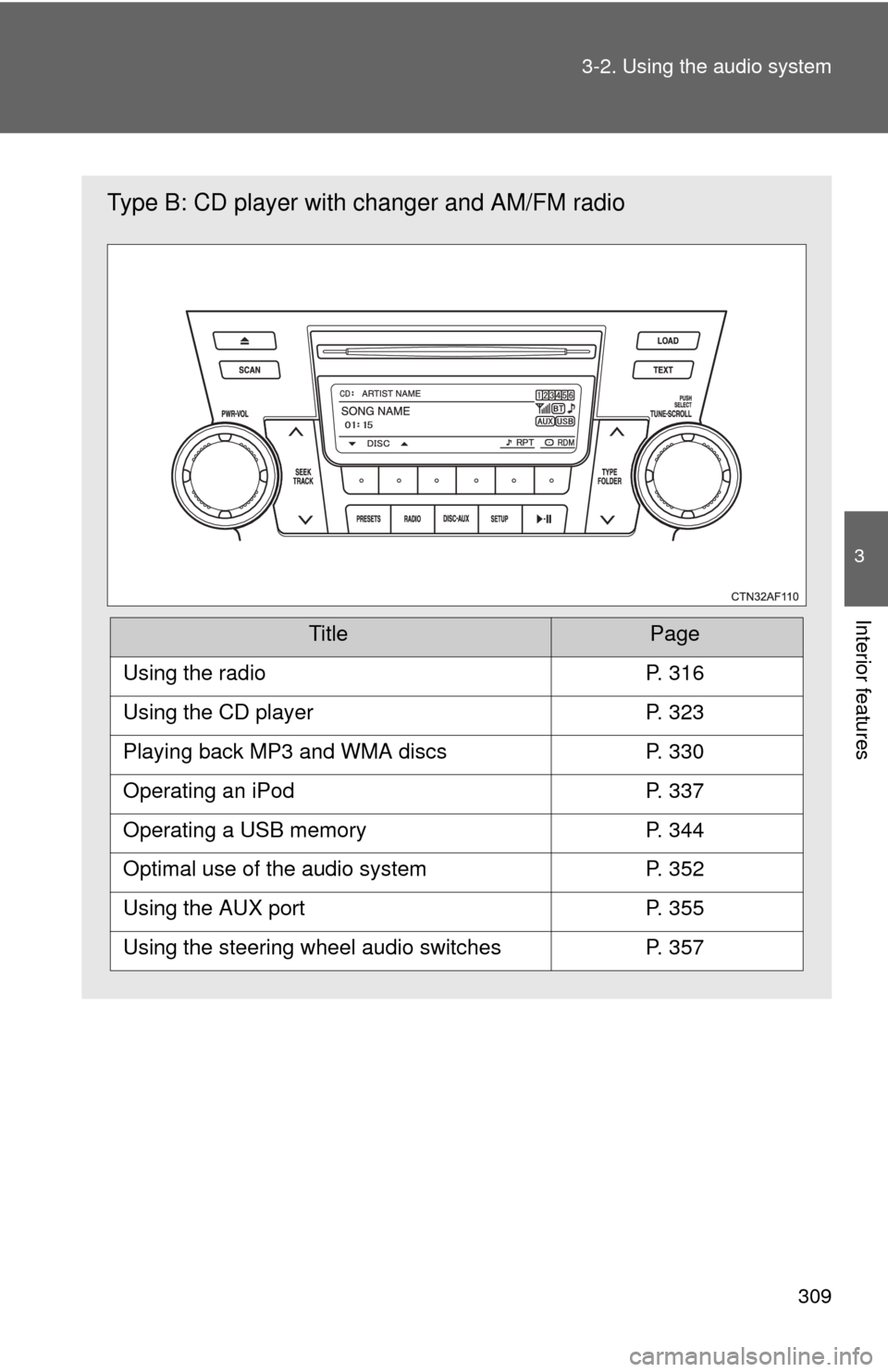
Type B: CD player with changer and AM/FM radio
TitlePage
Using the radioP. 316
Using the CD playerP. 323
Playing back MP3 and WMA discsP. 330
Operating an iPodP. 337
Operating a USB memoryP. 344
Optimal use of the audio systemP. 352
Using the AUX portP. 355
Using the steering wheel audio switchesP. 357
Page 325 of 676
325
3-2. Using the audio system
3
Interior features
Fast-forwarding and reversing tracks
To fast-forward or reverse, press and hold “
” or “ ” on .
Scanning tracks
Press .
The first ten seconds of each track will be played.
To cancel, press again.
Press again when the desired track is reached.
Selecting a CD (with a CD changer)■ Selecting a CD to play
Press ( ) or ( ).
■ Scanning loaded CDs
Press and hold until you hear a beep.
The first ten seconds of the first track on each CD will be played.
To cancel, press again.
Press again when the des ired CD is reached.
Playing and pausing tracks
Press .
STEP1
STEP2
STEP1
STEP2
Page 326 of 676
326 3-2. Using the audio system
Random playback■ Current CD
Press (RDM).
Songs are played in random order.
To cancel, press the button once more (type A without a CD changer), or
twice more (type A with a CD changer and type B).
■All CDs (with a CD changer)
Press (RDM) twice.
Tracks on all loaded CDs are played in random order.
To cancel, press the button again.
Repeat play
■ Repeating a track
Press (RPT).
To cancel, press the button once more (type A without a CD changer), or
twice more (type A with a CD changer and type B).
■Repeating all of the tracks on a CD (with a CD changer only)
Press (RPT) twice.
To cancel, press the button again.
Switching the display
Press .
Each time is pressed, the display changes in the following order:
Track title Track name/Artist name Track name/Elapsed time.
Page 330 of 676
330
3-2. Using the audio system
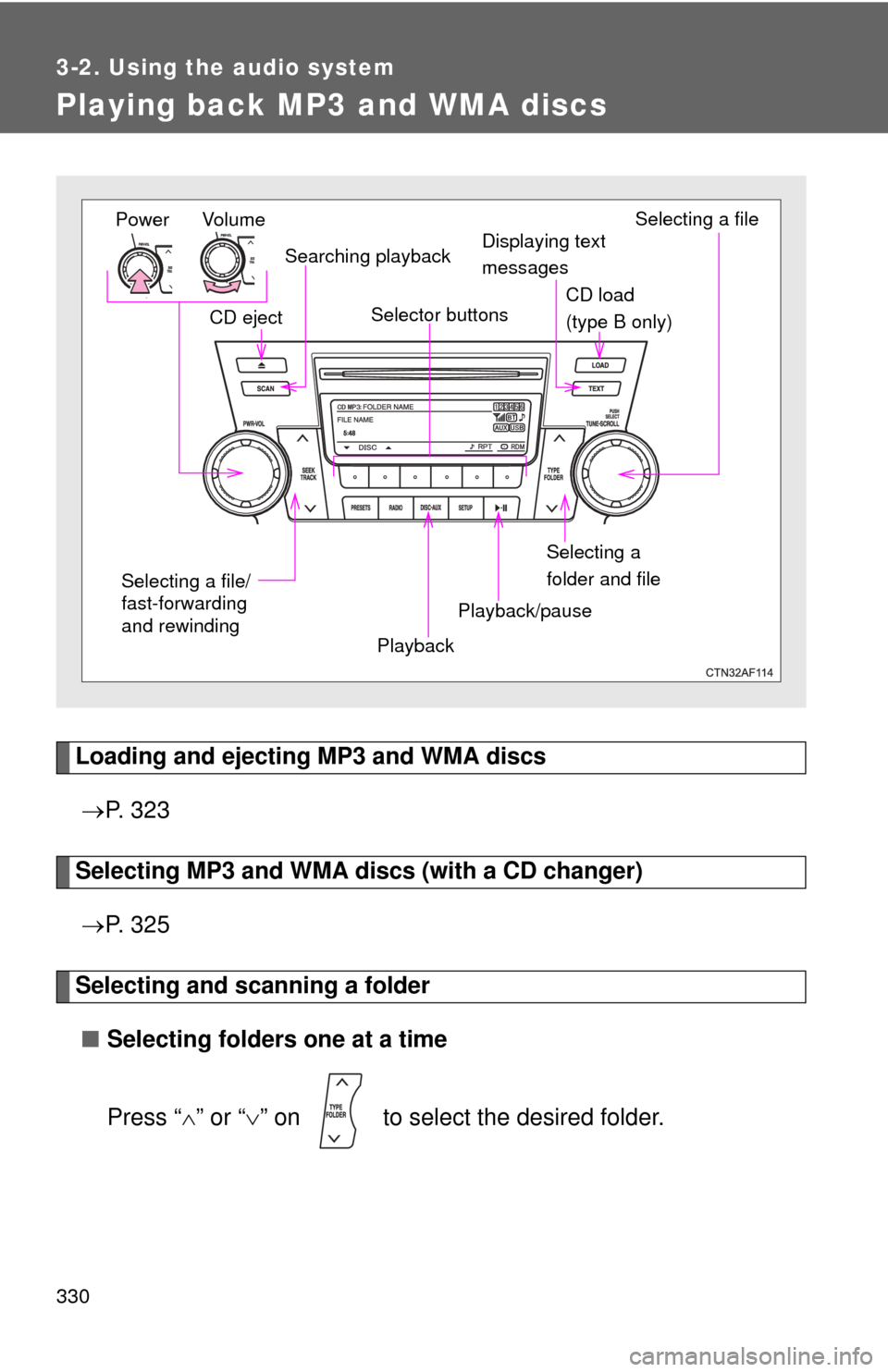
Playing back MP3 and WMA discs
Loading and ejecting MP3 and WMA discs P. 3 2 3
Selecting MP3 and WMA discs (with a CD changer)
P. 3 2 5
Selecting and scanning a folder
■ Selecting folders one at a time
Press “ ” or “ ” on to select the desired folder.
Power Volume
Displaying text
messages
CD eject
PlaybackPlayback/pause Selecting a file
CD load
(type B only)
Selector buttons
Selecting a
folder and file
Searching playback
Selecting a file/
fast-forwarding
and rewinding
Page 332 of 676
332 3-2. Using the audio system
Random playback■ Playing files from a particular folder in random order
Press (RDM).
To cancel, press the button once more (type A without a CD changer), or
twice more (type A with a CD changer and type B).
■Playing all of the files on a disc in random order
Press (RDM) twice.
To cancel, press the button again.
Repeat play
■ Repeating a file
Press (RPT).
To cancel, press the button once more (type A without a CD changer), or
twice more (type A with a CD changer and type B).
■Repeating all of the files on a folder
Press (RPT) twice.
To cancel, press the button once more (type A without a CD changer), or
twice more (type A with a CD changer and type B).
■Repeating all of the files in a disc (CD player with changer
only)
Press (RPT) three times.
To cancel, press the same button again.
Switching the display
Press .
Each time is pressed, the display changes in the following order:
Track title Track title/Artist name Track title/Album name (MP3 only)
Track title/Elapsed time.
Page 358 of 676
358 3-2. Using the audio system
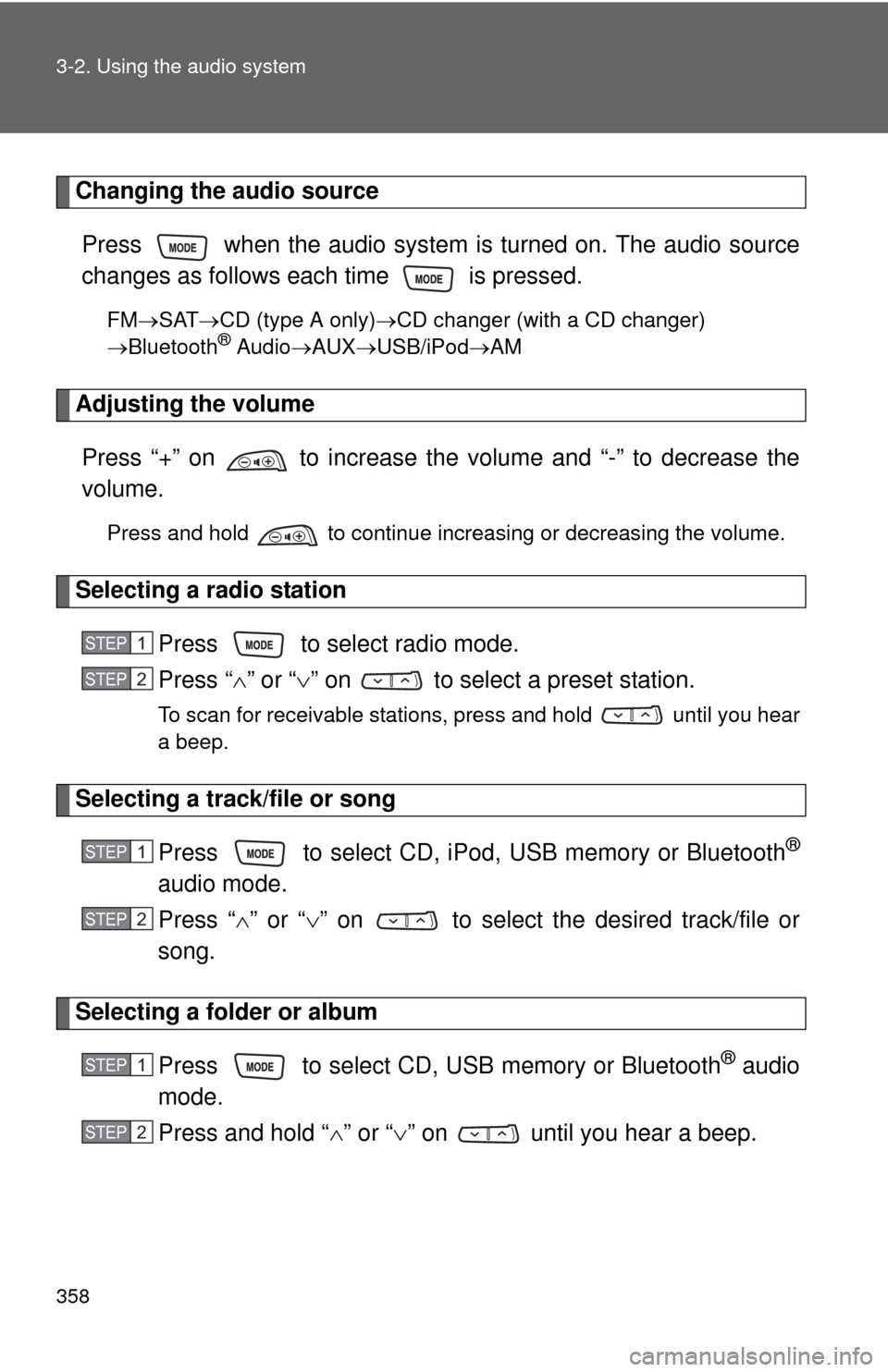
Changing the audio sourcePress when the audio system is turned on. The audio source
changes as follows each time is pressed.
FM SAT CD (type A only) CD changer (with a CD changer)
Bluetooth® Audio AUX USB/iPodAM
Adjusting the volume
Press “+” on to increase the volume and “-” to decrease the
volume.
Press and hold to continue increasing or decreasing the volume.
Selecting a radio station Press to select radio mode.
Press “” or “ ” on to select a preset station.
To scan for receivable stations, press and hold until you hear
a beep.
Selecting a track/file or song
Press to select CD, iPod, USB memory or Bluetooth
®
audio mode.
Press “” or “ ” on to select the desired track/file or
song.
Selecting a folder or album
Press to select CD, USB memory or Bluetooth
® audio
mode.
Press and hold “ ” or “ ” on until you hear a beep.
STEP1
STEP2
STEP1
STEP2
STEP1
STEP2
Page 359 of 676
359
3-2. Using the audio system
3
Interior features
Selecting a disc in the CD player (CD player with changer only)
Press to select CD mode.
Press and hold “ ” or “ ” on until you hear a beep.
CAUTION
■To reduce the risk of an accident
Exercise care when operating the audio switches on the steering wheel.
STEP1
STEP2
Page 653 of 676
653
7
For owners
AT T E N T I O N
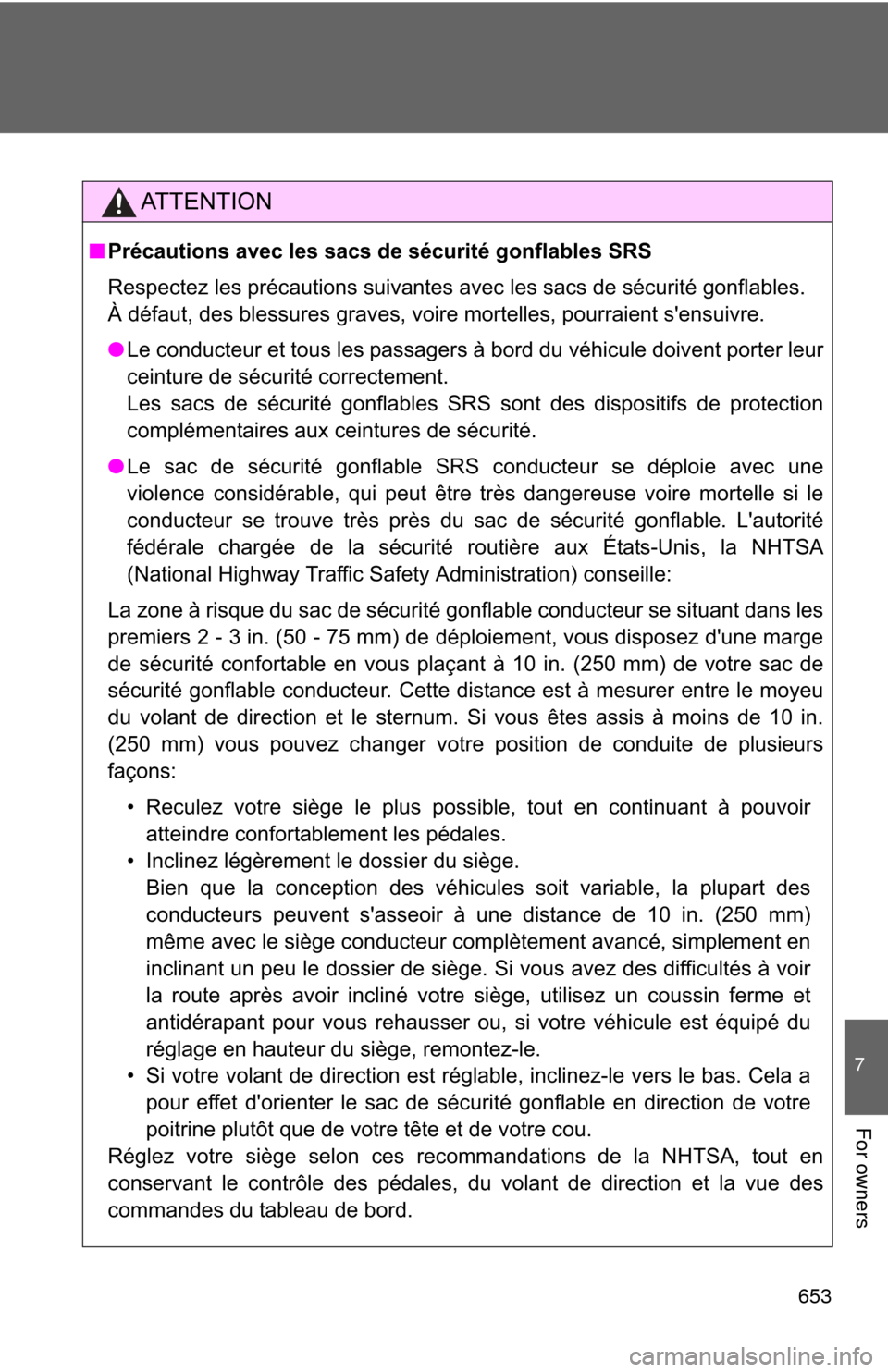
■Précautions avec les sacs de sécurité gonflables SRS
Respectez les précautions suivantes avec les sacs de sécurité gonflables.
À défaut, des blessures graves, voire mortelles, pourraient s'ensuivre.
● Le conducteur et tous les passagers à bord du véhicule doivent porter leur
ceinture de sécurité correctement.
Les sacs de sécurité gonflables SRS sont des dispositifs de protection
complémentaires aux ceintures de sécurité.
● Le sac de sécurité gonflable SRS conducteur se déploie avec une
violence considérable, qui peut être très dangereuse voire mortelle si le
conducteur se trouve très près du sac de sécurité gonflable. L'autorité
fédérale chargée de la sécurité routière aux États-Unis, la NHTSA
(National Highway Traffic Safety Administration) conseille:
La zone à risque du sac de sécurité gonflable conducteur se situant dans les
premiers 2 - 3 in. (50 - 75 mm) de déploiement, vous disposez d'une marge
de sécurité confortable en vous plaçant à 10 in. (250 mm) de votre sac de
sécurité gonflable conducteur. Cette distance est à mesurer entre le moyeu
du volant de direction et le sternum. Si vous êtes assis à moins de 10 in.
(250 mm) vous pouvez changer votre position de conduite de plusieurs
façons: • Reculez votre siège le plus possible, tout en continuant à pouvoiratteindre confortablement les pédales.
• Inclinez légèrement le dossier du siège. Bien que la conception des véhicules soit variable, la plupart des
conducteurs peuvent s'asseoir à une distance de 10 in. (250 mm)
même avec le siège conducteur complètement avancé, simplement en
inclinant un peu le dossier de siège. Si vous avez des difficultés à voir
la route après avoir incliné votre siège, utilisez un coussin ferme et
antidérapant pour vous rehausser ou, si votre véhicule est équipé du
réglage en hauteur du siège, remontez-le.
• Si votre volant de direction est réglable, inclinez-le vers le bas. Cela a pour effet d'orienter le sac de sécurité gonflable en direction de votre
poitrine plutôt que de votre tête et de votre cou.
Réglez votre siège selon ces recommandations de la NHTSA, tout en
conservant le contrôle des pédales, du volant de direction et la vue des
commandes du tableau de bord.
Page 662 of 676
662
Alphabetical index
Alphabetical index
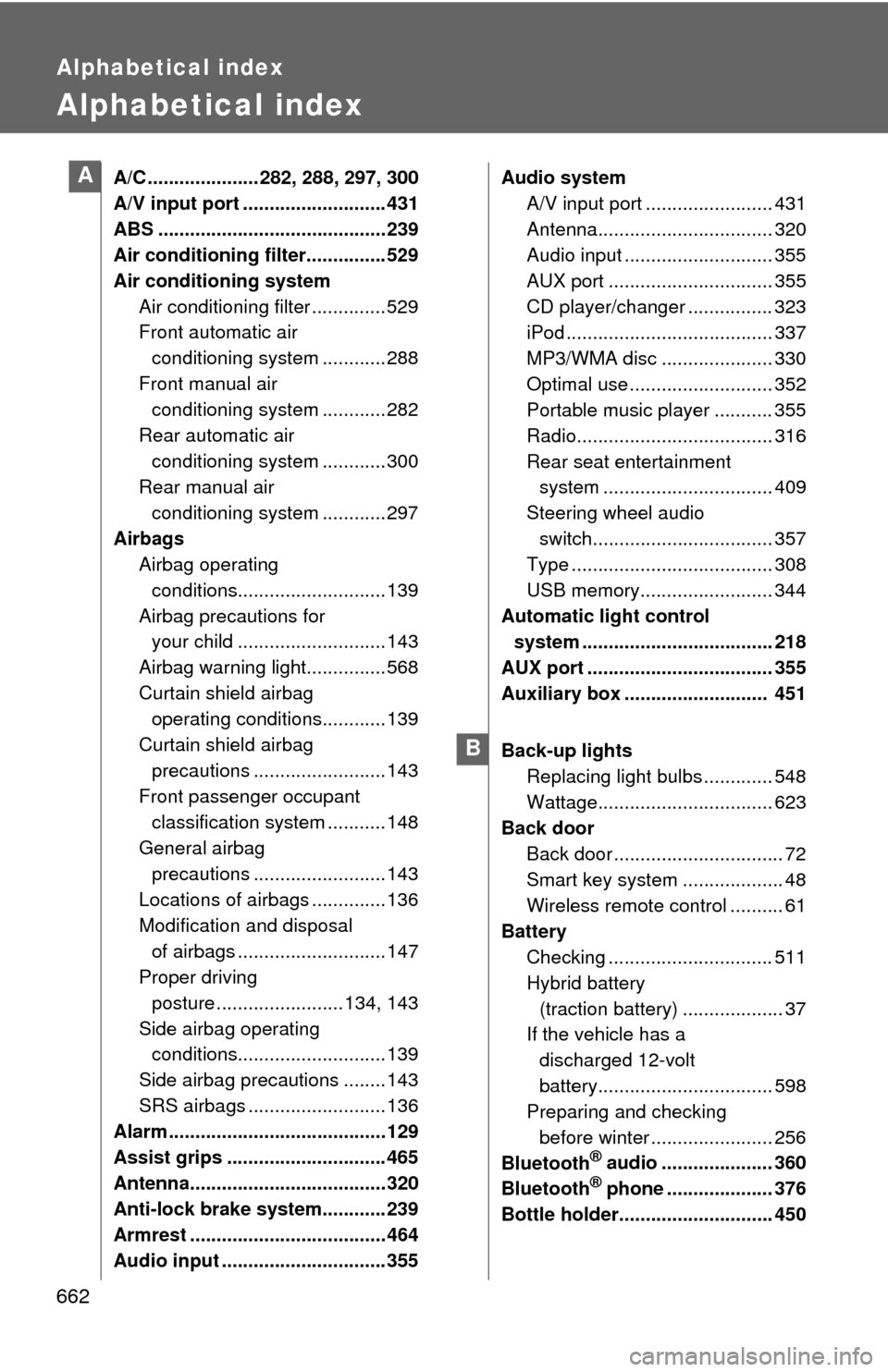
A/C ..................... 282, 288, 297, 300
A/V input port ........................... 431
ABS ........................................... 239
Air conditioning filter............... 529
Air conditioning systemAir conditioning filter .............. 529
Front automatic air conditioning system ............ 288
Front manual air conditioning system ............ 282
Rear automatic air conditioning system ............ 300
Rear manual air
conditioning system ............ 297
Airbags Airbag operating
conditions............................ 139
Airbag precautions for your child ............................ 143
Airbag warning light............... 568
Curtain shield airbag operating conditions............ 139
Curtain shield airbag precautions ......................... 143
Front passenger occupant
classification system ........... 148
General airbag precautions ......................... 143
Locations of airbags .............. 136
Modification and disposal of airbags ............................ 147
Proper driving posture ........................ 134, 143
Side airbag operating conditions............................ 139
Side airbag precautions ........ 143
SRS airbags .......................... 136
Alarm ......................................... 129
Assist grips .............................. 465
Antenna..................................... 320
Anti-lock brake system............ 239
Armrest ..................................... 464
Audio input ............................... 355 Audio system
A/V input port ........................ 431
Antenna................................. 320
Audio input ............................ 355
AUX port ............................... 355
CD player/changer ................ 323
iPod ....................................... 337
MP3/WMA disc ..................... 330
Optimal use ........................... 352
Portable music player ........... 355
Radio..................................... 316
Rear seat entertainment system ................................ 409
Steering wheel audio switch.................................. 357
Type ...................................... 308
USB memory......................... 344
Automatic light control system .................................... 218
AUX port ................................... 355
Auxiliary box ........................... 451
Back-up lights Replacing light bulbs ............. 548
Wattage................................. 623
Back door Back door ................................ 72
Smart key system .. ................. 48
Wireless remote control .......... 61
Battery
Checking ............................... 511
Hybrid battery (traction battery) ................... 37
If the vehicle has a
discharged 12-volt
battery................................. 598
Preparing and checking
before winter ....................... 256
Bluetooth
® audio ..................... 360
Bluetooth® phone .................... 376
Bottle holder............................. 450
A
B