tire pressure TOYOTA HIGHLANDER HYBRID 2021 Owners Manual (in English)
[x] Cancel search | Manufacturer: TOYOTA, Model Year: 2021, Model line: HIGHLANDER HYBRID, Model: TOYOTA HIGHLANDER HYBRID 2021Pages: 576, PDF Size: 30.36 MB
Page 1 of 576
1
2
3
4
5
6
7
8
9
9
HIGHLANDER HV_U
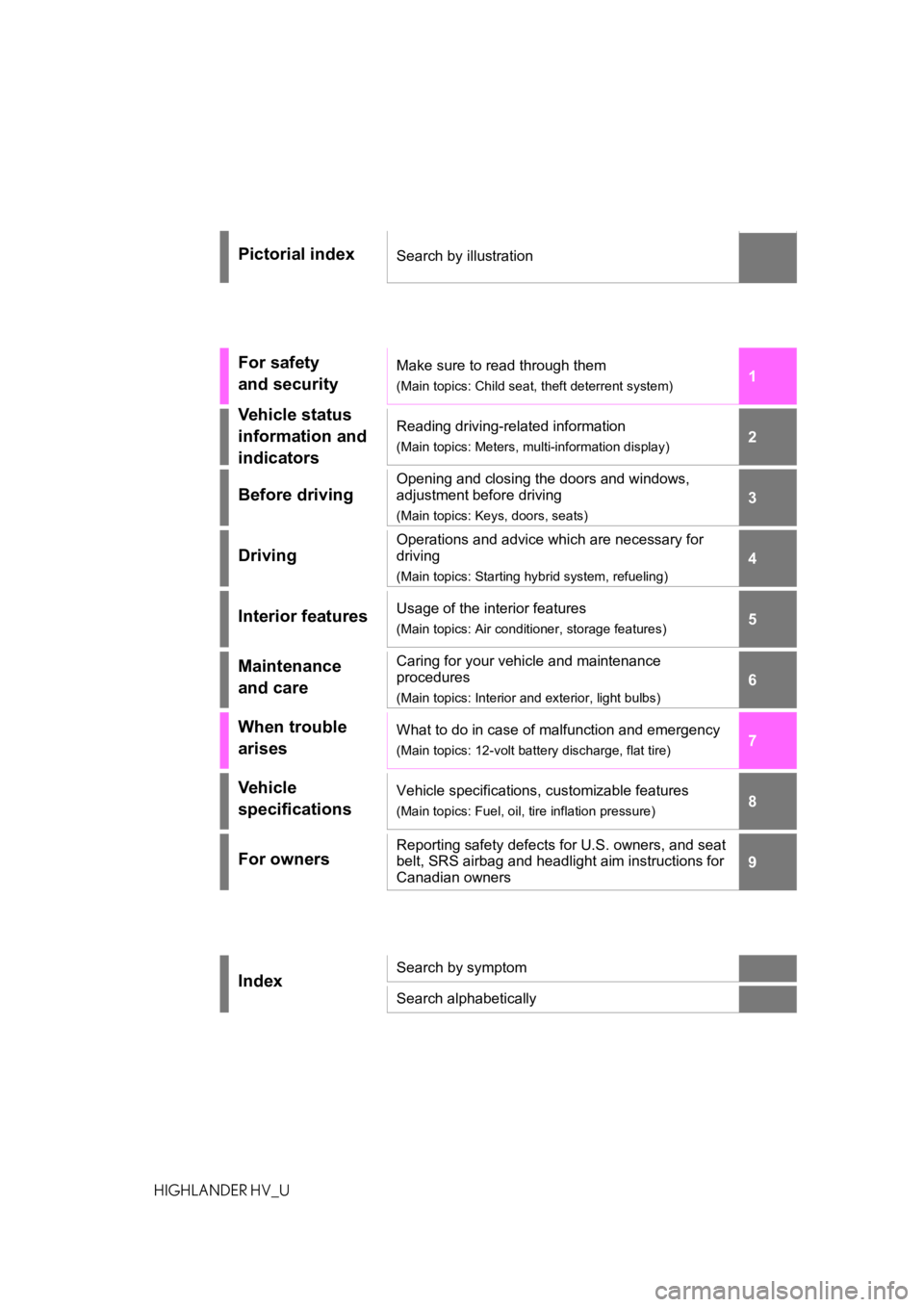
Pictorial indexSearch by illustration
For safety
and securityMake sure to read through them
(Main topics: Child seat, theft deterrent system)
Vehicle status
information and
indicatorsReading driving-related information
(Main topics: Meters, multi-information display)
Before driving
Opening and closing the doors and windows,
adjustment before driving
(Main topics: Keys, doors, seats)
Driving
Operations and advice which are necessary for
driving
(Main topics: Starting hybrid system, refueling)
Interior featuresUsage of the interior features
(Main topics: Air conditioner, storage features)
Maintenance
and careCaring for your vehicle and maintenance
procedures
(Main topics: Interior and exterior, light bulbs)
When trouble
arisesWhat to do in case of malfunction and emergency
(Main topics: 12-volt battery discharge, flat tire)
Vehicle
specificationsVehicle specifications, customizable features
(Main topics: Fuel, oil, tire inflation pressure)
For ownersReporting safety defects for U.S. owners, and seat
belt, SRS airbag and headlight aim instructions for
Canadian owners
IndexSearch by symptom
Search alphabetically
Page 4 of 576
4TABLE OF CONTENTS
HIGHLANDER HV_U
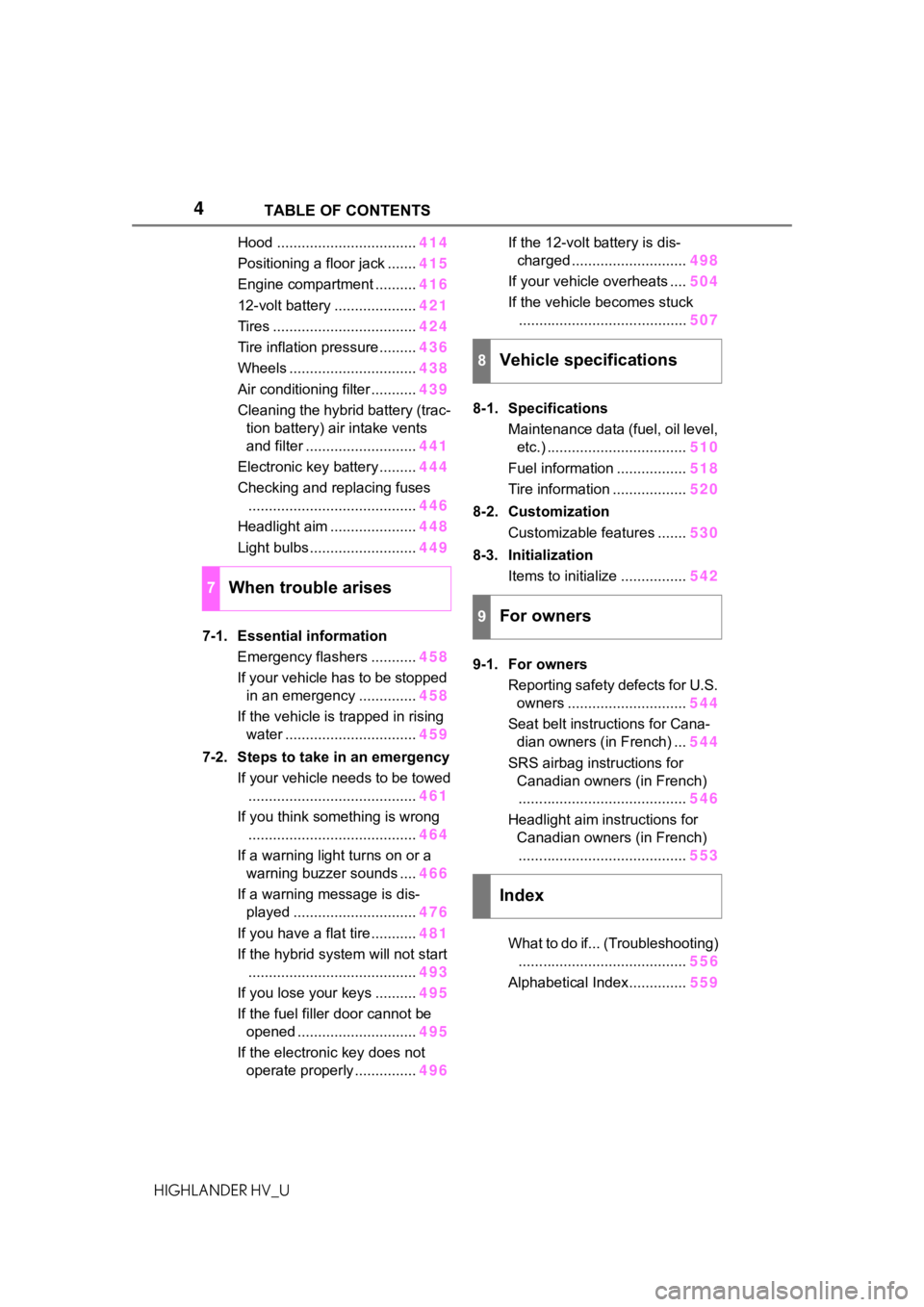
Hood ..................................414
Positioning a floor jack ....... 415
Engine compartment .......... 416
12-volt battery .................... 421
Tires ................................... 424
Tire inflation pressure......... 436
Wheels ............................... 438
Air conditioning filter ........... 439
Cleaning the hybrid battery (trac- tion battery) air intake vents
and filter ........................... 441
Electronic key battery ......... 444
Checking and replacing fuses ......................................... 446
Headlight aim ..................... 448
Light bulbs .......................... 449
7-1. Essential information Emergency flashers ........... 458
If your vehicle has to be stopped in an emergency .............. 458
If the vehicle is trapped in rising water ................................ 459
7-2. Steps to take in an emergency If your vehicle needs to be towed......................................... 461
If you think something is wrong ......................................... 464
If a warning light turns on or a warning buzzer sounds .... 466
If a warning message is dis- played .............................. 476
If you have a flat tire ........... 481
If the hybrid system will not start ......................................... 493
If you lose your keys .......... 495
If the fuel filler door cannot be opened ............................. 495
If the electronic key does not operate properly ............... 496If the 12-volt battery is dis-
charged ............................ 498
If your vehicle overheats .... 504
If the vehicle becomes stuck ......................................... 507
8-1. Specifications Maintenance data (fuel, oil level, etc.) .................................. 510
Fuel information ................. 518
Tire information .................. 520
8-2. Customization Customizable features ....... 530
8-3. Initialization Items to initialize ................ 542
9-1. For owners Reporting safety defects for U.S. owners ............................. 544
Seat belt instructions for Cana- dian owners (in French) ... 544
SRS airbag instructions for Canadian owners (in French)......................................... 546
Headlight aim instructions for Canadian owners (in French)......................................... 553
What to do if... (Troubleshooting) ......................................... 55
6
Alphab etical Index
..............559
7When trouble arises
8Vehicle specifications
9For owners
Index
Page 13 of 576
13Pictorial index
HIGHLANDER HV_UPrecautions for winter seas
on.............................................. P.333
To prevent freezing (windshiel d wiper de-icer) ..................... P.344
Precautions for car wash
*.................................................... P.401
Fuel filler door ............................................... ..................... P.240
Refueling method ............................................... .................. P.240
Fuel type/fuel tan k capacity ................................... .............. P.511
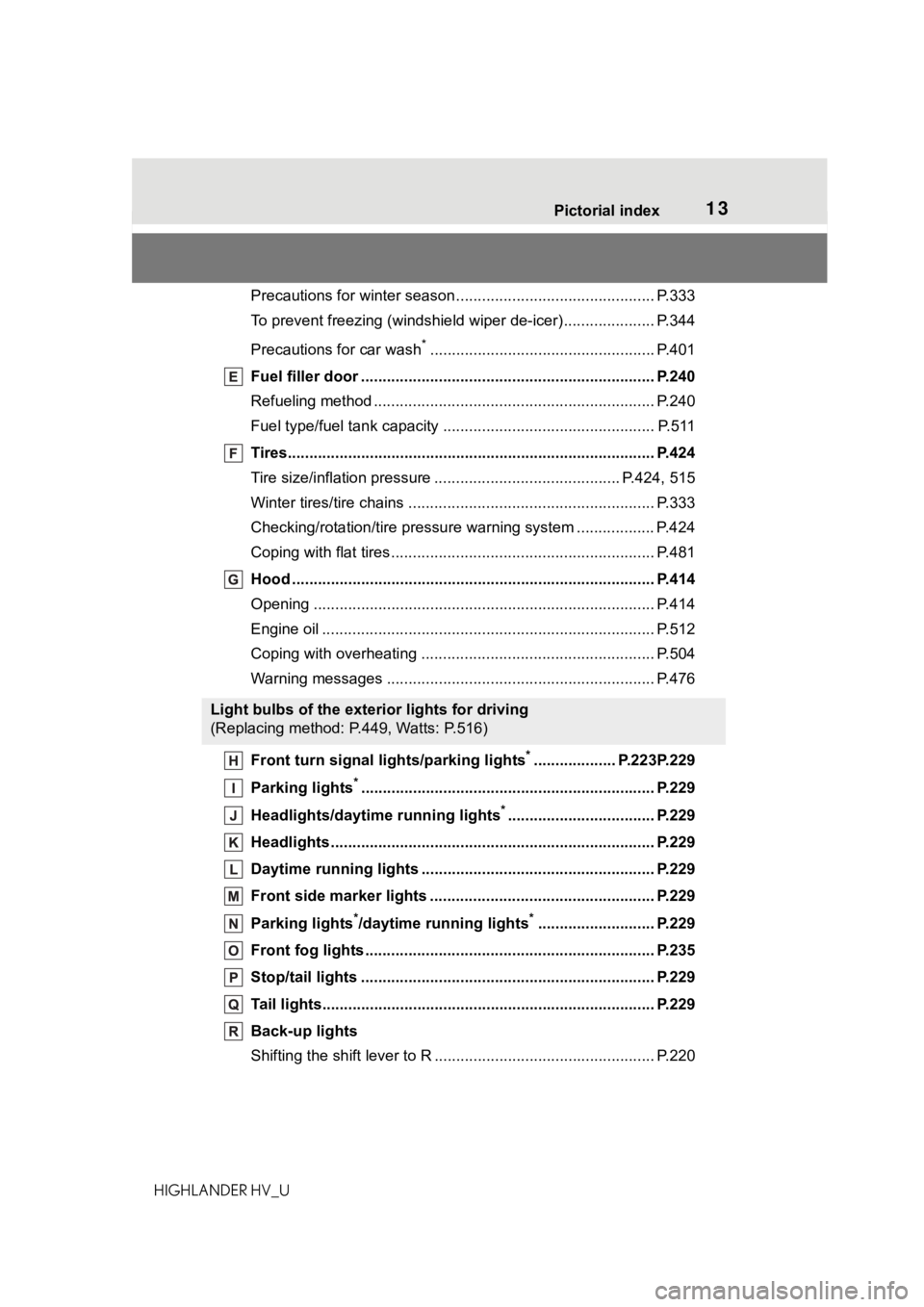
Tires.......................................................... ........................... P.424
Tire size/inflation pressure ................................... ........ P.424, 515
Winter tires/tire chains ....................................... .................. P.333
Checking/rotation/tire pressur e warning system ..................P.424
Coping with flat tires......................................... .................... P.481
Hood ........................................................... ......................... P.414
Opening ............................................................................... P.414
Engine oil ..................................................... ........................ P.512
Coping with overheating ...................................................... P.504
Warning messages ............................................... ............... P.476
Front turn signal lights/parking lights
*................... P.223P.229
Parking lights
*............................................................... ..... P.229
Headlights/daytime running lights
*.................................. P.229
Headlights..................................................... ...................... P.229
Daytime running lights .. .................................................... P.229
Front side marker lights ....................................... ............. P.229
Parking lights
*/daytime running lights*........................... P.229
Front fog lights ............................................... .................... P.235
Stop/tail lights ............................................... ..................... P.229
Tail lights.................................................... ......................... P.229
Back-up lights
Shifting the shift lever to R ................................................... P.220
Light bulbs of the exterior lights for driving
(Replacing method: P.449, Watts: P.516)
Page 86 of 576
862-1. Instrument cluster
HIGHLANDER HV_U
*1: These lights turn on when the power switch is turned to ON to
indicate that a system check is
being performed. They will turn
off after the hybrid system is on, or after a few seconds. There
may be a malfunction in a sys-
tem if a light does not come on,
or turn off. Have the vehicle
inspected by your Toyota dealer.
*2: This light illuminates on the
multi-information display.
*3: This light comes on when the system is turned off.
*4: 7-inch display only
The indicators inform the driver
of the operating state of the
vehicle’s various systems.
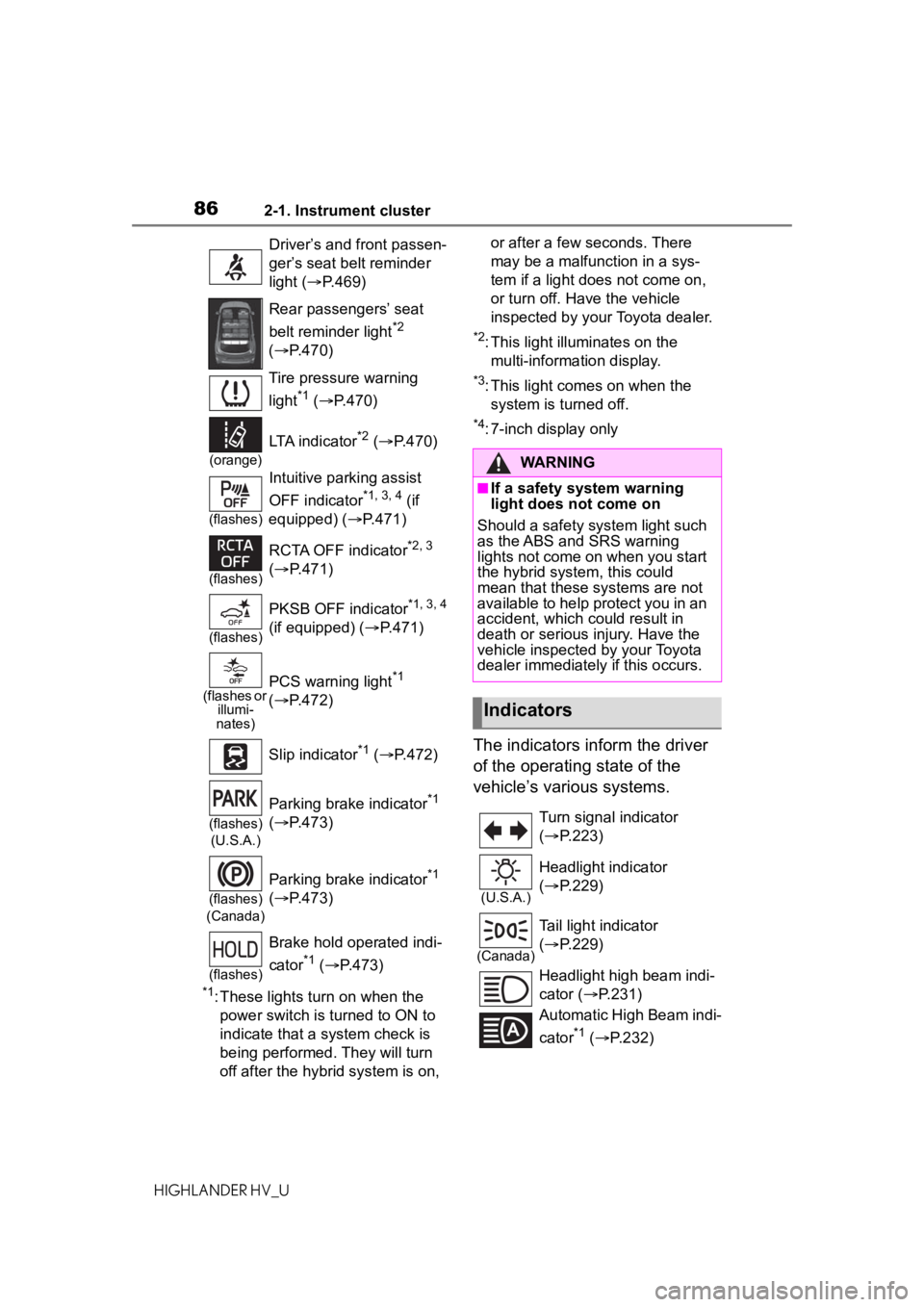
Driver’s and front passen-
ger’s seat belt reminder
light ( P.469)
Rear passengers’ seat
belt reminder light
*2
( P.470)
Tire pressure warning
light
*1 ( P.470)
(orange)
LTA indicator*2 ( P.470)
(flashes)
Intuitive parking assist
OFF indicator
*1, 3, 4 (if
equipped) ( P.471)
(flashes)
RCTA OFF indicator*2, 3
( P.471)
(flashes)
PKSB OFF indicator*1, 3, 4
(if equipped) ( P.471)
(flashes or
illumi-
nates)PCS warning light*1
( P.472)
Slip indicator
*1 ( P.472)
(flashes)
(U.S.A.)
Parking brake indicator*1
( P.473)
(flashes)
(Canada)
Parking brake indicator*1
( P.473)
(flashes)
Brake hold operated indi-
cator
*1 ( P.473)
WARNING
■If a safety system warning
light does not come on
Should a safety system light such
as the ABS and SRS warning
lights not come on when you start
the hybrid system, this could
mean that these s ystems are not
available to help protect you in an
accident, which could result in
death or serious injury. Have the
vehicle inspected by your Toyota
dealer immediately if this occurs.
Indicators
Turn signal indicator
( P.223)
(U.S.A.)
Headlight indicator
( P.229)
(Canada)
Tail light indicator
( P.229)
Headlight high beam indi-
cator ( P.231)
Automatic High Beam indi-
cator
*1 ( P.232)
Page 97 of 576
972-1. Instrument cluster
2
Vehicle status information and indicators
HIGHLANDER HV_Uthe engine stops.
“Total”
• “Average Speed”: Displays the
average vehicle speed since the
display was reset
*
• “Distance”: Displ ays the distance
driven since the display was
reset
*
• “Total Time”: Displays the elapsed
time since the display was reset
*
*
: To reset, display the desired item
and press and hold .
■Energy monitor
P. 1 1 7
■Tire pressure
P. 4 2 6
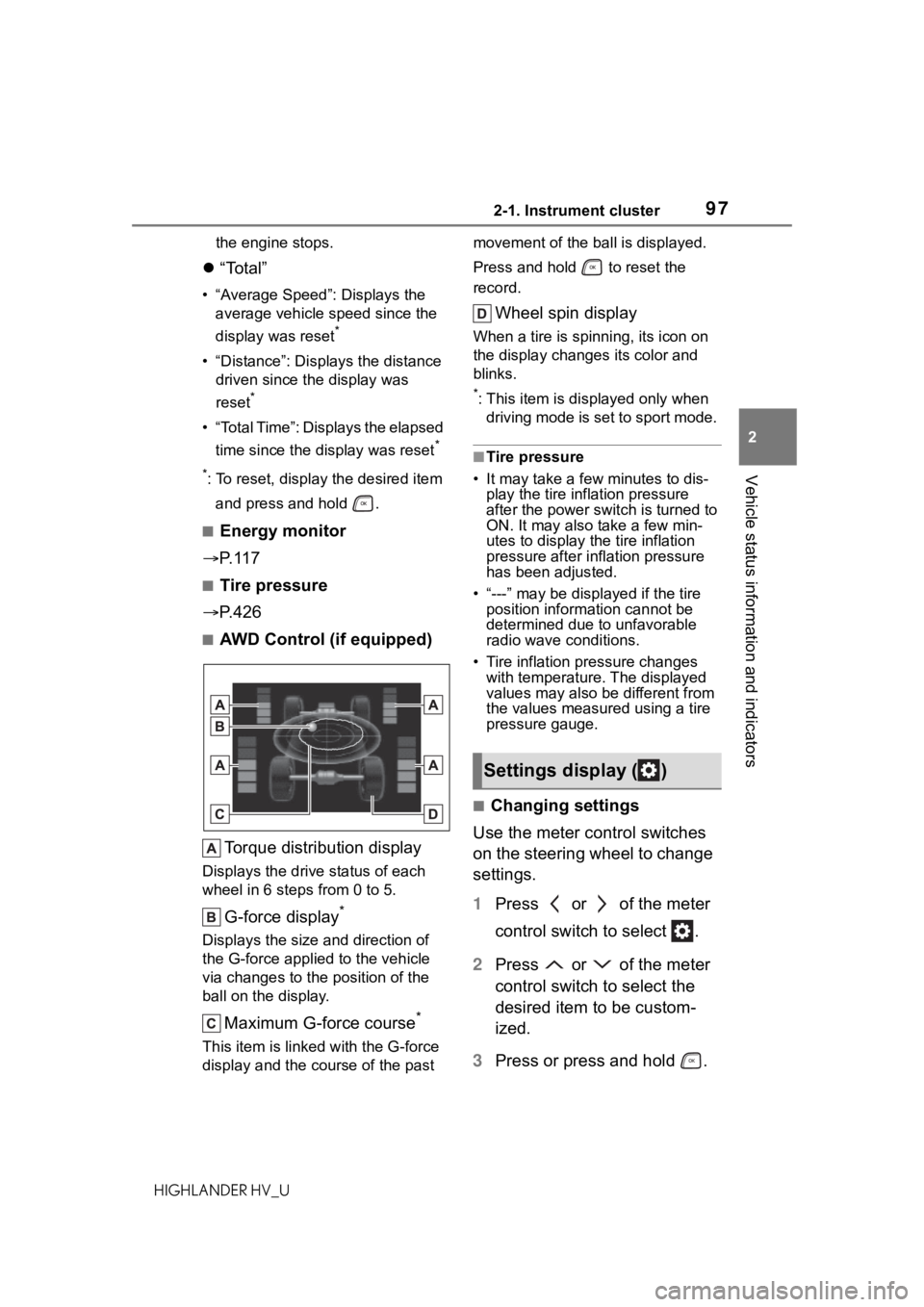
■AWD Control (if equipped)
Torque distribution display
Displays the drive status of each
wheel in 6 steps from 0 to 5.
G-force display*
Displays the size and direction of
the G-force applie d to the vehicle
via changes to the position of the
ball on the display.
Maximum G-force course*
This item is linke d with the G-force
display and the course of the past movement of the ball is displayed.
Press and hold to reset the
record.
Wheel spin display
When a tire is spi
nning, its icon on
the display changes its color and
blinks.
*: This item is displayed only when driving mode is set to sport mode.
■Tire pressure
• It may take a few minutes to dis-
play the tire inflation pressure
after the power switch is turned to
ON. It may also take a few min-
utes to display the tire inflation
pressure after infl ation pressure
has been adjusted.
• “---” may be displayed if the tire position information cannot be
determined due to unfavorable
radio wave conditions.
• Tire inflation pressure changes with temperature. The displayed
values may also be different from
the values measured using a tire
pressure gauge.
■Changing settings
Use the meter control switches
on the steering wheel to change
settings.
1 Press or of the meter
control switch to select .
2 Press or of the meter
control switch to select the
desired item to be custom-
ized.
3 Press or press and hold .
Settings display ( )
Page 99 of 576

992-1. Instrument cluster
2
Vehicle status information and indicators
HIGHLANDER HV_U
RSA (Road Sign Assist) (if
equipped) ( P.283)
Press to enable/disable the
Road Sign Assist.
• RSA (Road Sign Assist) on/off
Select to enable/disable the Road
Sign Assist.
Press and hold to change the
settings of the following items:
• “Notification Method”
Select to change e ach notification
method used to notify the driver
when the system recognizes
excess speed and no-entry sign.
• “Notification Level”
Select to change e ach notification
level used to notify the driver when
the system recognizes a speed limit
sign.
■ Vehicle settings
Press and hold to change
the settings of the following
items:
PBD (Power Back Door)
( P.135)
• “System Settings”
Select to enable/disable the power
back door system.
• “Opening Adjustment”
Select the open position when
power back door is fully open.
•“Volume”
Select to set the volume of the
buzzer which sounds when the
power back door system operates.
“TPWS” (Tire Pressure Warn- ing System) (
P.426)
• “Set Pressure” (tire pressure
warning system initialization)
Select to initialize the tire pressure
warning system.
• “Change Wheel” (register tire pressure warning system sensor
ID codes)
Select to register the ID codes of
the tire pressure se nsors to the tire
pressure warning system.
“Rear Seat Reminder”
( P.133)
Select to enable/disable the rear
seat reminder.
“Scheduled Maintenance”
( P.407)
Select to reset the scheduled main-
tenance information (maintenance
required message and distance
until maintenance necessary) after
all maintenance is performed.
■ Meter settings
Press and hold to change
the settings of the following
items:
Language
Select to change the language dis-
played.
Units
Select to change the units of mea-
sure displayed.
EV indicator ( P.218)
Select to enable/disable the EV
indicator.
Page 106 of 576
1062-1. Instrument cluster
HIGHLANDER HV_Uplayed on the multi-information dis-
play. (
P.114)
Select to enable selection of an
audio source or track on the
meter using the meter control
switches.
This menu icon can be set to be
displayed/not displayed in .
■Energy monitor
P. 1 1 7
■Tire pressure
P. 4 2 6
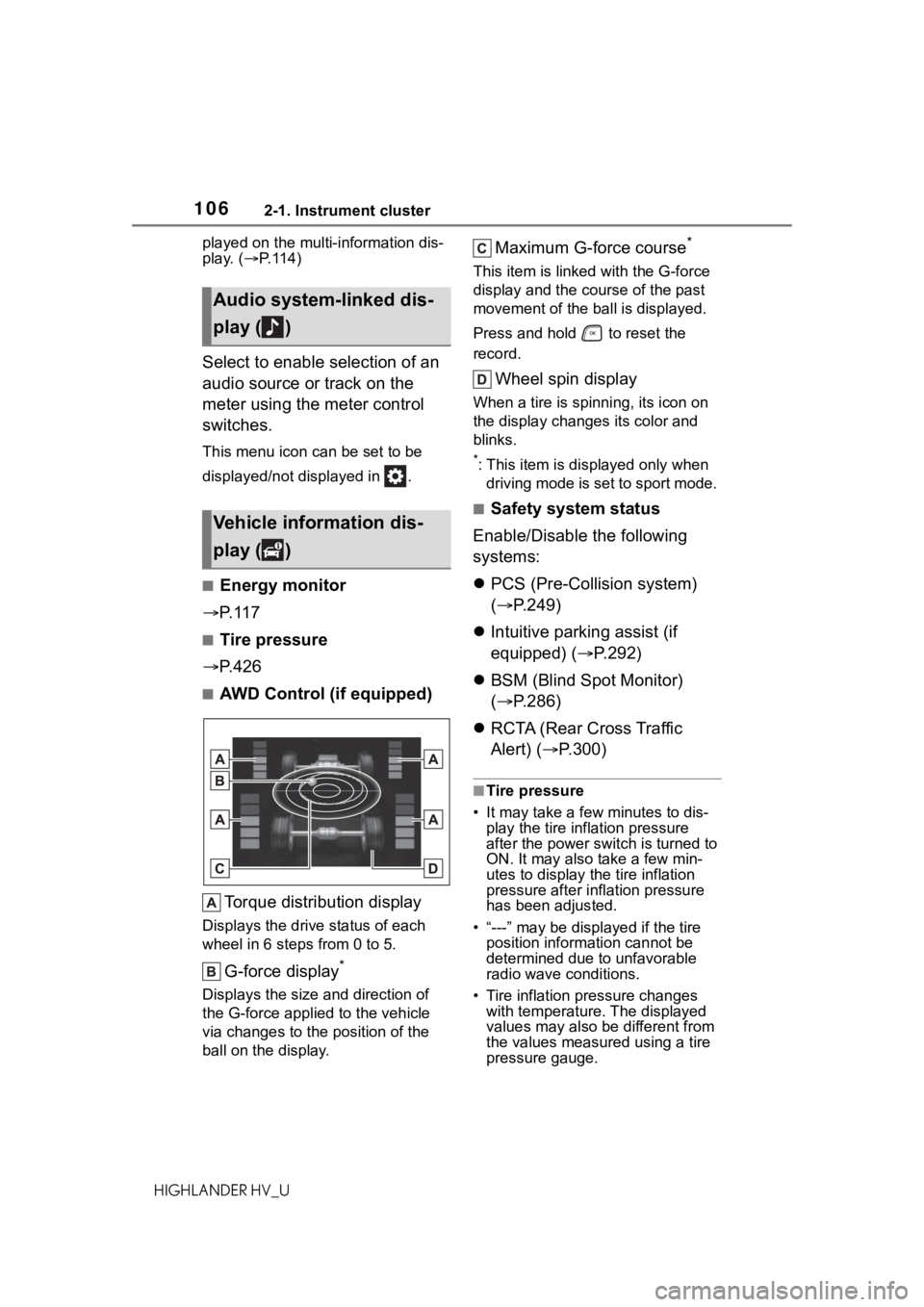
■AWD Control (if equipped)
Torque distribution display
Displays the drive status of each
wheel in 6 steps from 0 to 5.
G-force display*
Displays the size and direction of
the G-force applie d to the vehicle
via changes to the position of the
ball on the display.
Maximum G-force course*
This item is linke d with the G-force
display and the co urse of the past
movement of the ball is displayed.
Press and hold to reset the
record.
Wheel spin display
When a tire is spi nning, its icon on
the display changes its color and
blinks.
*: This item is displayed only when driving mode is set to sport mode.
■Safety system status
Enable/Disable the following
systems:
PCS (Pre-Colli sion system)
( P.249)
Intuitive parking assist (if
equipped) ( P.292)
BSM (Blind Spot Monitor)
( P.286)
RCTA (Rear Cross Traffic
Alert) ( P.300)
■Tire pressure
• It may take a few minutes to dis-
play the tire inflation pressure
after the power switch is turned to
ON. It may also take a few min-
utes to display the tire inflation
pressure after infl ation pressure
has been adjusted.
• “---” may be displayed if the tire position information cannot be
determined due to unfavorable
radio wave conditions.
• Tire inflation pressure changes with temperature. The displayed
values may also be different from
the values measured using a tire
pressure gauge.
Audio system-linked dis-
play ( )
Vehicle information dis-
play ( )
Page 109 of 576

1092-1. Instrument cluster
2
Vehicle status information and indicators
HIGHLANDER HV_U
the settings of the following
items:
PBD (Power Back Door)
( P.135)
• “System Settings”
Select to enable/disable the power
back door system.
• “Kick Sensor”
*
Select to enable/disable the kick
sensor.
• “Opening Adjustment”
Select the open position when
power back door is fully open.
•“Volume”
Select to set the volume of the
buzzer which sounds when the
power back door system operates.
*: Vehicles with a hands free power
back door
“TPWS” (Tire Pressure Warn-
ing System) ( P.426)
• “Set Pressure” (tire pressure
warning system initialization)
Select to initialize the tire pressure
warning system.
• “Change Wheel” (register tire pressure warning system sensor
ID codes)
Select to register the ID codes of
the tire pressure s ensors to the tire
pressure warning system.
“Rear Seat Reminder”
( P.133)
Select to enable/disable the rear
seat reminder.
“Scheduled Maintenance”
( P.407)
Select to reset the scheduled main-
tenance information (maintenance
required message and distance
until maintenance necessary) after
all maintenance is performed.
■ Meter settings
Press and hold to change
the settings of the following
items:
Language
Select to change the language dis-
played.
Units
Select to change the units of mea-
sure displayed.
EV indicator ( P.218)
Select to enable/disable the EV
indicator.
Speedometer display (digital
speed)
Select to enable/disable the speed-
ometer display.
Gadget content
Select to turn the display of a gad-
get.
Fuel economy type
Select to change the average fuel
consumption display and an item to
be displayed as gadget.
Pop-up display
Select to enable/disable pop-up
displays for each relevant system.
Multi-information display off
Displays a blank screen.
Default setting
Select to reset the meter display
Page 259 of 576
2594-5. Using the driving support systems
4
Driving
HIGHLANDER HV_Ustarted the vehicle has not been
driven for a certain amount of time
• While making a left/right turn and
for a few seconds after making a
left/right turn
• While driving on a curve and for a
few seconds after driving on a
curve
• If your vehicle is skidding
• If the front of the vehicle is raised
or lowered
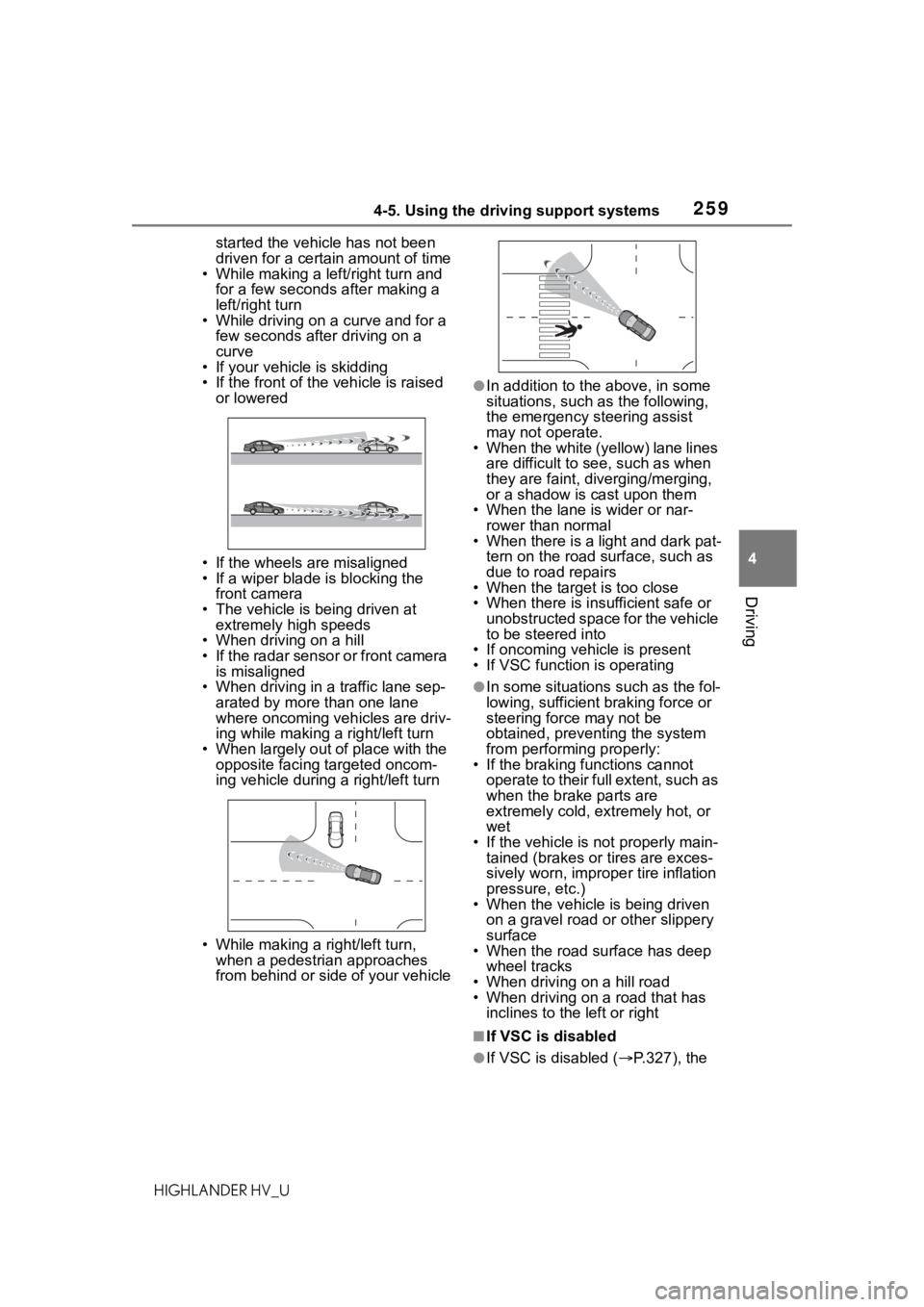
• If the wheels are misaligned
• If a wiper blade is blocking the front camera
• The vehicle is being driven at extremely high speeds
• When driving on a hill
• If the radar sensor or front camera
is misaligned
• When driving in a traffic lane sep-
arated by more t han one lane
where oncoming vehicles are driv-
ing while making a right/left turn
• When largely out of place with the opposite facing targeted oncom-
ing vehicle during a right/left turn
• While making a right/left turn, when a pedestrian approaches
from behind or side of your vehicle
●In addition to the above, in some
situations, such as the following,
the emergency steering assist
may not operate.
• When the white (yellow) lane lines are difficult to see, such as when
they are faint, diverging/merging,
or a shadow is cast upon them
• When the lane is wider or nar-
rower than normal
• When there is a light and dark pat- tern on the road surface, such as
due to road repairs
• When the target is too close
• When there is insufficient safe or unobstructed space for the vehicle
to be steered into
• If oncoming vehicle is present
• If VSC function is operating
●In some situations such as the fol-
lowing, sufficien t braking force or
steering force may not be
obtained, preventing the system
from performing properly:
• If the braking functions cannot operate to their full extent, such as
when the brake parts are
extremely cold, ext remely hot, or
wet
• If the vehicle is not properly main- tained (brakes or tires are exces-
sively worn, imprope r tire inflation
pressure, etc.)
• When the vehicle is being driven on a gravel road or other slippery
surface
• When the road surface has deep wheel tracks
• When driving on a hill road
• When driving on a road that has inclines to the left or right
■If VSC is disabled
●If VSC is disabled ( P.327), the
Page 332 of 576
3324-6. Driving tips
HIGHLANDER HV_U
gently release the brake pedal
to allow the vehicle to move for-
ward slightly while avoiding
overuse of the accelerator
pedal. Doing so can help control
excessive gasoline consump-
tion.
Control and maintain the vehicle
at a constant speed. Before
stopping at a toll booth or simi-
lar, allow plenty of time to
release the accelerator and gen-
tly apply the brakes. A greater
amount of electrical energy can
be regenerated when slowing
down.
Use the air conditioning only
when necessary. Doing so can
help reduce excessive gasoline
consumption.
In summer: When the ambient
temperature is high, use the
recirculated air mode. Doing so
will help to reduce the burden on
the air conditioning system and
reduce fuel consumption as
well.
In winter: Because the gasoline
engine will not automatically cut
out until it and the interior of the
vehicle are warm, it will con-
sume fuel. Also, fuel consump-
tion can be improved by
avoiding overuse of the heater.Make sure to check the tire infla-
tion pressure frequently.
Improper tire inflation pressure
can cause poor fuel economy.
Also, as snow tires can cause
large amounts of friction, their
use on dry roads can lead to
poor fuel economy. Use tires
that are appropriate for the sea-
son.
Carrying heavy luggage will lead
to poor fuel economy. Avoid car-
rying unnecessary luggage.
Installing a large roof rack will
also cause poor fuel economy.
Since the gasoline engine starts
up and cuts out automatically
when cold, warming up the
engine is unnecessary. More-
over, frequently driving short
distances will cause the engine
to repeatedly warm up, which
can lead to excess fuel con-
sumption.
Highway driving
Air conditioning
Checking tire inflation
pressure
Luggage
Warming up before driv-
ing