audio TOYOTA HIGHLANDER HYBRID 2023 User Guide
[x] Cancel search | Manufacturer: TOYOTA, Model Year: 2023, Model line: HIGHLANDER HYBRID, Model: TOYOTA HIGHLANDER HYBRID 2023Pages: 572, PDF Size: 14.07 MB
Page 111 of 572
1112-1. Instrument cluster
2
Vehicle status information and indicators
Not yet evaluated
Low
High
• After the hybrid system is started, the Eco score will not be dis-
played until the vehicle speed
exceeds approximately 19 mph
(30 km/h).
• The Eco score will be reset each time the hybrid system is started.
• When the hybrid system is stopped, the total score of the
current trip will be displayed.
■Driving support system
information display
Select to display the operational
status of the following systems:
PCS (Pre-Collision System)
( P.242)
LTA (Lane Tracing Assist)
( P.253)
Dynamic radar cruise control
with full-speed range
( P.263)
■Audio system-linked dis-
play
Displays the audio source or
track.
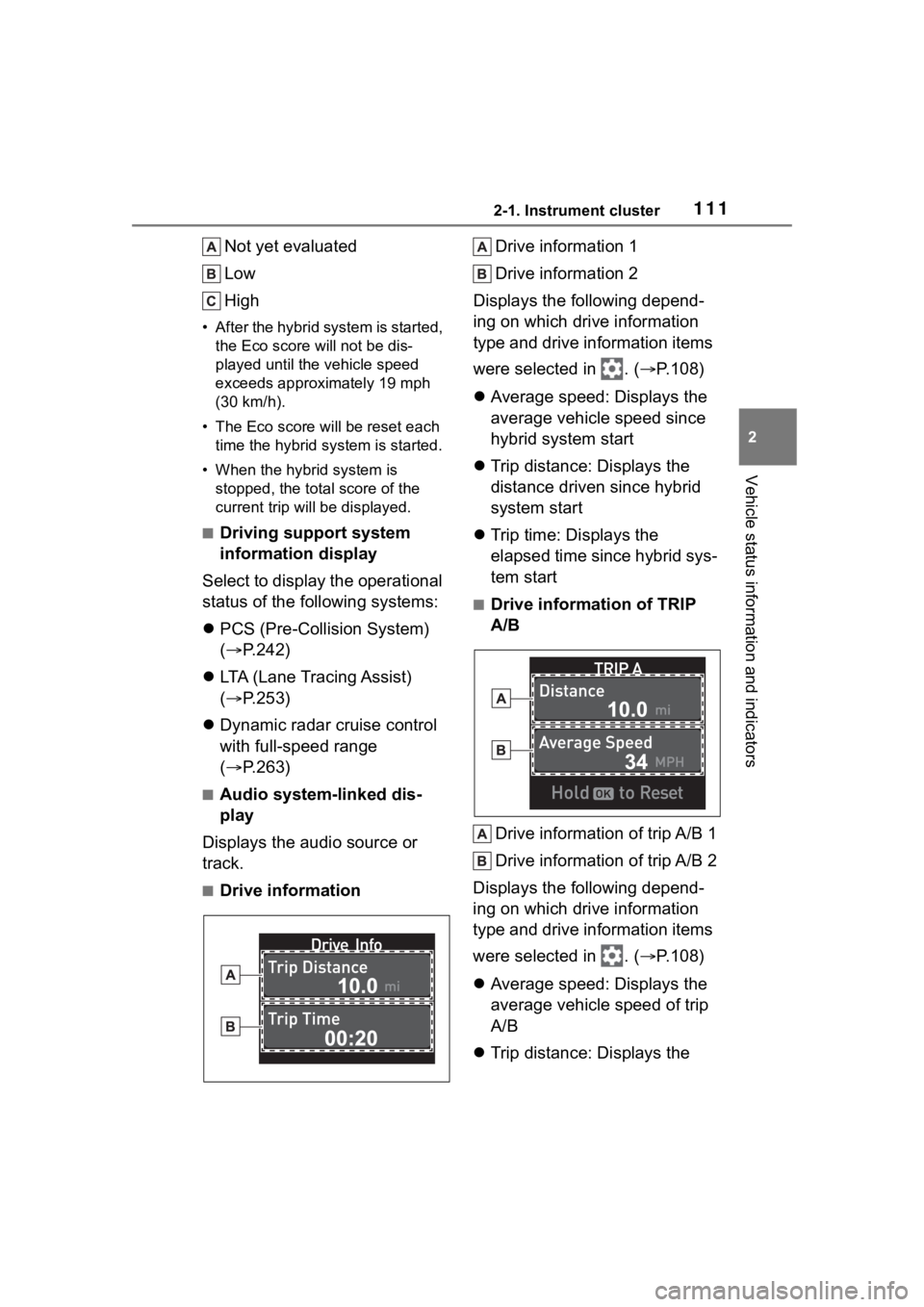
■Drive information Drive information 1
Drive information 2
Displays the following depend-
ing on which drive information
type and drive information items
were selected in . ( P.108)
Average speed: Displays the
average vehicle speed since
hybrid system start
Trip distance: Displays the
distance driven since hybrid
system start
Trip time: Displays the
elapsed time since hybrid sys-
tem start
■Drive information of TRIP
A/B
Drive information of trip A/B 1
Drive information of trip A/B 2
Displays the following depend-
ing on which drive information
type and drive information items
were selected in . ( P.108)
Average speed: Displays the
average vehicle speed of trip
A/B
Trip distance: Displays the
Page 115 of 572
1152-1. Instrument cluster
2
Vehicle status information and indicators
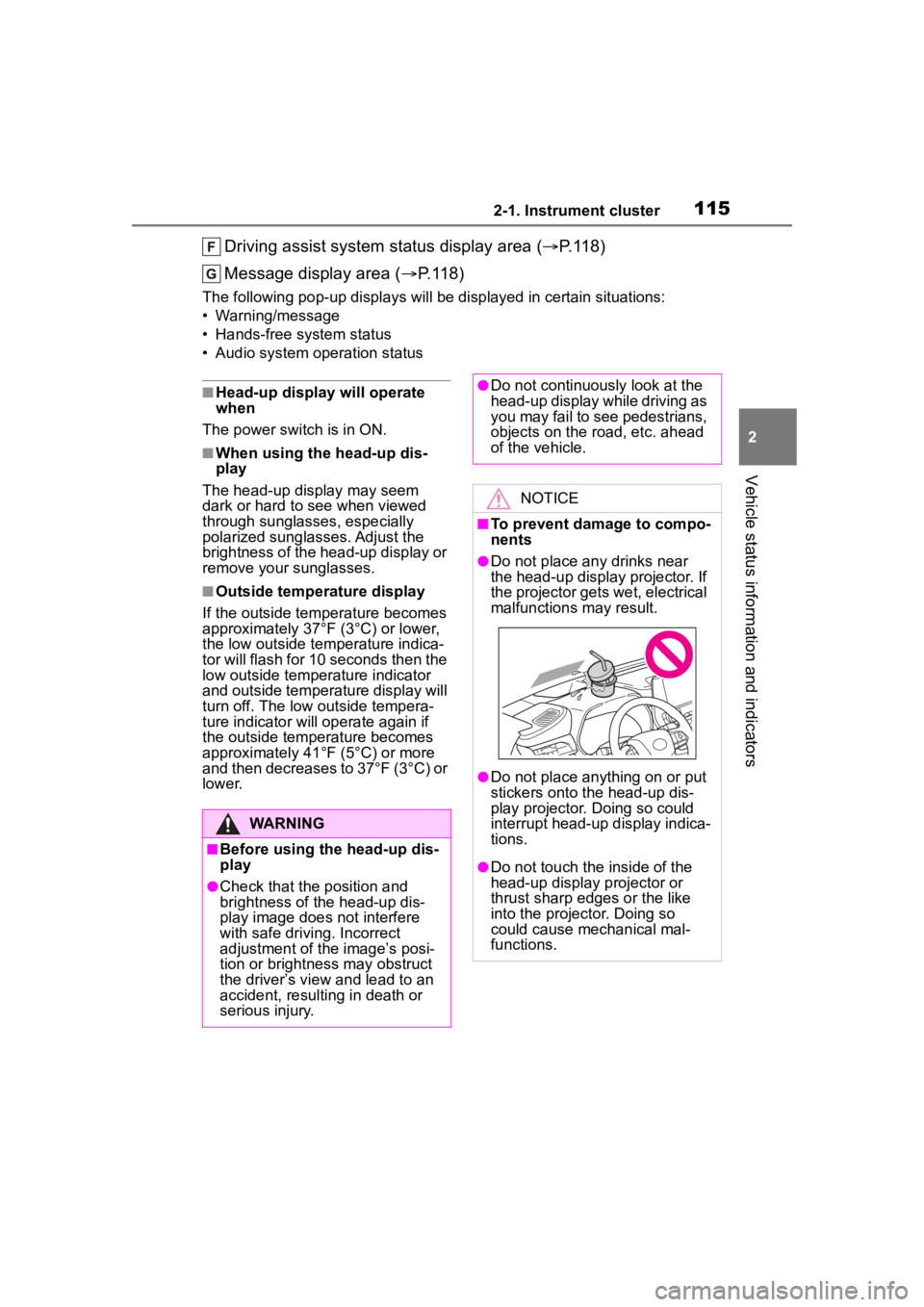
Driving assist system status display area (P.118)
Message display area ( P.118)
The following pop-up displays will be displayed in certain situ ations:
• Warning/message
• Hands-free system status
• Audio system operation status
■Head-up display will operate
when
The power swit ch is in ON.
■When using the head-up dis-
play
The head-up display may seem
dark or hard to see when viewed
through sunglasses, especially
polarized sunglasses. Adjust the
brightness of the head-up display or
remove your sunglasses.
■Outside temperature display
If the outside temperature becomes
approximately 37°F (3°C) or lower,
the low outside temperature indica-
tor will flash for 10 seconds then the
low outside temperature indicator
and outside temperature display will
turn off. The low outside tempera-
ture indicator will operate again if
the outside temperature becomes
approximately 41°F (5°C) or more
and then decreases to 37°F (3°C) or
lower.
WARNING
■Before using the head-up dis-
play
●Check that the position and
brightness of the head-up dis-
play image does not interfere
with safe driving. Incorrect
adjustment of the image’s posi-
tion or brightness may obstruct
the driver’s view and lead to an
accident, resulting in death or
serious injury.
●Do not continuously look at the
head-up display while driving as
you may fail to see pedestrians,
objects on the road, etc. ahead
of the vehicle.
NOTICE
■To prevent damage to compo-
nents
●Do not place any drinks near
the head-up display projector. If
the projector gets wet, electrical
malfunctions may result.
●Do not place any thing on or put
stickers onto the head-up dis-
play projector. Doing so could
interrupt head-up display indica-
tions.
●Do not touch the inside of the
head-up display projector or
thrust sharp edges or the like
into the projector. Doing so
could cause mechanical mal-
functions.
Page 116 of 572
1162-1. Instrument cluster
■Changing settings of the
head-up display
Select on the multi-informa-
tion display ( P.510) and then
“HUD”.
■Enabling/disabling the
head-up display
Press to enable/disable the
head-up display.
■Changing the head-up dis-
play settings
Press and hold to display the
following settings.
HUD Brightness/Position
Select to adjust the brightness and
vertical position of the head-up dis-
play.
HUD Driving Support
• Tachometer Settings
Blank/Hybrid System/Tachometer
Select to change the display to
blank (no display)/Hybrid System
Indicator/tachometer.
Select to enable/d isable the follow-
ing items:
• Navigation (if equipped)
• Driving Assist
• Compass (if equipped)
• Audio
HUD Rotation
Select to adjust the angle of the
head-up display.
Press the or switch to adjust the angle of the head-up dis-
play.
■Enabling/disabling of the
head-up display
If the head-up display is disabled, it
will remain disabled when the power
switch is turned o ff then back to ON.
■Display brightness
The brightness of the head-up dis-
play can be adjusted on of the
multi-information di splay. Also, it is
automatically adjusted according to
the ambient brightness.
■Automatic adjustment of the
head-up display position (vehi-
cles with driving position mem-
ory)
A desired head-up display position
can be entered to memory and
recalled automatica lly by the driving
position memory system. ( P.153)
■When the 12-volt battery is dis-
connected
The customize settings of the
head-up display will be reset.
■Customization
Some functions can be customized.
( P.510)
Using the head-up display
WARNING
■Caution for changing settings
of the head-up display
As the hybrid system needs to be
operating while changing the set-
tings of the head-up display,
ensure that the vehicle is parked
in a place with adequate ventila-
tion. In a closed area such as a
garage, exhaust gases including
harmful carbon monoxide (CO)
may collect and enter the vehicle.
This may lead to death or a seri-
ous health hazard.
Page 118 of 572
1182-1. Instrument cluster
map data, etc., the street names of
an intersection may not be dis-
played.
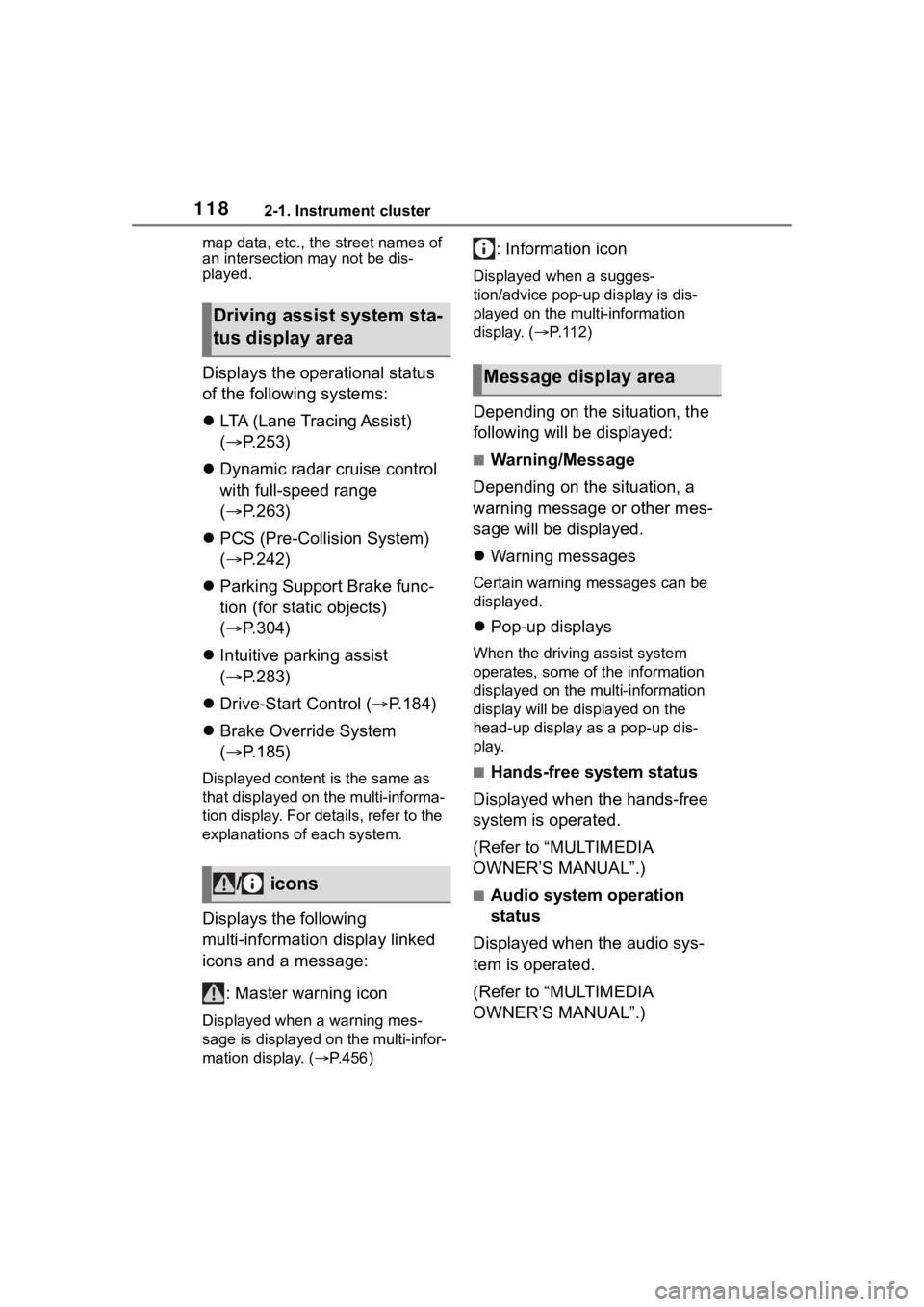
Displays the operational status
of the following systems:
LTA (Lane Tracing Assist)
( P.253)
Dynamic radar cruise control
with full-speed range
( P.263)
PCS (Pre-Collision System)
( P.242)
Parking Support Brake func-
tion (for static objects)
( P.304)
Intuitive parking assist
( P.283)
Drive-Start Control ( P.184)
Brake Override System
( P.185)
Displayed content is the same as
that displayed on the multi-informa-
tion display. For details, refer to the
explanations of each system.
Displays the following
multi-information display linked
icons and a message:
: Master warning icon
Displayed when a warning mes-
sage is displayed on the multi-infor-
mation display. ( P.456)
: Information icon
Displayed when a sugges-
tion/advice pop-up display is dis-
played on the multi-information
display. ( P. 1 1 2 )
Depending on the situation, the
following will be displayed:
■Warning/Message
Depending on the situation, a
warning message or other mes-
sage will be displayed.
Warning messages
Certain warning messages can be
displayed.
Pop-up displays
When the driving assist system
operates, some of the information
displayed on the multi-information
display will be displayed on the
head-up display as a pop-up dis-
play.
■Hands-free system status
Displayed when the hands-free
system is operated.
(Refer to “MULTIMEDIA
OWNER’S MANUAL”.)
■Audio system operation
status
Displayed when the audio sys-
tem is operated.
(Refer to “MULTIMEDIA
OWNER’S MANUAL”.)
Driving assist system sta-
tus display area
/ icons
Message display area
Page 119 of 572
1192-1. Instrument cluster
2
Vehicle status information and indicators
■Pop-up displays
Depending on the pop-up display,
the currently disp layed item in the
message display area may be tem-
porarily not displayed. The item will
be displayed after the pop-up dis-
play is no longer displayed.
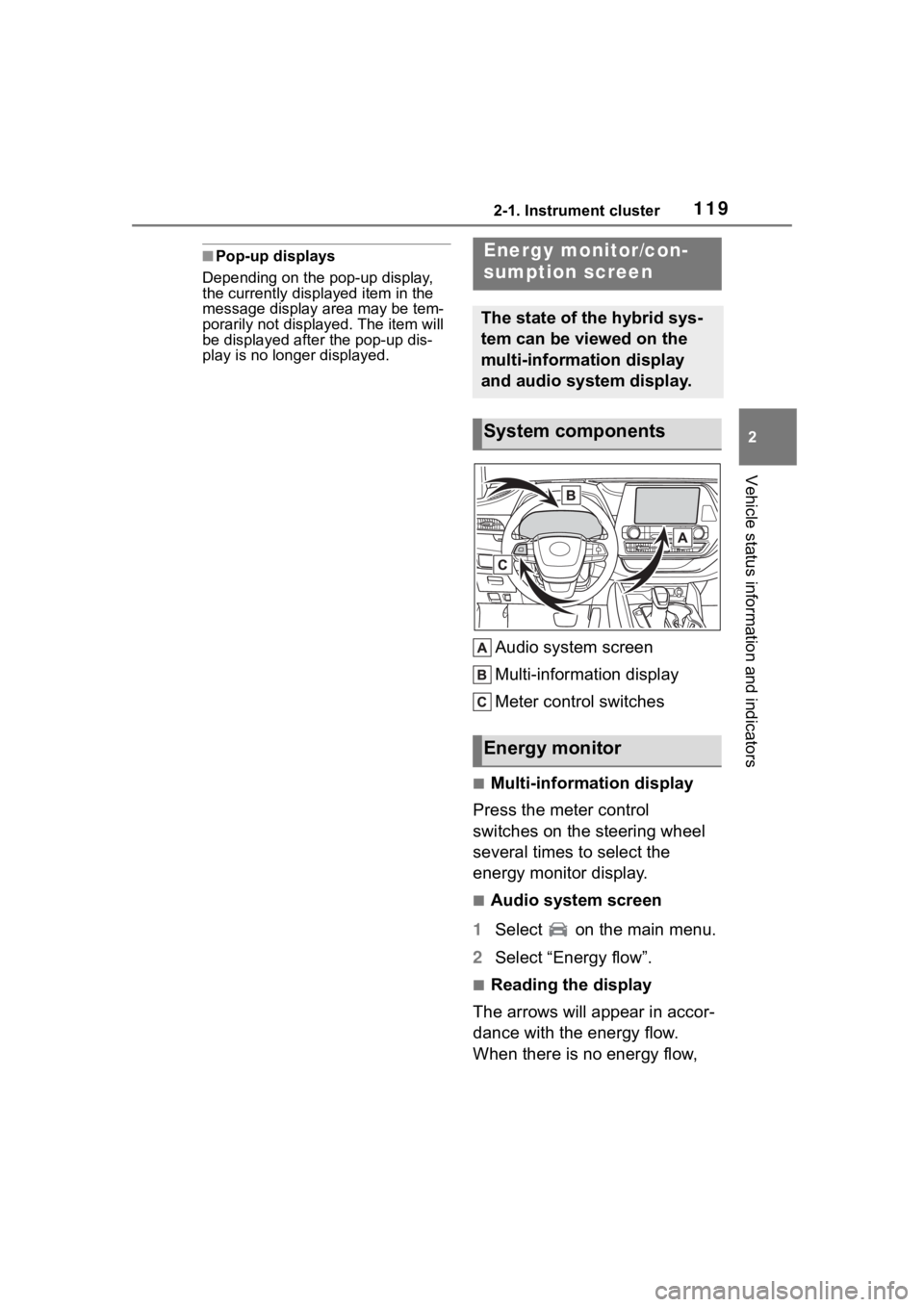
Audio system screen
Multi-information display
Meter control switches
■Multi-information display
Press the meter control
switches on the steering wheel
several times to select the
energy monitor display.
■Audio system screen
1 Select on the main menu.
2 Select “Energy flow”.
■Reading the display
The arrows will appear in accor-
dance with the energy flow.
When there is no energy flow,
Energy monitor/con-
sumption screen
The state of the hybrid sys-
tem can be viewed on the
multi-information display
and audio system display.
System components
Energy monitor
Page 120 of 572
1202-1. Instrument cluster
arrows will not be displayed.
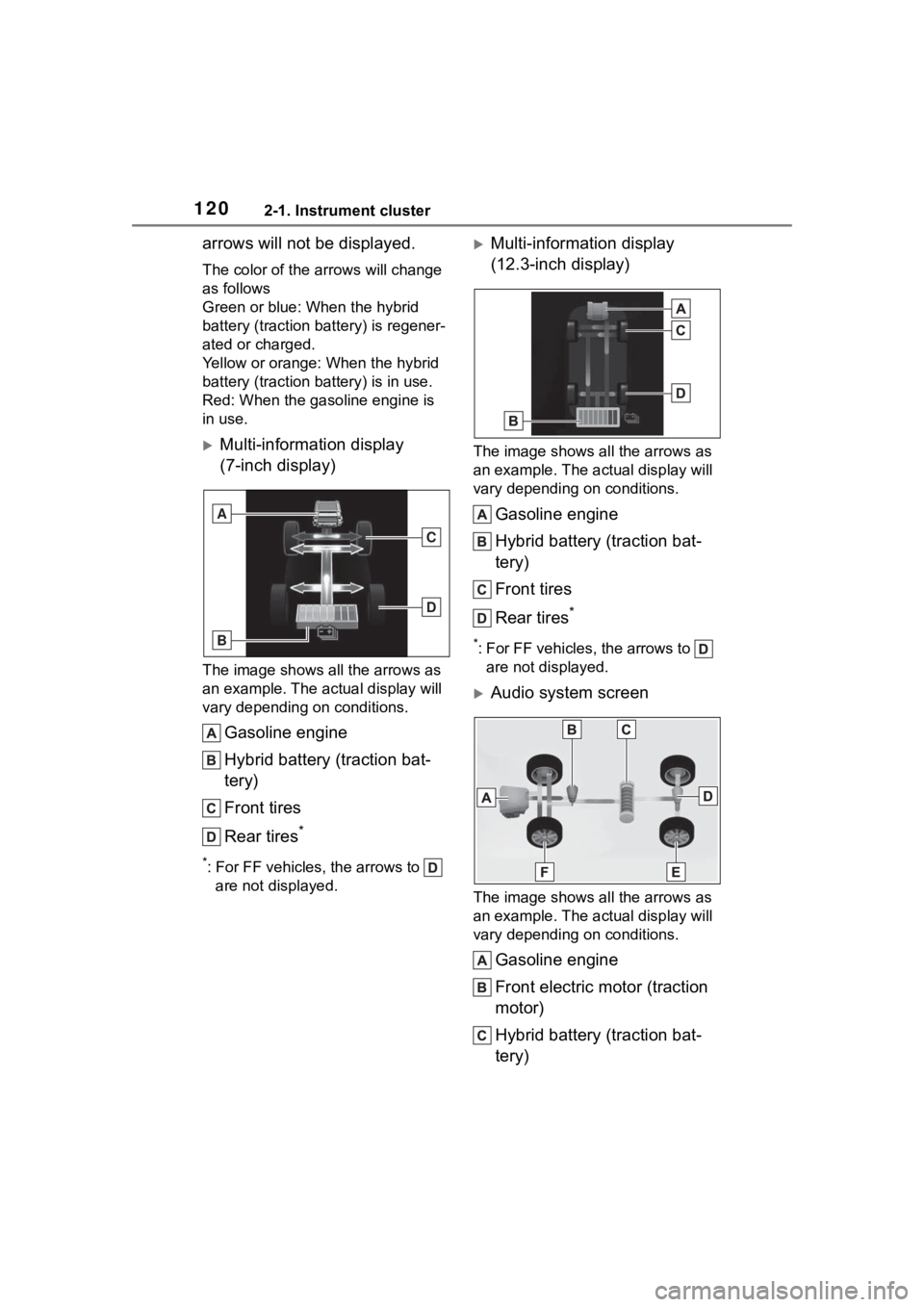
The color of the arrows will change
as follows
Green or blue: When the hybrid
battery (traction battery) is regener-
ated or charged.
Yellow or orange: When the hybrid
battery (traction battery) is in use.
Red: When the gasoline engine is
in use.
Multi-information display
(7-inch display)
The image shows all the arrows as
an example. The actual display will
vary depending on conditions.
Gasoline engine
Hybrid battery (traction bat-
tery)
Front tires
Rear tires
*
*: For FF vehicles, the arrows to are not displayed.
Multi-information display
(12.3-inch display)
The image shows all the arrows as
an example. The ac tual display will
vary depending on conditions.
Gasoline engine
Hybrid battery (traction bat-
tery)
Front tires
Rear tires
*
*: For FF vehicles, the arrows to are not displayed.
Audio system screen
The image shows all the arrows as
an example. The ac tual display will
vary depending on conditions.
Gasoline engine
Front electric motor (traction
motor)
Hybrid battery (traction bat-
tery)
A
C
D
B
Page 125 of 572
1253-1. Key information
3
Before driving
If this message is displayed but you
have not had a new electronic key
registered, ask your Toyota dealer to
check if an unknow n electronic key
(other than those in your posses-
sion) has been registered.
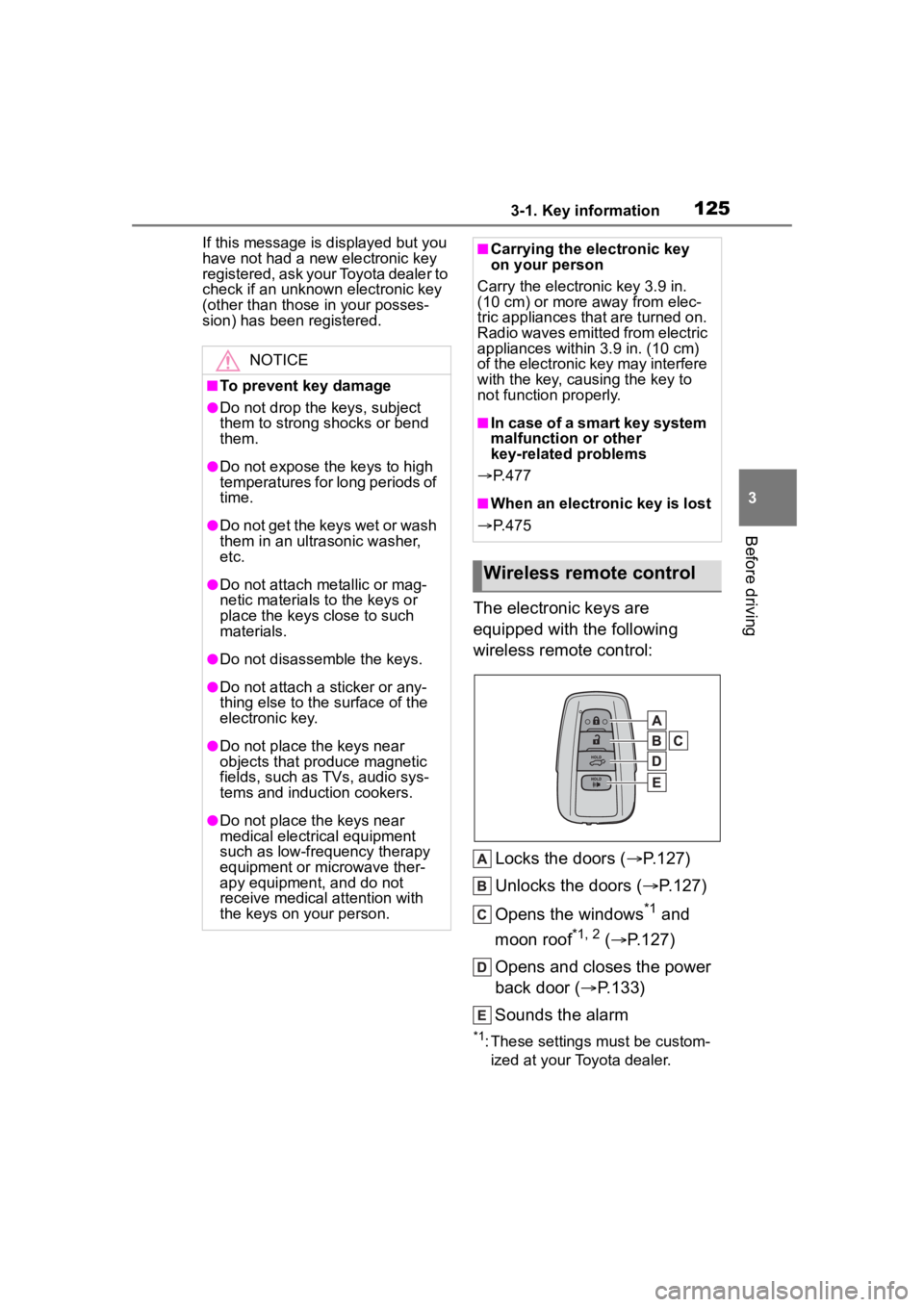
The electronic keys are
equipped with the following
wireless remote control:
Locks the doors ( P.127)
Unlocks the doors ( P.127)
Opens the windows
*1 and
moon roof
*1, 2 ( P.127)
Opens and closes the power
back door ( P.133)
Sounds the alarm
*1: These settings must be custom- ized at your Toyota dealer.
NOTICE
■To prevent key damage
●Do not drop the keys, subject
them to strong shocks or bend
them.
●Do not expose the keys to high
temperatures for long periods of
time.
●Do not get the keys wet or wash
them in an ultrasonic washer,
etc.
●Do not attach metallic or mag-
netic materials to the keys or
place the keys close to such
materials.
●Do not disassemble the keys.
●Do not attach a sticker or any-
thing else to the surface of the
electronic key.
●Do not place th e keys near
objects that produce magnetic
fields, such as TVs, audio sys-
tems and induction cookers.
●Do not place th e keys near
medical electrical equipment
such as low-frequency therapy
equipment or microwave ther-
apy equipment, and do not
receive medical attention with
the keys on your person.
■Carrying the electronic key
on your person
Carry the electronic key 3.9 in.
(10 cm) or more away from elec-
tric appliances that are turned on.
Radio waves emitte d from electric
appliances within 3.9 in. (10 cm)
of the electronic key may interfere
with the key, causing the key to
not function properly.
■In case of a smart key system
malfunction or other
key-related problems
P. 4 7 7
■When an electronic key is lost
P. 4 7 5
Wireless remote control
Page 144 of 572

1443-2. Opening, closing and locking the doors
• Metallic wallets or bags
• Coins
• Hand warmers made of metal
• Media such as CDs and DVDs
●When other wireless keys (that
emit radio waves) are being used
nearby
●When carrying the electronic key
together with the following devices
that emit radio waves
• Portable radio, cellular phone, cordless phone or other wireless
communication devices
• Another electronic key or a wire- less key that emits radio waves
• Personal computers or personal
digital assistants (PDAs)
• Digital audio players
• Portable game systems
●If window tint with a metallic con-
tent or metallic objects are
attached to the rear window
●When the electronic key is placed
near a battery charger or elec-
tronic devices
●When the vehicle is parked in a
pay parking spot where radio
waves are emitted
■Note for the entry function
●Even when the electronic key is
within the effective range (detec-
tion areas), the system may not
operate properly in the following
cases:
• The electronic key is too close to the window or outside door han-
dle, near the ground, or in a high
place when the doors are locked
or unlocked.
• The electronic key is on the instru-
ment panel, luggage compart-
ment, floor, or in the door pockets
or glove box when the hybrid sys-
tem is started or power switch
modes are changed.
●Do not leave the electronic key on
top of the instrument panel or near
the door pockets when exiting the
vehicle. Depending on the radio
wave reception conditions, it may
be detected by the antenna out- side the cabin and the door will
become lockable from the outside,
possibly trapping the electronic
key inside the vehicle.
●As long as the electronic key is
within the effective range, the
doors may be locked or unlocked
by anyone. However, only the
doors detecting the electronic key
can be used to unlock the vehicle.
●Even if the electro
nic key is not
inside the vehicle, it may be possi-
ble to start the hybrid system if the
electronic key is near the window.
●The doors may unlock or lock if a
large amount of water splashes on
the door handle, such as in the
rain or in a car wash when the
electronic key is within the effec-
tive range. (The doors will auto-
matically be locked after
approximately 60 seconds if the
doors are not opened and closed.)
●If the wireless remote control is
used to lock the doors when the
electronic key is near the vehicle,
there is a possib ility that the door
may not be unlocked by the entry
function. (Use the wireless remote
control to unlock the doors.)
●Touching the door lock or unlock
sensor while wearing gloves may
prevent lock or unlock operation.
●When the lock operation is per-
formed using the lock sensor, rec-
ognition signals will be shown up
to two consecutive times. After
this, no recognition signals will be
given.
●If the door handle becomes wet
while the electronic key is within
the effective range, the door may
lock and unlock repeatedly. In that
case, follow the following correc-
tion procedures to wash the vehi-
cle:
• Place the electronic key in a loca- tion 6 ft. (2 m) or more away from
the vehicle. (Take care to ensure
that the key is not stolen.)
• Set the electronic key to bat-
Page 210 of 572
2104-2. Driving procedures
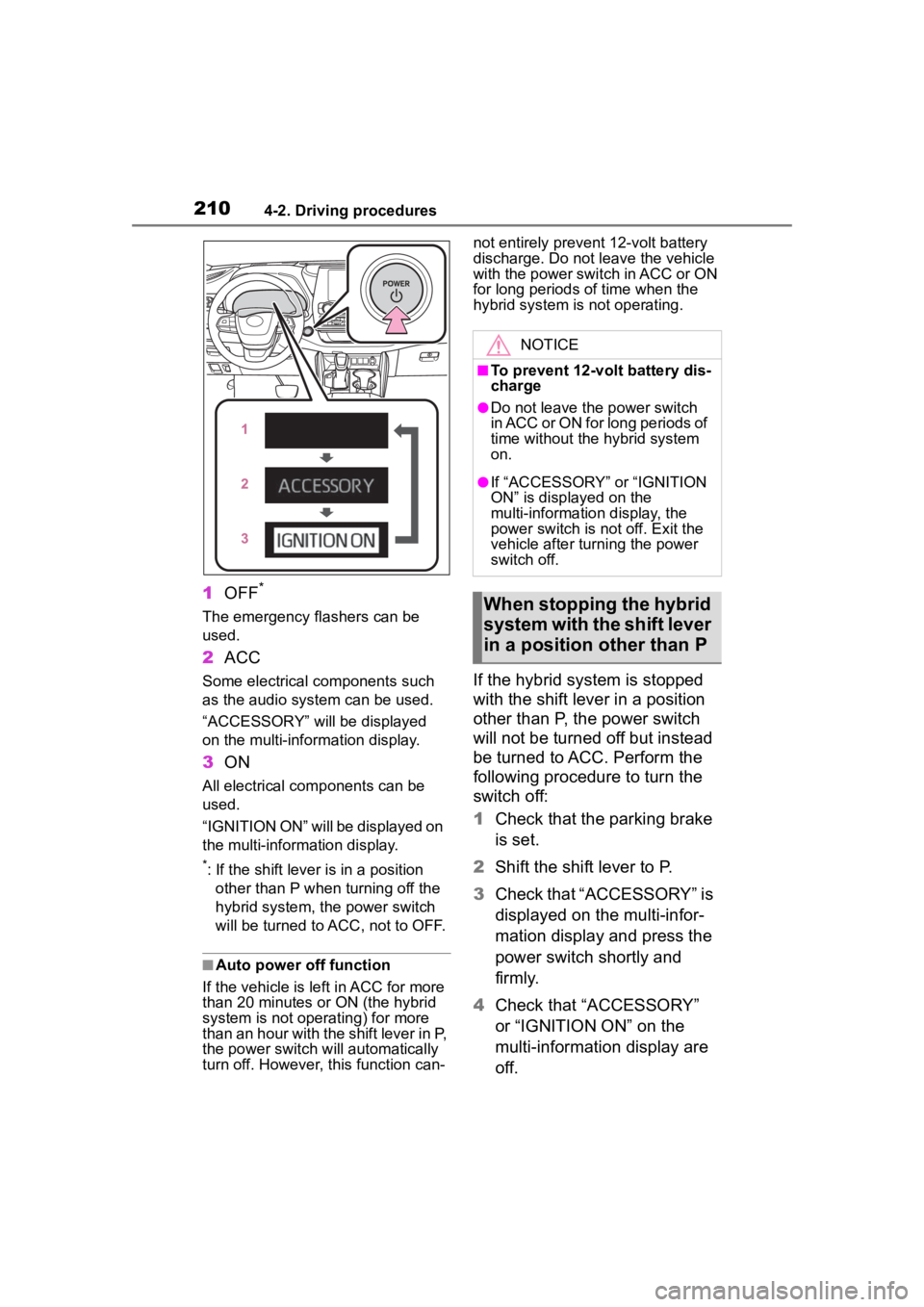
1OFF*
The emergency flashers can be
used.
2ACC
Some electrical components such
as the audio system can be used.
“ACCESSORY” will be displayed
on the multi-information display.
3ON
All electrical com ponents can be
used.
“IGNITION ON” will be displayed on
the multi-information display.
*: If the shift lever is in a position other than P when turning off the
hybrid system, the power switch
will be turned to A CC, not to OFF.
■Auto power off function
If the vehicle is le ft in ACC for more
than 20 minutes or ON (the hybrid
system is not operating) for more
than an hour with the shift lever in P,
the power switch will automatically
turn off. However, this function can- not entirely prevent 12-volt battery
discharge. Do not leave the vehicle
with the power switch in ACC or ON
for long periods of time when the
hybrid system is not operating.
If the hybrid system is stopped
with the shift lever in a position
other than P, the power switch
will not be turned off but instead
be turned to ACC. Perform the
following procedure to turn the
switch off:
1
Check that the parking brake
is set.
2 Shift the shift lever to P.
3 Check that “ACCESSORY” is
displayed on the multi-infor-
mation display and press the
power switch shortly and
firmly.
4 Check that “ACCESSORY”
or “IGNITION ON” on the
multi-information display are
off.
NOTICE
■To prevent 12-volt battery dis-
charge
●Do not leave the power switch
in ACC or ON for long periods of
time without the hybrid system
on.
●If “ACCESSORY” or “IGNITION
ON” is displayed on the
multi-information display, the
power switch is not off. Exit the
vehicle after turning the power
switch off.
When stopping the hybrid
system with the shift lever
in a position other than P
Page 262 of 572
2624-5. Using the driving support systems
( P.260)
●If the operation conditions
( P.260) are no longer met while
the lane centering function is
operating, the buzzer may sound
to indicate that the function has
been temporarily canceled.
■Steering assist function/lane
centering function
●Depending on the vehicle speed,
lane departure situation, road con-
ditions, etc., the driver may not
feel the function is operating or
the function may not operate at
all.
●The steering control of the func-
tion is overridden by the driver’s
steering wheel operation.
●Do not attempt to test the opera-
tion of the steering assist function.
■Lane departure alert function
●The warning buzzer may be diffi-
cult to hear due to external noise,
audio playback, etc.
●If the edge of the course* is not
clear or straight, the lane depar-
ture alert function may not oper-
ate.
●It may not be possi ble for the sys-
tem to determine i f there is a dan-
ger of a collision with a vehicle in
an adjacent lane.
●Do not attempt to test the opera-
tion of the lane departure alert
function.
*: Boundary between asphalt and
the side of the road, such as
grass, soil, or a curb
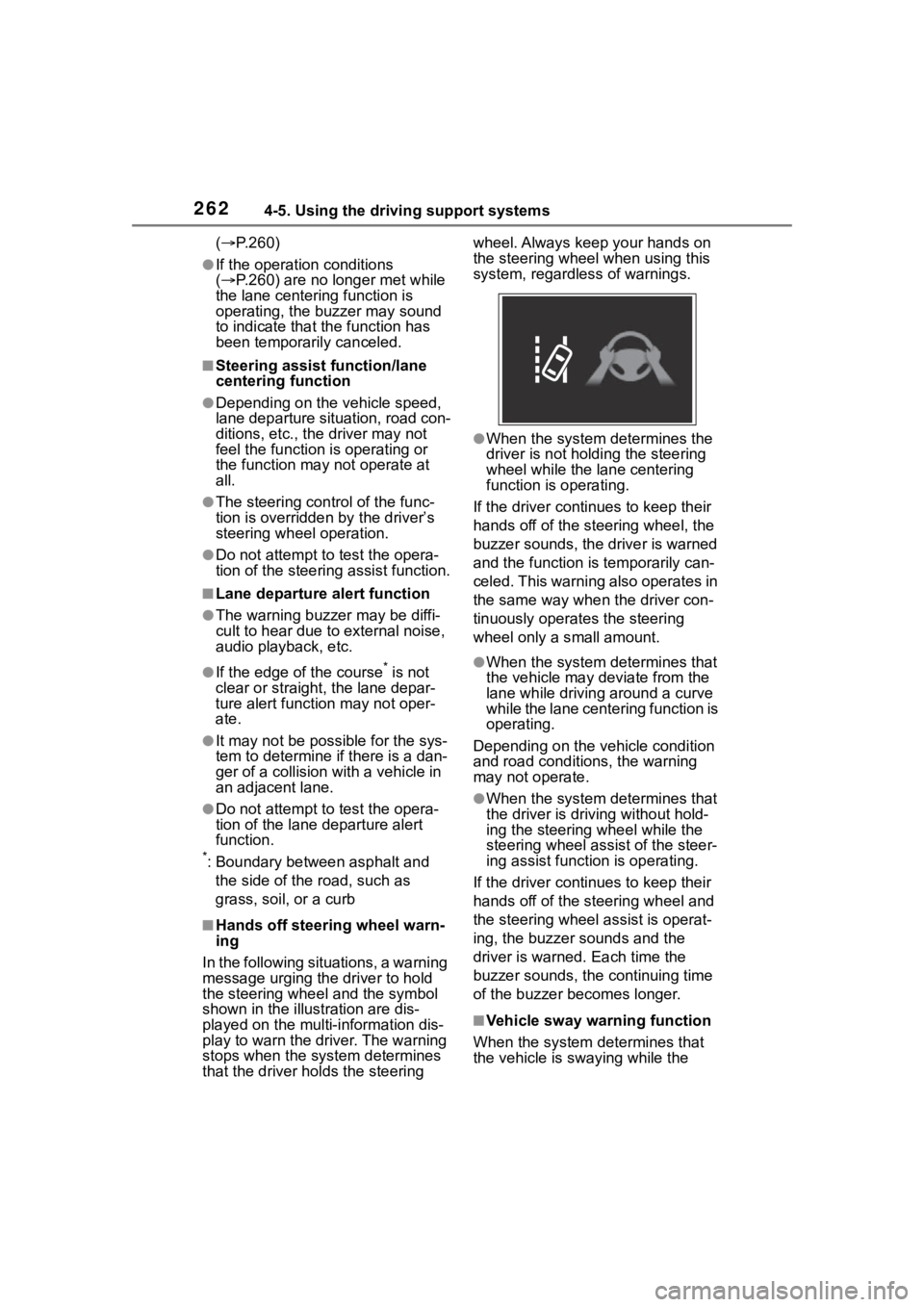
■Hands off steering wheel warn-
ing
In the following situations, a warning
message urging the driver to hold
the steering wheel and the symbol
shown in the illustration are dis-
played on the multi-information dis-
play to warn the driver. The warning
stops when the sys tem determines
that the driver holds the steering wheel. Always keep your hands on
the steering wheel when using this
system, regardless of warnings.
●When the system determines the
driver is not hold
ing the steering
wheel while the lane centering
function is operating.
If the driver continues to keep their
hands off of the steering wheel, the
buzzer sounds, the driver is warned
and the function is temporarily can-
celed. This warning also operates in
the same way when the driver con-
tinuously operates the steering
wheel only a s mall amount.
●When the system determines that
the vehicle may deviate from the
lane while driving around a curve
while the lane centering function is
operating.
Depending on the vehicle condition
and road conditions, the warning
may not operate.
●When the system determines that
the driver is driving without hold-
ing the steering wheel while the
steering wheel assi st of the steer-
ing assist function is operating.
If the driver continues to keep their
hands off of the steering wheel and
the steering wheel assist is operat-
ing, the buzzer sounds and the
driver is warned. Each time the
buzzer sounds, the continuing time
of the buzzer becomes longer.
■Vehicle sway warning function
When the system determines that
the vehicle is swaying while the