oil level TOYOTA HIGHLANDER HYBRID 2023 Owners Manual
[x] Cancel search | Manufacturer: TOYOTA, Model Year: 2023, Model line: HIGHLANDER HYBRID, Model: TOYOTA HIGHLANDER HYBRID 2023Pages: 572, PDF Size: 14.07 MB
Page 4 of 572
4TABLE OF CONTENTS
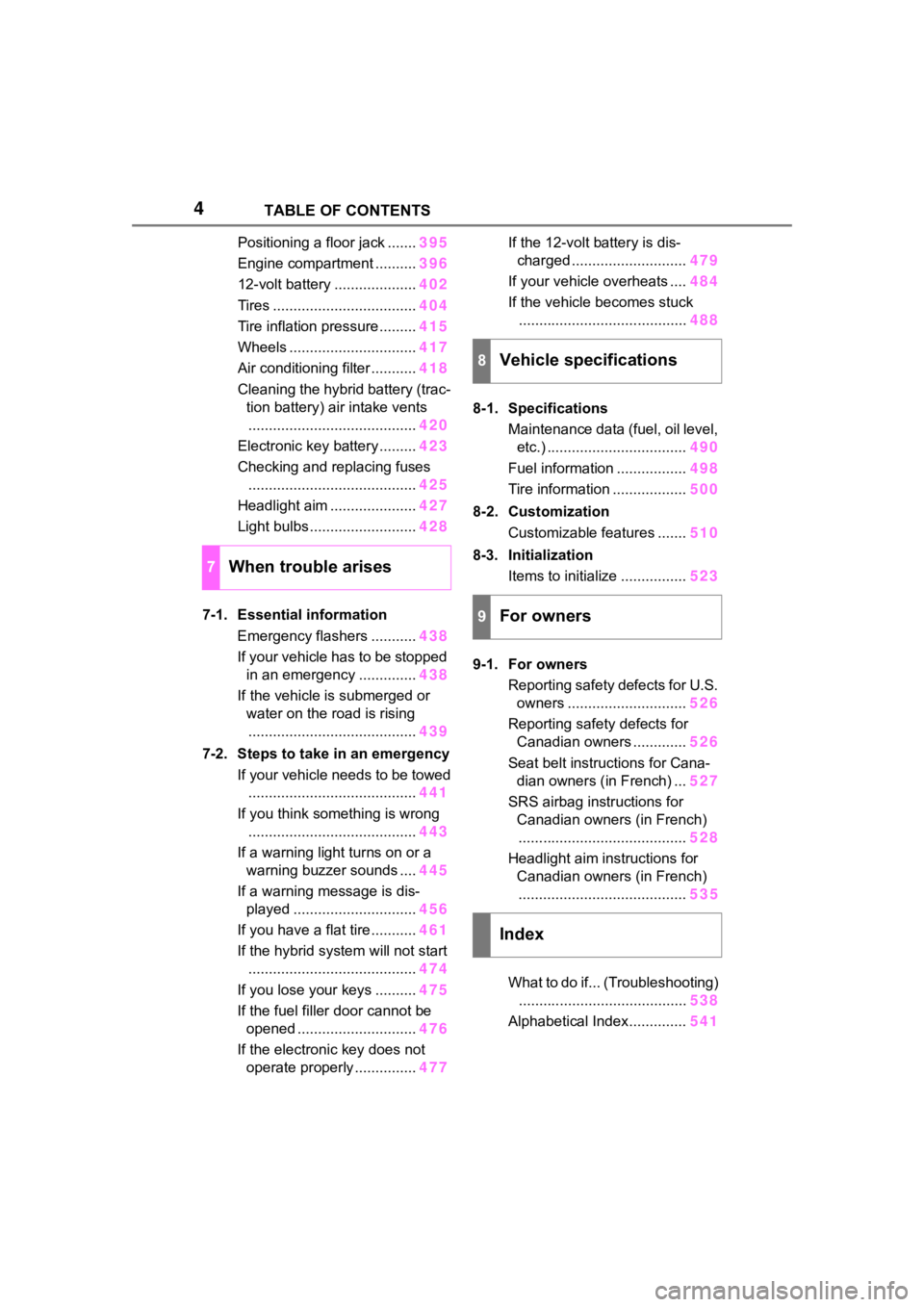
Positioning a floor jack .......395
Engine compartment .......... 396
12-volt battery .................... 402
Tires ................................... 404
Tire inflation pressure......... 415
Wheels ............................... 417
Air conditioning filter ........... 418
Cleaning the hybrid battery (trac- tion battery) air intake vents......................................... 420
Electronic key battery ......... 423
Checking and replacing fuses ......................................... 425
Headlight aim ..................... 427
Light bulbs .......................... 428
7-1. Essential information Emergency flashers ........... 438
If your vehicle has to be stopped in an emergency .............. 438
If the vehicle is submerged or water on the road is rising
......................................... 439
7-2. Steps to take in an emergency If your vehicle needs to be towed......................................... 441
If you think something is wrong ......................................... 443
If a warning light turns on or a warning buzzer sounds .... 445
If a warning message is dis- played .............................. 456
If you have a flat tire ........... 461
If the hybrid system will not start ......................................... 474
If you lose your keys .......... 475
If the fuel filler door cannot be opened ............................. 476
If the electronic key does not operate properly ............... 477If the 12-volt battery is dis-
charged ............................ 479
If your vehicle overheats .... 484
If the vehicle becomes stuck ......................................... 488
8-1. Specifications Maintenance data (fuel, oil level, etc.) .................................. 490
Fuel information ................. 498
Tire information .................. 500
8-2. Customization Customizable features ....... 510
8-3. Initialization Items to initialize ................ 523
9-1. For owners Reporting safety defects for U.S. owners ............................. 526
Reporting safety defects for Canadian owners ............. 526
Seat belt instructions for Cana- dian owners (in French) ... 527
SRS airbag instructions for Canadian owners (in French)
......................................... 528
Headlight aim instructions for Canadian owners (in French)......................................... 53
5
What to
do if... (Troubleshooting)
......................................... 538
Alphabetical Index.............. 541
7When trouble arises
8Vehicle specifications
9For owners
Index
Page 261 of 572
2614-5. Using the driving support systems
4
Driving
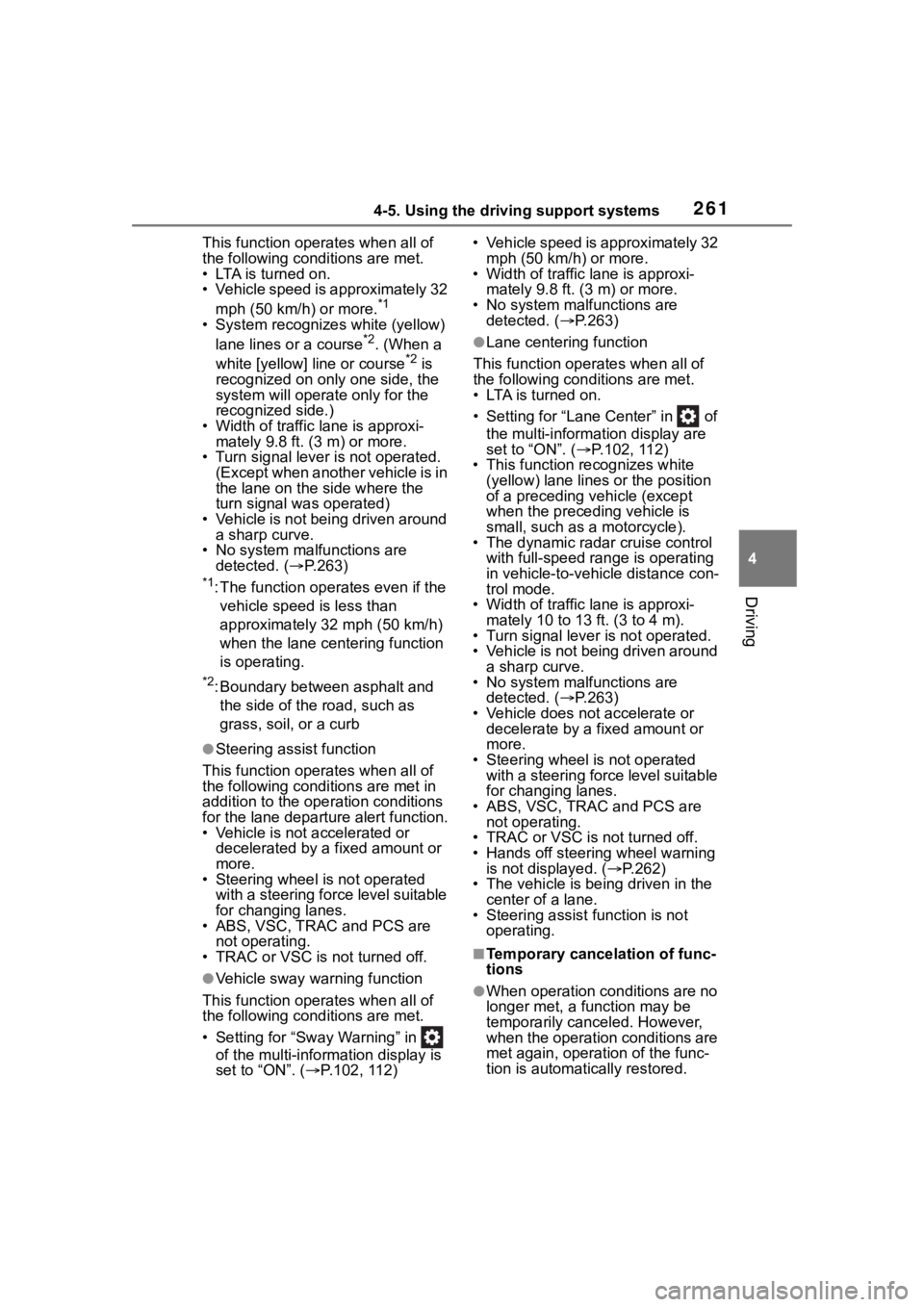
This function operates when all of
the following cond itions are met.
• LTA is turned on.
• Vehicle speed is approximately 32
mph (50 km/h) or more.
*1
• System recognizes white (yellow) lane lines or a course*2. (When a
white [yellow] line or course*2 is
recognized on only one side, the
system will operat e only for the
recognized side.)
• Width of traffic lane is approxi- mately 9.8 ft. ( 3 m) or more.
• Turn signal lever is not operated.
(Except when another vehicle is in
the lane on the side where the
turn signal was operated)
• Vehicle is not being driven around a sharp curve.
• No system malfunctions are detected. ( P.263)
*1: The function opera tes even if the
vehicle speed is less than
approximately 32 mph (50 km/h)
when the lane centering function
is operating.
*2: Boundary between asphalt and the side of the road, such as
grass, soil, or a curb
●Steering assist function
This function oper ates when all of
the following conditions are met in
addition to the operation conditions
for the lane departure alert function.
• Vehicle is not accelerated or
decelerated by a fixed amount or
more.
• Steering wheel is not operated
with a steering force level suitable
for changing lanes.
• ABS, VSC, TRAC and PCS are
not operating.
• TRAC or VSC is not turned off.
●Vehicle sway warning function
This function oper ates when all of
the following cond itions are met.
• Setting for “Sway Warning” in of the multi-information display is
set to “ON”. ( P.102, 112) • Vehicle speed is approximately 32
mph (50 km/h) or more.
• Width of traffic lane is approxi-
mately 9.8 ft. (3 m) or more.
• No system malfunctions are detected. ( P.263)
●Lane centering function
This function operates when all of
the following conditions are met.
• LTA is turned on.
• Setting for “Lane Center” in of the multi-information display are
set to “ON”. ( P.102, 112)
• This function recognizes white
(yellow) lane lines or the position
of a preceding v ehicle (except
when the preceding vehicle is
small, such as a motorcycle).
• The dynamic radar cruise control with full-speed ran ge is operating
in vehicle-to-vehicle distance con-
trol mode.
• Width of traffic lane is approxi-
mately 10 to 13 ft. (3 to 4 m).
• Turn signal lever is not operated.
• Vehicle is not being driven around a sharp curve.
• No system malfunctions are detected. ( P.263)
• Vehicle does not accelerate or decelerate by a fixed amount or
more.
• Steering wheel is not operated with a steering force level suitable
for changing lanes.
• ABS, VSC, TRAC and PCS are
not operating.
• TRAC or VSC is not turned off.
• Hands off steering wheel warning
is not displayed. ( P.262)
• The vehicle is being driven in the
center of a lane.
• Steering assist function is not operating.
■Temporary cancelation of func-
tions
●When operation conditions are no
longer met, a function may be
temporarily canceled. However,
when the operation conditions are
met again, operation of the func-
tion is automatically restored.
Page 320 of 572
3204-6. Driving tips
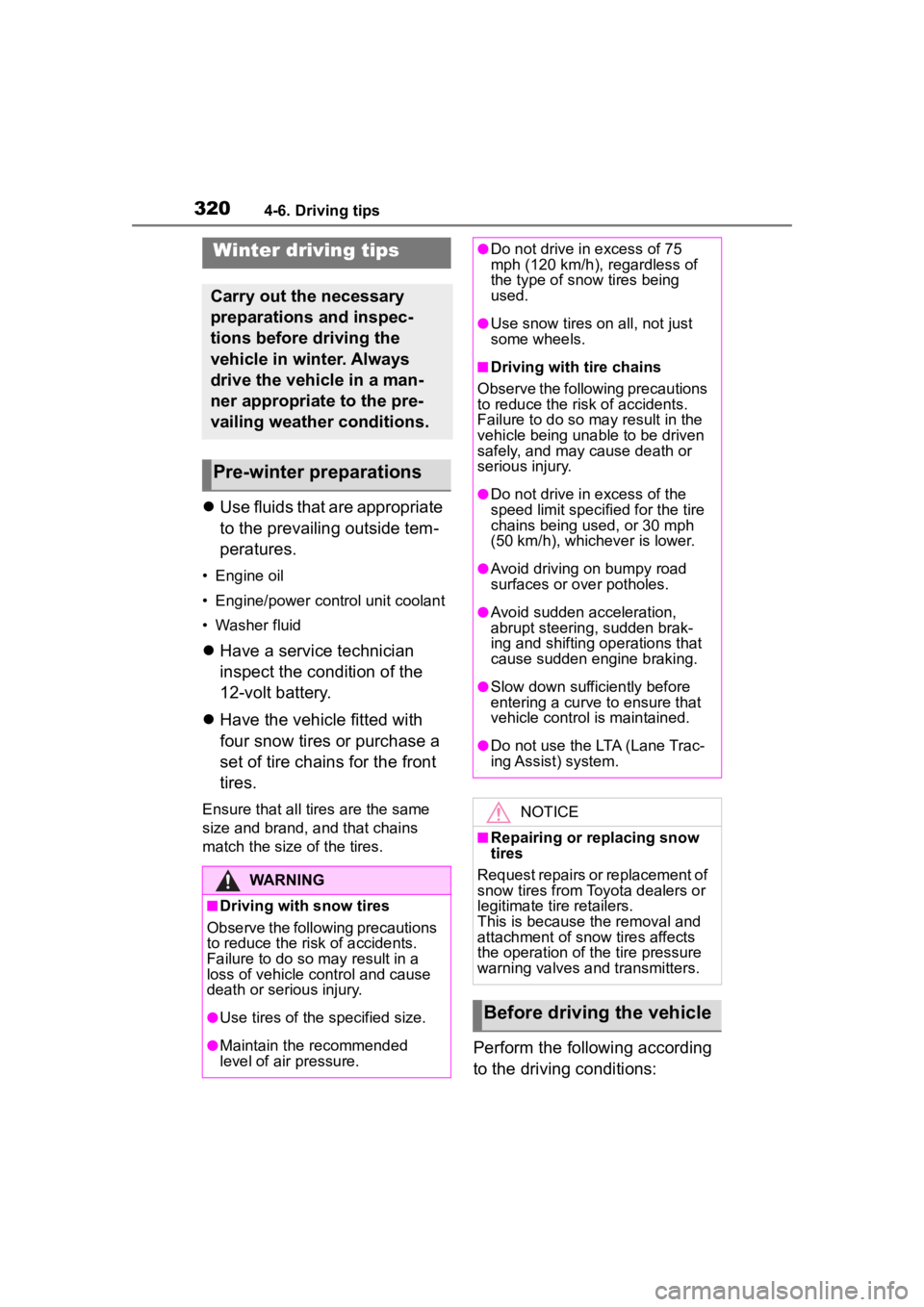
Use fluids that are appropriate
to the prevailing outside tem-
peratures.
• Engine oil
• Engine/power control unit coolant
• Washer fluid
Have a service technician
inspect the condition of the
12-volt battery.
Have the vehicle fitted with
four snow tires or purchase a
set of tire chains for the front
tires.
Ensure that all tires are the same
size and brand, and that chains
match the size of the tires.
Perform the following according
to the driving conditions:
Winter driving tips
Carry out the necessary
preparations and inspec-
tions before driving the
vehicle in winter. Always
drive the vehicle in a man-
ner appropriate to the pre-
vailing weather conditions.
Pre-winter preparations
WARNING
■Driving with snow tires
Observe the following precautions
to reduce the risk of accidents.
Failure to do so m ay result in a
loss of vehicle control and cause
death or serious injury.
●Use tires of the specified size.
●Maintain the recommended
level of air pressure.
●Do not drive in excess of 75
mph (120 km/h), regardless of
the type of snow tires being
used.
●Use snow tires on all, not just
some wheels.
■Driving with tire chains
Observe the following precautions
to reduce the risk of accidents.
Failure to do so may result in the
vehicle being unable to be driven
safely, and may cause death or
serious injury.
●Do not drive in excess of the
speed limit specifi ed for the tire
chains being used, or 30 mph
(50 km/h), whichever is lower.
●Avoid driving on bumpy road
surfaces or over potholes.
●Avoid sudden acceleration,
abrupt steering, sudden brak-
ing and shifting operations that
cause sudden engine braking.
●Slow down sufficiently before
entering a curve to ensure that
vehicle control is maintained.
●Do not use the LTA (Lane Trac-
ing Assist) system.
NOTICE
■Repairing or replacing snow
tires
Request repairs or replacement of
snow tires from Toyota dealers or
legitimate tire retailers.
This is because the removal and
attachment of snow tires affects
the operation of the tire pressure
warning valves and transmitters.
Before driving the vehicle
Page 388 of 572

3886-2. Maintenance
General maintenance
Listed below are the general
maintenance items that
should be performed at the
intervals specified in the
“Owner’s Warranty Informa-
tion Booklet” or “Owner’s
Manual Supplement/Sched-
uled Maintenance Guide”. It
is recommended that any
problem you notice should
be brought to the attention
of your Toyota dealer or
qualified service shop for
advice.
WARNING
■If the hybrid system is operat-
ing
Turn the hybrid system off and
ensure that there is adequate
ventilation before performing
maintenance checks.
Engine compartment
ItemsCheck points
Brake fluid
Is the brake fluid at
the correct level?
( P.400)
Engine/power
control unit
coolant
Is the
engine/power con-
trol unit coolant at
the correct level?
( P.399)
Engine oil
Is the engine oil at
the correct level?
( P.396)
Exhaust sys-
temThere should not
be any fumes or
strange sounds.
Radiator/con-
denser
The radiator and
condenser should
be free from for-
eign objects.
( P.400)
Washer fluid
Is there sufficient
washer fluid?
( P.401)
Luggage compartment
ItemsCheck points
12-volt batteryCheck the connec-
tions. ( P.402)
Vehicle interior
ItemsCheck points
Accelerator
pedal
• The accelerator
pedal should
move smoothly
(without uneven
pedal effort or
catching).
Hybrid trans-
mission “Park”
mechanism
• When parked on a slope and the
shift lever is in P,
is the vehicle
securely
stopped?
ItemsCheck points
Page 392 of 572
3926-3. Do-it-yourself maintenance
6-3.Do-it-yourself maintenance
Do-it-yourself ser vice
precautions
If you perform maintenance
by yourself, be sure to fol-
low the correct procedure
as given in these sections.
Maintenance
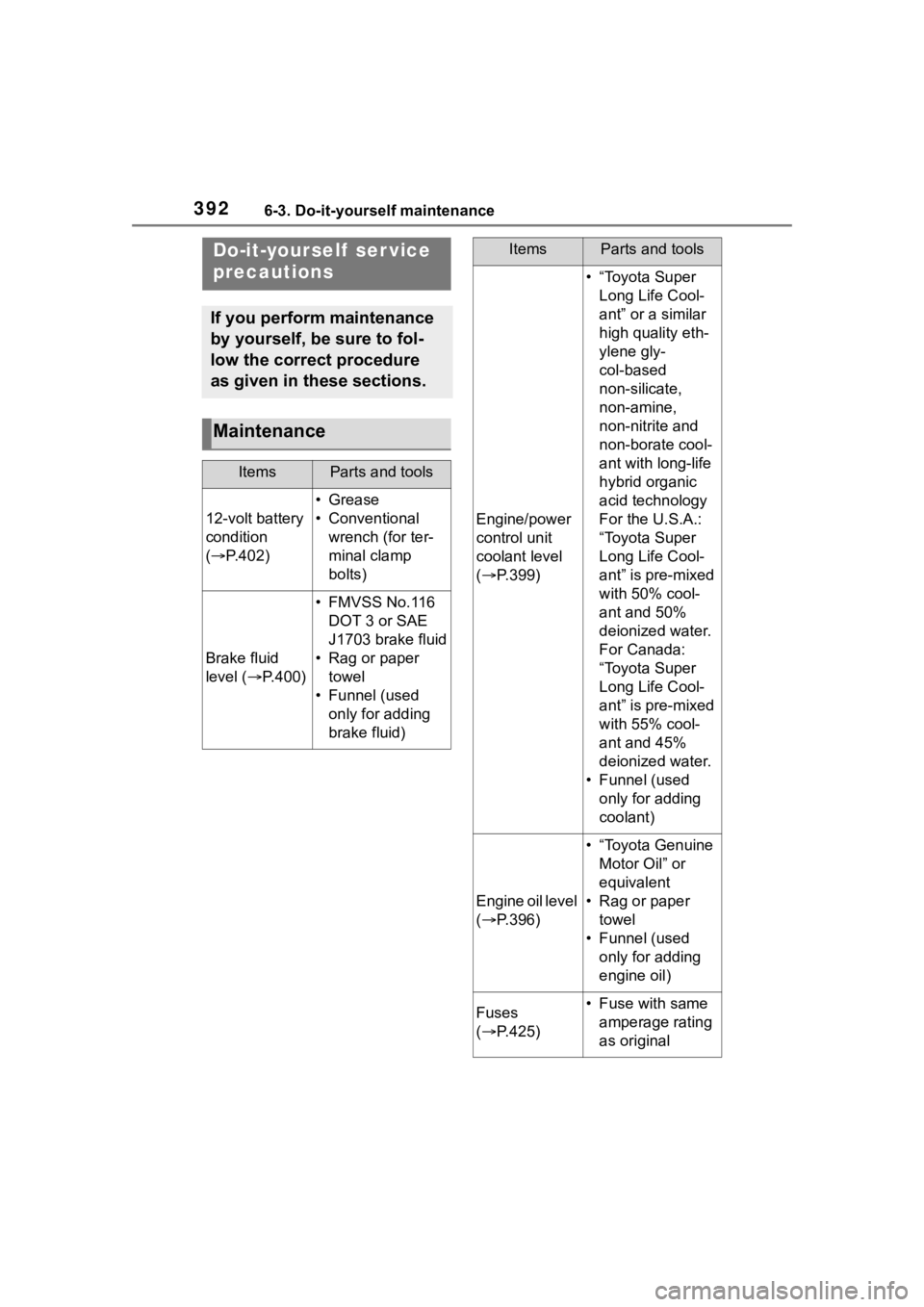
ItemsParts and tools
12-volt battery
condition
( P.402)
•Grease
• Conventional
wrench (for ter-
minal clamp
bolts)
Brake fluid
level ( P.400)
• FMVSS No.116
DOT 3 or SAE
J1703 brake fluid
• Rag or paper towel
• Funnel (used only for adding
brake fluid)
Engine/power
control unit
coolant level
( P.399)
• “Toyota Super
Long Life Cool-
ant” or a similar
high quality eth-
ylene gly-
col-based
non-silicate,
non-amine,
non-nitrite and
non-borate cool-
ant with long-life
hybrid organic
acid technology
For the U.S.A.:
“Toyota Super
Long Life Cool-
ant” is pre-mixed
with 50% cool-
ant and 50%
deionized water.
For Canada:
“Toyota Super
Long Life Cool-
ant” is pre-mixed
with 55% cool-
ant and 45%
deionized water.
• Funnel (used only for adding
coolant)
Engine oil level
( P.396)
• “Toyota Genuine
Motor Oil” or
equivalent
• Rag or paper towel
• Funnel (used only for adding
engine oil)
Fuses
( P.425)• Fuse with same
amperage rating
as original
ItemsParts and tools
Page 396 of 572
3966-3. Do-it-yourself maintenance
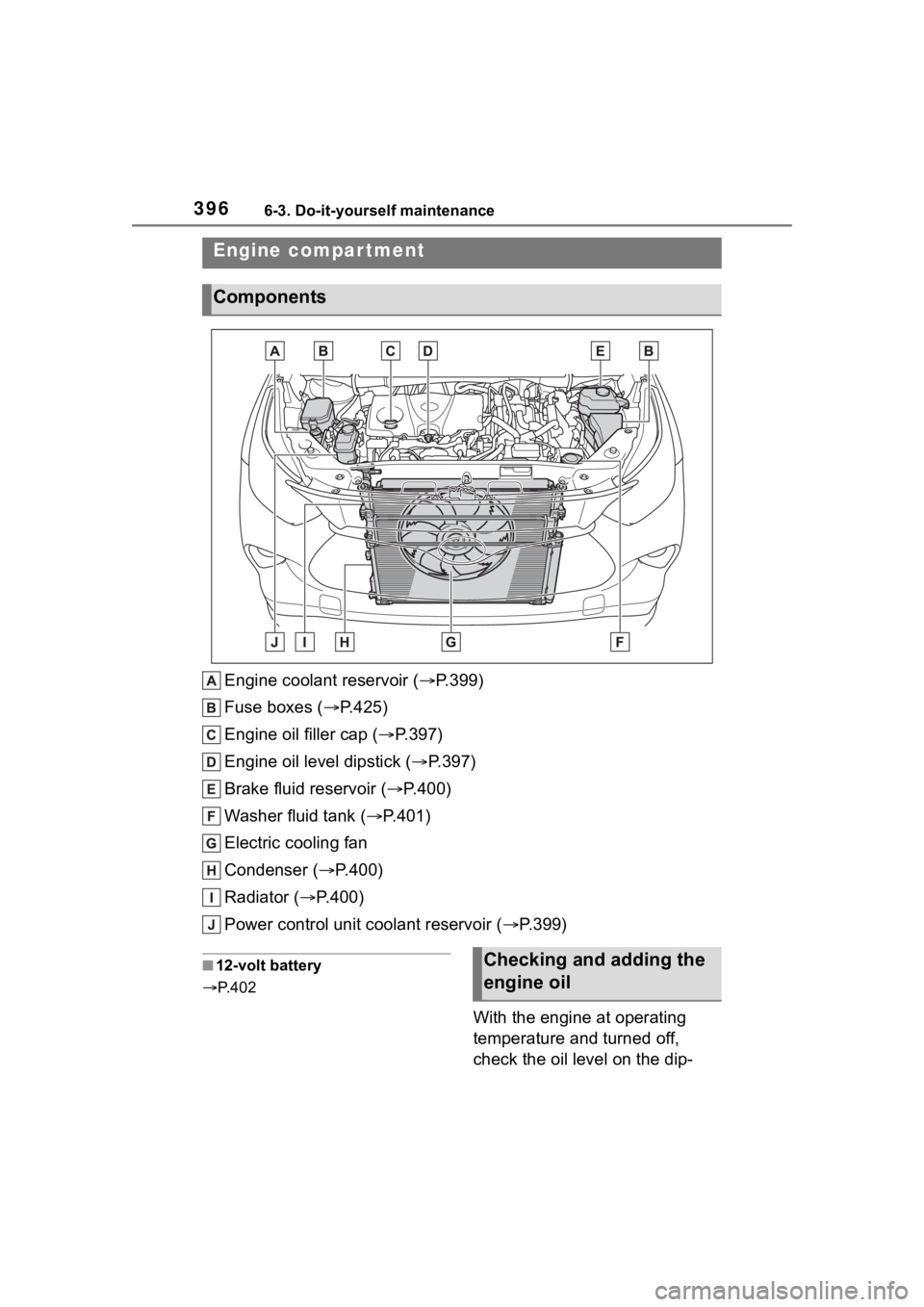
Engine coolant reservoir ( P.399)
Fuse boxes ( P.425)
Engine oil filler cap ( P.397)
Engine oil level dipstick ( P.397)
Brake fluid reservoir ( P.400)
Washer fluid tank ( P.401)
Electric cooling fan
Condenser ( P.400)
Radiator ( P.400)
Power control unit coolant reservoir ( P.399)
■12-volt battery
P. 4 0 2
With the engine at operating
temperature and turned off,
check the oil level on the dip-
Engine compar tment
Components
Checking and adding the
engine oil
Page 397 of 572
3976-3. Do-it-yourself maintenance
6
Maintenance and care
stick.
■Checking the engine oil
1 Park the vehicle on level
ground. After warming up the
engine and turning off the
hybrid system, wait more
than 5 minutes for the oil to
drain back into the bottom of
the engine.
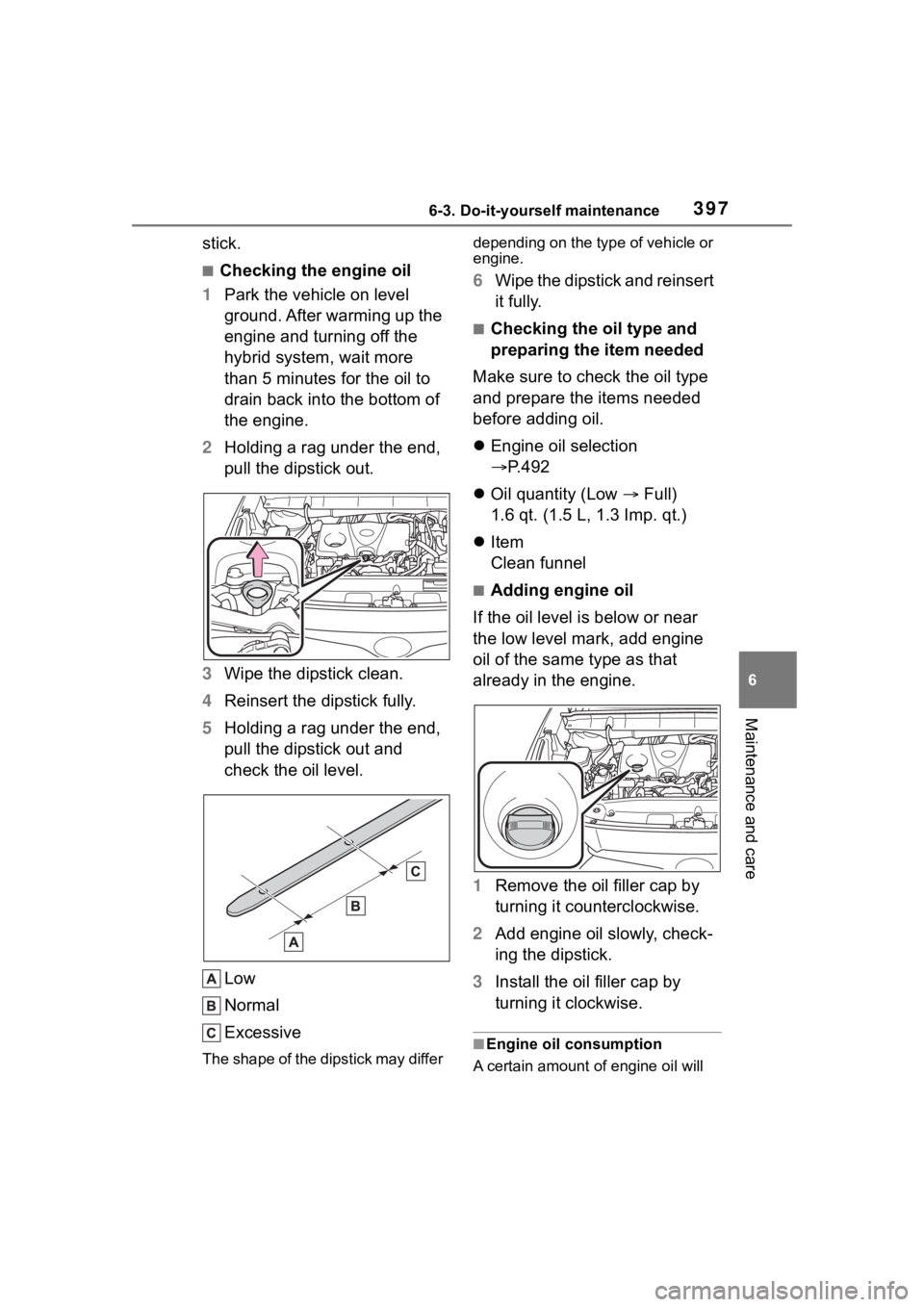
2 Holding a rag under the end,
pull the dipstick out.
3 Wipe the dipstick clean.
4 Reinsert the dipstick fully.
5 Holding a rag under the end,
pull the dipstick out and
check the oil level.
Low
Normal
Excessive
The shape of the dipstick may differ depending on the type of vehicle or
engine.
6
Wipe the dipstick and reinsert
it fully.
■Checking the oil type and
preparing the item needed
Make sure to check the oil type
and prepare the items needed
before adding oil.
Engine oil selection
P.492
Oil quantity (Low Full)
1.6 qt. (1.5 L, 1.3 Imp. qt.)
Item
Clean funnel
■Adding engine oil
If the oil level is below or near
the low level mark, add engine
oil of the same type as that
already in the engine.
1 Remove the oil filler cap by
turning it counterclockwise.
2 Add engine oil slowly, check-
ing the dipstick.
3 Install the oil filler cap by
turning it clockwise.
■Engine oil consumption
A certain amount of engine oil will
Page 399 of 572
3996-3. Do-it-yourself maintenance
6
Maintenance and care■Engine coolant reservoir
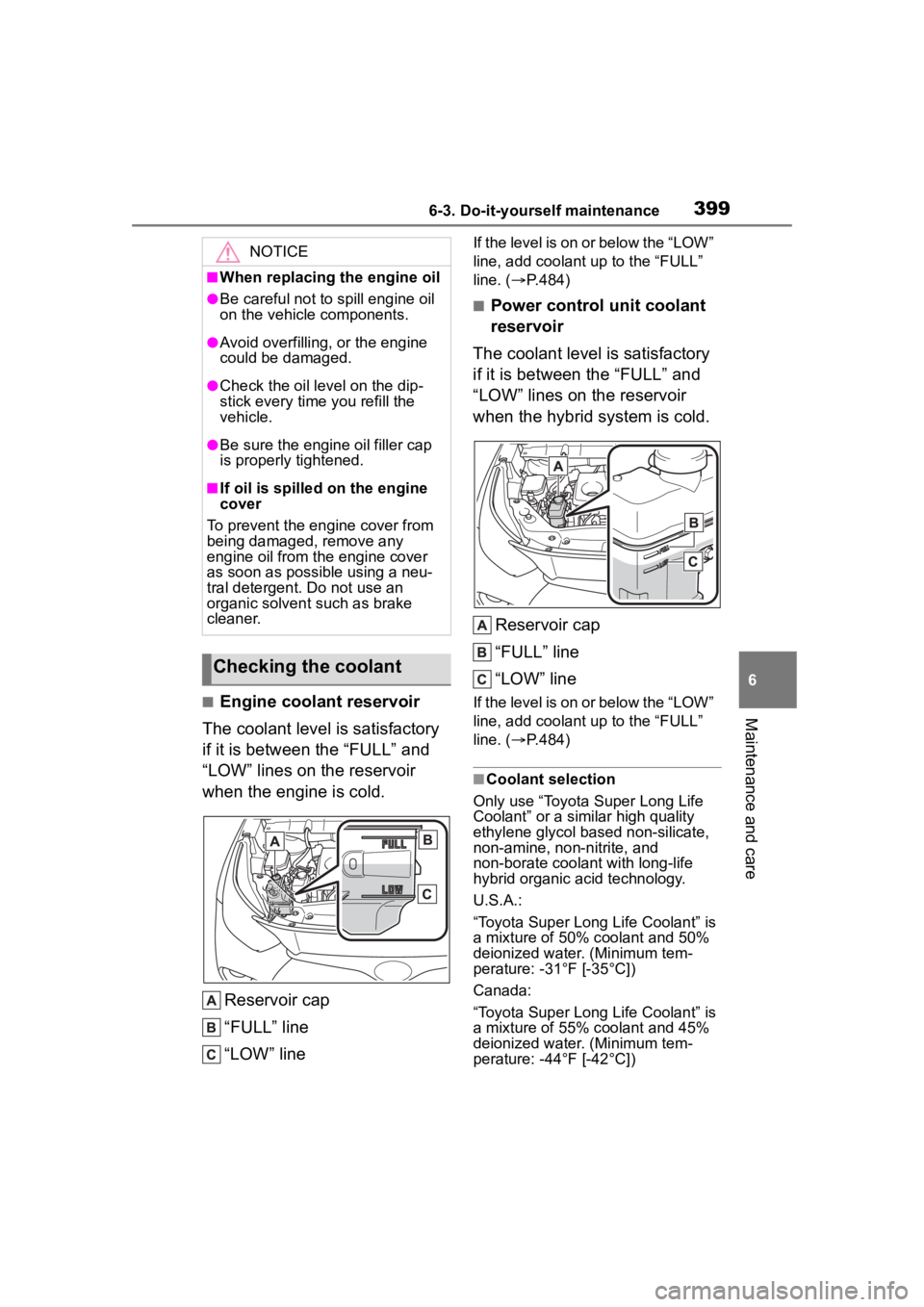
The coolant level is satisfactory
if it is between the “FULL” and
“LOW” lines on the reservoir
when the engine is cold.
Reservoir cap
“FULL” line
“LOW” line
If the level is on or below the “LOW”
line, add coolant up to the “FULL”
line. ( P.484)
■Power control unit coolant
reservoir
The coolant level is satisfactory
if it is between the “FULL” and
“LOW” lines on the reservoir
when the hybrid system is cold.
Reservoir cap
“FULL” line
“LOW” line
If the level is on or below the “LOW”
line, add coolant up to the “FULL”
line. ( P.484)
■Coolant selection
Only use “Toyota Super Long Life
Coolant” or a similar high quality
ethylene glycol ba sed non-silicate,
non-amine, non-nitrite, and
non-borate coolant with long-life
hybrid organic acid technology.
U.S.A.:
“Toyota Super Long Life Coolant” is
a mixture of 50% c oolant and 50%
deionized water. (Minimum tem-
perature: -31°F [-35°C])
Canada:
“Toyota Super Long Life Coolant” is
a mixture of 55% c oolant and 45%
deionized water. (Minimum tem-
perature: -44°F [-42°C])
NOTICE
■When replacing the engine oil
●Be careful not to spill engine oil
on the vehicle components.
●Avoid overfilling, or the engine
could be damaged.
●Check the oil le vel on the dip-
stick every time you refill the
vehicle.
●Be sure the engine oil filler cap
is properly tightened.
■If oil is spilled on the engine
cover
To prevent the engine cover from
being damaged, remove any
engine oil from the engine cover
as soon as possible using a neu-
tral detergent. Do not use an
organic solvent such as brake
cleaner.
Checking the coolant
Page 457 of 572
4577-2. Steps to take in an emergency
7
When trouble arises
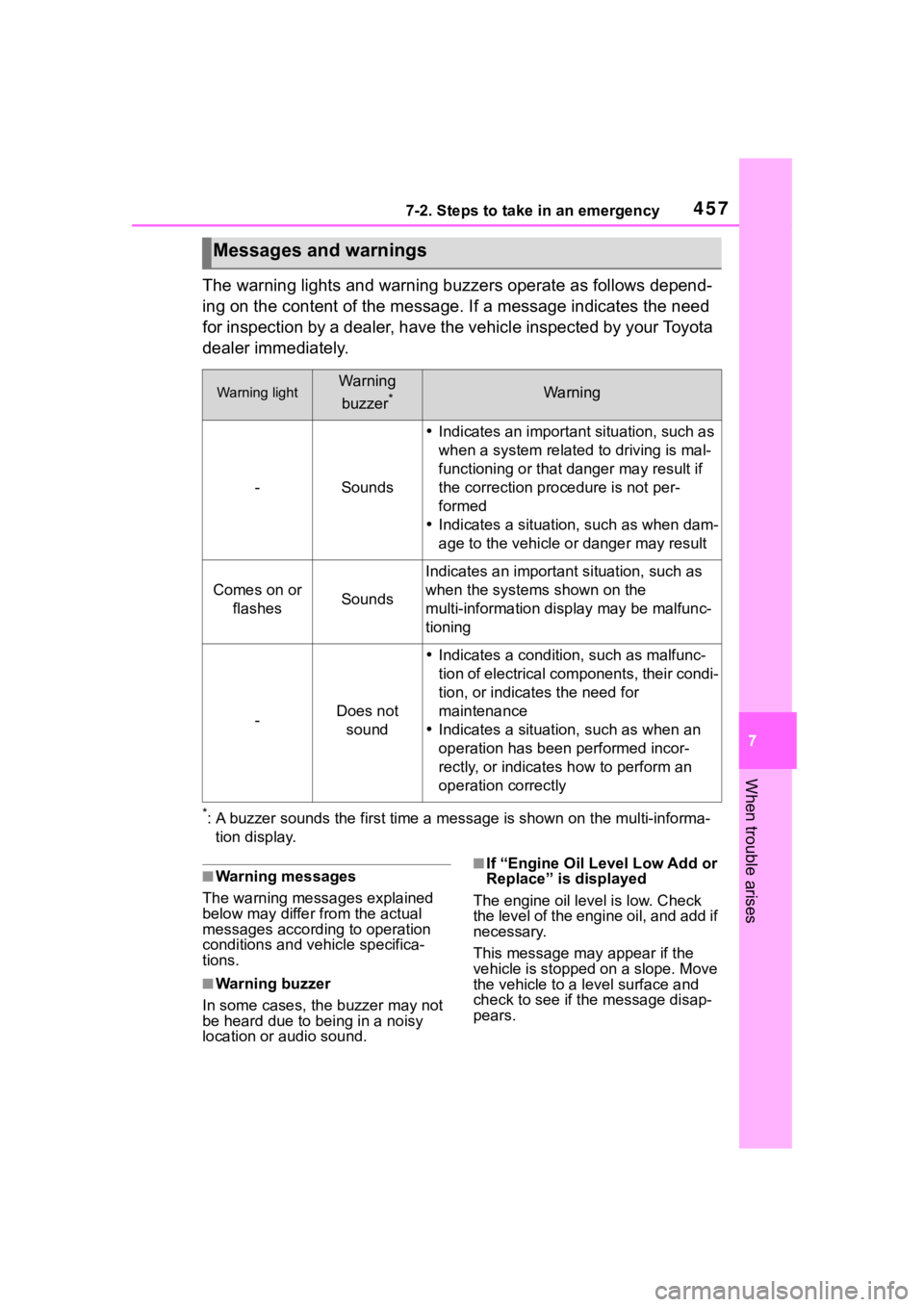
The warning lights and warning buzzers operate as follows depend-
ing on the content of the message. If a message indicates the need
for inspection by a dealer, have the vehicle inspected by your To y o t a
dealer immediately.
*: A buzzer sounds the first time a message is shown on the multi-informa-
tion display.
■Warning messages
The warning messages explained
below may differ from the actual
messages according to operation
conditions and vehicle specifica-
tions.
■Warning buzzer
In some cases, the buzzer may not
be heard due to being in a noisy
location or audio sound.
■If “Engine Oil Level Low Add or
Replace” is displayed
The engine oil level is low. Check
the level of the engine oil, and add if
necessary.
This message may appear if the
vehicle is stopped on a slope. Move
the vehicle to a l evel surface and
check to see if the message disap-
pears.
Messages and warnings
Warning lightWarning
buzzer
*Warning
-Sounds
Indicates an important situation, such as
when a system relate d to driving is mal-
functioning or that danger may result if
the correction procedure is not per-
formed
Indicates a situation, such as when dam-
age to the vehicle or danger may result
Comes on or
flashesSounds
Indicates an importan t situation, such as
when the systems shown on the
multi-information display may be malfunc-
tioning
-Does not sound
Indicates a condition, such as malfunc-
tion of electrical components, their condi-
tion, or indicates the need for
maintenance
Indicates a situatio n, such as when an
operation has been performed incor-
rectly, or indicates how to perform an
operation correctly
Page 460 of 572
4607-2. Steps to take in an emergency
Check the engine oil and change it if
necessary. After changing the
engine oil, make sure to reset the
message. (P.398)
■If “Oil Maintenance Required” is
displayed
Indicates that the engine oil should
be changed.
Check and change the engine oil,
and oil filter by your Toyota dealer.
After changing the engine oil, make
sure to reset the message.
( P.398)
■If a message that indicates the
need for visiting your Toyota
dealer is displayed
The system or part shown on the
multi-information display is malfunc-
tioning. Have the vehicle inspected
by your Toyota dealer immediately.
■If a message that indicates the
need for referring to Owner’s
Manual is displayed
●If any of the following messages
are shown on the multi-informa-
tion display, it may indicate a mal-
function. Immediat ely stop the
vehicle and contact your Toyota
dealer.
• “Braking Power Low Stop in a Safe Place See Owner's Manual”
• “Oil Pressure Low Stop in a Safe
Place See Owner's Manual”
• “Charging System Malfunction Stop in a Safe Place See Owner's
Manual”
• “Stop in a Safe Place See Owner's Manual”
• “Shift to P See Owner's Manual”
●If any of the following messages
are shown on the multi-informa-
tion display, the vehicle may have
run out of fuel. Stop the vehicle in
a safe place and, if the fuel level is
low, refuel the vehicle.
• “Hybrid System Stopped”
• “Engine Stopped”
●If any of the following messages
are shown on the multi-informa-
tion display, it may indicate a mal- function. Have the vehicle
inspected by your Toyota dealer
immediately.
• “Hybrid System Malfunction”
• “Check Engine”
• “Hybrid Battery System Malfunc- tion”
• “Accelerator System Malfunction”
• “Smart Key System Malfunction See Owner's Manual”
●If any of the following messages
are shown on the multi-informa-
tion display, follow the instruc-
tions.
• “Engine Coolant Temp High Stop in a Safe Place See Owner's Man-
ual” ( P.484)
●If “Maintenance Required for Trac-
tion Battery Cooling Parts See
Owner's Manual” is shown, the fil-
ters may be clogged, the air intake
vents may be blocked, or there
may be a gap in the duct. There-
fore, perform the following correc-
tion procedure.
• Cleaning the hybrid battery (trac- tion battery) air intake vents
( P.420)
If the warning message is shown
even if the vents ar e cleaned, have
the vehicle inspected by your Toyota
dealer.
NOTICE
■If “High Power Consumption
Partial Limit on AC/Heater
Operation” is displayed fre-
quently
There is a possible malfunction
relating to the charging system or
the 12-volt battery may be deteri-
orating. Have the vehicle
inspected by you r Toyota dealer.