warning TOYOTA HILUX 2018 Owners Manual
[x] Cancel search | Manufacturer: TOYOTA, Model Year: 2018, Model line: HILUX, Model: TOYOTA HILUX 2018Pages: 708, PDF Size: 95.31 MB
Page 347 of 708
3474-5. Using the driving support systems
4
Driving
HILUX_OM_OM0K375E_(EE)
● The sign is only visible to the camera sensor for a short amount of time.
● The driving scene (turning, lane change, etc.) is judged incorrectly.
● Even if it is a sign not appropriate for the currently traveled lane, such a sign
exists directly after a freeway branches, or in an adjacent lane just before
merging.
● Stickers are attached to the rear of the preceding vehicle.
● A sign resembling a system compatible sign is recognized.
● The vehicle is driven in a country with a different direction of traffic.
● Side road speed signs may be detected and displayed (if positioned in sight
of the camera sensor) while the vehicle is traveling on the main road.
● Roundabout exit road speed signs may be detected and displayed (if posi-
tioned in sight of the camera sensor) while traveling on a roundabout.
● The speed information displayed on the meter and that displayed on the
navigation system (if equipped) may be different due to the multimedia sys-
tem using map data.
■ When driving vehicle in country with different speed unit
Since RSA recognizes signs based on the set unit of the meter, it is neces-
sary to change the set unit of the meter. Adjust the set unit of the meter to the
speed unit of signs in the current location. ( P. 684)
■ Turning the system on/off
Use the meter control switches to select while the vehicle is stopped and
press , and select and press . ( P. 141)
■ Speed limit sign display
If the engine switch was last turned to the “LOCK” position (vehicles without
smart entry & start system) or off (vehicles with smart entry & start system)
while a speed limit sign was displayed on the multi-information display, the
same sign displays again when the engine switch is turned to the “ON” posi-
tion (vehicles without smart entry & start system) or IGNITION ON mode
(vehicles with smart entry & start system).
■ Customization
Setting (e.g. speeding warning threshold) can be changed.
(Customizable feature: P. 683)
Page 350 of 708
3504-5. Using the driving support systems
HILUX_OM_OM0K375E_(EE)
■Cruise control can be set when
● The shift lever is in the D or range 4 or higher of S has been selected. (vehi-
cles with automatic transmission)
● Vehicle speed is above approximately 40 km/h (25 mph).
■ Accelerating after setting the vehicle speed
● The vehicle can be accelerated normally. After acceleration, the set speed
resumes.
● Even without canceling the cruise control, the set speed can be increased
by first accelerating the vehicle to the desired speed and then pushing the
lever down to set the new speed.
■ Automatic cruise control cancelation
Cruise control will stop maintaining the vehicle speed in any of the following
situations:
● Actual vehicle speed falls more than approximately 16 km/h (10 mph) below
the preset vehicle speed.
At this time, the memorized set speed is not retained.
● Actual vehicle speed is below approximately 40 km/h (25 mph).
● VSC is activated. (if equipped)
● 4WD models: The front-wheel drive control switch is switched between H2
and H4.
● TRC or A-TRC is activated for a period of time.
● When the VSC, TRC or A-TRC system is turned off. (if equipped)
■ If the warning message for the cruise control is shown on the multi-
information display
Press the “ON-OFF” button once to deactivate the system, and then press
the button again to reactivate the system.
If the cruise control speed cannot be set or if the cruise control cancels imme-
diately after being activated, there may be a malfunction in the cruise control
system. Have the vehicle inspected by any authorized Toyota retailer or
Toyota authorized repairer, or any reliable repairer.
Page 351 of 708
3514-5. Using the driving support systems
4
Driving
HILUX_OM_OM0K375E_(EE)
WARNING
■To avoid operating the cruise control by mistake
Switch the cruise control off using the “ON-OFF” button when not in use.
■ Situations unsuitable for cruise control
Do not use cruise control in any of the following situations.
Doing so may result in loss of control and could cause an accident resulting
in death or serious injury.
● In heavy traffic
● On roads with sharp bends
● On winding roads
● On slippery roads, such as those covered with rain, ice or snow
● On steep hills
Vehicle speed may exceed the set speed when driving down a steep hill.
● When your vehicle is towing a trailer (models for model code destination
W*) or during emergency towing
*: See “Checking your vehicle’s model” if you are not sure of which model
your vehicle is. ( P. 1 1 )
Page 361 of 708
3614-5. Using the driving support systems
4
Driving
HILUX_OM_OM0K375E_(EE)
WARNING
■When using the rear view monitor system
The rear view monitor system is a supplemental device intended to assist
the driver when backing up. When backing up, be sure to visually check all
around the vehicle both directly and using the mirrors before proceeding.
Observe the following precautions to avoid an accident that could result in
death or serious injuries.
● Never depend on the rear view monitor system entirely when backing up.
The image and the position of the guide lines displayed on the screen may
differ from the actual state.
Use caution, just as you would when backing up any vehicle.
● Be sure to back up slowly, depressing the brake pedal to control vehicle
speed.
● The instructions given are only guide lines.
When and how much to turn the steering wheel will vary according to traf-
fic conditions, road surface conditions , vehicle condition, etc. when park-
ing. It is necessary to be fully aware of this before using the rear view
monitor system.
● When parking, be sure to check that the parking space will accommodate
your vehicle before maneuvering into it.
● Do not use the rear view monitor system in the following cases:
• On icy or slick road surfaces, or in snow
• When using tire chains
• When the tailgate is not closed completely
• On roads that are not flat or straight, such as curves or slopes.
● In low temperatures, the screen may darken or the image may become
faint. The image could distort when the vehicle is moving, or you may
become unable to see the image on the screen. Be sure to visually check
all around the vehicle both directly and using the mirrors before proceed-
ing.
● If the tire sizes are changed, the position of the fixed guide lines displayed
on the screen may change.
● The camera uses a special lens. The distances between objects and
pedestrians that appear in the image displayed on the screen will differ
from the actual distances.
Page 372 of 708
3724-5. Using the driving support systems
HILUX_OM_OM0K375E_(EE)
■Four-wheel drive usage frequency (vehicles with A.D.D.)
You should drive in four-wheel drive for at least 16 km (10 miles) each month.
This will assure that the front drive components are lubricated.
■ Shifting between H2 and H4
If you have trouble shifting in cold w eather, reduce your speed or stop the
vehicle and reshift.
■ Shifting to L4 (vehicles with VSC)
VSC is automatically turned off.
■ When driving on dry paved surface roads and expressway
Use H2 position. If the vehicle is driven in H4 or L4 position for a long time, a
warning buzzer sounds, and the four-wheel drive indicator light flashes rap-
idly or a warning message is shown on the multi-information display. If the
warning message is shown on the multi-information display, follow the mes-
sage.
WARNING
■ While driving
● Never turn the front-wheel drive control switch from H2 to H4 if the wheels
are slipping. Stop the slipping or spinning before shifting.
● For normal driving on dry and hard surface roads, use H2 position. Driving
on dry and hard surface roads in H4 or L4 position may cause drive com-
ponent oil leakage, seizure, or other problems resulting in an accident.
Further, it may cause tire wear and increased fuel consumption.
● Avoid turning suddenly in H4 or L4 position. If you do turn suddenly, the
difference in turning speeds between the front and rear wheels may have
a similar effect to braking, thus making driving difficult.
Page 376 of 708
3764-5. Using the driving support systems
HILUX_OM_OM0K375E_(EE)
■Locking the rear differential
The following systems do not operate w hen the rear differential is locked.
It is normal operation for the ABS warning light, VSC OFF indicator (if
equipped) and “TRC OFF” indicator (if equipped) to be on or for “TRC
TURNED OFF”/“TRC turned off” to be displayed on the multi-information dis-
play (if equipped) at this time.
•ABS
• Brake assist (if equipped)
• VSC (if equipped)
• TRC/A-TRC (if equipped)
• Trailer Sway Control (if equipped)
• Hill-start assist control (if equipped)
• Downhill assist control (if equipped)
■ Unlocking the rear differential
If the rear differential lock indicator still flashes even after unlocking the rear
differential, check the safety of the surrounding area and slightly turn the
steering wheel in either direction while the vehicle is in motion.
■ Automatic system cancelation of the rear differential lock system
The rear differential lock is also unlocked in any of the following situations:
● The front-wheel drive control switch is turned to H2 or H4 (4WD models)
● The engine switch is turned to the “ACC” or “LOCK” position (vehicles with-
out smart entry & start system) or A CCESSORY or off (vehicles with smart
entry & start system)
■ After unlocking the rear differential
Check that the indicator goes off.
WARNING
■ To avoid an accident
Failure to observe the following precautions may result in an accident.
● Do not use the rear differential lock system except when wheel spinning
occurs in a ditch or on a slippery or rugged surface. Large steering effort
and careful cornering control will be required.
● Do not lock the rear differential until the wheels have stopped spinning.
Otherwise, the vehicle may move in an unexpected direction when the dif-
ferential lock is engaged, resulting in an accident. This may also lead to
possible damage to rear differential lock component parts.
● Do not drive over 8 km/h (5 mph) when the differential is locked.
● Do not keep driving with the rear differential lock switch on.
Page 381 of 708
3814-5. Using the driving support systems
4
Driving
HILUX_OM_OM0K375E_(EE)
■ When to use the Stop & Start system
● When stopping the vehicle for a longer period of time, stop the engine com-
pletely.
● When the system cannot operate, is canceled, or is malfunctioning, warning
messages and a warning buzzer are used to inform the driver. ( P. 383)
● If the engine switch is pressed when the engine is stopped by the Stop &
Start system, the engine will stall and will not be able to be restarted by the
automatic engine start function. In this case, restart the engine using the
normal engine starting procedure. ( P. 266, 269)
● When the engine is restarted by the Stop & Start system, the power outlets
may be temporarily unusable, but this is not a malfunction.
● Installation and removal of electrical components and wireless devices may
affect the Stop & Start system. Contact any authorized Toyota retailer or
Toyota authorized repairer, or any reliable repairer for details.
■ If the windshield is fogged up while the engine is stopped by the Stop &
Start system
Vehicles with manual air conditioning system:
Restart the engine by pressing the Stop & Start cancel switch, and then set
the air outlet selection dial to . ( P. 485)
Vehicles with automatic air conditioning system:
Turn on. (The engine will start due to the automatic engine start func-
tion.) ( P. 494)
If the windshield fogs up frequently, press the Stop & Start cancel switch to
disable the system.
■ Air conditioning system operation while the engine is stopped by the
Stop & Start system
● If the air conditioning system is being used in automatic mode, the fan
speed may be reduced or the fan may be stopped while the engine is
stopped by the Stop & Start system in order to reduce changes in the cabin
temperature.
● To ensure air conditioning system performance when the vehicle is stopped,
disable the Stop & Start system by pressing the Stop & Start cancel switch.
Page 386 of 708
3864-5. Using the driving support systems
HILUX_OM_OM0K375E_(EE)
WARNING
■When the Stop & Start system is operating
● Keep the shift lever in N (manual transmission), depress the brake pedal
and apply the parking brake when necessary while the engine is stopped
by the Stop & Start system (while the Stop & Start indicator is on).
● Do not allow anyone to leave the vehicle while the engine is stopped by
the Stop & Start system (while the Stop & Start indicator is on).
An accident may occur due to the automatic engine start function.
● Ensure that the engine is not stopped by the Stop & Start system while the
vehicle is in a poorly ventilated area. The engine may restart due to the
automatic engine start function, causing exhaust gases to collect and
enter the vehicle, possibly resulting in death or a serious health hazard.
■ Off-road driving precaution
When driving off-road, such as driving through water, press the Stop & Start
cancel switch to disable the Stop & Start system. Failure to do so may
cause the engine to be unable to restart.
NOTICE
■ To ensure the system operates correctly
If any of the following situations occur, the Stop & Start system may not
operate correctly. Have your vehicle inspected by any authorized Toyota
retailer or Toyota authorized repairer, or any reliable repairer.
● While the driver’s seat belt is fastened, the driver’s and front passenger’s
seat belt reminder light flashes.
● Even though the driver’s seat belt is not fastened, the driver’s and front
passenger’s seat belt reminder light does not illuminate.
● Even though the driver’s door is closed, the open door warning is dis-
played on the multi-information display or the interior light is illuminated
when door linked illumination is enabled ( P. 504).
● Even though the driver’s door is open, the open door warning is not dis-
played on the multi-information display or the interior light does not illumi-
nate when door linked illumination is enabled ( P. 504).
Page 390 of 708
3904-5. Using the driving support systems
HILUX_OM_OM0K375E_(EE)
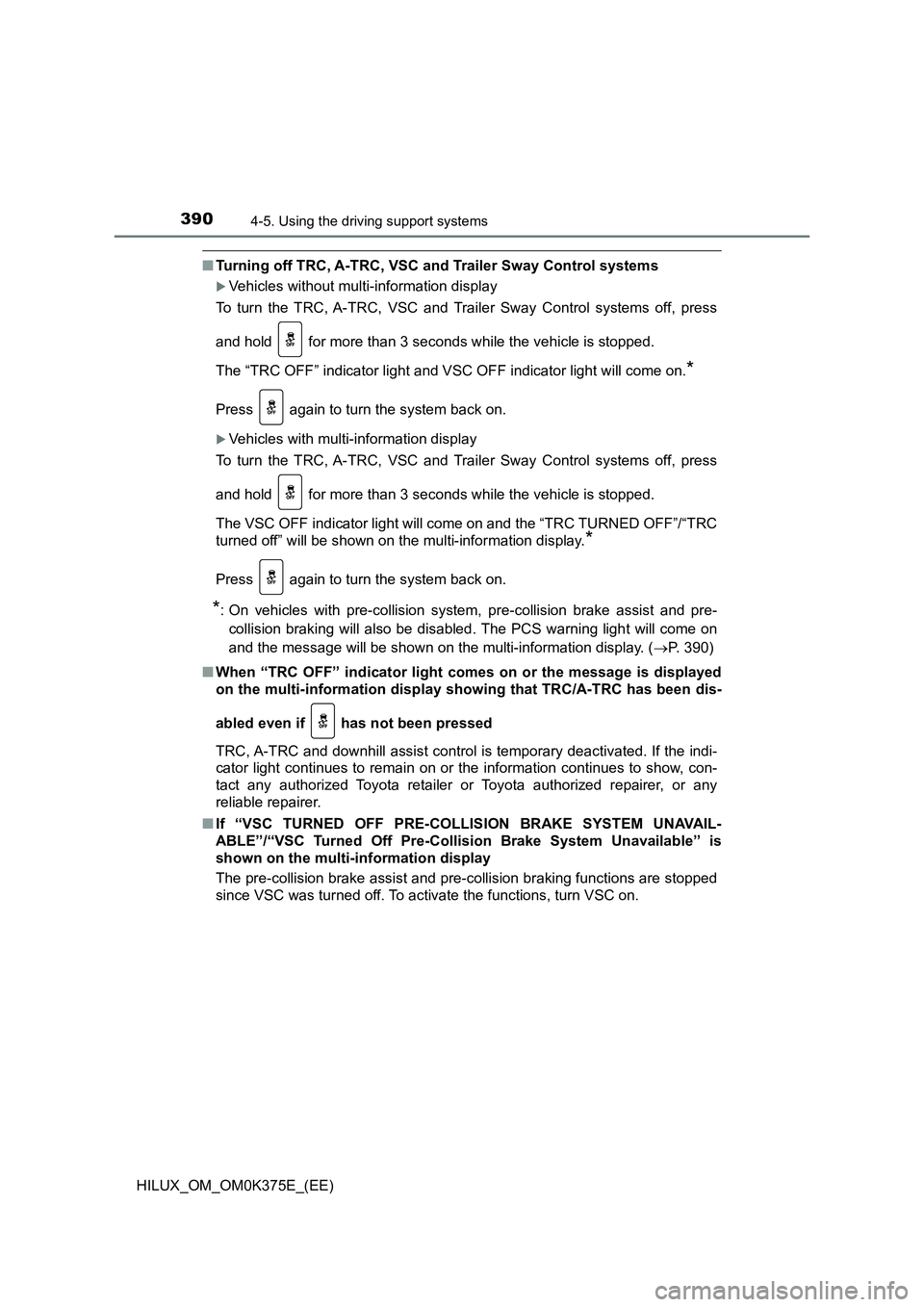
■Turning off TRC, A-TRC, VSC and Trailer Sway Control systems
Vehicles without multi-information display
To turn the TRC, A-TRC, VSC and Trailer Sway Control systems off, press
and hold for more than 3 seconds while the vehicle is stopped.
The “TRC OFF” indicator light and VSC OFF indicator light will come on.*
Press again to turn the system back on.
Vehicles with multi-information display
To turn the TRC, A-TRC, VSC and Trailer Sway Control systems off, press
and hold for more than 3 seconds while the vehicle is stopped.
The VSC OFF indicator light will come on and the “TRC TURNED OFF”/“TRC
turned off” will be shown on the multi-information display.*
Press again to turn the system back on.
*: On vehicles with pre-collision system, pre-collision brake assist and pre-
collision braking will also be disabled. The PCS warning light will come on
and the message will be shown on the multi-information display. ( P. 390)
■ When “TRC OFF” indicator light comes on or the message is displayed
on the multi-information display sh owing that TRC/A-TRC has been dis-
abled even if has not been pressed
TRC, A-TRC and downhill assist control is temporary deactivated. If the indi-
cator light continues to remain on or the information continues to show, con-
tact any authorized Toyota retailer or Toyota authorized repairer, or any
reliable repairer.
■ If “VSC TURNED OFF PRE-COLLISION BRAKE SYSTEM UNAVAIL-
ABLE”/“VSC Turned Off Pre-Collision Brake System Unavailable” is
shown on the multi-information display
The pre-collision brake assist and pre- collision braking functions are stopped
since VSC was turned off. To activate the functions, turn VSC on.
Page 392 of 708
3924-5. Using the driving support systems
HILUX_OM_OM0K375E_(EE)
■ Operating conditions of emergency brake signal
When the following three conditions are met, the emergency brake signal will
operate:
● The emergency flashers are off.
● Actual vehicle speed is over 55 km/h (35 mph).
● The brake pedal is depressed in a manner that cause the system to judge
from the vehicle deceleration that this is a sudden braking operation.
■ Automatic system cancelation of emergency brake signal
The emergency brake signal will turn off in any of the following situations:
● The emergency flashers are turned on.
● The brake pedal is released.
● The system judges from the vehicle deceleration that is not a sudden brak-
ing operation.
WARNING
■ The ABS does not operate effectively when
● The limits of tire gripping performance have been exceeded (such as
excessively worn tires on a snow covered road).
● The vehicle hydroplanes while driving at high speed on wet or slick roads.
■ Stopping distance when the ABS is operating may exceed that of nor-
mal conditions
The ABS is not designed to shorten t he vehicle’s stopping distance. Always
maintain a safe distance from the vehicle in front of you, especially in the
following situations:
● When driving on dirt, gravel or snow-covered roads
● When driving with tire chains
● When driving over bumps in the road
● When driving over roads with potholes or uneven surfaces