key TOYOTA HILUX 2019 User Guide
[x] Cancel search | Manufacturer: TOYOTA, Model Year: 2019, Model line: HILUX, Model: TOYOTA HILUX 2019Pages: 708, PDF Size: 95.31 MB
Page 88 of 708
881-2. Child safety
HILUX_OM_OM0K375E_(EE)
Key of letters inserted in the above table:
X: Not suitable seat position for ISOFIX child restraint systems in
this mass group and/or size class.
IUF: Suitable for ISOFIX forward-facing child restraint systems of “uni-
versal” category approved for use in this mass group.
IL: Suitable for ISOFIX child restraint systems of the categories for
“specific vehicles”, “restricted”, or “semi-universal” approved for
use in this mass group.
*: If the head restraint interferes with your child restraint system, and the
head restraint can be removed, remove the head restraint. Otherwise, put
the head restraint in the upper most position.
When securing some types of child restraint systems in rear seat, it
may not be possible to properly use the seat belts in positions next to
the child restraint without interfering with it or affecting seat belt effec-
tiveness. Be sure your seat belt fits snugly across your shoulder and
low on your hips. If it does not, or if it interferes with the child restraint,
move to a different position. Failure to do so may result in death or
serious injury.
The child restraint systems mentioned in the table may not be avail-
able outside the EU area.
● When installing a child restraint in the rear seats, adjust the front
seat so that it does not interfere with the child or child restraint sys-
tem.
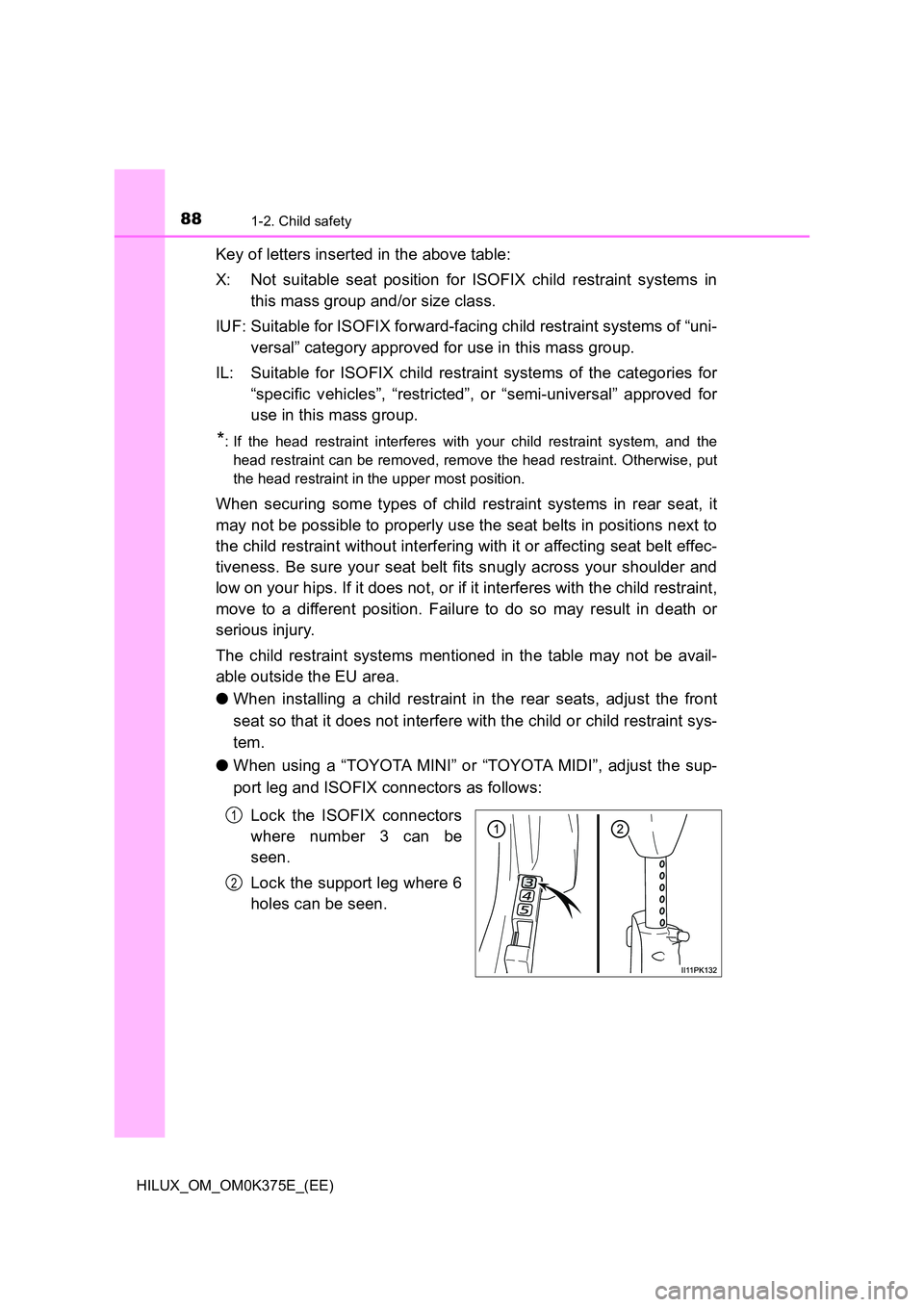
● When using a “TOYOTA MINI” or “TOYOTA MIDI”, adjust the sup-
port leg and ISOFIX connectors as follows:
Lock the ISOFIX connectors
where number 3 can be
seen.
Lock the support leg where 6
holes can be seen.
1
2
Page 89 of 708
891-2. Child safety
1
HILUX_OM_OM0K375E_(EE)
For safety and security
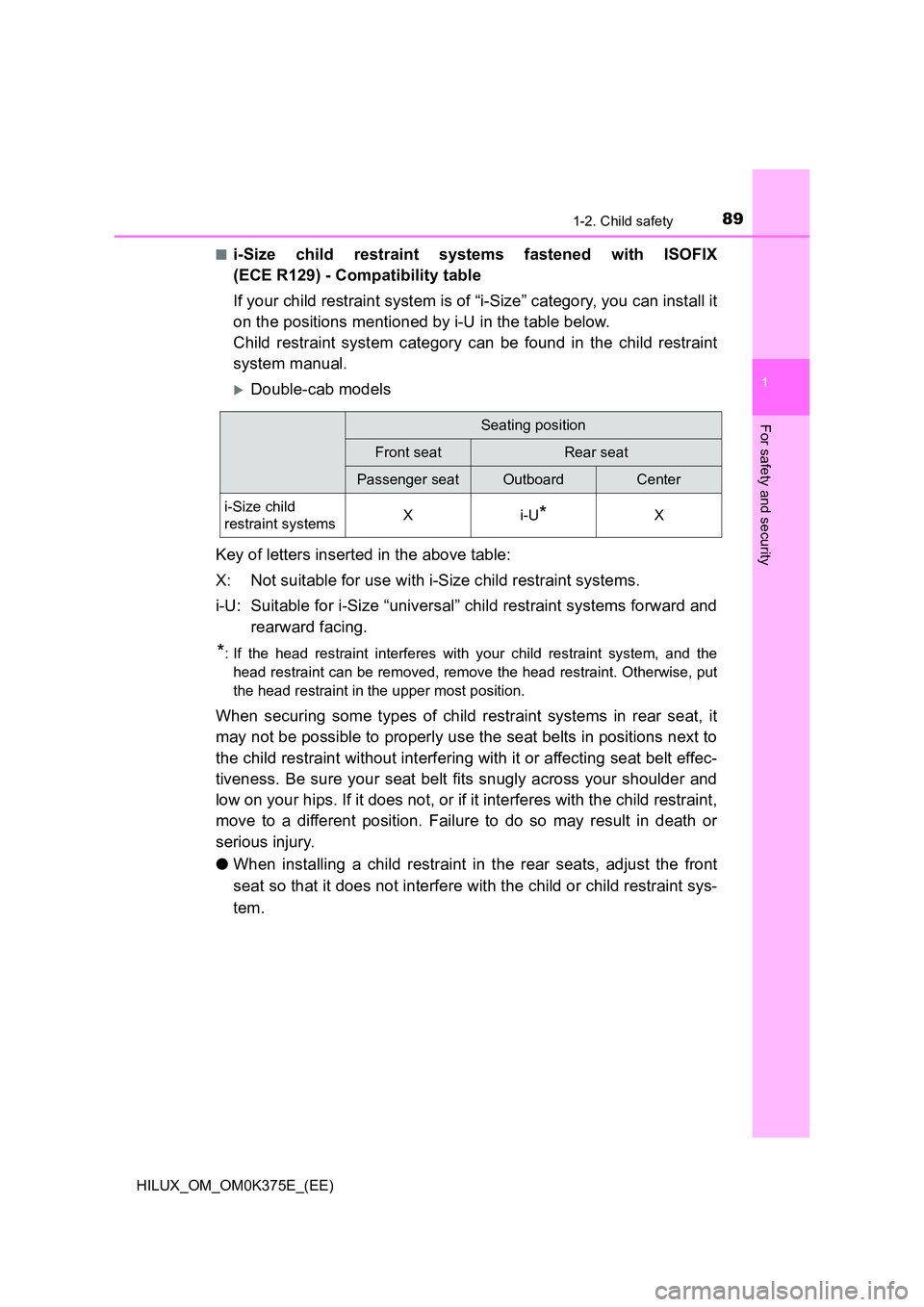
■i-Size child restraint systems fastened with ISOFIX
(ECE R129) - Compatibility table
If your child restraint system is of “i-Size” category, you can install it
on the positions mentioned by i-U in the table below.
Child restraint system category can be found in the child restraint
system manual.
Double-cab models
Key of letters inserted in the above table:
X: Not suitable for use with i-Size child restraint systems.
i-U: Suitable for i-Size “universal” child restraint systems forward and
rearward facing.
*: If the head restraint interferes with your child restraint system, and the
head restraint can be removed, remove the head restraint. Otherwise, put
the head restraint in the upper most position.
When securing some types of child restraint systems in rear seat, it
may not be possible to properly use the seat belts in positions next to
the child restraint without interfering with it or affecting seat belt effec-
tiveness. Be sure your seat belt fits snugly across your shoulder and
low on your hips. If it does not, or if it interferes with the child restraint,
move to a different position. Failure to do so may result in death or
serious injury.
● When installing a child restraint in the rear seats, adjust the front
seat so that it does not interfere with the child or child restraint sys-
tem.
Seating position
Front seatRear seat
Passenger seatOutboardCenter
i-Size child
restraint systemsXi-U*X
Page 95 of 708
95
1
1-3. Theft deterrent system
HILUX_OM_OM0K375E_(EE)
For safety and security
Engine immobilizer system
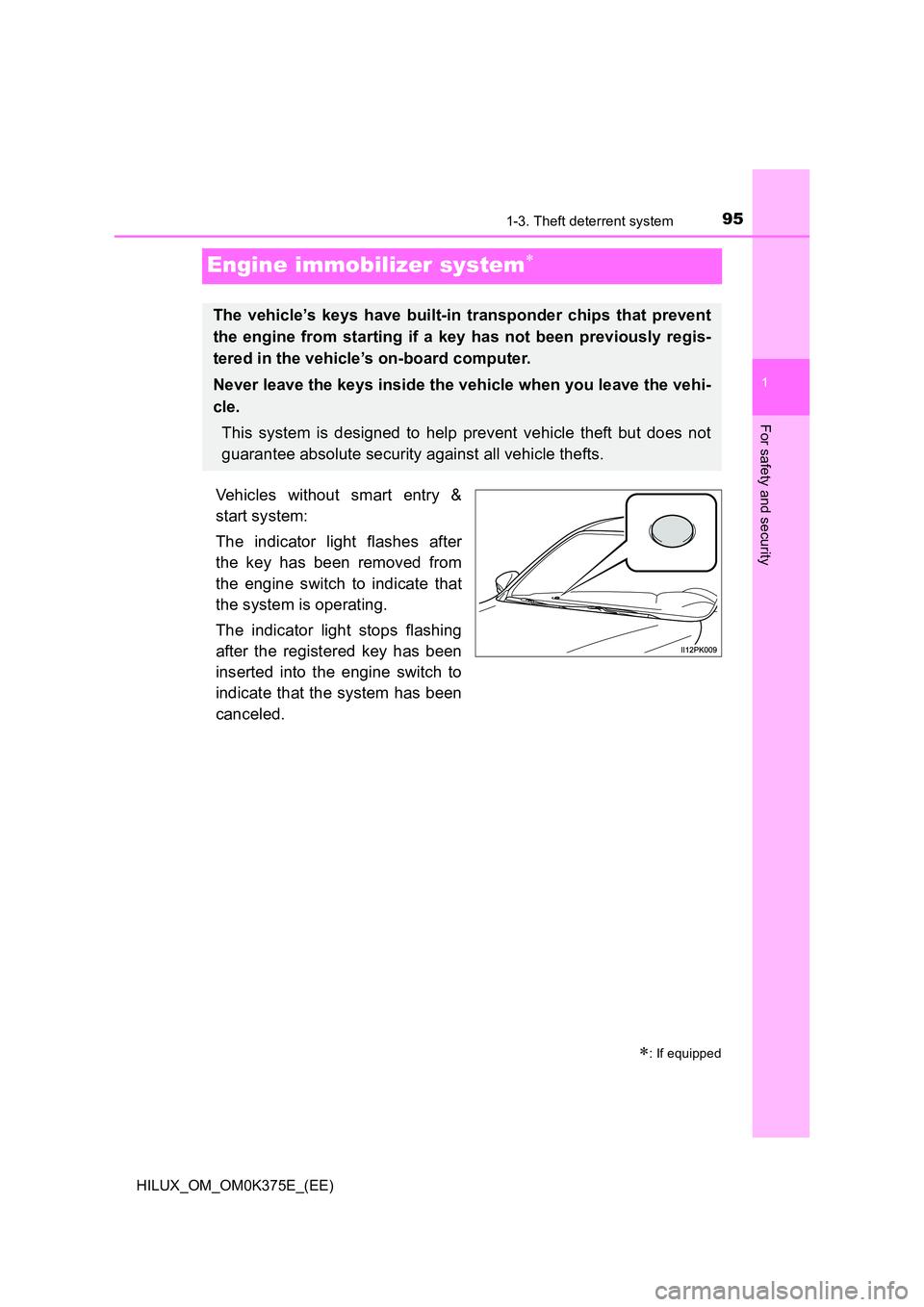
Vehicles without smart entry &
start system:
The indicator light flashes after
the key has been removed from
the engine switch to indicate that
the system is operating.
The indicator light stops flashing
after the registered key has been
inserted into the engine switch to
indicate that the system has been
canceled.
: If equipped
The vehicle’s keys have built-in transponder chips that prevent
the engine from starting if a key has not been previously regis-
tered in the vehicle’s on-board computer.
Never leave the keys inside the vehicle when you leave the vehi-
cle.
This system is designed to help prevent vehicle theft but does not
guarantee absolute security against all vehicle thefts.
Page 96 of 708
961-3. Theft deterrent system
HILUX_OM_OM0K375E_(EE)
Vehicles with smart entry & start system:
The indicator light flashes after the engine switch has been turned off
to indicate that the system is operating.
The indicator light stops flashing after the engine switch has been
turned to ACCESSORY or IGNITION ON mode to indicate that the
system has been canceled.
■ System maintenance
The vehicle has a maintenance-free type engine immobilizer system.
■ Conditions that may cause the system to malfunction
● If the grip portion of the key is in contact with a metallic object
● If the key is in close proximity to or touching a key to the security system
(key with a built-in transponder chip) of another vehicle
Page 119 of 708
119
1
1-3. Theft deterrent system
HILUX_OM_OM0K375E_(EE)
For safety and security
Alarm
The alarm uses light and sound to give an alert when an intrusion is
detected.
The alarm is triggered in the following situations when the alarm is
set:
Except for Kazakhstan, Armenia, Georgia, Turkmenistan and
Morocco
● A locked door is opened in any way other than using the entry func-
tion (vehicles with smart entry & start system), wireless remote con-
trol or mechanical key.
● The hood is opened.
For Kazakhstan, Armenia, Georgia, Turkmenistan and Morocco
● A locked door is opened in any way other than using the entry func-
tion (vehicles with smart entry & start system) or wireless remote
control.
● The hood is opened.
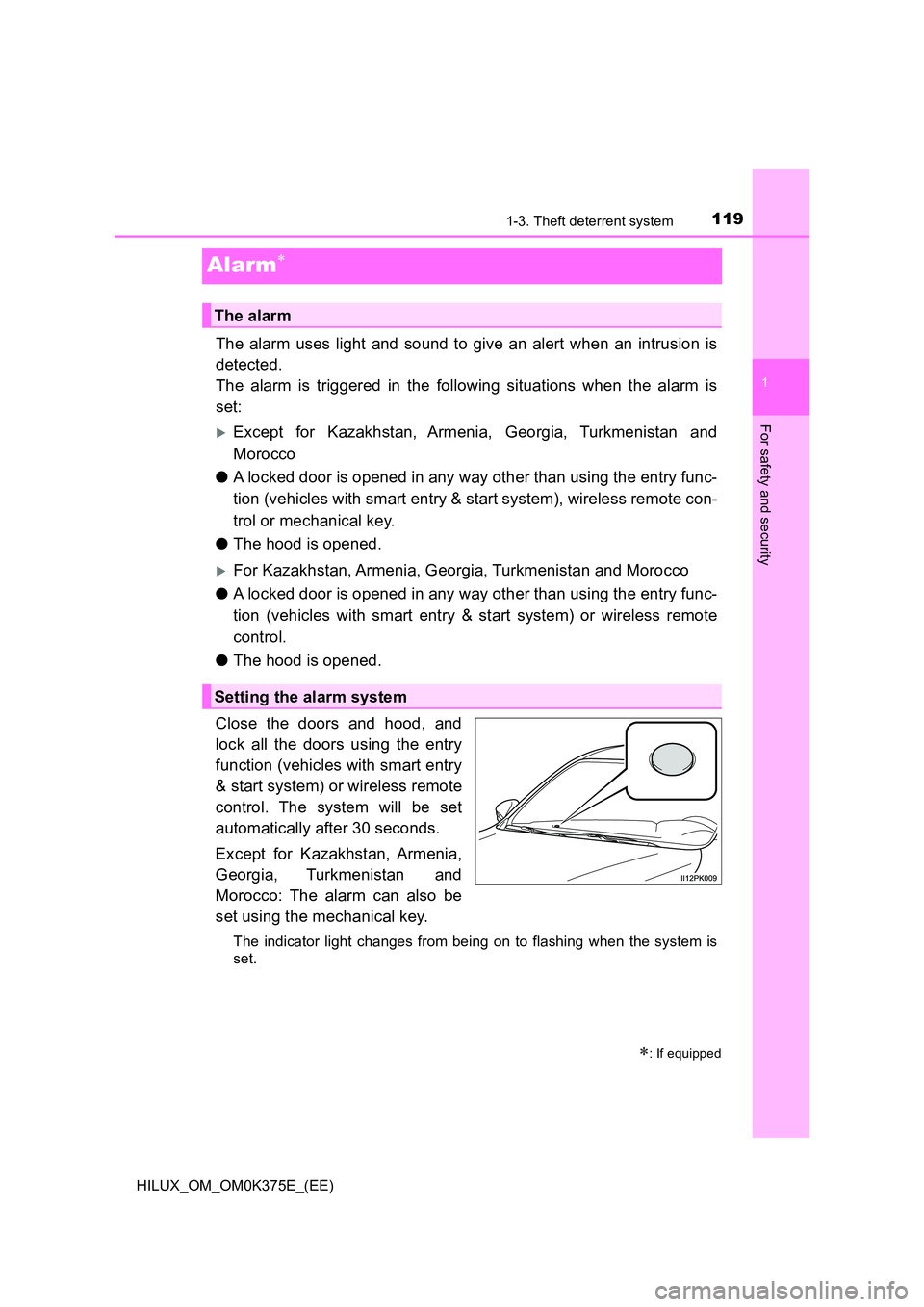
Close the doors and hood, and
lock all the doors using the entry
function (vehicles with smart entry
& start system) or wireless remote
control. The system will be set
automatically after 30 seconds.
Except for Kazakhstan, Armenia,
Georgia, Turkmenistan and
Morocco: The alarm can also be
set using the mechanical key.
The indicator light changes from being on to flashing when the system is
set.
: If equipped
The alarm
Setting the alarm system
Page 121 of 708
1211-3. Theft deterrent system
1
HILUX_OM_OM0K375E_(EE)
For safety and security
■Triggering of the alarm
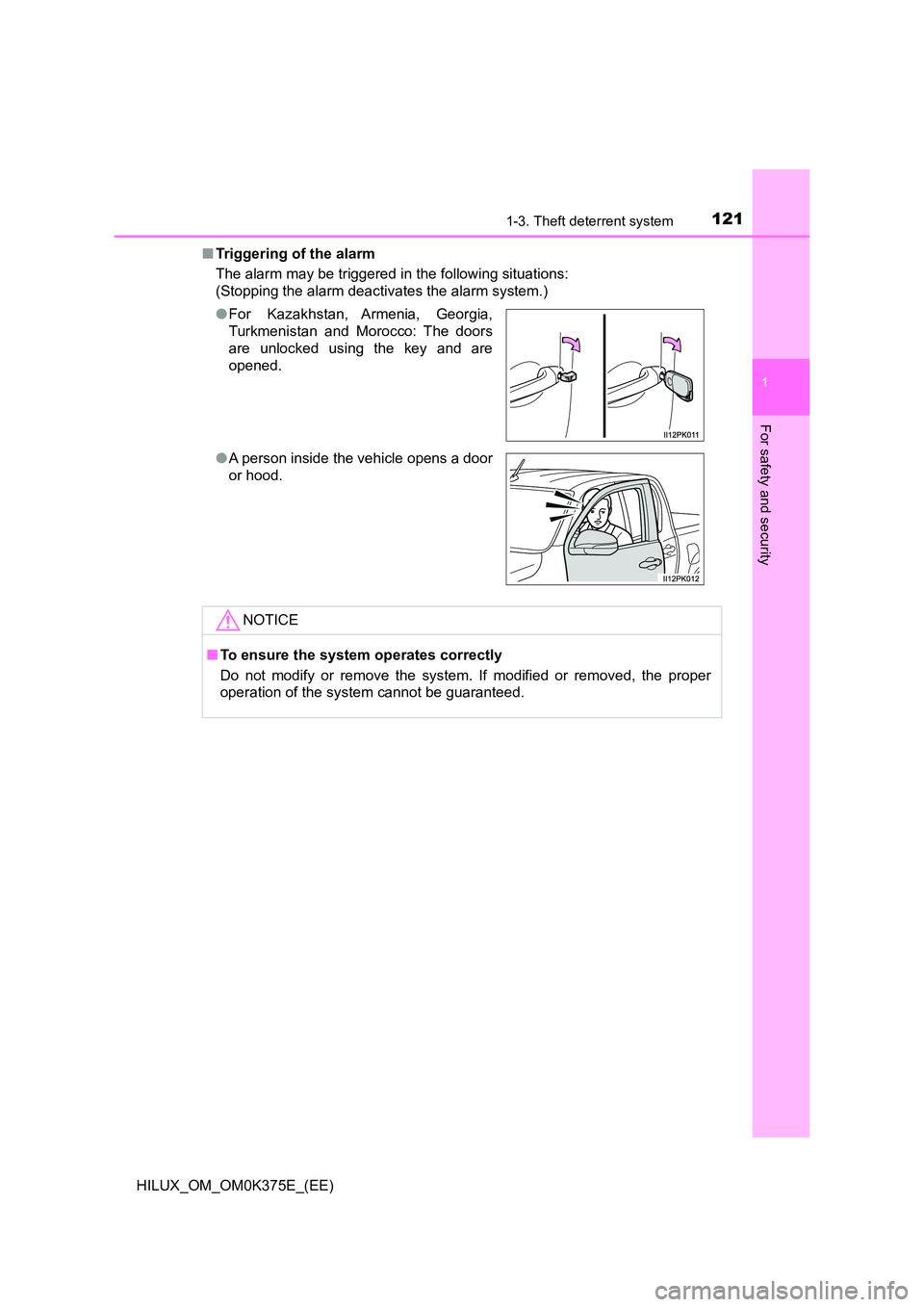
The alarm may be triggered in the following situations:
(Stopping the alarm deactivates the alarm system.)
● For Kazakhstan, Armenia, Georgia,
Turkmenistan and Morocco: The doors
are unlocked using the key and are
opened.
● A person inside the vehicle opens a door
or hood.
NOTICE
■ To ensure the system operates correctly
Do not modify or remove the system. If modified or removed, the proper
operation of the system cannot be guaranteed.
Page 151 of 708
151
3
Operation of
each component
HILUX_OM_OM0K375E_(EE)
3-1. Key information
Keys ................................... 152
3-2. Opening, closing and
locking the doors
Side doors.......................... 174
Access panels (smart-cab
models only) .................... 180
Tailgate .............................. 181
Smart entry & start
system ............................. 184
3-3. Adjusting the seats
Front seats ......................... 218
Rear seats ......................... 220
Head restraints .................. 223
3-4. Adjusting the steering
wheel and mirrors
Steering wheel ................... 226
Inside rear view mirror ....... 228
Outside rear view
mirrors ............................. 229
3-5. Opening and closing
the windows
Power windows .................. 232
Quarter windows
(smart-cab models).......... 236
Page 152 of 708
1523-1. Key information
HILUX_OM_OM0K375E_(EE)
Keys
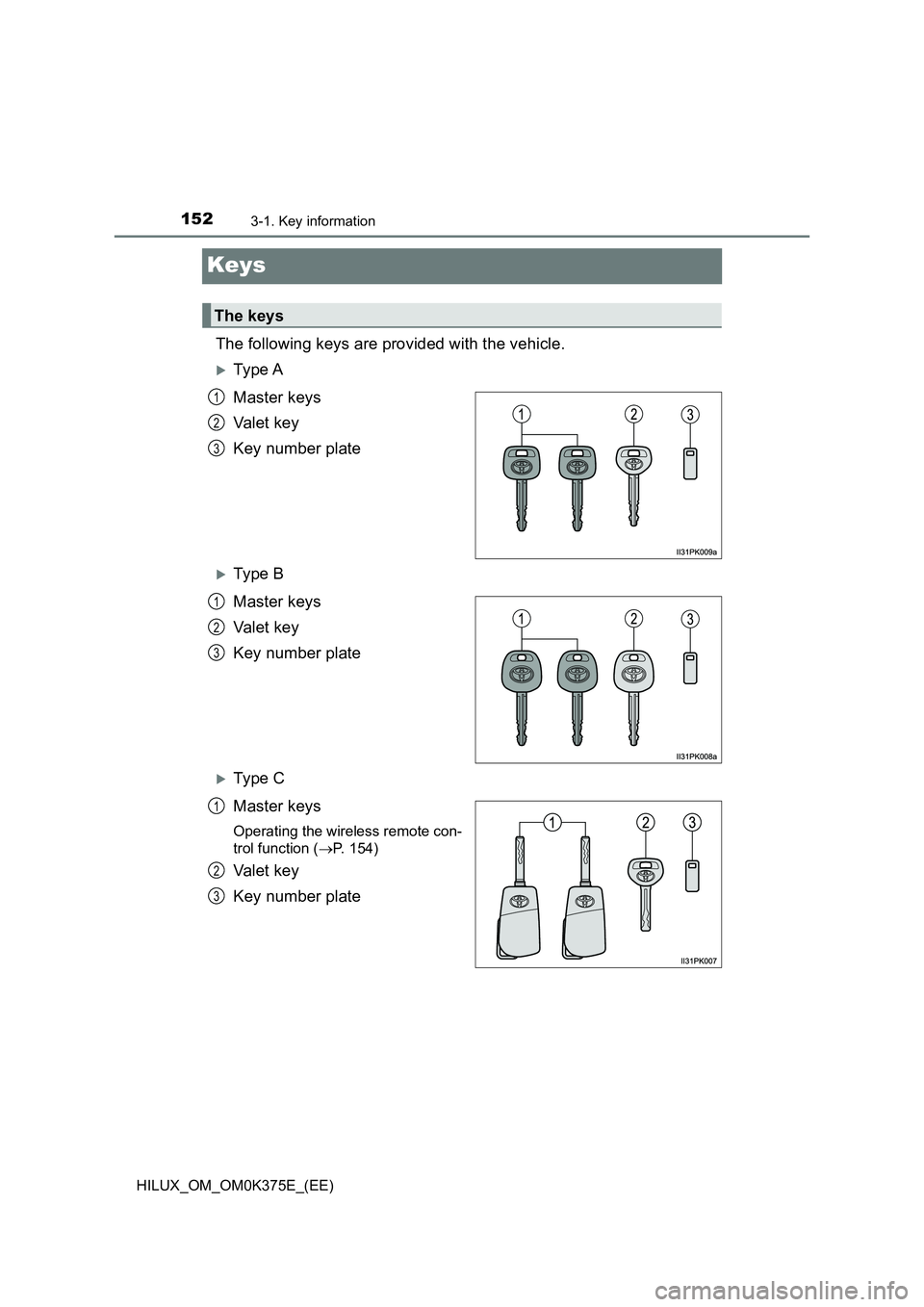
The following keys are provided with the vehicle.
Ty pe A
Master keys
Va l e t k e y
Key number plate
Ty pe B
Master keys
Va l e t k e y
Key number plate
Ty pe C
Master keys
Operating the wireless remote con-
trol function ( P. 154)
Va l e t k e y
Key number plate
The keys
1
2
3
1
2
3
1
2
3
Page 153 of 708
1533-1. Key information
3
Operation of each component
HILUX_OM_OM0K375E_(EE)
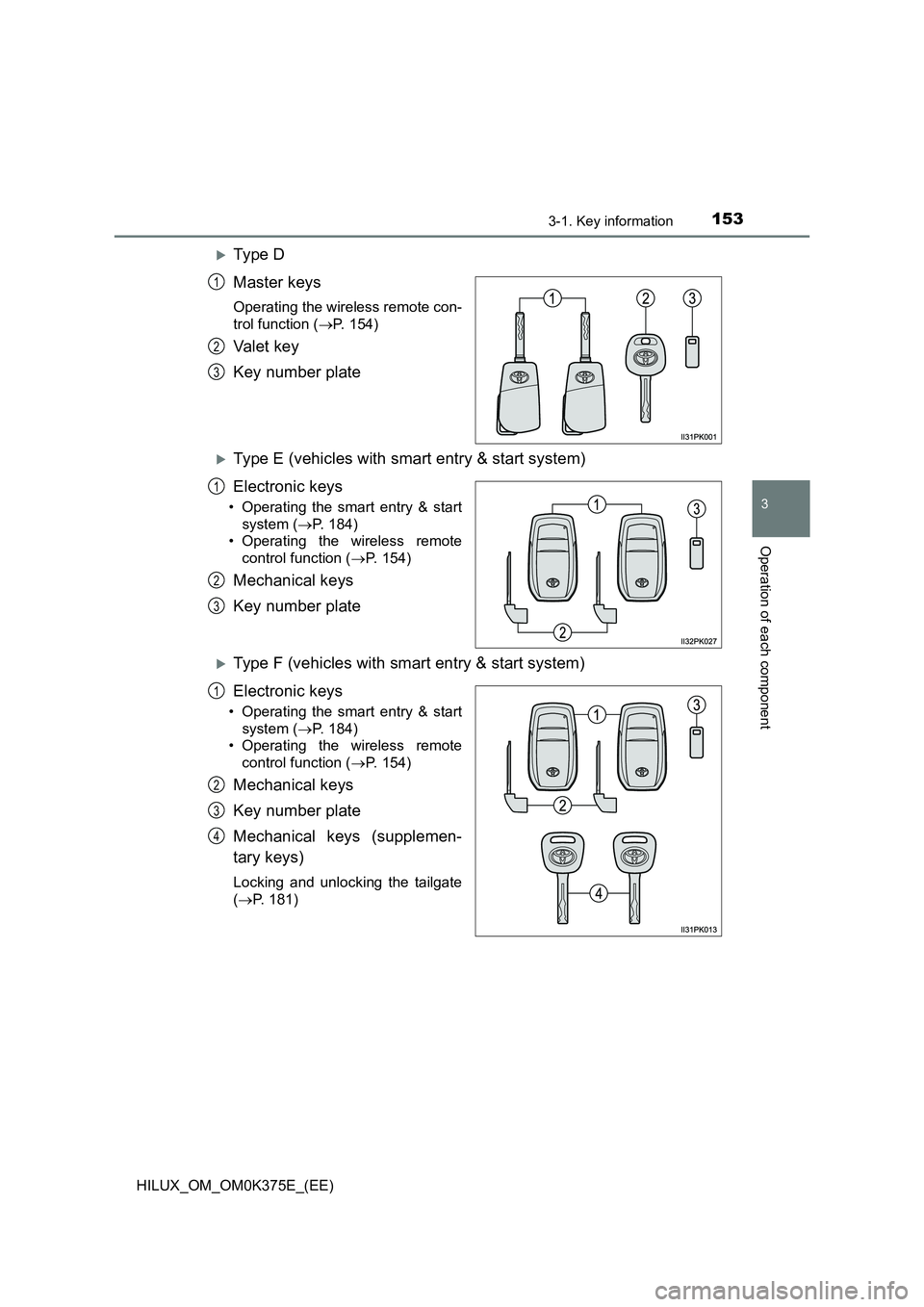
Ty pe D
Master keys
Operating the wireless remote con-
trol function ( P. 154)
Va l e t k e y
Key number plate
Type E (vehicles with smart entry & start system)
Electronic keys
• Operating the smart entry & start
system ( P. 184)
• Operating the wireless remote
control function ( P. 154)
Mechanical keys
Key number plate
Type F (vehicles with smart entry & start system)
Electronic keys
• Operating the smart entry & start
system ( P. 184)
• Operating the wireless remote
control function ( P. 154)
Mechanical keys
Key number plate
Mechanical keys (supplemen-
tary keys)
Locking and unlocking the tailgate
( P. 181)
1
2
3
1
2
3
1
2
3
4
Page 154 of 708
1543-1. Key information
HILUX_OM_OM0K375E_(EE)
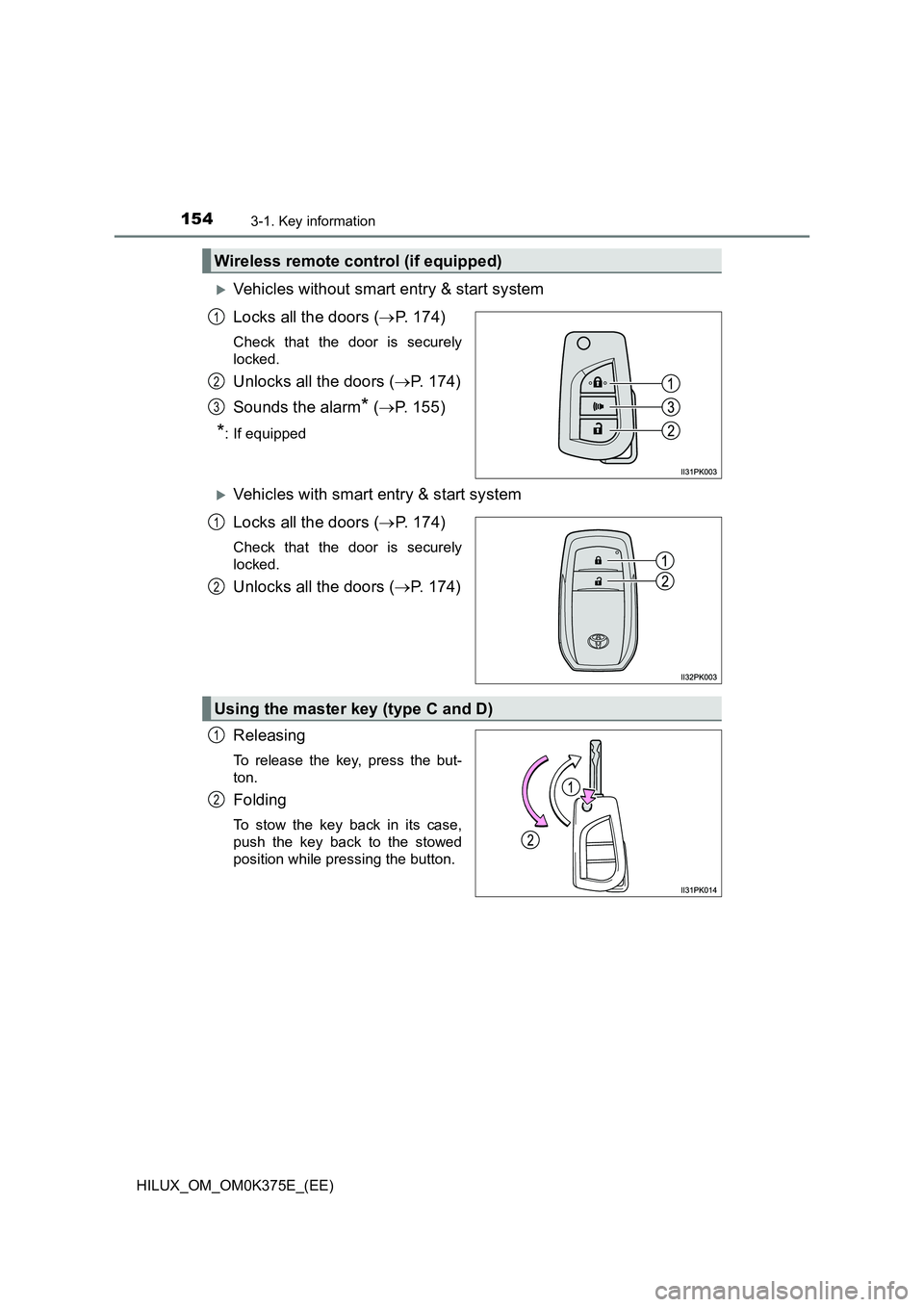
Vehicles without smart entry & start system
Locks all the doors ( P. 174)
Check that the door is securely
locked.
Unlocks all the doors ( P. 174)
Sounds the alarm* ( P. 155)
*: If equipped
Vehicles with smart entry & start system
Locks all the doors ( P. 174)
Check that the door is securely
locked.
Unlocks all the doors ( P. 174)
Releasing
To release the key, press the but-
ton.
Folding
To stow the key back in its case,
push the key back to the stowed
position while pressing the button.
Wireless remote control (if equipped)
1
2
3
1
2
Using the master key (type C and D)
1
2