audio TOYOTA IQ 2012 User Guide
[x] Cancel search | Manufacturer: TOYOTA, Model Year: 2012, Model line: IQ, Model: TOYOTA IQ 2012Pages: 476, PDF Size: 23.52 MB
Page 181 of 476
181 2-1. Driving procedures
2
When driving
iQ_WE_74014E
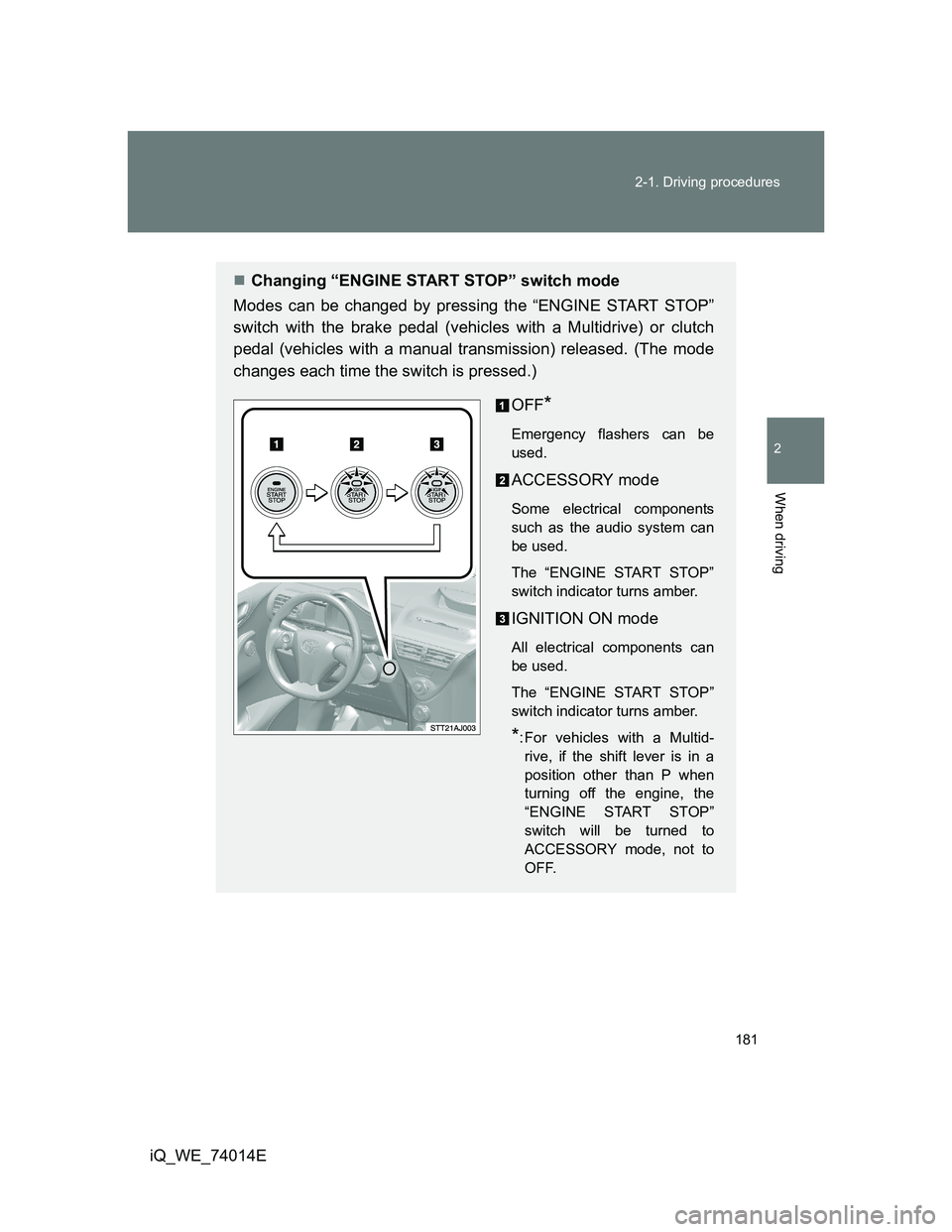
Changing “ENGINE START STOP” switch mode
Modes can be changed by pressing the “ENGINE START STOP”
switch with the brake pedal (vehicles with a Multidrive) or clutch
pedal (vehicles with a manual transmission) released. (The mode
changes each time the switch is pressed.)
OFF
*
Emergency flashers can be
used.
ACCESSORY mode
Some electrical components
such as the audio system can
be used.
The “ENGINE START STOP”
switch indicator turns amber.
IGNITION ON mode
All electrical components can
be used.
The “ENGINE START STOP”
switch indicator turns amber.
*: For vehicles with a Multid-
rive, if the shift lever is in a
position other than P when
turning off the engine, the
“ENGINE START STOP”
switch will be turned to
ACCESSORY mode, not to
OFF.
Page 199 of 476
199
2-2. Instrument cluster
2
When driving
iQ_WE_74014E
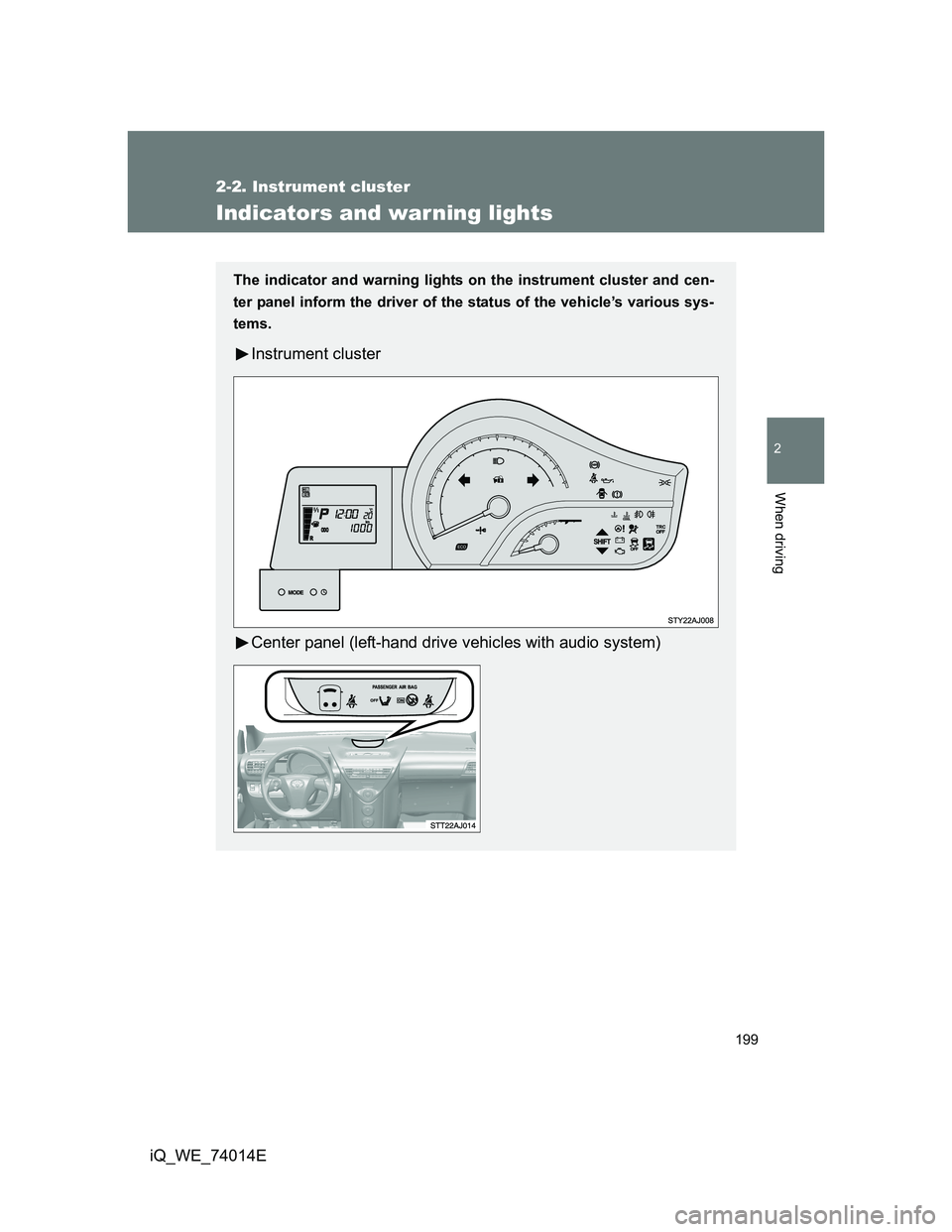
Indicators and warning lights
The indicator and warning lights on the instrument cluster and cen-
ter panel inform the driver of the status of the vehicle’s various sys-
tems.
Instrument cluster
Center panel (left-hand drive vehicles with audio system)
Page 200 of 476
200 2-2. Instrument cluster
iQ_WE_74014E
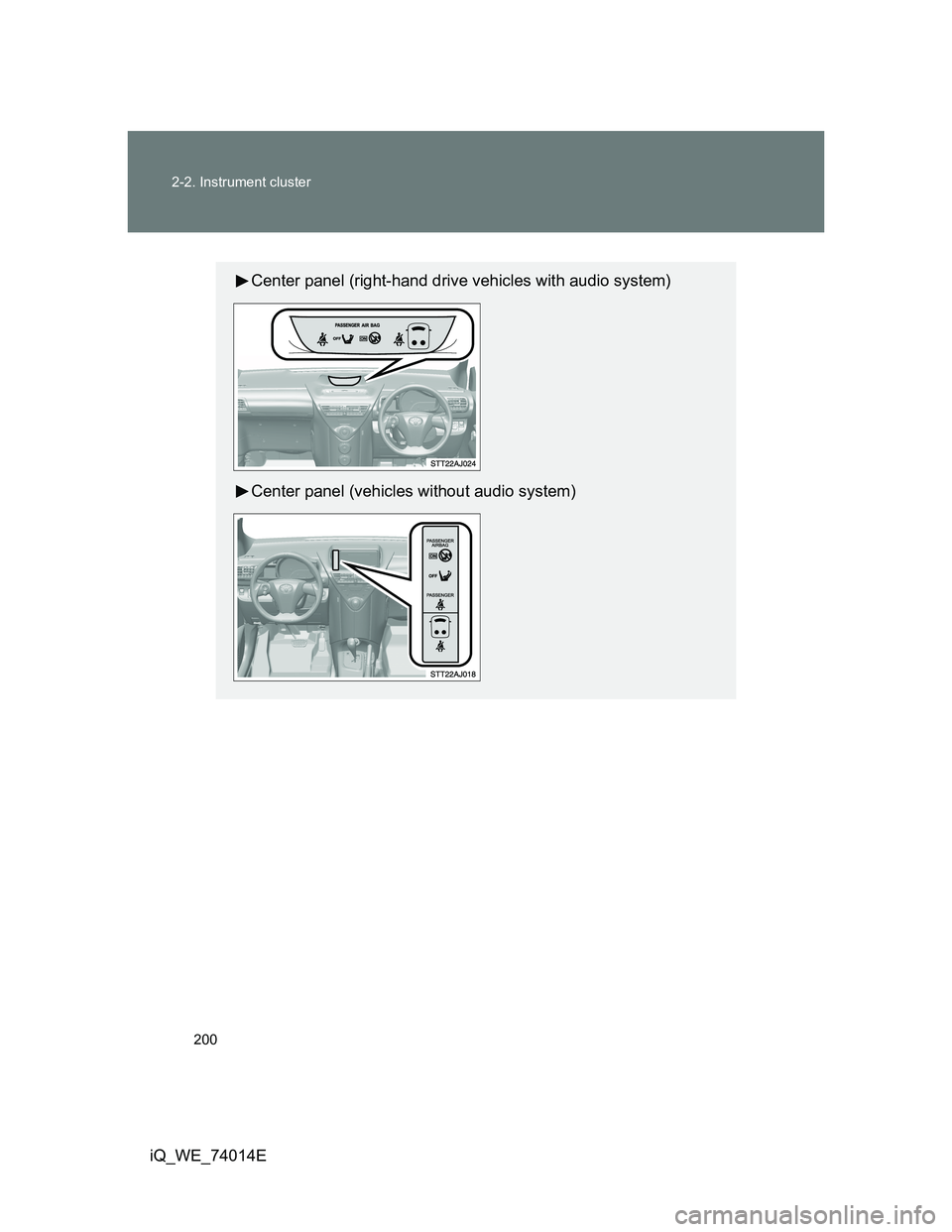
Center panel (right-hand drive vehicles with audio system)
Center panel (vehicles without audio system)
Page 202 of 476
202 2-2. Instrument cluster
iQ_WE_74014E
*1: These lights turn on when the engine switch is turned to the ON
position (vehicles without smart entry & start system) or the
“ENGINE START STOP” switch is turned to IGNITION ON mode
(vehicles with smart entry & start system) to indicate that a system
check is being performed. They will turn off after the engine is
started, or after a few seconds. There may be a malfunction in a sys-
tem if a light does not come on, or if the lights do not turn off. Have
the vehicle inspected by any authorized Toyota dealer or repairer, or
another duly qualified and equipped professional for details.
*2: The indicator flashes to indicate that the system is operating.
(P. 225)
*3: Vehicles with audio system
*4: Vehicles without audio system
Page 203 of 476
203 2-2. Instrument cluster
2
When driving
iQ_WE_74014E
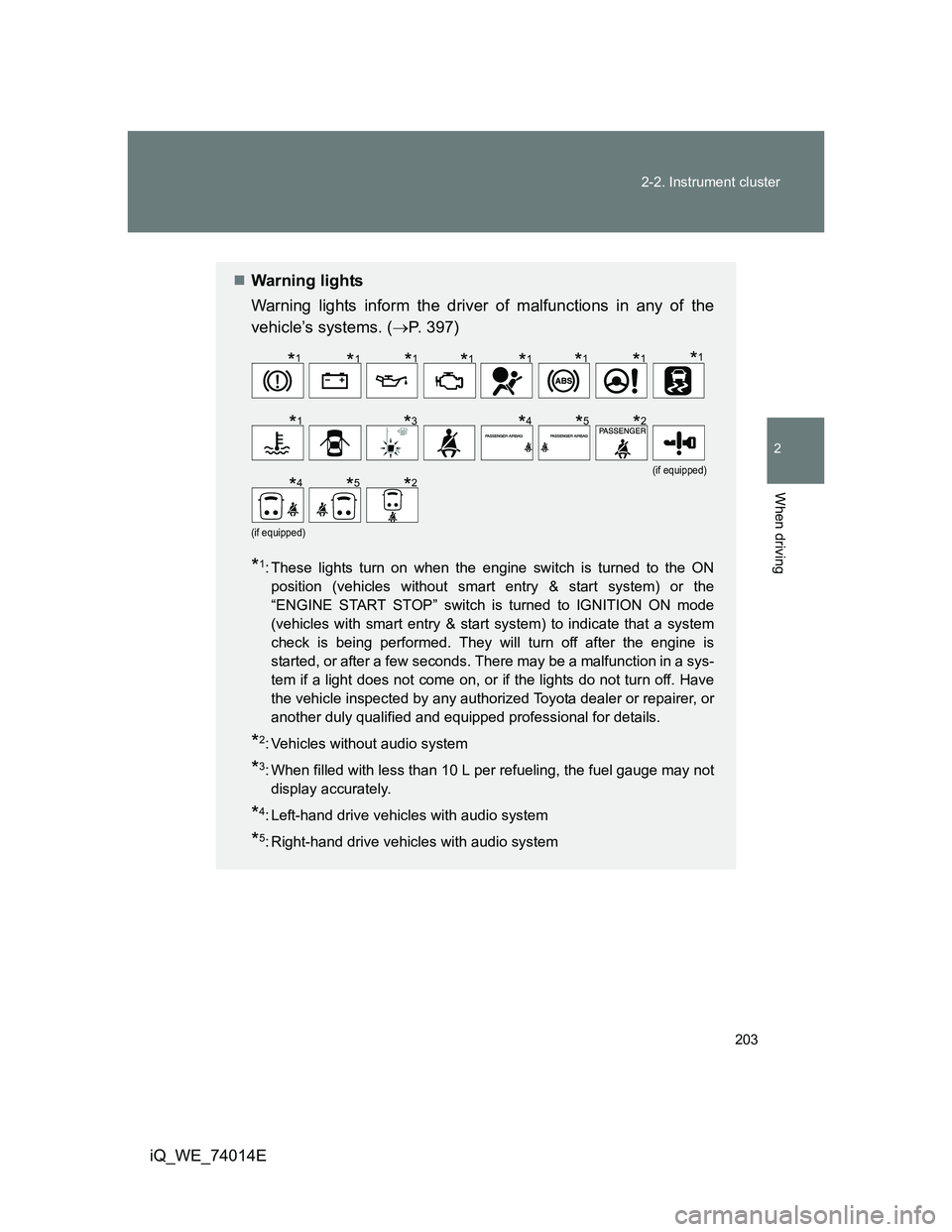
Warning lights
Warning lights inform the driver of malfunctions in any of the
vehicle’s systems. (P. 397)
*1: These lights turn on when the engine switch is turned to the ON
position (vehicles without smart entry & start system) or the
“ENGINE START STOP” switch is turned to IGNITION ON mode
(vehicles with smart entry & start system) to indicate that a system
check is being performed. They will turn off after the engine is
started, or after a few seconds. There may be a malfunction in a sys-
tem if a light does not come on, or if the lights do not turn off. Have
the vehicle inspected by any authorized Toyota dealer or repairer, or
another duly qualified and equipped professional for details.
*2: Vehicles without audio system
*3: When filled with less than 10 L per refueling, the fuel gauge may not
display accurately.
*4: Left-hand drive vehicles with audio system
*5: Right-hand drive vehicles with audio system
(if equipped)
(if equipped)
*1*1*1*1*1*1*1*1
*1*3*4*5*2
*4*5*2
Page 237 of 476
3Interior features
237
iQ_WE_74014E
3-1. Using the air conditioning
system and defogger
Manual air conditioning
system ............................ 238
Automatic air conditioning
system ............................ 244
Rear window defogger...... 252
Rear window and outside
rear view mirror
defoggers ....................... 254
3-2. Using the audio system
Audio system type ............ 257
Using the radio ................. 260
Using the CD player ......... 265
Playing back MP3 and
WMA discs...................... 272
Optimal use of the audio
system ............................ 280
Using the AUX port ........... 282
Using the steering wheel
audio switches ................ 284
3-3. Using the interior lights
Interior lights list................ 286
• Interior light ..................... 2873-4. Using the storage features
List of storage features ..... 288
• Cup holder ...................... 289
• Bottle holders.................. 289
• Auxiliary box ................... 290
3-5. Other interior features
Sun visors ......................... 293
Vanity mirrors.................... 294
Power outlet ...................... 295
Seat heaters ..................... 296
Assist grips ....................... 298
Floor mat........................... 299
Luggage compartment
features........................... 301
Page 257 of 476
257
3
Interior features
iQ_WE_74014E
3-2. Using the audio system
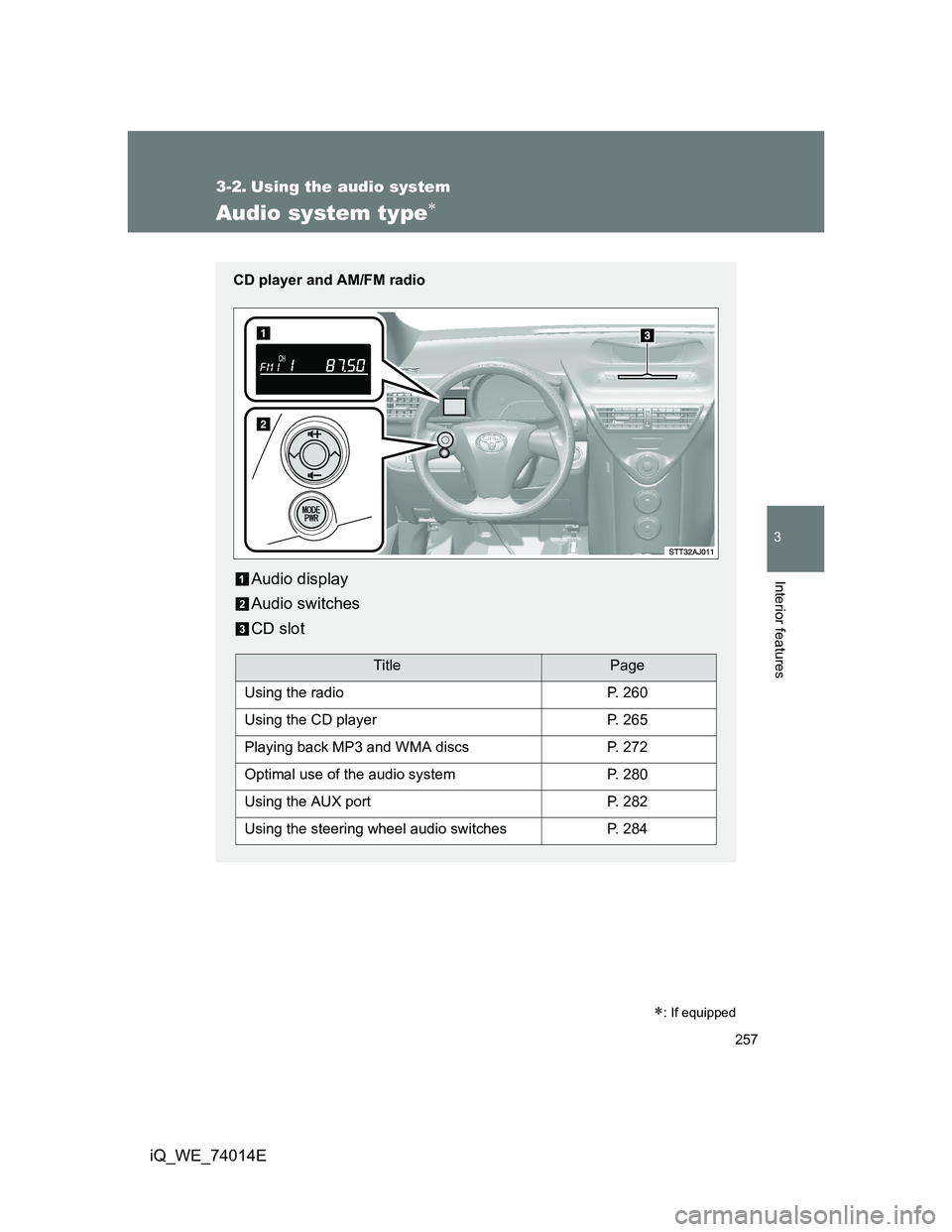
Audio system type
: If equipped
CD player and AM/FM radio
Audio display
Audio switches
CD slot
TitlePage
Using the radioP. 260
Using the CD playerP. 265
Playing back MP3 and WMA discsP. 272
Optimal use of the audio systemP. 280
Using the AUX portP. 282
Using the steering wheel audio switchesP. 284
Page 258 of 476
258 3-2. Using the audio system
iQ_WE_74014E
Turning on the power
Press when the audio system is turned off.
The audio system can be turned off by holding the switch down until you
hear two beeps.
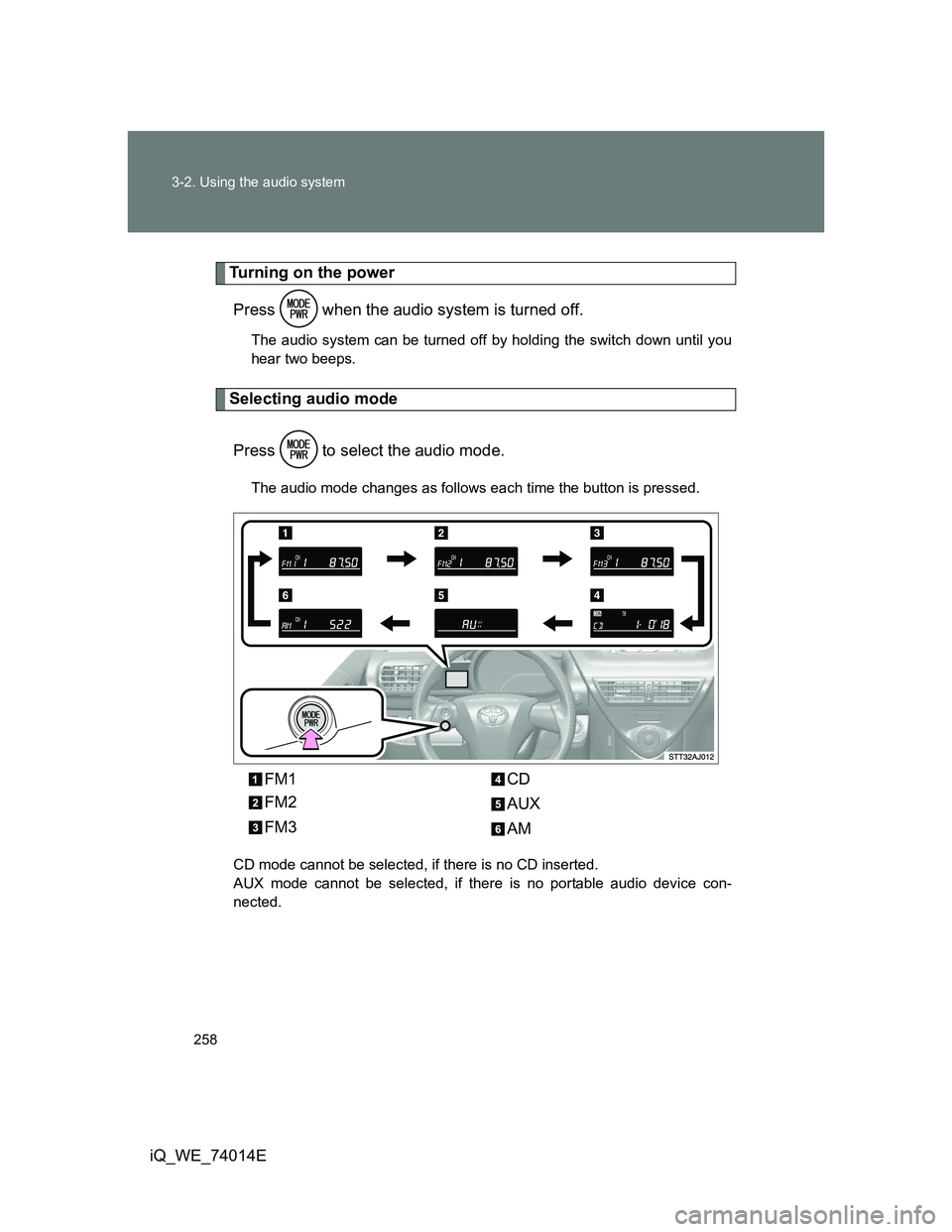
Selecting audio mode
Press to select the audio mode.
The audio mode changes as follows each time the button is pressed.
CD mode cannot be selected, if there is no CD inserted.
AUX mode cannot be selected, if there is no portable audio device con-
nected.
FM1
FM2
FM3CD
AUX
AM
Page 259 of 476
259 3-2. Using the audio system
3
Interior features
iQ_WE_74014E
Using cellular phones
Interference may be heard through the audio system’s speakers if a cellular
phone is being used inside or close to the vehicle while the audio system is
operating.
NOTICE
To prevent battery discharge
Do not leave the audio system on longer than necessary with the engine off.
To avoid damaging the audio system
Take care not to spill drinks or other fluids over the audio system.
Page 260 of 476
260
3-2. Using the audio system
iQ_WE_74014E
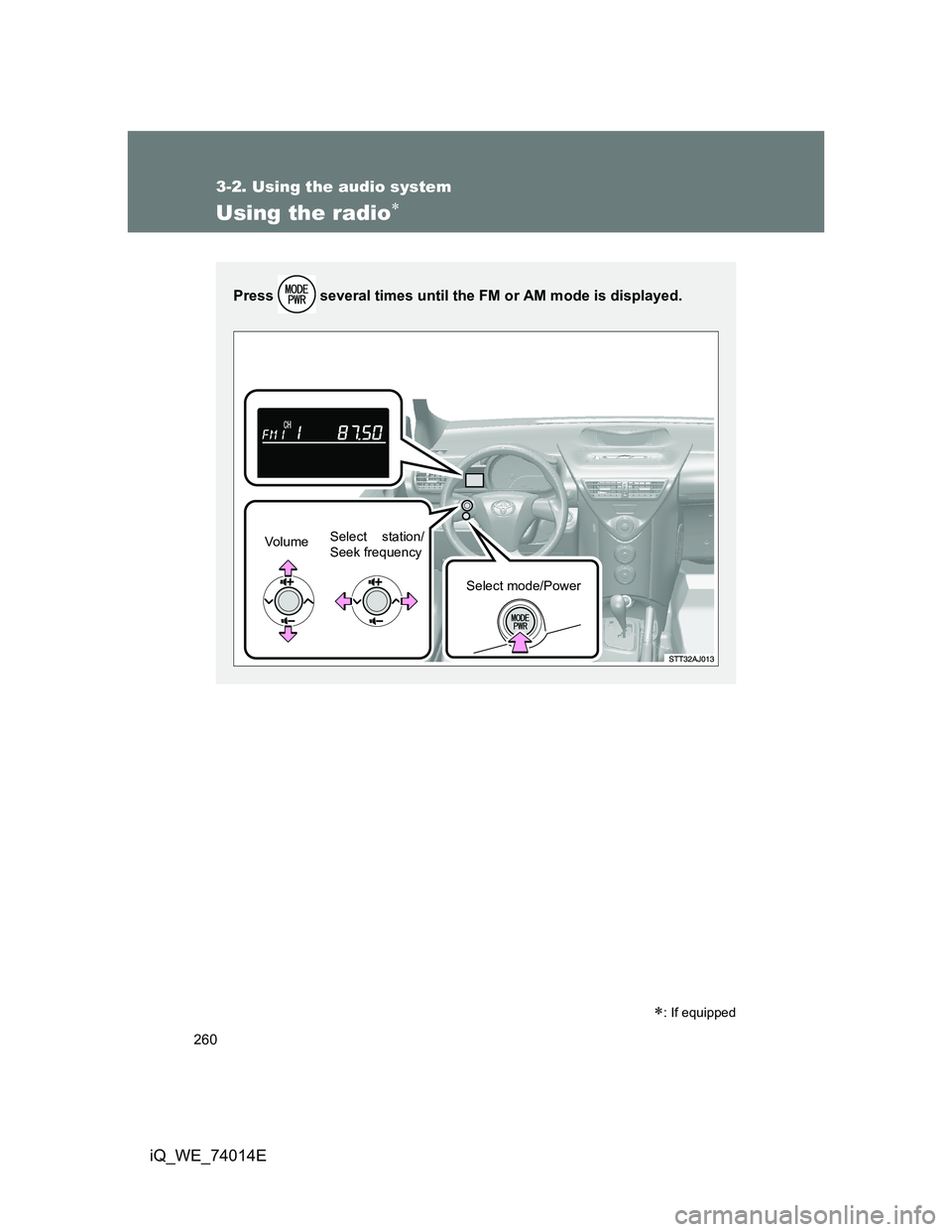
Using the radio
: If equipped
Press several times until the FM or AM mode is displayed.
Vo l u m eSelect station/
Seek frequency
Select mode/Power