audio TOYOTA IQ 2012 Owners Manual
[x] Cancel search | Manufacturer: TOYOTA, Model Year: 2012, Model line: IQ, Model: TOYOTA IQ 2012Pages: 476, PDF Size: 23.52 MB
Page 1 of 476
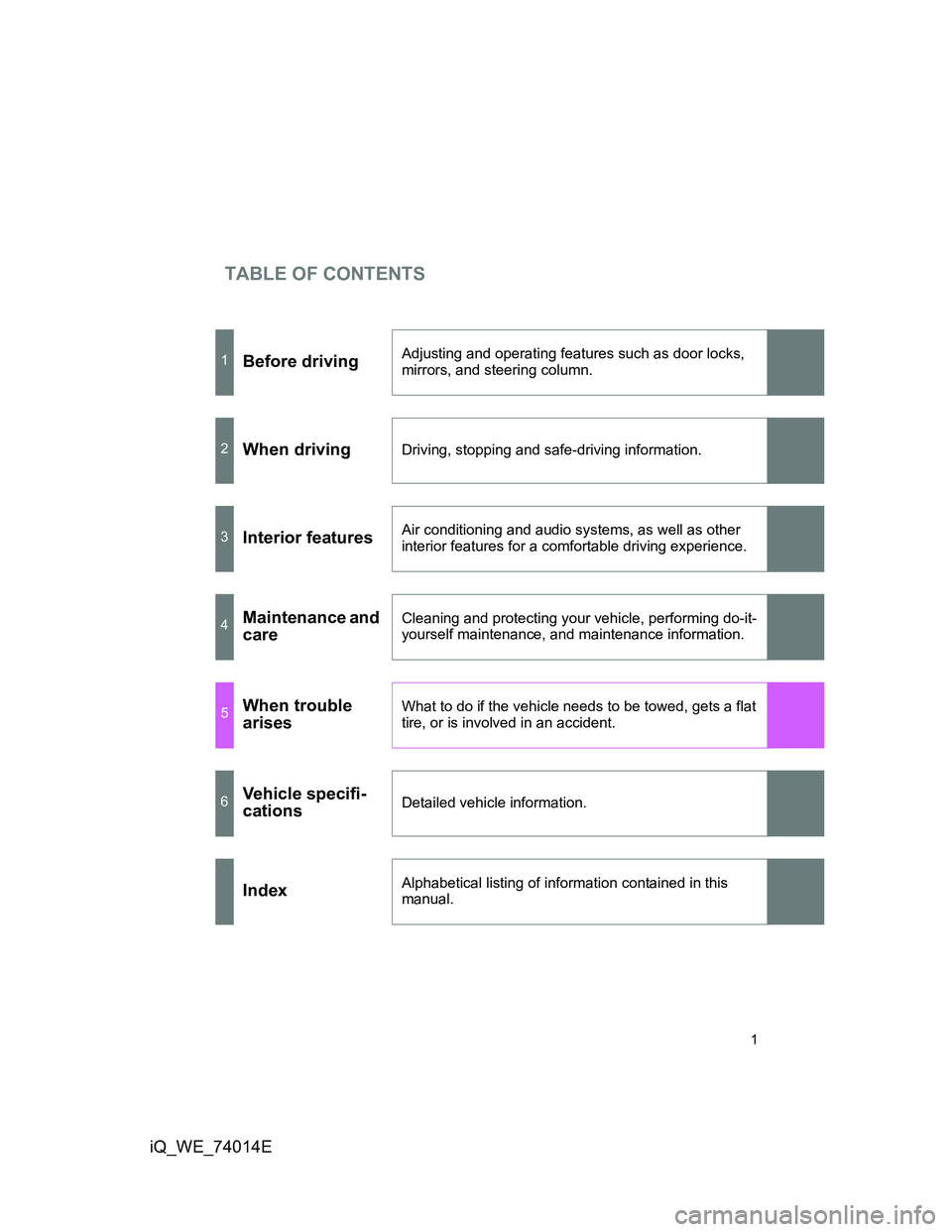
TABLE OF CONTENTS
1
iQ_WE_74014E
1Before drivingAdjusting and operating features such as door locks,
mirrors, and steering column.
2When drivingDriving, stopping and safe-driving information.
3Interior featuresAir conditioning and audio systems, as well as other
interior features for a comfortable driving experience.
4Maintenance and
careCleaning and protecting your vehicle, performing do-it-
yourself maintenance, and maintenance information.
5When trouble
arisesWhat to do if the vehicle needs to be towed, gets a flat
tire, or is involved in an accident.
6Vehicle specifi-
cationsDetailed vehicle information.
IndexAlphabetical listing of information contained in this
manual.
Page 3 of 476
1
2
3
4
5
6
3
iQ_WE_74014E
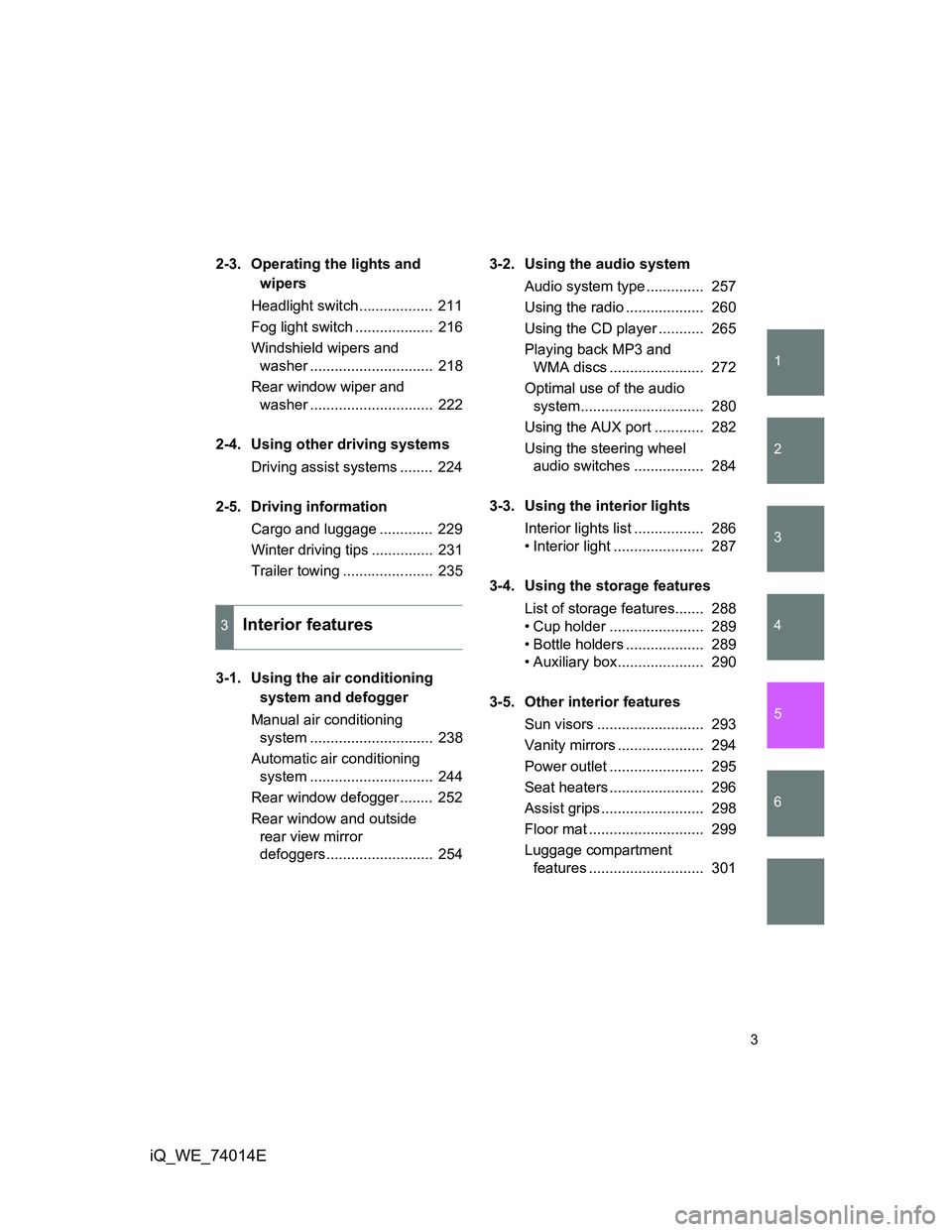
2-3. Operating the lights and
wipers
Headlight switch.................. 211
Fog light switch ................... 216
Windshield wipers and
washer .............................. 218
Rear window wiper and
washer .............................. 222
2-4. Using other driving systems
Driving assist systems ........ 224
2-5. Driving information
Cargo and luggage ............. 229
Winter driving tips ............... 231
Trailer towing ...................... 235
.
3-1. Using the air conditioning
system and defogger
Manual air conditioning
system .............................. 238
Automatic air conditioning
system .............................. 244
Rear window defogger ........ 252
Rear window and outside
rear view mirror
defoggers.......................... 2543-2. Using the audio system
Audio system type .............. 257
Using the radio ................... 260
Using the CD player ........... 265
Playing back MP3 and
WMA discs ....................... 272
Optimal use of the audio
system.............................. 280
Using the AUX port ............ 282
Using the steering wheel
audio switches ................. 284
3-3. Using the interior lights
Interior lights list ................. 286
• Interior light ...................... 287
3-4. Using the storage features
List of storage features....... 288
• Cup holder ....................... 289
• Bottle holders ................... 289
• Auxiliary box..................... 290
3-5. Other interior features
Sun visors .......................... 293
Vanity mirrors ..................... 294
Power outlet ....................... 295
Seat heaters ....................... 296
Assist grips ......................... 298
Floor mat ............................ 299
Luggage compartment
features ............................ 301
3Interior features
Page 13 of 476
13
iQ_WE_74014E
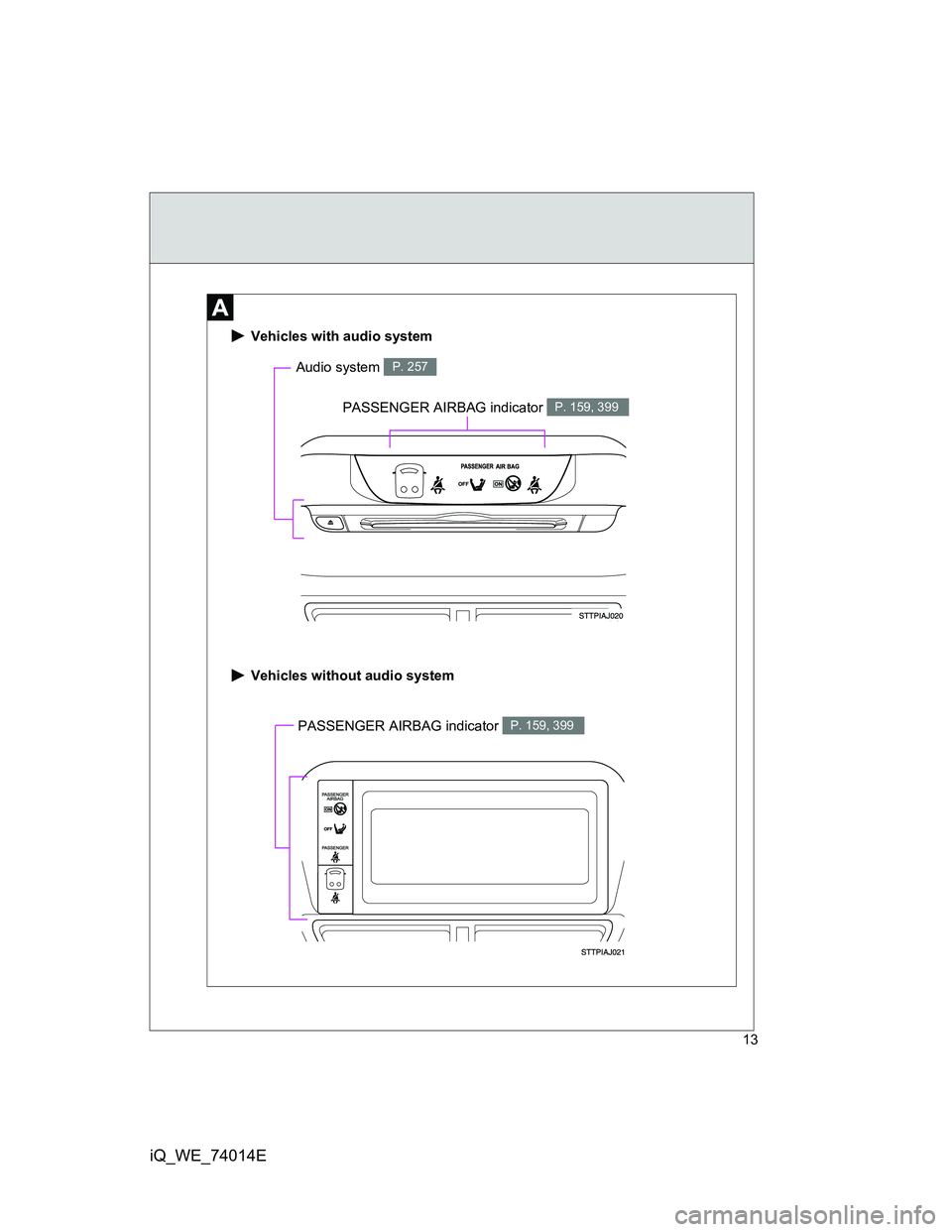
PASSENGER AIRBAG indicator P. 159, 399
Vehicles with audio system
Vehicles without audio system
Audio system P. 257
PASSENGER AIRBAG indicator P. 159, 399
Page 18 of 476
18
iQ_WE_74014E
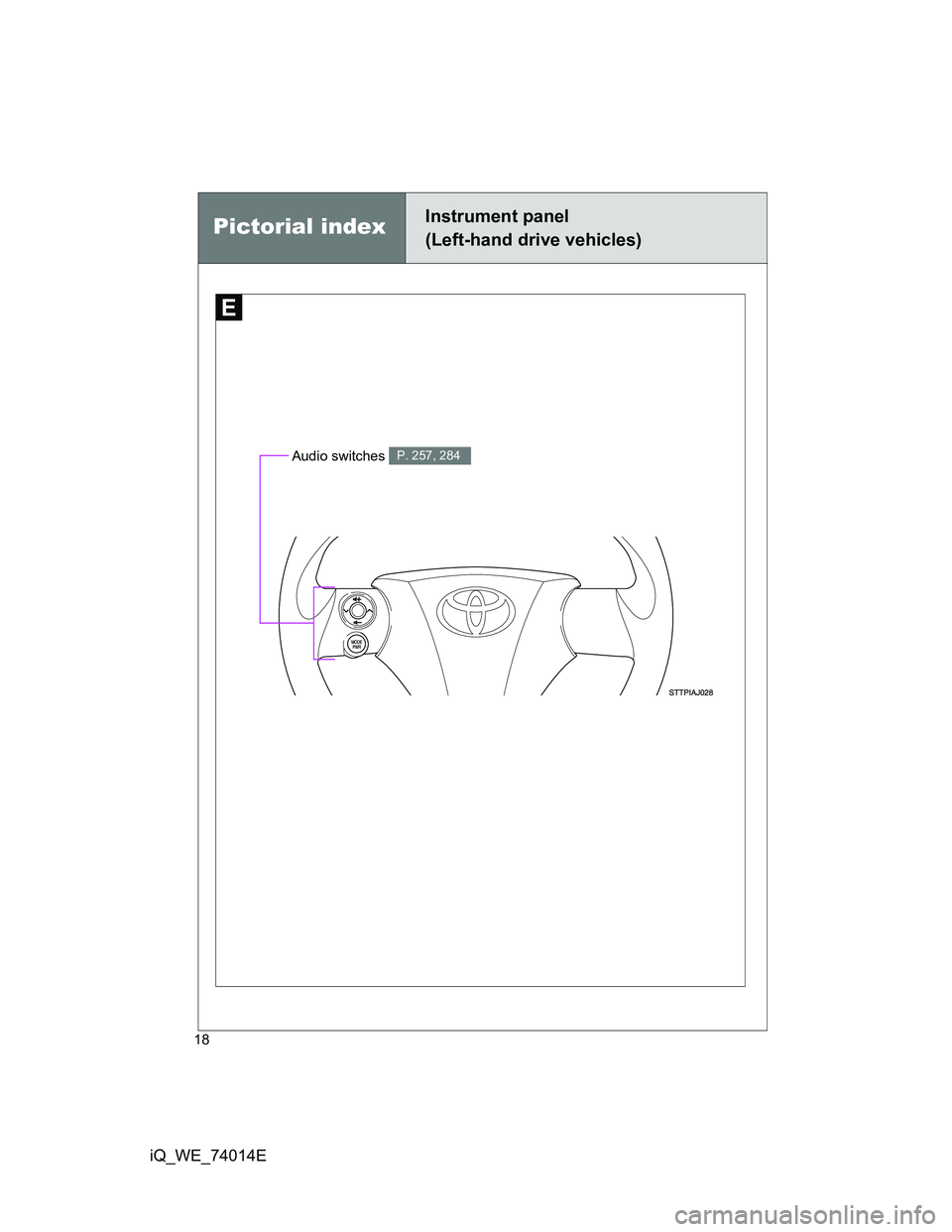
Pictorial indexInstrument panel
(Left-hand drive vehicles)
Audio switches P. 257, 284
Page 24 of 476
24
iQ_WE_74014E
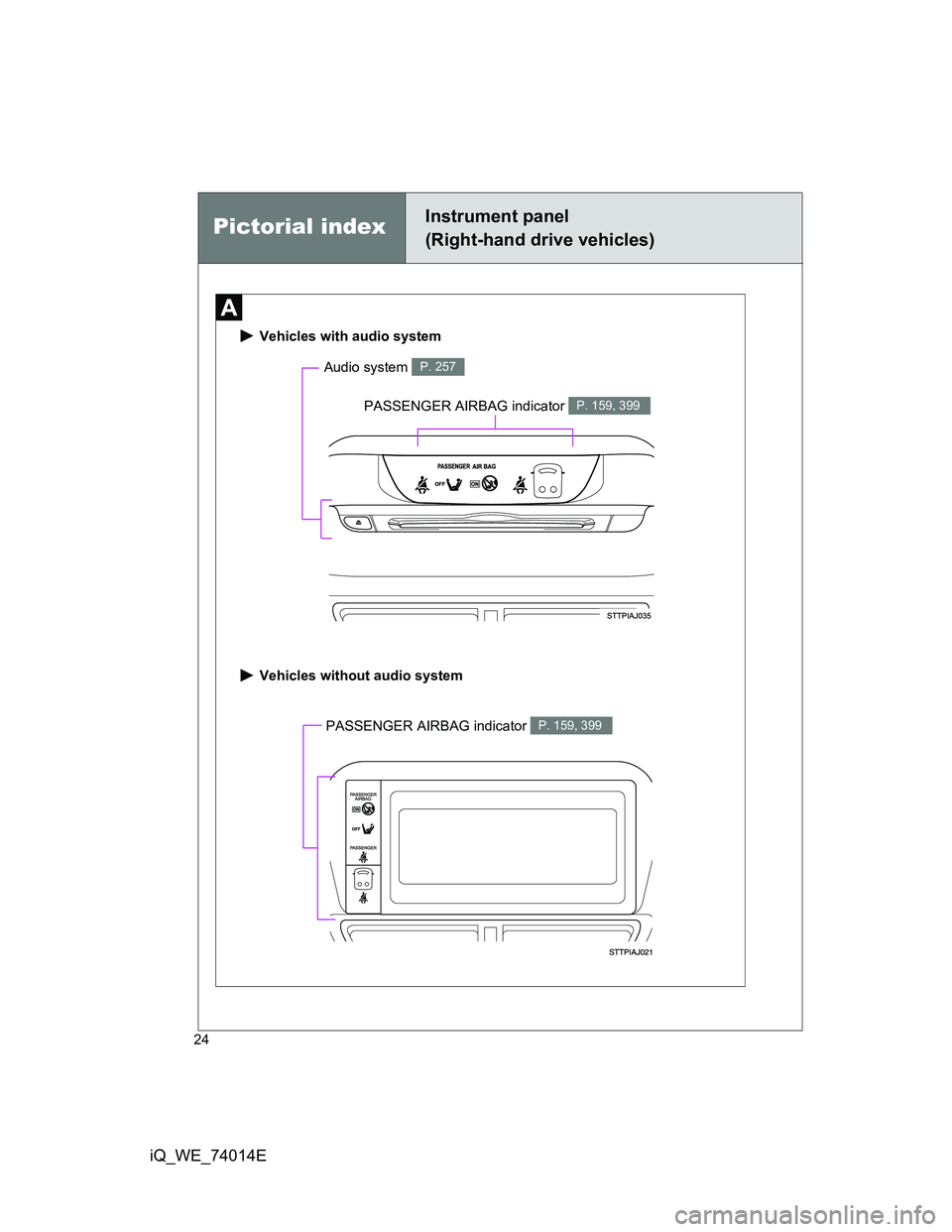
PASSENGER AIRBAG indicator P. 159, 399
Vehicles with audio system
Vehicles without audio system
Audio system P. 257
PASSENGER AIRBAG indicator P. 159, 399
Pictorial indexInstrument panel
(Right-hand drive vehicles)
Page 29 of 476
29
iQ_WE_74014E
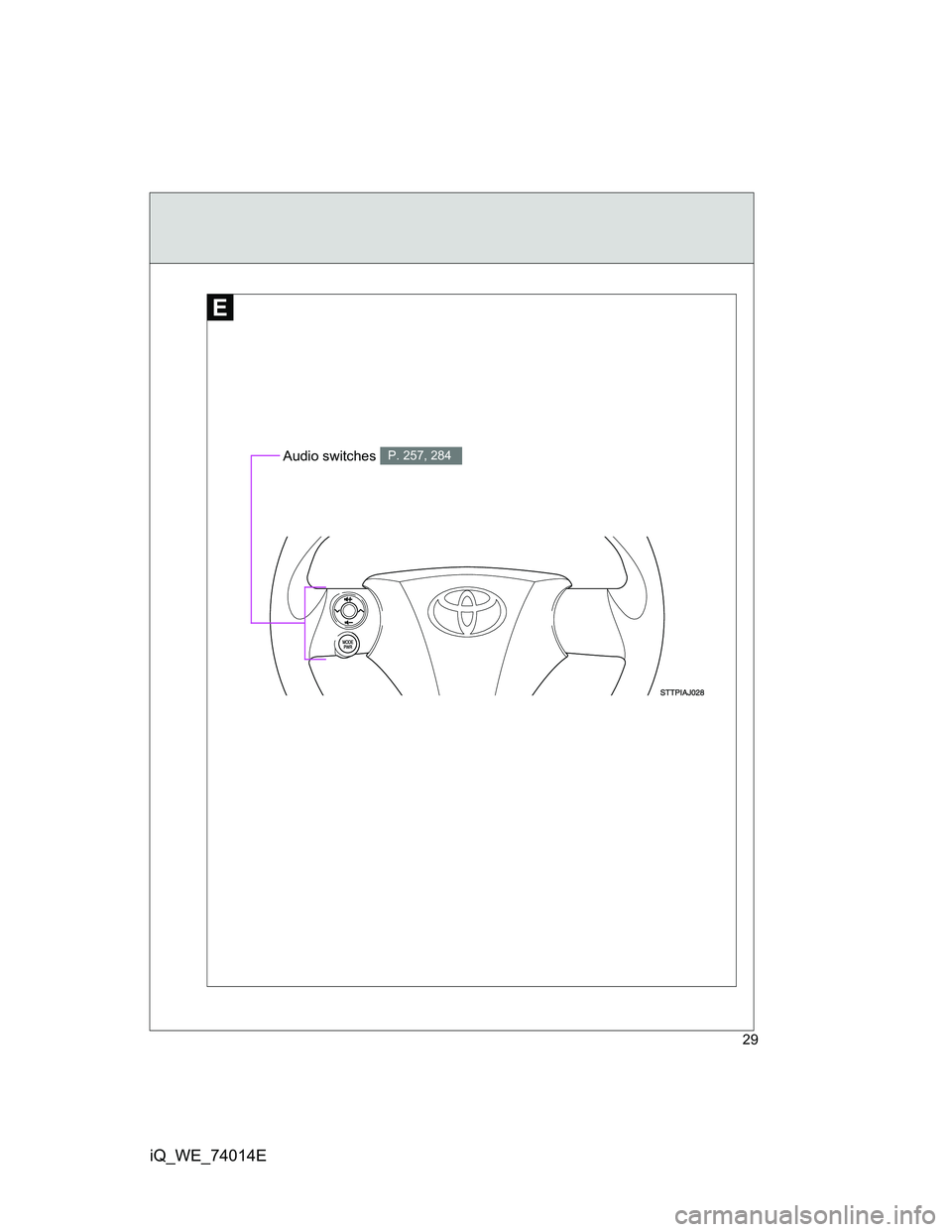
Audio switches P. 257, 284
Page 37 of 476
37 1-1. Key information
1
Before driving
iQ_WE_74014E
Key number plate
Keep the plate in a safe place such as your wallet, not in the vehicle. In the
event that a key is lost, a new key can be made by any authorized Toyota
dealer or repairer, or another duly qualified and equipped professional, using
the key number plate. (P. 426)
When riding in an aircraft
When bringing an electronic key onto an aircraft, make sure you do not
press any buttons on the electronic key while inside the aircraft cabin. If you
are carrying an electronic key in your bag etc, ensure that the buttons are
not likely to be pressed accidentally. Pressing a button may cause the elec-
tronic key to emit radio waves that could interfere with the operation of the
aircraft.
NOTICE
To prevent key damage
The electronic key is a precision instrument. Be sure to observe the follow-
ing.
Do not drop the keys, subject them to strong shocks or bend them.
Do not expose the keys to high temperatures for a long period of time.
Do not get the keys wet or wash them in an ultrasonic washer etc.
Do not attach metallic or magnetic materials to the keys or place the keys
close to such materials.
Do not disassemble the electronic keys.
Do not put a sticker or equivalent on the key surface.
Do not place the key near objects that produce magnetic fields, such as
TVs, audio systems, induction cookers, or medical electrical equipment,
such as low-frequency therapy equipment.
When carrying the keys
Do not place the key within 0.1 m (0.33 ft.) of any other electric appliances
when their power is on. Otherwise, the key may not operate properly due to
radio wave interference from the appliances.
Page 61 of 476
61 1-2. Opening, closing and locking the doors
1
Before driving
iQ_WE_74014E
NOTICE
Conditions affecting operation
The smart entry & start system uses weak radio waves. In the following situ-
ations, the communication between the electronic key and the vehicle may
be affected, preventing the smart entry & start system and wireless remote
control from operating properly. (Way of coping P. 427)
When the electronic key battery is depleted
Near a TV tower, electric power plant, gas station, radio station, large dis-
play, airport or other facility that generates strong radio waves or electrical
noise
When a portable radio, cellular phone, cordless phone or other wireless
communication device is in the vicinity
When the electronic key has come into contact with, or is covered by a
metallic object, such as the following
• Cards on which metal sheets such as foil are attached
• Cigarette boxes in which foil is used
• Metallic wallets or bags
• Coins
• Hot packs or pocket warmers
• Optical media such as CDs and DVDs
When other wireless keys that emit radio waves are used in the vicinity
When carrying the electronic key together with the following devices
• Another vehicle’s electronic key or a wireless key that emits radio
waves
• Personal computers or PDAs
• Digital audio players
• Hand-held game consoles
If window tint with metallic content or metallic objects are attached to the
rear window
Page 159 of 476
159
1
1-7. Safety information
Before driving
iQ_WE_74014E
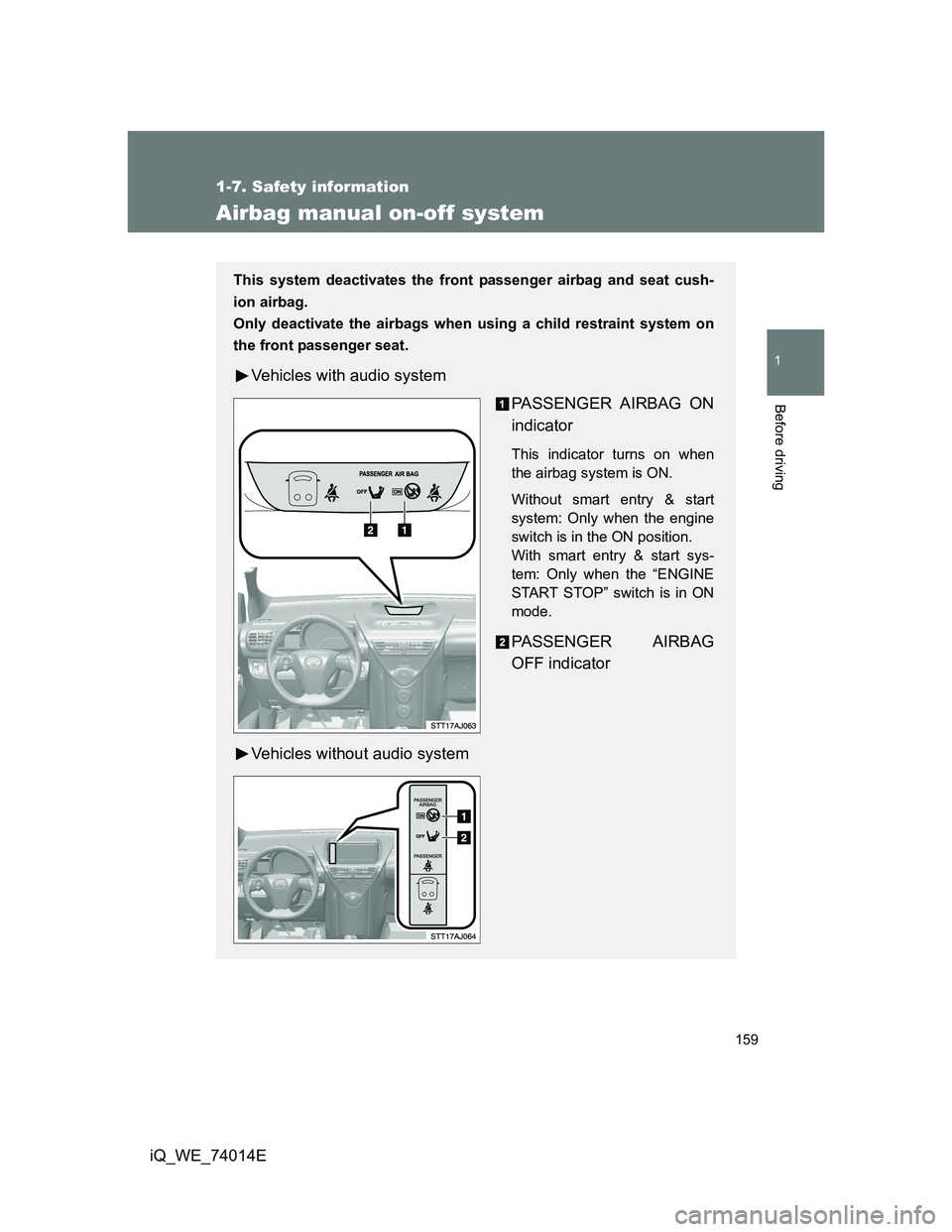
Airbag manual on-off system
This system deactivates the front passenger airbag and seat cush-
ion airbag.
Only deactivate the airbags when using a child restraint system on
the front passenger seat.
Vehicles with audio system
PASSENGER AIRBAG ON
indicator
This indicator turns on when
the airbag system is ON.
Without smart entry & start
system: Only when the engine
switch is in the ON position.
With smart entry & start sys-
tem: Only when the “ENGINE
START STOP” switch is in ON
mode.
PASSENGER AIRBAG
OFF indicator
Vehicles without audio system
Page 176 of 476
176
2-1. Driving procedures
iQ_WE_74014E
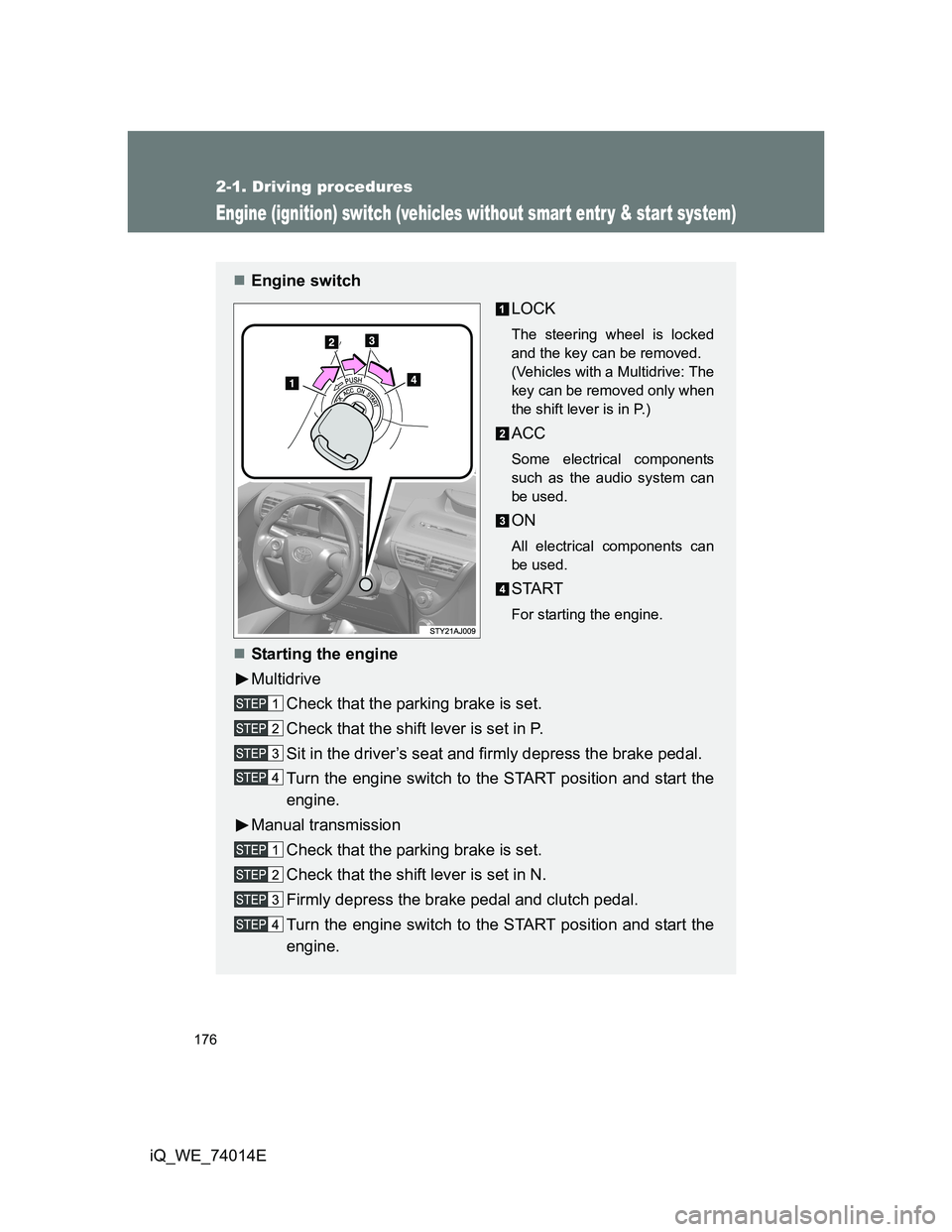
Engine (ignition) switch (vehicles without smart entr y & start system)
Engine switch
LOCK
The steering wheel is locked
and the key can be removed.
(Vehicles with a Multidrive: The
key can be removed only when
the shift lever is in P.)
ACC
Some electrical components
such as the audio system can
be used.
ON
All electrical components can
be used.
START
For starting the engine.
Starting the engine
Multidrive
Check that the parking brake is set.
Check that the shift lever is set in P.
Sit in the driver’s seat and firmly depress the brake pedal.
Turn the engine switch to the START position and start the
engine.
Manual transmission
Check that the parking brake is set.
Check that the shift lever is set in N.
Firmly depress the brake pedal and clutch pedal.
Turn the engine switch to the START position and start the
engine.